


Loxo Review: Pros, Cons, Features and Pricing Explained



Loxo is an AI-powered applicant tracking system built for recruiting teams that need sourcing, candidate relationship management, and hiring pipeline management in one place. I'd consider it if you want more than a traditional ATS—specifically, an end-to-end recruiting platform that handles outbound sourcing alongside inbound hiring. Compared to Greenhouse, which leans heavily into structured interviewing and hiring process design, Loxo gives recruiters a fuller toolkit without needing separate sourcing tools or a standalone CRM bolted on.
Loxo Evaluation Summary
- From $149/user/month (billed annually)
- Free demo + 7-day free trial available
Why Trust Our Software Recommendations
Our team has been testing and reviewing software since 2012. As HR experts ourselves, we know how difficult—and important—it is to choose the right software.
For this guide, we evaluated tools using hands-on testing and independent research, scoring tools using our selection criteria. We also draw on insights from industry thought leaders and practicing HR experts.
Our reviews reflect our human editorial judgment, not a sales pitch.
Expert reviewers:
Loxo Overview
When I compare Loxo to other applicant tracking systems, its AI sourcing, automated candidate outreach, and easy-to-navigate interface set it apart for speed and efficiency. Pricing is competitive, and the built-in CRM and reporting help you centralize your process. You may find integrations and customizations a bit lighter than some others, but onboarding is smooth and support answers quickly.
I’d recommend Loxo if you’re choosing for a high-volume recruiting team, agency, or growing HR department that wants to automate sourcing and move fast without endless setup.
pros
-
AI sourcing uncovers passive candidates quickly
-
Built-in outreach automates bulk email and texting
-
Visual pipeline tracks candidate status in real time
cons
-
Mobile app is only available for iOS
-
Reporting options are less detailed than some platforms
-
Browser extension can be slow to load at times
Is Loxo Right For Your Needs?
Who Would be a Good Fit for Loxo?
Loxo is a good match for organizations that need modern sourcing, high-volume outreach, and an easy-to-use pipeline. Recruiting and staffing agencies, executive search, and fast-growing teams benefit from Loxo’s blend of AI sourcing, automated pipelines, and all-in-one communication. Industries where proactive talent engagement or placement is core, or where recruiting teams don’t have huge IT resources, will find its toolset especially practical.
-
Staffing Agencies
High-volume candidate search and outreach gets automated, saving time and managing many open roles at once.
-
Executive Search Firms
Comprehensive sourcing, talent graph database, and built-in CRM help manage long recruiting cycles and complex pipelines.
-
Tech Startups
Easy job posting, pipeline flexibility, and affordable tiers suit teams ramping up hiring quickly with little admin support.
-
HR Departments (SMB)
HR teams in small to mid-sized businesses appreciate the drag-and-drop interface and fast onboarding for easy adoption.
-
RPO Providers
Recruitment process outsourcing teams leverage advanced sourcing and easy client-candidate relationship tracking in one place.
-
Third-Party Recruiters
Integrated calling, SMS, and outreach campaigns help third-party recruiters manage many clients and candidate pools efficiently.
Who Would be a Bad Fit for Loxo?
Loxo may not be right for organizations in sectors with strict compliance, highly customized workflows, or major enterprise needs. Companies with highly regulated or complex onboarding, corporations with massive HRIS requirements, or those who need broad international feature sets may find Loxo limiting. If your team needs detailed analytics or deep connections with niche HR tools, you may find more tailored options elsewhere.
-
Large Enterprises
Very large companies needing deep, advanced analytics and broad HRIS integrations will find Loxo lacks required scale and integrations.
-
Government Agencies
Strict government compliance, auditing, and specialized onboarding are not fully addressed by Loxo’s standard features.
-
Healthcare Providers
Healthcare hiring often demands specific compliance checks and credential management beyond Loxo’s out-of-the-box tools.
-
Manufacturing Firms
Complex, union-influenced workflows and multilingual needs may need more customization and localization than Loxo supports.
-
Global Corporations
Companies hiring across dozens of countries may need broader language support or region-specific compliance than Loxo offers.
-
Campus Recruiters
Loxo’s features are focused on agency and professional recruiting, not on niche university or entry-level program outreach needs.
How We Test & Score Our Tools
We’ve spent years building, refining, and improving our software testing and scoring system. The rubric is designed to capture the nuances of software selection and what makes a tool effective, focusing on critical aspects of the decision-making process.
Below, you can see exactly how our testing and scoring works across seven criteria. It allows us to provide an unbiased evaluation of the software based on core functionality, standout features, ease of use, onboarding, customer support, integrations, customer reviews, and value for money.
Core Functionality (25% of final score)
The starting point of our evaluation is always the core functionality of the tool. Does it have the basic features and functions that a user would expect to see? Are any of those core features locked to higher-tiered pricing plans? At its core, we expect a tool to stand up against the baseline capabilities of its competitors.
Standout Features (25% of final score)
Next, we evaluate uncommon standout features that go above and beyond the core functionality typically found in tools of its kind. A high score reflects specialized or unique features that make the product faster, more efficient, or offer additional value to the user.
We also evaluate how easy it is to integrate with other tools typically found in the tech stack to expand the functionality and utility of the software. Tools offering plentiful native integrations, 3rd party connections, and API access to build custom integrations score best.
Ease of Use (10% of final score)
We consider how quick and easy it is to execute the tasks defined in the core functionality using the tool. High scoring software is well designed, intuitive to use, offers mobile apps, provides templates, and makes relatively complex tasks seem simple.
Onboarding (10% of final score)
We know how important rapid team adoption is for a new platform, so we evaluate how easy it is to learn and use a tool with minimal training. We evaluate how quickly a team member can get set up and start using the tool with no experience. High scoring solutions indicate little or no support is required.
Customer Support (10% of final score)
We review how quick and easy it is to get unstuck and find help by phone, live chat, or knowledge base. Tools and companies that provide real-time support score best, while chatbots score worst.
Customer Reviews (10% of final score)
Beyond our own testing and evaluation, we consider the net promoter score from current and past customers. We review their likelihood, given the option, to choose the tool again for the core functionality. A high scoring software reflects a high net promoter score from current or past customers.
Value for Money (10% of final score)
Lastly, in consideration of all the other criteria, we review the average price of entry level plans against the core features and consider the value of the other evaluation criteria. Software that delivers more, for less, will score higher.
Core Features
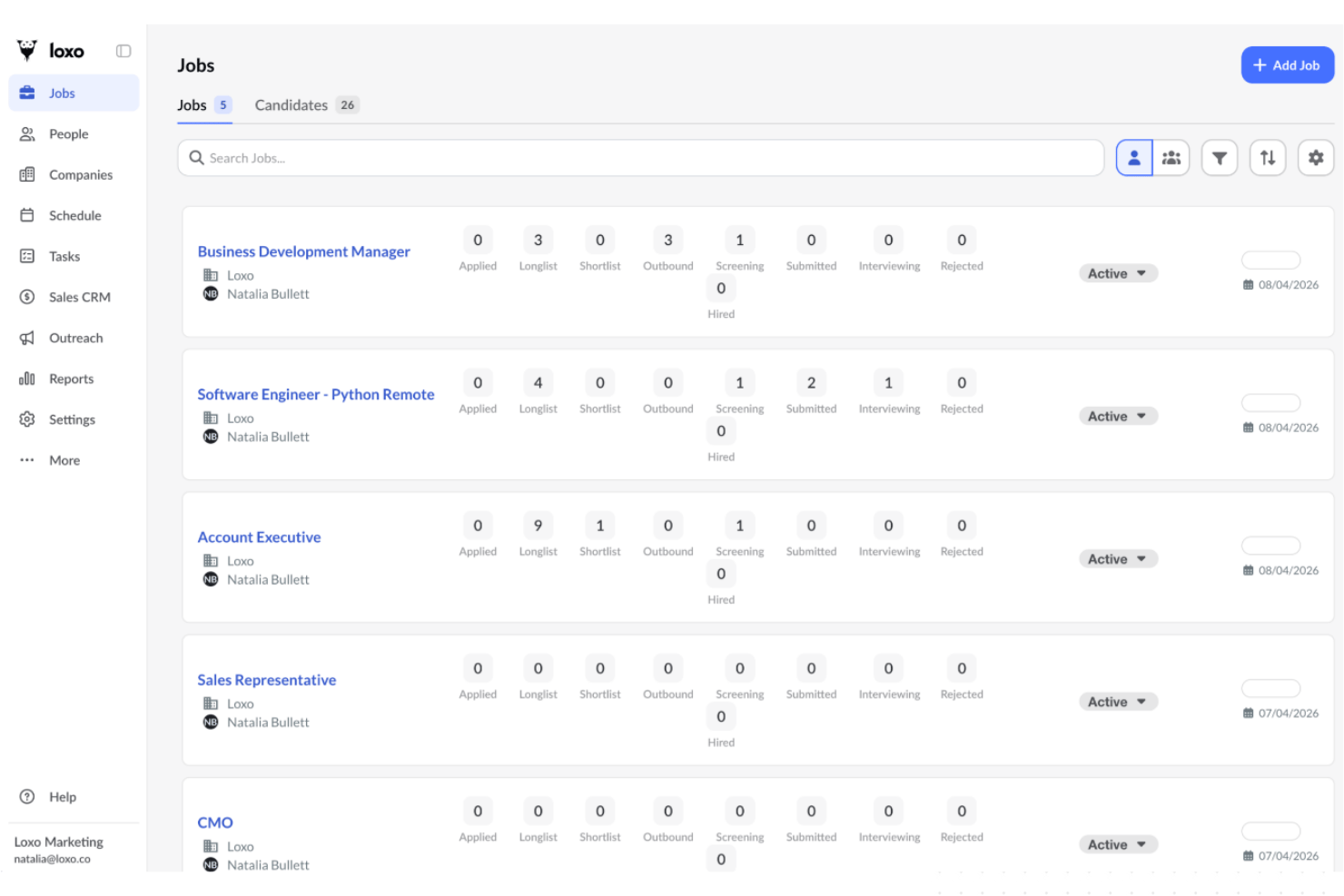
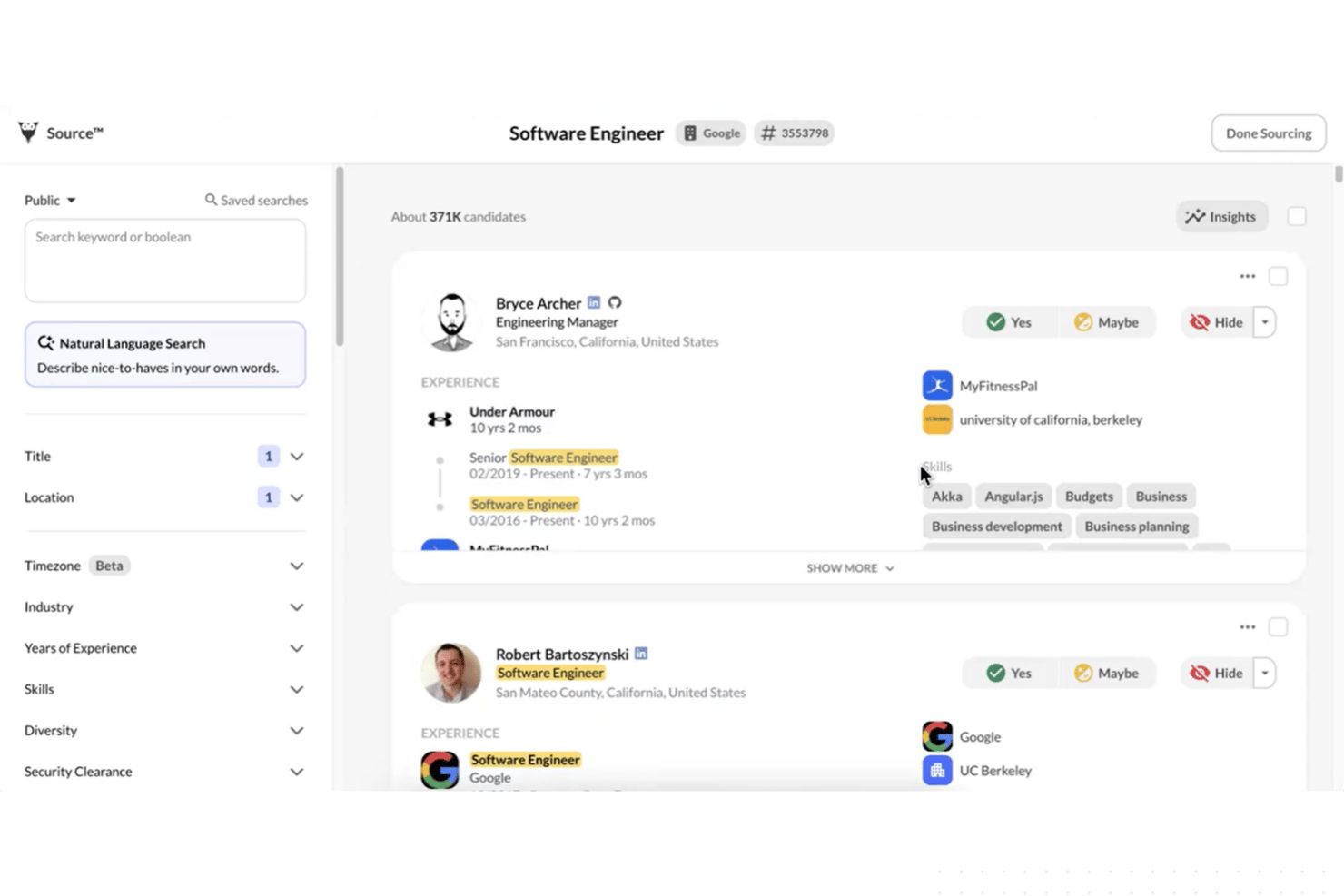
AI Candidate Sourcing
Loxo uses AI to identify and suggest top candidates from public and proprietary databases. This helps fill pipelines faster with both active and passive talent.
Automated Candidate Outreach
You can create bulk email and SMS campaigns right in Loxo. Automated messaging sequences engage candidates and reduce manual follow-up.
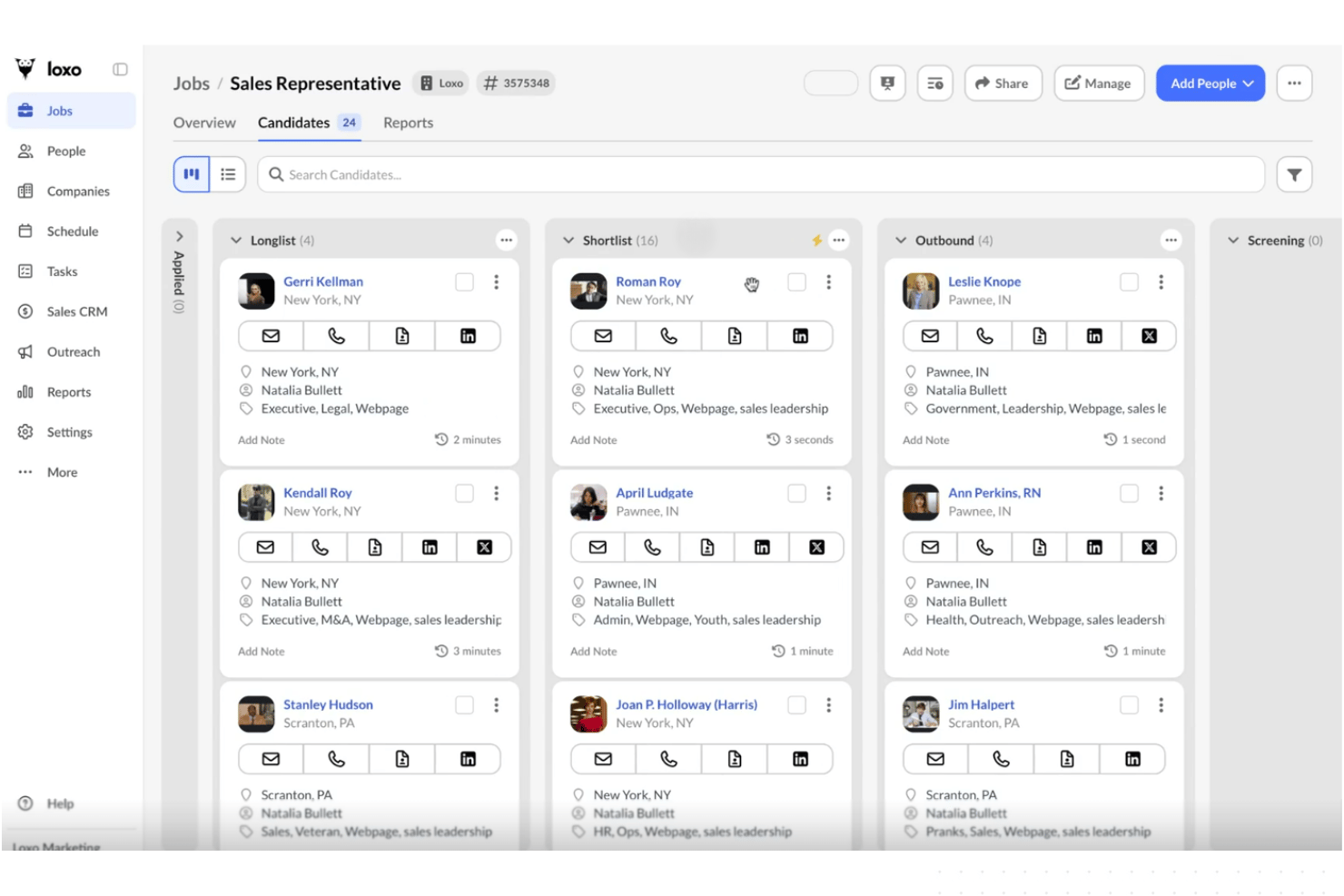
Visual Drag-and-Drop Pipeline
The board view makes it easy to move applicants through each stage. This lets you spot bottlenecks and prioritize next steps at a glance.
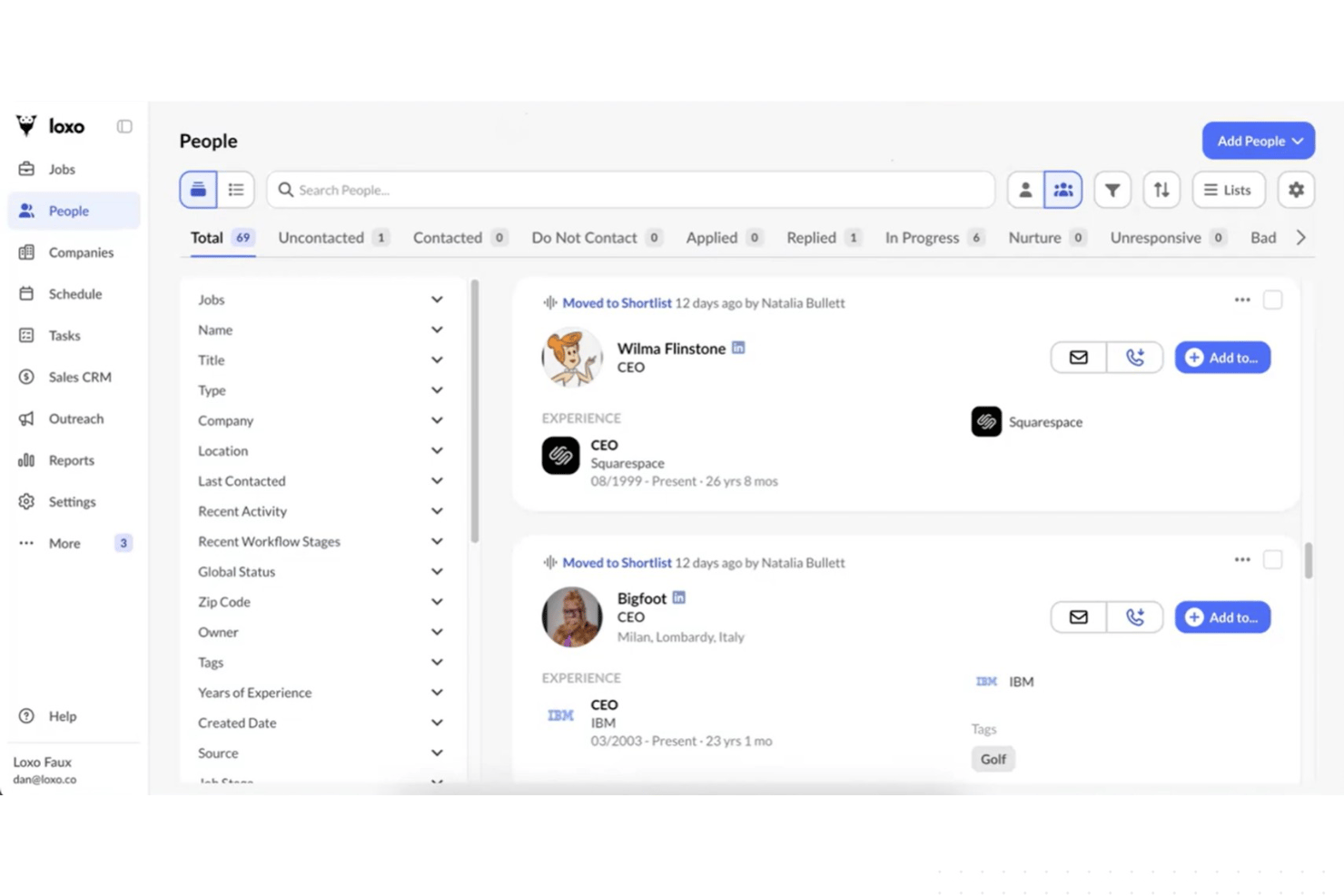
Built-In Recruiting CRM
Loxo includes a recruiting CRM to manage both clients and candidates. View full communication history and organize records in one place.
1-Click Job Publishing
Post open roles to multiple job boards with a single step. This saves time and boosts role visibility to a broad audience.
Customizable Interview Scheduling
Loxo lets you automate interview scheduling and sync with calendars. Candidates can book their time slots, cutting back-and-forth emails.
Standout Features
Talent Graph Database
Loxo’s proprietary talent graph links data from millions of profiles and sources. This gives you richer insights and context about candidate backgrounds and career paths.
Built-In VoIP Calling
Make and log calls to candidates directly from Loxo’s platform. VoIP integration helps you track communication and reach out instantly without switching tools.
Ease of Use
Loxo stands out for its clean interface, intuitive navigation, and visual workflow. I think users will appreciate how quickly you can source, outreach, and track candidates without extra clicks or menus. Feedback often highlights the drag-and-drop pipeline and simple campaign builders, making daily recruiting tasks fast and less frustrating.
Onboarding
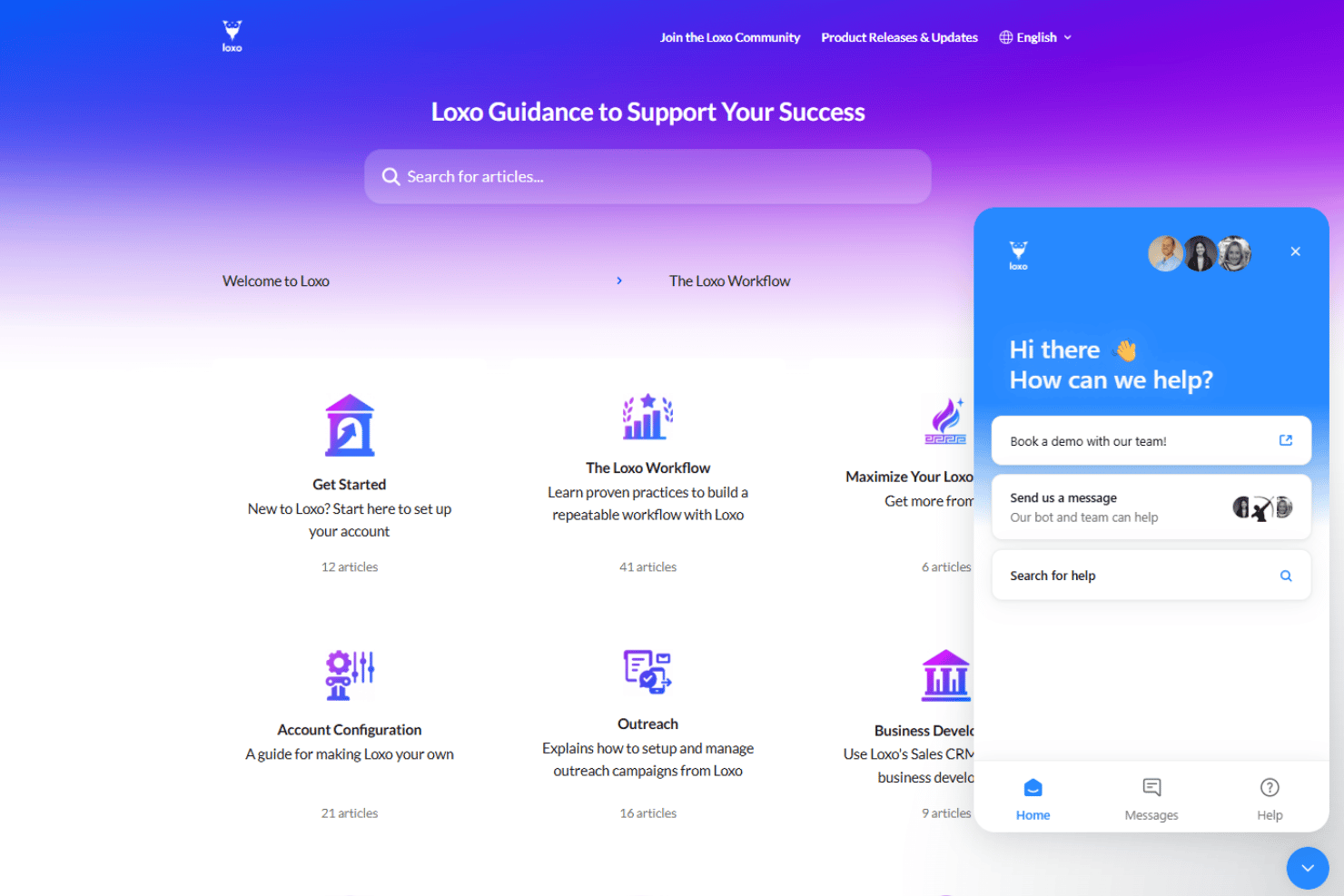
Loxo’s onboarding process is quick, with clear walkthroughs and resource guides built into the dashboard. Users mention rapid setup, helpful live chat, and regular check-ins from support. I think teams are up and running faster than expected, and the resource library answers most early questions without needing extra training time.
Customer Support
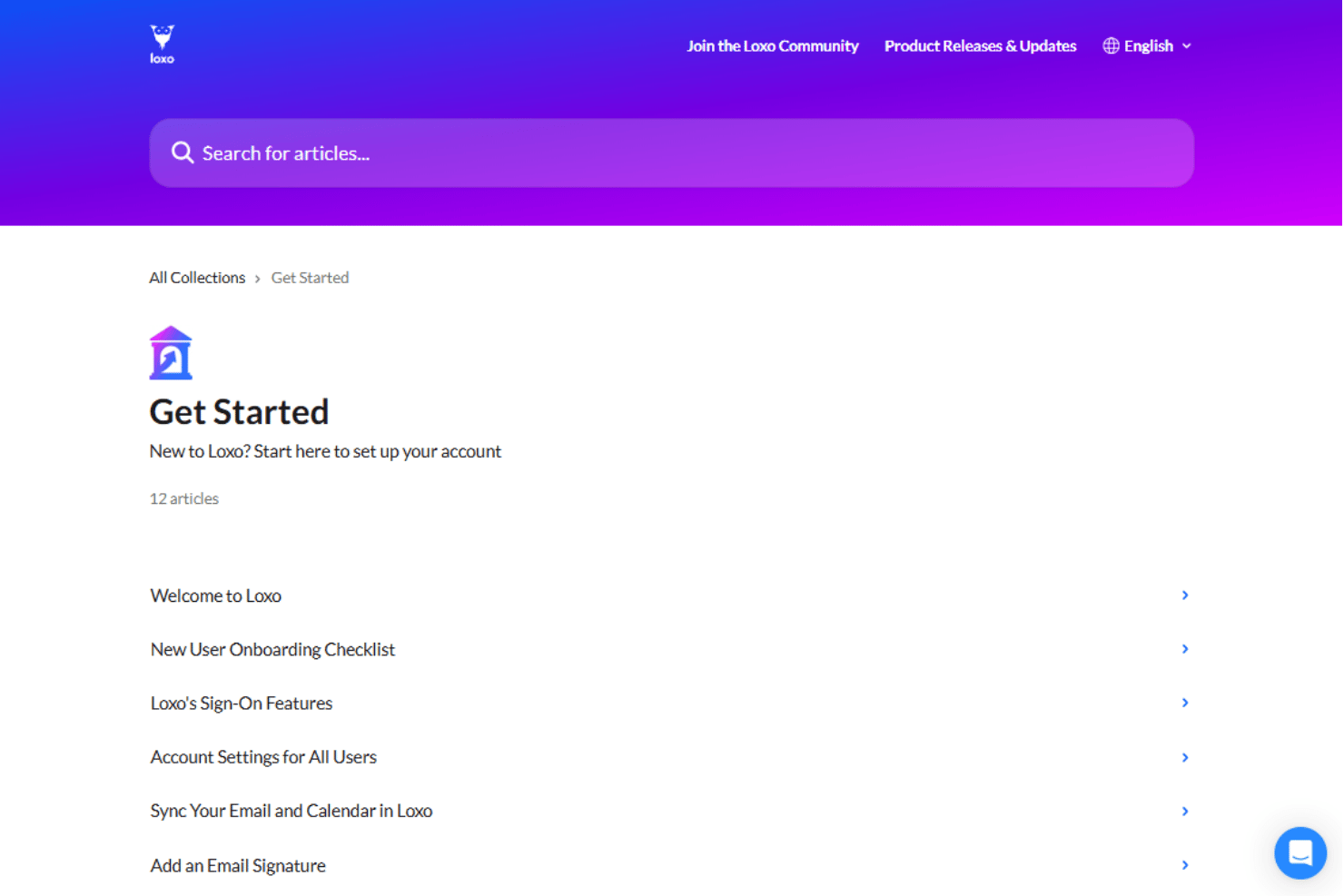
Loxo’s customer support is responsive and consistently rates highly in user feedback. You can reach support through 24/7 live chat, email, or scheduled calls, and agents typically resolve questions quickly. I see users mention friendly, knowledgeable service and fast answers for technical or process issues.
Integrations
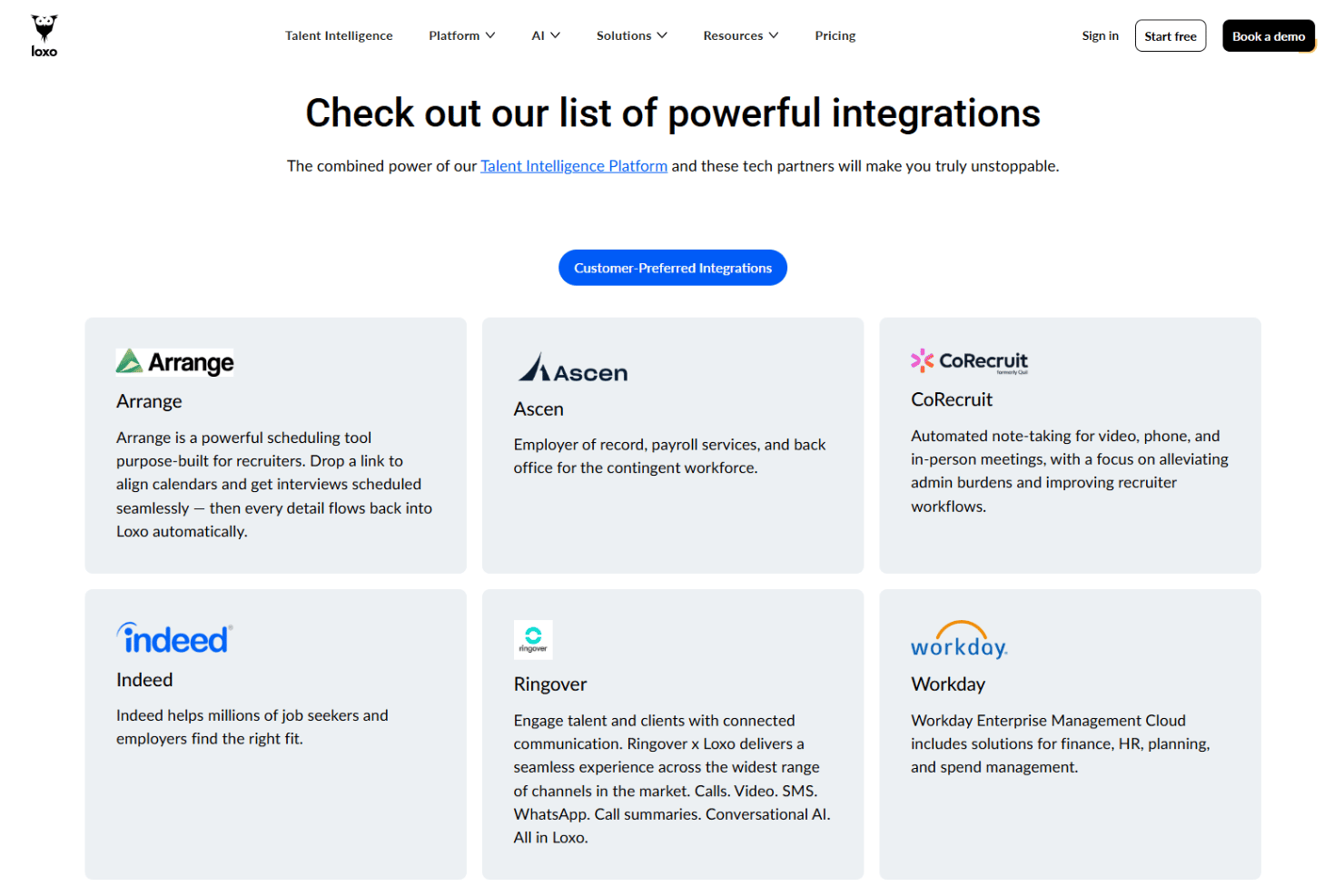
Loxo integrates with Workday, Indeed, FoxHire, Greenhouse, Hubspot, iCIMS, Zoom, Xero, Vente, and RingCentral, among others.
Loxo also offers an open API for custom integrations and connects with Zapier for additional workflows.
Value for Money
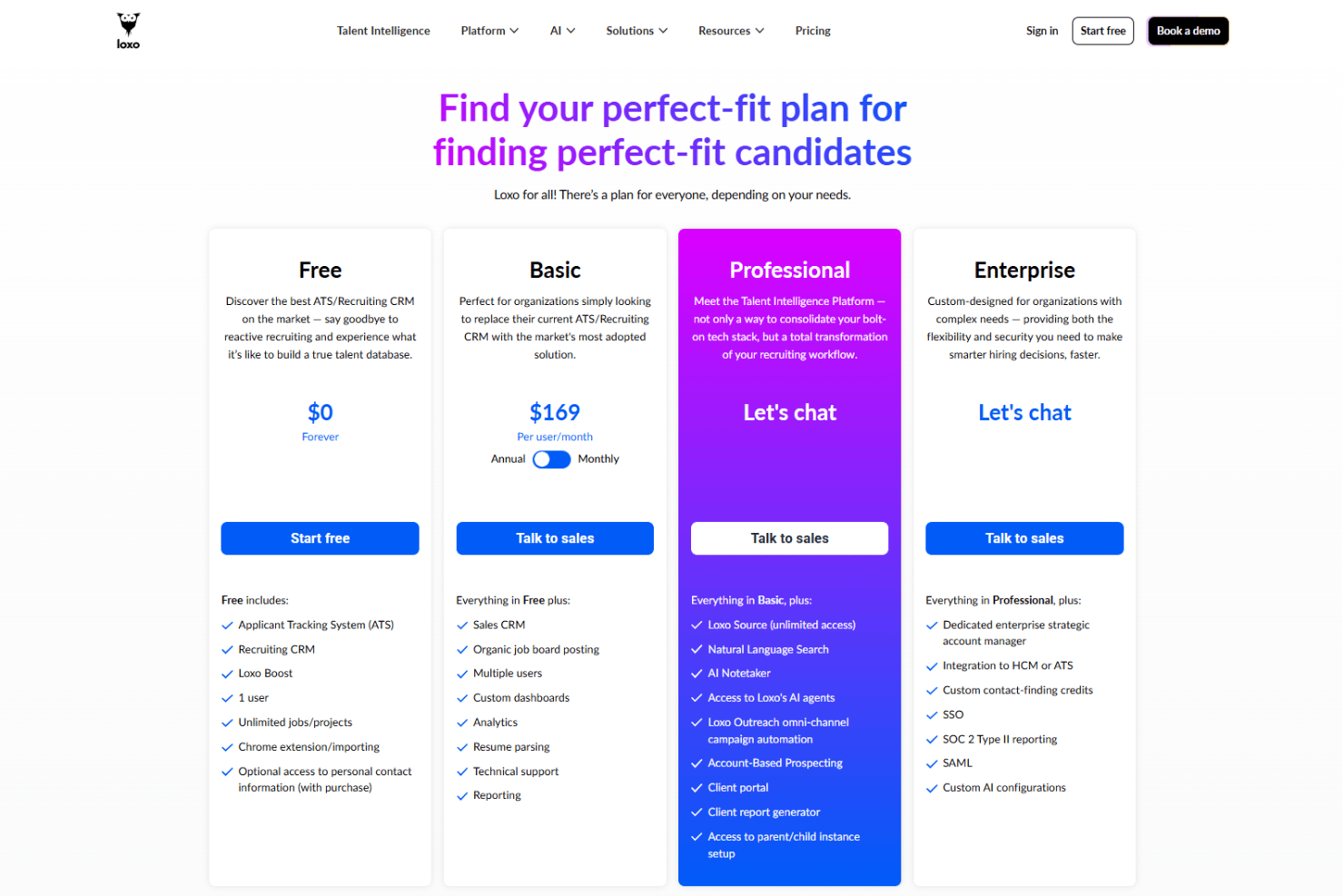
Loxo's pricing is considered competitive by many users, especially because even the Free plan includes a full ATS and recruiting CRM, while higher tiers add AI sourcing, outreach automation, and enterprise-grade capabilities.
- Free: ATS, recruiting CRM, Loxo Boost, unlimited jobs/projects, Chrome extension, and one user.
- Basic: Multi-user support, sales CRM, job board posting, custom dashboards, analytics, resume parsing, reporting, and technical support.
- Professional: Unlimited Loxo Source, natural language search, AI Notetaker, AI agents, omnichannel outreach automation, account-based prospecting, client portal, and client reporting.
- Enterprise: Dedicated account management, HCM/ATS integrations, SSO, SAML, SOC 2 Type II reporting, custom contact-finding credits, and custom AI configurations.
Loxo Specs
- 2-Factor Authentication
- 360 Degree Feedback
- API
- Application Tracking
- Attendance Tracking
- Batch Permissions & Access
- Compliance Tracking
- Dashboard
- Data Export
- Data Import
- Data Visualization
- Employee Database
- Employee Engagement
- Employee Incentive Management
- Employee Onboarding
- Employee Training
- Expense Tracking
- External Integrations
- Feedback Management
- Multi-User
- Notifications
- Payroll
- Performance Appraisal
- Scheduling
- Time Management
- Timesheets
- Travel Management
- Vacation & Absence Calendar
Loxo FAQs
How does Loxo help source passive candidates?
What onboarding or training resources are available for new users?
Can I customize recruitment workflows in Loxo?
Is Loxo compliant with GDPR and other data security regulations?
How does Loxo handle candidate data privacy?
What analytics and reporting options does Loxo provide?
How easy is it to integrate Loxo with my existing email and calendar?
Does Loxo support bulk outreach and automated follow-ups?
Loxo Company Overview & History
Loxo is a privately held HR technology company focused on recruiting automation and applicant tracking software. The company is headquartered in Denver, Colorado, and serves thousands of recruiting agencies and talent acquisition teams worldwide. Loxo is known for its proprietary talent graph and its emphasis on leveraging AI for recruitment. Loxo’s platform is a standalone offering, with no disclosed sister products or parent company affiliations.
Loxo Major Milestones
- 2012: Founded in Denver, Colorado.
- 2019: Introduced Loxo Source, expanding AI-powered candidate sourcing with proprietary talent data.
- 2025: Launched Account-Based Prospecting and continued expanding its AI-powered Talent Intelligence Platform.
- 2025: Secured $115 million in growth investment to accelerate AI innovation and platform development.