


Metaview Review: Pros, Cons, Features and Pricing Overview



Metaview is an AI recruiting software that automatically captures, transcribes, and summarizes interviews so recruiters can stay present in conversations instead of scrambling to take notes. I'd consider it if your team is running a high volume of interviews and losing time to manual note-writing after each call. It's a better fit than a general transcription tool like Otter.ai because Metaview is built specifically for recruiting contexts, producing structured interview summaries rather than raw transcripts your team still has to interpret.
Metaview Evaluation Summary
- From $100/user/month
- Free plan available
Why Trust Our Software Reviews
Our team has been testing and reviewing software since 2012. As HR experts ourselves, we know how difficult—and important—it is to choose the right software.
For this guide, we evaluated tools using hands-on testing and independent research, scoring tools using our selection criteria. We also draw on insights from industry thought leaders and practicing HR experts.
Our reviews reflect our human editorial judgment, not a sales pitch.
Expert reviewers:
Metaview Overview
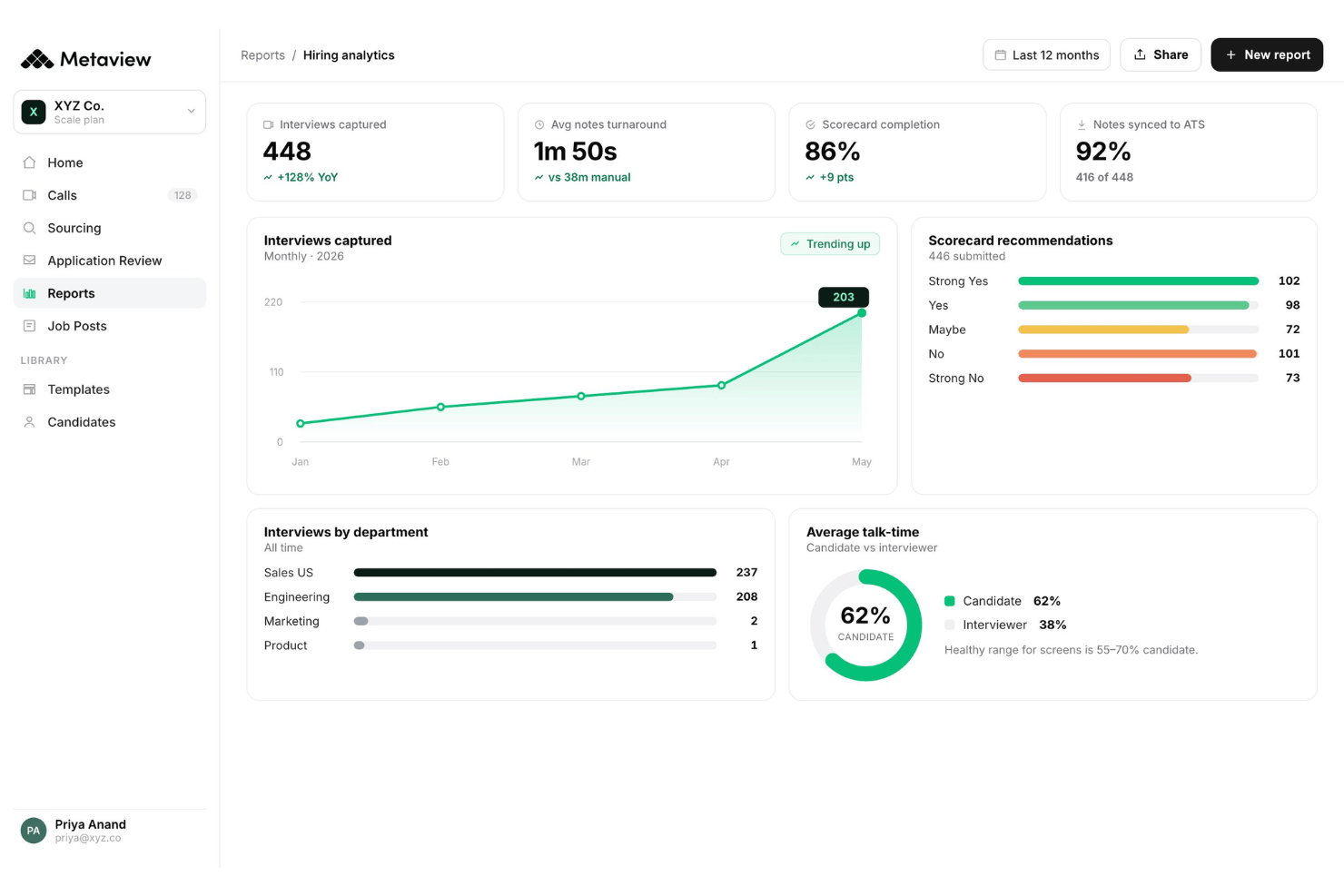
In my opinion, Metaview stands out for its automated interview note capture and straightforward onboarding—making it easy to ramp up and refine your hiring process. Compared to other AI tools I’ve judged, its interface is cleaner, and support is responsive. Pricing feels high for startups, especially if you need advanced ATS integrations, but conversation analysis is detailed. I’d suggest Metaview for recruiting teams prioritizing quality candidate experience, structured feedback, and insights over broad feature sets. For example, tech companies running high volumes of interviews will notice real time savings for hiring managers, while small agencies might find the investment harder to justify.
pros
-
Automatic interview transcripts drastically reduce manual note-taking time
-
Conversation insights help highlight interview trends for hiring teams
-
Candidate feedback summaries are structured and easily shareable
cons
-
Pricing may limit access for small recruiting teams
-
Lacks built-in scheduling and applicant tracking features
-
Limited language support compared to other AI platforms
Is Metaview Right For Your Needs?
Who Would be a Good Fit for Metaview?
Metaview is a great choice for fast-scaling businesses, busy talent acquisition teams, and organizations with high interview volume that value actionable interview insights. It’s especially valuable for tech-driven companies that want AI-powered documentation—from job description creation to structured interview analytics—across distributed teams. If your department needs unified notes, better candidate experience, and evidence-based hiring decisions, Metaview’s strengths in automation and transparency are a clear advantage.
-
High-Volume Tech Hiring
Metaview excels at automatically documenting technical interviews, giving hiring managers clear feedback and evaluation records for engineering and product roles.
-
Enterprise Recruiting Teams
Advanced analytics, security, and workflow controls cut screening time and make it a solid pick for large organizations with complex hiring needs.
-
Distributed Hiring Panels
Global teams conducting interviews across time zones benefit from shared structured notes, transcripts, and summaries to keep everyone aligned.
-
Multi-Department Hiring
HR and talent teams needing to track interviews across multiple business units can leverage Metaview’s AI tools and searchable archive for centralized decision-making.
-
Remote-First Companies
Teams who run all interviews virtually will appreciate Metaview’s integrations for seamless intake call recording and instant documentation.
-
Regulated Industries
If your company requires strict data compliance and auditability—like in finance or healthcare—Metaview’s best-in-class privacy controls stand out.
Who Would be a Bad Fit for Metaview?
Metaview isn’t the best fit for organizations with only occasional hiring, those limited by budget, or teams that want a fully integrated ATS or sourcing platform. Small businesses, non-technical hiring functions, and highly manual environments may find Metaview’s automation and pricing unnecessary for their needs. It’s also not ideal for teams that conduct interviews in less common languages or those avoiding cloud-based tools due to strict IT restrictions.
-
Small Local Businesses
Low hiring volume and less need for detailed analytics make Metaview’s feature set and pricing excessive here.
-
Budget-Conscious Startups
For teams with tight budgets, Metaview’s subscription model and advanced features may not justify the cost.
-
Non-Technical Hourly Hiring
Roles that require minimal interview structure, like retail and warehouse jobs, won’t benefit from advanced AI summaries.
-
Single-Department Teams
If all interviews are managed within one small department, the process may be too simple for Metaview’s automation to add value.
-
Strictly On-Premise Companies
Businesses unable to use cloud-based software for data privacy reasons won’t be able to implement Metaview.
-
Niche Language Hiring
If you frequently interview in uncommon languages, Metaview’s language support options may be too limited.
How We Test & Score Our Tools
We’ve spent years building, refining, and improving our software testing and scoring system. The rubric is designed to capture the nuances of software selection and what makes a tool effective, focusing on critical aspects of the decision-making process.
Below, you can see exactly how our testing and scoring works across seven criteria. It allows us to provide an unbiased evaluation of the software based on core functionality, standout features, ease of use, onboarding, customer support, integrations, customer reviews, and value for money.
Core Functionality (25% of final score)
The starting point of our evaluation is always the core functionality of the tool. Does it have the basic features and functions that a user would expect to see? Are any of those core features locked to higher-tiered pricing plans? At its core, we expect a tool to stand up against the baseline capabilities of its competitors.
Standout Features (25% of final score)
Next, we evaluate uncommon standout features that go above and beyond the core functionality typically found in tools of its kind. A high score reflects specialized or unique features that make the product faster, more efficient, or offer additional value to the user.
We also evaluate how easy it is to integrate with other tools typically found in the tech stack to expand the functionality and utility of the software. Tools offering plentiful native integrations, 3rd party connections, and API access to build custom integrations score best.
Ease of Use (10% of final score)
We consider how quick and easy it is to execute the tasks defined in the core functionality using the tool. High scoring software is well designed, intuitive to use, offers mobile apps, provides templates, and makes relatively complex tasks seem simple.
Onboarding (10% of final score)
We know how important rapid team adoption is for a new platform, so we evaluate how easy it is to learn and use a tool with minimal training. We evaluate how quickly a team member can get set up and start using the tool with no experience. High scoring solutions indicate little or no support is required.
Customer Support (10% of final score)
We review how quick and easy it is to get unstuck and find help by phone, live chat, or knowledge base. Tools and companies that provide real-time support score best, while chatbots score worst.
Customer Reviews (10% of final score)
Beyond our own testing and evaluation, we consider the net promoter score from current and past customers. We review their likelihood, given the option, to choose the tool again for the core functionality. A high scoring software reflects a high net promoter score from current or past customers.
Value for Money (10% of final score)
Lastly, in consideration of all the other criteria, we review the average price of entry level plans against the core features and consider the value of the other evaluation criteria. Software that delivers more, for less, will score higher.
Core Features
Automated Interview Note-Taking
Metaview records and transcribes your interviews in real time. You get instant, accurate notes from intake calls and live interviews without distracting from the conversation.
AI-Generated Candidate Summaries
Every interview is summarized into clear, shareable candidate profiles for hiring managers to review. This speeds up application review and decision-making across distributed hiring panels.
Conversation Insights and Analytics
Metaview analyzes patterns in your interviews across questions, responses, and interviewer behavior. You can spot trends, identify strong candidates, and refine your hiring process.
Data Security and Compliance
All transcripts and summaries are encrypted and kept private by default. Metaview is designed to meet strict data protection standards for sensitive hiring information.
Multi-Language Support for Interviews
Metaview supports interviews in several major languages. This helps global teams evaluate candidates consistently, no matter where they’re based.
Searchable Interview Archive
You can instantly search past notes and transcripts in the Metaview dashboard. This makes it easier to revisit conversations and defend hiring decisions later.
Standout Features
Real-Time Interview Coaching
Metaview provides live, AI-driven prompts to interviewers during interviews. This helps ensure consistent question quality, compliance, and structured notes on the spot.
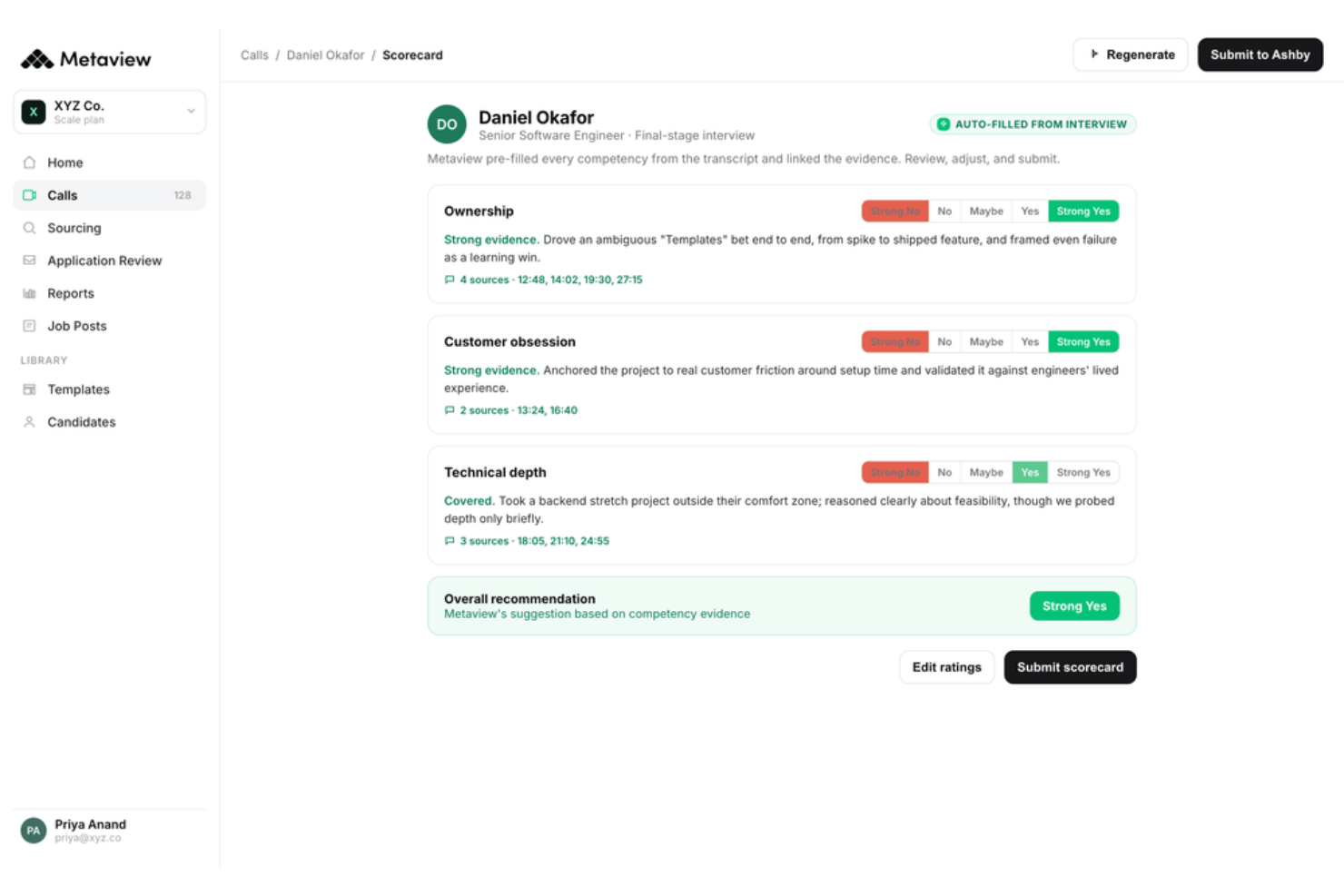
Automated Interview Scorecards
AI generates structured scorecards based on interview content and benchmarks. You get quick, evidence-based rankings aligned with your ICP to simplify candidate comparison.
Ease of Use
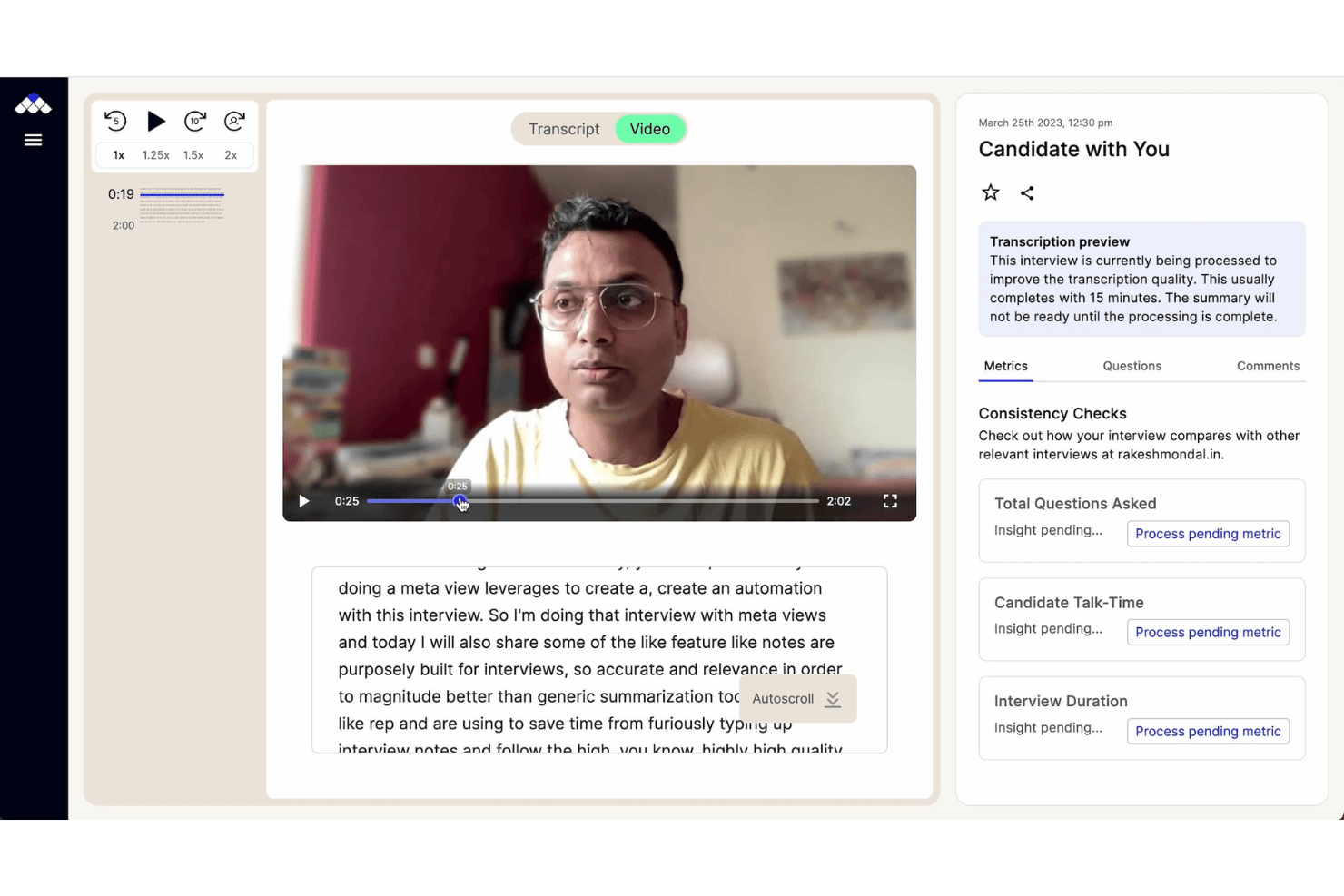
Metaview is one of the most user-friendly AI notetaker platforms I’ve used for recruiting. The dashboard is clean, onboarding is practically hands-off, and note capture just works—no setup or templates required. Users mention that sharing summaries and finding transcripts is intuitive, making it easy to onboard new team members fast.
Onboarding
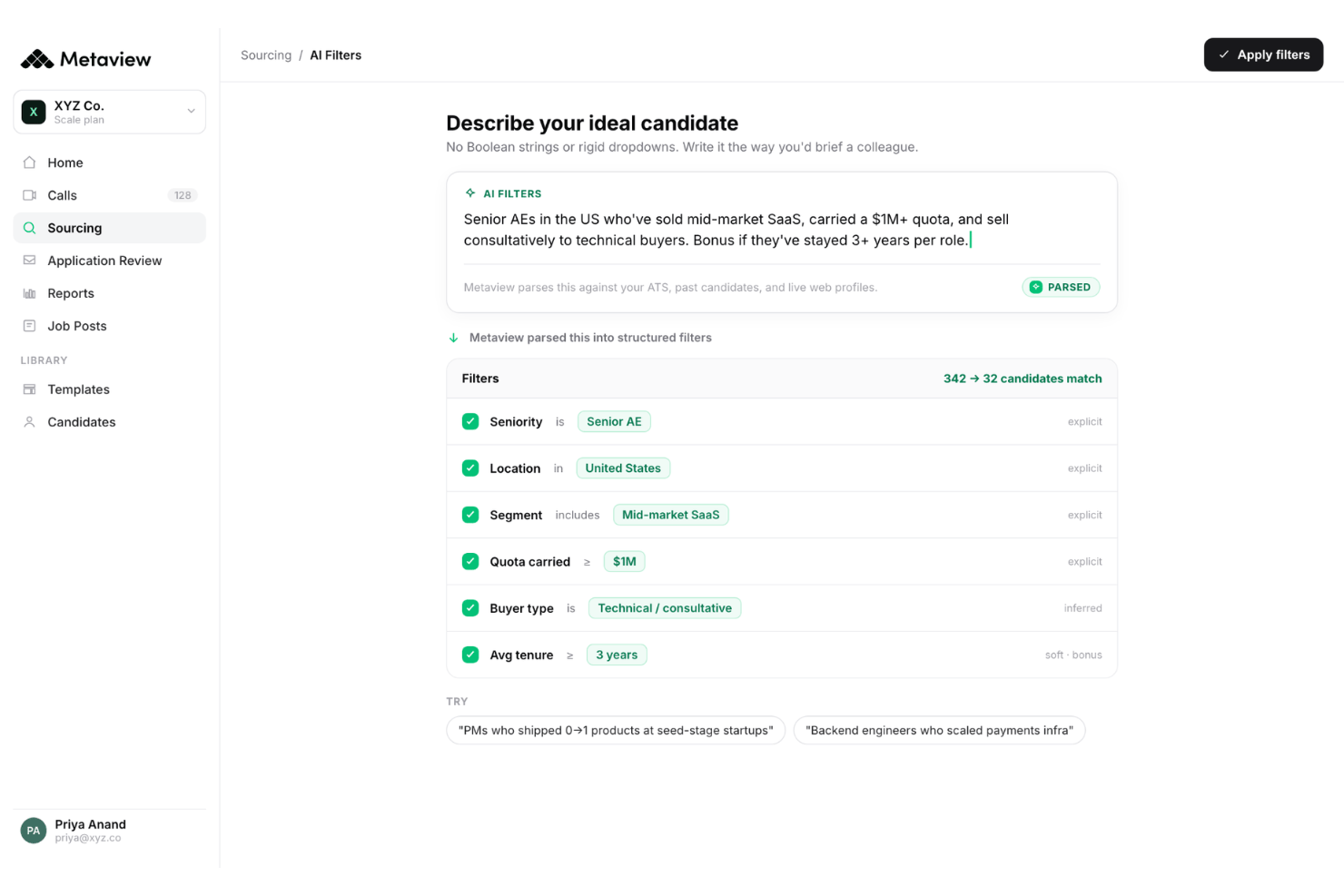
I think Metaview’s onboarding is fast and requires very little manual setup, helping your team cut screening time and reach value quickly. User reviews highlight helpful tutorials and responsive support that streamline the hiring process from day one. The in-app guides, live chat, and practical knowledge base help hiring teams go from sign-up to productive interviews in hours, not days.
Customer Support
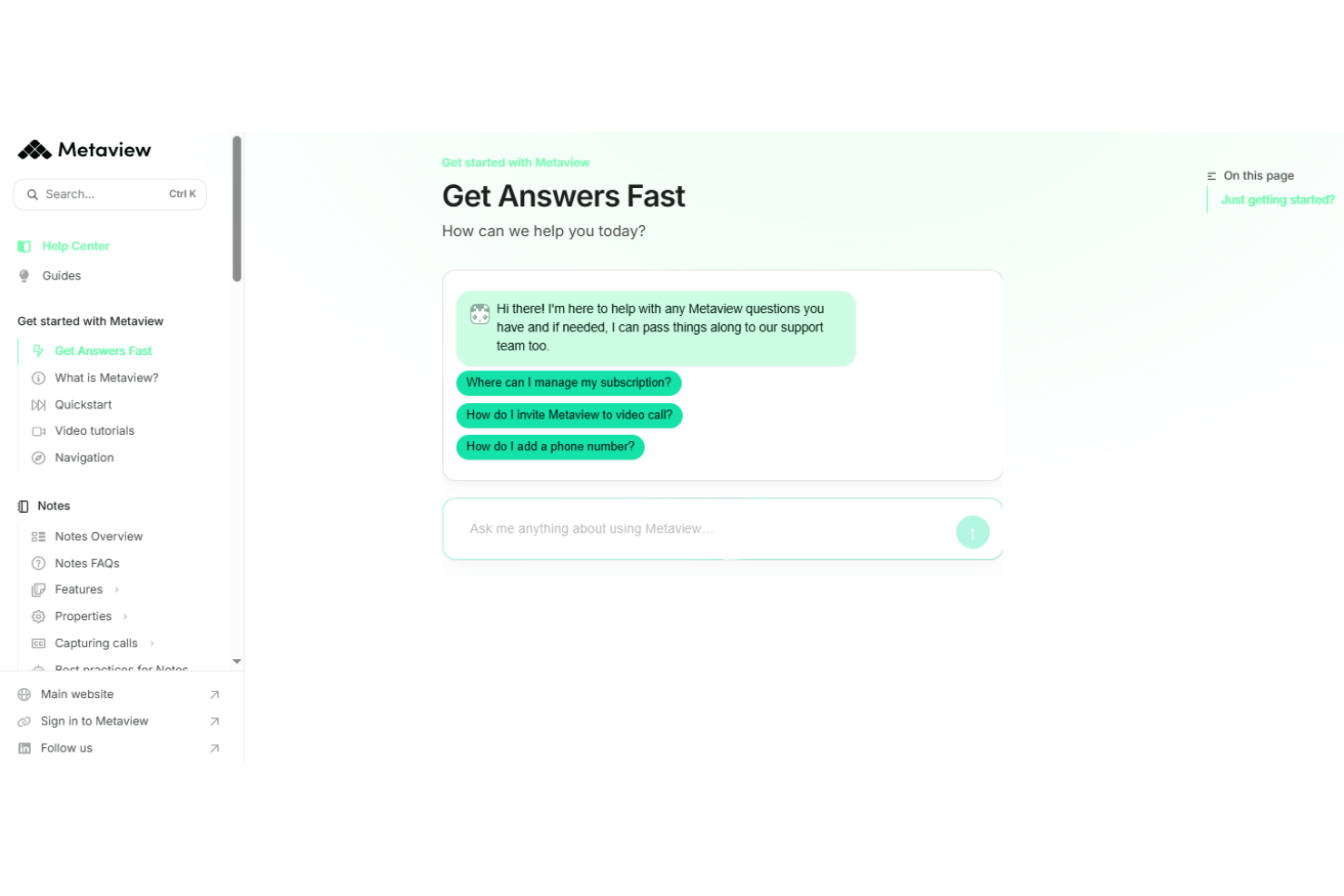
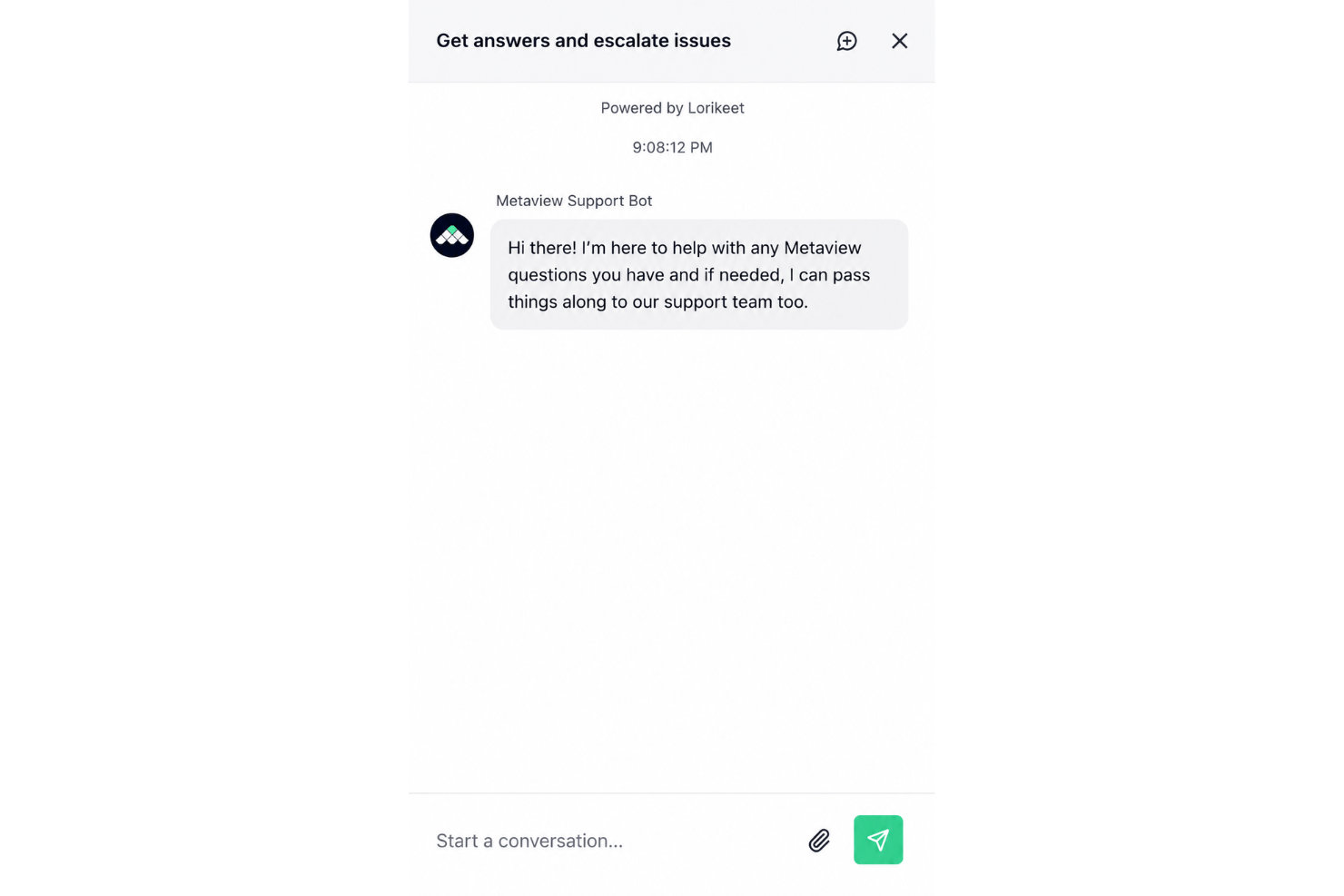
In my experience and from reading Metaview reviews, the customer support is fast and genuinely helpful, with live chat and email responses often coming within an hour. Users appreciate having access to a knowledgeable support team, thorough documentation, and a searchable knowledge base, which makes troubleshooting and getting unstuck much easier than average.
Integrations
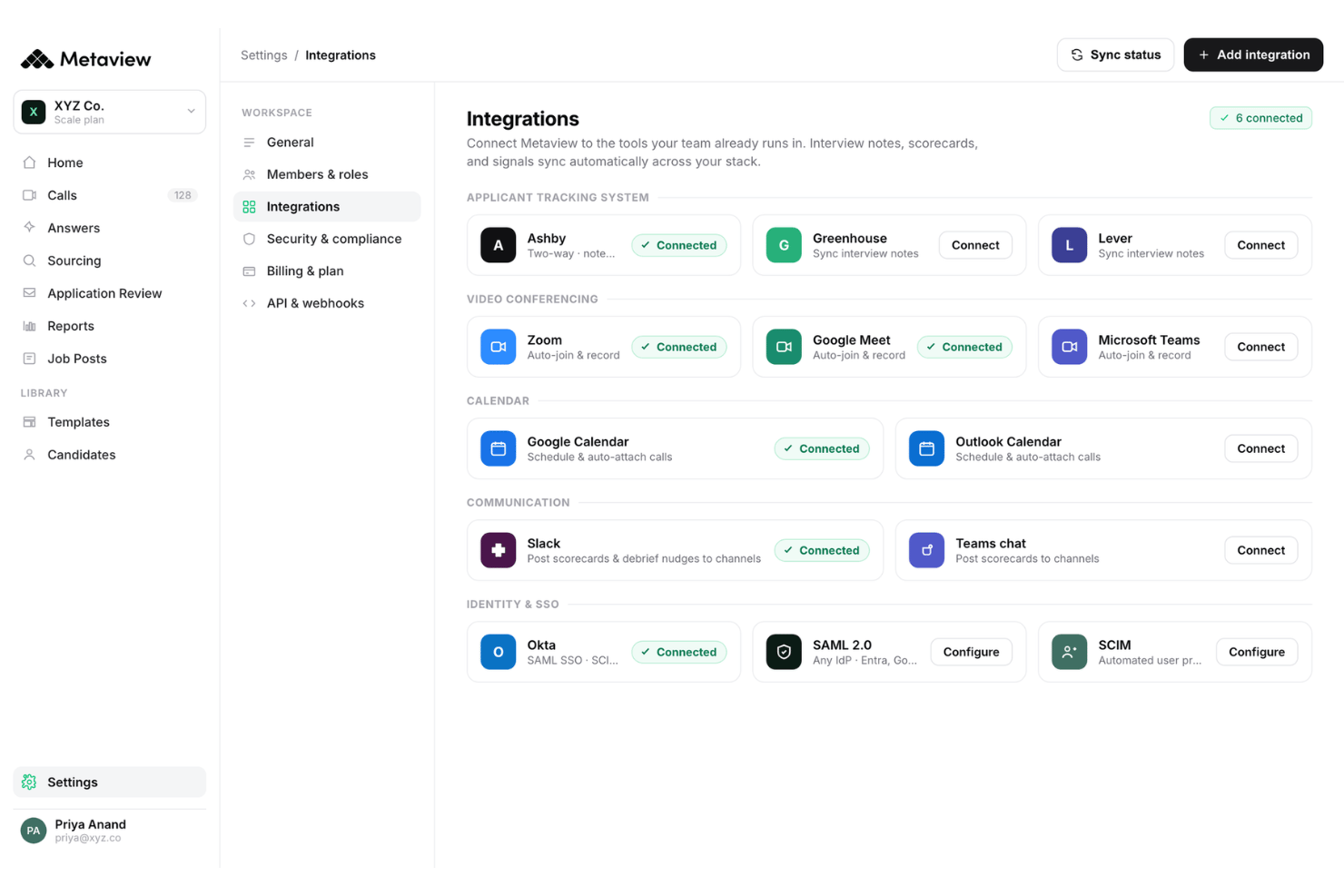
Metaview integrates with Greenhouse, Lever, Workday, iCIMS, BambooHR, Jobvite, SmartRecruiters, JazzHR, Spott ATS, ADP Workforce Now, and Bullhorn, among others.
Metaview doesn’t currently offer a public API for developer use, but its ATS integrations and third-party connector tools make it adaptable to most tech stacks.
Value for Money
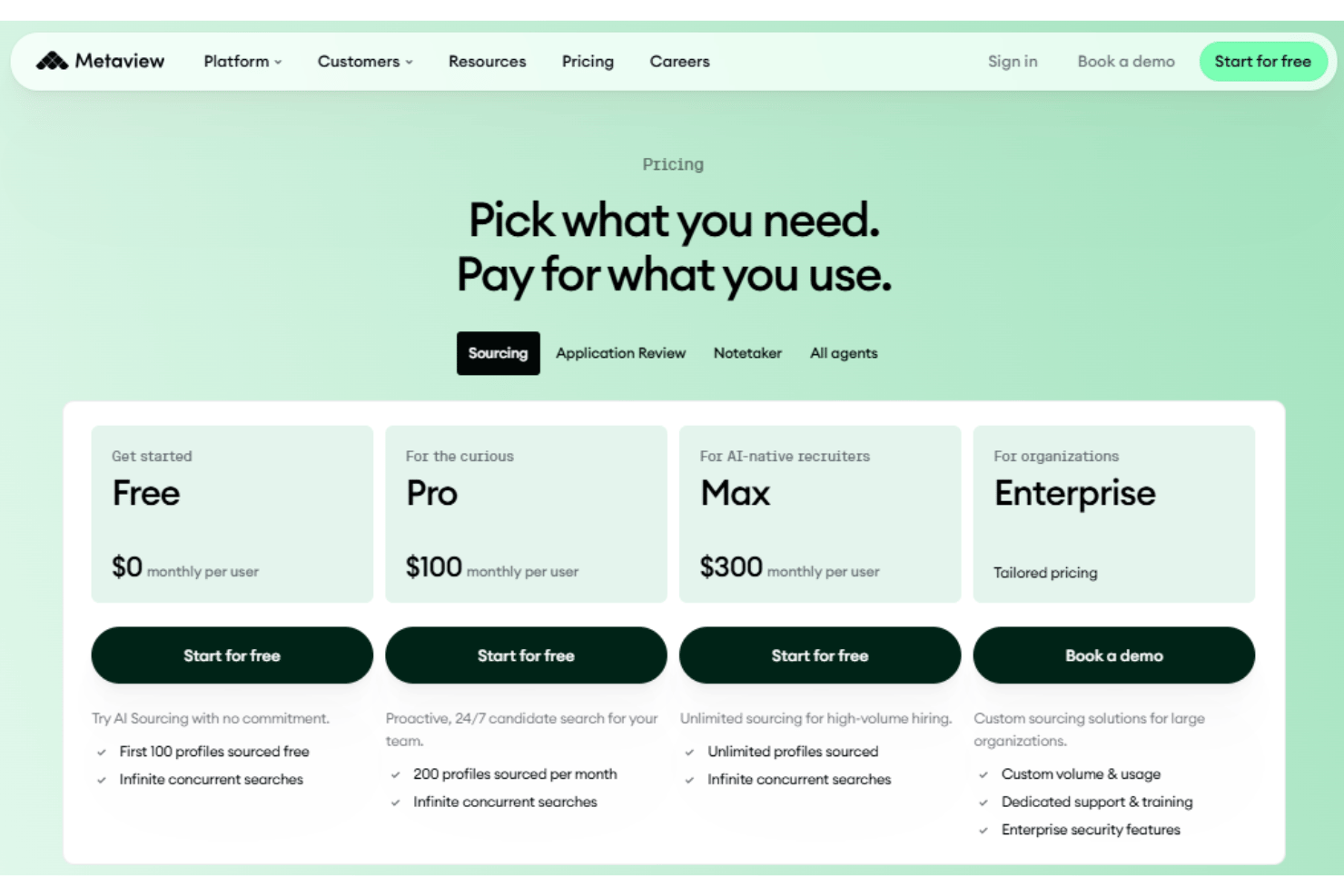
Metaview delivers clear value for busy recruiting teams with its reliable AI sourcing, automation, and strong insights, but user reviews often mention that pricing can be steep for startups and smaller firms. Different AI agents come with slightly different plans depending on their capabilities and intended use cases. Overall, its pricing is best suited to high-volume teams that need detailed conversation analytics, a capable sourcing agent, and advanced candidate summaries.
- Free Plan: Includes 100 free sourced profiles, infinite concurrent searches, and basic screening.
- Pro: Adds 200 sourced profiles per month, unlimited users, and advanced AI evaluation.
- Screening: Offers unlimited profile sourcing for high volume hiring.
- Enterprise: Provides custom volumes & usage, dedicated training & support, and enterprise security.
Metaview Specs
- 2-Factor Authentication
- 360 Degree Feedback
- API
- Application Tracking
- Attendance Tracking
- Batch Permissions & Access
- Compliance Tracking
- Dashboard
- Data Export
- Data Import
- Data Visualization
- Employee Database
- Employee Engagement
- Employee Incentive Management
- Employee Onboarding
- Employee Training
- Expense Tracking
- External Integrations
- Feedback Management
- Multi-User
- Notifications
- Payroll
- Performance Appraisal
- Scheduling
- Time Management
- Timesheets
- Travel Management
- Vacation & Absence Calendar
Metaview FAQs
How accurate are Metaview’s transcription and summaries?
Can Metaview be used with both in-person and virtual interviews?
How does Metaview handle sensitive candidate data?
What onboarding and training resources are available?
Can I customize interview note templates or summary formats?
How does Metaview support collaboration between hiring teams?
What compliance standards does Metaview meet?
Can Metaview scale with my business as we grow?
Metaview Company Overview & History
Metaview is a London-based technology company specializing in AI-powered recruiting software and AI agents designed to automate and improve interview documentation and analytics. The company is led by co-founders who have backgrounds in engineering and talent acquisition. Metaview is known for a culture focused on efficiency, transparency, and remote-friendly work, and its Metaview Sourcing product reflects that same commitment. Its platform is trusted by fast-growing tech companies, fintech platforms, and global consumer brands.
Metaview Major Milestones
- 2018: Metaview founded in London.
- 2019: Released initial AI-driven interview note-taking product.
- 2021: Secured Series A funding led by leading venture capital firms.
- 2022: Recognized by industry media for helping fast-growing tech companies scale their hiring.
- 2023: Expanded ATS integrations and partnerships with major video conferencing and productivity platforms.