


Microsoft Dynamics 365 Business Central Review: Pros, Cons, Features and Pricing


Microsoft Dynamics 365 Business Central is a business management software built for small and medium-sized businesses that need to manage finance, operations, sales, and customer service in one place. I'd mainly consider it if your team is already working in Microsoft 365—because the native integration with Excel, Outlook, and Teams is something NetSuite simply can't replicate out of the box.
Microsoft Dynamics 365 Business Central Evaluation Summary
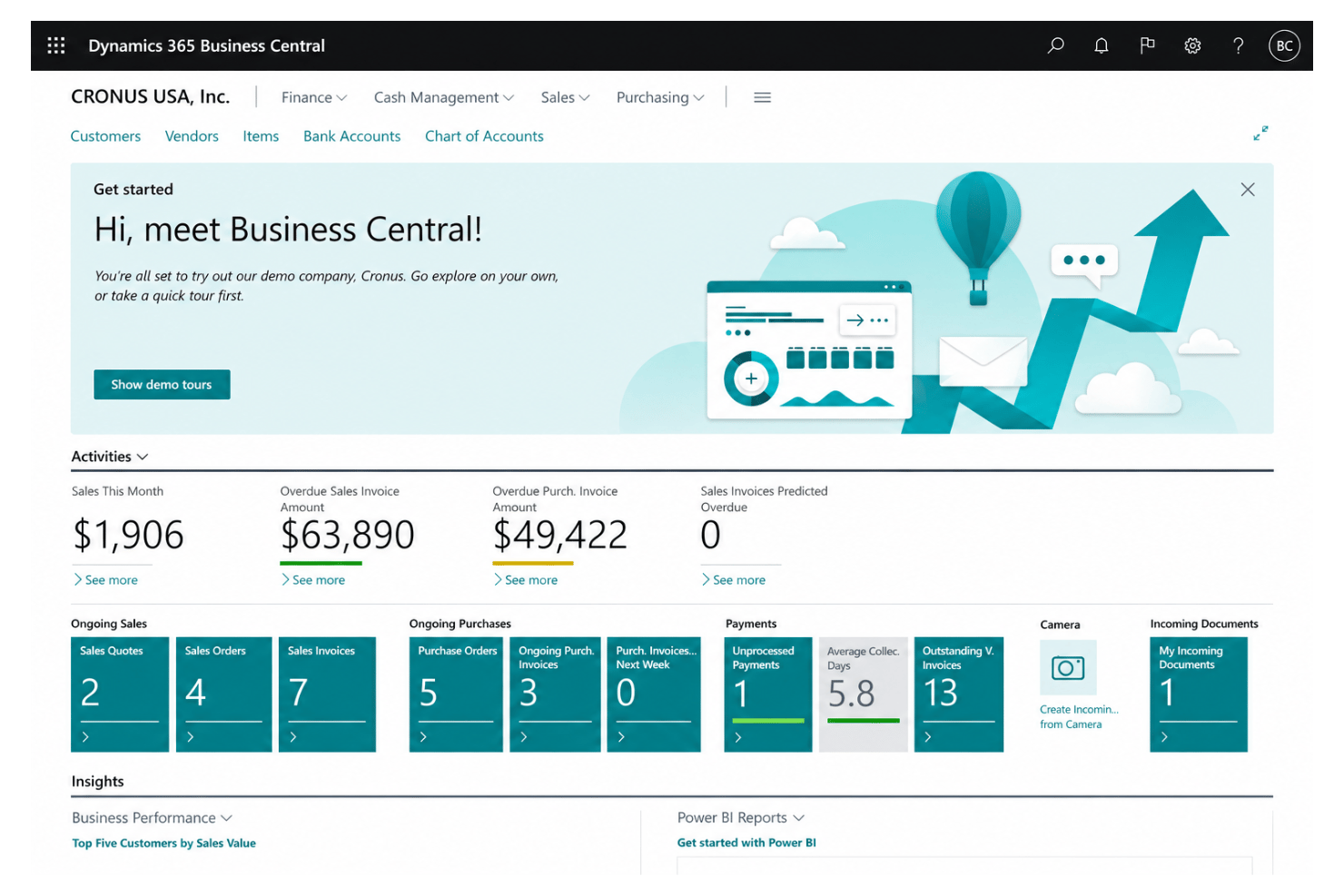
- From $80/user/month (billed annually)
- Free plan available
Why Trust Our Software Recommendations
Our team has been testing and reviewing software since 2012. As HR experts ourselves, we know how difficult—and important—it is to choose the right software.
For this guide, we evaluated tools using hands-on testing and independent research, scoring tools using our selection criteria. We also draw on insights from industry thought leaders and practicing HR experts.
Our reviews reflect our human editorial judgment, not a sales pitch.
Expert reviewers:
Microsoft Dynamics 365 Business Central Overview
In my view, Microsoft Dynamics 365 Business Central is a top contender if you’re judging cloud-based platforms that blend HR, finance, and operations. Its Excel-like interface, customizable workflows, and native Microsoft integrations set it apart, especially if your organization already depends on Microsoft tools. Pricing feels fair for midsize and growing businesses, though onboarding can get technical. Compared to alternatives, I think support resources are more extensive, but niche HR features sometimes require add-ons. If you’re selecting software for a distributed team or want scalable automation, Business Central deserves strong consideration.
pros
-
Unified financial, sales, and project data in one dashboard
-
Strong workflow automation for repetitive business processes
-
Built-in reporting with live data, not static snapshots
cons
-
Limited out-of-the-box HR and payroll functionality
-
Advanced analytics require costly Power BI licenses
-
Customization and setup can be costly for smaller teams
Is Microsoft Dynamics 365 Business Central Right For Your Needs?
Who Would be a Good Fit for Microsoft Dynamics 365 Business Central?
Business Central works best for midsized companies seeking unified control over finance, sales, inventory, and projects, especially those that already use other Microsoft products. It’s a strong option for manufacturers, distributors, SaaS companies with multiple locations, and organizations that need customizable workflows or advanced reporting. The platform’s automation and integration capabilities save time for finance, operations, and project management roles in organizations aiming to scale or standardize processes.
-
Manufacturing Firms
It handles production orders, planning, and inventory tracking with native manufacturing features.
-
Distributors
Robust inventory, order management, and supply chain tools help multi-site distributors control and analyze stock movements in real time.
-
Project-Based Teams
Built-in project tracking, budgeting, and time entry give project managers a unified dashboard for financial and resource control.
-
Finance Departments
Detailed financial reporting, audit trails, and automated reconciliation support busy finance teams aiming for speed and accuracy.
-
Multi-Entity Companies
Centralized dashboards and role-based access make it easy to manage the finances and operations of multiple legal entities in one platform.
-
Businesses on Microsoft 365
Native connections with Teams, Excel, and Outlook mean your staff can work in the apps they already know to move data and requests seamlessly.
Who Would be a Bad Fit for Microsoft Dynamics 365 Business Central?
Business Central is less suited for very small businesses with simple needs, as the setup and cost often exceed their requirements. Highly regulated sectors, niche industries, companies with heavy frontline field work, or those requiring built-in HR/payroll or deep industry customization may find it lacking. Its workflow is not designed for organizations seeking extreme simplicity, heavy B2C sales features, or specialized HR functionality.
-
Solo Entrepreneurs
The platform’s depth and complexity go far beyond the basic invoicing or expense tracking solo operations need.
-
Microbusinesses
Implementation costs and ongoing fees rarely justify the investment for companies with only a handful of employees.
-
Field Service-Heavy Teams
Business Central’s field service tools are limited compared to specialty solutions focused on dispatch and real-time tracking.
-
Retail Chains
Lacks advanced, native POS and customer engagement features needed by large or omnichannel retailers.
-
Highly Regulated Industries
Out-of-the-box compliance controls for industries like pharma or healthcare are limited and may require costly customization.
-
HR-Focused Departments
There’s no native payroll or deep HR functionality, so HR teams with complex needs will need multiple additional tools.
How We Test & Score Our Tools
We’ve spent years building, refining, and improving our software testing and scoring system. The rubric is designed to capture the nuances of software selection and what makes a tool effective, focusing on critical aspects of the decision-making process.
Below, you can see exactly how our testing and scoring works across seven criteria. It allows us to provide an unbiased evaluation of the software based on core functionality, standout features, ease of use, onboarding, customer support, integrations, customer reviews, and value for money.
Core Functionality (25% of final score)
The starting point of our evaluation is always the core functionality of the tool. Does it have the basic features and functions that a user would expect to see? Are any of those core features locked to higher-tiered pricing plans? At its core, we expect a tool to stand up against the baseline capabilities of its competitors.
Standout Features (25% of final score)
Next, we evaluate uncommon standout features that go above and beyond the core functionality typically found in tools of its kind. A high score reflects specialized or unique features that make the product faster, more efficient, or offer additional value to the user.
We also evaluate how easy it is to integrate with other tools typically found in the tech stack to expand the functionality and utility of the software. Tools offering plentiful native integrations, 3rd party connections, and API access to build custom integrations score best.
Ease of Use (10% of final score)
We consider how quick and easy it is to execute the tasks defined in the core functionality using the tool. High scoring software is well designed, intuitive to use, offers mobile apps, provides templates, and makes relatively complex tasks seem simple.
Onboarding (10% of final score)
We know how important rapid team adoption is for a new platform, so we evaluate how easy it is to learn and use a tool with minimal training. We evaluate how quickly a team member can get set up and start using the tool with no experience. High scoring solutions indicate little or no support is required.
Customer Support (10% of final score)
We review how quick and easy it is to get unstuck and find help by phone, live chat, or knowledge base. Tools and companies that provide real-time support score best, while chatbots score worst.
Customer Reviews (10% of final score)
Beyond our own testing and evaluation, we consider the net promoter score from current and past customers. We review their likelihood, given the option, to choose the tool again for the core functionality. A high scoring software reflects a high net promoter score from current or past customers.
Value for Money (10% of final score)
Lastly, in consideration of all the other criteria, we review the average price of entry level plans against the core features and consider the value of the other evaluation criteria. Software that delivers more, for less, will score higher.
Core Features
Financial Management
Track payables, receivables, and general ledger in real time. Automated bank reconciliation helps you stay audit-ready without extra tools.
Sales and Service Management
Manage quotes, orders, and invoices with customer history at your fingertips. Accelerate deal cycles with synced sales and service records.
Inventory and Supply Chain Management
Monitor inventory, supplier orders, and fulfillment in one view. Real-time stock tracking means fewer shortages and over-ordering headaches.
Project Management
Plan, run, and report on projects with budgeting and resource tracking. Gantt chart views show you progress and priorities in seconds.
Purchasing and Vendor Management
Automate purchase orders, vendor billing, and approvals end-to-end. Track supplier performance metrics right from your dashboard.
Reporting and Analytics
Generate dashboards and detailed reports using live business data. Built-in templates let you visualize performance trends without extra spreadsheet work.
Standout Features
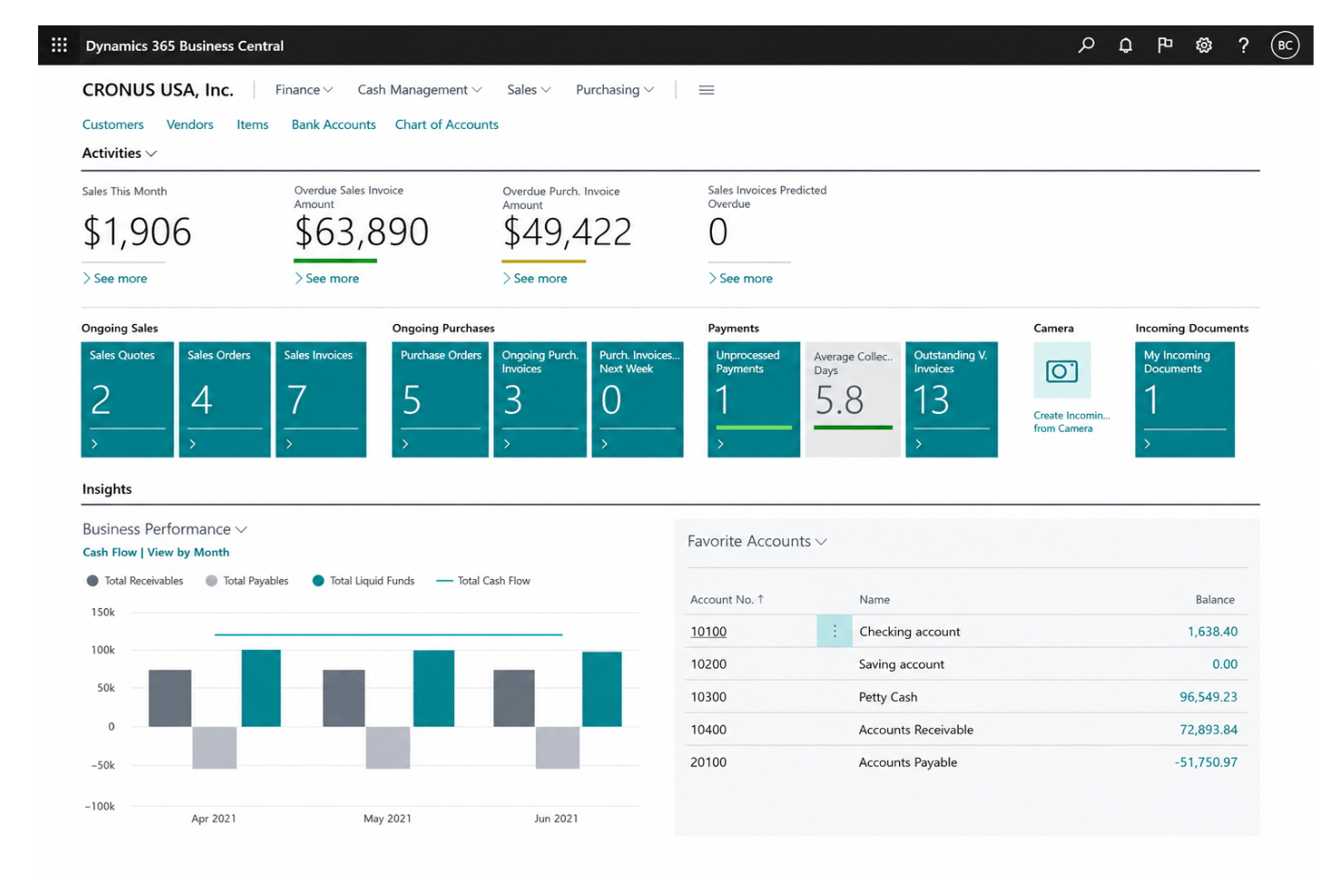
AI-Powered Cash Flow Forecasting
Predict cash flow trends using built-in AI models and live data. See projected balances and act early on funding gaps.
Role-Based Personalization
Customize dashboards and workspace layouts for each employee role. This lets teams focus on relevant KPIs and actions every day.
Ease of Use
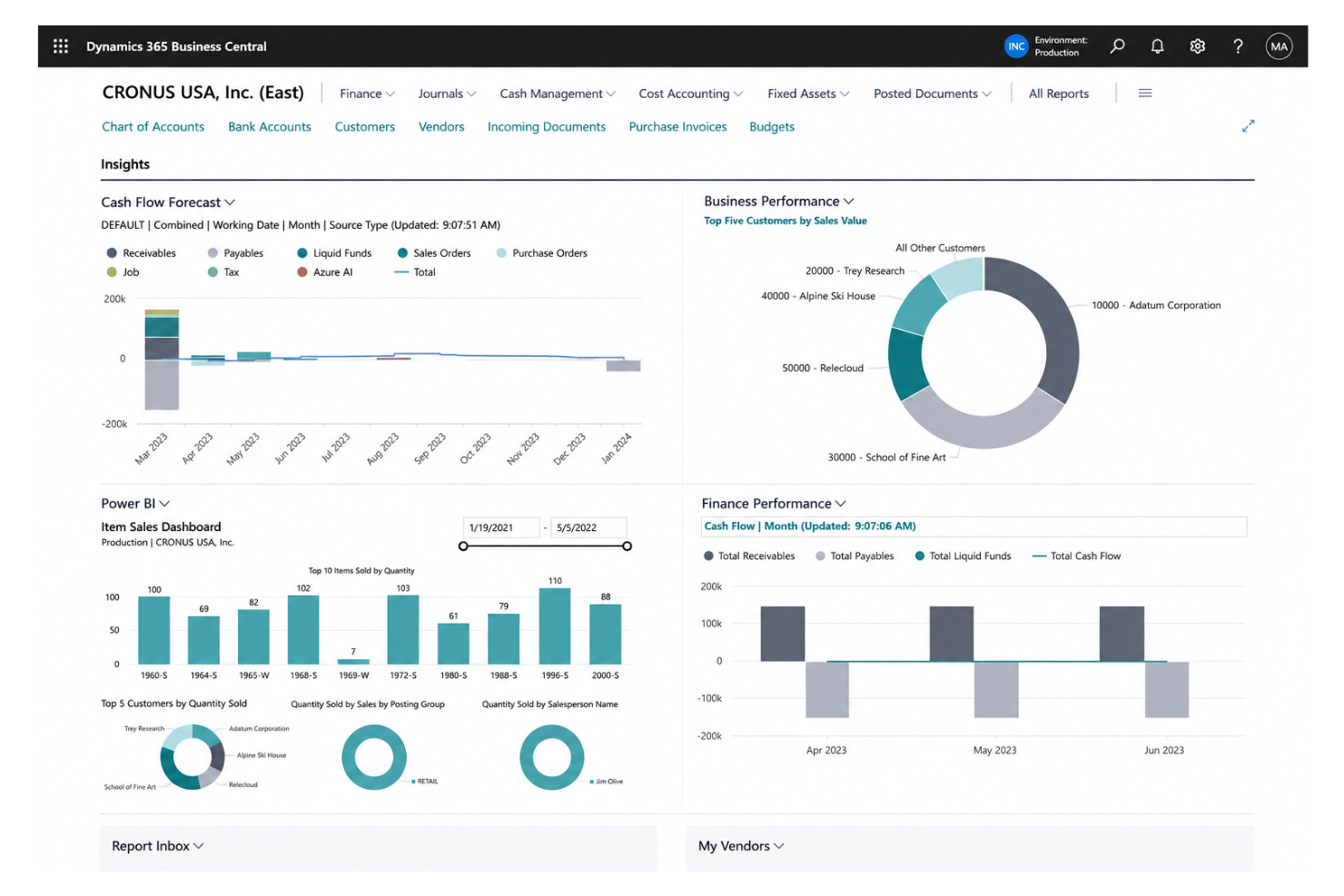
Business Central’s interface feels intuitive for anyone familiar with Microsoft Office 365, with Excel-style data views and click-to-navigate dashboards. Users say initial setup and customizing roles can take time, but once configured, daily navigation and reporting are clear and fast. You get consistent workflows across modules, minimizing confusion when switching between tasks.
Onboarding
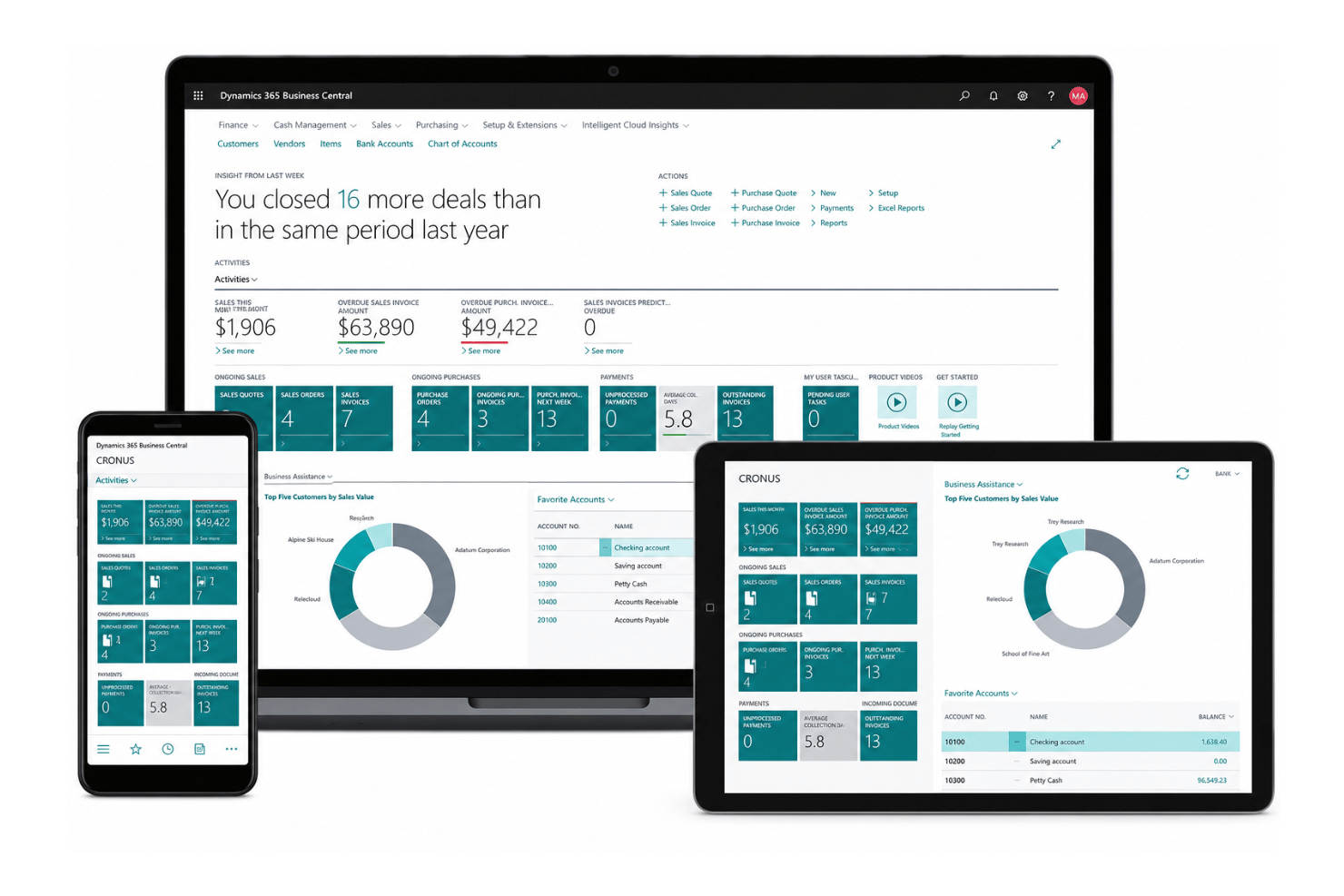
I think Business Central sets a strong baseline for onboarding, offering guided tours, detailed Microsoft Learn modules, and a global user forum. Some reviewers wish setup was less technical, especially for small teams, but most find the searchable help and live chat support fill in knowledge gaps quickly. Training resources are thorough, shortening the ramp-up time for new users.
Customer Support
In my experience, Business Central offers responsive chat, ticketing, and a vast Microsoft knowledge base. Users appreciate the depth of documentation and the active user community, which helps resolve niche issues. Some reviews mention response times vary based on region and plan, but most find answers quickly through official channels or forums.
Integrations
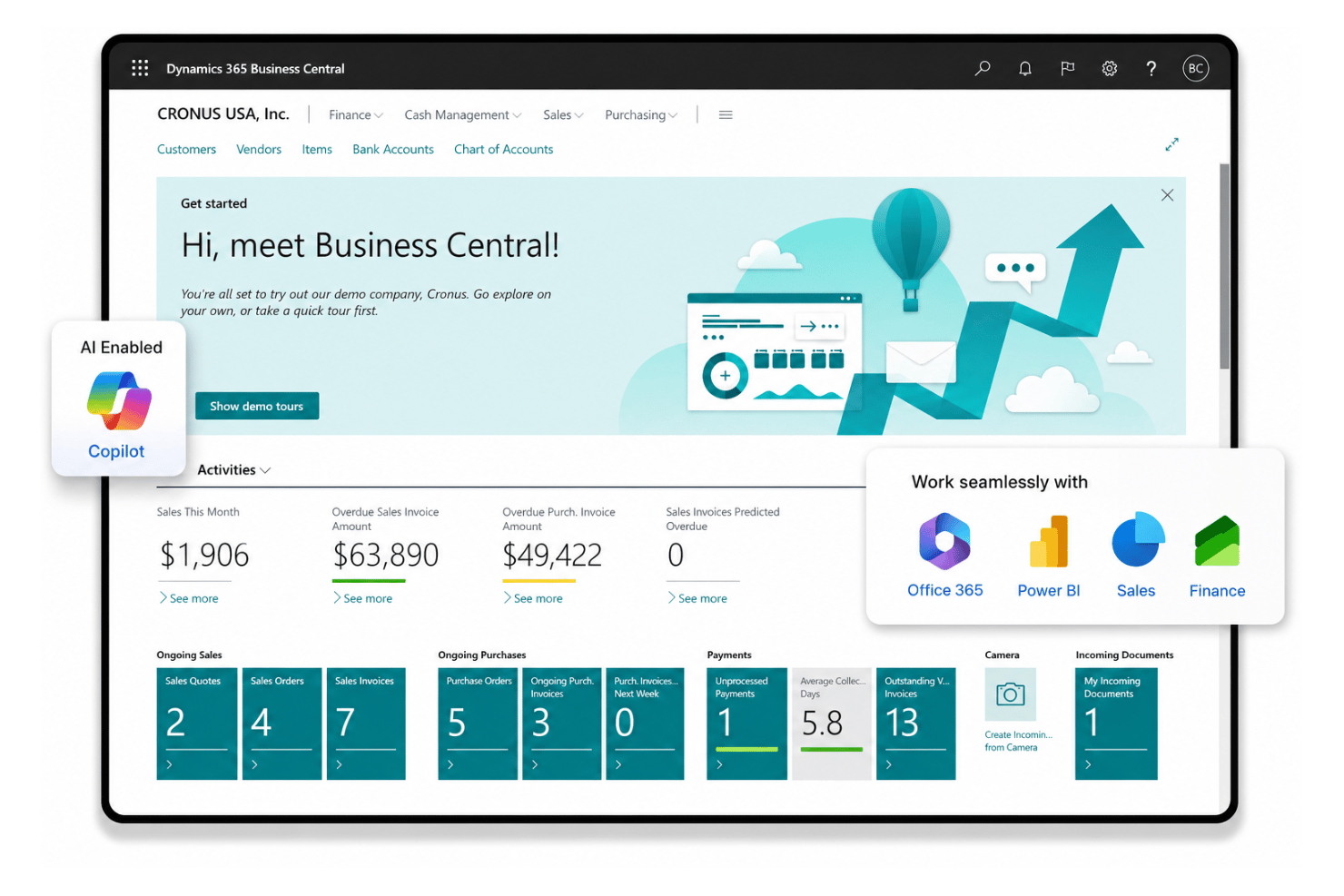
Microsoft Dynamics 365 Business Central integrates with the Microsoft ecosystem including: Microsoft Teams, Power BI, Outlook, Excel, Dynamics 365 Sales, Azure Active Directory, and Dataverse, among others.
Business Central also offers an open API and supports third-party integration tools.
Value for Money
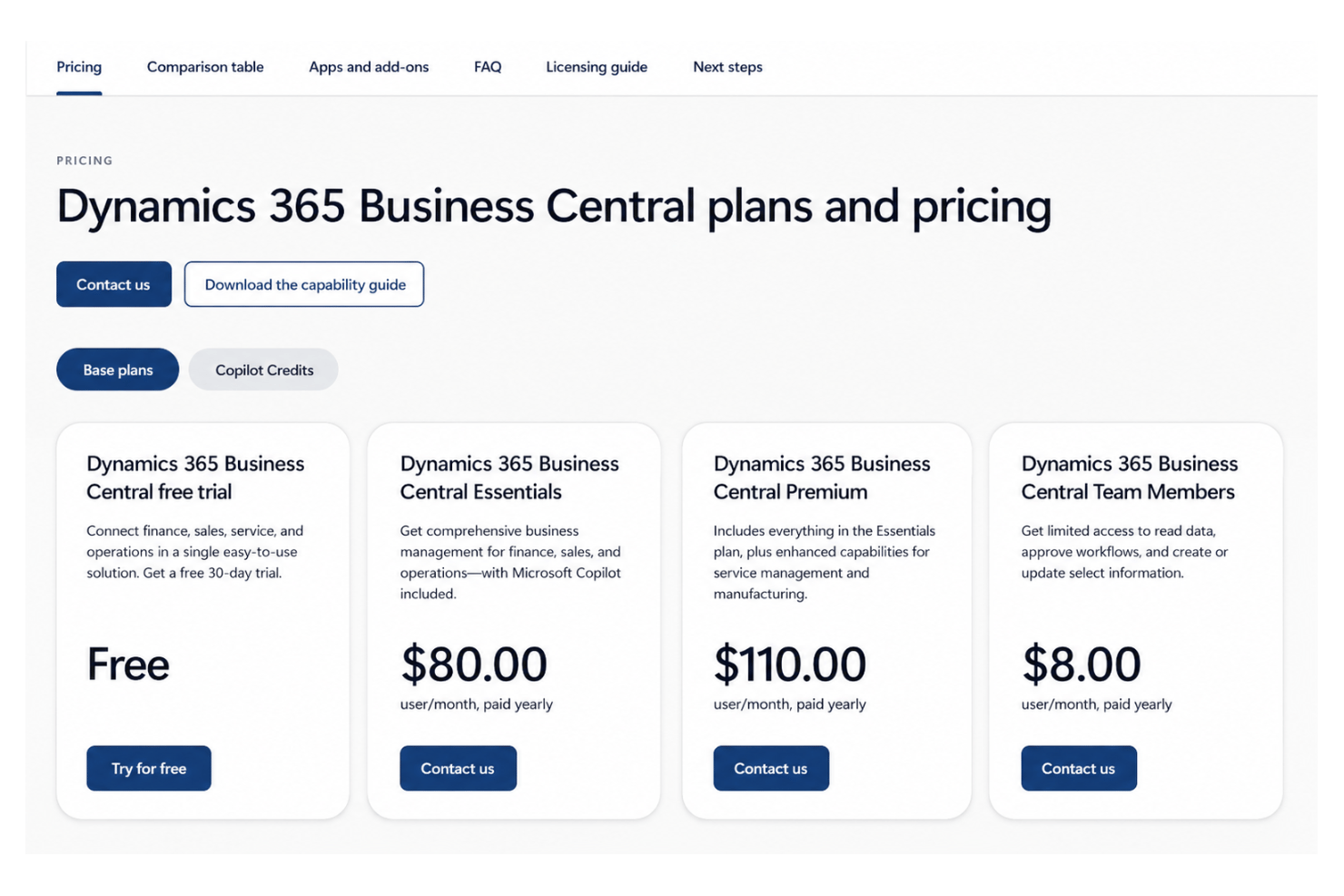
Business Central’s per-user subscription feels fair for midsize businesses needing finance, sales, and project features in a unified platform. Many users believe the Essentials tier delivers strong value, but some point out customization or advanced analytics can drive costs higher. A 30-day free trial is available if you want to test out the software before committing.
- Essentials: Core financials, sales, inventory, and project management tools
- Premium: Includes all Essentials features, plus service management and manufacturing capabilities
- Team Members: Limited access for light users needing read or basic entry functions
Microsoft Dynamics 365 Business Central Specs
- Accounts Payable
- Accounts Receivable
- API
- Budgeting
- Calendar Management
- Compliance Tracking
- Customer Management
- Dashboard
- Data Export
- Data Import
- Data Visualization
- Expense Tracking
- External Integrations
- Financial Analysis
- Forecasting
- Inventory Tracking
- Multi-Currency
- Multi-User
- Notifications
- Order Management
- Payroll
- Project Management
- Purchase Orders
- Resource Management
- Scheduling
- Supplier Management
- Task Scheduling/Tracking
- Third-Party Plugins/Add-Ons
- Warehouse Management
- Workflow Management
Microsoft Dynamics 365 Business Central FAQs
How does Microsoft Dynamics 365 Business Central handle employee and payroll data?
Can Business Central support multi-company or multinational operations?
What data security and compliance features does Business Central offer?
How customizable are workflows and approvals in Business Central?
How easy is it to onboard HR and non-financial users?
What reporting and analytics capabilities are available for HR and leadership teams?
Does Business Central integrate with existing HR or recruiting platforms?
What support options are available during and after implementation?
Microsoft Dynamics 365 Business Central Company Overview & History
Microsoft Dynamics 365 Business Central is a business management solution developed by Microsoft Corporation, headquartered in Redmond, Washington, with a global workforce exceeding 200,000 employees. Part of the Microsoft Dynamics 365 suite, Business Central integrates with familiar Microsoft products and supports finance, sales, operations, and project workflows. Microsoft is also widely recognized for Azure, Office, GitHub, and LinkedIn, and serves a broad spectrum of industries and high-profile clients worldwide. The company is listed on NASDAQ under the ticker symbol MSFT.
Microsoft Dynamics 365 Business Central Major Milestones
- 2018: Initial release of Dynamics 365 Business Central as part of the Dynamics 365 ecosystem
- 2019: Cloud-based solution gains traction with SMBs globally
- 2021: Continuous updates and integration improvements across Microsoft products