


Microsoft Places Review: Pros, Cons, Features and Pricing



Microsoft Places is a workforce management software for teams coordinating hybrid schedules, desk bookings, and office space across a Microsoft 365 environment. It's built for organizations that need visibility into when and where people are working—without adding another disconnected tool to manage. If your team already runs on Teams and Outlook, Places has a real edge over standalone options like Robin, since it plugs directly into the calendar and collaboration tools your people use every day rather than asking them to adopt a separate platform.
Microsoft Places Evaluation Summary
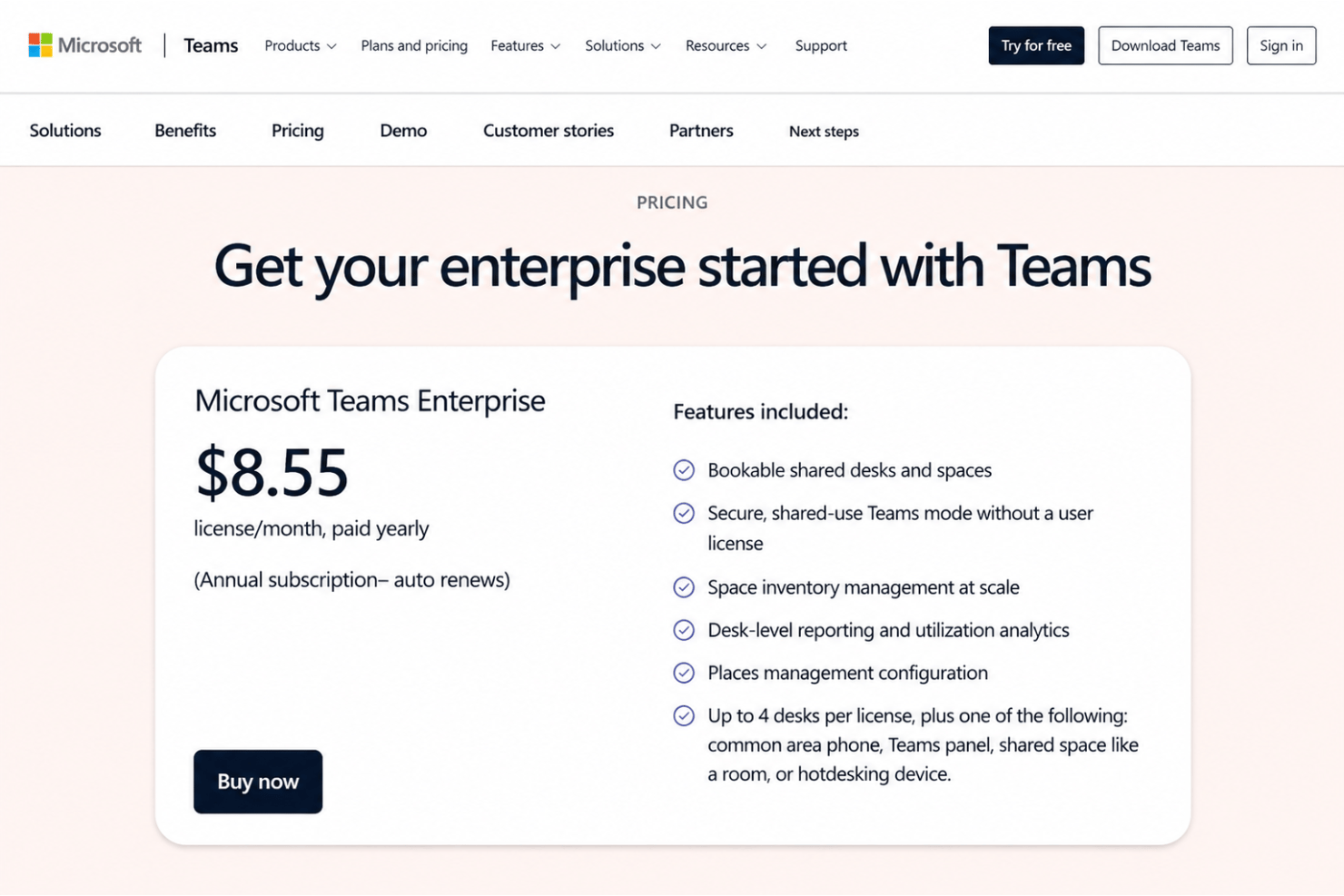
- From $8.55/license/month (billed annually)
- Free demo available
Why Trust Our Software Recommendations
Our team has been testing and reviewing software since 2012. As HR experts ourselves, we know how difficult—and important—it is to choose the right software.
For this guide, we evaluated tools using hands-on testing and independent research, scoring tools using our selection criteria. We also draw on insights from industry thought leaders and practicing HR experts.
Our reviews reflect our human editorial judgment, not a sales pitch.
Expert reviewers:
Microsoft Places Overview
If you’re judging workforce management tools for a hybrid environment, I think Microsoft Places stands out for seamless integration with Microsoft 365, intuitive scheduling, and smart office resource allocation. While the platform’s onboarding is easy and the interface familiar, its support and standalone features aren’t as deep as some dedicated platforms. I’d choose Microsoft Places for organizations already deep in the Microsoft 365 ecosystem or for teams prioritizing collaboration over granular scheduling controls. For example, it’s ideal for companies managing hybrid attendance and shared spaces where ease of use and integration matter most.
pros
-
Native meeting room and desk booking streamlines hybrid schedules
-
Automatic location awareness helps coordinate in-office attendance
-
Real-time space utilization analytics inform office planning
cons
-
No built-in time tracking or attendance enforcement tools
-
Features depend heavily on Microsoft 365 subscriptions
-
Limited mobile functionality for non-desk-based workers
Is Microsoft Places Right For Your Needs?
Who Would be a Good Fit for Microsoft Places?
Microsoft Places is ideal for organizations already using Microsoft 365 looking to manage and optimize hybrid work environments. It's particularly suited for businesses with physical offices prioritizing in-person collaboration, room booking, and space utilization.
-
Hybrid Tech Companies
Tech firms with flexible or hybrid office policies benefit from easy workspace booking and automated attendance coordination.
-
Corporate Headquarters
Large office environments leverage Places for desk and room booking, workspace analytics, and real estate planning decisions.
-
HR Departments
HR teams appreciate the clear scheduling tools which help support employee well-being and office experience.
-
Facilities Management
Facilities teams use real-time space and occupancy data for optimizing office layouts and maintenance resources.
-
Financial Services Firms
Professional workforces with fluctuating office needs use Places for better resource planning and schedule visibility.
-
Distributed Project Teams
Groups with rotating office attendance or cross-city collaboration rely on Places to align in-person meetings and reduce scheduling friction.
Who Would be a Bad Fit for Microsoft Places?
Microsoft Places is less suited for organizations without a Microsoft 365 subscription, or those whose teams primarily work remotely or in field settings. It doesn't cover needs like shift scheduling, time tracking, or off-site worker compliance.
-
Remote-Only Teams
Teams with no shared office space miss out on the scheduling and workspace value that Places provides.
-
Retail or Hospitality
Storefront and hospitality businesses need shift scheduling tools for non-desk workers, which Places doesn’t offer.
-
Field Services
Workforces on the go—like installers or repair staff—won’t benefit from Places’ office-focused features.
-
Healthcare Facilities
Clinics and hospitals require workforce management with specialized compliance and credentialing, not just desk scheduling.
-
Manufacturing Plants
Locations with production lines and hourly staff need tools for shift tracking and safety compliance, not office resource booking.
-
Small Startups
Early-stage teams with no formal office or using productivity suites outside Microsoft 365 won’t see enough value to justify using Places.
How We Test & Score Our Tools
We’ve spent years building, refining, and improving our software testing and scoring system. The rubric is designed to capture the nuances of software selection and what makes a tool effective, focusing on critical aspects of the decision-making process.
Below, you can see exactly how our testing and scoring works across seven criteria. It allows us to provide an unbiased evaluation of the software based on core functionality, standout features, ease of use, onboarding, customer support, integrations, customer reviews, and value for money.
Core Functionality (25% of final score)
The starting point of our evaluation is always the core functionality of the tool. Does it have the basic features and functions that a user would expect to see? Are any of those core features locked to higher-tiered pricing plans? At its core, we expect a tool to stand up against the baseline capabilities of its competitors.
Standout Features (25% of final score)
Next, we evaluate uncommon standout features that go above and beyond the core functionality typically found in tools of its kind. A high score reflects specialized or unique features that make the product faster, more efficient, or offer additional value to the user.
We also evaluate how easy it is to integrate with other tools typically found in the tech stack to expand the functionality and utility of the software. Tools offering plentiful native integrations, 3rd party connections, and API access to build custom integrations score best.
Ease of Use (10% of final score)
We consider how quick and easy it is to execute the tasks defined in the core functionality using the tool. High scoring software is well designed, intuitive to use, offers mobile apps, provides templates, and makes relatively complex tasks seem simple.
Onboarding (10% of final score)
We know how important rapid team adoption is for a new platform, so we evaluate how easy it is to learn and use a tool with minimal training. We evaluate how quickly a team member can get set up and start using the tool with no experience. High scoring solutions indicate little or no support is required.
Customer Support (10% of final score)
We review how quick and easy it is to get unstuck and find help by phone, live chat, or knowledge base. Tools and companies that provide real-time support score best, while chatbots score worst.
Customer Reviews (10% of final score)
Beyond our own testing and evaluation, we consider the net promoter score from current and past customers. We review their likelihood, given the option, to choose the tool again for the core functionality. A high scoring software reflects a high net promoter score from current or past customers.
Value for Money (10% of final score)
Lastly, in consideration of all the other criteria, we review the average price of entry level plans against the core features and consider the value of the other evaluation criteria. Software that delivers more, for less, will score higher.
Core Features
Smart Desk Booking
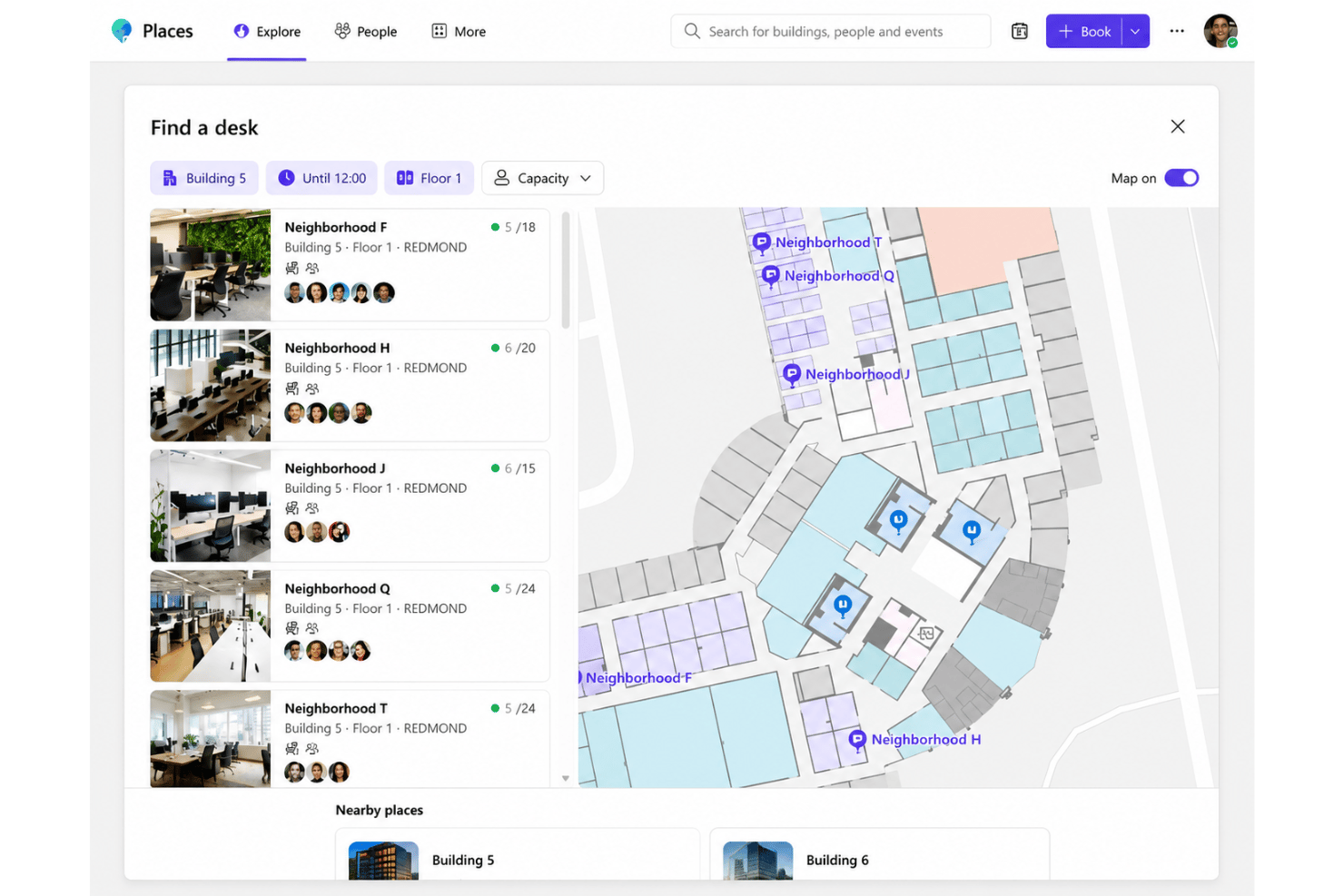
Reserve bookable desks in advance to support flexible work schedules. The system automatically suggests the best available seats based on team needs, with quick book options for same-day availability.
Meeting Room Reservation
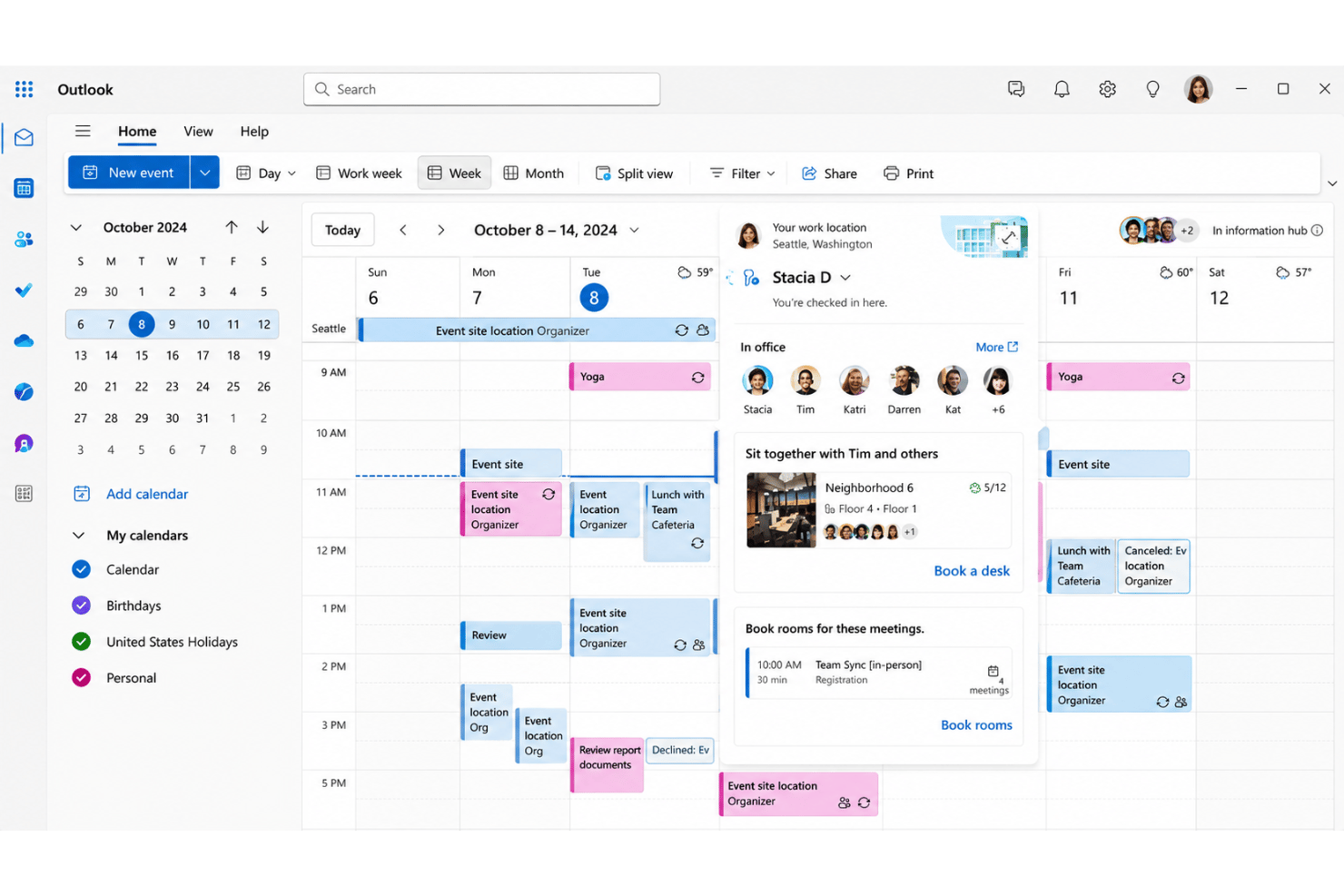
Easily book meeting rooms with real-time availability shown in Microsoft Teams. Space reservations include notifications and integration with Outlook calendars.
Location Awareness
Detect who is planning to work onsite or remotely using shared work plans each day. Teams can coordinate office attendance to align in-person collaboration.
Space Utilization Analytics
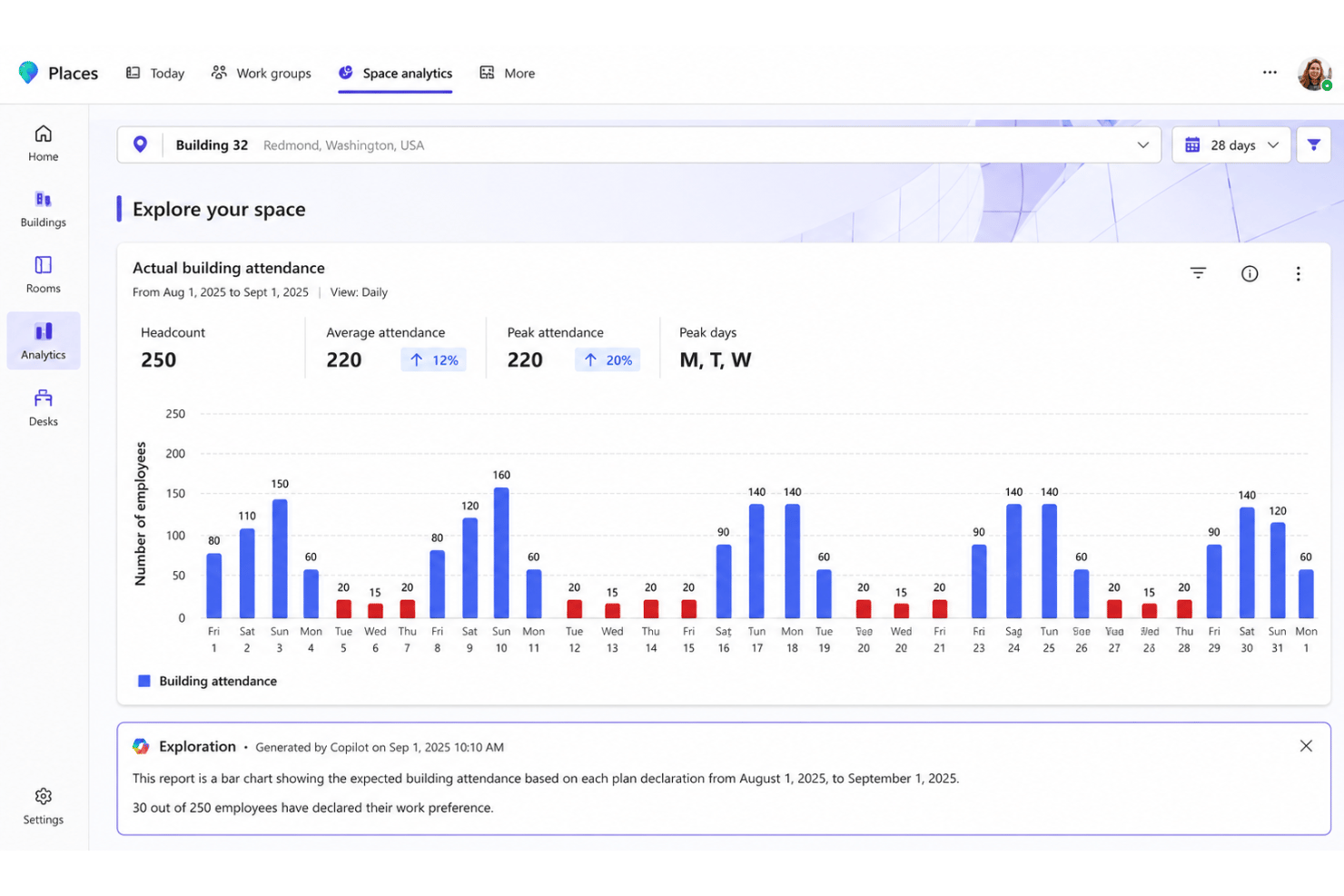
View reports on workspace and room usage to inform space optimization and office planning. Admins can spot trends and right-size resources as attendance changes.
Hybrid Scheduling Coordination
Employees share and view schedules directly in Teams to align hybrid work. This promotes greater visibility into where and when colleagues are onsite for coordinating in-person events.
Office Wayfinding
Interactive maps in the places app show desk and room locations in the office. Employees can easily find their reserved workspace or meeting room using the built-in room finder.
Standout Features
Connected Campus Signals
Occupancy sensors throughout the office provide real-time presence signals on occupancy and environmental factors, with data surfaced through Microsoft Graph for deeper analytics. This helps facilities teams optimize everything from space usage to lighting and cleaning schedules.
Presence-Based Notifications
Employees get automated prompts and updates based on their workplace presence in the office. For example, users receive reminders to check in, guest alerts that support basic visitor management, or guidance to reduce crowding in busy zones.
Ease of Use
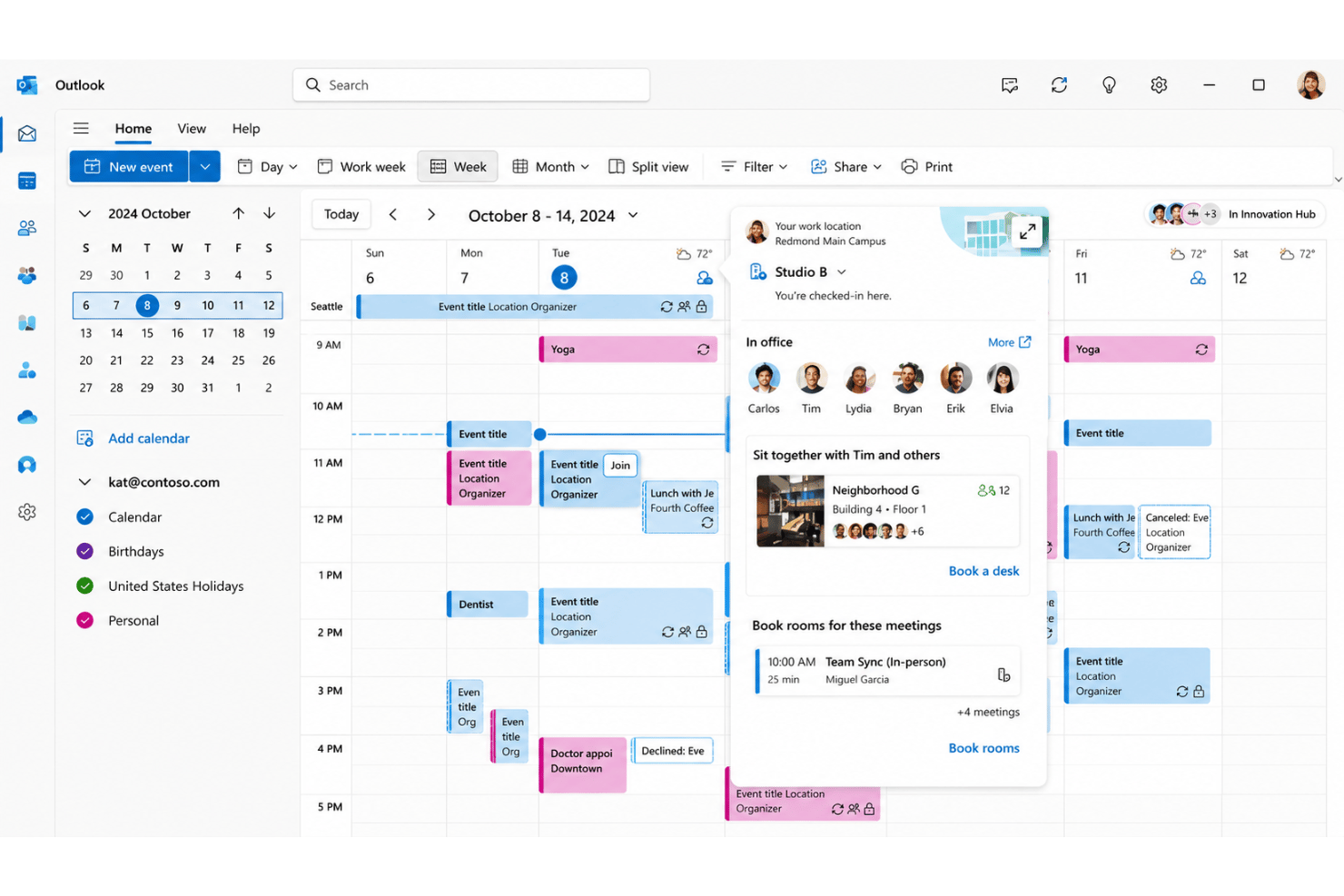
Microsoft Places is easy to navigate, especially for teams already using Microsoft 365. Users say the Teams-based interface feels instantly familiar, and desk booking or room scheduling only takes a few clicks. The direct connection to Outlook and in-app prompts removes friction, making it approachable even for hybrid work beginners.
Onboarding
Onboarding with Microsoft Places is quick for anyone familiar with Microsoft Teams, with most users reporting setup is straightforward thanks to pre-built templates and step-by-step guides. Support resources, including help articles and in-app tips, are easy to find—including dedicated guides for configuring Microsoft Teams Rooms—although some users wish for more live support options during rollout.
Customer Support
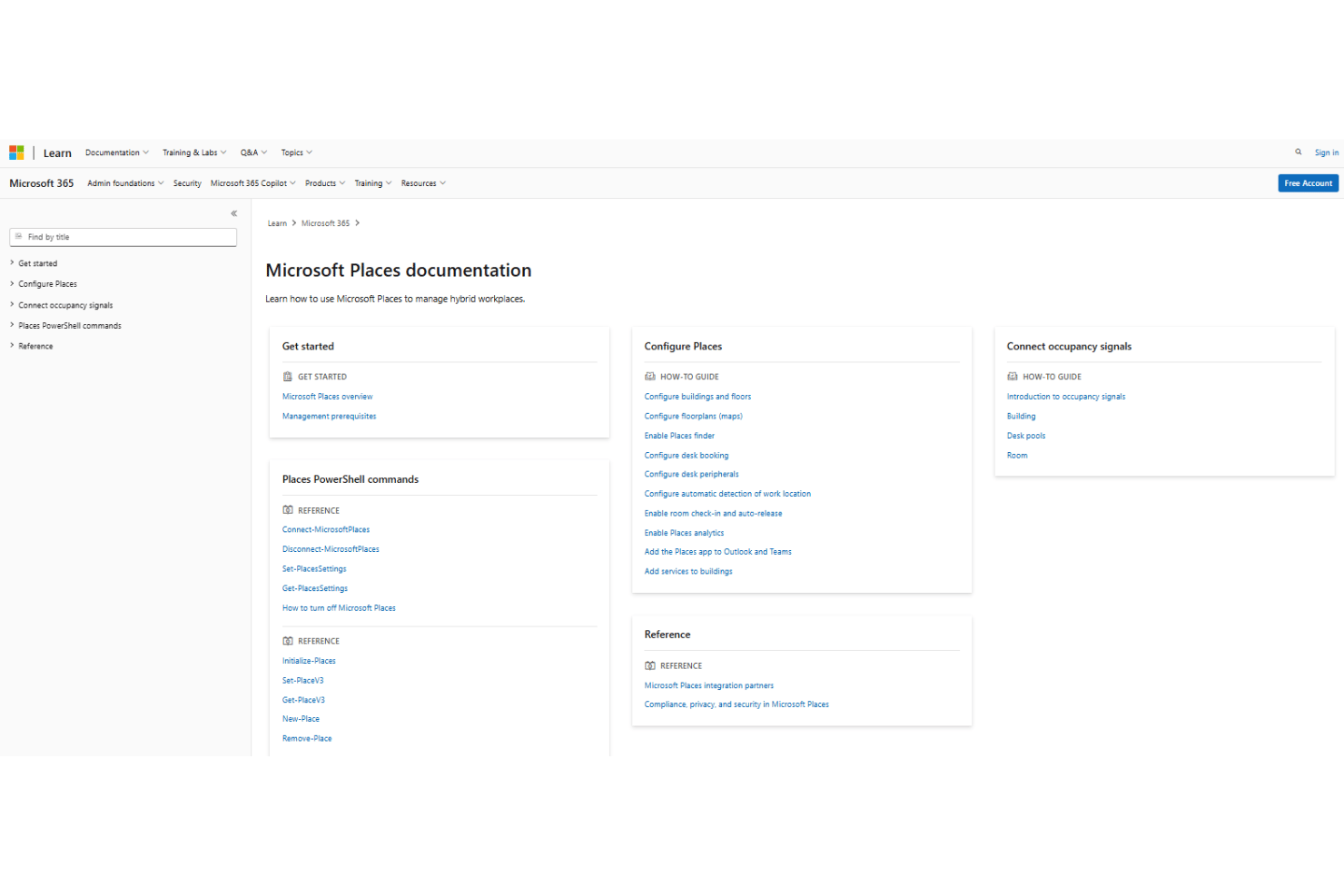
Customer support for Microsoft Places leans on Microsoft’s extensive online help, forums, and documentation, which satisfy most straightforward issues. However, some users mention that finding direct, specialized help for complex problems—such as GDPR compliance configurations or Exchange Online sync issues—can be challenging, especially during initial deployment.
Integrations
Microsoft Places integrates with Microsoft Teams, Outlook, Microsoft 365, Microsoft Exchange, SharePoint, Azure Active Directory, Microsoft Bookings, Viva Insights, OneDrive, and Power BI.
Microsoft Places also offers an API.
Value for Money
Microsoft Places delivers strong value for organizations already using Microsoft Teams Premium, since it fits directly into the Microsoft 365 ecosystem rather than requiring a separate workplace platform. Teams with Microsoft 365 Copilot can also unlock additional AI-powered workplace insights, though companies outside the Microsoft stack may face higher adoption costs.
- Microsoft Teams Premium: Includes places finder, places explorer, quick room booking, individual desk booking, and space analytics.
Microsoft Places Specs
- 2-Factor Authentication
- 360 Degree Feedback
- API
- Application Tracking
- Attendance Tracking
- Batch Permissions & Access
- Compliance Tracking
- Dashboard
- Data Export
- Data Import
- Data Visualization
- Employee Database
- Employee Engagement
- Employee Incentive Management
- Employee Onboarding
- Employee Training
- Expense Tracking
- External Integrations
- Feedback Management
- Multi-User
- Notifications
- Payroll
- Performance Appraisal
- Scheduling
- Time Management
- Timesheets
- Travel Management
- Vacation & Absence Calendar
Microsoft Places FAQs
How does Microsoft Places handle employee privacy and data security?
Can Microsoft Places support multiple office locations or campuses?
How difficult is it to roll out Microsoft Places for an entire organization?
Will employees need extra training to use Microsoft Places if they know Teams?
Can Microsoft Places provide analytics on space usage and attendance?
What happens if someone books a desk but doesn’t show up?
Does Microsoft Places integrate with our existing meeting room hardware and displays?
How does Microsoft Places help HR leaders manage hybrid work policies?
Microsoft Places Company Overview & History
Microsoft Places is a hybrid workforce management solution developed by Microsoft, a global technology leader headquartered in Redmond, Washington, with over 220,000 employees worldwide. Microsoft is known for its extensive suite of workplace software—including Teams, Outlook, and Office 365—which are widely adopted by organizations of all sizes and across industries. The company is publicly traded (NASDAQ: MSFT), consistently ranks among the world’s most valuable companies, and partners with many of the largest enterprises globally. Microsoft Places demonstrates Microsoft’s continued investment in digital workplace innovation and hybrid work enablement.
Microsoft Places Major Milestones
- 2022: Microsoft announces Microsoft Places as part of its roadmap for hybrid work solutions.
- 2023: Public preview of Microsoft Places launches, integrating with Microsoft 365 and Microsoft Teams.
- 2024: Microsoft Places becomes generally available to Microsoft 365 commercial customers, further expanding the hybrid work feature set.