O.C. Tanner Review 2026: Pros, Cons, Features and Pricing



O.C. Tanner is an employee recognition platform for organizations that want peer recognition, rewards, and structured service-award programs. If you’re building a formal recognition program across a large or distributed workforce, O.C. Tanner is a strong choice over Bonusly, with its focus on combining everyday recognition with service awards.
O.C. Tanner Evaluation Summary
- Pricing upon request
- Free demo available
Why Trust Our Software Recommendations
Our team has been testing and reviewing software since 2012. As HR experts ourselves, we know how difficult—and important—it is to choose the right software.
For this guide, we evaluated tools using hands-on testing and independent research, scoring tools using our selection criteria. We also draw on insights from industry thought leaders and practicing HR experts.
Our reviews reflect our human editorial judgment, not a sales pitch.
Expert reviewers:
O.C. Tanner Overview
I’d choose O.C. Tanner when you need peer recognition, rewards, and formal service awards in one global program. It outperforms simpler recognition tools with 75+ HRIS integrations, 26 languages, mobile and Outlook access, and consulting through launch and ongoing optimization. For example, you can recognize everyday contributions alongside a 10-year service milestone. The interface is designed for accessible recognition, though a larger program may require more planning than a self-serve setup. Pricing isn’t published, so judge total cost through a demo. I think it best fits large, distributed organizations—not teams seeking a quick, low-cost rollout.
pros
-
Peer recognition, eCards, points, and milestone awards share one platform.
-
Reviewers praise responsive support when reward orders need fixing.
-
Service-award programs pair everyday appreciation with formal career milestones.
cons
-
Reviewers report delayed gift cards and missing reward-delivery emails.
-
Users report extra clicks for recognition history and expiring points.
-
Regional reward catalogs can offer limited or changing choices.
-

Justworks
Visit WebsiteThis rating combines scores from multiple user review sites to reflect overall customer sentiment about the product.4.6 -
Eletive
Visit WebsiteThis rating combines scores from multiple user review sites to reflect overall customer sentiment about the product.4.6 -
Prevue Assessments
Visit WebsiteThis rating combines scores from multiple user review sites to reflect overall customer sentiment about the product.4.6



How We Test & Score Our Tools
We’ve spent years building, refining, and improving our software testing and scoring system. The rubric is designed to capture the nuances of software selection and what makes a tool effective, focusing on critical aspects of the decision-making process.
Below, you can see exactly how our testing and scoring works across seven criteria. It allows us to provide an unbiased evaluation of the software based on core functionality, standout features, ease of use, onboarding, customer support, integrations, customer reviews, and value for money.
Core Functionality (25% of final score)
The starting point of our evaluation is always the core functionality of the tool. Does it have the basic features and functions that a user would expect to see? Are any of those core features locked to higher-tiered pricing plans? At its core, we expect a tool to stand up against the baseline capabilities of its competitors.
Standout Features (25% of final score)
Next, we evaluate uncommon standout features that go above and beyond the core functionality typically found in tools of its kind. A high score reflects specialized or unique features that make the product faster, more efficient, or offer additional value to the user.
We also evaluate how easy it is to integrate with other tools typically found in the tech stack to expand the functionality and utility of the software. Tools offering plentiful native integrations, 3rd party connections, and API access to build custom integrations score best.
Ease of Use (10% of final score)
We consider how quick and easy it is to execute the tasks defined in the core functionality using the tool. High scoring software is well designed, intuitive to use, offers mobile apps, provides templates, and makes relatively complex tasks seem simple.
Onboarding (10% of final score)
We know how important rapid team adoption is for a new platform, so we evaluate how easy it is to learn and use a tool with minimal training. We evaluate how quickly a team member can get set up and start using the tool with no experience. High scoring solutions indicate little or no support is required.
Customer Support (10% of final score)
We review how quick and easy it is to get unstuck and find help by phone, live chat, or knowledge base. Tools and companies that provide real-time support score best, while chatbots score worst.
Customer Reviews (10% of final score)
Beyond our own testing and evaluation, we consider the net promoter score from current and past customers. We review their likelihood, given the option, to choose the tool again for the core functionality. A high scoring software reflects a high net promoter score from current or past customers.
Value for Money (10% of final score)
Lastly, in consideration of all the other criteria, we review the average price of entry level plans against the core features and consider the value of the other evaluation criteria. Software that delivers more, for less, will score higher.
Core Features
Peer and Leader Recognition
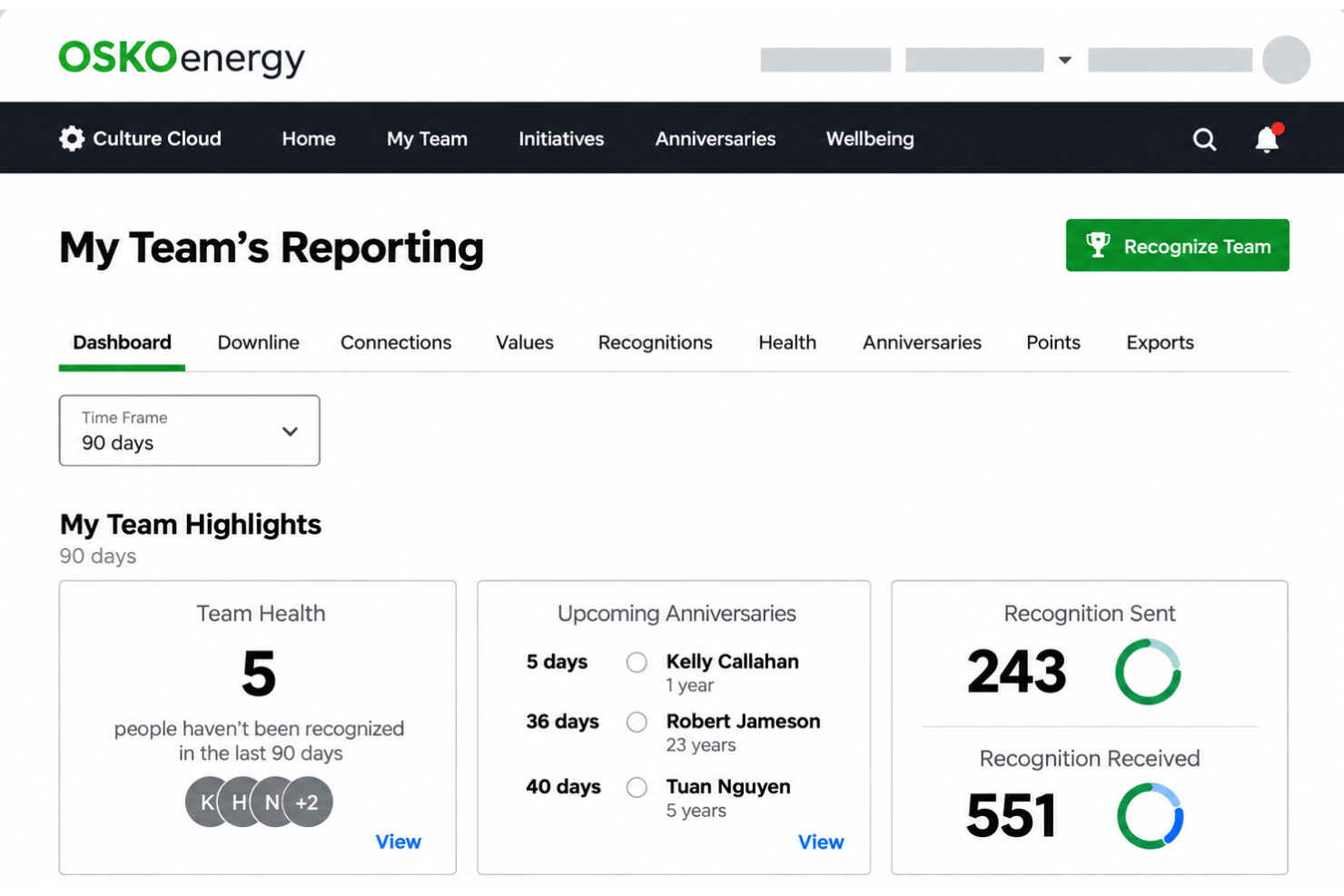
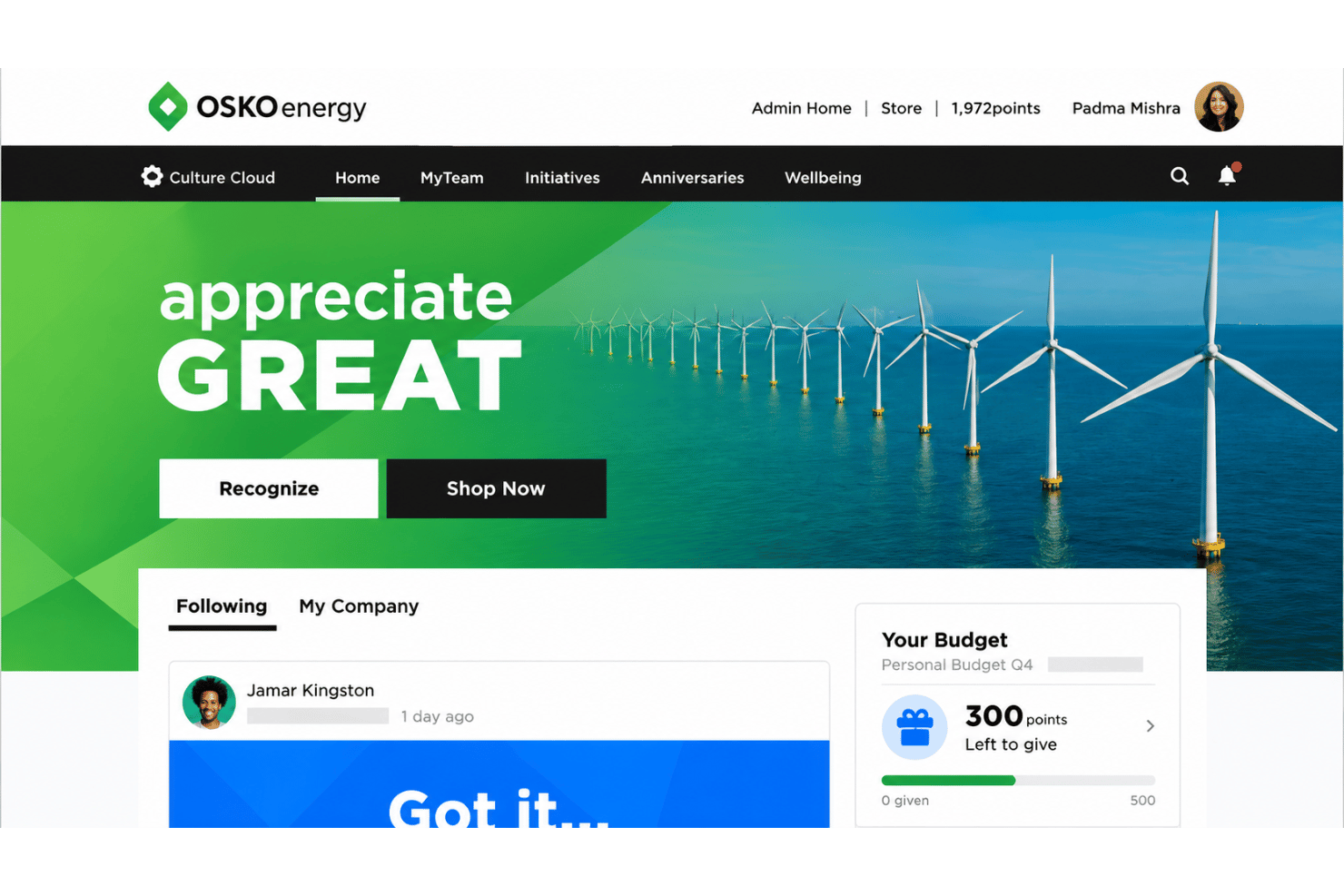
Employees and leaders can recognize everyday contributions through Culture Cloud’s social recognition tools, making achievements visible across teams. For example, a manager can acknowledge a colleague’s help on a project, while peers can celebrate a team member’s contribution.
Rewards and Experiences
Recognized employees can choose from rewards that include gifts, travel, and experiences. That choice lets an employee select a reward that suits them rather than receiving the same item as everyone else.
Service Awards
O.C. Tanner supports formal service-award programs that recognize career milestones alongside everyday appreciation. You can mark a 10-year anniversary with a milestone award, giving employees a consistent way to celebrate tenure.
Goal-Based Incentives
Incentives can connect recognition to goals such as safety, wellbeing, sales, or upskilling. For example, a team can recognize employees for completing safety goals, making the program’s priorities visible.
External Recognition
The platform can turn appreciation from customers, patients, passengers, or partners into employee recognition. A team can share a customer compliment with the employee who helped, connecting external feedback to an internal recognition moment.
Reporting and Insights
Reporting shows recognition activity and where employees may need more support. HR teams can review participation across departments and identify areas where recognition is less frequent.
Ease of Use
O.C. Tanner is reasonably user-friendly for employees, with mobile and Outlook access, 26 supported languages, and peer recognition alongside service awards. I’d rate its overall usability as good, though less suited to a quick, self-serve rollout because larger programs need planning. Reviews praise responsive support but report extra clicks to find recognition history, expiring points, and occasional delays in reward emails. Those details can make routine use feel less intuitive.
Integrations
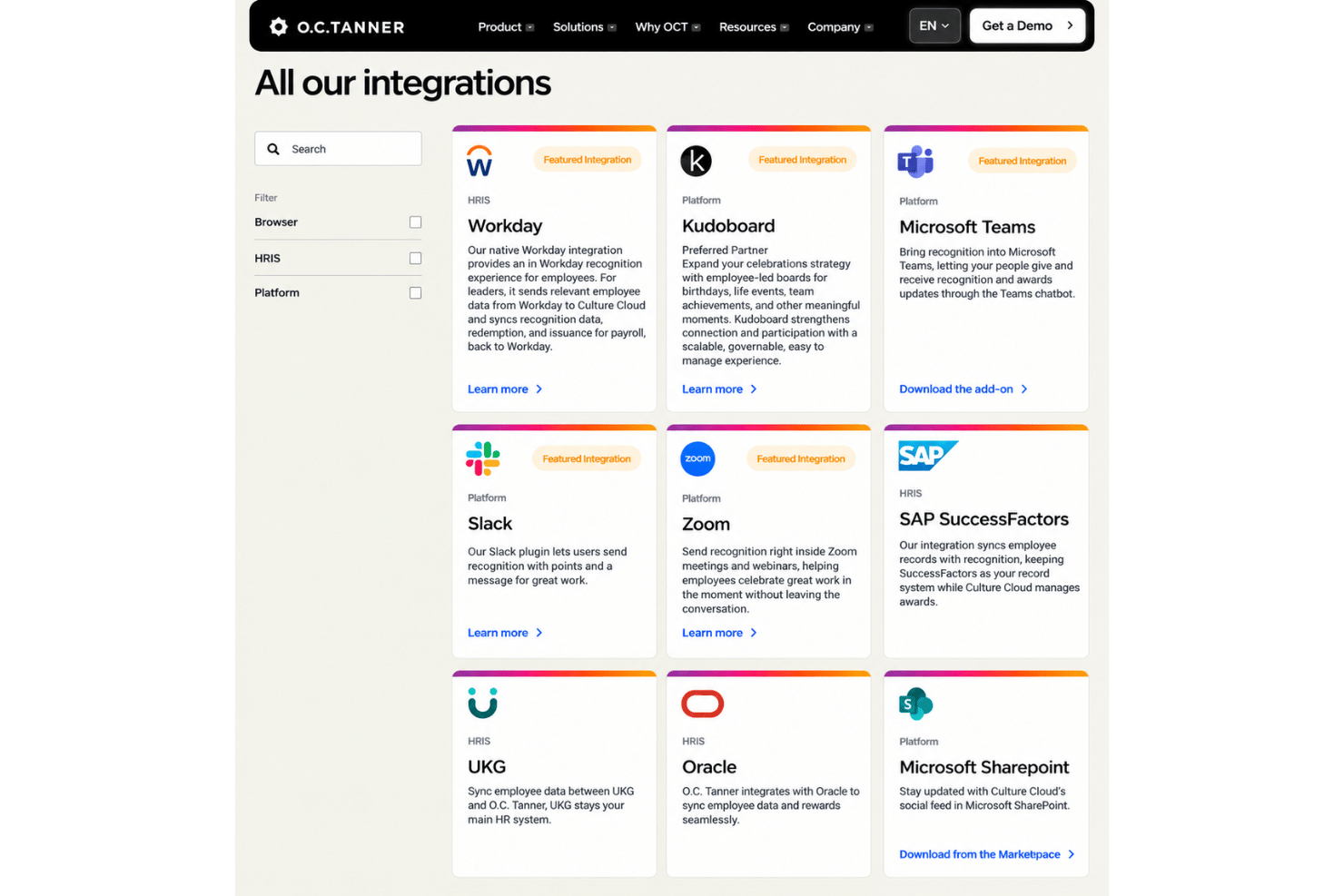
O.C. Tanner integrates with Workday, SAP SuccessFactors, UKG, ADP, Oracle, Slack, Microsoft Teams, Microsoft Outlook, Gmail, and Microsoft SharePoint, among others.
It also offers an open API for custom integrations and supports connections through its Integration as a Service offering.
O.C. Tanner Specs
- 360 Degree Feedback
- API
- Application Tracking
- Attendance Tracking
- Budgeting
- Calendar Management
- Dashboard
- Data Export
- Data Import
- Data Visualization
- Employee Database
- Employee Engagement
- Employee Incentive Management
- Employee Onboarding
- External Integrations
- Feedback Management
- Forecasting
- Multi-User
- Notifications
- Onboarding
- Scheduling
- Timesheets
- Vacation & Absence Calendar