


Prodoscore Review 2026: Pros, Cons, Features & Pricing



You’ve been staring at productivity reports, trying to figure out who’s overloaded, who’s disengaging, and what the numbers actually mean. The dashboards don’t line up, the data feels scattered, and leadership keeps asking for clearer answers.
That’s where employee productivity monitoring software comes in.
In this review, I’ll break down Prodoscore in detail so you can see exactly how it works, what it does well, and whether it’s the right fit for your team.
Prodoscore Evaluation Summary
- From $19.99/user/month
- Free demo available
Why Trust Our Software Recommendations
Our team has been testing and reviewing software since 2012. As HR experts ourselves, we know how difficult—and important—it is to choose the right software.
For this guide, we evaluated tools using hands-on testing and independent research, scoring tools using our selection criteria. We also draw on insights from industry thought leaders and practicing HR experts.
Our reviews reflect our human editorial judgment, not a sales pitch.
Expert reviewers:
Prodoscore Overview
pros
-
It provides clear productivity insights that help you understand your team's performance.
-
The user-friendly interface makes it easy for your team to adopt and use daily.
-
It offers non-intrusive monitoring that respects your team's workflow.
cons
-
Limited reporting depth in certain areas.
-
Though it's designed to be non-intrusive, use may still raise employee concerns.
-
While it works well with major suites, it lacks broad integration with smaller, specialized tools.
Is Prodoscore Right For Your Needs?
Who Would be a Good Fit for Prodoscore?
Prodoscore is a strong fit for organizations that want data-driven visibility into how work happens across their teams.
It works well for HR leaders improving retention, executives seeking performance insights, managers leading remote or hybrid teams, staffing and recruiting firms tracking output, law firms prioritizing accountability, and companies that need actionable workforce analytics beyond simple time tracking.
-
HR & People Leaders
Prodoscore helps identify engagement trends and early signals of turnover so HR can act before losing talent.
-
Executive Leadership
Best for executives who need high-level visibility into organizational performance and productivity trends to support strategic decisions.
-
Managers of Remote or Hybrid Teams
Ideal for teams that are distributed, Prodoscore provides a unified view of work activity from common collaboration tools.
-
Staffing & Recruiting Operations
Prodoscore gives recruiters and staffing teams insight into productivity patterns and resource allocation.
-
Law Firms
Prodoscore helps law firm leaders gain visibility into attorney productivity, workload balance, and engagement across their teams.
-
Organizations Focused on Workforce Analytics
Good for companies looking for actionable productivity analytics rather than simple time tracking.
Who Would be a Bad Fit for Prodoscore?
Prodoscore is not ideal for organizations that require highly advanced analytics, deep customization, or regulatory-level reporting. It also may not suit engineering-heavy teams, offline workforces, companies seeking more invasive monitoring tools, or very small teams that already have full visibility into daily output. If your needs go beyond activity-based productivity insights, you may require a more specialized solution.
-
Very Small Teams With Full Visibility
Small teams with direct daily oversight may not need a dedicated workforce analytics platform.
-
Project-Based Teams That Measure Output, Not Activity
Organizations that evaluate work primarily through completed deliverables rather than activity patterns may find limited value in productivity analytics.
-
Organizations Seeking Invasive Monitoring
If leadership expects keystroke logging or screen recording, Prodoscore may not meet those expectations since it focuses on non-intrusive activity insights.
-
Engineering and Product Development Teams
Teams measuring code output, sprint velocity, and deployment metrics should rely on developer-specific performance tools instead.
-
Niche Compliance-Heavy Teams
Departments that need detailed audit trails and regulatory-level reporting with niche capabilities will likely require more specialized systems.
-
Field-Based or Offline Workforces
Organizations where most work happens away from digital tools or cloud platforms will gain limited insights, since Prodoscore relies on activity data from connected business applications.
How We Test & Score Our Tools
We’ve spent years building, refining, and improving our software testing and scoring system. The rubric is designed to capture the nuances of software selection and what makes a tool effective, focusing on critical aspects of the decision-making process.
Below, you can see exactly how our testing and scoring works across seven criteria. It allows us to provide an unbiased evaluation of the software based on core functionality, standout features, ease of use, onboarding, customer support, integrations, customer reviews, and value for money.
Core Functionality (25% of final score)
The starting point of our evaluation is always the core functionality of the tool. Does it have the basic features and functions that a user would expect to see? Are any of those core features locked to higher-tiered pricing plans? At its core, we expect a tool to stand up against the baseline capabilities of its competitors.
Standout Features (25% of final score)
Next, we evaluate uncommon standout features that go above and beyond the core functionality typically found in tools of its kind. A high score reflects specialized or unique features that make the product faster, more efficient, or offer additional value to the user.
We also evaluate how easy it is to integrate with other tools typically found in the tech stack to expand the functionality and utility of the software. Tools offering plentiful native integrations, 3rd party connections, and API access to build custom integrations score best.
Ease of Use (10% of final score)
We consider how quick and easy it is to execute the tasks defined in the core functionality using the tool. High scoring software is well designed, intuitive to use, offers mobile apps, provides templates, and makes relatively complex tasks seem simple.
Onboarding (10% of final score)
We know how important rapid team adoption is for a new platform, so we evaluate how easy it is to learn and use a tool with minimal training. We evaluate how quickly a team member can get set up and start using the tool with no experience. High scoring solutions indicate little or no support is required.
Customer Support (10% of final score)
We review how quick and easy it is to get unstuck and find help by phone, live chat, or knowledge base. Tools and companies that provide real-time support score best, while chatbots score worst.
Customer Reviews (10% of final score)
Beyond our own testing and evaluation, we consider the net promoter score from current and past customers. We review their likelihood, given the option, to choose the tool again for the core functionality. A high scoring software reflects a high net promoter score from current or past customers.
Value for Money (10% of final score)
Lastly, in consideration of all the other criteria, we review the average price of entry level plans against the core features and consider the value of the other evaluation criteria. Software that delivers more, for less, will score higher.
Core Features
Activity Analytics
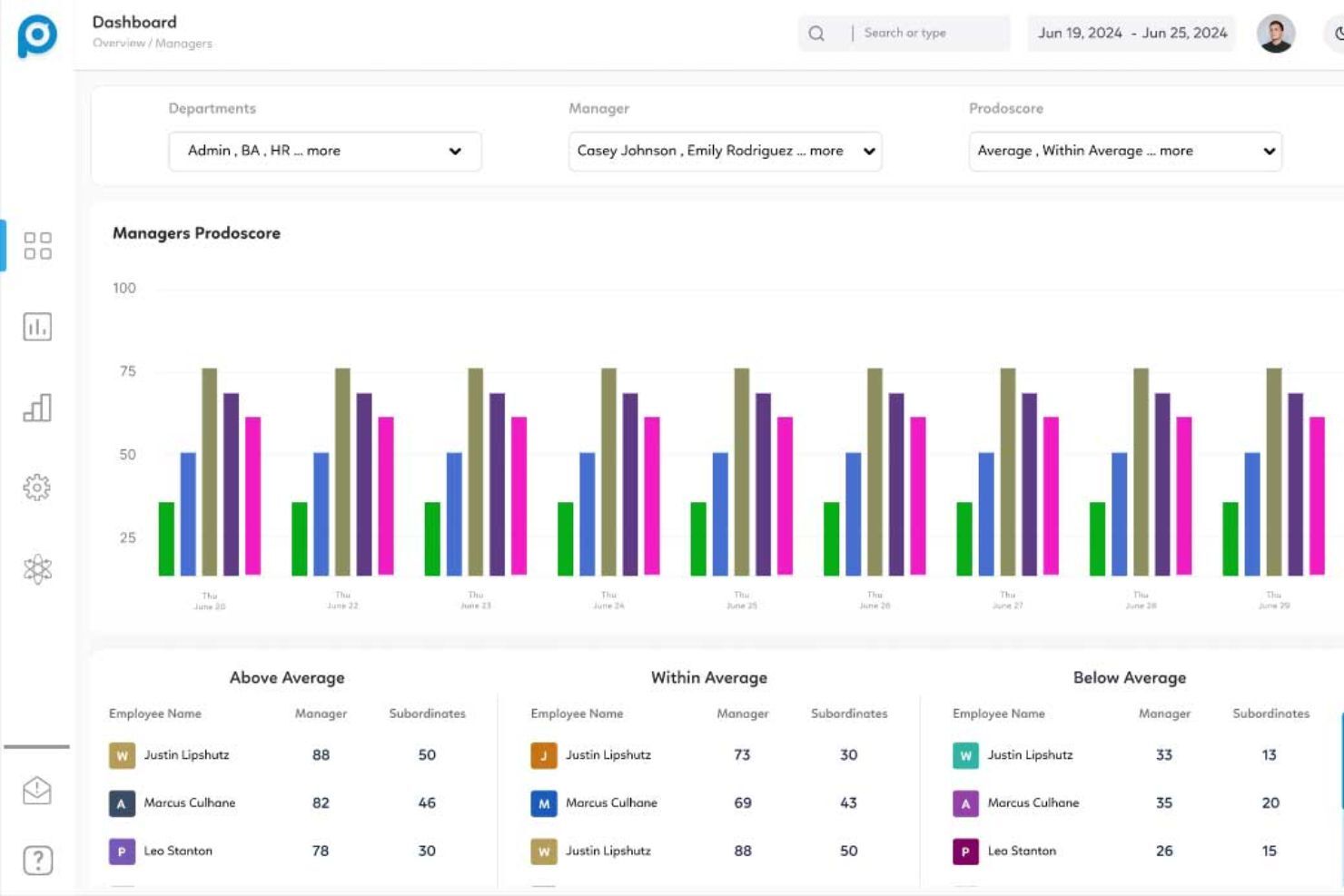
Visualizes how employees work across all cloud tools and apps, showing trends, collaboration patterns, and workload distribution.
Engagement Signals & Retention Insights
Identifies patterns tied to engagement shifts and potential turnover risk, helping HR leaders act before retention problems worsen.
Enterprise-Level Reporting
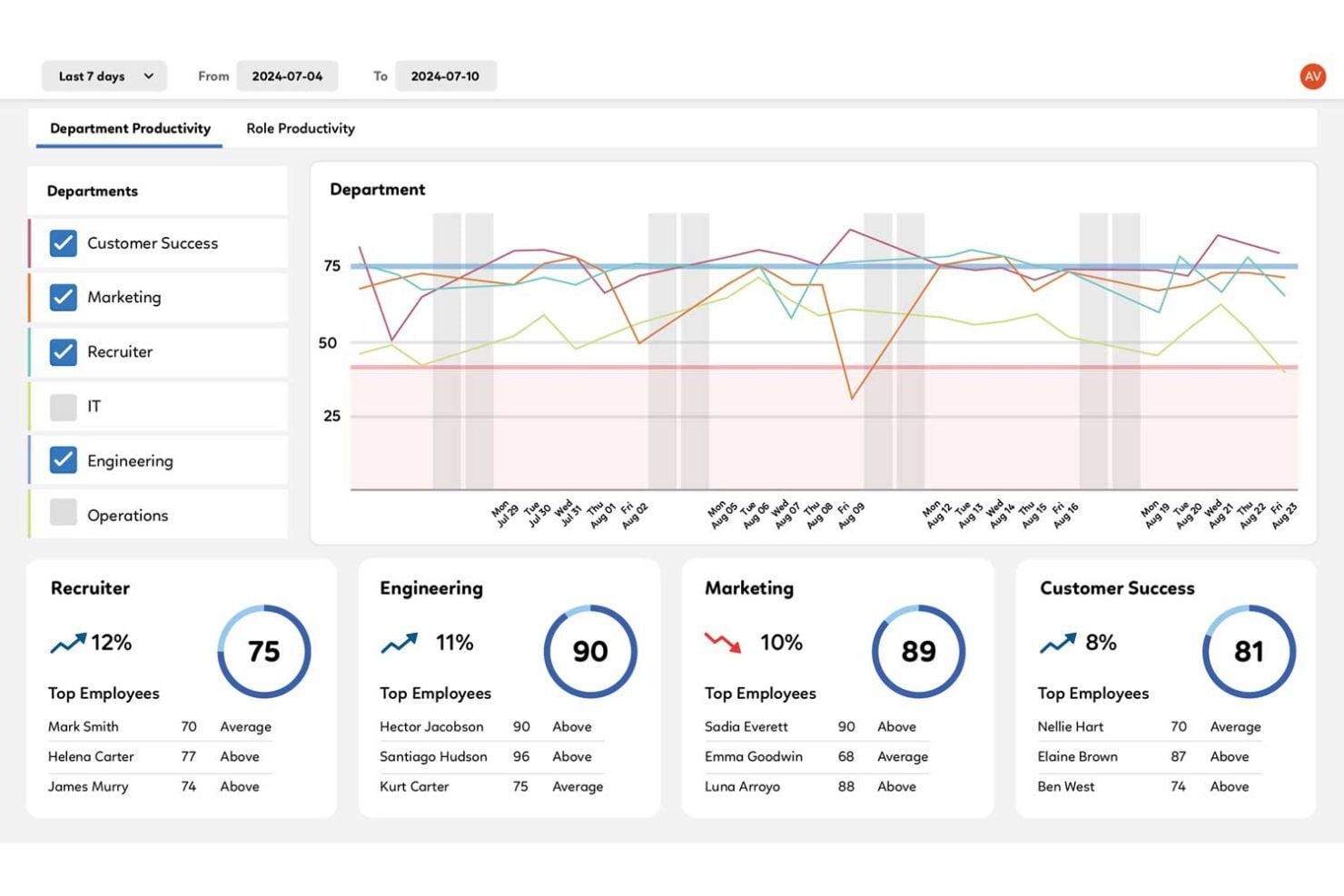
Lets leaders compare productivity scores by department, role, team, or individual to support fair performance evaluation.
Productivity Improvement Insights
Delivers usable insights that guide improvements in individual and team output, helping teams work smarter rather than harder.
Flexible, Non-Intrusive Monitoring
Captures cloud activity automatically without keystroke logging or screenshots, offering accountability without invasive surveillance.
Standout Features
ProdoAI Insights & Recommendations
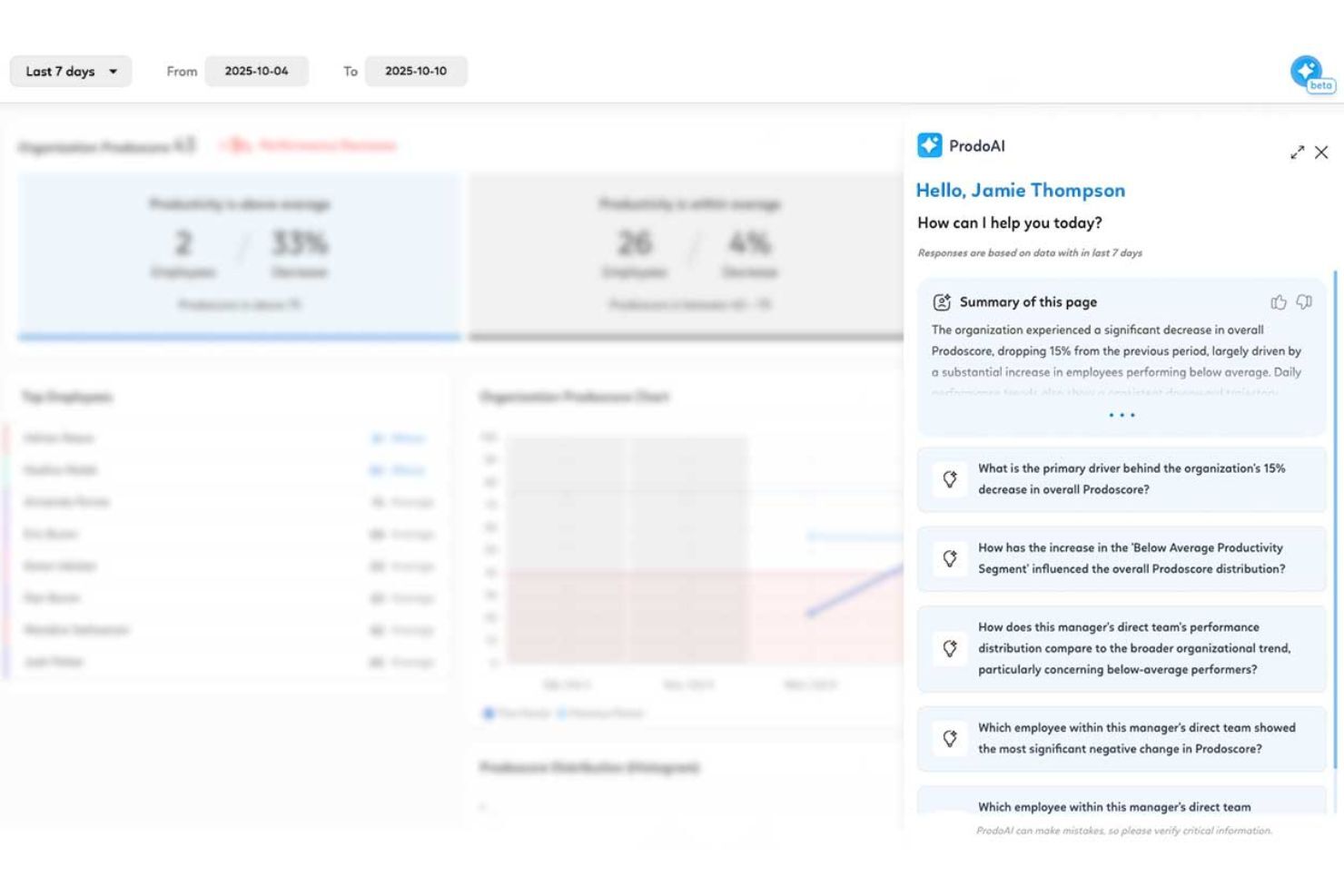
AI-driven interpretation of activity data that summarizes trends, flags anomalies, and highlights areas for improvement without manual analysis.
Organizational Network Analysis (ONA)
Maps collaboration and communication networks to show how teams interact, revealing informal leaders and key cross-team relationships.
ProdoLabs Advanced Workforce Intelligence
Provides deeper analytics and benchmarking by turning workforce data into executive-level insights.
Ease of Use
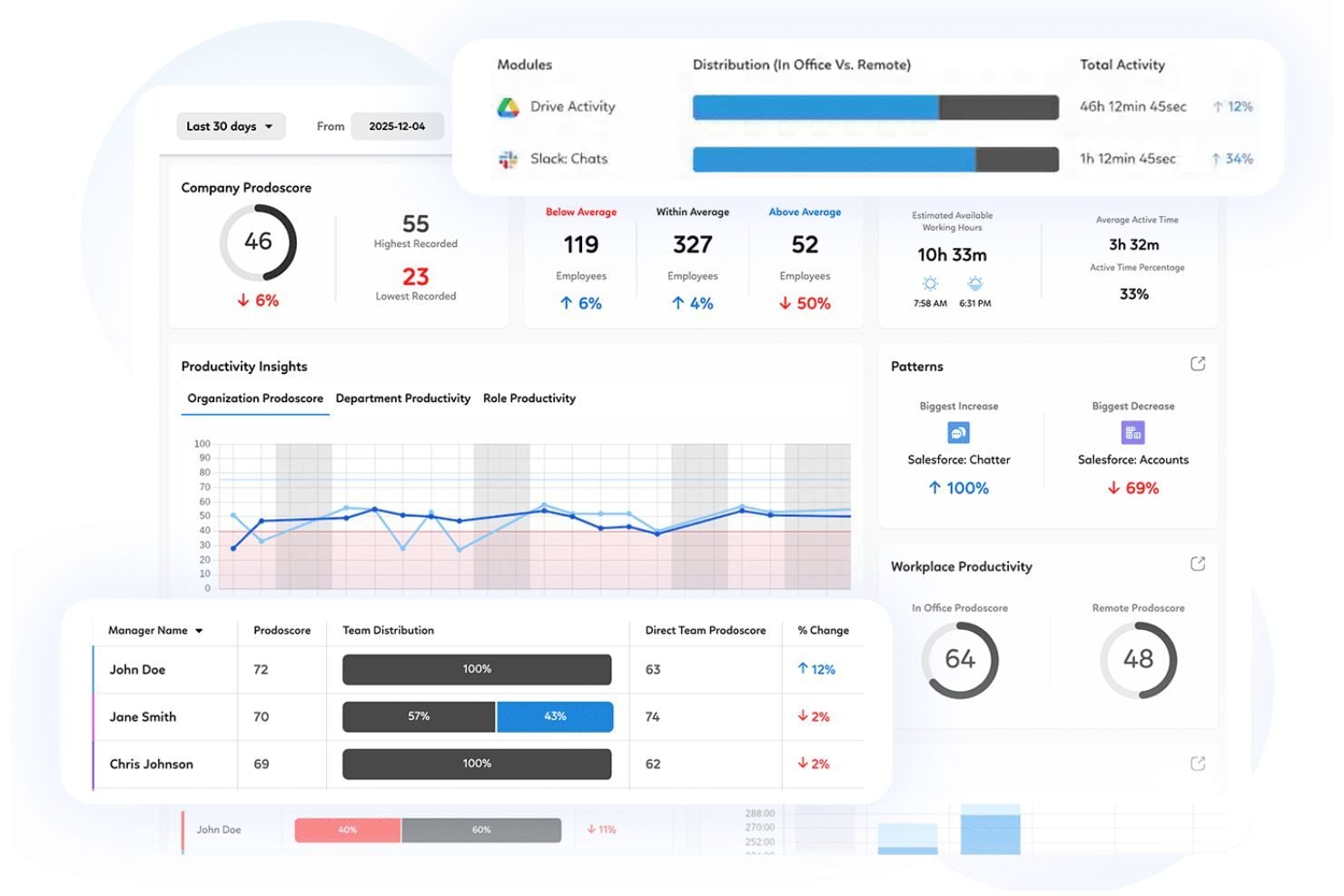
Prodoscore features an intuitive, visually clear dashboard that makes productivity data easy to interpret at a glance. Daily reports provide a consistent view of team activity and engagement, while comparison tools allow managers to evaluate employees in similar roles and balance workloads effectively.
The platform makes it simple to spot trends, identify top performers, and address productivity gaps, particularly in remote environments. Although there may be an initial learning curve, the interface itself is straightforward and easy to navigate.
Onboarding
Prodoscore offers guided onboarding through its Customer Success team, who walk new customers through setup and provide hands-on training for both managers and users. The process is structured and supported, helping teams get comfortable with the platform early on.
Customer Support
You can reach Prodoscore’s team through email, phone (US only) and access helpful self-serve resources online. Support is available from a US-based team five days a week from 9 am to 5 pm EST, with offshore assistance during off-hours and weekends.
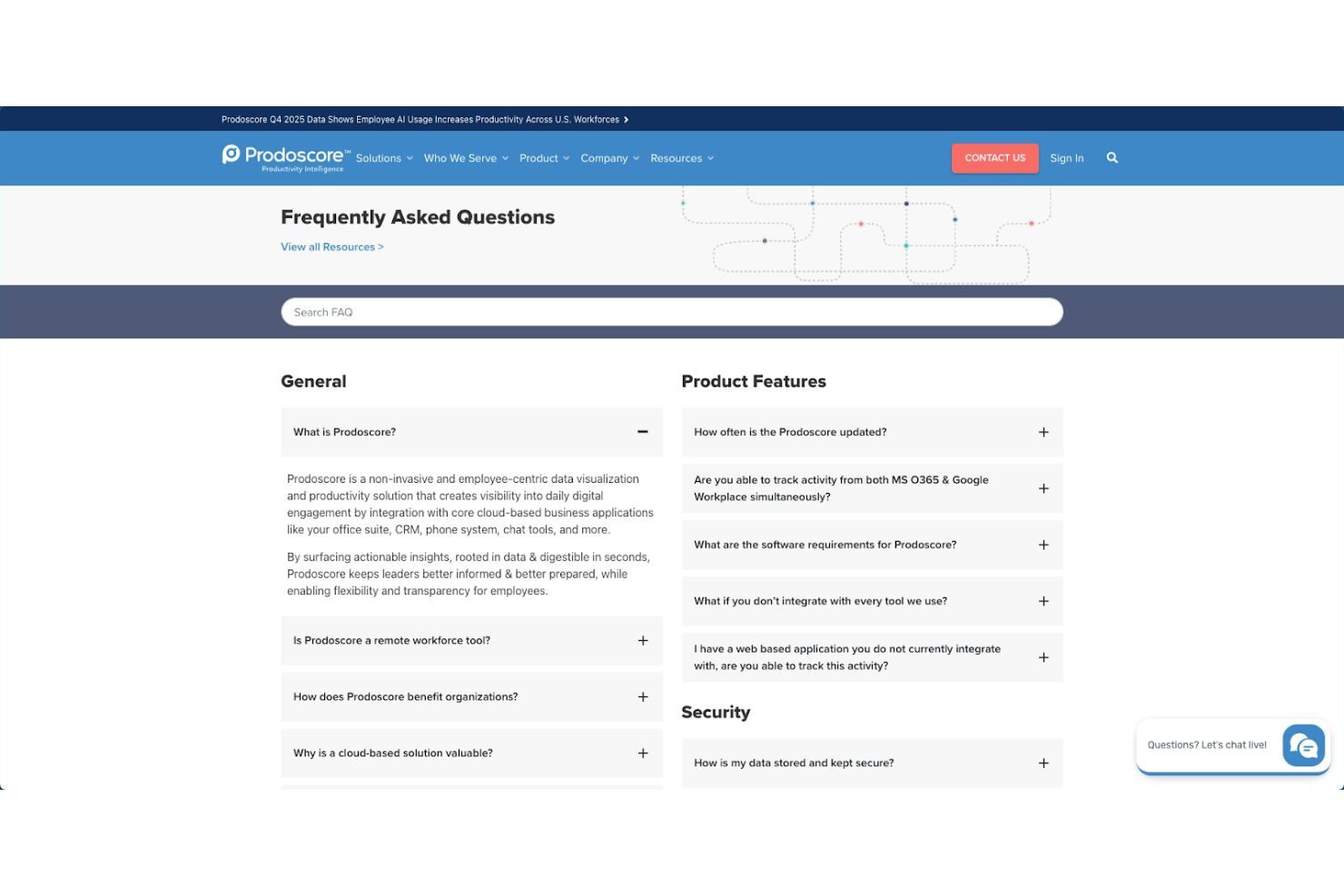
The platform offers a searchable FAQ section that answers common questions and explains key features in simple terms. It also provides video tutorials that walk users through how the system works and how to get the most out of it.
Integrations
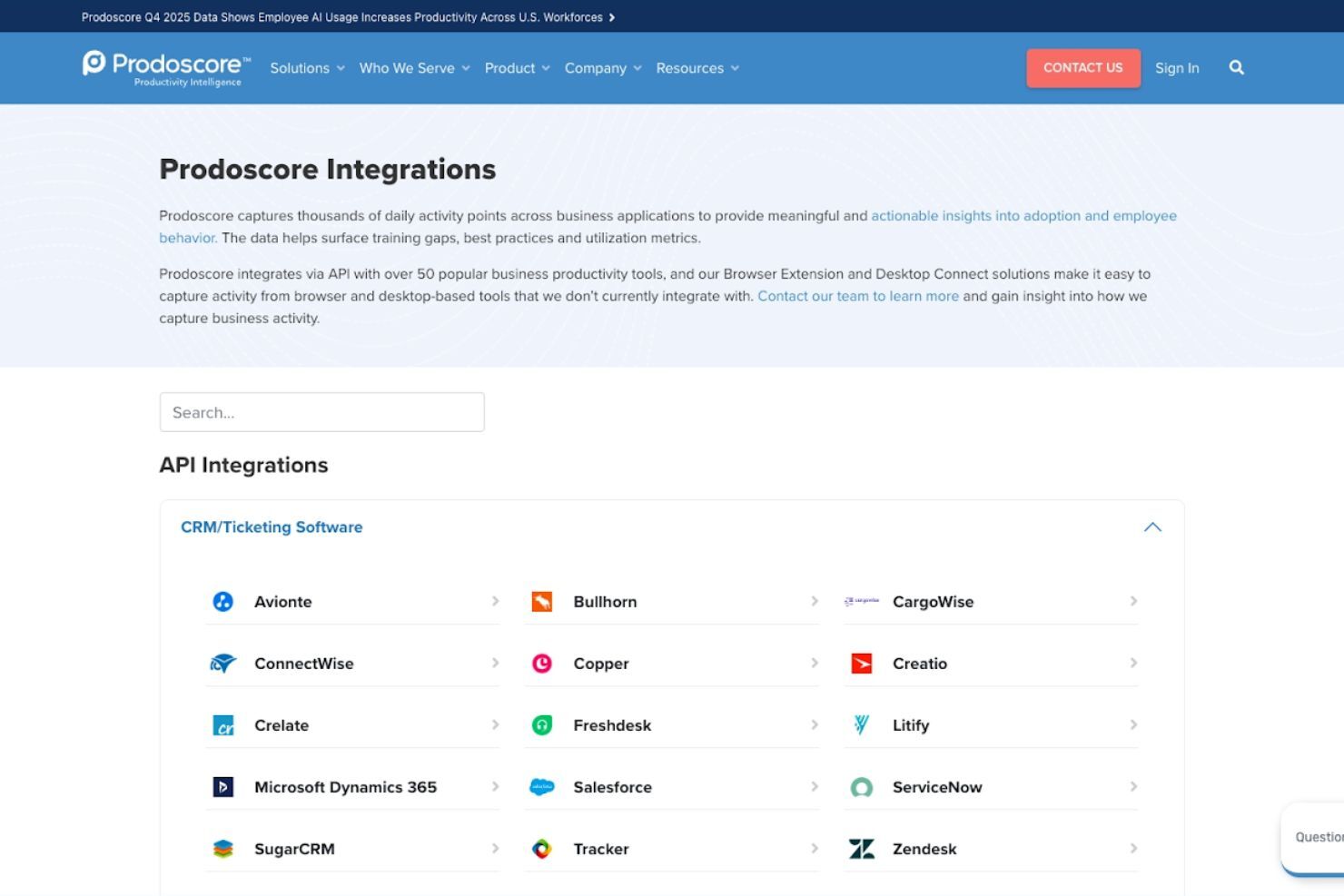
Prodoscore integrates with more than 50 popular business productivity tools through API connections, enabling organizations to capture thousands of daily activity points across the applications employees use most and generate insights into adoption, behavior, and productivity. In addition to platforms like Google Workspace and Microsoft 365, Prodoscore captures activity from widely used business tools such as LinkedIn, DocuSign, Dropbox, Tableau, Monday.com, QuickBooks, ZoomInfo, Indeed, and SmartSearch, helping teams understand how technology is used across their workflows.
Value for Money
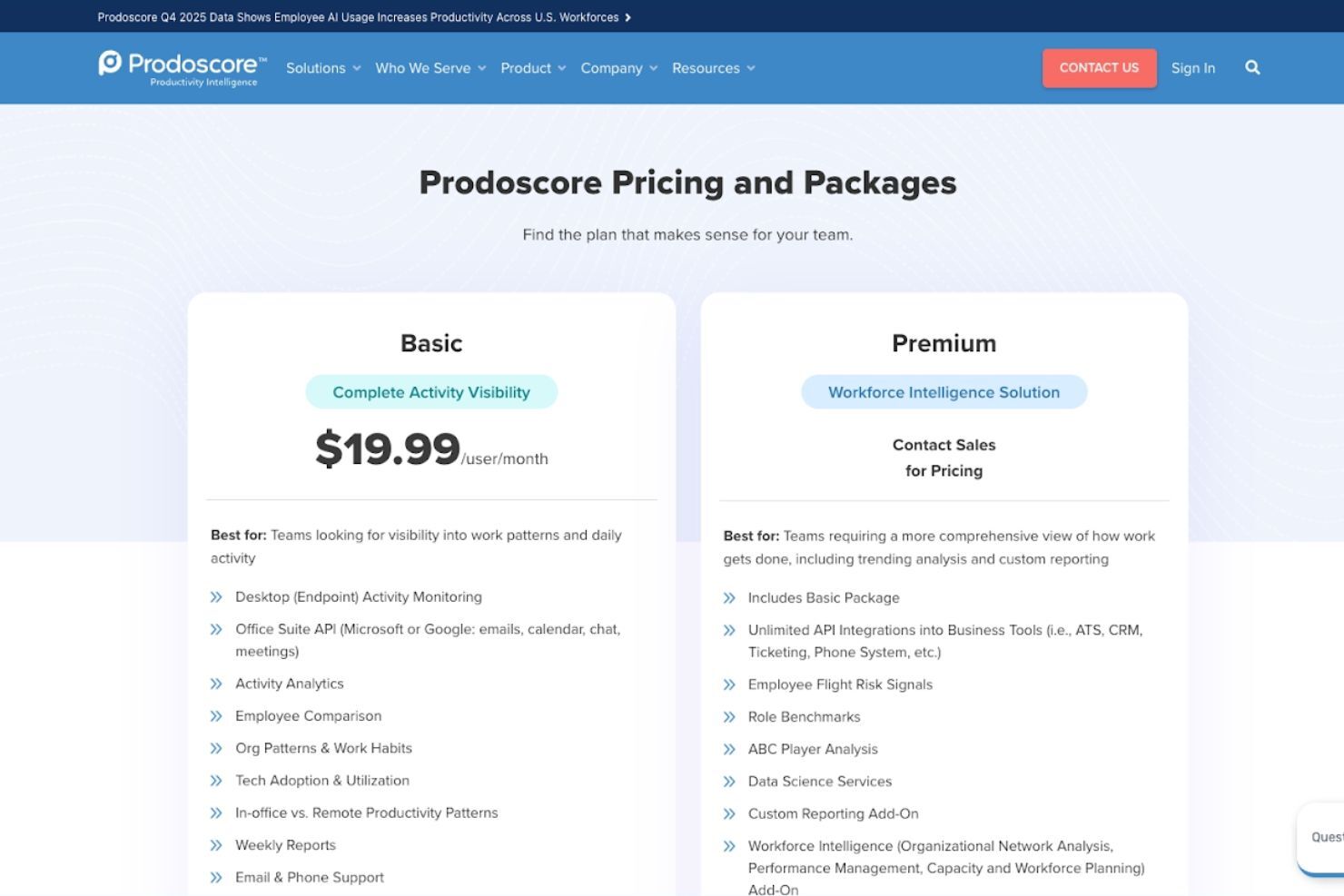
Prodoscore offers two main pricing tiers designed to support teams that need either core activity visibility or more advanced workforce intelligence capabilities.
- Basic Plan: Includes core activity monitoring, workspace integrations, productivity analytics, employee comparisons, and standard reporting.
- Premium Plan: Adds advanced integrations, flight risk signals, role benchmarks, organizational network analysis, and enhanced analytics.
Multi-year and volume discounts are available, with Premium pricing provided through sales.
Prodoscore Specs
- API
- Batch Permissions & Access
- Behavioral Tracking
- Big Data
- Competency Assessment
- Compliance Tracking
- Dashboard
- Data Export
- Data Import
- Data Visualization
- Database
- Employee Database
- Employee Engagement
- Employee Onboarding
- External Integrations
- Feedback Management
- Multi-User
- Notifications
- Password & Access Management
- Performance Appraisal
- Site Access Management
- Social-Media Integration
- Workflow Management
Prodoscore FAQs
How does Prodoscore measure productivity?
Can Prodoscore be customized to fit my team's needs?
Is Prodoscore compliant with data security regulations?
How does Prodoscore impact employee privacy?
What kind of support does Prodoscore offer?
Can Prodoscore help improve my team's efficiency?
How quickly can I see results with Prodoscore?
Does Prodoscore offer training for new users?
Prodoscore Company Overview & History
Founded in 2018 and headquartered in California, Prodoscore was created to help organizations gain clearer visibility into employee productivity in an increasingly digital workplace.
The platform has since positioned itself as a workforce analytics provider that emphasizes privacy-conscious monitoring, data-driven performance management, and organizational visibility at scale.
Prodoscore Major Milestones
- 2018: Prodoscore was founded and began developing its AI-driven productivity intelligence platform.
- 2023: Prodoscore secured a growth investment led by PSG, aimed at accelerating product development and scaling its business.
- 2024: The company released enhanced workforce analytics capabilities, including Retention Risk reporting and Organizational Network Analysis features, broadening its intelligence offering.
- 2025: Reported continued revenue growth and product advancements in workforce analytics.