



Rippling vs. Paylocity: Expert Reviews For 2026



If you've ever run into HR workflow or payroll headaches and wondered if there was a better way to manage everything, you're not alone. With so many solutions out there, it's hard to figure out which one truly works for your needs.
This article will compare two big players in the HR and payroll space: Rippling and Paylocity, exploring their features, pros and cons, and pricing to help you make an informed decision.
Rippling vs. Paylocity: An Overview
Rippling
Paylocity
Why Trust Our Software Reviews
Our team has been testing and reviewing software since 2012. As HR experts ourselves, we know how difficult—and important—it is to choose the right software.
For this guide, we evaluated tools using hands-on testing and independent research, scoring tools using our selection criteria. We also draw on insights from industry thought leaders and practicing HR experts.
Our reviews reflect our human editorial judgment, not a sales pitch.
Expert reviewers:
Rippling vs. Paylocity Pricing Comparison
| Rippling | Paylocity | |
|---|---|---|
| Free Trial | Free demo available | Free demo available |
| Pricing | Pricing upon request | Pricing upon request |
Rippling vs. Paylocity Pricing & Hidden Costs
Rippling offers a modular pricing structure: there is a base/core platform and then optional add-ons (payroll, benefits admin, global payroll, employer of record (EOR), IT/device/app management, spend/expense/bill pay, etc.).
Most things are charged per-employee per month (PEPM), and sometimes there’s also a monthly base fee for certain modules or for the platform itself.
Paylocity also uses a PEPM model. The exact price depends heavily on which modules/features you need (payroll, benefits, time & attendance, performance, applicant tracking, etc.)
Be aware there are different tiers/plans depending on functionality, scale, support, integrations, etc.
Rippling vs. Paylocity Feature Comparison
Both Rippling and Paylocity stack up solidly against each other in their breadth of offerings. Both provide products (that can be used separately or integrated) to manage core HR functions, finance (like expense management and corporate cards), and device and identity access management. They both also emphasize automation, providing dedicated workflow interfaces where you can customize ready-made templates and create triggers for different processes, like onboarding/offboarding, position changes, payroll changes, and more.
There are some key areas where each platform offers different features: Where Paylocity’s platform stops at global payroll (though they offer human-led services for global expansion and compliance), Rippling offers a full-featured global employment platform. Here, you can hire employees through Rippling EOR, pay employees in multiple currencies, and track employee-level compliance in 85+ countries (including all 50 U.S. states). This makes it easier to integrate global workflows with your day-to-day processes as your company scales globally.
Paylocity’s platform leans more into AI than Rippling. While Rippling has quite an extensive AI feature set in its recruiting module, Paylocity AI is embedded across pretty much the entire platform (think scheduling, benefits, expense management, strategic insights and more), providing you with insights, proactive assistance, and automation, all personalized to you with its context-aware engine.
| Rippling | Paylocity | |
|---|---|---|
| API | ||
| Application Tracking | ||
| Attendance Tracking | ||
| Compliance Tracking | ||
| Dashboard | ||
| Data Export | ||
| Data Import | ||
| Data Visualization | ||
| Employee Database | ||
| Employee Incentive Management | ||
| Employee Onboarding | ||
| Expense Tracking | ||
| External Integrations | ||
| Feedback Management | ||
| Multi-User | ||
| Notifications | ||
| Payroll | ||
| Scheduling | ||
| Time Management | ||
| Timesheets | ||
| Travel Management | ||
| Vacation & Absence Calendar |
Rippling vs. Paylocity Integrations
| Integration | Rippling | Paylocity |
|---|---|---|
| Salesforce | ✅ | ✅ |
| Slack | ✅ | ✅ |
| Microsoft 365 | ✅ | ✅ |
| Zoom | ✅ | ✅ |
| Asana | ✅ | ✅ |
| QuickBooks | ✅ | ✅ |
| Google Workspace | ✅ | ✅ |
| Greenhouse | ✅ | ✅ |
| API | ✅ | ✅ |
| Zapier | ✅ | ❌ |
Both platforms offer a large library of native integrations, though Rippling has slightly more (with 650+ compared to Paylocity's 430+). Both offer an API for custom connections, though Paylocity doesn't connect with Zapier if you're looking to build custom integrations using that route.
Rippling vs. Paylocity Security, Compliance & Reliability
| Factor | Rippling | Paylocity |
|---|---|---|
| Data Privacy | Rippling uses advanced encryption to protect sensitive employee data, ensuring compliance with GDPR standards. | Paylocity implements robust data encryption and regularly audits for GDPR compliance. |
| Regulatory Compliance | Rippling offers automated compliance updates (in all 50 U.S. states and 85+ countries) to keep your business aligned with the latest regulations. | Paylocity provides compliance alerts and updates to help you stay ahead of regulatory changes. |
| System Reliability | Rippling ensures high uptime with its reliable cloud infrastructure, backed by live support. | Paylocity offers 99.9% uptime and continuous monitoring to maintain system reliability. |
Rippling and Paylocity both prioritize security and compliance. To evaluate security and compliance, review the vendors’ encryption methods, compliance update features, and system reliability to see which aligns best with your organization's needs.
Rippling vs. Paylocity Ease of Use
| Factor | Rippling | Paylocity |
|---|---|---|
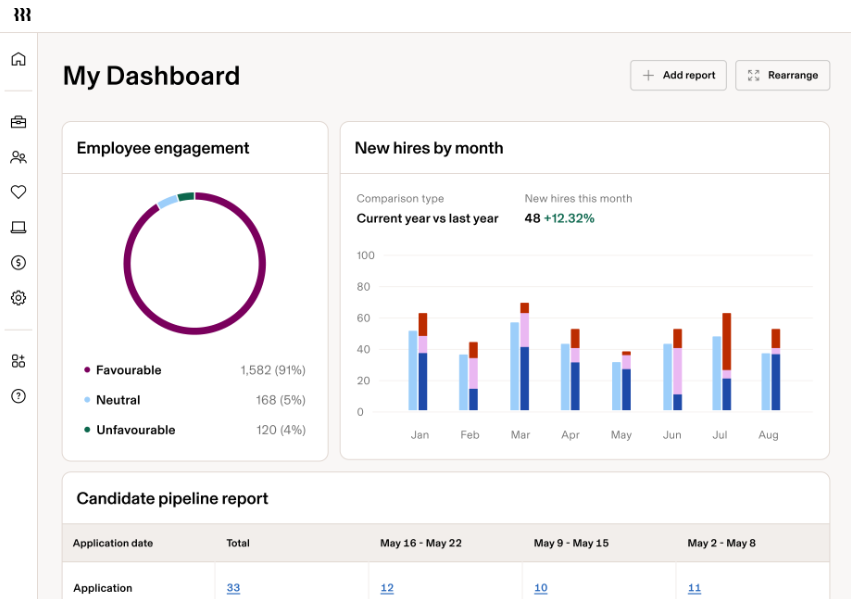
| User Interface | Rippling offers a clean, intuitive interface with customizable dashboards for a personalized experience. | Paylocity provides a straightforward interface, but some users find it less intuitive for advanced features. |
| Onboarding Experience | Rippling simplifies onboarding with step-by-step guides and automated workflows. | Paylocity offers a comprehensive onboarding process, but it can be time-consuming for new users. |
| Setup | Rippling's setup process is quick and guided, minimizing time to deployment. | Paylocity requires more manual input during setup, which can extend the initial setup time. |
Rippling is easy to navigate with its intuitive interface and quick setup, making it ideal for teams that want to get up and running fast. Paylocity, while straightforward, can be challenging for those needing to access more advanced features due to its less intuitive design.
Rippling vs Paylocity: Pros & Cons
Rippling
- Automates simple and complex tasks across departments with an intuitive Workflow Studio.
- The platform is highly scalable with add-on modules, making it ideal for growing businesses.
- Tons of integration options (650+), so that all your systems can be connected and centralized in one platform.
- Custom reporting and workflows may not be included with base modules.
- May be overly comprehensive for simpler operations with limited HR tasks or few employees.
- While modular, costs can add up quickly as you activate more capabilities.
Paylocity
- Paylocity automates payroll processes to save time and reduce manual work for HR and payroll teams.
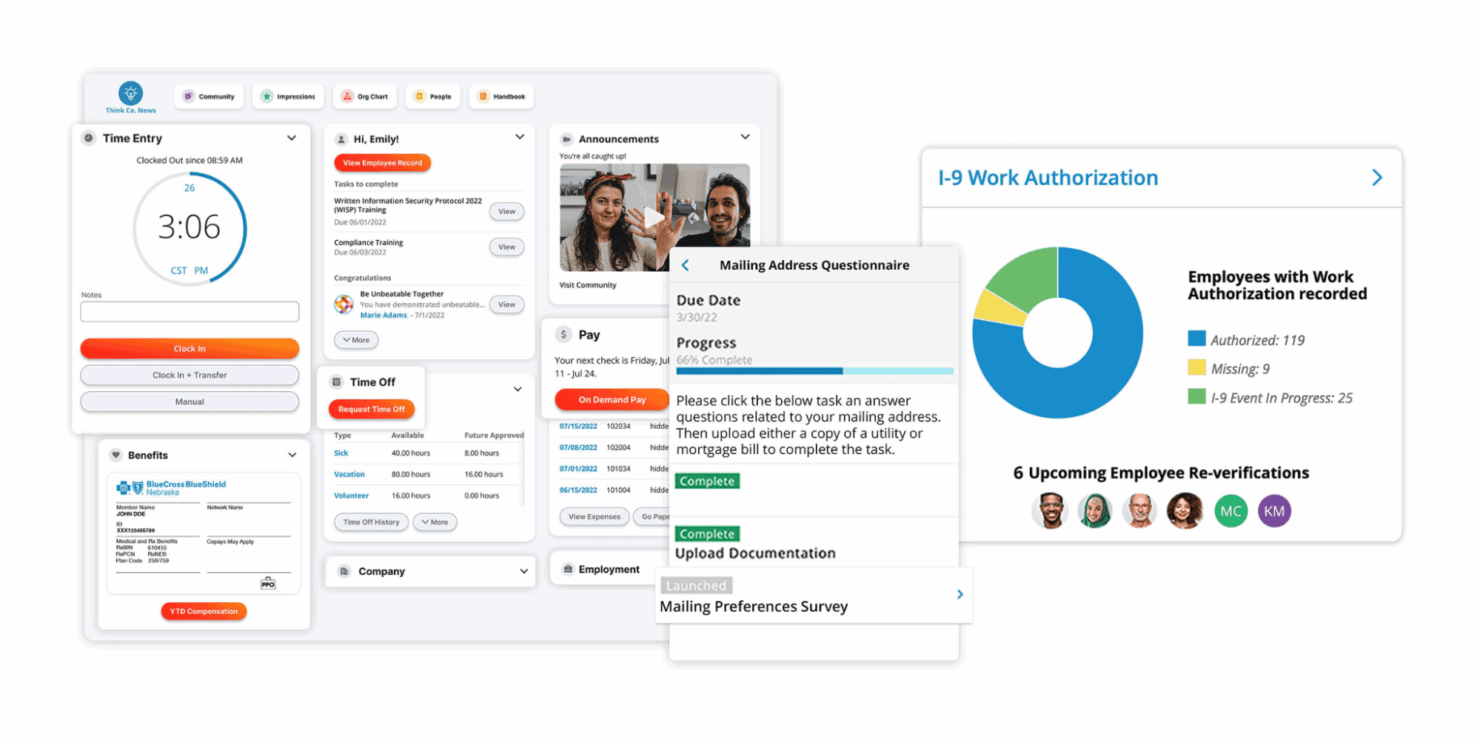
- Employees can access their payroll and benefits information, update personal details, and request time off in an employee self-service portal.
- In addition to software, the company has a team of dedicated reps to support your payroll, tax, and garnishment processes.
- Some end users report that implementation can take longer than expected and require significant time and resources.
- A few customers have experienced slower response times or difficulty reaching support when needed.
- The platform offers many features that can take time to learn and adopt fully.
Best Use Cases for Rippling and Paylocity
Rippling
- Tech Companies Rippling's automation and integration capabilities suit the fast-paced, tech-driven environment your company thrives in.
- Small to Large Enterprises The platform scales well for small, medium, and large enterprises, handling growing operations, from simple to complex, across multiple geographies.
- HR Departments Rippling centralizes and automates HR functions, like onboarding, benefits administration, learning and development, time and attendance tracking, and recruiting.
- Remote Teams If your team works remotely, Rippling's cloud-based access keeps everyone connected and informed. With the IT add-on, you can even manage remote devices (e.g., automate device management, provisioning, and identity and access management).
- Finance Departments Rippling provides a full, in-house Finance suite with spend management, travel, bill pay and corporate cards. It also integrates payroll with other financial systems, streamlining financial workflows.
- Global Enterprises If your business spans multiple regions, Rippling's extensive reporting tools, global payroll, global hiring (EOR), and contractor management help manage diverse teams effectively.
Paylocity
- Small businesses Paylocity offers an affordable and scalable solution for companies with around 50 employees and requires standard payroll needs.
- Retail The software’s scheduling and time-tracking features are ideal for shift-based workforces in retail stores or restaurants.
- Nonprofits Paylocity best suits nonprofits by providing tools to streamline HR tasks and improve employee engagement.
- Healthcare Paylocity supports healthcare organizations with compliance and workforce management solutions.
- Real Estate Paylocity aids real estate businesses with scalable payroll and HR processes.
- Full HR Suite Paylocity’s integrated modules for payroll, benefits, timecards, and more benefit companies needing an all-in-one HR solution.
Who Should Use Rippling, and Who Should Use Paylocity?
Because Rippling and Paylocity offer a similar range of features, from HR and finance to IT, both platforms will be ideal if you are looking to integrate workflows across departments, regardless of your company size.
However, if you want to expand globally and want direct access to EOR and global employment features (especially more rigorous in-platform global compliance tracking), integrated within the same software, Rippling will be the option for you. On the other hand, if you're a big believer in embedding AI into every part of your workflow to make your life easier, Paylocity will offer you more on this front.
In the end, both are great for scaling teams and offer lots of customizability, so it all comes down to your most specific needs and the value for money once you have quotes from both of them.
Differences Between Rippling and Paylocity
| Rippling | Paylocity | |
|---|---|---|
| Artificial Intelligence | Some use of AI, with features showing up most powerfully in its recruitment module (e.g., interview assistant, candidate summaries, smart scheduling, etc.) | Big emphasis on AI embedded strategically throughout the platform to provide context-aware, personalized assistance in all workflows (benefits management, expense management, actionable HR insights, etc.). |
| Global Coverage | Strong global employment features are built into the platform (if you choose that module). Rippling EOR lets you hire globally, track compliance in 85+ countries, manage contractors, provide benefits, and pay employees in multiple currencies. | Global coverage, as far as the platform is concerned, is limited to payroll, covering 100+ countries. Support for things like hiring and employee-level compliance tracking is only available through human-led services. |
| Integrations | Rippling offers a more extensive library of native integrations (650+), with API access and connection to Zapier. | Paylocity offers a smaller library (430+ integrations), includes an API, but no connection to Zapier. |
| Onboarding | Rippling's onboarding is quick with guided steps for ease. | Paylocity's onboarding is comprehensive but can be time-consuming. |
| User Interface | Rippling provides a clean, intuitive interface suited for quick navigation. | Paylocity's interface is straightforward but can be less intuitive for advanced tasks. |
| Visit RipplingOpens new window | Read Paylocity ReviewOpens new window |
Similarities Between Rippling and Paylocity
| Cloud-Based Access | Rippling and Paylocity are cloud-based, allowing you to access payroll information and broader HR, IT, and finance functions from anywhere. |
|---|---|
| Compliance | Each platform provides regular compliance updates to keep your business aligned with the latest regulations (though Rippling provides more automated, detailed options for global compliance). |
| Customer Support | Both offer reliable customer support, with various support channels available and in-depth knowledge hubs for self-service. |
| Data Security | Both Rippling and Paylocity prioritize data security with robust encryption and compliance with GDPR standards, ensuring your team's sensitive data is protected. |
| Payroll | Each tool efficiently handles payroll processing, including detailed reporting, deductions, and global payroll. |
| Visit RipplingOpens new window Read Paylocity ReviewOpens new window | |