


Paylocity Review: Pros, Cons, Features & Pricing



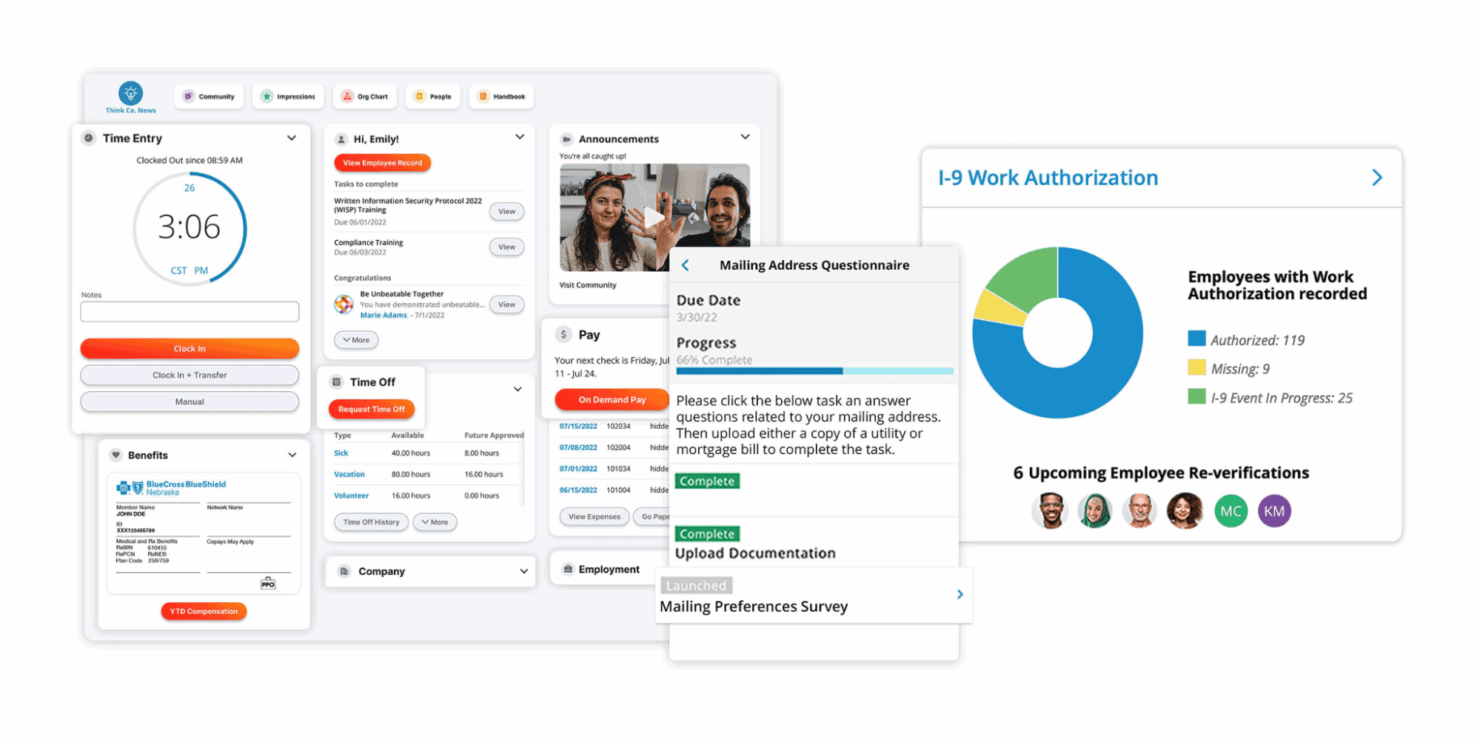
Paylocity is a payroll software built for mid-sized businesses that need payroll, HR, time tracking, and employee engagement tools all in one platform. I'd mainly consider it if you want more modern employee self-service and stronger engagement features than ADP Workforce Now, without the heavy implementation overhead that typically comes with enterprise-grade systems.
Paylocity Evaluation Summary
- Pricing upon request
- Free demo available
Why Trust Our Software Recommendations
Our team has been testing and reviewing software since 2012. As HR experts ourselves, we know how difficult—and important—it is to choose the right software.
For this guide, we evaluated tools using hands-on testing and independent research, scoring tools using our selection criteria. We also draw on insights from industry thought leaders and practicing HR experts.
Our reviews reflect our human editorial judgment, not a sales pitch.
Expert reviewers:
Paylocity Overview
pros
-
Paylocity automates payroll processes to save time and reduce manual work for HR and payroll teams.
-
Employees can access their payroll and benefits information, update personal details, and request time off in an employee self-service portal.
-
In addition to software, the company has a team of dedicated reps to support your payroll, tax, and garnishment processes.
cons
-
Some end users report that implementation can take longer than expected and require significant time and resources.
-
A few customers have experienced slower response times or difficulty reaching support when needed.
-
The platform offers many features that can take time to learn and adopt fully.
-

TopSource
Visit WebsiteThis rating combines scores from multiple user review sites to reflect overall customer sentiment about the product.5 -
Paycom
Visit WebsiteThis rating combines scores from multiple user review sites to reflect overall customer sentiment about the product.4.3 -
Deel Payroll
Visit WebsiteThis rating combines scores from multiple user review sites to reflect overall customer sentiment about the product.4.9




How We Test & Score Our Tools
We’ve spent years building, refining, and improving our software testing and scoring system. The rubric is designed to capture the nuances of software selection and what makes a tool effective, focusing on critical aspects of the decision-making process.
Below, you can see exactly how our testing and scoring works across seven criteria. It allows us to provide an unbiased evaluation of the software based on core functionality, standout features, ease of use, onboarding, customer support, integrations, customer reviews, and value for money.
Core Functionality (25% of final score)
The starting point of our evaluation is always the core functionality of the tool. Does it have the basic features and functions that a user would expect to see? Are any of those core features locked to higher-tiered pricing plans? At its core, we expect a tool to stand up against the baseline capabilities of its competitors.
Standout Features (25% of final score)
Next, we evaluate uncommon standout features that go above and beyond the core functionality typically found in tools of its kind. A high score reflects specialized or unique features that make the product faster, more efficient, or offer additional value to the user.
We also evaluate how easy it is to integrate with other tools typically found in the tech stack to expand the functionality and utility of the software. Tools offering plentiful native integrations, 3rd party connections, and API access to build custom integrations score best.
Ease of Use (10% of final score)
We consider how quick and easy it is to execute the tasks defined in the core functionality using the tool. High scoring software is well designed, intuitive to use, offers mobile apps, provides templates, and makes relatively complex tasks seem simple.
Onboarding (10% of final score)
We know how important rapid team adoption is for a new platform, so we evaluate how easy it is to learn and use a tool with minimal training. We evaluate how quickly a team member can get set up and start using the tool with no experience. High scoring solutions indicate little or no support is required.
Customer Support (10% of final score)
We review how quick and easy it is to get unstuck and find help by phone, live chat, or knowledge base. Tools and companies that provide real-time support score best, while chatbots score worst.
Customer Reviews (10% of final score)
Beyond our own testing and evaluation, we consider the net promoter score from current and past customers. We review their likelihood, given the option, to choose the tool again for the core functionality. A high scoring software reflects a high net promoter score from current or past customers.
Value for Money (10% of final score)
Lastly, in consideration of all the other criteria, we review the average price of entry level plans against the core features and consider the value of the other evaluation criteria. Software that delivers more, for less, will score higher.
Core Features
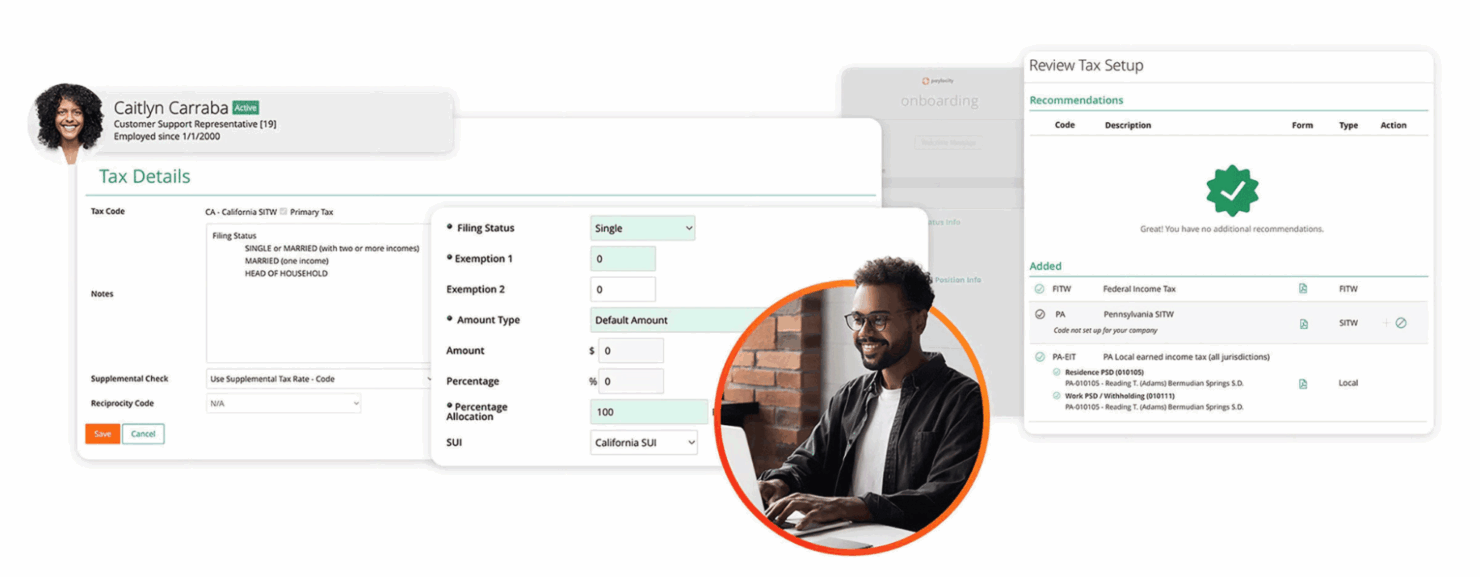
Tax filing and compliance: Paylocity automates tax calculations, withholdings, and filings at the federal, state, and local levels. It stays current with changing tax laws to ensure compliance.
Direct deposit: Paylocity allows employees’ paychecks to be deposited directly into their bank accounts. It supports multiple direct deposit accounts per employee for flexibility.
Payroll reporting: Paylocity’s standard and customizable payroll reports provide insights into labor costs and tax liabilities. Reports can be scheduled, exported, and shared with stakeholders.
Time and attendance: Paylocity's time tracking tools allow employees to clock in and out, request time off, and submit timesheets. Managers can review and approve timesheets before running payroll.
Garnishment management: Paylocity can handle wage garnishments such as child support and tax levies. It calculates applicable amounts and makes payments on the employer's behalf.
Employee self-service: Workers can view pay stubs, update direct deposit info, and access tax forms through the self-service portal. This reduces administrative tasks for HR.
Ease of Use
I find Paylocity to be intuitive and easy to navigate compared to many other payroll systems. The interface is modern and uncluttered and core functions like running payroll, adding new hires, and generating reports can be completed in just a few clicks.
Integrations
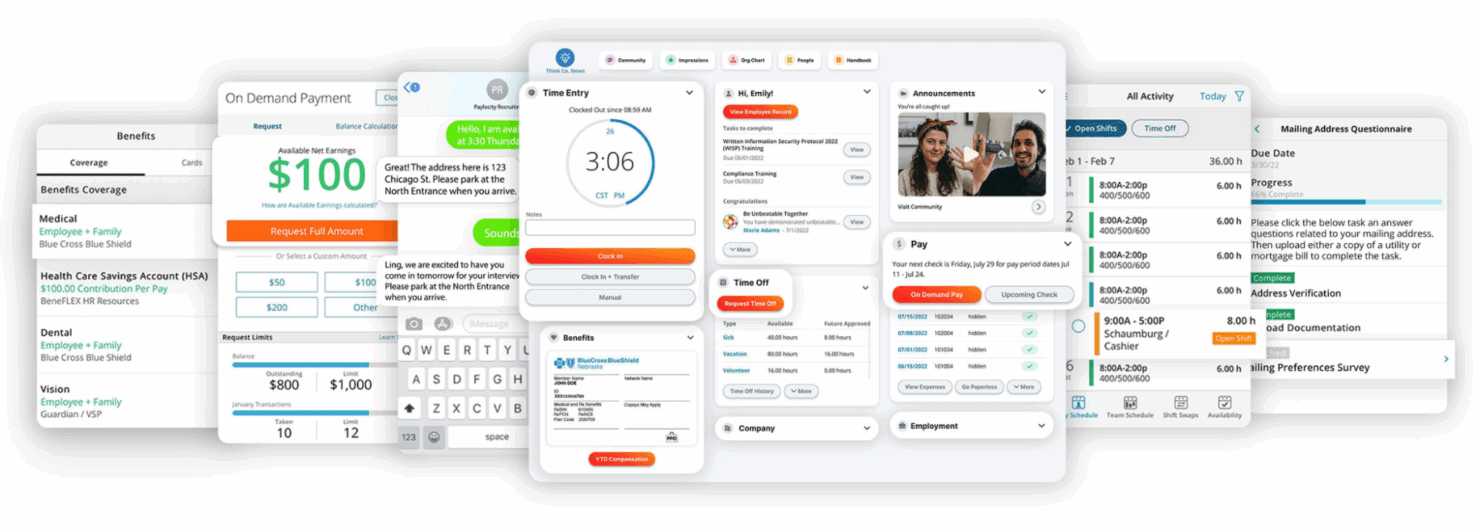
Paylocity integrates with: QuickBooks, Xero, Sage Intacct, Oracle NetSuite, SAP Concur, Salesforce, BambooHR, UltiPro, iCIMS, and Jobvite.
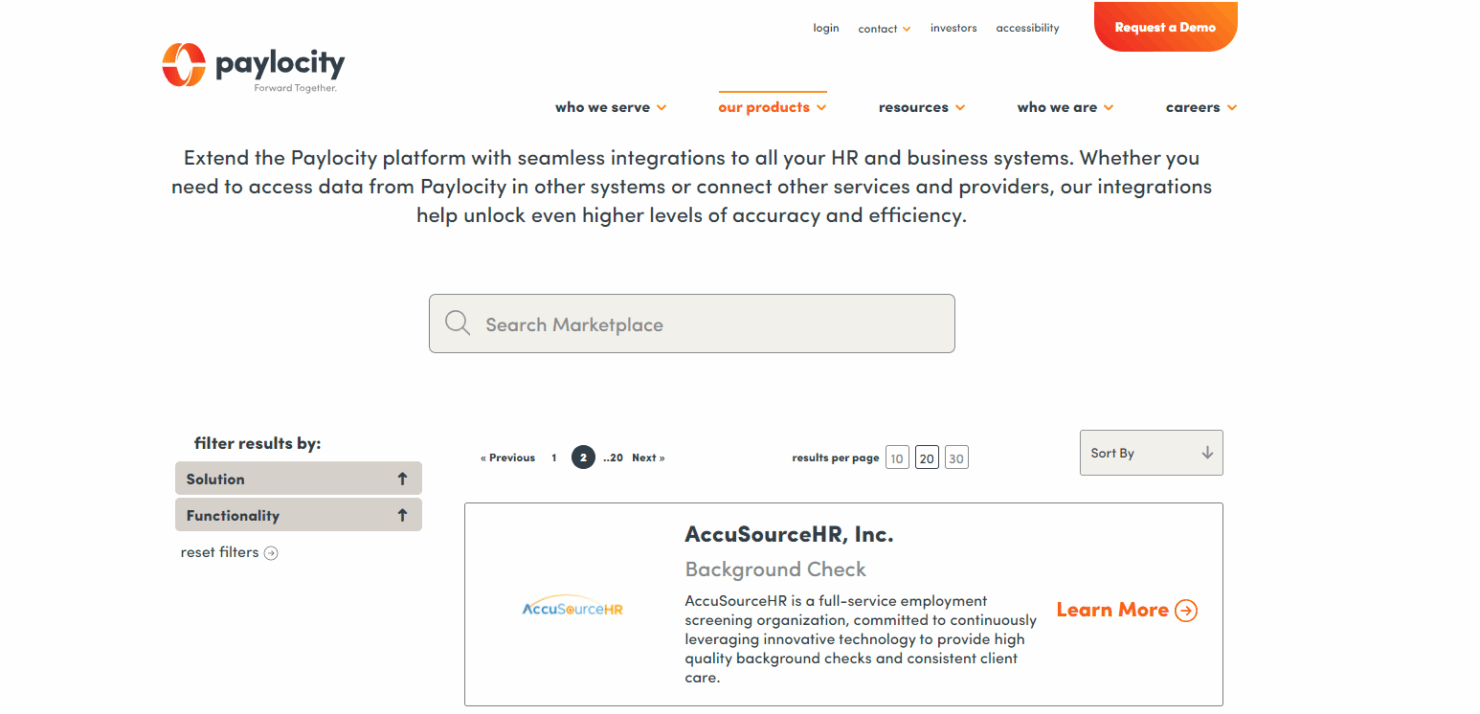
Paylocity also offers an API for custom integrations and data sharing. The Paylocity Marketplace has pre-built connectors to hundreds of third-party apps for HR, finance, and benefits.
New Product Updates from Paylocity

Paylocity Expands Expense and Purchase Request Tools
Paylocity lets employees import eligible card transactions and receipts into expense reports, with rules or AI assistance for categorization. It also simplifies purchase request setup and approval workflows. Highlights include:
- Connected Personal Cards: Imports eligible transactions into expense reports.
- Receipt Matching: Helps match receipts with imported transactions.
- Smart Categorization: Uses configured rules or AI assistance to categorize expenses.
- Purchase Request Setup: Simplifies how purchasing workflows are configured.
- Approval List: Makes pending purchase requests easier to review and manage.
Visit Paylocity’s official site for more details.
 for more details.
Paylocity Adds Calendar Widget to Home
Paylocity’s Home calendar widget consolidates key schedule and company dates in one place. Employees can quickly review upcoming shifts, time off, events, and anniversaries. Highlights include:
- Scheduled Shifts: Shows upcoming work schedules.
- Time Off: Displays approved and upcoming time off.
- Company Events: Brings workplace events into the same calendar.
- Anniversaries: Includes employee anniversary dates.
- Unified View: Combines schedule and event information in one place.
Visit Paylocity’s official site for more details.

Paylocity Adds Retirement Access and Benefits Renewal Tools
Paylocity Retirement gives employees access to key retirement information directly in Paylocity, while Benefits Guided Setup helps clients and brokers prepare and renew plans in-platform. These updates reduce fragmented workflows and manual coordination. Highlights include:
- Paylocity Retirement: Gives employees access to key retirement details directly in Paylocity.
- Payroll and Retirement Connection: Brings payroll and retirement information into one experience.
- Benefits Guided Setup: Provides a guided in-platform workflow for benefits renewals.
- Broker Collaboration: Helps clients and brokers prepare and renew plans with less back-and-forth.
- Self-Service Renewal: Creates a clearer path for preparing for upcoming enrollment periods.
Visit Paylocity’s official site for more details.

Paylocity Introduces Ignite AI Across Its Platform
Paylocity launched Ignite AI, an AI layer embedded across its platform to help teams automate repetitive work and get faster answers and analysis across HR, Finance, and IT. The release focuses on practical, purpose-built AI experiences that streamline common workflows while providing visibility and control. Highlights include:
- Ignite AI: Embeds AI across HR, Finance, and IT for answers, analysis, and workflow automation.
- Recruiting Automation: Supports candidate matching, resume screening, lead re-engagement, and interview scheduling.
- Pay and Time Automation: Identifies time, payroll, and employee data issues before they affect downstream processes.
- Finance Automation: Captures receipt, procurement, invoice, and purchase order data to reduce manual entry.
- Conversational Answers and Actions: Responds to business questions, generates reports, and starts workflows from chat.
- Ignite AI Hub: Manages agents, user access, adoption, usage, and automation opportunities from one place.
Visit Paylocity’s official site for more details.

Paylocity Expands Review, Survey, Expense, and Marketplace Tools
Paylocity introduced several updates across Performance, Employee Voice, Expense Management, and Marketplace. The enhancements give organizations more control over review approvals, encourage survey participation, capture more complete expense data, and simplify integration comparisons. Highlights include:
- Multiple Review Approvers: Add multiple approvers to performance review workflows to support company policies and strengthen oversight.
- Employee Voice Reminders: Use proactive reminders to encourage survey setup and launch, helping teams gather more employee feedback.
- Expense Report Custom Fields: Enter custom field values directly in physical card expense reports to improve accuracy and compliance.
- Marketplace Comparisons: Compare integration pricing, features, and ratings side by side before selecting a solution.
Visit Paylocity’s official site for more details.

Paylocity Adds Scheduling Templates, AI Summaries, and Dynamics 365 Integration
Paylocity adds enhanced scheduling templates, AI dashboard summaries, and Microsoft Dynamics 365 Business Central integration to streamline HR and business operations. These updates help teams create schedules faster, analyze workforce data, and sync general ledger information more efficiently. Highlights include:
- Enhanced Scheduling Templates: Create employee-assigned or open shift templates with automatic updates for labor costs and coverage.
- AI Dashboard Summaries: Generate AI-powered summaries in Data Insights to quickly understand workforce trends and key changes.
- Microsoft Dynamics 365 Business Central Integration: Sync general ledger data and manage accounting mappings directly with Paylocity.
Visit Paylocity’s official site for more details.
Paylocity Specs
- API
- Application Tracking
- Approval Workflows
- Attendance Tracking
- Budgeting
- Calendar Management
- Compliance Tracking
- Dashboard
- Data Export
- Data Import
- Data Visualization
- Employee Database
- Employee Incentive Management
- Employee Onboarding
- Expense Tracking
- External Integrations
- Feedback Management
- Forecasting
- Multi-Currency
- Multi-User
- Notifications
- Payroll
- Scheduling
- Tax Management
- Time Management
- Timesheets
- Travel Management
- Vacation & Absence Calendar
Alternatives to Paylocity

Paylocity FAQs
Is there a mobile app for Paylocity?
Is Paylocity HIPAA compliant?
Is Paylocity SOC 2 compliant?
Is Paylocity secure?
Is Paylocity FedRAMP certified?
Is Paylocity GDPR compliant?
How does Paylocity handle data backups?
What’s Next?
To remain up to date on all the latest in people management, subscribe to our newsletter for leaders and managers. You'll receive insights and offerings tailored to leaders and HR professionals straight to your inbox.