


Sage Intacct Review 2026: Pros, Cons, Features and Pricing Overview


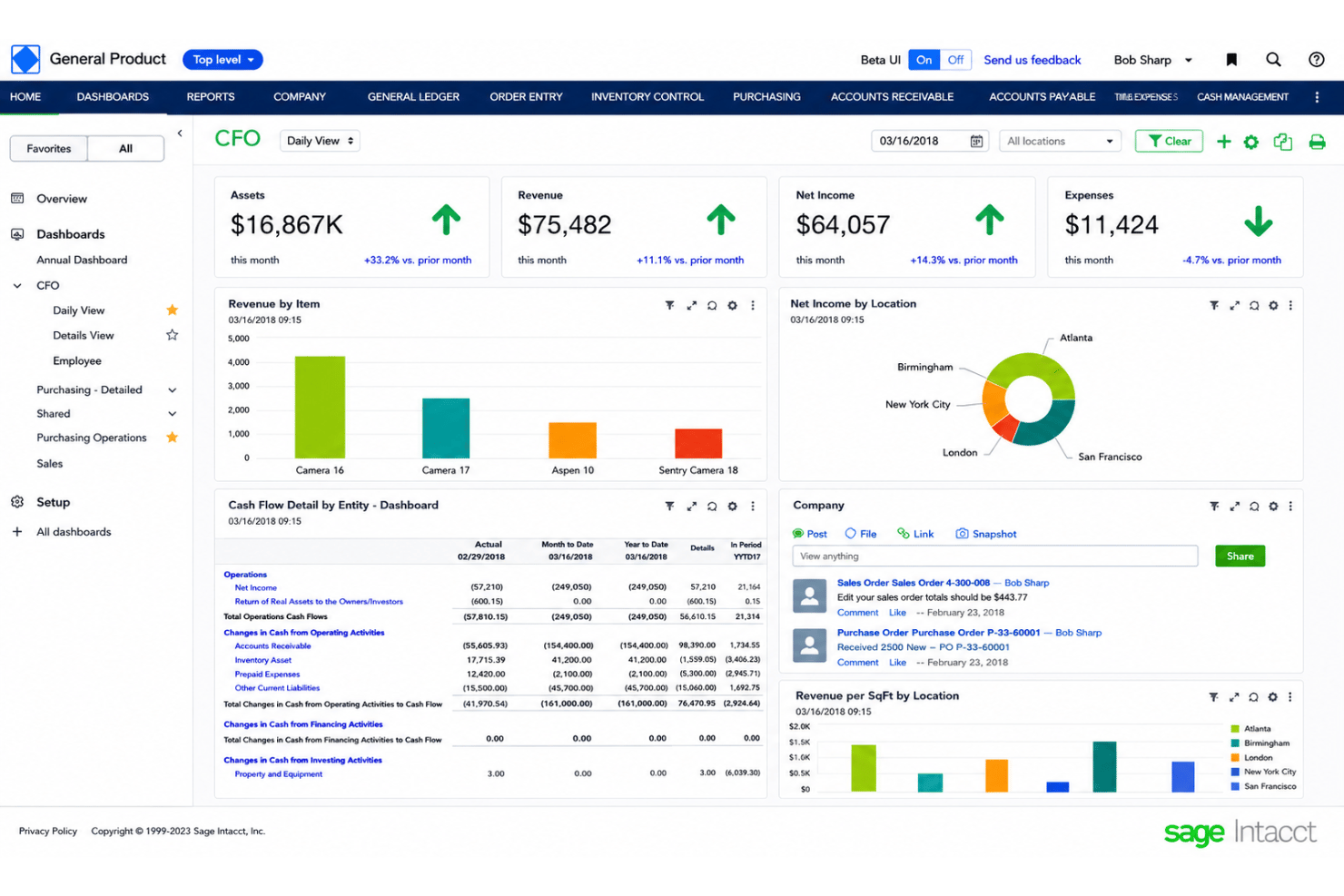
Sage Intacct is a business management software built for mid-market organizations that need more than basic accounting, like multi-entity consolidation, project accounting, and real-time financial dashboards. I'd explore it as an option if your finance team has outgrown QuickBooks but isn't ready for a full ERP like SAP. Where QuickBooks handles straightforward bookkeeping well, Sage Intacct gives teams the dimensional reporting and automation to manage complex, multi-layered operations without the implementation weight of an enterprise platform.
Sage Intacct Evaluation Summary
- From £1,200/month
- Free demo available
Why Trust Our Software Recommendations
Our team has been testing and reviewing software since 2012. As HR experts ourselves, we know how difficult—and important—it is to choose the right software.
For this guide, we evaluated tools using hands-on testing and independent research, scoring tools using our selection criteria. We also draw on insights from industry thought leaders and practicing HR experts.
Our reviews reflect our human editorial judgment, not a sales pitch.
Expert reviewers:
Sage Intacct Overview
When I compare Sage Intacct to other business management software, its real strength is in advanced financial automation and customizable reporting that outpaces many competitors. The interface is clean and intuitive, but the learning curve during onboarding can be steeper than with some alternatives.
If you’re judging software on scalability and financial clarity, I think Sage Intacct is a choice that pays off as your team grows.
pros
-
Real-time dashboards enable fast, accurate decision making
-
Multi-entity consolidations save time for global organizations
-
Audit trail automates compliance for financial processes
cons
-
Report customization requires specialized knowledge and training
-
Approval workflows lack flexibility for unique business processes
-
User interface updates can disrupt familiar navigation paths
Is Sage Intacct Right For Your Needs?
Who Would be a Good Fit for Sage Intacct?
Sage Intacct is best suited to finance-driven organizations, multi-entity companies, and businesses with complex reporting requirements. Healthcare providers, nonprofits, and SaaS companies benefit from deep automation, granular reporting, and audit-ready controls. Teams needing global consolidations or strict compliance controls will also find Sage Intacct’s feature set highly valuable.
-
Healthcare Organizations
Fast consolidations, strict compliance features, and detailed audit trails support industry regulations and patient billing complexity.
-
SaaS Companies
Revenue recognition automation and multidimensional reporting help SaaS CFOs track metrics and comply with accounting standards easily.
-
Nonprofit Finance Teams
Fund accounting, grant management, and donor reporting are built-in to meet nonprofit financial transparency and tracking needs.
-
Multi-Entity Corporations
Automated currency conversion, intercompany eliminations, and centralized reporting simplify accounting for businesses with numerous subsidiaries.
-
Hospitality Chains
Sage Intacct handles complex property-level accounting, period comparisons, and operational metrics across multiple locations.
-
Professional Services Firms
Project accounting, time entry, and resource costing features support consulting, legal, and engineering firms needing transparency into billable hours and margins.
Who Would be a Bad Fit for Sage Intacct?
Sage Intacct isn’t ideal for startups, small businesses with limited budgets, or teams needing simple all-in-one platforms. Companies with minimal financial reporting needs or those prioritizing inventory management or sales workflows may be better served elsewhere. Users looking for fast, self-guided onboarding or highly customizable task automation might also hit limitations.
-
Small Retail Shops
Lack of robust inventory management and higher cost puts Sage Intacct out of reach for most local retailers.
-
Early-Stage Startups
Complex setup and premium licensing offer limited ROI for startups with a handful of clients or modest accounting needs.
-
Freelancers
A single user managing basic invoicing or expenses will find Sage Intacct unnecessarily complex and expensive.
-
Manufacturing Companies
Manufacturing resource planning and shop floor controls are not strong suits, making it a weak choice for product-based operations.
-
Sales-Focused Teams
If you need an all-in-one CRM, order management, and sales automation platform, Sage Intacct lacks deep native features here.
-
Self-Service Admin Users
Teams that want rapid, low-touch onboarding or DIY automation without IT support often find the initial setup and configuration too involved.
How We Test & Score Our Tools
We’ve spent years building, refining, and improving our software testing and scoring system. The rubric is designed to capture the nuances of software selection and what makes a tool effective, focusing on critical aspects of the decision-making process.
Below, you can see exactly how our testing and scoring works across seven criteria. It allows us to provide an unbiased evaluation of the software based on core functionality, standout features, ease of use, onboarding, customer support, integrations, customer reviews, and value for money.
Core Functionality (25% of final score)
The starting point of our evaluation is always the core functionality of the tool. Does it have the basic features and functions that a user would expect to see? Are any of those core features locked to higher-tiered pricing plans? At its core, we expect a tool to stand up against the baseline capabilities of its competitors.
Standout Features (25% of final score)
Next, we evaluate uncommon standout features that go above and beyond the core functionality typically found in tools of its kind. A high score reflects specialized or unique features that make the product faster, more efficient, or offer additional value to the user.
We also evaluate how easy it is to integrate with other tools typically found in the tech stack to expand the functionality and utility of the software. Tools offering plentiful native integrations, 3rd party connections, and API access to build custom integrations score best.
Ease of Use (10% of final score)
We consider how quick and easy it is to execute the tasks defined in the core functionality using the tool. High scoring software is well designed, intuitive to use, offers mobile apps, provides templates, and makes relatively complex tasks seem simple.
Onboarding (10% of final score)
We know how important rapid team adoption is for a new platform, so we evaluate how easy it is to learn and use a tool with minimal training. We evaluate how quickly a team member can get set up and start using the tool with no experience. High scoring solutions indicate little or no support is required.
Customer Support (10% of final score)
We review how quick and easy it is to get unstuck and find help by phone, live chat, or knowledge base. Tools and companies that provide real-time support score best, while chatbots score worst.
Customer Reviews (10% of final score)
Beyond our own testing and evaluation, we consider the net promoter score from current and past customers. We review their likelihood, given the option, to choose the tool again for the core functionality. A high scoring software reflects a high net promoter score from current or past customers.
Value for Money (10% of final score)
Lastly, in consideration of all the other criteria, we review the average price of entry level plans against the core features and consider the value of the other evaluation criteria. Software that delivers more, for less, will score higher.
Core Features
Financial Reporting and Dashboards
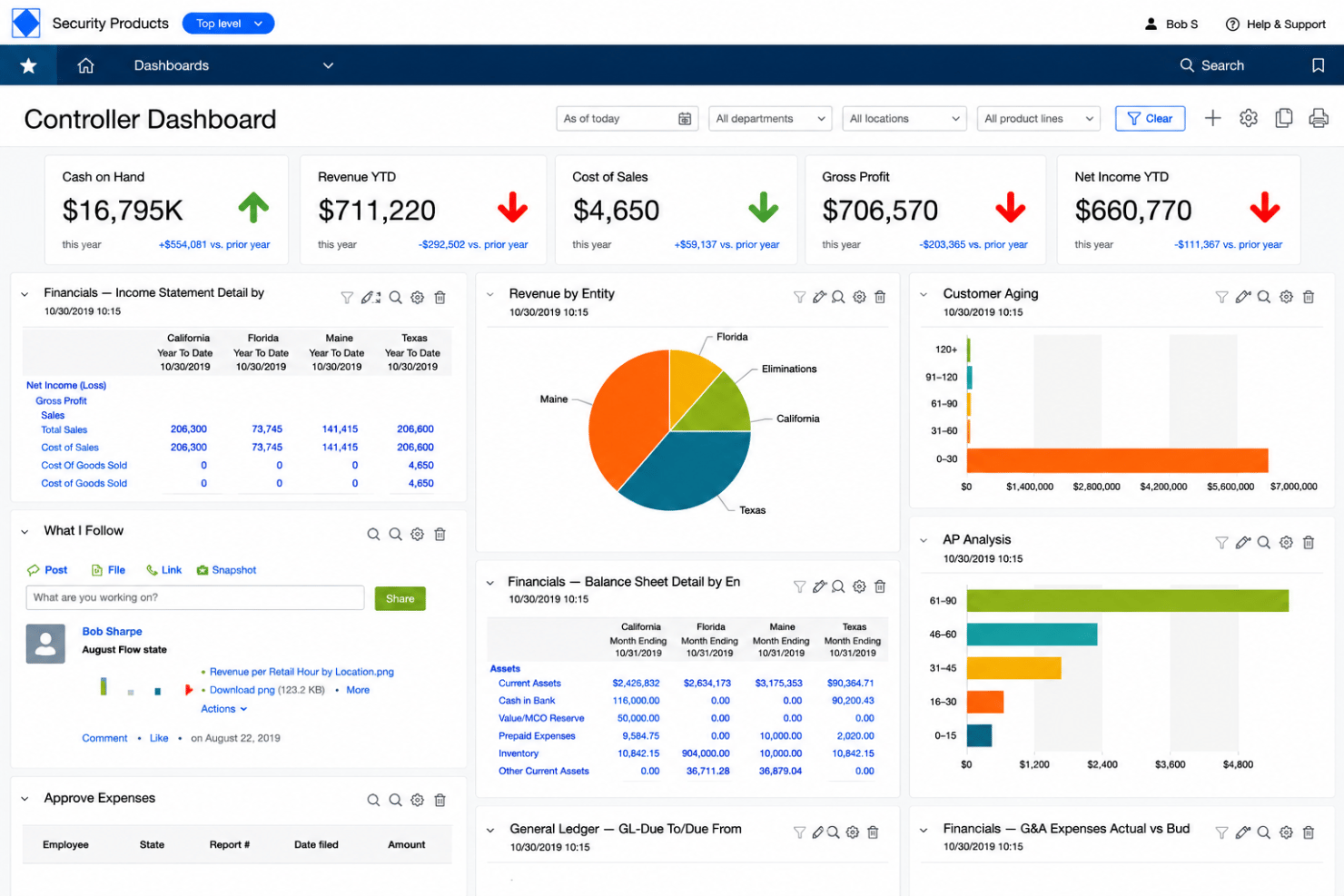
Generate real-time custom reports and interactive dashboards for instant insights. Users can track KPIs across departments and drill down into transaction details.
Multi-Entity and Global Consolidations
Automatically consolidate financial data from multiple entities in different currencies. This simplifies month-end close for organizations with subsidiaries or international operations.
Accounts Payable Automation
Route invoices for approval, match them to purchase orders, and streamline payment workflows. The system reduces manual entry and helps prevent duplicate payments.
Accounts Receivable Management
Automate invoicing, payment processing, and collections tracking. Teams get a clear view of outstanding balances and customer payment trends.
Budgeting and Planning
Collaborate on budgets, forecasts, and what-if scenarios within the platform. Decision-makers can compare actuals to budgets in real time.
Audit Trail and Compliance Tools
Every transaction is tracked with a detailed audit trail for transparency. Automated controls support internal policies and simplify compliance checks.
Standout Features
Dimensional Accounting
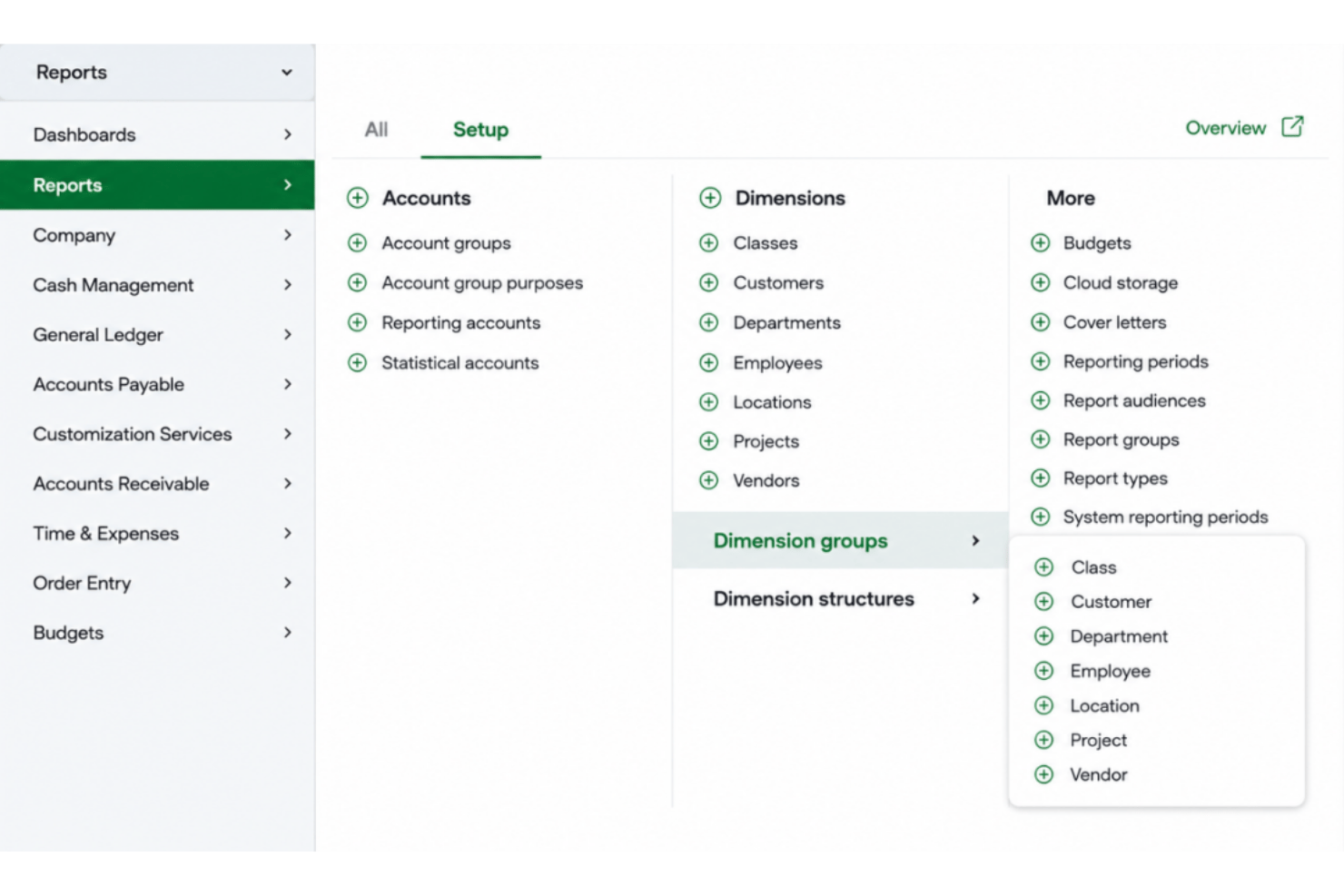
Tag transactions with custom dimensions like location, project, or department. This lets users filter and analyze financial data far beyond standard chart of accounts.
AI-Powered Outlier Detection
The AI engine flags unusual transactions and possible errors before posting. Teams can quickly investigate and resolve discrepancies, reducing financial risk.
Ease of Use
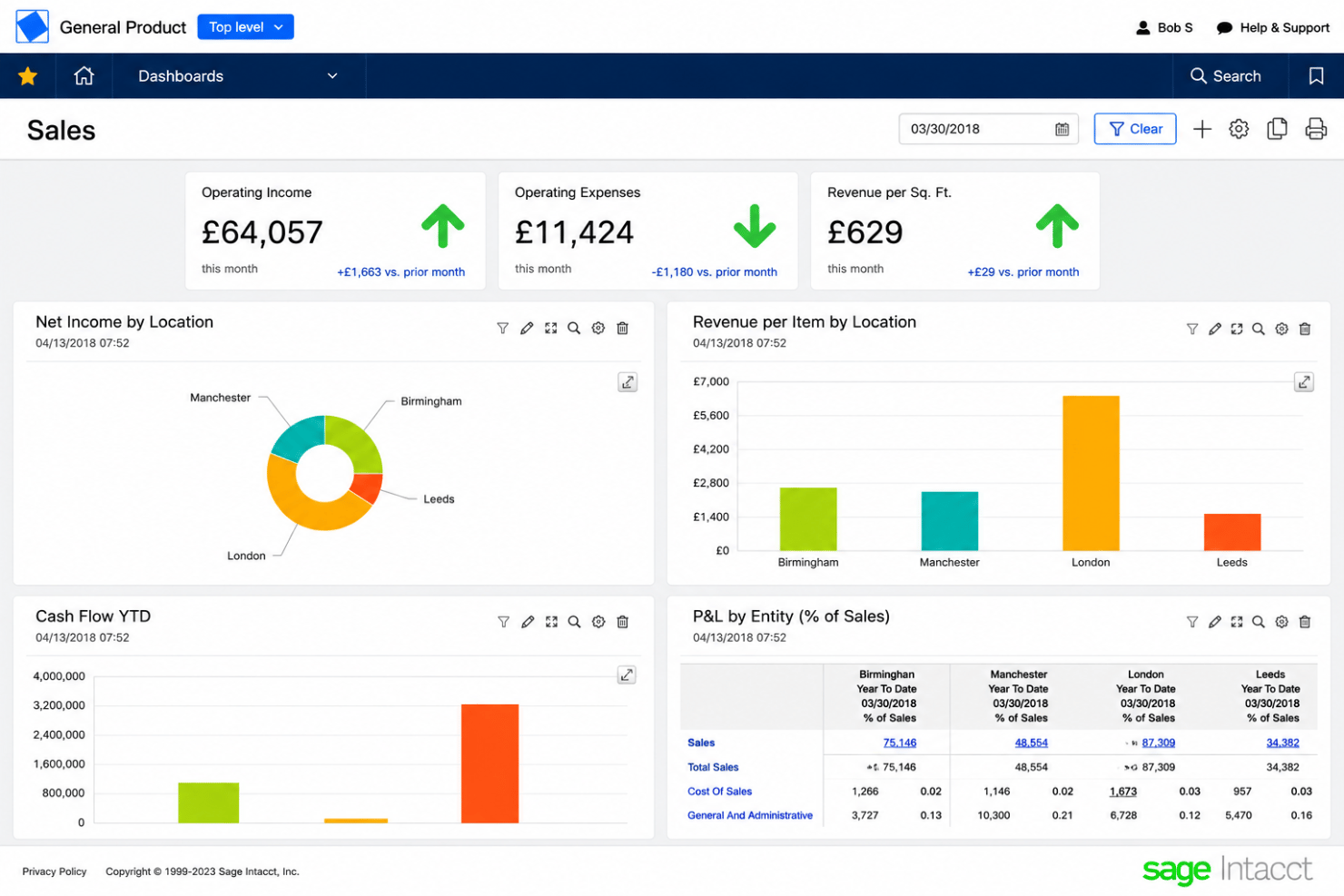
Sage Intacct offers a more intuitive experience than many financial management tools, with clean dashboards and logical navigation for core tasks. However, some users mention complex workflows for custom reports and unique approvals, which can slow onboarding.
Most teams find day-to-day actions fast and accessible once processes are learned, so I think usability is best for users willing to invest some upfront time.
Onboarding
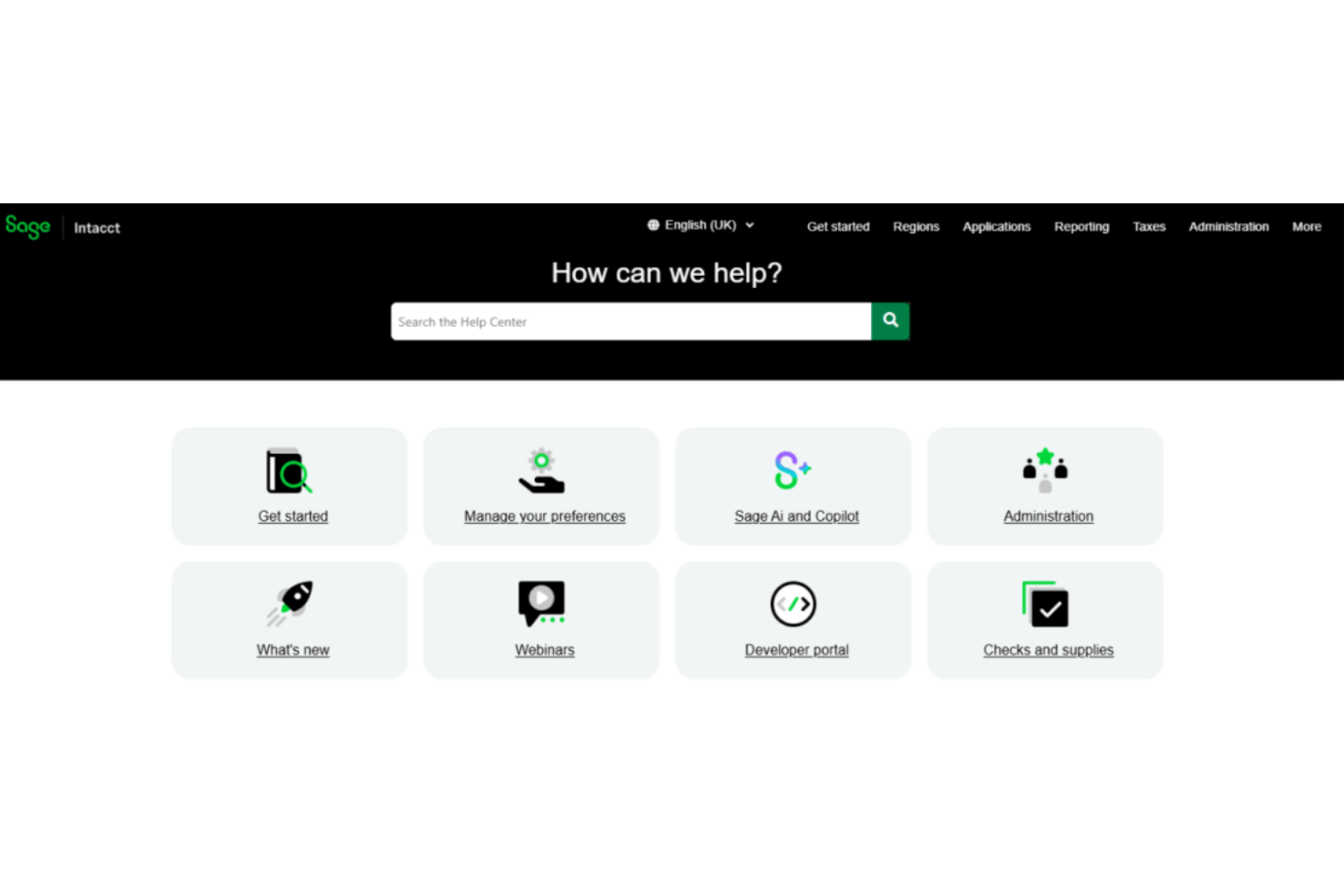
Sage Intacct’s onboarding is thorough but can feel time-consuming, especially for teams new to cloud accounting. I’ve seen users mention helpful step-by-step guides, video tutorials, and a responsive support team, but complex setups sometimes require consultant help. If you value clear guidance and multiple support channels, Intacct’s resources stand out once you’re up and running.
Customer Support
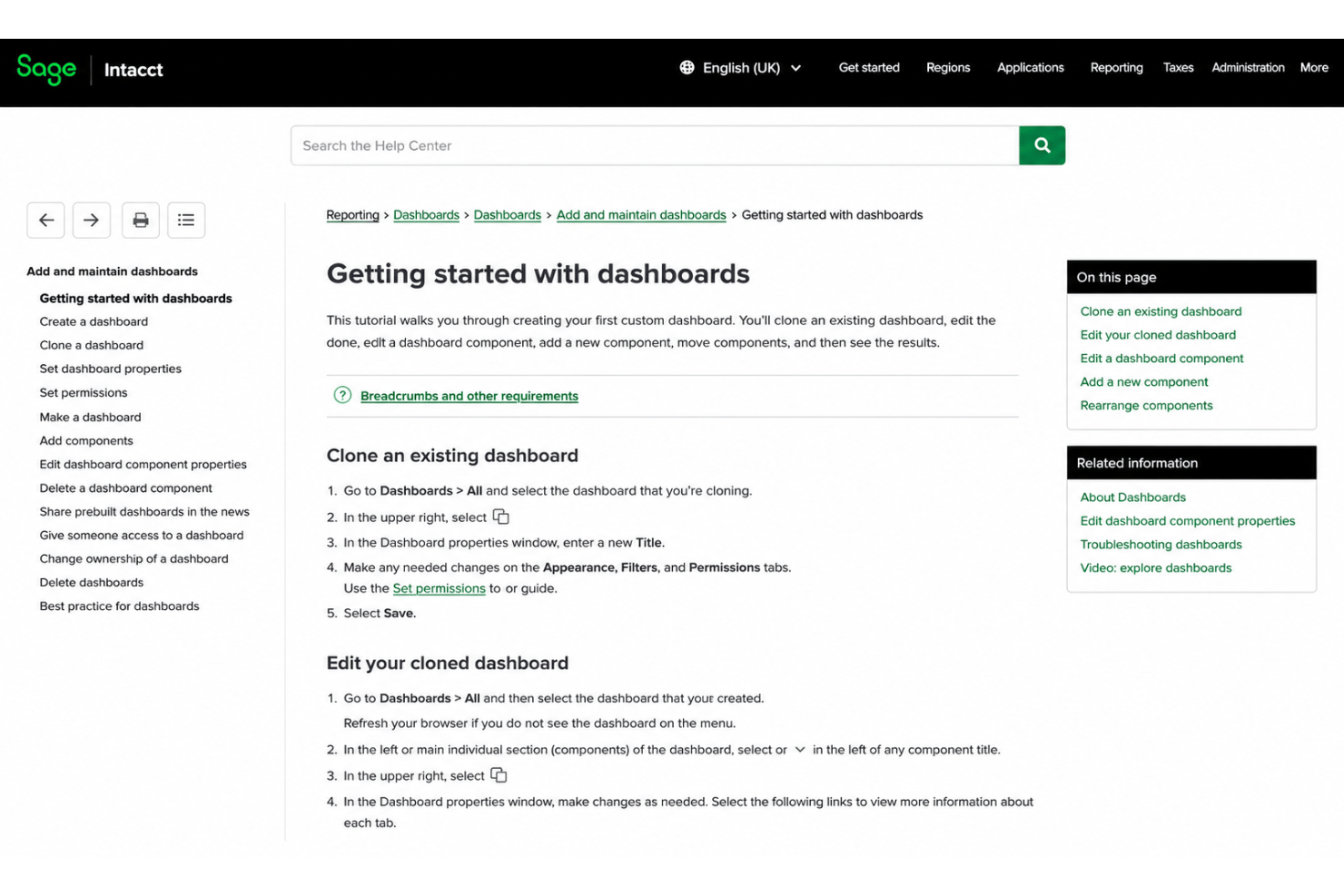
Sage Intacct’s customer support earns high marks for quick response times and knowledgeable staff, especially through chat and phone. Many users appreciate the dedicated account managers and online help center with guides and forums. That said, some report longer wait times during peak periods, but on the whole, I’d judge support as reliable and well-structured.
Integrations
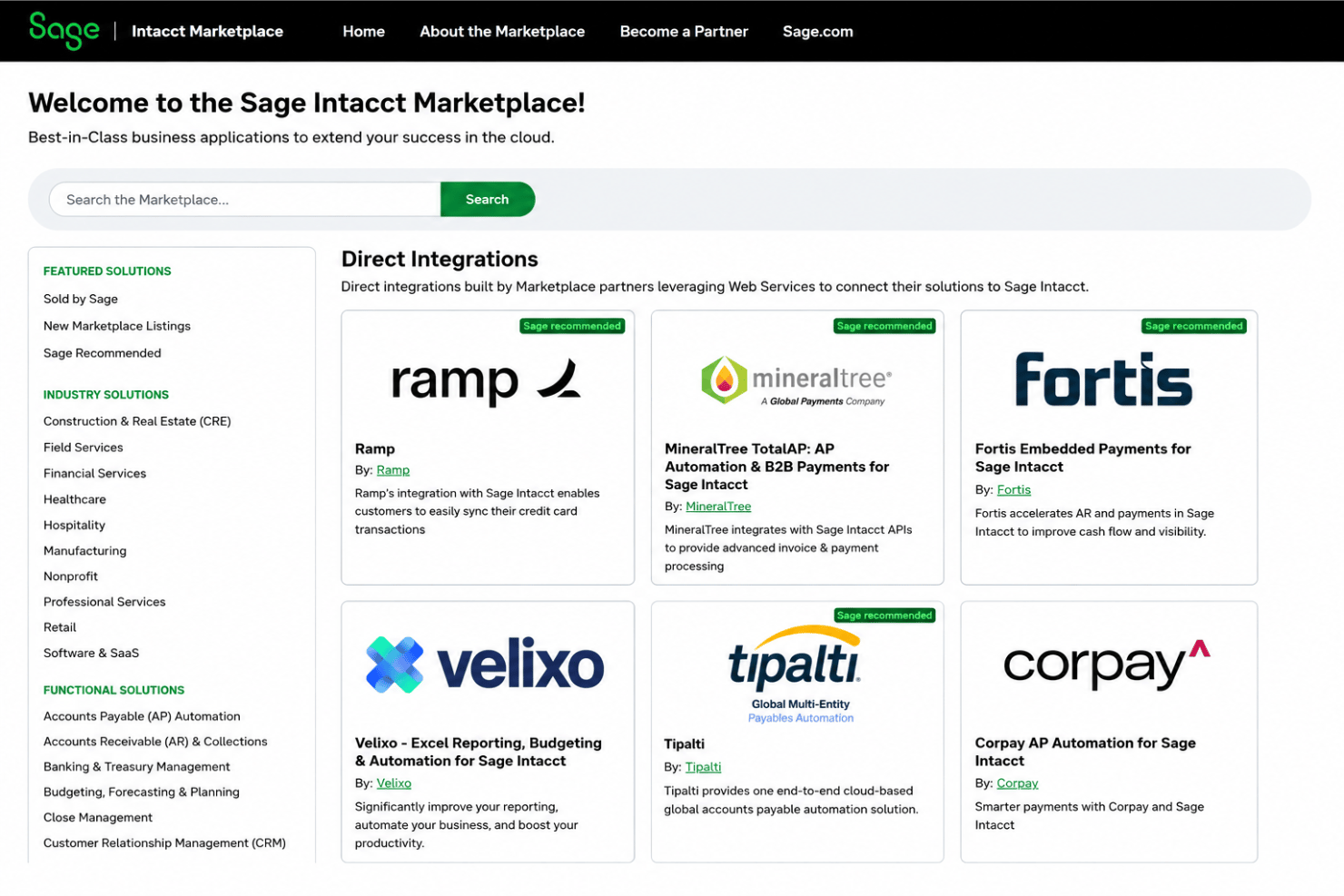
Sage Intacct integrates with Salesforce, ADP, Avalara, Expensify, Bill.com, American Express, Stripe, SAP Concur, ISV Marketplace apps, and Paychex, among others.
It also offers a robust API and supports third-party integration tools for connecting with additional platforms.
Value for Money
Sage Intacct uses custom pricing, with costs available only upon request. While the lack of public pricing can make it harder to compare options, the platform is designed for mid-sized and growing businesses that need advanced financial management, automation, and reporting. Pricing typically depends on factors such as the number of users, selected modules, and implementation requirements.
Sage Intacct Specs
- 2-Factor Authentication
- Accounts Payable
- Accounts Receivable
- API
- Balance Sheet
- Billing/Invoicing
- BitCoin
- Budgeting
- Calendar Management
- Contact Management
- CRM Integration
- Customer Management
- Dashboard
- Data Export
- Data Import
- Data Visualization
- Expense Tracking
- External Integrations
- Forecasting
- General Account Ledger
- Inventory Tracking
- Multi-Currency
- Multi-User
- Notifications
- P&L
- PayPal
- Payroll
- SAP Integration
- Stripe
- Supplier Management
- Tax Management
Sage Intacct FAQs
How does Sage Intacct support multi-entity or global organizations?
What onboarding and training resources are available for HR and finance teams?
Can Sage Intacct track HR or people data alongside financials?
How customizable are Sage Intacct’s dashboards and reporting tools?
What security features and compliance certifications does Sage Intacct provide?
Is Sage Intacct suitable for organizations requiring industry-specific compliance?
What happens if our organization grows or needs change—do we need to switch systems?
What level of support can we expect post-implementation?
Sage Intacct Company Overview & History
Sage Intacct is a cloud-based financial management platform headquartered in San Jose, California. Founded in 1999 as Intacct, the company became part of The Sage Group plc in 2017. Today, Sage Intacct is trusted by more than 30,000 finance teams and serves organizations across industries including healthcare, nonprofit, financial services, and professional services.
As part of Sage, the platform continues to expand its AI-powered automation, reporting, and financial management capabilities.
Sage Intacct Major Milestones
- 1999: Intacct was founded by Odysseas Tsatalos and David Thomas as one of the first cloud-native accounting software companies.
- 2001: Released its web-based accounting platform for businesses.
- 2017: Acquired by The Sage Group plc for $850 million and rebranded as Sage Intacct.
- 2026: Continues to expand its AI-powered financial management platform with intelligent automation, AI agents, and advanced reporting capabilities.