

Simpplr Review: Pros, Cons, Features, and Pricing Explained



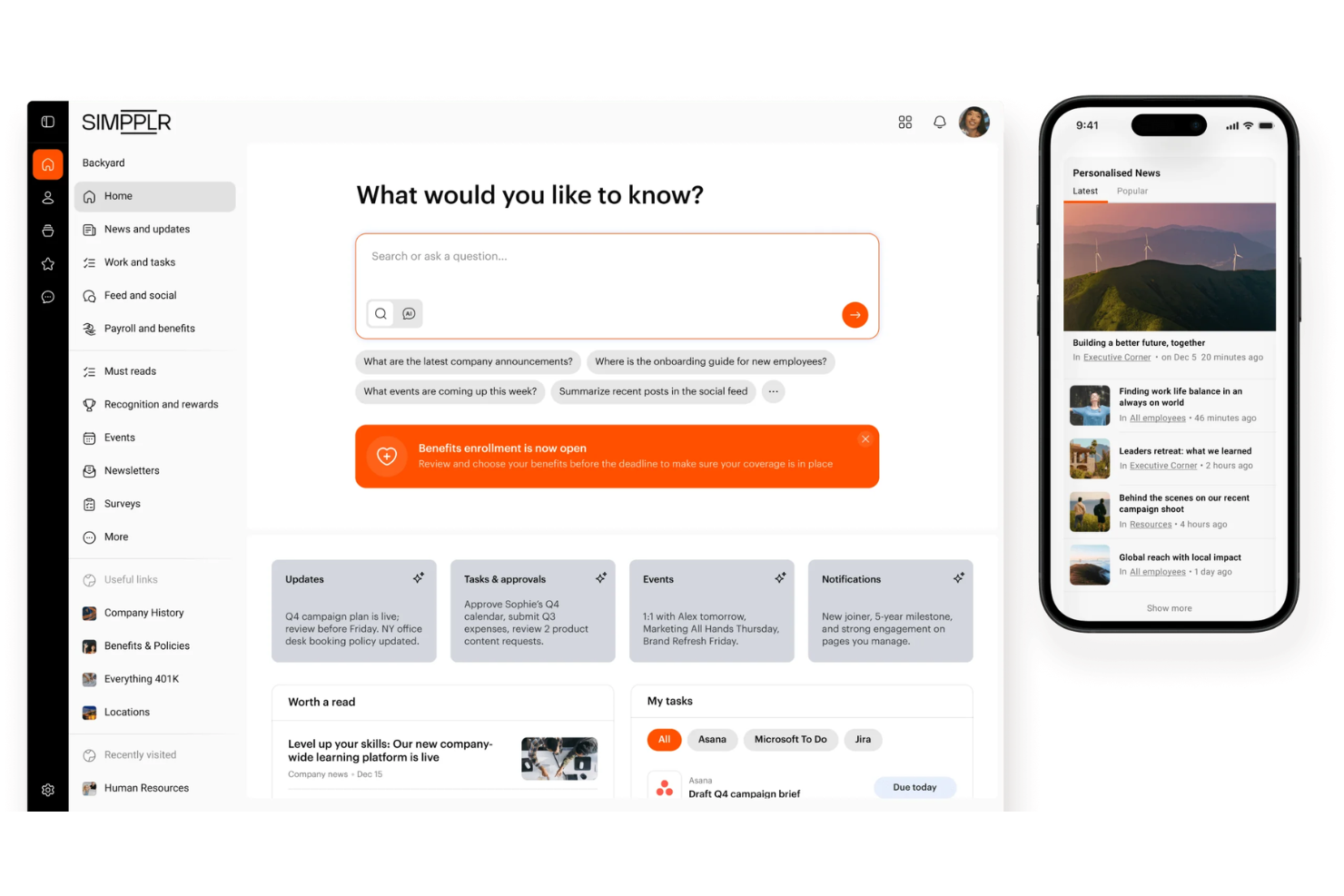
Simpplr is an employee experience software for engagement performance built around an AI-powered intranet that connects employees to company content, communications, and culture. I'd consider it if your organization needs to align a distributed or deskless workforce without the configuration overhead that comes with platforms like SharePoint. Simpplr deploys faster and requires far less IT involvement to maintain, which makes it a more realistic option for HR teams who want to own the experience without depending on a dedicated technical team to run it.
Simpplr Evaluation Summary
- Pricing upon request
- Free demo available
Why Trust Our Software Recommendations
Our team has been testing and reviewing software since 2012. As HR experts ourselves, we know how difficult—and important—it is to choose the right software.
For this guide, we evaluated tools using hands-on testing and independent research, scoring tools using our selection criteria. We also draw on insights from industry thought leaders and practicing HR experts.
Our reviews reflect our human editorial judgment, not a sales pitch.
Expert reviewers:
Simpplr Overview
If you're judging employee experience software on user interface and onboarding, Simpplr is one of the easiest to adopt—its clean design and guided setup help teams get value quickly. I think its AI-powered search, personalized news feeds, and strong integrations set it apart, especially for organizations with hybrid or remote teams. The core functionality and features are solid, though advanced analytics and customization may feel limited if you need deep reporting. In my experience, Simpplr is best for mid-sized to large companies that want a modern, engaging intranet solution without a steep learning curve.
pros
-
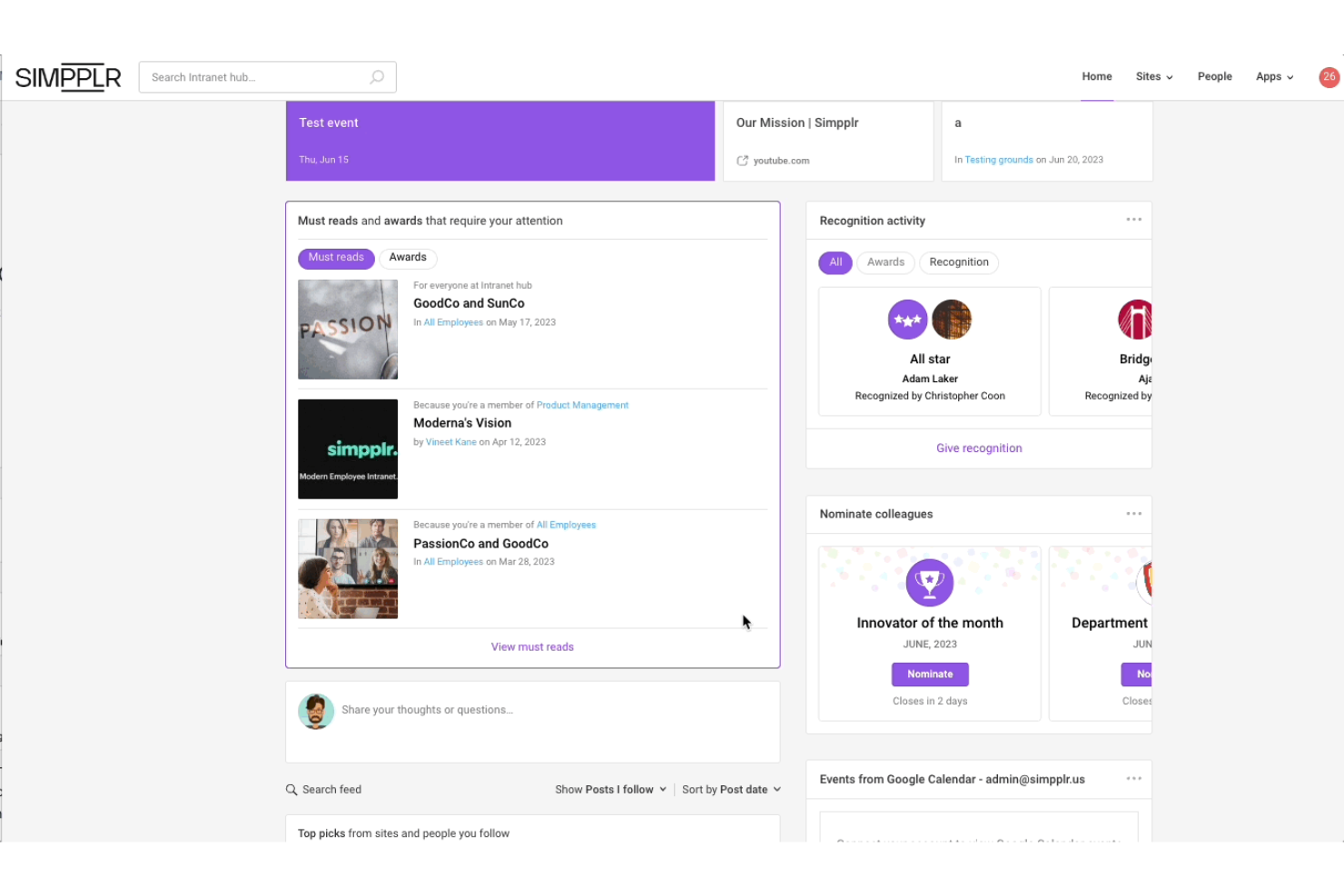
Employee recognition tools are built into the platform.
-
AI-powered search makes finding information fast and accurate.
-
Personalized news feeds keep employees engaged and informed.
cons
-
Advanced analytics and reporting options are limited.
-
Some admin tasks require using the backend.
-
Custom branding options are less flexible than some competitors.
Is Simpplr Right For Your Needs?
Who Would be a Good Fit for Simpplr?
Simpplr is a strong choice for organizations that need to connect distributed teams, deliver targeted employee communication, and foster employee engagement at scale. Its AI-powered search, built-in recognition, and personalized news feeds make it especially valuable for industries with large, hybrid, or deskless workforces. I think HR, communications, and IT teams in mid-sized to large companies will get the most value, especially if they want a modern intranet without heavy customization needs.
-
Hybrid Workplaces
Simpplr's mobile app and personalized feeds support remote and in-office staff equally.
-
Healthcare Organizations
Centralized communication and compliance features help keep clinical and non-clinical staff aligned.
-
Retail Chains
Deskless employee support and targeted announcements reach frontline workers effectively.
-
Technology Companies
Fast onboarding and integrations fit fast-paced, digital-first environments.
-
HR Departments
Recognition tools and engagement analytics help HR drive company culture initiatives.
-
Internal Communications Teams
Segmented news and campaigns make it easy to reach specific employee groups.
Who Would be a Bad Fit for Simpplr?
Simpplr may not be the best fit for organizations that need deep customization, advanced analytics, or operate in highly specialized environments. Companies with small teams, complex legacy systems, or strict branding requirements might find Simpplr's feature set limiting compared to more customizable intranet software.
-
Small Startups
The platform's scale and pricing may not suit very small teams.
-
Manufacturing Plants
Limited offline access and customization can be a barrier for shop-floor staff.
-
Financial Services
Advanced compliance and audit features are less robust than niche solutions.
-
Marketing Agencies
Branding and design flexibility is more limited than some creative-focused tools.
-
Government Agencies
Strict regulatory and security needs may exceed Simpplr's standard offerings.
-
Data-Driven Enterprises
Reporting and analytics capabilities may not meet advanced data requirements.
How We Test & Score Our Tools
We’ve spent years building, refining, and improving our software testing and scoring system. The rubric is designed to capture the nuances of software selection and what makes a tool effective, focusing on critical aspects of the decision-making process.
Below, you can see exactly how our testing and scoring works across seven criteria. It allows us to provide an unbiased evaluation of the software based on core functionality, standout features, ease of use, onboarding, customer support, integrations, customer reviews, and value for money.
Core Functionality (25% of final score)
The starting point of our evaluation is always the core functionality of the tool. Does it have the basic features and functions that a user would expect to see? Are any of those core features locked to higher-tiered pricing plans? At its core, we expect a tool to stand up against the baseline capabilities of its competitors.
Standout Features (25% of final score)
Next, we evaluate uncommon standout features that go above and beyond the core functionality typically found in tools of its kind. A high score reflects specialized or unique features that make the product faster, more efficient, or offer additional value to the user.
We also evaluate how easy it is to integrate with other tools typically found in the tech stack to expand the functionality and utility of the software. Tools offering plentiful native integrations, 3rd party connections, and API access to build custom integrations score best.
Ease of Use (10% of final score)
We consider how quick and easy it is to execute the tasks defined in the core functionality using the tool. High scoring software is well designed, intuitive to use, offers mobile apps, provides templates, and makes relatively complex tasks seem simple.
Onboarding (10% of final score)
We know how important rapid team adoption is for a new platform, so we evaluate how easy it is to learn and use a tool with minimal training. We evaluate how quickly a team member can get set up and start using the tool with no experience. High scoring solutions indicate little or no support is required.
Customer Support (10% of final score)
We review how quick and easy it is to get unstuck and find help by phone, live chat, or knowledge base. Tools and companies that provide real-time support score best, while chatbots score worst.
Customer Reviews (10% of final score)
Beyond our own testing and evaluation, we consider the net promoter score from current and past customers. We review their likelihood, given the option, to choose the tool again for the core functionality. A high scoring software reflects a high net promoter score from current or past customers.
Value for Money (10% of final score)
Lastly, in consideration of all the other criteria, we review the average price of entry level plans against the core features and consider the value of the other evaluation criteria. Software that delivers more, for less, will score higher.
Core Features
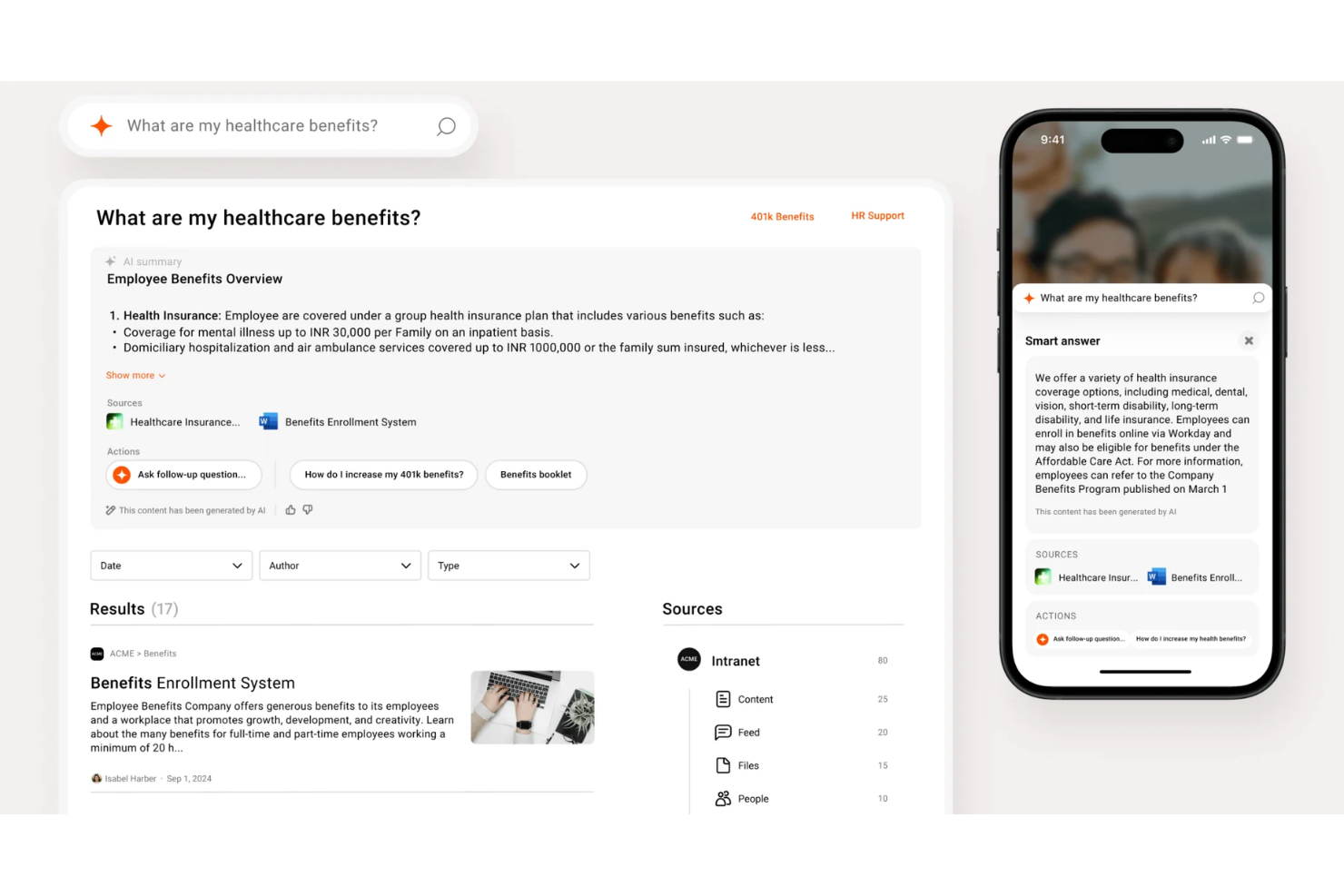
AI-Powered Search
Find documents, people, and resources quickly with intelligent search functionality that learns from user behavior. This helps employees get answers fast, even in large organizations.
Personalized News Feeds
Deliver targeted updates and announcements based on role, location, or department. Employees only see the information most relevant to them.
Employee Recognition
Give shout-outs and celebrate achievements directly within the platform. Built-in recognition tools help boost morale and reinforce company culture.
Centralized Document Management
Store, organize, and share policies, forms, and resources in one place. Version control and permissions keep content accurate and secure.
Mobile App
Access all features, news, and resources from any device. The mobile experience is designed for both desk and frontline workers.
Onboarding Workflows
Guide new hires through personalized onboarding journeys with checklists and resources. HR teams can use automation to track progress easily.
Standout Features
Auto-Governance Engine
Simpplr's auto-governance engine automatically flags outdated or duplicate content and prompts owners to review or update it. This keeps your intranet relevant, and compliant without manual audits.
Sentiment Analysis
Built-in sentiment analysis uses AI to gauge employee mood from comments and feedback in real-time. HR and communications teams get actionable insights to address engagement issues early.

Ease of Use
Simpplr is one of the most user-friendly employee intranet platforms I've seen, with a clean user interface and intuitive navigation that users consistently praise. The guided onboarding, drag-and-drop content management, and mobile app make it easy for employees at all levels to engage with the platform without hassle. Admins appreciate the straightforward setup and minimal training required, which makes for an overall better user experience.
Onboarding
Simpplr's onboarding stands out for its guided setup, in-app tutorials, and responsive support team, which help new users get up to speed quickly. Many users mention in their simpplr reviews that the onboarding process is smooth, with dedicated customer success managers and a robust knowledge base available. The platform's step-by-step checklists and clear documentation reduce confusion, so HR teams and employees can start using key features almost immediately.

Customer Support
Simpplr's customer support earns high marks for responsiveness and expertise, with users frequently highlighting fast resolution times and knowledgeable agents. Support is available through multiple channels, including phone, live chat, email, and a detailed help center. I've seen users appreciate the proactive outreach from customer success managers and the regular training webinars, which help teams maximize the platform's value and address issues before they become roadblocks.

Integrations
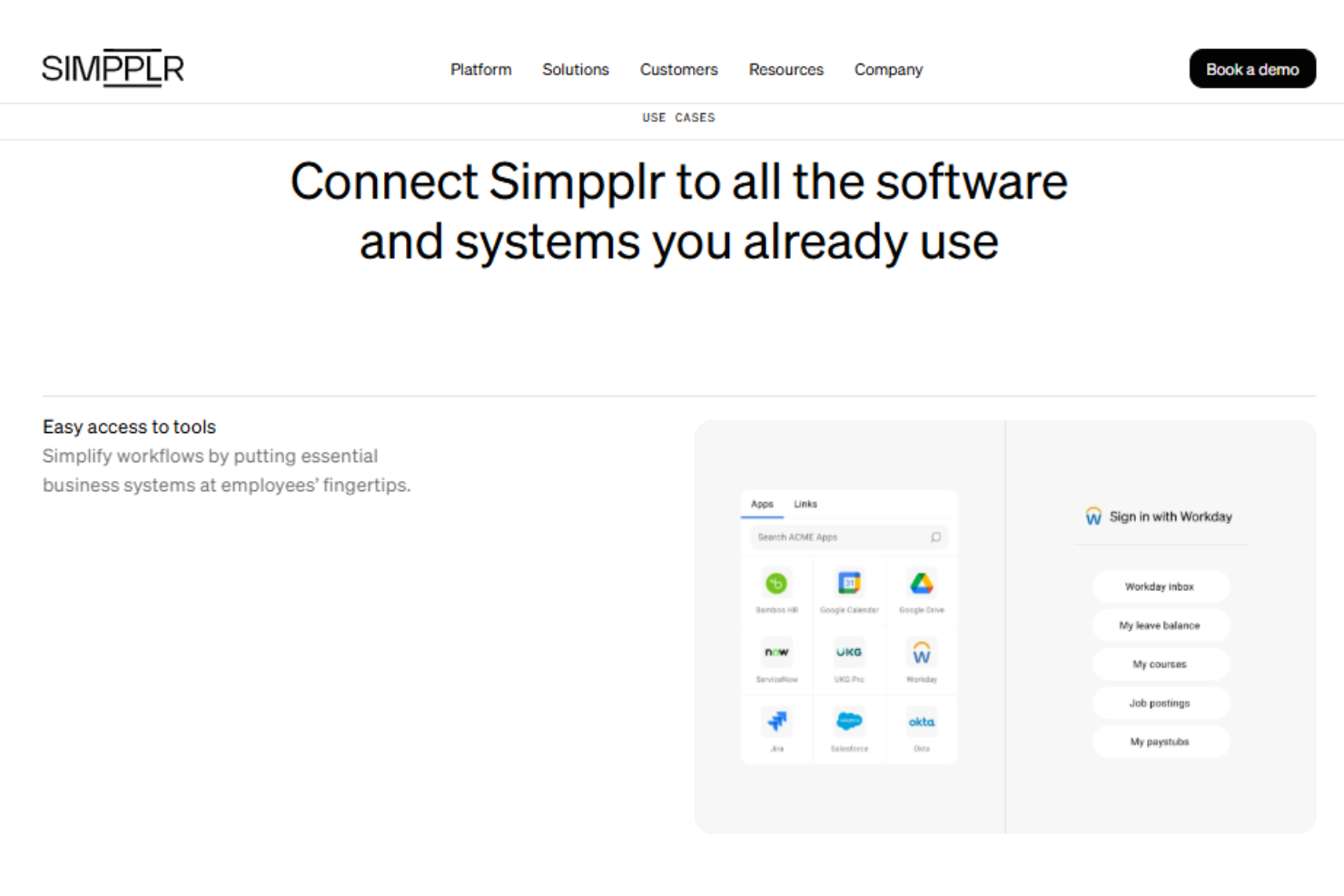
Simpplr integrates with Microsoft Teams, Slack, Box, Google Calendar, Google Drive, Outlook, Salesforce, and Coveo, among others.
Simpplr also offers APIs and supports custom connectors, allowing you to build integrations with third-party tools and extend platform functionality.
Value for Money
Simpplr uses a custom pricing model and does not publish fixed plans or pricing tiers on its website. Pricing is based on factors like organization size, complexity, and support needs, which limits transparency upfront. The subscription typically includes support, training, and customer success services, making it suitable for organizations seeking a tailored employee experience platform.

Simpplr Specs
- 2-Factor Authentication
- 360 Degree Feedback
- API
- Application Tracking
- Attendance Tracking
- Batch Permissions & Access
- Compliance Tracking
- Dashboard
- Data Export
- Data Import
- Data Visualization
- Employee Database
- Employee Engagement
- Employee Incentive Management
- Employee Onboarding
- Employee Training
- Expense Tracking
- External Integrations
- Feedback Management
- Multi-User
- Notifications
- Payroll
- Performance Appraisal
- Scheduling
- Time Management
- Timesheets
- Travel Management
- Vacation & Absence Calendar
Simpplr FAQs
How quickly can we launch Simpplr after purchase?
Does Simpplr support multi-location or global teams?
What kind of analytics does Simpplr provide?
Can we customize the look and feel of our Simpplr intranet?
How does Simpplr handle data security and compliance?
What support options are available for admins and end users?
Can Simpplr integrate with our existing HR and IT systems?
How does Simpplr help with employee onboarding?
Simpplr Company Overview & History
Simpplr is an AI-powered employee experience platform headquartered in Redwood City, California. The company is recognized for its strong work culture, high customer retention rate, and measurable ROI for clients. Notable customers include large enterprises across multiple sector.
Simpplr Major Milestones
- 2014: Simpplr founded in Redwood City, California.
- 2016: Product launch of the Simpplr intranet platform.
- 2023: Surpassed 1,000 customers and 2 million active users.
- 2024: Named a leader in the Gartner Magic Quadrant for Intranet Packaged Solutions for the third consecutive year.
- 2025: Recognized as a leader in the IDC MarketScape for Integrated Employee Workspaces.