

TalentLMS Review 2026: Pros, Cons, Features & Pricing


TalentLMS is a learning management system that simplifies online training for teams. It best serves small to medium-sized businesses. TalentLMS offers straightforward setup and scalability for efficient team learning.
TalentLMS tackles onboarding challenges and skill gaps for HR and training teams. In this article, I'll cover TalentLMS's features, pros and cons, use cases, and pricing to help you decide if it aligns with your needs and goals.
TalentLMS Evaluation Summary
- From $119/month (billed annually)
- Free plan + free demo available
Why Trust Our Software Recommendations
Our team has been testing and reviewing software since 2012. As HR experts ourselves, we know how difficult—and important—it is to choose the right software.
For this guide, we evaluated tools using hands-on testing and independent research, scoring tools using our selection criteria. We also draw on insights from industry thought leaders and practicing HR experts.
Our reviews reflect our human editorial judgment, not a sales pitch.
Expert reviewers:
TalentLMS Overview
In my opinion, TalentLMS is a solid choice for small to medium-sized businesses seeking an affordable and user-friendly learning management system. It excels in ease of use and offers a straightforward onboarding process, making it accessible for teams without extensive IT support. However, its standout features might not compare with more complex systems – this could be a limitation for larger enterprises needing extensive customization. TalentLMS is best suited for teams that prioritize a smooth learning experience without breaking the bank. Its pricing and functionality are well balanced, offering good value compared to more expensive competitors such as Adobe Captivate Prime or SAP Litmos. If you're choosing a learning management system, TalentLMS provides a strong mix of features and support at a reasonable cost.
pros
-
You can quickly set up and start using it without much hassle.
-
The interface is intuitive, making it simple for your team to navigate.
-
It offers a variety of training materials to improve your learning experience.
cons
-
Advanced customization options are limited compared to other systems.
-
Larger teams might find the reporting features and notifications lacking in detail.
Is TalentLMS Right For Your Needs?
Who Would be a Good Fit for TalentLMS?
TalentLMS is great for small to medium-sized businesses, especially those in training and HR departments. It's user-friendly and affordable, making it ideal for teams that need to onboard new employees quickly. Its intuitive interface and straightforward setup help your team focus on learning rather than tech issues. If your team values efficiency and convenience, TalentLMS provides the tools you need to deliver effective training without a steep learning curve.
-
Small Businesses
TalentLMS offers a cost-effective solution for small businesses needing a simple, efficient training platform.
-
HR Departments
Its ease of use and onboarding capabilities make it ideal for HR teams managing the training of new recruits.
-
Training Providers
TalentLMS supports various training materials, making it suitable for providers offering diverse learning content.
-
Tech Startups
Startups can benefit from its scalability and flexibility as teams grow and training needs evolve.
-
Nonprofits
Its affordable pricing means nonprofits can access quality learning tools without straining their budgets.
-
Remote Teams
The accessibility of its online learning ensures remote teams stay connected and up to date with their training, regardless of location.
Who Would be a Bad Fit for TalentLMS?
TalentLMS might not suit large enterprises or industries requiring extensive customization and detailed reporting. If your team needs advanced analytics or highly specialized training modules, TalentLMS's limitations in customization and reporting could be a hindrance. Businesses with complex training needs, or those needing deep integration with other systems, might find TalentLMS too simplistic.
-
Large Corporations
Its limited customization and reporting features might not meet the complex needs of large enterprises.
-
Financial Services
The lack of advanced analytics can be a drawback for financial companies needing detailed compliance tracking.
-
Highly Regulated Industries
Industries requiring strict compliance may find TalentLMS lacking in specialized training options.
-
Manufacturing Companies
If you need detailed operational training, TalentLMS might not provide the depth you're looking for.
-
Healthcare Organizations
Healthcare teams requiring specialized medical training might find that its content offerings don't meet their needs.
-
Advanced IT Teams
For tech teams needing deep integrations and technical training, TalentLMS could be too basic.
How We Test & Score Our Tools
We’ve spent years building, refining, and improving our software testing and scoring system. The rubric is designed to capture the nuances of software selection and what makes a tool effective, focusing on critical aspects of the decision-making process.
Below, you can see exactly how our testing and scoring works across seven criteria. It allows us to provide an unbiased evaluation of the software based on core functionality, standout features, ease of use, onboarding, customer support, integrations, customer reviews, and value for money.
Core Functionality (25% of final score)
The starting point of our evaluation is always the core functionality of the tool. Does it have the basic features and functions that a user would expect to see? Are any of those core features locked to higher-tiered pricing plans? At its core, we expect a tool to stand up against the baseline capabilities of its competitors.
Standout Features (25% of final score)
Next, we evaluate uncommon standout features that go above and beyond the core functionality typically found in tools of its kind. A high score reflects specialized or unique features that make the product faster, more efficient, or offer additional value to the user.
We also evaluate how easy it is to integrate with other tools typically found in the tech stack to expand the functionality and utility of the software. Tools offering plentiful native integrations, 3rd party connections, and API access to build custom integrations score best.
Ease of Use (10% of final score)
We consider how quick and easy it is to execute the tasks defined in the core functionality using the tool. High scoring software is well designed, intuitive to use, offers mobile apps, provides templates, and makes relatively complex tasks seem simple.
Onboarding (10% of final score)
We know how important rapid team adoption is for a new platform, so we evaluate how easy it is to learn and use a tool with minimal training. We evaluate how quickly a team member can get set up and start using the tool with no experience. High scoring solutions indicate little or no support is required.
Customer Support (10% of final score)
We review how quick and easy it is to get unstuck and find help by phone, live chat, or knowledge base. Tools and companies that provide real-time support score best, while chatbots score worst.
Customer Reviews (10% of final score)
Beyond our own testing and evaluation, we consider the net promoter score from current and past customers. We review their likelihood, given the option, to choose the tool again for the core functionality. A high scoring software reflects a high net promoter score from current or past customers.
Value for Money (10% of final score)
Lastly, in consideration of all the other criteria, we review the average price of entry level plans against the core features and consider the value of the other evaluation criteria. Software that delivers more, for less, will score higher.
Core Features
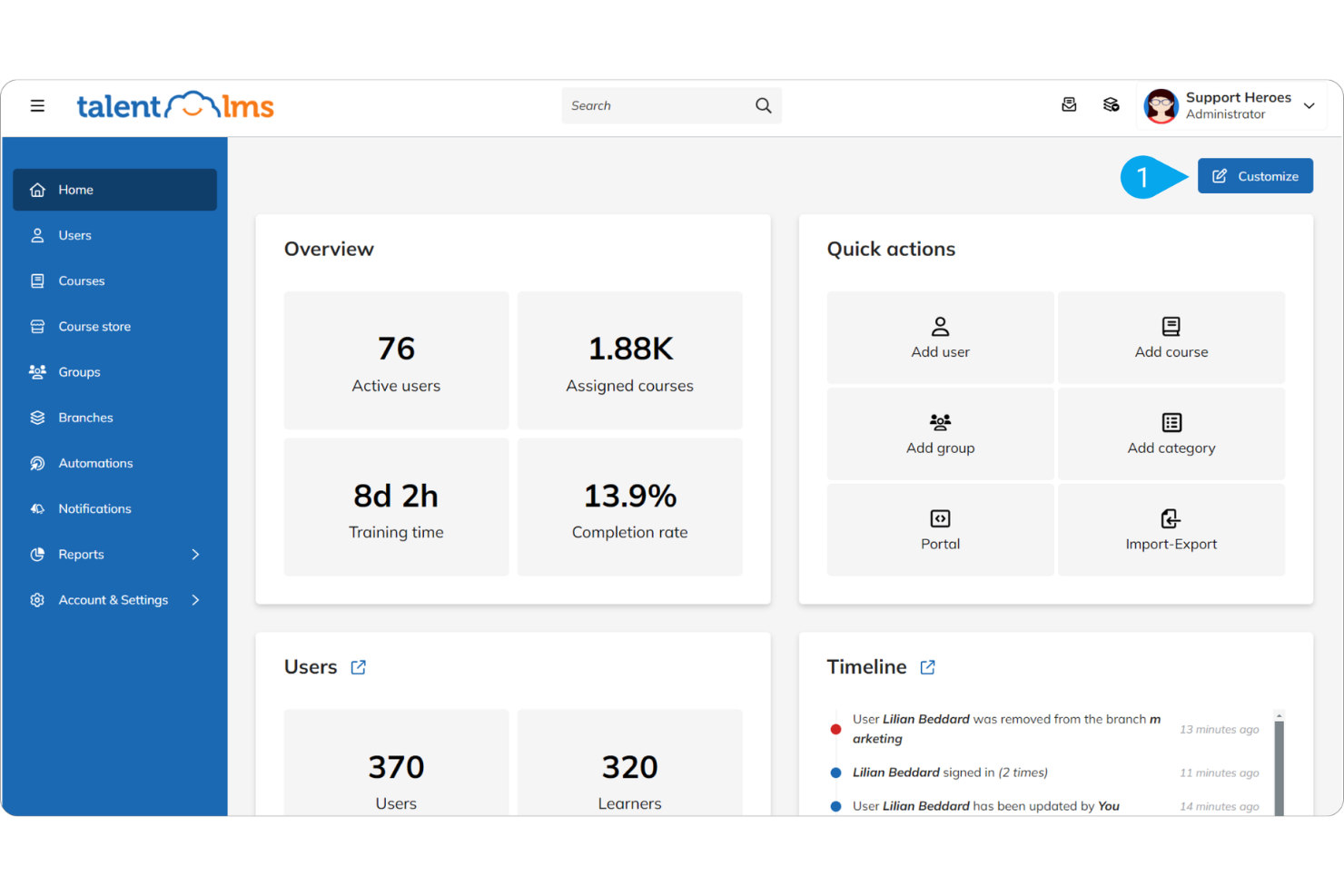
Course Management: Readily create, manage, and organize courses with a simple drag-and-drop interface. This helps your team set up training quickly without technical hassles.
User Management: Assign roles and manage user access efficiently, ensuring the right people have access to the right content. This feature lets you maintain control over training materials.
Assessment Tools: Use quizzes and tests to evaluate learning progress and knowledge retention. This helps you monitor both individual learner experience and your team's development effectively.
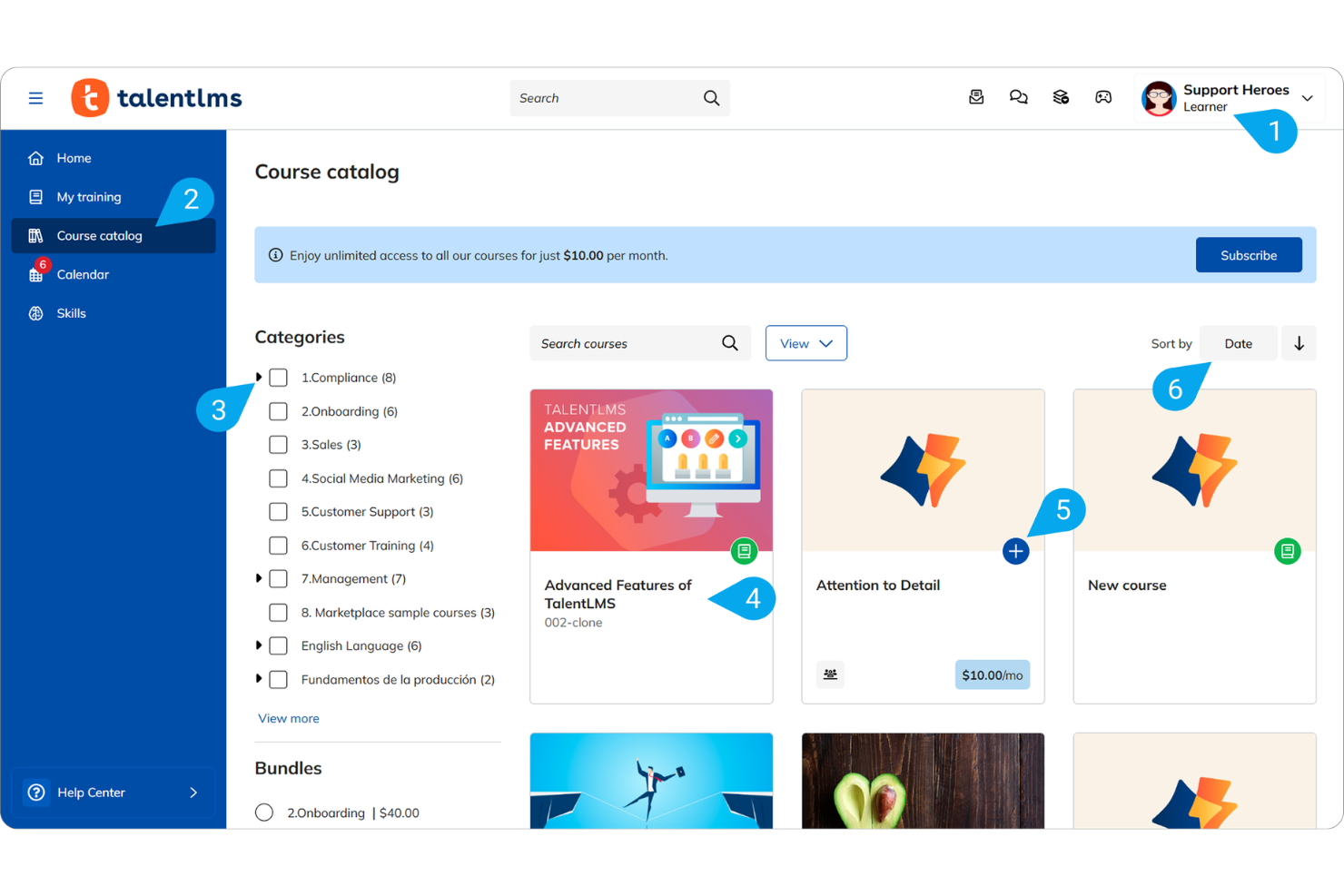
Content Library: Access a wide range of ready-made courses and training materials. Tools such as Talentlibrary and Talentcraft save you time and effort in content creation.
Reporting and Analytics: Generate basic reports to track course completion and user progress. While not highly detailed, they provide essential insights into training effectiveness.
Mobile Accessibility: Access courses on the go through the mobile app. This flexibility ensures learning continues anywhere, anytime.
Standout Features
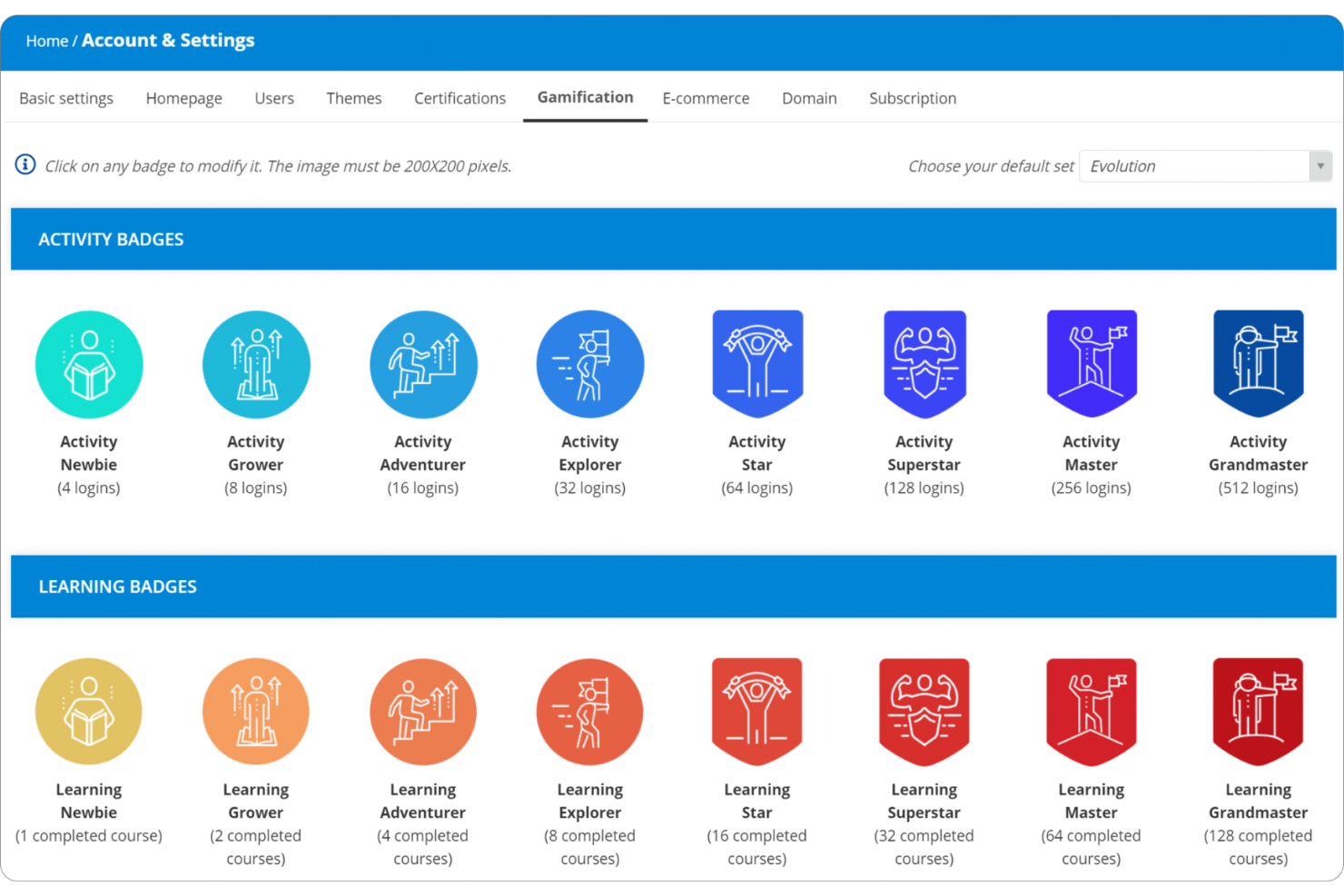
Gamification Tools: Use badges, points, and leaderboards to engage your team, making learning fun and competitive. This boosts motivation and participation in training.
Custom Branding: You can customize the platform to reflect your company's branding, giving it a personalized look. This helps reinforce your brand identity on training materials.
Ease of Use
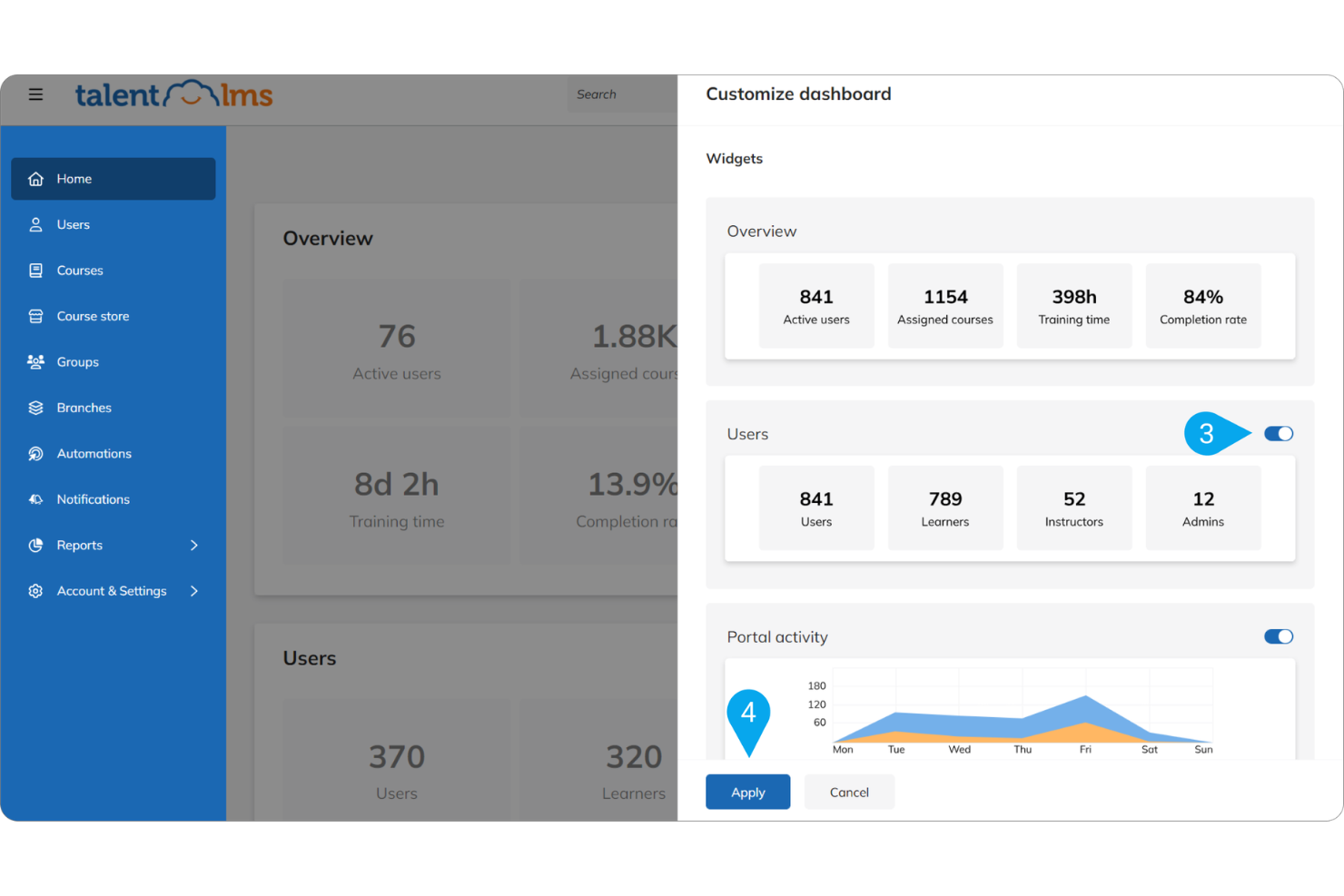
TalentLMS is user-friendly, offering an intuitive interface that makes navigation straightforward. You can quickly carry out course creation with its drag-and-drop feature, simplifying the process. Users appreciate its clear, instructional design, which requires minimal training to get started. Compared to other systems, TalentLMS smooths out the learning curve, allowing you to focus on training rather than tech issues. This feature makes it a popular choice for teams looking for efficient and accessible learning solutions.
Onboarding
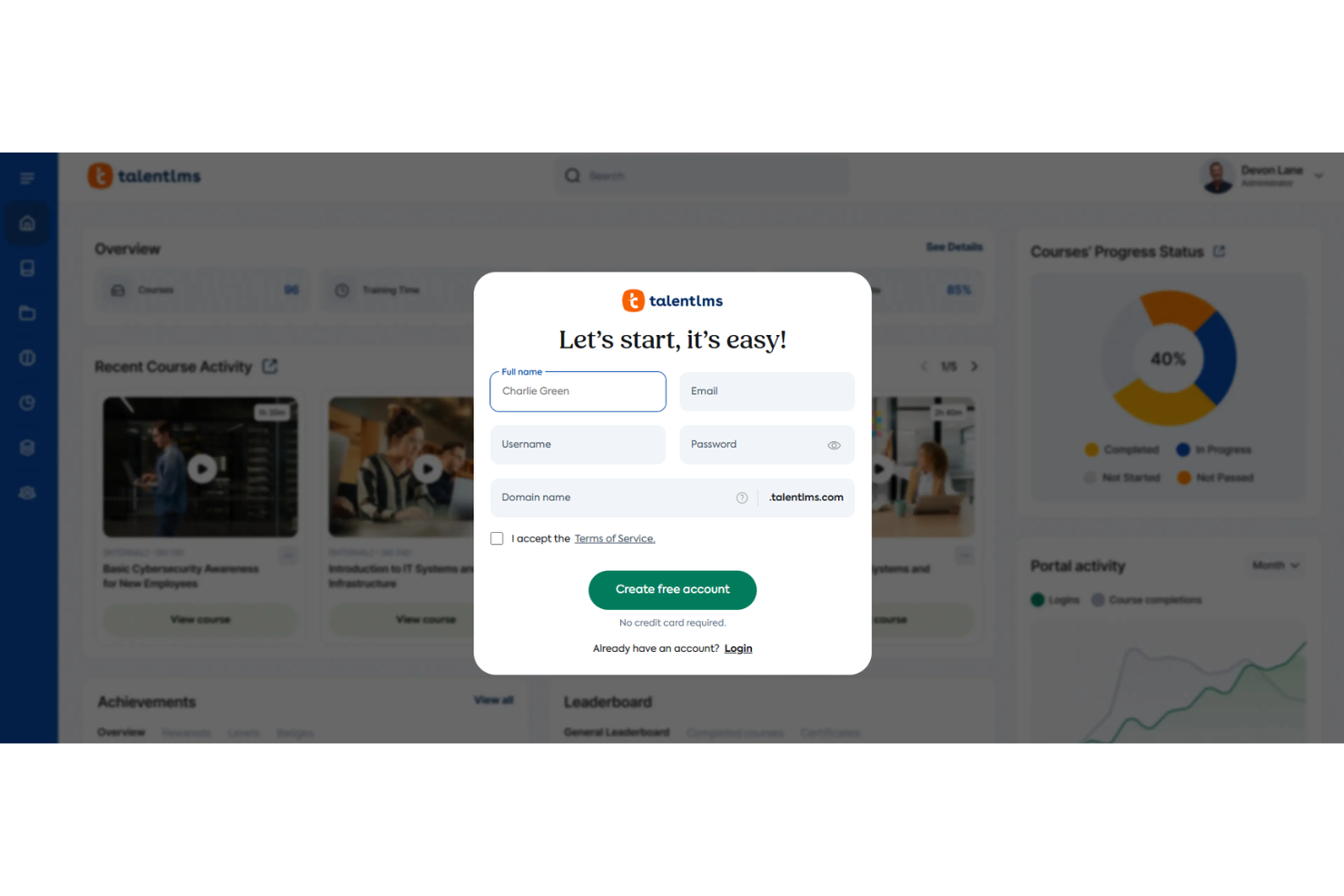
TalentLMS offers a smooth onboarding experience with clear instructions and a user-friendly interface and workflow that help your team get started quickly. The platform provides ample resources, including tutorials and support, to guide new users as they enroll. This ensures you can achieve rapid time to value without a steep learning curve. The highly rated support team is helpful in resolving any initial hiccups, making the transition to use TalentLMS problem-free for your organization.
Customer Support
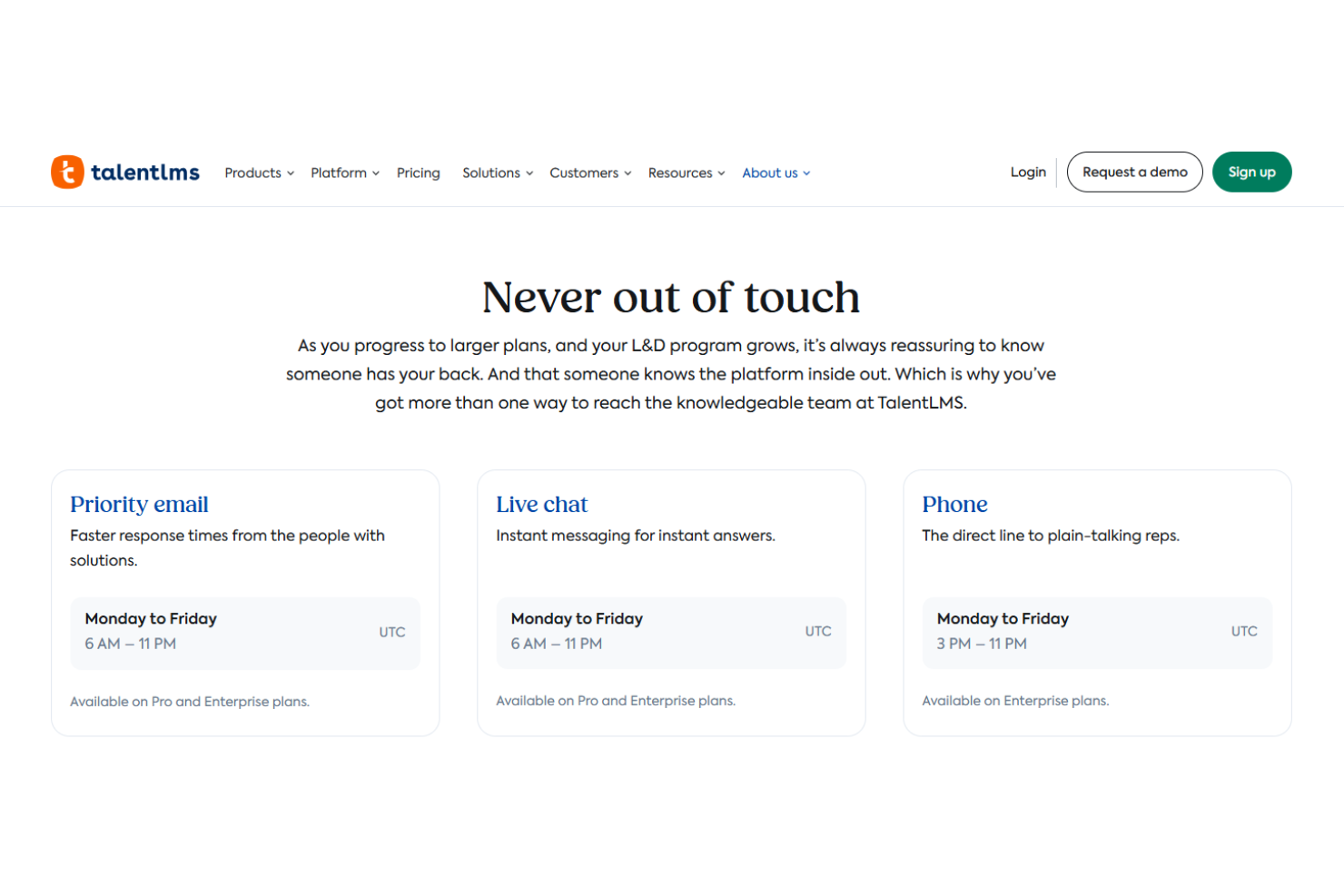
TalentLMS provides reliable and responsive customer support. Users often highlight the prompt and helpful responses from the knowledgeable support team, which ensures issues are resolved efficiently. The platform offers multiple support channels, including email and live chat, offering users flexibility in how they seek help. With its extensive resources, TalentLMS ensures your team receives the assistance necessary to make the most of the platform.
Integrations
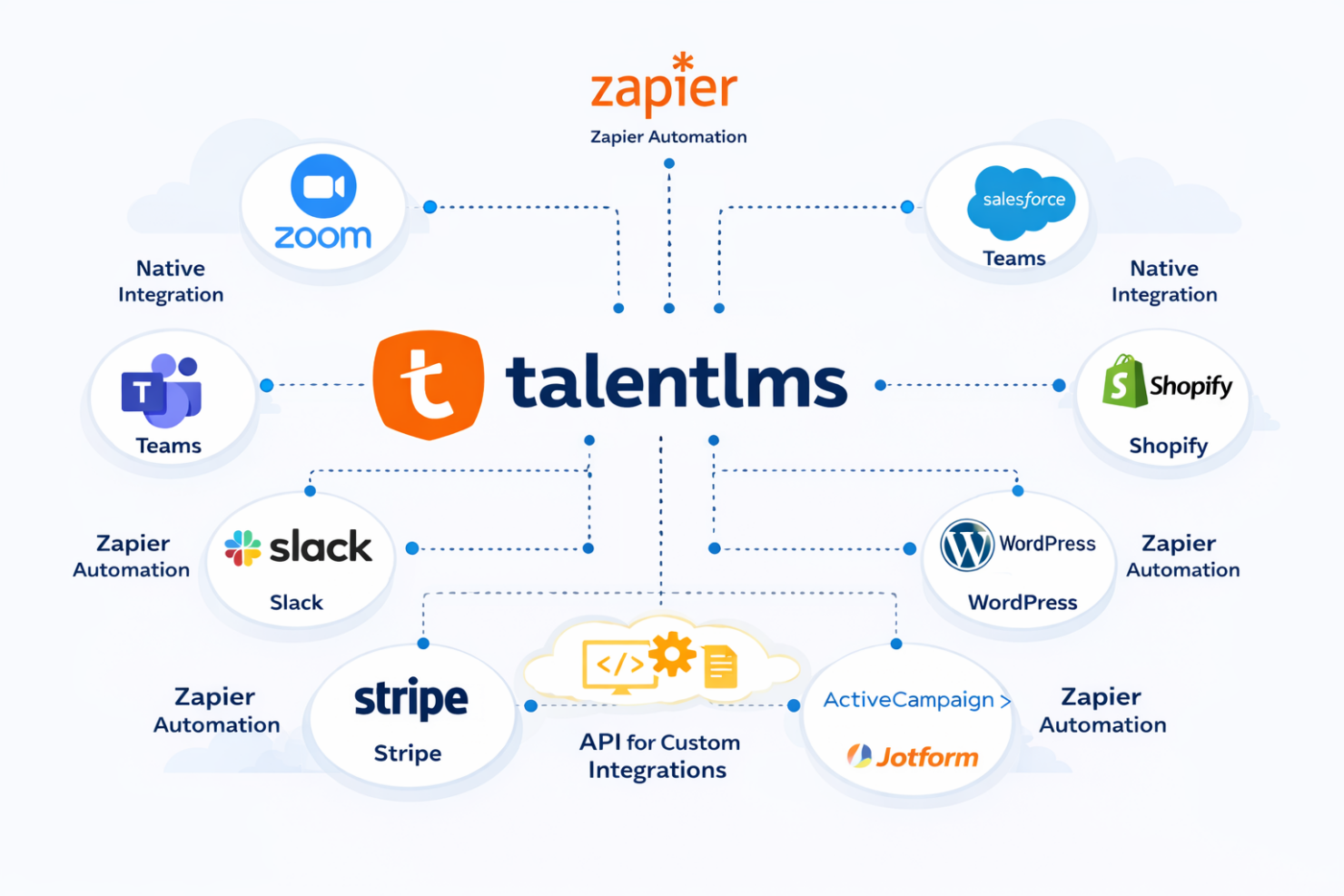
TalentLMS integrates, either natively or through Zapier automation, with Zoom, Microsoft Teams, Salesforce, Shopify, WordPress, Slack, Stripe, Google Forms, ActiveCampaign, and Jotform. It also has an API for custom integrations and supports several third-party tools for additional connectivity.
Value for Money
TalentLMS offers a competitive pricing model that many users find appealing due to its wide range of features at various tiers. TalentLMS's pricing is structured to accommodate different business sizes, providing good value, especially at the Core and Grow tiers. The platform's flexibility in user count and its AI-driven features make it a worthwhile investment. The free plan is a great way for teams to test the software before committing.
- Free Plan: Up to five users, access to basic features, no time limit
- Core: $119/month (billed annually); unlimited courses, customizable homepages
- Grow: $229/month (billed annually); adds additional functionality such as multiple branches and onboarding support
- Pro: $449/month (billed annually); adds advanced features, custom reports, and unlimited priority support
- Enterprise: Custom pricing, tailored solutions for large organizations, dedicated account manager

New Product Updates from TalentLMS
TalentLMS Adds Learning Paths, AI Video, and Learner Experience Updates
TalentLMS added new tools for assigning structured training, creating short AI-generated videos, and improving how learners resume and browse content. The release also expands branch administration, language support, API capabilities, and automated group provisioning. Highlights include:
- Learning Paths in Groups: Assign structured Learning Paths to teams, departments, or cohorts using the same rules available for courses.
- AI Video Generation: Create short training videos with AI voiceover directly from the TalentCraft AI Menu.
- Video Bookmarking: Let learners pause video units and resume from where they left off.
- Branch Skills Management: Export skills data to CSV and perform mass actions from branch Skills pages.
- Improved Catalog Browsing: Open course and Learning Path details in a drawer while preserving the learner’s catalog position.
- SCIM Group Provisioning: Create groups and manage user memberships through SCIM provisioning.
Visit TalentLMS’s official site for more details.
 for more details.
TalentLMS Adds AI Learning and Training Updates
TalentLMS adds Learning Playground, Workday Integration, Group Supervisors, Skills in Branches, and Learning Paths enhancements to improve learning, reporting, and administration. These updates help learners build skills with AI-powered practice while giving teams better control over training data and management. Highlights include:
- Learning Playground: Practice skills through AI-powered learning modes, including custom lessons, drills, role-play, and simulations.
- Workday Integration: Sync user data and course completions between Workday and TalentLMS to reduce manual updates.
- Group Supervisors: Give team leads access to group training progress, skills, and reports without full admin permissions.
- Skills in Branches: Manage skills across branches with consistent setup, permissions, filtering, and bulk actions.
- Learning Paths Enhancements: Import Learning Paths and automate learner deactivation after path completion to simplify administration.
Visit TalentLMS’s official site for more details.
TalentLMS Specs
- API
- Class Management
- Comparative Reporting
- Corporate/Business
- Dashboards
- Data Export
- Data Import
- Data Visualization
- Document Comparison
- Employee Training
- External Integrations
- Feedback Management
- Gamification
- Gradebook
- Mobile App
- Multi-User
- Notifications
- Personal Learning
- Report & Compliance
- Report Cards
- Scheduling
- SCORM
- Student Registration
- Video Courses
TalentLMS FAQs
How straightforward is it to customize TalentLMS for my organization's branding?
Can TalentLMS support multiple languages for global teams?
Does TalentLMS offer mobile access for learning on the go?
How does TalentLMS handle data security and compliance?
Is there a limit to the number of users or courses I can have?
What kind of support and resources are available for new users?
Can I track my team's progress and performance on TalentLMS?
Is TalentLMS suitable for compliance training?
TalentLMS Company Overview & History
TalentLMS, headquartered in Athens, Greece, was founded in 2012 by Epignosis, a leader in e-learning solutions. It has grown to serve over 11,000 organizations worldwide, offering a user-friendly learning platform for creating and managing online courses. TalentLMS is known for its focus on user experience and customer support, making it a popular choice across various industries. It is especially suited to organizations lacking prior e-learning experience.
TalentLMS Major Milestones
- 2012: Founded by Epignosis, established in Athens, Greece
- 2013: Released its first major update, upgrading features and usability
- 2022: Celebrated a decade of growth and innovation
- 2022: Adopted by over 11,000 organizations globally, expanding its reach across industries