


TalentLMS vs. Moodle LMS: Comparison & Expert Reviews For 2026


I know what it’s like to juggle training across different tools and still feel like nothing is as organized or effective as it should be, and many people reach this same point before realizing they need a proper learning management system.
That search almost always leads to TalentLMS and Moodle LMS because these two platforms represent the choice between something simple and ready to launch versus something flexible enough to shape around unique training needs. This guide walks you through everything you need to know so you can finally decide which one aligns best with how your team learns and works.
TalentLMS vs. Moodle LMS: An Overview
TalentLMS


Moodle LMS
Why Trust Our Software Recommendations
Our team has been testing and reviewing software since 2012. As HR experts ourselves, we know how difficult—and important—it is to choose the right software.
For this guide, we evaluated tools using hands-on testing and independent research, scoring tools using our selection criteria. We also draw on insights from industry thought leaders and practicing HR experts.
Our reviews reflect our human editorial judgment, not a sales pitch.
Expert reviewers:
TalentLMS vs. Moodle LMS Pricing Comparison
| TalentLMS | Moodle LMS | |
|---|---|---|
| Free Trial | Free plan + free demo available | 45-day free trial |
| Pricing | From $119/month (billed annually) | From $110/month (5 users) |
TalentLMS vs. Moodle LMS Hidden Costs
TalentLMS offers free and paid plans based on active users, with no setup fees and more features at higher tiers. Hidden costs come from growing user counts and optional add-ons like TalentLibrary courses or enhanced AI tools.
Moodle provides annual plans with fixed user limits and includes hosting, with more features unlocked at higher levels. Hidden costs appear through add-ons like paid custom domains, taxes, plugin limitations, and the need to upgrade once you pass 750 users.
TalentLMS vs. Moodle LMS Feature Comparison
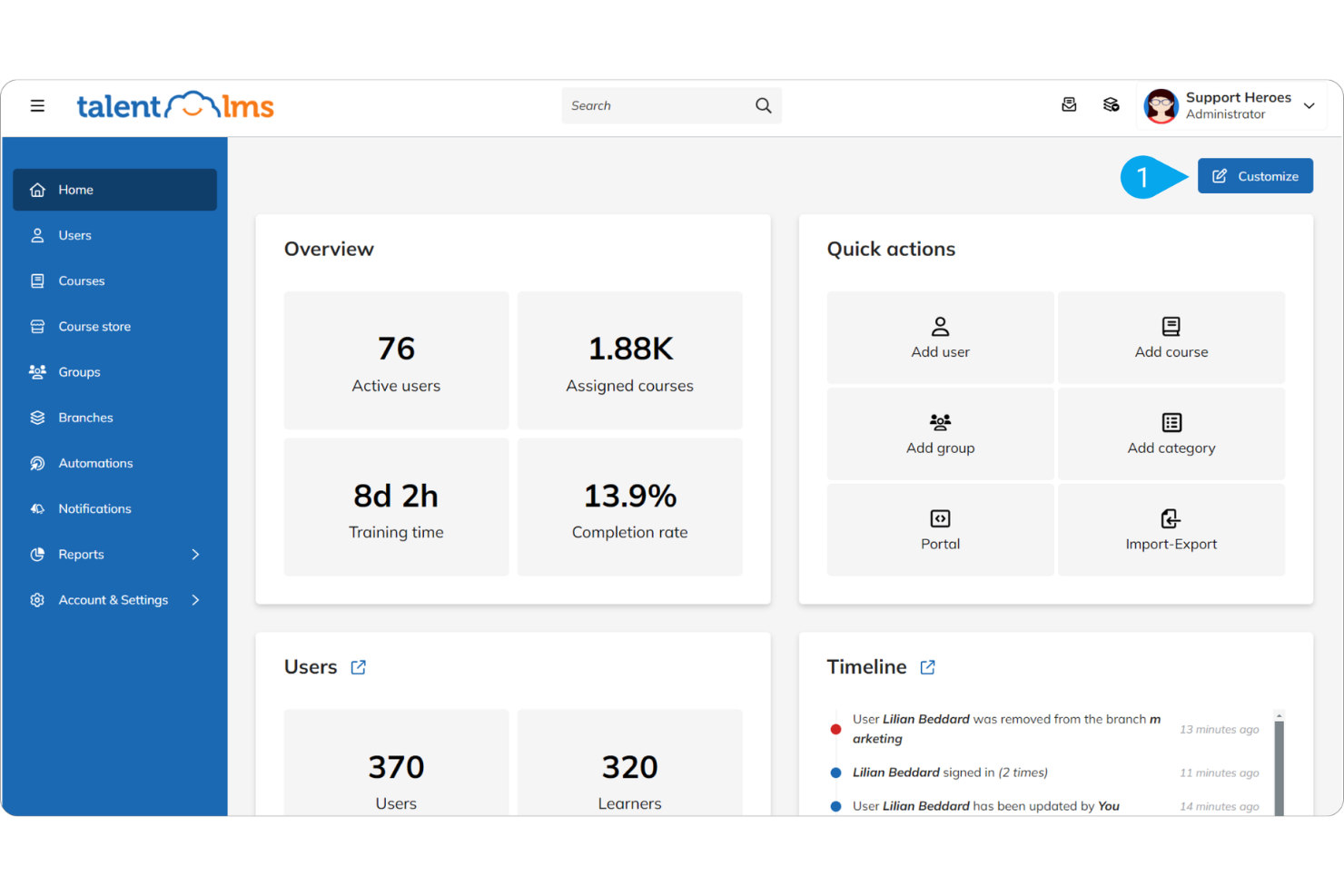
TalentLMS provides simple, ready-to-use tools for creating courses, managing users, and tracking progress, making it ideal for fast onboarding and general employee training.
Moodle focuses on a deeper, highly customizable feature set with extensive plugins, making it better for organizations that need advanced learning paths and more control over training structure.
| TalentLMS | Moodle LMS | |
|---|---|---|
| API | ||
| Class Management | ||
| Comparative Reporting | ||
| Corporate/Business | ||
| Dashboards | ||
| Data Export | ||
| Data Import | ||
| Data Visualization | ||
| Document Comparison | ||
| Employee Training | ||
| External Integrations | ||
| Feedback Management | ||
| Gamification | ||
| Gradebook | ||
| Mobile App | ||
| Multi-User | ||
| Notifications | ||
| Personal Learning | ||
| Report & Compliance | ||
| Report Cards | ||
| SCORM | ||
| Scheduling | ||
| Student Registration | ||
| Video Courses |
TalentLMS vs. Moodle LMS Integrations
| Integration | TalentLMS | Moodle LMS |
| Salesforce | ✅ | ✅ |
| Zoom | ✅ | ✅ |
| Microsoft Teams | ✅ | ✅ |
| Slack | ✅ | ✅ |
| Google Workspace | ✅ | ✅ |
| Shopify | ✅ | ✅ |
| WordPress | ✅ | ✅ |
| HubSpot | ✅ | ✅ |
| WooCommerce | ✅ | ✅ |
| API | ✅ | ✅ |
| Zapier | ✅ | ✅ |
Both platforms integrate with major apps like Zoom, Teams, Google Workspace, and WordPress, so staying connected across your workflow is straightforward. TalentLMS leans toward ready-made integrations for business and eCommerce tools, while Moodle LMS offers flexibility through plugins and its open-source ecosystem.
TalentLMS vs. Moodle LMS Security, Compliance & Reliability
| Factor | TalentLMS | Moodle LMS |
| Data Privacy | TalentLMS is GDPR-compliant and protects user data through encrypted AWS storage and documented privacy controls | Moodle includes GDPR tools such as consent management, data export, and data anonymization to support privacy compliance. |
| Encryption | Uses SSL/TLS for all data in transit and encrypts stored data on AWS using industry standards. | Moodle LMS supports SSL and can be configured for HTTPS to protect data in transit. |
| Uptime Guarantee | TalentLMS provides a 99.9% uptime guarantee, ensuring reliable access for users. | Moodle LMS reliability depends on the hosting provider, with no standard guarantee. |
TalentLMS gives you managed security with built-in GDPR compliance, encrypted AWS hosting, and a reliable uptime structure, making it easier to trust out of the box. Moodle LMS, on the other hand, offers strong privacy tools but depends heavily on how you configure and host it, which may require more oversight on your end.
TalentLMS vs. Moodle LMS Ease of Use
| Factor | TalentLMS | Moodle LMS |
| User Interface | Known for a clean, modern layout that makes navigation and course management straightforward for new users. | Offers extensive customization, but the default interface can feel complex and overwhelming without setup or theming. |
| Onboarding Experience | Provides guided setup steps, tutorials, and templates that help teams get up and running quickly. Annual plans include onboarding with a dedicated specialist. | Often requires more configuration during initial setup, with many users reporting the need for technical help or admin expertise. |
| Support | Backed by direct customer support and clear documentation designed to simplify troubleshooting. | Relies primarily on community forums and open documentation, which can vary in responsiveness and clarity. |
TalentLMS focuses on simplicity, offering an interface and onboarding flow designed to help you launch training quickly. Moodle LMS offers far more customization, but this flexibility often comes with added setup work and a steeper learning curve, especially if you're managing it without technical support.
TalentLMS vs Moodle LMS: Pros & Cons
TalentLMS
- You can quickly set up and start using it without much hassle.
- The interface is intuitive, making it simple for your team to navigate.
- It offers a variety of training materials to improve your learning experience.
- Advanced customization options are limited compared to other systems.
- Larger teams might find the reporting features and notifications lacking in detail.
Moodle LMS
Best Use Cases for TalentLMS and Moodle LMS
TalentLMS
- Small Businesses TalentLMS offers a cost-effective solution for small businesses needing a simple, efficient training platform.
- HR Departments Its ease of use and onboarding capabilities make it ideal for HR teams managing the training of new recruits.
- Training Providers TalentLMS supports various training materials, making it suitable for providers offering diverse learning content.
- Tech Startups Startups can benefit from its scalability and flexibility as teams grow and training needs evolve.
- Nonprofits Its affordable pricing means nonprofits can access quality learning tools without straining their budgets.
- Remote Teams The accessibility of its online learning ensures remote teams stay connected and up to date with their training, regardless of location.
Moodle LMS
Who Should Use TalentLMS, and Who Should Use Moodle LMS?
If you want something easy, fast to set up, and low-maintenance, I’d point you toward TalentLMS. It offers comprehensive features that work out of the box, and you won’t need a technical team to keep it running.
If you need flexibility, control, and the ability to tailor every part of your learning setup, Moodle LMS makes more sense. It takes more effort to manage, but you get a system you can shape around your exact needs. So really, it comes down to what matters more for you: simplicity or customization.
Differences Between TalentLMS and Moodle LMS
| TalentLMS | Moodle LMS | |
|---|---|---|
| Automation | Includes built-in automation for course assignments, reminders, and notifications, reducing manual admin work. | Supports automation but relies on additional plugins or configurations for more advanced workflows. |
| Customization | Keeps customization light so setup stays simple. You can adjust branding and structure, but deeper modifications are limited. | Highly customizable through themes, plugins, and custom workflows. Ideal if you need a system tailored to specific learning paths or institutional requirements. |
| Pricing Model | Uses a tiered subscription model based on the number of users and available features. Pricing is predictable, hosting is included, and you don’t need to manage servers or handle maintenance. | Offers a free open-source core, but you’ll need to pay for hosting, maintenance, and any managed services. Total cost depends heavily on whether you self-host or use MoodleCloud or a certified Moodle partner. |
| Support | Offers direct customer support, guided onboarding, and detailed documentation, making it easier to resolve issues quickly. | Support depends on where it's hosted. MoodleCloud and certified partners provide managed support, while self-hosted users rely mainly on community forums and open documentation. |
| User Interface | Provides a clean, modern interface designed to be easy for both admins and learners. Most features work out of the box without needing adjustments. | The interface is fully customizable but less intuitive at the start. Without theme changes or configuration, it can feel more complex for new users. |
| Visit TalentLMSOpens new window |
Similarities Between TalentLMS and Moodle LMS
| Course Management | Both platforms offer complete course management tools that let you create, organize, deliver, and track learning content. Each supports multimedia lessons, quizzes, assignments, and structured learning paths suitable for corporate or academic environments. |
|---|---|
| Integrations | Both LMSs support integrations with widely used tools such as Zoom, Microsoft Teams, Google Workspace, and various third-party learning or authentication tools. This makes it easy to connect each platform to existing workflows or tech stacks. |
| Mobile Accessibility | Both systems support learning on mobile devices, giving users the ability to access courses, complete activities, and track progress on the go. Each platform provides a dedicated mobile app to support responsive learning experiences. |
| Reporting Features | Both LMSs offer reporting dashboards that allow admins and instructors to track learner progress, completion rates, quiz performance, and overall engagement metrics. Each provides export options to support audits or performance reviews. |
| User Engagement | Both platforms promote interactive learning through quizzes, discussion forums, assignments, and gamified elements designed to keep learners engaged throughout the training process. |
| Visit TalentLMSOpens new window | |