

Verint Workforce Management Review 2026: Pros, Cons & Pricing
I look beyond Verint WFM’s feature list to weigh its planning capabilities against the trade-offs and cost—and whether its depth fits your operation.

We review tools independently, and commissions help fund our testing. See our transparency policy, our methodology, or suggest a tool.
Verint Workforce Management (WFM) is workforce management software for forecasting demand, planning capacity, and scheduling teams across channels. If your contact center has complex staffing needs and you want employees to make schedule changes through TimeFlex Bot, I’d choose Verint over NICE CXone for its flexible, self-service scheduling and intraday controls.
Verint Workforce Management Evaluation Summary
4.2/5
- Pricing upon request
- Free demo available
Why Trust Our Software Recommendations
6,700+
Reviews
20
Industry experts
16+
Evaluation factors
14
Years reviewing software
Our team has been testing and reviewing software since 2012. As HR experts ourselves, we know how difficult—and important—it is to choose the right software.
For this guide, we evaluated tools using hands-on testing and independent research, scoring tools using our selection criteria. We also draw on insights from industry thought leaders and practicing HR experts.
Our reviews reflect our human editorial judgment, not a sales pitch.
Expert reviewers:
- Phil GrayCOO
 Kim BehnkeHR Tech Editor & Analyst
 Josh BarkerPeople Ops Manager

Verint Workforce Management Overview
I’d choose Verint WFM for contact centers with complex, multichannel staffing needs: forecasting, capacity planning, intraday controls, and TimeFlex Bot let agents adjust schedules within coverage rules. Compared with simpler workforce management tools, it offers deeper planning and flexible deployment, plus mobile access and integration APIs. The trade-off is a steeper setup, an interface some reviewers find dated, and support documentation that can be uneven. Pricing isn’t publicly listed, so compare tailored quotes and implementation scope before selecting it. I think it fits larger operations best; smaller teams may find its depth harder to justify.
Pros
- Forecasts use historical, seasonal, and multichannel demand patterns.
- TimeFlex lets agents change shifts within coverage constraints.
- Mobile tools support schedule access, shift swaps, and leave requests.
Cons
- Custom reporting can require SQL, while canned reports limit detail.
- Users report dated dashboards, slow performance, and recurring bugs.
- Complex schedule conflicts can require restarting rather than direct correction.


How We Test & Score Our Tools
We’ve spent years building, refining, and improving our software testing and scoring system. The rubric is designed to capture the nuances of software selection and what makes a tool effective, focusing on critical aspects of the decision-making process.
Below, you can see exactly how our testing and scoring works across seven criteria. It allows us to provide an unbiased evaluation of the software based on core functionality, standout features, ease of use, onboarding, customer support, integrations, customer reviews, and value for money.
Core Functionality (25% of final score)
The starting point of our evaluation is always the core functionality of the tool. Does it have the basic features and functions that a user would expect to see? Are any of those core features locked to higher-tiered pricing plans? At its core, we expect a tool to stand up against the baseline capabilities of its competitors.
Standout Features (25% of final score)
Next, we evaluate uncommon standout features that go above and beyond the core functionality typically found in tools of its kind. A high score reflects specialized or unique features that make the product faster, more efficient, or offer additional value to the user.
We also evaluate how easy it is to integrate with other tools typically found in the tech stack to expand the functionality and utility of the software. Tools offering plentiful native integrations, 3rd party connections, and API access to build custom integrations score best.
Ease of Use (10% of final score)
We consider how quick and easy it is to execute the tasks defined in the core functionality using the tool. High scoring software is well designed, intuitive to use, offers mobile apps, provides templates, and makes relatively complex tasks seem simple.
Onboarding (10% of final score)
We know how important rapid team adoption is for a new platform, so we evaluate how easy it is to learn and use a tool with minimal training. We evaluate how quickly a team member can get set up and start using the tool with no experience. High scoring solutions indicate little or no support is required.
Customer Support (10% of final score)
We review how quick and easy it is to get unstuck and find help by phone, live chat, or knowledge base. Tools and companies that provide real-time support score best, while chatbots score worst.
Customer Reviews (10% of final score)
Beyond our own testing and evaluation, we consider the net promoter score from current and past customers. We review their likelihood, given the option, to choose the tool again for the core functionality. A high scoring software reflects a high net promoter score from current or past customers.
Value for Money (10% of final score)
Lastly, in consideration of all the other criteria, we review the average price of entry level plans against the core features and consider the value of the other evaluation criteria. Software that delivers more, for less, will score higher.
Core Features
Demand Forecasting
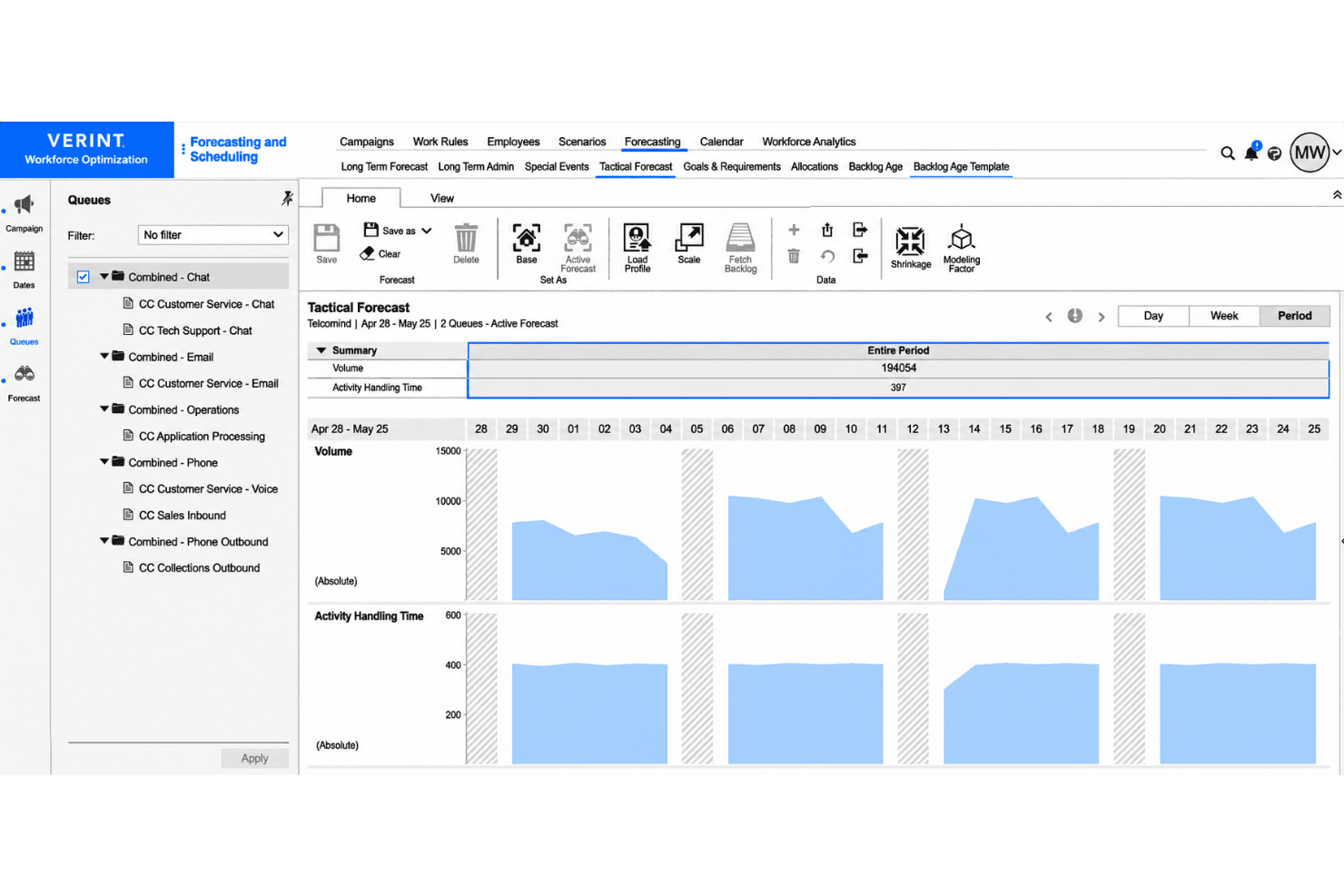
Verint WFM analyzes historical volumes, handle times, channels, and external events to forecast workload by interval. You can compare demand across channels and skills to see where staffing needs are likely to rise.
Capacity Planning
Capacity planning turns forecasted workload into staffing and budget scenarios, including headcount, hiring, redeployment, and overtime. You can compare options against service-level goals before committing resources.
Automated Scheduling
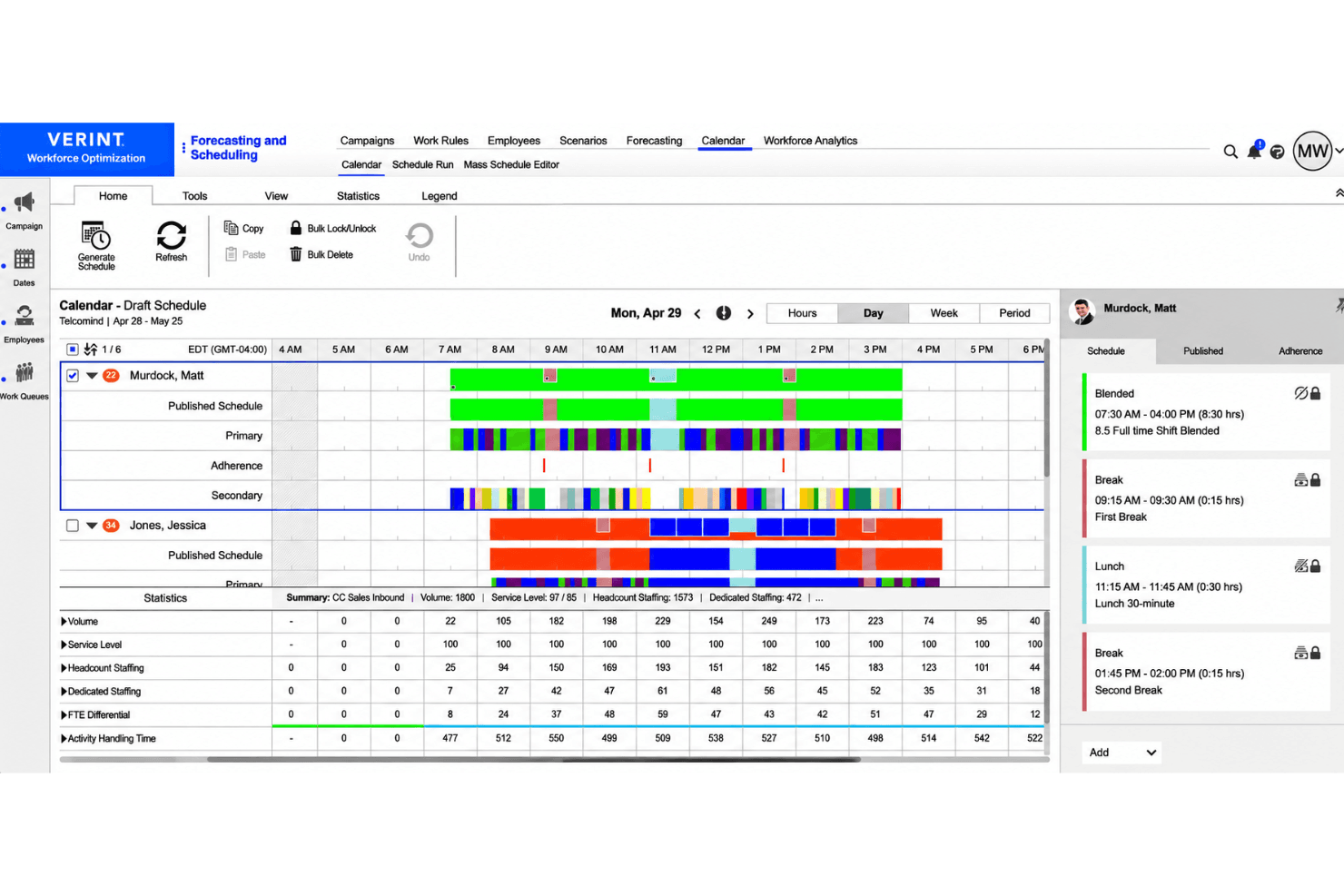
Verint WFM builds schedules around demand, skills, locations, employee preferences, and work rules such as breaks and time off. This helps your team plan coverage while accounting for both operational needs and employee availability.
Intraday Management
Intraday tools compare actual volumes and staff availability with forecasts, using alerts, queue analytics, and forecast-versus-actual dashboards. Managers can respond to changes by adjusting schedules or staffing plans.
TimeFlex Bot
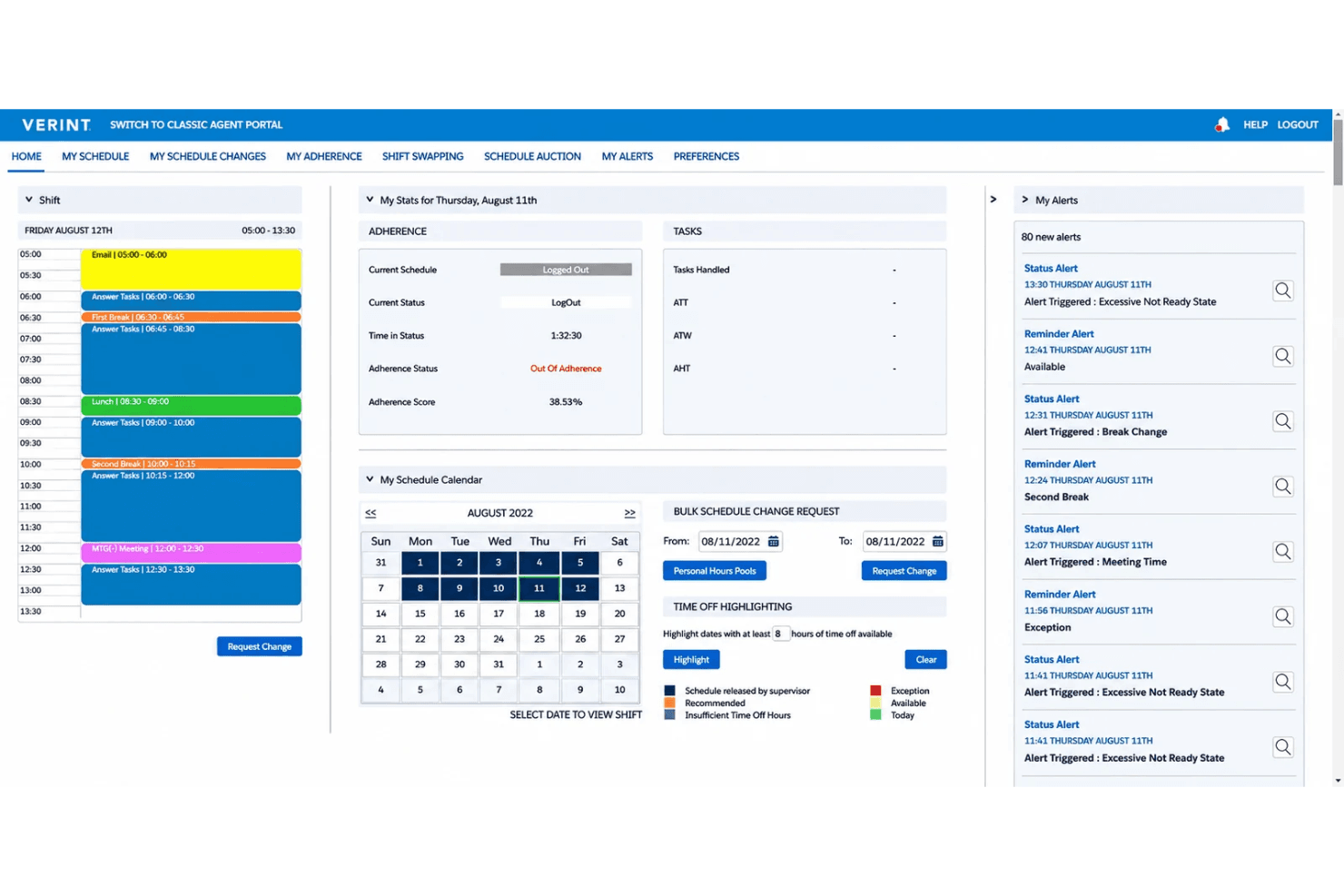
TimeFlex Bot lets agents make schedule changes while its calculations account for forecasted volumes, capacity, and performance. Agents can use FlexCoins earned by making coverage-friendly changes to request flexibility without weakening staffing coverage.
Performance Management
Role-based scorecards and dashboards track KPIs, flag missed targets, and identify outlier performance. Managers can use these signals to guide coaching and inform shift or vacation bidding.
Ease of Use
Verint WFM is capable but less intuitive than simpler scheduling tools. Its forecasting, intraday dashboards, and TimeFlex Bot give managers and agents detailed control, though the depth can make setup and day-to-day navigation harder. User reviews mention dated dashboards, slow performance, and recurring bugs; custom reports can also require SQL. I’d choose it when your team needs detailed contact center planning, but expect a learning curve and more hands-on administration.
Integrations
Verint WFM integrates with Salesforce, Zendesk, Amazon Connect, Zoom Contact Center, Webex Contact Center, and Microsoft Outlook. The broader Verint Platform also supports Workday connections. Verint provides open APIs for workforce data and Integration Studio for building and managing third-party integrations.
Verint Workforce Management Specs
- 2-Factor Authentication: No
- 360 Degree Feedback: No
- API: Yes
- Application Tracking: No
- Attendance Tracking: Yes
- Batch Permissions & Access: No
- Compliance Tracking: Yes
- Dashboard: Yes
- Data Export: Yes
- Data Import: Yes
- Data Visualization: Yes
- Employee Database: Yes
- Employee Engagement: Yes
- Employee Incentive Management: No
- Employee Onboarding: No
- Employee Training: No
- Expense Tracking: No
- External Integrations: Yes
- Feedback Management: No
- Multi-User: Yes
- Notifications: Yes
- Payroll: No
- Performance Appraisal: No
- Scheduling: Yes
- Time Management: Yes
- Timesheets: Yes
- Travel Management: No
- Vacation & Absence Calendar: Yes


