
Workforce.com Review: Pros, Cons, Features and Pricing Explained



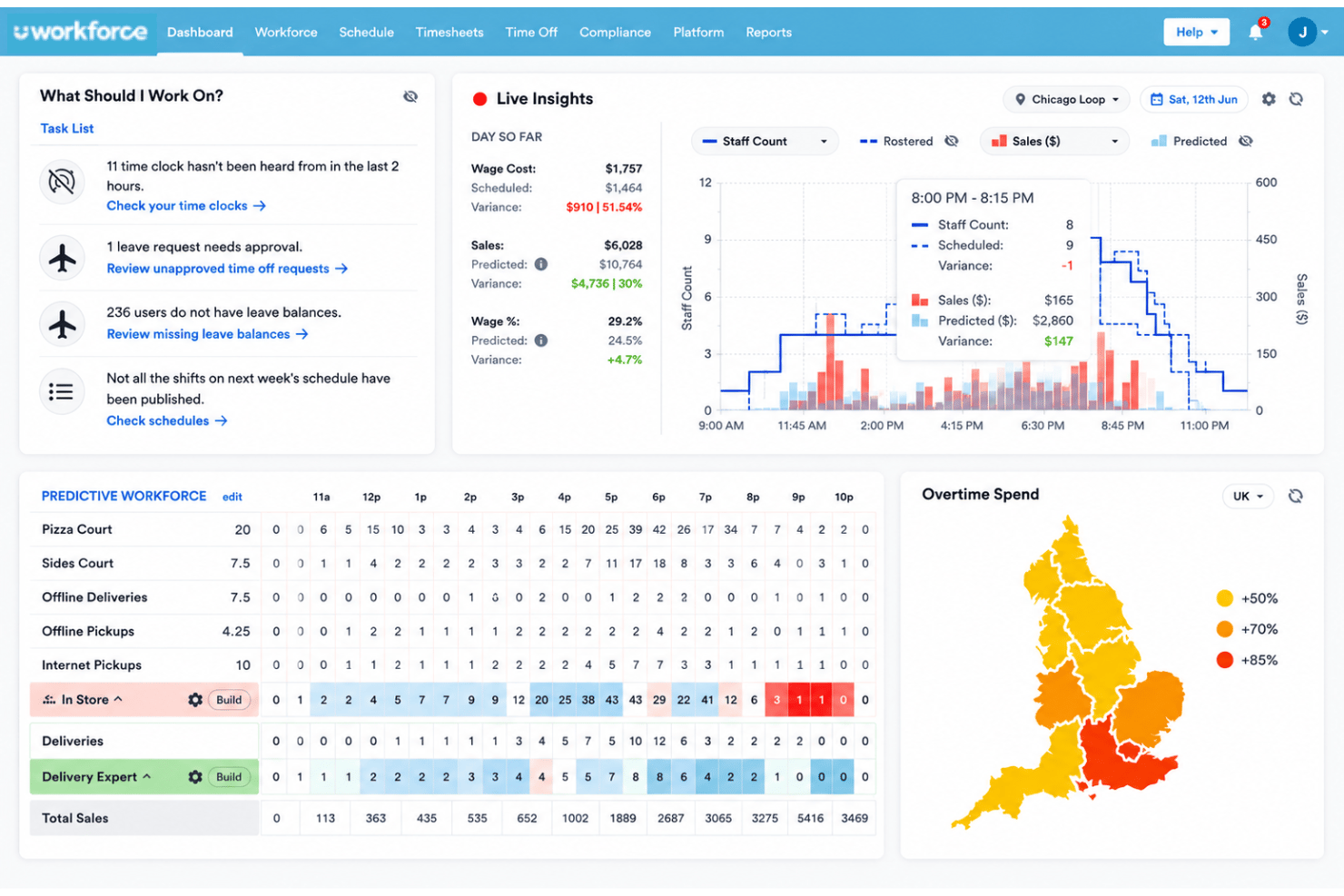
Workforce.com is a payroll software built for hourly and shift-based workforces that need scheduling, time tracking, and pay runs connected in one system. I'd consider it if you manage frontline teams in retail, hospitality, or healthcare and want payroll tied directly to timesheets and labor compliance. Compared with general small business payroll platforms that lean toward salaried teams, Workforce.com gives you deeper shift and employee scheduling, award interpretation, and real-time labor cost controls that hourly-heavy operators actually use.
Workforce.com Evaluation Summary
- From $5/user/month (billed annually)
- Free demo available
Why Trust Our Software Recommendations
Our team has been testing and reviewing software since 2012. As HR experts ourselves, we know how difficult—and important—it is to choose the right software.
For this guide, we evaluated tools using hands-on testing and independent research, scoring tools using our selection criteria. We also draw on insights from industry thought leaders and practicing HR experts.
Our reviews reflect our human editorial judgment, not a sales pitch.
Expert reviewers:
Workforce.com Overview
When I compare Workforce.com to similar payroll software, I judge its flexible scheduling, deep compliance features, and real-time labor costing as clear advantages—especially for hourly teams. The interface is cleaner than most, onboarding is fast, and support is responsive. Compliance management and labor forecasting are where it pulls ahead of general payroll tools. It can feel pricier if you need only payroll basics, but for businesses juggling complex shifts or award rates, I think choosing Workforce.com makes sense. You’ll find it best suited to fast-paced, multi-location operations where payroll, scheduling, and compliance need to work tightly together.
pros
-
Built-in award interpretation to automate complex payroll rates.
-
Real-time labor costing directly connected to timesheets.
-
Shift and automated scheduling linked to payroll in a single platform.
cons
-
Limited support for salaried or contract payroll workflows.
-
Some users report slow generation of customizable reports for large teams.
-
Costs can add up as you scale locations or modules.
-

Justworks
Visit WebsiteThis rating combines scores from multiple user review sites to reflect overall customer sentiment about the product.4.6 -
Eletive
Visit WebsiteThis rating combines scores from multiple user review sites to reflect overall customer sentiment about the product.4.6 -
Prevue Assessments
Visit WebsiteThis rating combines scores from multiple user review sites to reflect overall customer sentiment about the product.4.6



How We Test & Score Our Tools
We’ve spent years building, refining, and improving our software testing and scoring system. The rubric is designed to capture the nuances of software selection and what makes a tool effective, focusing on critical aspects of the decision-making process.
Below, you can see exactly how our testing and scoring works across seven criteria. It allows us to provide an unbiased evaluation of the software based on core functionality, standout features, ease of use, onboarding, customer support, integrations, customer reviews, and value for money.
Core Functionality (25% of final score)
The starting point of our evaluation is always the core functionality of the tool. Does it have the basic features and functions that a user would expect to see? Are any of those core features locked to higher-tiered pricing plans? At its core, we expect a tool to stand up against the baseline capabilities of its competitors.
Standout Features (25% of final score)
Next, we evaluate uncommon standout features that go above and beyond the core functionality typically found in tools of its kind. A high score reflects specialized or unique features that make the product faster, more efficient, or offer additional value to the user.
We also evaluate how easy it is to integrate with other tools typically found in the tech stack to expand the functionality and utility of the software. Tools offering plentiful native integrations, 3rd party connections, and API access to build custom integrations score best.
Ease of Use (10% of final score)
We consider how quick and easy it is to execute the tasks defined in the core functionality using the tool. High scoring software is well designed, intuitive to use, offers mobile apps, provides templates, and makes relatively complex tasks seem simple.
Onboarding (10% of final score)
We know how important rapid team adoption is for a new platform, so we evaluate how easy it is to learn and use a tool with minimal training. We evaluate how quickly a team member can get set up and start using the tool with no experience. High scoring solutions indicate little or no support is required.
Customer Support (10% of final score)
We review how quick and easy it is to get unstuck and find help by phone, live chat, or knowledge base. Tools and companies that provide real-time support score best, while chatbots score worst.
Customer Reviews (10% of final score)
Beyond our own testing and evaluation, we consider the net promoter score from current and past customers. We review their likelihood, given the option, to choose the tool again for the core functionality. A high scoring software reflects a high net promoter score from current or past customers.
Value for Money (10% of final score)
Lastly, in consideration of all the other criteria, we review the average price of entry level plans against the core features and consider the value of the other evaluation criteria. Software that delivers more, for less, will score higher.
Core Features
Award Interpretation
Automates overtime, penalty, and custom pay rates for hourly workers. Users save time on compliance and reduce manual payroll calculations.
Timesheet-Payroll Sync
Connects approved timesheets directly to payroll runs for error-free pay. Eliminates costly double-entry and manual timesheet checks.
Automated Tax Calculations
Calculates payroll taxes and deductions for different regions automatically. Keeps businesses compliant and helps prevent filing errors.
Real-Time Labor Costing
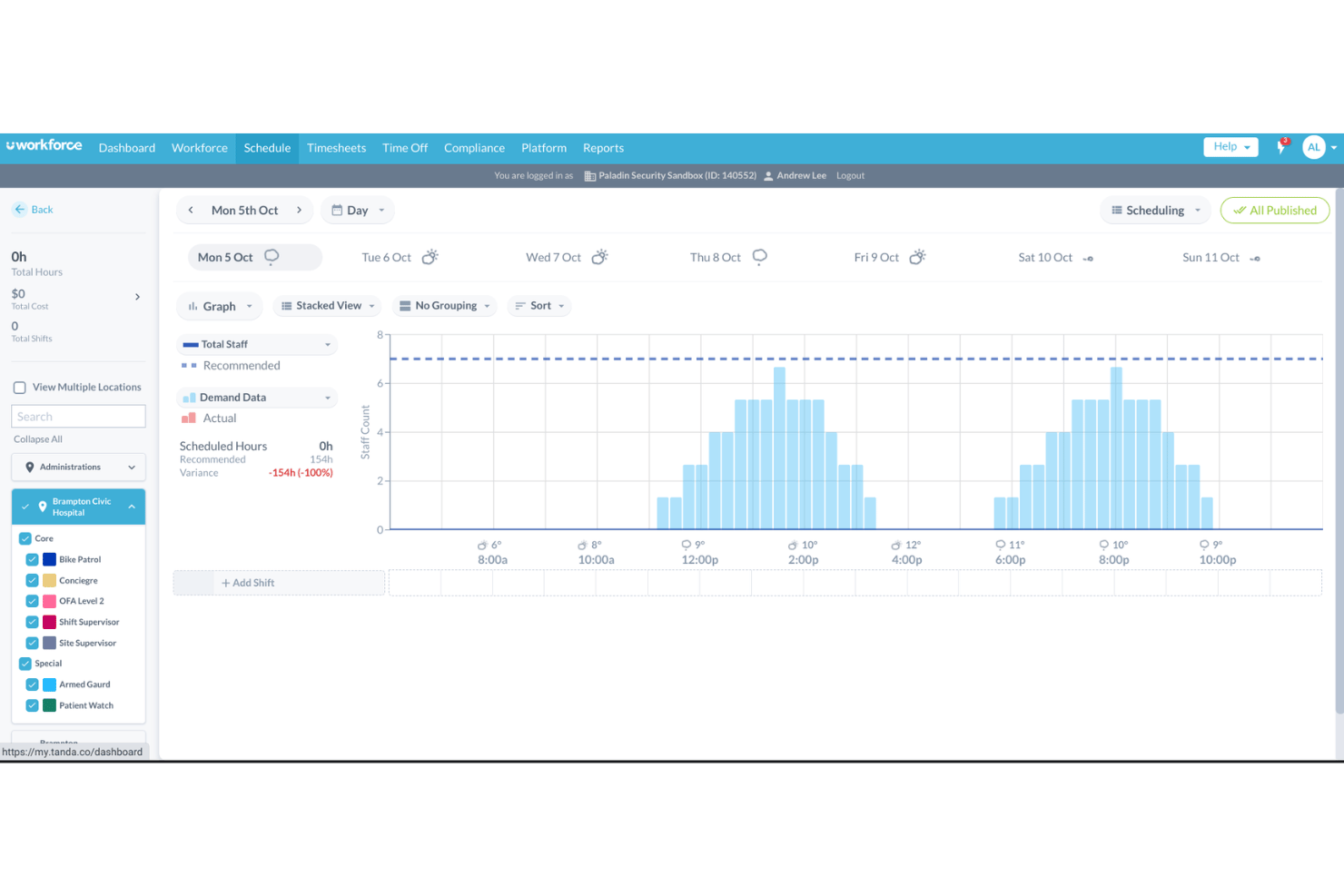
Shows up-to-date labor costs by shift, role, or team. Managers can spot budget overruns before pay cycle closes.
Leave Management
Tracks employee leave balances and automates accruals in payroll. Time off management runs in the same flow, so pay adjusts for absences automatically.
On-Demand Pay Runs
Lets you run payroll whenever needed, not just on a rigid schedule. Helpful for off-cycle pay, corrections, or urgent payroll needs.
Ease of Use
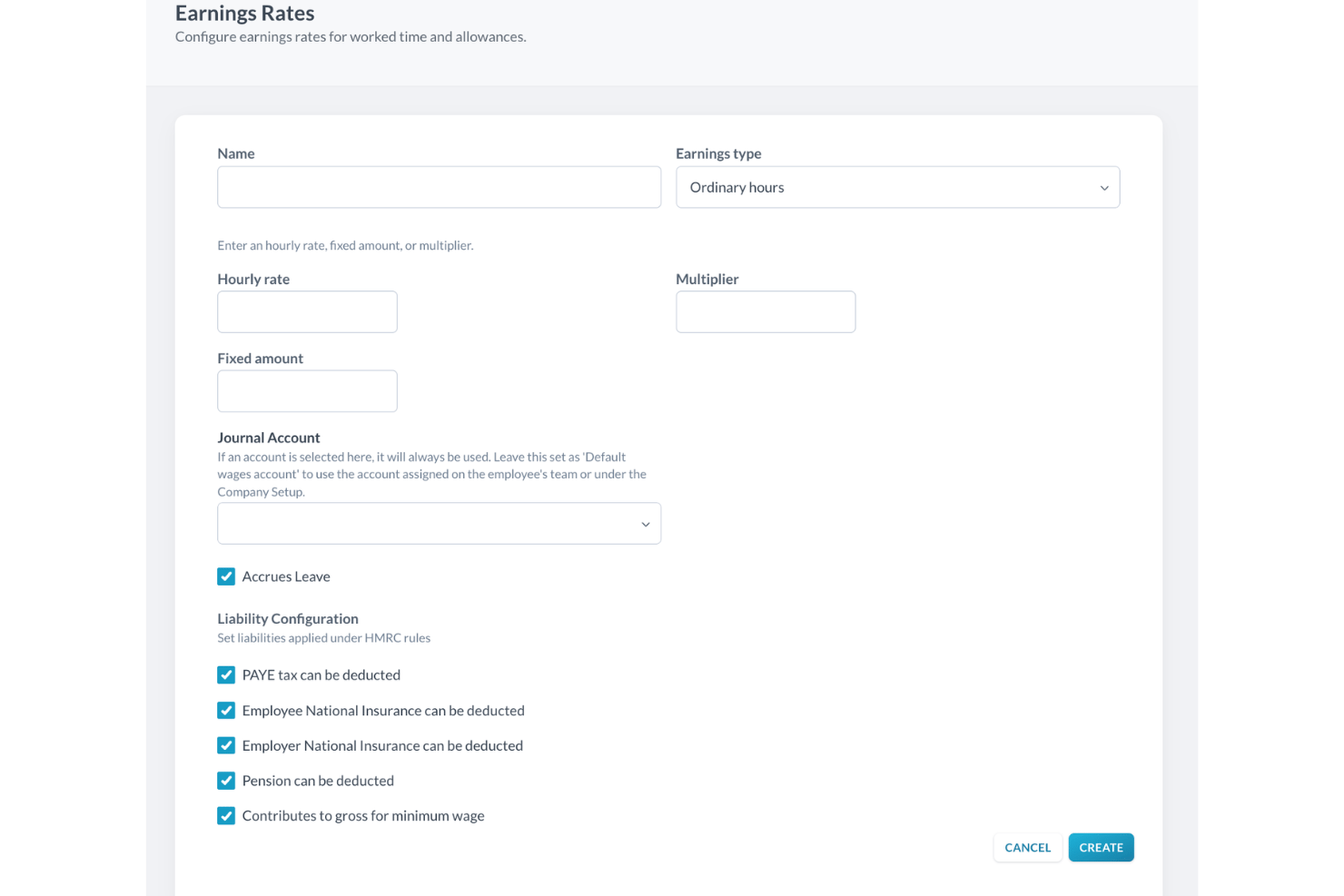
I find Workforce.com’s interface very user-friendly, especially for busy managers handling hourly staff payroll. Navigation is clear, actions are logically grouped, and payroll setup flows directly from timesheets, reducing confusion and manual work. Day-to-day employee management stays in one place rather than scattered across half a dozen tools. Users mention that support materials and in-app guides make onboarding straightforward, and live wage cost alerts help users avoid mistakes. Compared to the complexity of some systems, it feels built for real-world efficiency.
Integrations
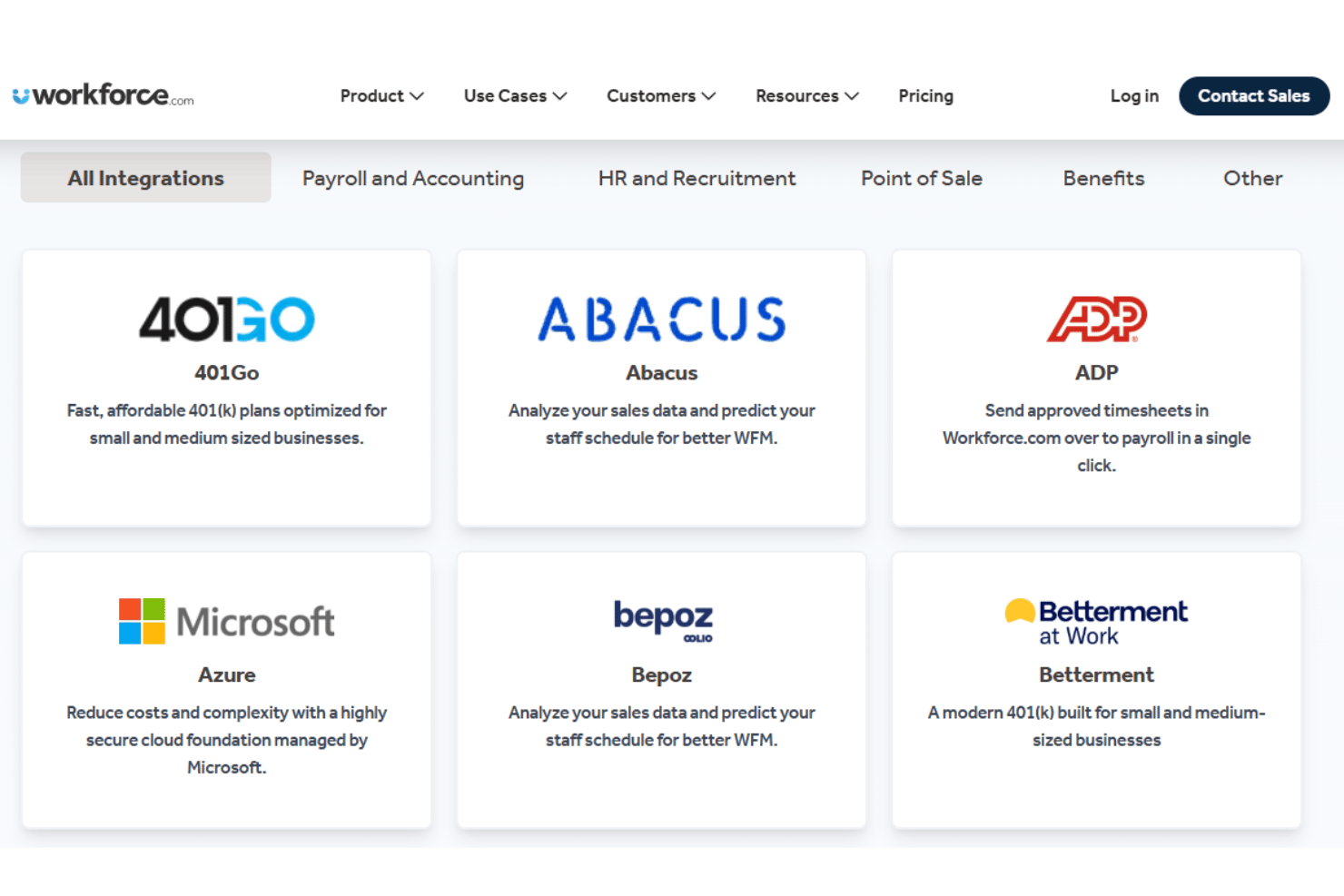
Workforce.com doesn’t publish a verified list of its most popular native integrations, so it’s worth confirming current coverage with their team before you commit.
Workforce.com does offer an open API and typically supports third-party integrations with payroll, human resources, HRIS, and point-of-sale platforms, though I’d recommend checking their integrations page for the most up-to-date list.
Workforce.com Specs
- API
- Application Tracking
- Approval Workflows
- Attendance Tracking
- Budgeting
- Calendar Management
- Compliance Tracking
- Dashboard
- Data Export
- Data Import
- Data Visualization
- Employee Database
- Employee Incentive Management
- Employee Onboarding
- Expense Tracking
- External Integrations
- Feedback Management
- Forecasting
- Multi-Currency
- Multi-User
- Notifications
- Payroll
- Scheduling
- Tax Management
- Time Management
- Timesheets
- Travel Management
- Vacation & Absence Calendar