

Workpro Review: Pros, Cons, Features, and Pricing Explained


Workpro is an HR case management software built for HR and employee relations teams that need to log, track, and resolve workplace cases—grievances, disciplinaries, absence, and more. I'd mainly consider it if you want a purpose-built HR case tool rather than a broader platform like ServiceNow, which brings significant IT service management overhead that most HR teams don't need and don't want to manage.
Workpro Evaluation Summary
- Pricing upon request
- Free demo available
Why Trust Our Software Recommendations
Our team has been testing and reviewing software since 2012. As HR experts ourselves, we know how difficult—and important—it is to choose the right software.
For this guide, we evaluated tools using hands-on testing and independent research, scoring tools using our selection criteria. We also draw on insights from industry thought leaders and practicing HR experts.
Our reviews reflect our human editorial judgment, not a sales pitch.
Expert reviewers:
Workpro Overview
If you're judging Workpro against other case management systems, you'll notice its compliance tracking and customizable workflows set it apart, especially for organizations with strict audit needs. The dashboard is intuitive, and onboarding is smooth, but integration options are more limited than some competitors. Pricing is transparent and support is responsive, which helps teams new to digital case management. Workpro is best for HR teams in regulated industries or those prioritizing documentation and process control over broad third-party integrations. Teams handling frequent investigations, casework, or sensitive employee relations cases will especially appreciate its audit trails and real-time notifications.
pros
-
Strong compliance and audit trail features for HR cases
-
Highly customizable workflows for unique HR processes
-
Responsive support team with industry-specific expertise
cons
-
Limited third-party integration options compared to others
-
Occasional delays in resolving technical support tickets
-
Reporting features require manual setup for advanced needs
Is Workpro Right For Your Needs?
Who Would be a Good Fit for Workpro?
Workpro is a strong choice for organizations that need rigorous compliance, detailed documentation, and customizable workflows in their HR case management. Teams in regulated industries, larger HR departments, and those handling sensitive employee relations will find its audit trails and process controls especially valuable. Workpro's responsive support and industry-specific expertise also make it a good fit for teams that need guidance on best practices or have complex business processes.
-
Financial Services
Strict compliance features help meet regulatory and audit requirements.
-
Healthcare Organizations
Sensitive case tracking in health care supports privacy and documentation needs.
-
Large HR Departments
Customizable workflows handle high case volumes and varied processes.
-
Public Sector
Audit trails and reporting align with government accountability standards.
-
Employee Relations Teams
Detailed case management supports investigations and dispute resolution.
-
Higher Education
Supports complex HR policies and multi-campus case tracking.
Who Would be a Bad Fit for Workpro?
Workpro may not be the best choice for small businesses, startups, or teams that rely heavily on integrations with other HR or business tools. Its advanced compliance features can be more than what's needed for simple HR processes, and the limited integration options may slow down teams that want a unified tech stack. Companies with basic HR needs or those prioritizing automation across multiple platforms may find Workpro less suitable.
-
Small Startups
Feature set exceeds needs for basic HR case tracking.
-
Tech Companies
Limited integrations hinder workflow automation with other tools.
-
Retail Chains
High-volume, low-complexity cases may not need advanced compliance.
-
Manufacturing Plants
Simple HR processes don't require detailed audit trails.
-
Freelance HR Consultants
Pricing and features are not tailored to solo practitioners.
-
Nonprofit Organizations
Budget constraints and basic needs may not justify the investment.
How We Test & Score Our Tools
We’ve spent years building, refining, and improving our software testing and scoring system. The rubric is designed to capture the nuances of software selection and what makes a tool effective, focusing on critical aspects of the decision-making process.
Below, you can see exactly how our testing and scoring works across seven criteria. It allows us to provide an unbiased evaluation of the software based on core functionality, standout features, ease of use, onboarding, customer support, integrations, customer reviews, and value for money.
Core Functionality (25% of final score)
The starting point of our evaluation is always the core functionality of the tool. Does it have the basic features and functions that a user would expect to see? Are any of those core features locked to higher-tiered pricing plans? At its core, we expect a tool to stand up against the baseline capabilities of its competitors.
Standout Features (25% of final score)
Next, we evaluate uncommon standout features that go above and beyond the core functionality typically found in tools of its kind. A high score reflects specialized or unique features that make the product faster, more efficient, or offer additional value to the user.
We also evaluate how easy it is to integrate with other tools typically found in the tech stack to expand the functionality and utility of the software. Tools offering plentiful native integrations, 3rd party connections, and API access to build custom integrations score best.
Ease of Use (10% of final score)
We consider how quick and easy it is to execute the tasks defined in the core functionality using the tool. High scoring software is well designed, intuitive to use, offers mobile apps, provides templates, and makes relatively complex tasks seem simple.
Onboarding (10% of final score)
We know how important rapid team adoption is for a new platform, so we evaluate how easy it is to learn and use a tool with minimal training. We evaluate how quickly a team member can get set up and start using the tool with no experience. High scoring solutions indicate little or no support is required.
Customer Support (10% of final score)
We review how quick and easy it is to get unstuck and find help by phone, live chat, or knowledge base. Tools and companies that provide real-time support score best, while chatbots score worst.
Customer Reviews (10% of final score)
Beyond our own testing and evaluation, we consider the net promoter score from current and past customers. We review their likelihood, given the option, to choose the tool again for the core functionality. A high scoring software reflects a high net promoter score from current or past customers.
Value for Money (10% of final score)
Lastly, in consideration of all the other criteria, we review the average price of entry level plans against the core features and consider the value of the other evaluation criteria. Software that delivers more, for less, will score higher.
Core Features
Case Capture
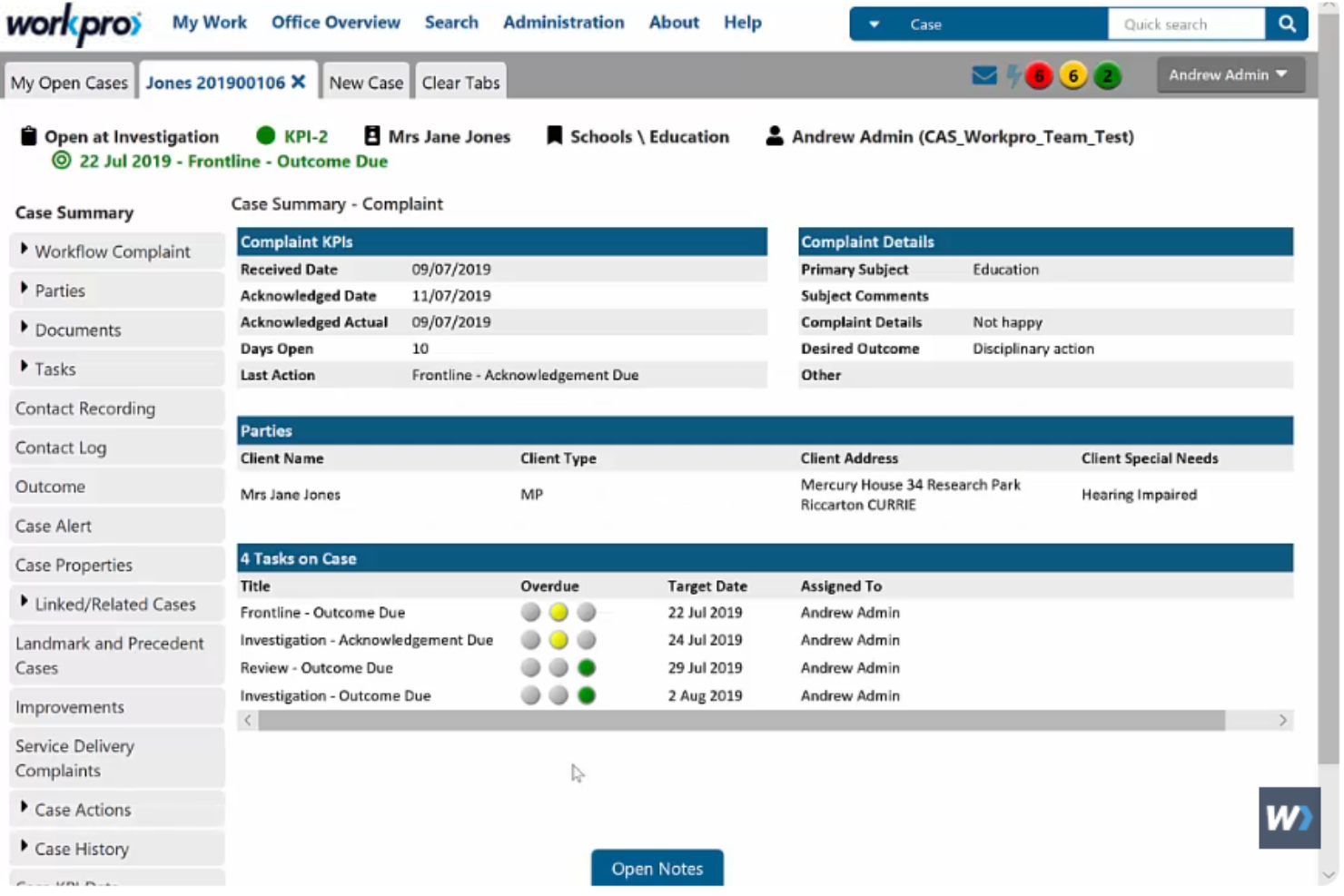
Centralizes all case information—web forms, emails, and letters— all in one place. Keep every detail organized, accessible, and ready for real-time review.
Document Management
Work directly in Word or generate a PDF of the entire case file. This maintains complete, exportable records for audits or helpdesk reviews.
Reports & Analysis
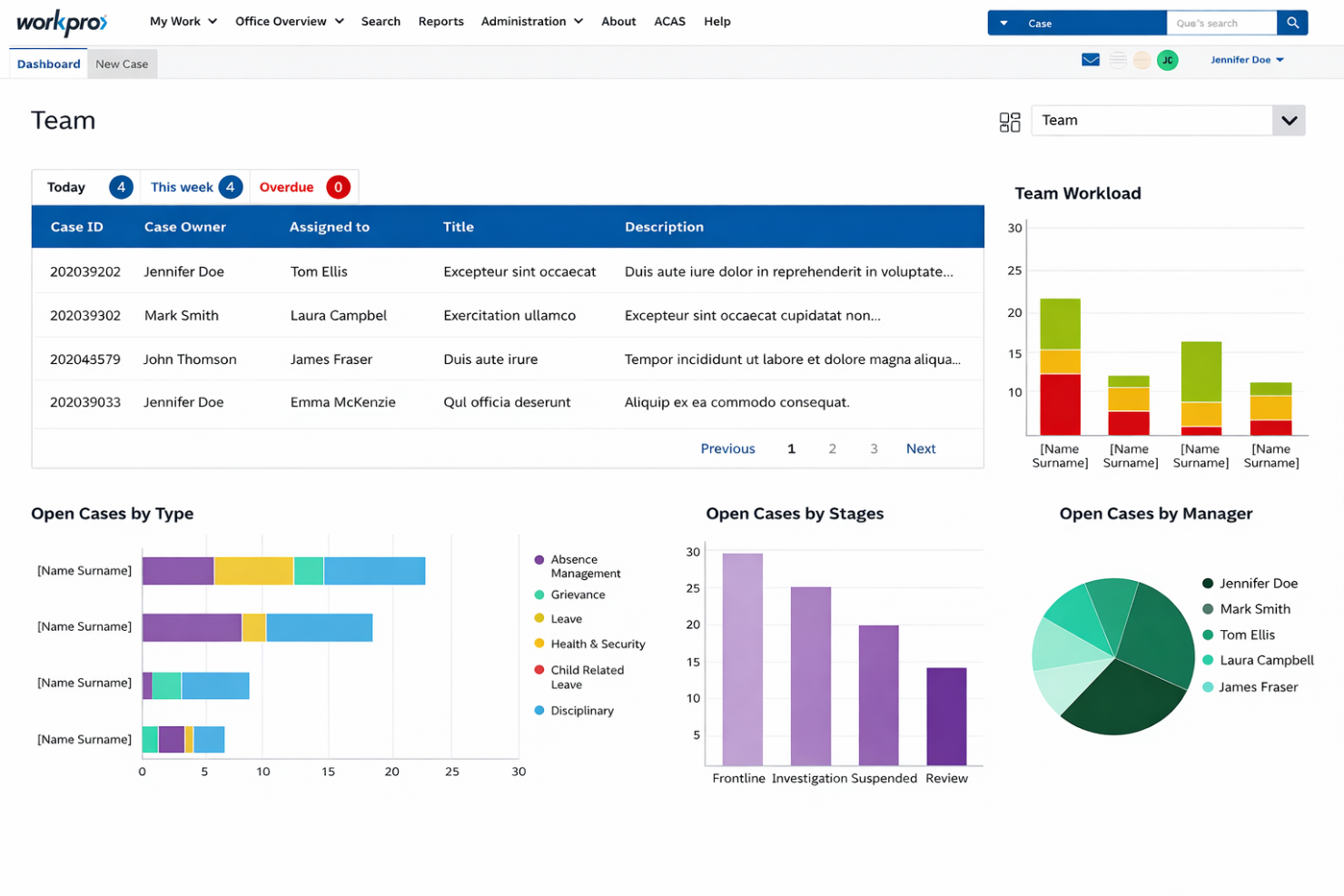
Enables instant analysis of any data stored in Workpro's dashboard. You can generate reports to track trends, team performance, or demonstrate compliance.
Security & Audit
Restricts access via permissions, tracks every action, and encrypts all data. This feature keeps sensitive HR information confidential and fully auditable.
Alerts & Reminders
Visually flags deadlines, targets, and case progress for users. Helps teams stay on top of urgent or time-sensitive HR issues via notifications.
Configurable Workflow
Adapts to almost any HR process with customizable steps and validation. Teams can mirror their unique procedures for consistency and quality assurance.
Standout Features
Built-In Best Practice Templates
Workpro includes pre-configured templates for common HR case types, such as grievances and disciplinary actions. These templates support consistent, compliant casework.
Highly Customizable Modules
Workpro offers different modules, such as a webform for case intake, a PDF editor, and a social media module. This flexibility allows teams to tailor the platform to their specific workflows.

Ease of Use
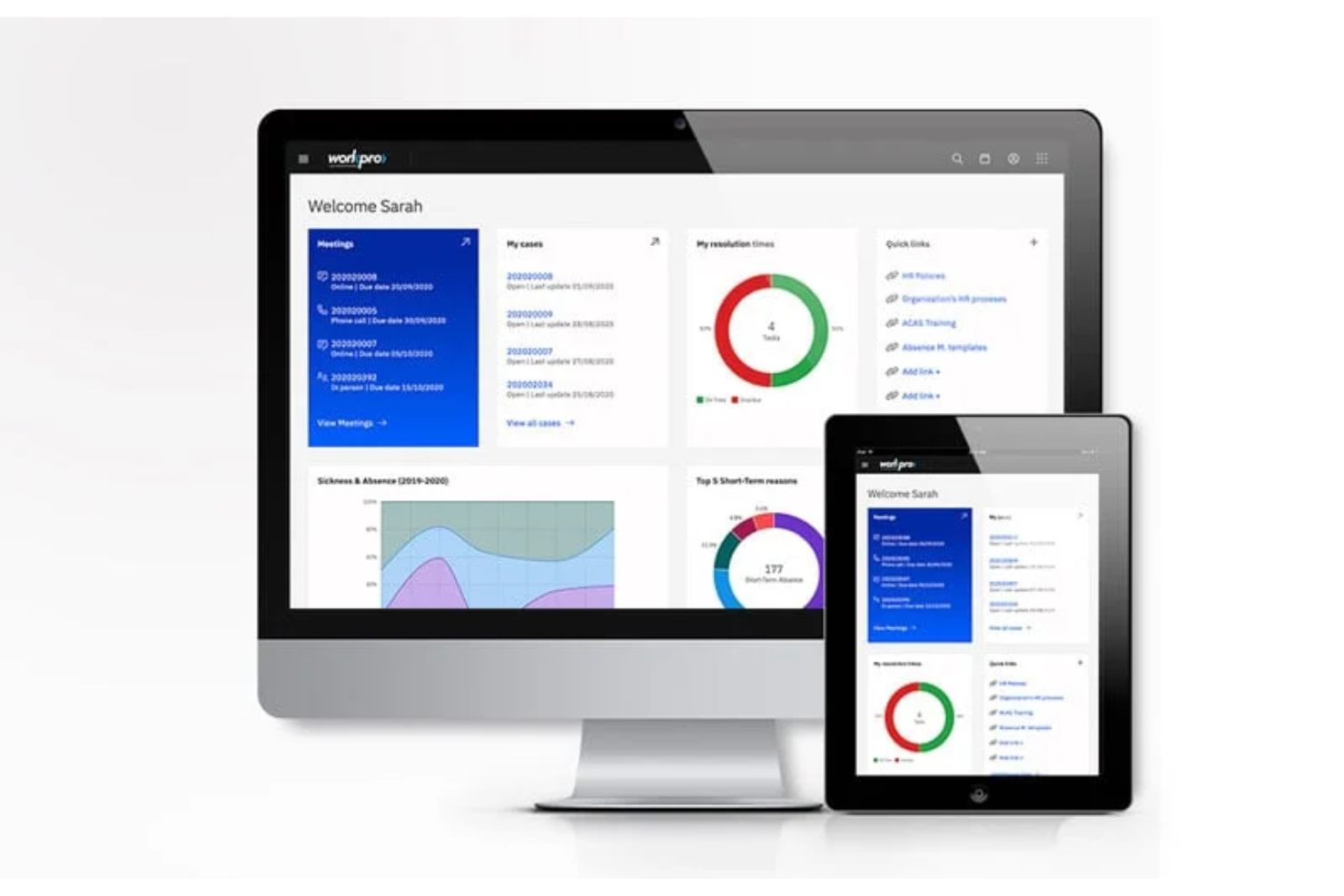
Workpro's dashboard is straightforward, with clear navigation and logical workflows that help HR teams get up to speed quickly. User reviews consistently highlight that case creation, document uploads, and reporting are intuitive, even for those new to digital case management. While some advanced modules require initial setup, the platform's guided onboarding and responsive support make the transition smooth. Overall, Workpro balances depth and usability well for teams handling sensitive HR cases and customer complaint resolution.
Onboarding
Workpro offers a guided onboarding process that helps new users configure workflows and import data with minimal hassle. Many users highlight the responsive support team and detailed documentation as key strengths, making it easier to resolve questions quickly. The platform provides training resources and best practice templates, so HR teams can start managing casework confidently from day one. This approach shortens the time to value, especially for organizations with complex business processes.

Customer Support
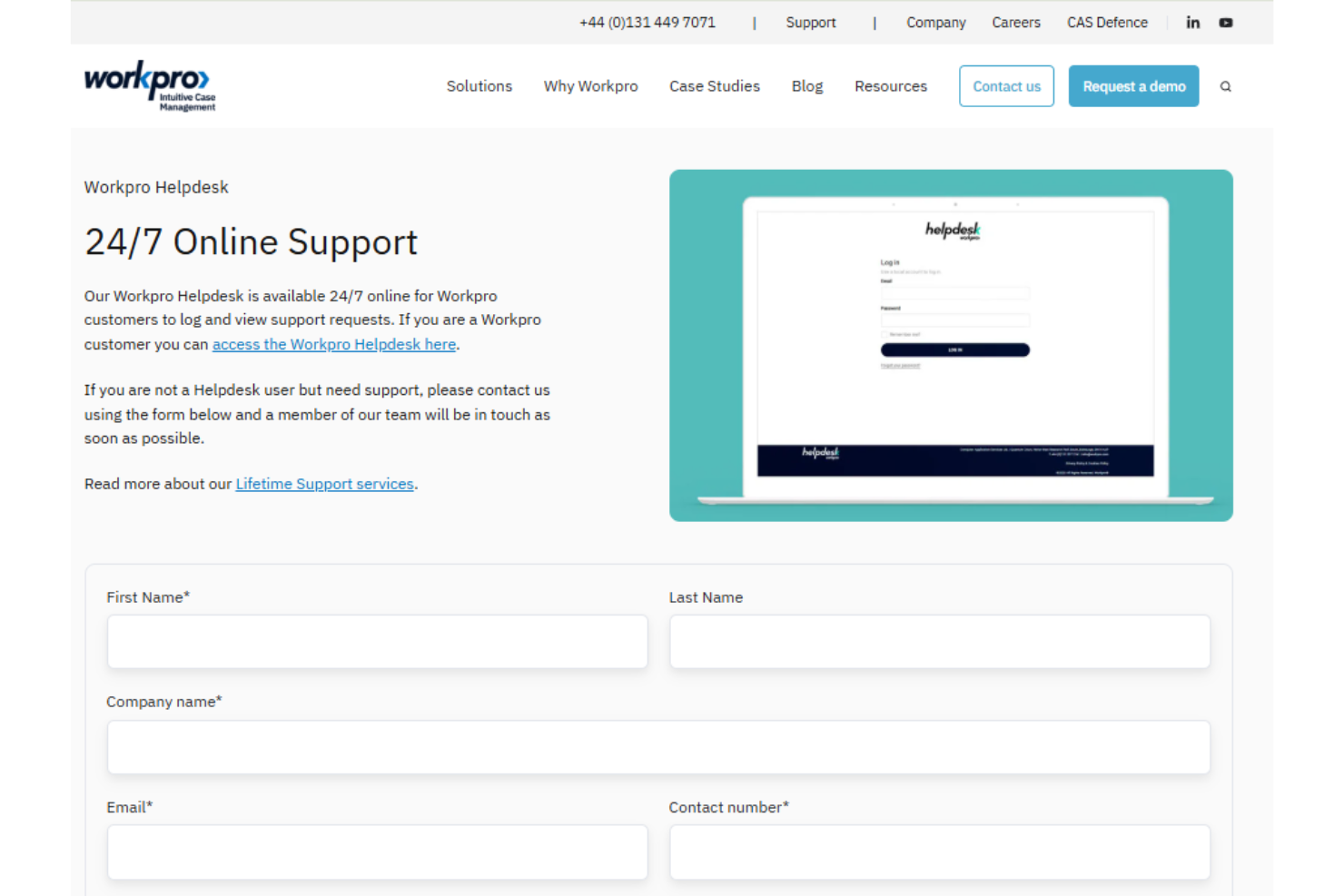
Workpro's customer support is frequently praised for its responsiveness and knowledgeable staff, especially during onboarding and complex case setups. User reviews report that support tickets are usually handled quickly, though there are occasional delays with technical issues. The availability of industry-specific expertise, real-time messaging, and clear documentation helps HR teams resolve challenges efficiently. Overall, Workpro's support channels—email, phone, and online resources—offer reliable helpdesk assistance for both routine questions and urgent needs.
Integrations
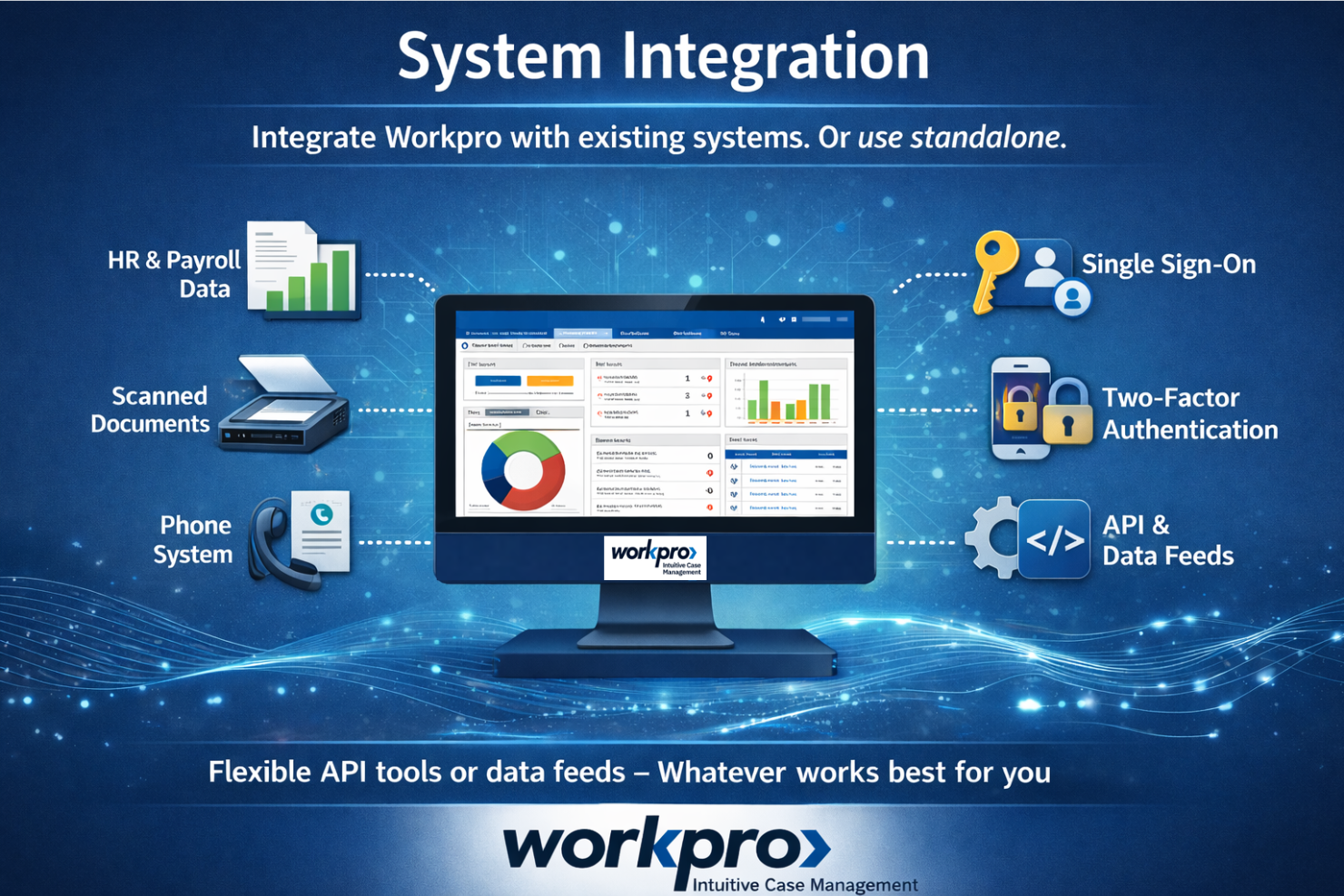
Workpro integrates with existing HR systems and can connect to tools like payroll systems, document management platforms, and phone systems through data feeds and system configurations. These integrations are flexible and often customized, rather than prebuilt out-of-the-box connections.
The Workpro API interface is built to integrate with client websites, enabling them to create and manage Workpro cases.
Value for Money
Workpro does not provide a public pricing page and instead offers custom pricing based on organizational needs. This makes it suitable for complex HR and compliance use cases, but costs are not transparent upfront. Additional expenses may vary depending on licensing, hosting, and support requirements.

Workpro Specs
- 2-Factor Authentication
- Analytics
- API
- Batch Permissions & Access
- Behavioral Tracking
- Compliance Tracking
- Custom Reports
- Data Export
- Data Import
- Data Visualization
- Document Management
- Employee Database
- Employee Engagement
- Escalation Management
- External Integrations
- Feedback Management
- Form Builder
- Performance Appraisal
- Reports
- Self-service Portal
- Workflow Management
Workpro FAQs
How does Workpro help ensure HR compliance and data security?
Can Workpro be customized to fit our unique HR processes?
What types of HR cases can Workpro manage?
How quickly can our HR team get up and running with Workpro?
Does Workpro support multi-site or global HR teams?
What reporting and analytics capabilities does Workpro offer?
How does Workpro handle document management and evidence storage?
What support options are available if we have questions or issues?
Workpro Company Overview & History
Workpro is developed by Computer Application Services Ltd., an employee-owned company headquartered in Edinburgh, Scotland. Founded in 1969, CAS is recognized as Scotland's first software development company and has been fully employee-owned since 2014. The company focuses on client-driven innovation and is known for its strong work culture, earning the Gold Investor in People award in 2019. Workpro is trusted by organizations in sectors like finance, health care, public sector, and manufacturing, including the Scottish Public Services Ombudsman.
Workpro Major Milestones
- 1969: CAS founded as a technology transfer unit of Heriot-Watt University in Edinburgh.
- 2003: First complaints management system supplied to the Scottish Public Services Ombudsman.
- 2006: Workpro Case Management for Microsoft systems launched.
- 2014: CAS becomes fully employee-owned.
- 2016: Workpro Cloud service launched, offering a cloud-based SaaS model alongside on-premise options.
- 2019: Awarded Gold Investor in People for outstanding work culture.
- 2021: Major data security and business resilience upgrade, including 24/7 cybersecurity monitoring and disaster recovery enhancements.