



Worksuite Vs. Worksome: Comparison and Reviews for 2026



Managing freelancers should not mean chasing contracts, payments, and compliance across half a dozen systems. The right platform should simplify the work without boxing your team in.
Trying to pick between Worksuite and Worksome can feel like a never-ending tug-of-war, especially when all you want is the right freelancer management system for your team’s needs. Whether you’re wrestling with onboarding headaches, payment processes, or compliance worries, both platforms promise solutions, but they go about it in very different ways.
You’ll walk away with a clearer sense of which tool is right for your business. I’ll break down the pros and cons of each option, cover when and why you might pick one over the other, and touch on essential areas like pricing, security, and everyday usability.
Worksuite vs. Worksome: An Overview
Worksuite
Worksome

Why Trust Our Software Recommendations
Our team has been testing and reviewing software since 2012. As HR experts ourselves, we know how difficult—and important—it is to choose the right software.
For this guide, we evaluated tools using hands-on testing and independent research, scoring tools using our selection criteria. We also draw on insights from industry thought leaders and practicing HR experts.
Our reviews reflect our human editorial judgment, not a sales pitch.
Expert reviewers:
Worksuite vs. Worksome Pricing Comparison
| Worksuite | Worksome | |
|---|---|---|
| Free Trial | Free demo available | Free demo available |
| Pricing | Pricing upon request | Pricing upon request |
Worksuite vs. Worksome Pricing & Hidden Costs
Neither vendor puts a rate card on its website, but the meters behind the quotes differ. Worksuite scopes a quote around your program: the size of your contractor base, the parts of the platform you switch on, and the configuration work involved. Worksome charges either a percentage of contractor spend or a flat annual subscription, with no per-contractor licences and no charge for internal seats, so approvers and hiring managers can be added freely. The trade is that agent of record, employer of record, extended compliance, and premium support sit outside the base fee, mostly billed per active engagement, alongside a setup fee agreed before you sign.
The right fit depends on how predictable you need your costs to be. Worksome’s percentage model tracks your spend, which suits a program that swings through the year, while its flat subscription suits steady volumes. Worksuite’s quote takes a bigger conversation up front and folds the build work and a named implementation contact into the deal. Either way, line up your contractor volumes, the countries you pay into, and the services you need, then press each vendor on what sits inside the base fee and what gets billed per engagement.
Worksuite vs. Worksome Feature Comparison
| Worksuite | Worksome | |
|---|---|---|
| API | ||
| Calendar Management | ||
| Data Export | ||
| Data Import | ||
| Data Visualization | ||
| Multi-User | ||
| Payroll | ||
| Project Management | ||
| Scheduling |
Worksuite vs. Worksome Integrations
| Integration | Worksuite | Worksome |
|---|---|---|
| QuickBooks | ✅ | ✅ |
| Xero | ✅ | ✅ |
| NetSuite | ✅ | ✅ |
| Workday | ❌ | ✅ |
| SAP SuccessFactors | ❌ | ✅ |
| Slack | ✅ | ❌ |
| Asana | ✅ | ✅ |
| Zapier | ✅ | ✅ |
| Public API | ✅ | ✅ |
Both platforms plug into the systems finance and HR already run, and both offer a public API, webhooks, and single sign-on. Worksome reaches further into enterprise systems of record, connecting natively to Workday, SAP SuccessFactors, and Sage alongside the usual accounting tools, which matters when contingent data has to land beside employee data. Worksuite’s published list leans toward finance, verification, and everyday collaboration, with a native Zapier connection and a REST API to close the gaps. If a specific system is load-bearing for your process, confirm it during the demo.
Worksuite vs. Worksome Security, Compliance & Reliability
| Factor | Worksuite | Worksome |
|---|---|---|
| Certifications | Publishes SOC 2 and ISO 27001, operating under GDPR and CCPA. | Publishes privacy and data processing terms plus a subprocessor list, but no equivalent certifications; ask for that evidence directly. |
| Classification & Liability | Federal and local tests in every US state and a wide set of global jurisdictions, with indemnification standard and monitoring for status drift. | Instant classification covering IR35, US 1099 rules, and most markets, with indemnification tied to its own tool and subject to terms. |
| Audit Readiness | Contracts, approvals, and payment history file against each contractor and export as a defense pack. | Keeps a clear audit trail across classifications, contracts, and payments. |
| Payment Assurance | Payments tie to approved contracts, and invoices above contract value are blocked. | Guarantees contractor payment timing while giving the hiring company longer terms, with batch invoicing and PO references. |
This is the clearest gap between the two. Worksuite publishes its security credentials openly, holding SOC 2 and ISO 27001 and operating under GDPR and CCPA, which shortens an enterprise security review. Worksome documents its privacy program, processing terms, and subprocessors, but not the same certification set, so expect to request that evidence. On compliance they sit closer together: both indemnify classification decisions and keep an audit trail, though Worksuite spreads its tests across more jurisdictions and files a defense pack per contractor, while Worksome ties its cover to decisions made with its own tool.
Worksuite vs. Worksome Ease of Use
| Factor | Worksuite | Worksome |
|---|---|---|
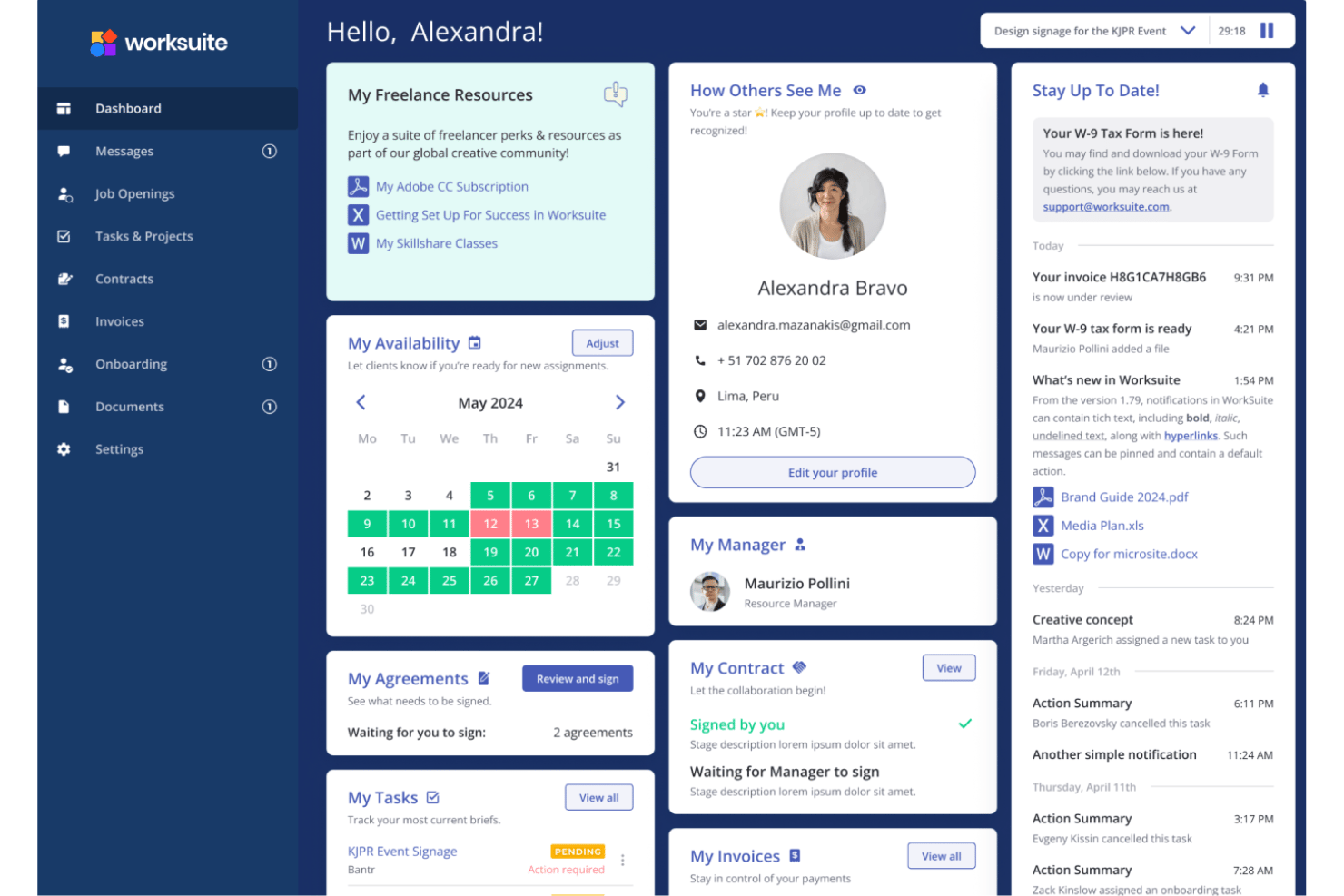
| User Interface | Clean dashboards with saved views and heavy customization, which can feel dense at first. | Modern, focused layout that stays easy to navigate from day one. |
| Onboarding Process | Document collection, verification, signing, and classification route automatically, though the initial build takes a few weeks with a solutions architect. | Basic setups can be live within days, and contractors move from invite to signed contract quickly. |
| Support Access | A named implementation contact and a support team that stays close after go-live. | Self-serve by default, with premium support available as a paid annual add-on. |
| Day-to-day Tasks | Batch actions, approval chains, and budget checks save time once configured, but there is more to learn. | Posting a role, running a classification, or approving an invoice takes only a few steps. |
| Customization | Highly configurable workflows, roles, and permissions, at the cost of a learning curve. | Sensible defaults get you running without much configuration. |
Worksome is the quicker start. Simple setups go live within days, classification returns an answer on the spot, and a contract can be signed the same afternoon, though enterprise rollouts with integrations and compliance rules still run for months. Worksuite asks more of you at the beginning, since a solutions architect configures workflows, permissions, and compliance logic with your team before launch, and the payoff is a system that matches how your program already runs. That depth carries a learning curve, and neither platform is built for heavy admin work on a phone.
Worksuite vs Worksome: Pros & Cons
Worksuite
- Worker classification and compliance cover, with indemnification included as standard
- Contract templates, tax documentation, and agent or employer of record in one system
- Guided implementation with a named solutions architect, not a self-serve setup
- Mobile view is less complete than the desktop experience
- Standard reporting handles the basics, so deeper analysis needs custom reports
- Permission sets and roles take work to configure across a mixed team
Worksome
- Built-in AI-driven contractor misclassification risk checks
- Transparent pay-as-you-go pricing without hidden fees
- Fast onboarding and global contractor payments management
- Limited direct integrations with HR and payroll platforms
- No project marketplace or sourcing functionality included
- Reporting options are basic compared to some competitors
Best Use Cases for Worksuite and Worksome
Worksuite
- Global Agencies Worksuite centralizes compliance, payment, and contracts for agencies managing freelancers across multiple countries and currencies.
- Large Enterprises Large organizations get custom contract terms, API access, dedicated support, and bespoke integrations, along with approval chains built around holding company and multi-entity structures that generic tools struggle with.
- HR Departments HR teams benefit from custom onboarding workflows, vendor vetting, and integrations with solutions like BambooHR and Workday.
- Creative Studios Studios with frequent project-based hiring can set up fast onboarding, approvals, and pay workflows for rotating creative talent.
- Finance Teams Integration with accounting tools like QuickBooks and Xero streamlines payment management and compliance tracking for freelance spend.
- Media And Publishing Teams Publishers, broadcasters, and streaming teams running big rosters of writers, producers, and crew can track spend across brands and keep paperwork in one portal.
Worksome
- Global Contractor Hiring Worksome handles compliance, onboarding, and payments for talent in multiple countries, making it easier to manage cross-border contractor relationships.
- HR Departments Worksome gives HR teams guided workflows, centralized profiles, and compliance checks that make onboarding and day-to-day contractor management more organized.
- Startups Scaling Fast Startups can quickly onboard contractors and stay compliant with minimal manual effort, since onboarding is fast and support is highly responsive.
- Finance Teams Finance teams benefit from integrated payment features, invoice pre-approval flows, and accounting integrations such as Xero and QuickBooks.
- Legal & Compliance Roles Worksome offers in-dashboard compliance checks and accessible documentation, making it easier to manage risk and keep up with new regulations.
- Remote-First Companies Remote teams working with freelancers and independent contractors across borders get centralized management and fast onboarding without a heavy administrative lift.
Who Should Use Worksuite, and Who Should Use Worksome?
Choose Worksuite if you run a large private roster and want tailored workflows, budget control by brand or entity, and classification cover with a named team behind the build. It fits multi-brand and multi-entity organizations, especially in media, agencies, live events, and production, where the freelance bench is a competitive asset worth keeping out of any shared pool. Worksome fits teams that want to move quickly, that buy talent through staffing agencies as well as directly, and that need instant classification across UK and European rules alongside US ones. Its pricing also lands better if you have many internal approvers or a contractor spend that rises and falls through the year.
Differences Between Worksuite and Worksome
| Worksuite | Worksome | |
|---|---|---|
| Compliance Emphasis | Broad jurisdiction coverage with indemnification and a per-contractor defense pack. | Instant classification built around IR35 and US rules, with cover tied to its own tool. |
| Implementation | Guided build with a solutions architect, including migration and a test tenant. | Self-serve start for simpler programs; enterprise rollouts still take months. |
| Pricing Meter | Quoted around your program, the modules used, and the setup work involved. | A share of contractor spend or a flat annual fee, with no per-seat licences and add-ons billed per engagement. |
| Security Posture | Certifications published openly, which speeds up procurement review. | Privacy and processing terms published; certification evidence has to be requested. |
| Talent Model | Runs on your own vetted roster in a private, white-labeled pool. | Covers direct freelancers and staffing agency supply together, with vendor fees visible. |
| Visit WorksuiteOpens new window | Read Worksome ReviewOpens new window |
Similarities Between Worksuite and Worksome
| Classification & Indemnity | Each classifies workers automatically and stands behind the result with misclassification cover rather than leaving the risk with you. Worksuite covers more jurisdictions, and Worksome returns a decision instantly. |
|---|---|
| Contracts & Signing | Automated contract generation, document libraries for NDAs and policies, and in-platform signing come as standard, so agreements never need a separate e-signature tool. |
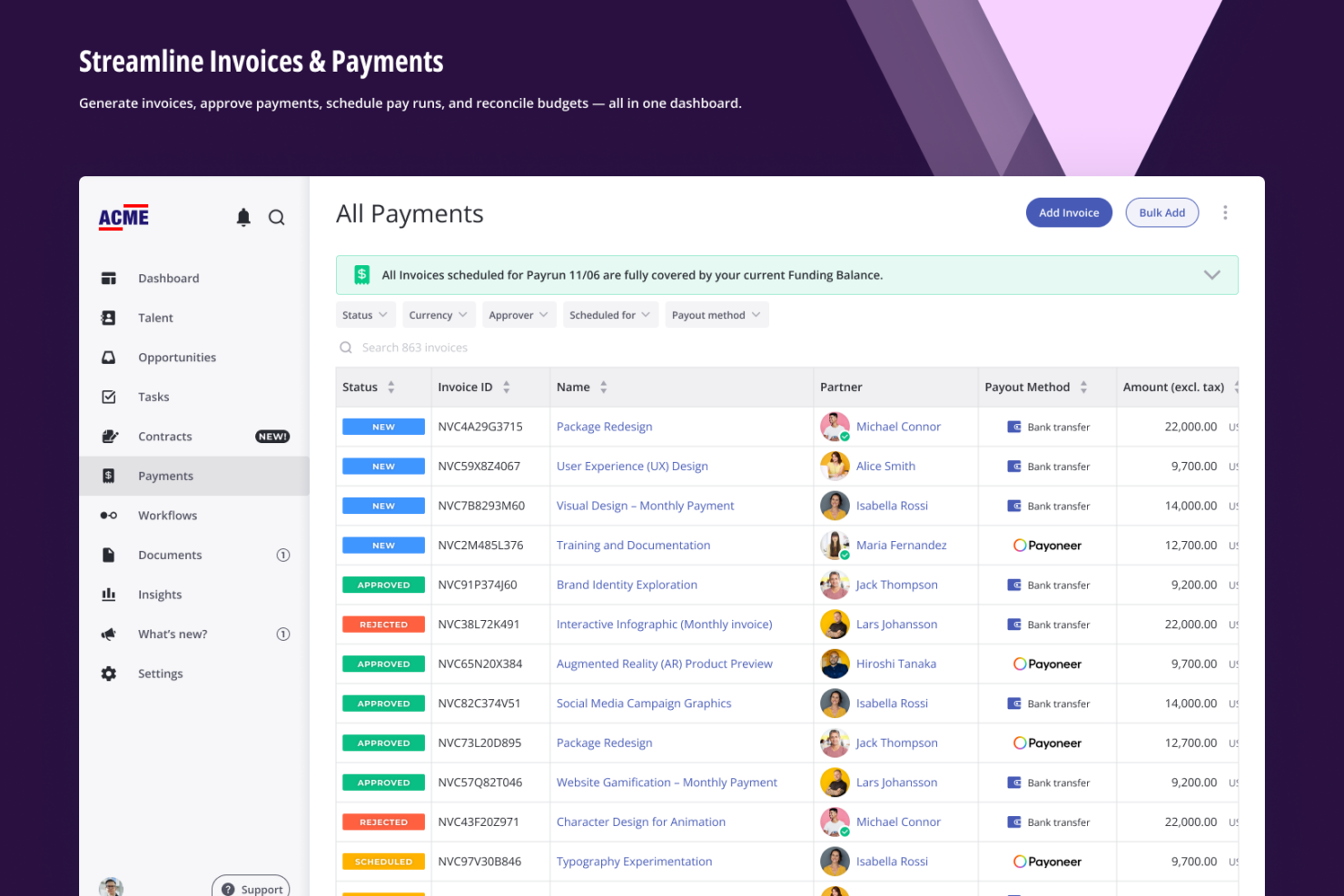
| Global Payments | Both pay contractors across most of the world, consolidate invoicing, and keep spend visible in real time. Worksuite ties each payment to an approved contract and budget, while Worksome adds batch invoicing and a payment timing guarantee for the worker. |
| Reporting & Integrations | Each gives you spend and workforce reporting plus a public API, webhooks, and connections into core finance and HR systems. |
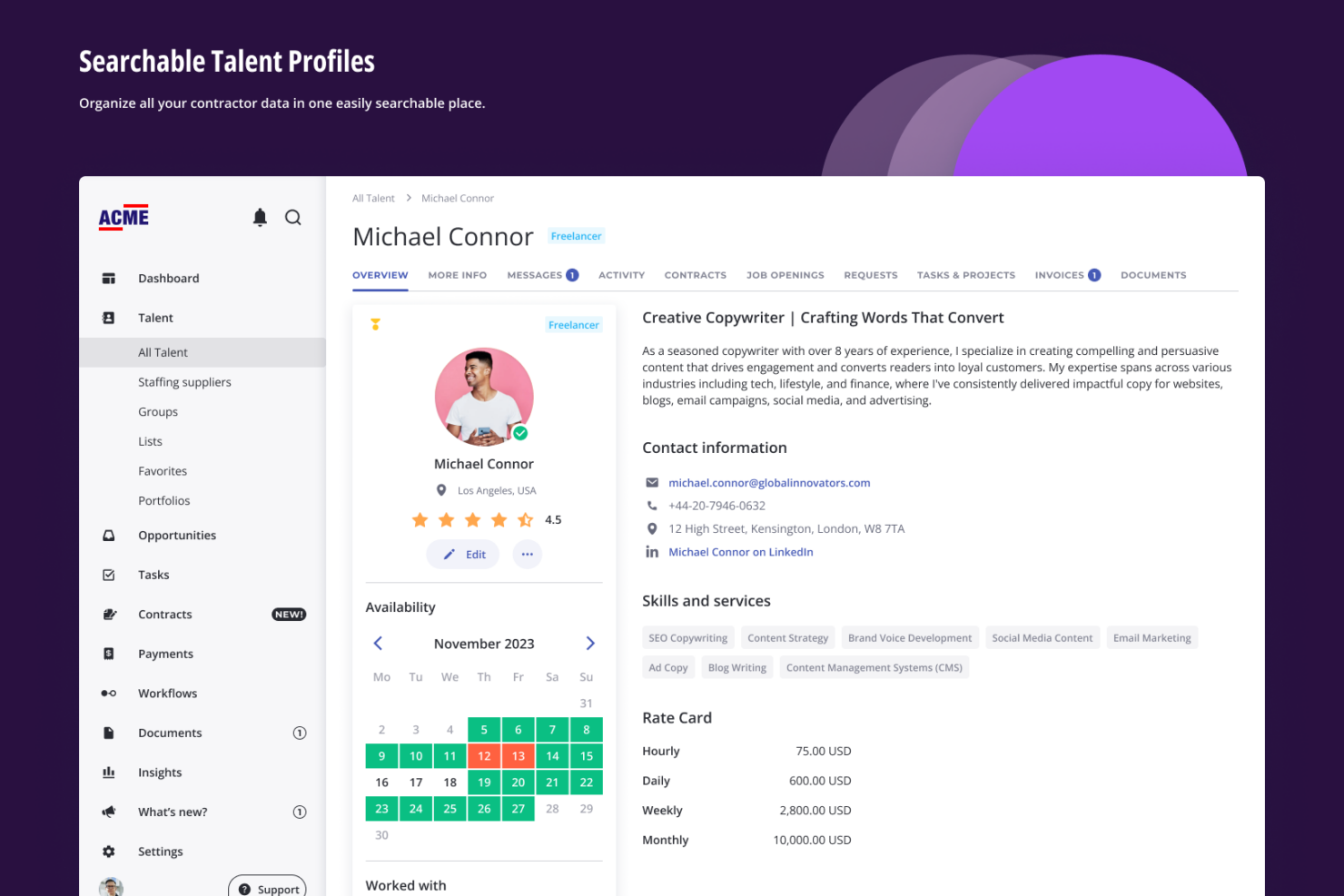
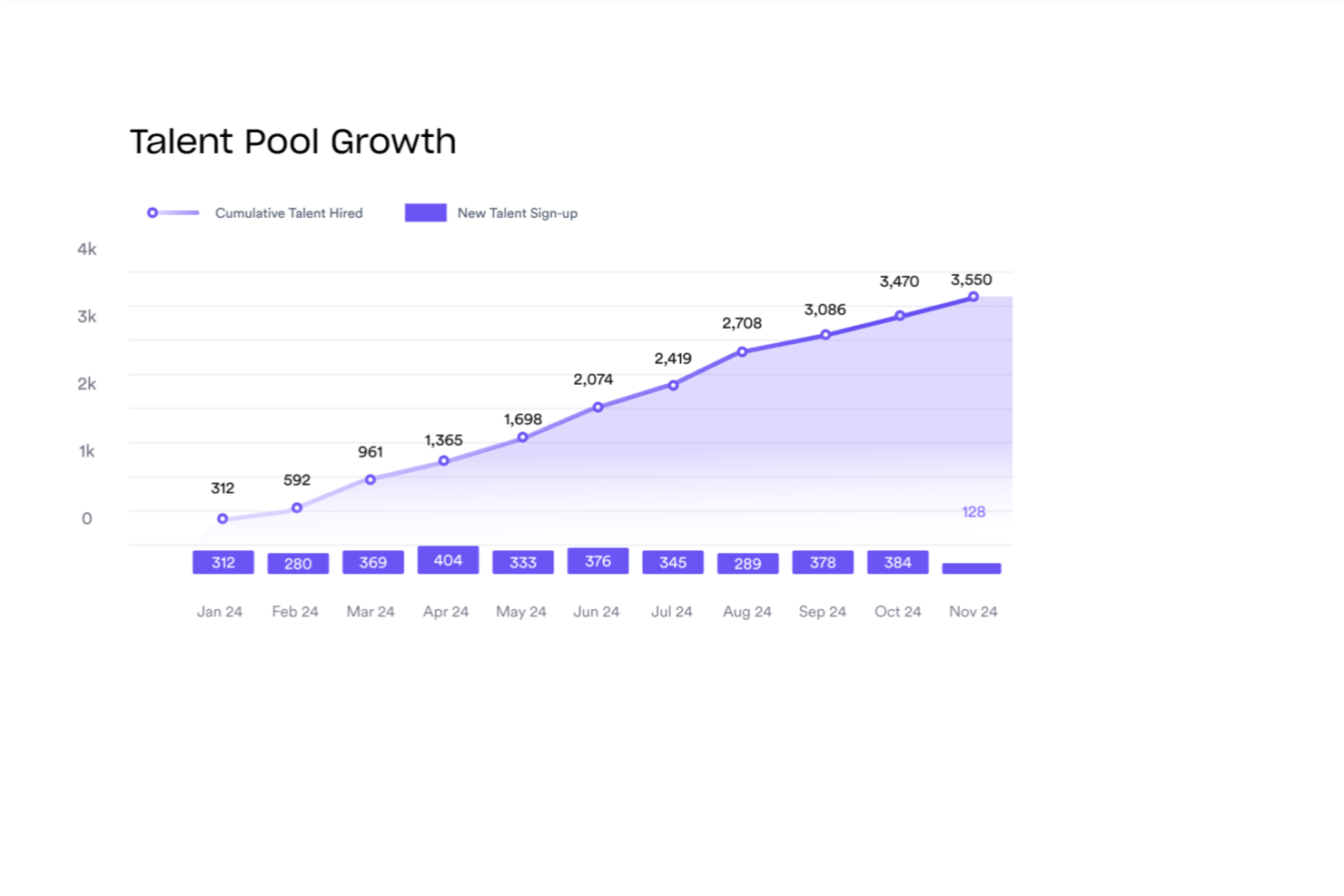
| Talent Pools | Both let you build and reuse a pool of vetted contractors instead of sourcing from scratch, with tagging, filtering, and shortlisting built in. |
| Visit WorksuiteOpens new window Read Worksome ReviewOpens new window | |