

10 Best Freelancer Management Software in 2026

Best Freelancer Management Software Shortlist


Freelancer management software is a digital system for organizing, paying, and collaborating with contract workers at scale. If you’re navigating contractor onboarding, cross-border payments, or compliance headaches, you need tools built for the complexity of gig and project-based work. In this guide, I’ll help you quickly compare the best freelancer management software, so you can spot the right fit for your HR tech stack and focus more on supporting your people and projects.
Why Trust Our Software Recommendations
Our team has been testing and reviewing software since 2012. As HR experts ourselves, we know how difficult—and important—it is to choose the right software.
For this guide, we evaluated tools using hands-on testing and independent research, scoring tools using our selection criteria. We also draw on insights from industry thought leaders and practicing HR experts.
Our reviews reflect our human editorial judgment, not a sales pitch.
Expert reviewers:
Freelancer Management Software Comparison Table
This comparison table summarizes pricing details for my top freelancer management software selections:
| Tool | Best For | Trial Info | Price | ||
|---|---|---|---|---|---|
| 1 | Best for scaling global contractor teams | Free demo available | Pricing upon request | Website | |
| 2 | Best for rapid talent onboarding | Free demo available | Pricing upon request | Website | |
| 3 | Best for centralized invoicing and payments | Free demo available | Pricing upon request | Website | |
| 4 | Best for centralized HR and compliance insights | Free demo available | From $5/user/month | Website | |
| 5 | Best for end-to-end compliance management | Free plan available | Pricing upon request | Website | |
| 6 | Best for streamlined cross-border payouts | Free demo available | From $599/employee/month | Website | |
| 7 | Best for sourcing pre-vetted creative experts | Free plan available | From $129/month | Website | |
| 8 | Best for access to diverse freelance talent pools | Free plan available | From 5% service fee/contract | Website | |
| 9 | Best for workflow automation with freelancers | Free demo available | Pricing upon request | Website | |
| 10 | Best for managing large contingent workforces | Free demo available | Pricing upon request | Website |


Best Freelancer Management Software Reviews
Below are my detailed summaries of the best freelancer management software that made it onto my shortlist. My reviews offer a detailed look at the features, pricing, and best use cases of each platform to help you find the best one for you.

Best for scaling global contractor teams
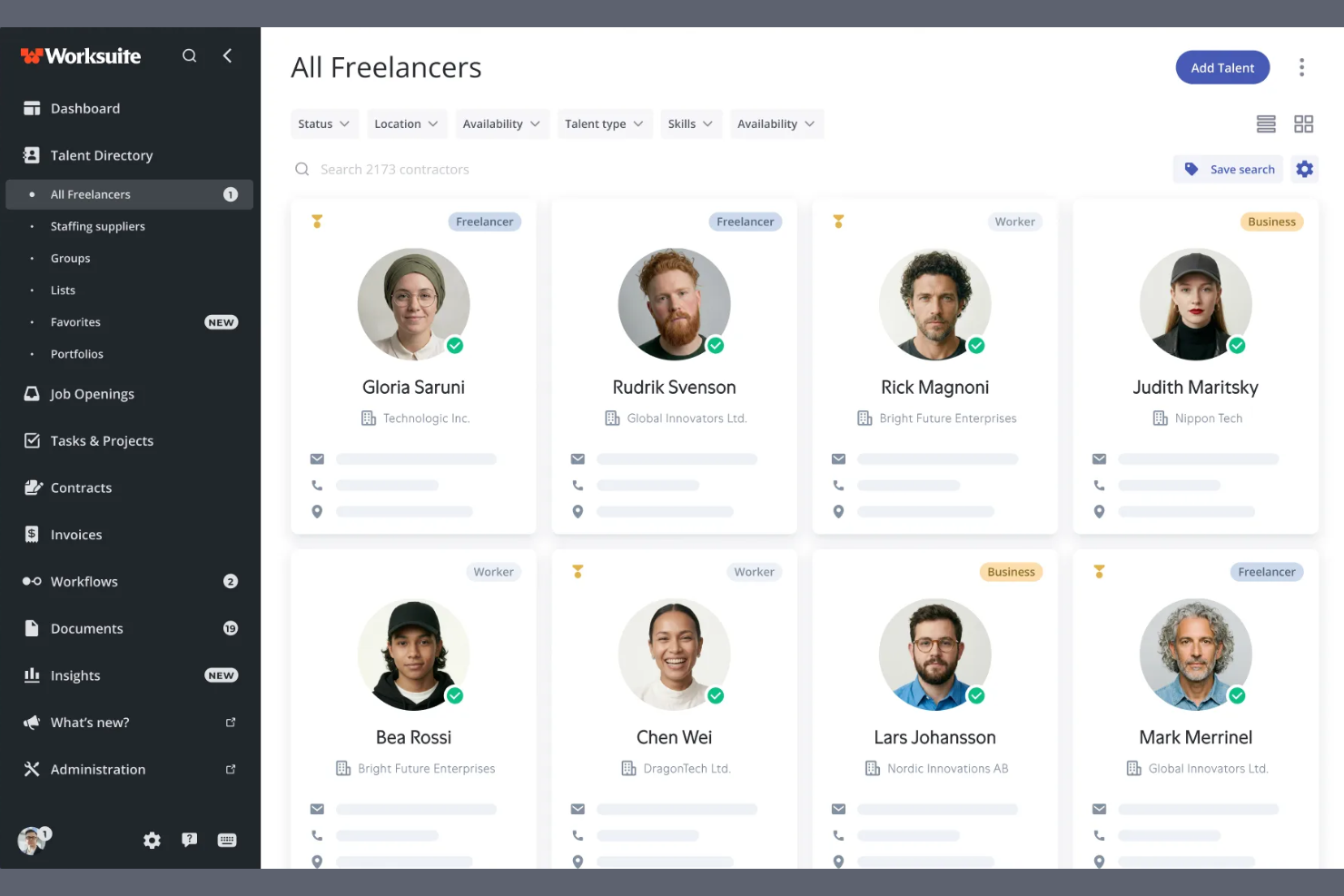
Worksuite is a contractor management platform built for enterprise-scale contingent workforce programs, covering onboarding, compliance, contract lifecycle management, global payments, and direct talent sourcing across multiple entities and regions.
Who Is Worksuite Best For?
Worksuite is a strong fit for enterprise HR and procurement teams managing large, distributed contractor networks across multiple countries or business entities.
Why I Picked Worksuite
Worksuite earns its spot on my shortlist because of how it handles the complexity that actually breaks other platforms at scale. I specifically like its configurable entity-level onboarding workflows, which let you set distinct rules, compliance checkpoints, and approval chains per brand, region, or legal entity without rebuilding everything from scratch each time. The built-in classification engine and Agent of Record (AOR) integration stand out to me, because worker misclassification risk is baked into compliance from day one rather than managed separately. Add payments across 190+ countries with consolidated invoicing, and you've got a system that genuinely holds up when your contractor program spans multiple regions.
Worksuite Key Features
- Private talent pool builder: Create and manage curated, searchable pools of your own vetted contractors to reduce reliance on external marketplaces.
- Workflow builder: Configure custom review, approval, and compliance gate sequences tailored to your organization's structure rather than working around a fixed template.
- Contract lifecycle management: Handle contract creation, negotiation, e-signatures, renewal triggers, and expiry alerts all within the same platform.
- Business intelligence dashboard: Track contractor spend, headcount, compliance status, and time-to-onboard across every entity and region in real time.
Worksuite Integrations
Integrations include NetSuite, QuickBooks, Xero, Salesforce, HubSpot, monday.com, Airtable, Google Workspace, Slack, and Asana.
Pros and Cons
Pros:
- Payments across 190+ countries and currencies
- Supports multi-brand and multi-entity structures
- Risk mitigation engine included
Cons:
- Requires a heavy implementation phase
- Delayed capital release cycle

Worksome
Best for rapid talent onboarding
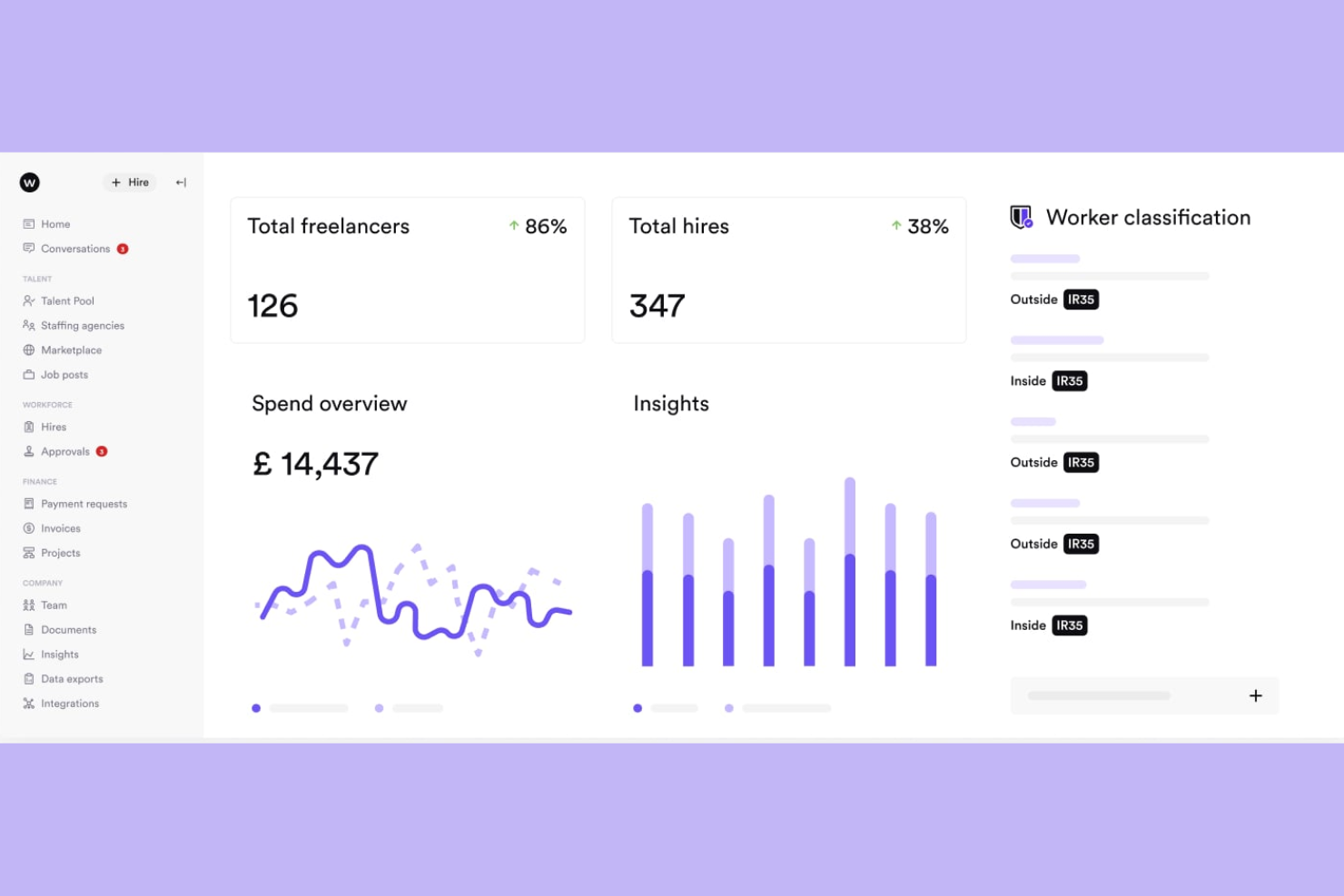
Worksome is a freelancer management system that brings sourcing, compliance classification, contract generation, and global payments into a single automated workflow.
Who Is Worksome Best For?
Worksome is a strong fit for mid-size to enterprise companies that engage contract talent at high volume and need to move from hire decision to active engagement quickly.
Why I Picked Worksome
I've included Worksome in my top picks because its instant onboarding feature genuinely earns that label. When you hire a contractor, Worksome's AI generates compliant contracts across every timezone in minutes, moving a new engagement from "contract sent" to "work started" faster than any other tool I've seen in this space. I also like the AI-powered project-to-talent mapping, which matches open roles against your existing talent ecosystem before you ever post externally.
Worksome Key Features
- Global payments in 150+ countries: Pay contractors across borders, with automatic currency optimization, consolidated invoicing, and built-in tax verification.
- Prepay and factoring: Guarantee contractor payouts within a set timeframe while your organization pays Worksome on a deferred schedule of 30 to 60 days.
- AI job description assistant: Generate polished job descriptions from a brief role summary, with one-click editing and auto-fill for skills and experience fields.
- Worksome Intelligence insights: Access AI-driven commentary on hiring trends, spend breakdowns, and workforce performance data across your entire external talent program.
Worksome Integrations
Integrations include SAP SuccessFactors, Sage, Workday, Xero, NetSuite, QuickBooks, Asana, monday.com, Trello, and Google Docs.
Pros and Cons
Pros:
- Dedicated case manager assigned per account
- Supports multi-currency contractor invoicing
- Built-in worker classification and AOR coverage
Cons:
- Complex initial configuration flow
- Extended treasury disbursement window

Best for centralized invoicing and payments
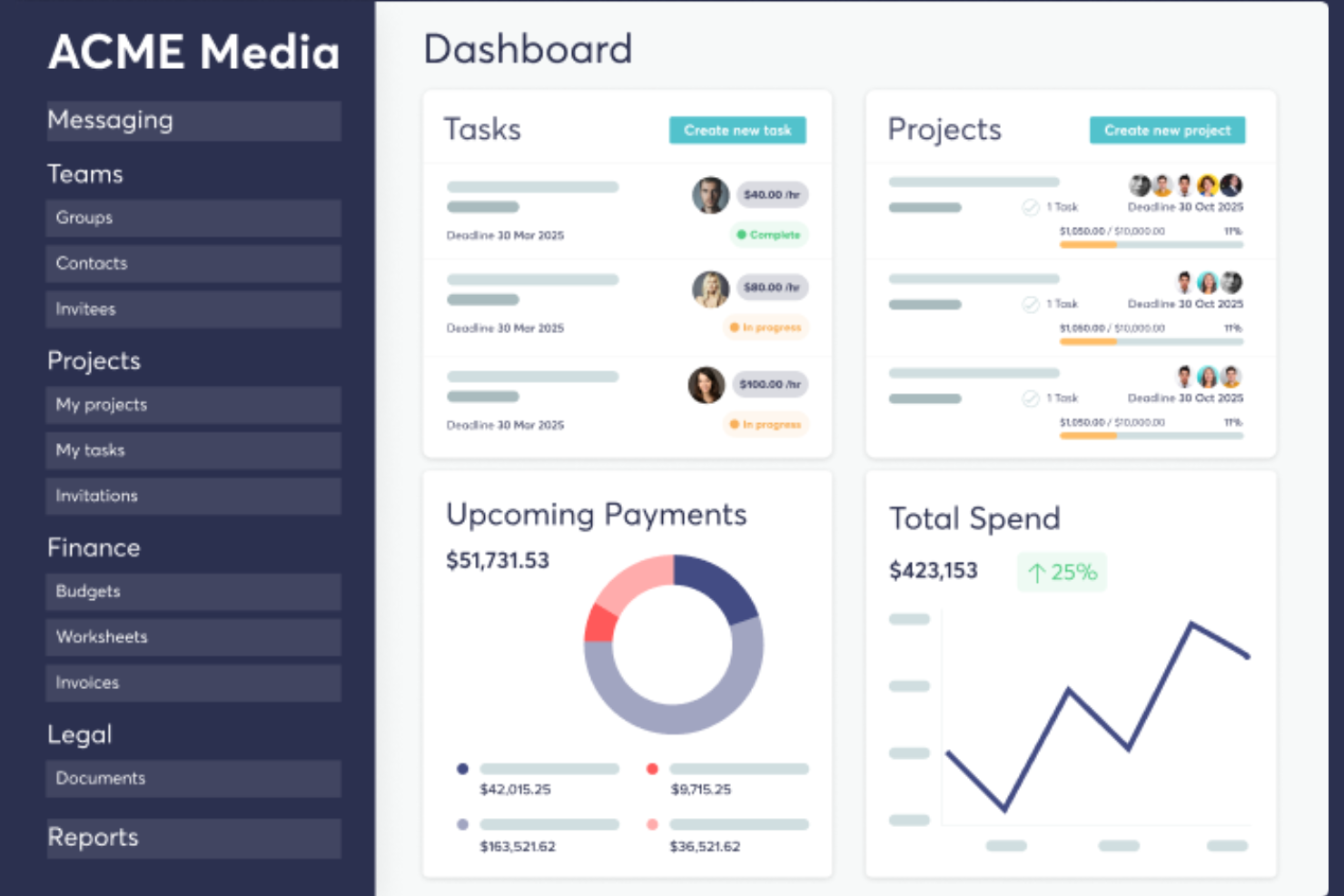
TalentDesk.io is a freelancer and vendor management platform that handles onboarding, project and task tracking, global payments, and compliance for companies managing external workforces.
Who Is TalentDesk.io Best For?
TalentDesk.io is a strong fit for operations and finance teams at small to mid-sized companies that regularly work with large pools of freelancers, contractors, or vendors across multiple countries.
Why I Picked TalentDesk.io
TalentDesk.io earns its spot on my shortlist because of how well it handles the invoicing chaos that comes with managing a large freelancer pool. Instead of collecting and reconciling dozens of individual invoices, I get one consolidated invoice that covers all freelancer payments across 190+ countries and 55+ currencies. I also like that you can set spend caps at the task level, so budgets don't slip before anyone notices. The parent/child organization setup is a nice touch, too, letting separate entities each get their own consolidated invoice.
TalentDesk.io Key Features
- Customizable onboarding templates: Build contractor onboarding flows that capture the specific documents, tax forms, and information your team needs from day one.
- Searchable talent directory: Filter your freelancer roster by skills, location, rate, and availability to find the right person for a task without digging through emails.
- Agent of Record (AOR) service: TalentDesk signs contracts on your behalf and handles AML and KYC verification checks for global contractors.
- 1099 filing and tax form collection: Collect W-9 and W-8BEN forms during onboarding and file 1099s directly from the platform.
TalentDesk.io Integrations
Integrations include Google Sheets, Airtable, Slack, Typeform, HubSpot, Jira, Microsoft Outlook, and Gmail.
Pros and Cons
Pros:
- Responsive and hands-on customer success team
- One-step worksheet approval for batch payments
- Consolidated invoicing across multiple currencies
Cons:
- Limited mobile feature
- Locked purchase order status

Deel HR
Best for centralized HR and compliance insights
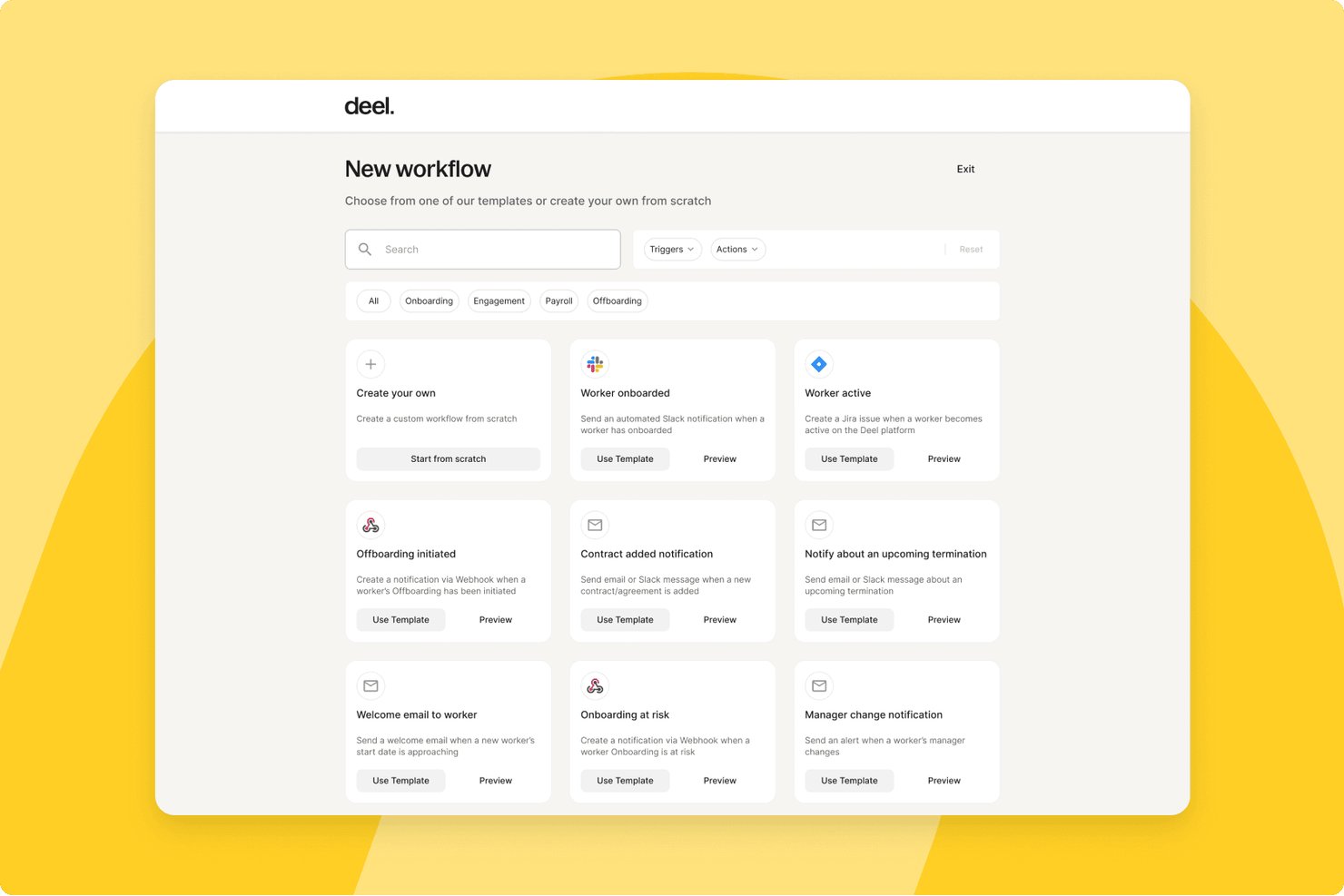
Deel HR is a global workforce management platform that handles contractor onboarding, compliance, multi-currency payments, tax documentation, and contract management for teams working with freelancers and independent contractors across 150+ countries.
Who Is Deel HR Best For?
HR operations teams at mid-size to enterprise companies that regularly engage contractors across multiple countries will get the most from Deel HR.
Why I Picked Deel HR
Deel HR earns its spot on my shortlist because of how it handles compliance visibility across a global contractor roster. I love that contracts automatically update when local laws change, so my team isn't manually tracking regulatory shifts across dozens of jurisdictions. The misclassification safeguards built into contractor onboarding give me a real safety net when engaging workers in countries with complex classification rules.
Deel HR Key Features
- Automated invoicing and global mass payouts: Generate, approve, and pay contractor invoices in 120+ currencies with batch payments.
- Freelancer profile database: Maintain searchable contractor records with custom fields, engagement history, and rate tracking.
- Integrated tax document collection: Automatically collect W-9, W-8BEN, 1099, and international equivalents from contractors.
- Document management and e-signature: Generate, sign, and store contracts, NDAs, and SOWs in a secure digital archive.
Deel HR Integrations
Deel HR offers integrations with QuickBooks, Xero, BambooHR, Expensify, NetSuite, Sage Intacct, Greenhouse, Workday, SAP, and ADP, among others available through its app store. It also connects with Zapier and provides an API for custom integrations.
Pros and Cons
Pros:
- Jurisdiction-specific contract templates built in
- Automated tax document collection across jurisdictions
- Strong global contractor compliance coverage
Cons:
- Support response times can be slow
- Limited project and deliverables tracking features
New Product Updates from Deel HR

Deel Expands Stablecoin Wallet to 80+ Countries
Deel expands its Stablecoin Wallet to 80+ countries with dollar-backed balances and optional rewards. This gives eligible contractors more ways to hold and manage earnings inside Deel. For more information, visit Deel’s official site.
 .
.
YunoJuno
Best for end-to-end compliance management
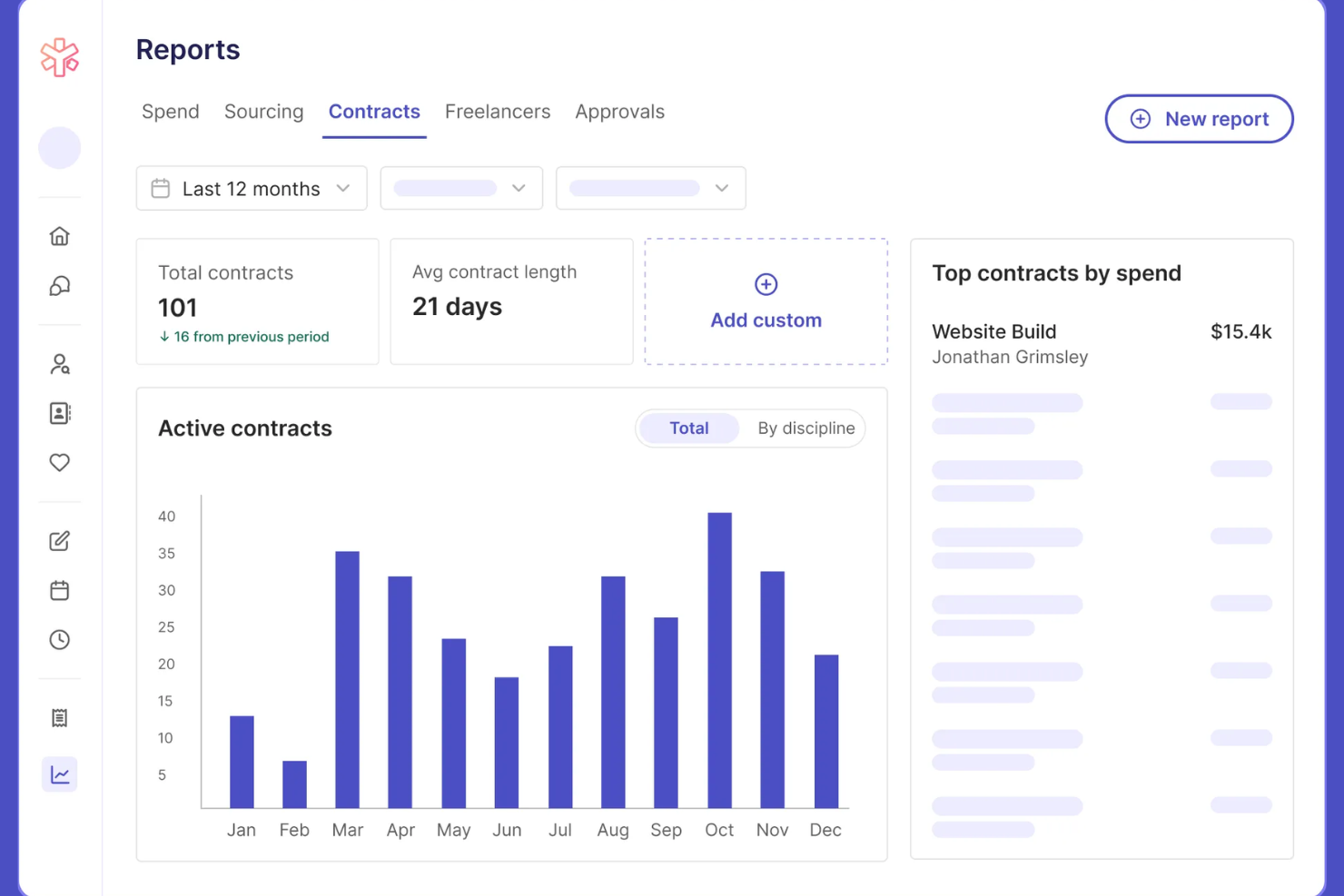
YunoJuno is a freelancer management system that covers the full contractor lifecycle, including sourcing, onboarding, contract management, global compliance checks, and payments across 165+ countries.
Who Is YunoJuno Best For?
YunoJuno is a strong fit for mid-size to enterprise companies that regularly hire contractors across multiple countries and need to manage classification risk and compliance at scale.
Why I Picked YunoJuno
YunoJuno earns its spot on my shortlist because no other tool I've used handles end-to-end compliance management as thoroughly. I particularly like the misclassification indemnification coverage, which protects your business from legal fees, taxes, and penalties tied to contractor classification errors. The platform also runs instant worker classification across 165+ countries and keeps a full audit trail of every classification decision, which I find invaluable when managing contractors across multiple jurisdictions.
YunoJuno Key Features
- Auto-generated contract templates: Generate contracts from project details like rate, dates, and contract type, with NDAs and client policies added automatically.
- Background and right-to-work checks: Run KYC, AML, ID, and right-to-work screening via built-in integrations with Amiqus and Veremark before contracts are issued.
- Real-time spend dashboards: View and filter contractor spend by team, department, project, location, or PO from a single reporting dashboard.
- SOW management: Standardize statements of work and track project milestones directly within the platform.
YunoJuno Integrations
Integrations include Salesforce, Sage, Workday, Xero, Notion, Slack, monday.com, QuickBooks, ADP Workforce Now, and Asana.
Pros and Cons
Pros:
- Automated contracts tailored by role and location
- Built-in human-assisted freelancer sourcing support
- Includes misclassification indemnification coverage
Cons:
- Requires manual applicant vetting
- Targeted freelance pool focus

Remote
Best for streamlined cross-border payouts
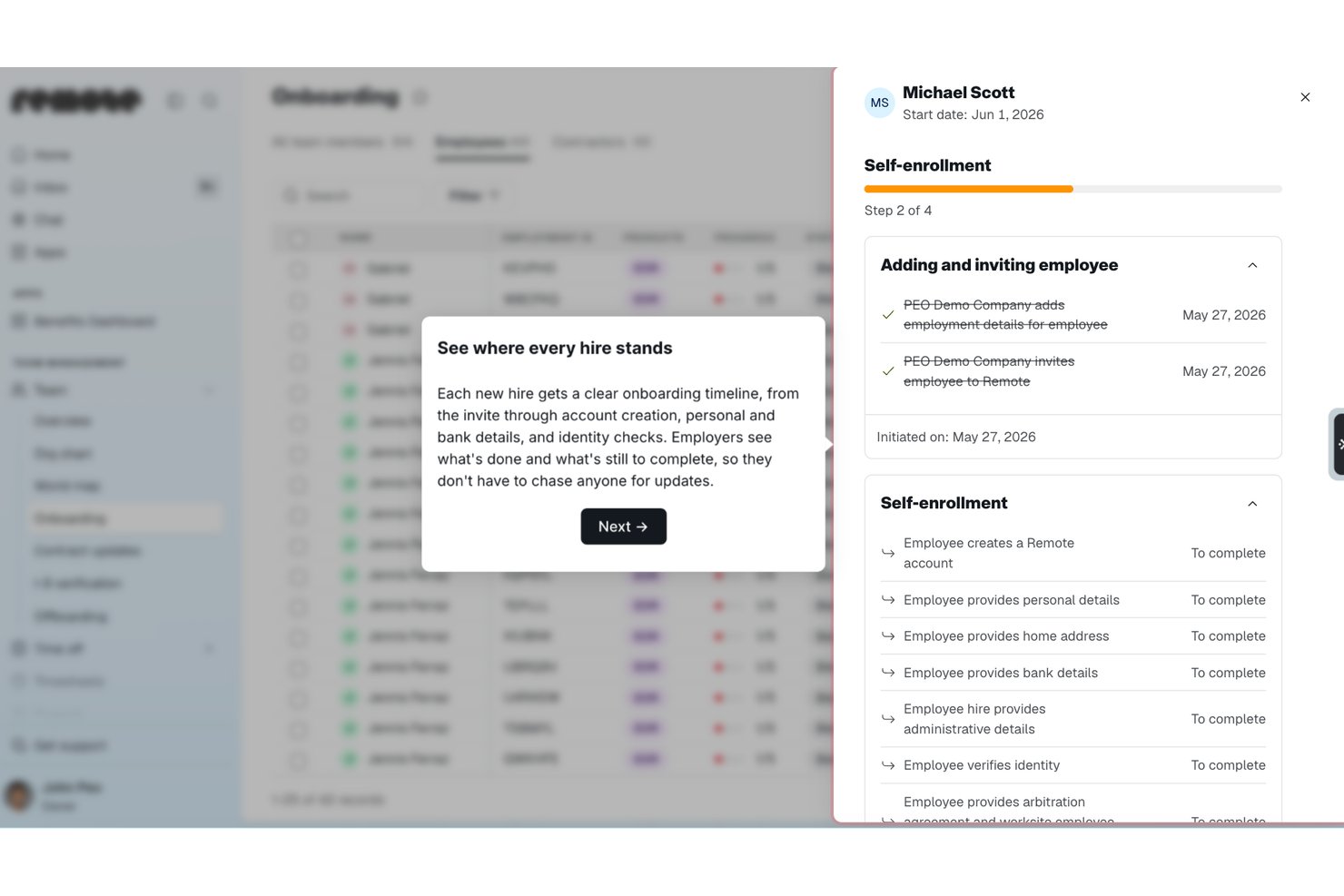
Remote is a global HR and contractor management platform that handles international hiring, contractor onboarding, payroll, and compliance across 200+ countries from a single system.
Who Is Remote Best For?
Remote is a strong fit for globally distributed companies that need to pay contractors and employees across multiple countries without setting up local entities.
Why I Picked Remote
I picked Remote as one of the best because of how it handles payouts for distributed contractor teams. You can pay contractors in 70+ currencies, including stablecoins and virtual wallets, from a single platform. I also like the bulk invoicing, recurring payments, and employer-initiated invoice features, which cut down manual back-and-forth considerably. The auto-detection of inactive contractors means you're only ever billed for people who are actually working, which keeps costs honest.
Remote Key Features
- Localized contractor agreements: Generate contracts tailored to local labour laws in 170+ countries, with options to create, edit, and sign directly in the platform.
- Misclassification risk detection: Built-in AI-powered tools flag potential misclassification risks, with optional indemnity coverage up to $100,000 per contractor through the Contractor Management Plus plan.
- Smart contractor onboarding: Automate the collection of documentation and bring contractors up to speed without manual back-and-forth.
- Remote Watchtower: A team of on-the-ground international experts monitors labour law changes globally and keeps your contracts and processes current.
Remote Integrations
Integrations include BambooHR, HiBob, Personio, Workday, Greenhouse, QuickBooks, Xero, NetSuite, Slack, and Vanta.
Pros and Cons
Pros:
- AI-powered contractor misclassification risk detection
- Owns legal entities in 180+ countries
- Built-in IP and invention rights protection
Cons:
- Extended support ticket resolution
- No built-in talent sourcing or vetting


Fiverr Pro is a curated freelancer marketplace that connects businesses with hand-vetted professionals across creative, technical, and business disciplines for project-based hiring.
Who Is Fiverr Pro Best For?
Fiverr Pro is a strong fit for marketing teams and creative directors at small to mid-sized businesses who need on-demand access to skilled freelancers for design, copy, or video work.
Why I Picked Fiverr Pro
I've included Fiverr Pro in my top picks because of how seriously it takes talent vetting. Every freelancer is reviewed by domain experts before being accepted, and that bar stays high throughout their time on the platform. When I need a specialist, I can use the talent sourcing service, where Fiverr Pro's team interviews and vets candidates and delivers a shortlist with recommendations. I also like the custom vetting option, which lets me layer in my own screening criteria before making a hire.
Fiverr Pro Key Features
- Shared freelancer network: Save and revisit your team's preferred freelancers across projects, making it easy to rehire known talent.
- Purchase approval permissions: Set custom approval rules so team members can hire within defined spend limits.
- AI-assisted project brief generator: Generate a project brief with AI to receive a curated shortlist of matching freelancer offers.
- Legal document management: Upload, send, and collect e-signatures on NDAs and contracts directly within the platform.
Fiverr Pro Integrations
Integrations include WordPress, Shopify, PrestaShop, Adobe Commerce, Wix, WooCommerce, Magento, Drupal, Webflow, and Squarespace.
Pros and Cons
Pros:
- Built-in NDA and contract e-signatures
- Dedicated project managers coordinate complex work
- Freelancers vetted by domain experts before acceptance
Cons:
- Requires manual data entry
- Limited specialized search parameters


Upwork is a freelance marketplace where businesses post jobs, search a global talent pool, manage contracts, track billable hours, and process payments through a single platform.
Who Is Upwork Best For?
Upwork is a strong fit for small to mid-sized businesses and startups that need on-demand access to freelance talent across a wide range of skills and project types.
Why I Picked Upwork
I picked Upwork as one of the best options because no other freelancer management platform gives you access to a talent pool this broad across so many skill categories. What I find especially useful is the AI-assisted talent matching, which surfaces relevant candidates based on your job post without requiring manual searching. I also like the Project Catalogue feature, where freelancers list predefined scopes of work at set prices, so you can hire for a specific task without writing a full job post.
Upwork Key Features
- Built-in time tracker: Freelancers log hours directly in the platform, with optional screenshot capture for hourly contracts.
- Escrow-based milestone payments: Funds are held in escrow and released only after you approve a milestone or deliverable.
- Talent badges and work history: Freelancer profiles display verified job success scores, past client reviews, and earnings history.
- Saved talent lists: Organize and revisit vetted freelancers in curated lists for faster hiring on repeat or future projects.
Upwork Integrations
Upwork offers enterprise-level integrations with ATS, HRIS, and spend management systems, along with VMS partnerships with SAP Fieldglass and Flextrack. An API is available for custom integrations, and Upwork connects with Zapier.
Pros and Cons
Pros:
- Freelancer profiles show verified job success scores
- Escrow payments protect both sides of the contracts
- Covers 8,000+ skill categories across freelance roles
Cons:
- Inconsistent mediation resolution time
- No built-in vetting before freelancers can apply


WorkMarket is an independent contractor management system built by ADP that handles onboarding, verification, work assignment management, compliance support, and payments for 1099 workers and freelancers.
Who Is WorkMarket Best For?
WorkMarket is a strong fit for large enterprises that manage high volumes of field-based or project-based 1099 contractors across multiple locations.
Why I Picked WorkMarket
WorkMarket earns its spot on my shortlist because of how far it takes workflow automation across the full contractor lifecycle. I particularly like its custom automation rules engine, where you can define business-specific triggers and logic to move work orders, assignments, and payments through your pipeline without manual hand-offs. In practice, that means my team can generate a ticket in an external CRM, pass it directly into WorkMarket for contractor assignment, and route completed work data back to our accounting system automatically. That end-to-end automation, built around your own business rules, is what sets WorkMarket apart.
WorkMarket Key Features
- Labour Clouds: Organize contractors into groups by skill set, geography, or certification so you can quickly find and deploy the right worker for a given job.
- Assignment templates: Build reusable templates for recurring work orders to reduce setup time and maintain consistency across high-volume assignments.
- Contractor mobile app: Workers can check in and out, upload deliverables, communicate via SMS, and submit work for approval directly from a mobile device.
- Electronic 1099-NEC filing: WorkMarket prepares and files 1099-NEC forms with the IRS and applicable state agencies on your behalf at year-end.
WorkMarket Integrations
Integrations include AutoTask, ConnectWise, and Salesforce.
Pros and Cons
Pros:
- Flexible pay by milestone, project, or hour
- Bulk work order publishing to large groups
- AI-powered freelancer recommendations by skill
Cons:
- Mobile app lacks key web features
- 30-day waiting period for payouts


Beeline is a vendor management system (VMS) built for managing contingent and external workforces, covering contractor sourcing, supplier management, compliance, time and expense tracking, and independent contractor engagement.
Who Is Beeline Best For?
Beeline is a strong fit for large enterprises and procurement teams that manage high volumes of contingent workers, staffing suppliers, and extended workforce programs.
Why I Picked Beeline
Beeline earns its spot on my shortlist because no other tool in this space is built as exclusively for large, complex contingent workforce programs as this one. What stands out to me is the SOW management module, which covers the full lifecycle from sourcing through to invoicing, so you can track outsourced project work the same way you track individual contractors. I also like the global localization capabilities, which handle fiscal, legal, cultural, and language differences across countries without requiring custom workarounds. With $68B+ in annual spend under management and 6.1M assignments created annually, this is a platform built for serious scale.
Beeline Key Features
- Supplier performance analytics: Track and compare supplier rates, performance data, and spend across your entire contingent labour program in real time.
- Automated approval workflows: Move requisitions through hiring steps with simplified, click-reduced workflows and built-in automated approvals.
- Audit trail and classification safeguards: Enforce contract policies, multi-tier supplier rules, and compliance checks with a complete audit trail for every worker engagement.
- Direct sourcing module: Source and engage contingent talent directly, bypassing traditional staffing suppliers where appropriate.
Beeline Integrations
Beeline has completed over 2,000 integrations across HR, finance, sourcing, and IT systems, connecting with platforms like Workday, SAP, Oracle, Coupa, Kronos, and Okta. It offers 300+ RESTful APIs through its Developer Portal, along with plug-and-play connectors, data feeds, and iPaaS support for custom configurations.
Pros and Cons
Pros:
- Multi-vendor requisition and submission tracking
- Automates onboarding, time tracking, and invoicing
- Supports large, global contingent workforce programs
Cons:
- Managed configuration change requests
- Steep learning curve for analytics tools
Other Freelancer Management Software
Here are some additional freelancer management software options that didn’t make it onto my shortlist, but are still worth checking out:
- Multiplier
For multi-country payroll in one platform
- Hubstaff
For integrated time tracking and productivity
- WorkMotion
For automated employment status transitions
- Avature
For customizable talent acquisition workflows
- Field Nation
For managing onsite project-based work
- WorkGenius
For AI-powered talent matching


How I Evaluate Freelancer Management Software
I evaluate freelancer management software in two layers: the baseline every tool must hit to qualify—contractor onboarding, classification checks, global payouts—and what separates the best from the rest.
Core Functionality (Table Stakes For This List)
When I'm selecting tools for my list, I rank each one on a scale from 0 (does not offer the functionality) to 5 (excels in this area) for each core functionality listed below. Then, I calculate the tool's total score into a percentage. Each tool needs to achieve a minimum total score of 65% to be considered for inclusion.
- Freelancer Onboarding & Database: I look for a centralized talent pool where freelancers can self-onboard, upload documents, and maintain profiles with skills, rates, and availability.
- Worker Classification & Compliance: Each tool should offer classification checks that flag misclassification risk before a contract goes out—not just collect tax forms after the fact.
- Contracts & E-Signature: I evaluate whether you can templatize SOWs and NDAs, send them for e-signature, and store executed copies without toggling to a separate tool.
- Project & Engagement Tracking: The platform should let you assign deliverables, log hours, and track milestones so managers aren't chasing updates across spreadsheets and chat threads.
- Invoicing & Global Payments: I check for multi-currency payout support and consolidated invoice approvals, especially for teams paying freelancers across multiple regions at once.
- Tax Document Management: Automated 1099 generation and collection matters here—I look for tools that handle year-end filings rather than forcing manual prep in spreadsheets.
- Approvals & Budget Controls: Multi-level approval chains and per-project budget visibility help finance and hiring managers stay aligned on contractor spend before invoices clear.
- HRIS/ERP/Accounting Integrations: I check for native connectors to platforms like QuickBooks, NetSuite, or Workday so contractor data flows into your existing financial and HR systems.
Once I have a list of tools that meet this criteria, I consider what sets each platform apart.
Differentiating Factors (What Sets Vendors Apart)
Here's how I compare and contrast different vendors:
Standout Features
AI talent matching is a big differentiator—platforms that recommend freelancers based on skills, past ratings, and budget save hiring managers from manually sifting through a growing talent pool. I also evaluate whether a vendor offers Agent of Record services, which shift misclassification liability off your organization. Spend analytics matter too. Real-time dashboards that break down contractor costs by project, department, or cost center give finance teams the visibility they need to manage budgets proactively.
Beyond Features
Global coverage is one of the first things I evaluate—some platforms support payouts in a handful of countries while others cover 150+, which matters when your freelancer base spans multiple regions. Pricing models vary widely too. I look at whether a vendor charges flat per-contractor fees or takes a percentage of each payment, since that distinction changes your total cost dramatically as headcount scales. Security certifications like SOC 2 Type II and GDPR compliance also carry weight, especially for teams handling sensitive contractor data across jurisdictions.
How to Choose Freelancer Management Software
It’s easy to get bogged down in long feature lists and complex pricing structures. To help you stay focused as you work through your unique software selection process, here’s a checklist of factors to keep in mind:
| Factor | What to Consider |
| Scalability | Can the solution handle your current freelancer volume and projected growth? Consider if you’ll need to add hundreds more users or expand to new business units later. |
| Integrations | Does the tool connect with your HRIS, payroll, project management, or invoicing systems? Assess potential data silos or duplicated effort if integrations don’t exist. |
| Customizability | Can you adjust workflows, document templates, or approval chains to fit your business? Check for rigid formats or hidden costs for customization support. |
| Ease of use | Will your team and freelancers adopt the software quickly? Look for a clear interface, minimal training needs, and an intuitive design over a flashy dashboard. |
| Implementation and onboarding | How long will it take to fully onboard your team and freelancers? Ask about migration support, sandbox environments, and available resources for change management. |
| Cost | Review pricing tiers for active users, transaction fees, or hidden add-ons. Make sure the platform fits your current and future budget without surprise expenses. |
| Security safeguards | Does the platform meet your company’s data privacy, encryption, and access control requirements? Ask for documentation to confirm compliance with industry standards. |
| Compliance requirements | Are local labour classification, digital signature, and tax documentation handled for all regions you hire in? Verify tools match your regulatory risk exposure. |
What Are Freelancer Management Software?
Freelancer management software is a digital platforms that help businesses organize, onboard, manage, and pay independent contractors or freelance workers. These tools centralize project assignments, contracts, compliance documentation, communications, and payments in one place. By making it easier to track freelancer performance and handle administrative tasks, they help HR professionals reduce manual effort and compliance risks when working with an external workforce.
Features
Here are the core features any great freelancer management software should have:
- Freelancer database: Store profiles, contact details, contracts, and work history for every freelancer in a secure, searchable directory you can easily update and reference.
- Project and assignment tracking: Assign tasks or projects to freelancers, set deadlines, monitor progress, and make adjustments as project needs change.
- Onboarding workflows: Guide new freelancers through standardized digital onboarding steps, including document collection, background checks, and contract signing.
- Automated payments: Handle invoicing, approvals, and automated payments so freelancers are paid accurately and on time through preferred payment methods.
- Document management: Store, share, and update contracts, NDAs, tax documents, and other critical paperwork, making it easy to access and track as regulations change.
- Compliance monitoring: Track and ensure proper worker classification, local labour law adherence, and tax form collection to reduce misclassification risks.
- Time and expense tracking: Allow freelancers to log hours and submit expenses for projects, giving managers more clarity on actual work performed.
- Reporting and analytics: Generate standard and custom reports on spend, project status, productivity, and compliance to support decision-making and internal audits.
- Collaboration tools: Share files, send updates, and communicate with freelancers directly within the platform to keep everyone aligned and projects organized.
Common Freelancer Management Software AI Features
Beyond the standard freelancer management software features listed above, many of these solutions are incorporating AI with features like:
- AI-driven talent matching: The system automatically analyzes project requirements and freelancer profiles to recommend the best fit for each assignment, reducing manual sorting and saving valuable time.
- Smart rate recommendations: AI reviews market data and historical hiring trends to suggest fair and competitive rates for specific roles or skills, helping both buyers and freelancers make informed decisions.
- Predictive project forecasting: The software uses historical performance metrics to estimate project timelines, flag resource gaps, and forecast potential delivery risks before issues arise.
- Automated compliance checks: AI monitors changing local labour laws and contractor status regulations, flagging potential issues or recommending actions to stay compliant as you engage new freelancers.
- Natural language chatbots: AI-powered chat interfaces answer freelancer questions, guide users through onboarding or payment workflows, and supply automatic self-help support 24/7.
Benefits
Implementing freelancer management software provides several benefits for your team and your business. Here are a few you can look forward to:
- Centralized oversight: Manage freelancer data, contracts, and communications in one platform for easier access and greater control.
- Efficient onboarding: Automated digital workflows help new freelancers submit paperwork, agree to contracts, and get up to speed quickly.
- Accurate and timely payments: Integrated invoicing and payment features ensure contractors are paid according to milestones or tracked hours with less manual effort.
- Reduced compliance risk: Built-in compliance tools track worker status, manage documentation, and alert you to potential classification or regulatory issues.
- Scalable processes: Organized workflows for posting projects, managing assignments, and processing payments make it easier to scale your freelance workforce as business needs grow.
- Improved collaboration: In-app messaging and document sharing help your team and freelancers stay aligned throughout each project.
- Actionable insights: Dashboards and custom reports provide data on freelancer performance, cost trends, and project status—helping HR teams make more informed decisions.
Costs and Pricing
Selecting freelancer management software requires an understanding of the various pricing models and plans available. Costs vary based on features, team size, add-ons, and more. The table below summarizes common plans, their average prices, and typical features included in freelancer management software solutions:
Plan Comparison Table for Freelancer Management Software
| Plan Type | Average Price | Common Features |
| Free Plan | $0 | Basic freelancer profiles, simple project posting, limited contract management, and basic reporting. |
| Personal Plan | $10-$25/user/month | Expanded directory features, limited onboarding tools, basic payment processing, and email support. |
| Business Plan | $25-$60/user/month | Advanced onboarding workflows, contract automation, payment integrations, compliance monitoring, and in-app messaging. |
| Enterprise Plan | $60-$150/user/month | Custom workflows, API access, advanced analytics, international compliance tools, premium support, and dedicated account management. |
FAQs
Here are some answers to common questions about freelancer management software:
Do I need freelancer management software if I only hire a few contractors?
No, freelancer management software is most valuable for businesses managing many freelancers or complex projects. With just a few contractors, spreadsheets or manual processes may be enough. As your freelance workforce grows, specialized workforce management tools help small businesses better handle freelance work and hire freelancers more efficiently.
How does freelancer management software help with payment processing?
These platforms automate invoicing and payments—calculating amounts based on contracts, milestones, or hours worked. They support multiple payment methods and currencies, reducing manual tracking and ensuring freelancers are paid accurately and on time. This also helps structure outsourcing arrangements, ensuring clear freelancer contracts are followed while making it easier to pay freelancers reliably across different projects and contributors.
What should I look for in terms of security?
Look for software with encryption, role-based access controls, audit logs, and regular third-party security assessments. Make sure the platform follows industry standards and allows you to manage permissions for both internal users and external freelancers, especially when using shared communication tools across distributed remote work environments.
Can freelancer management software integrate with my other HR tools?
Yes, many solutions integrate with HRIS, payroll, project tracking, document storage systems, and broader workforce management platforms. You should confirm the specific connectors or API options available before choosing a platform, especially if you rely on certain tools to coordinate teams, manage an internal algorithm for task allocation, or support structured software development and production workflows.
Is onboarding freelancers through these platforms difficult?
No, most platforms make it simple by providing a structured onboarding process, digital workflows, e-signatures, and checklists for freelancer contracts and required documents. This helps both HR teams and self-employed freelancers get started faster with fewer manual follow-ups. It also improves coordination for roles in web design, graphic design, and other remote work arrangements, ensuring smoother communication and clearer expectations from day one.