Zoho Books Review: Pros, Cons, Features and Pricing Explained


Zoho Books is an HR accounting software built for teams that need to manage invoicing, expenses, payroll, and financial reporting in one place. I'd consider it over QuickBooks if your organization is already working within the Zoho ecosystem or wants tighter HR-accounting integration without paying enterprise-level pricing.
Zoho Books Evaluation Summary
- From $15/month (billed annually)
- Free plan available
Why Trust Our Software Recommendations
Our team has been testing and reviewing software since 2012. As HR experts ourselves, we know how difficult—and important—it is to choose the right software.
For this guide, we evaluated tools using hands-on testing and independent research, scoring tools using our selection criteria. We also draw on insights from industry thought leaders and practicing HR experts.
Our reviews reflect our human editorial judgment, not a sales pitch.
Expert reviewers:
Zoho Books Overview
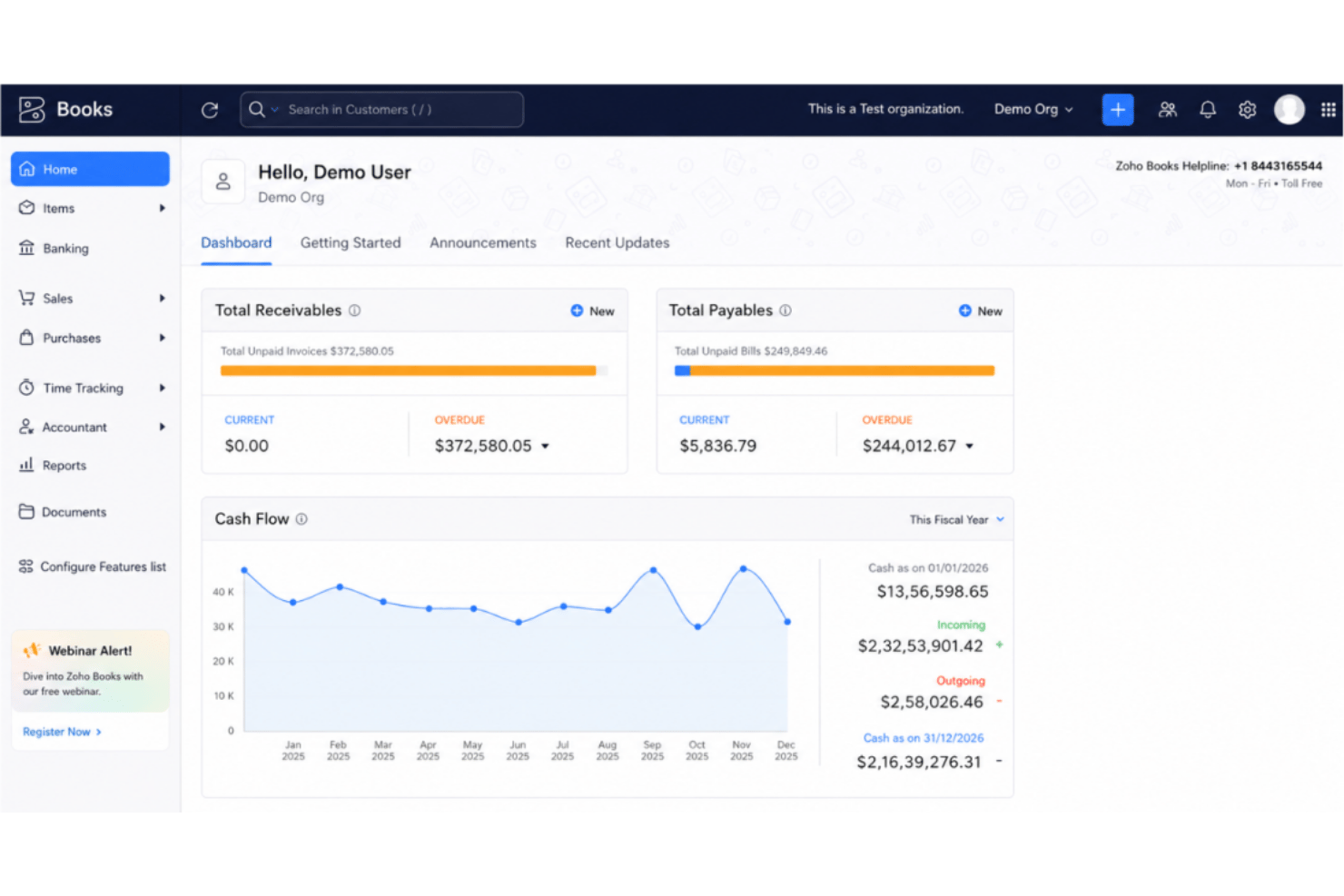
In my judgment, Zoho Books stands out for its intuitive interface, quick onboarding, and solid bookkeeping functionality. Pricing is fair, and automation tools like one-click payroll and expense tracking make a real difference for lean HR teams. While it can feel limited if you need deep HR analytics or very advanced integrations, I think most small to midsize businesses will appreciate the all-in-one approach. If you’re comparing options and want something easy to set up, with clear workflows and good financial visibility, Zoho Books is a smart choice.
pros
-
Automated expense categorization saves time on payroll prep
-
Strong audit trails support HR compliance and reporting
-
Payroll module supports multi-level approval workflows
cons
-
Employee performance tracking is not included
-
Time-off management features are basic and limited
-
No built-in applicant tracking or recruiting tools
-

Justworks
Visit WebsiteThis rating combines scores from multiple user review sites to reflect overall customer sentiment about the product.4.6 -
Prevue Assessments
Visit WebsiteThis rating combines scores from multiple user review sites to reflect overall customer sentiment about the product.4.6 -
HiBob
Visit WebsiteThis rating combines scores from multiple user review sites to reflect overall customer sentiment about the product.4.5





How We Test & Score Our Tools
We’ve spent years building, refining, and improving our software testing and scoring system. The rubric is designed to capture the nuances of software selection and what makes a tool effective, focusing on critical aspects of the decision-making process.
Below, you can see exactly how our testing and scoring works across seven criteria. It allows us to provide an unbiased evaluation of the software based on core functionality, standout features, ease of use, onboarding, customer support, integrations, customer reviews, and value for money.
Core Functionality (25% of final score)
The starting point of our evaluation is always the core functionality of the tool. Does it have the basic features and functions that a user would expect to see? Are any of those core features locked to higher-tiered pricing plans? At its core, we expect a tool to stand up against the baseline capabilities of its competitors.
Standout Features (25% of final score)
Next, we evaluate uncommon standout features that go above and beyond the core functionality typically found in tools of its kind. A high score reflects specialized or unique features that make the product faster, more efficient, or offer additional value to the user.
We also evaluate how easy it is to integrate with other tools typically found in the tech stack to expand the functionality and utility of the software. Tools offering plentiful native integrations, 3rd party connections, and API access to build custom integrations score best.
Ease of Use (10% of final score)
We consider how quick and easy it is to execute the tasks defined in the core functionality using the tool. High scoring software is well designed, intuitive to use, offers mobile apps, provides templates, and makes relatively complex tasks seem simple.
Onboarding (10% of final score)
We know how important rapid team adoption is for a new platform, so we evaluate how easy it is to learn and use a tool with minimal training. We evaluate how quickly a team member can get set up and start using the tool with no experience. High scoring solutions indicate little or no support is required.
Customer Support (10% of final score)
We review how quick and easy it is to get unstuck and find help by phone, live chat, or knowledge base. Tools and companies that provide real-time support score best, while chatbots score worst.
Customer Reviews (10% of final score)
Beyond our own testing and evaluation, we consider the net promoter score from current and past customers. We review their likelihood, given the option, to choose the tool again for the core functionality. A high scoring software reflects a high net promoter score from current or past customers.
Value for Money (10% of final score)
Lastly, in consideration of all the other criteria, we review the average price of entry level plans against the core features and consider the value of the other evaluation criteria. Software that delivers more, for less, will score higher.
Core Features
Payroll Processing
Run payroll and manage salary payments right within Zoho Books. You can automate payslip generation and stay compliant with regional tax rules.
Expense Tracking
Track business and HR-related expenses in real time. Scan receipts, log recurring expenses, and categorize each transaction to simplify reimbursements and audits.
Employee Reimbursements
Submit and approve employee claims, including credit card expenses, directly through the platform. Multi-level approval settings make reimbursement oversight easy for HR leads.
Timesheet Management
Log employee hours to accurately calculate payroll and project costs for cash flow forecasting. Timesheets link across modules so you can monitor billable and non-billable hours per project.
Leave Management
Track employee leave requests and balances from one dashboard. Approvers can view a single calendar or check the mobile app to avoid staffing conflicts on the go.
Automated Compliance Reports
Generate custom reports, tax forms, and receivables summaries for audit-friendly HR and finance records. Reports can be scheduled and shared for bank reconciliation or to meet regulatory deadlines.
Ease of Use
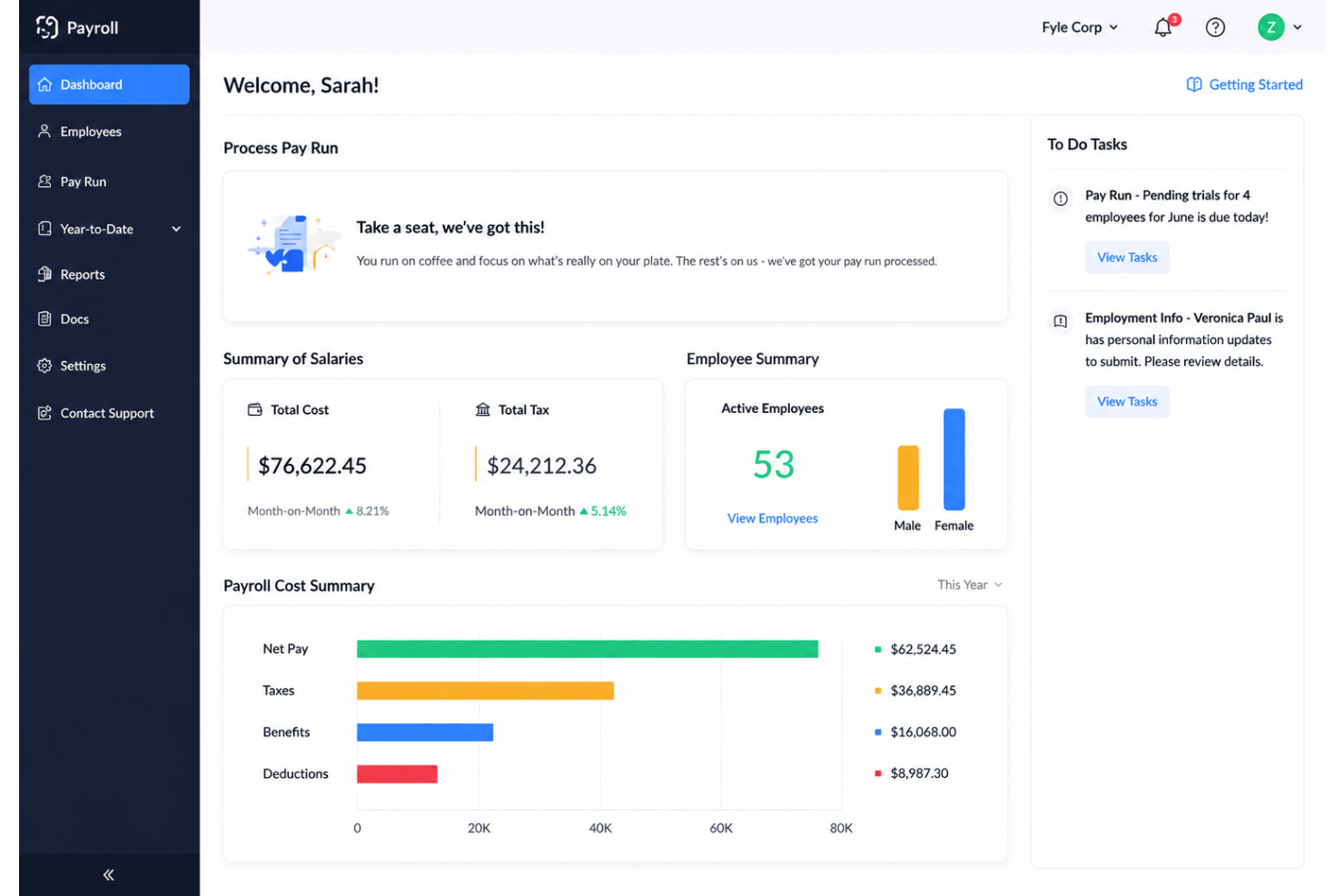
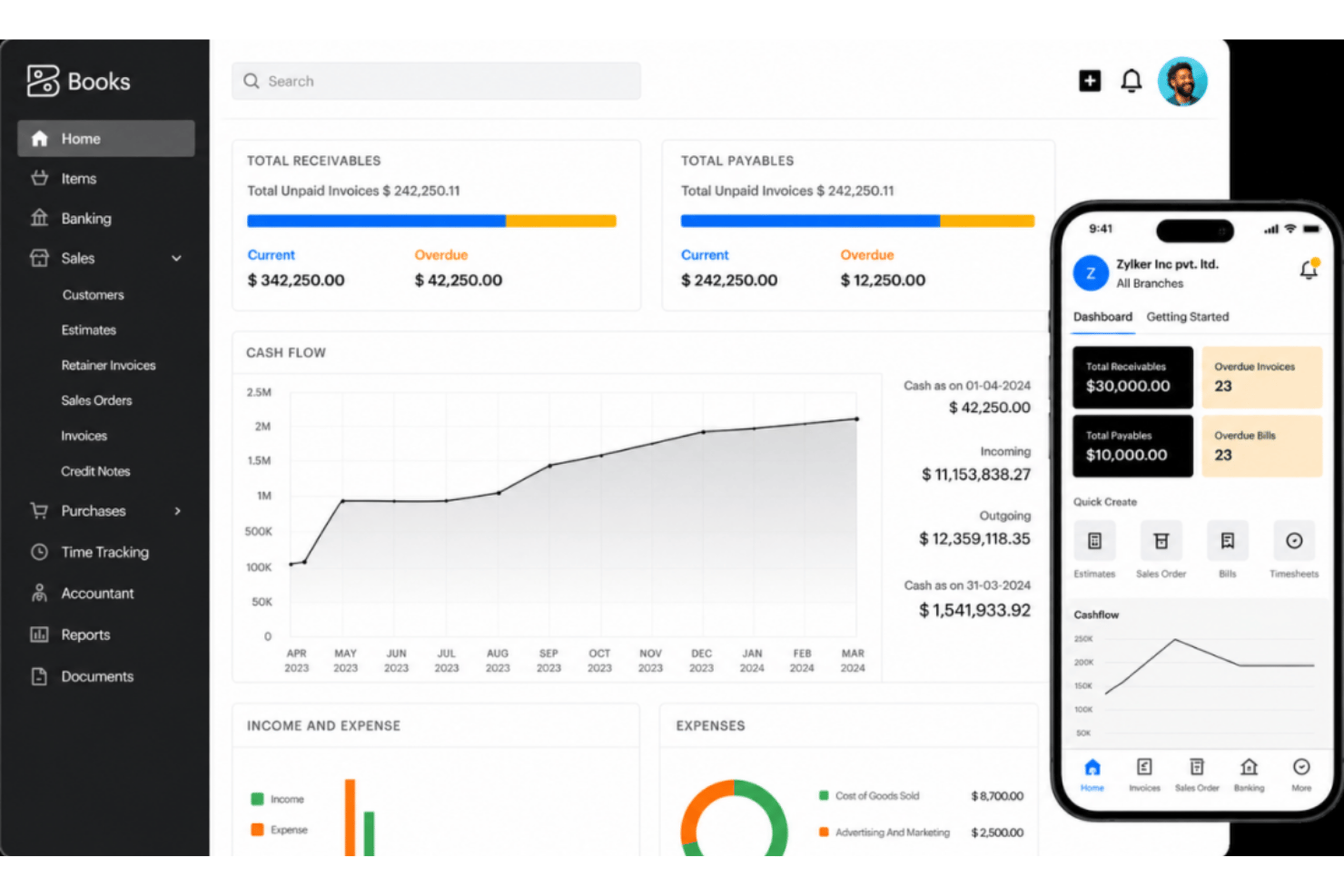
Zoho Books feels simple from day one thanks to guided setup, clear menus, and interactive dashboards. Payroll runs, expense tracking, and leave approvals are easy to navigate—the platform is genuinely user-friendly with minimal clicks. Many reviewers note that the platform rarely overwhelms with options, making task completion and collaboration straightforward—especially for teams new to all-in-one systems.
Integrations
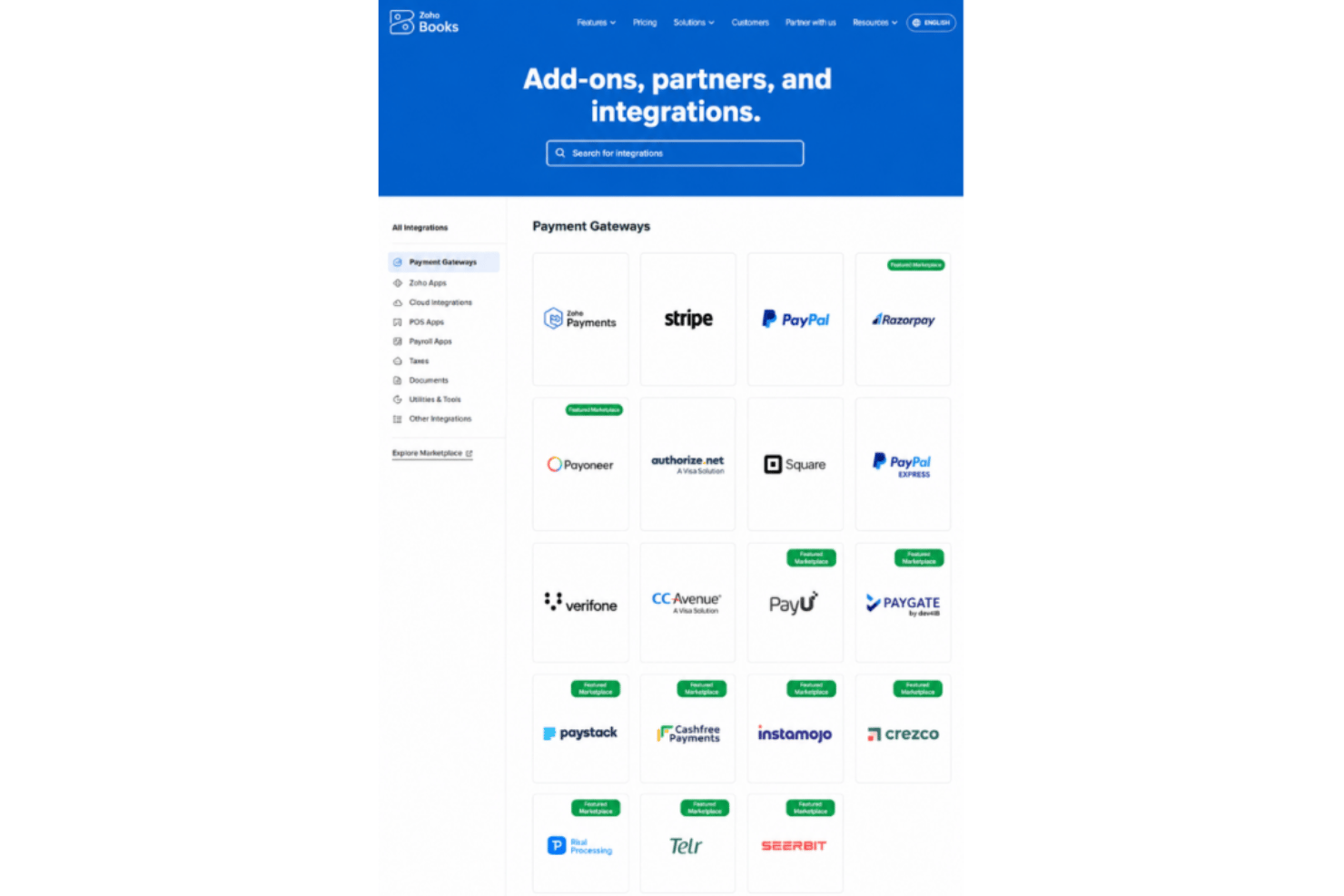
Zoho Books integrates with Zoho CRM, Zoho Expense, Zoho Inventory, Zoho Projects, PayPal, Stripe, Slack, G Suite, Office 365, and Shopify, among others.
Zoho Books also provides an API and supports connections with third-party integration tools.
Zoho Books Specs
- 2-Factor Authentication
- Accounts Payable
- Accounts Receivable
- API
- Balance Sheet
- Billing/Invoicing
- BitCoin
- Budgeting
- Calendar Management
- Contact Management
- CRM Integration
- Customer Management
- Dashboard
- Data Export
- Data Import
- Data Visualization
- Expense Tracking
- External Integrations
- Forecasting
- General Account Ledger
- Inventory Tracking
- Multi-Currency
- Multi-User
- Notifications
- P&L
- PayPal
- Payroll
- SAP Integration
- Stripe
- Supplier Management
- Tax Management