


QuickBooks Online vs. Zoho Books: Comparison and Reviews for 2026


When HR and finance live in separate corners, even simple tasks can start to feel messy fast. The right platform brings payroll, accounting, and daily admin into one smoother workflow before the small headaches turn into bigger problems.
Trying to choose between QuickBooks Online and Zoho Books? If you’re juggling HR and finance tasks, picking the right HR and accounting software can make or break your workflow. You want reliable payroll, benefits, and accounting tools without endless setup or missing features.
In this article, you’ll get a side-by-side look at both platforms. I’ll cover how each one stacks up for HR and accounting, share the pros and cons, highlight use cases, compare pricing, dig into security, and talk through ease of use—so you can decide which is best for your team.
QuickBooks Online vs. Zoho Books: An Overview
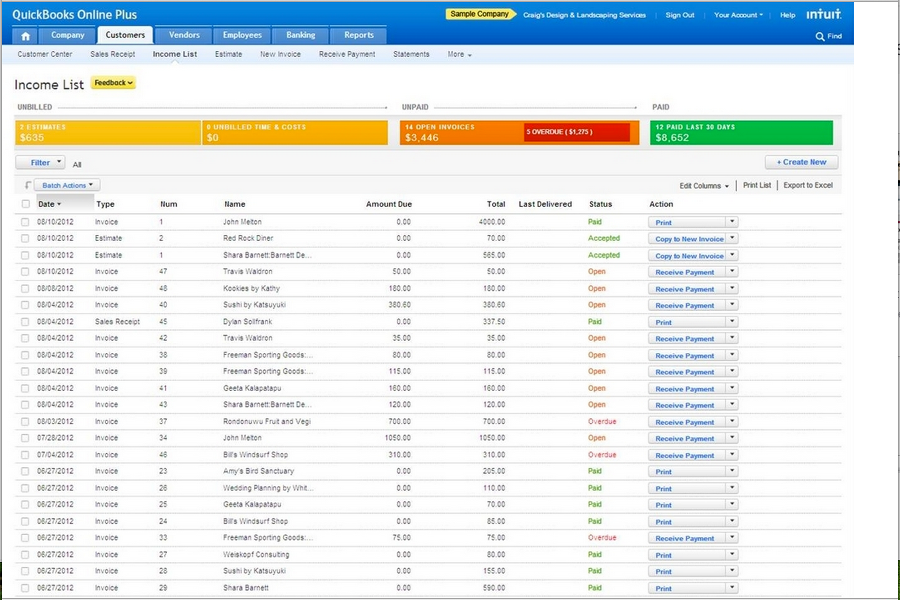
QuickBooks Online
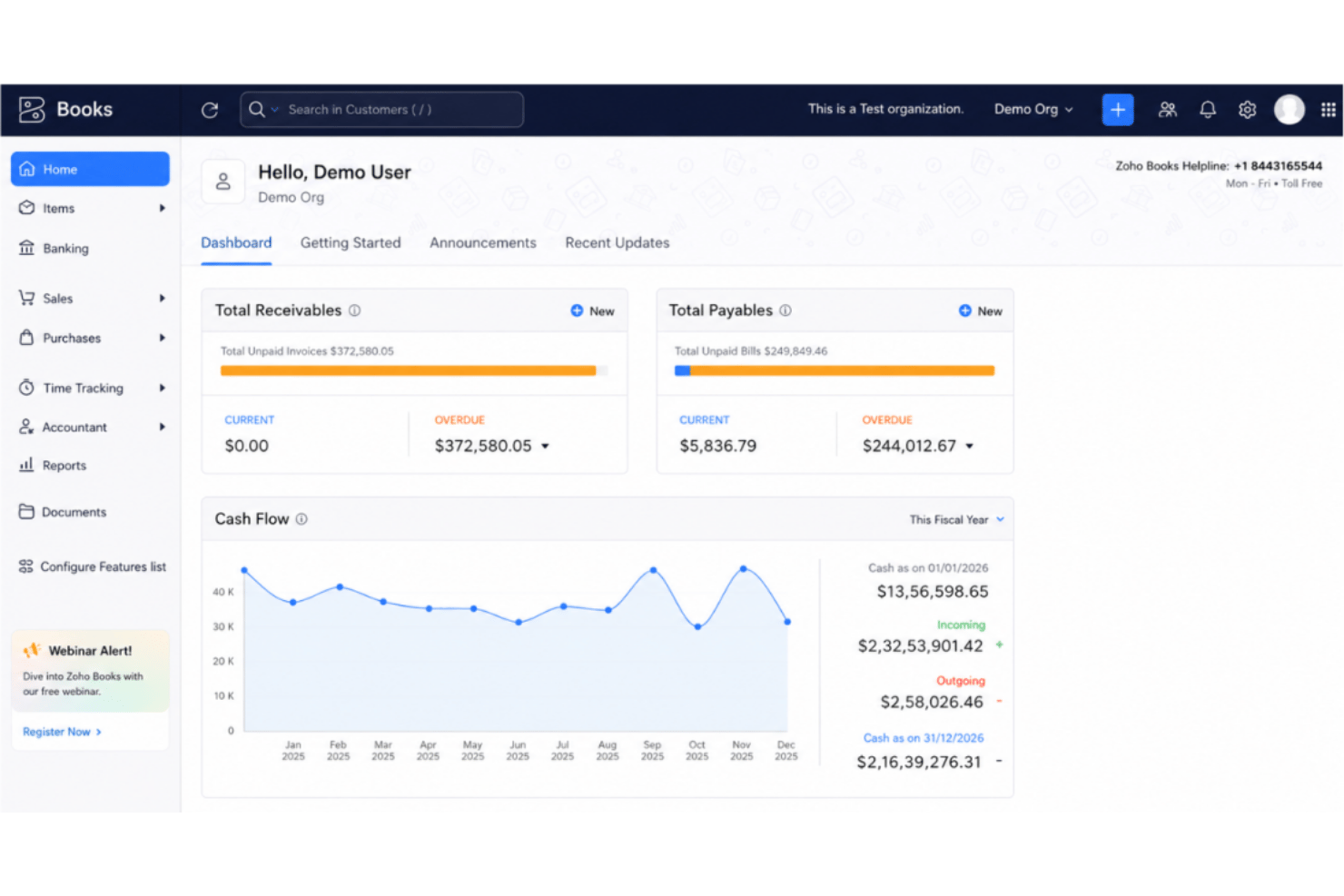
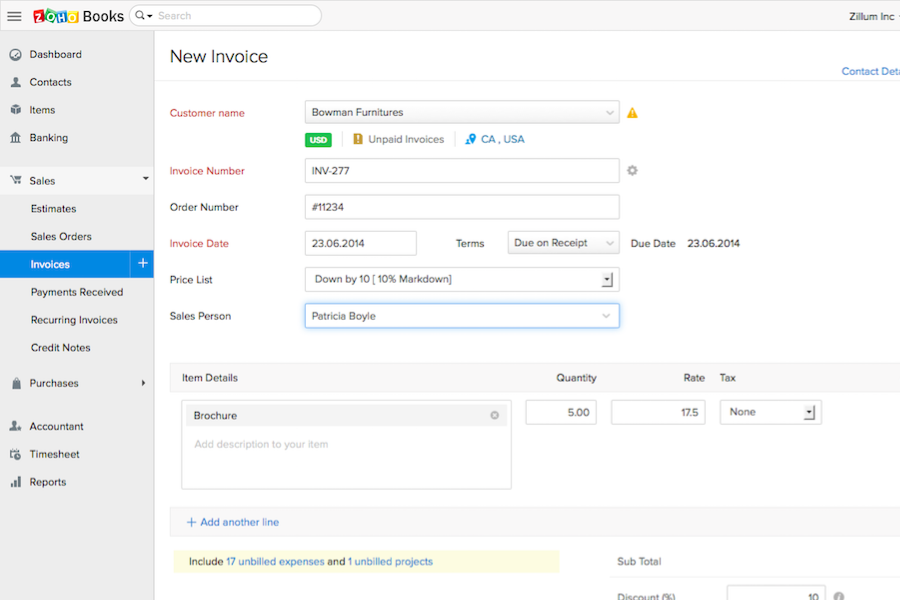
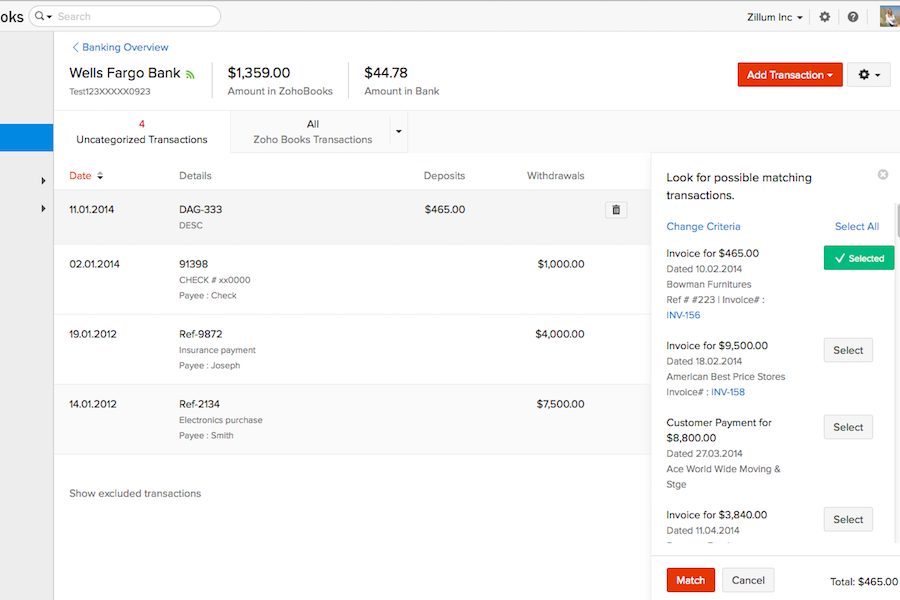
Zoho Books



Why Trust Our Software Recommendations
Our team has been testing and reviewing software since 2012. As HR experts ourselves, we know how difficult—and important—it is to choose the right software.
For this guide, we evaluated tools using hands-on testing and independent research, scoring tools using our selection criteria. We also draw on insights from industry thought leaders and practicing HR experts.
Our reviews reflect our human editorial judgment, not a sales pitch.
Expert reviewers:
QuickBooks Online vs. Zoho Books Pricing Comparison
| QuickBooks Online | Zoho Books | |
|---|---|---|
| Free Trial | Free trial available | Free plan + free demo available |
| Pricing | From $38/month | From $15/month (billed annually) |
QuickBooks Online vs. Zoho Books Pricing & Hidden Costs
QuickBooks Online uses a tiered subscription model where each plan unlocks more features for growing teams, but certain HR-related capabilities and advanced integrations might come at extra cost. Zoho Books also offers several pricing tiers, mainly based on the number of users and automation features, with add-ons for payroll integration or advanced analytics that can drive up your monthly spend. Both tools may charge for additional users, integrations, or premium customer support, so it’s easy to underestimate the real cost if you don’t look closely.
To choose the right pricing model, dig into what you actually need for HR and accounting. Make a list of the core features and user seats you require and ask vendors about common add-ons or future upgrades as your team grows. Pay close attention to whether integrations and modules you expect—like payroll, benefits, or reporting—are already included or add extra costs down the line. That way, you can avoid unexpected fees and pick the tool that fits your actual workflow, not just the base plan.
QuickBooks Online vs. Zoho Books Feature Comparison
| QuickBooks Online | Zoho Books | |
|---|---|---|
| 2-Factor Authentication | ||
| API | ||
| Accounts Payable | ||
| Accounts Receivable | ||
| Balance Sheet | ||
| Billing/Invoicing | ||
| BitCoin | ||
| Budgeting | ||
| CRM Integration | ||
| Calendar Management | ||
| Contact Management | ||
| Customer Management | ||
| Dashboard | ||
| Data Export | ||
| Data Import | ||
| Data Visualization | ||
| Expense Tracking | ||
| External Integrations | ||
| Forecasting | ||
| General Account Ledger | ||
| Inventory Tracking | ||
| Multi-Currency | ||
| Multi-User | ||
| Notifications | ||
| P&L | ||
| PayPal | ||
| Payroll | ||
| SAP Integration | ||
| Stripe | ||
| Supplier Management | ||
| Tax Management |
QuickBooks Online vs. Zoho Books Integrations
| Integration | QuickBooks Online | Zoho Books |
|---|---|---|
| Gusto | ✅ | ❌ |
| Avalara | ✅ | ✅ |
| PayPal | ✅ | ✅ |
| Dropbox | ❌ | ✅ |
| Stripe | ✅ | ✅ |
| Square | ✅ | ❌ |
| Slack | ❌ | ✅ |
| Zoho Analytics | ✅ | ✅ |
| API | ✅ | ✅ |
| Zapier | ✅ | ✅ |
Both platforms offer the most popular integrations for payment processing, ecommerce, and automations, but QuickBooks Online leads for payroll and retail plug-ins while Zoho Books connects deeply with Zoho CRM. With API access and Zapier support for each, you’ll usually find key integrations you need—though the best fit depends on your wider tech stack.
QuickBooks Online vs. Zoho Books Security, Compliance & Reliability
| Factor | QuickBooks Online | Zoho Books |
|---|---|---|
| Data Encryption | Uses AES256 and TLS encryption for all data at rest, and RSA encryption for data in transit. | Employs 256-bit SSL encryption and regular vulnerability assessments. |
| Regulatory Compliance | Complies with PCI DSS, undergoes SOC audits and reports, and is ISO 27001-certified. | GDPR-compliant and supports local tax compliance in numerous countries. |
| Data Backups | Automated nightly backups with redundant storage for disaster recovery. | Automatic daily backups with geo-redundant storage. |
| Access Controls | Granular user permissions and two-factor authentication for all accounts. | Custom user roles, multi-factor authentication, and detailed audit logs. |
| Uptime Guarantee | 99.9% uptime and constant performance monitoring. | 99.9% monthly uptime SLA with around-the-clock infrastructure monitoring. |
Both QuickBooks Online and Zoho Books excel at core security and compliance, but Zoho Books offers broader international compliance while QuickBooks Online emphasizes Canada and U.S.-centric protections. I trust QuickBooks Online’s reliability for businesses focused on North American standards, and Zoho Books for teams needing flexibility across regions and strong global privacy features.
QuickBooks Online vs. Zoho Books Ease of Use
| Factor | QuickBooks Online | Zoho Books |
|---|---|---|
| User Interface | Clean, familiar dashboard with guided menus for beginners. | Intuitive, customizable layout with drag-and-drop widgets. |
| Onboarding | Step-by-step setup wizard and in-app walkthroughs. | Contextual tips, video guides, and hands-on tutorials. |
| Mobile Experience | Full-featured mobile app with easy navigation and notifications. | Streamlined mobile app with automation and quick actions. |
| Customer Support | 24/7 phone, chat, and community support, plus extensive help docs. | Email, live chat, and direct access to Zoho support team. |
| Learning Curve | Minimal for basic use, a bit steeper for advanced features. | Quick to learn for most features, with deeper custom tools. |
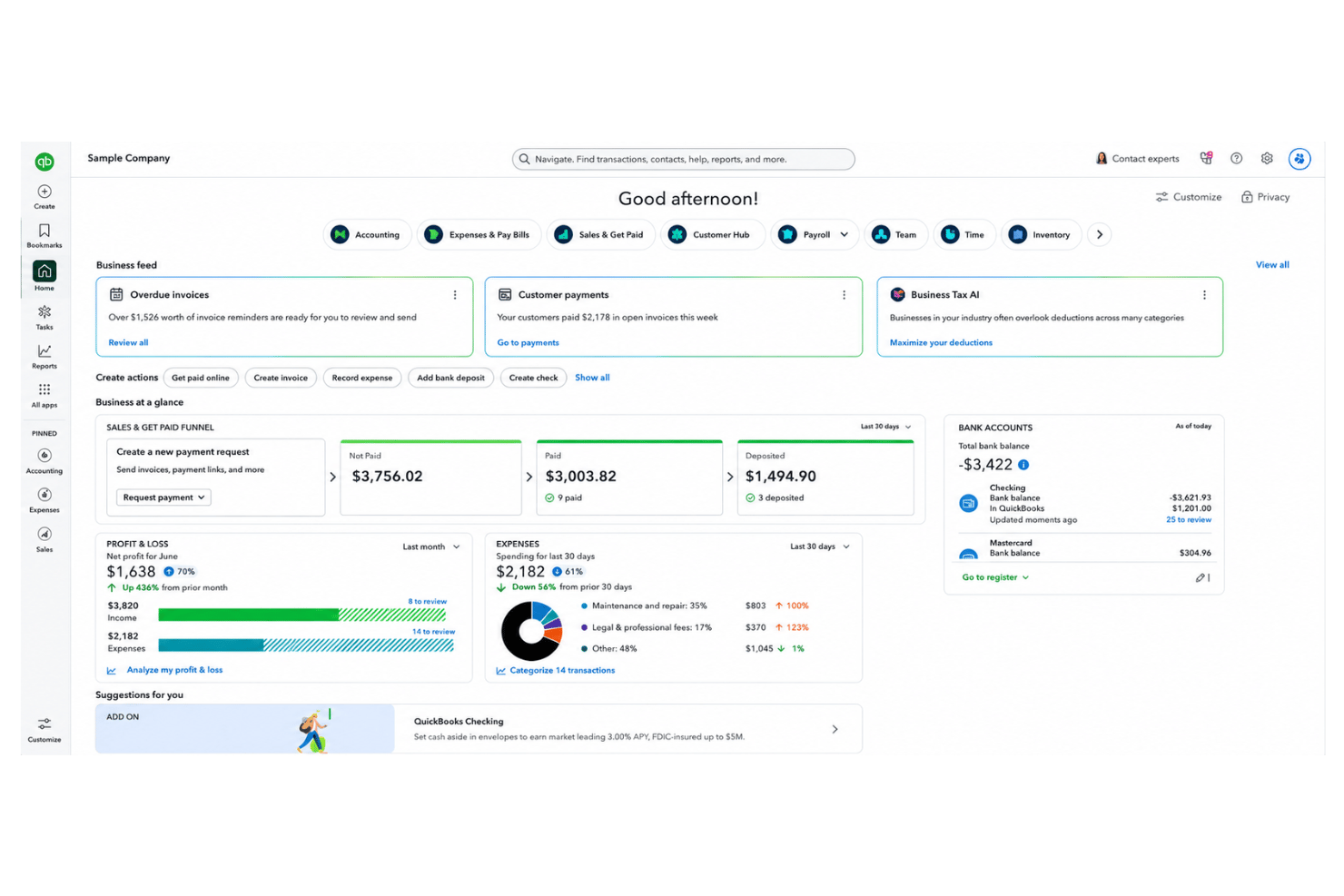
Both QuickBooks Online and Zoho Books make getting started smooth, but QuickBooks Online feels more familiar while Zoho Books wins for customization and flexible onboarding. I find QuickBooks Online quicker for routine HR and accounting tasks, while Zoho Books suits users who want to fine-tune their workspace.
QuickBooks Online vs Zoho Books: Pros & Cons
QuickBooks Online
- Payroll runs and tax filings are automated and accurate
- Dashboards and reports give real-time insight into expenses and payroll
- Employee self-service portal reduces HR admin workload
- Some advanced reporting features are only available with higher-tier plans
- Not ideal for advanced ERP or global organizations
- May require time to learn for new users
Zoho Books
- Automated expense categorization saves time on payroll prep
- Strong audit trails support HR compliance and reporting
- Payroll module supports multi-level approval workflows
- Employee performance tracking is not included
- Time-off management features are basic and limited
- No built-in applicant tracking or recruiting tools
Best Use Cases for QuickBooks Online and Zoho Books
QuickBooks Online
- Retail Stores Easy inventory tracking and sales management make it simple to keep up with daily operations.
- Professional Services Automated payroll and project profitability tools help agencies and consultancies track client costs and pay staff on time.
- Startups Startups love the fast onboarding, mobile app, and all-in-one dashboards for managing payroll, expenses, and taxes.
- Nonprofit Organizations QuickBooks Online supports grant management and basic fund tracking to simplify nonprofit bookkeeping and reporting.
- Remote Teams The cloud-based platform and mobile access let remote or distributed teams handle payroll and HR tasks from anywhere.
- Bookkeepers Bookkeepers appreciate the straightforward workflows, reporting, and role-based access in QuickBooks Online.
Zoho Books
- Small Businesses Affordable pricing, quick setup, and features tailored for small, fast-growing companies.
- Startups Easy expense tracking, online payments, and scalable payroll tools that grow with minimal upfront costs.
- Remote HR Teams Multi-user support and portals enable simplified collaboration and payroll management for distributed or freelance teams.
- Professional Services Timesheet management, invoicing templates, and expense tracking tools help firms manage billable work and payroll.
- Finance Departments Automated reporting, compliance workflows, and integrations offer a unified platform for all transactions.
- Nonprofits Streamlined expense approvals and donor reporting enable transparent fund and payroll management.
Who Should Use QuickBooks Online, and Who Should Use Zoho Books?
QuickBooks Online is the clear choice for teams based0 in North America who need strong payroll, deep third-party integrations, and a familiar interface—think growing businesses with standard HR and accounting needs. Zoho Books is a great fit for global teams, startups, or any group already using other Zoho products and needing flexible workflows or international compliance. QuickBooks Online works best for businesses that want out-of-the-box functionality, while Zoho Books shines for those who value customization and cost-effective scalability. Ultimately, your team’s tech stack, region, and appetite for customization should drive your pick.
Differences Between QuickBooks Online and Zoho Books
| QuickBooks Online | Zoho Books | |
|---|---|---|
| Customization | Limited reporting and workflow customization. | Highly customizable workflows, fields, and automations. |
| Ecosystem Support | Integrates mainly with third-party platforms outside Intuit. | Connects natively with Zoho’s suite for CRM, HR, and more. |
| Payroll Integration | Built-in payroll available for U.S. users. | Payroll integration as an add-on, more global coverage. |
| Pricing Flexibility | Fixed pricing tiers with costs for add-ons and extra users. | Modular pricing based on user needs and region. |
| User Experience | Streamlined, easy navigation for accounting beginners. | More options to tailor dashboards and user roles. |
| Visit QuickBooks OnlineOpens new window | Read Zoho Books ReviewOpens new window |
Similarities Between QuickBooks Online and Zoho Books
| Automation Features | Both automate repetitive tasks like billing, reminders, and reporting to free up HR and finance teams. |
|---|---|
| Cloud-Based Access | Both solutions are fully cloud-based, letting users manage HR and accounting from any device, anywhere. |
| Core Accounting Tools | Each platform provides invoicing, expense management, recurring billing, and reconciliation features out of the box. |
| Integration Support | Each offers a strong set of APIs and works with Zapier, so you can connect them to many other business tools. |
| Role-Based Permissions | QuickBooks Online and Zoho Books let admins set role-based access, protecting sensitive financial and employee data. |
| Visit QuickBooks OnlineOpens new window Read Zoho Books ReviewOpens new window | |