NetSuite vs. Workday: Comparison & Expert Reviews For 2026

COO with 20 years scaling people ops & culture at high-growth tech companies.

We review tools independently, and commissions help fund our testing. See our transparency policy, our methodology, or suggest a tool.

When evaluating NetSuite vs Workday, you're looking at two powerful platforms that help businesses operate more efficiently—but with different strengths. NetSuite offers a comprehensive ERP solution designed to support growth across a wide range of industries, while Workday focuses on delivering an enterprise-grade platform for finance and human capital management.

In this article, you'll find a comparison of these platforms, including their features, pros and cons, and pricing, to help you decide which is the best ERP solution for your organization.

NetSuite ERP
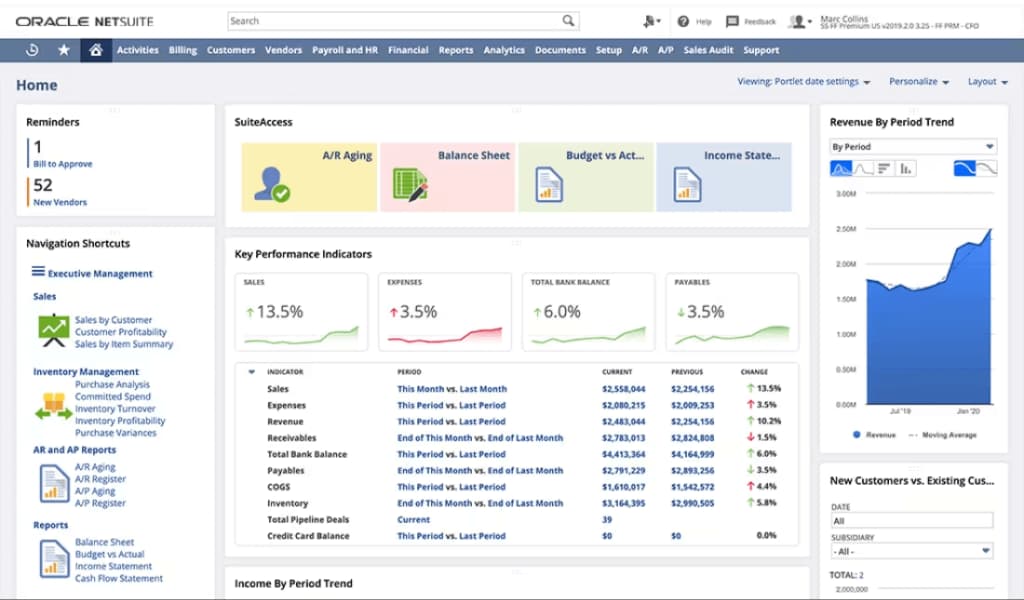
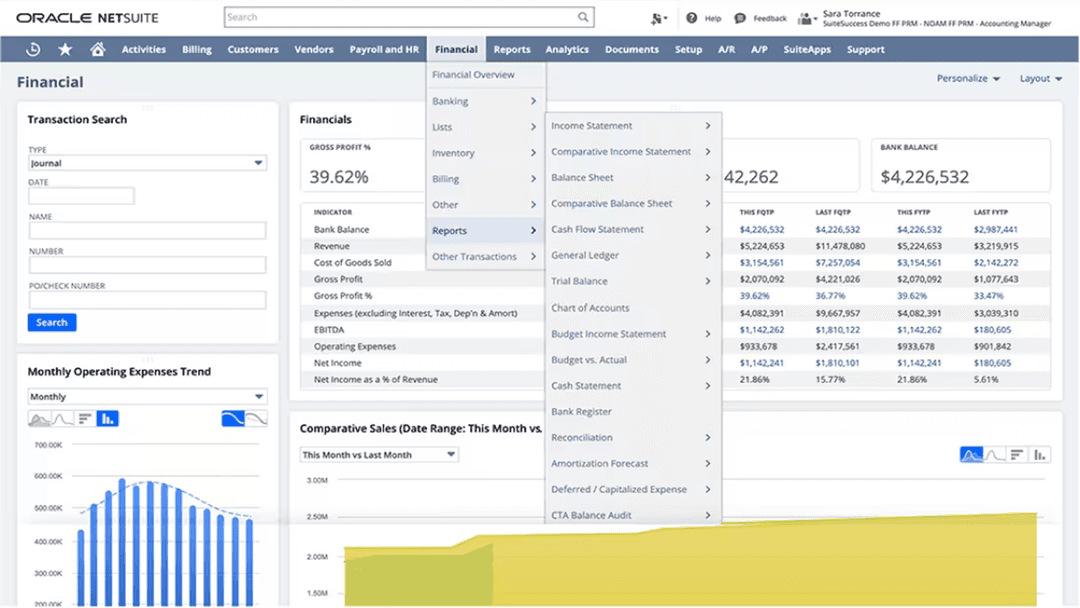
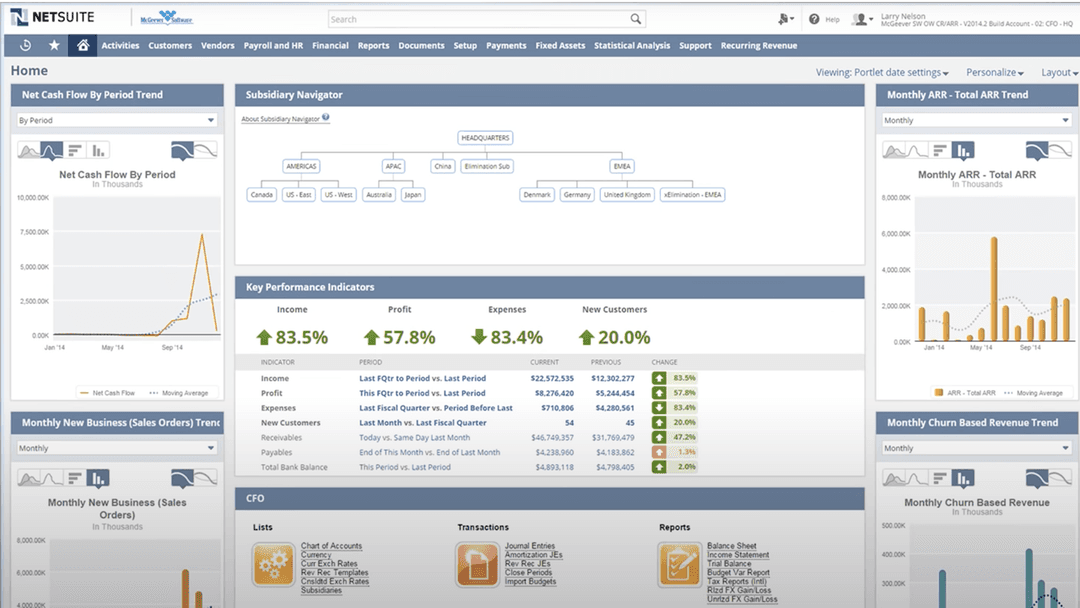
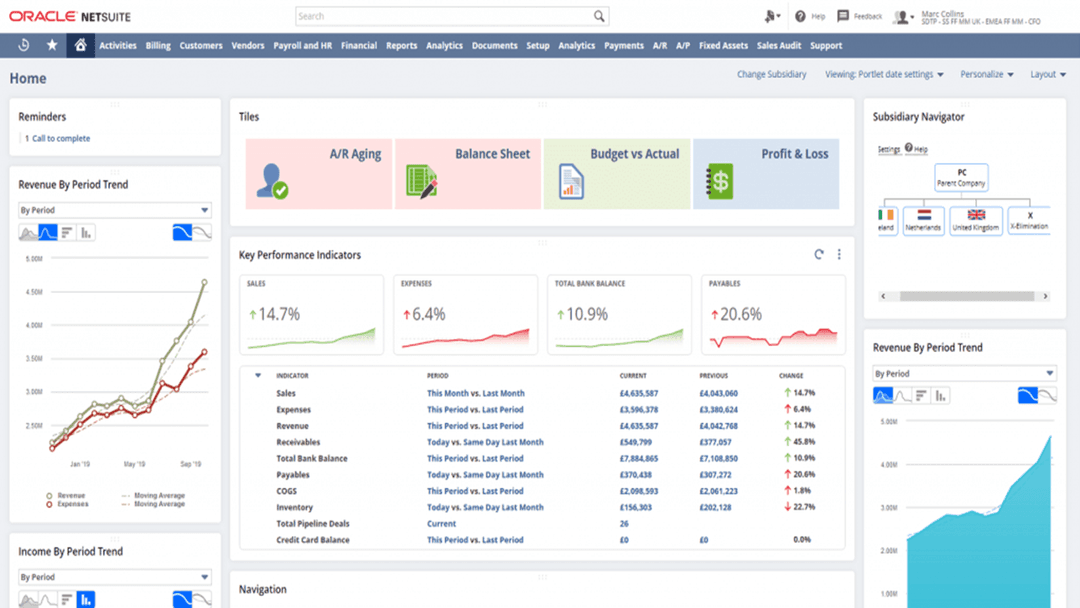
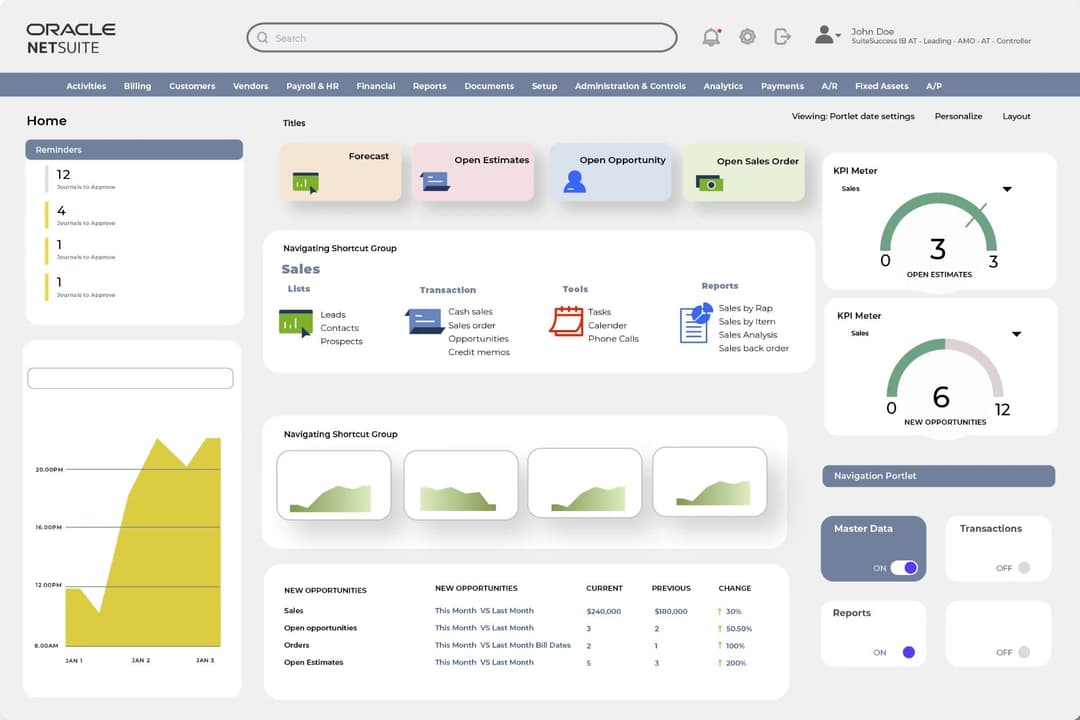
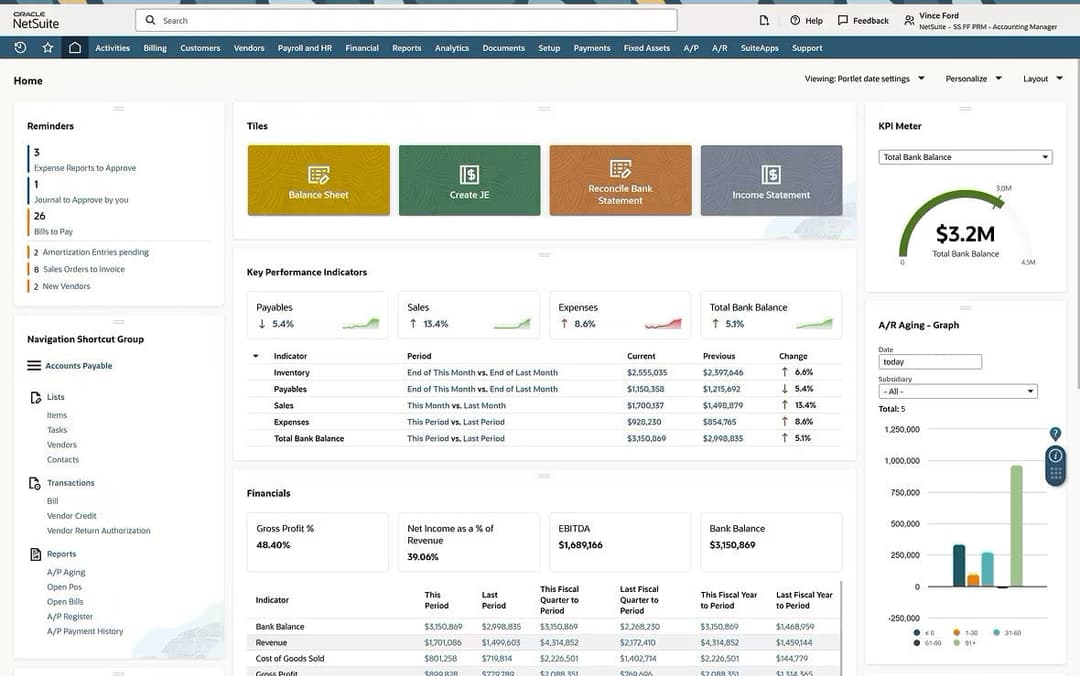
I like how users can configure the NetSuite dashboard, pictured here, by customizing layouts, leveraging drag-and-drop functionality, and more.
NetSuite ERP dashboards are customizable to match team workflows.
NetSuite ERP delivers real-time analytics for fast, data-driven decisions.
Customer rating

4.1/5

Pricing
  • Free demo available
  • Pricing upon request

Workday

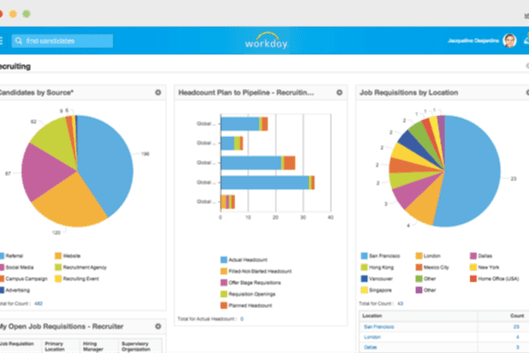
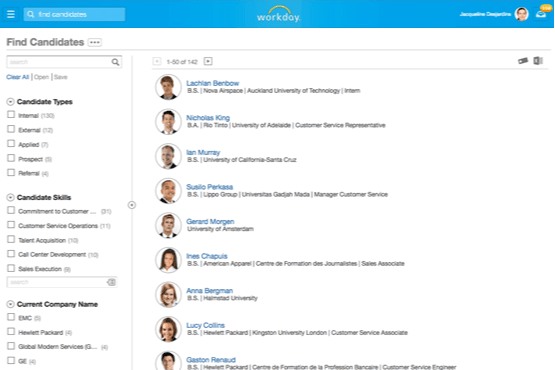
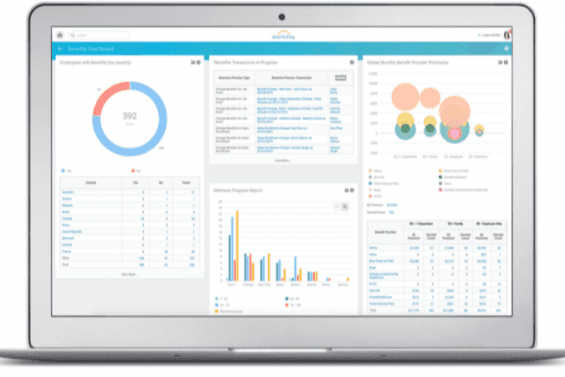
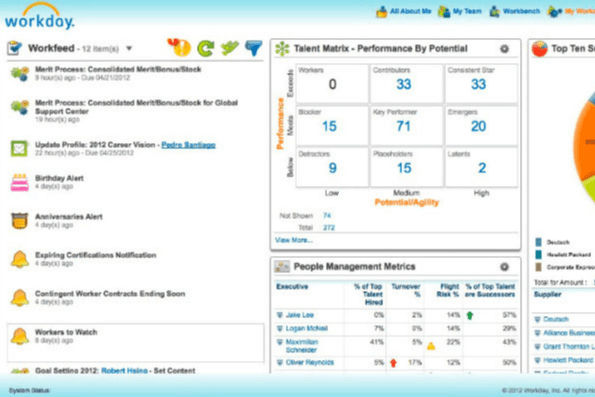
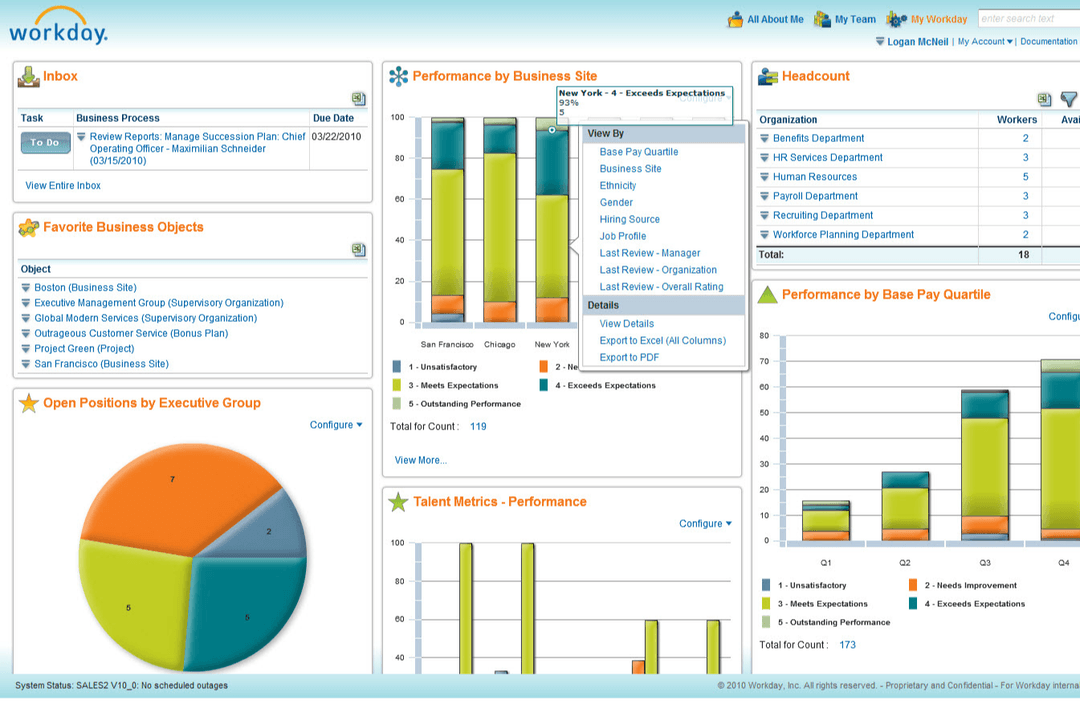
Workday HCM streamlines hiring, time tracking, payroll, and performance management.
Customer rating

4.3/5

Pricing
  • 30-day free trial + free demo available
  • Pricing upon request

Why Trust Our Software Recommendations

6,700+

Reviews

20

Industry experts

16+

Evaluation factors

14

Years

Our team has been testing and reviewing software since 2012. As HR experts ourselves, we know how difficult—and important—it is to choose the right software.

For this guide, we evaluated tools using hands-on testing and independent research, scoring tools using our selection criteria. We also draw on insights from industry thought leaders and practicing HR experts.

Our reviews reflect our human editorial judgment, not a sales pitch.

Expert reviewers:

NetSuite ERPWorkday
Free TrialFree demo available30-day free trial + free demo available
PricingPricing upon requestPricing upon request

NetSuite vs. Workday Pricing & Hidden Costs

NetSuite pricing offers a subscription-based model with costs that vary based on the number of users and modules you select, and you may incur additional costs for implementation and support. Workday pricing, however, is also subscription-based but often depends on the specific configuration and scale of your business, with potential extra fees for advanced features and customizations.

To select the tool with the right pricing for your needs, evaluate the total cost of ownership by considering not just the subscription fees but also implementation, training, and support expenses. This approach ensures you understand the full financial commitment and how it aligns with your organization's long-term goals.

NetSuite’s financial management feature lets you streamline expense tracking and reporting, making it ideal for HR professionals managing budgets and financial records. Similarly, Workday’s human capital management feature is great for optimizing workforce planning and talent management, especially in large organizations with complex HR needs.
While NetSuite excels in financial tasks, Workday provides robust tools for HR operations, allowing you to choose based on whether your focus is more on financials or human resources.

NetSuite ERPWorkday
2-Factor AuthenticationYesNo
APIYesYes
DashboardYesYes
Data ExportYesNo
Data ImportYesYes
Data VisualizationYesNo
Expense TrackingYesYes
External IntegrationsYesYes
Multi-UserYesNo
NotificationsYesYes
PayrollYesYes

NetSuite vs. Workday Integrations

IntegrationNetSuiteWorkday
Salesforce✅✅
Microsoft 365✅✅
Google Workspace✅✅
Slack✅✅
QuickBooks✅❌
DocuSign✅❌
Dropbox✅❌
Gusto❌✅
Tableau✅❌
Asana✅❌
API✅✅
Zapier✅✅

With NetSuite's Salesforce integration, you can effortlessly sync customer data, which is invaluable for HR professionals needing seamless access to client interactions and employee performance metrics.

Workday's integration with Gusto is also great for simplifying payroll processes, making it easier to manage salaries and benefits, especially in companies with complex compensation structures.

While NetSuite enhances CRM connectivity, Workday excels in payroll integration, allowing you to choose based on your priority needs.

NetSuite vs. Workday Security, Compliance & Reliability

FactorNetSuiteWorkday
Data EncryptionUses AES-256 encryption to protect data both at rest and in transit.Utilizes multiple encryption methods, including AES and TLS, to ensure data protection.
Regulatory ComplianceSupports various compliance standards, including GDPR and SOX, with built-in reporting tools.Adheres to global compliance standards, including GDPR and HIPAA, and provides regular audit reports.
Data PrivacyProvides role-based access controls to ensure only authorized users access sensitive data.Offers robust privacy controls and user permissions to safeguard personal information.
Uptime ReliabilityGuarantees 99.7% uptime with comprehensive monitoring and failover systems.Promises 99.9% uptime, supported by redundant systems and real-time monitoring.

NetSuite and Workday both offer strong security and compliance measures, but Workday slightly edges out with higher guaranteed uptime.

To evaluate these systems, focus on specific security needs, such as encryption levels, compliance standards, and privacy features relevant to your industry, ensuring they align with your organization's risk management strategies.

NetSuite vs. Workday Ease of Use

FactorNetSuiteWorkday
User InterfaceInterface is customizable but can feel cluttered with its numerous features.Offers a clean, intuitive interface designed for easy navigation and task management.
Onboarding ExperienceDetailed tutorials and guided setups, though it can be time-consuming.Onboarding is streamlined with interactive guides and quick-start templates.
Setup ProcessComprehensive setup that allows for deep customization, but requires a significant time investment.Straightforward setup, focusing on simplicity and speed for quick deployment.
SupportOffers extensive support options, including a 24/7 help desk and community forums.Provides robust support with dedicated account managers and detailed documentation.

NetSuite's vast features can make it challenging to navigate initially, but its customization options are unparalleled for those needing tailored solutions. By comparison, Workday excels in ease of use with its intuitive design, making it quicker to learn and adapt, which is ideal for teams seeking simplicity and efficiency.

NetSuite ERP

Pros
  • Its customizable dashboards let you tailor the interface to fit your team's workflow.
  • The platform's real-time data analytics help you make informed decisions quickly.
  • It offers comprehensive financial management tools that boost your team's efficiency.
Cons
  • Occasional updates may require retraining your team to adjust to new workflows.
  • The system's customization options can be overwhelming without proper guidance.
  • Some users find the initial setup complex and time-consuming.

Workday

Pros
  • Workday HCM is highly configurable, allowing you to tailor HR processes to fit your needs.
  • It offers advanced talent management tools that enhance your team's capabilities.
  • The user-friendly interface makes it easy for your team to navigate and manage HR tasks efficiently.
Cons
  • The implementation process can be complex and may require full-time consultants.
  • Its Applicant Tracking System and Payroll modules might not match specialized third-party solutions.
  • Mid-market companies might find the premium pricing challenging due to high costs.

NetSuite ERP

Pros
  • Its customizable dashboards let you tailor the interface to fit your team's workflow.
  • The platform's real-time data analytics help you make informed decisions quickly.
  • It offers comprehensive financial management tools that boost your team's efficiency.
Cons
  • Occasional updates may require retraining your team to adjust to new workflows.
  • The system's customization options can be overwhelming without proper guidance.
  • Some users find the initial setup complex and time-consuming.

Workday

Pros
  • Workday HCM is highly configurable, allowing you to tailor HR processes to fit your needs.
  • It offers advanced talent management tools that enhance your team's capabilities.
  • The user-friendly interface makes it easy for your team to navigate and manage HR tasks efficiently.
Cons
  • The implementation process can be complex and may require full-time consultants.
  • Its Applicant Tracking System and Payroll modules might not match specialized third-party solutions.
  • Mid-market companies might find the premium pricing challenging due to high costs.

NetSuite ERP

I like how users can configure the NetSuite dashboard, pictured here, by customizing layouts, leveraging drag-and-drop functionality, and more.
NetSuite ERP dashboards are customizable to match team workflows.
NetSuite ERP delivers real-time analytics for fast, data-driven decisions.
  1. Retail BusinessesNetSuite ERP’s inventory management tools help you track stock levels and optimize your supply chain.
  2. Manufacturing CompaniesIts production planning features let you manage resources and schedules efficiently.
  3. Technology FirmsThe platform’s real-time analytics support your decision-making with actionable insights.
  4. Finance DepartmentsComprehensive financial management tools streamline your accounting processes.
  5. Operations ManagersCustomizable dashboards help you monitor workflows and improve productivity.
  6. Customer Support TeamsThe system’s CRM capabilities enhance your team’s ability to manage customer relationships effectively.

Workday

Workday HCM streamlines hiring, time tracking, payroll, and performance management.
  1. Large EnterprisesWorkday HCM’s scalability and robust features support your complex HR needs across global locations.
  2. Healthcare OrganizationsThe system’s compliance tools help you manage regulatory requirements in your HR processes.
  3. Finance SectorWorkday HCM’s analytical tools can enhance your workforce planning and decision-making.
  4. Technology CompaniesIts talent management features can help you attract and retain top tech talent in a competitive market.
  5. Human Resources DepartmentsThe intuitive interface and comprehensive tools streamline HR tasks for your team.
  6. Multinational CorporationsWorkday HCM supports multi-currency and multi-language capabilities, crucial for your global operations.

Who Should Use NetSuite and Workday?

In my opinion, NetSuite is best suited for companies that require a versatile ERP system with robust financial management capabilities, especially those in industries that necessitate deep customization.

Similarly, Workday is ideal for organizations focused on human resources and financial planning, particularly those valuing a user-friendly interface and quick deployment.

If your team prioritizes ease of use and efficient HR processes, Workday is the ideal solution. However, if your business requires comprehensive financial tools, NetSuite is the better choice.

NetSuite offers broader operational versatility across various business functions, while Workday specializes in HR and financial planning for enterprise needs.

AutomationNetSuite ERP

Supports extensive automation in financial processes.

Workday

Automates HR tasks, streamlining employee data and payroll management.

Core FunctionalityNetSuite ERP

Offers strong financial management tools, ideal for complex accounting needs.

Workday

Excels in HR and talent management, making it great for workforce planning.

CustomizationNetSuite ERP

Allows deep customization to fit specific industry requirements.

Workday

Focuses on simplicity, offering limited but effective customization.

PricingNetSuite ERP

Offers a subscription model based on users and modules.

Workday

Uses a subscription model but is often tailored to business size and needs.

User InterfaceNetSuite ERP

Has a feature-rich interface, but it can feel cluttered.

Workday

Provides a clean and intuitive interface for easy navigation.

Both NetSuite and Workday aim to streamline core business processes through centralized, cloud-based platforms.

Automation

Each platform offers automation, with NetSuite automating financial processes and Workday streamlining HR tasks, improving efficiency.

Cloud-Based

Both are cloud-based solutions, allowing you to access data from anywhere. NetSuite focuses on financials, while Workday focuses on HR.

Integrations

They offer extensive integration options with third-party applications, enabling seamless connections to tools like Salesforce and Microsoft 365.

Security

The platforms adhere to strong security standards, providing encryption and compliance with regulations such as GDPR.

Subscription Model

NetSuite and Workday utilize a subscription-based pricing model, making them scalable for your business needs as they grow.