Spott ATS vs. Loxo: Comparison and Reviews for 2026
Spott and Loxo are applicant tracking systems for recruiting teams, each offering a different approach to sourcing, matching, outreach, and placements. Learn how they compare to find the right fit for your hiring workflows.

We review tools independently, and commissions help fund our testing. See our transparency policy, our methodology, or suggest a tool.
Recruiting teams are under pressure to source better candidates, manage more outreach, and keep pipelines moving without adding more manual work. When candidate data, client conversations, and follow-ups are spread across too many tools, it becomes harder to stay organized and make confident hiring decisions.
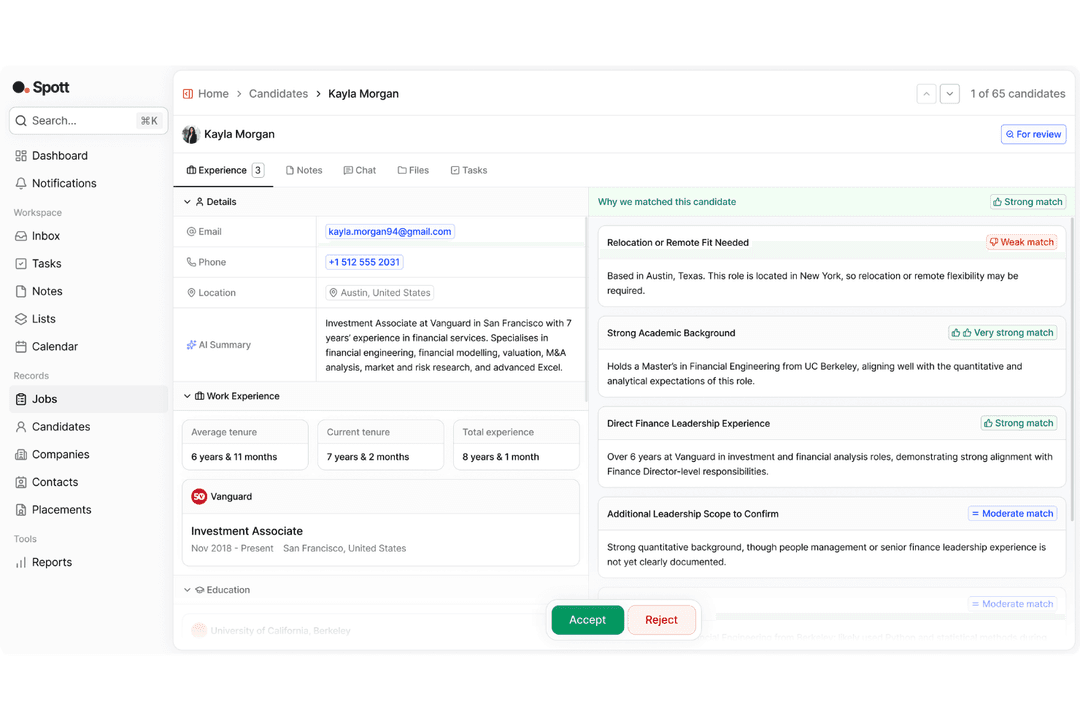
Spott and Loxo are applicant tracking systems that support modern recruiting workflows, but they differ in scope, product focus, and day-to-day usability. Spott is built for recruitment agencies that want an AI-native ATS and CRM, while Loxo offers a broader recruiting platform with sourcing, outreach, and talent intelligence tools.
In this comparison, I’ll evaluate Spott and Loxo across features, pricing, ease of use, onboarding, customer support, security, integrations, and ideal use cases to help you determine which applicant tracking system is the better fit for your recruitment needs.
Spott ATS


4.8/5
- Free trial available
- From $139/user/month (billed annually)
Loxo
4.5/5
- Free demo + 7-day free trial available
- From $149/user/month (billed annually)
Why Trust Our Software Recommendations
6,700+
Reviews
20
Industry experts
16+
Evaluation factors
14
Years
Our team has been testing and reviewing software since 2012. As HR experts ourselves, we know how difficult—and important—it is to choose the right software.
For this guide, we evaluated tools using hands-on testing and independent research, scoring tools using our selection criteria. We also draw on insights from industry thought leaders and practicing HR experts.
Our reviews reflect our human editorial judgment, not a sales pitch.
Expert reviewers:
- Phil GrayCOO

Kim BehnkeHR Tech Editor & Analyst
Josh BarkerPeople Ops Manager
| Spott ATS | Loxo | |
|---|---|---|
| Free Trial | Free trial available | Free demo + 7-day free trial available |
| Pricing | From $139/user/month (billed annually) | From $149/user/month (billed annually) |
Spott vs. Loxo Pricing & Hidden Costs
Spott uses transparent, tier-based pricing with Core, Pro, and Enterprise plans. Higher tiers add automations, multi-channel sequences, data enrichment, priority support, advanced permissions, and custom terms, so the main hidden cost risk is needing to upgrade as your agency needs more automation, enrichment, or enterprise support.
Loxo also uses tiered pricing, starting with a Free plan that includes ATS and recruiting CRM tools, while higher tiers add multi-user access, reporting, AI sourcing, outreach automation, client portals, SSO, integrations, and custom AI configurations. Choosing between them comes down to whether your team prefers Spott’s clearer paid-plan structure or Loxo’s free entry point with more advanced sourcing and automation gated behind higher tiers.
| Spott ATS | Loxo | |
|---|---|---|
| API | Yes | Yes |
| Application Tracking | Yes | Yes |
| Dashboard | Yes | Yes |
| Data Export | Yes | Yes |
| Data Import | Yes | Yes |
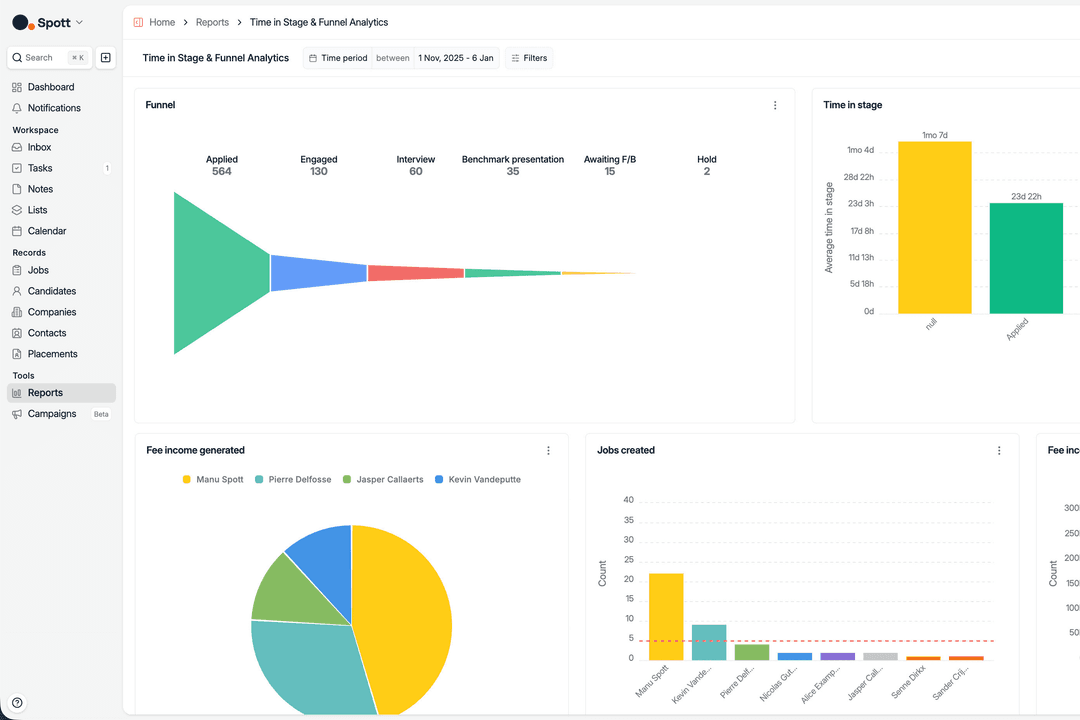
| Data Visualization | Yes | Yes |
| Employee Database | No | Yes |
| Employee Onboarding | No | Yes |
| External Integrations | Yes | Yes |
| Feedback Management | Yes | No |
| Multi-User | Yes | Yes |
| Notifications | Yes | Yes |
| Scheduling | Yes | Yes |
| Travel Management | No | No |
| Integration | Spott | Loxo |
|---|---|---|
| IntegrationGoogle | Spott✅ | Loxo❌ |
| IntegrationMicrosoft | Spott✅ | Loxo❌ |
| IntegrationRingover | Spott✅ | Loxo✅ |
| IntegrationIndeed | Spott❌ | Loxo✅ |
| IntegrationWorkday | Spott❌ | Loxo✅ |
| IntegrationZoom | Spott✅ | Loxo✅ |
| IntegrationRingCentral | Spott✅ | Loxo✅ |
| IntegrationAircall | Spott✅ | Loxo❌ |
| IntegrationChatGPT | Spott✅ | Loxo❌ |
| IntegrationAPI | Spott✅ | Loxo✅ |
Both Spott and Loxo cover key integration needs for recruiting teams, but their strengths differ. Spott offers stronger direct coverage across the tools listed here, especially for productivity, communication, AI, and recruiting workflow connections, while Loxo covers several shared communication tools and stands out for job board and HR system connectivity. Both offer API access, so teams can extend either platform if they need custom connections beyond the native integration list.
| Factor | Spott | Loxo |
|---|---|---|
| FactorCompliance | SpottGDPR compliant, ISO 27001 certified, and AI Safety compliant, with a public Trust Center containing policies, compliance resources, and security documentation. | LoxoSupports GDPR compliance and provides enterprise compliance options, including SOC 2 Type II reporting on higher-tier plans. |
| FactorData Protection | SpottHosts client data in Microsoft Azure’s West Europe region, with encryption at rest and in transit, encrypted daily backups, data retention policies, and customer data deletion controls. | LoxoEncrypts candidate and recruiting data in transit and at rest, helping protect sensitive candidate, client, and hiring information across recruiting workflows. |
| FactorAccess Controls | SpottSupports advanced roles and permissions, multi-factor authentication, password policies, infrastructure authentication, quarterly access reviews, and custom configurations. | LoxoOffers role-based permissions, multi-factor authentication, SSO, and SAML options for teams that need controlled access across recruiters, admins, and stakeholders. |
| FactorMonitoring & Auditability | SpottMaintains continuous monitoring, centralized log collection, intrusion detection, incident response procedures, security incident logging, penetration testing, and vulnerability management. | LoxoProvides audit trails for user actions and system access, giving recruiting teams visibility into activity across candidate, client, and workflow records. |
| FactorReliability & Continuity | SpottReports 99.99% uptime, with database backups, multi-availability zone deployment, business continuity planning, disaster recovery controls, and capacity monitoring. | LoxoMaintains cloud-based infrastructure designed to support uptime, recovery, and continuity for recruiting teams managing active pipelines and candidate communication. |
Overall, Spott emphasizes security transparency, documented governance, and AI-era privacy controls, including a public Trust Center and policies around customer data use. Loxo leans toward enterprise recruiting controls, with options for access management, auditability, compliance reporting, and custom AI configurations on higher tiers. Both provide strong security foundations for teams handling candidate and client data, but Spott highlights transparency and AI/data governance, while Loxo prioritizes scalable enterprise access control and compliance options.
| Factor | Spott | Loxo |
|---|---|---|
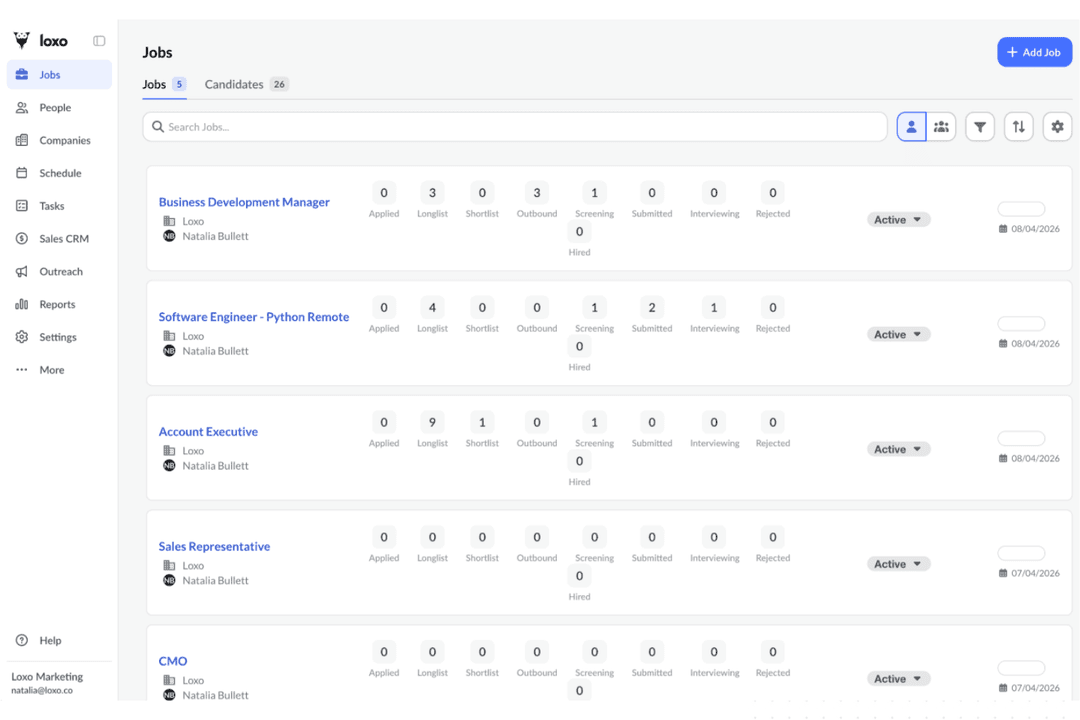
| FactorUser Interface | SpottOffers a modern interface with clear navigation, well-placed buttons, and low-click recruiting workflows. | LoxoProvides an intuitive recruiting workspace designed to help teams manage sourcing, outreach, and pipelines with minimal training. |
| FactorOnboarding | SpottProvides dedicated onboarding, white-glove migration, and live human support through in-platform chat. | LoxoOffers guided setup and customer support to help teams get started quickly. |
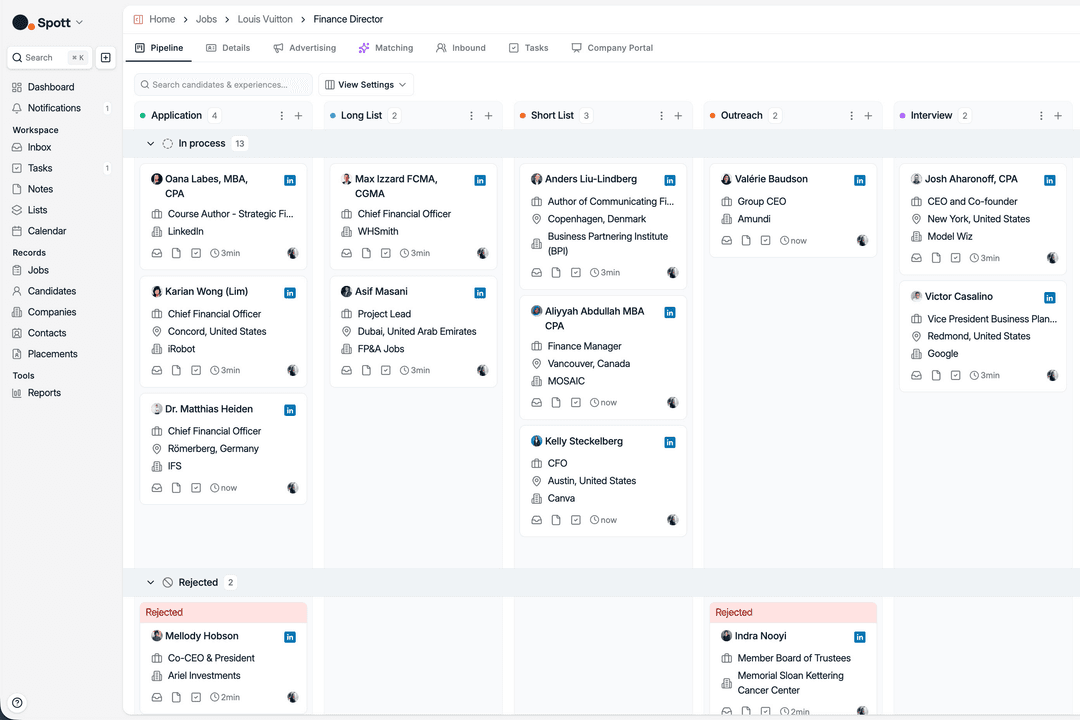
| FactorCustomization | SpottSupports custom objects, custom attributes, AI-prompted columns, drag-and-drop views, Kanban views, and workflow automations. | LoxoIncludes drag-and-drop pipeline tools and configurable workflows for adapting recruiting processes. |
| FactorSupport | SpottIncludes 24/7 human chat, help center resources, AI-powered documentation answers, onboarding, and masterclasses. | LoxoProvides customer success support and help resources for setup, training, and ongoing use. |
| FactorMobile Access | SpottHas limited mobile app functionality, which may be a drawback for mobile-first recruiters. | LoxoOffers mobile access for recruiters who need to manage work away from their desks. |
From an ease-of-use perspective, Spott offers a clean, low-click recruiting experience supported by guided onboarding, white-glove migration, and deeper workflow customization. Loxo, by contrast, is geared toward quick adoption across sourcing, outreach, and pipeline management, with a practical interface and mobile access for recruiters working on the go. Spott is stronger for agencies that want more control over their recruiting workspace, while Loxo may feel simpler for teams prioritizing fast setup and daily sourcing activity.
Spott ATS
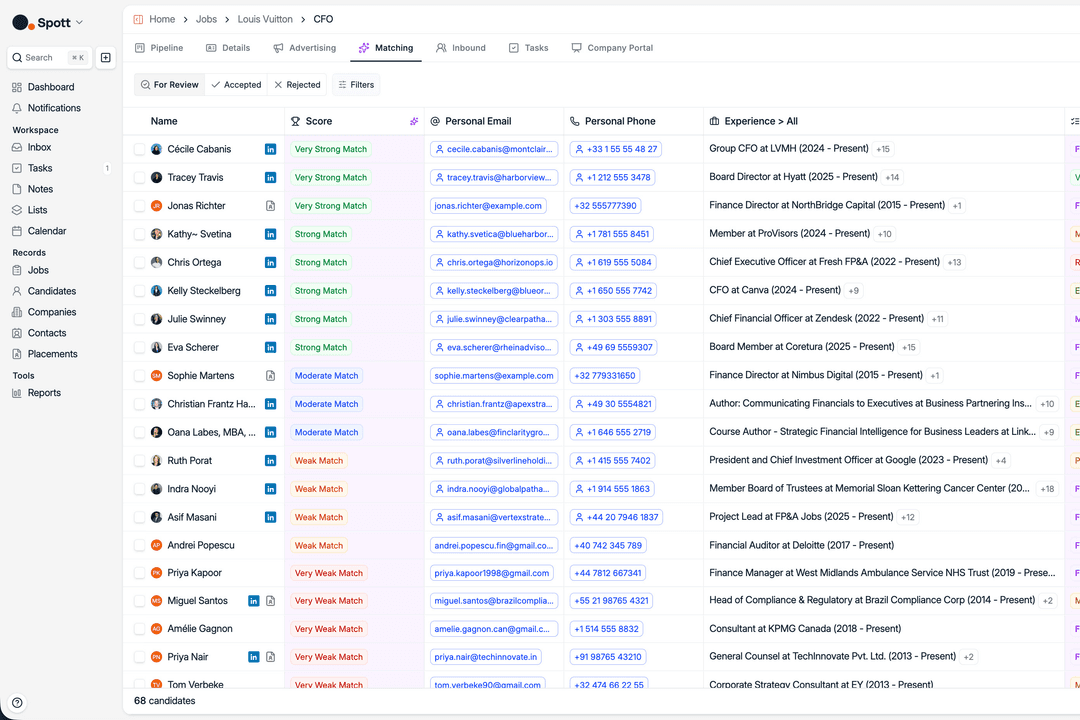
- AI-powered candidate matching based on context, not just keywords
- Unified platform for recruiting, CRM, outreach, and automation
- Flexible workflows with extensive customization options
- Contracting features are still being rolled out
- Mobile app offers limited functionality
- External candidate sourcing relies on third-party integrations
Loxo
- AI sourcing uncovers passive candidates quickly
- Built-in outreach automates bulk email and texting
- Visual pipeline tracks candidate status in real time
- Mobile app is only available for iOS
- Reporting options are less detailed than some platforms
- Browser extension can be slow to load at times
Spott ATS


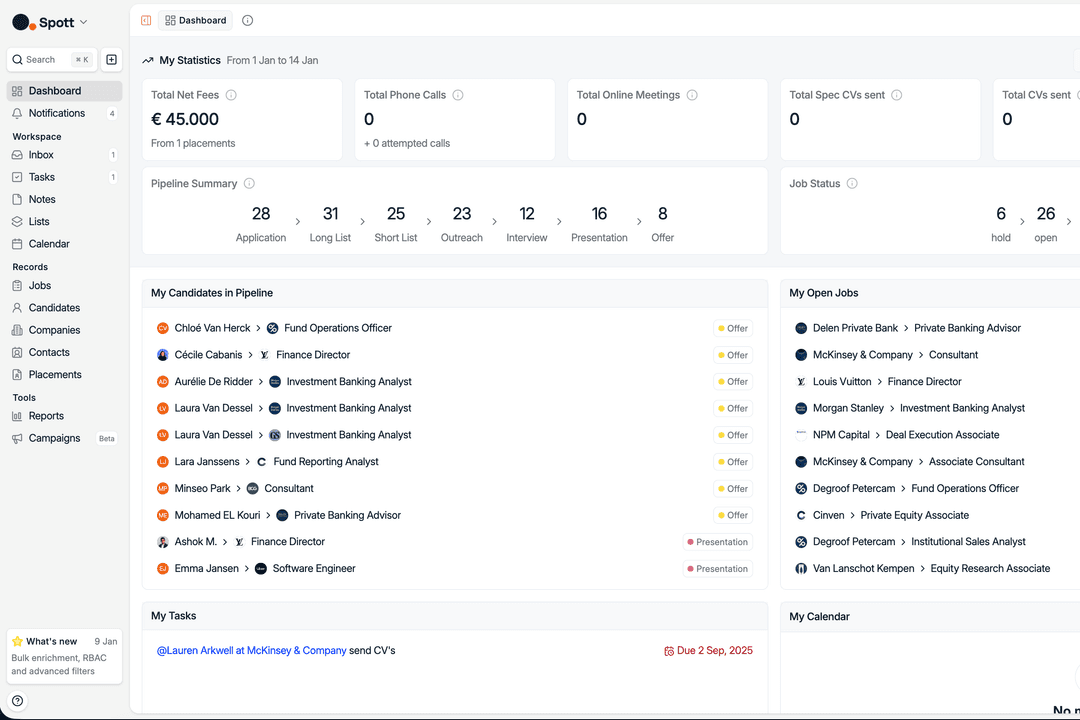
- Recruitment AgenciesSpott helps recruitment agencies manage candidates, clients, pipelines, outreach, and placements from one system built for agency operations.
- Staffing FirmsStaffing firms can use Spott to support candidate management, client communication, business development, and placement workflows across multiple open roles.
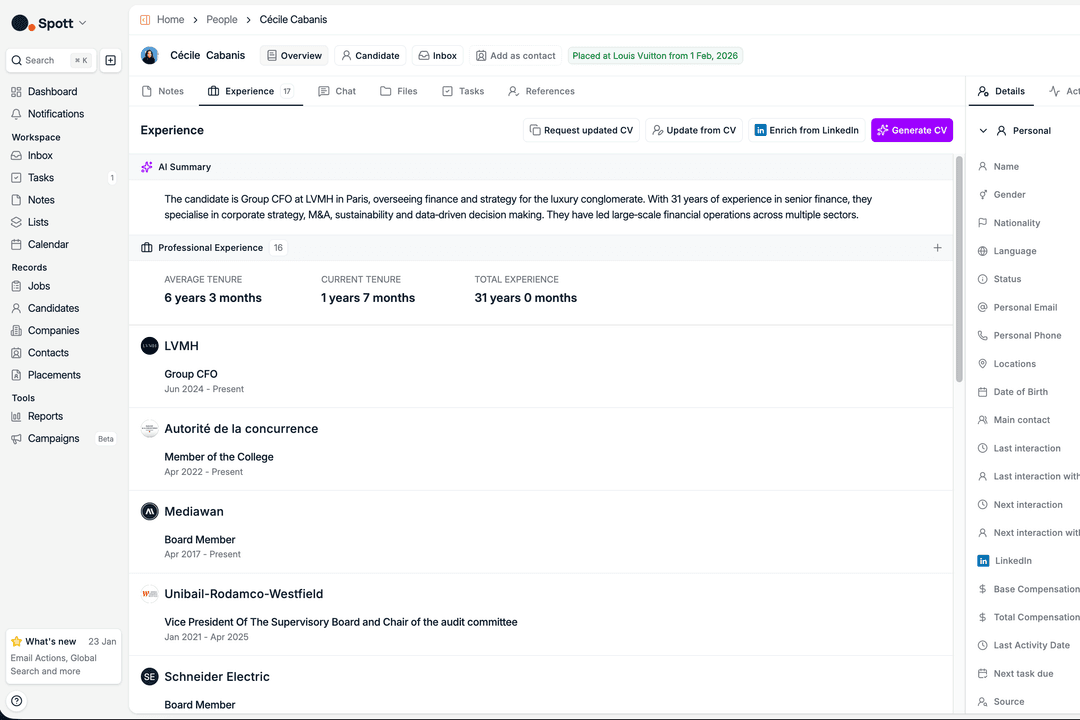
- Executive Search FirmsSpott’s AI matching, conversation memory, and candidate presentation tools can help executive search teams manage high-touch relationships with candidates and clients.
- Permanent Placement FirmsPermanent placement firms can use Spott to track candidate pipelines, manage client submissions, and keep recruitment activity connected to revenue outcomes.
- RPO and Consulting TeamsRPO providers and recruitment consultants can use Spott to manage client-facing workflows, outreach campaigns, reporting, and candidate communication.
- Temp Staffing TeamsTemp staffing teams can benefit from Spott’s recruiting workflows, communication tracking, and reporting tools when managing ongoing candidate and client activity.
Loxo

- Staffing AgenciesHigh-volume candidate search and outreach gets automated, saving time and managing many open roles at once.
- Executive Search FirmsComprehensive sourcing, talent graph database, and built-in CRM help manage long recruiting cycles and complex pipelines.
- Tech StartupsEasy job posting, pipeline flexibility, and affordable tiers suit teams ramping up hiring quickly with little admin support.
- HR Departments (SMB)HR teams in small to mid-sized businesses appreciate the drag-and-drop interface and fast onboarding for easy adoption.
- RPO ProvidersRecruitment process outsourcing teams leverage advanced sourcing and easy client-candidate relationship tracking in one place.
- Third-Party RecruitersIntegrated calling, SMS, and outreach campaigns help third-party recruiters manage many clients and candidate pools efficiently.
Who Should Use Spott, and Who Should Use Loxo?
If you’re a recruitment agency or staffing firm that needs an AI-native ATS and CRM for managing candidates, clients, outreach, placements, and business development, Spott is likely the better fit. It works especially well for recruitment agencies, staffing firms, executive search teams, permanent placement firms, RPO and consulting teams, and temp staffing businesses that want semantic matching, Conversation Memory, Unibox, Decision Intelligence, and agency-focused workflows.
Loxo, by contrast, is a better fit for teams that prioritize proactive sourcing, high-volume outreach, and quick pipeline building. It suits staffing agencies, executive search firms, RPO providers, third-party recruiters, tech startups, and SMB HR teams that want AI sourcing, automated outreach, a built-in recruiting CRM, job posting tools, and an easy-to-use pipeline for managing active and passive candidates.
| Spott ATS | Loxo | |
|---|---|---|
| AI/Data Approach | Spott ATS Uses semantic matching, Conversation Memory, Decision Intelligence, and connected agency data to give recruiters more context across candidates and clients. | Loxo Focuses more on AI sourcing and talent discovery, helping teams identify candidates from public and proprietary databases. |
| Migration Support | Spott ATS Provides dedicated onboarding, in-house white-glove migration, and live human support through in-platform chat. | Loxo Emphasizes quick setup and easy adoption, especially for teams starting with a lighter ATS/CRM setup. |
| Pricing Entry Point | Spott ATS Uses paid Core, Pro, and Enterprise plans with clearer package-based pricing. | Loxo Offers a Free plan, then paid tiers that add sourcing, outreach, analytics, AI agents, and enterprise controls. |
| Security Transparency | Spott ATS Provides a public Trust Center, ISO 27001 certification, GDPR compliance, AI Safety compliance, EU-hosted infrastructure, encrypted backups, and 99.99% uptime. | Loxo Offers enterprise security options such as SSO, SAML, SOC 2 Type II reporting, and custom AI configurations on Enterprise. |
| Sourcing Model | Spott ATS External database sourcing currently depends on integrations, with native sourcing still on the roadmap. | Loxo Has stronger built-in sourcing capabilities for finding active and passive candidates. |
| Interview Scheduling | Both support scheduling workflows that help teams coordinate interviews, manage candidate touchpoints, and keep hiring steps moving. |
|---|---|
| Outreach Workflows | Both support candidate outreach and follow-up workflows, helping recruiters manage communication at scale without relying only on manual tracking. |
| Pipeline Management | Both platforms help recruiters move candidates through hiring stages, monitor progress across active roles, and keep placement workflows organized. |
| Recruiting CRM | Both include CRM capabilities for managing candidate and client relationships, making them useful for recruiting and staffing teams that need to track communication and context. |
| Reporting and Analytics | Both provide reporting and analytics features that help teams review recruiting activity, monitor pipeline health, and understand performance across jobs and candidates. |