

Die 10 besten mobilen LMS im Test 2026

Auswahl der besten mobilen LMS-Tools


Die Leitung eines Teams ist mit ständigen Anforderungen verbunden – von Schulungen und der Einarbeitung bis hin zu Engagement und laufenden Aktualisierungen. Ein mobilfreundliches Learning-Management-System (LMS) kann dabei helfen, indem es Lernen jederzeit und überall zugänglich macht und Teams so die nötige Flexibilität gibt, um abgestimmt und informiert zu bleiben.
Aus meiner Erfahrung bei der Bewertung dieser Plattformen beginnt die Suche nach der richtigen Lösung damit, zu verstehen, wie Ihr Team lernt und welche Funktionen diesen Arbeitsablauf tatsächlich unterstützen. Ich habe eine Reihe von Optionen bewertet und dabei den Schwerpunkt auf Benutzerfreundlichkeit, Zugänglichkeit und praxisnahe Lernwerkzeuge gelegt.
In diesem Artikel stelle ich meine Favoriten unter den besten mobilen LMS-Tools vor und zeige, worin die jeweiligen Stärken liegen und wie sie Ihr Team unterstützen können. Am Ende werden Sie besser einschätzen können, welche Plattform am besten zu Ihren Anforderungen passt.
Warum Sie unseren Software-Bewertungen vertrauen können
Unser Team testet und bewertet Software seit 2012. Als HR-Experten wissen wir selbst, wie schwierig – und wichtig – es ist, die richtige Software auszuwählen.
Für diesen Leitfaden haben wir Tools mithilfe von praktischen Tests und unabhängiger Recherche bewertet und dabei unsere Bewertungskriterien angewendet. Zudem greifen wir auf Erkenntnisse von Branchenvordenkern und praktizierenden HR-Experten zurück.
Unsere Bewertungen spiegeln unser menschliches redaktionelles Urteilsvermögen wider, keine Verkaufsstrategie.
Expertenprüfer:
Vergleichstabelle für mobile LMS-Tools
Diese Vergleichstabelle fasst die Preisinformationen meiner besten mobilen LMS-Empfehlungen zusammen:
| Tool | Best For | Trial Info | Price | ||
|---|---|---|---|---|---|
| 1 | Best for collaborative learning | 30-day free trial + free demo available | From $8/user/month | Website | |
| 2 | Best for course creation | Free 30-day trial available | From $24/month (billed annually) | Website | |
| 3 | Best for multimedia content | Free demo available | Pricing upon request | Website | |
| 4 | Best for AI features | Free demo available | Pricing upon request | Website | |
| 5 | Best for virtual classrooms | Free 14-day trial available | From $49/month (billed annually) | Website | |
| 6 | Best for academic use | Free to use | Free and open source | Website | |
| 7 | Best for compliance training | Free demo available | Pricing upon request | Website | |
| 8 | Best for higher education | Free trial + free demo available | Pricing upon request | Website | |
| 9 | Best for data analytics | Free demo available | Pricing upon request | Website | |
| 10 | Best for microlearning | Free plan + free 30-day trial + free demo available | From $5/learner/month (billed annually) | Website |
Tests der besten mobilen LMS-Tools
Nachfolgend finden Sie meine ausführlichen Zusammenfassungen der besten mobilen LMS, die es in meine Auswahl geschafft haben. Meine Tests bieten einen detaillierten Überblick über die wichtigsten Funktionen, Vor- und Nachteile, Integrationen und idealen Anwendungsfälle jedes Tools und helfen Ihnen dabei, das für Sie beste Tool zu finden.

Best for collaborative learning
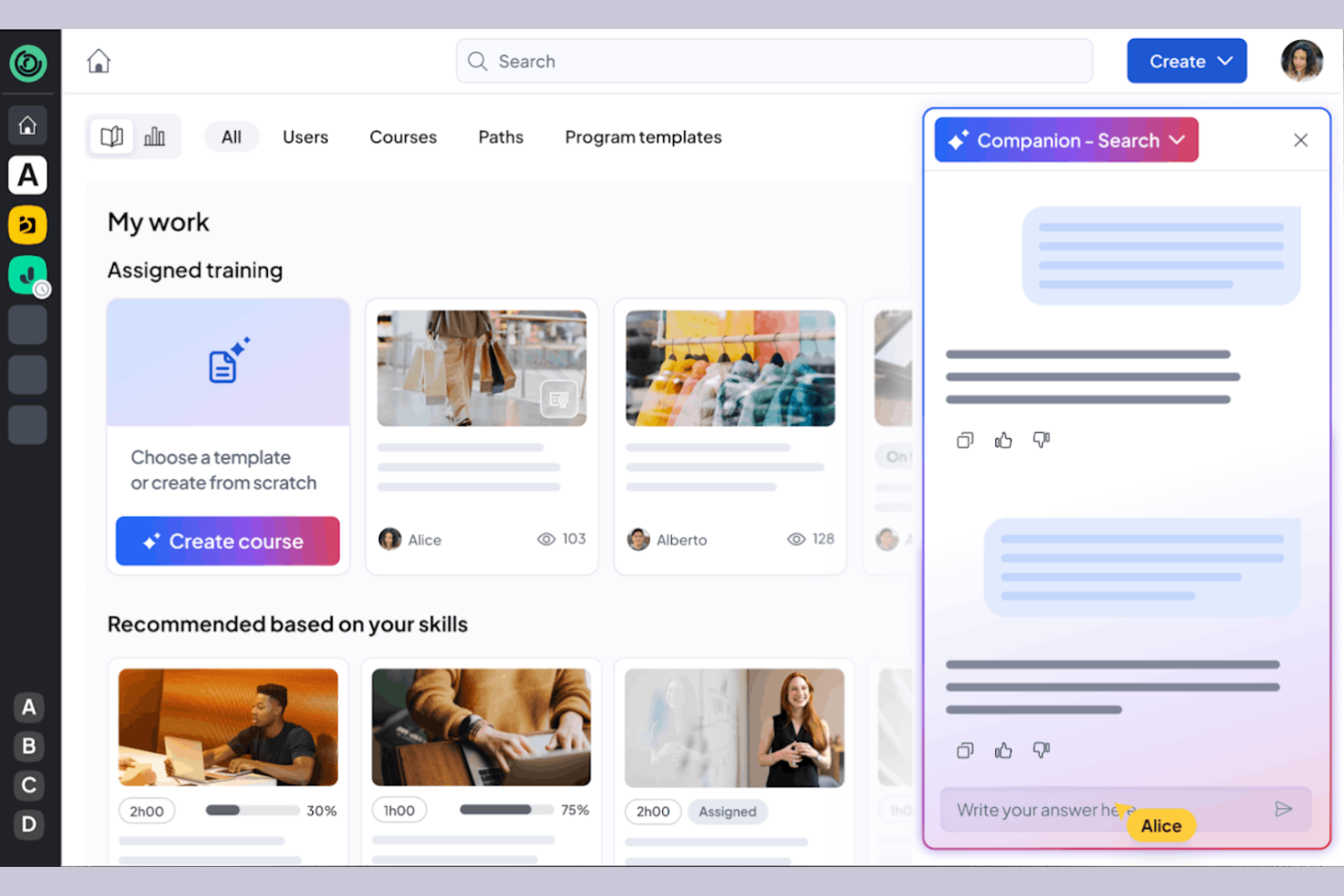
360learning is a learning management system tailored for businesses that prioritize collaborative learning and development. It caters to organizations by providing tools for team-based learning, course creation, and feedback collection.
Why I picked 360learning: It excels in promoting all-in-one collaborative learning, allowing your team to co-create courses and share knowledge. The platform enables peer feedback, fostering a culture of continuous improvement. You can create interactive courses using the built-in authoring tool, producing engaging content. 360learning also supports social learning features, making it easy for your team to connect and learn from each other.
Standout Features and Integrations:
Features include a mobile LMS app that provides learning access anytime, anywhere, and offers flexibility for remote teams. The learning platform supports gamification, adding a competitive edge to the learning experience. You can also use the analytics dashboard to track engagement and course performance.
Integrations include Salesforce, Slack, Microsoft Teams, Zoom, BambooHR, SAP SuccessFactors, Workday, and more.
Pros and Cons
Pros:
- Social learning features
- Supports peer feedback
- Strong focus on collaborative learning
Cons:
- Branding limits
- Weak SCORM support

Best for course creation
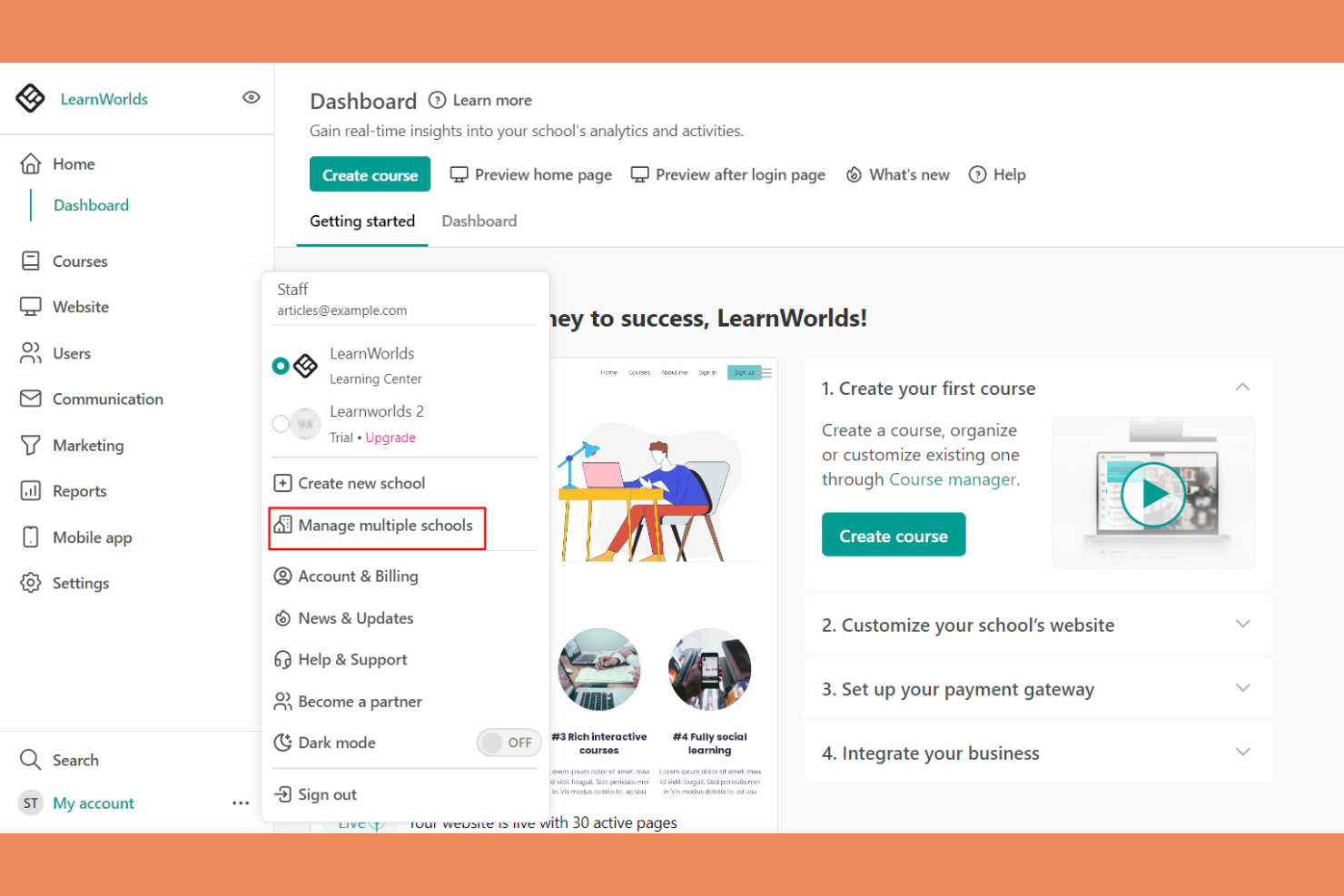
LearnWorlds is an online course platform designed for educators and businesses looking to create engaging learning experiences. It offers tools for course creation, video hosting, and student interaction.
Why I picked LearnWorlds: It excels at course creation with its intuitive drag-and-drop builder, making it easy to design courses. The platform’s interactive learning features improve retention by adding quizzes and notes directly into videos. You can also create branded mobile apps that provide a tailored experience for your learners. The analytics dashboard gives insights into learner engagement, helping you refine your courses.
Standout Features and Integrations:
Features include a built-in social network that encourages student interaction and community building. You can use customizable templates to quickly set up courses and landing pages. The platform also supports advanced eCommerce capabilities, allowing you to monetize your courses effectively.
Integrations include Zoom, Zapier, Mailchimp, Google Analytics, Shopify, Stripe, PayPal, HubSpot, ActiveCampaign, and more.
Pros and Cons
Pros:
- Flexible course templates and learning activities
- Interactive video capabilities
- Powerful drag-and-drop course builder
Cons:
- Marketing tool gaps
- Limited site customization
Best for multimedia content
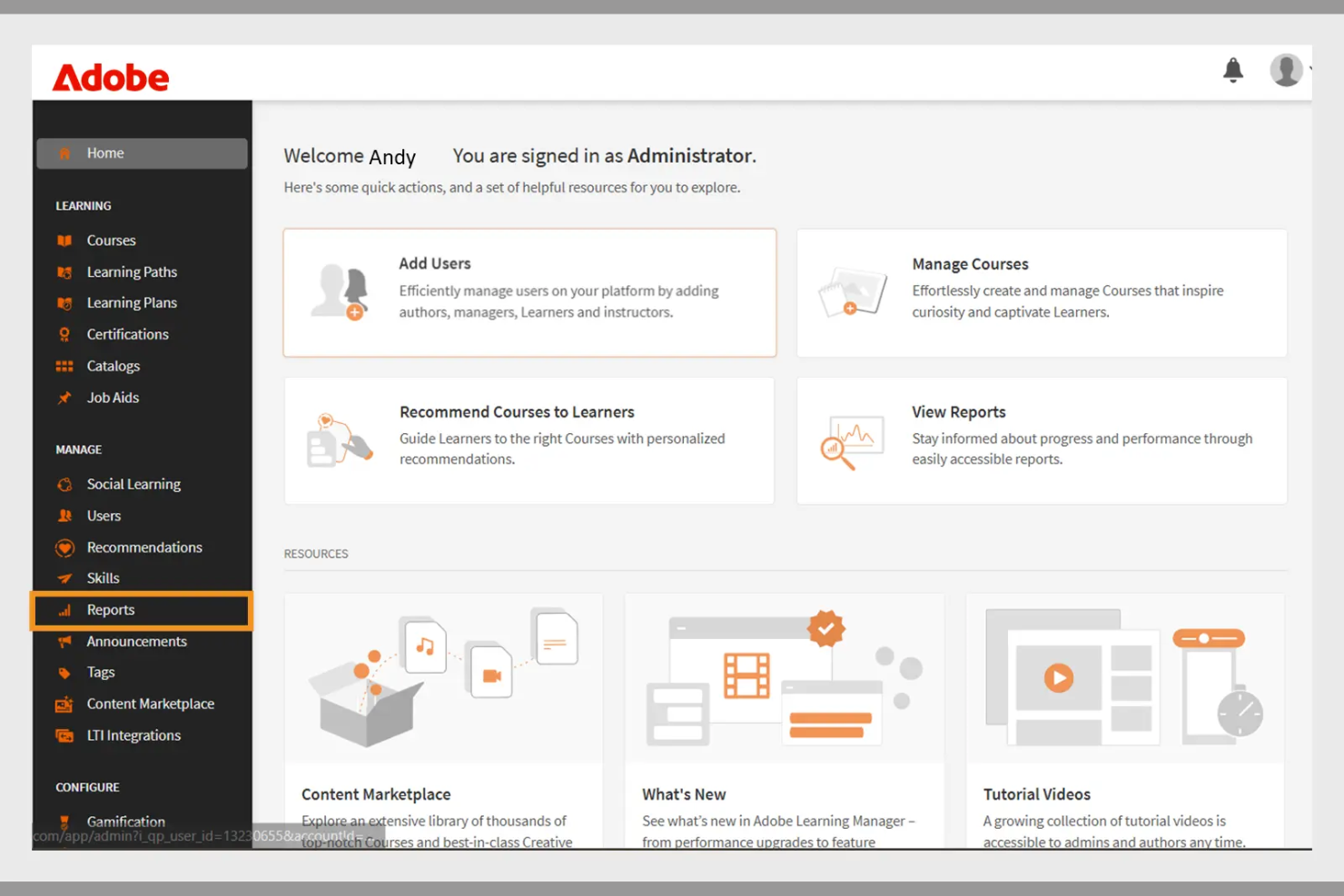
Adobe Learning Manager is a learning management system designed for businesses aiming to deliver engaging training programs. It focuses on multimedia content delivery, making it ideal for organizations that use rich media in their training.
Why I picked Adobe Learning Manager: It offers extensive multimedia support, allowing you to incorporate videos, interactive elements, and graphics into your training. The platform's content management features enable you to organize and deliver courses efficiently. You can track learner progress with detailed analytics, helping you refine your training strategies. Adobe Learning Manager also supports mobile learning, allowing your team to access courses anytime, anywhere.
Standout Features and Integrations:
Features include customizable learning paths that let you tailor courses to individual needs. The platform supports gamification, adding a fun and competitive element to learning. You can also use automated notifications to keep learners engaged and informed about their progress.
Integrations include Adobe Connect, Salesforce, Zoom, LinkedIn Learning, Microsoft Teams, Workday, and more.
Pros and Cons
Pros:
- Effective gamification features
- Customizable learning paths
- Strong multimedia content support
Cons:
- Requires ongoing technical support
- Can be slow to load
Docebo
Best for AI features
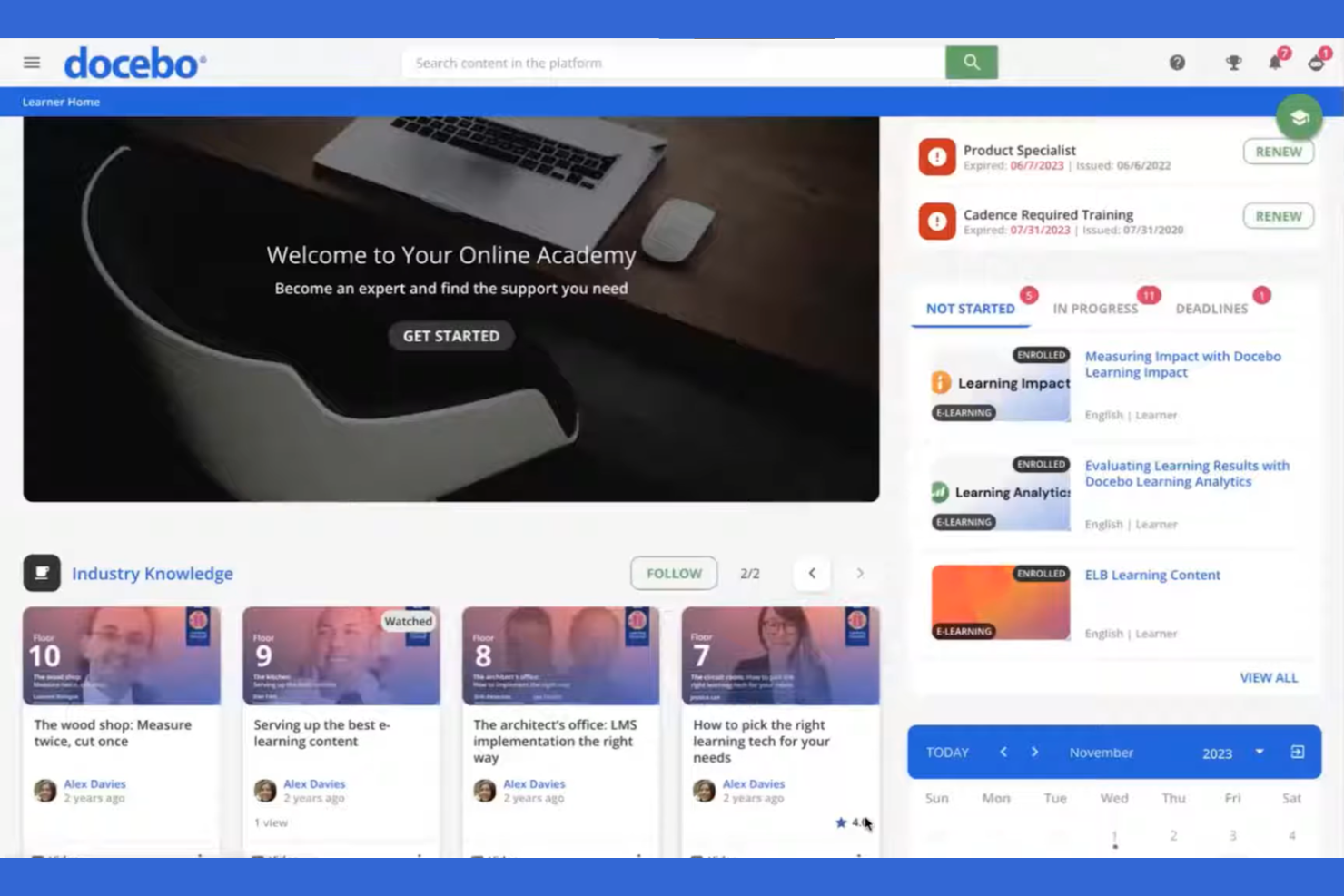
Docebo is a learning management system aimed at businesses looking to improve their corporate training programs. It serves industries by providing tools for content creation, learner engagement, and performance tracking.
Why I picked Docebo: Its AI-powered features make it unique in delivering personalized learning experiences. You can use AI to automate administrative tasks, saving your team time and effort. Docebo offers tools for content curation, helping your learners always have access to relevant materials. The platform's social learning capabilities also foster collaboration among users.
Standout Features and Integrations:
Features include a mobile app that allows learners to access courses on the go, which is great for remote teams. You can track learner performance with detailed reporting tools, helping you identify areas for improvement. The platform also supports gamification, adding an element of fun to learning.
Integrations include Salesforce, Zoom, Slack, Shopify, Google Workspace, Microsoft Teams, LinkedIn Learning, Adobe Connect, PayPal, Stripe, and more.
Pros and Cons
Pros:
- Social learning capabilities
- Strong content curation tools
- AI-powered learning personalization
Cons:
- Slow support responses
- UI inconsistencies
Best for virtual classrooms
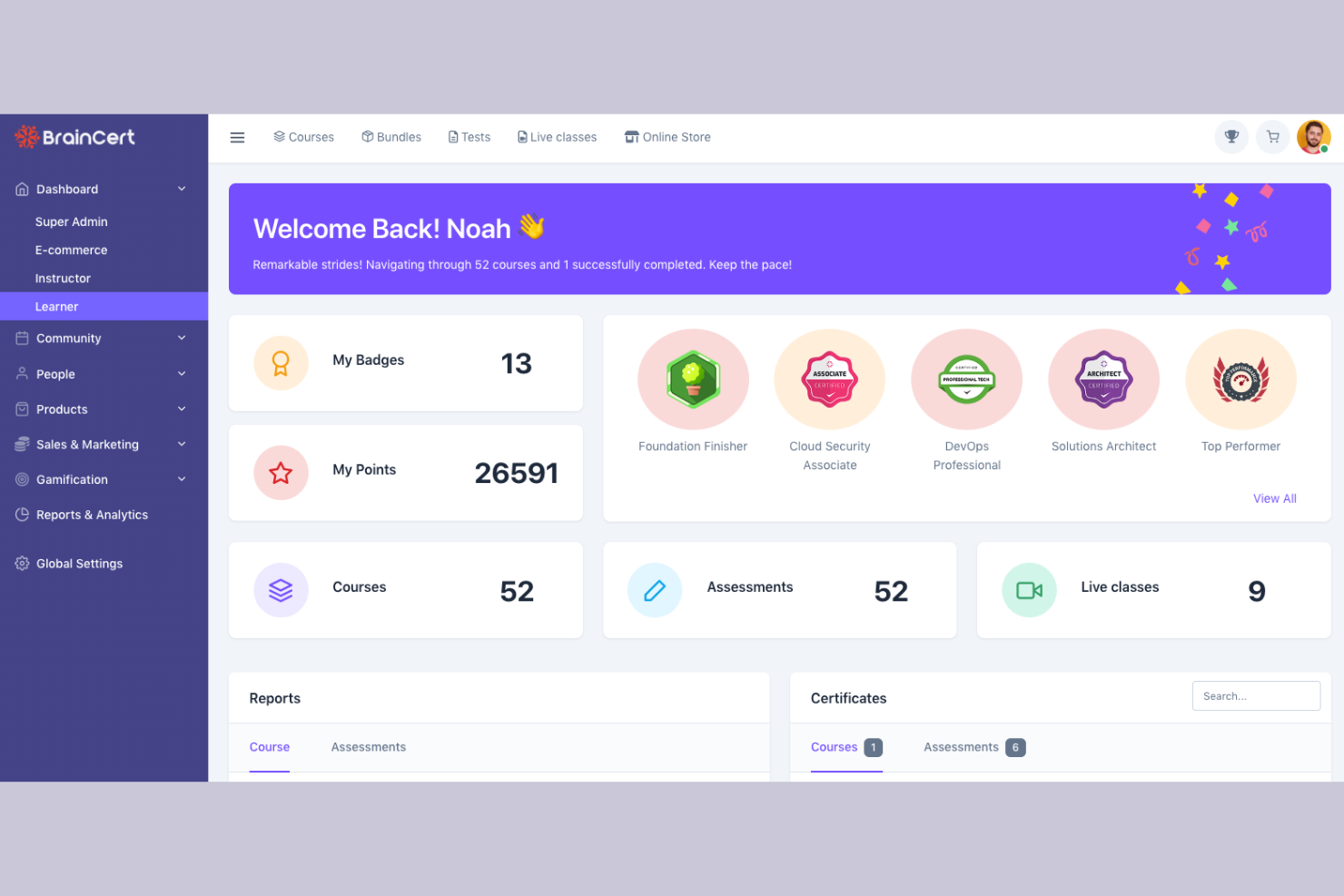
BrainCert is a learning management system designed for educational institutions and businesses looking to facilitate virtual learning. It provides tools for online classrooms, course creation, and assessments.
Why I picked BrainCert: It excels in virtual classroom capabilities, allowing you to conduct live sessions with ease. The platform offers interactive whiteboards and real-time collaboration tools, improving the learning experience. You can create and deliver quizzes to assess learner progress effectively. BrainCert also supports multimedia content, making lessons more engaging for your students.
Standout Features and Integrations:
Features include a mobile app that lets learners participate in sessions from anywhere, promoting flexibility. The platform supports gamification, adding a fun element to learning. You can also use the built-in eCommerce features to sell courses online.
Integrations include PayPal, Stripe, Moodle, and more.
Pros and Cons
Pros:
- Effective assessments and quizzes
- Interactive whiteboards available
- Excellent virtual classroom tools
Cons:
- Missing basic admin controls
- Unpolished mobile web view

Moodle
Best for academic use
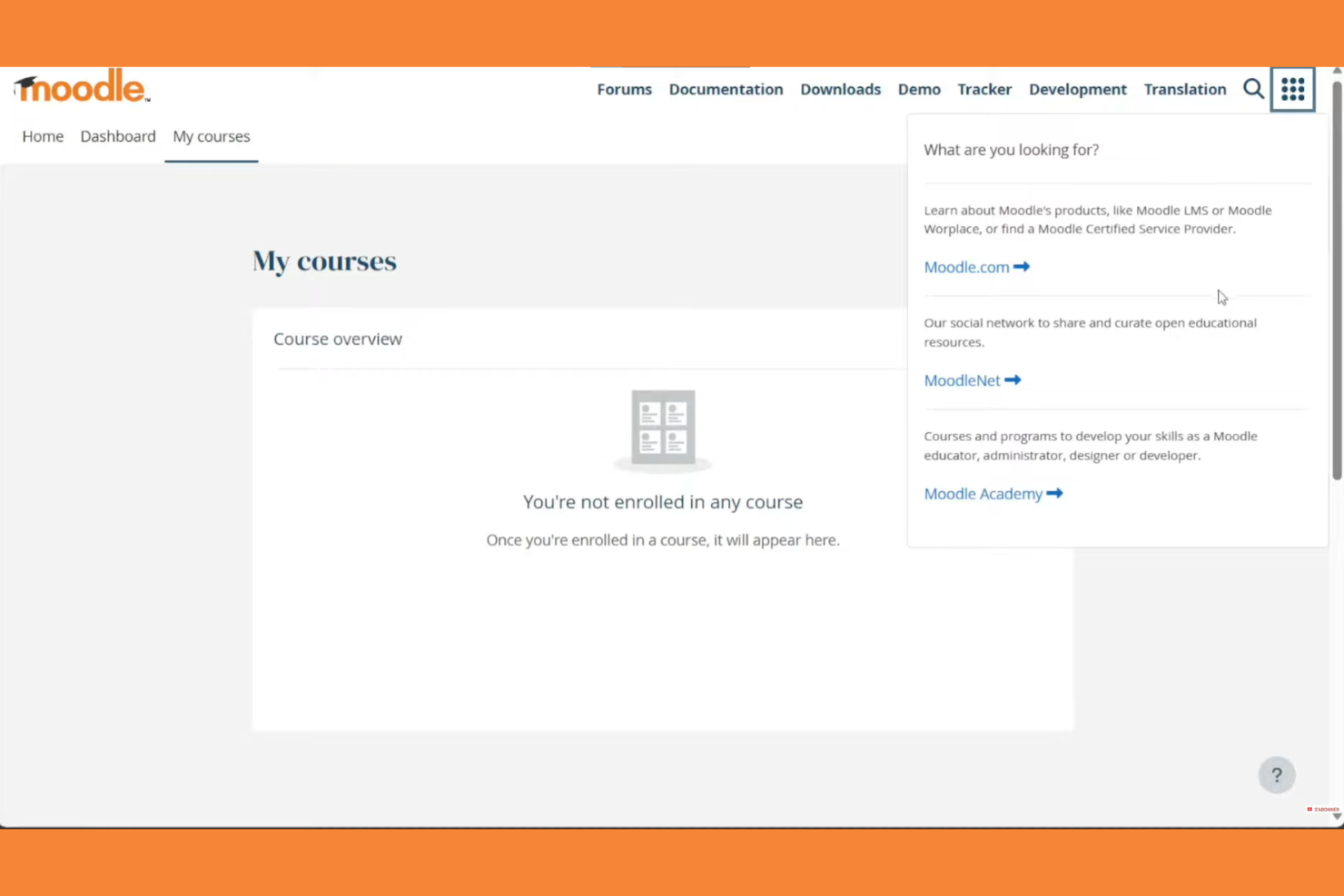
Moodle is an open-source learning management system widely used in educational institutions. It supports course creation, student engagement, and assessment management.
Why I picked Moodle: Moodle excels in academic settings with its flexible course management and wide array of plugins. Its open-source nature allows for extensive customization to fit specific educational needs. The platform supports various learning methodologies, making it versatile for different teaching styles. Moodle also offers strong community support and discussion forums, which can be invaluable for educators.
Standout Features and Integrations:
Features include a customizable dashboard that lets you organize courses and activities with ease. The platform supports multimedia integration, improving the learning experience with videos and interactive content. You can track student progress with detailed analytics, helping you identify areas for improvement.
Integrations include Microsoft Office 365, Google Workspace, Zoom, BigBlueButton, Mahara, Turnitin, Panopto, H5P, Jitsi, SCORM, and more.
Pros and Cons
Pros:
- Wide array of plugins
- Flexible course management
- Supports various teaching styles
Cons:
- Plugin dependency
- Outdated interface
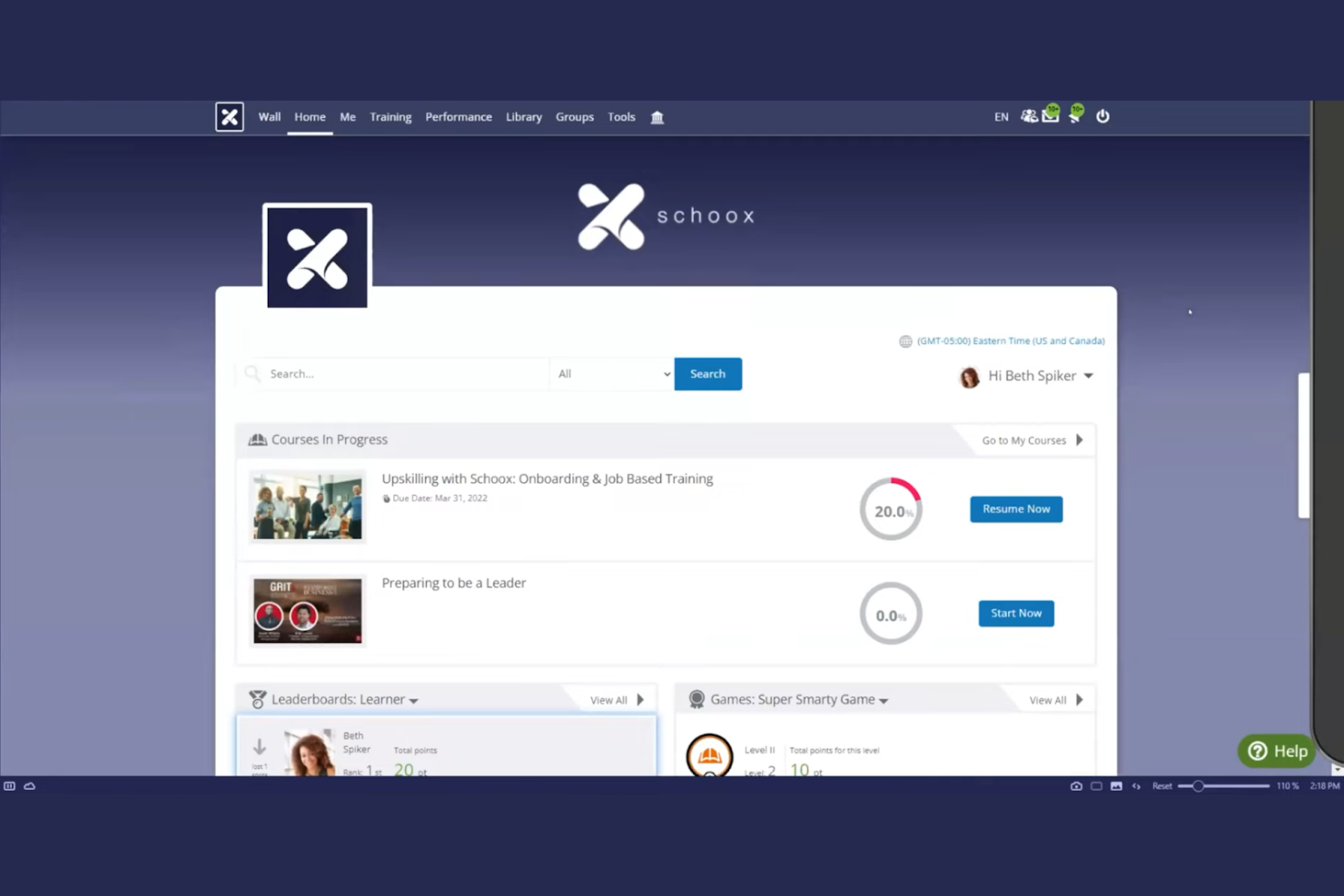
Schoox LMS software is tailored for businesses focused on compliance and skill development. It serves industries by providing tools for training, performance measurement, and certification management.
Why I picked Schoox: It offers specialized features for compliance training, helping your team meet industry standards. The platform provides customizable learning paths, allowing you to tailor training to individual needs. You can also track certifications and compliance status, keeping your organization on top of regulatory requirements. Schoox's reporting tools help you analyze training effectiveness and make data-driven improvements. The platform supports Tin Can (xAPI), enabling learning activity tracking beyond traditional course completion.
Standout Features and Integrations:
Features include a mobile app for on-the-go learning, which is ideal for remote teams. The platform supports gamification, adding an engaging element to training programs. You can also use the content library to access a variety of pre-built learning materials and resources.
Integrations include Salesforce, Microsoft Teams, Zoom, ADP, BambooHR, Google Workspace, SAP SuccessFactors, Workday, Oracle, and more.
Pros and Cons
Pros:
- Certification tracking
- Customizable learning paths
- Strong compliance training focus
Cons:
- Technical glitches
- The menu structure can feel overloaded

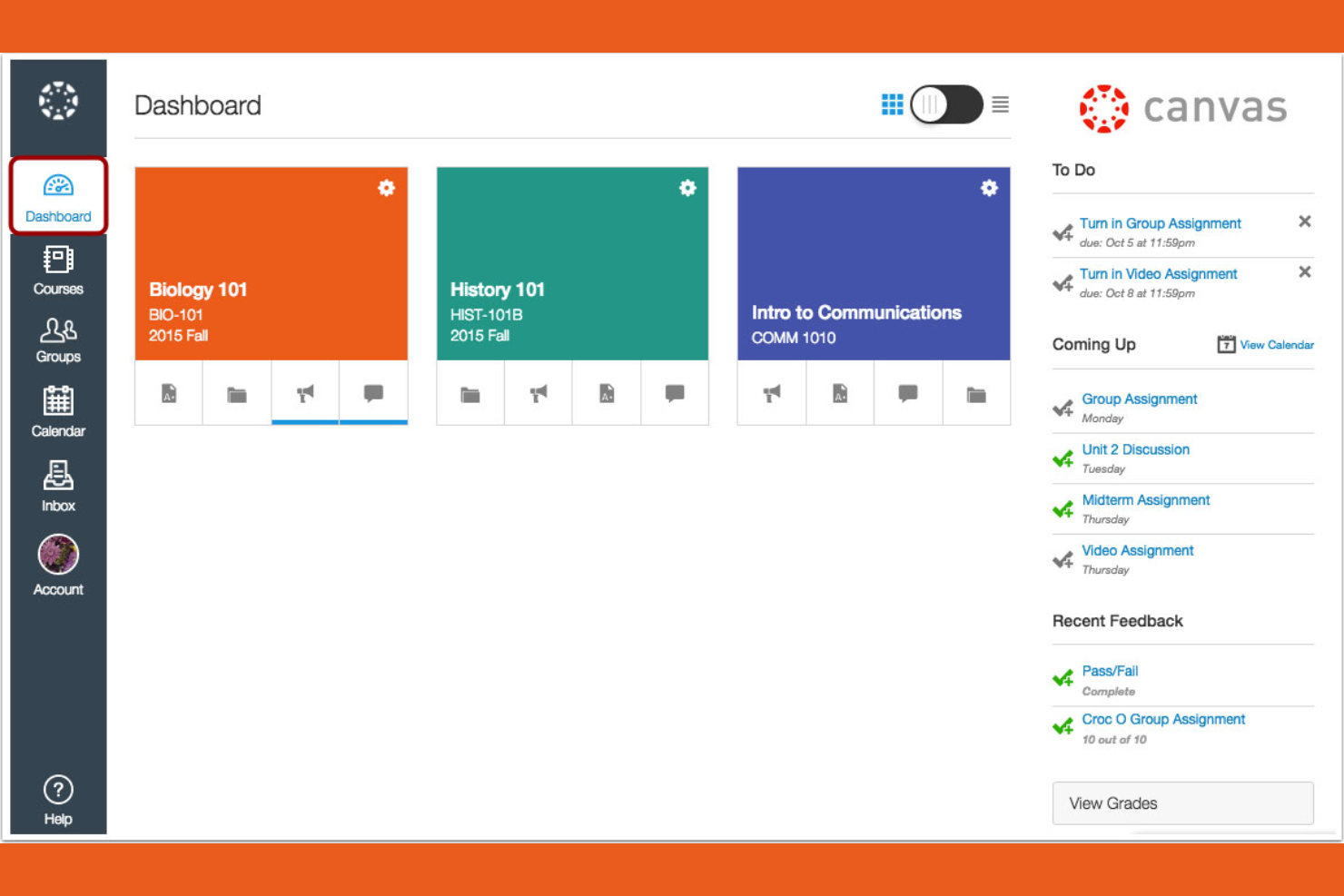
Canvas is a learning management system designed primarily for educational institutions, especially universities and colleges. It provides tools for course management, grading, and student engagement.
Why I picked Canvas: It's tailored for higher education, offering features that support both instructors and students. You can create and manage courses efficiently with its intuitive interface. The platform includes tools for online assessments, making it easier to evaluate student performance. Canvas also supports collaboration through discussion boards and group projects, improving the learning experience.
Standout Features and Integrations:
Features include a mobile app that lets students and instructors access courses from their smartphones, promoting flexibility. You can use analytics to track student performance and identify areas for improvement. The platform also supports multimedia content, enriching the learning experience with videos and other resources.
Integrations include Google Workspace, Microsoft Teams, Zoom, and more.
Pros and Cons
Pros:
- Strong online assessment tools
- Intuitive course management
- Tailored for higher education
Cons:
- Gradebook complexity
- Inconsistent course design

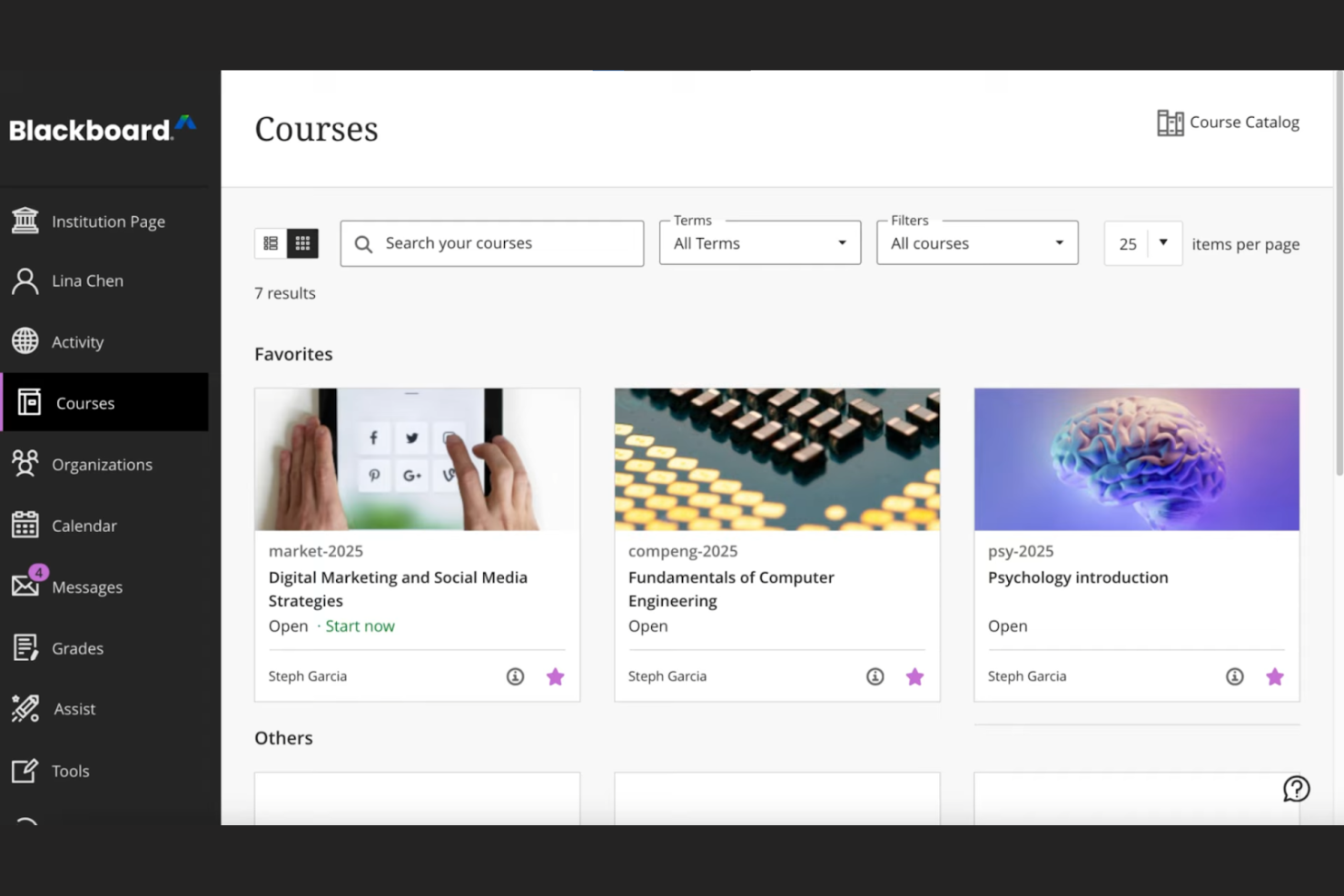
Blackboard by Anthology is a complete learning management system tailored for educational institutions, focusing on data-driven decision-making. It supports course management, student engagement, and performance analytics.
Why I picked Blackboard: Its strength lies in data analytics, offering institutions detailed insights into student performance and engagement. The platform allows you to create custom reports, helping you make informed decisions. You can track learning outcomes and identify trends, which is essential for improving educational strategies. Blackboard also provides tools for automating administrative tasks, freeing up your team for more critical work.
Standout Features and Integrations:
Features include an intuitive interface that simplifies course management, making it easy for instructors to navigate. The platform supports multimedia content, improving the learning experience with videos and interactive elements. You can also use built-in communication tools to foster collaboration between students and teachers.
Integrations include Google Workspace, Microsoft Teams, Zoom, Turnitin, Pearson, McGraw-Hill Education, and more.
Pros and Cons
Pros:
- Effective learning outcome tracking
- Custom report generation
- Strong data analytics capabilities
Cons:
- Dated interface
- Overkill for basic needs

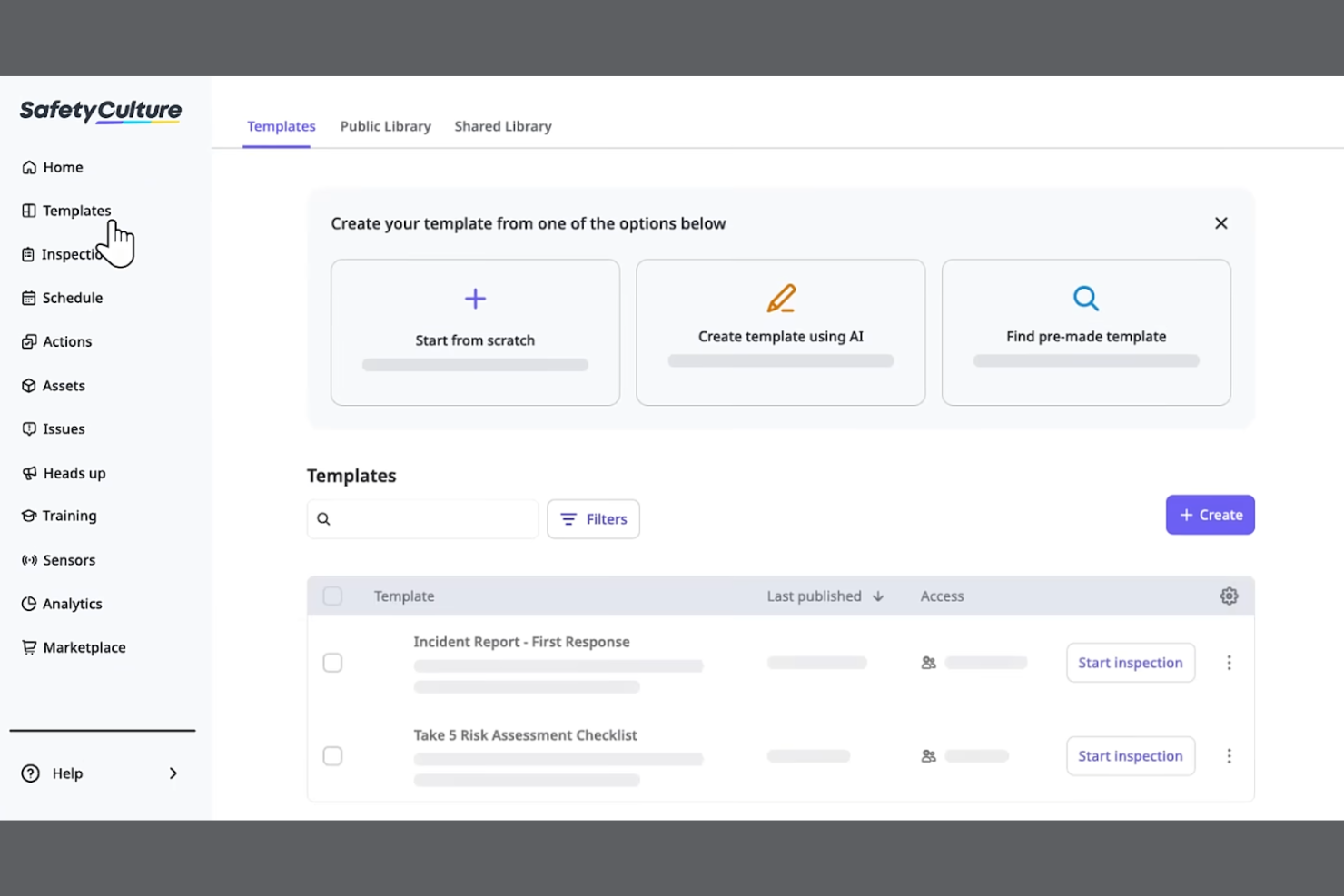
SC Training is a mobile-focused learning management system designed for businesses looking to deliver training in bite-sized modules for better retention. It serves industries by promoting effective learning through microlearning techniques and tools.
Why I picked SC Training: It specializes in microlearning, allowing you to create short, engaging lessons that fit into your team's schedule. The platform offers a built-in authoring tool for easy course materials creation, enabling you to develop content quickly. You can incorporate multimedia elements to make the learning experience more dynamic. SC Training also provides analytics to track learner progress, helping you measure the impact of your training.
Standout Features and Integrations:
Features include a mobile app that supports on-the-go enrollment and lets learners access courses anytime, anywhere. The platform supports gamification, adding a competitive edge to learning. You can also use the content library to access a variety of ready-made courses and templates.
Integrations include Microsoft Teams, Zoom, Slack, Salesforce, BambooHR, Shopify, Google Drive, Microsoft Azure, PayPal, Stripe, and more.
Pros and Cons
Pros:
- Wide content library
- Built-in authoring tool
- Effective microlearning techniques
Cons:
- Content "reset" risks
- Microlearning only
Weitere mobile LMS
Hier finden Sie einige weitere mobile LMS-Optionen, die es nicht in meine Auswahl geschafft haben, die sich aber dennoch lohnen:


How I Evaluate Mobile LMS Solutions
I split my evaluation into two layers—the baseline every tool must clear, like offline access and native apps for shift workers, and the differentiators that set the best fit apart.
Core Functionality (Table Stakes For This List)
When I'm selecting tools for my list, I rank each one on a scale from 0 (does not offer the functionality) to 5 (excels in this area) for each core functionality listed below. Then, I calculate the tool's total score into a percentage. Each tool needs to achieve a minimum total score of 65% to be considered for inclusion.
- Native Mobile Apps: I check for dedicated iOS and Android apps where a warehouse worker or retail associate can log in and complete a full course, not just view a dashboard.
- Offline Learning Access: I look for the ability to download courses and sync progress later, which matters for field teams in areas with spotty connectivity.
- Responsive Course Content: Quizzes, videos, and interactive modules all need to render cleanly on a phone screen with tap-friendly navigation and no horizontal scrolling.
- Mobile Push Notifications: I evaluate whether the platform can push assignment reminders and deadline alerts directly to a learner's device to drive completion rates.
- Mobile-Friendly Authoring: I look at whether admins can build or adapt content for small screens, including microlearning formats like short quizzes or two-minute video lessons.
- Progress Tracking & Reporting: Completion data, quiz scores, and certification status should sync across devices and roll up into a centralized admin dashboard in real time.
Once I have a list of tools that meet this criteria, I consider what sets each platform apart.
Differentiating Factors (What Sets Vendors Apart)
Here's how I compare and contrast different vendors:
Standout Features
Gamification features like points, badges, and leaderboards keep frontline learners coming back between shifts. I also evaluate AI-powered personalization, where the platform adapts learning paths based on a worker's role or skill gaps rather than serving the same generic content to everyone. QR code course access is another differentiator I look for—a supervisor can post a code in a breakroom and new hires scan it to enroll instantly from their phones.
Beyond Features
HRIS integrations matter here—I check whether a platform connects with systems like Workday or BambooHR so new hires auto-populate into training workflows without manual data entry. Compliance and security are equally important, especially in BYOD environments where employee training data lives on personal devices. I look for MDM compatibility and audit-ready reporting that HR teams in regulated industries can pull during an inspection. Scalability also factors in, particularly multi-language support for organizations training across multiple regions.
So wählen Sie ein mobiles LMS aus
Bei langen Funktionslisten und komplexen Preisstrukturen verliert man leicht den Überblick. Damit Sie bei der Auswahl der für Sie passenden Software den Fokus behalten, finden Sie hier eine Checkliste mit den wichtigsten Faktoren:
| Faktor | Was Sie beachten sollten |
|---|---|
| Skalierbarkeit | Wächst das LMS mit Ihrem Team? Berücksichtigen Sie zukünftige Anforderungen und ob das Tool eine steigende Anzahl von Benutzern und Inhalten bewältigen kann. |
| Integrationen | Funktioniert es mit Ihren bestehenden Tools? Prüfen Sie die Kompatibilität mit Ihren aktuellen Systemen, um einen reibungslosen Arbeitsablauf sicherzustellen. |
| Anpassbarkeit | Können Sie es an Ihre Anforderungen anpassen? Achten Sie auf Möglichkeiten, die Plattform an Ihre individuellen Prozesse anzupassen. |
| Benutzerfreundlichkeit | Ist es für alle unkompliziert zu bedienen? Stellen Sie sicher, dass die Benutzeroberfläche sowohl für Administratoren als auch für Lernende benutzerfreundlich ist. |
| Implementierung und Einarbeitung | Wie schnell können Sie starten? Bewerten Sie die verfügbaren Unterstützungsangebote und Ressourcen für einen reibungslosen Übergang. |
| Kosten | Passt es in Ihr Budget? Vergleichen Sie Preispläne, versteckte Gebühren und den gebotenen Gegenwert für Ihre Investition. |
| Sicherheitsvorkehrungen | Sind Ihre Daten und Ihre Privatsphäre geschützt? Prüfen Sie die Einhaltung von Branchenstandards und Datenschutzbestimmungen. |
| Verfügbarkeit des Supports | Erhalten Sie bei Bedarf Hilfe? Stellen Sie sicher, dass Sie über verschiedene Kanäle zeitnahen und effektiven Support erhalten. |
Was ist ein mobiles LMS?
Ein mobiles LMS ist eine Plattform, die Bildungsinhalte und Schulungen über mobile Geräte bereitstellt. Personalverantwortliche, betriebliche Ausbilder und Lehrkräfte nutzen diese Tools typischerweise, um flexible Lernlösungen anzubieten. Funktionen wie mobiler Zugriff, Multimediaunterstützung und anpassbare Lernpfade helfen dabei, ansprechende und zugängliche Schulungen bereitzustellen, wobei Push-Benachrichtigungen die Abschlussquote erhöhen. Insgesamt verbessern diese Tools das Lernen, indem sie es für die Nutzer anpassungsfähiger und bequemer machen.
Funktionen
Achten Sie bei der Auswahl eines mobilen LMS auf die folgenden wichtigen Funktionen:
- Mobiler Zugriff: Ermöglicht Lernenden den Zugriff auf Kurse jederzeit und überall dort, wo eine Internetverbindung besteht, und verbessert so Flexibilität und Komfort.
- Multimediaunterstützung: Bezieht Videos, Audioinhalte und interaktive Elemente ein, um ansprechende Lernerfahrungen zu schaffen.
- Anpassbare Lernpfade: Ermöglicht die Anpassung von Kursen an die individuellen Bedürfnisse der Lernenden und die Ziele der Organisation.
- Gamification: Fügt dem Lernen ein unterhaltsames, wettbewerbsorientiertes Element hinzu und steigert Engagement und Motivation.
- Analysen und Berichte: Verfolgt den Lernfortschritt und die Leistung der Lernenden und liefert Erkenntnisse für Verbesserungen.
- Integrationsmöglichkeiten: Verbindet sich mit vorhandenen Tools, um reibungslose Arbeitsabläufe und den Datenaustausch zu unterstützen.
- Sicherheitsvorkehrungen: Schützt Daten und Privatsphäre und gewährleistet gleichzeitig die Einhaltung von Branchenstandards.
- Inhaltsbibliothek: Bietet vorgefertigte Kurse und Ressourcen, um Schulungen zu verbessern, ohne bei null anfangen zu müssen.
- Virtuelles Klassenzimmer: Ermöglicht Live-Sitzungen und Zusammenarbeit in Echtzeit und bereichert dadurch die Lernerfahrung.
Vorteile
Die Einführung eines mobilen LMS bietet Ihrem Team und Ihrem Unternehmen mehrere Vorteile. Hier sind einige, auf die Sie sich freuen können:
- Flexibilität: Der mobile Zugriff ermöglicht es Lernenden, Inhalte nach Belieben und im eigenen Tempo zu nutzen und Schulungen in einen vollen Terminkalender zu integrieren.
- Engagement: Funktionen wie Gamification und Multimediaunterstützung machen das Lernen interaktiver und angenehmer und steigern die Beteiligung.
- Personalisierung: Anpassbare Lernpfade stimmen Schulungen auf individuelle Bedürfnisse ab und verbessern dadurch Relevanz und Wirksamkeit.
- Effizienz: Analysen und Berichte liefern Einblicke in den Lernfortschritt und helfen dabei, Verbesserungsbereiche zu identifizieren und Prozesse zu optimieren.
- Integration: Integrationen mit bestehenden Systemen vereinfachen Arbeitsabläufe und gewährleisten die Datenkonsistenz über verschiedene Plattformen hinweg.
- Sicherheit: Starke Sicherheitsvorkehrungen schützen vertrauliche Informationen und gewährleisten Vertrauen sowie die Einhaltung von Vorschriften.
- Zusammenarbeit: Funktionen des virtuellen Klassenzimmers ermöglichen Interaktion und Teamarbeit in Echtzeit und bereichern dadurch die Lernerfahrung.
Kosten und Preise
Bei der Auswahl eines mobilen LMS ist es wichtig, die verschiedenen verfügbaren Preismodelle und Tarife zu verstehen. Die Kosten variieren je nach Funktionen, Teamgröße, Zusatzoptionen und weiteren Faktoren. Die folgende Tabelle fasst gängige Tarife, ihre durchschnittlichen Preise und typische enthaltene Funktionen von mobilen LMS-Lösungen zusammen:
Tarifvergleichstabelle für mobile LMS
| Tarifart | Durchschnittlicher Preis | Häufige Funktionen |
|---|---|---|
| Kostenloser Tarif | $0/user/month | Grundlegender Kurszugriff, begrenzter Speicherplatz und Community-Support. |
| Persönlicher Tarif | $5-$25/user/month | Anpassbare Kurse, grundlegende Analysen und E-Mail-Support. |
| Geschäftstarif | $25-$50/user/month | Erweiterte Berichte, Integrationen und bevorzugter Support. |
| Unternehmenstarif | $50-$100+/user/month | Vollständige Anpassungsmöglichkeiten, persönlicher Account-Manager und verbesserte Sicherheitsfunktionen. |
Häufig gestellte Fragen zu mobilen LMS
Hier finden Sie Antworten auf häufige Fragen zu mobilen LMS:
Kann ein mobiles LMS den Lernfortschritt von Mitarbeitenden in Echtzeit verfolgen?
Ja, mit einem mobilen LMS können Sie den Lernfortschritt von Mitarbeitenden in Echtzeit verfolgen. Sie können Abschlussquoten von Kursen, Quiz-Ergebnisse und Engagement-Kennzahlen direkt in Ihrem Dashboard einsehen. So lassen sich Lernlücken schnell erkennen und passende Schulungsmaßnahmen ergreifen.
Kann ein mobiles LMS in andere Software integriert werden?
Ja, die meisten mobilen LMS-Plattformen bieten Integrationsmöglichkeiten mit anderer Software. Sie können Ihr LMS mit Tools wie CRM-Systemen, HR-Plattformen und Kommunikations-Apps verbinden. Diese Integration hilft dabei, Arbeitsabläufe zu strukturieren und die Datenkonsistenz über verschiedene Systeme hinweg zu gewährleisten. Prüfen Sie die Kompatibilität des LMS mit Ihren vorhandenen Tools, um eine reibungslose Einrichtung zu ermöglichen.
Wie sicher ist ein mobiles LMS?
Mobile LMS-Plattformen räumen der Sicherheit hohe Priorität ein und bieten Funktionen wie Datenverschlüsselung, Benutzerauthentifizierung und die Einhaltung von Branchenstandards. Achten Sie auf ein LMS mit robusten Sicherheitsmaßnahmen zum Schutz Ihrer Daten und Ihrer Privatsphäre. Es ist wichtig zu bestätigen, dass die Plattform Vorschriften wie die GDPR einhält, wenn Ihr Team international tätig ist.
Ist die Einführung eines mobilen LMS schwierig?
Die Einführung eines mobilen LMS kann je nach Plattform und den Anforderungen Ihrer Organisation unterschiedlich komplex sein. Einige LMS-Anbieter bieten Unterstützung bei der Einführung an, darunter Schulungsvideos, Produkttouren und Webinare, um den Übergang zu erleichtern. Prüfen Sie die verfügbaren Ressourcen und Unterstützungsangebote, damit der Einführungsprozess für Ihr Team reibungslos verläuft.
Welche Arten von Schulungen eignen sich am besten für ein mobiles LMS?
Kurze, interaktive Kurse, Microlearning-Module, Checklisten für die Einarbeitung und Compliance-Schulungen sind auf mobilen LMS-Plattformen besonders effektiv. Mitarbeitende können diese kurzen, überschaubaren Lektionen überall absolvieren – sogar zwischen Besprechungen –, wodurch das Lernen bequem und ansprechend wird.
Wie kann ich Mitarbeitende dazu motivieren, regelmäßig ein mobiles LMS zu nutzen?
Sie können die Akzeptanz steigern, indem Sie Schulungen relevant gestalten, Elemente der spielerischen Motivation hinzufügen (z. B. Abzeichen oder Ranglisten) und klare Erwartungen hinsichtlich der Lernziele festlegen. Auch das Versenden von Erinnerungen oder das Teilen von Fortschrittsaktualisierungen hilft, Mitarbeitende motiviert und engagiert zu halten.