



Patriot Software vs. QuickBooks: Vergleich und Expertenbewertungen für 2026



Patriot Software bietet Ihnen unkomplizierte, preisgünstige Lohnabrechnungstools, während QuickBooks eine funktionsreiche Online-Lohnabrechnungssoftware mit nahtloser Buchhaltungsintegration liefert – die Wahl zwischen beiden bedeutet also, Einfachheit gegen erweiterte Möglichkeiten abzuwägen. Wenn Sie Online-Lohnabrechnungssoftware vergleichen, zeigt Ihnen dieser Artikel, wie beide Plattformen in den Bereichen Preisgestaltung, Funktionen, Benutzerfreundlichkeit und Support abschneiden, sodass Sie sicher die passende Lösung für Ihr Team und Ihre Geschäftsziele wählen können.
Patriot Software vs. QuickBooks Payroll: An Overview
Patriot Software

QuickBooks Payroll
Warum Sie unseren Software-Bewertungen vertrauen können
Unser Team testet und bewertet Software seit 2012. Als HR-Experten wissen wir selbst, wie schwierig – und wichtig – es ist, die richtige Software auszuwählen.
Für diesen Leitfaden haben wir Tools mithilfe von praktischen Tests und unabhängiger Recherche bewertet und dabei unsere Bewertungskriterien angewendet. Zudem greifen wir auf Erkenntnisse von Branchenvordenkern und praktizierenden HR-Experten zurück.
Unsere Bewertungen spiegeln unser menschliches redaktionelles Urteilsvermögen wider, keine Verkaufsstrategie.
Expertenprüfer:
Patriot Software vs. QuickBooks Payroll Pricing Comparison
| Patriot Software | QuickBooks Payroll | |
|---|---|---|
| Free Trial | 30-day free trial | 30-day free trial |
| Pricing | From $17/month | From $50/month |
Patriot Software vs. QuickBooks Preisgestaltung & versteckte Kosten
Patriot Software verwendet ein transparentes, gestaffeltes Preismodell mit einer Grundgebühr und einem Mitarbeiterzuschlag und macht Zusatzkosten für Funktionen wie Zeiterfassung oder HR-Tools klar ersichtlich. Auch QuickBooks setzt auf gestaffelte Preise, bündelt jedoch oft Lohnabrechnung mit Buchhaltungsfunktionen und könnte zusätzliche Gebühren für Steuererklärungen, Direktüberweisung oder Upgrades im Kundensupport enthalten. Beide Plattformen können bei Bedarf an erweiterten HR-Funktionen oder Integrationen Zusatzkosten verursachen – es ist also wichtig, die enthaltenen Leistungen auf jeder Stufe genau zu prüfen.
Um den richtigen Anbieter zu wählen, sollten Sie zunächst Ihren aktuellen und zukünftigen Lohnabrechnungsbedarf definieren – wie Mitarbeiteranzahl, Gehaltsläufe und Compliance-Anforderungen. Vergleichen Sie die enthaltenen Leistungen je Tarif und achten Sie auf Gebühren, die beim Wachstum anfallen, etwa beim Hinzufügen neuer Mitarbeiter oder beim Zugriff auf Premium-Support. Fordern Sie eine detaillierte Aufstellung aller möglichen Kosten an und überlegen Sie, wie sich das Preismodell der jeweiligen Plattform mit dem Wandel Ihres Unternehmens entwickelt.
Patriot Software vs. QuickBooks Payroll Feature Comparison
| Patriot Software | QuickBooks Payroll | |
|---|---|---|
| 2-Factor Authentication | ||
| API | ||
| Dashboard | ||
| Data Export | ||
| Data Import | ||
| Data Visualization | ||
| Expense Tracking | ||
| External Integrations | ||
| Multi-User | ||
| Notifications | ||
| Payroll |
Patriot Software vs. QuickBooks Integrationen
| Integration | Patriot Software | QuickBooks |
|---|---|---|
| QuickBooks Online | ✅ | ✅ |
| Xero | ✅ | ❌ |
| Gusto | ❌ | ✅ |
| TSheets (QuickBooks Time) | ❌ | ✅ |
| FreshBooks | ✅ | ✅ |
| ADP | ❌ | ✅ |
| BambooHR | ✅ | ✅ |
| Deputy | ✅ | ✅ |
| API | ✅ | ✅ |
| Zapier | ✅ | ✅ |
Durch die Integration von Patriot Software mit Xero können Nutzer Lohnabrechnungsdaten direkt in ihr Buchhaltungssystem übertragen und so Zeit bei manuellen Eingaben sparen. QuickBooks-Anwender setzen meist auf die integrierte QuickBooks Online-Verknüpfung, die für eine reibungslose Finanzverwaltung Lohnabrechnungs- und Buchhaltungsdaten verbindet.
Patriot Software vs. QuickBooks Sicherheit, Compliance & Zuverlässigkeit
| Faktor | Patriot Software | QuickBooks |
|---|---|---|
| Datenverschlüsselung | Verwendet SSL-Verschlüsselung zum Schutz sensibler Lohn- und Mitarbeiterdaten während der Übertragung. | Verwendet 128-Bit-SSL-Verschlüsselung und Multi-Faktor-Authentifizierung für alle Nutzer. |
| Regulatorische Compliance | Automatisiert die Abgabe von Bundes-, Staats- und lokalen Steuererklärungen, um gesetzliche Anforderungen zu erfüllen. | Unterstützt automatisierte Steuerberechnungen und -abgaben in allen 50 Bundesstaaten. |
| Datensicherungen | Führt tägliche verschlüsselte Backups durch, um Lohnunterlagen zu sichern und Datenverluste zu vermeiden. | Führt automatische, redundante Backups durch und bietet Protokolle für die Wiederherstellung im Notfall. |
| Zugriffssteuerung | Bietet anpassbare Benutzerrollen und Berechtigungen für Lohn- und HR-Zugriffe. | Stellt granulare Benutzerrechte und Prüfprotokolle für alle Lohnabrechnungsvorgänge bereit. |
| Verfügbarkeitsgarantie | Gewährleistet eine 99,9%-Verfügbarkeit (SLA) für Lohnabrechnungsprozesse und -zugriffe. | Ermöglicht eine 99,9%-Verfügbarkeit (SLA) und Echtzeit-Statusupdates des Systems. |
Sowohl Patriot Software als auch QuickBooks bieten hohe Sicherheit und Compliance, wobei QuickBooks erweiterte Zugriffssteuerung und Authentifizierungsoptionen liefert. Die Compliance-Tools von Patriot Software sind besonders einfach zu verwalten, während QuickBooks sich durch mehrschichtige Sicherheitsfunktionen und detaillierte Prüfprotokolle auszeichnet.
Patriot Software vs. QuickBooks Benutzerfreundlichkeit
| Faktor | Patriot Software | QuickBooks |
|---|---|---|
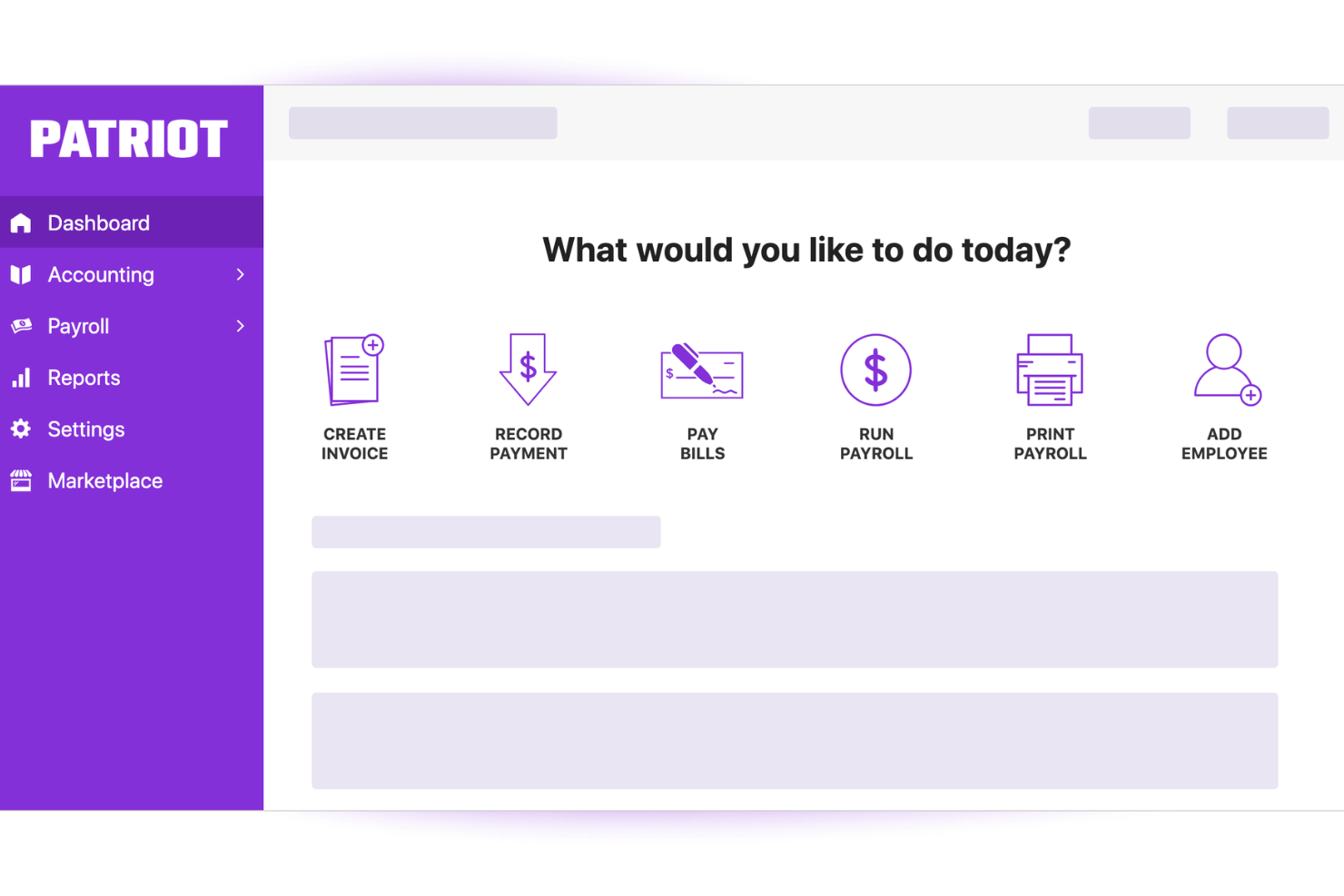
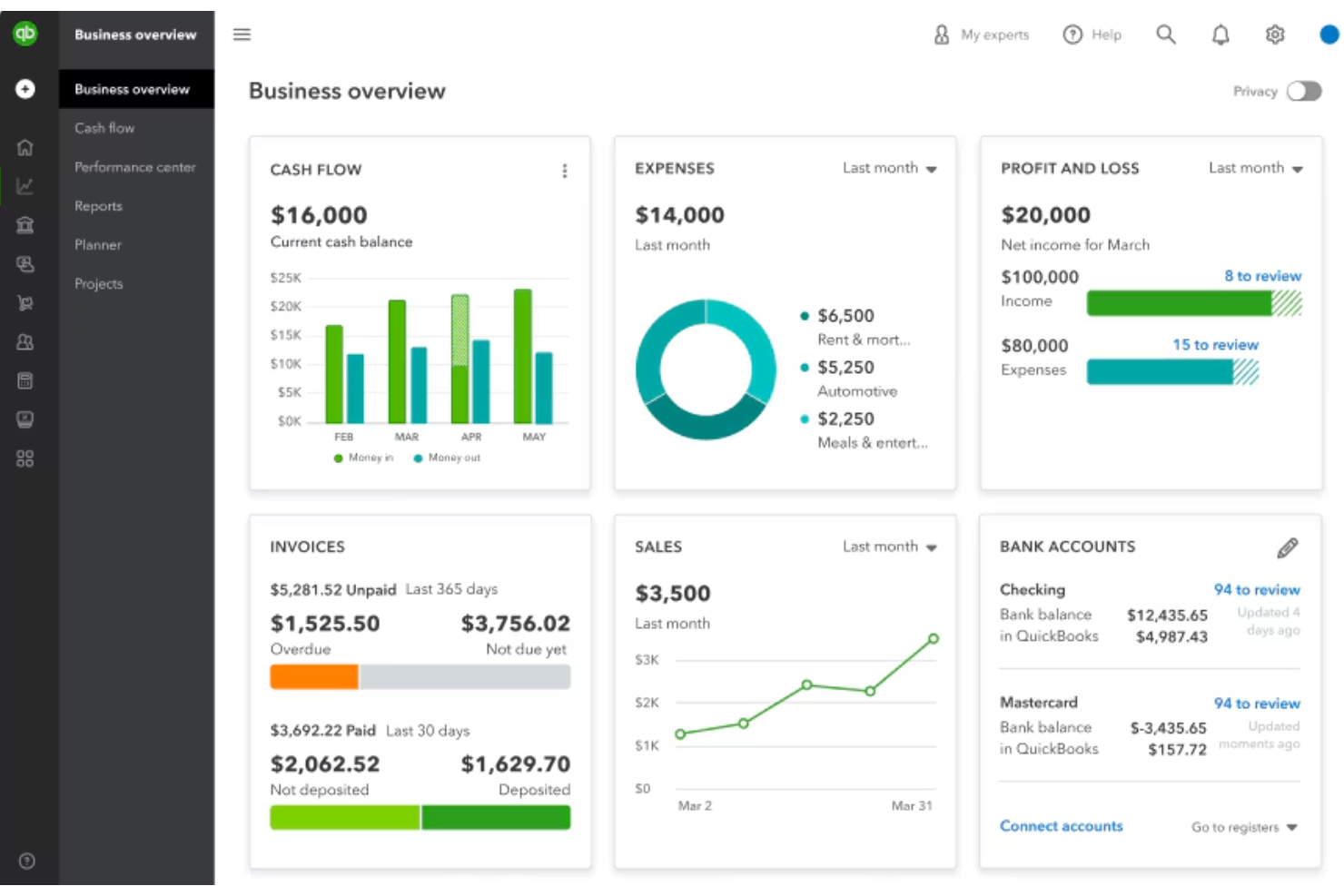
| Benutzeroberfläche | Bietet ein übersichtliches, aufgeräumtes Dashboard mit einfachen Navigationsmenüs. | Bietet eine moderne Oberfläche mit mehr Funktionen, die auf dem Hauptbildschirm sichtbar sind. |
| Onboarding | Stellt Schritt-für-Schritt-Anleitungen und Checklisten im Programm für neue Nutzer zur Verfügung. | Beinhaltet eine geführte Einrichtung, die sich jedoch aufgrund der zahlreichen Optionen länger anfühlen kann. |
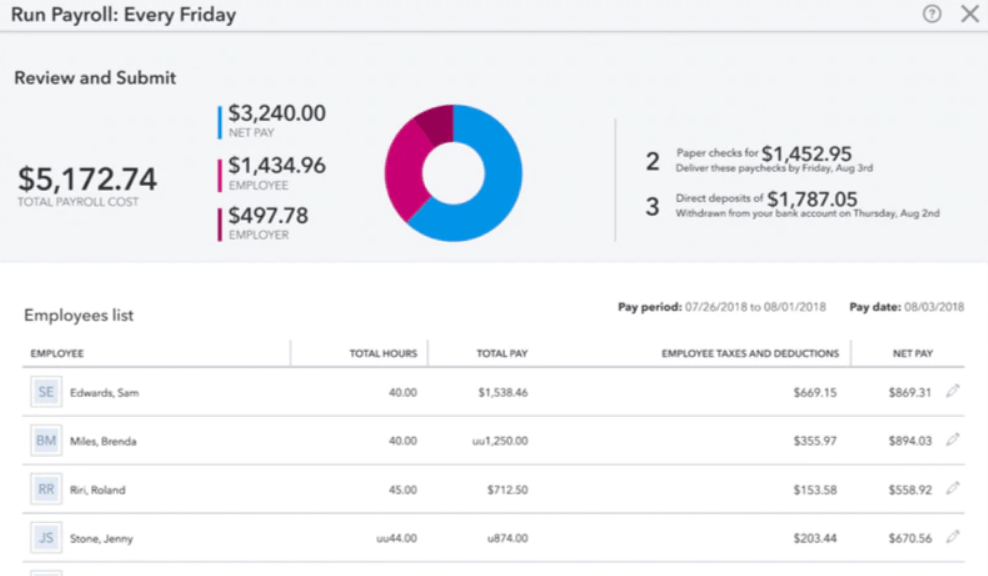
| Lohnabrechnung-Einrichtung | Vereinfacht die Einrichtung der Lohnabrechnung durch vorgefertigte Vorlagen und klare Hinweise. | Ermöglicht eine detaillierte Anpassung, was für Einsteiger überwältigend sein kann. |
| Kundenservice | Bietet Live-Chat-, Telefon- und E-Mail-Support mit schnellen Reaktionszeiten. | Bietet rund um die Uhr Chat-Support sowie eine große Online-Wissensdatenbank. |
| Mobiler Zugriff | Mobile-optimierte Website für Lohnabrechnungsaufgaben, jedoch keine eigene App. | Eigene mobile App für Lohnabrechnung und Mitarbeiter-Self-Service. |
Patriot Software ist in der Regel einfacher und geradliniger für kleine Unternehmen: Rezensenten heben immer wieder die intuitive Benutzeroberfläche, den einfachen Einstieg und wenige Einrichtungsschritte hervor, sodass die Software auch für Anwender ohne Lohnabrechnungserfahrung schnell erlernbar ist. QuickBooks Payroll ist ebenfalls benutzerfreundlich gestaltet, kann aber aufgrund der erweiterten Funktionen und der engen Integration mit QuickBooks Buchhaltungstools anfangs komplexer wirken und benötigt mitunter mehr Zeit für die Konfiguration.
Patriot Software vs QuickBooks Payroll: Pros & Cons
Patriot Software
- Transparent pricing with no hidden fees for payroll runs
- Free USA-based support available via phone, chat, and email
- Guided payroll setup with step-by-step onboarding tools
- No mobile app for processing payroll on the go
- Limited international payroll and contractor options
- Some reports lack customization for advanced analytics
QuickBooks Payroll
- You can run payroll in just a few clicks.
- It calculates and files your payroll taxes for you.
- You get automatic pay reminders so you don’t miss deadlines.
- You can't easily customize reports to fit your needs.
- It struggles with handling complex pay structures.
- You might wait a while to get help from support.
Best Use Cases for Patriot Software and QuickBooks Payroll
Patriot Software
- Family-Owned Businesses Patriot Software’s easy setup and hands-on support are ideal for owners new to payroll or handling it in-house for the first time.
- U.S. Nonprofits Nonprofits appreciate Patriot’s transparent fees and the ability to customize deductions and time tracking for grant compliance.
- Construction Firms Job costing and multiple pay schedules help construction teams pay hourly, project-based, or seasonal workers without switching tools.
- Accounting Departments The deep integration with Patriot Accounting eliminates double entry and speeds up reconciliation for accounting teams.
- Local Retail Stores Unlimited payroll runs and flexible pay schedules help retail operators manage turnover and fluctuating staffing needs.
- Franchise Operators Patriot’s straightforward reporting and multi-location support help franchises handle payroll across different locations or entities.
QuickBooks Payroll
- Small Businesses It handles pay, taxes, and filings without needing a dedicated payroll team.
- Remote Teams It offers direct deposit and online access so everyone gets paid on time.
- Accountants It syncs with QuickBooks, helping you keep payroll and books in one place.
- Retail Stores It supports hourly workers, time tracking, and quick tax filing.
- Freelancer Clients It works well for contractors, handling 1099 filings with ease.
- Growing Teams It’s simple to scale payroll as you add more employees over time.
Wer sollte Patriot Software verwenden und wer QuickBooks?
Patriot Software eignet sich besonders für kleine Unternehmen, Start-ups und Teams, die eine einfache und preiswerte Lohnabrechnungslösung ohne zusätzliche Komplexität suchen. Die Lösung ist ideal für Inhaber oder HR-Fachkräfte, die Wert auf transparente Preise und eine unkomplizierte Benutzeroberfläche legen. QuickBooks passt besser zu wachsenden Unternehmen, Buchhaltern oder Teams, die fortgeschrittene Lohnabrechnungsfunktionen, tiefe Buchhaltungsintegrationen und mobilen Zugriff benötigen. Werden detaillierte Auswertungen, individuelle Workflows oder eine schnelle Skalierbarkeit benötigt, ist QuickBooks die bessere Wahl.
Differences Between Patriot Software and QuickBooks Payroll
| Patriot Software | QuickBooks Payroll | |
|---|---|---|
| Accounting Integration | Integrates with Xero and FreshBooks, but not as deeply as QuickBooks. | Deep, native integration with QuickBooks Online for seamless syncing. |
| Automation | Automates payroll runs and tax filings with minimal setup. | Offers advanced automation, including custom workflows and reminders. |
| Reporting | Limited to basic payroll reporting. | Robust, customizable reporting across payroll and data trends. |
| Target Business Size | Mostly designed for small-to-medium-sized businesses. | Suited for small to larger businesses with scalable plans. |
| User Interface | Simple, uncluttered dashboard designed for quick payroll runs. | Feature-rich interface with more customization and reporting options. |
| Read Patriot Software ReviewOpens new window | Read QuickBooks Payroll ReviewOpens new window |
Similarities Between Patriot Software and QuickBooks Payroll
| Cloud-Based Access | Each solution is fully cloud-based, enabling users to run payroll and access data from any device with an internet connection. |
|---|---|
| Compliance Assistance | Both offer built-in compliance tools and updates to help businesses stay aligned with changing federal and state payroll regulations. |
| Employee Self-Service | Both offer employee portals for pay stub access and personal info updates, though QuickBooks extends this to its mobile app. |
| Payroll Processing | Both platforms allow businesses to run payroll, calculate wages, withhold taxes, and generate paychecks accurately for employees and contractors. |
| Tax Filing Capabilities | Both Patriot and QuickBooks Payroll calculate federal, state, and local payroll taxes and offer options for tax filing and payment submission. |
| Read Patriot Software ReviewOpens new window Read QuickBooks Payroll ReviewOpens new window | |