

8 Main Types of HRIS Systems for Better HR Management


Not every HRIS does the same job—and that distinction matters when you're choosing one. Some systems are built around core HR and employee records management, while others center on payroll management or talent acquisition.
Pick the wrong fit and you'll end up paying for features you don't use while manually working around the ones you actually need. This guide breaks down the eight main types of HRIS, what each one handles, and how to identify which combination makes sense for your team and where you are right now.
What Is an HRIS?
An HRIS, or human resources information system, is software that stores employee data and supports HR processes. Depending on its scope, it can handle records, payroll, benefits, hiring, learning, or workforce analytics. Understanding these types helps you match system capabilities to your team’s needs.

8 Key Types of HRIS
Each type supports a different part of the employee lifecycle, so compare its features and value against the work your team needs to manage:
1. Core HR & Employee Records Management
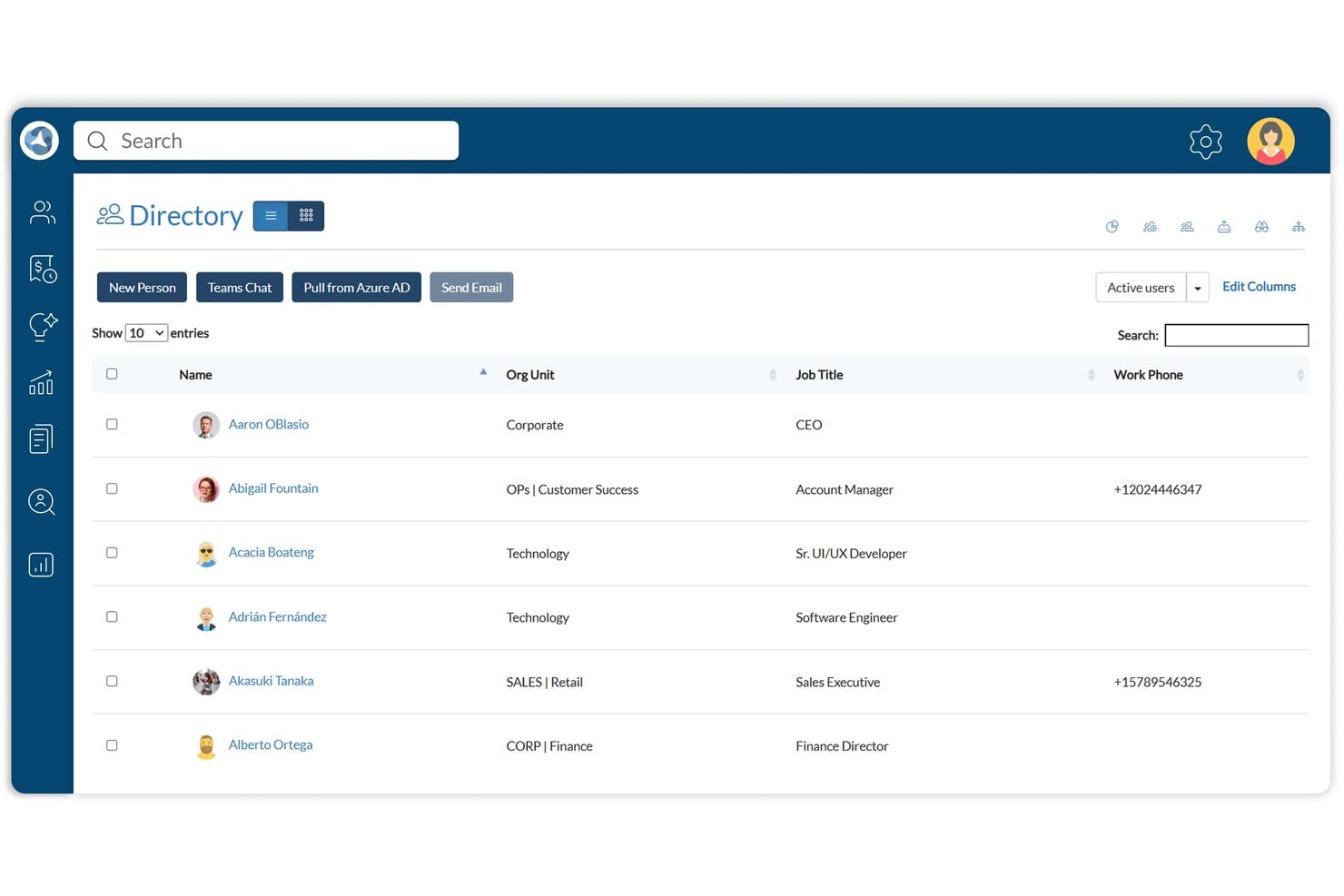
This is the foundation most HRIS implementations are built on—it centralizes employee data, org structures, job history, and document storage in one place. I've found it's where HR teams spend the most time day-to-day, and having a single source of truth for personnel records cuts down on the back-and-forth that bogs down even small teams.
Benefits
Having a single, centralized place for employee records removes the version-control headaches that come with spreadsheets and scattered files. Tools like BambooHR and Rippling do this well—you get a live org chart, document storage, and job history all in one view, which makes audits and compliance checks far less painful.
I've found that when HR teams stop hunting for data, they spend more time on the work that actually requires human judgment.
Features
These are the capabilities that turn scattered employee data into a single, reliable source of truth your whole organization can work from:
- Employee profiles: Centralized records for each employee, covering personal details, job title, department, employment status, and contract type—all in one place rather than split across folders and spreadsheets.
- Org chart and reporting structure: A live visual of your org structure that updates as headcount changes. Tools like BambooHR and Rippling handle this well, making it easy to see team hierarchies at a glance.
- Job history tracking: A running log of role changes, promotions, and compensation updates tied to each employee record, which is invaluable during performance reviews or internal audits.
- Document storage and e-signatures: Secure storage for offer letters, contracts, and policy acknowledgments, with e-signature functionality built in so you're not chasing paper across email threads.
- Self-service access: Employees can update their own contact details, view pay stubs, and download documents without routing every request through HR.
- Compliance and audit trails: Timestamped records of who accessed or changed employee data, which matters when you're responding to a regulatory inquiry or preparing for an audit.
- Role-based permissions: Granular access controls that let you decide exactly who sees what—managers can view their direct reports without accessing org-wide compensation data, for example.
2. Payroll Management
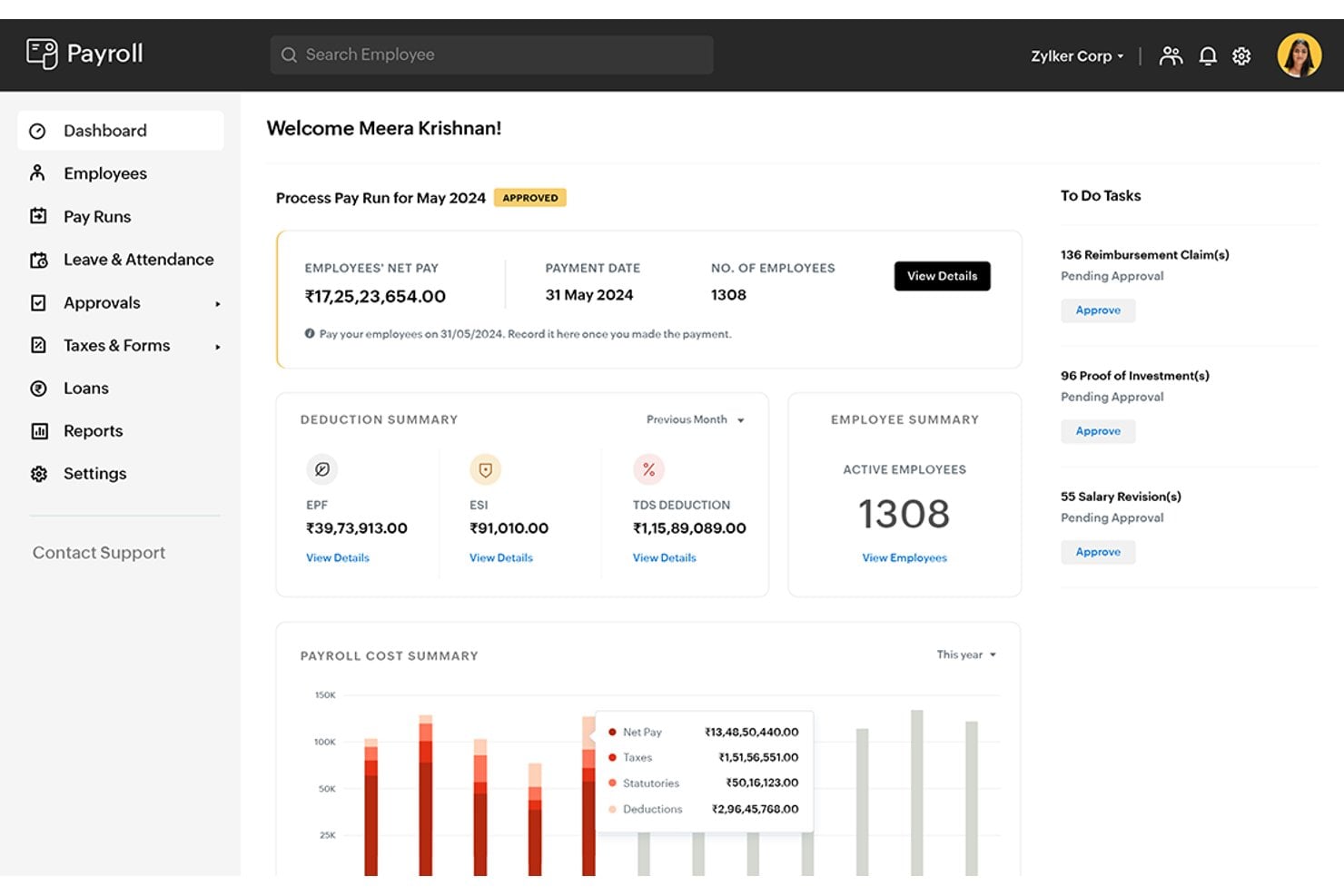
Automating pay calculations, tax withholdings, and direct deposits is where this HRIS type earns its keep—I've seen it cut payroll processing time dramatically for teams that previously ran everything through spreadsheets.
HR professionals and payroll specialists rely on it to handle wage compliance, deductions, and pay cycle management without manual errors slipping through.
Benefits
Automating pay runs reduces the manual calculation errors that tend to pile up when you're handling deductions, tax withholdings, and multi-rate pay structures by hand.
I've found that tools like Gusto and ADP Workforce Now are particularly good at flagging compliance issues before they become penalties—built-in tax filing and jurisdiction-specific rules do a lot of the heavy lifting. The real payoff is that payroll stops being a monthly scramble and becomes something your team can run with confidence.
Features
Payroll management in an HRIS goes well beyond cutting checks—these features handle the calculations, filings, and compliance work that used to require a dedicated payroll team:
- Automated pay calculations: Calculates gross pay, deductions, and net pay based on employee records, hours worked, and pay structures. Multi-rate pay and overtime rules are handled automatically, which removes the error-prone manual math.
- Tax withholding and filing: Withholds the correct federal, state, and local taxes per employee and submits filings on your behalf. Tools like Gusto do this particularly well, automatically updating tax tables when rates change.
- Direct deposit and payment processing: Routes payments directly to employee bank accounts on your defined pay schedule, with full payment records tied to each employee profile.
- Deductions management: Handles recurring deductions for benefits, retirement contributions, garnishments, and other withholdings—calculated and applied consistently each pay cycle without manual entry.
- Multi-jurisdiction compliance: Applies the correct tax and labor rules across different states, provinces, or countries. I've found this feature is where ADP Workforce Now earns its place for distributed teams operating across multiple regions.
- Pay stubs and reporting: Generates itemized pay stubs employees can access through self-service, and produces payroll reports that feed directly into your general ledger or accounting software.
- Audit trail and payroll history: Keeps a timestamped record of every pay run, correction, and adjustment—essential when you're responding to a compliance inquiry or reconciling end-of-year figures.
3. Benefits Administration
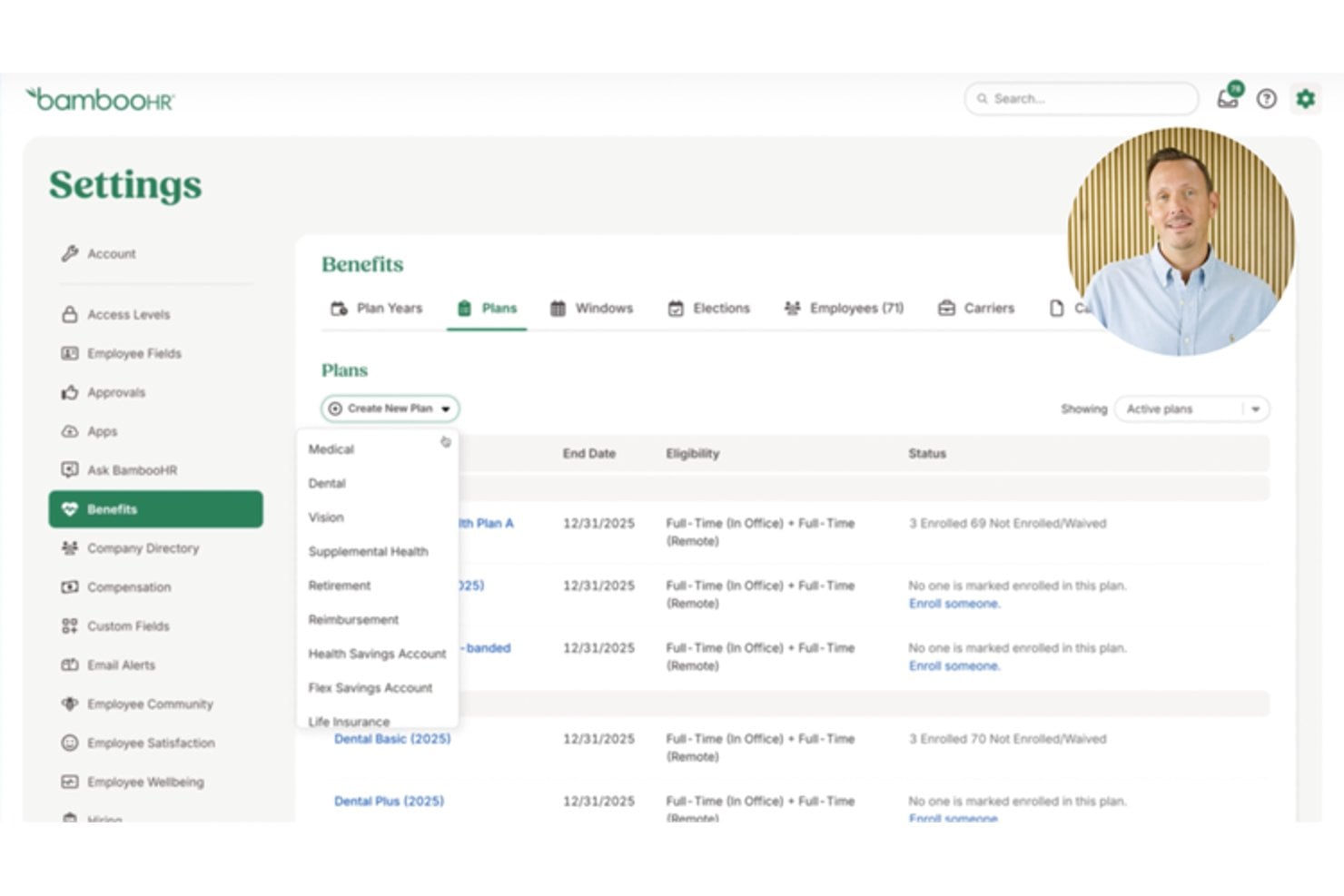
Managing enrollment, eligibility, and plan changes gets messy fast when it's handled outside your core HR system.
I've found that HRIS platforms with built-in benefits administration give HR teams a single place to track coverage, handle open enrollment, and connect with carriers—cutting down on the manual reconciliation that tends to pile up between HR and finance.
Benefits
Handling enrollment, eligibility tracking, and plan changes inside your HRIS keeps everything connected to the employee records that drive those decisions.
I've found that platforms like Rippling and Gusto make open enrollment far less chaotic by letting employees self-select plans based on eligibility rules you set in advance. That alone cuts down on the back-and-forth between HR and finance when it comes time to reconcile coverage against payroll deductions.
Features
Benefits administration in an HRIS connects enrollment decisions directly to employee records and payroll deductions—here's what that looks like in practice:
- Plan enrollment and eligibility rules: Employees see only the plans they qualify for based on criteria you define, like employment type or tenure. Rippling handles this particularly well, walking employees through plan options without HR having to referee eligibility questions individually.
- Open enrollment management: Time-limited enrollment windows with automated reminders, deadline tracking, and completion status per employee. I've found this alone cuts the back-and-forth that typically buries HR teams every fall.
- Life event changes: Allows employees to update coverage following qualifying events like marriage, a new dependent, or a change in employment status, with built-in documentation requirements attached to each change type.
- Carrier connections: Direct data feeds between your HRIS and insurance carriers, so coverage updates don't have to be re-entered manually on the carrier's side. Gusto does this well for smaller teams that can't afford dedicated benefits coordinators.
- Payroll deduction sync: Benefit elections flow directly into payroll as deductions, removing the manual reconciliation step between HR and finance that's otherwise a reliable source of errors.
- COBRA and continuation coverage: Tracks eligibility for continued health coverage under US regulations when employees lose benefits due to termination or reduced hours, with notice generation built into the offboarding workflow.
- Benefits reporting: Enrollment summaries, cost breakdowns by plan, and coverage reports that give finance the data they need without requiring HR to build a spreadsheet from scratch each quarter.
4. Time & Attendance Management
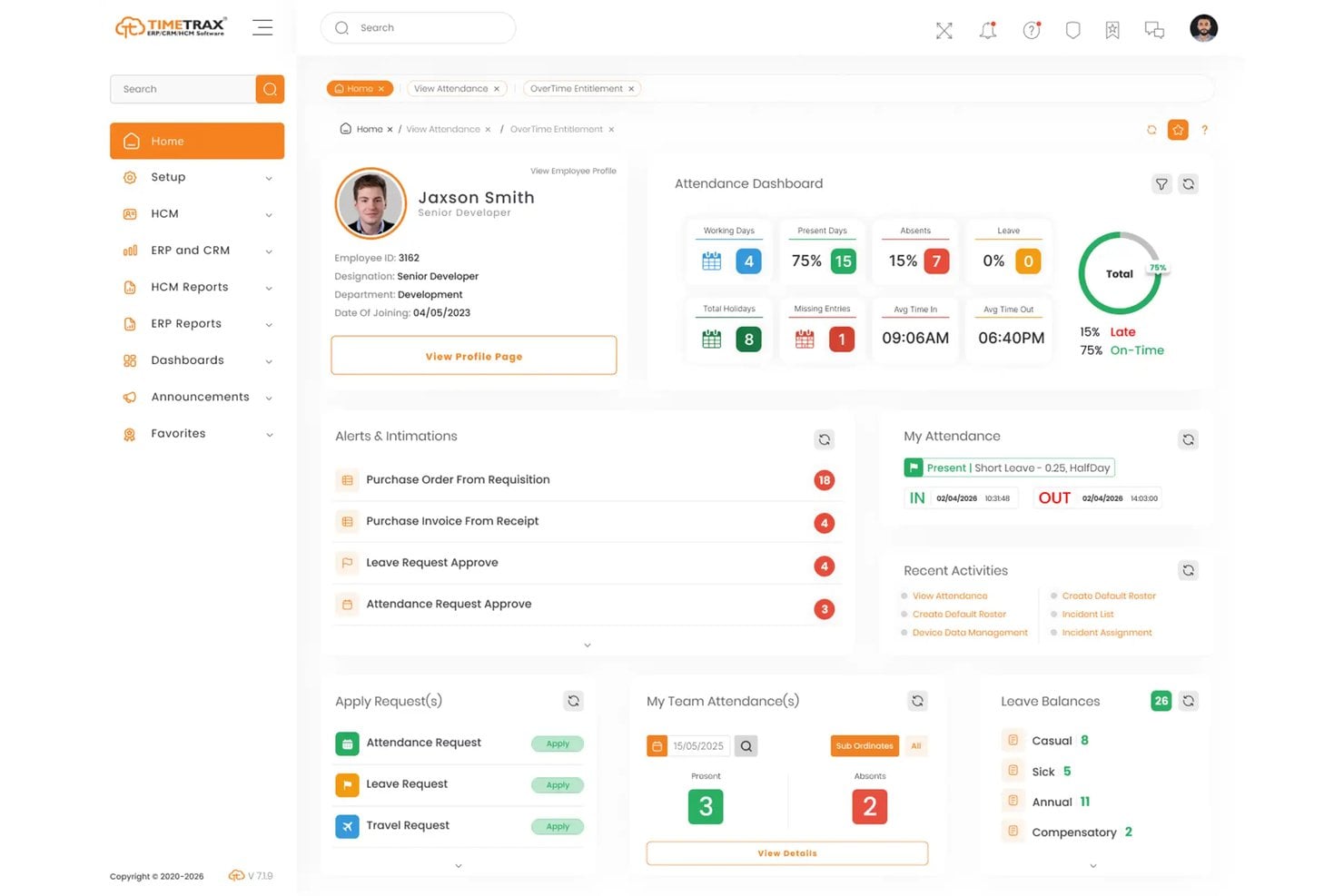
Tracking hours, shifts, and leave inside your HRIS connects time data directly to payroll—removing the manual reconciliation step that's otherwise a reliable source of errors. I've found that HR teams and managers lean on this module heavily to handle scheduling, overtime rules, and absence tracking without juggling separate systems.
Benefits
Connecting time and attendance data directly to payroll inside your HRIS removes the reconciliation step that causes the most downstream errors—I've found that platforms like Rippling and UKG make this particularly tight, with hours flowing into pay calculations without manual export or re-entry.
Scheduling, overtime rules, and absence tracking all live in the same system as your employee records, so managers aren't cross-referencing spreadsheets to approve timesheets. That integration is what makes this module worth having inside your HRIS rather than as a standalone tool.
Features
Time and attendance in an HRIS does more than log hours—it connects scheduling, leave, and overtime data directly to the payroll and HR records that depend on them:
- Clock-in and clock-out tracking: Captures hours worked through web, mobile, or physical time clock integrations, giving managers real-time visibility into who's on the clock without chasing down paper timesheets.
- Shift scheduling: Lets managers build and publish schedules within the same system that tracks attendance. I've found that platforms like UKG handle complex shift patterns—including rotating schedules and coverage requirements—without needing a separate scheduling tool.
- Overtime and pay rule enforcement: Automatically applies overtime thresholds, break rules, and pay differentials based on jurisdiction and employment type, removing the guesswork from compliance.
- Leave and absence management: Tracks paid time off, sick leave, and other absence types against policy rules, with requests, approvals, and balances all visible in one place.
- Timesheet approval workflows: Routes timesheets to the right manager for review before they're submitted to payroll, building a structured approval process that creates a clear audit trail.
- Payroll integration: Approved hours flow directly into payroll calculations without manual export or re-entry. Rippling does this particularly well—hours hit payroll automatically, which eliminates a reliable source of downstream errors.
- Attendance reporting: Surfaces absence patterns, overtime trends, and schedule adherence data that managers can act on, rather than leaving HR to build those reports manually each period.
5. Applicant Tracking Systems
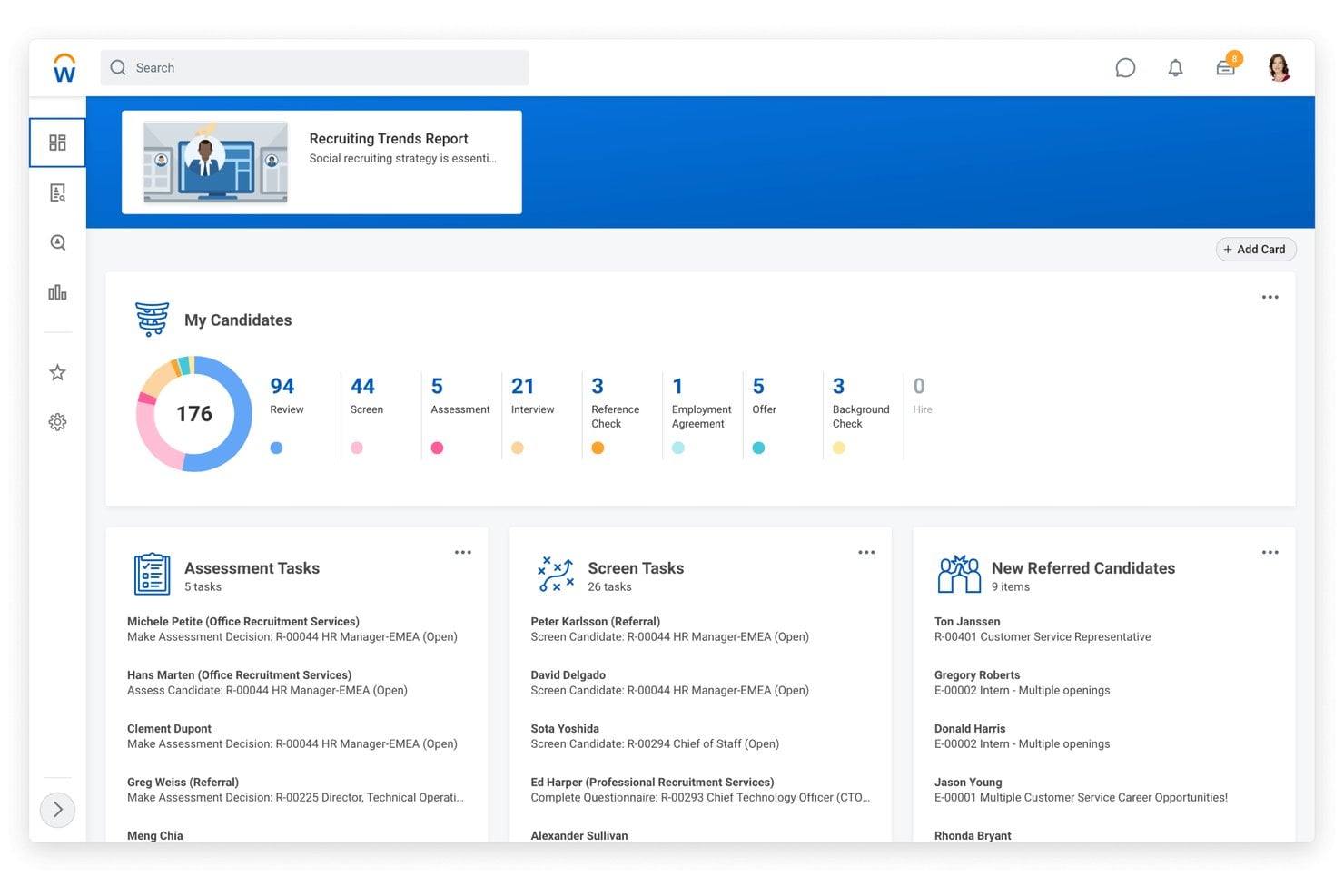
Built into an HRIS, applicant tracking systems (ATS) manage the full recruiting pipeline—from job posting through offer—keeping candidate data connected to the employee records that follow once someone's hired.
I've found that having recruiting live inside your HRIS, rather than in a separate tool, removes the manual data transfer that typically introduces errors at the point of hire.
Benefits
Keeping recruiting inside your HRIS means candidate data converts into employee records without anyone re-entering information at the point of hire—I've found that alone prevents a surprising number of onboarding errors.
Platforms like Workday and BambooHR handle this particularly well, carrying offer details, compensation, and role data directly into the new hire profile. That connection also gives HR a cleaner audit trail from application to day one, which matters when you're scaling hiring across multiple departments at once.
Features
An ATS built into your HRIS does more than track candidates—it connects recruiting data to the employee records, compensation structures, and onboarding workflows that activate the moment someone accepts an offer:
- Job requisition management: Creates and routes open roles for approval before they go live, keeping hiring tied to headcount plans rather than running ahead of them.
- Multi-channel job posting: Publishes openings to job boards, career pages, and sourcing channels from a single interface, so you're not manually cross-posting across platforms.
- Candidate pipeline tracking: Moves applicants through defined stages with status visibility for every stakeholder involved in the hire. BambooHR handles this well for smaller teams that need pipeline clarity without a dedicated recruiter.
- Interview scheduling and coordination: Syncs with calendars to book interviews without the back-and-forth, and keeps interview feedback attached to the candidate record where everyone involved can see it.
- Offer letter generation: Builds offers from approved templates with compensation pulled directly from your HRIS pay structures, reducing the risk of errors at a high-stakes moment in the process.
- Candidate-to-employee record conversion: Converts accepted offer data into a new hire profile without re-entry. Workday does this particularly well—role, compensation, and start date carry over automatically, which removes a reliable source of onboarding errors.
- Recruiting reporting: Tracks time-to-fill, source effectiveness, and pipeline conversion rates, giving you the data to identify where hiring slows down and why.
6. Performance Management
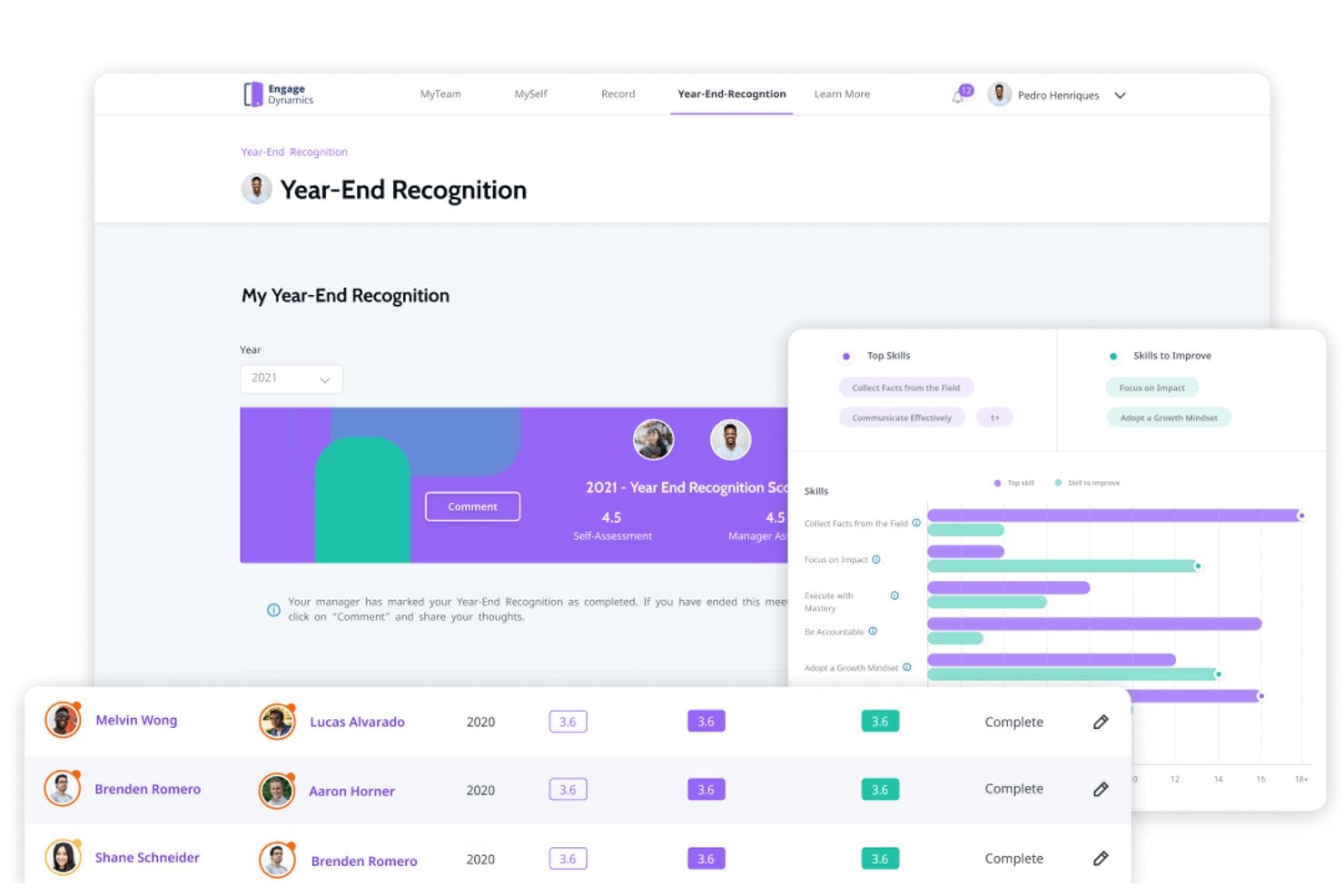
Built into an HRIS, performance management connects goal-setting, reviews, and feedback directly to the employee records HR teams already rely on.
I've found that keeping this inside your HRIS—rather than a separate tool—gives managers a clearer picture of performance alongside compensation, tenure, and development data, which makes review cycles faster and more grounded in context.
Benefits
Keeping performance management inside your HRIS means review data sits alongside compensation history, tenure, and role changes—context that I've found makes conversations about raises or promotions far less ambiguous.
Workday handles this particularly well, pulling employment data directly into performance reviews so managers aren't toggling between systems to build a complete picture of someone's trajectory.
That integration also cuts down on the administrative overhead of running a review cycle, which frees HR to focus on what the data is actually saying rather than on collecting it.
Features
Performance management inside an HRIS does more than run review cycles—it ties goal progress, feedback, and evaluation data to the employment records that give those conversations real context:
- Goal setting and tracking: Lets managers and employees set individual goals and track progress over time, keeping development tied to measurable outcomes rather than memory.
- Performance review cycles: Automates the scheduling, routing, and completion of review forms across the organization. Workday handles this particularly well—review templates pull in compensation, tenure, and role history so managers aren't piecing together context from other systems.
- 360-degree feedback: Collects structured input from peers, direct reports, and managers in a single review record, giving a more complete picture than top-down evaluation alone.
- Continuous feedback tools: Supports ongoing check-ins and informal feedback outside of formal review cycles, which I've found matters most for teams that run on shorter project timelines.
- Calibration workflows: Routes manager ratings through a structured calibration process before results are finalized, reducing inconsistency across departments and keeping evaluation standards fair.
- Compensation linkage: Connects performance outcomes directly to merit increase and bonus workflows inside your HRIS, so compensation decisions follow review data without requiring a manual handoff.
- Performance reporting: Surfaces rating distributions, goal completion rates, and review participation data that HR can use to identify patterns across teams or flag managers who need support.
7. Learning Management Systems
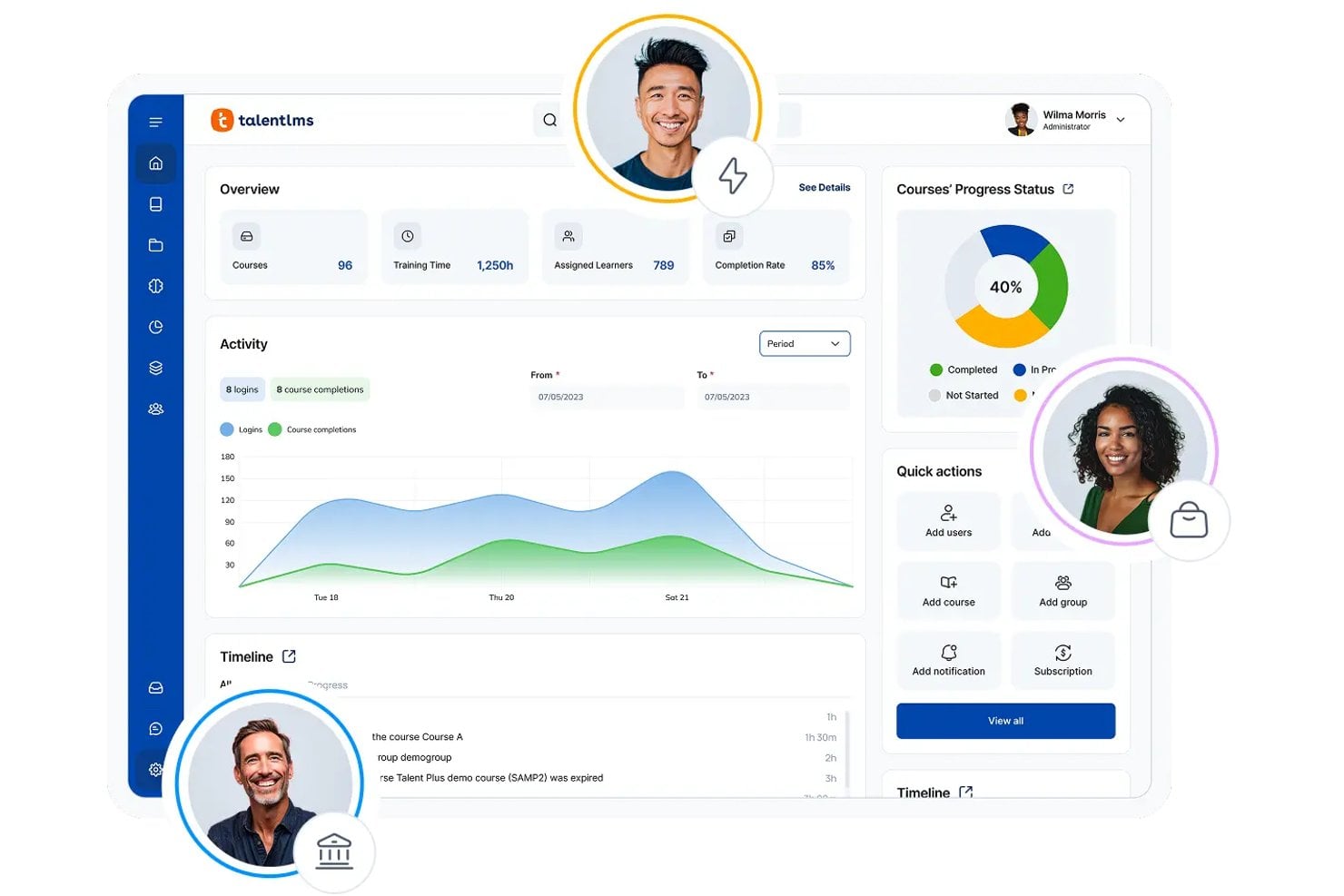
A learning management system (LMS), whether built into an HRIS or integrated with it, delivers, tracks, and manages employee training while connecting learning data to employee records.
I've found that keeping learning inside your HRIS—rather than a standalone tool—gives managers visibility into course completions, certifications, and skill gaps without leaving the same system where they handle performance and development.
Benefits
Keeping an LMS inside your HRIS means training completion, certifications, and skill development data sit right next to performance reviews and compensation history—context I've found makes development conversations far more grounded.
Cornerstone OnDemand handles this well, connecting learning progress directly to performance data so managers can spot skill gaps without pulling reports from two different systems. That connection also removes the manual work of cross-referencing training records when you're preparing for a review cycle or planning a promotion.
Features
An LMS inside your HRIS goes beyond delivering training content—it connects course completions, certifications, and skill data to the performance and role records that make that information actually useful:
- Course creation and content delivery: Lets HR or team leads build training materials and deliver them to specific employee groups, without needing a separate authoring tool or platform.
- Learning path assignment: Assigns structured sequences of courses based on role, department, or onboarding stage, so training isn't left to employees to figure out on their own.
- Completion tracking and reporting: Records who has finished what and when, giving HR a clear view of training participation across the organization. Cornerstone OnDemand handles this particularly well, surfacing completion data alongside performance records in one place.
- Certification management: Tracks expiration dates and renewal requirements for compliance-related certifications, and sends reminders before anything lapses.
- Skill gap identification: Cross-references learning data with performance reviews and role requirements to flag where employees or teams need development. I've found this especially useful when planning promotions or restructuring teams.
- Compliance training enforcement: Automates the assignment and deadline tracking of mandatory training, which removes a lot of the manual follow-up that typically falls on HR.
- Integration with performance reviews: Surfaces completed courses and earned certifications directly within performance data, so managers can factor development into review conversations without pulling records from another system.
8. Workforce Analytics & Reporting
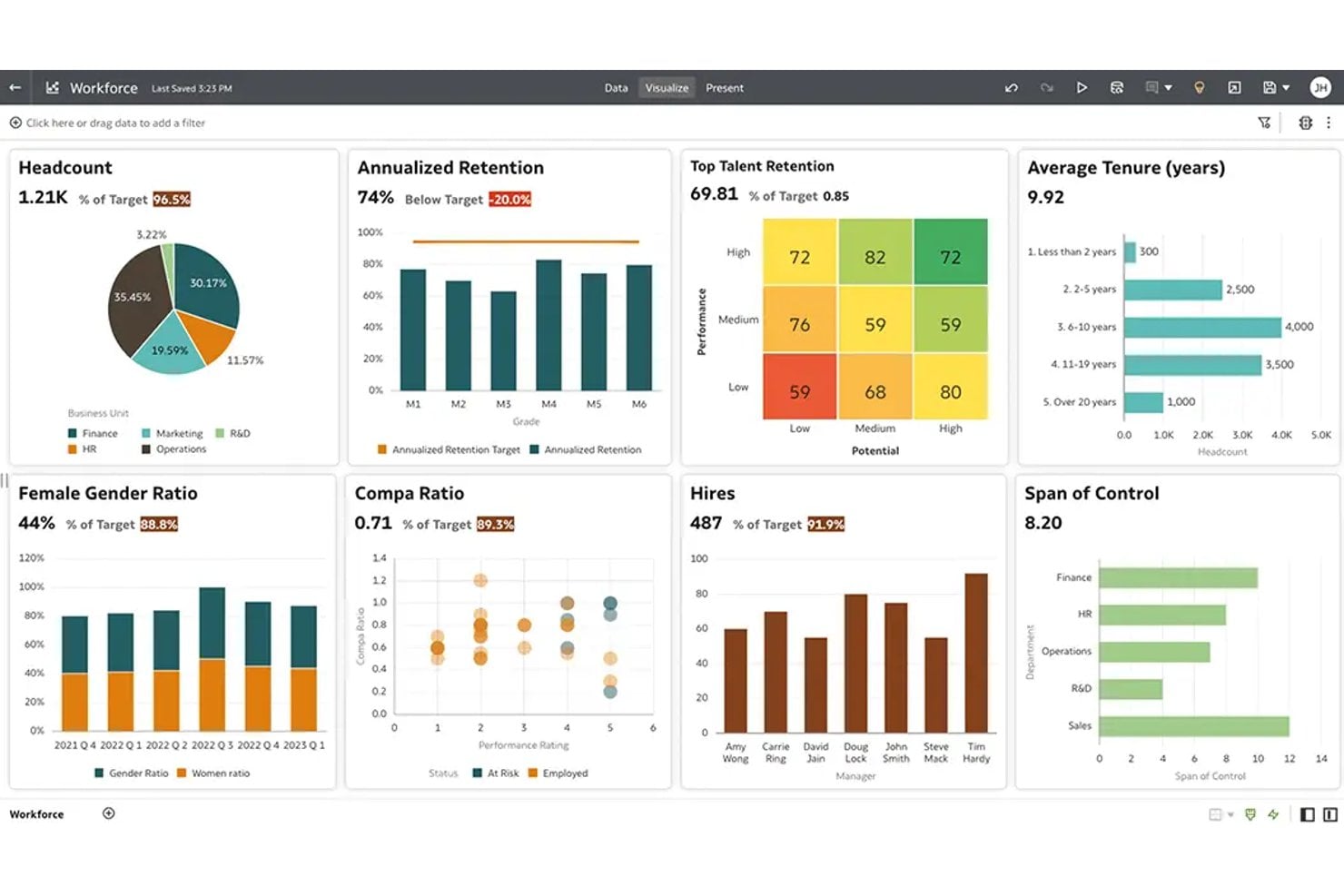
An HRIS with built-in workforce analytics pulls headcount, turnover, compensation, and performance data into a single reporting layer for HR teams. I've found that connecting this to live employee records—rather than exported spreadsheets—is what separates reports that describe the past from insights that actually shape hiring and retention decisions.
Benefits
Having workforce analytics built directly into your HRIS means turnover, headcount, and compensation data all pull from the same live records—no exporting, no reconciling spreadsheets from two systems.
I've found that this is where tools like Workday earn their place: it tracks metrics such as turnover, engagement, time-to-hire, and performance, then connects them in a single reporting layer that HR can actually act on.
That connection between live data and reporting is what shifts workforce analytics from a backward-looking summary into something you can use to make a real hiring or retention call.
Features
Workforce analytics inside an HRIS connects live employee records to reporting—so the metrics you're looking at reflect what's actually happening, not what was true when someone last exported a spreadsheet:
- Headcount and turnover reporting: Tracks workforce size, attrition rates, and departure reasons over time, giving HR a clear view of where the organization is growing or losing ground. I've found this is the report leadership asks for most often.
- Compensation analysis: Surfaces pay distribution across roles, levels, and departments, which makes it far easier to spot inequities before they become retention or compliance issues.
- Time-to-hire and recruiting metrics: Pulls hiring funnel data directly from your applicant tracking records, so you can see where candidates are dropping off and where your sourcing is actually working.
- Performance and engagement trends: Connects review ratings, goal completion, and engagement survey data in a single view. Workday does this particularly well, linking performance outcomes to tenure and compensation history so patterns are easier to read.
- Diversity and inclusion reporting: Tracks representation across hiring, promotions, and pay by demographic group, giving HR the data needed to measure progress against stated goals.
- Predictive workforce modeling: Uses historical headcount, turnover, and performance data to project future staffing needs, which I've found is most valuable during annual planning cycles.
- Custom dashboards and exports: Lets HR build role-specific views that surface the metrics most relevant to each stakeholder, without requiring IT to pull every report on request.
Finding the Right HRIS Is Only Half the Equation
Once you know which HRIS types fit your organization, understanding what you'll pay for them is the next practical step—HRIS pricing varies widely based on the modules you need, your headcount, and how vendors structure their plans.

