Recensione di iCIMS Talent Cloud Software di Reclutamento per il 2026



iCIMS is a talent acquisition software built for large organizations managing high-volume, complex hiring across multiple locations or business units. If your team needs deep configurability, a broad integration marketplace, and structured hiring workflows that scale, it's worth a close look. Compared to mid-market tools like Greenhouse, iCIMS gives enterprise HR teams more control over complex hiring processes. It's the stronger fit once hiring volume and organizational complexity grow beyond what lighter-weight ATS platforms can handle.
iCIMS Evaluation Summary
- Pricing upon request
- Free demo available
Perché fidarsi delle nostre recensioni sui software
Il nostro team testa e recensisce software dal 2012. In quanto esperti HR noi stessi, sappiamo quanto sia difficile — e importante — scegliere il software giusto.
Per questa guida, abbiamo valutato gli strumenti attraverso test pratici e ricerche indipendenti, assegnando un punteggio agli strumenti in base ai nostri criteri di selezione. Ci basiamo inoltre sulle competenze di leader di pensiero del settore e di professionisti HR attivi.
Le nostre recensioni riflettono il nostro giudizio editoriale umano, non un discorso di vendita.
Revisori esperti:
iCIMS Overview
iCIMS is a solid choice for large enterprises and HR departments that need a comprehensive recruiting solution. It excels with its user-friendly interface and extensive integrations, making it easier to manage complex hiring workflows. While it may not be the cheapest option, its robust features justify the cost. Compared to other platforms, iCIMS stands out in customer support and onboarding, though it might not suit smaller businesses due to its complexity and price. If you need a tool that integrates well with existing systems and offers strong support, iCIMS is worth considering.
pros
-
Comprehensive for large volume hiring needs.
-
Strong customer support helps you resolve issues quickly.
-
Strong, configurable automation workflows for complex hiring needs.
cons
-
The platform can be complex for smaller teams to manage.
-
Some users find the reporting features lacking in customization.
-
Managing integration workflows may come with a learning curve.
-

Justworks
Visit WebsiteThis rating combines scores from multiple user review sites to reflect overall customer sentiment about the product.4.6 -
Small Improvements
Visit WebsiteThis rating combines scores from multiple user review sites to reflect overall customer sentiment about the product.4.3 -
HiBob
Visit WebsiteThis rating combines scores from multiple user review sites to reflect overall customer sentiment about the product.4.5





Come Testiamo e Valutiamo i Nostri Strumenti
Abbiamo impiegato anni per costruire, perfezionare e migliorare il nostro sistema di test e valutazione dei software. Il modello è progettato per cogliere le sfumature della scelta del software e per evidenziare cosa rende uno strumento efficace, concentrandosi sugli aspetti più critici del processo decisionale. Di seguito puoi vedere esattamente come funziona la nostra valutazione e attribuzione dei punteggi secondo sette criteri. Questo ci consente di fornire una valutazione imparziale del software basandoci su funzionalità principali, caratteristiche distintive, facilità d’uso, onboarding, assistenza clienti, integrazioni, recensioni dei clienti e rapporto qualità/prezzo.
Funzionalità Principali (25% del punteggio finale)
Il punto di partenza della nostra valutazione sono sempre le funzionalità principali dello strumento. Possiede le funzioni di base che l’utente si aspetta? Alcune di queste funzioni sono disponibili solo in piani a prezzi più alti? In sostanza, ci aspettiamo che uno strumento rispecchi almeno le capacità base dei concorrenti.
Caratteristiche Distintive (25% del punteggio finale)
Successivamente valutiamo le funzionalità particolari che superano le funzionalità di base tipiche degli strumenti della sua categoria. Un punteggio alto riflette caratteristiche specializzate o uniche che rendono il prodotto più veloce, efficiente, o che offrono ulteriore valore all’utente. Valutiamo inoltre quanto sia semplice integrare il software con altri strumenti tradizionalmente presenti nel tech stack per espanderne funzionalità e utilizzo. Gli strumenti che offrono numerose integrazioni native, collegamenti di terze parti e accesso API per creare integrazioni personalizzate ricevono i punteggi migliori.
Facilità d’Uso (10% del punteggio finale)
Consideriamo quanto sia veloce e semplice svolgere i compiti definiti dalle funzionalità principali utilizzando lo strumento. I software con punteggi alti sono ben progettati, intuitivi, dispongono di app mobili, offrono modelli preimpostati e rendono semplici anche i compiti più complessi.
Onboarding (10% del punteggio finale)
Sappiamo quanto sia importante una rapida adozione di una nuova piattaforma all’interno di un team, quindi valutiamo quanto sia facile imparare e utilizzare uno strumento con una formazione minima. Valutiamo quanto rapidamente un membro del team possa iniziare a utilizzare lo strumento senza esperienza. Le soluzioni con punteggio alto richiedono poco o nessun supporto.
Assistenza Clienti (10% del punteggio finale)
Esaminiamo quanto sia facile e veloce ricevere supporto o trovare aiuto tramite telefono, chat dal vivo o knowledge base. Gli strumenti e le aziende che forniscono un’assistenza in tempo reale ottengono i punteggi migliori, mentre i chatbot ottengono i risultati peggiori.
Recensioni dei Clienti (10% del punteggio finale)
Oltre ai nostri test e valutazioni, consideriamo il punteggio net promoter dei clienti attuali e passati. Analizziamo la loro propensione, se potessero scegliere, a selezionare di nuovo lo strumento per le sue funzionalità principali. Un software con un punteggio alto riflette un elevato net promoter score da parte dei clienti attuali o passati.
Rapporto Qualità/Prezzo (10% del punteggio finale)
Infine, considerando tutti gli altri criteri, esaminiamo il prezzo medio dei piani base rispetto alle funzionalità principali e teniamo conto del valore degli altri criteri di valutazione. I software che offrono di più, a meno, ottengono un punteggio più alto.
Core Features
Applicant Tracking System
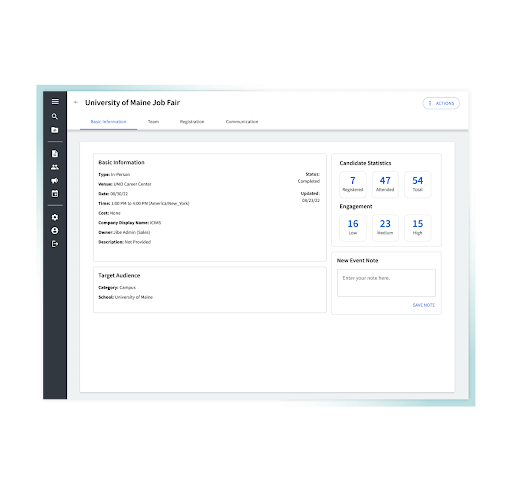
You can post jobs, track applicants, and move candidates through structured pipelines in one place. It helps your team stay organized with workflows, scorecards, and real-time hiring visibility.
Frontline AI
You can screen applicants and match candidates to roles using AI-powered recommendations. It saves your team time by surfacing best-fit talent and reducing manual review work.
Text Recruiting
You can send automated texts for screening, interview scheduling, and updates. It helps you reach candidates faster and improve response rates, especially for high-volume roles.
Onboarding Management
You can send offer letters, collect documents, and guide new hires through tasks before day one. It helps your team speed up onboarding and keep everything tracked in one workflow.
Candidate Experience Management
You can manage communication, nurture talent pools, and keep candidates engaged across the hiring journey. It helps you reduce drop-offs and build stronger relationships with future hires.
Career Sites
You can build branded career pages that show your culture, jobs, and employer value. It helps you attract more qualified applicants and deliver a smoother application experience.
Ease of Use
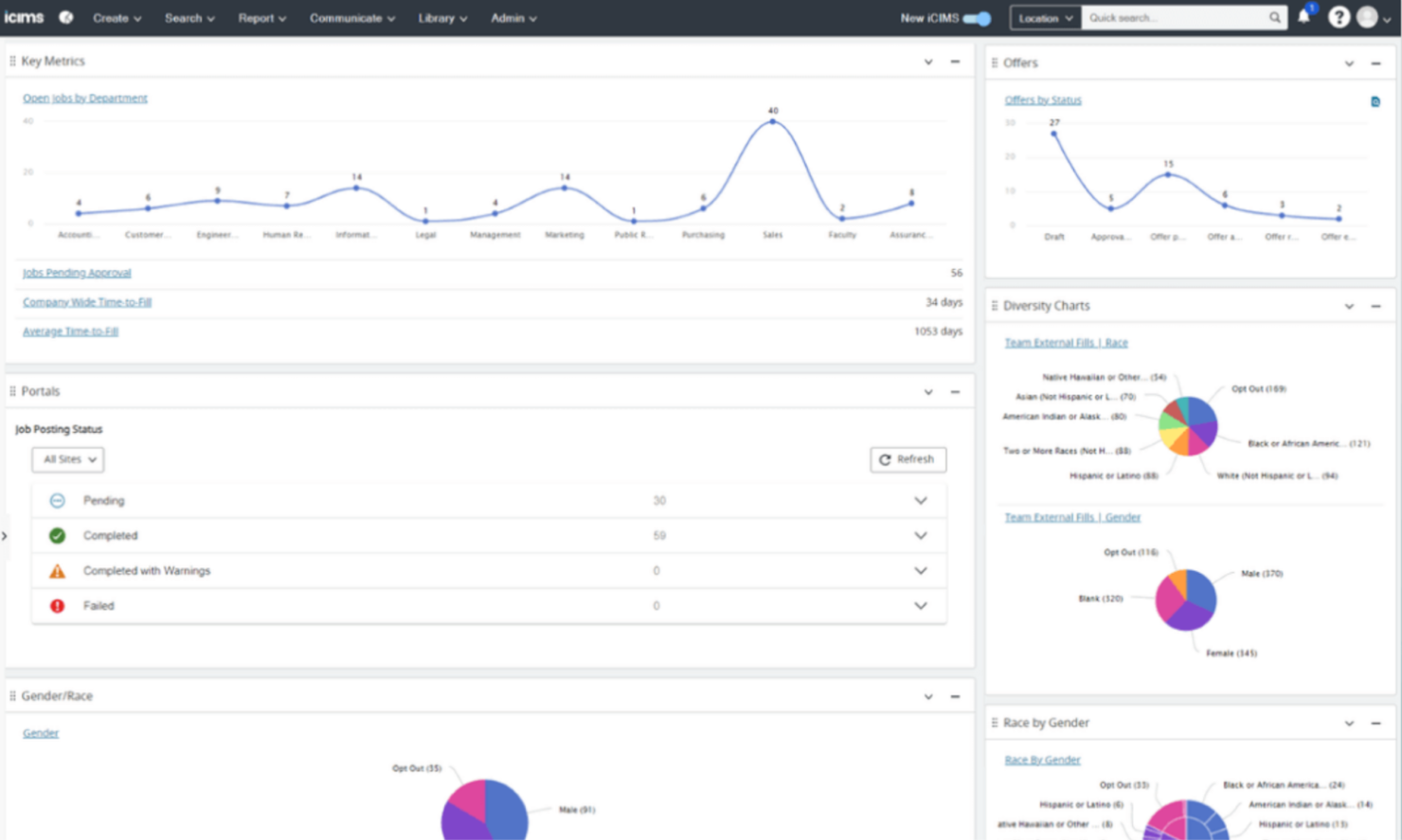
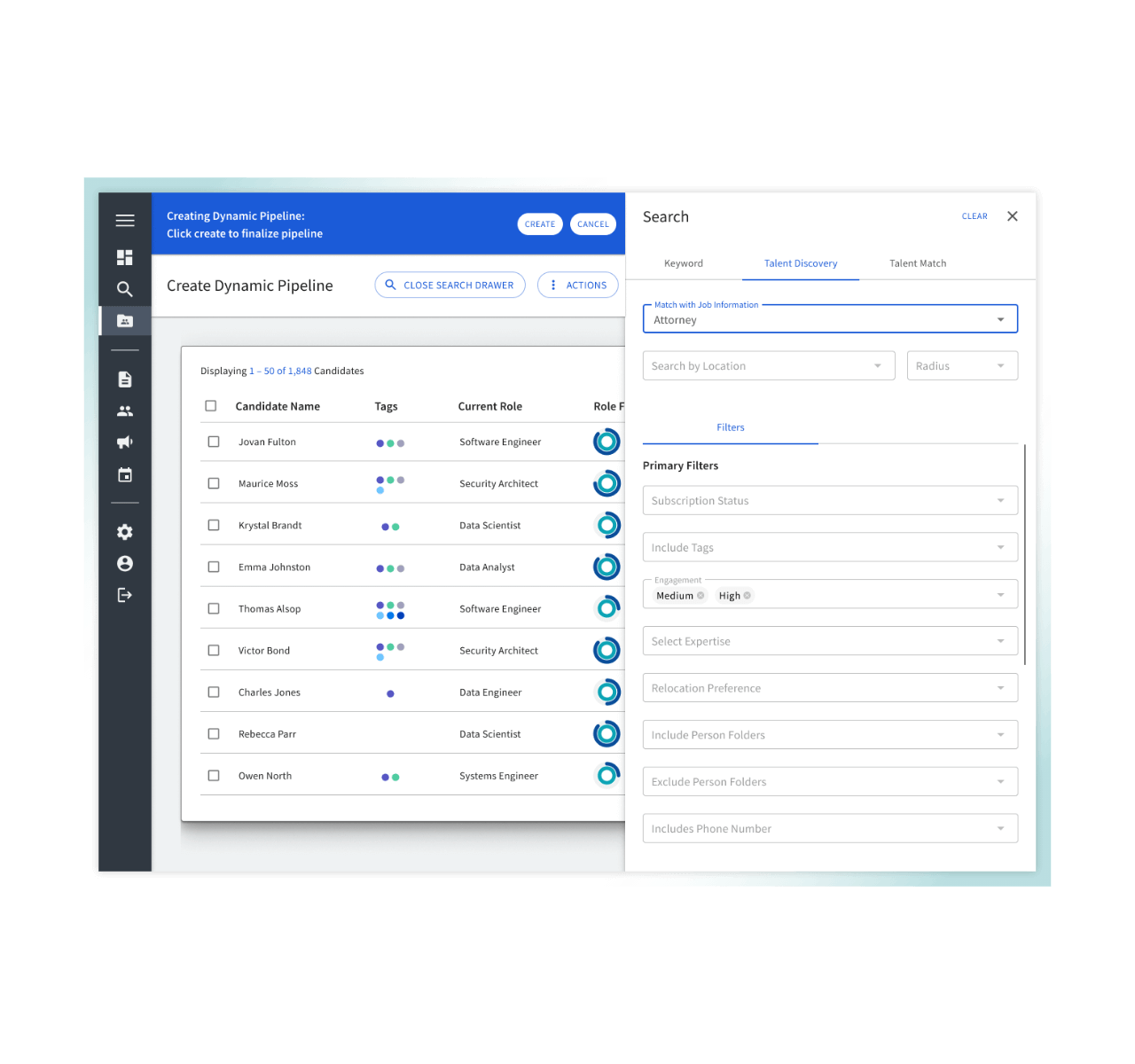
iCIMS offers a user-friendly interface that makes it easy for your team to navigate and manage recruitment tasks. The dashboard provides clear insights, helping you track candidate progress without getting lost in details. While some users may find the system complex initially, the intuitive design quickly aids learning. Compared to other recruiting platforms, iCIMS stands out with its simple layout and efficient workflows, making it a reliable choice for managing your hiring processes.
Integrations
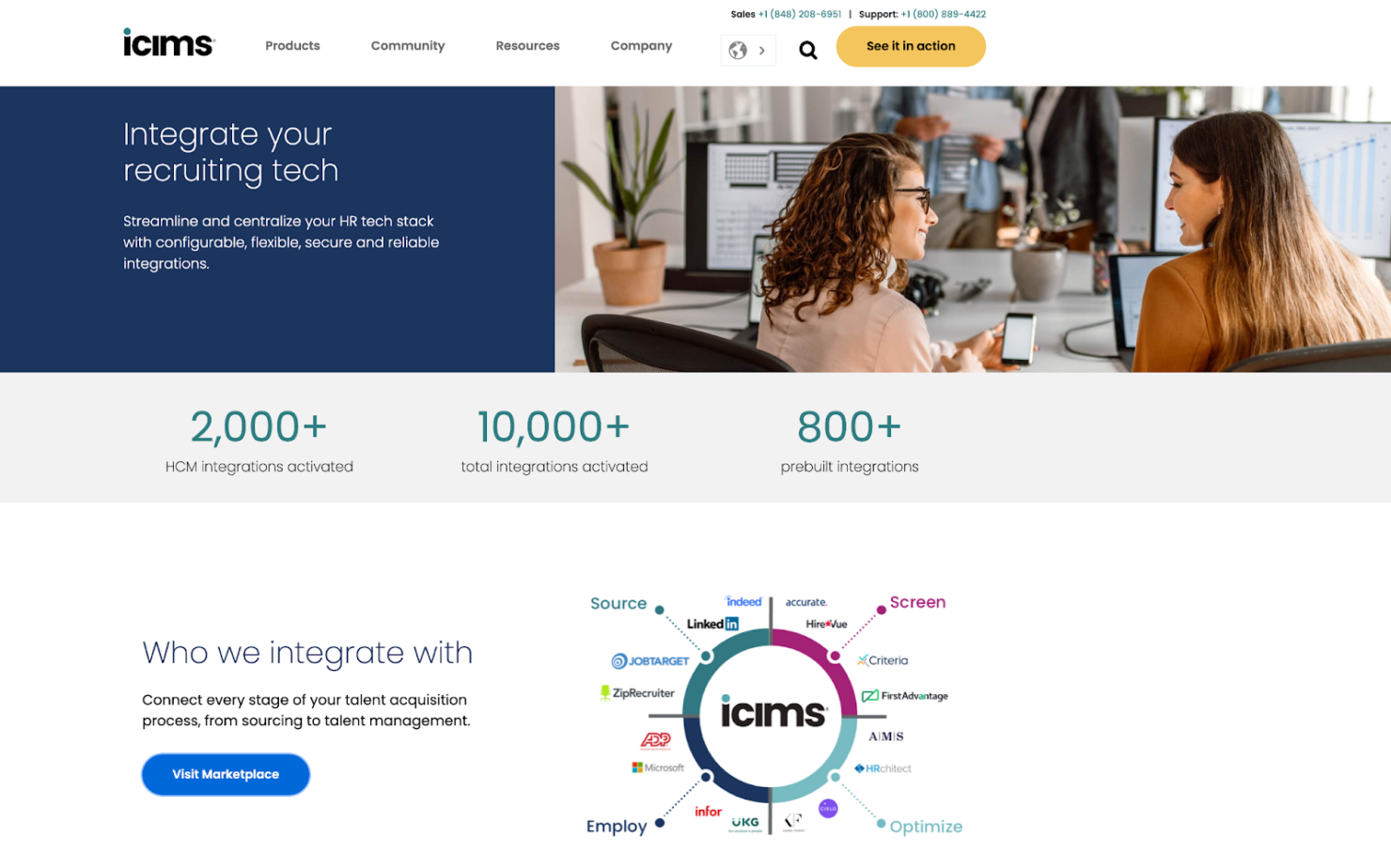
iCIMS integrates with ADP, Infor, UKG Pro, Workday, Turnkey, Verified First, Plum, and LinkedIn. iCIMS also offers an API for custom integrations and connects with third-party integration tools to enhance its capabilities.
iCIMS Specs
- 360 Degree Feedback
- API
- Application Tracking
- Batch Permissions & Access
- Behavioral Testing
- Budgeting
- Calendar Management
- Candidate Database
- Cognitive Testing
- Compliance Tracking
- Dashboard
- Data Export
- Data Import
- Data Visualization
- Email Integration
- Employee Database
- Employee Engagement
- Employee Incentive Management
- Employee Onboarding
- External Integrations
- Feedback Management
- Forecasting
- Interview Scheduling
- Multi-User
- Notifications
- Onboarding
- Personality Testing
- Psychometric Testing
- Referral Tracking
- Scheduling
- Soft Skill Testing
- Softphone
- Status Notifications
- Travel Management