
Recensione ClockShark 2026: Pro, Contro, Caratteristiche e Prezzi



ClockShark is an employee scheduling software built for field-based teams in industries like construction and field service. If your crews work across multiple job sites and you need GPS tracking, job costing, and crew scheduling in one place, it's worth a close look. I'd choose it over a tool like Deputy if your workforce is largely mobile and deskless—Deputy handles shift-based scheduling well, but ClockShark's GPS clock-in and job site management features are a stronger fit for teams that are never at a desk.
ClockShark Evaluation Summary
- From $40/month
- 14-day free trial + free demo available
Perché fidarsi delle nostre recensioni sui software
Il nostro team testa e recensisce software dal 2012. In quanto esperti HR noi stessi, sappiamo quanto sia difficile — e importante — scegliere il software giusto.
Per questa guida, abbiamo valutato gli strumenti attraverso test pratici e ricerche indipendenti, assegnando un punteggio agli strumenti in base ai nostri criteri di selezione. Ci basiamo inoltre sulle competenze di leader di pensiero del settore e di professionisti HR attivi.
Le nostre recensioni riflettono il nostro giudizio editoriale umano, non un discorso di vendita.
Revisori esperti:
ClockShark Overview
In my experience, ClockShark stands out for job site scheduling, mobile usability, and responsive support, making it a smart pick if you manage field crews. Its drag-and-drop calendar and GPS tracking outperform others for real-world, shift-based work. The pricing is fair for teams that need more than a basic scheduler.
ClockShark is a bit limited if you want deep integration with payroll or complex reporting, but for trade contractors and service businesses, I think you’ll get the most value from its straightforward approach and easy onboarding.
pros
-
GPS tracking lets you verify clock-ins at job locations
-
Drag-and-drop schedule builder simplifies last-minute shift changes
-
Mobile app works reliably even with spotty cell signal
cons
-
No automatic scheduling based on employee availability
-
Limited reporting options for deeper labor analysis
-
Overtime and compliance tools do not cover all regions
-

Justworks
Visit WebsiteThis rating combines scores from multiple user review sites to reflect overall customer sentiment about the product.4.6 -
Small Improvements
Visit WebsiteThis rating combines scores from multiple user review sites to reflect overall customer sentiment about the product.4.3 -
HiBob
Visit WebsiteThis rating combines scores from multiple user review sites to reflect overall customer sentiment about the product.4.5





Come Testiamo e Valutiamo i Nostri Strumenti
Abbiamo impiegato anni per costruire, perfezionare e migliorare il nostro sistema di test e valutazione dei software. Il modello è progettato per cogliere le sfumature della scelta del software e per evidenziare cosa rende uno strumento efficace, concentrandosi sugli aspetti più critici del processo decisionale. Di seguito puoi vedere esattamente come funziona la nostra valutazione e attribuzione dei punteggi secondo sette criteri. Questo ci consente di fornire una valutazione imparziale del software basandoci su funzionalità principali, caratteristiche distintive, facilità d’uso, onboarding, assistenza clienti, integrazioni, recensioni dei clienti e rapporto qualità/prezzo.
Funzionalità Principali (25% del punteggio finale)
Il punto di partenza della nostra valutazione sono sempre le funzionalità principali dello strumento. Possiede le funzioni di base che l’utente si aspetta? Alcune di queste funzioni sono disponibili solo in piani a prezzi più alti? In sostanza, ci aspettiamo che uno strumento rispecchi almeno le capacità base dei concorrenti.
Caratteristiche Distintive (25% del punteggio finale)
Successivamente valutiamo le funzionalità particolari che superano le funzionalità di base tipiche degli strumenti della sua categoria. Un punteggio alto riflette caratteristiche specializzate o uniche che rendono il prodotto più veloce, efficiente, o che offrono ulteriore valore all’utente. Valutiamo inoltre quanto sia semplice integrare il software con altri strumenti tradizionalmente presenti nel tech stack per espanderne funzionalità e utilizzo. Gli strumenti che offrono numerose integrazioni native, collegamenti di terze parti e accesso API per creare integrazioni personalizzate ricevono i punteggi migliori.
Facilità d’Uso (10% del punteggio finale)
Consideriamo quanto sia veloce e semplice svolgere i compiti definiti dalle funzionalità principali utilizzando lo strumento. I software con punteggi alti sono ben progettati, intuitivi, dispongono di app mobili, offrono modelli preimpostati e rendono semplici anche i compiti più complessi.
Onboarding (10% del punteggio finale)
Sappiamo quanto sia importante una rapida adozione di una nuova piattaforma all’interno di un team, quindi valutiamo quanto sia facile imparare e utilizzare uno strumento con una formazione minima. Valutiamo quanto rapidamente un membro del team possa iniziare a utilizzare lo strumento senza esperienza. Le soluzioni con punteggio alto richiedono poco o nessun supporto.
Assistenza Clienti (10% del punteggio finale)
Esaminiamo quanto sia facile e veloce ricevere supporto o trovare aiuto tramite telefono, chat dal vivo o knowledge base. Gli strumenti e le aziende che forniscono un’assistenza in tempo reale ottengono i punteggi migliori, mentre i chatbot ottengono i risultati peggiori.
Recensioni dei Clienti (10% del punteggio finale)
Oltre ai nostri test e valutazioni, consideriamo il punteggio net promoter dei clienti attuali e passati. Analizziamo la loro propensione, se potessero scegliere, a selezionare di nuovo lo strumento per le sue funzionalità principali. Un software con un punteggio alto riflette un elevato net promoter score da parte dei clienti attuali o passati.
Rapporto Qualità/Prezzo (10% del punteggio finale)
Infine, considerando tutti gli altri criteri, esaminiamo il prezzo medio dei piani base rispetto alle funzionalità principali e teniamo conto del valore degli altri criteri di valutazione. I software che offrono di più, a meno, ottengono un punteggio più alto.
Core Features
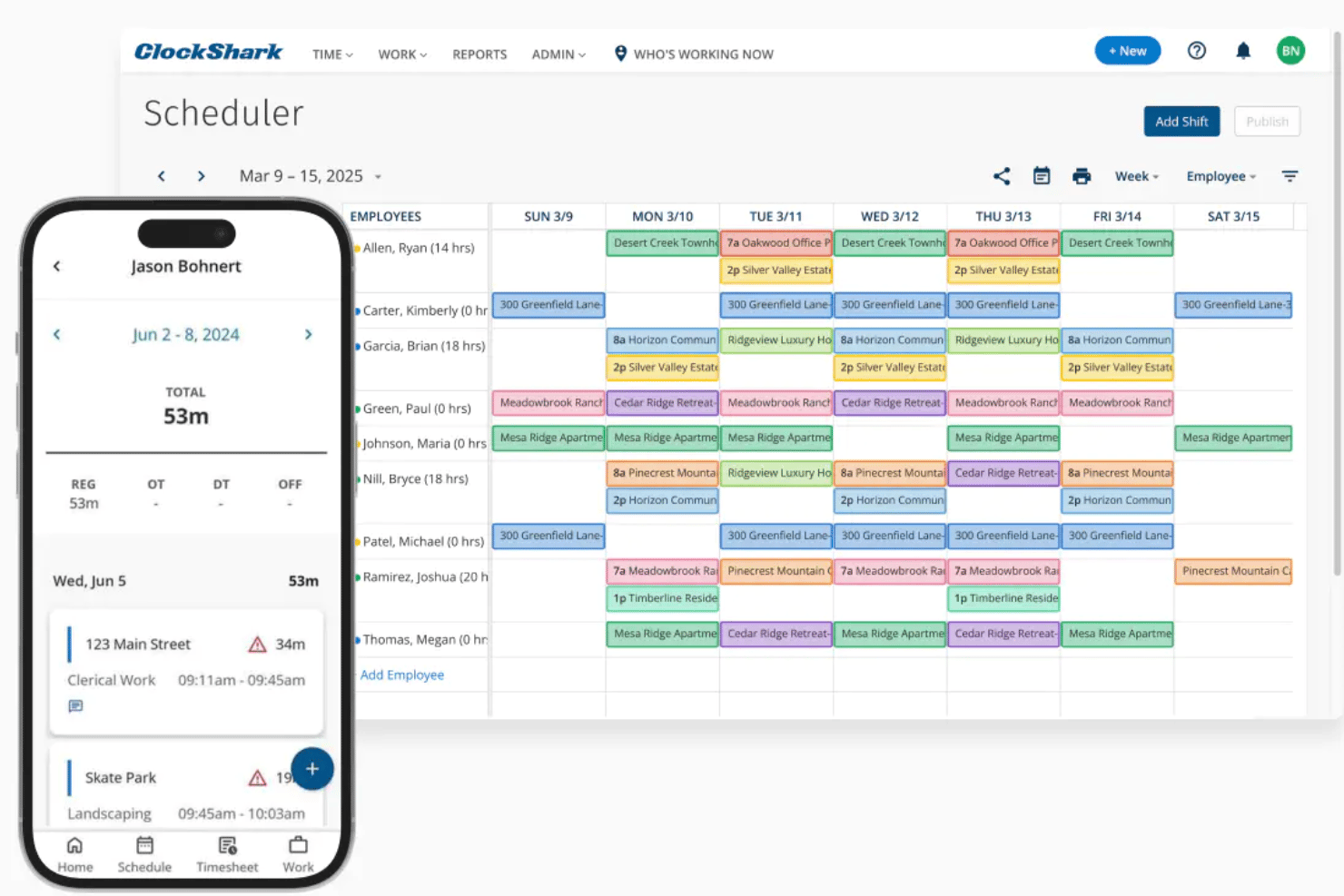
Drag-and-Drop Scheduling
Quickly assign shifts with a visual calendar and move jobs as needed. You can see open slots and make changes on the fly.
GPS Time Tracking
Track where and when employees clock in or out on location. This ensures teams are present at assigned job sites.
Job and Task Assignments
Assign individual jobs or tasks to employees when you create schedules. Teams always see what they should be working on.
Shift Notifications
Send instant alerts to employees when schedules update or swap. This cuts down confusion about last-minute changes.
Mobile Crew Scheduling
Build and adjust schedules on your phone or tablet while out in the field. The mobile app lets field managers handle changes live.
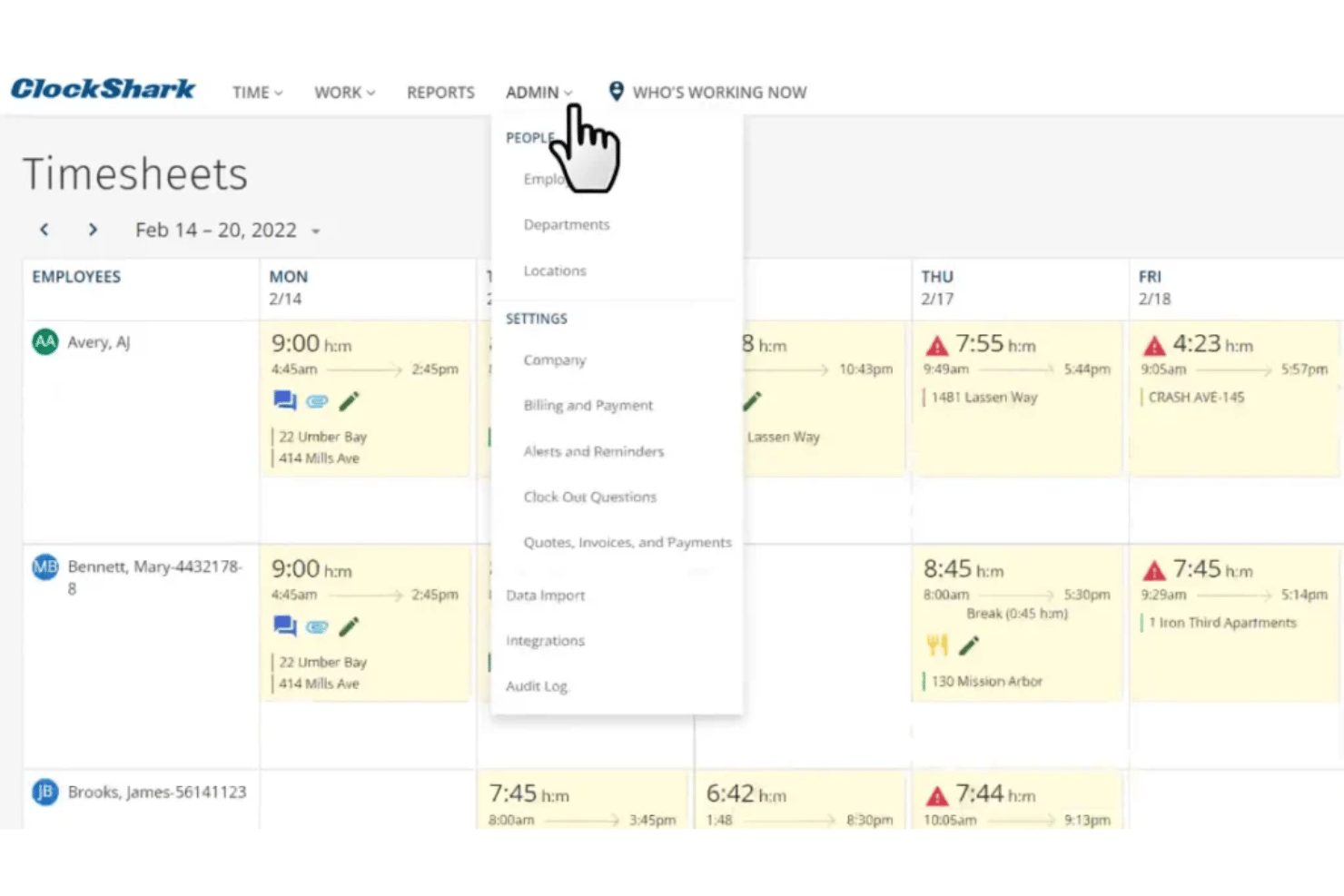
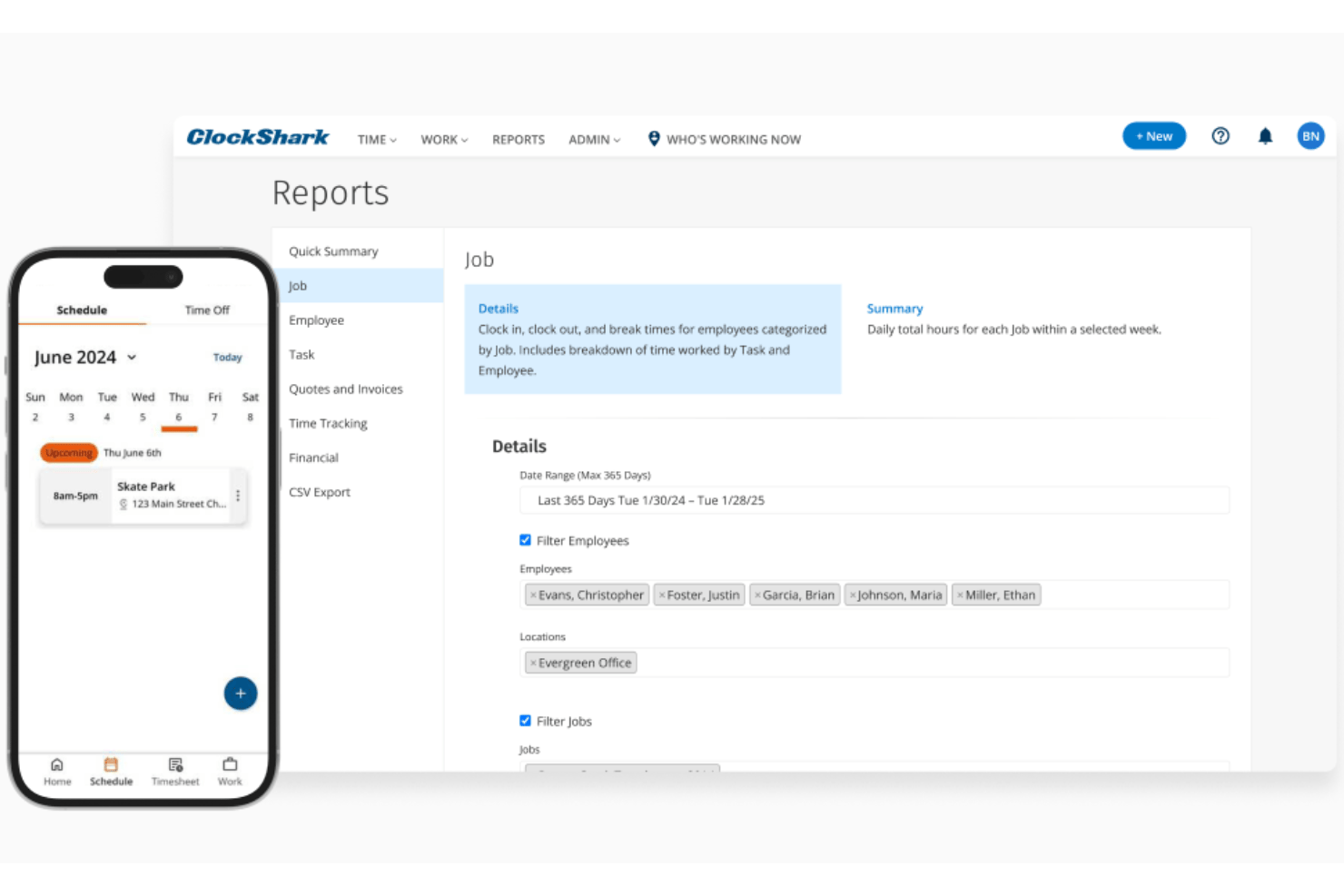
Timesheet Management
Automatically generate timesheets from schedule and clock-in data. Easily review, approve, and export times for payroll.
Ease of Use
ClockShark’s user interface is simple to navigate, with clear scheduling tools and mobile features that don’t overwhelm you with options. Field employees appreciate the quick clock-in/out process paired with GPS, while managers highlight the ease of building and updating schedules on short notice.
I think it’s one of the more approachable options, even for less tech-savvy crews.
Integrations
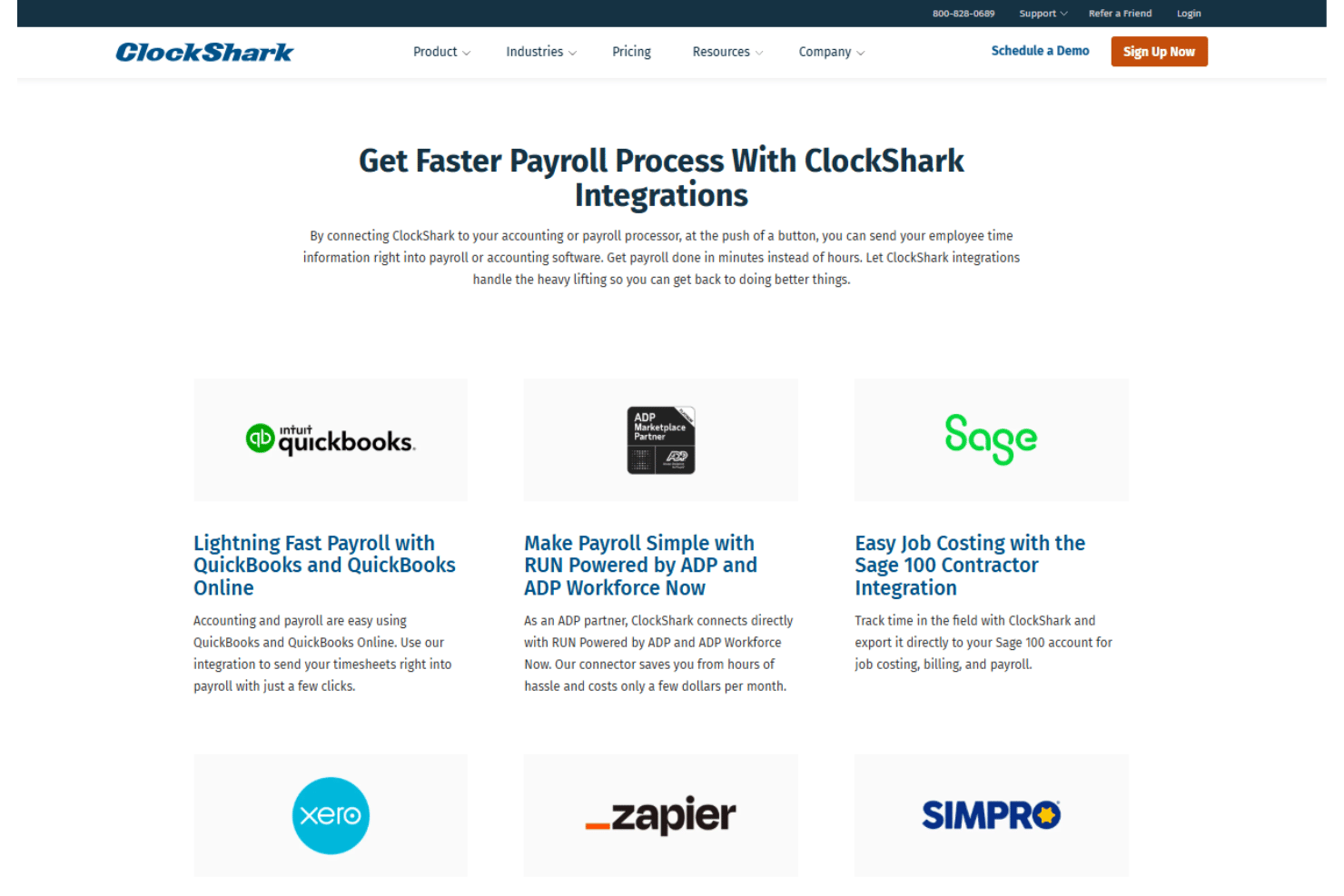
ClockShark integrates with QuickBooks Online, ADP Workforce Now, Gusto, Paychex, Sage 100 Contractor, MYOB, Xero, Zapier, Square Payroll, and Sage 300 CRE, among others.
ClockShark also offers an open API and connects with third-party integration platforms.
ClockShark Specs
- 360 Degree Feedback
- API
- Attendance Tracking
- Batch Permissions & Access
- Budgeting
- Calendar Management
- Dashboard
- Data Export
- Data Import
- Data Visualization
- Employee Database
- Employee Engagement
- Employee Onboarding
- External Integrations
- Feedback Management
- Forecasting
- Multi-User
- Notifications
- Project Management
- Scheduling
- Timesheets
- Travel Management
- Vacation & Absence Calendar