

10 beste alternativer til Guru i 2026

Kortliste over de beste Guru-alternativene


Guru populariserte kunnskapskort i kortformat, men moderne HR-team trenger AI-søk som dekker hele arbeidsplassens teknologistakk. Når personalhåndboken samles i en AI-drevet kunnskapshub, får teamet ditt flere timer tilbake hver uke, samtidig som medarbeiderne kan finne umiddelbare, verifiserte svar på regler og retningslinjer direkte i verktøyene teamet ditt bruker.
Nedenfor sammenligner jeg de beste plattformene basert på søkenøyaktighet, innholdsstyring, sikkerhet på bedriftsnivå og HR-funksjoner for selvbetjening, slik at du kan finne det som passer best for teamet ditt.
Hva er Guru?
Guru er en plattform for kunnskapsstyring som hjelper team med å opprette, organisere og finne intern bedriftsinformasjon. HR-team bruker den til retningslinjer, materiell for introduksjon av nyansatte, informasjon om personalgoder og selvbetjening for medarbeidere. Funksjonene for søk og innholdsverifisering hjelper medarbeiderne med å finne oppdaterte svar, samtidig som innholdseiere får mulighet til å gjennomgå utdatert informasjon.
Sammenligningstabell for Guru-alternativer
Sammenlign priser og spesifikasjoner side om side for de beste alternativene til Guru som kom med på kortlisten min.
| Tool | Best For | Trial Info | Price | ||
|---|---|---|---|---|---|
| 1 | Best for wikis embedded in your project workspace | Free plan + free trial + free demo available | From $12/user/month | Website | |
| 2 | Best for self-healing knowledge base upkeep | Free demo available | Pricing upon request | Website | |
| 3 | Best for AI search across 275+ connected apps | Free demo available | Pricing upon request | Website | |
| 4 | Best for AI-powered help center search | Free demo + 14-day free trial available | From $249/month | Website | |
| 5 | Best for unifying app stack with instant AI Q&A | Free plan + free demo available | From $20/user/month | Website | |
| 6 | Best for content accuracy at scale | Free demo available | Pricing upon request | Website | |
| 7 | Best for AI-driven doc freshness checks | Free demo + 14-day free trial available | From $10/user/month (billed annually) | Website | |
| 8 | Best for keeping intranet content verified | Free demo available | Pricing upon request | Website | |
| 9 | Best for content lifecycle management | Free demo + 15-day free trial available | From $0.99/user/month (billed annually) | Website | |
| 10 | Best for integrated wiki, docs, and projects | Free plan available | From $10/user/month (billed annually) | Website |

Hvorfor du kan stole på våre programvareanbefalinger
Teamet vårt har testet og anmeldt programvare siden 2012. Vi er selv HR-eksperter, så vi vet hvor vanskelig og hvor viktig det er å velge riktig programvare.
I denne guiden har vi vurdert verktøyene gjennom praktisk testing og uavhengig research og gitt dem poeng ut fra våre utvelgelseskriterier. Vi bygger også på innsikt fra ledende eksperter i bransjen og erfarne HR-eksperter.
Anmeldelsene våre bygger på vår egen redaksjonelle vurdering. De er ikke et salgsargument.
Ekspertanmeldere:
Anmeldelser av Guru-alternativer
Nedenfor finner du en detaljert gjennomgang av de beste alternativene til Guru, med viktige funksjoner, priser samt fordeler og ulemper, slik at du kan velge det som passer best.

ClickUp
Best for wikis embedded in your project workspace
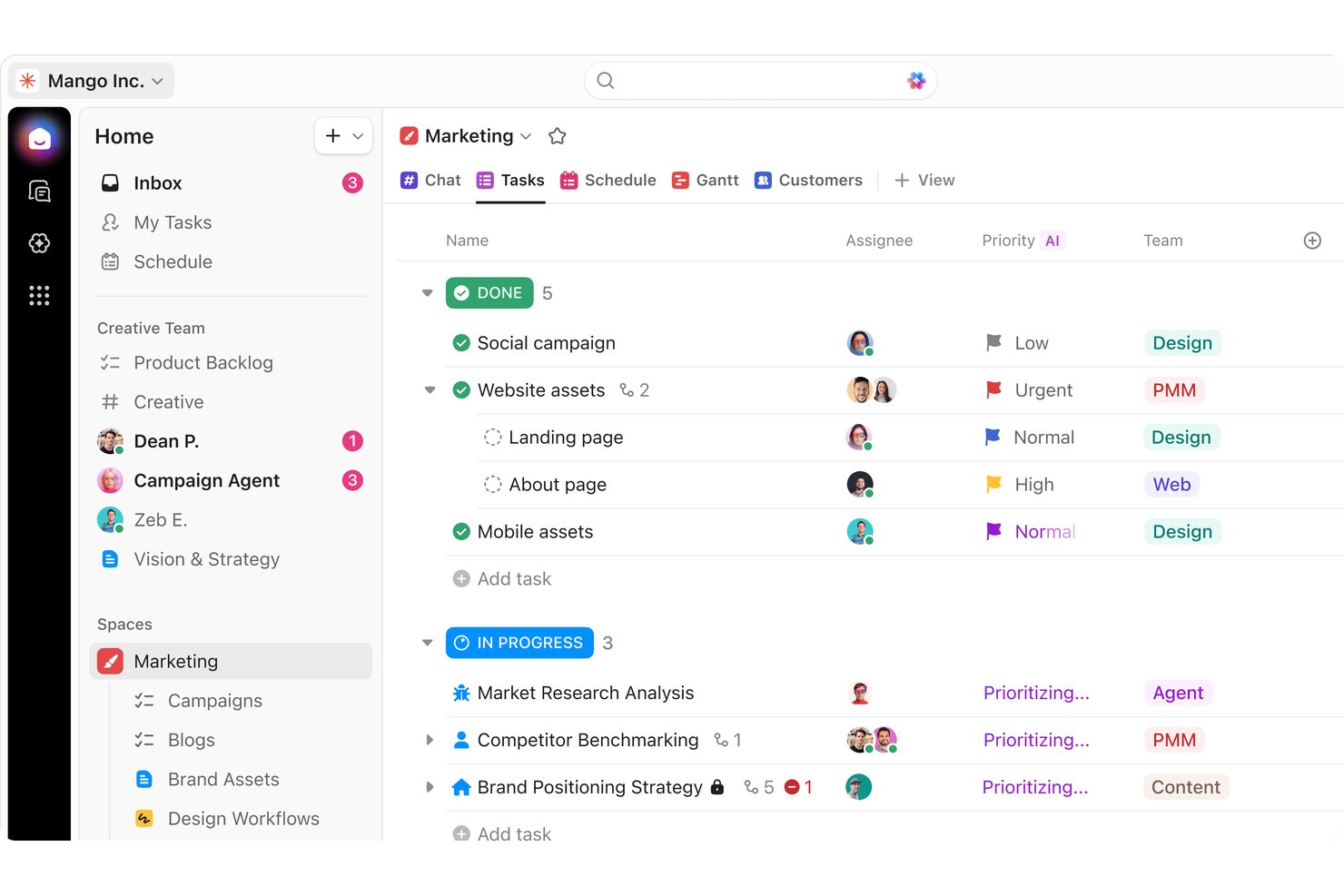
ClickUp is an all-in-one project management and productivity platform that centralizes tasks, docs, visual whiteboards, and goals into customizable workflows.
Who Is ClickUp Best for?
ClickUp fits HR teams that need to manage wiki content alongside onboarding tasks, policy updates, and employee workflows.
Why ClickUp Is a Good Guru Alternative
I picked ClickUp because its Docs and task features keep employee handbook content inside the project workspace. I use shared Docs for policies, then link updates to onboarding tasks and review workflows. This gives HR one place to manage handbook pages alongside related work.
ClickUp Key Features
- Employee handbook template: Start with a ready-made handbook structure for policies and company information.
- Custom fields: Categorize handbook sections with tailored content attributes.
- Version history: Review changes and roll back earlier handbook versions.
- Document permissions: Set view, comment, or edit access for each document.
ClickUp Integrations
ClickUp offers native integrations with Slack, Microsoft Teams, Google Drive, Dropbox, GitHub, GitLab, Figma, Google Calendar, Loom, Sentry, and Zapier. It also provides an API for custom integrations.
Pros and Cons
Pros:
- Page permissions separate viewing and editing
- Centralized docs, tasks, and discussions
- Docs connect directly to onboarding tasks
Cons:
- Many settings complicate wiki navigation
- Large workspaces can load slowly
New Product Updates from ClickUp
ClickUp Adds Meetings Hub, Super Agent Templates, and ZoomInfo Integration
ClickUp adds a searchable Meetings Hub, new ways to clone and template Super Agents, and a ZoomInfo integration through the App Center. These updates improve meeting retrieval, agent reuse, and access to sales intelligence. For more information, visit ClickUp’s official site.

Best for self-healing knowledge base upkeep
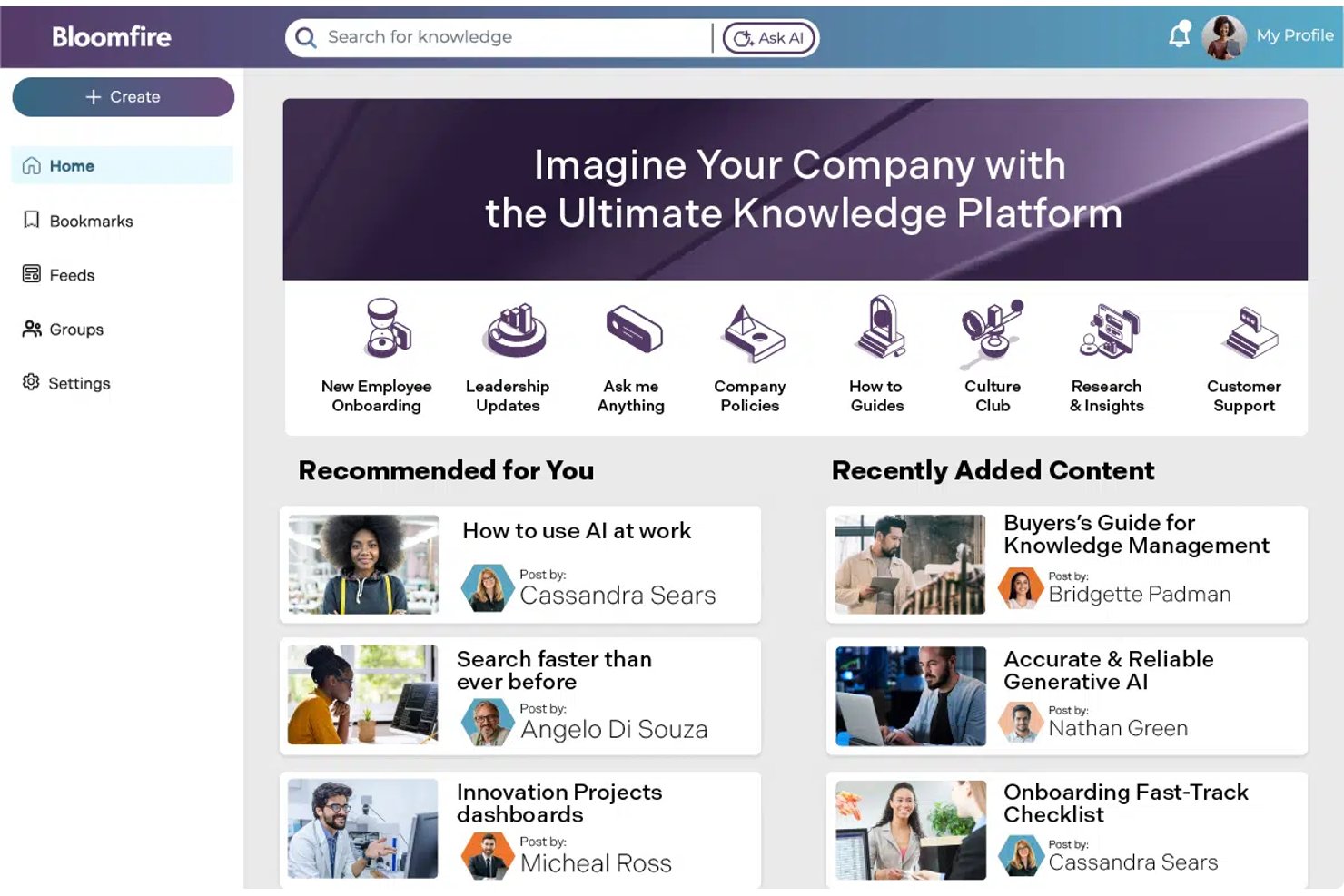
Bloomfire is a knowledge-sharing platform that centralizes employee handbooks, policies, and FAQs, helping distributed organizations keep workplace guidance searchable and accessible.
Who Is Bloomfire Best for?
Bloomfire is a good fit for mid-to-large HR organizations looking to move beyond static wiki pages into an interactive, Q&A-driven knowledge hub.
Why Bloomfire Is a Good Guru Alternative
I picked Bloomfire for self-healing knowledge base upkeep because its smart document updates help keep employee handbooks current. I use AI-powered search and discovery to surface the right policy, while moderation and analytics reveal outdated or underused guidance. That gives my team a practical way to maintain policies and FAQs as workplace rules change.
Bloomfire Key Features
- Knowledge connectors: Connect SharePoint, Google Drive, Salesforce, Teams, and Confluence.
- Employee acknowledgments: Record timestamped confirmations that employees read required content.
- Knowledge checks: Test employee comprehension of handbook policies and other guidance.
- Role-based access: Configure permissions and content views by team or role.
Bloomfire Integrations
Bloomfire integrates with SharePoint, Google Drive, Salesforce, Microsoft Teams, Slack, and GitHub. It also provides an API for custom connections.
Pros and Cons
Pros:
- Employee acknowledgments confirm policy readership
- Moderation helps maintain content accuracy
- AI search surfaces relevant policy guidance
Cons:
- Search occasionally returns inconsistent results
- Reporting requires manual data collection

Glean
Best for AI search across 275+ connected apps
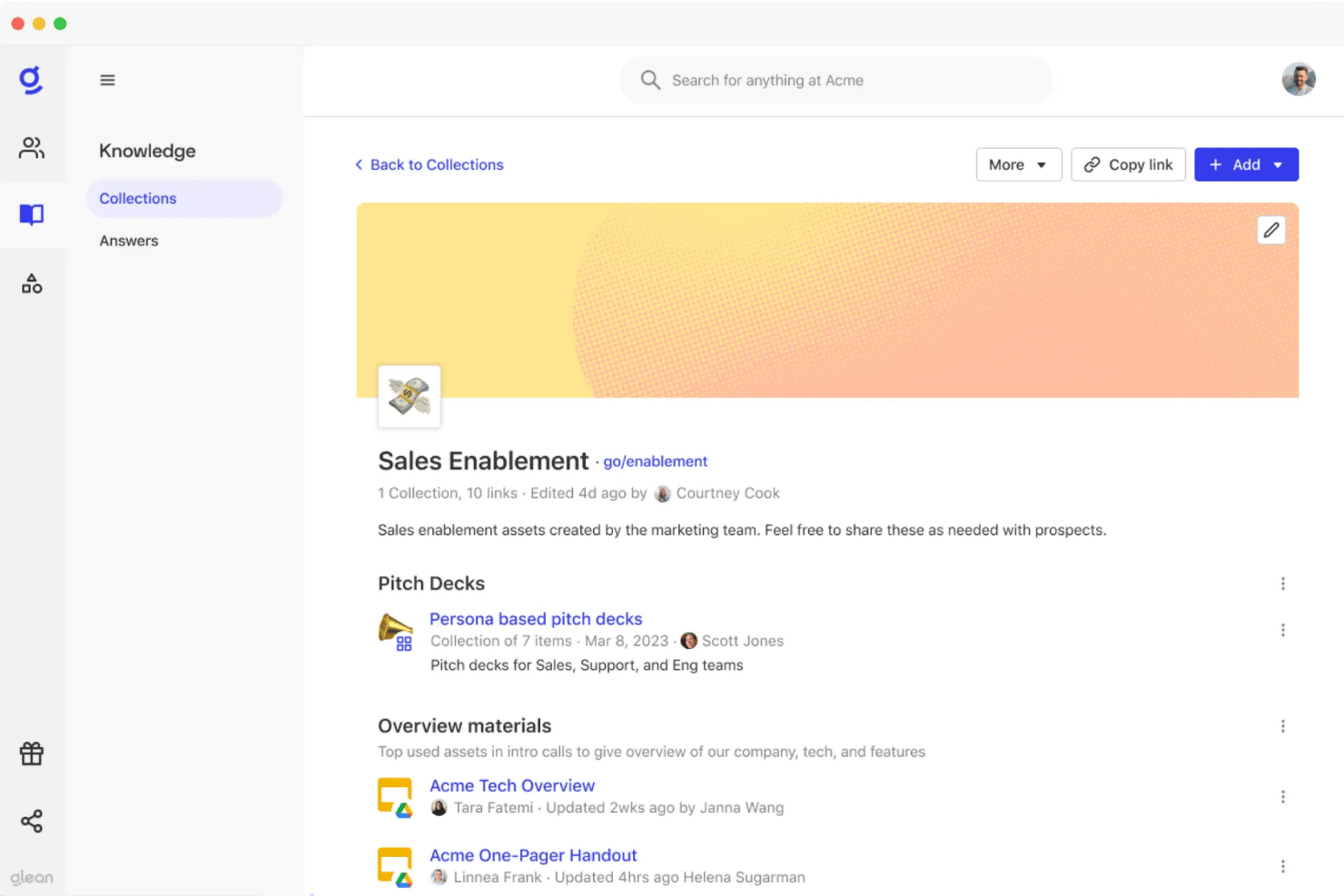
Glean is an AI-powered enterprise search platform that indexes content across your organization's app stack, allowing employees to query documents, tickets, and conversations from a unified search bar.
Who Is Glean Best for?
Glean is best suited for mid-to-large remote teams that need to centralize scattered policy documents across systems like Slack, Google Drive, and Notion into a single source of truth.
Why Glean Is a Good Guru Alternative
I chose Glean because its AI connects natively to 275+ apps, instantly resolving natural-language handbook queries without requiring manual document tagging. Instead of searching Slack, Drive, and HRIS separately, your team can surface, verify, and share authoritative HR policies directly from one interface.
Glean Key Features
- Permission-aware access: Shows employees only the information they’re authorized to view.
- AI workflows: Create assistants that perform actions across workplace tools.
- Query observability: Track searches, answers, and AI-driven actions.
- Compliance certifications: Supports SOC 2 Type II, ISO 27001, GDPR, and HIPAA requirements.
Glean Integrations
Glean supports 275+ integrations, including Slack, Google Drive, Adobe, Affinity, Airtable, Clay, Close, GitHub, and Salesforce. An API for custom connections is also available.
Pros and Cons
Pros:
- AI workflows support actions beyond document retrieval
- Permission-aware access limits unauthorized answers
- Searches across scattered enterprise knowledge sources
Cons:
- Search results sometimes take longer
- Connector setup can require vendor assistance

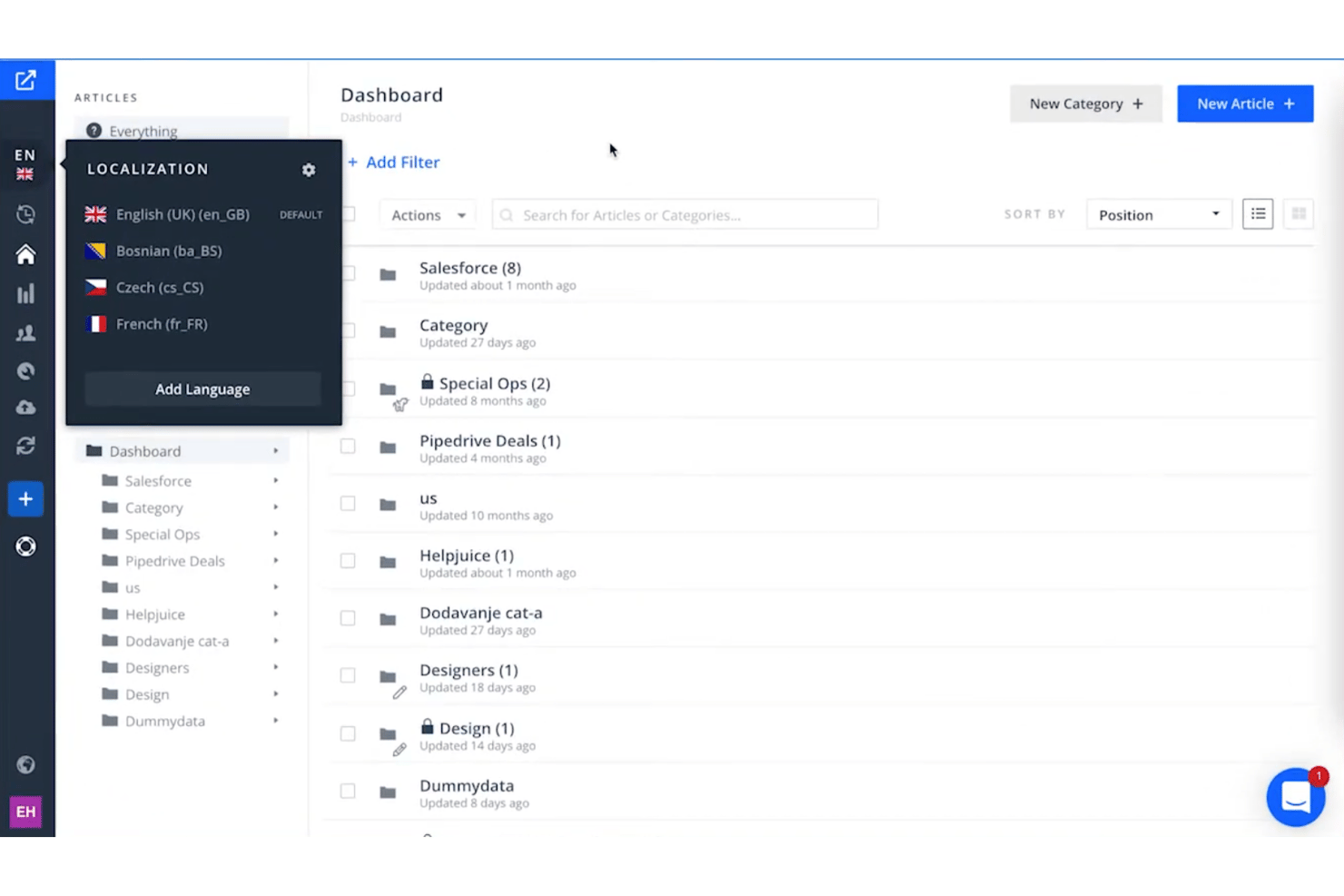
Helpjuice is a knowledge base platform for teams that need to turn employee handbooks, policies, and onboarding guidance into searchable, easy-to-maintain resources.
Who Is Helpjuice Best for?
Helpjuice is best for HR teams who want a single tool for handbooks, policies, and onboarding resource management.
Why Helpjuice Is a Good Guru Alternative
I picked Helpjuice because, unlike traditional keyword matching, Helpjuice uses natural language processing to understand intent—instantly connecting informal questions like "Can I carry over vacation days?" to the correct policy articles, even when terminology doesn't match. Its search analytics expose content gaps by highlighting unanswered employee queries. This gives us a real-time roadmap to fix missing documentation, turning the knowledge base into a truly reliable, intelligent self-service hub.
Helpjuice Key Features
- Article editor and versioning: Format handbook content and review earlier versions.
- Access controls: Restrict articles to specific users or groups.
- Localization: Maintain handbook content in more than 50 languages.
- Knowledge base customization: Adjust the knowledge base without developer support.
Helpjuice Integrations
Helpjuice offers integrations with Slack, Olark, Salesforce, Zapier, and Microsoft Teams. An API for custom integrations is also available.
Pros and Cons
Pros:
- No-code decision trees support structured guidance
- Source citations support trustworthy handbook answers
- AI search handles typos and intent
Cons:
- Category management has counterintuitive elements
- Complex formatting makes the editor cumbersome

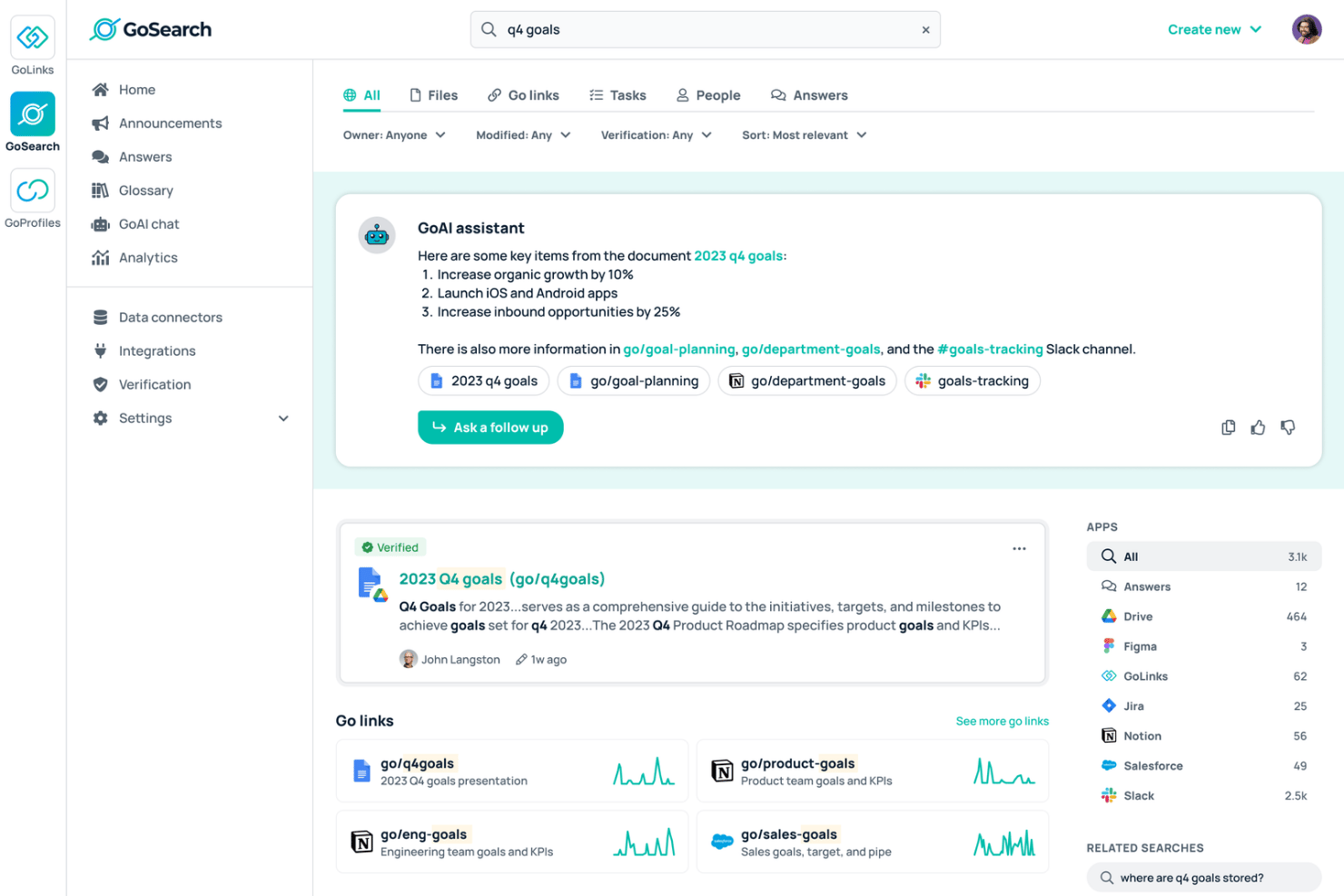
GoSearch is an AI-powered enterprise search platform for HR teams that need to find handbook policies across scattered apps, answer employee questions, and manage workplace knowledge without another standalone system.
Who Is GoSearch Best For?
GoSearch is a good fit for mid-sized to enterprise HR operations teams that want to answer employee policy questions in real time without building and maintaining a duplicate data index.
Why GoSearch Is a Good Guru Alternative
I chose GoSearch because it pairs real-time semantic search with action-oriented AI agents across 100+ native connectors. Unlike traditional tools, GoSearch queries live source data on the fly rather than copying or re-indexing files. This lets teams surface exact policy answers within Slack and Teams while maintaining strict native source permissions and zero data retention.
GoSearch Key Features
- Custom AI agents: Create role-specific agents with tailored instructions and skills.
- No-code workflow builder: Design multi-step HR workflows with drag-and-drop actions.
- Live data querying: Retrieve current policy information without indexing source data.
- Content governance: Suppress sensitive or outdated content and review detected personal data.
GoSearch Integrations
GoSearch connects with 100+ apps, including BambooHR, Google Drive, ChartHop, Deel, Datadog, Linear, Miro, Slack, and Microsoft Teams. It also provides an API for custom connections.
Pros and Cons
Pros:
- No-code workflows support multi-step HR processes
- Live queries reflect current policy information
- Custom AI agents support role-specific HR answers
Cons:
- Broad app coverage may exceed simple wiki needs
- Tailored agents require initial configuration

Shelf
Best for content accuracy at scale
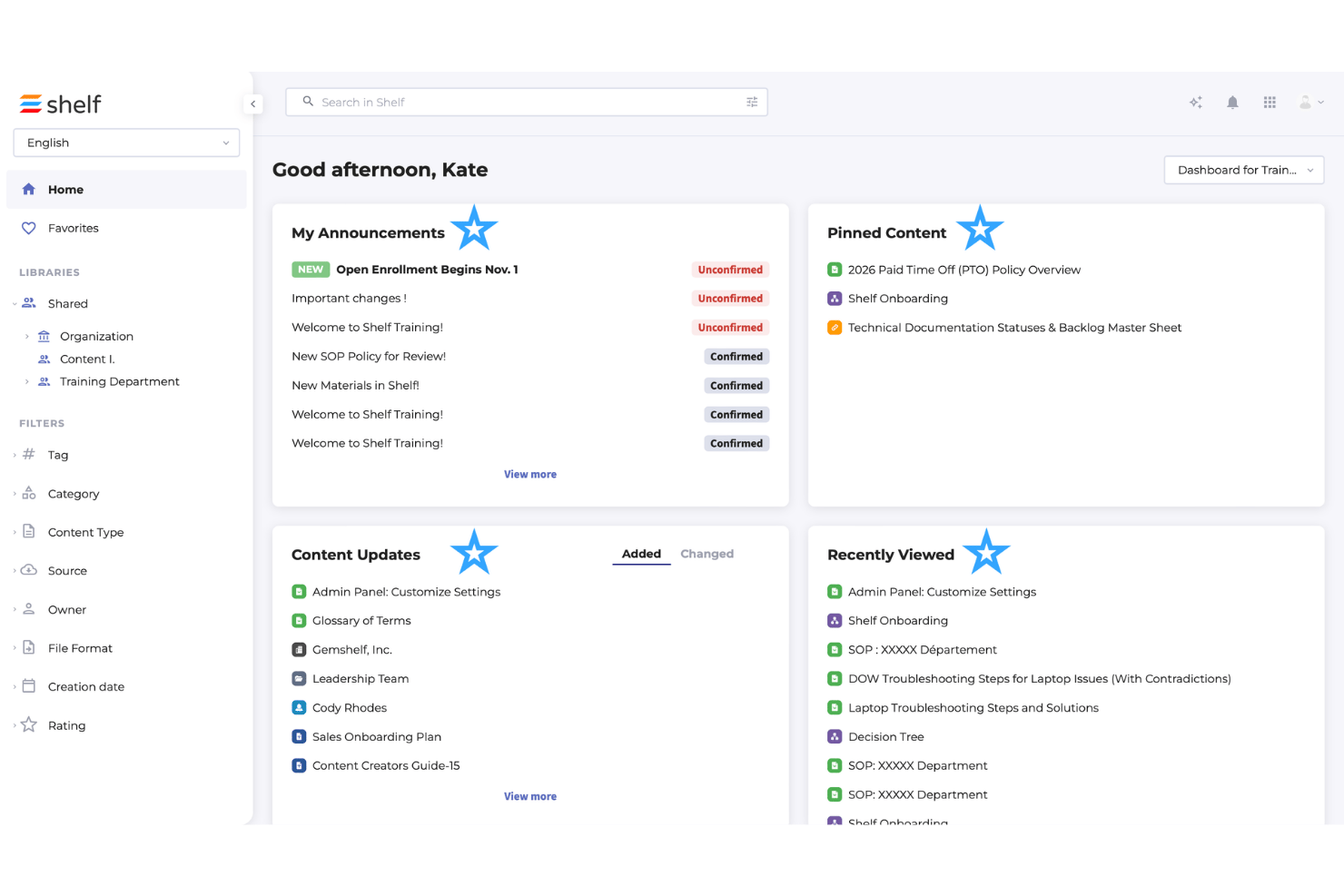
Shelf is an AI-driven knowledge management platform that consolidates company handbooks, compliance policies, and HR guidance into a single, strictly governed knowledge hub.
Who Is Shelf Best for?
Shelf is best for HR operations and compliance teams that need to enforce strict content accuracy and approval workflows across high-volume handbook documentation.
Why Shelf Is a Good Guru Alternative
I chose Shelf because it focuses heavily on content quality control, auditability, and preventing outdated information from reaching employees. Unlike basic wikis or keyword-based alternatives, Shelf continuously identifies redundant or conflicting policy drafts so staff always receive verified, authoritative HR answers.
Shelf Key Features
- Access controls: Restricts sensitive policy drafts and employee documentation based on department, location, or user permissions.
- Publishing workflows: Requires mandatory HR approval and sign-off before any handbook updates or policy revisions go live.
- Content lifecycle management: Sets mandatory expiration dates and audit cycles for policies, alerting document owners to review or archive aging content.
- Duplicate detection: Automatically flags overlapping handbook entries or conflicting policy language across your workspace.
Shelf Integrations
Shelf offers integrations with Slack, Salesforce Service Cloud, Microsoft SharePoint, ServiceNow, Intercom, Zendesk, and Google Drive. It also provides APIs and SDKs for custom integrations.
Pros and Cons
Pros:
- Admin analytics reveal content gaps
- Centralizes scattered knowledge for controlled answers
- AI governance flags outdated, duplicate content
Cons:
- Editors cannot collaborate simultaneously
- Search can rank answers inconsistently

Slite
Best for AI-driven doc freshness checks
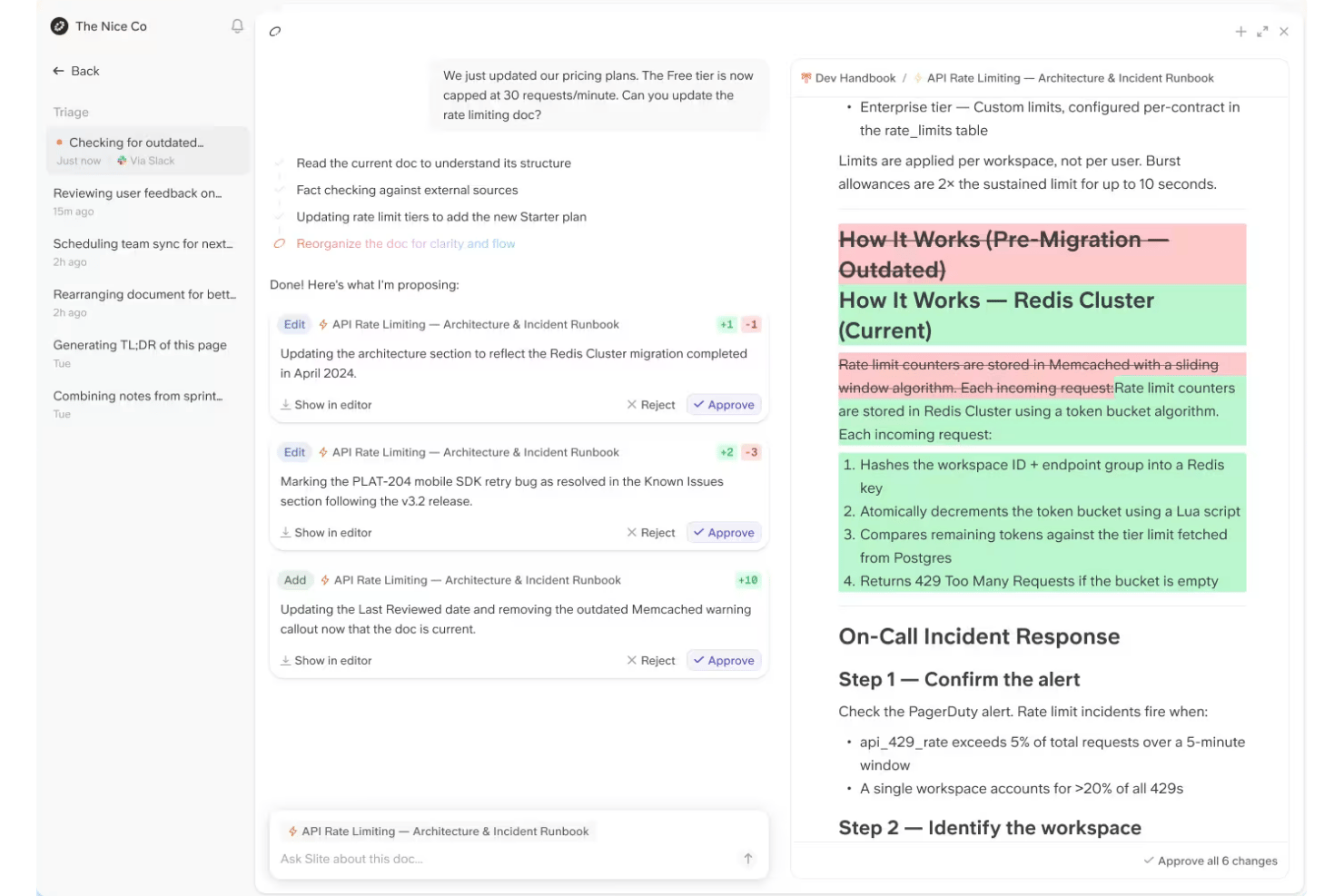
Slite is a collaborative knowledge management software for HR teams that need to create, organize, and share employee handbooks, workplace policies, and internal guidance in one searchable workspace.
Who Is Slite Best for?
Slite is a great fit for HR operations in mid-sized or scaling companies that need automated systems to keep policy documents accurate across external tools like Slack and Google Drive.
Why Slite Is a Good Guru Alternative
I chose Slite because it solves the biggest flaw of traditional wikis: outdated content. Its built-in Slite Agent continually cross-references handbook pages with company conversations in Slack and files in Google Drive, automatically flagging outdated policies and suggesting edits. Paired with mandatory verification schedules, it ensures our HR guidelines remain accurate without requiring manual audits.
Slite Key Features
- Doc permissions: Assign reader, writer, and channel admin roles.
- Cascading access: Apply permissions to subdocs or override them individually.
- Comments: Let readers comment directly on handbook documents.
- Analytics: Track which documents employees read and search for.
Slite Integrations
Slite integrates with BigQuery, Asana, Airtable, Google Drive, Jira, Linear, Salesforce, GitHub, Mural, Zapier, and Vimeo. It also provides an API for custom integrations.
Pros and Cons
Pros:
- Real-time editing supports collaborative handbook writing
- Verification dates prompt handbook reviews
- AI flags outdated claims across connected sources
Cons:
- Limited formatting and customization constrain complex wikis
- Search accuracy can frustrate larger knowledge bases

Simpplr
Best for keeping intranet content verified
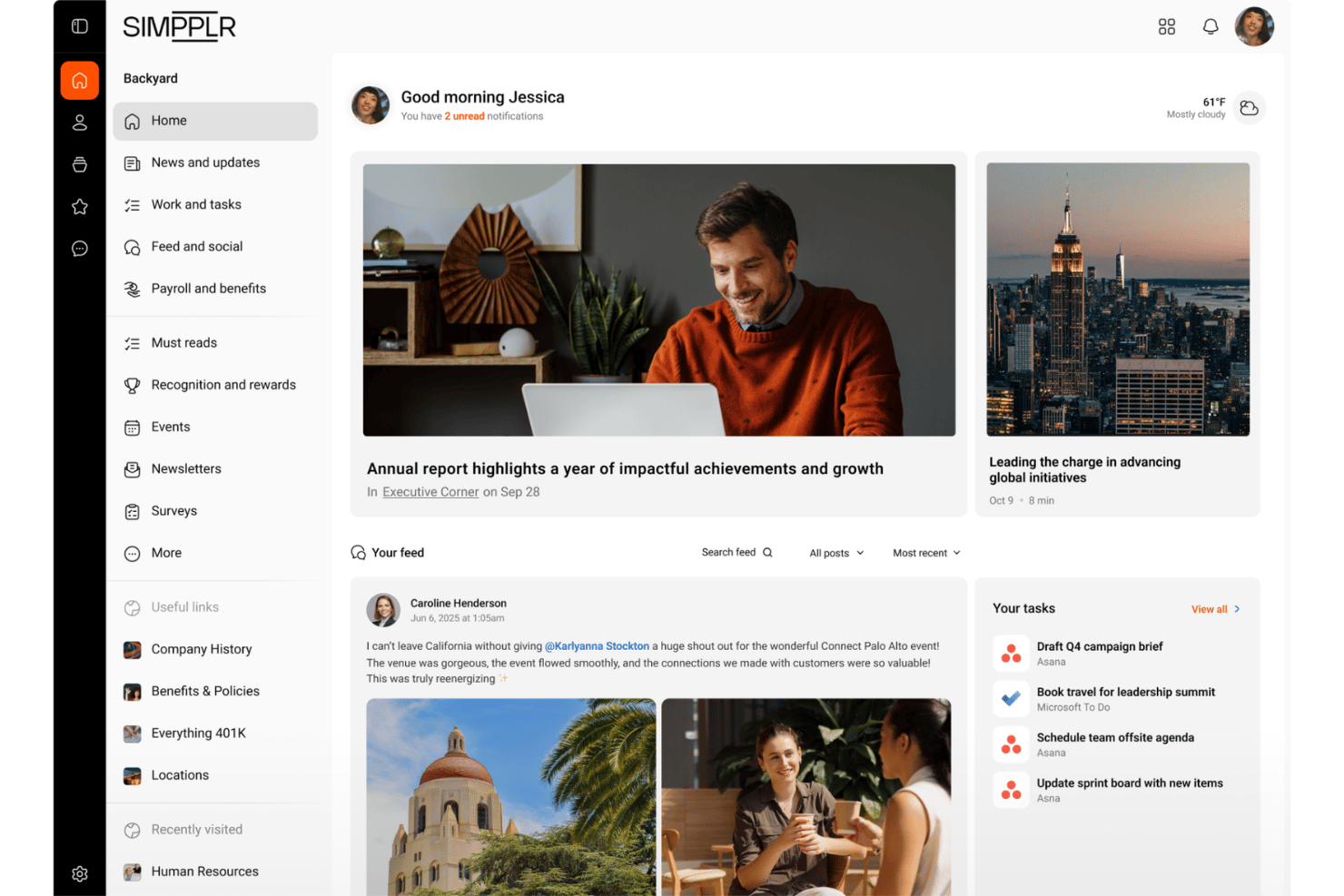
Simpplr is an AI-powered intranet for HR and internal communications teams that centralizes employee communications, handbook content, enterprise search, and knowledge management in one platform.
Who Is Simpplr Best For?
Simpplr suits HR and internal communications teams that need to keep intranet content accurate, current, and verified.
Why Simpplr Is a Good Guru Alternative
I picked Simpplr because its AI-powered intranet keeps employee handbook content current and verified. I use its enterprise search to help employees find approved policies, while knowledge management keeps handbook information alongside internal communications. This makes it a strong Guru alternative when HR needs one trusted source for workplace guidance.
Simpplr Key Features
- Employee communities: Create dedicated spaces for teams, locations, and interests.
- Recognition programs: Configure peer-to-peer recognition experiences.
- Employee listening: Collect feedback through surveys and listening programs.
- Workflow automation: Build forms, notifications, app tiles, and integrations.
Simpplr Integrations
Simpplr offers 200+ integrations, including Google Workspace, SharePoint, ServiceNow, Workday, Okta, Oracle, ADP, Slack, Microsoft Teams, and Zoom. It also provides APIs and custom connections.
Pros and Cons
Pros:
- Adds recognition and listening alongside knowledge management
- Combines handbook content with employee communications
- AI flags outdated intranet pages
Cons:
- Homepage layouts offer limited design control
- Search relevance varies across user reviews

Best for content lifecycle management
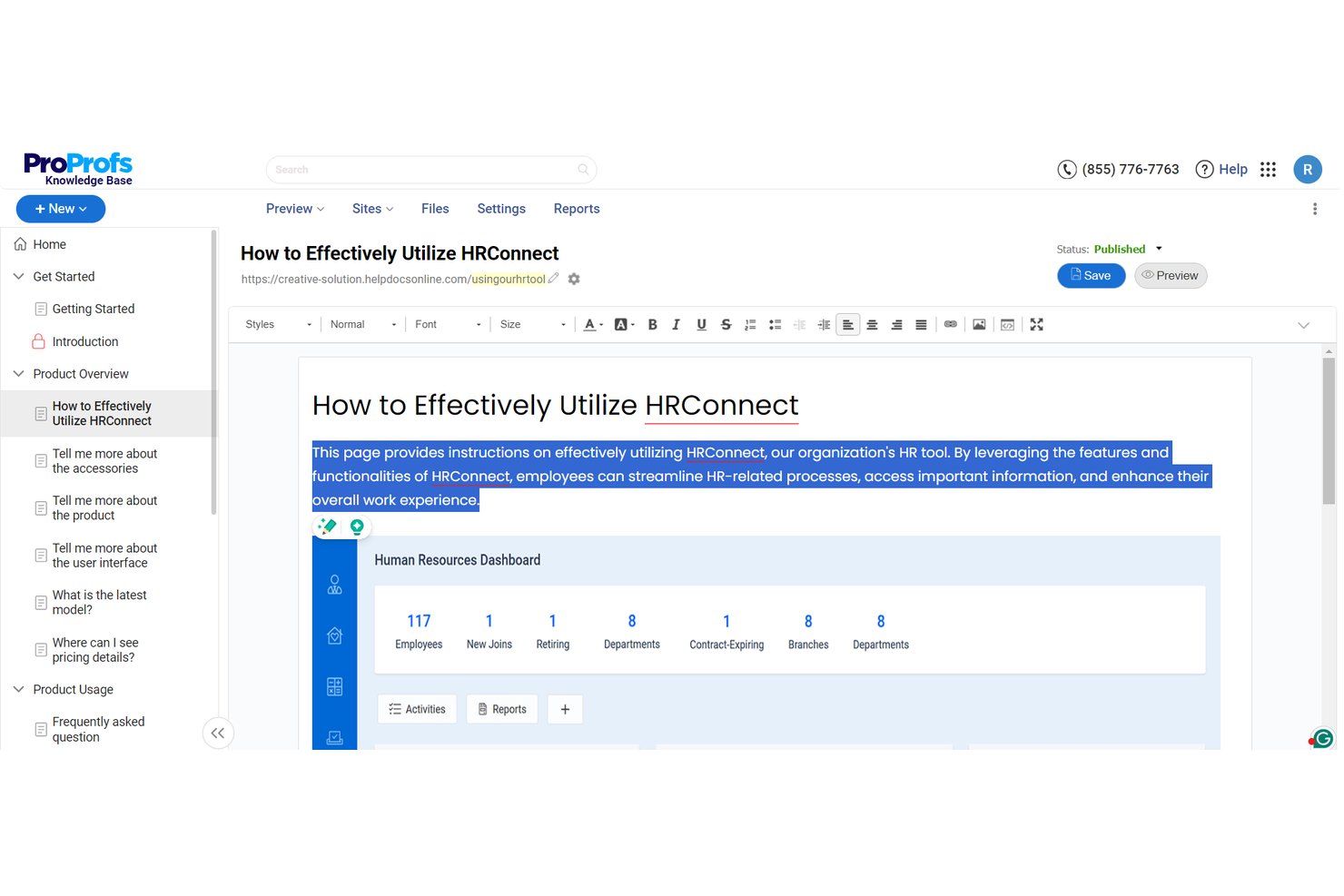
ProProfs Knowledge Base is a web-based documentation tool that allows teams to create, organize, and publish searchable employee handbooks, onboarding guides, and company wikis from a single visual editor.
Who Is ProProfs Knowledge Base Best for?
ProProfs Knowledge Base is ideal for small to mid-sized HR teams that want a simple, no-code platform to build public or private employee handbooks.
Why ProProfs Knowledge Base Is a Good Guru Alternative
I chose ProProfs Knowledge Base because it makes writing, organizing, and updating handbook documentation effortless. Unlike complex enterprise systems, it functions like a familiar word processor, allowing HR teams to import existing Word or PDF policies in bulk and convert them into a fully searchable employee portal in minutes.
ProProfs Knowledge Base Key Features
- Role-based permissions: Protects sensitive HR files by password-protecting pages or restricting handbook access based on roles and departments.
- Brand customization: Tailors the employee portal with custom logos, brand colors, and custom domains.
- Document import: Converts existing Word documents, PDFs, and PowerPoint slides into formatted web pages.
- Content analytics: Highlights popular searches, unreturned queries, and broken links.
ProProfs Knowledge Base Integrations
ProProfs Knowledge Base integrates with Slack, Jira, Salesforce, Zendesk, Freshdesk, Hotjar, Google Analytics, Google Translate, and Wufoo. It also provides a RESTful API for custom integrations.
Pros and Cons
Pros:
- Analytics identify searches and content gaps
- Imports Word, PDF, and PowerPoint documents
- AI supports ongoing handbook content updates
Cons:
- Extensive permissions may require careful administration
- Better suited to formal documentation than quick answers

Notion
Best for integrated wiki, docs, and projects
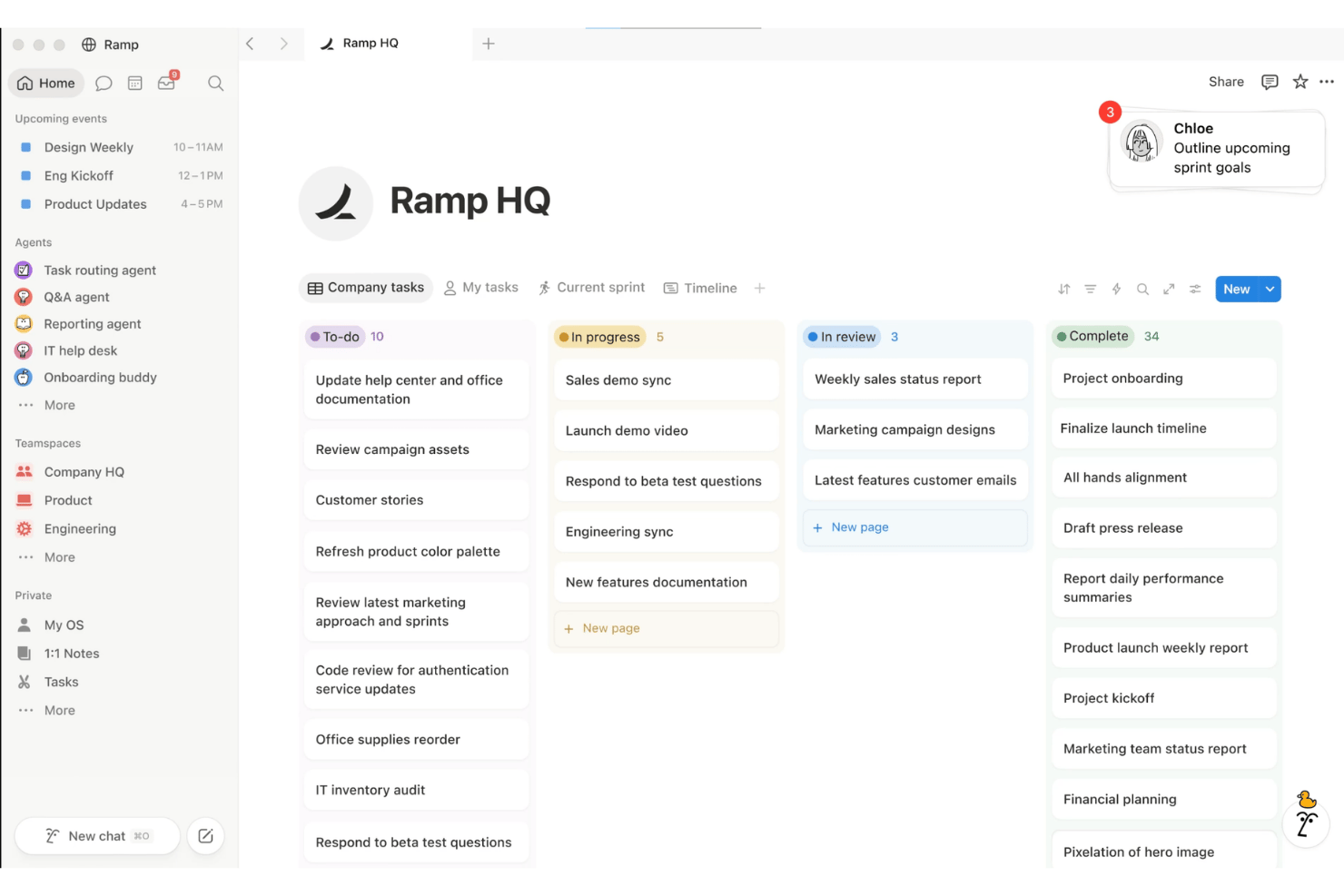
Notion is a customizable, all-in-one knowledge and project management software that combines wikis, relational databases, and project management—allowing teams to house employee handbooks, onboarding roadmaps, and policy records alongside live People Ops workflows.
Who Is Notion Best For?
Notion is best for HR teams at early-stage to fast-growing companies that want a modular, cost-effective alternative to rigid traditional wikis.
Why Notion Is a Good Guru Alternative
I chose Notion because it bridges the gap between static policy storage and daily work execution. Instead of keeping your handbook locked in an isolated knowledge silo, you can interlink policy pages directly with onboarding databases, policy review tasks, and team roadmaps. With features like Notion AI and relational databases, employees can query company guidelines in natural language or track handbook updates across departments without leaving their primary workspace.
Notion Key Features
- Forms: Collect employee requests or feedback and store responses in databases.
- Modular page & database permissions: Enables granular access controls to ensure sensitive People Ops files remain restricted.
- Native automation: Triggers automated notifications whenever a policy status changes to "Pending Leadership Review" or when an onboarding checklist step is completed.
- Real-time collaboration: Co-author policies, leave inline comments, track revision histories, and gather feedback from leadership.
Notion Integrations
Notion integrates with Slack, Google Drive, GitHub, Figma, Microsoft Teams, Jira, Linear, Mixpanel, Loom, Microsoft Entra ID, Trello, and Zapier. An API for custom integrations is also available.
Pros and Cons
Pros:
- Granular permissions and version control support governance
- Database views support structured policy tracking
- Combines internal wiki pages, docs, and project boards
Cons:
- No dedicated article verification workflow
- Flexible structure requires deliberate information architecture
Andre Guru-alternativer
Her er noen flere alternativer som ikke kom med på kortlisten min, men som kan passe godt til behovene dine:
- Document360
For structured, analytics-driven docs
- Stonly
For AI-driven content health monitoring
- Confluence
For Atlassian-native wiki at scale
- Trainual
For HRIS-connected onboarding training
- Tettra
For Slack-first team knowledge upkeep
- SharePoint
For M365-native knowledge storage
- Slab
For wiki content that stays verified
- Archbee
For docs with built-in verification cycles
- Sana
For AI search grounded in Workday data
- Stack Internal
For Q&A knowledge with enterprise security


How I Evaluate Guru Alternatives
I split my evaluation into three parts. First, core functionality: any alternative must let teams store and organize knowledge in a single, structured repository and surface relevant answers quickly through reliable search—this carries the most weight. Second, I look for standout features like AI knowledge agents or verification workflows. Third, I consider implementation support and pricing transparency.
Core Functionality (Table Stakes For This List)
When I'm selecting tools for my list, I score each one on a scale from 0 (does not offer the functionality) to 5 (excels in this area) for each core functionality listed below. I then convert the total into a percentage to help assess each tool's overall fit, with extra weight on any functionalities I've deemed essential.
- Knowledge Repository (Essential): I check whether a platform can house policies, onboarding guides, and benefits docs in a structured, categorized layout that scales across departments.
- Search and Retrieval (Essential): Fast, relevant results matter most when employees need a quick answer about leave entitlements or expense procedures instead of messaging HR directly.
- Content Verification and Freshness: I look for scheduled review reminders, assigned content owners, and staleness flags—features that keep your parental leave policy from drifting out of date unnoticed.
- Workflow Integrations: Tools like Guru and Slite surface answers inside Slack or Teams, so I evaluate whether a platform meets employees where they already ask questions.
- Permissions and Organization: I consider how granularly you can restrict sensitive content—like compensation bands or investigation procedures—by role, team, or department.
- Usage Insights: Analytics that reveal unanswered searches, low-traffic pages, and content gaps help HR teams prioritize what to update or create next.
Once I have a list of tools that meet the criteria, I consider what sets each platform apart.
Differentiating Factors (What Sets Vendors Apart)
Here's how I compare and contrast different vendors:
Standout Features
Verification workflows matter most here. I check whether a platform assigns content owners and triggers re-verification cycles automatically—without that, your parental leave policy quietly drifts out of date. Duplicate and gap detection is the other side of that coin: tools like Guru and Bloomfire flag conflicting or missing docs, which saves HR from answering questions that should already be documented. I also evaluate AI knowledge agents, since a good one pulls context-aware answers from connected apps rather than just returning a list of links.
Beyond Features
I check how easily you can migrate an existing wiki or shared drive without pulling in IT for weeks. Some vendors offer guided import wizards and starter templates that cut rollout time significantly. I also evaluate whether pricing stays reasonable as headcount grows, since a tool that charges full-seat rates for employees who only read content can quietly inflate costs. Security posture matters too—SOC 2 compliance and granular audit logging are non-negotiable when you're housing sensitive HR documents like investigation records or compensation data.
Hvorfor se etter alternativer til Guru?
Selv om Guru er godt egnet for kunnskapsstyring i sanntid, kommer plattformen til kort når det gjelder HR-dokumenter som krever streng versjonskontroll, oppfølging av samsvar og strukturerte leseopplevelser.
Det kan hende du ser etter et alternativ fordi:
- Du trenger en struktur spesielt utviklet for personalhåndboken
- Teamet ditt trenger enklere innholdsstyring
- Du ønsker fleksibel tilgang for sporadiske lesere
- Du trenger mer omfattende arbeidsflyter for gjennomgang av HR-retningslinjer
- Organisasjonen din trenger personalhåndboksinnhold som er spesifikt for ulike regioner
- Du trenger innebygde tilkoblinger til HR-systemer
Gurus viktigste funksjoner
Her er noen av de viktigste funksjonene i Guru, slik at du kan sammenligne hva alternative verktøy tilbyr:
- Kunnskapslager: Lagre retningslinjer, veiledninger for introduksjon av nyansatte, informasjon om personalgoder og prosedyrer i organiserte samlinger, mapper og kort.
- AI-søk og chat: Ansatte kan stille spørsmål på naturlig språk gjennom Søk eller Chat. Guru returnerer svar med kildehenvisninger fra kort og tilkoblede kilder, mens filtre hjelper brukerne med å avgrense resultatene etter samling, forfatter, tagg, kilde eller verifiseringsstatus.
- Verifiseringsarbeidsflyter: Send påminnelser via e-post, Slack eller nettappen, mens administratorer kan identifisere utgått innhold og arkivere ubrukte, ikke-verifiserte kort.
- Kunnskapsagenter: Tilby AI-assistenter for bestemte temaområder, for eksempel HR eller IT. Administratorer kan koble til utvalgte kilder, begrense tilgangen og konfigurere agenter til å besvare spørsmål basert på godkjent organisasjonsinformasjon.
- Kildetilkoblinger: Koble til mer enn 100 bedriftsapplikasjoner, databaser og filsystemer. Tilkoblede kilder kan omfatte verktøy som Google Drive, Salesforce og Slack, slik at ansatte kan søke etter informasjon uten å kontrollere hvert system separat.
- Tillatelser og tilgangskontroller: Kontroller tilgangen til samlinger, mapper, kort, tilkoblede kilder og kunnskapsagenter. Gruppebaserte tillatelser hjelper HR-team med å begrense sensitivt innhold, for eksempel veiledning om lønn og godtgjørelser eller prosedyrer for undersøkelser, til autoriserte ansatte.
- Bruksanalyse: Analyserapporter viser visninger av kort, vellykkede søk, søk uten resultater, verifiseringspoeng og ofte vist, ikke-verifisert innhold.
- Oppretting og opprydding i innhold: Få hjelp til å utarbeide dokumentasjon fra samtaler, møter og saker, og send deretter utkast til fageksperter for gjennomgang. AI-verktøy kan også identifisere duplisert eller motstridende informasjon, avdekke mangler i innholdet og støtte opprydding.
Kostnader og priser for Guru-alternativer
For å velge det beste alternativet til Guru må du forstå prismodellene og abonnementene som er tilgjengelige. Kostnadene varierer basert på funksjoner, teamstørrelse, tillegg og mer. Tabellen nedenfor oppsummerer vanlige abonnementer, gjennomsnittspriser og typiske funksjoner.
Sammenligningstabell for abonnementer for Guru-alternativer
| Abonnementstype | Gjennomsnittspris | Vanlige funksjoner |
|---|---|---|
| Gratisabonnement | $0/bruker/måned | Grunnleggende lagring av kunnskap, begrenset søk og tilgang for små team. |
| Personlig abonnement | $5-$15/bruker/måned | Utvidet lagring, organisering av innhold og grunnleggende integrasjoner. |
| Bedriftsabonnement | $15-$30/bruker/måned | Avansert søk, analyse, tillatelser og integrasjoner med arbeidsflyter. |
| Virksomhetsabonnement | $30-$80/bruker/måned | Tilpassede sikkerhetskontroller, dedikert kundestøtte, revisjonslogger og avansert administrasjon. |