

10 beste mobile LMS-plattformer omtalt i 2026

Kortliste over de beste mobile LMS-verktøyene


Å lede et team innebærer konstante krav, fra opplæring og introduksjon av nye medarbeidere til engasjement og løpende oppdateringer. Et mobilvennlig læringsstyringssystem (LMS) kan være til hjelp ved å gjøre læring tilgjengelig når som helst og hvor som helst, slik at teamene får den fleksibiliteten de trenger for å holde seg samkjørte og informerte.
Basert på min erfaring med å gjennomgå disse plattformene starter det å finne den rette løsningen med å forstå hvordan teamet ditt lærer, og hvilke funksjoner som faktisk støtter denne arbeidsflyten. Jeg har vurdert en rekke alternativer med fokus på brukervennlighet, tilgjengelighet og nyttige læringsverktøy.
I denne artikkelen deler jeg mine beste anbefalinger for de beste mobile LMS-verktøyene, og fremhever hva hvert av dem gjør godt, og hvordan det kan støtte teamet ditt. Når du er ferdig, vil du ha en tydeligere forståelse av hvilken plattform som passer best til behovene dine.
Why Trust Our Software Recommendations
Our team has been testing and reviewing software since 2012. As HR experts ourselves, we know how difficult—and important—it is to choose the right software.
For this guide, we evaluated tools using hands-on testing and independent research, scoring tools using our selection criteria. We also draw on insights from industry thought leaders and practicing HR experts.
Our reviews reflect our human editorial judgment, not a sales pitch.
Expert reviewers:
Sammenligningstabell for mobile LMS-verktøy
Denne sammenligningstabellen oppsummerer prisopplysningene for mine beste utvalgte mobile LMS-verktøy:
| Tool | Best For | Trial Info | Price | ||
|---|---|---|---|---|---|
| 1 | Best for collaborative learning | 30-day free trial + free demo available | From $8/user/month | Website | |
| 2 | Best for course creation | Free 30-day trial available | From $24/month (billed annually) | Website | |
| 3 | Best for multimedia content | Free demo available | Pricing upon request | Website | |
| 4 | Best for AI features | Free demo available | Pricing upon request | Website | |
| 5 | Best for virtual classrooms | Free 14-day trial available | From $49/month (billed annually) | Website | |
| 6 | Best for academic use | Free to use | Free and open source | Website | |
| 7 | Best for compliance training | Free demo available | Pricing upon request | Website | |
| 8 | Best for higher education | Free trial + free demo available | Pricing upon request | Website | |
| 9 | Best for data analytics | Free demo available | Pricing upon request | Website | |
| 10 | Best for microlearning | Free plan + free 30-day trial + free demo available | From $5/learner/month (billed annually) | Website |
Anmeldelser av de beste mobile LMS-verktøyene
Nedenfor finner du mine detaljerte sammendrag av de beste mobile LMS-verktøyene som kom med på kortlisten min. Anmeldelsene mine gir et detaljert innblikk i de viktigste funksjonene, fordelene og ulempene, integrasjonene og ideelle bruksområdene for hvert verktøy, slik at du kan finne det beste alternativet for deg.

Best for collaborative learning
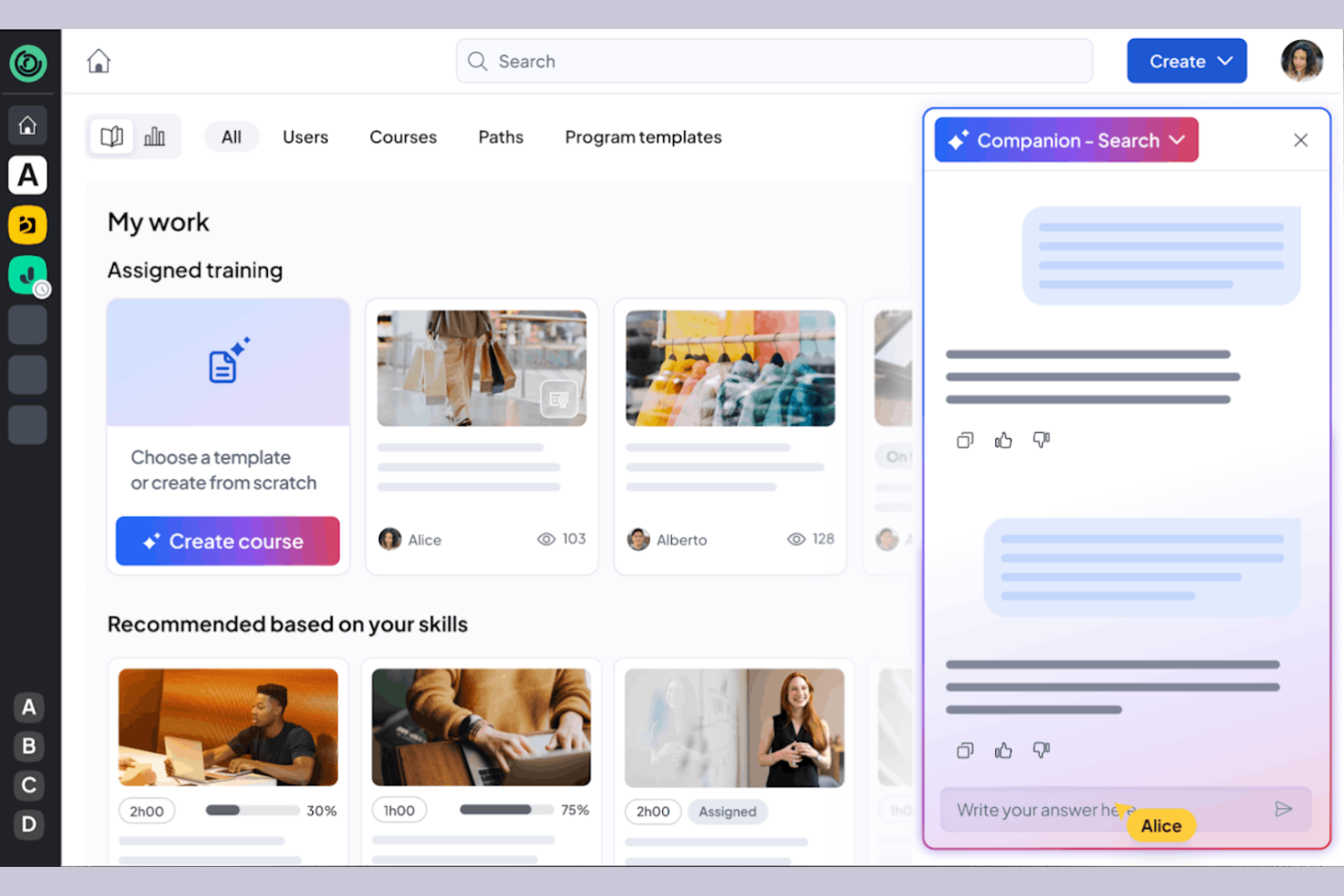
360learning is a learning management system tailored for businesses that prioritize collaborative learning and development. It caters to organizations by providing tools for team-based learning, course creation, and feedback collection.
Why I picked 360learning: It excels in promoting all-in-one collaborative learning, allowing your team to co-create courses and share knowledge. The platform enables peer feedback, fostering a culture of continuous improvement. You can create interactive courses using the built-in authoring tool, producing engaging content. 360learning also supports social learning features, making it easy for your team to connect and learn from each other.
Standout Features and Integrations:
Features include a mobile LMS app that provides learning access anytime, anywhere, and offers flexibility for remote teams. The learning platform supports gamification, adding a competitive edge to the learning experience. You can also use the analytics dashboard to track engagement and course performance.
Integrations include Salesforce, Slack, Microsoft Teams, Zoom, BambooHR, SAP SuccessFactors, Workday, and more.
Pros and Cons
Pros:
- Social learning features
- Supports peer feedback
- Strong focus on collaborative learning
Cons:
- Branding limits
- Weak SCORM support

Best for course creation
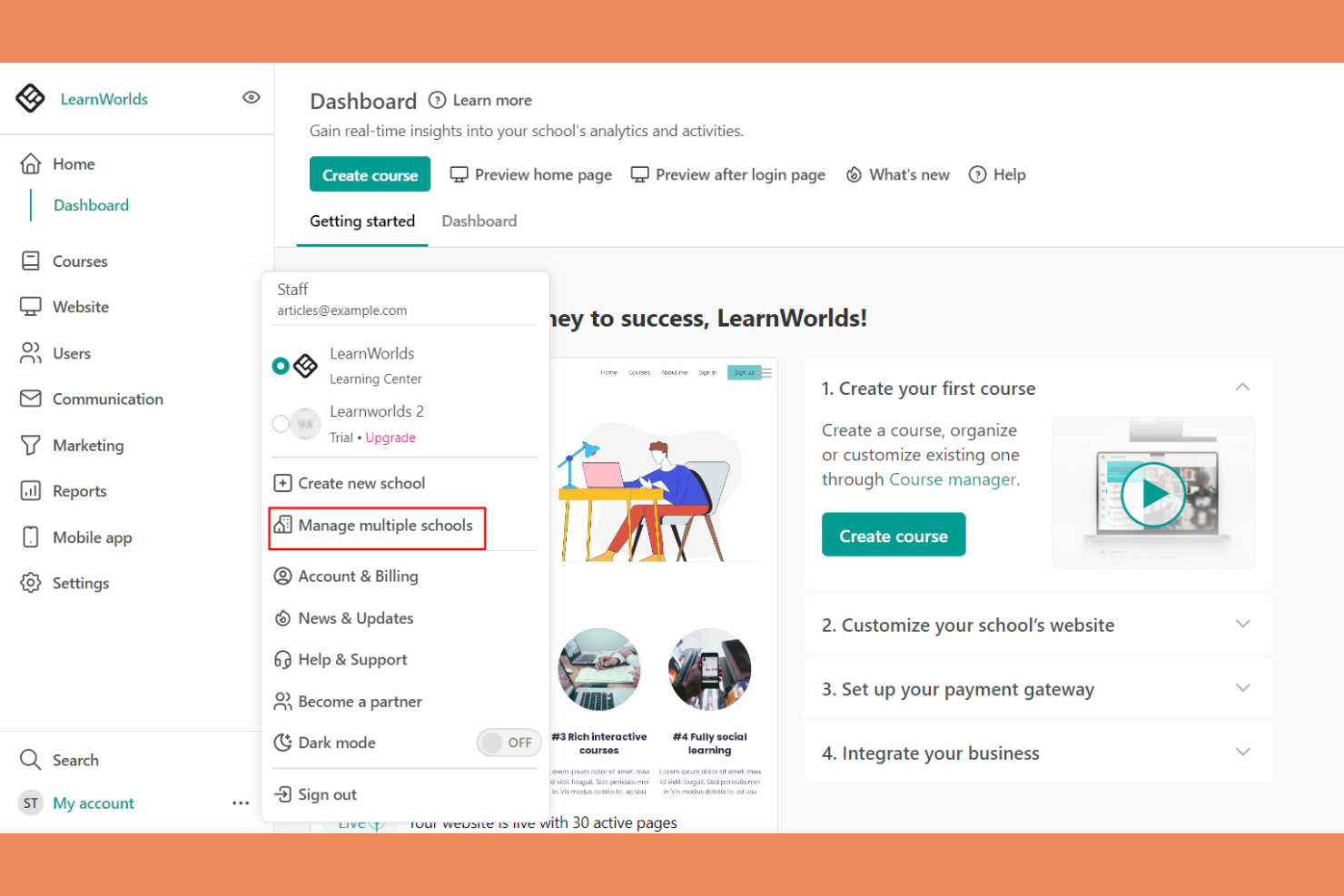
LearnWorlds is an online course platform designed for educators and businesses looking to create engaging learning experiences. It offers tools for course creation, video hosting, and student interaction.
Why I picked LearnWorlds: It excels at course creation with its intuitive drag-and-drop builder, making it easy to design courses. The platform’s interactive learning features improve retention by adding quizzes and notes directly into videos. You can also create branded mobile apps that provide a tailored experience for your learners. The analytics dashboard gives insights into learner engagement, helping you refine your courses.
Standout Features and Integrations:
Features include a built-in social network that encourages student interaction and community building. You can use customizable templates to quickly set up courses and landing pages. The platform also supports advanced eCommerce capabilities, allowing you to monetize your courses effectively.
Integrations include Zoom, Zapier, Mailchimp, Google Analytics, Shopify, Stripe, PayPal, HubSpot, ActiveCampaign, and more.
Pros and Cons
Pros:
- Flexible course templates and learning activities
- Interactive video capabilities
- Powerful drag-and-drop course builder
Cons:
- Marketing tool gaps
- Limited site customization
Best for multimedia content
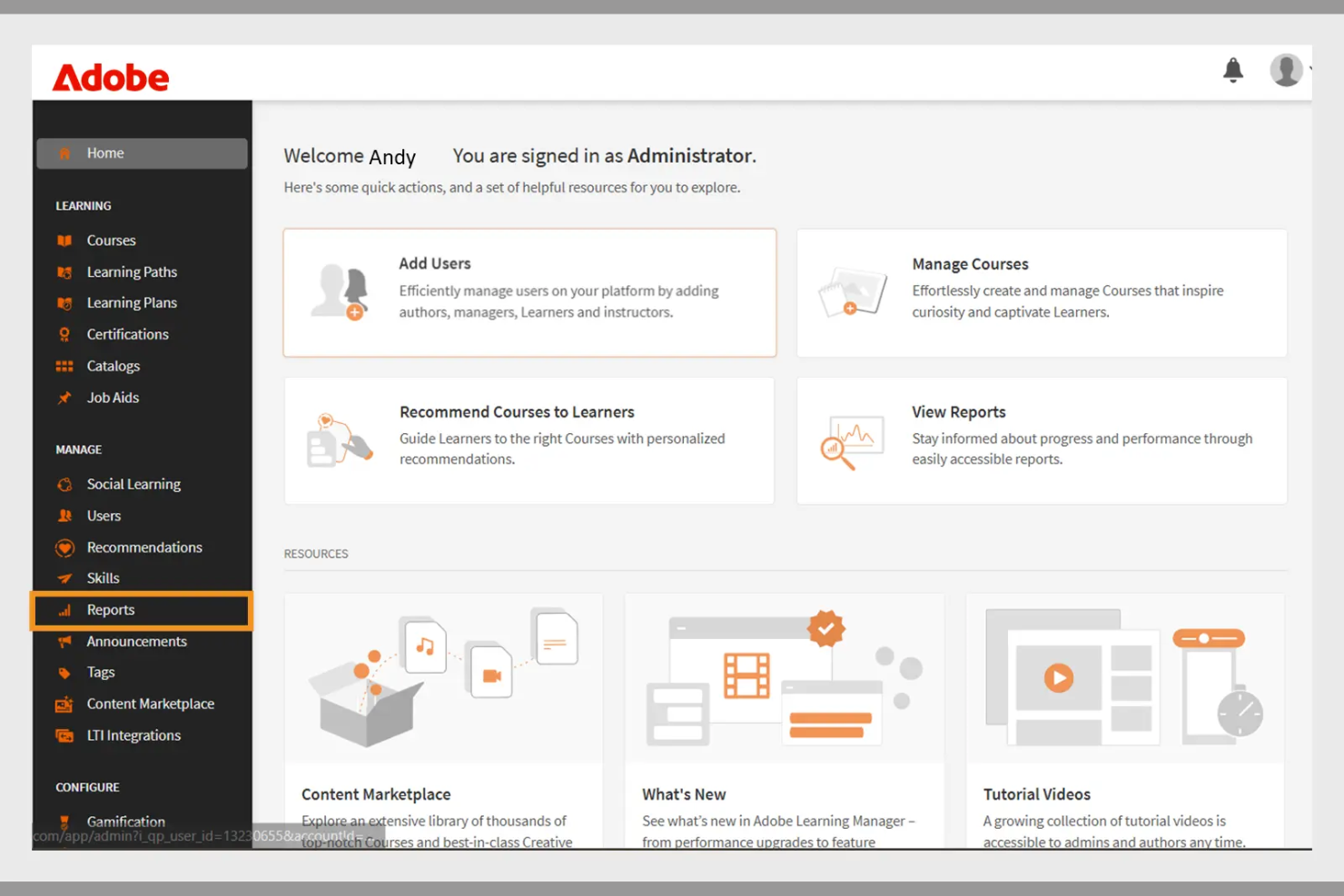
Adobe Learning Manager is a learning management system designed for businesses aiming to deliver engaging training programs. It focuses on multimedia content delivery, making it ideal for organizations that use rich media in their training.
Why I picked Adobe Learning Manager: It offers extensive multimedia support, allowing you to incorporate videos, interactive elements, and graphics into your training. The platform's content management features enable you to organize and deliver courses efficiently. You can track learner progress with detailed analytics, helping you refine your training strategies. Adobe Learning Manager also supports mobile learning, allowing your team to access courses anytime, anywhere.
Standout Features and Integrations:
Features include customizable learning paths that let you tailor courses to individual needs. The platform supports gamification, adding a fun and competitive element to learning. You can also use automated notifications to keep learners engaged and informed about their progress.
Integrations include Adobe Connect, Salesforce, Zoom, LinkedIn Learning, Microsoft Teams, Workday, and more.
Pros and Cons
Pros:
- Effective gamification features
- Customizable learning paths
- Strong multimedia content support
Cons:
- Requires ongoing technical support
- Can be slow to load
Docebo
Best for AI features
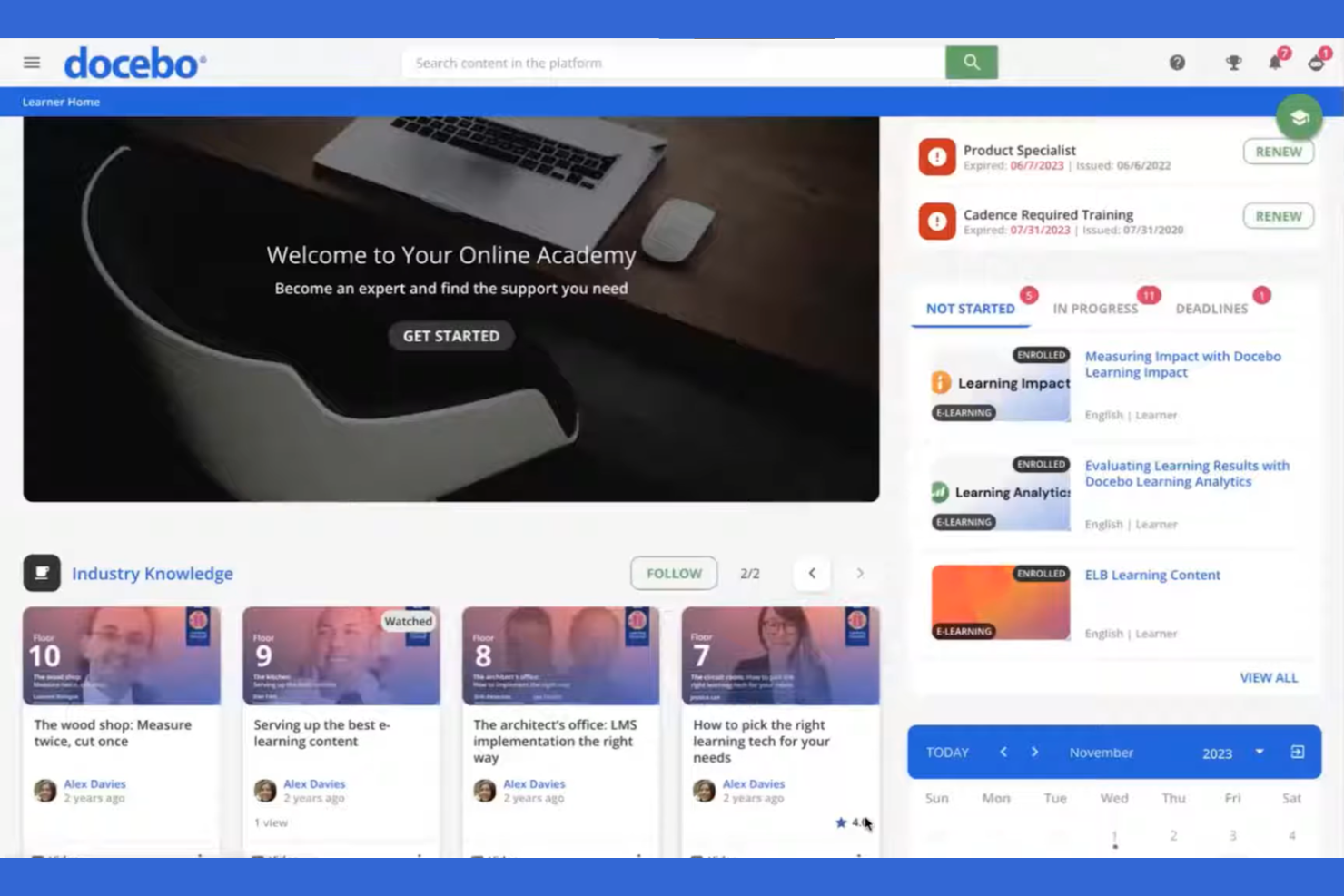
Docebo is a learning management system aimed at businesses looking to improve their corporate training programs. It serves industries by providing tools for content creation, learner engagement, and performance tracking.
Why I picked Docebo: Its AI-powered features make it unique in delivering personalized learning experiences. You can use AI to automate administrative tasks, saving your team time and effort. Docebo offers tools for content curation, helping your learners always have access to relevant materials. The platform's social learning capabilities also foster collaboration among users.
Standout Features and Integrations:
Features include a mobile app that allows learners to access courses on the go, which is great for remote teams. You can track learner performance with detailed reporting tools, helping you identify areas for improvement. The platform also supports gamification, adding an element of fun to learning.
Integrations include Salesforce, Zoom, Slack, Shopify, Google Workspace, Microsoft Teams, LinkedIn Learning, Adobe Connect, PayPal, Stripe, and more.
Pros and Cons
Pros:
- Social learning capabilities
- Strong content curation tools
- AI-powered learning personalization
Cons:
- Slow support responses
- UI inconsistencies
Best for virtual classrooms
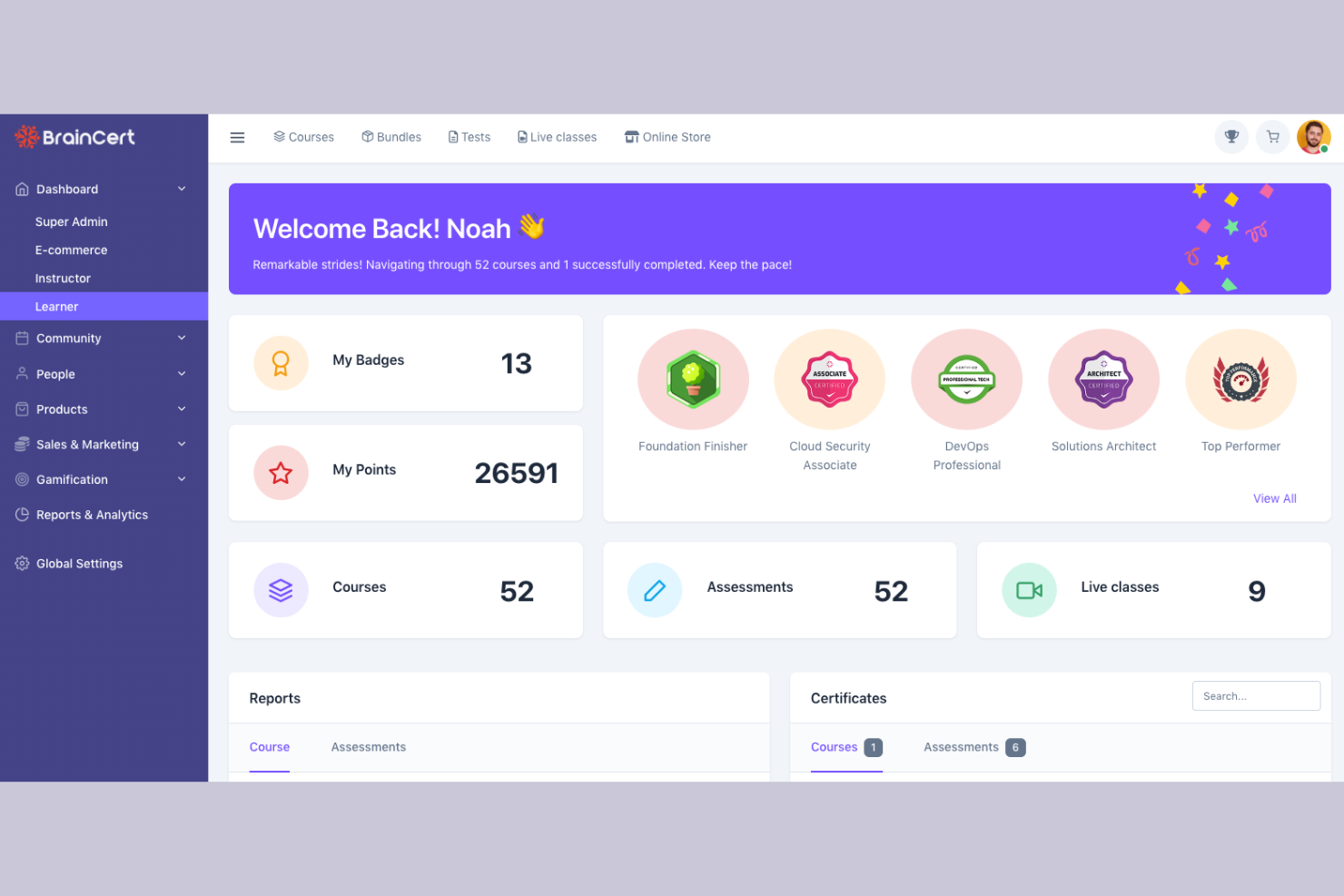
BrainCert is a learning management system designed for educational institutions and businesses looking to facilitate virtual learning. It provides tools for online classrooms, course creation, and assessments.
Why I picked BrainCert: It excels in virtual classroom capabilities, allowing you to conduct live sessions with ease. The platform offers interactive whiteboards and real-time collaboration tools, improving the learning experience. You can create and deliver quizzes to assess learner progress effectively. BrainCert also supports multimedia content, making lessons more engaging for your students.
Standout Features and Integrations:
Features include a mobile app that lets learners participate in sessions from anywhere, promoting flexibility. The platform supports gamification, adding a fun element to learning. You can also use the built-in eCommerce features to sell courses online.
Integrations include PayPal, Stripe, Moodle, and more.
Pros and Cons
Pros:
- Effective assessments and quizzes
- Interactive whiteboards available
- Excellent virtual classroom tools
Cons:
- Missing basic admin controls
- Unpolished mobile web view

Moodle
Best for academic use
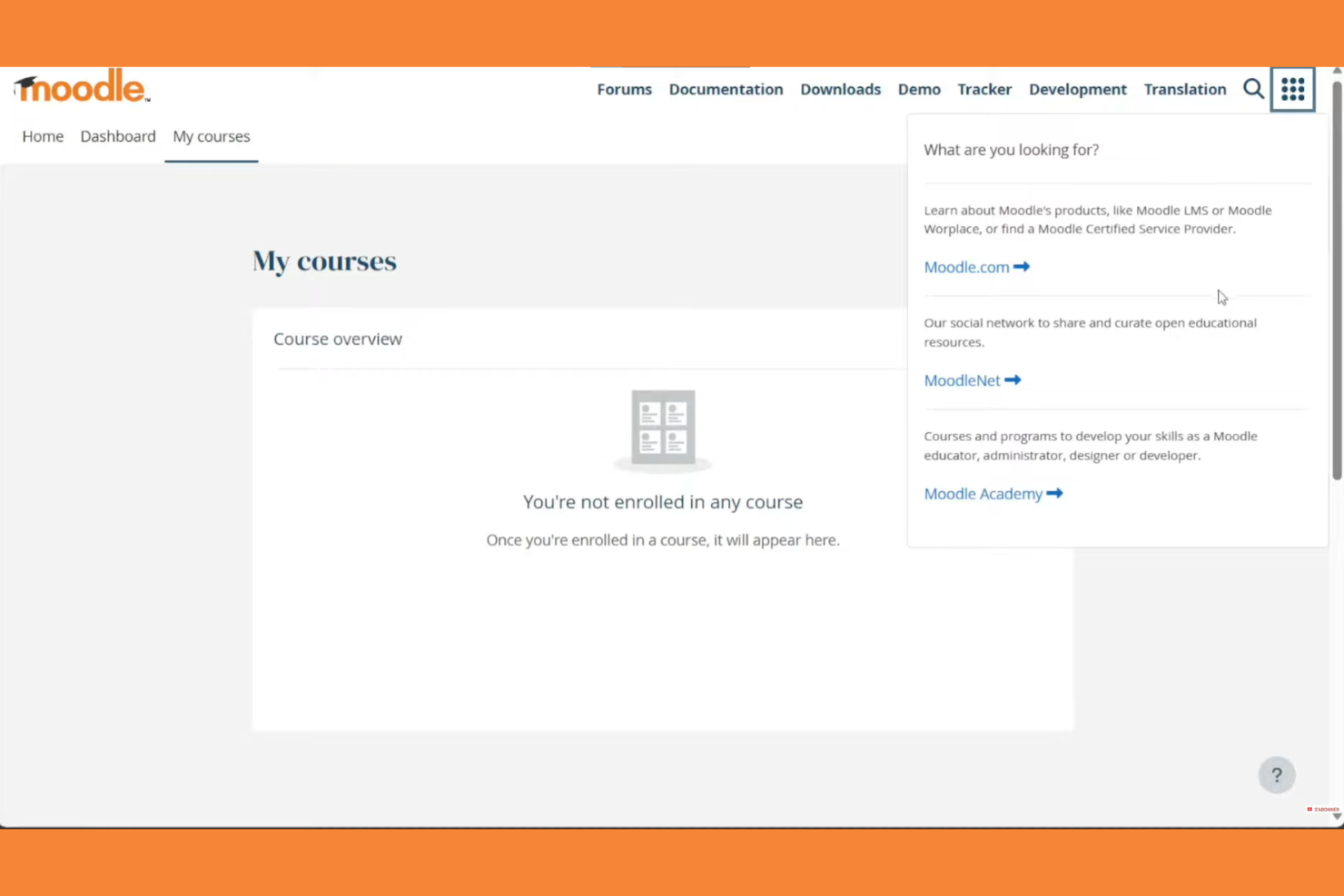
Moodle is an open-source learning management system widely used in educational institutions. It supports course creation, student engagement, and assessment management.
Why I picked Moodle: Moodle excels in academic settings with its flexible course management and wide array of plugins. Its open-source nature allows for extensive customization to fit specific educational needs. The platform supports various learning methodologies, making it versatile for different teaching styles. Moodle also offers strong community support and discussion forums, which can be invaluable for educators.
Standout Features and Integrations:
Features include a customizable dashboard that lets you organize courses and activities with ease. The platform supports multimedia integration, improving the learning experience with videos and interactive content. You can track student progress with detailed analytics, helping you identify areas for improvement.
Integrations include Microsoft Office 365, Google Workspace, Zoom, BigBlueButton, Mahara, Turnitin, Panopto, H5P, Jitsi, SCORM, and more.
Pros and Cons
Pros:
- Wide array of plugins
- Flexible course management
- Supports various teaching styles
Cons:
- Plugin dependency
- Outdated interface
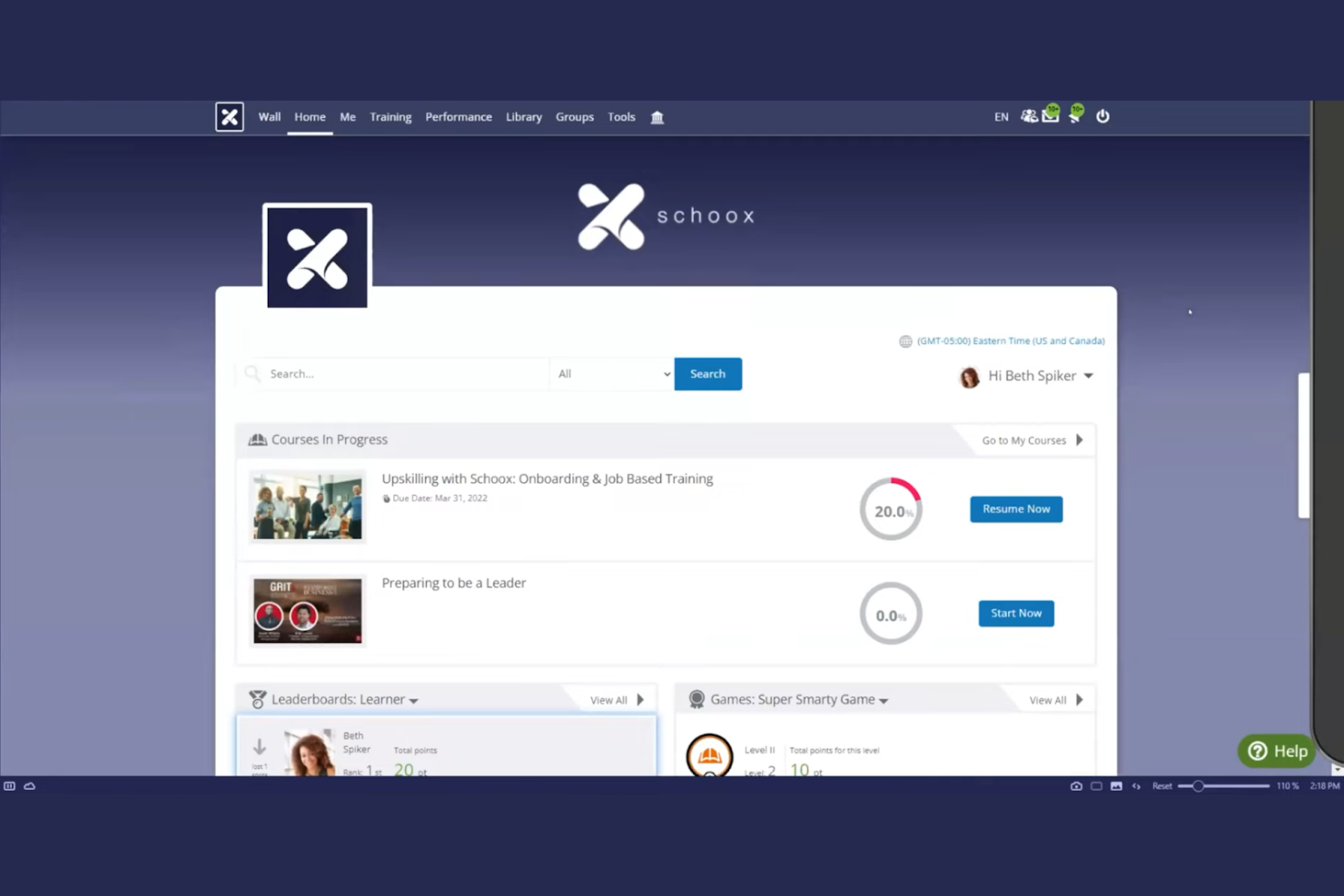
Schoox LMS software is tailored for businesses focused on compliance and skill development. It serves industries by providing tools for training, performance measurement, and certification management.
Why I picked Schoox: It offers specialized features for compliance training, helping your team meet industry standards. The platform provides customizable learning paths, allowing you to tailor training to individual needs. You can also track certifications and compliance status, keeping your organization on top of regulatory requirements. Schoox's reporting tools help you analyze training effectiveness and make data-driven improvements. The platform supports Tin Can (xAPI), enabling learning activity tracking beyond traditional course completion.
Standout Features and Integrations:
Features include a mobile app for on-the-go learning, which is ideal for remote teams. The platform supports gamification, adding an engaging element to training programs. You can also use the content library to access a variety of pre-built learning materials and resources.
Integrations include Salesforce, Microsoft Teams, Zoom, ADP, BambooHR, Google Workspace, SAP SuccessFactors, Workday, Oracle, and more.
Pros and Cons
Pros:
- Certification tracking
- Customizable learning paths
- Strong compliance training focus
Cons:
- Technical glitches
- The menu structure can feel overloaded

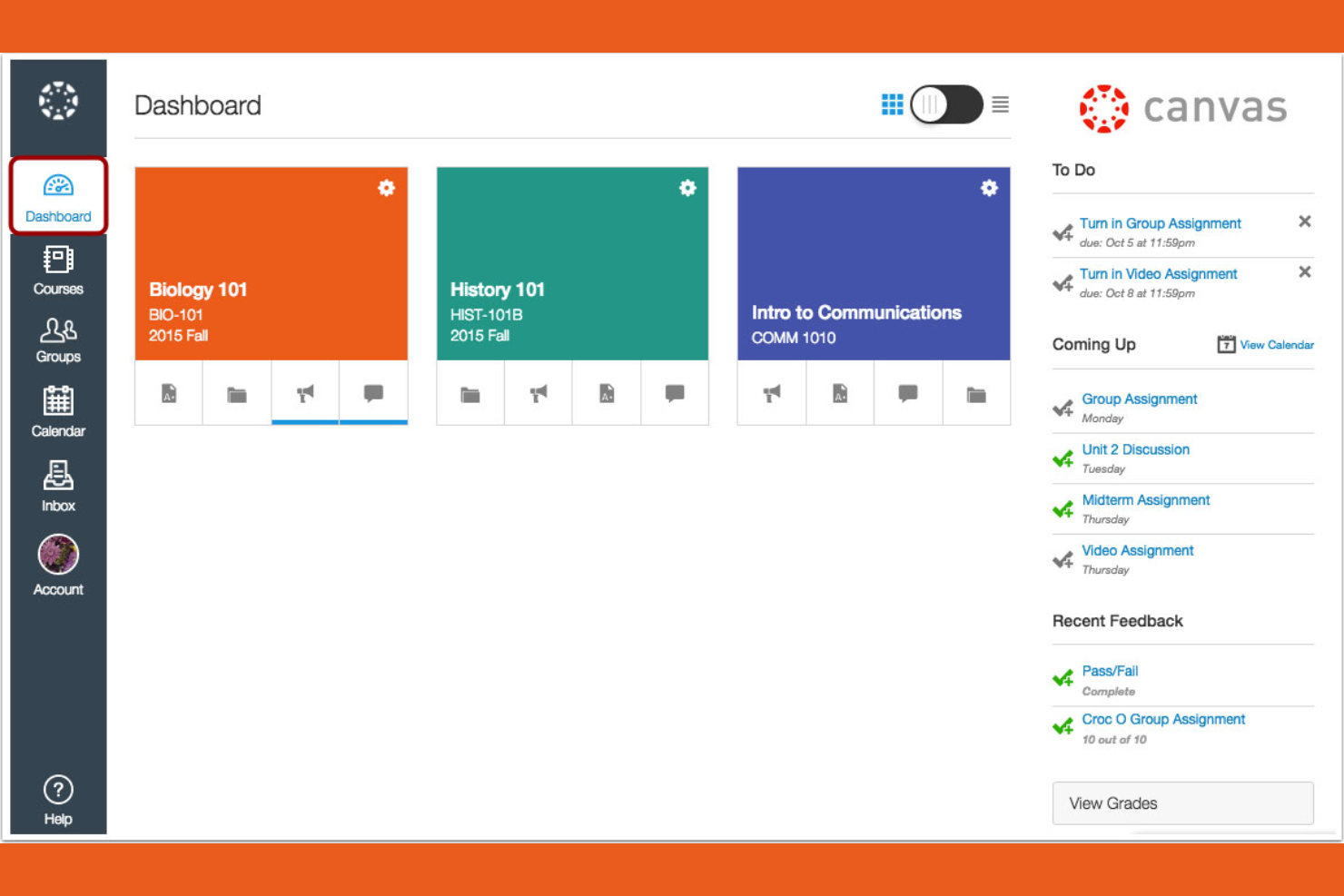
Canvas is a learning management system designed primarily for educational institutions, especially universities and colleges. It provides tools for course management, grading, and student engagement.
Why I picked Canvas: It's tailored for higher education, offering features that support both instructors and students. You can create and manage courses efficiently with its intuitive interface. The platform includes tools for online assessments, making it easier to evaluate student performance. Canvas also supports collaboration through discussion boards and group projects, improving the learning experience.
Standout Features and Integrations:
Features include a mobile app that lets students and instructors access courses from their smartphones, promoting flexibility. You can use analytics to track student performance and identify areas for improvement. The platform also supports multimedia content, enriching the learning experience with videos and other resources.
Integrations include Google Workspace, Microsoft Teams, Zoom, and more.
Pros and Cons
Pros:
- Strong online assessment tools
- Intuitive course management
- Tailored for higher education
Cons:
- Gradebook complexity
- Inconsistent course design

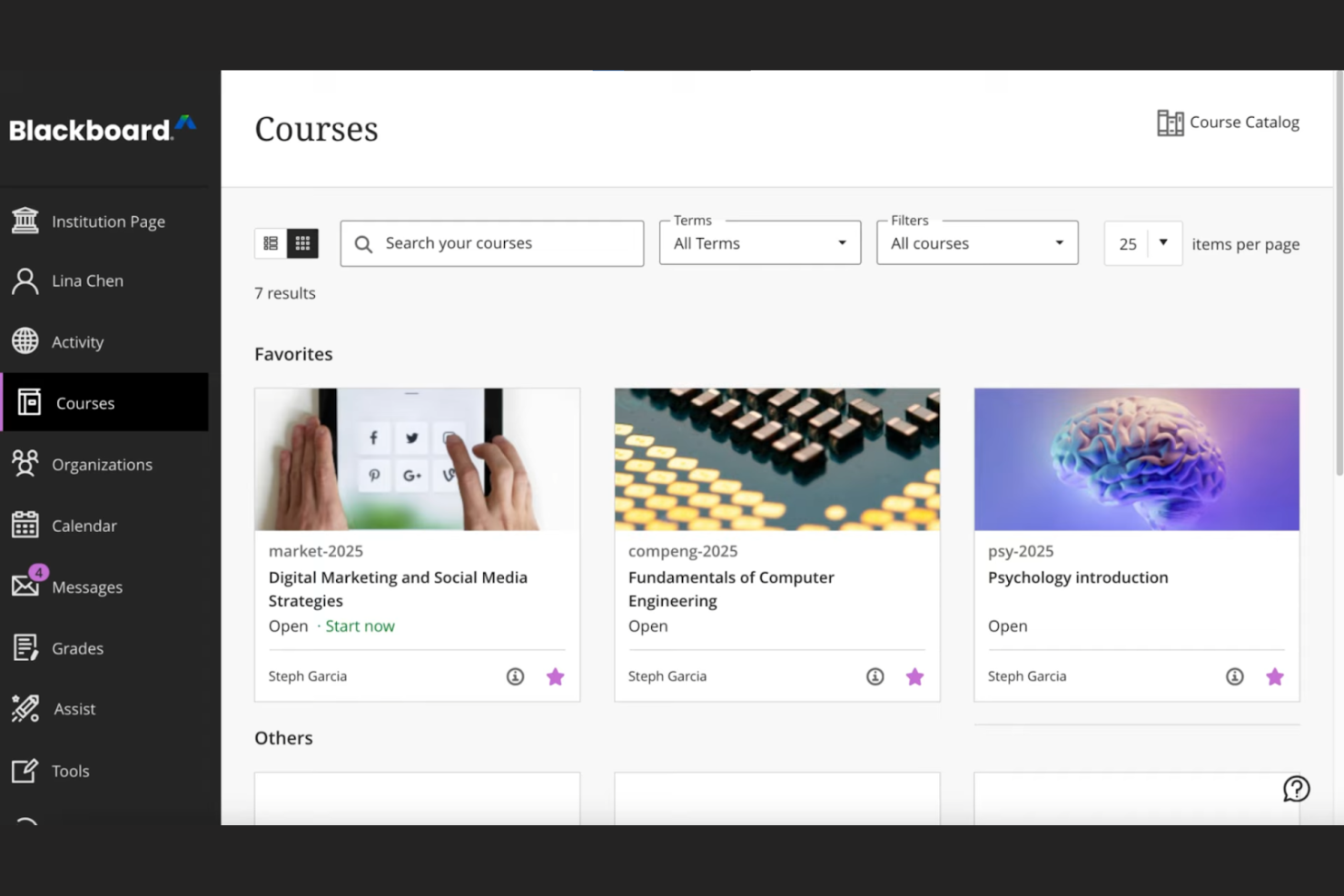
Blackboard by Anthology is a complete learning management system tailored for educational institutions, focusing on data-driven decision-making. It supports course management, student engagement, and performance analytics.
Why I picked Blackboard: Its strength lies in data analytics, offering institutions detailed insights into student performance and engagement. The platform allows you to create custom reports, helping you make informed decisions. You can track learning outcomes and identify trends, which is essential for improving educational strategies. Blackboard also provides tools for automating administrative tasks, freeing up your team for more critical work.
Standout Features and Integrations:
Features include an intuitive interface that simplifies course management, making it easy for instructors to navigate. The platform supports multimedia content, improving the learning experience with videos and interactive elements. You can also use built-in communication tools to foster collaboration between students and teachers.
Integrations include Google Workspace, Microsoft Teams, Zoom, Turnitin, Pearson, McGraw-Hill Education, and more.
Pros and Cons
Pros:
- Effective learning outcome tracking
- Custom report generation
- Strong data analytics capabilities
Cons:
- Dated interface
- Overkill for basic needs

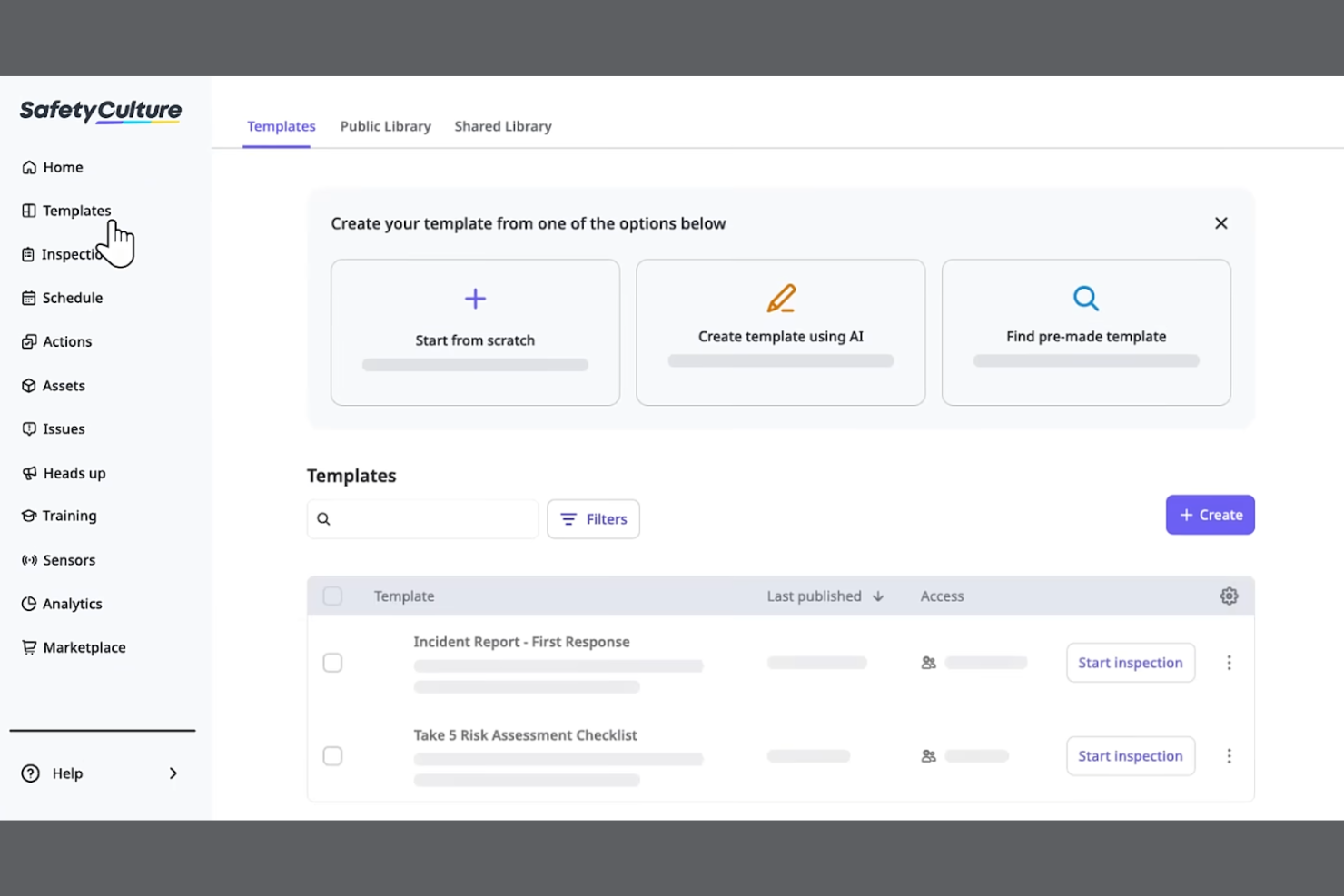
SC Training is a mobile-focused learning management system designed for businesses looking to deliver training in bite-sized modules for better retention. It serves industries by promoting effective learning through microlearning techniques and tools.
Why I picked SC Training: It specializes in microlearning, allowing you to create short, engaging lessons that fit into your team's schedule. The platform offers a built-in authoring tool for easy course materials creation, enabling you to develop content quickly. You can incorporate multimedia elements to make the learning experience more dynamic. SC Training also provides analytics to track learner progress, helping you measure the impact of your training.
Standout Features and Integrations:
Features include a mobile app that supports on-the-go enrollment and lets learners access courses anytime, anywhere. The platform supports gamification, adding a competitive edge to learning. You can also use the content library to access a variety of ready-made courses and templates.
Integrations include Microsoft Teams, Zoom, Slack, Salesforce, BambooHR, Shopify, Google Drive, Microsoft Azure, PayPal, Stripe, and more.
Pros and Cons
Pros:
- Wide content library
- Built-in authoring tool
- Effective microlearning techniques
Cons:
- Content "reset" risks
- Microlearning only
Andre mobile LMS-verktøy
Her er noen flere mobile LMS-alternativer som ikke kom med på kortlisten min, men som likevel er verdt å sjekke ut:


How I Evaluate Mobile LMS Solutions
I split my evaluation into two layers—the baseline every tool must clear, like offline access and native apps for shift workers, and the differentiators that set the best fit apart.
Core Functionality (Table Stakes For This List)
When I'm selecting tools for my list, I rank each one on a scale from 0 (does not offer the functionality) to 5 (excels in this area) for each core functionality listed below. Then, I calculate the tool's total score into a percentage. Each tool needs to achieve a minimum total score of 65% to be considered for inclusion.
- Native Mobile Apps: I check for dedicated iOS and Android apps where a warehouse worker or retail associate can log in and complete a full course, not just view a dashboard.
- Offline Learning Access: I look for the ability to download courses and sync progress later, which matters for field teams in areas with spotty connectivity.
- Responsive Course Content: Quizzes, videos, and interactive modules all need to render cleanly on a phone screen with tap-friendly navigation and no horizontal scrolling.
- Mobile Push Notifications: I evaluate whether the platform can push assignment reminders and deadline alerts directly to a learner's device to drive completion rates.
- Mobile-Friendly Authoring: I look at whether admins can build or adapt content for small screens, including microlearning formats like short quizzes or two-minute video lessons.
- Progress Tracking & Reporting: Completion data, quiz scores, and certification status should sync across devices and roll up into a centralized admin dashboard in real time.
Once I have a list of tools that meet this criteria, I consider what sets each platform apart.
Differentiating Factors (What Sets Vendors Apart)
Here's how I compare and contrast different vendors:
Standout Features
Gamification features like points, badges, and leaderboards keep frontline learners coming back between shifts. I also evaluate AI-powered personalization, where the platform adapts learning paths based on a worker's role or skill gaps rather than serving the same generic content to everyone. QR code course access is another differentiator I look for—a supervisor can post a code in a breakroom and new hires scan it to enroll instantly from their phones.
Beyond Features
HRIS integrations matter here—I check whether a platform connects with systems like Workday or BambooHR so new hires auto-populate into training workflows without manual data entry. Compliance and security are equally important, especially in BYOD environments where employee training data lives on personal devices. I look for MDM compatibility and audit-ready reporting that HR teams in regulated industries can pull during an inspection. Scalability also factors in, particularly multi-language support for organizations training across multiple regions.
Slik velger du et mobilt LMS
Det er lett å gå seg vill i lange funksjonslister og kompliserte prisstrukturer. For å hjelpe deg med å holde fokus mens du går gjennom den unike prosessen med å velge programvare, har jeg laget en sjekkliste over faktorer du bør ha i bakhodet:
| Faktor | Hva bør du vurdere? |
|---|---|
| Skalerbarhet | Vil LMS-et vokse sammen med teamet ditt? Ta hensyn til fremtidige behov og hvorvidt verktøyet kan håndtere flere brukere og mer innhold. |
| Integrasjoner | Fungerer det med de eksisterende verktøyene dine? Sjekk kompatibiliteten med de nåværende systemene dine for å sikre en smidig arbeidsflyt. |
| Tilpasningsmuligheter | Kan du tilpasse det til behovene dine? Se etter alternativer for å justere plattformen slik at den passer til de unike prosessene dine. |
| Brukervennlighet | Er det enkelt å bruke for alle? Kontroller at grensesnittet er brukervennlig for både administratorer og elever. |
| Implementering og introduksjon | Hvor raskt kan du komme i gang? Vurder hvilken støtte og hvilke ressurser som er tilgjengelige for en smidig overgang. |
| Kostnad | Passer det inn i budsjettet ditt? Sammenlign prisplaner, skjulte gebyrer og verdien du får for investeringen. |
| Sikkerhetstiltak | Er dataene og personvernet ditt beskyttet? Kontroller at løsningen overholder bransjestandarder og regelverk for databeskyttelse. |
| Tilgjengelig brukerstøtte | Kan du få hjelp når du trenger det? Kontroller at du har tilgang til rask og effektiv støtte gjennom ulike kanaler. |
Hva er et mobilt LMS?
Et mobilt LMS er en plattform som leverer pedagogisk innhold og opplæring via mobile enheter. HR-fagfolk, bedriftsopplærere og undervisere bruker vanligvis disse verktøyene til å tilby fleksible læringsløsninger. Funksjoner som mobiltilgang, støtte for multimedia og tilpassbare læringsstier bidrar til å levere engasjerende og tilgjengelig opplæring, mens push-varsler øker fullføringsgraden. Samlet sett forbedrer disse verktøyene læringen ved å gjøre den mer tilpasningsdyktig og praktisk for brukerne.
Funksjoner
Når du velger et mobilt LMS, bør du se etter følgende viktige funksjoner:
- Mobiltilgang: Gjør det mulig for deltakere å få tilgang til kurs når som helst og hvor som helst det finnes en internettforbindelse, noe som gir større fleksibilitet og brukervennlighet.
- Støtte for multimedia: Inkluderer videoer, lyd og interaktive elementer for å skape engasjerende læringsopplevelser.
- Tilpassbare læringsstier: Gjør det mulig å tilpasse kursene til den enkelte deltakers behov og organisasjonens mål.
- Spillifisering: Tilfører læringen et morsomt og konkurransepreget element som øker engasjement og motivasjon.
- Analyse og rapportering: Følger med på deltakernes fremgang og prestasjoner og gir innsikt som kan brukes til forbedring.
- Integrasjonsmuligheter: Kobler seg til eksisterende verktøy for å støtte smidige arbeidsflyter og deling av data.
- Sikkerhetstiltak: Beskytter data og personvern samtidig som samsvar med bransjestandarder opprettholdes.
- Innholdsbibliotek: Tilbyr ferdiglagde kurs og ressurser som forbedrer opplæringen uten at man må starte fra grunnen av.
- Virtuelt klasserom: Legger til rette for direktesendinger og samarbeid i sanntid, noe som beriker læringsopplevelsen.
Fordeler
Implementering av et mobilt LMS gir flere fordeler for teamet og virksomheten din. Her er noen av fordelene du kan se frem til:
- Fleksibilitet: Mobiltilgang gjør det mulig for deltakerne å bruke innholdet når det passer dem og i sitt eget tempo, slik at opplæringen kan tilpasses travle timeplaner.
- Engasjement: Funksjoner som spillifisering og støtte for multimedia gjør læringen mer interaktiv og fornøyelig, noe som øker deltakelsen.
- Personalisering: Tilpassbare læringsstier skreddersyr opplæringen etter individuelle behov og forbedrer relevansen og effektiviteten.
- Effektivitet: Analyse og rapportering gir innsikt i deltakernes fremgang, hjelper med å identifisere forbedringsområder og optimaliserer prosessene.
- Integrasjon: Integrasjoner med eksisterende systemer forenkler arbeidsflyter og opprettholder datakonsistens på tvers av plattformer.
- Sikkerhet: Robuste sikkerhetstiltak beskytter sensitiv informasjon og opprettholder tillit og samsvar med regelverket.
- Samarbeid: Funksjoner for virtuelle klasserom muliggjør interaksjon og teamarbeid i sanntid, noe som beriker læringsopplevelsen.
Kostnader og priser
Valg av et mobilt LMS krever en forståelse av de ulike prismodellene og abonnementene som er tilgjengelige. Kostnadene varierer basert på funksjoner, teamstørrelse, tillegg og mer. Tabellen nedenfor oppsummerer vanlige abonnementer, gjennomsnittsprisene deres og typiske funksjoner som inngår i mobile LMS-løsninger:
Sammenligningstabell for abonnementer for mobile LMS
| Abonnementstype | Gjennomsnittspris | Vanlige funksjoner |
|---|---|---|
| Gratisabonnement | $0/user/month | Grunnleggende kurstilgang, begrenset lagringsplass og brukerstøtte i fellesskapet. |
| Personlig abonnement | $5-$25/user/month | Tilpassbare kurs, grunnleggende analyse og brukerstøtte via e-post. |
| Bedriftsabonnement | $25-$50/user/month | Avansert rapportering, integrasjoner og prioritert brukerstøtte. |
| Virksomhetsabonnement | $50-$100+/user/month | Full tilpasning, dedikert kundeansvarlig og forbedrede sikkerhetsfunksjoner. |
Vanlige spørsmål om mobilt LMS
Her er noen svar på vanlige spørsmål om mobilt LMS:
Kan et mobilt LMS spore ansattes læringsfremgang i sanntid?
Ja, et mobilt LMS lar deg spore ansattes fremgang i sanntid. Du kan se fullføringsgrader for kurs, resultater på quizer og engasjementsmålinger direkte fra dashbordet, noe som hjelper deg med å identifisere læringshull raskt og følge opp med riktige opplæringstiltak.
Kan et mobilt LMS integreres med annen programvare?
Ja, de fleste mobile LMS-plattformer tilbyr integrasjonsmuligheter med annen programvare. Du kan koble LMS-et ditt til verktøy som CRM-systemer, HR-plattformer og kommunikasjonsapper. Denne integrasjonen bidrar til å strukturere arbeidsflyter og opprettholde datakonsistens på tvers av ulike systemer. Kontroller at LMS-et er kompatibelt med de eksisterende verktøyene dine, slik at oppsettet blir problemfritt.
Hvor sikkert er et mobilt LMS?
Mobile LMS-plattformer prioriterer sikkerhet og tilbyr funksjoner som datakryptering, brukerautentisering og samsvar med bransjestandarder. Se etter et LMS som tilbyr robuste sikkerhetstiltak for å beskytte dataene og personvernet ditt. Det er viktig å bekrefte at plattformen overholder regelverk som GDPR dersom teamet ditt opererer internasjonalt.
Er det vanskelig å implementere et mobilt LMS?
Implementering av et mobilt LMS kan variere i kompleksitet avhengig av plattformen og organisasjonens behov. Noen LMS-leverandører tilbyr støtte ved oppstart, inkludert opplæringsvideoer, produktomvisninger og webinarer for å gjøre overgangen enklere. Vurder ressursene og støtten som er tilgjengelige, for å sikre en problemfri implementeringsprosess for teamet ditt.
Hvilke typer opplæring fungerer best på et mobilt LMS?
Korte, interaktive kurs, mikrolæringsmoduler, sjekklister for introduksjon og opplæring i samsvar med regelverk er spesielt effektive på mobile LMS-plattformer. Ansatte kan gjennomføre disse korte leksjonene hvor som helst – selv mellom møter – noe som gjør læringen praktisk og engasjerende.
Hvordan kan jeg oppmuntre ansatte til å bruke et mobilt LMS regelmessig?
Du kan øke bruken ved å gjøre opplæringen relevant, legge til elementer fra spillifisering (som merker eller resultatlister) og sette tydelige forventninger til læringsmålene. Påminnelser eller deling av oppdateringer om fremgang bidrar også til å holde ansatte motiverte og engasjerte.