

De 10 beste gratis programmene for booking av fleksible arbeidsplasser i 2026

Beste gratis programvare for booking av fleksible arbeidsplasser


Gratis programvare for booking av fleksible arbeidsplasser lar teamet ditt reservere delte arbeidsområder uten å betale for et abonnement, ved hjelp av verktøy som tilbyr en gratisplan eller prøveperiode. Hvis du leter etter måter å administrere fleksible sitteplasser, støtte hybride arbeidsordninger eller ganske enkelt unngå kaos rundt skrivebordene – uten å belaste budsjettet – har du kommet til rett sted. Denne veiledningen hjelper deg med å sammenligne de beste gratis alternativene for booking av fleksible arbeidsplasser, forstå hva som gjør hvert alternativ unikt, og velge det som passer best til teamets behov.
Hvorfor du kan stole på våre programvareanbefalinger
Teamet vårt har testet og anmeldt programvare siden 2012. Vi er selv HR-eksperter, så vi vet hvor vanskelig og hvor viktig det er å velge riktig programvare.
I denne guiden har vi vurdert verktøyene gjennom praktisk testing og uavhengig research og gitt dem poeng ut fra våre utvelgelseskriterier. Vi bygger også på innsikt fra ledende eksperter i bransjen og erfarne HR-eksperter.
Anmeldelsene våre bygger på vår egen redaksjonelle vurdering. De er ikke et salgsargument.
Ekspertanmeldere:
Sammenligningstabell for gratis programvare for booking av fleksible arbeidsplasser
Denne sammenligningstabellen oppsummerer prisdetaljene for mine beste utvalgte gratisprogrammer for booking av fleksible arbeidsplasser:
| Tool | Best For | Trial Info | Price | ||
|---|---|---|---|---|---|
| 1 | Best for quick QR code desk reservations | 14-day free trial | From $19/spot/month | Website | |
| 2 | Best for hardware display compatibility | 30-day free trial available | From $51/month | Website | |
| 3 | Best for customizable booking rules | Free plan available; 14-day free trial; free demo available | From €1.7/user/month (billed annually) | Website | |
| 4 | Best for occupancy analytics dashboards | Free plan + free demo available | From $4.60/user/month | Website | |
| 5 | Best for Slack-based desk booking | Free trial + free demo available | From $2.50/user/month (billed annually) | Website | |
| 6 | Best for multi-location management | Free plan available | From $4/resource/month (billed annually) | Website | |
| 7 | Best for real-time desk availability maps | Free plan + free demo available | From €1.99/user/month (billed annually) | Website | |
| 8 | Best for visual floor plan selection | 30-day free trial available | Pricing upon request | Website | |
| 9 | Best for hybrid work scheduling features | Free plan + free demo available | From €1.65/user/month | Website | |
| 10 | Best for Google Workspace integration | Free plan available | From $1.50/user/month | Website |
Anmeldelser av gratis programvare for booking av fleksible arbeidsplasser
Nedenfor finner du mine detaljerte oppsummeringer av den gratis programvaren for booking av fleksible arbeidsplasser som kom med på kortlisten min. Anmeldelsene mine gir en grundig gjennomgang av funksjonene, de beste bruksområdene og prisene for hver plattform, slik at du kan finne den som passer best for deg.

Whatspot
Best for quick QR code desk reservations
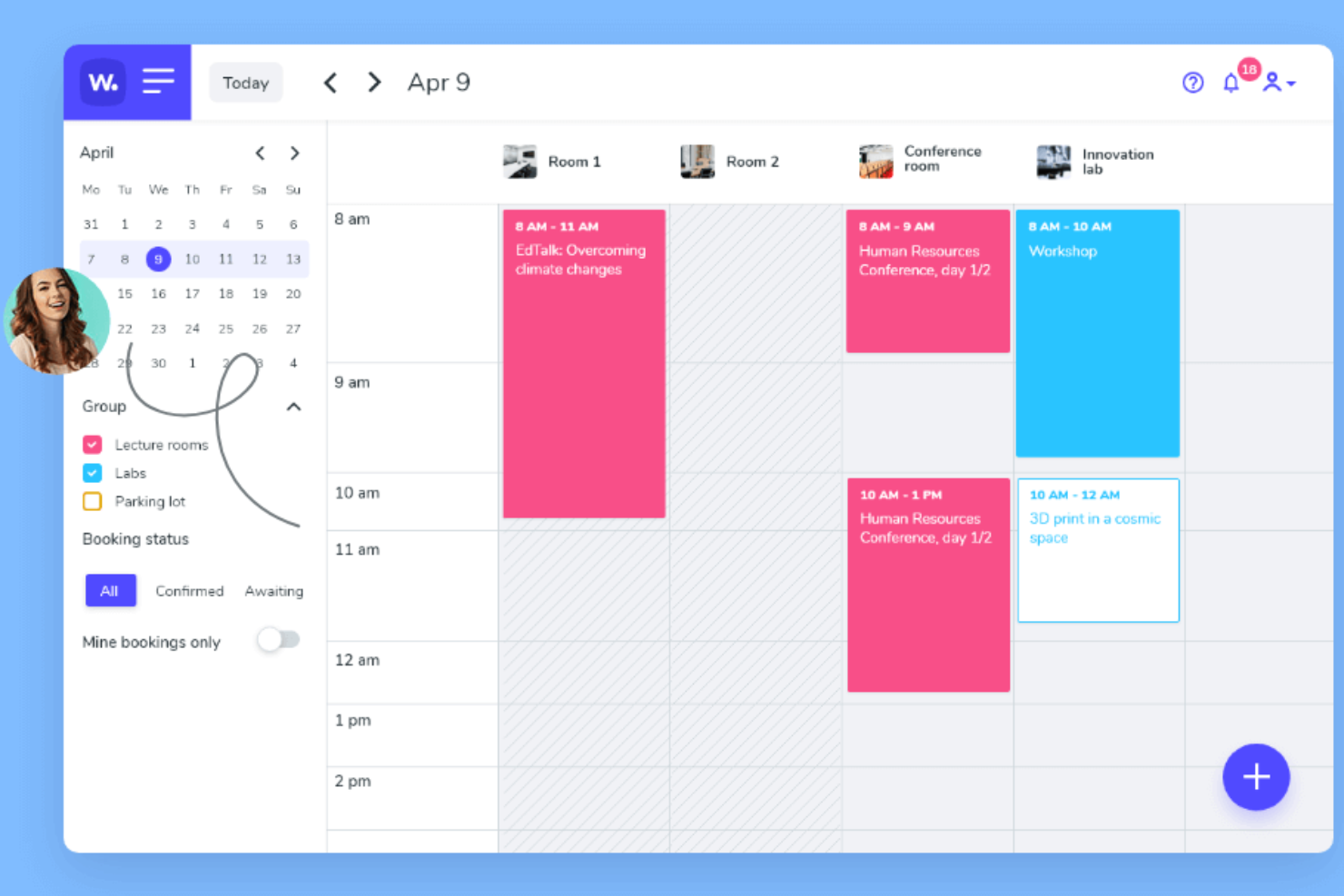
Whatspot is a desk and meeting room booking platform that lets you manage workspace reservations, generate QR codes for quick bookings, and set up approval workflows for resource requests.
Who Is Whatspot Best For?
Small businesses and coworking spaces that want a simple way to manage desk and meeting room reservations.
Why I Picked Whatspot
I picked Whatspot as one of the best because I can generate unique QR codes for each desk or meeting room, letting my team book spaces instantly with their phones. I like that I can set up approval workflows for resource requests, which helps manage shared spaces. The ability to display real-time availability on a tablet or screen outside each room is especially useful for busy offices.
Whatspot Key Features
- Booking calendar: View and manage all desk and room reservations in a single calendar interface.
- User roles and permissions: Assign different access levels for admins, managers, and regular users.
- Recurring bookings: Set up repeating reservations for desks or meeting rooms.
- Email notifications: Receive automated booking confirmations and reminders via email.
Whatspot Integrations
Integrations include Microsoft Teams, Microsoft Calendar, Microsoft Entra ID, and Google Workspace, and an API is available.
What's Free?
Whatspot offers a free-forever plan for up to 10 users, 3 spots, and 40 bookings per month. The free plan includes mobile and web access, QR code booking, and basic booking features.
Pros and Cons
Pros:
- Approval workflows for resource requests
- iOS and Android apps available
- QR code booking for instant desk access
Cons:
- Custom branding options are restricted
- No built-in visitor management feature
New Product Updates from Whatspot

Whatspot Adds Booking Modes for Different Space Types
Whatspot introduces Booking Modes to support different reservation rules for different space types. Admins can choose flexible bookings, fixed durations, or fixed intervals based on how each space is used. For more information, visit Whatspot's official site.
 .
.
Joan
Best for hardware display compatibility
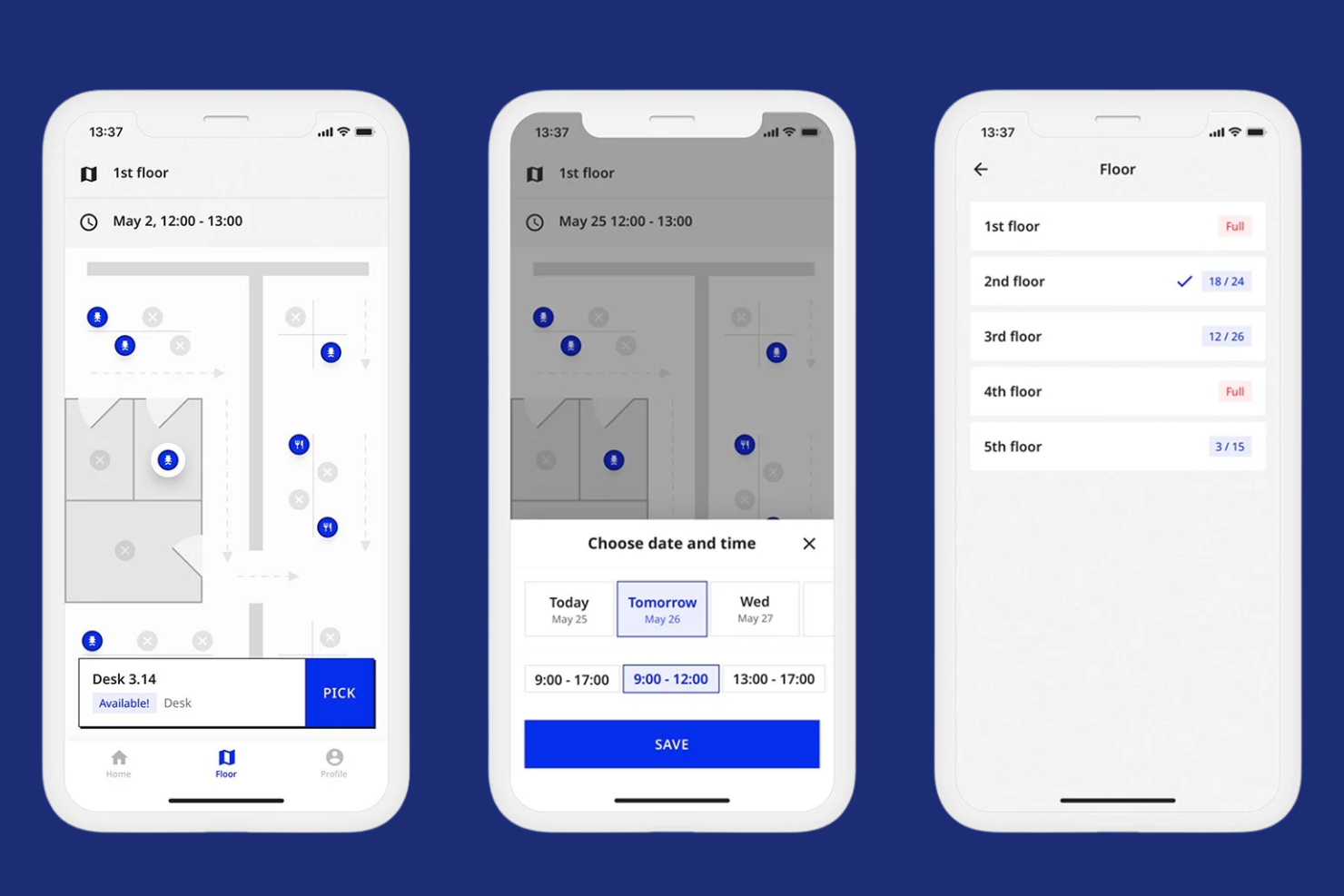
Joan is a desk booking software platform that lets you manage hot desk reservations, room scheduling, and workspace availability with support for dedicated hardware displays and mobile access.
Who Is Joan Best For?
Facilities managers and IT teams in offices that want to pair desk booking software with physical display hardware.
Why I Picked Joan
I picked Joan as one of the best because I can pair its desk booking software with Joan’s e-paper hardware displays for real-time desk status right at each workspace. I like that my team can manage bookings from the web or mobile app and see instant updates reflected on physical devices. I also appreciate how Joan’s hardware integrates with the software to reduce double-bookings and confusion in shared office environments.
Joan Key Features
- Mobile booking app: Reserve desks and rooms from your phone.
- Calendar sync: Connect bookings with Google and Outlook calendars.
- QR code check-in: Scan to confirm desk usage on arrival.
- Visitor management: Register and track office guests digitally.
Joan Integrations
Joan offers native integrations with Microsoft Active Directory, Google Calendar, Microsoft Teams, and Slack. An API is available for custom integrations.
What's Free?
Joan offers a 30-day free trial with access to all features. After the trial, continued use requires a paid subscription, and there is no free-forever plan.
Pros and Cons
Pros:
- Custom booking rules for workspace management
- Calendar sync with Google and Microsoft 365
- Hardware displays show real-time desk status
Cons:
- Limited customization for booking rules
- Hardware devices require separate purchase

Dibsido
Best for customizable booking rules

Dibsido is a free desk booking solution designed for hybrid teams that simplifies how workplaces manage shared desks, meeting rooms, and parking through an intuitive booking system. It allows users to reserve spaces in one click, book directly from interactive floor maps, and automatically release unused desks to keep office capacity optimized.
Who Is Dibsido Best For?
Office managers and administrators who want to set detailed booking rules for shared desks and meeting spaces.
Why I Picked Dibsido
I picked Dibsido as one of the best because I can set up detailed booking rules for desks and meeting rooms, including restrictions by user group or time slot. I like that I can configure booking rules by user group, workspace, and booking window to match how different teams use the office. That gives me more control over who can reserve specific spaces and when, without creating unnecessary administrative work. In practice, that means I can tailor workspace access to fit our unique office policies.
Dibsido Key Features
- Interactive floor plans: Users can select desks directly from a visual map of the workspace.
- Recurring reservations: Schedule repeating bookings for desks or rooms on a daily, weekly, or monthly basis.
- Mobile booking app: Reserve and manage desk bookings from any mobile device.
- Check-in and check-out tracking: Monitor workspace usage with built-in check-in and check-out functionality.
Dibsido Integrations
Integrations include Slack, Microsoft Teams, Google Calendar, Outlook, and Microsoft Entra ID. An API is available for custom integrations.
What's Free?
Dibsido offers a free-forever plan for 20 users. Some advanced features and integrations are only available on paid plans.
Pros and Cons
Pros:
- Granular booking rules by user group
- Unlimited desk bookings on the free plan
- Custom booking rules for each workspace
Cons:
- No two-way Outlook or Google Calendar sync on the free plan
- Free plan limited to one meeting room

PULT
Best for occupancy analytics dashboards
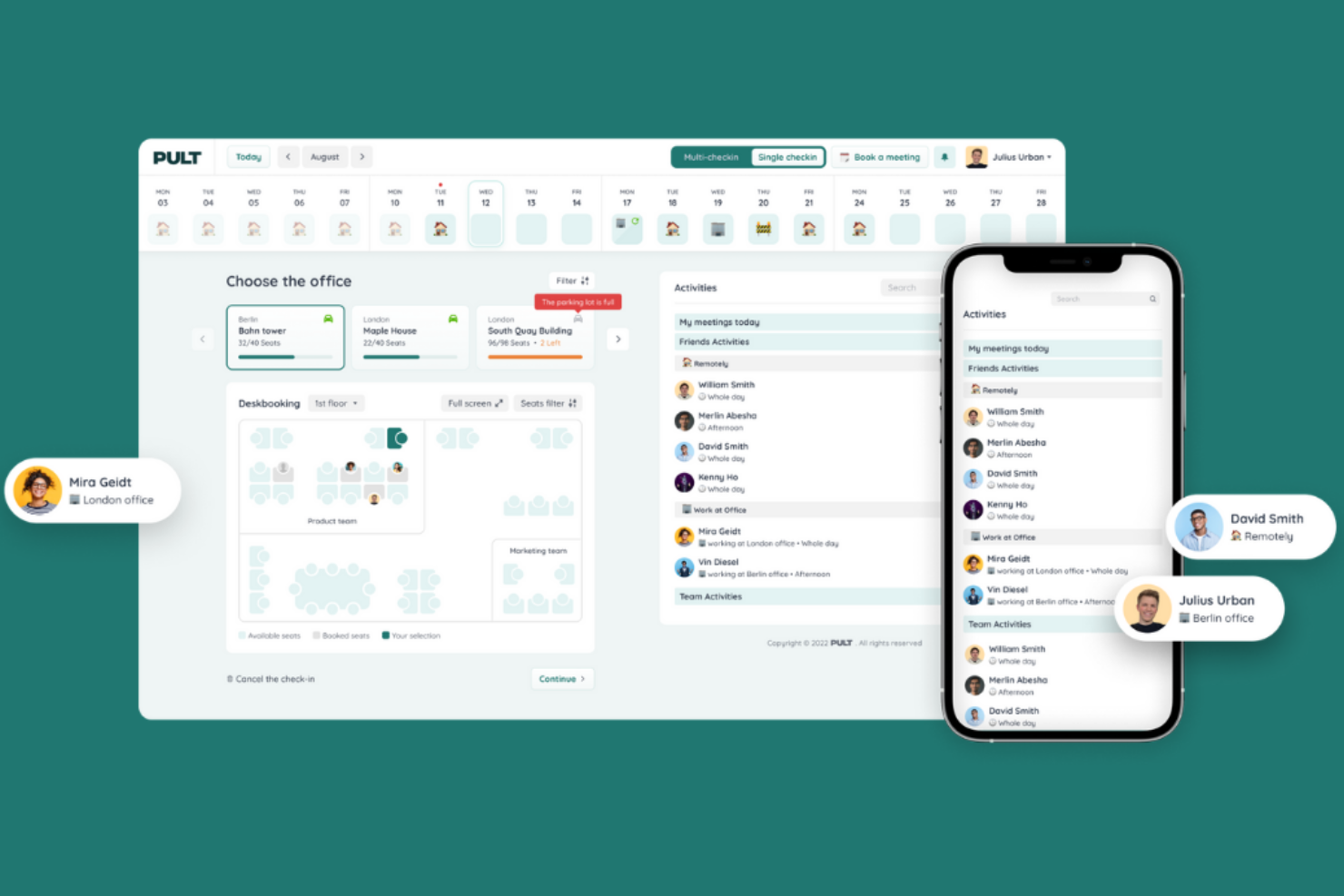
PULT is a desk booking software platform for hybrid workplaces that combines workspace reservations, meeting room management, occupancy analytics, and visitor management in one system.
Who Is PULT Best For?
PULT is a good fit for workplace managers and operations teams at mid-sized and large organizations seeking detailed occupancy and space usage insights.
Why I Picked PULT
I picked PULT as one of the best because I can access detailed occupancy analytics dashboards that show real-time and historical workspace usage. I like that my team can visualize desk and room utilization trends, spot underused spaces, and export granular usage reports. The platform’s analytics tools help me make data-driven decisions about space allocation and hybrid work planning.
PULT Key Features
- Desk check-in via QR code: Users confirm their desk reservation by scanning a QR code at the workspace.
- Recurring desk bookings: Employees can set up repeating reservations for their preferred desks.
- Mobile booking app: Book, modify, or cancel desk reservations directly from a mobile device.
- Team neighborhood assignment: Admins can assign specific desk areas to teams or departments.
PULT Integrations
PULT offers native integrations with Slack, Microsoft Teams, Google Calendar, Microsoft Outlook, Personio, HRworks, Workday, BambooHR, Okta, and Cisco Meraki. An API is available for custom integrations.
What's Free?
PULT offers free access to core desk booking features for up to 20 users. The free features include 1-click desk booking, desk tags and equipment filters, a floor plan editor, recurring bookings, booking rules and policies, QR-code check-in, hybrid work planning, and Help Centre access.
Pros and Cons
Pros:
- Real-time desk availability updates
- Native integrations with HR and IT systems
- Occupancy analytics dashboards with export options
Cons:
- No built-in support for parking space booking
- Limited customization for desk booking rules

Officely
Best for Slack-based desk booking

Officely is a desk booking software built for hybrid teams that operates directly within Slack and Microsoft Teams, allowing employees to reserve desks, meeting rooms, and other resources without switching tools. It provides real-time visibility into who is in the office, supports check-ins, and offers interactive maps so teams can plan where to sit and collaborate more effectively.
Who Is Officely Best For?
Officely is a good fit for small to midsize teams that already use Slack as their primary communication tool.
Why I Picked Officely
I picked Officely as one of the best because it lets my team book desks, manage office attendance, and coordinate hybrid schedules directly inside Slack. I like that I can set up recurring office days and see who else is coming in, all without leaving Slack. The integration with Slack channels means my team gets real-time updates and reminders about their bookings.
Officely Key Features
- Desk check-in: Users confirm their desk bookings upon arrival to the office.
- Capacity management: Set and enforce limits on the number of people in the office each day.
- Neighborhoods: Group desks into zones or neighborhoods for easier booking.
- Health screening: Collect health declarations from users before they come into the office.
Officely Integrations
Officely offers native integrations with Google Calendar, Microsoft Outlook, and Slack, and provides an API for custom integrations.
What's Free?
Officely offers free access for up to 5 users. It includes all features for small teams, including desk booking, office attendance visibility, office check-ins, private neighbourhoods, capacity management, automated booking, Slack access, and office analytics.
Pros and Cons
Pros:
- Real-time office attendance visibility
- Quick setup for hybrid office environments
- Fully integrated with Slack workspace
Cons:
- Cannot manage multiple office locations easily
- Requires Slack for core functionality

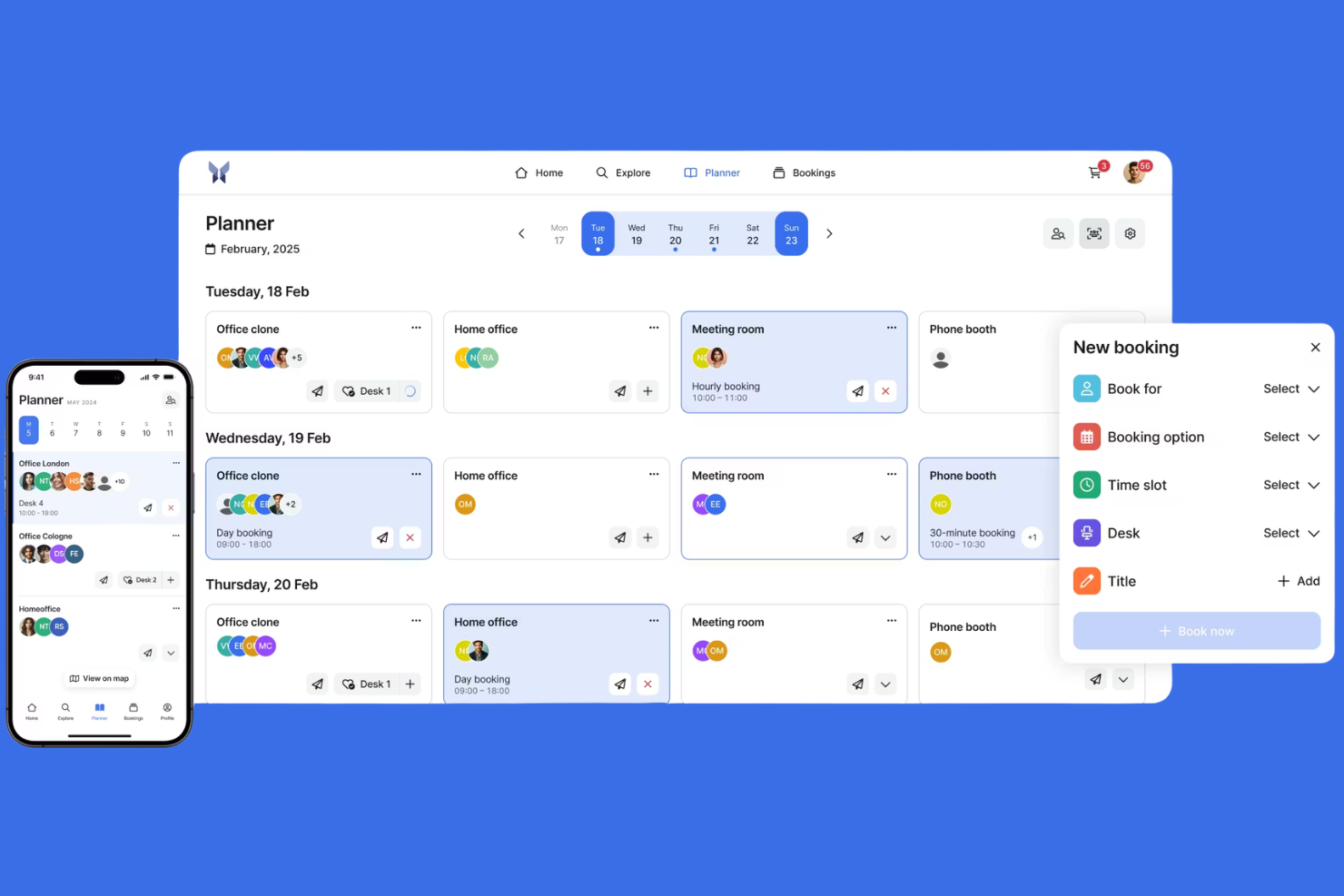
anny is a desk booking app that lets you manage workspace reservations, meeting rooms, parking spaces, and resources across multiple locations from a single dashboard.
Who Is anny Best For?
anny is a good fit for organizations managing workspaces and resources across multiple office locations or campuses.
Why I Picked anny
I picked anny as one of the best because I can manage bookings for multiple locations from a single dashboard. I like that I can set up location-specific rules and permissions for each office or campus. My team uses anny to coordinate workspace, parking, and meeting room reservations across several sites.
anny Key Features
- Interactive floor plans: Users can select and book desks directly from a visual map.
- Check-in and check-out system: Tracks actual desk usage with QR code or web check-in.
- Resource booking: Lets you reserve equipment or parking along with desks.
- Role-based access control: Admins can assign permissions for different user groups.
anny Integrations
anny offers native integrations with Personio, Google Workspace, Microsoft 365, Outlook, Zoom, Microsoft Teams, and Nuki, with additional support for smart locks, HRIS, payments, SSO, and calendar tools. An API is available for custom integrations.
What's Free?
anny offers a free-forever plan with limited features. The free plan restricts the number of locations, resources, and some advanced functionalities.
Pros and Cons
Pros:
- Role-based access for different user groups
- Multi-location management from a single dashboard
- Supports booking for desks, rooms, and parking
Cons:
- No built-in visitor management feature
- Free plan limits locations and resources
Best for real-time desk availability maps
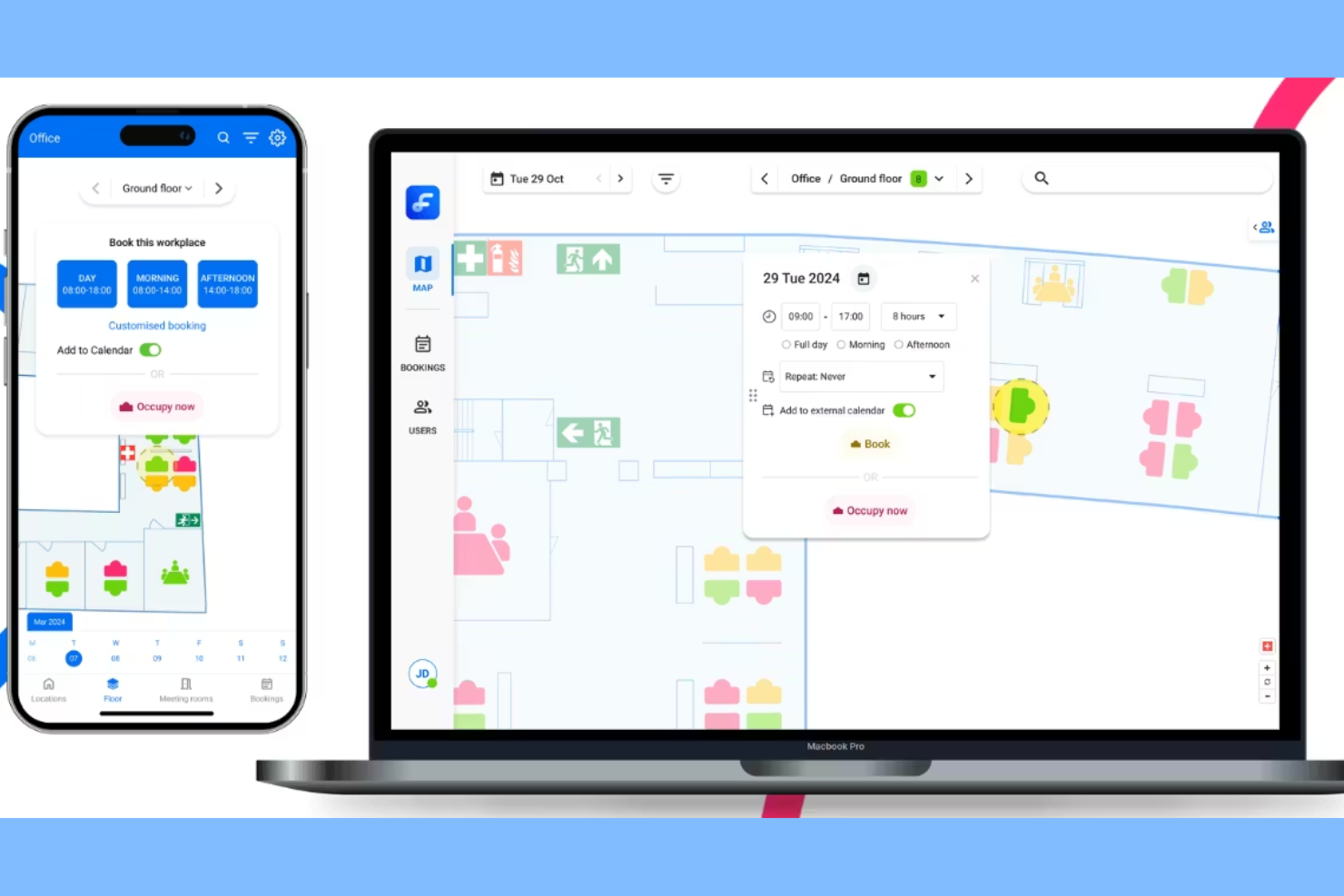
Flexwhere is a desk booking software platform that lets you view real-time desk availability, manage workspace reservations, and monitor office space occupancy using interactive maps and web or mobile access.
Who Is Flexwhere Best For?
Facilities managers and office administrators in mid-sized and large organizations who need to monitor and manage flexible workspace usage.
Why I Picked Flexwhere
I picked Flexwhere as one of the best because I can see real-time desk availability on interactive office maps, which makes it easy to spot open workspaces at a glance. My team members uses the platform’s live occupancy data to manage flexible seating and avoid double bookings. I also like that we can access desk booking from both web and mobile devices, so everyone can reserve a spot no matter where they are.
Flexwhere Key Features
- Single sign-on integration: Users can log in with Microsoft or Google accounts.
- Meeting room booking: Reserve meeting spaces alongside desks in one platform.
- Visitor registration: Register and track office visitors directly in the system.
- Occupancy analytics dashboard: View detailed reports on workspace usage and trends.
Flexwhere Integrations
Integrations include Outlook, Microsoft Teams, Google Calendar, and TopDesk.
What's Free?
Flexwhere offers free access for up to 25 users. It includes one floor plan at a single location, desk and ad hoc meeting room booking, bookings up to 1 week in advance, web and mobile app access, online support, quick bookings, custom bookings, booking edits, push notifications and reminders, SSO, and 5 custom resource labels.
Pros and Cons
Pros:
- Real-time colleague location tracking
- Support for 25 free users
- Interactive visual floor plan maps
Cons:
- One floor plan limit
- Eight-day booking limit

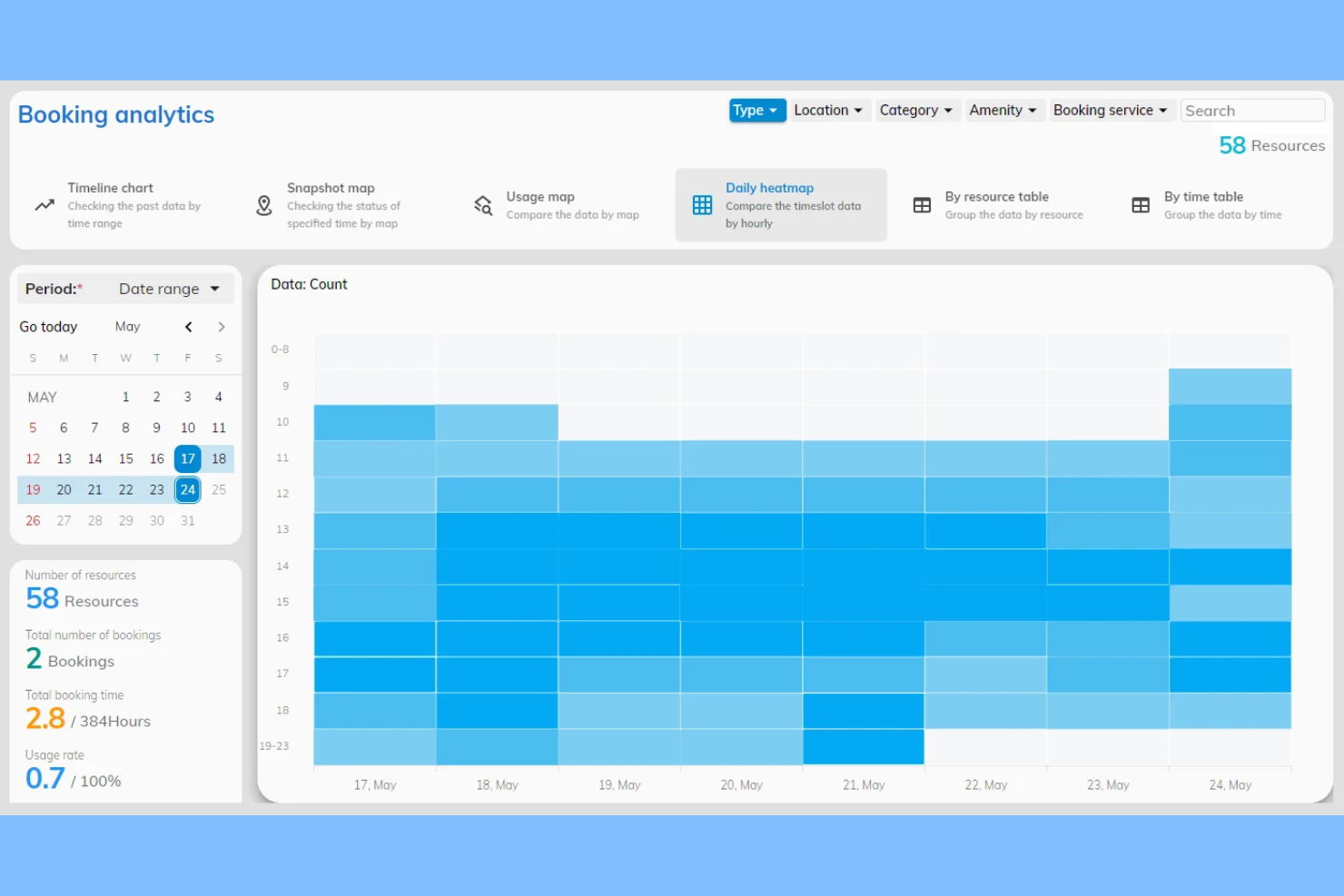
Offision is a desk booking system that lets you manage workspace reservations, visualize office layouts, and coordinate shared resources through an interactive floor plan interface.
Who Is Offision Best For?
Offision is a good fit for office managers and facilities teams who need to coordinate desk bookings using a visual floor plan.
Why I Picked Offision
I picked Offision as one of the best because I can select desks directly from a visual floor plan, which makes booking feel intuitive and location-specific. My team uses the drag-and-drop interface to quickly reserve workspaces and see real-time desk availability. I also like that Offision lets us customize floor plans to match our actual office layout, so everyone knows exactly where they're booking.
Offision Key Features
- Booking approval workflows: Set up manager approvals for desk reservations.
- Recurring bookings: Schedule desks for repeating days or weeks.
- User access controls: Assign booking permissions by user or group.
- Calendar sync: Integrate bookings with Google Calendar and Outlook.
Offision Integrations
Offision offers native integrations with Zoom, Microsoft Teams, Outlook, Microsoft 365, Google Workspace, and Webex.
What's Free?
Offision offers a 30-day free trial with access to all features. After the trial, continued use requires a paid subscription, and there is no free-forever plan.
Pros and Cons
Pros:
- Manages multiple office locations centrally
- Customizable user access permissions
- Supports booking desks, rooms, and parking
Cons:
- No free plan, only a free trial
- Limited analytics and reporting features

desk.ly is a desk booking and workspace management platform that lets you organize hot desking, manage meeting rooms, coordinate team schedules, and set up office zones for hybrid work environments.
Who Is desk.ly Best For?
desk.ly is a good fit for HR teams and office managers at mid-sized companies coordinating hybrid work schedules.
Why I Picked desk.ly
I picked desk.ly as one of the best because I can set up recurring desk bookings and coordinate hybrid work schedules for my team in one place. I like that I can assign office zones, manage meeting room reservations, and use the interactive floor plan to visualize workspace availability. The scheduling features help my team plan in-office days and keep track of who is working where.
desk.ly Key Features
- Single sign-on integration: Connects with Microsoft 365 and Google Workspace for easy access.
- QR code desk check-in: Lets users check in to desks using QR codes.
- Visitor management: Tracks and manages external visitors entering the workspace.
- Analytics dashboard: Provides workspace usage data and booking statistics.
desk.ly Integrations
Desk.ly offers native integrations with Microsoft Outlook, Google Calendar, Microsoft Teams, Personio, and Slack, and provides an API for custom integrations.
What's Free?
desk.ly offers a free-forever plan for up to 15 users. The free plan includes basic desk booking features but limits access to advanced analytics and some integrations.
Pros and Cons
Pros:
- Visitor management with digital guestbook
- Native HRIS integrations for user sync
- QR code check-in for desks and rooms
Cons:
- No mobile app for Android devices
- Limited reporting customization options

Deskfound
Best for Google Workspace integration

Deskfound is a desk booking and workspace management software built for hybrid offices that helps teams coordinate shared spaces through a simple, integrated system. It allows employees to reserve desks, meeting rooms, and other resources directly within tools like Slack and organizations that use Google Workspaces, while using visual floor plans and real-time availability to improve office visibility and planning
Who Is Deskfound Best For?
Deskfound is a good fit for organizations that use Google Workspace and want to manage flexible desk reservations across multiple office locations.
Why I Picked Deskfound
I picked Deskfound as one of the best desk booking software because its Google Workspace integration lets my team sync desk bookings directly with Google Calendar. I like that I can manage permissions using Google Groups and automate user provisioning through Google Workspace. In practice, that means my team can keep all workspace reservations visible and up to date within our existing Google tools.
Deskfound Key Features
- Interactive floor plans: Users can select and book desks directly from a visual office map.
- Neighborhood booking: Reserve desks within designated zones or neighborhoods in the office.
- Recurring reservations: Set up repeating desk bookings for regular schedules.
- Check-in and check-out tracking: Monitor desk usage with built-in check-in and check-out functionality.
Deskfound Integrations
Deskfound offers native integrations with Google Workspace, including Google Calendar and Google Groups. An API is available for custom integrations.
What's Free?
Deskfound is free for up to 10 users. Its free offering includes desk management, multiple location support, permanent desk, hot desks, floor plans, office usage reporting, Slack integration, desk labels with QR codes, meeting room booking, dog bookings, and parking stall bookings.
Pros and Cons
Pros:
- Supports recurring and neighborhood bookings
- Offers real-time desk availability updates
- Integrates directly with Google Workspace calendars
Cons:
- No Microsoft 365 integration available
- Free plan limits to one office location
Annen gratis programvare for booking av fleksible arbeidsplasser
Her er noen flere gratis alternativer for booking av fleksible arbeidsplasser som ikke kom med på kortlisten min, men som likevel er verdt å undersøke:
- Floor Plan Mapper
For per-floor-plan pricing with unlimited users
- Skedda
For advanced booking policy controls
- deskbird
For employee privacy controls
- Clearooms
For Microsoft Teams compatibility
- Archie
For automated check-in via mobile app
- Envoy
For visitor management integration
- FLYDESK
For coworking space management
- Flexopus
For multilingual user interface
- Waldo
For workspace occupancy trends
- Sharvy
For automated desk assignment


How I Evaluate Free Hot Desk Booking Software
First, I define what counts as free. For hot desk booking software—where HR teams are managing daily seat assignments for hybrid employees—only free-forever plans qualify. I then evaluate tools across two layers: the core functionality required to make this list, and the differentiators that distinguish one vendor from another.
Core Functionality (Table Stakes For This List)
In addition to my free offer requirements, I also use a scoring system to select tools for my list. Here's how it works:
I rank each one on a scale from 0 (does not offer the functionality) to 5 (excels in this area) for each core functionality listed below. Then, I calculate the tool's total score into a percentage. Each tool needs to achieve a minimum total score of 65% to be considered for inclusion.
- Desk Reservation System: Every tool I evaluate needs to let employees browse open desks and reserve them for specific dates or time slots—like booking a desk near the sales team for a Thursday collaboration day.
- Interactive Floor Plans: I look for visual, clickable maps of the office layout so employees can pick a desk by location rather than choosing blindly from a list of desk IDs.
- Booking Self-Service: Employees should be able to view, modify, and cancel their own reservations. I check whether the tool also supports check-in so admins can reclaim no-show desks automatically.
- Multi-Device Access: A hybrid worker heading to the office on short notice needs to grab a desk from their phone. I evaluate whether each tool offers both web and mobile access on its free plan.
- Admin Controls & Permissions: Workplace managers need to configure desks, define booking rules, and assign user roles. I look at how much control admins get—for example, whether they can group desks into neighborhoods or set per-team policies.
- Occupancy Reporting: Basic utilization data helps HR and workplace teams understand which desks and floors see traffic. I check whether the free plan includes enough reporting to inform decisions like downsizing a floor or reallocating space.
Once I have a list of tools that meet the criteria, I consider what sets each platform apart.
Differentiating Factors (What Sets Vendors Apart)
Here's how I compare and contrast different vendors:
Standout Features
Team coordination features matter a lot here—I look for tools that show employees where their colleagues are sitting so they can book nearby desks on shared office days. Calendar sync with Google Calendar or Outlook is another big one, since it lets bookings flow into existing workflows without double entry. I also evaluate whether a tool supports QR code check-in, which helps admins auto-release no-show desks and keep occupancy data accurate.
Beyond Features
Free plan limits vary widely—I check how many users and desks each vendor supports before an upgrade is required, since a tool that caps at 10 desks won't work for a 50-person hybrid team. Data privacy also deserves attention because these tools collect employee location and presence data, so I evaluate GDPR compliance and transparency around how that data is stored. I also consider setup effort, particularly whether admins can import users via CSV or directory sync without a paid tier.
Slik velger du gratis programvare for booking av fleksible arbeidsplasser
Det er lett å gå seg vill i lange funksjonslister og kompliserte prismodeller. For å hjelpe deg med å holde fokus mens du går gjennom den unike prosessen med å velge programvare, får du her en sjekkliste over faktorer du bør ha i mente:
| Faktor | Hva bør du vurdere? |
|---|---|
| Skalerbarhet | Vil programvaren støtte dagens og fremtidens antall skrivebord, lokasjoner og brukerantall? |
| Integrasjoner | Kan den kobles til eksisterende kalender-, HR- eller adgangskontrollsystemer uten ekstra omveier? |
| Tilpasningsmuligheter | Kan du tilpasse bestillingsregler, brukertillatelser og utformingen av arbeidsområdene slik at de samsvarer med retningslinjene dine? |
| Brukervennlighet | Vil ansatte og administratorer kunne bestille og administrere skrivebord med minimal opplæring eller forvirring? |
| Implementering og innføring | Hvor lang tid vil det ta å konfigurere løsningen, migrere data og få teamet ditt til å bruke verktøyet på en trygg måte? |
| Kostnad | Finnes det skjulte kostnader, krav om oppgradering eller bruksbegrensninger som kan påvirke budsjettet ditt senere? |
| Sikkerhetstiltak | Tilbyr verktøyet personvern, brukerautentisering og samsvar med organisasjonens standarder? |
| Tilgjengelig kundestøtte | Kan du få rask hjelp hvis du støter på problemer, og er kundestøtte inkludert i gratisplanen? |
Hva er gratis programvare for booking av fleksible arbeidsplasser?
Gratis programvare for booking av fleksible arbeidsplasser er et digitalt verktøy som lar ansatte reservere delte skrivebord eller arbeidsområder uten kostnad. Disse plattformene hjelper organisasjoner med å administrere tilgjengeligheten til skrivebord, følge med på bruken av arbeidsområder og støtte fleksible sitteplassordninger. De fleste gratisløsninger tilbyr grunnleggende funksjoner for booking, avbestilling og tilgjengelighet, noe som gjør dem egnet for små team eller organisasjoner som prøver ut hybride arbeidsmodeller.
Funksjoner
La oss se nærmere på funksjonene som vanligvis finnes i programvare for booking av fleksible arbeidsplasser, og hvilke av dem som vanligvis er inkludert i gratis- og betalingsplaner.
Vanlige funksjoner i gratis programvare for booking av fleksible arbeidsplasser
- Kalender for booking av arbeidsplasser: Lar brukerne se tilgjengelige arbeidsplasser og reservere en arbeidsplass for bestemte datoer og tidspunkter.
- Avbestilling av bookinger: Lar brukerne avbestille eller endre reservasjonene sine direkte på plattformen.
- Tilgjengelighet i sanntid: Viser oppdatert informasjon om hvilke arbeidsplasser som er ledige eller booket til enhver tid.
- Brukeradministrasjon: Gjør det mulig for administratorer å legge til, fjerne eller tildele brukere og administrere grunnleggende tilgangstillatelser.
- Grunnleggende rapportering: Gir enkel bruksstatistikk, for eksempel antall bookinger eller beleggsgrad.
- Mobiltilgang: Tilbyr et mobilvennlig grensesnitt eller en app slik at brukerne kan booke arbeidsplasser fra telefonen.
- E-postbekreftelser: Sender automatiske bookingbekreftelser og påminnelser til brukerne via e-post.
- Enkel visning av plantegning: Viser et grunnleggende kart eller en oversikt over arbeidsområdet for å hjelpe brukerne med å velge ønsket arbeidsplass.
Vanlige funksjoner i betalt programvare for booking av fleksible arbeidsplasser
- Avansert analyse: Gir detaljert innsikt i utnyttelsen av arbeidsområdet, trender og ansattes bookingmønstre.
- Integrasjon med kalendere: Synkroniserer bookinger med verktøy som Google Kalender eller Microsoft Outlook for enkel planlegging.
- Tilpassede bookingregler: Lar administratorer angi avanserte tillatelser, bookingvinduer eller begrensninger for ulike brukergrupper.
- Besøksadministrasjon: Holder oversikt over eksterne gjester, utsteder besøkstillatelser og registrerer inn- og utpasseringstidspunkter.
- Interaktive plantegninger: Tilbyr detaljerte, klikkbare kart med status for arbeidsplasser i sanntid og avansert navigasjon.
- Innsjekking med QR-kode: Krever at brukerne skanner en QR-kode ved arbeidsplassen for å bekrefte reservasjonen og bruken.
- Enkel pålogging (SSO): Støtter sikker autentisering gjennom organisasjonens identitetsleverandør.
- API-tilgang: Gjør det mulig å opprette tilpassede integrasjoner med andre arbeidsplassverktøy eller interne systemer.
- Prioritert brukerstøtte: Tilbyr raskere svartider og dedikerte brukerstøttekanaler for betalende brukere.
- Tilpasset profilering: Lar organisasjoner legge til logo, farger og profilering på bookingplattformen.
Fordeler
Implementering av gratis programvare for booking av fleksible arbeidsplasser gir flere fordeler for teamet og virksomheten din. Her er noen av fordelene du kan se frem til:
- Kostnadsbesparelser: Gratisabonnementer lar deg administrere reservasjoner av arbeidsplasser uten å øke programvarebudsjettet.
- Bedre utnyttelse av arealet: Tilgjengelighet i sanntid og bookingdata hjelper deg med å utnytte kontorlokalene best mulig.
- Fleksible arbeidsordninger: Verktøy for booking av arbeidsplasser støtter hybride og fleksible arbeidsplaner ved at ansatte kan reservere arbeidsplasser etter behov.
- Forenklet administrasjon av arbeidsplasser: Administratorfunksjoner og brukeradministrasjon gjør det enkelt å tildele, overvåke og justere bruken av arbeidsplasser.
- Raskere oppstart: Intuitive grensesnitt og grunnleggende veiledninger for oppsett hjelper teamene i gang med minimal opplæring eller IT-støtte.
- Datadrevne beslutninger: Grunnleggende rapporteringsfunksjoner gir innsikt i beleggsgrad og etterspørsel etter arbeidsplasser.
- Bedre medarbeideropplevelse: Mobiltilgang og enkle bookingprosesser gjør det praktisk for ansatte å finne og reservere arbeidsplasser.
Kostnader & priser
Jeg forstår at du kom til denne artikkelen på jakt etter de beste alternativene for programvare for booking av fleksible arbeidsplasser som er tilgjengelige gratis. Siden gratisabonnementer imidlertid bare tilbyr begrensede funksjoner, er det en god mulighet for at du må oppgradere abonnementet ditt senere.
Tabellen nedenfor oppsummerer vanlige abonnementer, gjennomsnittsprisene deres og typiske funksjoner som er inkludert i programvare for booking av fleksible arbeidsplasser:
Sammenligningstabell for abonnementer på programvare for booking av fleksible arbeidsplasser
| Abonnementstype | Gjennomsnittspris | Vanlige funksjoner |
|---|---|---|
| Gratisabonnement | $0 | Grunnleggende booking av skrivebord, tilgjengelighet i sanntid, enkel visning av plantegning, grunnleggende rapportering og e-postbekreftelser. |
| Personlig abonnement | $5-$15/bruker/måned | Alle gratisfunksjoner, tilgang til mobilapp, begrensede integrasjoner, brukeradministrasjon og prioritert brukerstøtte på e-post. |
| Bedriftsabonnement | $15-$30/bruker/måned | Alle funksjoner i det personlige abonnementet, avansert analyse, kalenderintegrasjoner, egendefinerte bookingregler og besøksadministrasjon. |
| Virksomhetsabonnement | $30-$50/bruker/måned | Alle funksjoner i bedriftsabonnementet, SSO, API-tilgang, egendefinert merkevarebygging, dedikert brukerstøtte og avanserte sikkerhetskontroller. |
Vanlige spørsmål om gratis programvare for booking av fleksible arbeidsplasser
Her er noen svar på vanlige spørsmål om gratis programvare for booking av fleksible arbeidsplasser:
Hvilke begrensninger bør jeg forvente med gratis programvare for booking av fleksible arbeidsplasser?
Gratisabonnement begrenser vanligvis antallet brukere, skrivebord eller bookinger du kan administrere. Du kan også gå glipp av avanserte funksjoner som integrasjoner, analyse eller egendefinert merkevarebygging, som ofte er forbeholdt betalte abonnementer.
Kan gratis programvare for booking av fleksible arbeidsplasser støtte hybride eller eksterne team?
Ja, de fleste gratis verktøy for booking av fleksible arbeidsplasser støtter hybridarbeid ved at ansatte kan reservere skrivebord på dagene de planlegger å være på kontoret. Funksjoner for administrasjon av flere lokasjoner eller komplekse tidsplaner kan imidlertid være begrenset.
Er dataene mine sikre med gratis programvare for booking av fleksible arbeidsplasser?
De fleste anerkjente leverandører tilbyr grunnleggende sikkerhetstiltak, men avanserte kontroller som SSO, revisjonslogger eller samsvarssertifiseringer er vanligvis bare tilgjengelige i betalte abonnementer. Les alltid leverandørens personvernerklæring og sikkerhetsdokumentasjon før bruk.
Kan jeg oppgradere fra et gratisabonnement etter hvert som behovene mine øker?
Ja, de fleste leverandører lar deg oppgradere til et betalt abonnement hvis du trenger flere brukere, skrivebord eller avanserte funksjoner. Sjekk om det valgte verktøyet gjør det enkelt å migrere, og om dataene dine overføres uten problemer.
Tilbyr gratis verktøy for booking av fleksible arbeidsplasser kundestøtte?
Støtte for gratisabonnement er vanligvis begrenset til artikler i hjelpesenteret eller e-post. Direktechat, telefonstøtte eller dedikert innføring er vanligere i betalte abonnementer. Hvis brukerstøtte er viktig, bør du sjekke hva som er inkludert før du bestemmer deg.