

De 10 beste programvarene for frivilligadministrasjon i 2026

10 Kortliste over den beste programvaren for frivilligadministrasjon


Programvare for frivilligadministrasjon hjelper deg med å organisere alle deler av frivilligreisen – rekruttering, introduksjon, planlegging, etterlevelse og sporing av resultater – på ett sted. Den rette plattformen kobler frivilligdata med innsamling av midler, håndterer introduksjon for roller med omfattende krav til etterlevelse og måler reelle resultater på tvers av programmer, lokasjoner eller regioner.
Jeg har vurdert de beste løsningene som samsvarer med kompleksiteten og omfanget de fleste HR-medarbeidere står overfor. Her er det du trenger å vite før du velger verktøy som støtter målene dine.
Why Trust Our Software Recommendations
Our team has been testing and reviewing software since 2012. As HR experts ourselves, we know how difficult—and important—it is to choose the right software.
For this guide, we evaluated tools using hands-on testing and independent research, scoring tools using our selection criteria. We also draw on insights from industry thought leaders and practicing HR experts.
Our reviews reflect our human editorial judgment, not a sales pitch.
Expert reviewers:
Sammenligningstabell for programvare for frivilligadministrasjon
Denne sammenligningstabellen oppsummerer prisdetaljene for mine beste utvalgte løsninger for frivilligadministrasjon:
| Tool | Best For | Trial Info | Price | ||
|---|---|---|---|---|---|
| 1 | Best for linking volunteer and donor data in one CRM | Free demo available | From $119/month (billed annually) | Website | |
| 2 | Best for corporate and nonprofit co-hosted events | Free plan + 14-day free trial available | From $99/month (billed annually) | Website | |
| 3 | Best for SDG-aligned volunteer impact reporting | Free plan + 7-day free trial available | From $20/month (billed annually) | Website | |
| 4 | Best for government and healthcare volunteer programs | Free demo available | Pricing upon request | Website | |
| 5 | Best for volunteer onboarding with a native LMS | Free plan + 30-day free trial available | From $35/seat/month (billed annually) | Website | |
| 6 | Best for converting volunteers to donors | Free plan available | From $100/month | Website | |
| 7 | Best for nonprofits tracking volunteer lifecycles | Free demo available | Pricing upon request | Website | |
| 8 | Best for compliance-heavy volunteer onboarding | Free demo available | From $2,390/year (billed annually) | Website | |
| 9 | Best for hospital and large nonprofit programs | Free demo available | Pricing upon request | Website | |
| 10 | Best for enterprise-scale volunteer programs | Free demo available | Pricing upon request | Website |
Anmeldelser av den beste programvaren for frivilligadministrasjon
Nedenfor finner du mine detaljerte sammendrag av den beste programvaren for frivilligadministrasjon som kom med på kortlisten min. Anmeldelsene mine gir et detaljert innblikk i funksjonene, de beste bruksområdene og integrasjonene til hver plattform, slik at du kan finne den beste løsningen for deg.
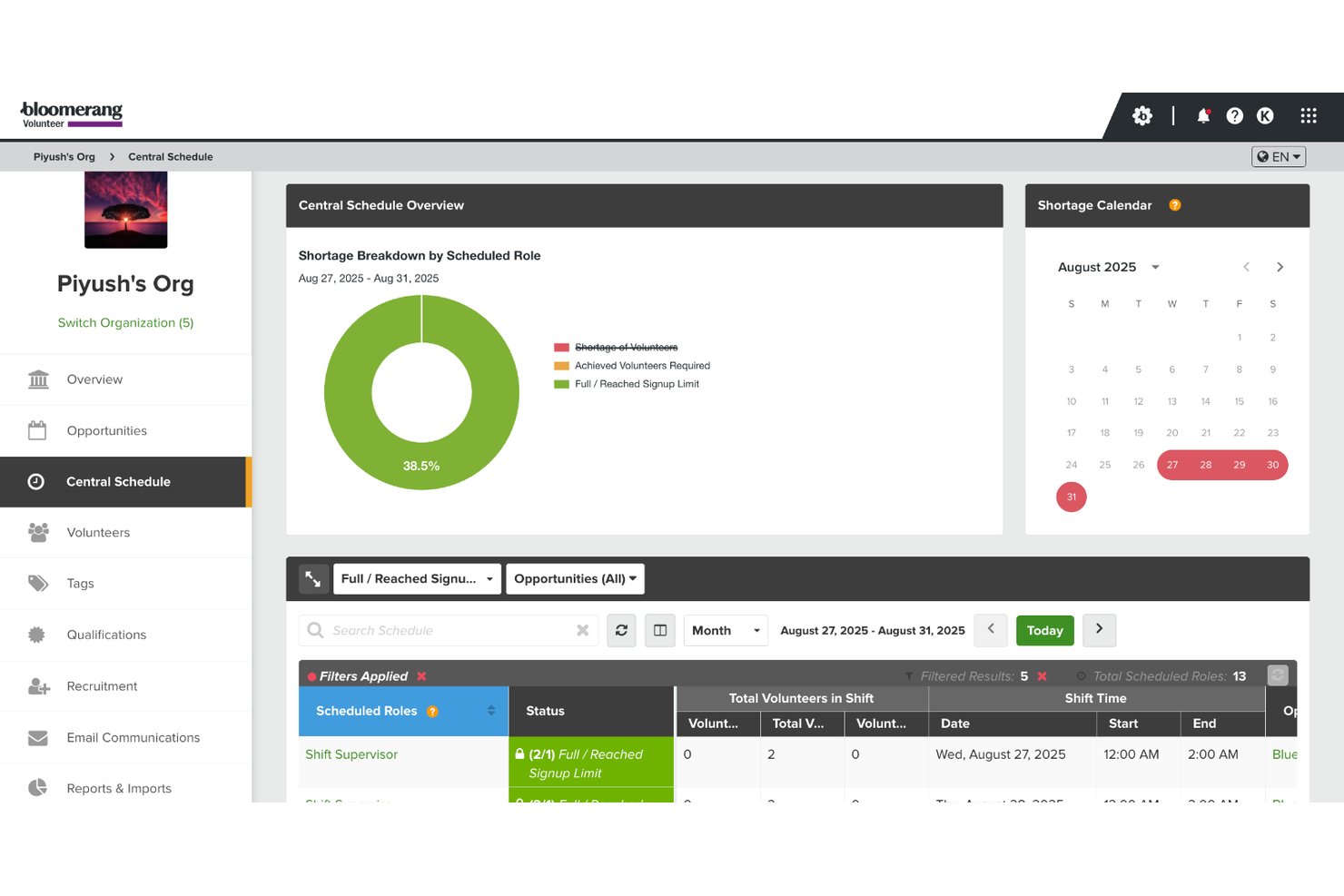
Bloomerang Volunteer is a volunteer management platform for nonprofits that combines scheduling, hours tracking, volunteer communications, background screening, and impact reporting with a built-in CRM link to donor data.
Who Is Bloomerang Volunteer Best For?
Bloomerang Volunteer is a strong fit for nonprofits that manage both volunteers and donors and want to connect that data in a single platform.
Why I Picked Bloomerang Volunteer
I picked Bloomerang Volunteer as one of the best because it's the only volunteer management tool I've used that natively links volunteer activity to donor records in the same CRM. When a volunteer hits a milestone or logs consistent hours, that data lives alongside their giving history, making it easy to identify conversion opportunities. RosterMode then handles AI-driven shift matching so coordinators aren't manually sorting through availability to fill recurring shifts.
Bloomerang Volunteer Key Features
- Digital waivers and e-signatures: Collect signed liability waivers and agreements within the platform, without a third-party tool.
- Verified First background checks: Run criminal, employment, education, driving, drug, and credit screenings on volunteers from inside the platform.
- Milestone recognition and leaderboards: Automatically surface volunteer milestones and display contribution rankings to drive ongoing engagement.
- Multi-channel messaging: Send targeted email, SMS, and push notifications to volunteer segments, with built-in automated shift reminders.
Bloomerang Volunteer Integrations
Bloomerang Volunteer integrates with Bloomerang CRM, Verified First, QuickBooks, Mailchimp, Constant Contact, DonorSearch, and Amilia. It also offers an API and Zapier integration for custom connections.
Pros and Cons
Pros:
- Automates shift matching using AI scheduling
- Offers dedicated volunteer and manager mobile apps
- Links volunteer and donor records natively
Cons:
- No in-app training or LMS features
- No free trial or self-serve version

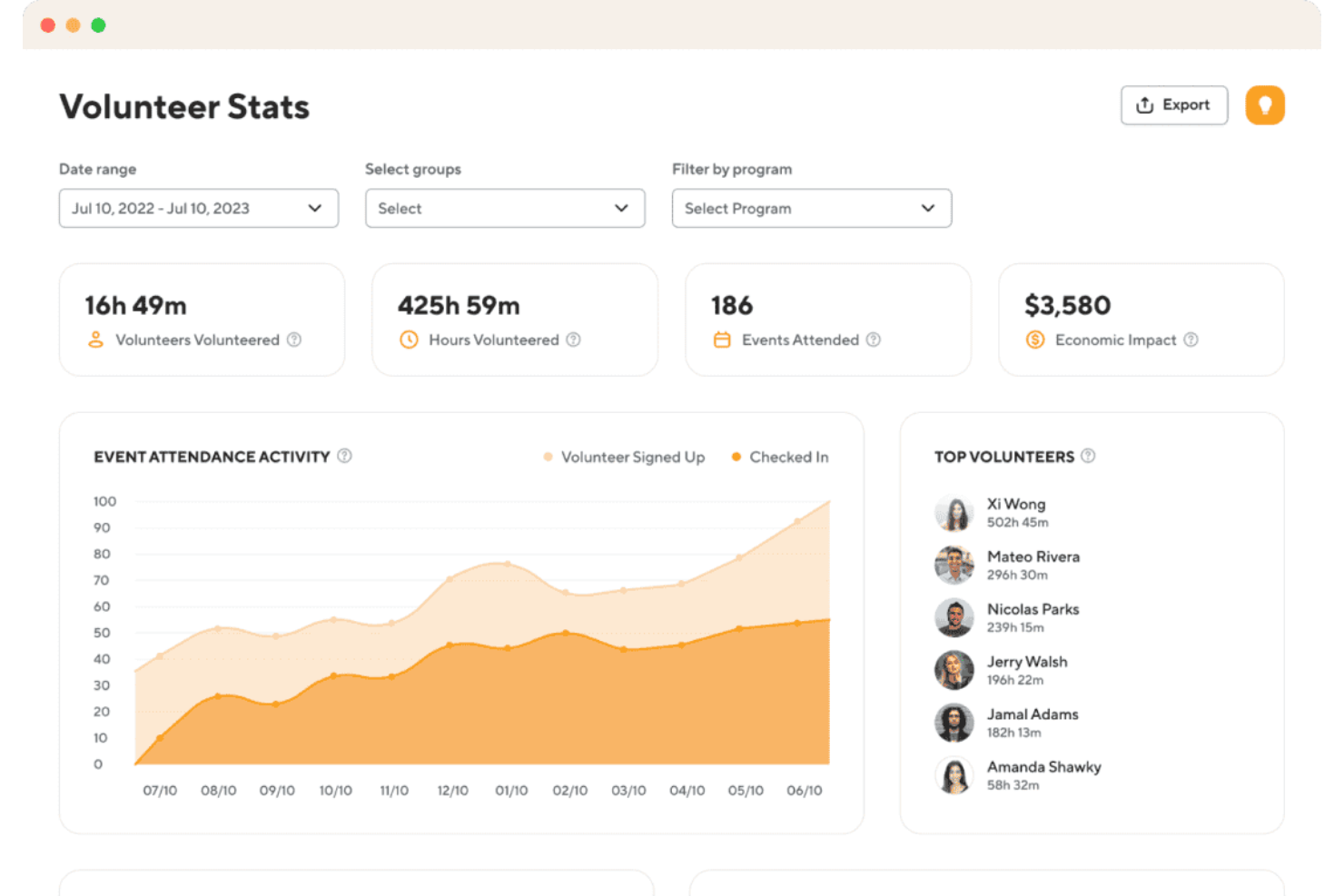
POINT is a volunteer management platform that combines scheduling, hour tracking, volunteer onboarding, automated communications, and impact reporting with a dual-sided model for both nonprofits and corporate volunteer programs.
Who Is POINT Best For?
POINT is ideal for nonprofits and corporate CSR teams co-hosting volunteer events, offering a single platform to manage both partners.
Why I Picked POINT
I've included POINT in my top picks because its dual-sided model is genuinely built for co-hosted events, letting a nonprofit and a corporate partner share a single event, split volunteer management, and generate separate impact reports without duplicating data entry. I love how corporate teams get their own private event feed and company-level reporting through POINT for Work, while the nonprofit retains full scheduling control. Co-hosted events with automatic group-level tracking make it the clearest choice when a company and a nonprofit are running a volunteer day together.
POINT Key Features
- Volunteer self-submission with approval workflow: Volunteers log outside hours via the mobile app or web, and admins receive a notification to approve, edit, or deny each submission.
- Custom application builder: Create volunteer intake forms with tailored questions, document requirements, and a built-in review and approval workflow.
- E-waiver management: Build and store digital waivers with automatic expiration tracking and version control to activate or sunset documents.
- Volunteer discovery network: Increases your reach by connecting with local users who follow causes like yours.
POINT Integrations
POINT integrates with Checkr, Kindful, DonorPerfect, Calendar apps, PayPal, and Venmo. It also supports Okta SSO, social sharing, and website embeds.
Pros and Cons
Pros:
- Mobile app with built-in volunteer discovery
- Co-hosted nonprofit organizations and corporate volunteer events
- Unlimited volunteers and admins on all plans
Cons:
- No recurring schedule bulk tools
- Requires workarounds for deep CRM setups

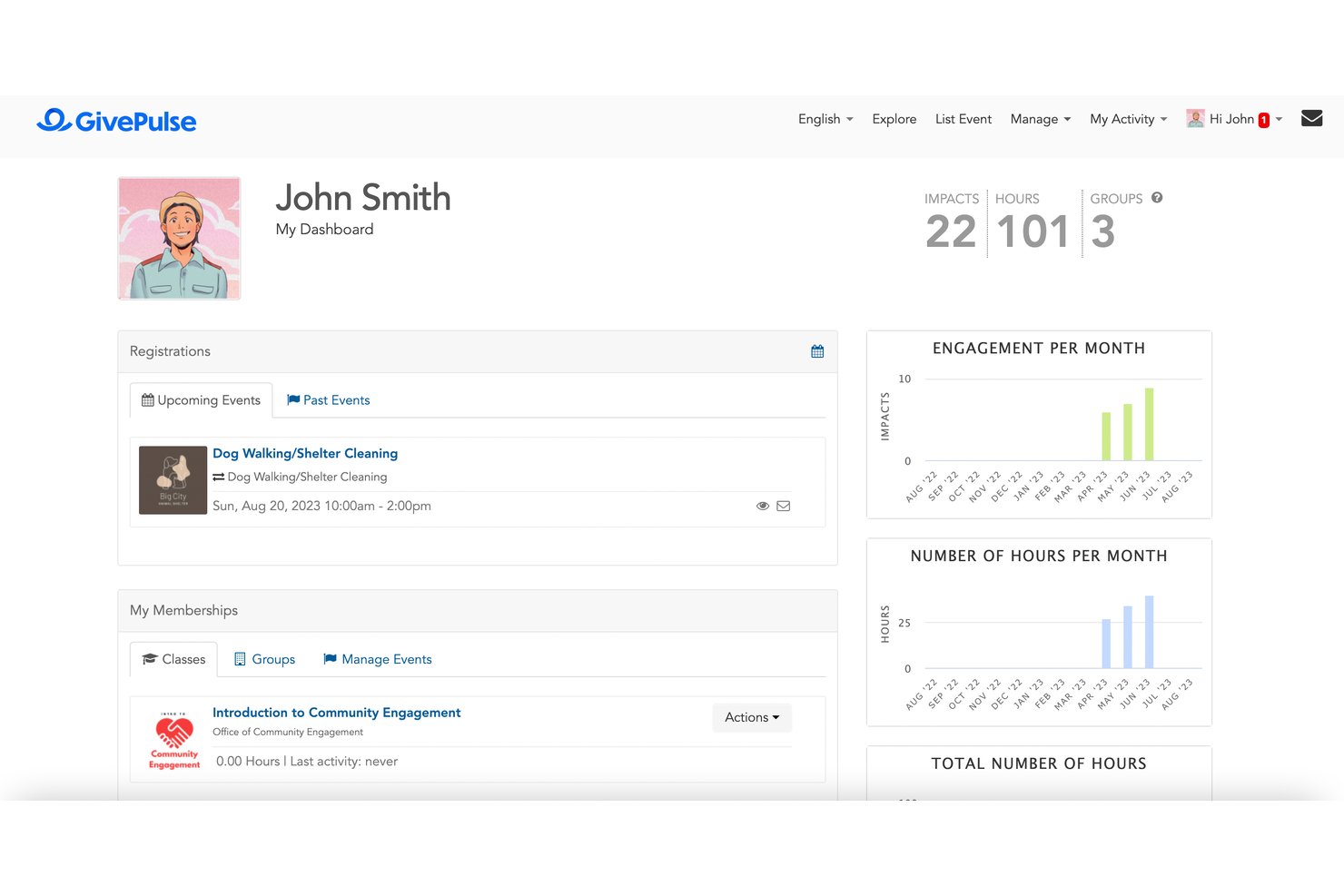
GivePulse is a volunteer management platform that combines volunteer and donor CRM, shift and event scheduling, multi-method hours tracking, and impact reporting with built-in SDG affiliation tagging and economic value calculation.
Who Is GivePulse Best For?
GivePulse is a strong fit for universities, United Ways, and corporate CSR teams that need to document and report volunteer impact against SDG frameworks.
Why I Picked GivePulse
GivePulse earns its spot on my shortlist because of how it handles impact documentation, particularly its built-in SDG affiliation tagging, which lets you tie every volunteer event to a Sustainable Development Goal. I also like that it calculates the economic value of volunteer hours using Independent Sector rates, a figure you can customize per program and pull into grant applications or board reports. The combination of SDG tracking and VIVA-style economic valuation is rare to find natively in a volunteer management platform.
GivePulse Key Features
- Unified volunteer and donor CRM: Store volunteer profiles, service history, donation records, and documents with custom fields and tags.
- Multi-method check-in: Capture hours via mobile clock-in/out, QR code scanning, tablet kiosk mode, or geofencing that auto-verifies on-site arrival within a defined radius.
- Subgroup architecture: Organize volunteers into subgroups by program, department, or location, each with its own admin access.
- Digital waivers and application forms: Collect volunteer applications with configurable fields for skills and certifications.
GivePulse Integrations
GivePulse integrates with Salesforce, Blackbaud, Handshake, HubSpot, and NeonCRM. It also offers a RESTful API and Zapier integration for custom connections.
Pros and Cons
Pros:
- Unified volunteer and donor CRM database
- Multiple mobile, QR, and geofencing check-ins
- Built-in SDG impact and economic value reporting
Cons:
- No native background check integration
- Steep learning curve for non-tech users

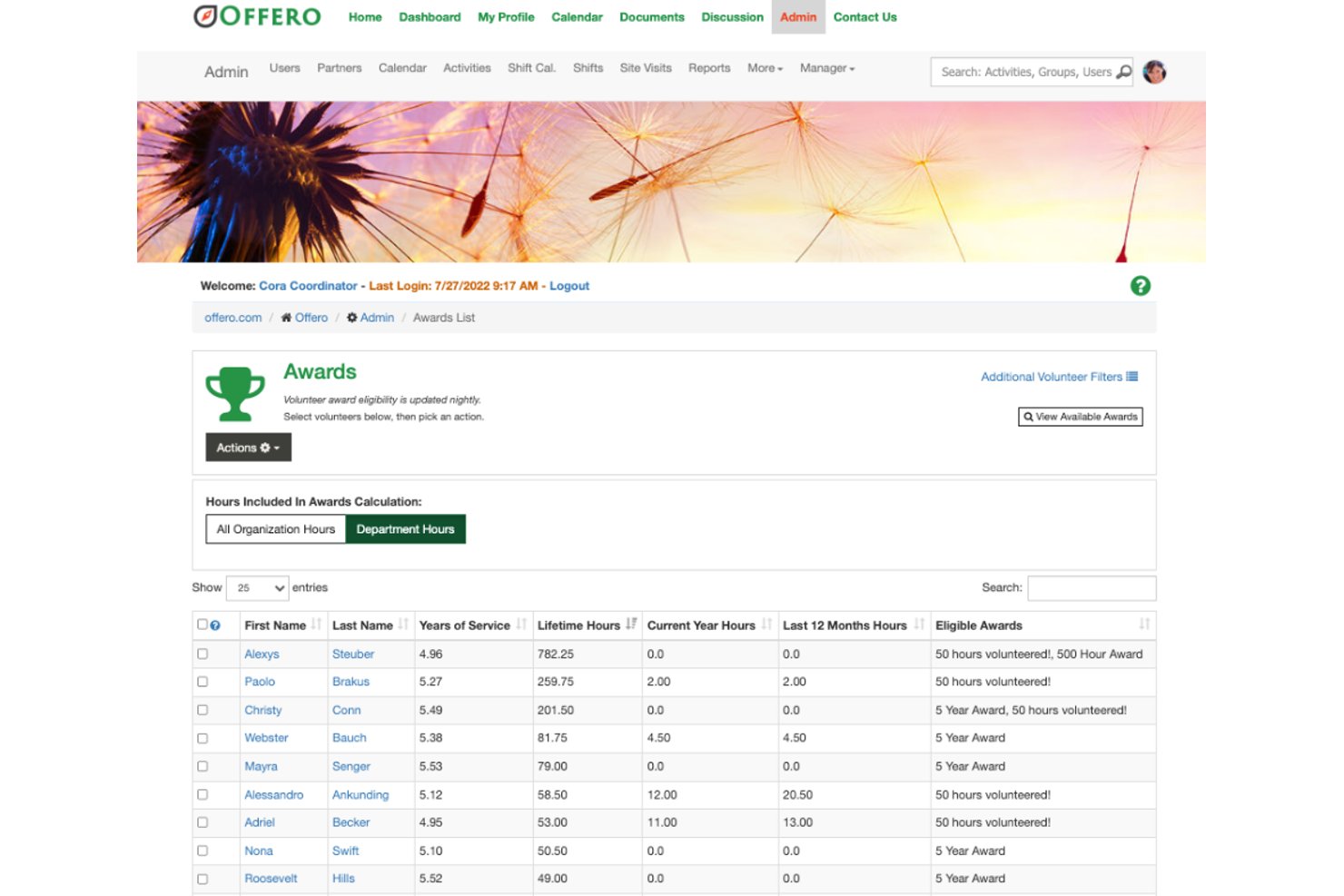
Offero is a volunteer management platform built around compliance-heavy programs, combining volunteer scheduling, a native LMS with qualification gating, background check integrations, hours tracking, and unified event and participant management.
Who Is Offero Best For?
Offero is a strong fit for government agencies and healthcare organizations running multi-site volunteer programs that require compliance infrastructure, credentialing workflows, and qualification-gated scheduling.
Why I Picked Offero
I picked Offero as one of the best because its built-in LMS with qualification gating is something I haven't seen handled this well elsewhere in the category. In government and healthcare settings, that means you can block a volunteer from signing up for a hospital shift until they've completed a specific training course and passed the quiz. Pair that with native background check integrations through Sterling Volunteers and Verified Volunteers, and Offero handles the full credentialing chain in one place.
Offero Key Features
- Unified volunteer and event calendar: Manage public event participant registration and shift scheduling in a shared view.
- Self-reported site visit tracking: Volunteers self-schedule field visits and submit impact reports to log hours, record custom metrics, and submit maintenance requests.
- Automated recognition and awards: Set milestone triggers based on cumulative hours or custom impact measures.
- Configurable volunteer application forms: Build custom intake forms for new volunteer applicants, with automated admin notifications upon submission.
Offero Integrations
Offero integrates with Sterling Volunteers and Verified Volunteers for background checks, plus Usersnap for in-app feedback. An API is also available for custom integrations.
Pros and Cons
Pros:
- Unified calendar for events and shifts
- Built-in LMS for compliance and training
- No per-seat fees for admins or volunteers
Cons:
- Limited custom reporting options
- No dedicated mobile app available
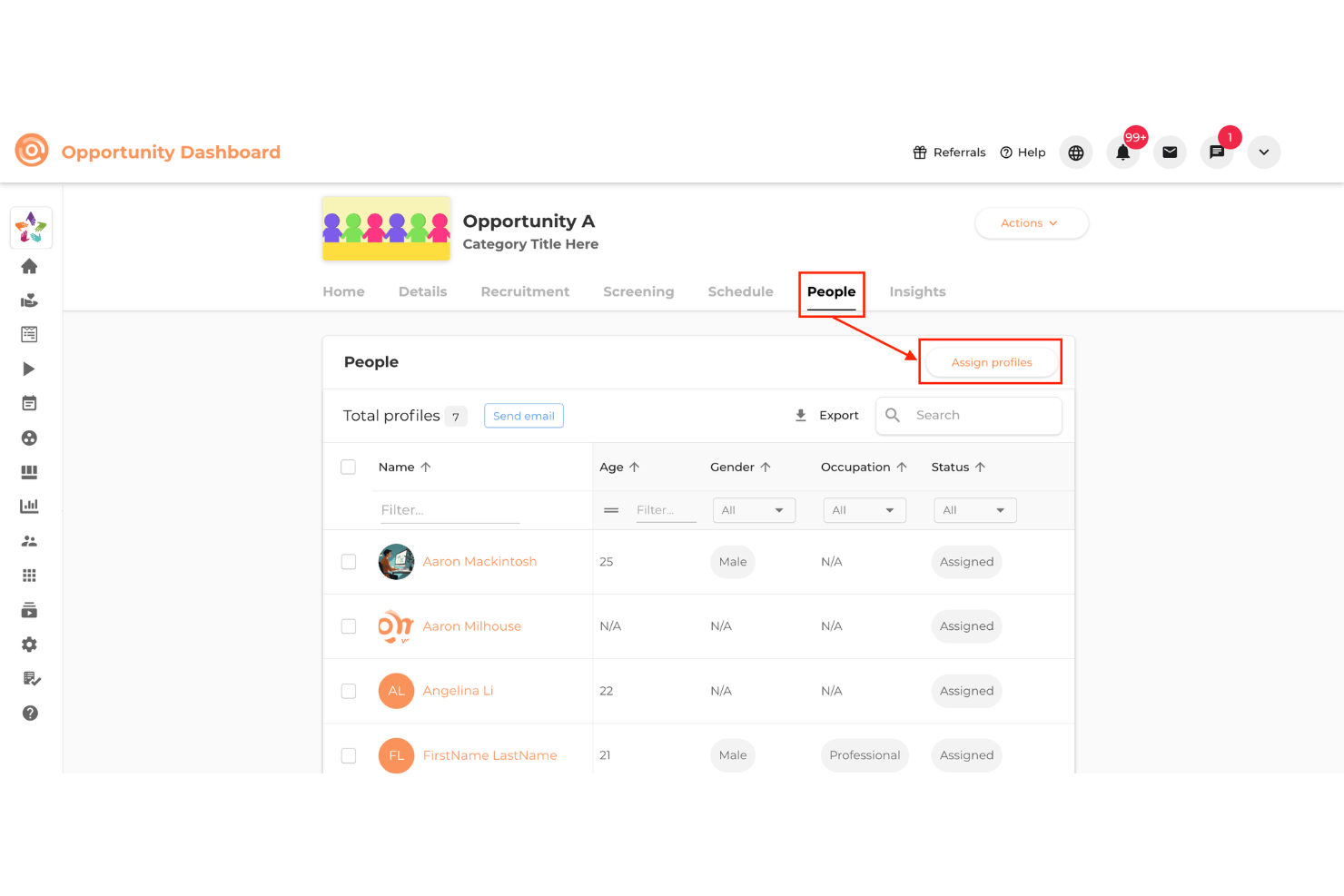
Vome Volunteer is a volunteer management platform offering recruitment, scheduling, tracking, onboarding, LMS, and messaging with single admin-seat pricing and no volunteer limit.
Who Is Vome Volunteer Best For?
Vome Volunteer is a strong fit for nonprofits and volunteer-driven organizations that need to train volunteers at scale through structured, built-in learning pathways.
Why I Picked Vome Volunteer
I've included Vome Volunteer in my top picks because it's the only volunteer management platform I've found with a fully native LMS built in, no third-party tool required. You can build multi-chapter training courses with video, SCORM hosting, and quizzes, then gate volunteer access to shifts until they pass. The certification expiry tracking and auto-renewal rules mean onboarding compliance doesn't fall through the cracks for large or seasonal volunteer programs.
Vome Volunteer Key Features
- GPS proximity check-in: Volunteers check in via QR code, tap, or kiosk, with geo-fencing per site or shift to validate that check-ins happen on location.
- Multi-step onboarding sequences: Build automated flows that combine forms, fillable PDFs, e-signatures, background checks, and training modules.
- Custom awards and achievements: Set rules-based awards triggered by hours logged or shifts completed, with eligibility scoped by tags, sites, or age.
- Impact Formula Builder: Create custom impact calculations using any numeric data or form response to generate economic-value reporting for boards and grant applications.
Vome Volunteer Integrations
Vome Volunteer integrates with Sterling Volunteers, Verified First, and Double the Donation. It also supports REST API access, webhooks, and Zapier.
Pros and Cons
Pros:
- Multiple check-in methods with GPS validation
- Unlimited volunteer profiles on every plan
- All-in-one platform with native LMS
Cons:
- Lack of deep native CRM sync
- Non-intuitive automated workflows

Golden
Best for converting volunteers to donors
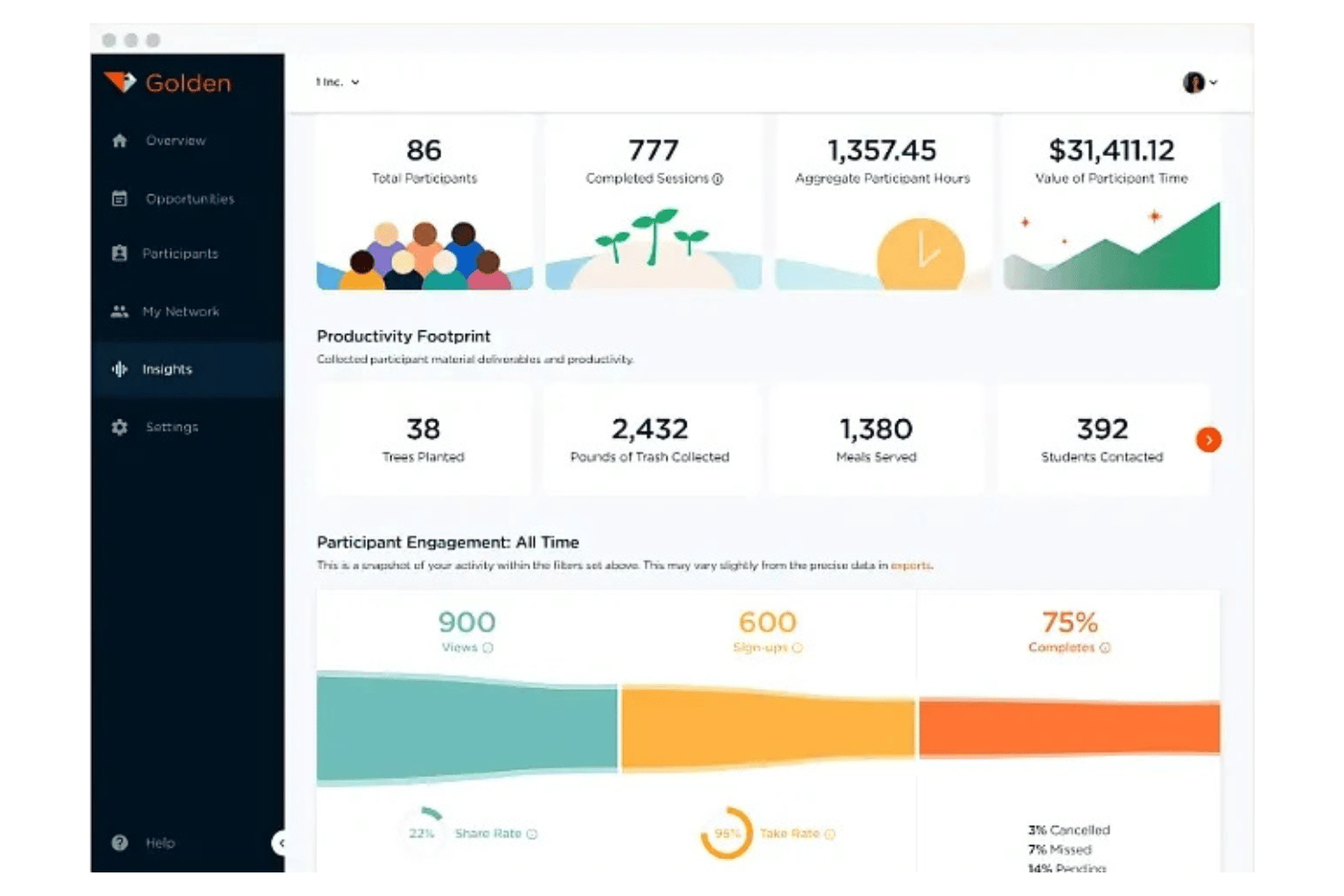
Golden is a volunteer management platform with built-in AI fundraising tools that connects volunteer scheduling, hours tracking, multi-channel communications, and donor conversion in one system.
Who Is Golden Best For?
Golden is a strong fit for nonprofits that want to turn their volunteer base into a donor pipeline using built-in AI fundraising tools.
Why I Picked Golden
Golden earns its spot on my shortlist because of its built-in AI fundraising layer, which no other volunteer management platform I've reviewed offers. It analyzes volunteer engagement signals to identify who's likely to donate, then fires off personalized asks via email, SMS, or push notifications. I also love that the volunteer-facing mobile app keeps volunteers engaged between shifts, which makes the donor conversion pipeline feel natural.
Golden Key Features
- Volunteer self-scheduling: Volunteers can browse open shifts and sign up directly through the mobile app or web portal based on their own availability.
- Kiosk check-in: Volunteers can check in and out at large-scale events without coordinator intervention.
- Omnichannel automated messaging: Build automated workflows that trigger shift reminders, thank-you messages, and milestone alerts.
- Gamification and milestone recognition: Offer digital badges, track achievements, and run leaderboards to encourage volunteer engagement.
Golden Integrations
Golden integrates with Salesforce, Microsoft Dynamics, Blackbaud, Virtuous, and NationBuilder. It also offers an open API for custom integrations and SSO for secure user authentication.
Pros and Cons
Pros:
- Forever free plan supports unlimited volunteers
- Offers award-winning volunteer mobile app
- Converts engaged volunteers into likely donors
Cons:
- Admins and users report frequent app crashes
- Grant-specific reporting capabilities are limited
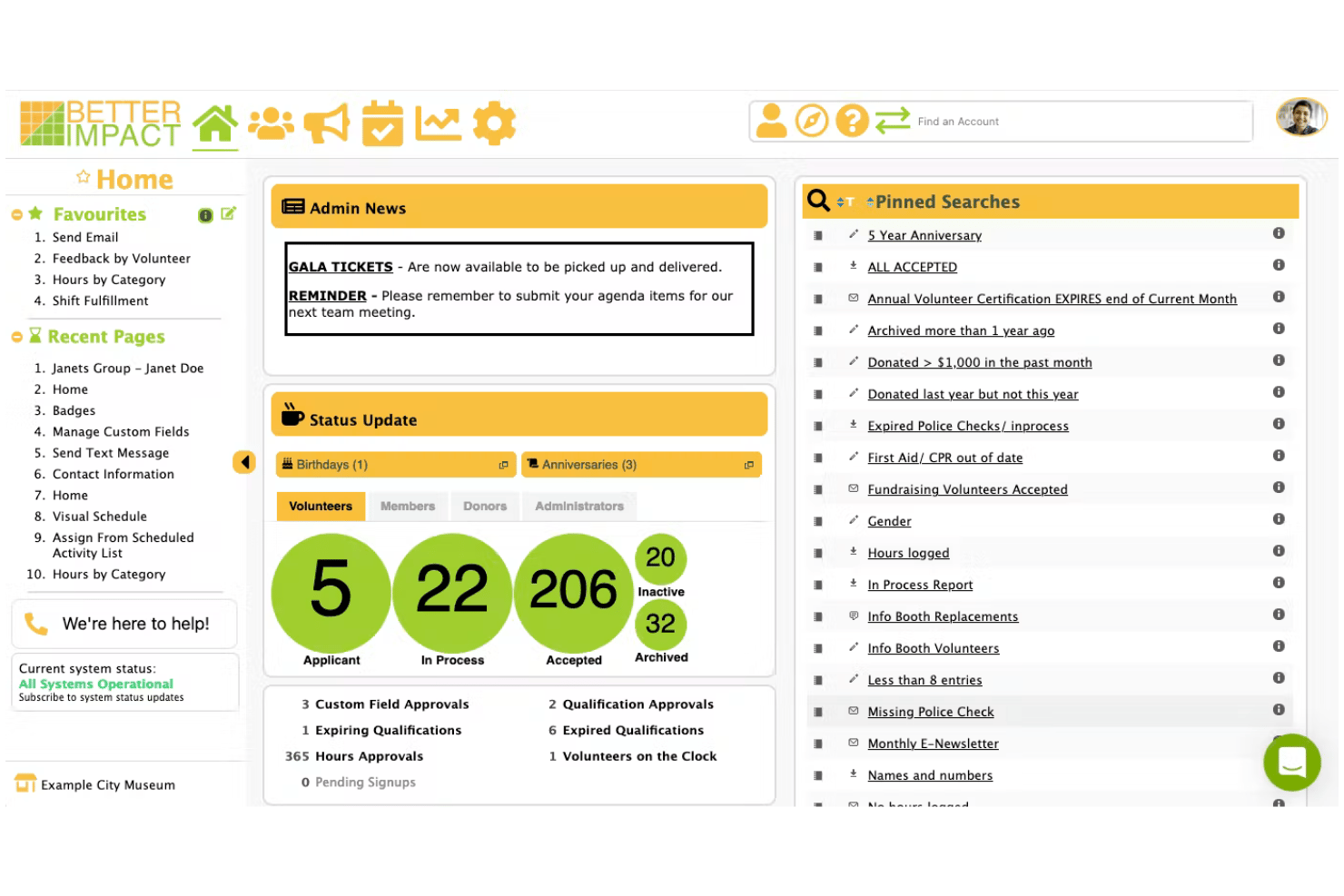
Better Impact is a volunteer management platform that covers the full volunteer lifecycle, including recruitment, onboarding, shift scheduling, hours tracking, communications, training, and impact reporting.
Who Is Better Impact Best For?
Better Impact is a good fit for nonprofits, libraries, healthcare organizations, and government agencies that manage large, ongoing volunteer programs and need a single system to handle the full volunteer journey.
Why I Picked Better Impact
Better Impact earns its spot on my shortlist because it covers the full volunteer lifecycle in one place, from online applications and e-signature waivers to built-in LMS training, shift scheduling, and milestone tracking. I'm particularly impressed by the certification expiry alerts, which automatically flag when a volunteer's credentials are lapsing, and the geolocation check-in via the "My Impact" mobile app, which removes the need for manual sign-in sheets.
Better Impact Key Features
- Built-in LMS: Create multi-step online training courses with text, video, and quiz components to certify volunteers before they begin.
- Volunteer self-service portal: Volunteers can browse opportunities, sign up for shifts, and update their own profiles without admin involvement.
- Mass email and SMS messaging: Send segmented bulk communications to volunteers filtered by attributes like role, location, or program.
- Multi-location reporting: Generate standardized reports across departments or sites to consolidate hours, participation, and demographics data in one view.
Better Impact Integrations
Better Impact integrates with Sterling Volunteers and Verified First for background checks. It also offers SSO and a JSON-based REST API for custom integrations.
Pros and Cons
Pros:
- Geolocation check-in via mobile app
- Built-in LMS for volunteer training modules
- Volunteer milestones tracked with automatic badges
Cons:
- Multi-branch accounts locked to enterprise plans
- No built-in SMS tools

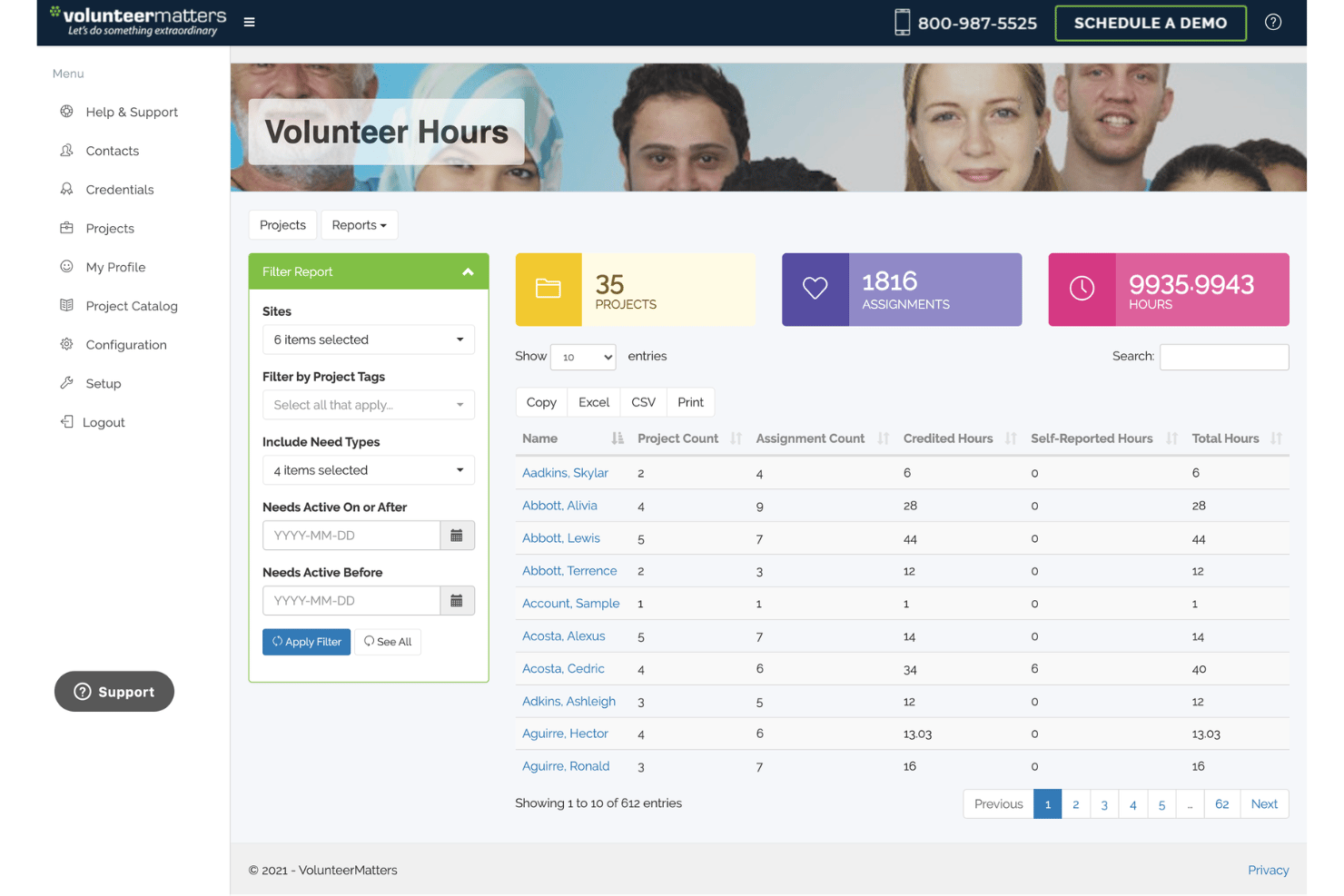
VolunteerMatters is a volunteer management platform that handles end-to-end program operations, including volunteer recruitment, compliance-driven onboarding, shift scheduling, hours tracking, and multi-channel communications.
Who Is VolunteerMatters Best For?
VolunteerMatters is a strong fit for nonprofits and mission-driven organizations that manage large volunteer programs with strict compliance, screening, or credentialing requirements.
Why I Picked VolunteerMatters
VolunteerMatters earns its spot on my shortlist because its onboarding automation goes deeper than any other tool I've seen in this category. I'm impressed by how it chains background checks (via Sterling Volunteers and Intellicorp), e-signature waivers, and role-specific training requirements into a single self-service flow that volunteers complete at their own pace. The FCRA-compliant adjudication automation means my team gets instant alerts the moment a check is flagged, rather than manually chasing results.
VolunteerMatters Key Features
- Credential expiration tracking: Automatically reminds volunteers to renew certifications before expiration, keeping records updated without manual effort.
- Geolocation-verified check-in: Confirms a volunteer's on-site location before logging hours, adding an integrity layer useful for grant reporting and audits.
- Volunteer self-service portal: Volunteers browse shifts, submit hours, complete training, and manage their own profiles via a mobile web portal.
- Post-assignment feedback surveys: Automatically sends surveys to volunteers and compiles responses into organized reports for program evaluation.
VolunteerMatters Integrations
VolunteerMatters integrates with Salesforce, Daxko, TractionRec, and NimbleAMS. It also supports a REST API with webhooks and Zapier for custom integrations.
Pros and Cons
Pros:
- Parental consent features for youth volunteers
- Geolocation check-in for compliance-focused hours tracking
- Onboarding automates background checks and waivers
Cons:
- Interface can be confusing for occasional volunteers
- Reporting customization options are limited

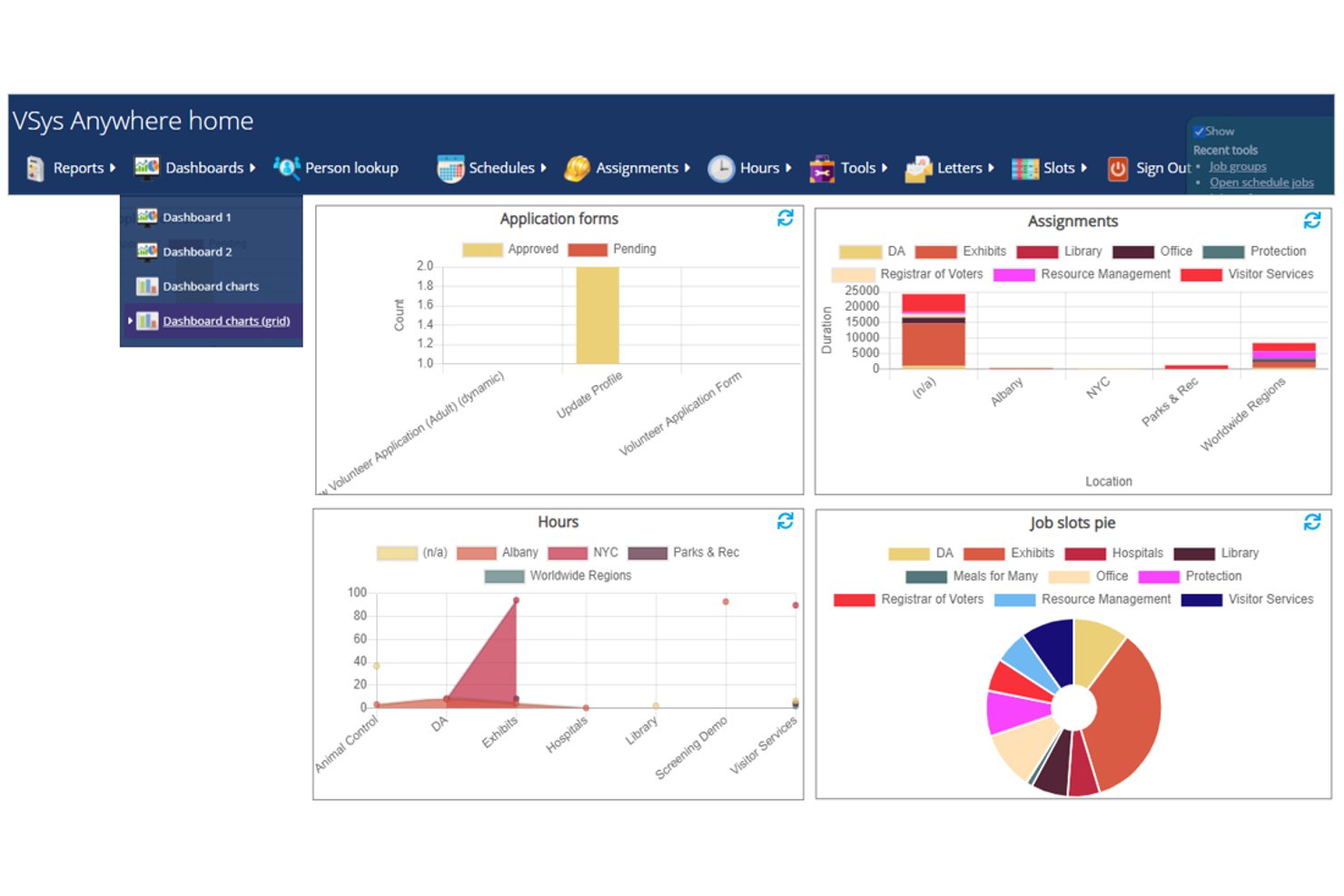
VSys One is a volunteer management platform built around highly configurable volunteer records, multi-channel scheduling, hours tracking, onboarding workflows, and 200+ reporting tools designed for large-scale programs.
Who Is VSys One Best For?
VSys One is a strong fit for healthcare systems and large nonprofits that need enterprise-grade compliance, configurable volunteer information, and audit-ready reporting.
Why I Picked VSys One
I picked VSys One as one of the best because it's purpose-built for the complexity hospital and large nonprofit volunteer programs deal with. The eligibility checklist system supports multiple onboarding paths, so a hospital can route clinical volunteers through HIPAA training and TB screening records separately from gift shop volunteers. I also love built-in Joint Commission audit-ready reporting.
VSys One Key Features
- Bidirectional SMS messaging: Volunteers can text back directly through Twilio or Telnyx integrations, with all messages stored in each volunteer's record.
- VSys Live self-service portal: Volunteers sign up for shifts, log hours, and complete digital forms via a browser-based portal.
- Custom field engine: Create global or project-specific data fields to track specialized credentials, demographics, or custom metrics.
- Role-based admin access control: Restricts system permissions and profile data access by user tier, department, or location to ensure data privacy.
VSys One Integrations
Integrations include Workday, Sterling Volunteers, Enterprise Health Solution, OHM, and Tessitura, with VOXI API and scripted modules enabling custom scheduled data exchanges.
Pros and Cons
Pros:
- Reporting supports healthcare audit requirements
- Unlimited volunteer records at no extra cost
- Highly configurable onboarding and compliance workflows
Cons:
- User interface feels outdated to new admins
- No dedicated mobile app for volunteers

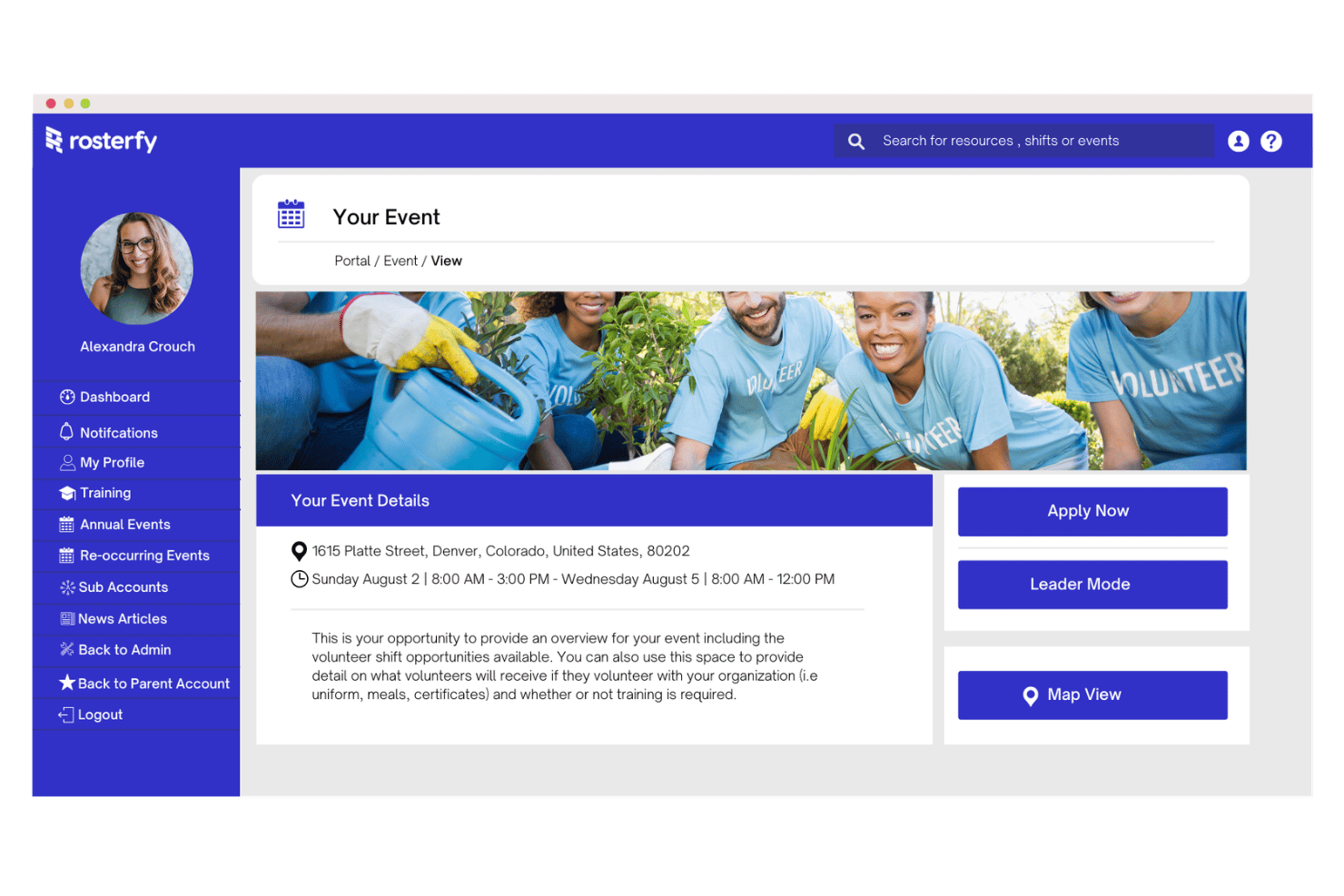
Rosterfy is a volunteer management platform built for large-scale programs, offering end-to-end tools for volunteer recruitment, onboarding, scheduling, hours tracking, communications, and impact reporting.
Who Is Rosterfy Best For?
Rosterfy is built for large nonprofits, sports organizations, and corporate CSR teams managing complex, high-volume volunteer programs across multiple sites or regions.
Why I Picked Rosterfy
I picked Rosterfy as one of the best because it's built specifically for the scale and complexity that enterprise volunteer programs actually deal with. I'm particularly impressed by the native LMS with SCORM support, which auto-assigns training and gates shift access until compliance is confirmed. Pair that with multi-modal check-in options like geofencing and QR codes across concurrent venues, and Rosterfy handles what most platforms can't.
Rosterfy Key Features
- Reward and recognition: Issue e-badges, certificates, gift vouchers, and merchandise rewards with built-in inventory management for physical items.
- Salesforce two-way sync: Connect volunteer activity records directly to Salesforce NPSP and Nonprofit Cloud donor profiles.
- Multi-entity admin access: Manage chapters, regions, or departments under one platform with segmented permissions and cross-entity reporting.
- Volunteer self-service portal: Let volunteers manage their own profiles, update availability, and sign up for shifts without coordinator involvement.
Rosterfy Integrations
Rosterfy lists 50+ integrations, including Salesforce, Blackbaud, Microsoft Dynamics, Microsoft Power BI, Brevo, and Stripe. It also supports custom integrations through its API.
Pros and Cons
Pros:
- Granular permission controls for enterprise oversight
- Built-in LMS with compliance gating features
- Handles multi-site, large-scale volunteer programs
Cons:
- No free tier or self-serve trial
- No admin access via mobile app
Annen programvare for frivilligadministrasjon
Her er noen flere alternativer for programvare for frivilligadministrasjon som ikke kom med på kortlisten min, men som likevel er verdt å se nærmere på:
- Get Connected
For volunteer networks spanning multiple sites
- Access Assemble
For UK charities managing volunteers at scale
- VolunteerLocal
For no-password volunteer sign-up
- Volgistics
For kiosk and portal-based hour tracking
- VolunteerHub
For Blackbaud volunteer sync
- Giveffect
For unifying volunteer tracking with donor CRM
- Civic Champs
For active-volunteer pricing
- Volunteero
For mobile-first self-scheduling
- Salesforce Nonprofit Cloud
For nonprofits already running on Salesforce
- LiveImpact
For nonprofits with group volunteer scheduling


How I Evaluate Volunteer Management Software
I split my evaluation into baseline functionality every tool must cover—scheduling, hour tracking, onboarding—and the differentiators that separate a niche fit from a genuinely scalable volunteer management solution.
Core Functionality (Table Stakes For This List)
When I'm selecting tools for my list, I rank each one on a scale from 0 (does not offer the functionality) to 5 (excels in this area) for each core functionality listed below. I then calculate the tool's total score into a percentage, using 65% as a benchmark to help assess its overall fit for the list.
- Volunteer database: I evaluate how well each tool handles profile customization, including skills tagging, certification tracking, and segmentation filters that let you find the right person for a specialized role fast.
- Shift and event scheduling: Self-service signup, recurring shifts, waitlists, and calendar sync all factor in here—coordinators shouldn't need to manually slot every volunteer into every opening.
- Hours tracking: I look for multiple logging methods like mobile check-in, kiosk mode, or self-reporting paired with an approval workflow, since accurate records matter for grant reporting and compliance.
- Recruitment and onboarding: Background check integrations, waiver collection, and training assignments tell me whether a platform can handle intake for roles in healthcare or government where screening requirements are strict.
- Volunteer communications: Multi-channel messaging with segmentation is what I check for—teams managing hundreds of volunteers need targeted shift reminders and updates across email, SMS, or push notifications.
- Reporting and analytics: Custom dashboards, impact metrics, and scheduled report delivery are the markers I use to gauge whether a tool can satisfy board-level reporting or funder requirements.
Once I have a list of tools that meet the criteria, I consider what sets each platform apart.
Differentiating Factors (What Sets Vendors Apart)
Here's how I compare and contrast different vendors:
Standout Features
I check whether a platform can auto-calculate the economic value of volunteer hours using recognized valuation rates, since that figure shows up constantly in grant applications and board reports. Skills-based matching is another area I evaluate—pairing volunteers to roles by credentials, certification expiry, and proximity saves coordinators from manual sorting, especially during disaster response surges. I also look at how well a tool unifies volunteer activity with donor history, because spotting conversion opportunities depends on having one constituent record, not two disconnected databases.
Beyond Features
Pricing models vary widely—some vendors charge per active volunteer, others per admin seat—so I check how costs behave during seasonal surges like holiday drives or disaster response. Integration depth matters just as much: I look for native connectors to donor CRMs like Salesforce NPSP or Raiser's Edge and background check providers like Checkr, since manual workarounds add real admin load. I also evaluate compliance posture, especially GDPR readiness and role-based permissions, because volunteer programs in healthcare or youth services handle sensitive data that demands audit trails and age-based protections.
Slik velger du programvare for frivilligadministrasjon
Å finne den rette plattformen for frivilligadministrasjon handler om å tilpasse de faktiske driftsutfordringene dine til viktige programvarefunksjoner:
| Hvis prioriteten din er … | Se etter … |
|---|---|
| Sporing av frivilliges livssykluser | Tilpassbare profiler og livssyklusrapportering |
| Omfattende krav til etterlevelse og introduksjonsprosesser | Integrerte bakgrunnssjekker og elektroniske samtykkeerklæringer |
| Omfattende planlegging på tvers av lokasjoner | Vaktplanlegging for flere lokasjoner med tillatelseskontroller |
| Å samle giver- og frivilligdata | CRM-integrasjon og samlet rapportering |
| Måling og rapportering av resultater | Konfigurerbare oversikter med analyser som kan eksporteres |
Slik kvalitetssikrer du kortlisten din
- Test introduksjonsprosessene: Gjennomfør et komplett opptak fra registrering til dokumentasjon på tre enheter innen 72 timer.
- Kontroller etterlevelse ved bakgrunnssjekker: Be om en liste over integrerte verktøy for kontroll og samtykke, sammen med personvernerklæringene deres.
- Vurder integrasjonsdybden: Be om en direkte demonstrasjon som kobler seg til CRM- eller HRIS-systemet ditt, og kontroller hvordan data synkroniseres i begge retninger.
- Vurder tillatelser og revisjonslogger: Be om et administrasjonssandkassemiljø for å gjennomgå brukerroller, revisjonsspor og funksjoner for dataeksport.
- Avveining – funksjonsdybde kontra integrasjonsfleksibilitet: Finn ut om programmet ditt trenger avansert rapportering om frivillige i én samlet løsning, eller integrasjoner i toppklasse med eksisterende HR- og CRM-systemer.
Hva er programvare for frivilligadministrasjon?
Programvare for frivilligadministrasjon er et digitalt verktøy som hjelper team med rekruttering av frivillige, introduksjon, vaktplanlegging og kommunikasjon på ett sted. Disse plattformene gjør det mulig å opprettholde nøyaktige registre, forbedre etterlevelsen og måle programmets effekt. Ved å sentralisere data og prosesser knyttet til frivillige kan du forbedre driftseffektiviteten, oppfylle krav til etterlevelse og tilby tilpassede opplevelser for frivillige.
Funksjoner i programvare for frivilligadministrasjon
Når du velger programvare for frivilligadministrasjon, bør du se etter følgende nøkkelfunksjoner:
- Frivilligdatabase: Lagre, organiser og søk i frivilligprofiler med tilpassbare felt, ferdighetssporing, sertifiseringer og segmentering for raskt å matche personer med spesialiserte roller.
- Vakt- og arrangementsplanlegging: Opprett og administrer vakter, arrangementer og gjentakende tidsplaner med egenpåmelding, ventelister, kalendersynkronisering og automatiske påminnelser for å holde frivillige informert.
- Timeregistrering: Registrer frivilligtimer gjennom metoder som mobil innsjekking, kioskmodus og egenrapportering, med alternativer for godkjenningsflyter for å sikre nøyaktige registre for etterlevelse og rapportering.
- Rekruttering og introduksjon: Administrer inntak med søknader, integrerte partnere for bakgrunnssjekk og elektroniske samtykkeerklæringer, og følg fremdriften gjennom opplæring og fullføring av dokumentasjon – noe som er avgjørende i miljøer med omfattende krav til etterlevelse.
- Kommunikasjon med frivillige: Send målrettede meldinger, vaktpåminnelser og oppdateringer på tvers av kanaler som e-post, SMS eller push-varsler, slik at koordinatorer kan holde frivillige engasjert og informert.
- Rapportering og analyse: Generer, tilpass og eksporter rapporter og oversikter for å overvåke frivilligaktivitet, måle effekt og dele nøkkeltall med interessenter og finansieringsgivere.
- Integrasjonsmuligheter: Koble til systemer for giveradministrasjon, HRIS og leverandører av bakgrunnssjekker for å synkronisere data, redusere manuell registrering og samle opplysninger om berørte personer for bedre innsikt.
- Tilgangskontroller og revisjonsspor: Angi brukerroller med tilgangsnivåer, spor endringer og brukerhandlinger for ansvarliggjøring, og oppretthold etterlevelse av retningslinjer for personvern.
- Dokumentadministrasjon: Samle inn, lagre og administrer viktige dokumenter for frivillige, som samtykkeerklæringer, sertifiseringer og opplæringsdokumentasjon, på ett sted.
- Støtte for flere lokasjoner: Koordiner frivillige og programmer på tvers av ulike steder, avdelinger eller regioner, hver med tilpassede verktøy for tilgang, planlegging og rapportering.
Vanlige AI-funksjoner i programvare for frivilligadministrasjon
I tillegg til standardfunksjonene i programvare for frivilligadministrasjon som er nevnt ovenfor, tar mange av disse løsningene i bruk KI med funksjoner som:
- KI-drevet matching av frivillige: Bruker maskinlæring til å analysere frivilliges ferdigheter, interesser og tilgjengelighet, og anbefaler deretter de rollene eller arrangementene som passer best. Dette hjelper koordinatorer med å fylle plasser raskt og sikrer at frivillige plasseres der de kan bidra mest.
- Prediktiv analyse av oppmøte: Bruker historiske deltakelsesdata og atferdsmønstre til å forutsi hvilke frivillige som sannsynligvis vil møte opp eller utebli fra kommende vakter. Dette gjør det mulig for team å håndtere uteblivelser proaktivt og optimalisere planleggingen.
- Automatiserte kommunikasjonsassistenter: Bruker naturlig språkbehandling til å utarbeide, tilpasse og planlegge meldinger til frivillige via e-post, SMS eller appvarsler. Disse assistentene kan svare på vanlige spørsmål og sende påminnelser i rett tid uten manuell inngripen.
- Sentimentanalyse av tilbakemeldinger fra frivillige: Analyserer spørreundersøkelsessvar, e-poster og chatlogger for å avdekke frivilliges tilfredshet, engasjement eller mulige utbrenthet. Dette gir koordinatorer tidlige varseltegn og hjelper dem med å håndtere problemer før de eskalerer.
- KI-drevet effektrapportering: Sammenstiller og tolker automatisk data om frivilligaktivitet for å generere visuelle rapporter og beskrivelser som fremhever programmets resultater. Dette sparer tid på manuell dataanalyse og hjelper team med å kommunisere resultater til interessenter.
Fordeler med programvare for frivilligadministrasjon
Implementering av programvare for frivilligadministrasjon gir flere fordeler for teamet og virksomheten din. Her er noen av fordelene du kan se frem til:
- Sentraliserte frivilligdata: Lagre, organiser og søk i alle frivilligprofiler, ferdigheter og dokumenter på ett sikkert sted gjennom tilpassbare databaser og dokumenthåndtering.
- Effektiv planlegging og koordinering: Opprett vakter, arrangementer og gjentakende planer med selvbetjent påmelding, automatiske påminnelser og kalendersynkronisering, slik at behovet for manuell planlegging reduseres.
- Nøyaktig tidsregistrering: Registrer frivilligtimer ved hjelp av mobil innsjekking, kioskmodus eller egenrapportering med arbeidsflyter for godkjenning, slik at krav til etterlevelse og rapportering til tilskuddsgivere ivaretas.
- Samordnet rekruttering og introduksjon: Administrer søknader, bakgrunnssjekker, elektroniske samtykkeerklæringer og fremdrift i opplæringen på én plattform for en helhetlig introduksjonsopplevelse.
- Målrettet kommunikasjon: Send meldinger, påminnelser og oppdateringer via segmentert e-post, SMS eller push-varsler, slik at frivillige holdes engasjert og informert.
- Måling av effekt og rapportering: Generer tilpassede oversikter og eksporterbare analyser for å overvåke aktivitet og dokumentere resultater overfor interessenter og finansieringskilder.
- Integrasjon med andre systemer: Synkroniser frivilligaktivitet med CRM-systemer for givere, HRIS og leverandører av bakgrunnssjekker for å samle interessentopplysninger og redusere manuell dataregistrering.
Kostnader og priser for programvare for frivilligadministrasjon
Valg av programvare for frivilligadministrasjon krever en forståelse av de ulike prismodellene og tilgjengelige abonnementene. Kostnadene varierer basert på funksjoner, teamstørrelse, tillegg og mer. Tabellen nedenfor oppsummerer vanlige abonnementer, gjennomsnittsprisene deres og typiske funksjoner som er inkludert i programvare for frivilligadministrasjon:
Sammenligningstabell for abonnementer for programvare for frivilligadministrasjon
| Abonnementstype | Gjennomsnittspris | Vanlige funksjoner |
|---|---|---|
| Gratisabonnement | $0–$50/måned | Begrensning på antall frivilligoppføringer, grunnleggende arrangementsplanlegging, mobil innsjekking og begrenset rapportering. |
| Personlig abonnement | $25–$100/måned | Utvidet frivilligdatabase, vaktplanlegging, timeregistrering, arbeidsflyter for introduksjon og kundestøtte via e-post. |
| Bedriftsabonnement | $100–$400/måned | Administrasjon av flere lokasjoner, integrasjon med CRM-systemer for givere, analyseoversikter, meldingsverktøy og rolleadministrasjon. |
| Virksomhetsabonnement | $400–$2,000/måned | Avanserte tillatelser, tilpassede integrasjoner, dedikert kundestøtte, moduler for etterlevelse og revisjonsspor. |
Vanlige spørsmål om programvare for frivilligadministrasjon
Her er noen svar på vanlige spørsmål om programvare for frivilligadministrasjon:
Hvordan vurderer man sikkerhets- og etterlevelsesfunksjonene i programvare for frivilligadministrasjon?
Begynn med å be leverandørene om detaljer om datakryptering, revisjonslogger og brukertillatelser. Gå gjennom personvernerklæringen deres og se om de omtaler rammeverk som GDPR, HIPAA eller SOC 2. Test administrasjonsinnstillingene for å kontrollere rollebasert tilgang og om du kan generere revisjonsspor. Hvis programmet ditt håndterer data om barn og unge eller helsedata, må du bekrefte at aldersbaserte begrensninger og kontroller for datalagring er på plass.
Kan programvare for frivilligadministrasjon integreres med mitt eksisterende CRM-system for givere?
Ja, de fleste ledende plattformer tilbyr integrasjoner med populære CRM-systemer for givere, som Salesforce eller Blackbaud. Før du bestemmer deg, bør du be om en demonstrasjon av integrasjonen. Kontroller at frivillig- og giverdata synkroniseres begge veier, og at du kan rapportere om begge aktivitetene samlet. Hvis du bruker et mindre utbredt CRM-system, bør du spørre om tilpassede API- eller mellomvareløsninger.
Hva bør jeg se etter når jeg tar imot sesongfrivillige eller frivillige i perioder med høy aktivitet?
Se etter programvare som støtter gruppevis introduksjon, tillater mobil påmelding og håndterer bakgrunnssjekker og elektroniske samtykkeerklæringer. Sørg for at plattformen kan segmentere disse frivillige og planlegge dem separat fra helårsteam. Spør om automatiske påminnelser og funksjoner for massekommunikasjon, slik at store frivilliggrupper enkelt kan administreres.
Hva er den beste måten å sammenligne prismodeller på tvers av leverandører av programvare for frivilligadministrasjon?
Be om tydelige pristilbud basert på det faktiske antallet frivillige. Bekreft hva som er inkludert i hvert nivå – noen tar betalt per aktive frivillige, andre per bruker eller per funksjon. Spør om kostnader under arrangementer med høy aktivitet, og vær oppmerksom på skjulte gebyrer for integrasjoner eller kundestøtte. Årsavtaler kan spare penger, men bare hvis programvaren på en pålitelig måte dekker de unike behovene dine.