Eightfold AI Review 2026 : Pros, Cons, Features, and Pricing Guide



Eightfold AI is an AI recruiting software built around skills-based talent matching, designed for organizations that need to identify qualified candidates—including internal talent—based on potential rather than job title history. I'd consider it over something like iCIMS if your team needs deep AI-driven candidate intelligence rather than a workflow-focused applicant tracking system. Where iCIMS centers the hiring process itself, Eightfold AI centers the people, surfacing matches your recruiters would likely miss.
Eightfold AI Evaluation Summary
- Pricing upon request
- Free demo available
Why Trust Our Software Recommendations
Our team has been testing and reviewing software since 2012. As HR experts ourselves, we know how difficult—and important—it is to choose the right software.
For this guide, we evaluated tools using hands-on testing and independent research, scoring tools using our selection criteria. We also draw on insights from industry thought leaders and practicing HR experts.
Our reviews reflect our human editorial judgment, not a sales pitch.
Expert reviewers:
Eightfold AI Overview
I think Eightfold AI stands out for its advanced candidate-matching and talent intelligence, but you’ll want to judge its pricing against your needs—it’s often best for medium-to-large teams who make data-driven decisions. While its integration options and support are solid, the interface can feel dense at first, so onboarding is smoother with tech-savvy HR teams.
If your environment values AI-powered potential matching over basic screening, selecting Eightfold AI will likely deliver stronger long-term talent results.
pros
-
AI accurately matches candidates to open roles by skills
-
Talent pipeline analytics improve workforce planning and diversity
-
Personalized candidate engagement automates key communication steps
cons
-
Reporting features sometimes lack flexibility for custom insights
-
Interface can be overwhelming for new recruiters
-
Pricing is often higher than most small companies expect
-

Justworks
Visit WebsiteThis rating combines scores from multiple user review sites to reflect overall customer sentiment about the product.4.6 -
Small Improvements
Visit WebsiteThis rating combines scores from multiple user review sites to reflect overall customer sentiment about the product.4.3 -
HiBob
Visit WebsiteThis rating combines scores from multiple user review sites to reflect overall customer sentiment about the product.4.5





How We Test & Score Our Tools
We’ve spent years building, refining, and improving our software testing and scoring system. The rubric is designed to capture the nuances of software selection and what makes a tool effective, focusing on critical aspects of the decision-making process.
Below, you can see exactly how our testing and scoring works across seven criteria. It allows us to provide an unbiased evaluation of the software based on core functionality, standout features, ease of use, onboarding, customer support, integrations, customer reviews, and value for money.
Core Functionality (25% of final score)
The starting point of our evaluation is always the core functionality of the tool. Does it have the basic features and functions that a user would expect to see? Are any of those core features locked to higher-tiered pricing plans? At its core, we expect a tool to stand up against the baseline capabilities of its competitors.
Standout Features (25% of final score)
Next, we evaluate uncommon standout features that go above and beyond the core functionality typically found in tools of its kind. A high score reflects specialized or unique features that make the product faster, more efficient, or offer additional value to the user.
We also evaluate how easy it is to integrate with other tools typically found in the tech stack to expand the functionality and utility of the software. Tools offering plentiful native integrations, 3rd party connections, and API access to build custom integrations score best.
Ease of Use (10% of final score)
We consider how quick and easy it is to execute the tasks defined in the core functionality using the tool. High scoring software is well designed, intuitive to use, offers mobile apps, provides templates, and makes relatively complex tasks seem simple.
Onboarding (10% of final score)
We know how important rapid team adoption is for a new platform, so we evaluate how easy it is to learn and use a tool with minimal training. We evaluate how quickly a team member can get set up and start using the tool with no experience. High scoring solutions indicate little or no support is required.
Customer Support (10% of final score)
We review how quick and easy it is to get unstuck and find help by phone, live chat, or knowledge base. Tools and companies that provide real-time support score best, while chatbots score worst.
Customer Reviews (10% of final score)
Beyond our own testing and evaluation, we consider the net promoter score from current and past customers. We review their likelihood, given the option, to choose the tool again for the core functionality. A high scoring software reflects a high net promoter score from current or past customers.
Value for Money (10% of final score)
Lastly, in consideration of all the other criteria, we review the average price of entry level plans against the core features and consider the value of the other evaluation criteria. Software that delivers more, for less, will score higher.
Core Features
AI Candidate Matching
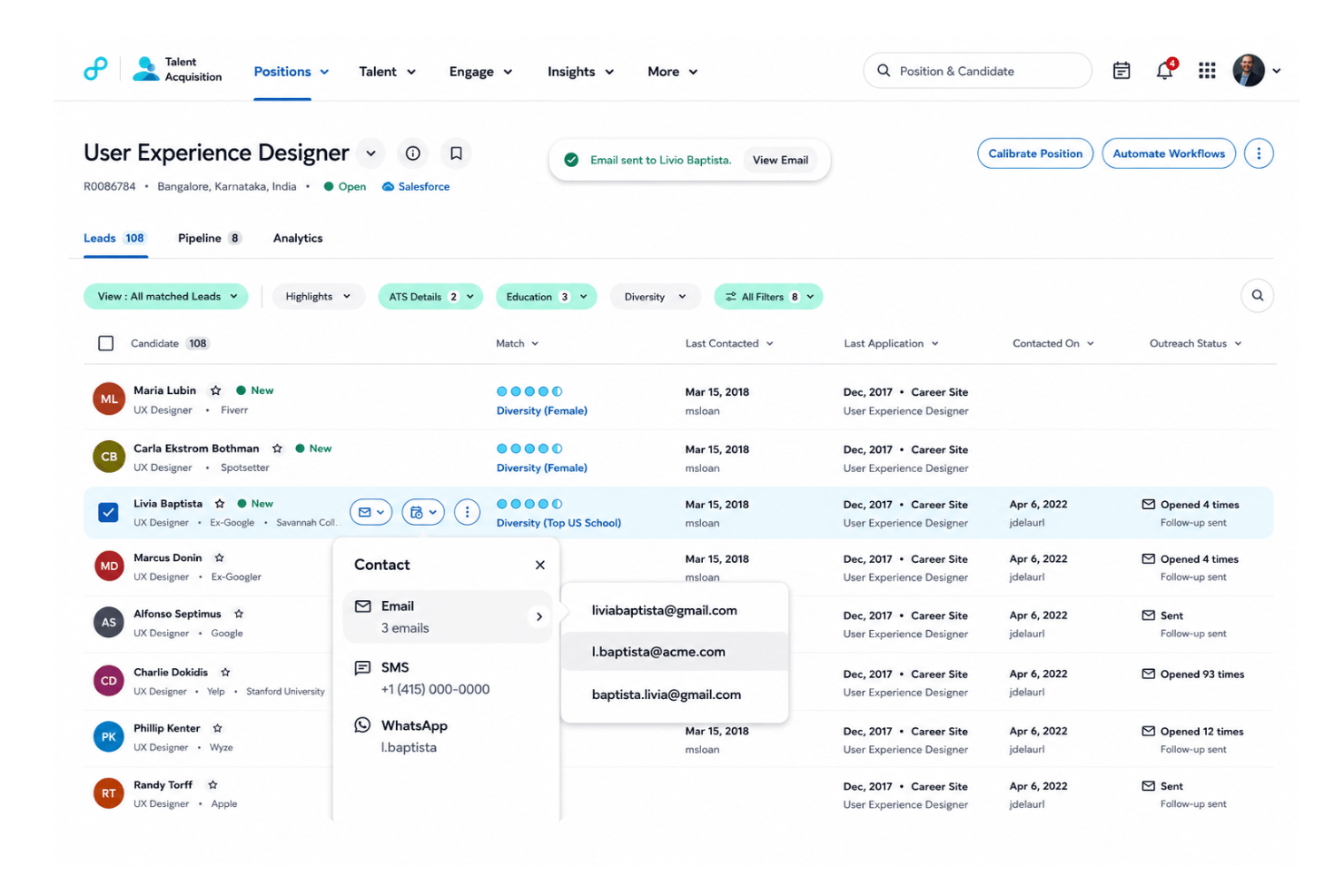
Identifies top candidates based on skills, experience, and potential. It helps recruiters quickly surface applicants who best fit open roles.
Talent Pipeline Insights
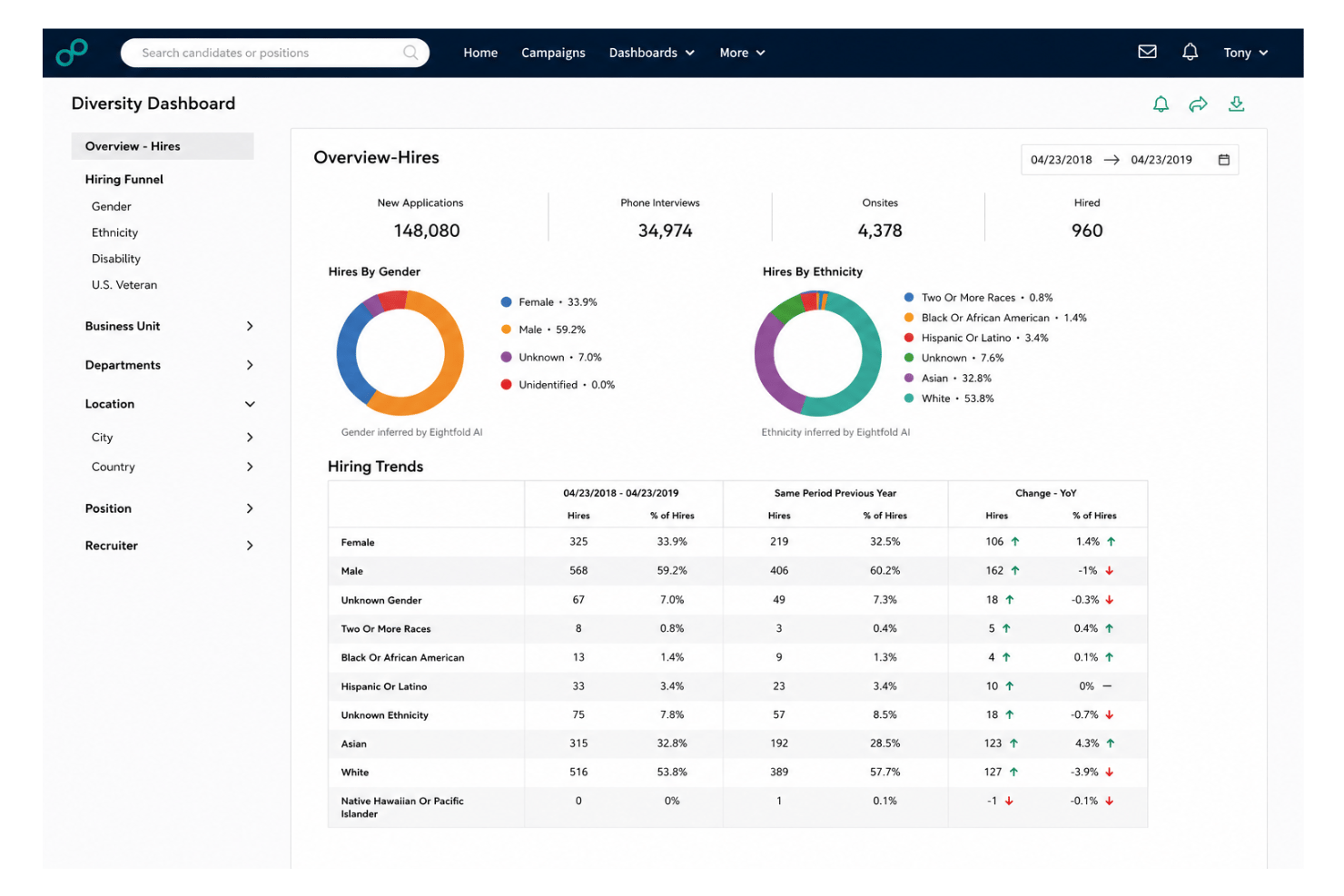
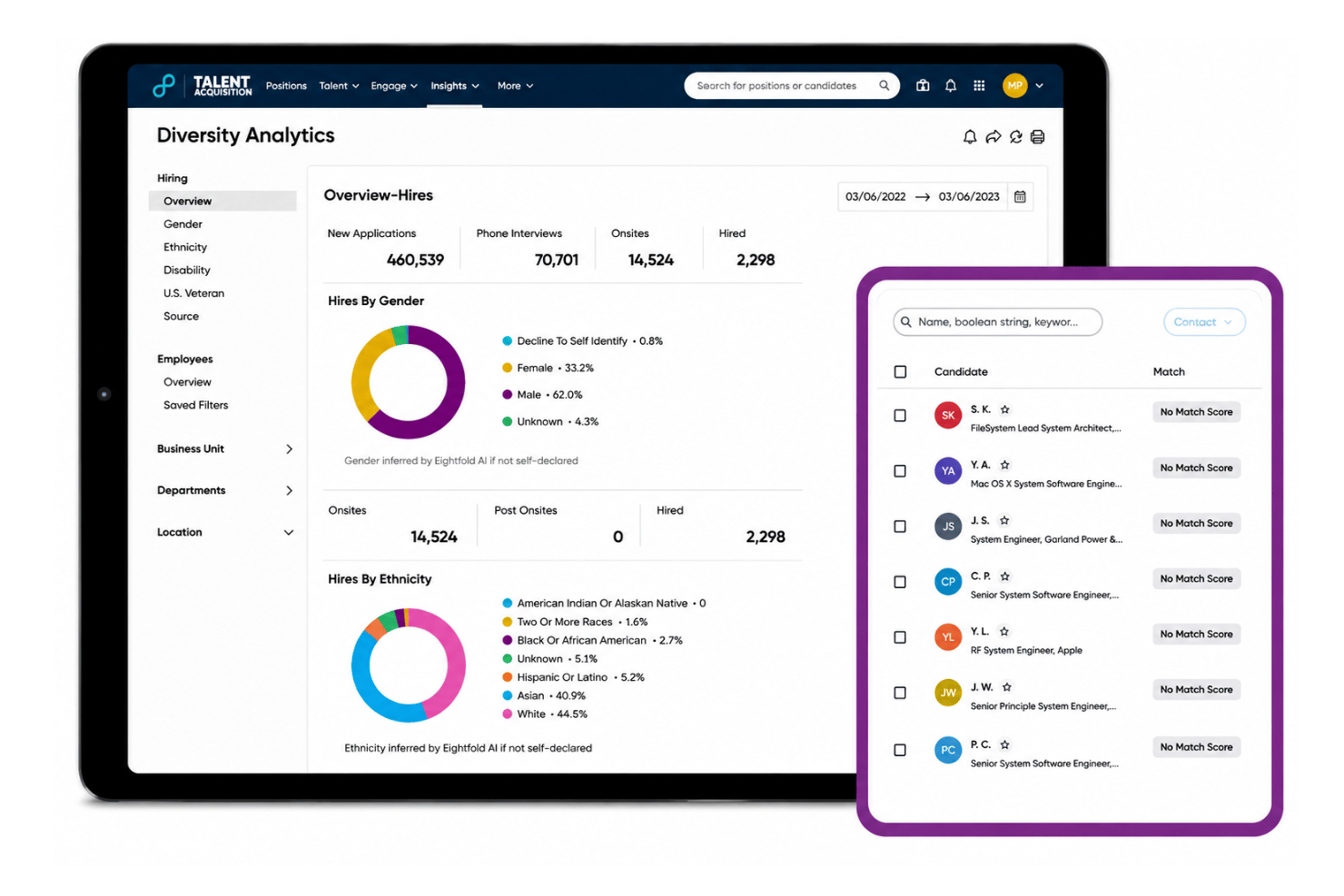
Provides visual dashboards to track and forecast candidate movement. Users get actionable data on diversity, bottlenecks, and hiring progress.
Resume Parsing and Enrichment
Extracts skills, education, and career pathways from resumes automatically. This gives recruiters rich profiles with minimal manual data entry.
Internal Mobility Recommendations
Flags existing employees who are strong matches for other roles. Teams fill positions faster by tapping into their current workforce.
Automated Candidate Outreach
Sends personalized communications to applicants at relevant stages. Recruiters save time while creating a proactive candidate experience.
Workforce Diversity Analytics
Delivers reports on representation, equity, and inclusion in your pipeline. Users can spot gaps and set benchmarks for improvement.
Ease of Use
I find Eightfold AI’s usability mixed—its dashboards and automation are strong, but the interface gets cluttered as you access advanced features. Many users report setup takes effort, yet once configured, workflows become smoother and rich insights are easier to access, especially for HR teams managing large talent pools.
Integrations
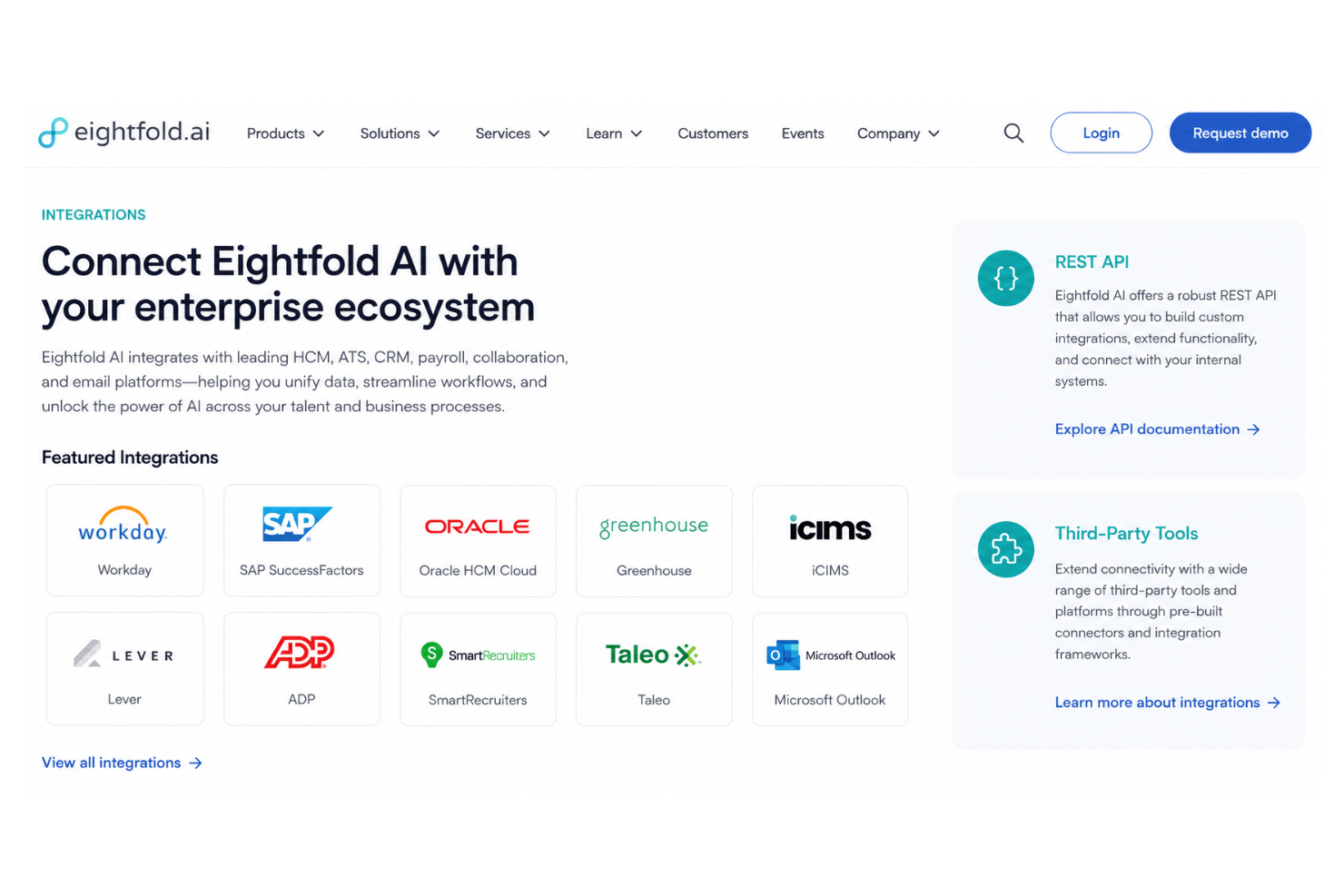
Eightfold AI integrates with Workday, SAP SuccessFactors, Oracle HCM Cloud, Greenhouse, iCIMS, Lever, ADP, SmartRecruiters, Taleo, and Microsoft Outlook, among others.
Eightfold AI also offers a REST API and supports integration with third-party tools for broader connectivity.
Eightfold AI Specs
- 360 Degree Feedback
- API
- Application Tracking
- Batch Permissions & Access
- Behavioral Testing
- Budgeting
- Calendar Management
- Candidate Database
- Cognitive Testing
- Compliance Tracking
- Dashboard
- Data Export
- Data Import
- Data Visualization
- Email Integration
- Employee Database
- Employee Engagement
- Employee Incentive Management
- Employee Onboarding
- External Integrations
- Feedback Management
- Forecasting
- Interview Scheduling
- Multi-User
- Notifications
- Onboarding
- Personality Testing
- Psychometric Testing
- Referral Tracking
- Scheduling
- Soft Skill Testing
- Softphone
- Status Notifications
- Travel Management