

QuickBooks Workforce vs. ADP Workforce Now: Detailed Comparison & Expert Reviews for 2026


When payroll and billing run smoothly, your team has more room to focus on the work that actually grows the business. The right platform can turn everyday admin into a more connected, reliable process instead of another thing to manage.
When it comes to invoicing and payroll software, both QuickBooks Workforce and ADP Workforce Now promise to save time and reduce errors, but with different strengths and features.
In this article, you’ll get a side-by-side comparison of both tools—including pros and cons, typical use cases, pricing, security, and how easy each is to use. I’ll help you see how they fit into your workflow so you can make the best choice for your team.
QuickBooks Workforce vs. ADP Workforce Now: An Overview
QuickBooks Workforce
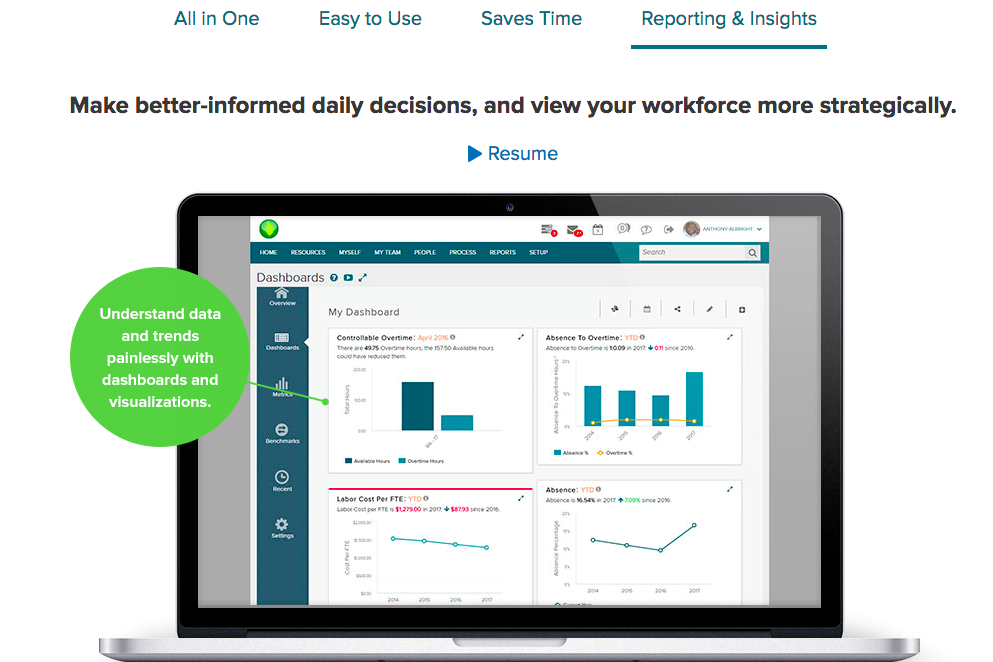
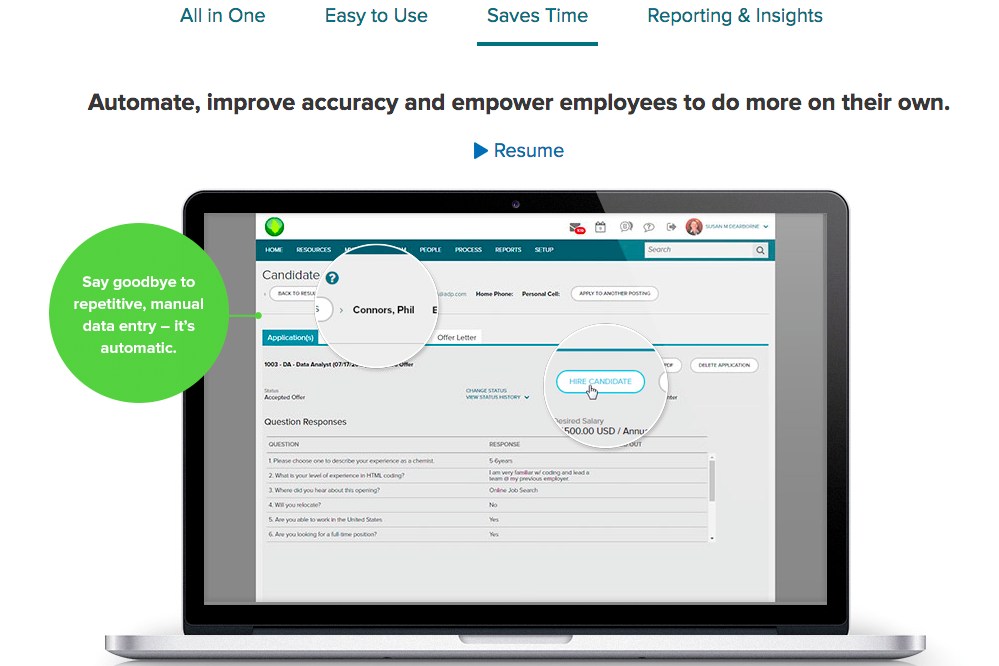
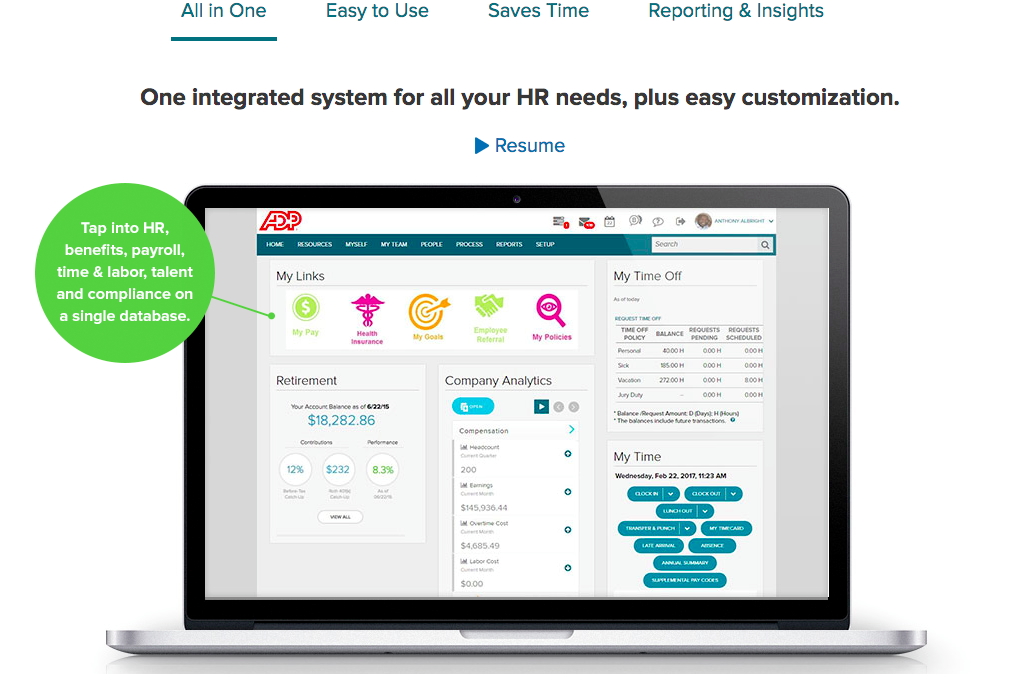
ADP Workforce Now

Why Trust Our Software Recommendations
Our team has been testing and reviewing software since 2012. As HR experts ourselves, we know how difficult—and important—it is to choose the right software.
For this guide, we evaluated tools using hands-on testing and independent research, scoring tools using our selection criteria. We also draw on insights from industry thought leaders and practicing HR experts.
Our reviews reflect our human editorial judgment, not a sales pitch.
Expert reviewers:
QuickBooks Workforce vs. ADP Workforce Now Pricing Comparison
| QuickBooks Workforce | ADP Workforce Now | |
|---|---|---|
| Free Trial | 30-day free trial | Free demo available |
| Pricing | From $88/month | Pricing upon request |
QuickBooks Workforce vs. ADP Workforce Now Pricing & Hidden Costs
QuickBooks Workforce typically includes payroll features bundled by tiers, with additional costs for add-ons like tax filing, direct deposit, or expanded support. ADP Workforce Now uses a customized pricing model based on the size of your company and the features you need—extras like onboarding, advanced reporting, or integrations can add to your final bill, and quote-based pricing may make budgeting less predictable.
To choose the best fit, map out your current payroll and invoicing needs, including any features you might grow into over the next year or two. Ask each vendor for a clear breakdown of what’s included, request demos, and watch for extra charges in areas like support, implementation, compliance, or integrations—these can be the difference between a good deal and an expensive surprise.
QuickBooks Workforce vs. ADP Workforce Now Feature Comparison
| QuickBooks Workforce | ADP Workforce Now | |
|---|---|---|
| API | ||
| Application Tracking | ||
| Attendance Tracking | ||
| Budgeting | ||
| Calendar Management | ||
| Dashboard | ||
| Data Export | ||
| Data Import | ||
| Data Visualization | ||
| Employee Database | ||
| Employee Incentive Management | ||
| Employee Onboarding | ||
| Expense Tracking | ||
| External Integrations | ||
| Feedback Management | ||
| Forecasting | ||
| Multi-User | ||
| Notifications | ||
| Payroll | ||
| Scheduling | ||
| Time Management | ||
| Timesheets | ||
| Travel Management | ||
| Vacation & Absence Calendar |
QuickBooks Workforce vs. ADP Workforce Now Integrations
| Integration | QuickBooks Workforce | ADP Workforce Now |
|---|---|---|
| QuickBooks Online | ✅ | ❌ |
| Xero | ❌ | ❌ |
| FreshBooks | ❌ | ❌ |
| Asana | ❌ | ❌ |
| QuickBooks Time | ✅ | ✅ |
| JazzHR | ✅ | ✅ |
| Clockify | ✅ | ❌ |
| API | ✅ | ✅ |
| Zapier | ✅ | ❌ |
Both QuickBooks Workforce and ADP Workforce Now offer useful integration options, but QuickBooks Workforce is more flexible overall. ADP Workforce Now operates more like a closed system, with most integrations accessed through its app marketplace and no native Zapier connection, while QuickBooks Workforce benefits from the broader QuickBooks ecosystem and easier workflow flexibility.
QuickBooks Workforce vs. ADP Workforce Now Security, Compliance & Reliability
| Factor | QuickBooks Workforce | ADP Workforce Now |
|---|---|---|
| Data Encryption | Uses AES256 and TLS encryption for all data at rest, and RSA encryption for data in transit. | Applies AES256 andTLS encryption, network monitoring, and threat defense. |
| Regulatory Compliance | Complies with PCI DSS, undergoes SOC audits and reports, and is ISO 27001-certified. | SOC 1 & 2, ISO 9001, and ISO 27001-compliant. |
| Access Controls | Role-based permissions for user access and payroll tasks. | Customizable roles and extensive admin control options. |
| Reliability | 99.9% uptime, supported by Intuit’s infrastructure. | SLA-backed uptime with global cloud infrastructure and backups. |
Both solutions provide strong security protections, but ADP Workforce Now is better suited to organizations with more complex compliance, governance, and audit needs. I’d choose QuickBooks Workforce for straightforward payroll and employee self-service, but ADP Workforce Now for larger teams that need deeper HR controls, compliance support, and more enterprise-ready oversight.
QuickBooks Workforce vs. ADP Workforce Now Ease of Use
| Factor | QuickBooks Workforce | ADP Workforce Now |
|---|---|---|
| User Interface | Simple, intuitive layout familiar to QuickBooks users. | Feature-rich dashboard that can feel busy at first. |
| Onboarding Experience | Guided setup makes initial payroll runs easy for beginners. | Personalized onboarding and live training for teams. |
| Support Resources | Extensive help center, tutorials, and chat support available. | 24/7 expert support and a wide range of learning options. |
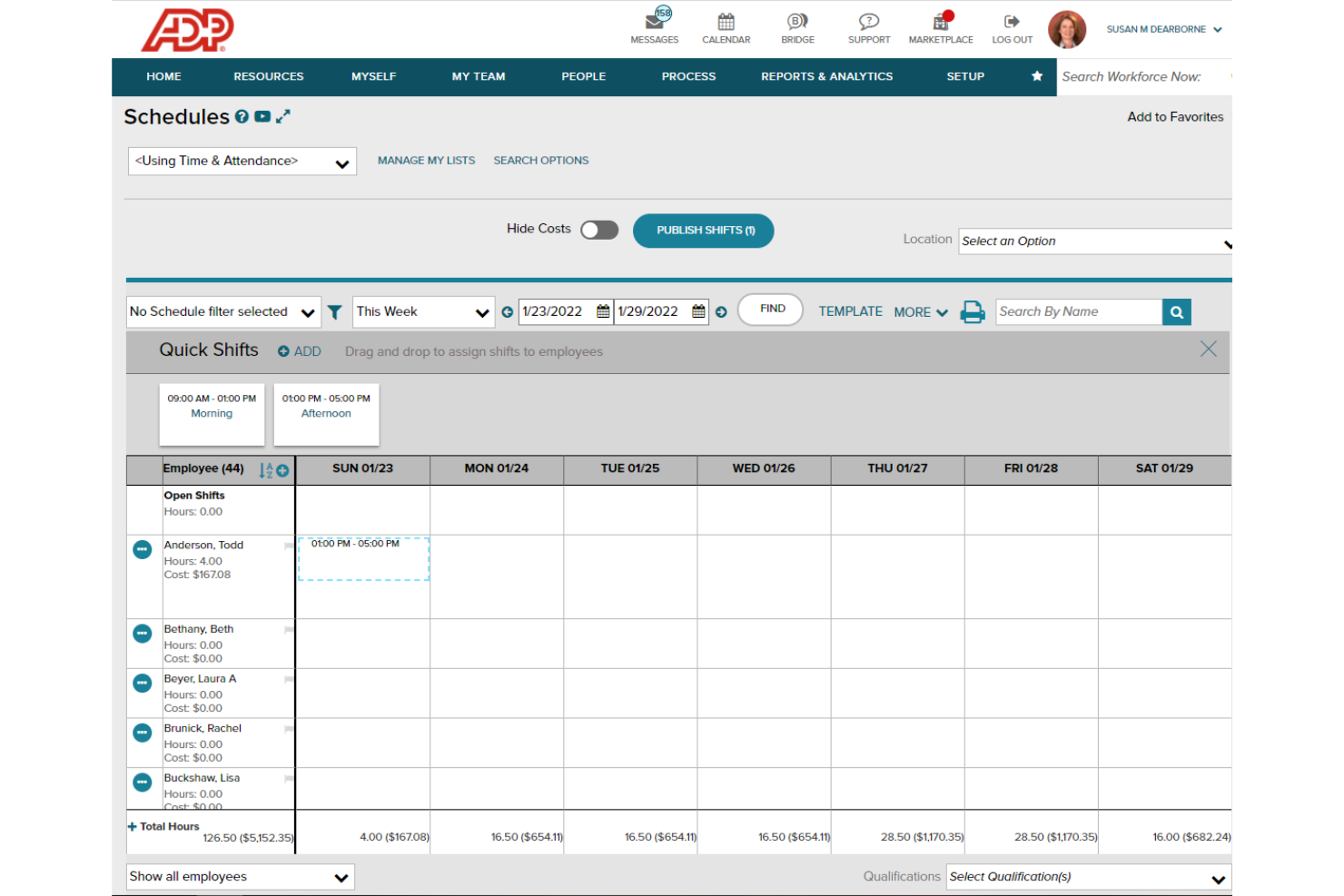
| Mobile Access | Mobile app streamlines payroll approvals and pay stub viewing. | Mobile app covers HR tasks, payroll, benefits, and more. |
| Customization | Limited customization, but quick to configure for small teams. | Highly customizable workflows for diverse business needs. |
QuickBooks Workforce is fast to adopt for small businesses, while ADP Workforce Now takes more time to learn but offers deeper customization as you grow. I think you’ll like the simplicity and speed of QuickBooks Workforce if you want to get started fast, but ADP Workforce Now shines when you need tailored solutions and team-wide support.
QuickBooks Workforce vs ADP Workforce Now: Pros & Cons
QuickBooks Workforce
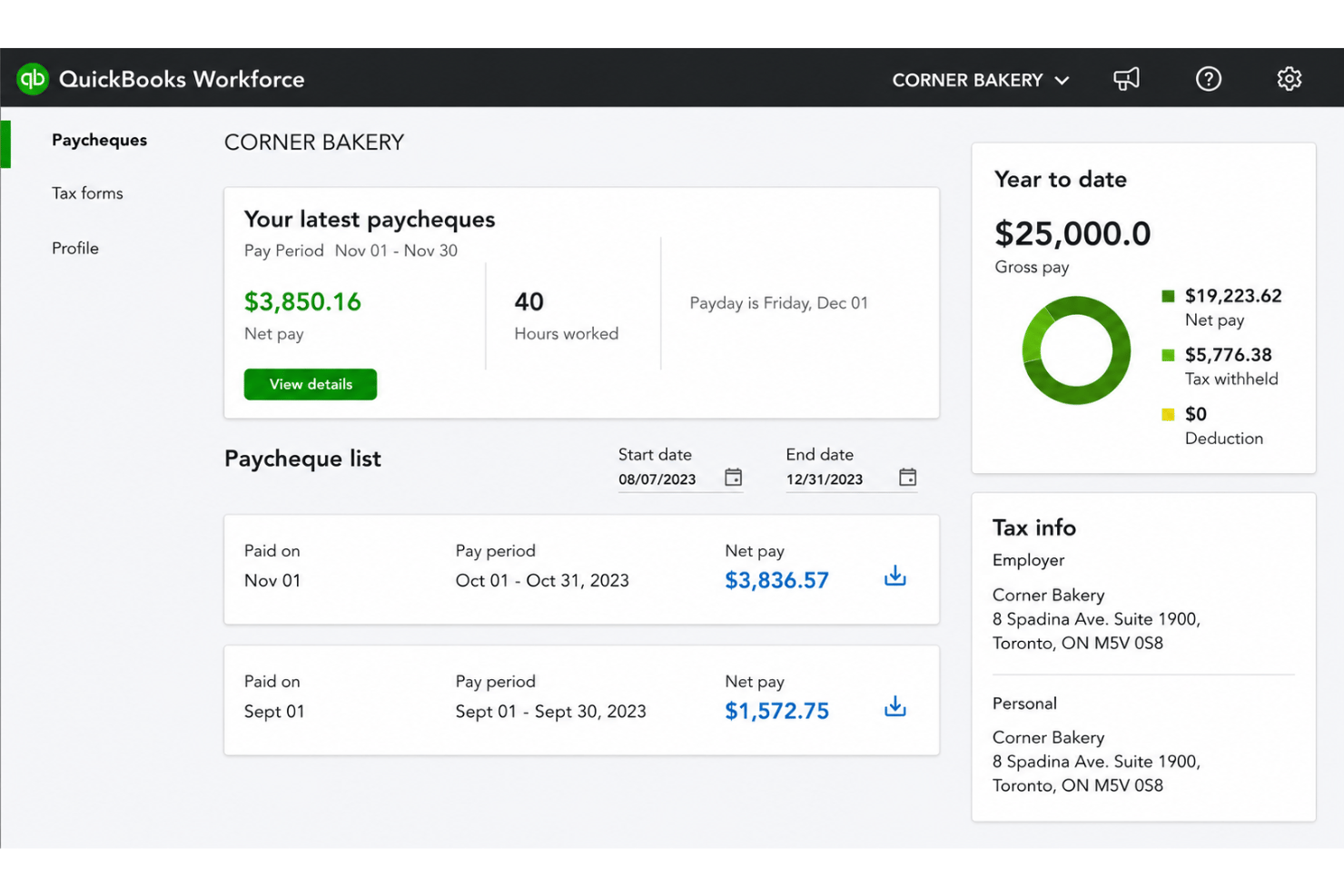
- Paystubs and W-2s are accessible for employees anytime.
- Automated payroll tax calculations help prevent errors.
- Mobile access lets employees view pay and year-end forms.
- May not suit complex or global payroll needs.
- May lack advanced features found in dedicated enterprise HCM platforms.
- May require transition time when moving from manual payroll processes.
ADP Workforce Now
- It simplifies payroll with efficient processing and error prevention alerts.
- It offers a user-friendly self-service portal for employees to manage their details.
- It provides excellent recruiting tools with integration to major job boards.
- It lacks advanced customization options for workflows and reports.
- Performance management features are scattered and less cohesive.
- Advanced HR functions require add-ons, which can increase costs.
Best Use Cases for QuickBooks Workforce and ADP Workforce Now
QuickBooks Workforce
- Small Businesses Intuitive setup and payroll automation suit leaders without dedicated HR or accounting staff.
- Retail Teams Hourly shift workers and frequent turnover make pay stub access and real-time PTO tracking a key advantage.
- Accountants Easy access to year-end tax forms and long-term pay history streamlines accounting and client payroll work.
- Construction Firms Mobile app access lets field teams check pay, view W-2s, and update info without coming to the office.
- Distributed Teams Remote or hybrid workers benefit from digital payroll and instant access to direct deposit or tax records.
- Growing Startups Features scale for businesses with fluctuating headcounts and evolving payroll needs.
ADP Workforce Now
- Retail Companies ADP Workforce Now handles high employee turnover and scheduling needs effectively.
- Healthcare Providers It manages complex compliance requirements and diverse staffing needs seamlessly.
- Finance Departments It offers robust payroll solutions that ensure accuracy and compliance.
- Recruitment Teams Its excellent recruiting tools simplify job posting and candidate management.
- Human Resources HR teams benefit from its user-friendly interface and efficient onboarding features.
- Small Businesses It provides essential HR functions without overwhelming smaller teams with unnecessary complexity.
Who Should Use QuickBooks Workforce, and Who Should Use ADP Workforce Now?
QuickBooks Workforce is a top pick for small to medium-sized businesses, solo operators, growing startups, and teams already using QuickBooks for accounting who want fast, simple payroll and invoicing. ADP Workforce Now is better-suited for midsize to large organizations, HR teams, and companies with complex needs or rapid growth plans that need broad integrations, compliance coverage, and personalized support. If you value speed and simplicity, QuickBooks Workforce is hard to beat. If you need scalability and advanced HR features, go with ADP Workforce Now.
Differences Between QuickBooks Workforce and ADP Workforce Now
| QuickBooks Workforce | ADP Workforce Now | |
|---|---|---|
| Accounting Integration | Built-in with QuickBooks accounting for instant sync. | Integrates with third-party platforms, including Xero and Sage. |
| Automation | Payroll and tax runs are automated and simple to start. | Automation covers payroll, HR, compliance, onboarding, and more. |
| Customization | Limited customization—mostly one-size-fits-all. | Highly customizable for complex or changing needs. |
| HR Capabilities | Basic employee management, focused on payroll. | Full HR suite with recruiting, benefits, and advanced analytics. |
| Pricing Model | Transparent tiered pricing with clear add-ons. | Quote-based pricing, tailored per company and feature set. |
| Visit QuickBooks WorkforceOpens new window | Read ADP Workforce Now ReviewOpens new window |
Similarities Between QuickBooks Workforce and ADP Workforce Now
| Cloud Access | Both are cloud-based, allowing you and your team to manage payroll anywhere with internet access. |
|---|---|
| Compliance Support | Each tool handles payroll tax regulations and generates reports to keep you compliant with local and federal laws. |
| Employee Self-Service | Employees access pay stubs, tax documents, and updates through secure web or mobile portals on both systems. |
| Payroll Automation | Both platforms automate payroll calculations, tax filing, and recurring pay runs with workflows tailored to your team. |
| Visit QuickBooks WorkforceOpens new window Read ADP Workforce Now ReviewOpens new window | |