

Las 10 mejores aplicaciones de comunicación para empleados analizadas en 2026

Lista de las mejores aplicaciones de comunicación con empleados


En el acelerado mundo de la gestión de recursos humanos, mantener a tu equipo conectado puede parecer un acto de malabarismo. Tienes la responsabilidad de asegurarte de que todos estén al tanto, pero los métodos tradicionales ya no son suficientes. Ahí es donde entran en juego las aplicaciones de comunicación con empleados.
He dedicado tiempo a analizar estas herramientas de comunicación interna para comprender cómo pueden marcar realmente la diferencia en tu equipo. Desde impulsar la colaboración hasta garantizar que se escuche la voz de todos, estas aplicaciones abordan los desafíos a los que te enfrentas a diario.
En este artículo, compartiré mis principales selecciones después de realizar pruebas y análisis exhaustivos. Descubrirás qué aplicación se adapta a las necesidades específicas de tu equipo. Exploremos cómo estas soluciones pueden ayudar a la comunicación en tu entorno laboral.
Por qué confiar en nuestras reseñas de software
Nuestro equipo lleva probando y evaluando software desde 2012. Como expertos en RR. HH., sabemos lo difícil —y lo importante— que es elegir el software adecuado.
Para esta guía, evaluamos las herramientas mediante pruebas prácticas e investigación independiente, puntuando las herramientas según nuestros criterios de selección. También nos basamos en la experiencia de líderes de opinión del sector y de profesionales de RR. HH. en activo.
Nuestras reseñas reflejan nuestro criterio editorial humano, no un discurso de ventas.
Revisores expertos:
Resumen de las mejores aplicaciones de comunicación con empleados
Esta tabla comparativa resume los detalles de precios de mis principales selecciones de aplicaciones de comunicación con empleados para ayudarte a encontrar la mejor opción para tu presupuesto y las necesidades de tu empresa.
| Tool | Best For | Trial Info | Price | ||
|---|---|---|---|---|---|
| 1 | Ideal para equipos que priorizan los dispositivos móviles | Prueba gratuita de 14 días | Desde $29/mes (facturado anualmente) | Website | |
| 2 | Ideal para la participación de empleados impulsada por IA | Demostración gratuita disponible | Precios disponibles previa solicitud | Website | |
| 3 | La mejor opción para la segmentación de audiencias sincronizada con el HRIS | Demostración gratuita disponible | Precios disponibles previa solicitud | Website | |
| 4 | Ideal para precios todo incluido y capacitación gratuita | Prueba gratuita + demo gratis disponible | Precio a consultar | Website | |
| 5 | Ideal para intranets y comunicaciones impulsadas por IA | Prueba gratuita de 14 días | Precio bajo solicitud | Website | |
| 6 | Ideal para la cultura empresarial | Demostración gratuita disponible | Precios bajo consulta | Website | |
| 7 | Ideal para trabajadores de primera línea | Prueba gratuita disponible | Desde $3.75/usuario/mes (facturado anualmente) | Website | |
| 8 | Ideal para la comunicación interna | Prueba gratuita de 14 días + demostración gratuita disponible | Precios bajo solicitud | Website | |
| 9 | La mejor opción para el cumplimiento normativo de la difusión en sectores regulados | Prueba gratuita de 14 días | Desde $9/usuario/mes | Website | |
| 10 | Ideal para las comunicaciones de los directivos | Demostración gratuita disponible | Precio disponible bajo petición | Website |

Análisis de las mejores aplicaciones de comunicación con empleados
A continuación encontrarás mis resúmenes detallados de las mejores aplicaciones de comunicación con empleados que llegaron a mi lista. Mis análisis ofrecen una mirada detallada a las funciones clave, ventajas & desventajas, integraciones y casos de uso ideales de cada herramienta para ayudarte a encontrar la mejor opción para ti.

Ideal para equipos que priorizan los dispositivos móviles
Connecteam es una aplicación de comunicación para empleados diseñada prioritariamente para dispositivos móviles, creada para equipos sin escritorio y de primera línea, que ofrece conversación, comunicados para toda la empresa, una base de conocimientos, encuestas, herramientas de reconocimiento y distribución de contenido de RR. HH. en una sola plataforma.
¿Para quién es más adecuado Connecteam?
Connecteam es una opción excelente para equipos de primera línea y sin escritorio en sectores como la hostelería, el comercio minorista, la construcción y la atención sanitaria, donde la mayoría de los empleados trabaja sin un correo electrónico corporativo o sin un escritorio.
Por qué elegí Connecteam
Connecteam ocupa un lugar destacado en mi lista porque está diseñado específicamente para el escenario que más dificultades presenta para la mayoría de las herramientas de comunicación: llegar a trabajadores que no tienen correo electrónico corporativo, escritorio ni tiempo para iniciar sesión en un navegador. Me encanta que los empleados puedan incorporarse mediante un código QR o un número de teléfono, y que el canal de actualizaciones distribuya comunicados segmentados con traducción automática mediante IA, de modo que todos los miembros de un equipo multilingüe de construcción u hostelería reciban los mensajes en su propio idioma sin trabajo administrativo adicional.
Funciones principales de Connecteam
- Flujos de trabajo de lectura y firma: Los empleados pueden revisar y firmar electrónicamente documentos de políticas o materiales de cumplimiento directamente en la aplicación, mientras los administradores realizan un seguimiento del estado de finalización.
- Base de conocimientos: Un repositorio de contenido centralizado donde los equipos pueden almacenar y consultar procedimientos operativos estándar, manuales y políticas de la empresa desde cualquier dispositivo móvil.
- Encuestas de opinión y sondeos: Los administradores pueden enviar encuestas anónimas o estándar para recopilar comentarios y conocer la percepción de los empleados de primera línea desde sus dispositivos móviles.
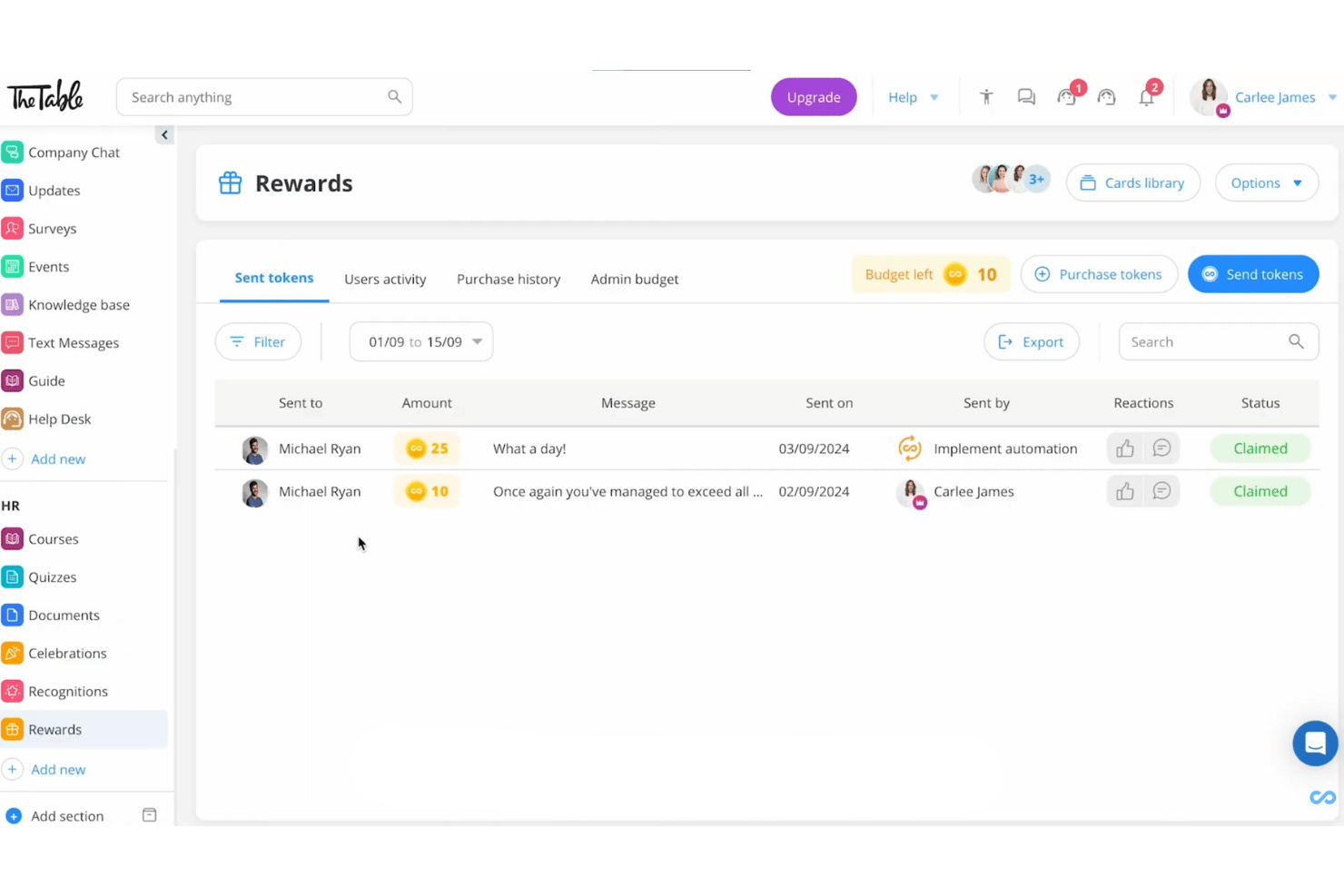
- Reconocimiento y recompensas basados en fichas: Los gerentes y compañeros pueden enviar reconocimientos con fichas de recompensa canjeables, que los empleados pueden intercambiar por tarjetas regalo de importantes proveedores.
Integraciones de Connecteam
Connecteam ofrece integraciones nativas con ADP Workforce Now, BambooHR, Gusto, QuickBooks Online, Xero, Paychex Flex, Google, Okta y Microsoft Azure Active Directory, además de una API abierta y Zapier.
Pros and Cons
Pros:
- Incorpora a trabajadores de primera línea sin direcciones de correo electrónico
- Traducción automática multilingüe para anuncios y conversación
- Confirmaciones de lectura y firmas electrónicas para necesidades de cumplimiento
Cons:
- No hay modo sin conexión para sitios con conectividad limitada
- Los informes carecen de paneles y análisis de percepción
New Product Updates from Connecteam

Connecteam Expands Break and Timesheet Controls
Connecteam adds flexible break thresholds, personalized policies, auto-end options, a centralized exceptions report, and improved timesheet issue visibility to help teams manage breaks and timesheets more effectively. For more information, visit Connecteam’s official site.
 .
.
Ideal para la participación de empleados impulsada por IA
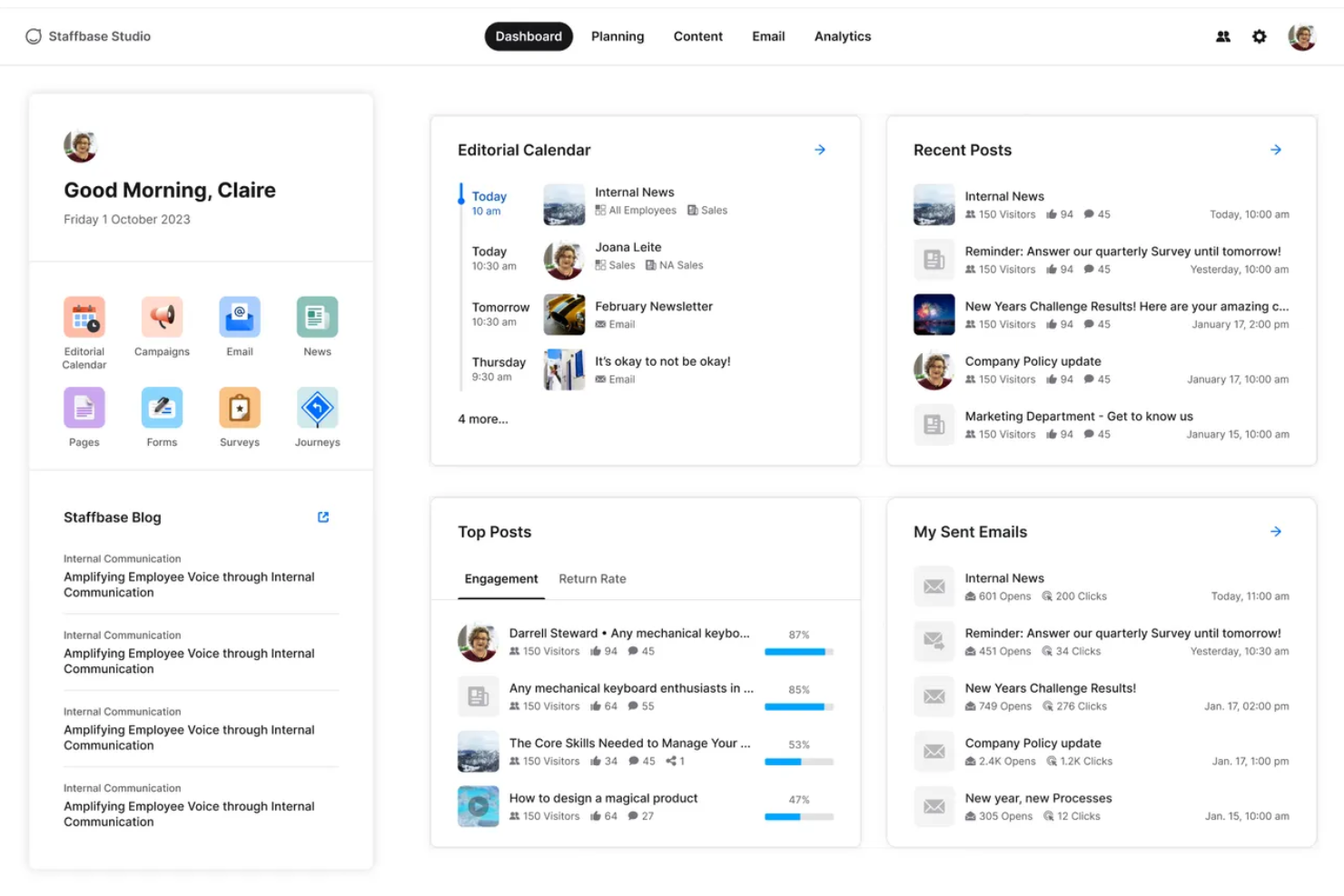
Staffbase es una plataforma de comunicación para empleados que reúne una aplicación móvil de marca, mensajería multicanal, una intranet editorial, herramientas de redacción con IA y análisis de participación en un solo sistema diseñado tanto para trabajadores de oficina como de primera línea.
¿Para quién es más adecuado Staffbase?
Staffbase es una opción muy adecuada para organizaciones medianas y grandes con numerosos trabajadores de primera línea o sin escritorio que necesitan llegar a cada empleado mediante una única plataforma de comunicación basada en IA.
Por qué elegí Staffbase
Staffbase ocupa un lugar en mi lista de opciones principales porque la IA no es una función añadida posteriormente, sino que está integrada en cada capa de la plataforma. Me impresiona especialmente Companion, que ayuda a los comunicadores a redactar, reescribir y ajustar el tono directamente en la interfaz editorial, y Navigator, un chatbot orientado a los empleados que responde preguntas de RR. HH. utilizando únicamente contenido corporativo verificado. La traducción automática a más de 110 idiomas mantiene los análisis unificados en una sola publicación, lo que considero una ventaja auténtica para los equipos globales.
Funciones principales de Staffbase
- Confirmaciones de lectura obligatorias: Los empleados confirman que han leído publicaciones específicas, lo que genera un registro de auditoría de nivel de cumplimiento para las comunicaciones sobre políticas y seguridad.
- Encuestas de pulso: Las encuestas integradas permiten que los empleados respondan directamente desde la aplicación móvil, con resultados registrados mediante métricas de participación y puntuaciones NPS.
- Directorio de empleados con organigrama: Un directorio con función de búsqueda, perfiles personalizables y visualización del organigrama facilita encontrar personas en equipos grandes y distribuidos.
- Integración con Microsoft 365: Staffbase se conecta de forma nativa con Teams, SharePoint y Microsoft Copilot, mostrando el contenido corporativo directamente en las herramientas que los empleados ya utilizan.
Integraciones de Staffbase
Staffbase ofrece integraciones nativas con Workday, ADP Workforce, SAP, Oracle, Microsoft 365, Okta, Google Drive y ServiceNow. También proporciona API abiertas, un SDK y compatibilidad con MCP Server para integraciones personalizadas y conexiones con agentes de IA.
Pros and Cons
Pros:
- La IA está integrada en las herramientas de redacción y análisis
- La aplicación móvil nativa ofrece funcionalidad sin conexión
- Las publicaciones multilingües unifican los análisis y los comentarios
Cons:
- No hay precios transparentes ni opción de contratación autónoma
- Las opciones de diseño del contenido de correo electrónico son limitadas

Haystack
La mejor opción para la segmentación de audiencias sincronizada con el HRIS
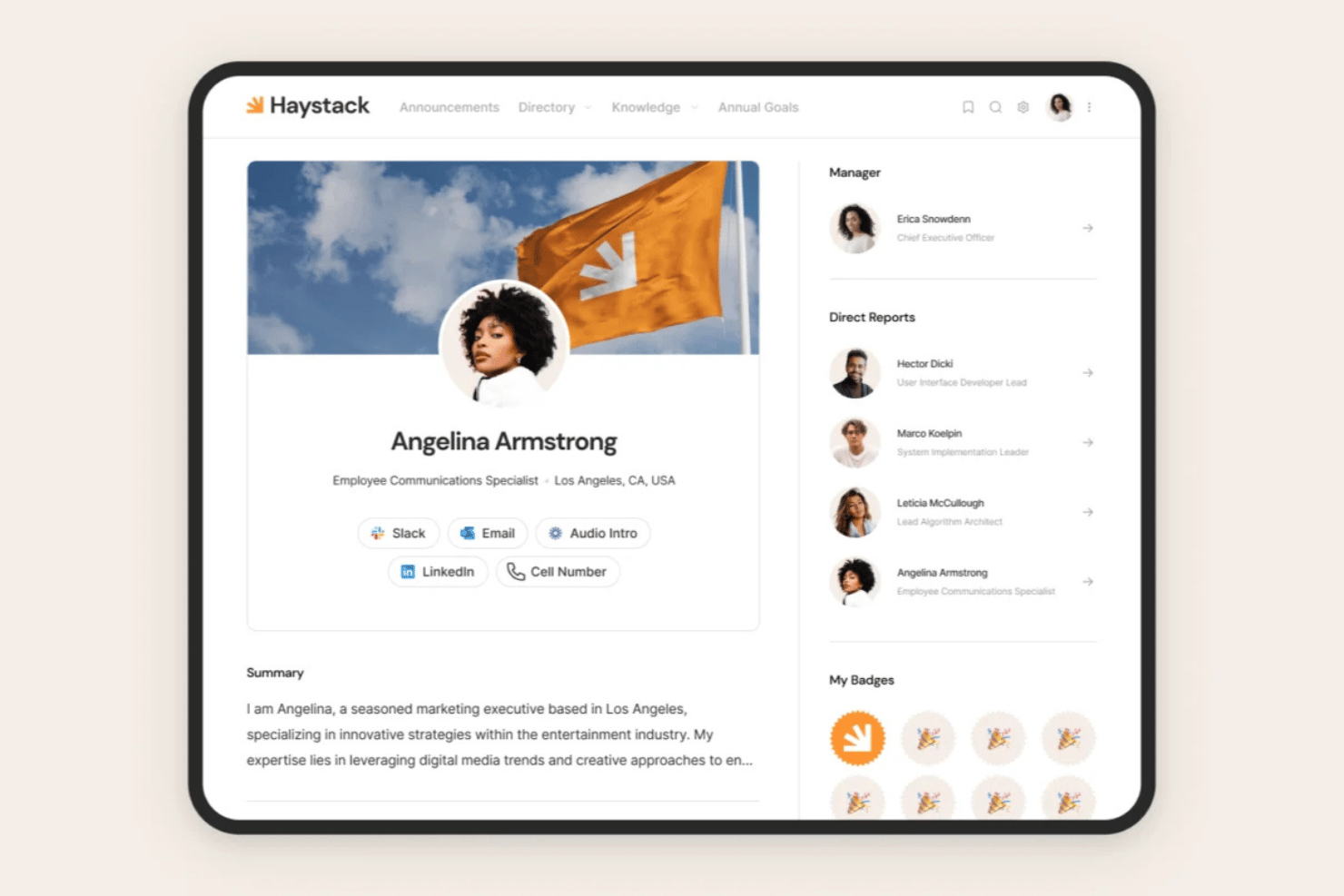
Haystack es una plataforma de comunicación con empleados y de intranet que combina difusiones multicanal, un feed de intranet social, reconocimiento entre compañeros, gestión del conocimiento y segmentación de audiencias sincronizada con el HRIS en un solo lugar.
¿Para quién es más adecuado Haystack?
Haystack es una opción excelente para los equipos de RR. HH. y comunicación interna que gestionan plantillas mixtas —en las que algunos empleados trabajan en oficinas y otros no— en organizaciones con entornos de HRIS complejos.
Por qué elegí Haystack
He incluido Haystack entre mis principales opciones porque su segmentación de audiencias sincronizada con el HRIS es realmente la mejor del mercado. Con más de 50 integraciones de HRIS y aprovisionamiento automático mediante SCIM, las listas de distribución se actualizan automáticamente cuando los empleados cambian de puesto o ubicación. También me encanta la función Lectura obligatoria, que realiza un seguimiento de los acuses de recibo obligatorios y envía recordatorios de seguimiento, para que ningún mensaje importante se pierda en una plantilla mixta de empleados de oficina y de primera línea.
Características principales de Haystack
- Difusiones multicanal: Redacta un mensaje y publícalo simultáneamente por correo electrónico, SMS, notificaciones push, Slack, Microsoft Teams y el feed de la aplicación.
- Feed de intranet social: Un feed al estilo de las redes sociales, con comentarios organizados por hilos, reacciones con emojis y publicaciones generadas por los usuarios para la comunicación bidireccional entre empleados y dirección.
- Traducción basada en IA: Traduce automáticamente el contenido a más de 50 idiomas, lo que hace que las comunicaciones sean accesibles para plantillas multilingües y distribuidas por todo el mundo.
- Alertas de emergencia: Envía mensajes urgentes y sujetos a plazos a los empleados mediante SMS sin necesidad de conexión Wi-Fi ni de una dirección de correo electrónico corporativa.
Integraciones de Haystack
Haystack ofrece más de 50 integraciones, incluidas Workday, BambooHR, ADP, UKG, Slack, Microsoft 365, Confluence, SharePoint y Okta. Su API abierta admite integraciones personalizadas, mientras que SCIM y SAML permiten el aprovisionamiento automatizado y el inicio de sesión único.
Pros and Cons
Pros:
- La aplicación móvil es compatible con trabajadores de primera línea sin correo electrónico
- La segmentación de audiencias sincronizada con el HRIS se actualiza automáticamente
- La traducción mediante IA abarca más de 50 idiomas
Cons:
- El análisis del sentimiento requiere adquirir un complemento
- No ofrece mensajería directa ni chat de equipo nativos

Hub
Ideal para precios todo incluido y capacitación gratuita
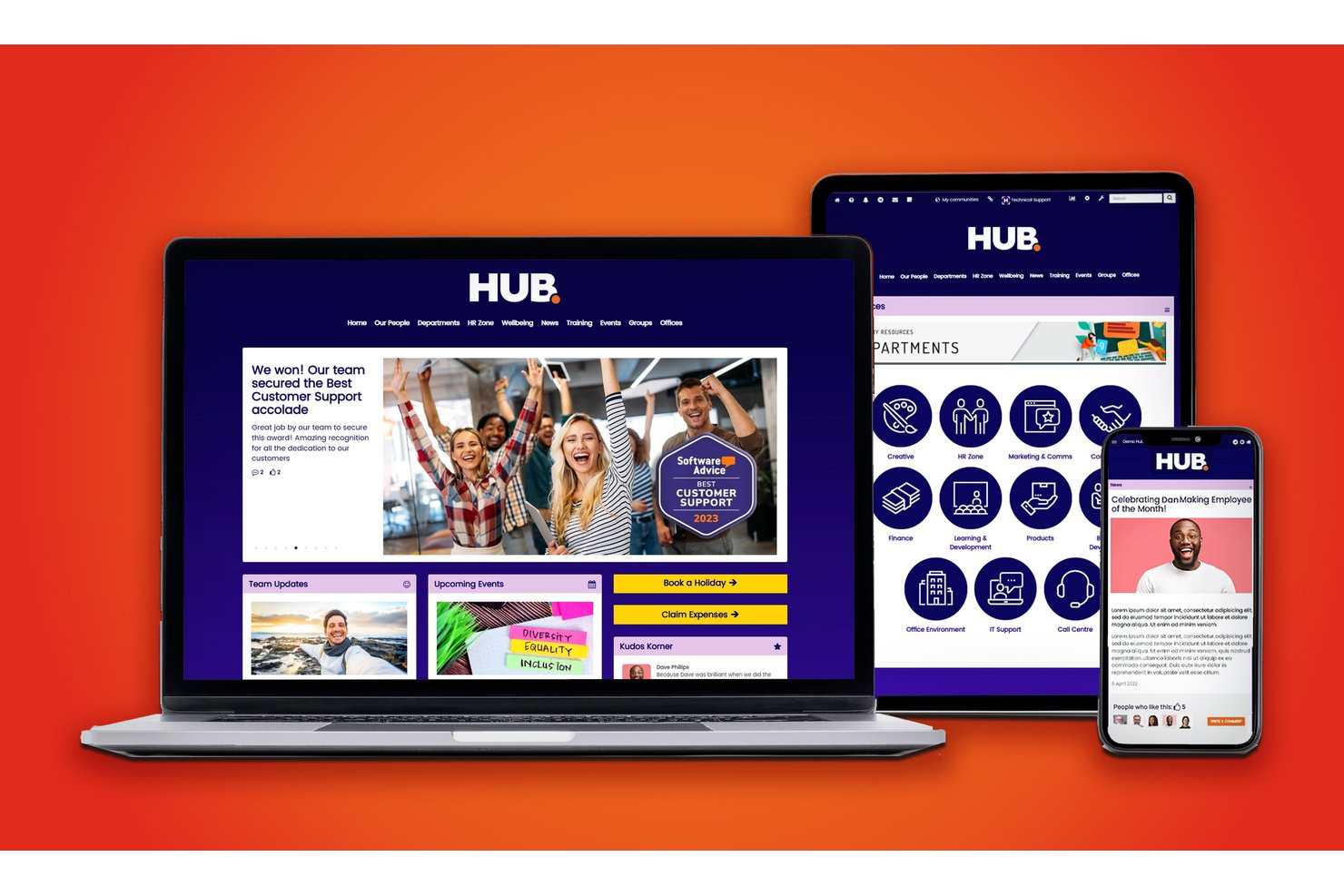
HUB es una intranet y plataforma de comunicación interna para empleados que combina la difusión de noticias segmentadas, herramientas de interacción bidireccional, contenido asistido por IA, flujos de trabajo inteligentes y análisis en un solo entorno sin código para equipos de RRHH y comunicación interna.
¿Para quién es ideal Hub?
HUB es especialmente adecuado para empresas de tamaño medio cuyas áreas de RRHH y comunicación interna necesitan gestionar la comunicación con empleados sin depender del departamento de TI.
Por qué elegí Hub
HUB merece estar en mi lista porque todas sus funciones, incluyendo la asistencia de redacción por IA, encuestas rápidas y alertas obligatorias de lectura, están disponibles desde el primer día, sin niveles de actualización. Me encanta que la capacitación incluida sea gratuita e incluya dos días de sesiones personalizadas uno a uno, de modo que mi equipo no tenga que armar una estrategia de comunicación a partir de una guía de ayuda. En la práctica, esto significa que podemos emitir anuncios segmentados y rastrear los informes de participación desde la primera semana.
Características clave de Hub
- Página de inicio personalizada para el usuario: Cada usuario ve un panel de control adaptado con noticias, tareas y recursos relevantes según su rol y ubicación.
- Controles de permisos granulares: Los administradores pueden asignar derechos de acceso y publicación en páginas, grupos o niveles de documento en toda la organización.
- Herramientas de reconocimiento al empleado: El sistema integrado de 'kudos' permite a los colegas enviar reconocimientos entre pares y celebrar logros directamente en la plataforma.
- Gestión multi-sitio: Gestiona la comunicación, marca y contenido de varias sedes u unidades de negocio desde una intranet centralizada.
Integraciones de Hub
HUB ofrece integraciones nativas con SharePoint, Google Workspace, Box, Microsoft Teams, Slack, BambooHR, Confluence y más. Hay una API disponible para integraciones personalizadas.
Pros and Cons
Pros:
- Incluye sesiones de capacitación personalizadas gratuitas
- Herramientas de redacción con IA integradas en el editor
- Alertas obligatorias de lectura con seguimiento de recepción
Cons:
- No hay aplicación móvil dedicada para trabajadores de primera línea
- Los tableros de reportes no permiten filtrado en tiempo real

Simpplr
Ideal para intranets y comunicaciones impulsadas por IA
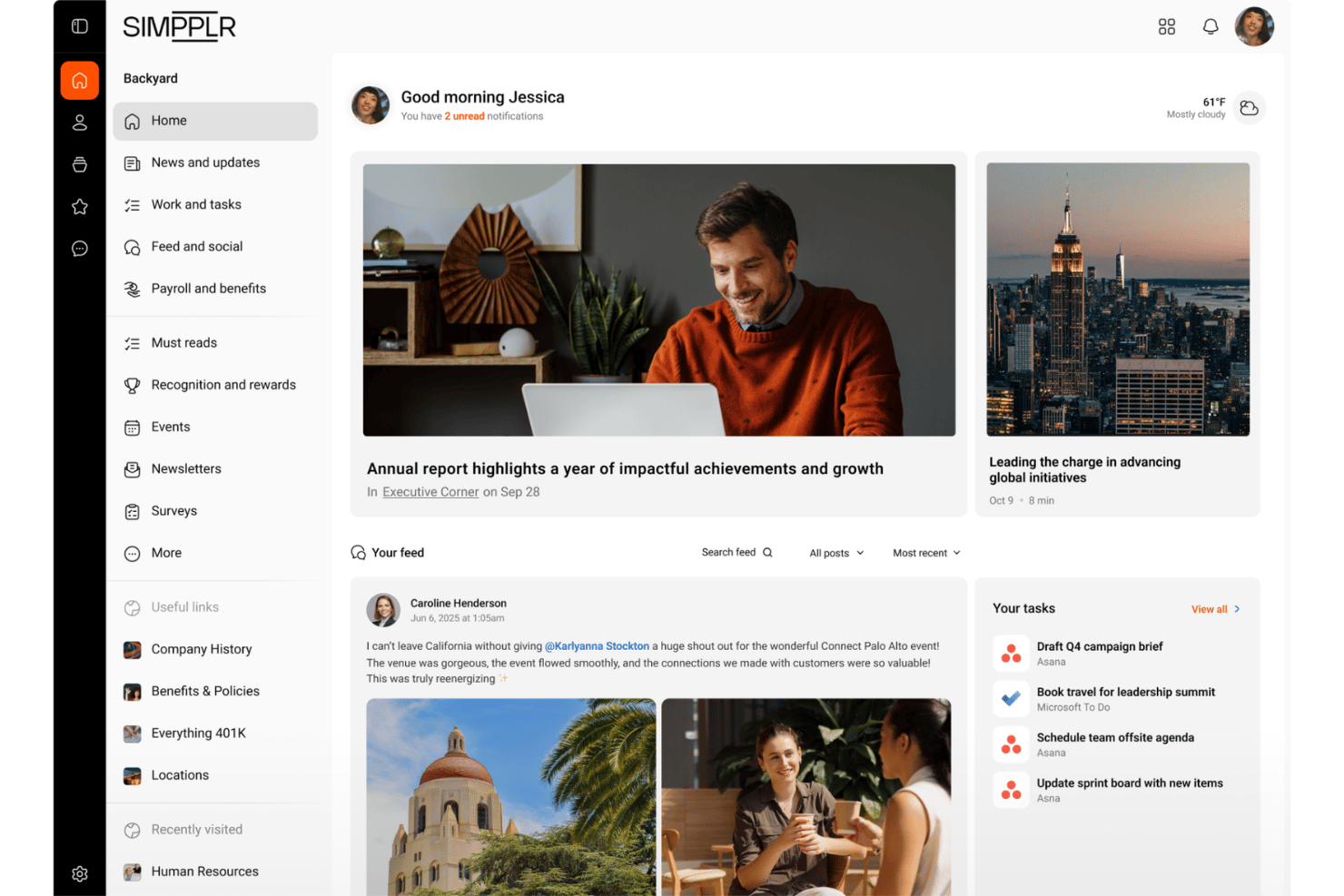
Simpplr es una intranet y plataforma de comunicación para empleados impulsada por IA que combina mensajería multicanal, comunicados para toda la empresa, encuestas de opinión, reconocimiento entre compañeros y un asistente de IA conversacional en un solo lugar.
¿Para quién es más adecuado Simpplr?
Simpplr es una opción excelente para empresas medianas y grandes con equipos de comunicación interna o de RR. HH. que gestionan plantillas tanto de oficina como de primera línea en varias ubicaciones.
Por qué elegí Simpplr
Simpplr ocupa un lugar en mi lista de opciones destacadas porque su infraestructura de IA va mucho más allá de un simple asistente de redacción. El grafo de conocimiento de la experiencia del empleado personaliza el contenido que recibe cada empleado según su función, comportamiento y conexiones dentro de la organización, mientras que el análisis de sentimiento integrado interpreta el estado de ánimo a partir de los comentarios y las respuestas de las encuestas en tiempo real. También me gusta la función de confirmación de lectura obligatoria, que crea un registro documentado de cumplimiento para las actualizaciones de políticas y los protocolos de seguridad tanto de los equipos de oficina como de primera línea.
Características principales de Simpplr
- Distribución multicanal: Envía comunicaciones a través de dispositivos móviles, ordenadores de escritorio, correo electrónico, SMS, notificaciones push y pantallas digitales desde una sola plataforma.
- Confirmaciones de lectura obligatoria: Marca el contenido crítico para que los empleados deban confirmar que lo han recibido, creando un registro documentado de cumplimiento para las actualizaciones de políticas y los protocolos de seguridad.
- Reconocimiento entre compañeros: Permite a los empleados compartir felicitaciones, insignias y reconocimientos directamente dentro de la plataforma para fomentar la cultura en toda la organización.
- Motor de autogobernanza™: Identifica automáticamente el contenido obsoleto o duplicado y solicita a los responsables del contenido que lo actualicen o eliminen.
Integraciones de Simpplr
Simpplr ofrece más de 200 integraciones prediseñadas, incluidas Workday, UKG, BambooHR, Microsoft Teams, Slack, SharePoint, Google Drive, Power BI, Tableau y Okta. Las API REST, los webhooks y los conectores personalizados permiten realizar integraciones adicionales.
Pros and Cons
Pros:
- La IA adapta el contenido a cada empleado
- Las confirmaciones de lectura obligatoria realizan un seguimiento del cumplimiento de las políticas
- El asistente de IA disponible las 24 horas responde a las preguntas del personal de primera línea
Cons:
- Las opciones de personalización del panel de inicio son limitadas
- El acceso sin conexión para el personal de primera línea es limitado

Workvivo
Ideal para la cultura empresarial
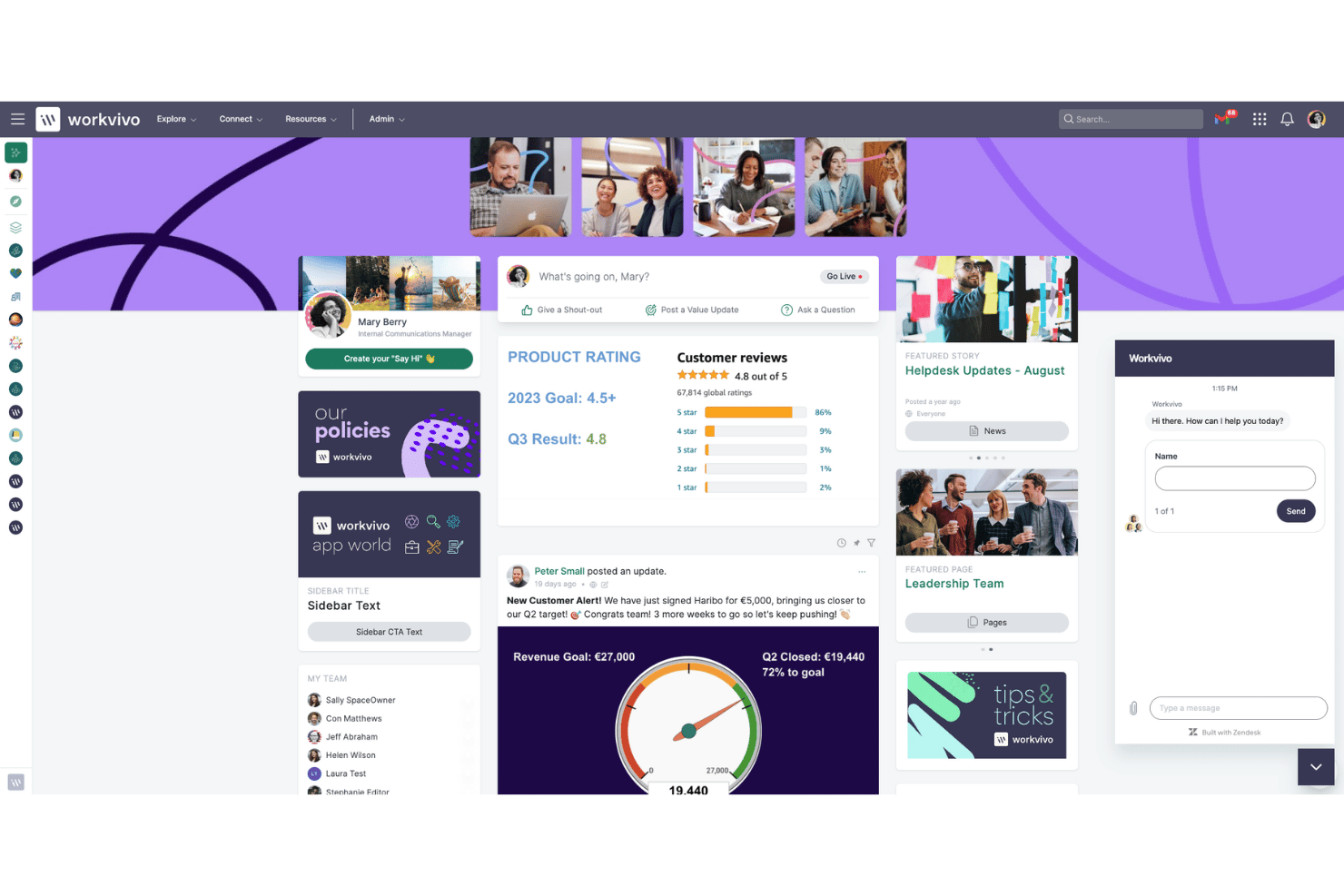
Workvivo es una plataforma de comunicación para empleados que combina un flujo de actividad al estilo de las redes sociales con herramientas estructuradas de difusión, reconocimiento entre compañeros, automatización del ciclo de vida y análisis de participación impulsado por IA.
¿Para quién es más adecuado Workvivo?
Workvivo es una excelente opción para empresas medianas y grandes con equipos mixtos —de oficina y de primera línea— donde el reconocimiento entre compañeros y la creación de una cultura empresarial son tan importantes como llegar a cada empleado.
Por qué elegí Workvivo
Elegí Workvivo como una de las mejores opciones porque el reconocimiento está realmente integrado en la forma en que funciona la comunicación aquí, en lugar de añadirse como un módulo independiente. Los reconocimientos entre compañeros están directamente vinculados a los valores de la empresa, de modo que cuando un trabajador de primera línea en un almacén recibe un reconocimiento público en el flujo de actividad, refuerza la cultura al mismo tiempo que informa. También me gusta que la función Leer y reconocer permita exigir confirmación en publicaciones críticas, lo que proporciona un registro de auditoría con nivel de cumplimiento normativo sin obligar a los empleados a utilizar un sistema independiente.
Características principales de Workvivo
- Workvivo Journeys: Automatiza las comunicaciones del ciclo de vida —como las secuencias de incorporación y la implementación de políticas— activadas por atributos de los datos de los empleados.
- Workvivo TV: Convierte las pantallas físicas de almacenes, tiendas o fábricas en canales de contenido en directo sin necesidad de iniciar sesión en cada dispositivo.
- Traducción automática: Traduce automáticamente el contenido a más de 90 idiomas en tiempo real para equipos globales y multilingües.
- Inteligencia de personas Seer: Ejecuta análisis de sentimiento impulsados por IA y encuestas de participación de 12 factores, con un mapa de calor Radar integrado para detectar riesgos y oportunidades.
Integraciones de Workvivo
Workvivo anuncia más de 40 integraciones listas para usar, incluidas Workday, UKG, BambooHR, SAP SuccessFactors, Microsoft 365, Google Workspace, Slack, Salesforce, Okta y Zoom. Las API REST y los webhooks permiten establecer conexiones personalizadas.
Pros and Cons
Pros:
- Lectura y confirmación obligatorias para el cumplimiento normativo
- Funciones integradas de reconocimiento entre compañeros y reconocimientos públicos
- La traducción automática multilingüe llega a equipos globales
Cons:
- El chat en tiempo real requiere una compra independiente
- El exceso de notificaciones puede ocultar actualizaciones importantes
Blink
Ideal para trabajadores de primera línea
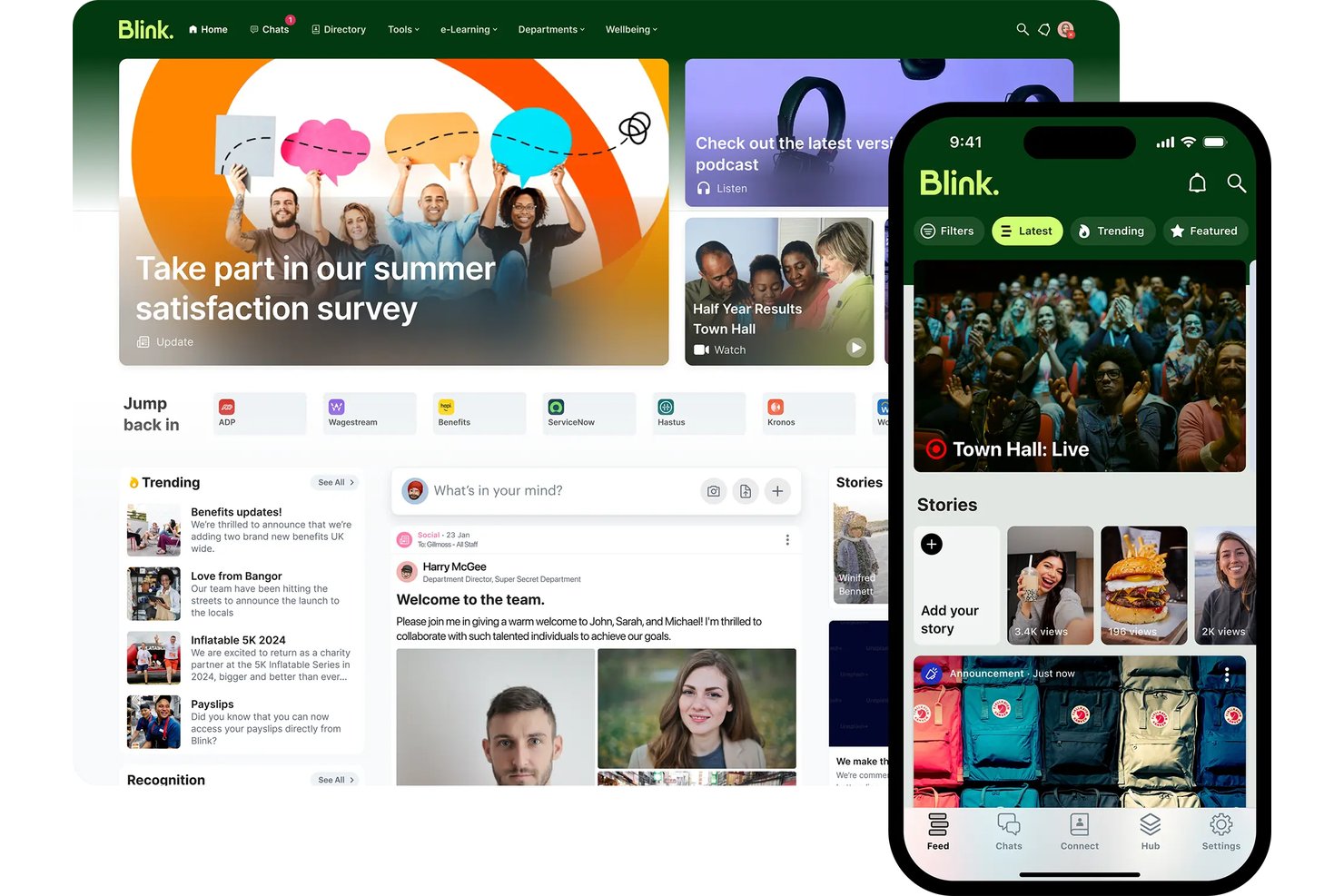
Blink es una aplicación de comunicación para empleados, diseñada primero para dispositivos móviles, que combina chat, un canal de noticias social, un centro de conocimiento, encuestas y herramientas de reconocimiento para llegar a trabajadores de primera línea y sin escritorio sin necesidad de correo electrónico corporativo.
¿Para quién es más adecuado Blink?
Blink es una excelente opción para organizaciones con grandes plantillas de trabajadores de primera línea o sin escritorio—como las del comercio minorista, la hostelería, la logística y la atención sanitaria—donde llegar a empleados sin correo electrónico corporativo es una realidad diaria.
Por qué elegí Blink
Blink ocupa un lugar en mi lista de favoritos porque ninguna otra herramienta que haya evaluado está diseñada de forma tan deliberada para trabajadores que no se sientan en un escritorio. Me encanta que los empleados de una tienda de Domino's o Dollar Tree puedan registrarse solo con un número de teléfono o un código QR—sin correo electrónico corporativo ni solicitudes al departamento de TI. El Agente de escucha de IA de Blink también es realmente impresionante: ejecuta encuestas de opinión adaptativas y conversacionales en lugar de formularios estáticos, por lo que se afirma que las tasas de respuesta son 3 veces superiores a las de los métodos tradicionales.
Características principales de Blink
- Confirmaciones obligatorias de lectura: Exige a los empleados que confirmen que han leído publicaciones o políticas específicas, con registros de auditoría y recordatorios automáticos para quienes no las hayan leído.
- Reconocimiento Blink Kudos: Los empleados pueden enviar publicaciones de reconocimiento entre compañeros visibles en el canal de noticias público, con tipos de premios personalizables.
- Centro de conocimiento: Un repositorio de contenido centralizado para almacenar y gestionar políticas, procedimientos y materiales de incorporación, con controles de acceso.
- Recorridos del empleado: Rutas estructuradas de contenido para la incorporación y los hitos que guían a las nuevas contrataciones durante la configuración sin requerir la intervención del departamento de TI.
Integraciones de Blink
Blink cuenta con más de 50 integraciones, incluidas Workday, ADP, iTrent, Cornerstone, Okta, Microsoft 365, Google Workspace, ServiceNow y Jira. Los clientes empresariales pueden utilizar la API abierta y los webhooks para crear integraciones personalizadas.
Pros and Cons
Pros:
- Los empleados pueden incorporarse solo con un número de teléfono
- Cumplimiento de lectura obligatoria para las políticas dirigidas a trabajadores de primera línea
- Las encuestas de IA generan una alta tasa de respuesta entre los trabajadores
Cons:
- Los análisis avanzados requieren planes de nivel superior
- Los administradores no pueden editar las publicaciones después de publicarlas

Poppulo
Ideal para la comunicación interna
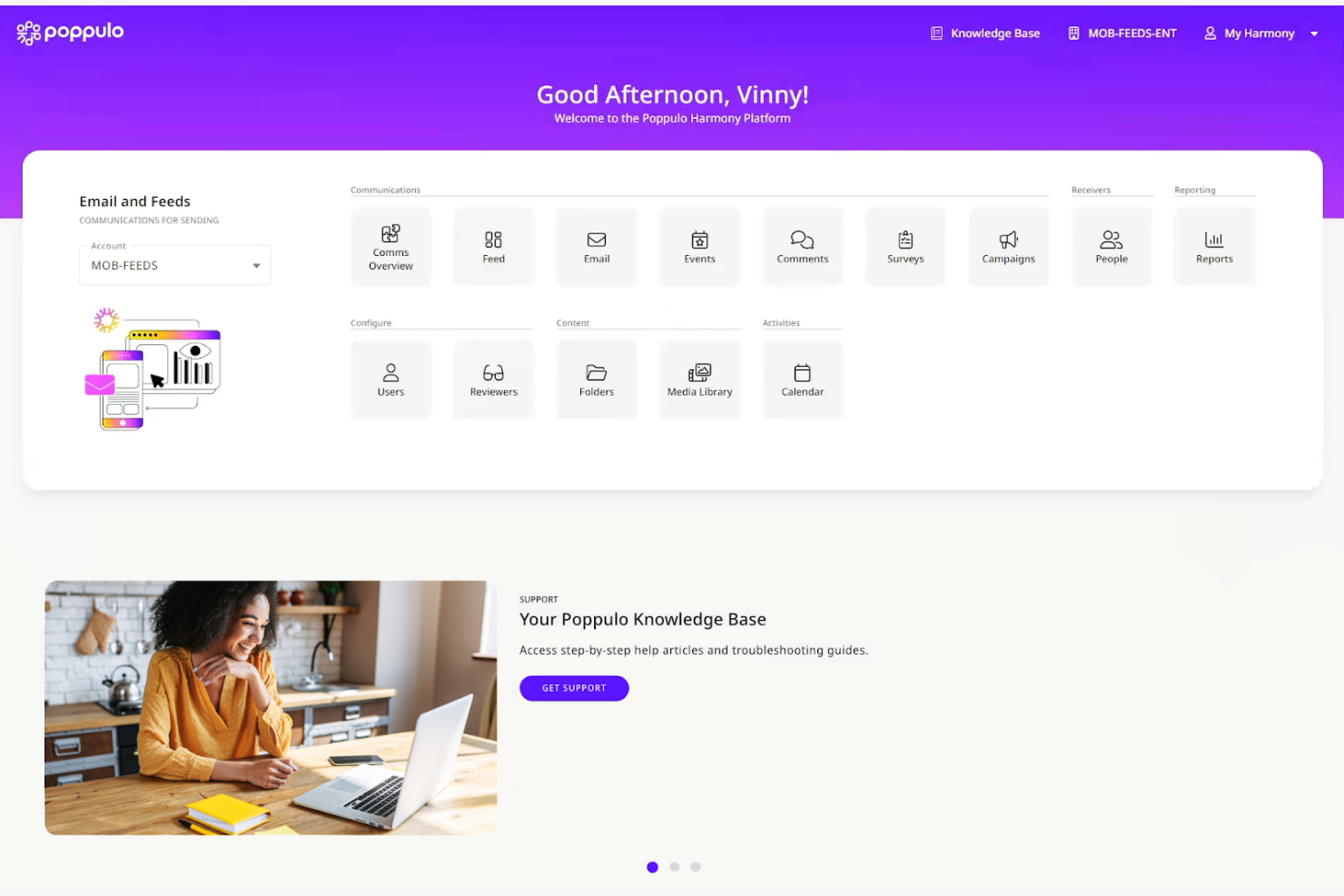
Poppulo es una plataforma empresarial de comunicación con los empleados que unifica el correo electrónico, la aplicación móvil, la señalización digital, Microsoft Teams y la publicación en SharePoint en una sola interfaz, con herramientas de contenido basadas en IA integradas, análisis multicanal y segmentación de audiencias.
¿Para quién es más adecuado Poppulo?
Poppulo es una opción excelente para los equipos de comunicación interna de empresas que necesitan llegar tanto a empleados que trabajan con ordenador como a empleados de primera línea a través de múltiples canales desde una sola plataforma.
Por qué elegí Poppulo
Poppulo ocupa un lugar en mi lista de finalistas porque la profundidad de sus análisis es realmente incomparable con cualquier otra solución que haya visto en el ámbito de la comunicación con los empleados. El chatbot Comms Coach compara el rendimiento de tus correos electrónicos con datos del sector en un lenguaje sencillo, y el agente de IA Analyze identifica patrones de sentimiento en distintos canales sin que tengas que revisar informes sin procesar. También me encanta que los paneles multicanal cubran el correo electrónico, los dispositivos móviles, la señalización digital y la intranet en una sola vista, para que nunca tengas que reunir resultados de herramientas independientes.
Características principales de Poppulo
- Traducción automática multilingüe: Traduce automáticamente el contenido de los correos electrónicos a más de 54 idiomas, incluidos los sistemas de escritura de derecha a izquierda, mediante traducción automática asistida por IA con un flujo de trabajo de revisión humana.
- Confirmaciones obligatorias de lectura: Registra si los empleados han leído comunicaciones específicas y exige una confirmación documentada, una función diseñada para alertas de seguridad y actualizaciones de políticas sensibles desde el punto de vista del cumplimiento normativo.
- Segmentación de audiencias sincronizada con el sistema de información de recursos humanos: Se sincroniza directamente con Workday, SAP, Oracle PeopleSoft y Microsoft Entra ID para crear y actualizar automáticamente listas de distribución de empleados según datos de recursos humanos en tiempo real.
- Aplicación móvil de marca para empleados de primera línea: Una aplicación para iOS y Android con marca blanca que permite a los trabajadores sin puesto fijo y de primera línea acceder a las comunicaciones de la empresa sin necesitar una dirección de correo electrónico corporativa.
Integraciones de Poppulo
Poppulo ofrece integraciones nativas con el ecosistema de Microsoft, incluidos Microsoft 365 y Entra ID, además de Workday, SAP, Oracle PeopleSoft, Okta, Power BI, Tableau y Canva. Una API permite crear integraciones personalizadas.
Pros and Cons
Pros:
- Análisis exhaustivos en todos los canales de comunicación
- Incluye contenido basado en IA y análisis de sentimientos
- Admite confirmaciones obligatorias de lectura por parte de los empleados
Cons:
- Las opciones de personalización de las plantillas de correo electrónico son limitadas
- Algunas funciones del agente de IA aún no se han lanzado

La mejor opción para el cumplimiento normativo de la difusión en sectores regulados
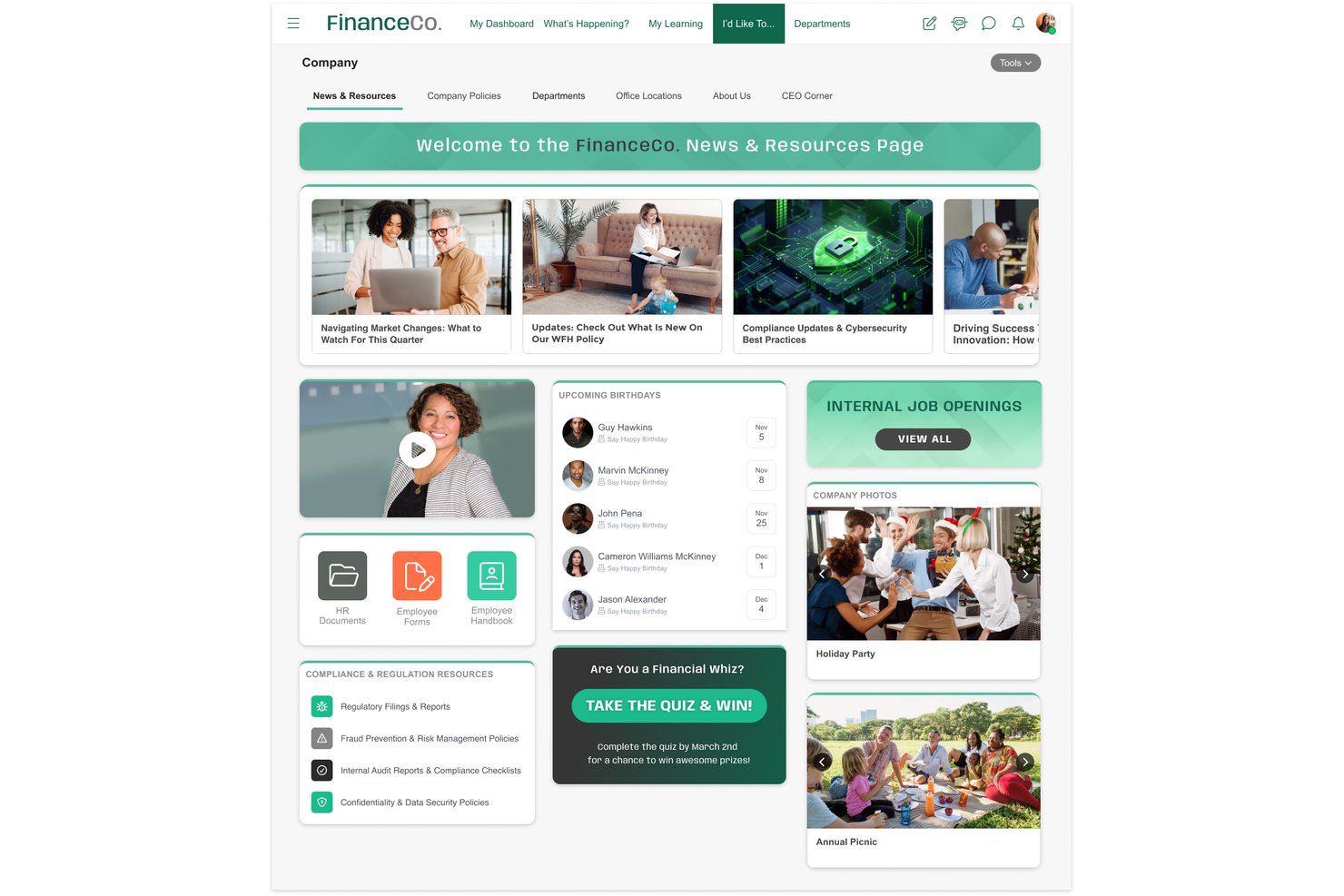
MangoApps es una plataforma de comunicación para empleados que unifica la difusión multicanal, el acceso móvil para trabajadores de primera línea, las campañas secuenciadas, las encuestas de pulso y el reconocimiento en una sola aplicación.
¿Para quién es más adecuado MangoApps?
MangoApps es una opción especialmente adecuada para los equipos de RR. HH. y comunicación interna de sectores regulados como la sanidad, la administración pública y la manufactura, que necesitan pruebas documentadas de recepción de mensajes en una plantilla mixta de personal de oficina y de primera línea.
Por qué elegí MangoApps
MangoApps ocupa un lugar en mi lista de favoritos por la seriedad con la que aborda el cumplimiento normativo en los sectores regulados. Me impresiona especialmente su sistema de confirmación de lectura obligatoria: puedes enviar una actualización de políticas, realizar un seguimiento exacto de quién ha confirmado su recepción, recopilar firmas electrónicas y activar seguimientos automatizados para quienes no hayan respondido. Para los equipos sanitarios o gubernamentales, esto ofrece una prueba documentada de recepción de mensajes integrada directamente en el flujo de difusión. Las campañas secuenciadas también permiten organizar mensajes multicanal a través de dispositivos móviles, SMS y señalización digital desde una única acción de publicación.
Funciones principales de MangoApps
- Campañas secuenciadas: Crea campañas de mensajes secuenciadas y multicanal que distribuyen automáticamente las comunicaciones a través de dispositivos móviles, SMS y correo electrónico en un orden definido.
- Encuestas de pulso y eNPS: Realiza encuestas de pulso anónimas, encuestas eNPS, de incorporación y de salida, con lógica condicional, recordatorios automáticos y seguimiento de tendencias integrados.
- Traducción automática a 50 idiomas: Publica automáticamente las entradas en más de 50 idiomas en el momento del envío, para que los empleados reciban el contenido en su idioma preferido sin pasos adicionales.
- Transmisión en directo: Organiza reuniones generales y actualizaciones de liderazgo en directo con interpretación multilingüe en tiempo real, transmitida directamente a través de la plataforma.
Integraciones de MangoApps
MangoApps ofrece más de 200 integraciones, entre ellas Workday, UKG, ADP Workforce Now, Microsoft Teams, SharePoint, OneDrive, Google Drive y Cornerstone. Su API REST abierta, los webhooks y la compatibilidad con SCIM 2.0 permiten establecer conexiones y aprovisionamientos personalizados.
Pros and Cons
Pros:
- Confirmaciones de lectura integradas con firmas electrónicas
- Acceso sin conexión a la aplicación móvil para el personal de primera línea
- Las campañas se implementan en correo electrónico, SMS y señalización
Cons:
- La cantidad de funciones hace que la navegación resulte abrumadora
- La colaboración de archivos dentro de la plataforma requiere licencias de Microsoft

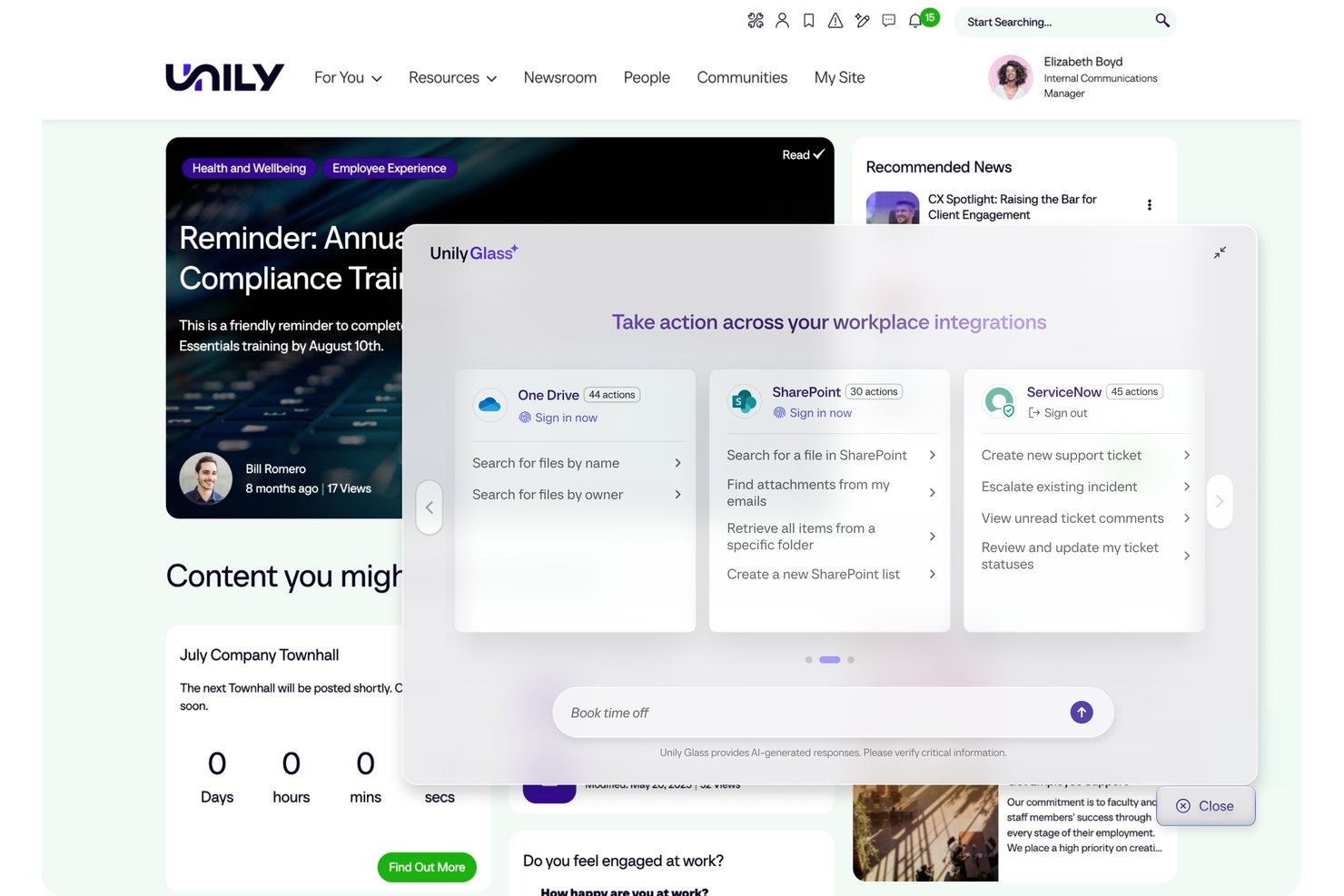
Unily es una plataforma empresarial de comunicación con empleados y espacio de trabajo digital que combina difusión multicanal, creación de contenido impulsada por AI, acceso móvil para trabajadores de primera línea y análisis de participación en un solo entorno.
¿Para quién es más adecuado Unily?
Unily está diseñado para grandes empresas con más de 1.000 empleados que necesitan llegar tanto a los trabajadores de oficina como a los de primera línea mediante un centro de comunicaciones centralizado.
Por qué elegí Unily
Unily ocupa un lugar en mi lista porque su Centro de difusión está realmente diseñado para las comunicaciones de los directivos a gran escala. Me encanta que un solo comunicador pueda enviar simultáneamente un mensaje ejecutivo por correo electrónico, Microsoft Teams, Slack y notificaciones móviles, con traducción automática mediante AI a más de 40 idiomas para gestionar en un solo paso las plantillas de trabajo multilingües. Las confirmaciones de lectura obligatoria con seguimiento permiten crear documentación con nivel de cumplimiento normativo para actualizaciones de seguridad y políticas.
Funciones principales de Unily
- Unily Glass: Una interfaz de AI conversacional que permite a los empleados completar tareas en sistemas conectados como Workday y ServiceNow sin salir de la plataforma.
- Agente de AI Indi: Redacta comunicaciones, genera imágenes y vídeos, y crea páginas de intranet con la identidad de marca a partir de una sola instrucción dentro de flujos de trabajo de gobernanza.
- Señalización digital de ScreenCloud: Amplía el alcance a los trabajadores de primera línea que no tienen dispositivos personales al mostrar contenido en pantallas compartidas de salas de descanso y plantas de producción.
- Encuestas Pulse y portal de generación de ideas: Recopila directamente en la plataforma los comentarios y las ideas de los empleados junto con las comunicaciones difundidas.
Integraciones de Unily
Unily ofrece más de 50 integraciones nativas, entre ellas Workday, ServiceNow, Salesforce, Slack, ScreenCloud y Microsoft 365. Las API REST, los SDK y los webhooks permiten realizar integraciones personalizadas.
Pros and Cons
Pros:
- Las difusiones llegan tanto a los trabajadores de oficina como a los de primera línea
- La traducción automática mediante AI gestiona más de 40 idiomas
- El seguimiento de lecturas obligatorias satisface las necesidades de cumplimiento normativo
Cons:
- Los precios personalizados requieren contacto directo
- El chat en tiempo real tiene un coste adicional como complemento
Otras aplicaciones de comunicación con empleados
Estas son algunas opciones adicionales de aplicaciones de comunicación con empleados que no llegaron a mi lista, pero que aún vale la pena revisar:
- Haiilo
Las mejores funciones de intranet social
- LumApps
La mejor opción para difusiones multilingües a toda la empresa
- Slack
Ideal para integraciones
- Microsoft Teams
Ideal para la mensajería de equipos nativa de Microsoft 365
- Beekeeper
Ideal para la incorporación mediante código QR sin correo electrónico
- WorkJam
Ideal para las comunicaciones con trabajadores sin escritorio
- Cerkl Broadcast
Ideal para resúmenes personalizados de noticias para empleados
- Firstup
Ideal para comunicaciones empresariales basadas en recorridos
- YOOBIC
Ideal para las comunicaciones minoristas de múltiples tiendas


Wie ich Apps für die Mitarbeiterkommunikation bewerte
Ich teile meine Bewertung in grundlegende Funktionen auf, die jedes Tool abdecken muss, und in Unterscheidungsmerkmale, die eine echte Kommunikationsplattform für Mitarbeiter ohne festen Schreibtischarbeitsplatz von einer einfachen Chat-App abheben.
Grundfunktionalität (Grundvoraussetzungen für diese Liste)
Bei der Auswahl der Tools für meine Liste bewerte ich jedes einzelne für jede der unten aufgeführten grundlegenden Funktionen auf einer Skala von 0 (bietet die Funktion nicht an) bis 5 (zeichnet sich in diesem Bereich aus). Anschließend rechne ich die Gesamtpunktzahl des Tools in einen Prozentsatz um, wobei ich 75 % als Richtwert verwende, um die allgemeine Eignung für die Liste zu beurteilen.
- Nachrichtenübermittlung über mehrere Kanäle: Ich prüfe, ob die Plattform Chats, Direktnachrichten, Gruppenkanäle und Push-Benachrichtigungen vereinheitlicht – oder ob Teams mehrere separate Tools kombinieren müssen, um grundlegende Formate abzudecken.
- Unternehmensweite Bekanntmachungen: Ich bewerte die Tiefe der Zielgruppenausrichtung – insbesondere, ob Administratoren nach Abteilung oder Standort segmentieren, den Versand planen und bei wichtigen Ankündigungen eine Bestätigung verlangen können.
- Mobiler Mitarbeiterzugang: Ich prüfe, ob Mitarbeiter ohne festen Schreibtischarbeitsplatz sich ohne eine geschäftliche E-Mail-Adresse registrieren und anmelden können und ob die App unter iOS und Android den vollständigen Funktionsumfang bietet.
- Verzeichnis & Segmentierung: Ich achte auf dynamische Mitarbeitergruppen, die mit einem HRIS oder Active Directory synchronisiert werden, damit die Nachrichtenempfänger ohne manuelle Listenpflege korrekt bleiben.
- Interaktionsanalysen: Ich bewerte, ob Kommunikationsverantwortliche Reichweite, Leseraten und Reaktionen auf Kampagnenebene verfolgen können – statt lediglich eine grundlegende Zustellbestätigung für einzelne Nachrichten zu sehen.
- Inhalts- & Medienfreigabe: Ich prüfe, ob die Plattform die Videowiedergabe innerhalb der App, Dokumentvorschauen und zentrale Dateibibliotheken unterstützt, anstatt lediglich das Hochladen von Anhängen zu ermöglichen.
Sobald ich eine Liste von Tools habe, die die Kriterien erfüllen, prüfe ich, wodurch sich die einzelnen Plattformen abheben.
Unterscheidungsmerkmale (Wodurch sich Anbieter abheben)
So vergleiche ich die verschiedenen Anbieter:
Herausragende Funktionen
Verpflichtende Lesebestätigungen sind für sicherheitskritische oder richtlinienbasierte Kommunikation besonders wichtig – ich achte auf Bestätigungen auf Compliance-Niveau mit nachfolgenden Erinnerungen und nicht nur auf eine einfache Bestätigung „gesehen“. Für global tätige Belegschaften ist die automatische mehrsprachige Übersetzung unverzichtbar; ich prüfe, ob die Übersetzung innerhalb der Nachricht und in Echtzeit erfolgt. Außerdem bewerte ich Tools für Pulsbefragungen, insbesondere ob Feedback in demselben Kanal wie die Bekanntmachung gesammelt wird, damit Führungskräfte nicht mehrere separate Tools zur Mitarbeiterbefragung miteinander verbinden müssen.
Über die Funktionen hinaus
Die Preisstruktur ist wichtiger, als die meisten Käufer erwarten. Ich prüfe, ob Mitarbeiter ohne festen Schreibtischarbeitsplatz zu einem niedrigeren Tarif als Mitarbeiter mit Schreibtischarbeitsplatz abgerechnet werden, da Belegschaften mit hoher Fluktuation im Einzelhandel oder Gesundheitswesen die Kosten pro Nutzer schnell unvorhersehbar machen können. Außerdem prüfe ich den Umfang der Möglichkeiten zur Markenanpassung – eine App im eigenen Branding mit benutzerdefinierten Symbolen und Push-Benachrichtigungen wirkt bei Teams ohne festen Schreibtischarbeitsplatz anders als eine generische Plattform. Schließlich bestimmt die Qualität der HRIS-Integration, ob Ihr Mitarbeiterverzeichnis automatisch korrekt bleibt oder ob jemand es bei jeder Neueinstellung oder jedem Ausscheiden manuell verwalten muss.
Cómo elegir aplicaciones de comunicación con empleados
Es fácil perderse entre largas listas de funciones y estructuras de precios complejas. Para ayudarte a mantener la concentración mientras avanzas en tu proceso específico de selección de software, aquí tienes una lista de factores que debes tener en cuenta:
| Factor | Qué considerar |
|---|---|
| Escalabilidad | ¿Puede la aplicación crecer con tu equipo? Considera el crecimiento futuro y si la herramienta admite equipos más grandes o un mayor volumen de datos sin problemas de rendimiento. |
| Integraciones | ¿Se integra con tus herramientas actuales? Comprueba la compatibilidad con el software existente, como el correo electrónico, los calendarios y los sistemas de gestión de proyectos. |
| Personalización | ¿Puedes adaptarla a tus necesidades? Busca opciones para personalizar los flujos de trabajo, las notificaciones y los roles de usuario según tus procesos específicos. |
| Facilidad de uso | ¿Es fácil de usar para todos los miembros del equipo? Evalúa la curva de aprendizaje y si hay recursos de formación disponibles para simplificar la adopción. |
| Implementación e incorporación | ¿Con qué rapidez puedes empezar? Considera el tiempo y los recursos necesarios para la configuración, la formación y la implementación completa en toda la organización. |
| Coste | ¿Se ajusta a tu presupuesto? Compara los planes de precios, las tarifas ocultas y el valor ofrecido por el precio. Considera los costes a largo plazo y el posible ROI. |
| Medidas de seguridad | ¿Son seguras tus comunicaciones? Busca cifrado, medidas de protección de datos y cumplimiento de las normas del sector para garantizar la seguridad de la información. |
| Disponibilidad del soporte | ¿Cuándo puedes obtener ayuda? Comprueba si el soporte está disponible durante tu horario laboral y a través de los canales de comunicación preferidos, como teléfono, chat o correo electrónico. |
¿Qué son las aplicaciones de comunicación para empleados?
Las aplicaciones de comunicación para empleados son herramientas digitales diseñadas para facilitar la comunicación y la colaboración dentro de las organizaciones. Estas herramientas suelen ser utilizadas por profesionales de recursos humanos, líderes de equipo y empleados de diversos sectores para mejorar el intercambio de información y la coordinación de los equipos. Las funciones de mensajería, videoconferencia y uso compartido de archivos ayudan a mantener a los equipos conectados e informados. En general, estas herramientas mejoran la eficiencia en el lugar de trabajo y fomentan un entorno laboral más cohesionado.
Funciones
Al seleccionar aplicaciones de comunicación para empleados, presta atención a las siguientes funciones clave del software de comunicación:
- Mensajería: Facilita la comunicación en tiempo real entre los miembros del equipo, lo que permite intercambiar información rápidamente.
- Videoconferencia: Permite celebrar reuniones virtuales cara a cara, mejorando la colaboración y la participación a distancia.
- Uso compartido de archivos: Simplifica el proceso de envío y recepción de documentos y garantiza que todos tengan acceso a los recursos necesarios.
- Gestión de tareas: Ayuda a los equipos a organizar y priorizar las tareas, mejorando la productividad y la responsabilidad.
- Notificaciones personalizables: Permiten a los usuarios adaptar las alertas a sus preferencias, reduciendo las distracciones y centrando la atención en las actualizaciones importantes.
- Análisis e informes: Proporcionan información sobre los patrones de comunicación y la participación, ayudando a los equipos a perfeccionar sus estrategias.
- Acceso móvil: Garantiza que los empleados puedan mantenerse conectados e informados, incluso cuando están fuera de la oficina.
- Medidas de seguridad: Protegen la información confidencial mediante el cifrado y el cumplimiento de las normas del sector.
- Capacidades de integración: Conectan herramientas existentes, como el correo electrónico y los calendarios, creando un flujo de trabajo unificado.
- Acceso sin conexión: Permite a los usuarios ver e interactuar con el contenido sin conexión a Internet, garantizando un acceso continuo a la información.
Beneficios
La implementación de aplicaciones de comunicación para empleados ofrece varios beneficios para tu equipo y tu empresa. Estos son algunos de los que puedes esperar:
- Mejora de la colaboración: Las aplicaciones de mensajería en tiempo real y las videoconferencias ayudan a tu equipo a trabajar conjuntamente de forma eficaz, independientemente de su ubicación.
- Aumento de la productividad: Las funciones de gestión de tareas ayudan a mantener a todos organizados y encaminados, impulsando la eficiencia general.
- Mayor participación: Las notificaciones personalizables y las funciones sociales mantienen a los empleados informados y conectados, fomentando un sentido de comunidad.
- Mejor toma de decisiones: Los análisis y los informes proporcionan métricas valiosas e información sobre las tendencias de comunicación, ayudándote a tomar decisiones fundamentadas.
- Comunicación segura: Las medidas de seguridad protegen la información confidencial y te ofrecen tranquilidad al compartir datos.
- Flexibilidad: El acceso móvil y sin conexión garantiza que tu equipo pueda mantenerse conectado y productivo, incluso cuando está desplazándose.
- Flujos de trabajo optimizados: Las capacidades de integración conectan tus herramientas existentes, creando un entorno de trabajo más eficiente.
Costes y precios
Seleccionar aplicaciones de comunicación para empleados requiere comprender los diversos modelos de precios y planes disponibles. Los costos varían según las funciones, el tamaño del equipo, los complementos y otros factores. La tabla a continuación resume los planes comunes, sus precios promedio y las funciones típicas incluidas en las soluciones de aplicaciones de comunicación para empleados:
Tabla comparativa de planes para aplicaciones de comunicación para empleados
| Tipo de plan | Precio promedio | Funciones comunes |
|---|---|---|
| Plan gratuito | $0 | Mensajería básica, uso compartido limitado de archivos y gestión básica de tareas. |
| Plan personal | $5-$15/usuario/mes | Mensajería mejorada, videoconferencias, uso compartido de archivos e integraciones básicas. |
| Plan empresarial | $20-$100/usuario/mes | Gestión avanzada de tareas, análisis, notificaciones personalizables y más opciones de integración. |
| Plan corporativo | $150-$500+/usuario/mes | Personalización completa, funciones de seguridad avanzadas, asistencia exclusiva e integraciones integrales. |
Preguntas frecuentes sobre las aplicaciones de comunicación para empleados
Estas son algunas respuestas a preguntas frecuentes sobre las aplicaciones de comunicación para empleados:
¿Cómo pueden las aplicaciones de comunicación para empleados mejorar el trabajo remoto?
Estas aplicaciones pueden mejorar significativamente el trabajo remoto al proporcionar herramientas de comunicación para empleados que mantienen conectado a tu equipo, independientemente de su ubicación. Ofrecen funciones como mensajería instantánea, videollamadas y uso compartido de archivos, que ayudan a mantener la colaboración y la productividad. Por ejemplo, un equipo remoto puede utilizar las videoconferencias para celebrar reuniones virtuales y la mensajería para mantenerse en contacto durante el día. Estas herramientas también permiten recibir comentarios y actualizaciones en tiempo real, lo que garantiza que todos estén al tanto. Al integrarse con otro software, crean un centro centralizado para todas las necesidades de comunicación.
¿Son seguras las aplicaciones de comunicación para empleados?
Sí, la mayoría de las aplicaciones de comunicación para empleados priorizan la seguridad para proteger tus datos. A menudo incluyen cifrado, medidas de protección de datos y cumplimiento de los estándares del sector. Antes de elegir una herramienta, comprueba que incluya funciones como cifrado de extremo a extremo y opciones de autenticación de usuarios. También es recomendable revisar las políticas de privacidad y los términos del servicio de la aplicación. Para sectores sensibles, busca aplicaciones que ofrezcan certificaciones de seguridad adicionales. Las actualizaciones periódicas y la asistencia del proveedor también pueden garantizar que tu aplicación se mantenga protegida frente a posibles amenazas.
¿Pueden las aplicaciones de comunicación para empleados ayudar a mejorar la participación?
Sí, las aplicaciones de comunicación facilitan que los empleados se conecten, compartan comentarios y se mantengan informados. Funciones como las encuestas, los chats y los anuncios ayudan a que todos se sientan involucrados y fomentan el debate abierto, conectando las experiencias de los empleados.
¿Cómo puedo animar a mi equipo a adoptar una nueva herramienta de comunicación?
Primero consigue el respaldo de la dirección y, después, comunica al equipo los beneficios. Ofrece formación, destaca las funciones que ahorran tiempo y recopila comentarios durante la implementación. A medida que tu equipo se adapte, asegúrate de abordar rápidamente sus inquietudes para impulsar la aceptación.
¿Cómo apoyan las aplicaciones de comunicación para empleados la colaboración del equipo?
Las aplicaciones de comunicación para empleados apoyan la colaboración del equipo al proporcionar plataformas para la comunicación y la gestión de proyectos en tiempo real. Permiten que los miembros del equipo compartan ideas y comentarios al instante, ya sea mediante mensajería o videollamadas. Las funciones de gestión de tareas ayudan a asignar y hacer seguimiento de las responsabilidades, garantizando que todos conozcan su función. Por ejemplo, un equipo puede utilizar calendarios compartidos para programar reuniones y herramientas de colaboración documental para trabajar simultáneamente en proyectos. Estas aplicaciones fomentan un entorno colaborativo al mantener todas las comunicaciones y recursos en un único lugar accesible.
¿Pueden las aplicaciones de comunicación integrarse con otro software de RR. HH.?
Muchas plataformas de comunicación para empleados admiten integraciones con sistemas de información de recursos humanos (HRIS), herramientas de nóminas o de programación. Comprueba si existen integraciones prediseñadas o API para poder automatizar las actualizaciones o activar notificaciones desde tus sistemas actuales.
Qué sigue:
Si estás investigando aplicaciones de comunicación para empleados, ponte en contacto con un asesor de SoftwareSelect para obtener recomendaciones gratuitas.
Rellenas un formulario y mantienes una breve conversación en la que se profundiza en los detalles de tus necesidades. Después recibirás una lista de programas para revisar. Incluso te apoyarán durante todo el proceso de compra, incluidas las negociaciones de precios.