

Reseña de Microkeeper: Características, precios, ventajas & desventajas para 2026



Payroll problems often start well before the pay run, with a missed roster change, incorrect timesheet, or employee update that never reaches the right system. For HR and operations teams managing shift-based or complex workforces, keeping those moving parts connected matters just as much as getting payroll right.
Microkeeper is a workforce management software for Australian businesses, with HR, rostering, timesheets, and payroll built into a single system on shared workforce data. Its configurable payroll, competitive pricing, and onshore support make it a strong fit for mid-sized and enterprise teams.
In this detailed review, I’ve evaluated Microkeeper using my expertise in workforce management software to help you decide whether its strengths, tradeoffs, and approach to payroll are the right fit for your team.
Microkeeper Evaluation Summary
- From $6/user/month
- 30-day free trial
Por qué confiar en nuestras reseñas de software
Nuestro equipo lleva probando y evaluando software desde 2012. Como expertos en RR. HH., sabemos lo difícil —y lo importante— que es elegir el software adecuado.
Para esta guía, evaluamos las herramientas mediante pruebas prácticas e investigación independiente, puntuando las herramientas según nuestros criterios de selección. También nos basamos en la experiencia de líderes de opinión del sector y de profesionales de RR. HH. en activo.
Nuestras reseñas reflejan nuestro criterio editorial humano, no un discurso de ventas.
Revisores expertos:
Microkeeper Overview
In my opinion, Microkeeper is strongest when workforce management and payroll complexity go hand in hand. Because its HR, rostering, timesheets, and payroll tools were built as one system, workforce data can move between scheduling, attendance, and pay without relying on separate products or syncs. I also like the flexibility of its payroll engine and direct onshore support. The interface is more functional than polished, and the native integration list is fairly limited, but I think its product depth and pricing make those tradeoffs reasonable for the right Australian business.
pros
-
Configurable payroll rules handle allowances, penalty rates, overtime, and EBAs for businesses with complex pay structures.
-
Rosters and approved timesheets flow directly into payroll, reducing manual data transfer between scheduling, attendance, and pay runs.
-
Competitive pricing covers a broad workforce management feature set, with direct support from an onshore Australian team.
cons
-
The HR and rostering interface can feel less polished than more modern workforce platforms.
-
Native integrations are limited, so businesses with established tech stacks may need custom connections through Microkeeper’s open API.
-
Self-setup takes meaningful time to configure pay rules, connect workflows, and test payroll before going live.
Is Microkeeper Right For Your Needs?
Who Would be a Good Fit for Microkeeper?
Microkeeper is best suited to mid-sized and enterprise Australian businesses where workforce operations are closely tied to payroll. I’d put it high on the shortlist for shift-based, multi-site, or operationally complex teams that need accurate time tracking, configurable pay rules, and stronger links between rostering and pay.
-
Manufacturing Businesses
Manufacturers can manage rotating shifts, employee skills and availability, attendance, allowances, and complex pay conditions across production teams.
-
Mining and FIFO Operations
Mining businesses can use multi-site rostering, workforce location tracking, credential management, and flexible clocking options to manage remote and FIFO teams.
-
Labor Hire Agencies
Labor hire businesses can onboard workers quickly, schedule staff across client sites, track availability and skills, and process varied payroll requirements from the same system.
-
Construction Companies
Construction teams can track hours across multiple worksites, manage project-based workers, apply custom pay conditions and allowances, and monitor labor costs by project.
-
Hospitality Businesses
Hospitality teams can manage changing availability, casual and shift-based staff, roster updates, timesheets, and pay conditions such as penalty rates and allowances.
-
Multi-Site Retailers
Retail businesses can onboard different employee types, manage rosters across stores and locations, track hours by site, and centralize payroll and workforce records.
Who Would be a Bad Fit for Microkeeper?
Microkeeper isn’t the best fit for every Australian employer. I’d look elsewhere if you have very little need for workforce management beyond basic payroll, need one system for employees across several countries, or expect Modern Award rules to arrive fully configured and automatically maintained. Teams that want an almost instant, hands-off setup or depend on a large ecosystem of native integrations should also weigh those limitations carefully.
-
Sole Traders and Microbusinesses
Very small operators with simple payroll and little need for rostering, timesheets, or HR workflows may find Microkeeper more extensive than necessary.
-
Global Retail Chains
Retailers managing employees across multiple countries will need separate systems for non-Australian payroll and compliance, since Microkeeper is built specifically for Australia.
-
Multinational Manufacturers
Manufacturers with Australian and overseas workforces cannot use Microkeeper as a single global payroll and HR system across all regions.
-
Hospitality Businesses Requiring Prebuilt Awards
Hospitality operators that expect Modern Award rules and rates to arrive preconfigured and stay automatically updated may find Microkeeper’s configuration-based approach too hands-on.
-
Retailers Requiring Out-of-the-Box Award Interpretation
Retail businesses that do not have the time or resources to configure and maintain their own award rules may prefer a system with prebuilt award interpretation.
-
Fast-Growing Teams Needing Immediate Deployment
Organizations that need to sign up and go live within a day or two with little setup may find Microkeeper’s current implementation process too involved, particularly for complex payroll or rostering requirements.
Cómo probamos y puntuamos nuestras herramientas
Hemos pasado años construyendo, refinando y mejorando nuestro sistema de pruebas y puntuación de software. La rúbrica está diseñada para capturar los matices de la selección de software y lo que hace que una herramienta sea efectiva, centrándose en los aspectos críticos del proceso de toma de decisiones. A continuación, puedes ver exactamente cómo funcionan nuestras pruebas y puntuaciones a través de siete criterios. Esto nos permite ofrecer una evaluación imparcial del software basada en la funcionalidad principal, características destacadas, facilidad de uso, incorporación, soporte al cliente, integraciones, reseñas de clientes y relación calidad-precio.
Funcionalidad principal (25% de la puntuación final)
El punto de partida de nuestra evaluación siempre es la funcionalidad principal de la herramienta. ¿Tiene las funciones básicas que se espera encontrar? ¿Alguna de esas funciones básicas está restringida a planes de precio superiores? En esencia, esperamos que una herramienta se compare favorablemente con las capacidades básicas de sus competidores.
Características destacadas (25% de la puntuación final)
Luego, evaluamos características poco comunes que van más allá de la funcionalidad principal que normalmente se encuentra en herramientas de su tipo. Una puntuación alta refleja funciones especializadas o únicas que hacen que el producto sea más rápido, eficiente o que ofrezca un valor adicional al usuario. También evaluamos lo fácil que es integrar con otras herramientas comúnmente usadas en el entorno tecnológico para ampliar la funcionalidad y utilidad del software. Las herramientas que ofrecen muchas integraciones nativas, conexiones de terceros y acceso a API para construir integraciones personalizadas obtienen las mejores puntuaciones.
Facilidad de uso (10% de la puntuación final)
Consideramos qué tan rápido y fácil es ejecutar las tareas definidas en la funcionalidad principal utilizando la herramienta. El software que obtiene una puntuación alta está bien diseñado, es intuitivo, ofrece aplicaciones móviles, proporciona plantillas y hace que tareas relativamente complejas parezcan simples.
Incorporación (10% de la puntuación final)
Sabemos lo importante que es la rápida adopción del equipo para una nueva plataforma, por eso evaluamos qué tan fácil es aprender y usar una herramienta con una capacitación mínima. Evaluamos cuán rápido un miembro del equipo puede configurarse y comenzar a usar la herramienta sin experiencia. Las soluciones con mejores puntuaciones requieren poco o ningún soporte.
Soporte al cliente (10% de la puntuación final)
Revisamos cuán rápido y fácil es obtener ayuda mediante teléfono, chat en vivo o base de conocimientos. Las herramientas y empresas que ofrecen soporte en tiempo real obtienen las mejores puntuaciones, mientras que los chatbots obtienen las peores.
Reseñas de clientes (10% de la puntuación final)
Además de nuestras propias pruebas y evaluaciones, consideramos el puntaje neto de promotores de clientes presentes y pasados. Revisamos su probabilidad, dada la opción, de elegir nuevamente la herramienta por su funcionalidad principal. El software con una puntuación alta refleja un alto puntaje neto de promotores por parte de clientes actuales o anteriores.
Relación calidad-precio (10% de la puntuación final)
Por último, considerando todos los demás criterios, revisamos el precio promedio de los planes de entrada frente a las funciones principales y valoramos el resto de los criterios de evaluación. El software que ofrece más por menos tendrá una mejor puntuación.
Core Features
Payroll Processing
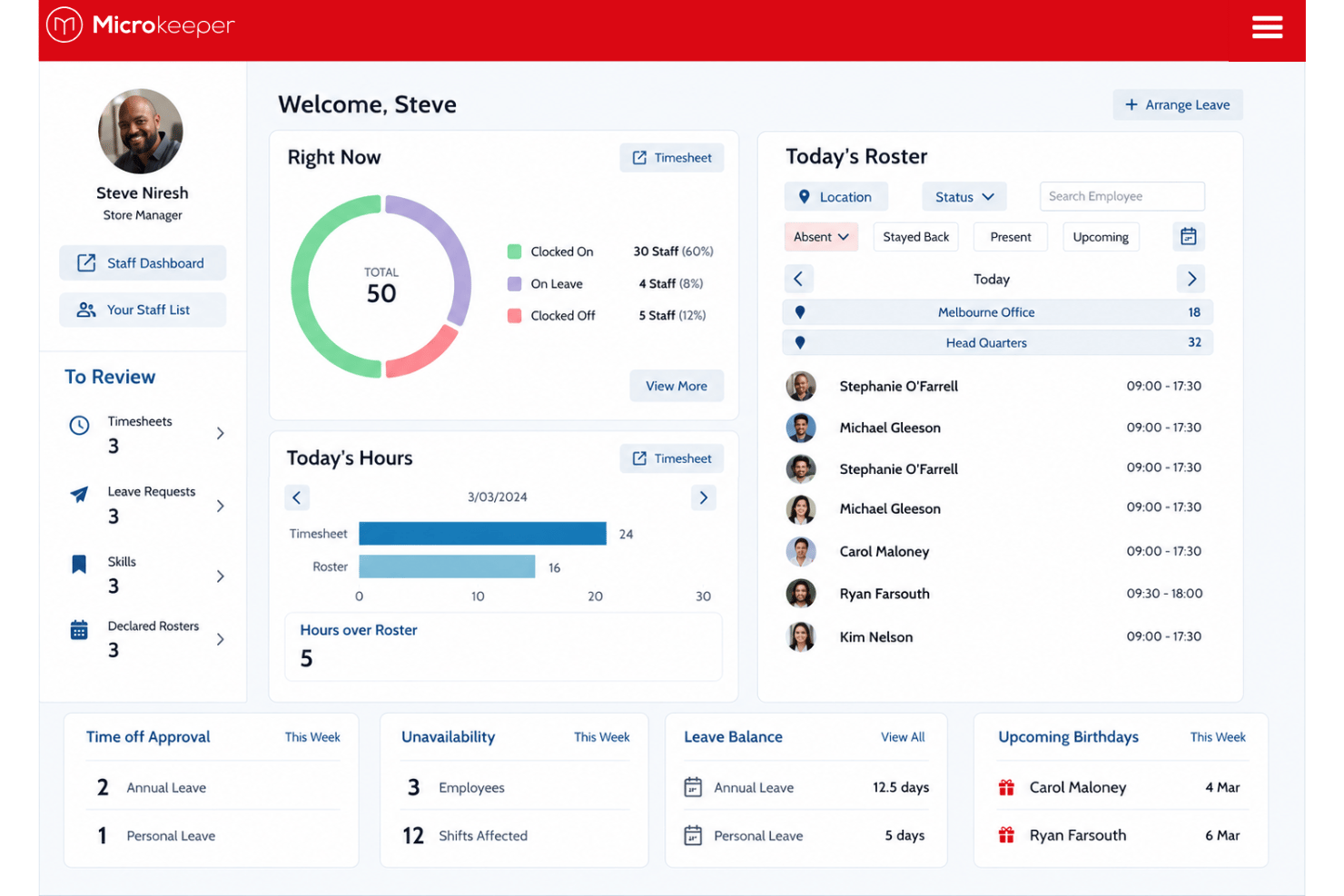
Processes payroll using approved timesheets and configured rules for overtime, penalties, allowances, and other pay conditions. Microkeeper also supports STP reporting, superannuation processing, auto-generated payslips, and detailed payroll reports.
Rostering and Shift Management
Builds and manages rosters across teams and locations using employee availability and staffing requirements. Features include roster templates, multi-site scheduling, break compliance, availability tracking, and shift bidding.
Time and Attendance Tracking
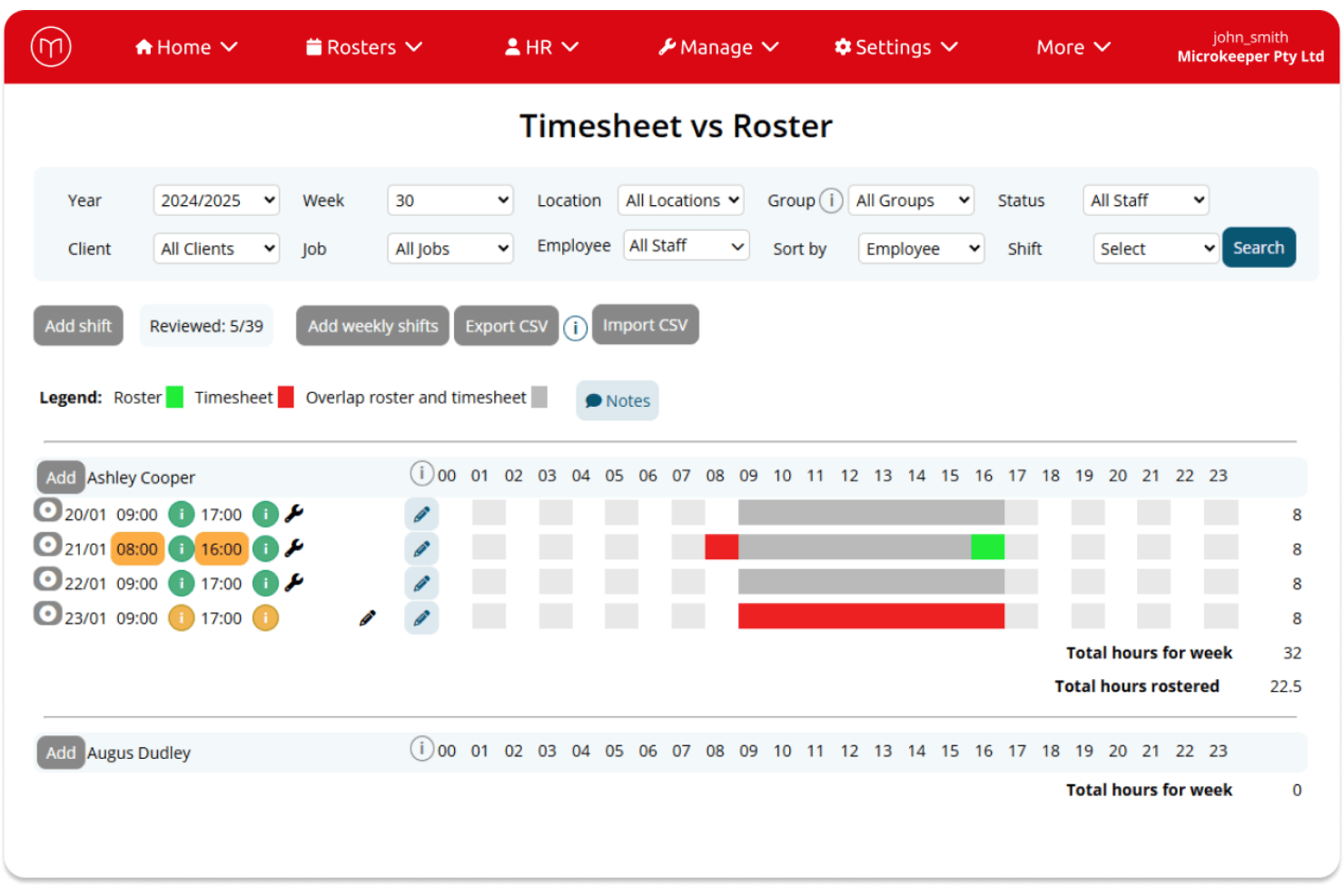
Captures worked hours through mobile, browser, GPS, facial recognition, fingerprint, NFC, and dedicated clocking stations. Managers can review attendance and location data before approved timesheets move into payroll.
Employee Onboarding and Document Management
Lets new hires complete onboarding details and submit required information online before starting work. HR teams can also manage contracts, licenses, certifications, document expiry dates, and VEVO checks from the same system.
Leave Management
Handles leave requests, balances, approvals, and configurable leave types digitally. Once approved, leave data can feed into rostering and payroll rather than requiring HR teams to update each process separately.
Employee Self-Service and HR Tools
Gives employees access to rosters, timesheets, payslips, leave requests, personal details, and workplace messages through self-service tools. HR teams can also use dashboards, team messaging, and document tools for broader employee administration.
Standout Features
Controlled Award Interpretation and Custom Payroll Rules
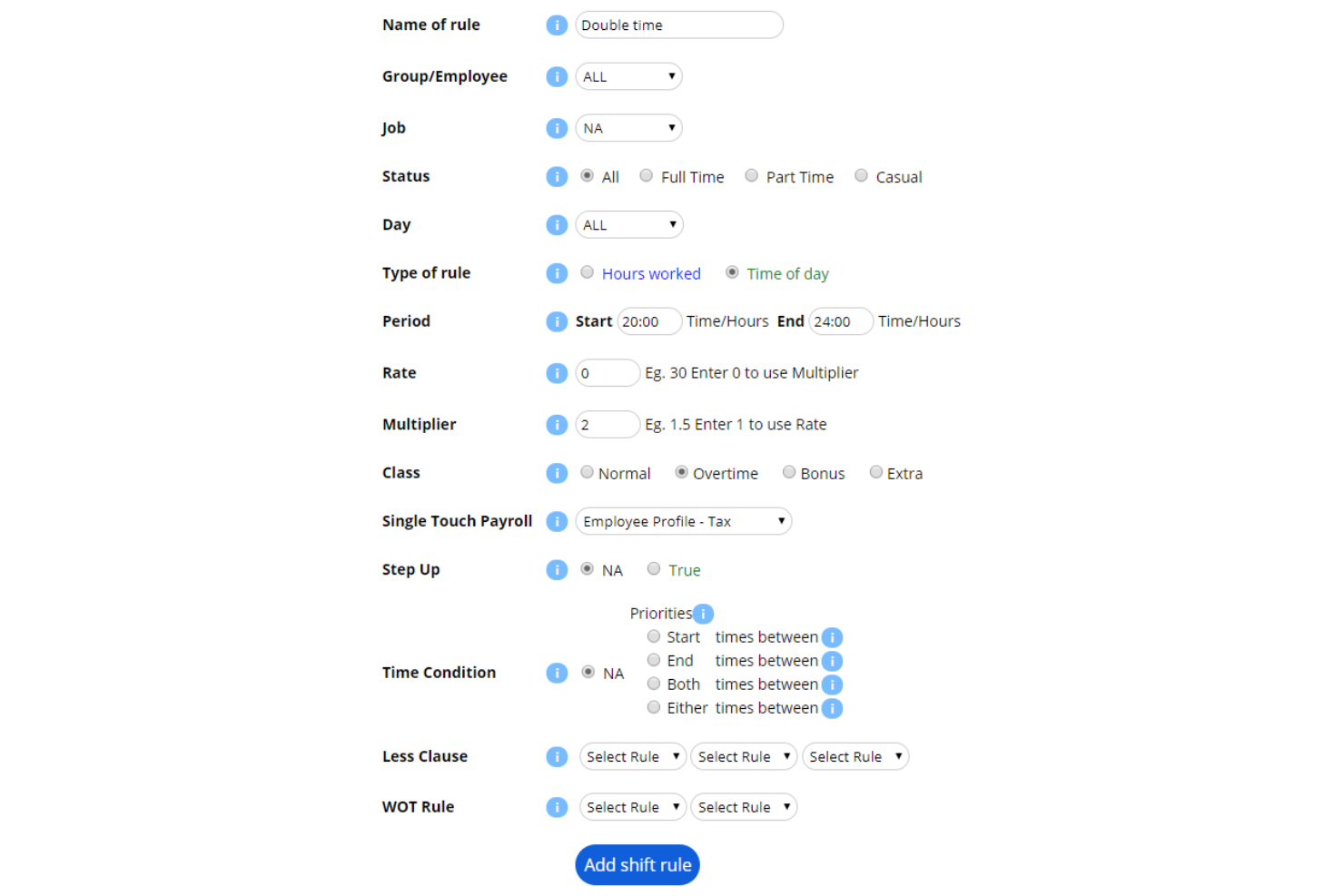
Applies configured Award, EBA, and custom pay rules to timesheets, including overtime, penalty rates, and allowances. I see the configurability as the bigger advantage here: businesses can build payroll logic around how they actually operate rather than being limited to rigid prebuilt rules.
Flexible Clocking and Attendance Verification
Supports multiple attendance methods, including GPS clocking, facial recognition, fingerprint scanners, NFC, browser clocking, and dedicated clocking stations. This gives employers more flexibility to choose clocking methods based on the needs of different sites, roles, or workforce environments.
Ease of Use
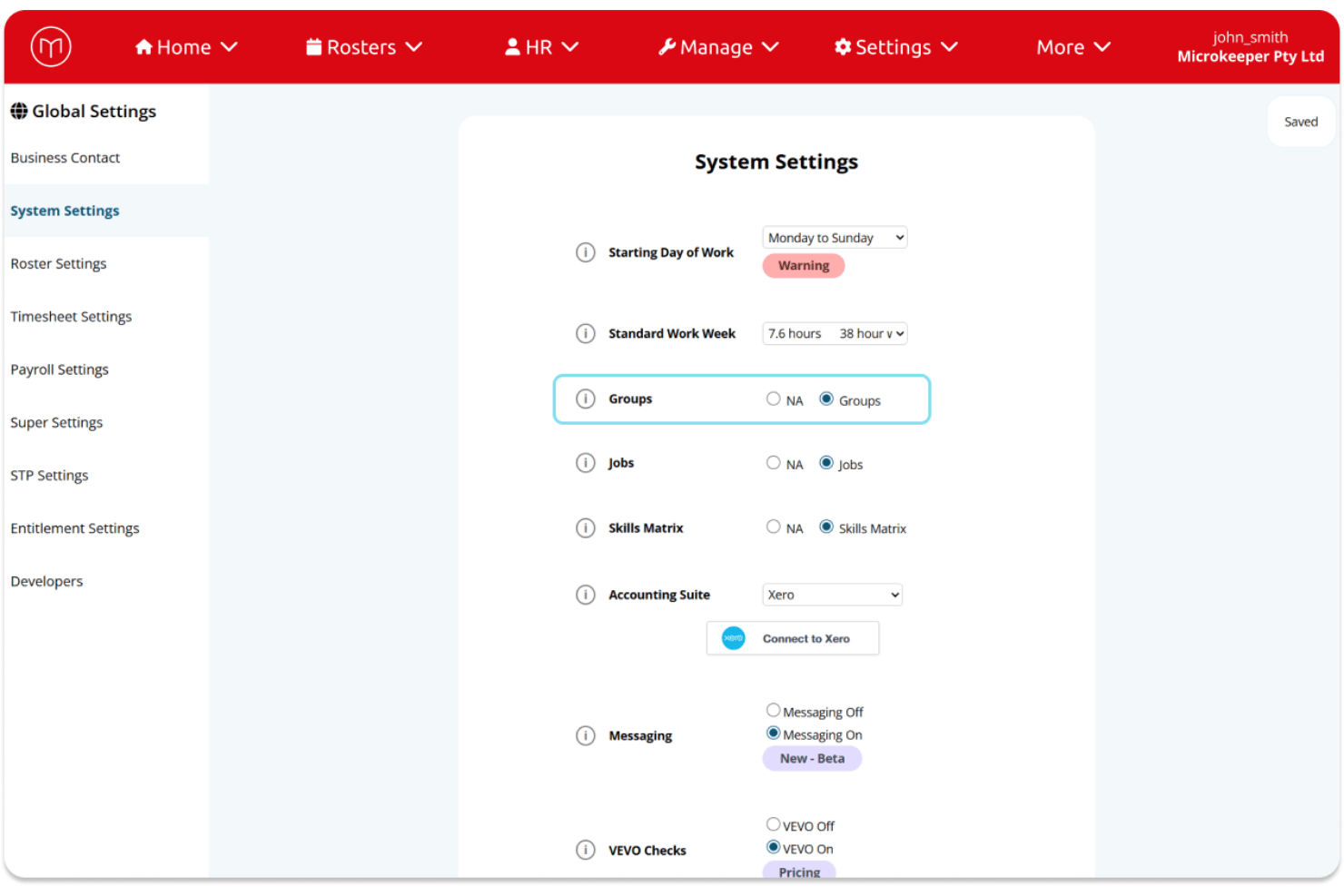
Microkeeper takes a practical, function-first approach to usability, and I think that will suit payroll and operations teams that value capability over visual polish. I wouldn’t call the interface its biggest strength, and self-setup takes time to understand, but once the platform is configured, its connected rostering, timesheet, HR, and payroll workflows make routine workforce administration easier to manage.
Onboarding
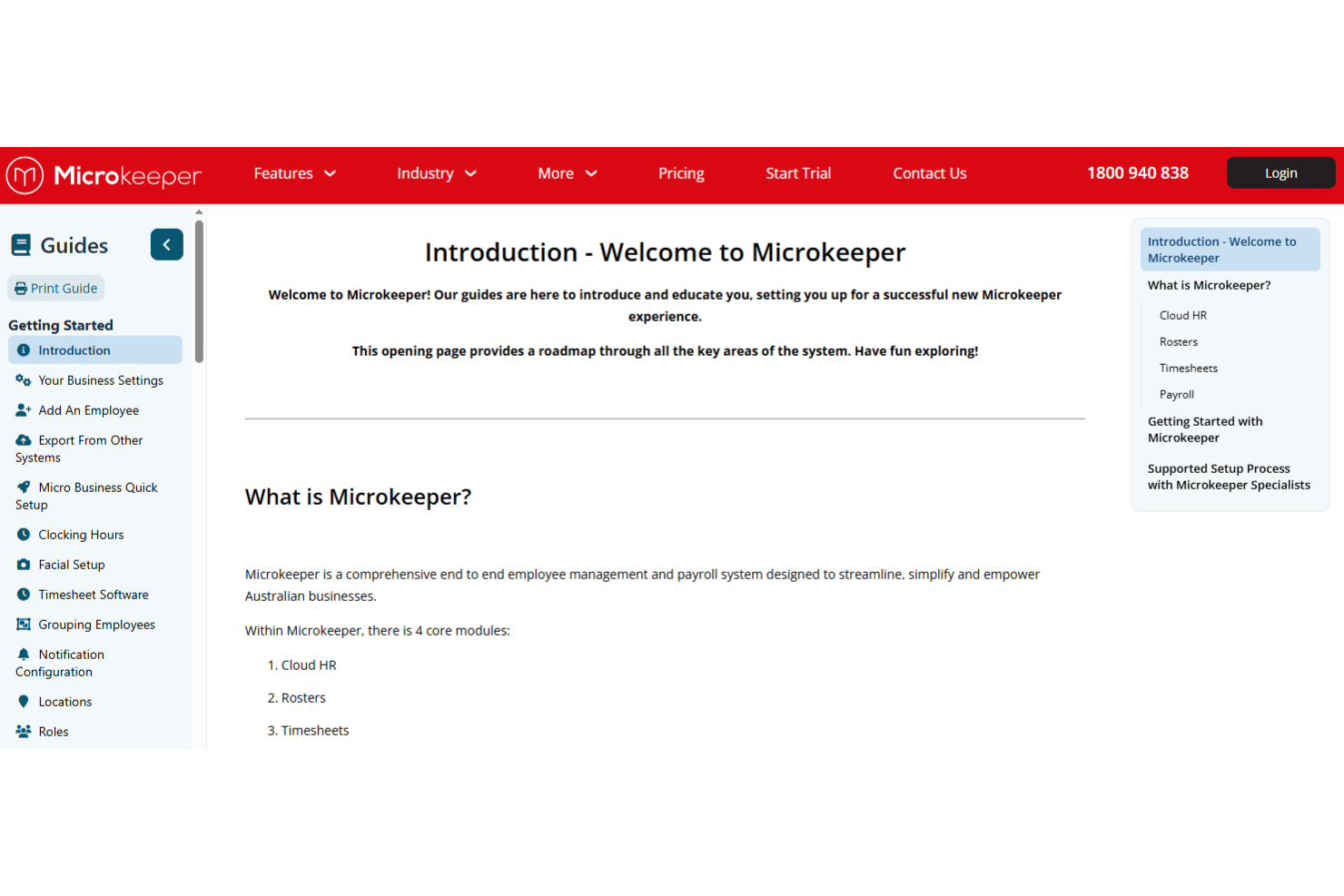
Microkeeper offers both guided implementation and self-setup, depending on a business’s complexity, budget, and internal resources. I’d lean toward guided implementation for organizations with complex Awards, EBAs, or rostering rules, since it covers needs assessment, payroll scoping, configuration and testing, admin training, a parallel pay run, and go-live support, typically around 8 to 10 weeks depending on complexity.. Self-setup is available through detailed guides and general support, but it requires more hands-on configuration, testing, and understanding of how the modules connect.
Customer Support
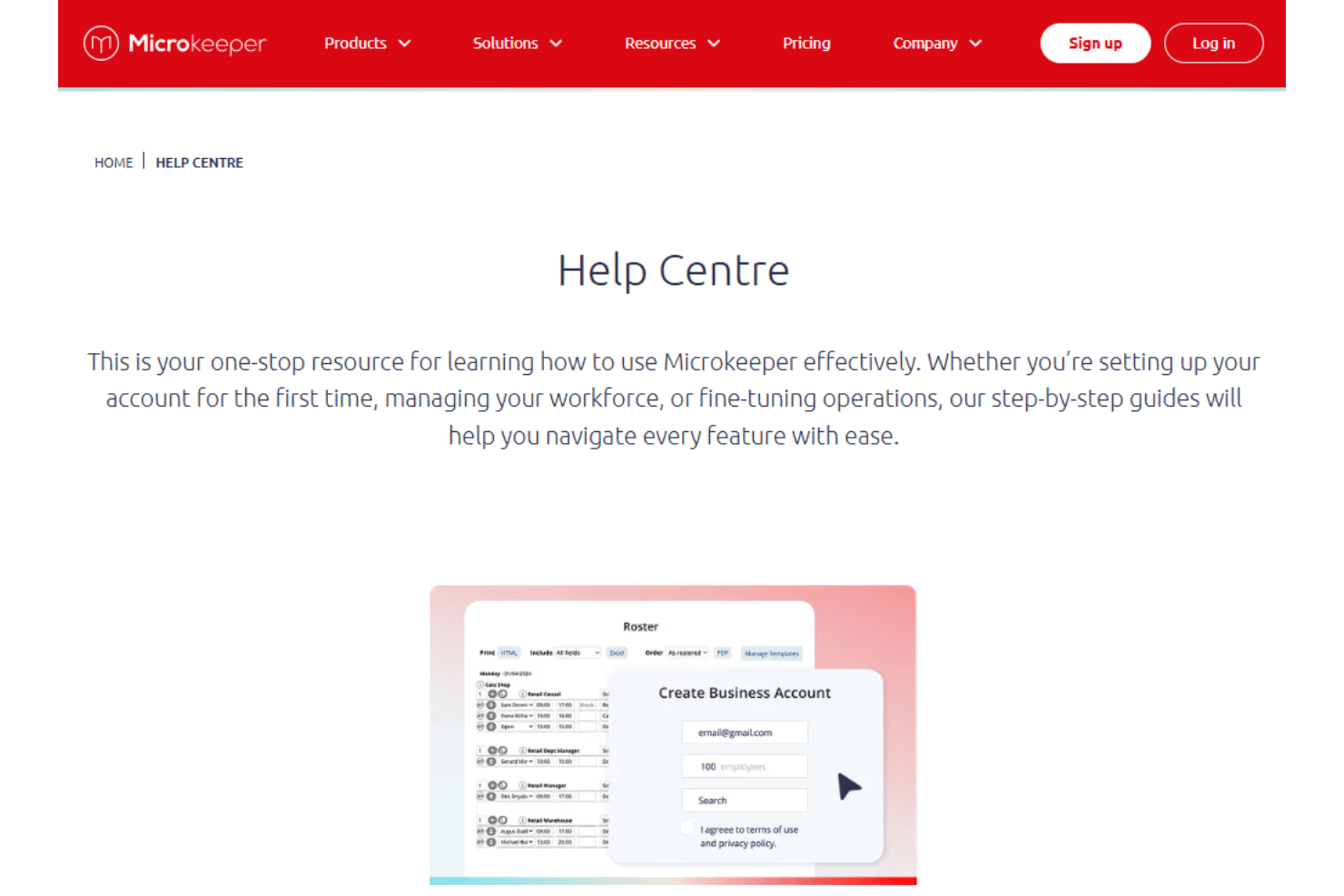
Microkeeper provides direct, onshore Australian support by phone and ticket, with inquiries handled by real people rather than chatbot triage, offshore call centers, or multiple support tiers. I think this is a meaningful advantage for payroll teams, where getting a knowledgeable answer quickly can matter far more than having another self-service support channel. Detailed guides and support resources cover everyday questions, while more involved configuration needs can be directed to the appropriate team.
Integrations
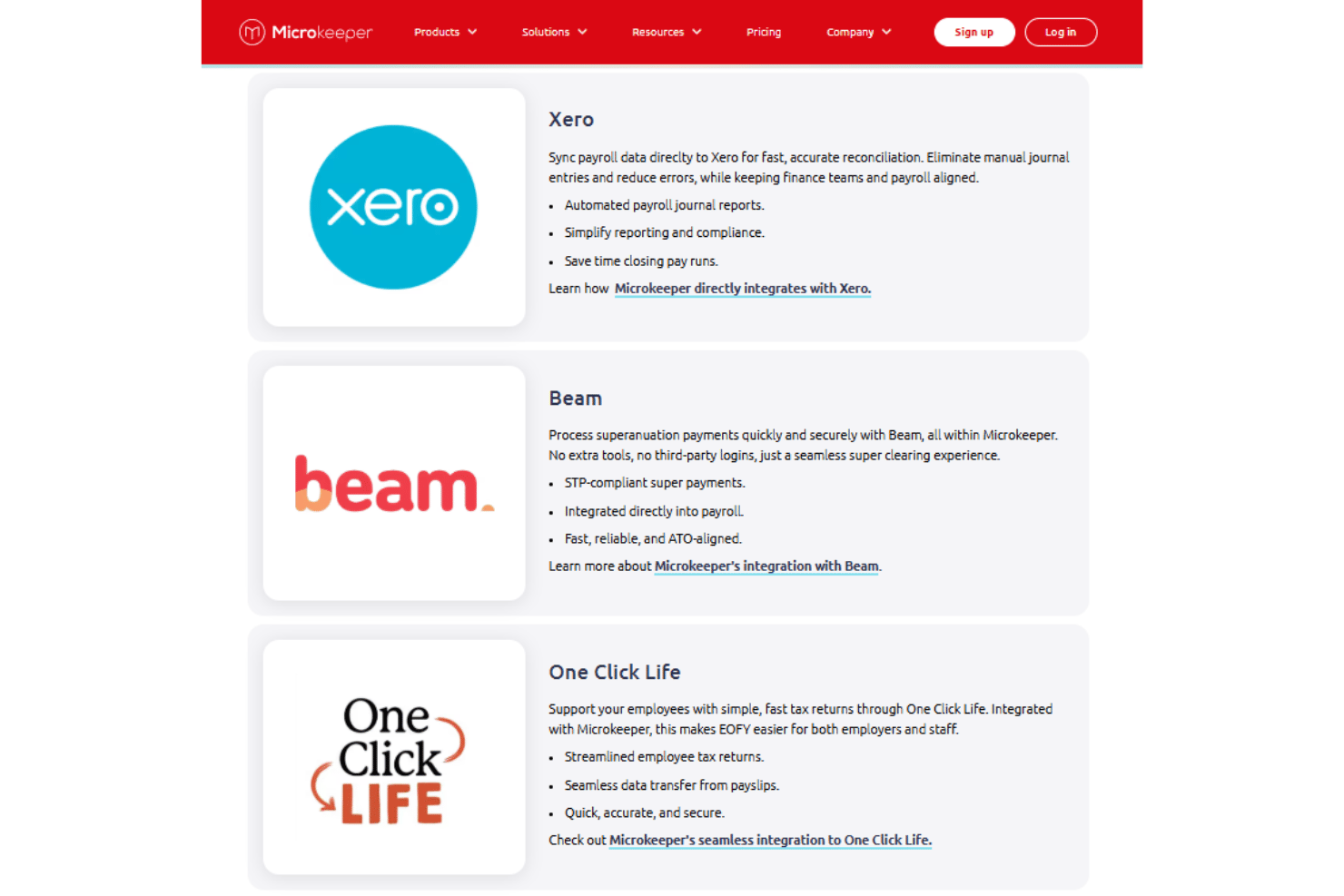
Microkeeper integrates with Xero, MYOB, Beam, One Click Life, Manatal, and Teamtailor, among others, and also provides an open API for custom connections. The native list covers several common accounting, superannuation, and recruitment workflows, but I’d check your existing tech stack carefully before committing, since tools outside that list may require development work.
Value for Money
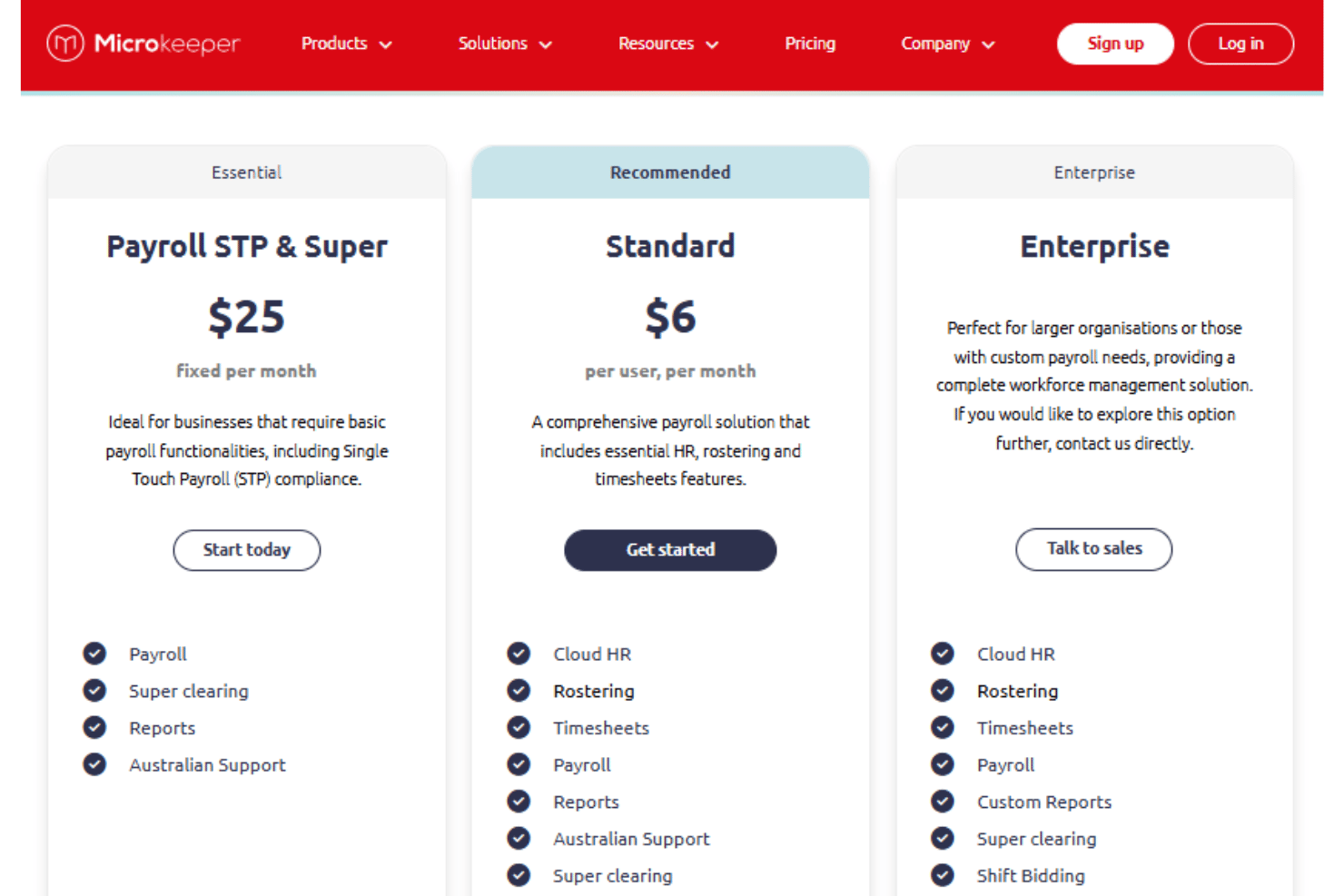
Microkeeper offers strong value for Australian businesses that want payroll and workforce management in one connected system rather than relying on multiple tools. I think Standard is where the value proposition is strongest for businesses that need more than payroll alone, since it brings Cloud HR, rostering, timesheets, payroll, reporting, super clearing, and Australian support together. Businesses with simpler payroll needs can opt for Payroll STP & Super, while Enterprise offers more advanced scheduling, reporting, and dedicated support for larger organizations or those with custom payroll requirements.
- Payroll STP & Super: Includes payroll, super clearing, reports, and Australian support, with the core functionality needed for STP-compliant payroll.
- Standard: Includes Cloud HR, rostering, timesheets, payroll, reports, super clearing, and Australian support for businesses that need broader workforce management capabilities.
- Enterprise: Includes the core workforce management features plus custom reports, shift bidding, auto-scheduling, priority support, an account manager, and health checks for larger or more complex organizations.
Microkeeper Specs
- 2-Factor Authentication
- 360 Degree Feedback
- API
- Application Tracking
- Attendance Tracking
- Batch Permissions & Access
- Budgeting
- Calendar Management
- Dashboard
- Data Export
- Data Import
- Data Visualization
- Employee Database
- Employee Engagement
- Employee Incentive Management
- Employee Onboarding
- Expense Tracking
- External Integrations
- Feedback Management
- Forecasting
- Multi-User
- Notifications
- Onboarding
- Payroll
- Project Management
- Scheduling
- Time Management
- Timesheets
- Travel Management
- Vacation & Absence Calendar
Microkeeper FAQs
How easy is it to set up Microkeeper for my team?
How does Microkeeper handle award interpretation and payroll compliance?
What employee onboarding tools does Microkeeper offer?
Can Microkeeper integrate with my accounting or HR systems?
How secure is my employee data with Microkeeper?
Can employees use Microkeeper from a mobile device?
What reporting features does Microkeeper include?
Can Microkeeper support enterprise and multi-site workforces?
Is Microkeeper a true all-in-one workforce management platform?
Microkeeper Company Overview & History
Microkeeper is an Australian workforce management software company based in Geelong, Victoria. Founded in 2010 by founding directors Jon Arrigo and Joel Davis, the company develops an integrated platform for HR, rostering, timesheets, and payroll for Australian businesses. Microkeeper is Australian-owned and operated and serves organizations across industries including retail, hospitality, manufacturing, healthcare, mining, construction, and labor hire.
Microkeeper Major Milestones
- 2010: Microkeeper was founded in Geelong, Victoria.
- 2015: Expanded payroll automation with new rate, shift, and public-holiday rule capabilities.
- 2023: Completed its Newtown office in the Geelong business community.
- 2025: Won the Innovation, Research, and Development Award at the Geelong Business Excellence Awards.