


Reseña de MRPeasy 2026: Ventajas, Desventajas, Funciones y Precios


MRPeasy is a manufacturing resource planning (MRP) system built for small and midsize manufacturers. If you’re an HR expert trying to ensure that your production team has balance, visibility, and the right tools—without IT headaches—MRPeasy offers a cloud-based way to control inventory, manage production schedules, track costs, and streamline order management.
In this review, I cover MRPeasy’s features, pros and cons, pricing, and ideal use cases to help you decide if it’s a strong fit for your needs.
MRPeasy Evaluation Summary
- From $49/user/month
- 30-day free trial available
Por qué confiar en nuestras reseñas de software
Hemos estado probando y revisando sistemas de software de RRHH desde 2019. Como expertos en RRHH, sabemos lo crítico y difícil que es tomar la decisión correcta al seleccionar un software. Invertimos en una investigación profunda para ayudar a nuestra audiencia a tomar mejores decisiones de compra de software. Hemos probado más de 2,000 herramientas para diferentes casos de uso en gestión de RRHH y escrito más de 1,000 reseñas de software completas. Conoce cómo nos mantenemos transparentes & nuestra metodología de reseñas de software.
MRPeasy Overview
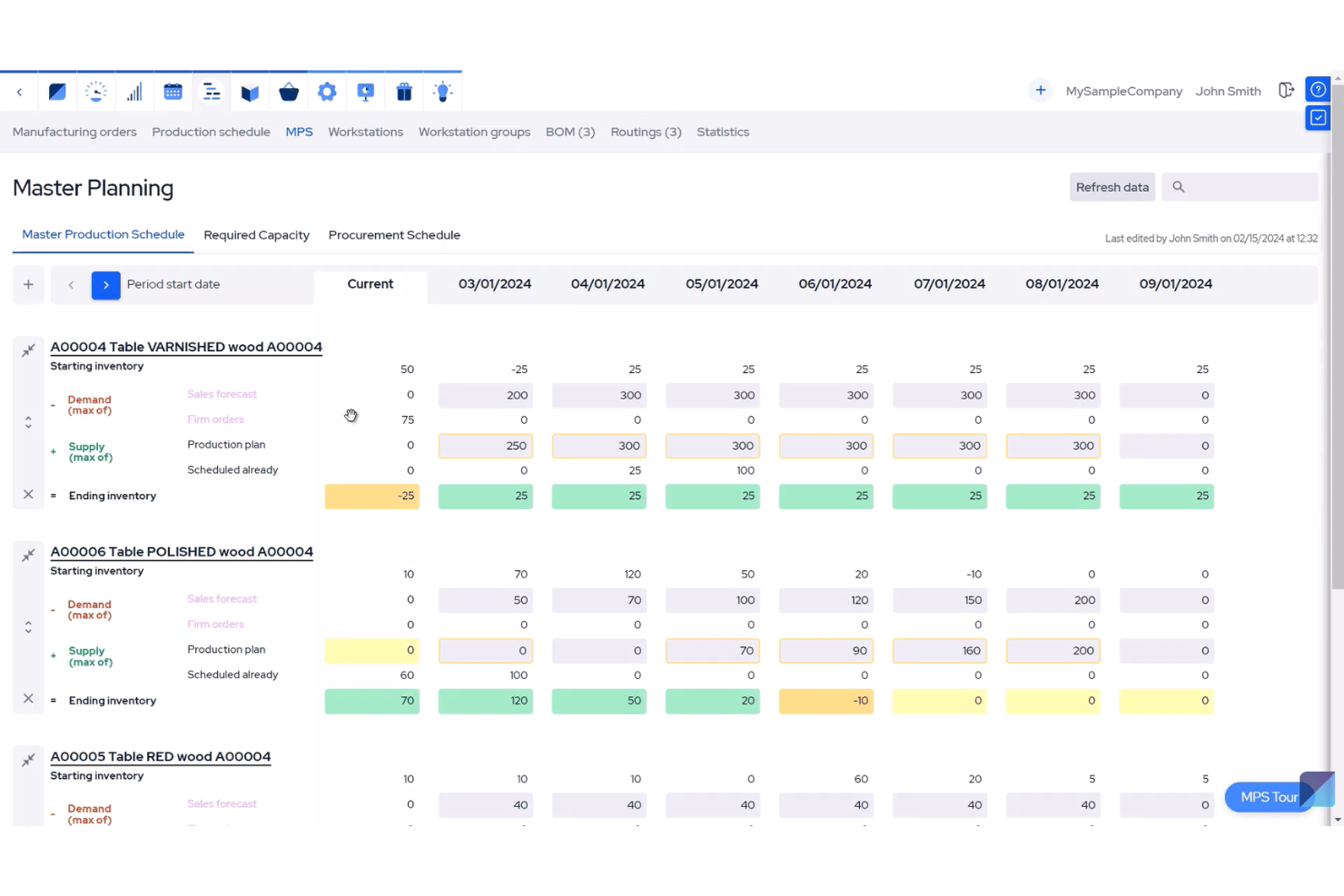
In my opinion, MRPeasy stands out for its approachable interface, transparent pricing, and strong core features like BOM management and production scheduling. Compared to rivals, the onboarding is quicker and less tech-heavy, making it ideal for smaller teams with limited IT resources.
While its integrations and advanced analytics don’t go as deep as some higher-end solutions, I’d say it’s a smart choice if you’re judging MRP tools for manufacturing companies who need automation, easy order tracking, and reliable support without a steep learning curve.
pros
-
Offers real-time production tracking and inventory management.
-
Built-in CRM and quoting functionalities for sales teams.
-
Cloud-based platform with multi-user access and role permissions.
cons
-
Limited native reporting and analytics customization.
-
No native advanced demand forecasting or AI features.
-
Customer support response time can be slow during peak hours.
-

Justworks
Visit WebsiteThis is an aggregated rating for this tool including ratings from Crozdesk users and ratings from other sites.4.6 -
Homebase
Visit WebsiteThis is an aggregated rating for this tool including ratings from Crozdesk users and ratings from other sites.4.2 -
Paycom
Visit WebsiteThis is an aggregated rating for this tool including ratings from Crozdesk users and ratings from other sites.4.3





Cómo probamos y puntuamos nuestras herramientas
Hemos pasado años construyendo, refinando y mejorando nuestro sistema de pruebas y puntuación de software. La rúbrica está diseñada para capturar los matices de la selección de software y lo que hace que una herramienta sea efectiva, centrándose en los aspectos críticos del proceso de toma de decisiones. A continuación, puedes ver exactamente cómo funcionan nuestras pruebas y puntuaciones a través de siete criterios. Esto nos permite ofrecer una evaluación imparcial del software basada en la funcionalidad principal, características destacadas, facilidad de uso, incorporación, soporte al cliente, integraciones, reseñas de clientes y relación calidad-precio.
Funcionalidad principal (25% de la puntuación final)
El punto de partida de nuestra evaluación siempre es la funcionalidad principal de la herramienta. ¿Tiene las funciones básicas que se espera encontrar? ¿Alguna de esas funciones básicas está restringida a planes de precio superiores? En esencia, esperamos que una herramienta se compare favorablemente con las capacidades básicas de sus competidores.
Características destacadas (25% de la puntuación final)
Luego, evaluamos características poco comunes que van más allá de la funcionalidad principal que normalmente se encuentra en herramientas de su tipo. Una puntuación alta refleja funciones especializadas o únicas que hacen que el producto sea más rápido, eficiente o que ofrezca un valor adicional al usuario. También evaluamos lo fácil que es integrar con otras herramientas comúnmente usadas en el entorno tecnológico para ampliar la funcionalidad y utilidad del software. Las herramientas que ofrecen muchas integraciones nativas, conexiones de terceros y acceso a API para construir integraciones personalizadas obtienen las mejores puntuaciones.
Facilidad de uso (10% de la puntuación final)
Consideramos qué tan rápido y fácil es ejecutar las tareas definidas en la funcionalidad principal utilizando la herramienta. El software que obtiene una puntuación alta está bien diseñado, es intuitivo, ofrece aplicaciones móviles, proporciona plantillas y hace que tareas relativamente complejas parezcan simples.
Incorporación (10% de la puntuación final)
Sabemos lo importante que es la rápida adopción del equipo para una nueva plataforma, por eso evaluamos qué tan fácil es aprender y usar una herramienta con una capacitación mínima. Evaluamos cuán rápido un miembro del equipo puede configurarse y comenzar a usar la herramienta sin experiencia. Las soluciones con mejores puntuaciones requieren poco o ningún soporte.
Soporte al cliente (10% de la puntuación final)
Revisamos cuán rápido y fácil es obtener ayuda mediante teléfono, chat en vivo o base de conocimientos. Las herramientas y empresas que ofrecen soporte en tiempo real obtienen las mejores puntuaciones, mientras que los chatbots obtienen las peores.
Reseñas de clientes (10% de la puntuación final)
Además de nuestras propias pruebas y evaluaciones, consideramos el puntaje neto de promotores de clientes presentes y pasados. Revisamos su probabilidad, dada la opción, de elegir nuevamente la herramienta por su funcionalidad principal. El software con una puntuación alta refleja un alto puntaje neto de promotores por parte de clientes actuales o anteriores.
Relación calidad-precio (10% de la puntuación final)
Por último, considerando todos los demás criterios, revisamos el precio promedio de los planes de entrada frente a las funciones principales y valoramos el resto de los criterios de evaluación. El software que ofrece más por menos tendrá una mejor puntuación.
Core Features
Production Planning and Scheduling
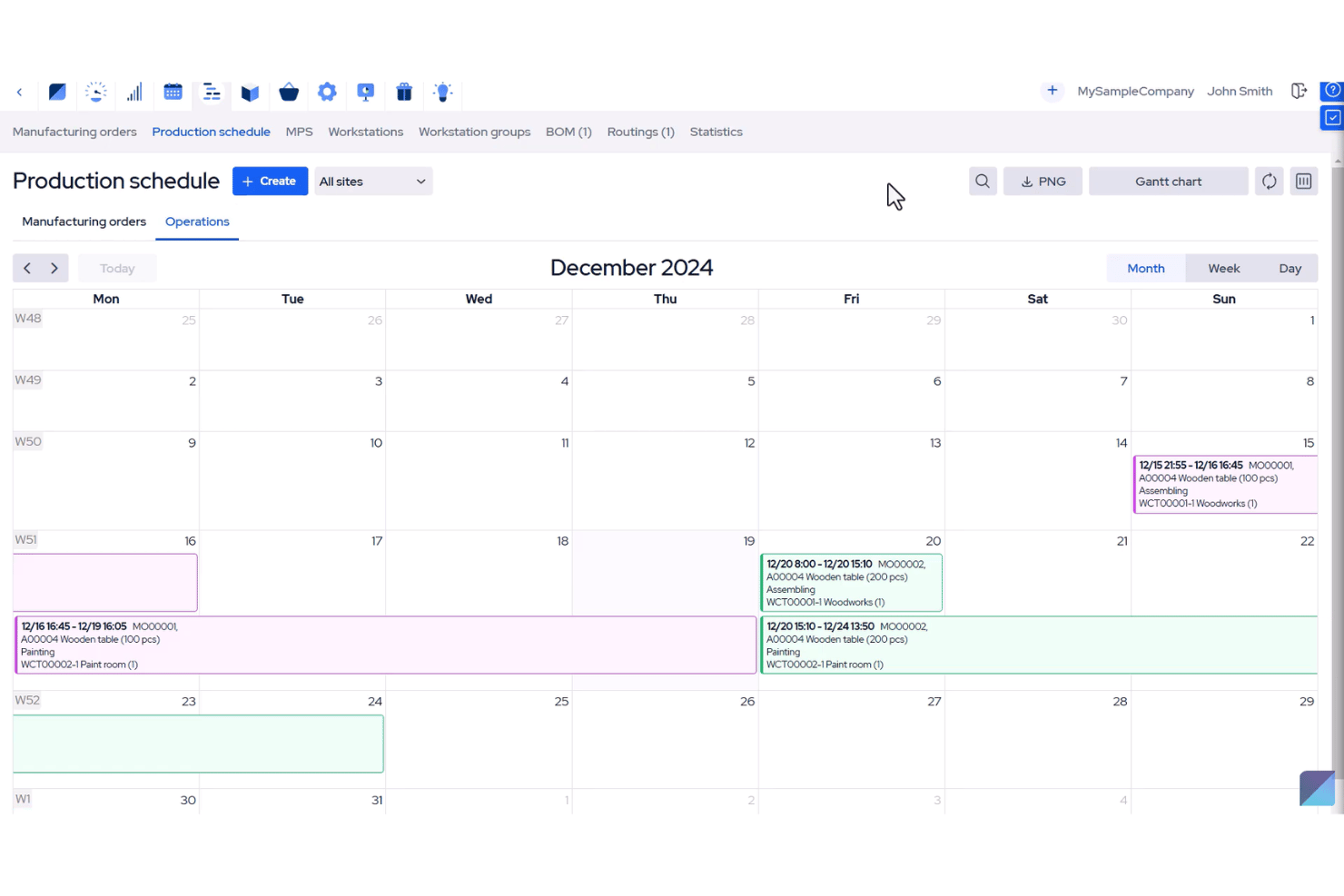
Plan production runs, assign resources, and sequence manufacturing orders. The interactive visual schedule lets you spot bottlenecks or overlaps at a glance.
Inventory Management
Manage raw materials, components, and finished goods with real-time tracking. Automatic stock level updates reduce manual work and help avoid shortages.
Bill of Materials (BOM) Management
Create multi-level BOMs to define the exact components and processes for each product. Quick BOM versioning lets you keep control during design changes.
Shop Floor Control
Capture work progress with barcode scanning or digital tablets on the shop floor. Real-time updates flow directly to your dashboard for instant oversight.
Procurement Management
Automate purchasing based on production needs and minimum stock levels. Track vendor performance and link purchase orders directly to jobs.
CRM and Order Management
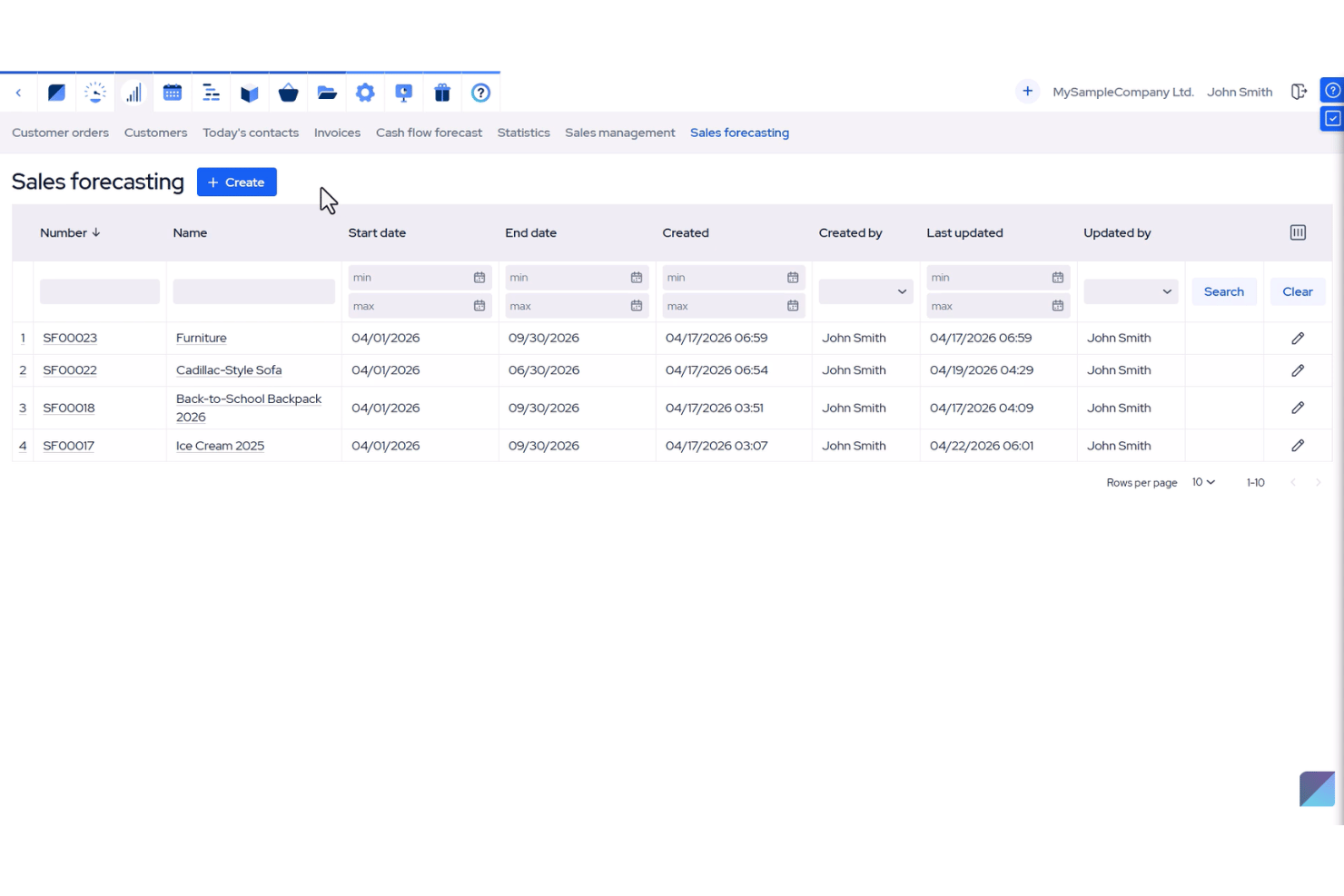
Manage customer orders and quotes within MRPeasy, connecting sales with production instantly. Track orders from quote to shipment without switching systems.
Ease of Use
MRPeasy is user-friendly for small manufacturers, thanks to its clean interface and step-by-step wizards that walk you through setup and daily tasks.
I’ve seen users praise the dashboard for making production data easy to understand, and real-time inventory visibility helps new teams operate with confidence—no IT background needed.
Integrations
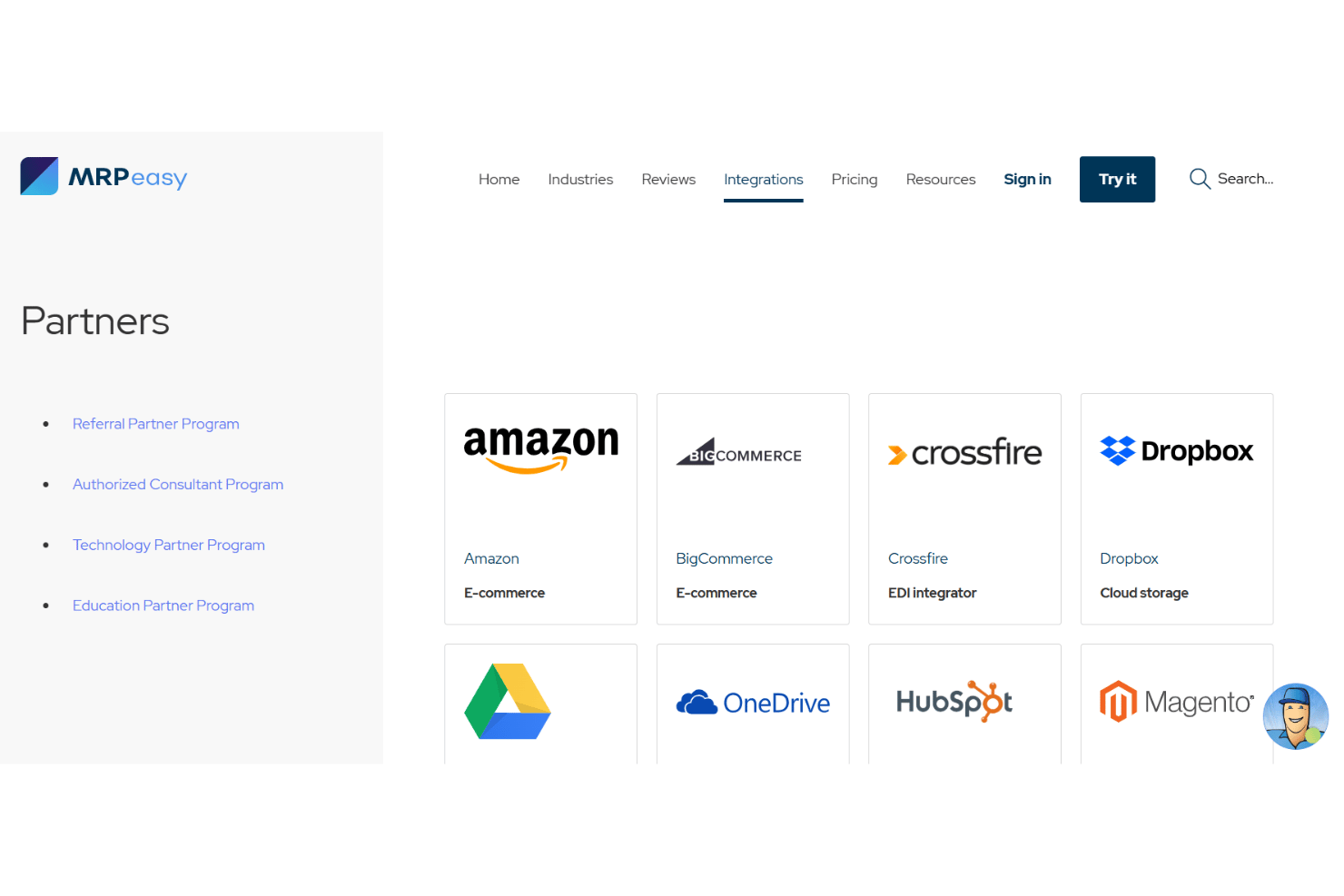
MRPeasy integrates with Xero, QuickBooks Online, Shopify, Amazon, BigCommerce, WooCommerce, HubSpot, Salesforce, Pipedrive, and Microsoft Power BI, among others.
MRPeasy also offers an API and connects with third-party automation tools.
New Product Updates from MRPeasy
MRPeasy Adds Estimated Weight Calculation for Items
MRPeasy's latest update brings an exciting feature to calculate the estimated weight of items, adding great value for users by optimizing their packing process. Users can now estimate an item's weight when Packing functionality is enabled, simplifying inventory management and improving shipment planning.
Visit MRPeasy's official site for more details.
 for more details.
MRPeasy Adds Single Sign-On Authentication
MRPeasy has enhanced the user experience by enabling Single Sign-On, significantly easing login for users with Google or Microsoft accounts. Note that the email address of your Google or Microsoft account must match your MRPeasy user email address. Here are the details of the update:
- Single Sign-On with Google: Users can now log in using their Google account credentials, ensuring a seamless integration and quicker access.
- Single Sign-On with Microsoft: Users can authenticate using Microsoft accounts, reducing login times and improving security.
Visit MRPeasy's official site for more details.
MRPeasy Specs
- Accounts Payable
- Accounts Receivable
- API
- Budgeting
- Calendar Management
- Compliance Tracking
- Customer Management
- Dashboard
- Data Export
- Data Import
- Data Visualization
- Expense Tracking
- External Integrations
- Financial Analysis
- Forecasting
- Inventory Tracking
- Multi-Currency
- Multi-User
- Notifications
- Order Management
- Payroll
- Project Management
- Purchase Orders
- Resource Management
- Scheduling
- Supplier Management
- Task Scheduling/Tracking
- Third-Party Plugins/Add-Ons
- Warehouse Management
- Workflow Management


