Skedda Review 2026: Pros, Cons, Features, and Pricing


Skedda is a hot desk booking software for teams managing hybrid workplaces where employees share desks, meeting rooms, or other bookable spaces. It's a strong fit if your organization needs self-service space reservations with interactive floor maps and booking rules, but doesn't need the full enterprise overhead of a tool like Robin. Where Robin can feel heavy for mid-sized teams, Skedda keeps setup and day-to-day management lean without sacrificing the customization that workplace coordinators actually need.
Skedda Evaluation Summary
- From $249/month (billed annually)
- 30-day free trial + free demo available
Why Trust Our Software Recommendations
Our team has been testing and reviewing software since 2012. As HR experts ourselves, we know how difficult—and important—it is to choose the right software.
For this guide, we evaluated tools using hands-on testing and independent research, scoring tools using our selection criteria. We also draw on insights from industry thought leaders and practicing HR experts.
Our reviews reflect our human editorial judgment, not a sales pitch.
Expert reviewers:
Skedda Overview
In my experience, Skedda stands out for its clean interface, flexible booking rules, and visual floor plans, which make desk management intuitive. While its pricing feels fair for the automation and integrations offered, some features—like advanced analytics—require a higher tier.
I think Skedda is best for midsize businesses or hybrid offices that need self-service desk booking and simple onboarding. Compared to others, it’s easier to set up and integrates with popular calendar tools, but support response times can be slower. If you value control and ease of use, Skedda deserves strong consideration.
pros
-
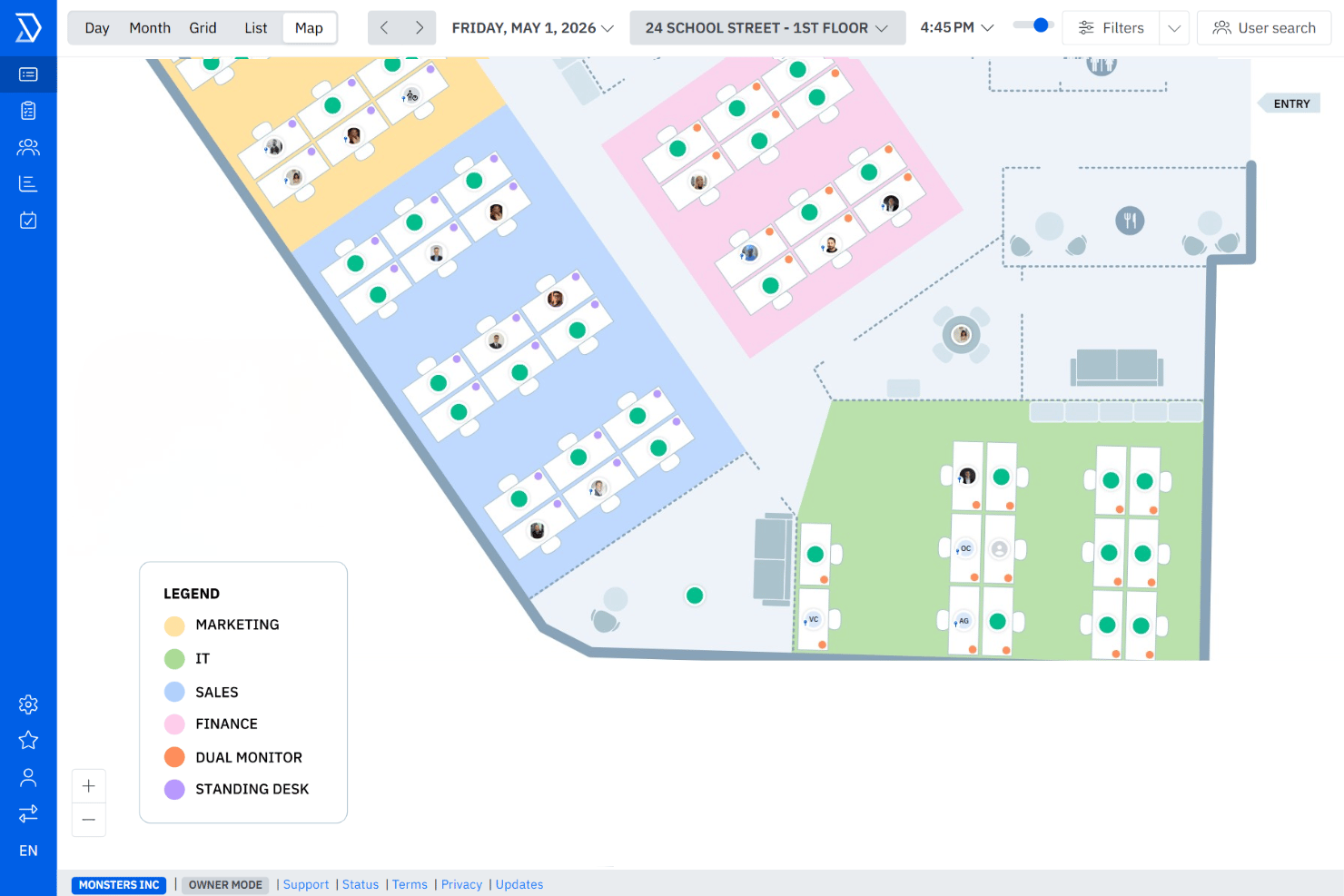
Visual floor plans display real-time desk availability
-
Customizable booking rules support hybrid workplace policies
-
Automated reminders help reduce no-shows and conflicts
cons
-
Reporting features are limited without upgrading tiers
-
No mobile app for on-the-go desk booking
-
Support response times can lag during peak hours
-

Justworks
Visit WebsiteThis rating combines scores from multiple user review sites to reflect overall customer sentiment about the product.4.6 -
Eletive
Visit WebsiteThis rating combines scores from multiple user review sites to reflect overall customer sentiment about the product.4.6 -
Prevue Assessments
Visit WebsiteThis rating combines scores from multiple user review sites to reflect overall customer sentiment about the product.4.6



How We Test & Score Our Tools
We’ve spent years building, refining, and improving our software testing and scoring system. The rubric is designed to capture the nuances of software selection and what makes a tool effective, focusing on critical aspects of the decision-making process.
Below, you can see exactly how our testing and scoring works across seven criteria. It allows us to provide an unbiased evaluation of the software based on core functionality, standout features, ease of use, onboarding, customer support, integrations, customer reviews, and value for money.
Core Functionality (25% of final score)
The starting point of our evaluation is always the core functionality of the tool. Does it have the basic features and functions that a user would expect to see? Are any of those core features locked to higher-tiered pricing plans? At its core, we expect a tool to stand up against the baseline capabilities of its competitors.
Standout Features (25% of final score)
Next, we evaluate uncommon standout features that go above and beyond the core functionality typically found in tools of its kind. A high score reflects specialized or unique features that make the product faster, more efficient, or offer additional value to the user.
We also evaluate how easy it is to integrate with other tools typically found in the tech stack to expand the functionality and utility of the software. Tools offering plentiful native integrations, 3rd party connections, and API access to build custom integrations score best.
Ease of Use (10% of final score)
We consider how quick and easy it is to execute the tasks defined in the core functionality using the tool. High scoring software is well designed, intuitive to use, offers mobile apps, provides templates, and makes relatively complex tasks seem simple.
Onboarding (10% of final score)
We know how important rapid team adoption is for a new platform, so we evaluate how easy it is to learn and use a tool with minimal training. We evaluate how quickly a team member can get set up and start using the tool with no experience. High scoring solutions indicate little or no support is required.
Customer Support (10% of final score)
We review how quick and easy it is to get unstuck and find help by phone, live chat, or knowledge base. Tools and companies that provide real-time support score best, while chatbots score worst.
Customer Reviews (10% of final score)
Beyond our own testing and evaluation, we consider the net promoter score from current and past customers. We review their likelihood, given the option, to choose the tool again for the core functionality. A high scoring software reflects a high net promoter score from current or past customers.
Value for Money (10% of final score)
Lastly, in consideration of all the other criteria, we review the average price of entry level plans against the core features and consider the value of the other evaluation criteria. Software that delivers more, for less, will score higher.
Core Features
Interactive Floor Plans
See available desks in real time on a visual office map. Drag-and-drop editing lets you quickly update the layout for reconfigurations.
Smart Booking Rules
Set booking windows, booking buffer times, and access rules for teams or individuals. Automate compliance with hybrid work policies like team-only zones or maximum booking durations.
Automated Notifications
Get email confirmations and reminders for every reservation. These alerts help reduce no-shows and stop double-booking.
Desk Utilization Analytics
Track who is booking which desks, how often, and identify underused spaces. Use these insights to optimize office layouts or adjust hybrid schedules.
User Self-Service Portal
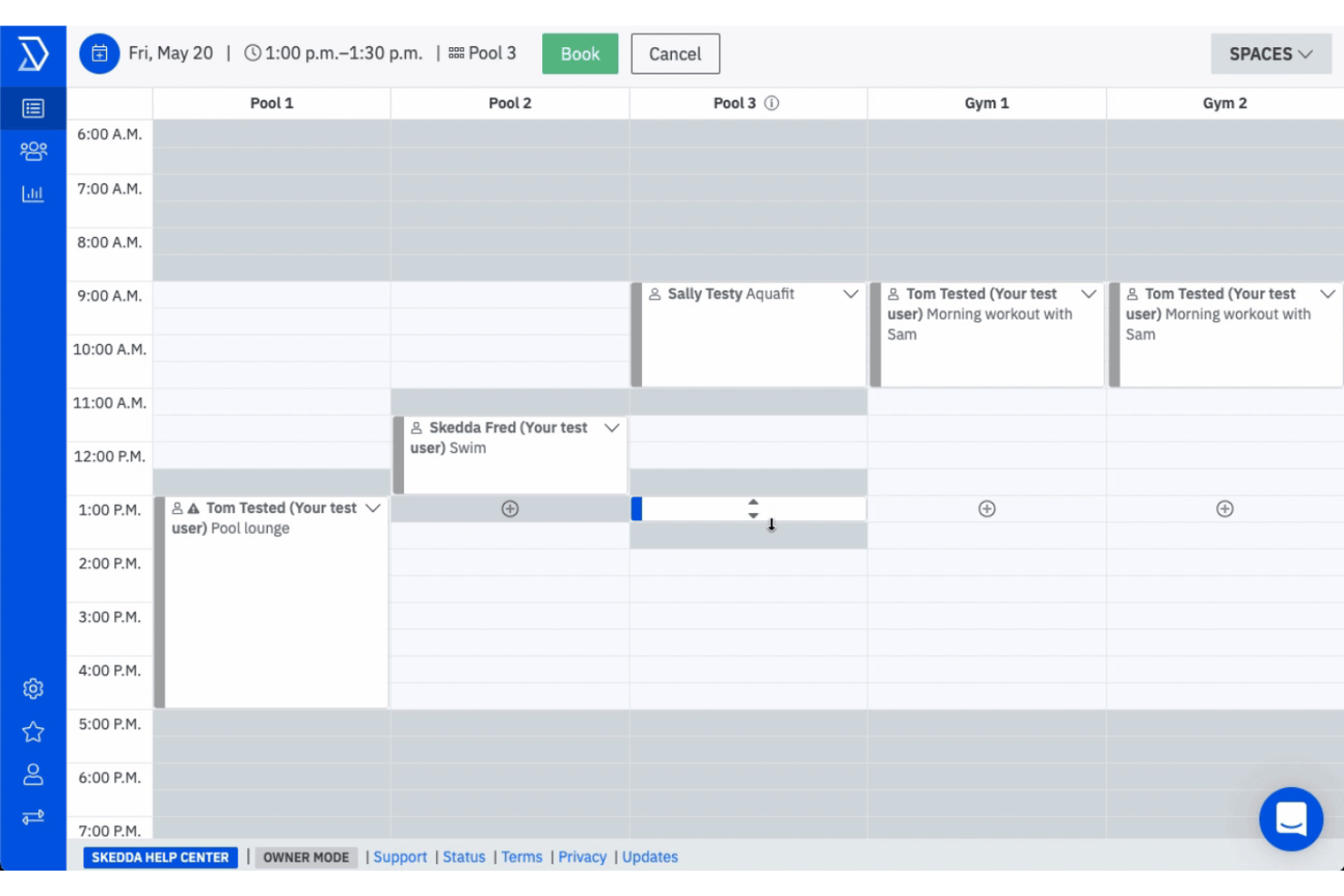
Employees book, modify, or cancel their own desks through a secure, browser-based portal. Admins stay hands-off while teams manage day-to-day reservations.
Check-In and Check-Out Tracking
Prompt users to check in or out of bookings to confirm desk usage. No-shows are automatically freed up for others to reserve, keeping space usage accurate.
Ease of Use
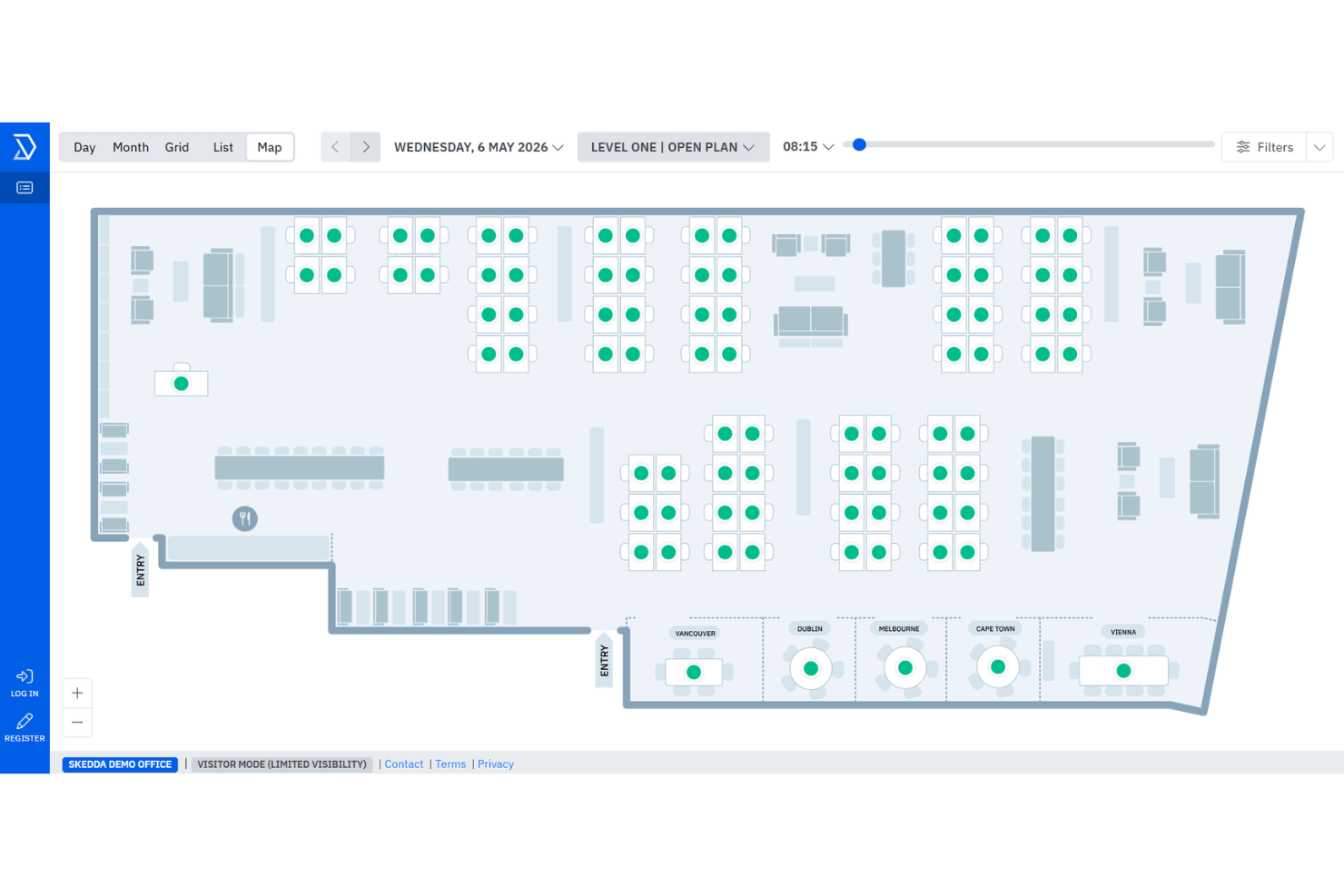
Skedda’s visual floor plans, quick booking interface, and clear navigation make it one of the easiest hot desk platforms to adopt.
I think most users find they can set up and manage desk policies without IT help, and HR teams appreciate how easily staff can reserve, modify, or cancel bookings from any browser.
Integrations
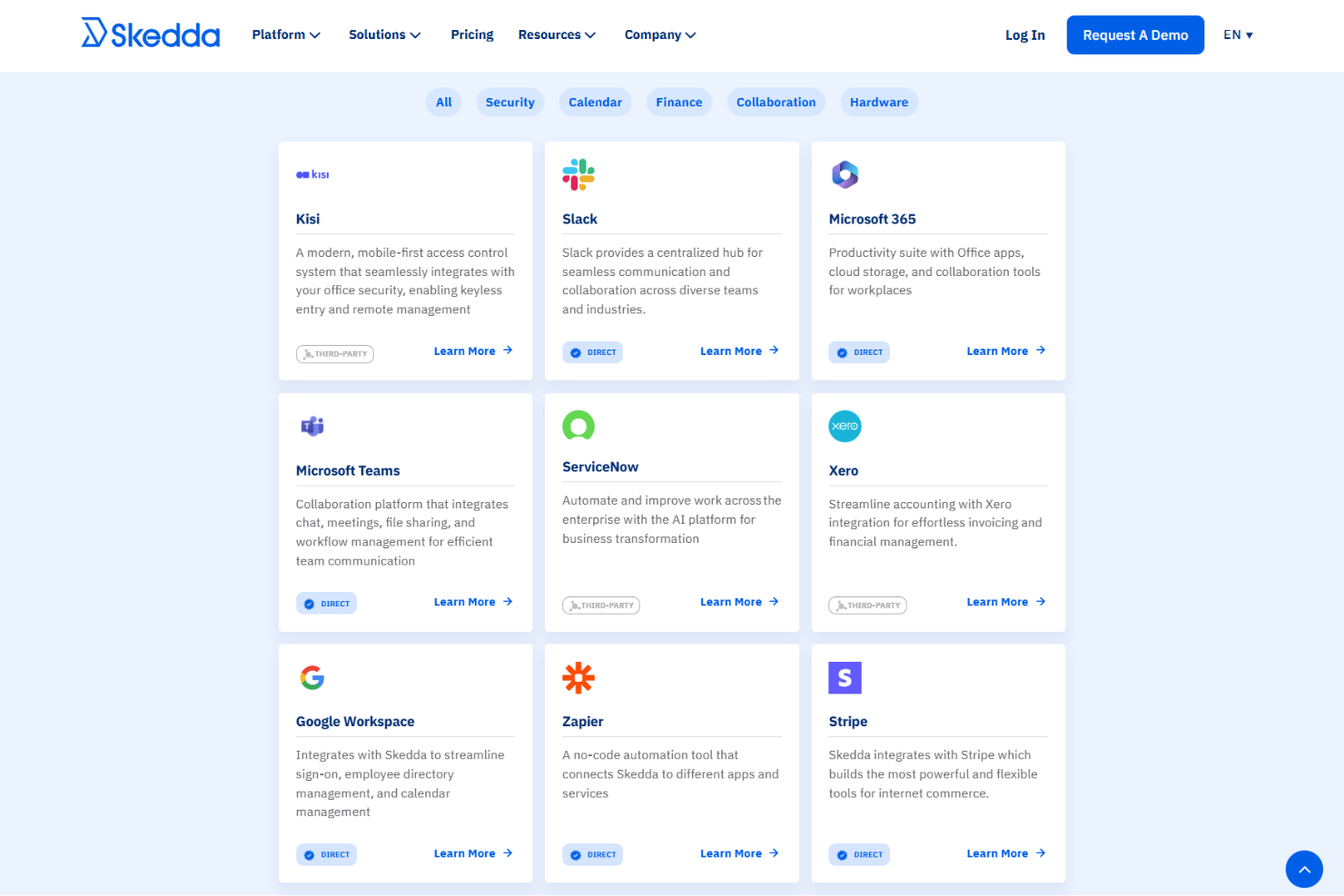
Skedda integrates with Microsoft 365, Google Workspace, Microsoft Teams, Slack, Azure Active Directory, Okta, Zapier, iCal, Apple Calendar, and Outlook Calendar.
Skedda also offers an API and can connect through third-party integration tools like Zapier.
New Product Updates from Skedda

Skedda Expands Visit Exports With Custom Field Data
Skedda adds Summary and Breakdown formats to Visits page exports, with custom field data and support for current filters. The new formats let teams export either visit-level or individual visitor-level information as XLSX or CSV files. Highlights include:
- Summary Export: Provides one row per visit with visit type, host details, visitor count, and invite-time custom fields.
- Breakdown Export: Provides one row per visitor with check-in and check-out times plus invite-time and check-in custom fields.
- Filtered Exports: Applies currently selected Visits page filters to exported data.
- XLSX and CSV Support: Lets users download either export format as XLSX or CSV.
Visit Skedda’s official site for more details.
 for more details.
Skedda Adds Microsoft Sync Approvals
Skedda adds Microsoft two-way sync support to booking approval rules. This update keeps requested bookings tentative in Outlook until they are approved in Skedda. Highlights include:
- Microsoft Sync Approvals: Manage approval requests for spaces connected through Microsoft two-way sync.
- Calendar Status Sync: Keep Outlook bookings tentative until approval and automatically update accepted bookings.
Visit Skedda’s official site for more details.

Skedda Adds Priority Booking Filters
Skedda improves priority booking rules with new day and time-based filters. This update allows admins to customize booking windows by specific schedules and improve space availability. Highlights include:
- Day and Time Filters: Apply priority booking rules to specific weekdays and time ranges.
- Team-Based Priority Access: Set different booking windows for teams based on their assigned schedules.
Visit Skedda’s official site for more details.

Skedda Adds Issue Reporting for Space Management
Skedda has introduced Issue Reporting to make it easier to capture and resolve problems in shared spaces. Users can report issues at the moment they notice them, and admins can ensure the right team is alerted automatically. Highlights include:
- Issue Reporting: Report space problems like broken equipment, IT issues, or maintenance needs directly from booking pages.
- Custom Issue Categories: Create categories to organize and track different types of space issues.
- Email Routing Rules: Send reports to specific people or teams based on category, space tag, or space name.
Visit Skedda’s official site for more details.
Skedda Adds Check-in Insights to Venue Analytics
Skedda adds check-in analytics to the Insights dashboard for venues with check-in rules enabled. The update helps teams monitor space usage and analyze check-in activity more effectively. Highlights include:
- Check-in Rate Summary: Teams can view overall venue check-in rates at a glance.
- Check-in Method Breakdown: Insights now show how users check in through methods like WiFi, QR codes, and email.
- Per-User and Per-Space Insights: Teams can drill down into check-in rates for individual users and spaces.
Visit Skedda’s official site for more details.

Skedda Adds Visit Types for Visitor Booking Management
Skedda adds Visit Types for categorizing visits such as interviews, client meetings, and contractors with custom configurations and fields. The update helps teams standardize visitor management workflows and improve visitor tracking. Highlights include:
- Custom Visit Categories: Admins can create visit types with custom fields and required or optional rules.
- Flexible Data Collection: Visitor information can be collected during invites, check-in, or both.
- Visitor Data Insights: Visit Types now appear in exports for better visitor reporting and analysis.
Visit Skedda’s official site for more details.
Skedda Specs
- Appointment Scheduling
- Budgeting
- Contact Management
- Customer Management
- Dashboard
- Data Export
- Data Import
- Data Visualization
- Email Integration
- External Integrations
- Forecasting
- Google Apps Integration
- Inventory Tracking
- Multi-User
- Notifications
- Order Management
- Project Management
- Scheduling
- Supplier Management
- Task Scheduling/Tracking
- Third-Party Plugins/Add-Ons