

Reseña de TalentLMS 2026: Ventajas, Desventajas, Características y Precios


TalentLMS is a learning management system that simplifies online training for teams. It best serves small to medium-sized businesses. TalentLMS offers straightforward setup and scalability for efficient team learning.
TalentLMS tackles onboarding challenges and skill gaps for HR and training teams. In this article, I'll cover TalentLMS's features, pros and cons, use cases, and pricing to help you decide if it aligns with your needs and goals.
TalentLMS Evaluation Summary
- From $119/month (billed annually)
- Free plan + free demo available
Por qué confiar en nuestras reseñas de software
Nuestro equipo lleva probando y evaluando software desde 2012. Como expertos en RR. HH., sabemos lo difícil —y lo importante— que es elegir el software adecuado.
Para esta guía, evaluamos las herramientas mediante pruebas prácticas e investigación independiente, puntuando las herramientas según nuestros criterios de selección. También nos basamos en la experiencia de líderes de opinión del sector y de profesionales de RR. HH. en activo.
Nuestras reseñas reflejan nuestro criterio editorial humano, no un discurso de ventas.
Revisores expertos:
TalentLMS Overview
In my opinion, TalentLMS is a solid choice for small to medium-sized businesses seeking an affordable and user-friendly learning management system. It excels in ease of use and offers a straightforward onboarding process, making it accessible for teams without extensive IT support. However, its standout features might not compare with more complex systems – this could be a limitation for larger enterprises needing extensive customization. TalentLMS is best suited for teams that prioritize a smooth learning experience without breaking the bank. Its pricing and functionality are well balanced, offering good value compared to more expensive competitors such as Adobe Captivate Prime or SAP Litmos. If you're choosing a learning management system, TalentLMS provides a strong mix of features and support at a reasonable cost.
pros
-
You can quickly set up and start using it without much hassle.
-
The interface is intuitive, making it simple for your team to navigate.
-
It offers a variety of training materials to improve your learning experience.
cons
-
Advanced customization options are limited compared to other systems.
-
Larger teams might find the reporting features and notifications lacking in detail.
Is TalentLMS Right For Your Needs?
Who Would be a Good Fit for TalentLMS?
TalentLMS is great for small to medium-sized businesses, especially those in training and HR departments. It's user-friendly and affordable, making it ideal for teams that need to onboard new employees quickly. Its intuitive interface and straightforward setup help your team focus on learning rather than tech issues. If your team values efficiency and convenience, TalentLMS provides the tools you need to deliver effective training without a steep learning curve.
-
Small Businesses
TalentLMS offers a cost-effective solution for small businesses needing a simple, efficient training platform.
-
HR Departments
Its ease of use and onboarding capabilities make it ideal for HR teams managing the training of new recruits.
-
Training Providers
TalentLMS supports various training materials, making it suitable for providers offering diverse learning content.
-
Tech Startups
Startups can benefit from its scalability and flexibility as teams grow and training needs evolve.
-
Nonprofits
Its affordable pricing means nonprofits can access quality learning tools without straining their budgets.
-
Remote Teams
The accessibility of its online learning ensures remote teams stay connected and up to date with their training, regardless of location.
Who Would be a Bad Fit for TalentLMS?
TalentLMS might not suit large enterprises or industries requiring extensive customization and detailed reporting. If your team needs advanced analytics or highly specialized training modules, TalentLMS's limitations in customization and reporting could be a hindrance. Businesses with complex training needs, or those needing deep integration with other systems, might find TalentLMS too simplistic.
-
Large Corporations
Its limited customization and reporting features might not meet the complex needs of large enterprises.
-
Financial Services
The lack of advanced analytics can be a drawback for financial companies needing detailed compliance tracking.
-
Highly Regulated Industries
Industries requiring strict compliance may find TalentLMS lacking in specialized training options.
-
Manufacturing Companies
If you need detailed operational training, TalentLMS might not provide the depth you're looking for.
-
Healthcare Organizations
Healthcare teams requiring specialized medical training might find that its content offerings don't meet their needs.
-
Advanced IT Teams
For tech teams needing deep integrations and technical training, TalentLMS could be too basic.
Cómo probamos y puntuamos nuestras herramientas
Hemos pasado años construyendo, refinando y mejorando nuestro sistema de pruebas y puntuación de software. La rúbrica está diseñada para capturar los matices de la selección de software y lo que hace que una herramienta sea efectiva, centrándose en los aspectos críticos del proceso de toma de decisiones. A continuación, puedes ver exactamente cómo funcionan nuestras pruebas y puntuaciones a través de siete criterios. Esto nos permite ofrecer una evaluación imparcial del software basada en la funcionalidad principal, características destacadas, facilidad de uso, incorporación, soporte al cliente, integraciones, reseñas de clientes y relación calidad-precio.
Funcionalidad principal (25% de la puntuación final)
El punto de partida de nuestra evaluación siempre es la funcionalidad principal de la herramienta. ¿Tiene las funciones básicas que se espera encontrar? ¿Alguna de esas funciones básicas está restringida a planes de precio superiores? En esencia, esperamos que una herramienta se compare favorablemente con las capacidades básicas de sus competidores.
Características destacadas (25% de la puntuación final)
Luego, evaluamos características poco comunes que van más allá de la funcionalidad principal que normalmente se encuentra en herramientas de su tipo. Una puntuación alta refleja funciones especializadas o únicas que hacen que el producto sea más rápido, eficiente o que ofrezca un valor adicional al usuario. También evaluamos lo fácil que es integrar con otras herramientas comúnmente usadas en el entorno tecnológico para ampliar la funcionalidad y utilidad del software. Las herramientas que ofrecen muchas integraciones nativas, conexiones de terceros y acceso a API para construir integraciones personalizadas obtienen las mejores puntuaciones.
Facilidad de uso (10% de la puntuación final)
Consideramos qué tan rápido y fácil es ejecutar las tareas definidas en la funcionalidad principal utilizando la herramienta. El software que obtiene una puntuación alta está bien diseñado, es intuitivo, ofrece aplicaciones móviles, proporciona plantillas y hace que tareas relativamente complejas parezcan simples.
Incorporación (10% de la puntuación final)
Sabemos lo importante que es la rápida adopción del equipo para una nueva plataforma, por eso evaluamos qué tan fácil es aprender y usar una herramienta con una capacitación mínima. Evaluamos cuán rápido un miembro del equipo puede configurarse y comenzar a usar la herramienta sin experiencia. Las soluciones con mejores puntuaciones requieren poco o ningún soporte.
Soporte al cliente (10% de la puntuación final)
Revisamos cuán rápido y fácil es obtener ayuda mediante teléfono, chat en vivo o base de conocimientos. Las herramientas y empresas que ofrecen soporte en tiempo real obtienen las mejores puntuaciones, mientras que los chatbots obtienen las peores.
Reseñas de clientes (10% de la puntuación final)
Además de nuestras propias pruebas y evaluaciones, consideramos el puntaje neto de promotores de clientes presentes y pasados. Revisamos su probabilidad, dada la opción, de elegir nuevamente la herramienta por su funcionalidad principal. El software con una puntuación alta refleja un alto puntaje neto de promotores por parte de clientes actuales o anteriores.
Relación calidad-precio (10% de la puntuación final)
Por último, considerando todos los demás criterios, revisamos el precio promedio de los planes de entrada frente a las funciones principales y valoramos el resto de los criterios de evaluación. El software que ofrece más por menos tendrá una mejor puntuación.
Core Features
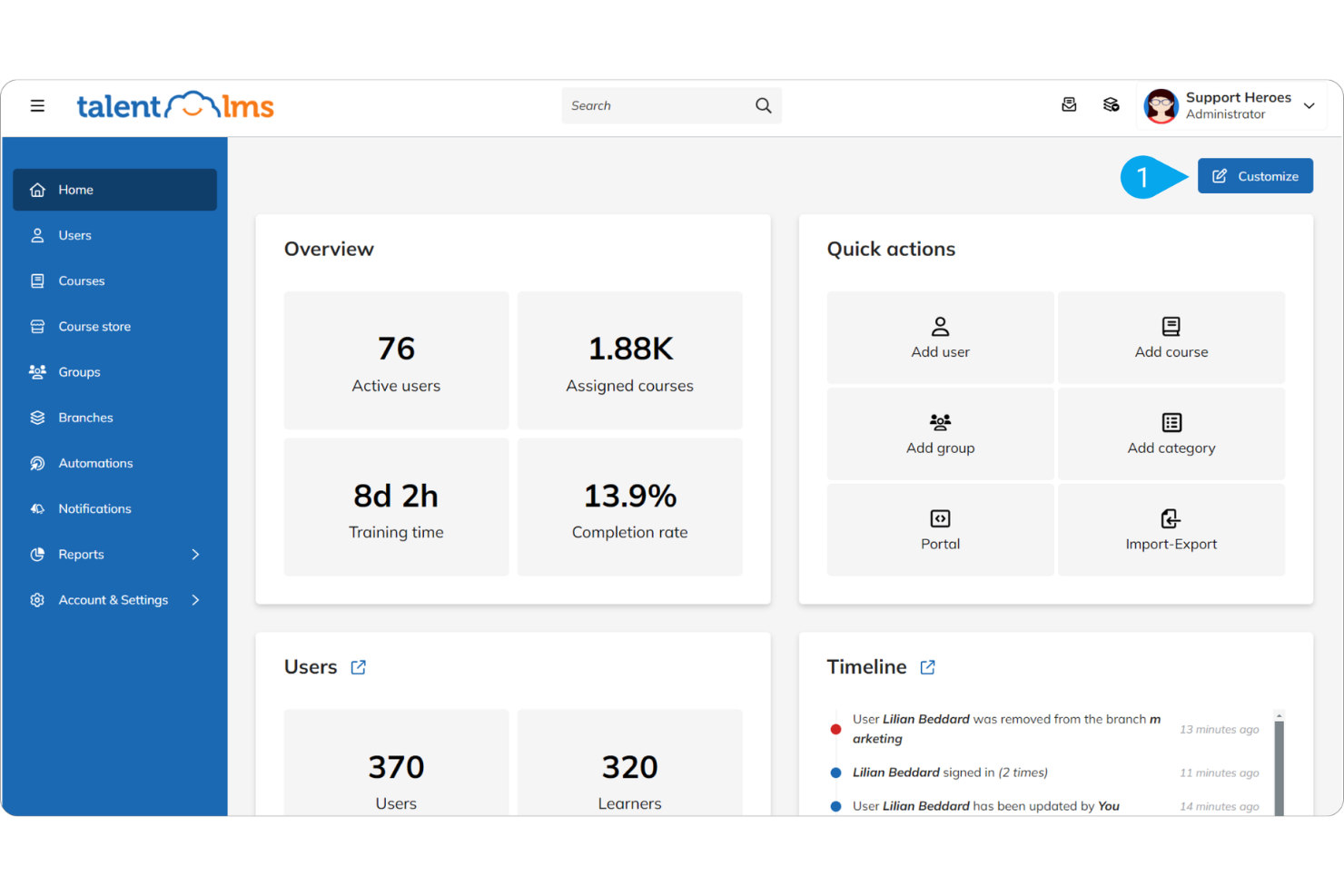
Course Management: Readily create, manage, and organize courses with a simple drag-and-drop interface. This helps your team set up training quickly without technical hassles.
User Management: Assign roles and manage user access efficiently, ensuring the right people have access to the right content. This feature lets you maintain control over training materials.
Assessment Tools: Use quizzes and tests to evaluate learning progress and knowledge retention. This helps you monitor both individual learner experience and your team's development effectively.
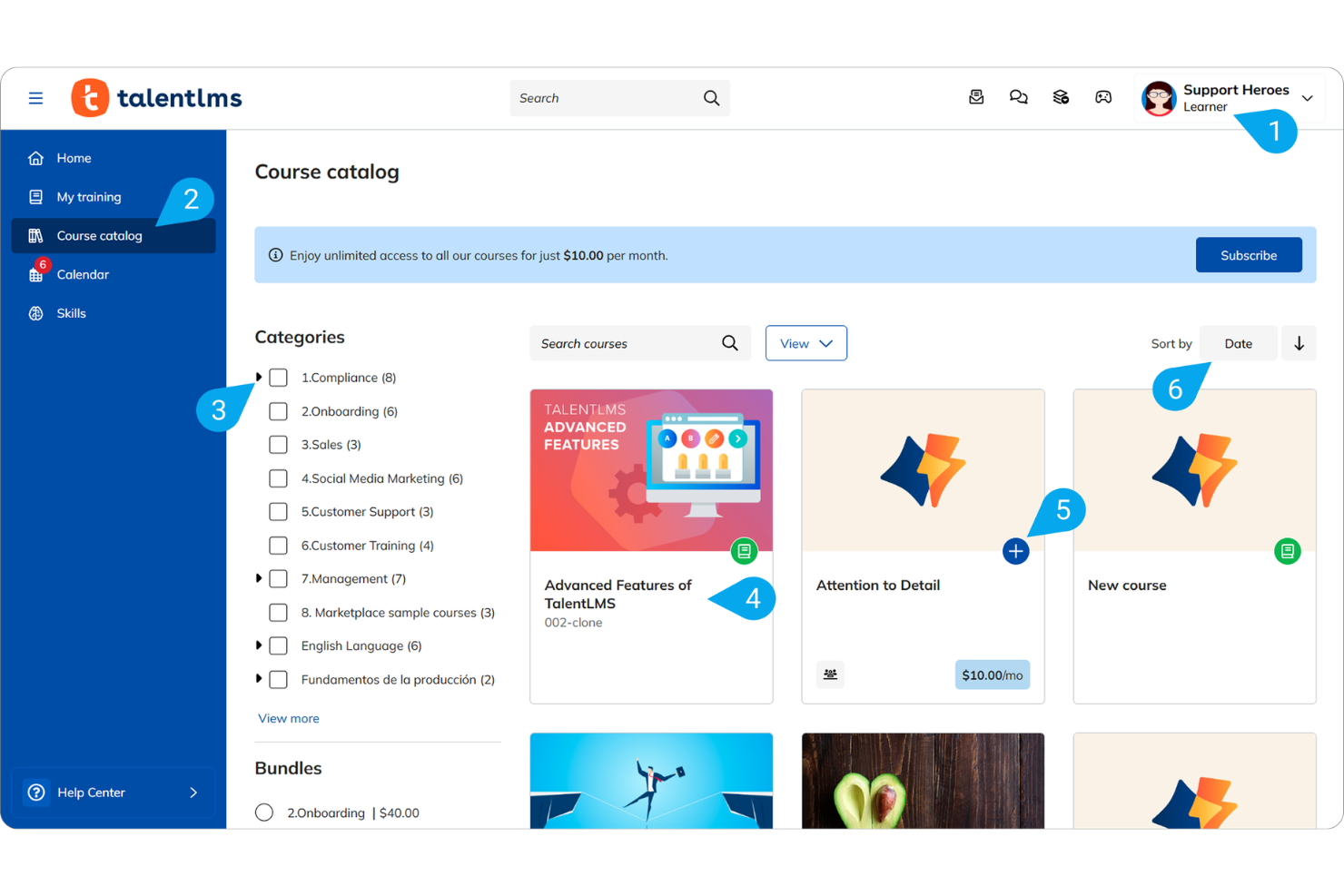
Content Library: Access a wide range of ready-made courses and training materials. Tools such as Talentlibrary and Talentcraft save you time and effort in content creation.
Reporting and Analytics: Generate basic reports to track course completion and user progress. While not highly detailed, they provide essential insights into training effectiveness.
Mobile Accessibility: Access courses on the go through the mobile app. This flexibility ensures learning continues anywhere, anytime.
Standout Features
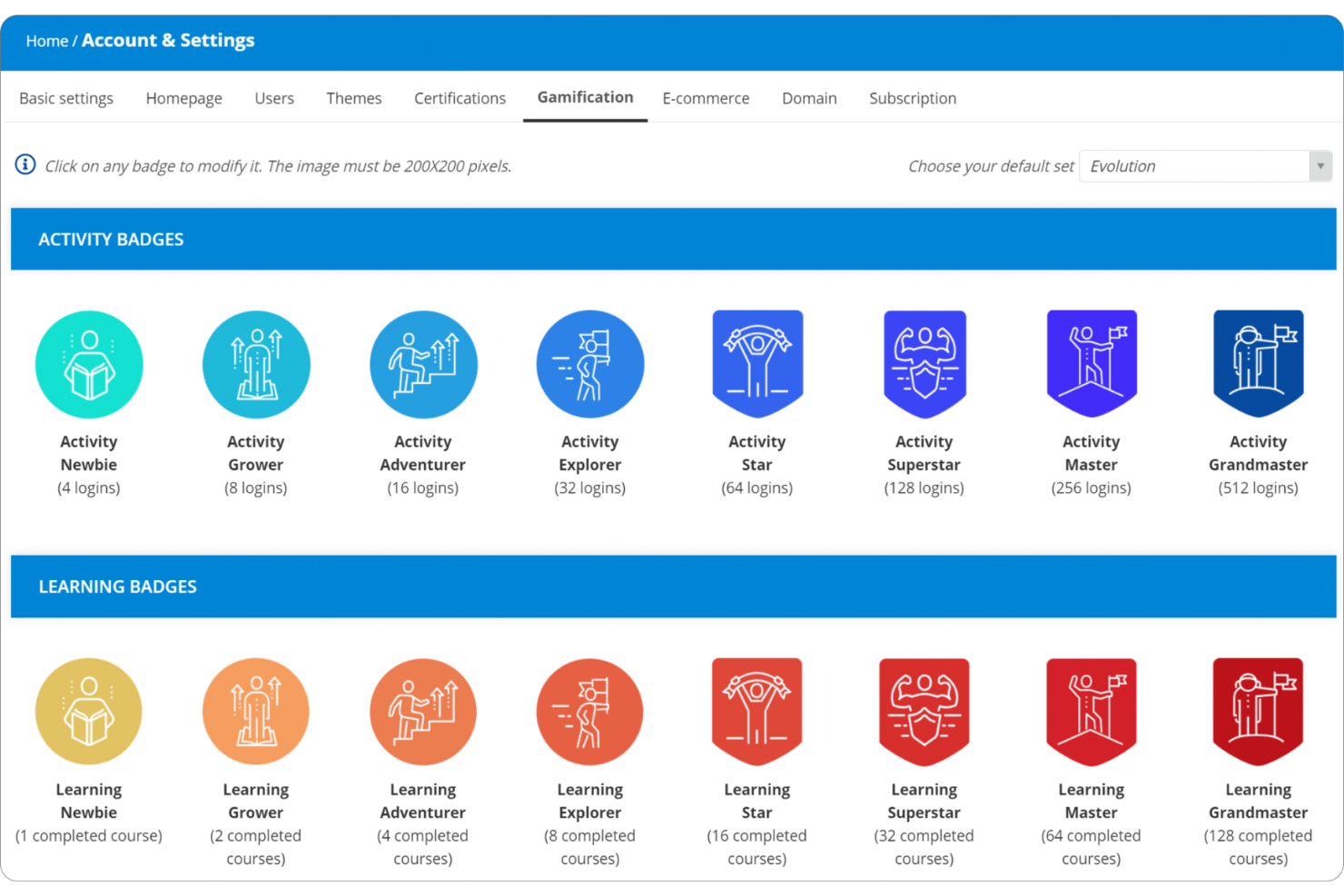
Gamification Tools: Use badges, points, and leaderboards to engage your team, making learning fun and competitive. This boosts motivation and participation in training.
Custom Branding: You can customize the platform to reflect your company's branding, giving it a personalized look. This helps reinforce your brand identity on training materials.
Ease of Use
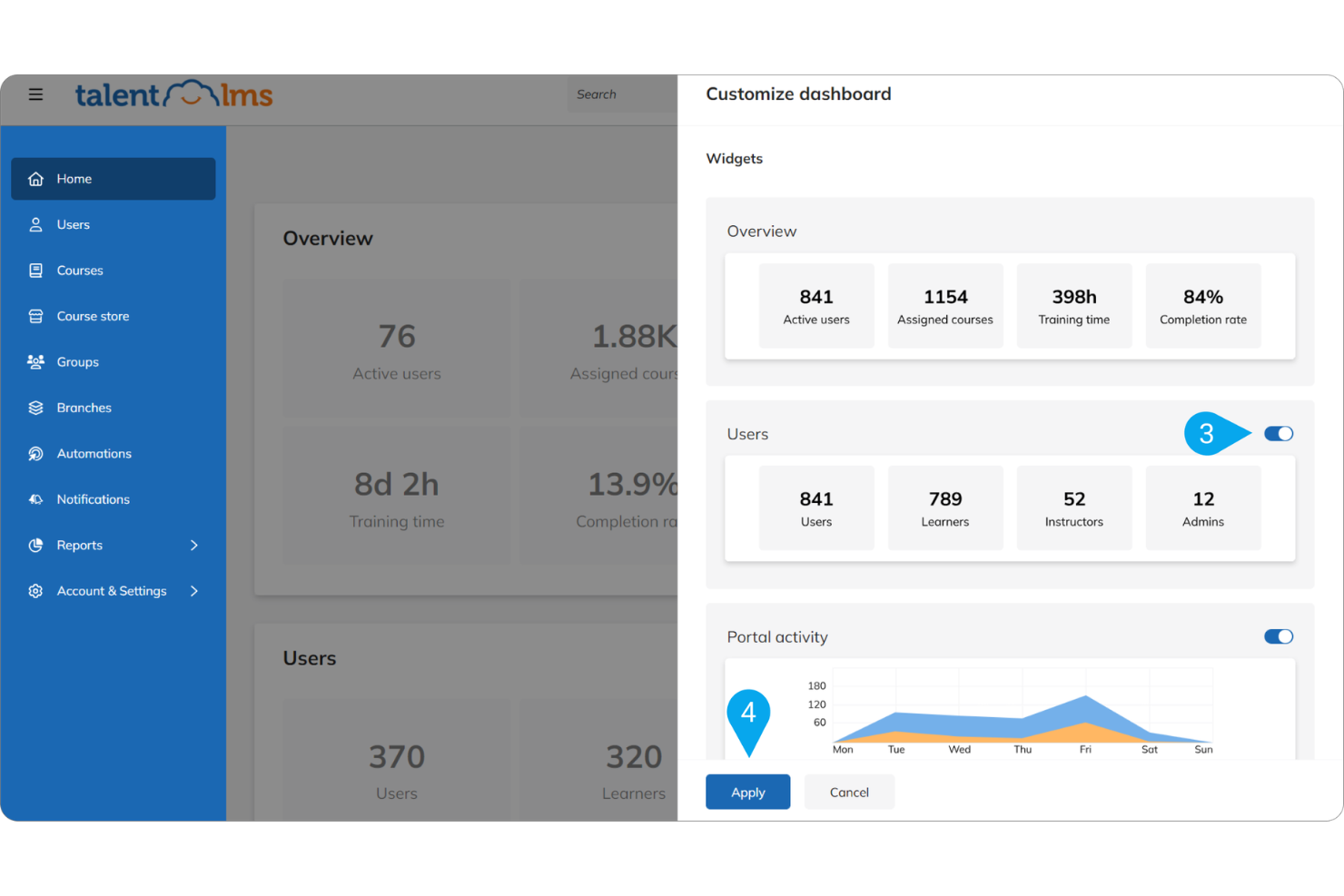
TalentLMS is user-friendly, offering an intuitive interface that makes navigation straightforward. You can quickly carry out course creation with its drag-and-drop feature, simplifying the process. Users appreciate its clear, instructional design, which requires minimal training to get started. Compared to other systems, TalentLMS smooths out the learning curve, allowing you to focus on training rather than tech issues. This feature makes it a popular choice for teams looking for efficient and accessible learning solutions.
Onboarding
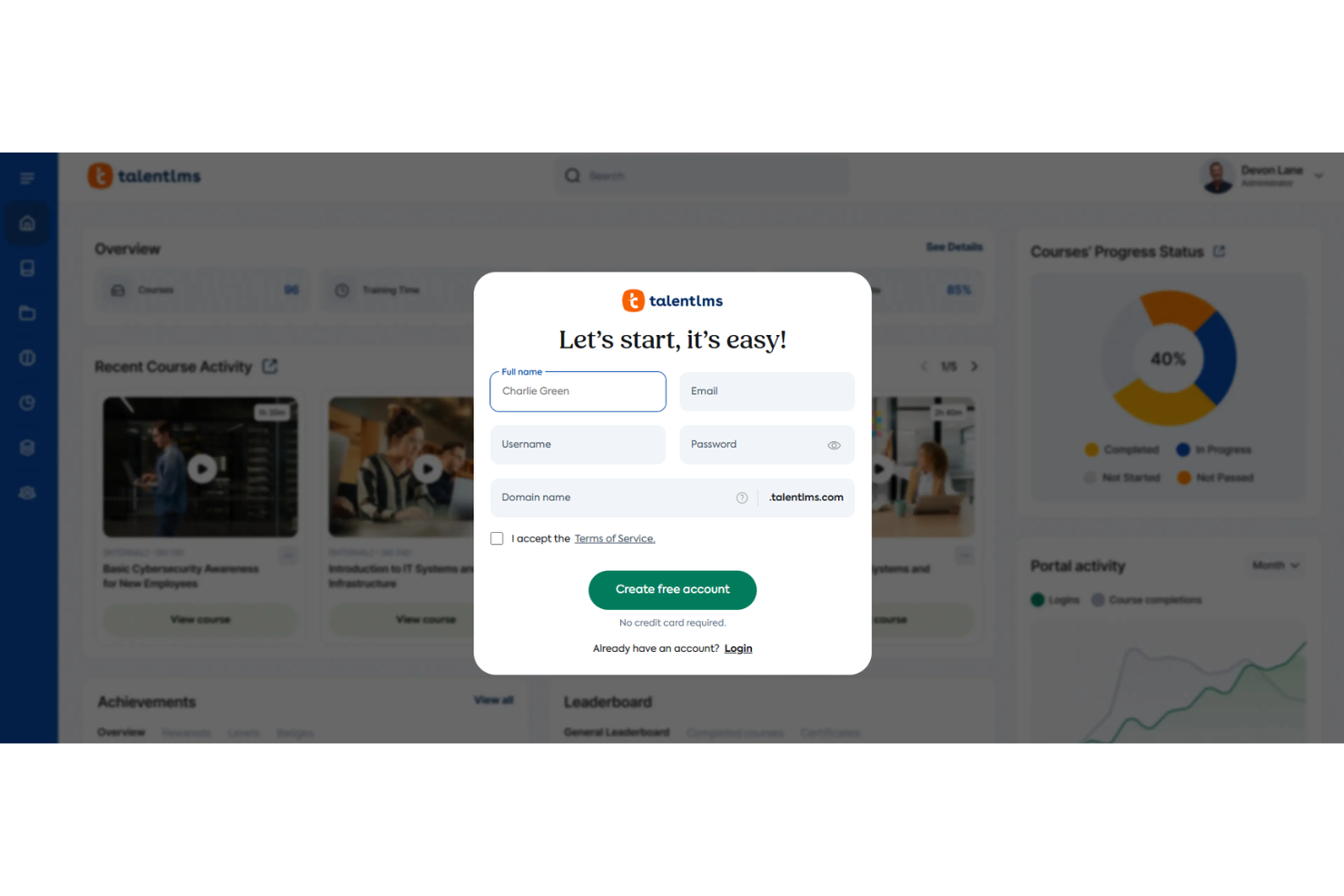
TalentLMS offers a smooth onboarding experience with clear instructions and a user-friendly interface and workflow that help your team get started quickly. The platform provides ample resources, including tutorials and support, to guide new users as they enroll. This ensures you can achieve rapid time to value without a steep learning curve. The highly rated support team is helpful in resolving any initial hiccups, making the transition to use TalentLMS problem-free for your organization.
Customer Support
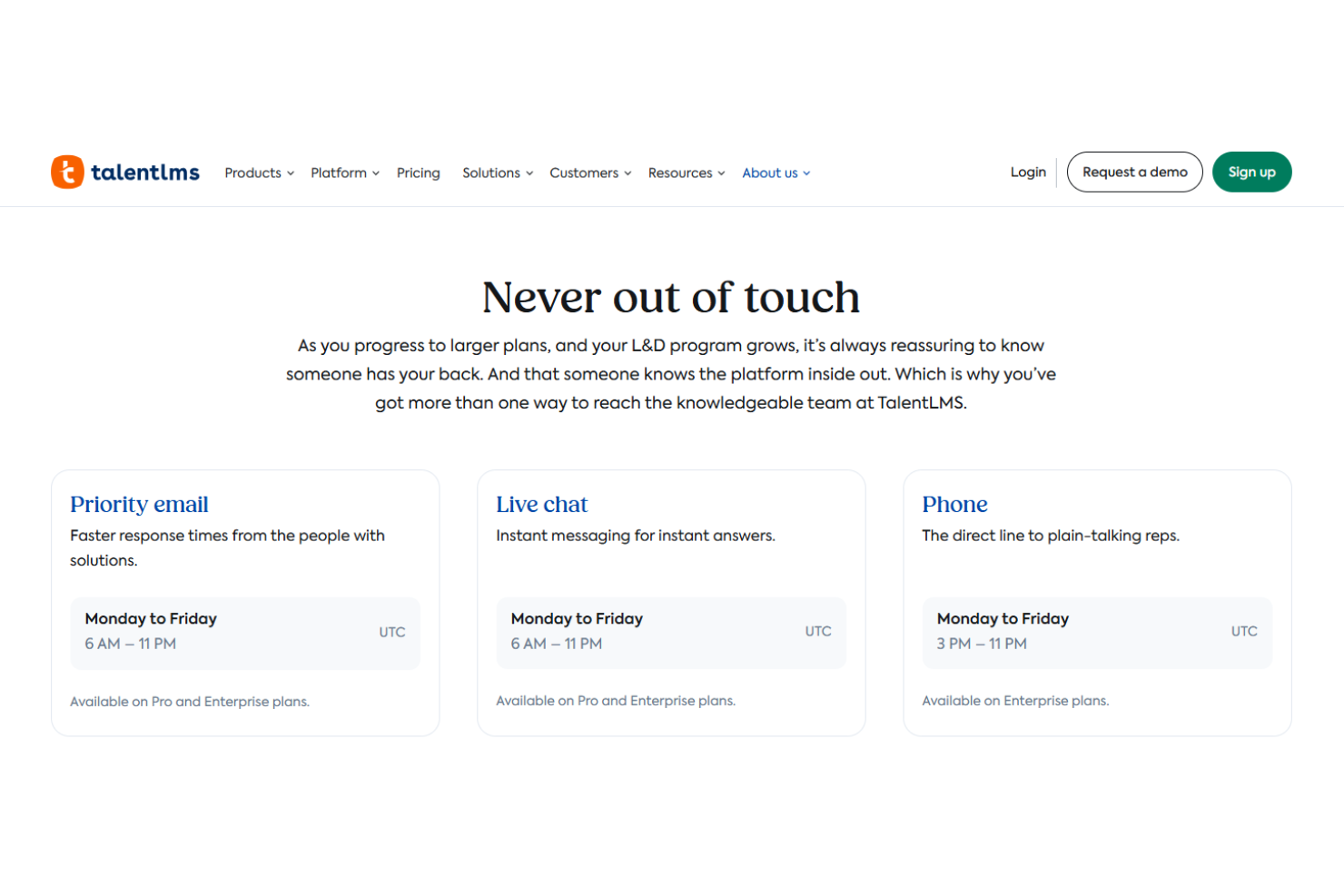
TalentLMS provides reliable and responsive customer support. Users often highlight the prompt and helpful responses from the knowledgeable support team, which ensures issues are resolved efficiently. The platform offers multiple support channels, including email and live chat, offering users flexibility in how they seek help. With its extensive resources, TalentLMS ensures your team receives the assistance necessary to make the most of the platform.
Integrations
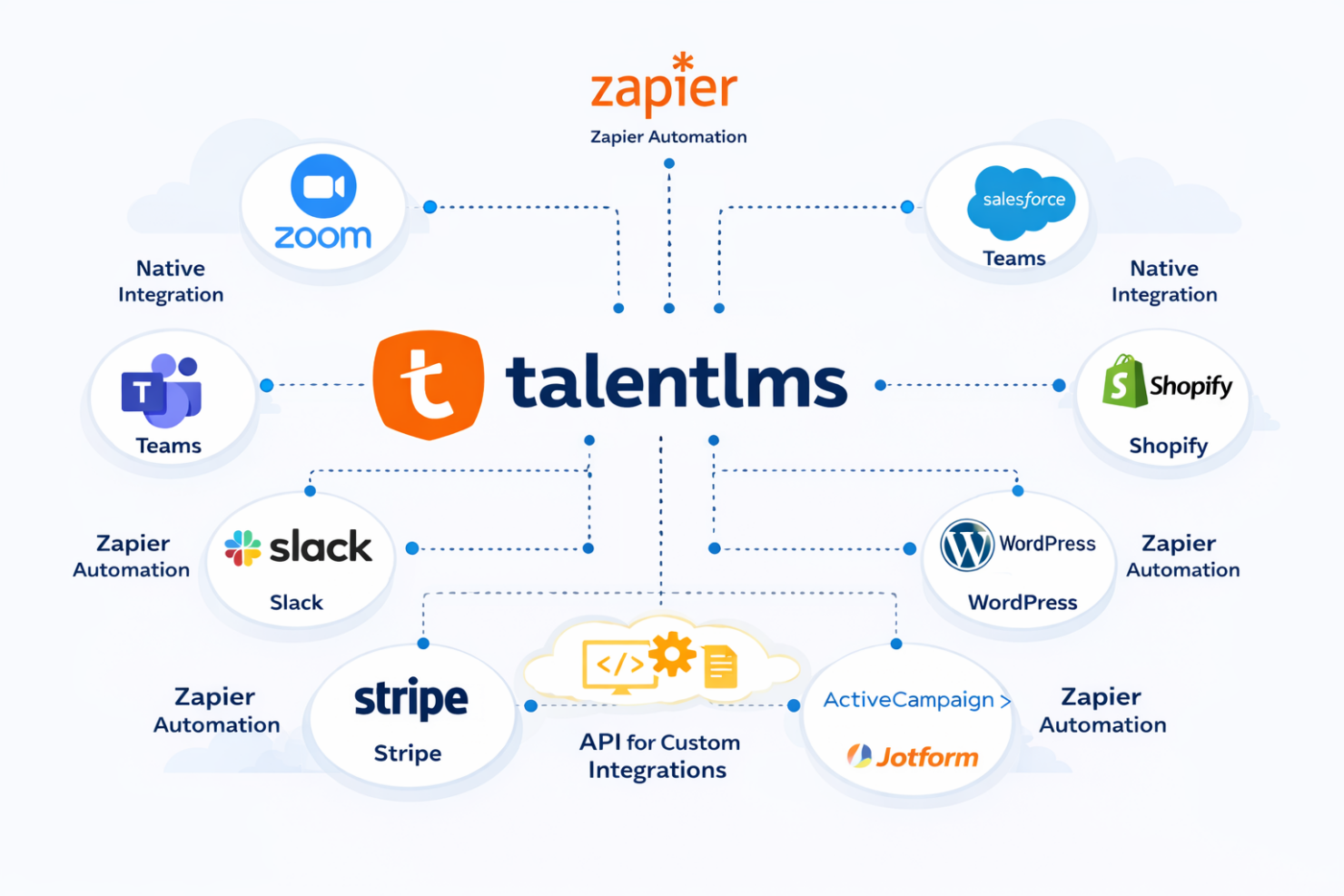
TalentLMS integrates, either natively or through Zapier automation, with Zoom, Microsoft Teams, Salesforce, Shopify, WordPress, Slack, Stripe, Google Forms, ActiveCampaign, and Jotform. It also has an API for custom integrations and supports several third-party tools for additional connectivity.
Value for Money
TalentLMS offers a competitive pricing model that many users find appealing due to its wide range of features at various tiers. TalentLMS's pricing is structured to accommodate different business sizes, providing good value, especially at the Core and Grow tiers. The platform's flexibility in user count and its AI-driven features make it a worthwhile investment. The free plan is a great way for teams to test the software before committing.
- Free Plan: Up to five users, access to basic features, no time limit
- Core: $119/month (billed annually); unlimited courses, customizable homepages
- Grow: $229/month (billed annually); adds additional functionality such as multiple branches and onboarding support
- Pro: $449/month (billed annually); adds advanced features, custom reports, and unlimited priority support
- Enterprise: Custom pricing, tailored solutions for large organizations, dedicated account manager

New Product Updates from TalentLMS
TalentLMS Adds Learning Paths, AI Video, and Learner Experience Updates
TalentLMS added new tools for assigning structured training, creating short AI-generated videos, and improving how learners resume and browse content. The release also expands branch administration, language support, API capabilities, and automated group provisioning. Highlights include:
- Learning Paths in Groups: Assign structured Learning Paths to teams, departments, or cohorts using the same rules available for courses.
- AI Video Generation: Create short training videos with AI voiceover directly from the TalentCraft AI Menu.
- Video Bookmarking: Let learners pause video units and resume from where they left off.
- Branch Skills Management: Export skills data to CSV and perform mass actions from branch Skills pages.
- Improved Catalog Browsing: Open course and Learning Path details in a drawer while preserving the learner’s catalog position.
- SCIM Group Provisioning: Create groups and manage user memberships through SCIM provisioning.
Visit TalentLMS’s official site for more details.
 for more details.
TalentLMS Adds AI Learning and Training Updates
TalentLMS adds Learning Playground, Workday Integration, Group Supervisors, Skills in Branches, and Learning Paths enhancements to improve learning, reporting, and administration. These updates help learners build skills with AI-powered practice while giving teams better control over training data and management. Highlights include:
- Learning Playground: Practice skills through AI-powered learning modes, including custom lessons, drills, role-play, and simulations.
- Workday Integration: Sync user data and course completions between Workday and TalentLMS to reduce manual updates.
- Group Supervisors: Give team leads access to group training progress, skills, and reports without full admin permissions.
- Skills in Branches: Manage skills across branches with consistent setup, permissions, filtering, and bulk actions.
- Learning Paths Enhancements: Import Learning Paths and automate learner deactivation after path completion to simplify administration.
Visit TalentLMS’s official site for more details.
TalentLMS Specs
- API
- Class Management
- Comparative Reporting
- Corporate/Business
- Dashboards
- Data Export
- Data Import
- Data Visualization
- Document Comparison
- Employee Training
- External Integrations
- Feedback Management
- Gamification
- Gradebook
- Mobile App
- Multi-User
- Notifications
- Personal Learning
- Report & Compliance
- Report Cards
- Scheduling
- SCORM
- Student Registration
- Video Courses
TalentLMS FAQs
How straightforward is it to customize TalentLMS for my organization's branding?
Can TalentLMS support multiple languages for global teams?
Does TalentLMS offer mobile access for learning on the go?
How does TalentLMS handle data security and compliance?
Is there a limit to the number of users or courses I can have?
What kind of support and resources are available for new users?
Can I track my team's progress and performance on TalentLMS?
Is TalentLMS suitable for compliance training?
TalentLMS Company Overview & History
TalentLMS, headquartered in Athens, Greece, was founded in 2012 by Epignosis, a leader in e-learning solutions. It has grown to serve over 11,000 organizations worldwide, offering a user-friendly learning platform for creating and managing online courses. TalentLMS is known for its focus on user experience and customer support, making it a popular choice across various industries. It is especially suited to organizations lacking prior e-learning experience.
TalentLMS Major Milestones
- 2012: Founded by Epignosis, established in Athens, Greece
- 2013: Released its first major update, upgrading features and usability
- 2022: Celebrated a decade of growth and innovation
- 2022: Adopted by over 11,000 organizations globally, expanding its reach across industries