

10 meilleurs concurrents de WorkBoard pour la gestion des OKR en 2026

Sélection des meilleurs concurrents de Workboard


La gestion des performances d’une équipe n’est pas une tâche facile. Vous constaterez peut-être que Workboard ne répond pas à vos besoins, que ce soit en raison d’un manque de fonctionnalités, d’évolutivité ou pour toute autre raison. Un logiciel de gestion des performances peut vous aider à relever ces défis en proposant des outils qui améliorent la communication, la définition des objectifs et les retours d’information.
J’ai testé diverses solutions logicielles et je connais bien le paysage de la gestion des ressources humaines. D’après mon expérience, trouver le bon outil peut faire toute la différence pour la productivité et le moral de votre équipe.
Dans cet article, je vais vous présenter mes principales recommandations parmi les concurrents de Workboard. Vous découvrirez les fonctionnalités uniques de chaque outil et la manière dont elles peuvent répondre aux besoins de votre entreprise. Trouvons ensemble la solution la mieux adaptée à votre équipe.
Qu’est-ce que Workboard ?
Workboard est un logiciel de gestion des performances conçu pour aider les organisations à suivre et à améliorer les performances de leurs employés. Il est couramment utilisé par les professionnels des ressources humaines et les responsables d’équipe qui ont besoin d’un moyen fiable de gérer les objectifs et les retours d’information.
Des fonctionnalités telles que la définition des objectifs, le suivi des performances et les outils de retour d’information soutiennent vos efforts visant à améliorer la productivité et la communication au sein de l’équipe. Dans l’ensemble, Workboard apporte de la valeur en vous aidant à aligner les objectifs de l’équipe sur ceux de l’entreprise.
Tableau comparatif des concurrents de Workboard
Ce tableau comparatif présente les tarifs et les détails des essais gratuits des principaux concurrents de Workboard afin de vous aider à choisir la solution adaptée à votre budget et aux besoins de votre entreprise.
| Tool | Best For | Trial Info | Price | ||
|---|---|---|---|---|---|
| 1 | Idéal pour la gestion des OKR pilotée par l'IA | Démo gratuite disponible | Tarification sur demande | Website | |
| 2 | Idéal pour la planification centralisée de la stratégie | Essai gratuit de 14 jours disponible | À partir de $7/user/month (facturé annuellement) | Website | |
| 3 | Idéal pour la gestion des performances des RH | Démo gratuite disponible | À partir de $4/utilisateur/mois (facturé annuellement) | Website | |
| 4 | Idéal pour l’intégration de la planification stratégique | Essai gratuit + démonstration gratuite disponible | Tarifs sur demande | Website | |
| 5 | Idéal pour les retours en temps réel des employés | Démo gratuite disponible | À partir de $4/utilisateur/mois (facturé annuellement) | Website | |
| 6 | Idéal pour la collaboration de grandes équipes | Forfait gratuit disponible | À partir de $10.99/utilisateur/mois (facturé annuellement) | Website | |
| 7 | Idéal pour le suivi hebdomadaire des progrès | Essai gratuit de 14 jours + forfait gratuit disponible | À partir de $90/mois (facturé annuellement) | Website | |
| 8 | Idéal pour l'exécution stratégique | Démonstration gratuite disponible | Tarifs sur demande | Website | |
| 9 | Idéal pour intégrer la gestion des talents | Démo gratuite disponible | À partir de $2/utilisateur/mois (facturé annuellement) | Website | |
| 10 | Idéal pour la gestion des OKR | Essai gratuit de 14 jours + démo disponible | À partir de $5/utilisateur/mois | Website |
Pourquoi faire confiance à nos avis sur les logiciels
Notre équipe teste et évalue des logiciels depuis 2012. En tant qu’experts RH nous-mêmes, nous savons à quel point il est difficile — et important — de choisir le bon logiciel.
Pour ce guide, nous avons évalué les outils grâce à des tests pratiques et une recherche indépendante, en notant les outils selon nos critères de sélection. Nous nous appuyons également sur les enseignements de leaders d’opinion du secteur et de professionnels des RH en activité.
Nos avis reflètent notre jugement éditorial humain, et non un argumentaire de vente.
Réviseurs experts:
Avis sur les meilleurs concurrents de Workboard
Vous trouverez ci-dessous mes résumés détaillés des meilleurs concurrents de Workboard qui ont été retenus dans ma sélection. Mes avis présentent en détail les principales fonctionnalités, les avantages et les inconvénients, les intégrations et les cas d’utilisation idéaux de chaque outil afin de vous aider à trouver celui qui vous convient le mieux.
Idéal pour la gestion des OKR pilotée par l'IA
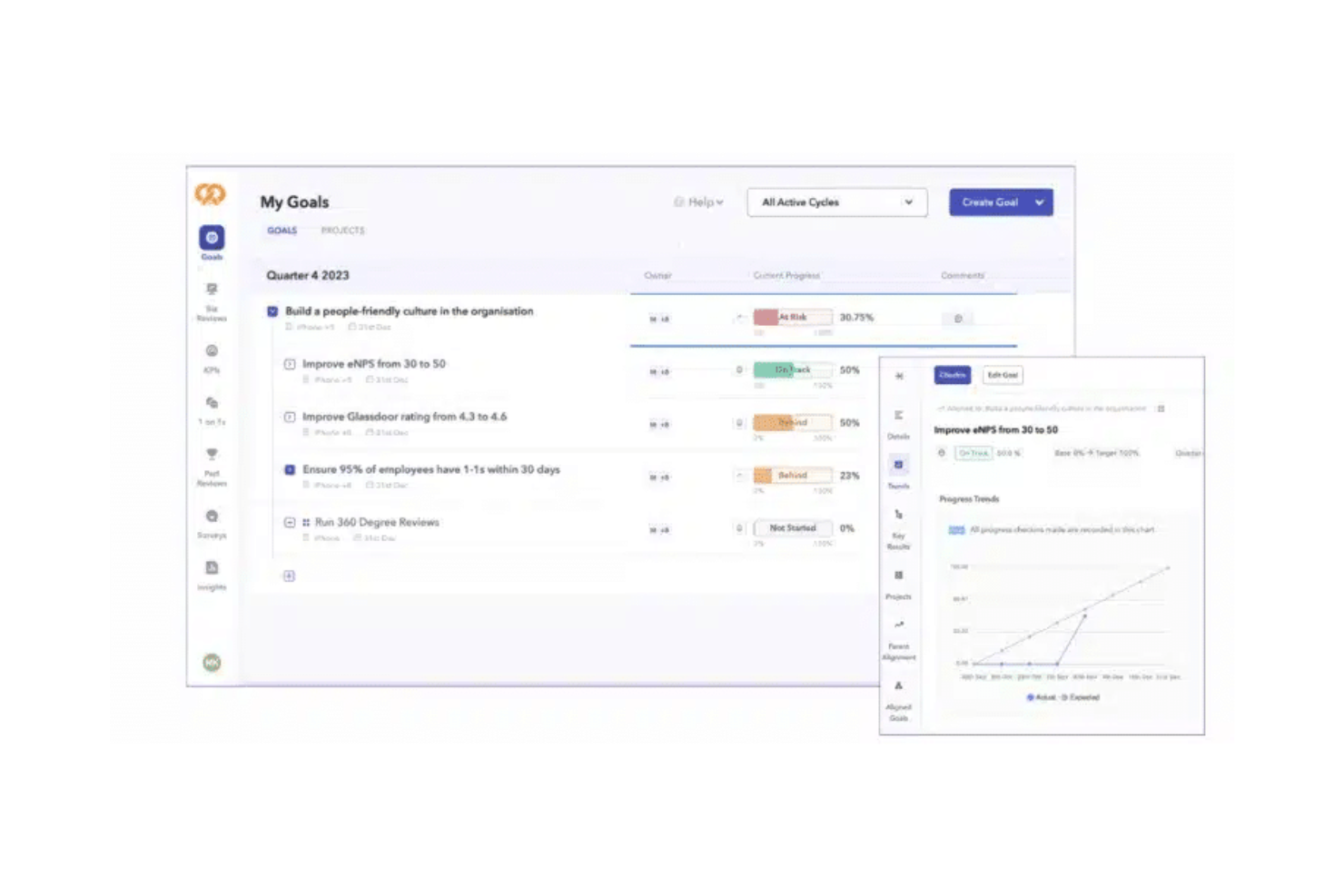
Profit.co est une plateforme de gestion des OKR conçue pour aider les entreprises à définir, suivre et atteindre leurs objectifs. Elle est principalement utilisée par les dirigeants et les responsables d'équipe afin de s'assurer que leurs équipes sont alignées sur les objectifs de l'entreprise.
Pourquoi c'est une bonne alternative à Workboard : Profit.co propose une gestion des OKR pilotée par l'IA, avec des fonctionnalités telles que la définition des objectifs, le suivi des progrès et l'analyse des performances. Ces outils aident votre équipe à rester concentrée sur l'atteinte de ses objectifs tout en tirant parti d'informations basées sur l'IA pour améliorer la prise de décision. L'interface intuitive de la plateforme permet à chacun de mettre à jour et de suivre facilement ses objectifs. Son orientation vers des informations fondées sur les données vous permet d'identifier les tendances et d'ajuster vos stratégies en connaissance de cause.
Fonctionnalités et intégrations remarquables :
Les fonctionnalités comprennent des tableaux de bord personnalisables qui offrent une vue d'ensemble claire des performances de votre équipe. Des rappels automatisés aident votre équipe à rester sur la bonne voie pour atteindre ses objectifs. Les analyses de la plateforme fournissent des informations sur les progrès réalisés et les domaines à améliorer.
Les intégrations comprennent Slack, Microsoft Teams, Jira, Salesforce, Google Workspace, Trello, Asana, monday.com, Zapier, HubSpot et bien plus encore.
Pros and Cons
Pros:
- Gestion solide des OKR
- Fournit des rappels automatisés
- Bon accompagnement pour la définition et le suivi des objectifs
Cons:
- Les intégrations peuvent nécessiter une assistance technique pour leur configuration
- L'excès de personnalisation entraîne des difficultés

Mooncamp
Idéal pour la planification centralisée de la stratégie
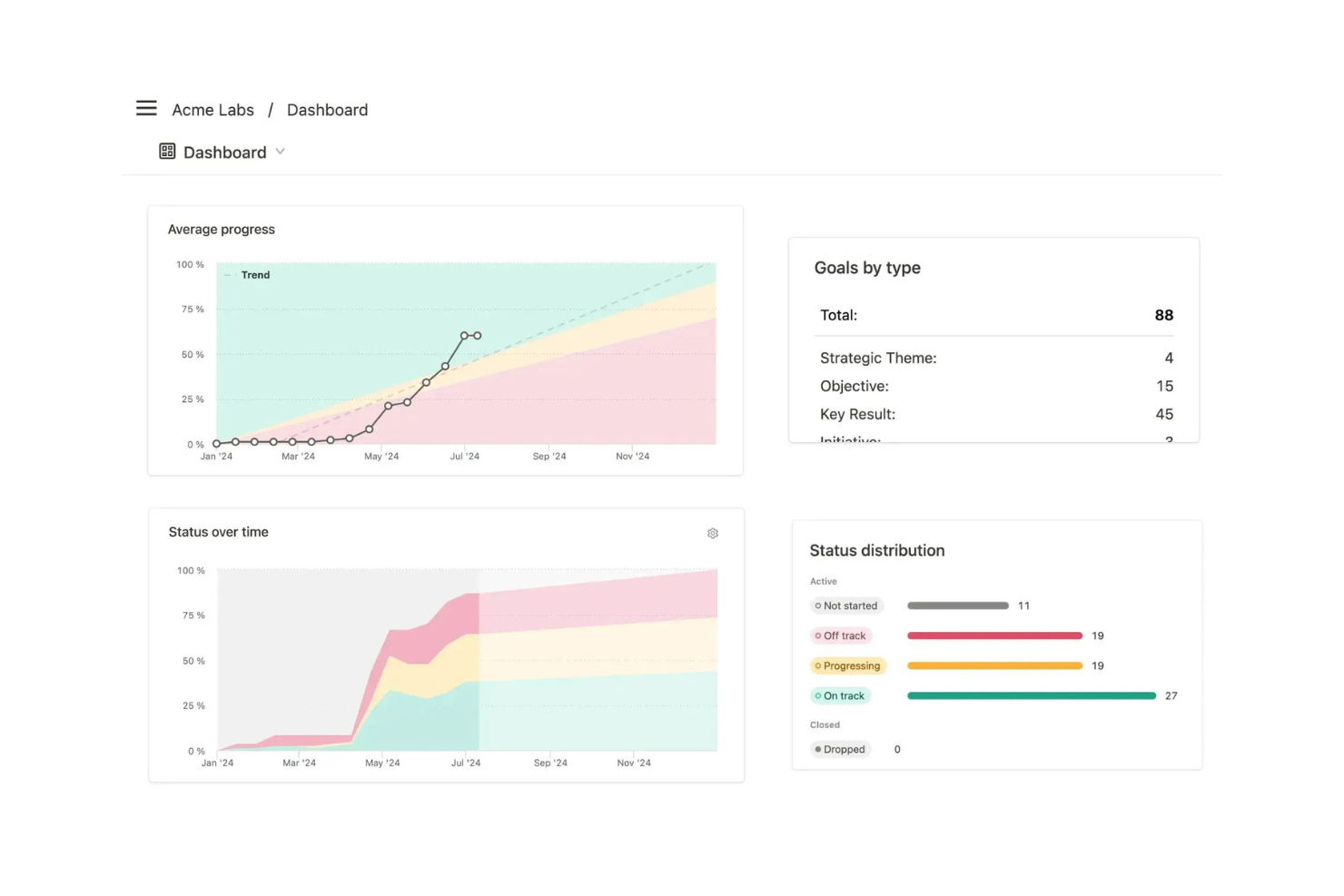
Mooncamp est une plateforme de gestion de la performance et des OKR conçue pour aider les équipes à aligner et à suivre leurs objectifs stratégiques. Elle est principalement utilisée par les managers et les chefs d'équipe qui doivent s'assurer que leurs équipes restent concentrées sur l'atteinte des objectifs clés.
Pourquoi c'est une bonne alternative à Workboard : Mooncamp propose une planification centralisée de la stratégie grâce à son logiciel d'OKR. Celui-ci comprend des fonctionnalités de suivi, des tableaux de bord de progression et une définition personnalisable des objectifs. Ces outils aident votre équipe à rester alignée et concentrée sur ce qui compte le plus. L'interface intuitive de la plateforme permet à chacun de mettre facilement à jour et de suivre ses objectifs. L'accent mis sur l'alignement stratégique aide votre équipe à mettre efficacement ses objectifs à exécution.
Fonctionnalités et intégrations remarquables :
Les fonctionnalités comprennent des notifications automatisées qui rappellent à votre équipe de rester sur la bonne voie pour atteindre ses objectifs. Les visualisations de la progression offrent une vision claire de la situation, tandis que les modèles personnalisables vous aident à adapter la plateforme à vos besoins.
Les intégrations comprennent Slack, Microsoft Teams, Jira, Asana, monday.com, Salesforce, Zapier, et bien plus encore.
Pros and Cons
Pros:
- Prend en charge la planification centralisée de la stratégie
- Fournit des visualisations de la progression des objectifs
- Propose une définition personnalisable des objectifs
Cons:
- Peut nécessiter une assistance technique et une formation
- L'utilisation sur mobile est moins aboutie que sur ordinateur
Lattice
Idéal pour la gestion des performances des RH
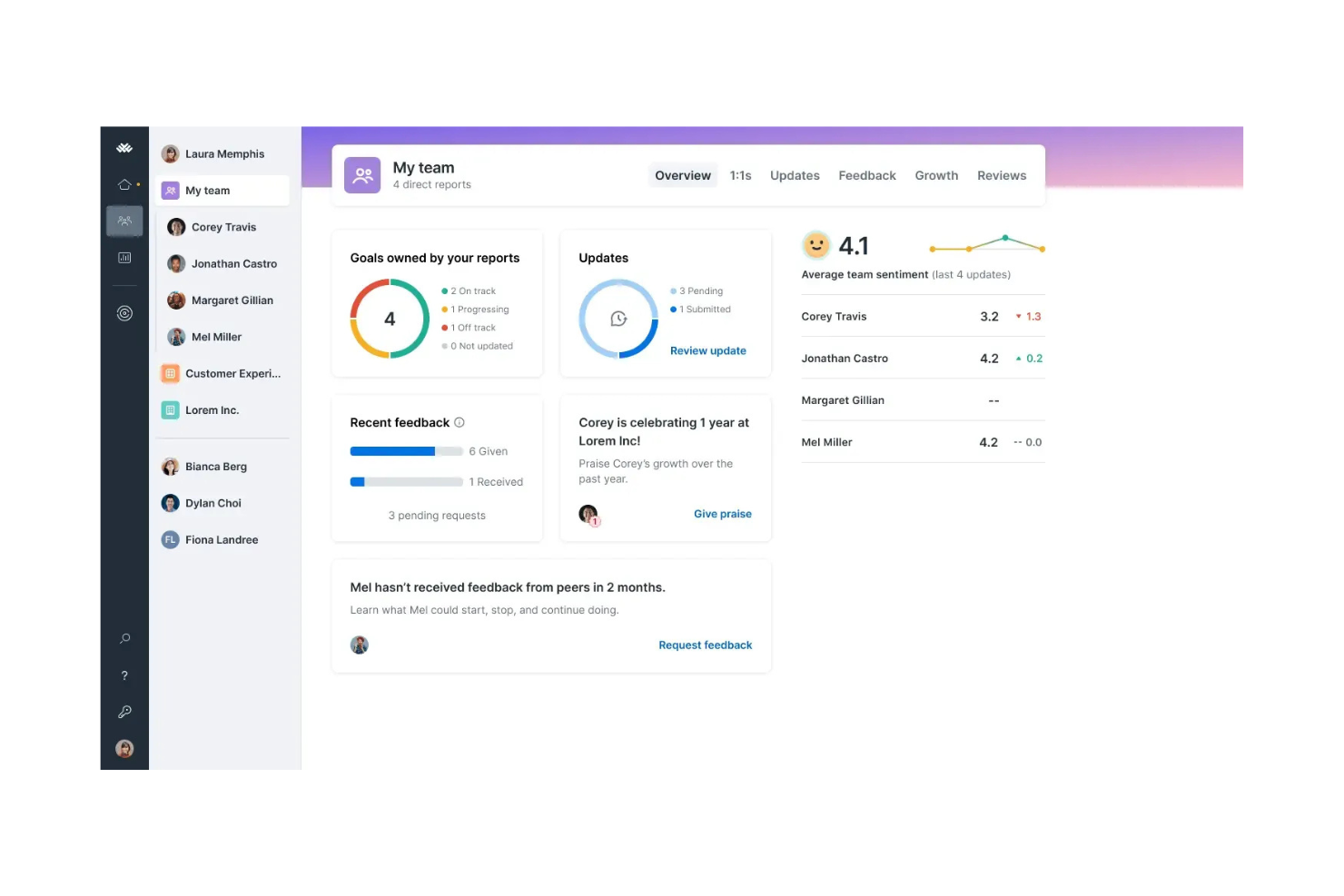
Lattice est une plateforme de gestion du personnel conçue pour améliorer l'engagement et les performances des employés. Elle est généralement utilisée par les professionnels des ressources humaines et les managers qui se concentrent sur l'alignement des objectifs des employés avec ceux de l'entreprise.
Pourquoi c'est une bonne alternative à Workboard : La gestion des performances RH de Lattice comprend des évaluations des performances, le suivi des objectifs et des enquêtes sur l'engagement des employés. Ces outils vous aident à aligner les objectifs de votre équipe sur ceux de l'entreprise, tandis que ses outils de feedback facilitent une communication ouverte entre les managers et les employés. Les fonctionnalités d'analyse identifient les tendances en matière de performances et facilitent la prise de décisions fondées sur les données.
Fonctionnalités et intégrations remarquables :
Les fonctionnalités comprennent des modèles d'évaluation personnalisables adaptés aux besoins spécifiques de votre équipe. Les analyses fournissent des informations détaillées sur les performances et l'engagement des employés. Les outils de feedback continu vous aident à maintenir une culture de communication ouverte.
Les intégrations comprennent Slack, Microsoft Teams, Google Workspace, BambooHR, Workday, ADP, Rippling, Okta, Salesforce, Greenhouse et bien plus encore.
Pros and Cons
Pros:
- Fournit des évaluations des performances optimisées
- Propose des analyses détaillées des performances
- Encourage le feedback continu
Cons:
- Peut être complexe pour les petites équipes
- Coûteux pour les petites entreprises
New Product Updates from Lattice

Lattice Introduces MCP Connector for AI Chat Tools
Lattice introduced Lattice MCP, a new connector that brings talent data into Claude, ChatGPT, and other LLM tools. The connector helps teams access performance context from reviews, 1:1 notes, feedback, goals, and updates within AI chat workflows. For more information, visit Lattice’s official site.
 .
.
Cascade
Idéal pour l’intégration de la planification stratégique

Cascade est une plateforme d’exécution de stratégie conçue pour aider les entreprises à aligner et à suivre leurs objectifs stratégiques. Elle est principalement utilisée par les dirigeants et les équipes chargées de la stratégie qui doivent garantir l’alignement à l’échelle de l’entreprise et suivre les performances.
Pourquoi c’est une bonne alternative à Workboard : Cascade excelle dans l’intégration de la planification stratégique grâce à des fonctionnalités telles que la définition d’objectifs, les tableaux de bord de performance et les analyses en temps réel. Ces fonctionnalités vous permettent d’aligner les efforts de votre équipe sur les stratégies globales de l’entreprise. Les tableaux de bord personnalisables du logiciel offrent une vue claire de l’avancement et des indicateurs de performance. Les analyses de données en temps réel vous aident à prendre des décisions éclairées afin d’optimiser les initiatives stratégiques.
Fonctionnalités et intégrations remarquables :
Fonctionnalités comprennent la cartographie stratégique, qui vous aide à visualiser et à aligner les objectifs dans toute votre organisation. Les tableaux de bord de performance vous donnent un aperçu des indicateurs clés et de l’avancement. Les outils de planification par scénarios vous aident à anticiper les changements et à adapter vos stratégies en conséquence.
Intégrations avec Slack, Microsoft Teams, Jira, Salesforce, Google Workspace, Asana, Trello, monday.com, HubSpot, Azure DevOps, et bien plus encore.
Pros and Cons
Pros:
- Favorise l’alignement et la visibilité des objectifs stratégiques
- Combine la gestion de projets, la planification et le suivi des performances dans un seul outil
- Tableaux de bord de performance personnalisables
Cons:
- Expérience utilisateur complexe pour les petites équipes
- Nécessite l’adhésion de tous pour une utilisation efficace
15Five
Idéal pour les retours en temps réel des employés
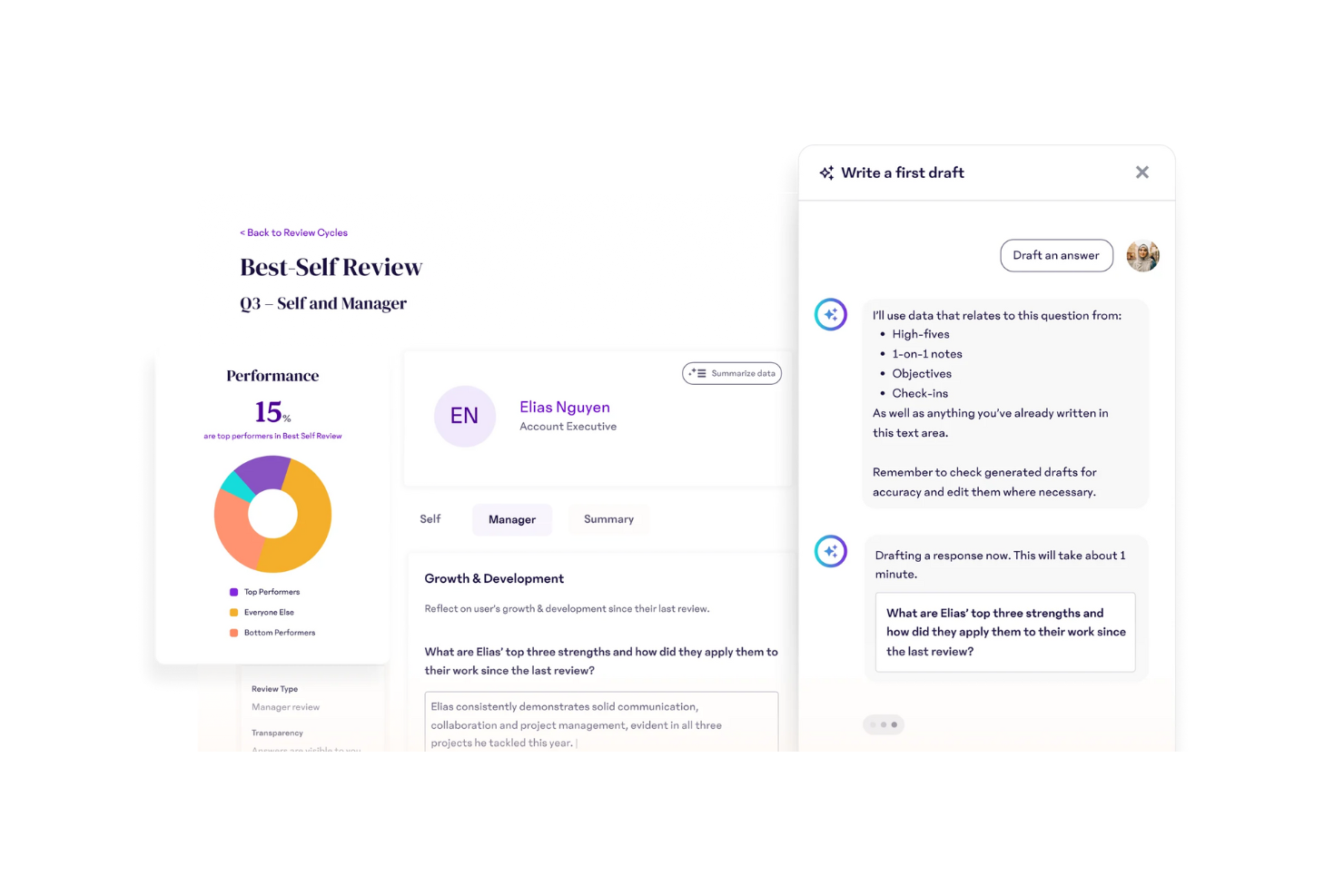
15Five est une plateforme de gestion des performances axée sur l'amélioration de l'engagement des employés grâce à des retours réguliers et à la communication. Elle est principalement utilisée par les équipes RH et les managers pour améliorer l'alignement et les performances de l'équipe.
Pourquoi c'est un bon concurrent de Workboard : 15Five excelle dans la fourniture de retours en temps réel aux employés grâce à des fonctionnalités telles que les bilans hebdomadaires, le suivi des objectifs et les évaluations des performances. Ces outils aident votre équipe à rester connectée et alignée sur les priorités. La plateforme favorise une culture de communication ouverte, ce qui facilite la résolution des problèmes dès qu'ils surviennent. Son approche axée sur les retours continus vous aide à constituer une équipe plus engagée et motivée.
Fonctionnalités et intégrations remarquables :
Les fonctionnalités comprennent des cycles d'évaluation personnalisables qui s'adaptent aux besoins de votre équipe, tandis que les outils de reconnaissance vous permettent de célébrer les réussites et de renforcer le moral. Les enquêtes d'engagement permettent de comprendre l'état d'esprit de votre équipe et vous aident à prendre des décisions stratégiques.
Les intégrations comprennent Slack, Microsoft Teams, Google Workspace, Jira, BambooHR, Namely, ADP, Okta, Workday, Salesforce, et bien plus encore.
Pros and Cons
Pros:
- Favorise une communication ouverte
- Cycles d'évaluation personnalisables
- Capacités de retour en temps réel
Cons:
- Options de personnalisation limitées
- L'interface peut sembler complexe et nécessiter une formation

Asana
Idéal pour la collaboration de grandes équipes

Asana est un outil de gestion de projet conçu pour aider les équipes à organiser, suivre et gérer leur travail. Il est principalement utilisé par les chefs de projet, les responsables d'équipe et les organisations afin de coordonner efficacement les tâches et les projets.
Pourquoi c'est un bon concurrent de Workboard : Asana prend en charge la collaboration de grandes équipes grâce à des fonctionnalités telles que l'attribution des tâches, le suivi des échéances et les calendriers de projet. Ses tableaux de projet visuels vous offrent une vue d'ensemble pour vous aider à gérer des projets complexes. La possibilité de créer des flux de travail personnalisés permet à votre équipe d'adapter l'outil à des exigences spécifiques. Son interface conviviale le rend accessible aux équipes de toutes tailles, ce qui stimule la productivité.
Fonctionnalités et intégrations remarquables :
Les fonctionnalités incluent les dépendances entre les tâches, qui vous permettent de définir des tâches dépendant de l'achèvement d'autres tâches. Les jalons aident votre équipe à marquer les étapes importantes du calendrier de votre projet. La fonctionnalité de gestion de la charge de travail fournit une vue d'ensemble visuelle de la capacité de votre équipe, afin que personne ne soit débordé.
Les intégrations incluent Slack, Microsoft Teams, Google Drive, Dropbox, Zoom, Zapier, Jira, Salesforce, HubSpot, Adobe Creative Cloud et bien plus encore.
Pros and Cons
Pros:
- Facile à configurer et à utiliser
- Flux de travail personnalisés pour la gestion de portefeuilles
- S'adapte aux équipes de différentes tailles
Cons:
- Peut être déroutant pour les petites équipes
- Fonctionnalités de création de rapports limitées

Weekdone
Idéal pour le suivi hebdomadaire des progrès

Weekdone est un outil de gestion d'équipe axé sur l'amélioration de la productivité grâce aux rapports hebdomadaires. Les chefs d'équipe et les responsables l'utilisent pour suivre les progrès et aligner les efforts de l'équipe sur les objectifs de l'entreprise.
Pourquoi c'est une bonne alternative à Workboard : Weekdone fournit des rapports hebdomadaires fiables sur les progrès, avec des fonctionnalités telles que le suivi des OKR, les synthèses des progrès et les retours de l'équipe. Ces outils permettent à votre équipe de rester alignée sur les objectifs de l'entreprise et d'identifier les points à améliorer. Les points de suivi hebdomadaires de la plateforme garantissent que tout le monde est sur la même longueur d'onde et travaille vers les mêmes objectifs. Son accent sur les mises à jour régulières responsabilise votre équipe et la tient informée.
Fonctionnalités et intégrations remarquables :
Les fonctionnalités comprennent des tableaux de bord personnalisables qui vous donnent une vue d'ensemble des progrès de votre équipe. Les rappels automatiques contribuent à garantir que chacun soumet ses rapports à temps. Les analyses permettent de comprendre les performances de l'équipe et de prendre des décisions judicieuses.
Les intégrations comprennent Slack, Microsoft Teams, Jira, Asana, Basecamp, Google Tasks, Zapier, Google Sheets et bien plus encore.
Pros and Cons
Pros:
- Fournit des synthèses détaillées des progrès
- La transparence favorise l'alignement de l'équipe
- Responsabilise l'équipe grâce aux rappels
Cons:
- Les flux de travail complexes peuvent nécessiter une formation
- La configuration initiale peut être chronophage et difficile


ClearPoint Strategy est un logiciel de gestion de la stratégie, similaire à Perdoo, qui aide les organisations à exécuter et à gérer leurs plans stratégiques. Il est principalement utilisé par les équipes chargées de la stratégie et les dirigeants pour suivre les performances et aligner les initiatives sur les objectifs stratégiques.
Pourquoi c'est un bon concurrent de Workboard : ClearPoint Strategy excelle dans l'exécution stratégique grâce à des fonctionnalités telles que des tableaux de bord de performance, des fiches d'évaluation et des outils de création de rapports personnalisés. Cela aide votre équipe à aligner les activités quotidiennes sur les objectifs stratégiques globaux. La capacité du logiciel à créer et à personnaliser des fiches d'évaluation garantit que vous pouvez mesurer ce qui compte le plus, tandis que ses outils de reporting fournissent des informations sur les progrès et les performances.
Fonctionnalités et intégrations remarquables :
Les fonctionnalités comprennent la création automatisée de rapports, ce qui permet à votre équipe de gagner du temps et de réduire les erreurs manuelles. Les fiches d'évaluation personnalisables vous permettent de suivre les KPI les plus importants, et les tableaux de bord de performance offrent une vue en temps réel de vos initiatives stratégiques.
Les intégrations comprennent Microsoft Excel, PowerPoint, SharePoint, Tableau, Salesforce, Slack, Google Sheets, Jira, Trello, Asana, et bien plus encore.
Pros and Cons
Pros:
- Prend en charge le suivi des objectifs stratégiques
- Favorise l'alignement organisationnel
- Propose des fiches d'évaluation personnalisables
Cons:
- Interface complexe et difficile à appréhender pour les petites équipes
- Courbe d'apprentissage abrupte

Idéal pour intégrer la gestion des talents

Peoplebox est une plateforme de gestion des performances conçue pour renforcer l'engagement et le développement des employés. Elle est généralement utilisée par les professionnels des ressources humaines et les managers qui souhaitent aligner les performances de l'équipe sur les objectifs commerciaux.
Pourquoi c'est une bonne alternative à Workboard : Peoplebox intègre la gestion des talents à l'aide d'outils tels que les évaluations des performances, le suivi des objectifs et les retours des employés. Ces fonctionnalités contribuent à aligner les performances de votre équipe sur les objectifs de l'entreprise. Les outils de feedback favorisent une culture d'amélioration continue et d'engagement. Ses capacités de suivi des objectifs garantissent que chacun travaille à l'atteinte des mêmes cibles, ce qui renforce la productivité globale de l'équipe.
Fonctionnalités et intégrations remarquables :
Fonctionnalités comprennent des cycles d'évaluation personnalisables qui s'adaptent aux besoins de votre équipe. Des rappels automatisés garantissent que les évaluations des performances sont réalisées à temps. Les analyses fournissent des informations sur les performances et l'engagement des employés, vous aidant à prendre des décisions judicieuses.
Intégrations avec Slack, Microsoft Teams, Google Workspace, Jira, Asana, Salesforce, BambooHR, Zoom et bien plus encore.
Pros and Cons
Pros:
- Gestion efficace des objectifs
- Fournit des analyses détaillées des performances
- Améliore l'engagement des employés
Cons:
- Fonctionnalités limitées pour les grandes entreprises
- Modification incohérente des résultats clés

Tability
Idéal pour la gestion des OKR
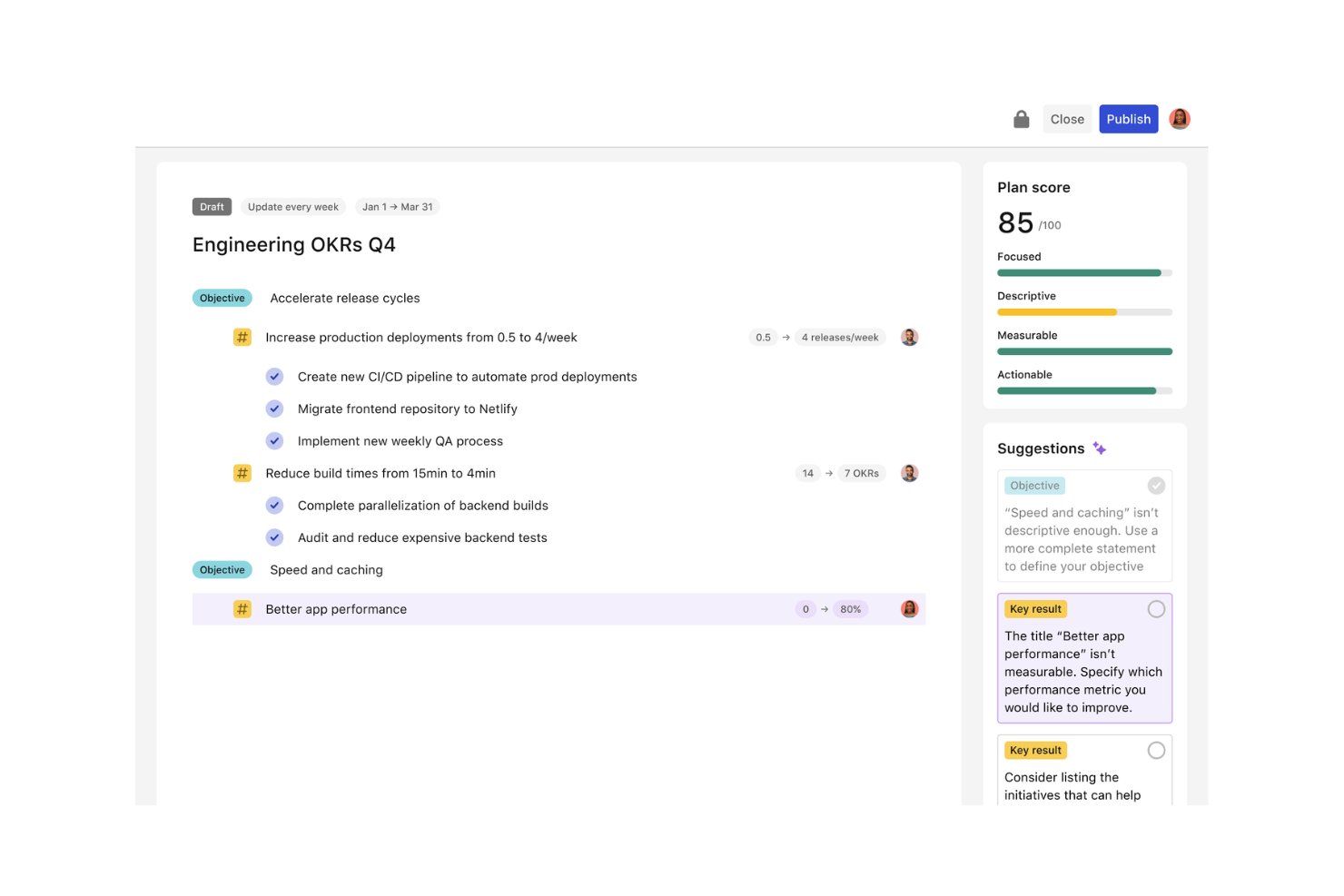
Tability est un logiciel de suivi des objectifs qui aide les équipes à gérer leurs objectifs et résultats clés (OKR). Il est principalement utilisé par les managers et les responsables d'équipe qui doivent garantir l'alignement et les progrès vers les objectifs.
Pourquoi c'est une bonne alternative à Workboard : Tability excelle dans la gestion des OKR grâce à des fonctionnalités telles que le suivi des progrès, les points de suivi hebdomadaires et les tableaux de bord visuels. Ces outils aident votre équipe à rester concentrée sur ses objectifs et à mesurer efficacement les résultats. L'interface simple du logiciel permet à chacun de mettre à jour et de suivre facilement ses objectifs. L'accent mis sur les points de suivi fréquents garantit que vous pouvez résoudre rapidement les problèmes et maintenir la dynamique.
Fonctionnalités et intégrations remarquables :
Fonctionnalités comprennent des fonctionnalités de définition d'objectifs qui vous permettent de définir des objectifs clairs. Le suivi des progrès vous aide à surveiller les performances de votre équipe par rapport à ses objectifs. Les tableaux de bord visuels fournissent une vue d'ensemble des indicateurs clés et des indicateurs de performance.
Intégrations avec Slack, Google Workspace, Microsoft Teams, Jira, Trello, Asana, monday.com, HubSpot, Salesforce, Zapier et bien d'autres.
Pros and Cons
Pros:
- Simplifie la gestion efficace des OKR
- Interface facile à utiliser pour les mises à jour
- Les fonctionnalités légères de gestion de projet conviennent bien aux startups
Cons:
- Peut manquer de fonctionnalités avancées pour les grandes équipes
- Options de personnalisation limitées
Autres concurrents de Workboard
Voici d’autres alternatives à Workboard qui ne figurent pas dans ma sélection, mais qui méritent tout de même votre attention :
- Betterworks
Idéal pour le suivi continu de la performance
- ClickUp
Idéal pour une API et des intégrations tout-en-un
- Qandle
Idéal pour les solutions RH modulaires


Comment j’évalue les concurrents de Workboard
Je divise mon évaluation en fonctionnalités essentielles pour les OKR et l’exécution de la stratégie, puis en éléments différenciateurs — comme les flux de travail automatisés pour les revues et les intégrations aux systèmes RH — qui distinguent les meilleurs des autres.
Fonctionnalités essentielles pour cette liste
Lorsque je sélectionne les outils de ma liste, j’évalue chacun d’eux sur une échelle de 0 (ne propose pas cette fonctionnalité) à 5 (excelle dans ce domaine) pour chaque fonctionnalité essentielle indiquée ci-dessous. Je convertis ensuite le score total de l’outil en pourcentage. Chaque outil doit obtenir un score total minimum de 65 % pour être pris en compte.
- Gestion des OKR et des objectifs : Je vérifie si l’outil prend en charge l’ensemble du cycle de vie des OKR — création d’objectifs, attribution de résultats clés et organisation de points de suivi — par exemple en déclinant un objectif de fidélisation depuis un DRH jusqu’à un partenaire commercial RH.
- Suivi de l’exécution de la stratégie : Les tableaux de bord en temps réel qui relient le travail quotidien des RH aux priorités stratégiques sont importants ici. J’évalue donc la manière dont chaque outil visualise les progrès et met en évidence les initiatives à risque.
- Revues d’activité automatisées : Je recherche des flux de travail structurés pour les réunions, qui remplissent automatiquement les ordres du jour et les mises à jour de statut, remplaçant les présentations manuelles que les équipes opérationnelles RH assemblent souvent tant bien que mal pour les revues hebdomadaires de la direction.
- Analyse des performances : Chaque outil devrait proposer des rapports sur l’atteinte des objectifs et les tendances des équipes — par exemple le suivi de la progression d’un trimestre à l’autre des indicateurs clés de performance liés à l’acquisition de talents dans plusieurs unités opérationnelles.
- Alignement et cascade : L’alignement vertical et horizontal des objectifs est essentiel. J’évalue donc si la plateforme permet de cartographier les dépendances entre, par exemple, un objectif de planification des effectifs et une initiative DEI associée.
- Intégrations aux systèmes RH : Workday, BambooHR et SAP SuccessFactors sont courants dans les environnements RH. Je recherche donc des connecteurs natifs ou un accès à une API ouverte permettant de maintenir les données d’objectifs synchronisées avec les systèmes centraux de gestion des collaborateurs.
Une fois que j’ai une liste d’outils qui répondent à ces critères, j’examine ce qui distingue chaque plateforme.
Facteurs différenciateurs (ce qui distingue les fournisseurs)
Voici comment je compare les différents fournisseurs :
Fonctionnalités remarquables
Les informations exploitables alimentées par l’IA constituent un facteur de différenciation majeur. Je recherche des outils capables de signaler les objectifs à risque et de recommander des mesures correctives sans recherches manuelles. Les tableaux de bord RH personnalisés sont également importants. Une plateforme qui permet de créer des tableaux de bord autour d’indicateurs tels que le taux de fidélisation ou les scores d’engagement évite à votre équipe d’exporter les données vers des feuilles de calcul. La visualisation de la stratégie est un autre domaine que j’évalue attentivement, car une carte claire de l’alignement aide les dirigeants RH à communiquer l’avancement des initiatives au comité de direction bien mieux qu’un e-mail de mise à jour de statut.
Au-delà des fonctionnalités
La sécurité et la conformité sont importantes lorsque les équipes RH connectent les données d’objectifs à des systèmes contenant des informations sensibles sur les collaborateurs. Je vérifie la certification SOC 2 Type II, les contrôles d’accès fondés sur les rôles et la prise en charge du SSO. L’accompagnement à la mise en œuvre est un autre facteur que j’évalue : les déploiements d’OKR stagnent souvent sans accompagnement ni guides pratiques. Les fournisseurs qui proposent une intégration structurée avec des responsables dédiés de la réussite client tendent donc à favoriser une meilleure adoption. J’examine également la transparence des tarifs, car les services RH doivent souvent justifier leur budget par des résultats mesurables avant que la direction n’approuve une nouvelle plateforme.
Pourquoi chercher une alternative à Workboard ?
Bien que Workboard soit un bon choix de logiciel de gestion des performances, plusieurs raisons peuvent pousser certains utilisateurs à rechercher d’autres solutions. Vous cherchez peut-être une alternative à Workboard parce que :
- Vous avez besoin de fonctionnalités de reporting plus avancées.
- Votre équipe a besoin de meilleures options de personnalisation.
- Vous recherchez une meilleure accessibilité sur mobile.
- Vous avez besoin d’une solution offrant davantage de possibilités d’intégration.
- Votre équipe en pleine croissance a besoin d’une plateforme plus évolutive.
- Vous souhaitez un logiciel offrant une assistance aux utilisateurs améliorée.
Si vous vous reconnaissez dans l’une de ces situations, vous êtes au bon endroit. Ma liste comprend plusieurs solutions logicielles de gestion des performances mieux adaptées aux équipes confrontées à ces difficultés avec Workboard et à la recherche d’autres solutions.
Fonctionnalités
Voici quelques-unes des principales fonctionnalités de Workboard à comparer avec celles proposées par les solutions alternatives :
- Alignement des objectifs : aide votre équipe à aligner ses objectifs sur la stratégie de l’entreprise pour améliorer sa concentration.
- Mises à jour en temps réel : fournit des mises à jour immédiates sur l’avancement et les échéances afin de tenir tout le monde informé.
- Rapports de performance : fournit des informations sur les performances de l’équipe pour vous aider à prendre des décisions réfléchies.
- Tableaux de bord : mettent en évidence les indicateurs clés afin que votre équipe puisse se concentrer sur l’essentiel.
- Gestion des OKR : prend en charge la création et le suivi des objectifs et résultats clés pour une gestion efficace des performances.
- Outils de feedback : facilitent un dialogue continu afin d’améliorer la communication et le développement de l’équipe.