

I 10 migliori LMS mobili recensiti nel 2026

Elenco dei migliori strumenti LMS mobili


Gestire un team comporta esigenze costanti, dalla formazione e dall'inserimento fino al coinvolgimento e agli aggiornamenti continui. Un sistema di gestione dell'apprendimento (LMS) ottimizzato per i dispositivi mobili può essere d'aiuto rendendo l'apprendimento accessibile in qualsiasi momento e ovunque, offrendo ai team la flessibilità necessaria per rimanere allineati e aggiornati.
In base alla mia esperienza nella valutazione di queste piattaforme, trovare la soluzione giusta inizia dalla comprensione di come apprende il tuo team e di quali funzionalità supportino realmente questo flusso di lavoro. Ho valutato una serie di opzioni, concentrandomi sulla facilità d'uso, sull'accessibilità e su strumenti di apprendimento efficaci.
In questo articolo condividerò le mie migliori scelte tra gli strumenti LMS mobili, evidenziando ciò che ciascuno sa fare meglio e come può supportare il tuo team. Alla fine, avrai un'idea più chiara di quale piattaforma si adatti meglio alle tue esigenze.
Perché fidarsi delle nostre recensioni sui software
Il nostro team testa e recensisce software dal 2012. In quanto esperti HR noi stessi, sappiamo quanto sia difficile — e importante — scegliere il software giusto.
Per questa guida, abbiamo valutato gli strumenti attraverso test pratici e ricerche indipendenti, assegnando un punteggio agli strumenti in base ai nostri criteri di selezione. Ci basiamo inoltre sulle competenze di leader di pensiero del settore e di professionisti HR attivi.
Le nostre recensioni riflettono il nostro giudizio editoriale umano, non un discorso di vendita.
Revisori esperti:
Tabella comparativa degli strumenti LMS mobili
Questa tabella comparativa riassume i dettagli sui prezzi delle mie migliori selezioni di LMS mobili:
| Tool | Best For | Trial Info | Price | ||
|---|---|---|---|---|---|
| 1 | Best for collaborative learning | 30-day free trial + free demo available | From $8/user/month | Website | |
| 2 | Best for course creation | Free 30-day trial available | From $24/month (billed annually) | Website | |
| 3 | Best for multimedia content | Free demo available | Pricing upon request | Website | |
| 4 | Best for AI features | Free demo available | Pricing upon request | Website | |
| 5 | Best for virtual classrooms | Free 14-day trial available | From $49/month (billed annually) | Website | |
| 6 | Best for academic use | Free to use | Free and open source | Website | |
| 7 | Best for compliance training | Free demo available | Pricing upon request | Website | |
| 8 | Best for higher education | Free trial + free demo available | Pricing upon request | Website | |
| 9 | Best for data analytics | Free demo available | Pricing upon request | Website | |
| 10 | Best for microlearning | Free plan + free 30-day trial + free demo available | From $5/learner/month (billed annually) | Website |
Recensioni dei migliori strumenti LMS mobili
Di seguito sono riportati i miei riepiloghi dettagliati dei migliori LMS mobili inclusi nel mio elenco. Le mie recensioni offrono un’analisi approfondita delle funzionalità principali, dei pro e dei contro, delle integrazioni e dei casi d’uso ideali di ciascuno strumento, aiutandoti a trovare quello più adatto a te.

Best for collaborative learning
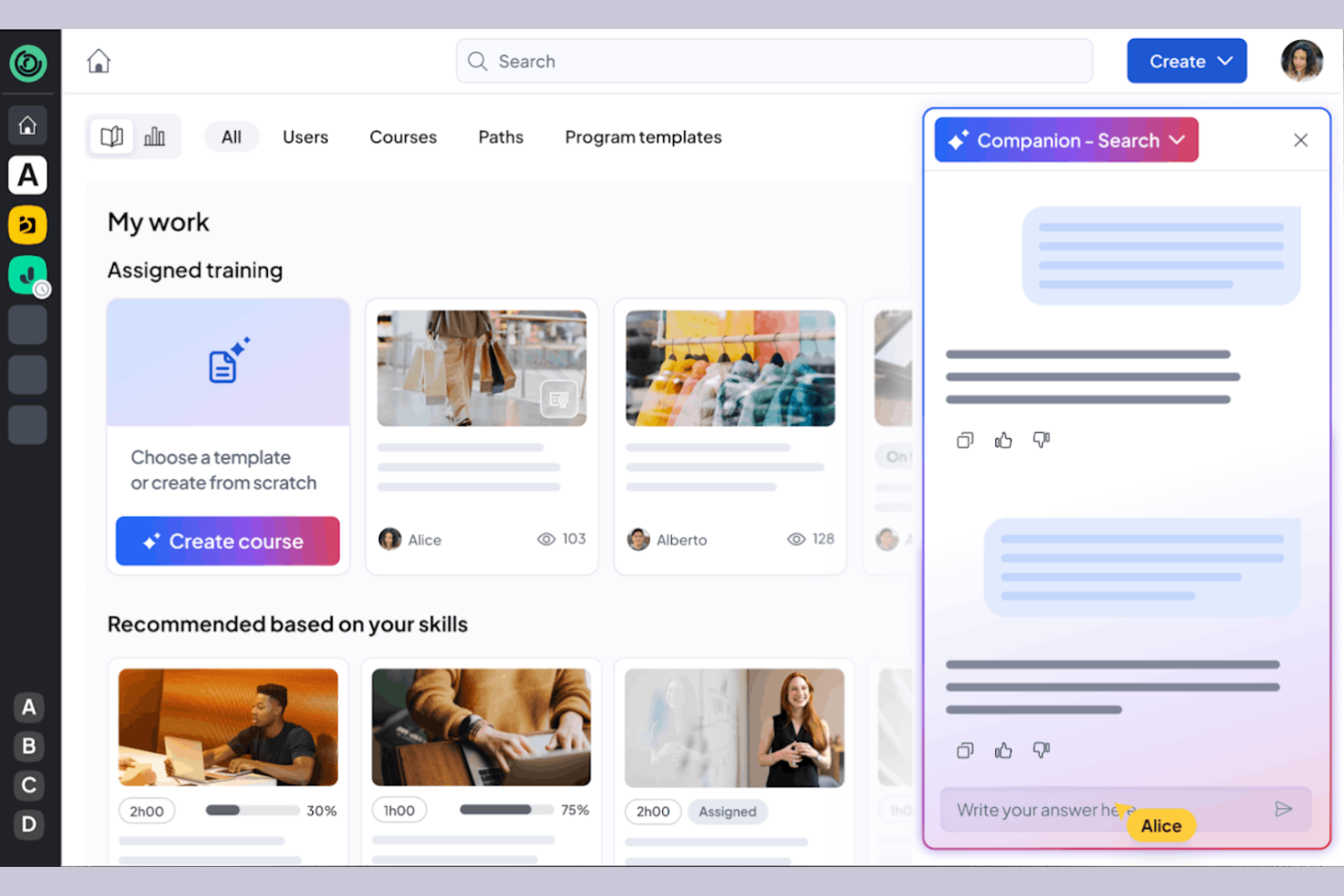
360learning is a learning management system tailored for businesses that prioritize collaborative learning and development. It caters to organizations by providing tools for team-based learning, course creation, and feedback collection.
Why I picked 360learning: It excels in promoting all-in-one collaborative learning, allowing your team to co-create courses and share knowledge. The platform enables peer feedback, fostering a culture of continuous improvement. You can create interactive courses using the built-in authoring tool, producing engaging content. 360learning also supports social learning features, making it easy for your team to connect and learn from each other.
Standout Features and Integrations:
Features include a mobile LMS app that provides learning access anytime, anywhere, and offers flexibility for remote teams. The learning platform supports gamification, adding a competitive edge to the learning experience. You can also use the analytics dashboard to track engagement and course performance.
Integrations include Salesforce, Slack, Microsoft Teams, Zoom, BambooHR, SAP SuccessFactors, Workday, and more.
Pros and Cons
Pros:
- Social learning features
- Supports peer feedback
- Strong focus on collaborative learning
Cons:
- Branding limits
- Weak SCORM support

Best for course creation
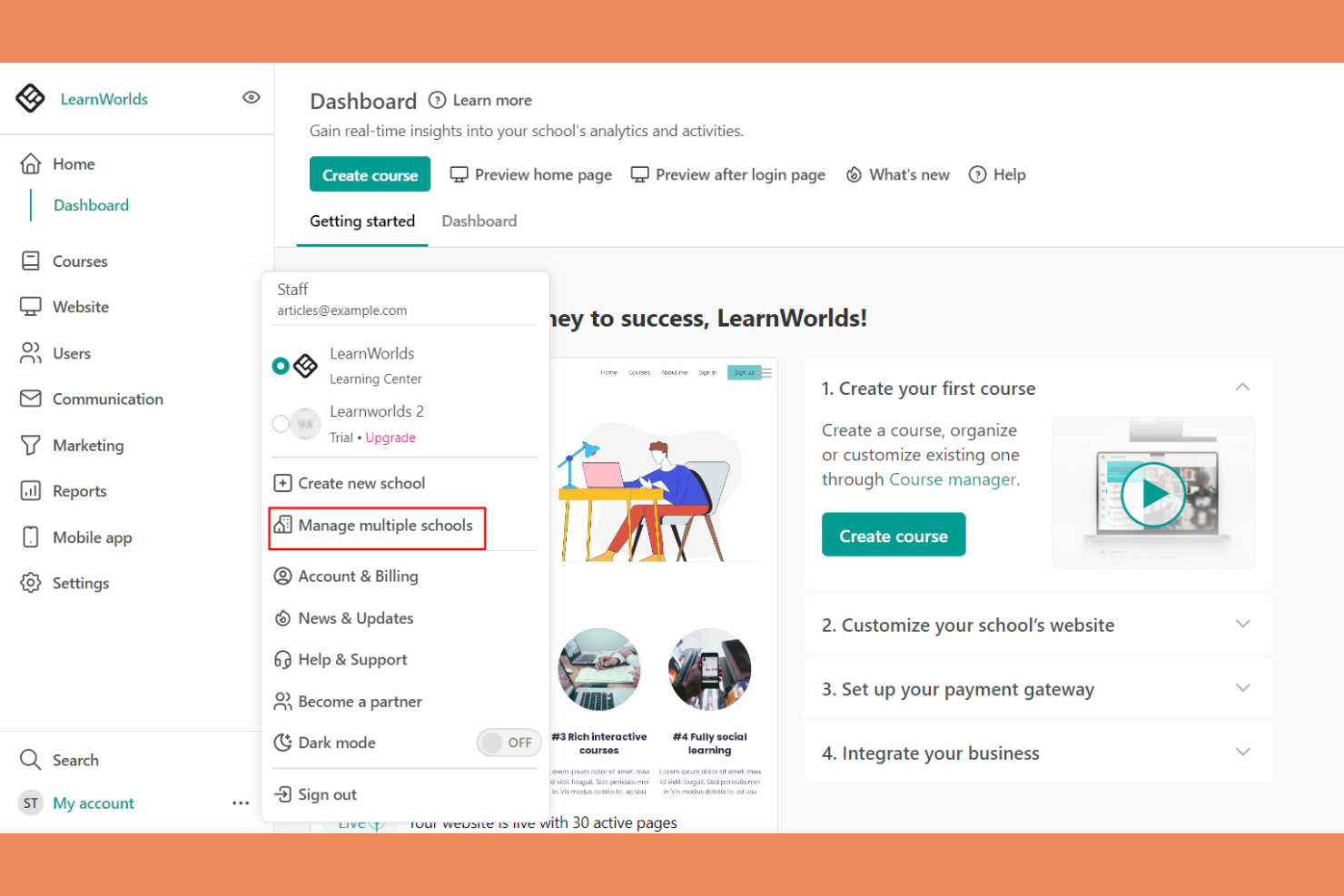
LearnWorlds is an online course platform designed for educators and businesses looking to create engaging learning experiences. It offers tools for course creation, video hosting, and student interaction.
Why I picked LearnWorlds: It excels at course creation with its intuitive drag-and-drop builder, making it easy to design courses. The platform’s interactive learning features improve retention by adding quizzes and notes directly into videos. You can also create branded mobile apps that provide a tailored experience for your learners. The analytics dashboard gives insights into learner engagement, helping you refine your courses.
Standout Features and Integrations:
Features include a built-in social network that encourages student interaction and community building. You can use customizable templates to quickly set up courses and landing pages. The platform also supports advanced eCommerce capabilities, allowing you to monetize your courses effectively.
Integrations include Zoom, Zapier, Mailchimp, Google Analytics, Shopify, Stripe, PayPal, HubSpot, ActiveCampaign, and more.
Pros and Cons
Pros:
- Flexible course templates and learning activities
- Interactive video capabilities
- Powerful drag-and-drop course builder
Cons:
- Marketing tool gaps
- Limited site customization
Best for multimedia content
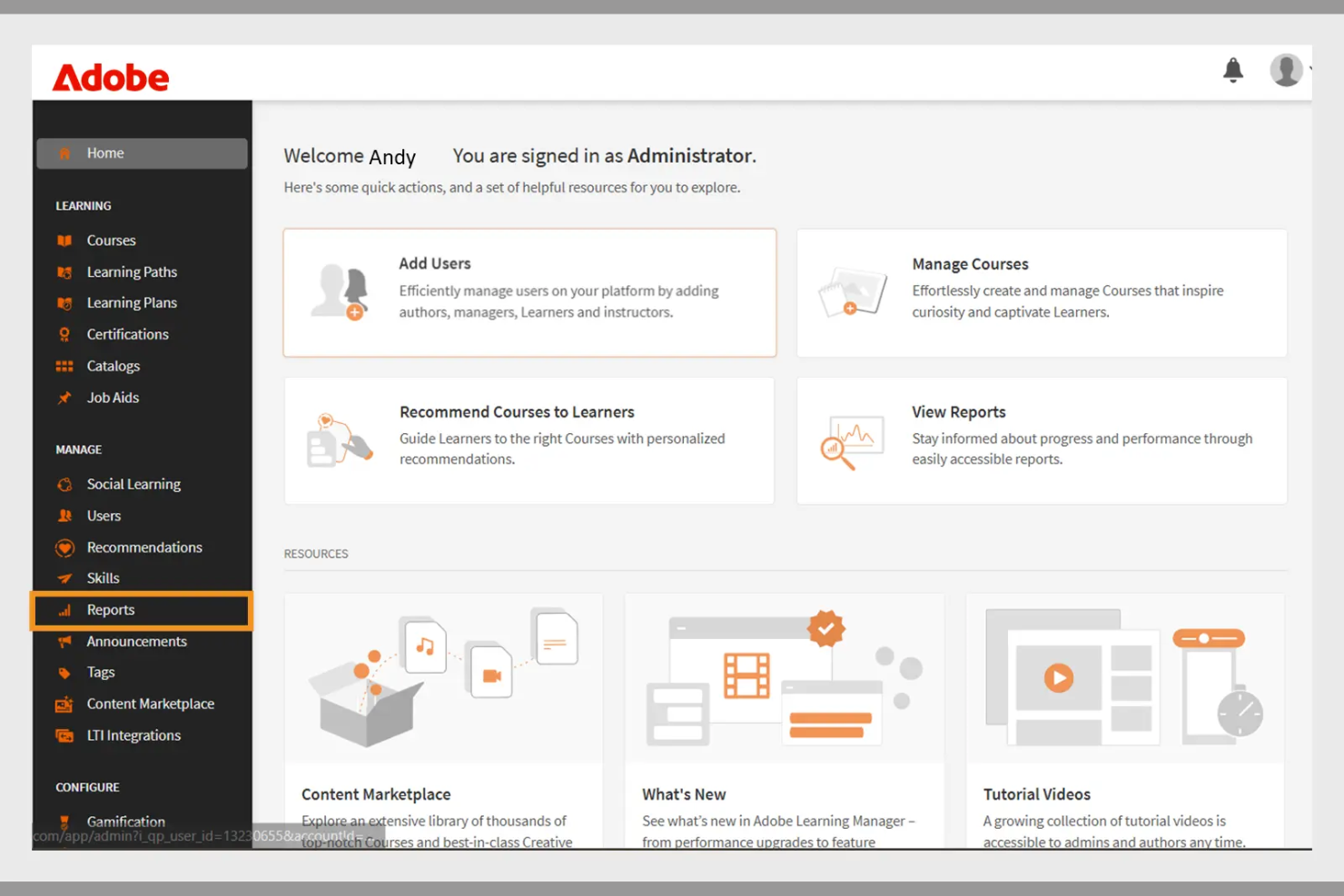
Adobe Learning Manager is a learning management system designed for businesses aiming to deliver engaging training programs. It focuses on multimedia content delivery, making it ideal for organizations that use rich media in their training.
Why I picked Adobe Learning Manager: It offers extensive multimedia support, allowing you to incorporate videos, interactive elements, and graphics into your training. The platform's content management features enable you to organize and deliver courses efficiently. You can track learner progress with detailed analytics, helping you refine your training strategies. Adobe Learning Manager also supports mobile learning, allowing your team to access courses anytime, anywhere.
Standout Features and Integrations:
Features include customizable learning paths that let you tailor courses to individual needs. The platform supports gamification, adding a fun and competitive element to learning. You can also use automated notifications to keep learners engaged and informed about their progress.
Integrations include Adobe Connect, Salesforce, Zoom, LinkedIn Learning, Microsoft Teams, Workday, and more.
Pros and Cons
Pros:
- Effective gamification features
- Customizable learning paths
- Strong multimedia content support
Cons:
- Requires ongoing technical support
- Can be slow to load
Docebo
Best for AI features
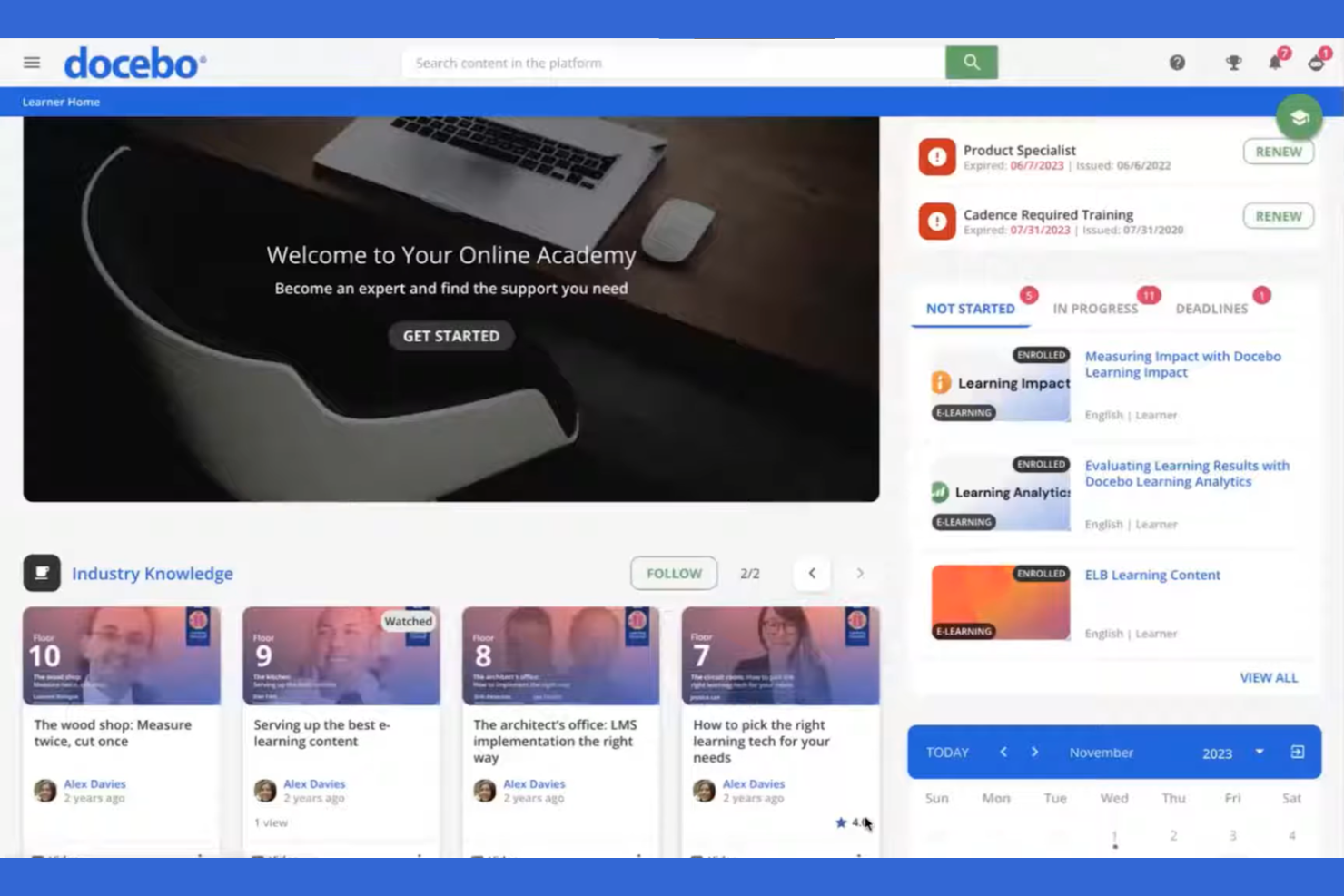
Docebo is a learning management system aimed at businesses looking to improve their corporate training programs. It serves industries by providing tools for content creation, learner engagement, and performance tracking.
Why I picked Docebo: Its AI-powered features make it unique in delivering personalized learning experiences. You can use AI to automate administrative tasks, saving your team time and effort. Docebo offers tools for content curation, helping your learners always have access to relevant materials. The platform's social learning capabilities also foster collaboration among users.
Standout Features and Integrations:
Features include a mobile app that allows learners to access courses on the go, which is great for remote teams. You can track learner performance with detailed reporting tools, helping you identify areas for improvement. The platform also supports gamification, adding an element of fun to learning.
Integrations include Salesforce, Zoom, Slack, Shopify, Google Workspace, Microsoft Teams, LinkedIn Learning, Adobe Connect, PayPal, Stripe, and more.
Pros and Cons
Pros:
- Social learning capabilities
- Strong content curation tools
- AI-powered learning personalization
Cons:
- Slow support responses
- UI inconsistencies
Best for virtual classrooms
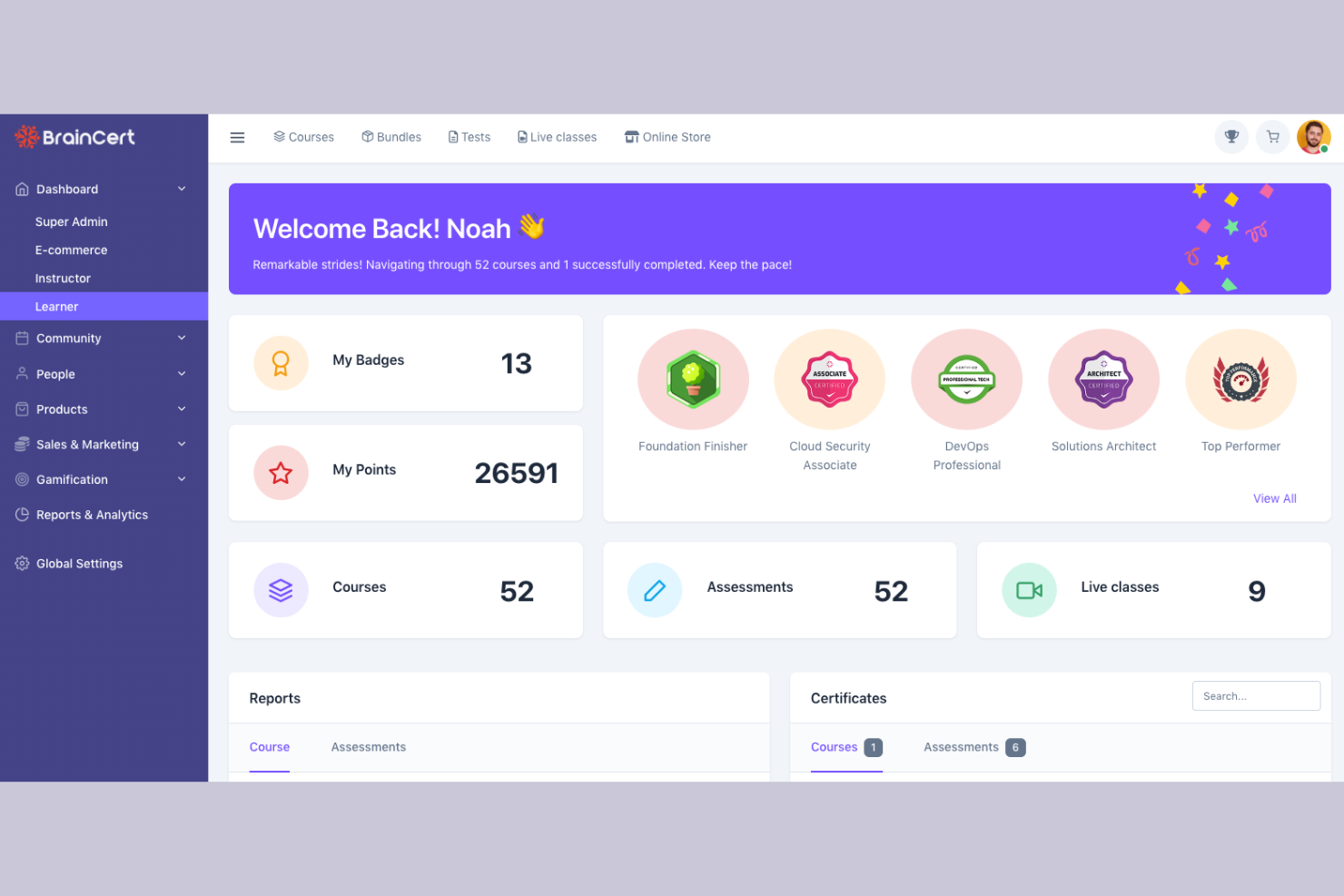
BrainCert is a learning management system designed for educational institutions and businesses looking to facilitate virtual learning. It provides tools for online classrooms, course creation, and assessments.
Why I picked BrainCert: It excels in virtual classroom capabilities, allowing you to conduct live sessions with ease. The platform offers interactive whiteboards and real-time collaboration tools, improving the learning experience. You can create and deliver quizzes to assess learner progress effectively. BrainCert also supports multimedia content, making lessons more engaging for your students.
Standout Features and Integrations:
Features include a mobile app that lets learners participate in sessions from anywhere, promoting flexibility. The platform supports gamification, adding a fun element to learning. You can also use the built-in eCommerce features to sell courses online.
Integrations include PayPal, Stripe, Moodle, and more.
Pros and Cons
Pros:
- Effective assessments and quizzes
- Interactive whiteboards available
- Excellent virtual classroom tools
Cons:
- Missing basic admin controls
- Unpolished mobile web view

Moodle
Best for academic use
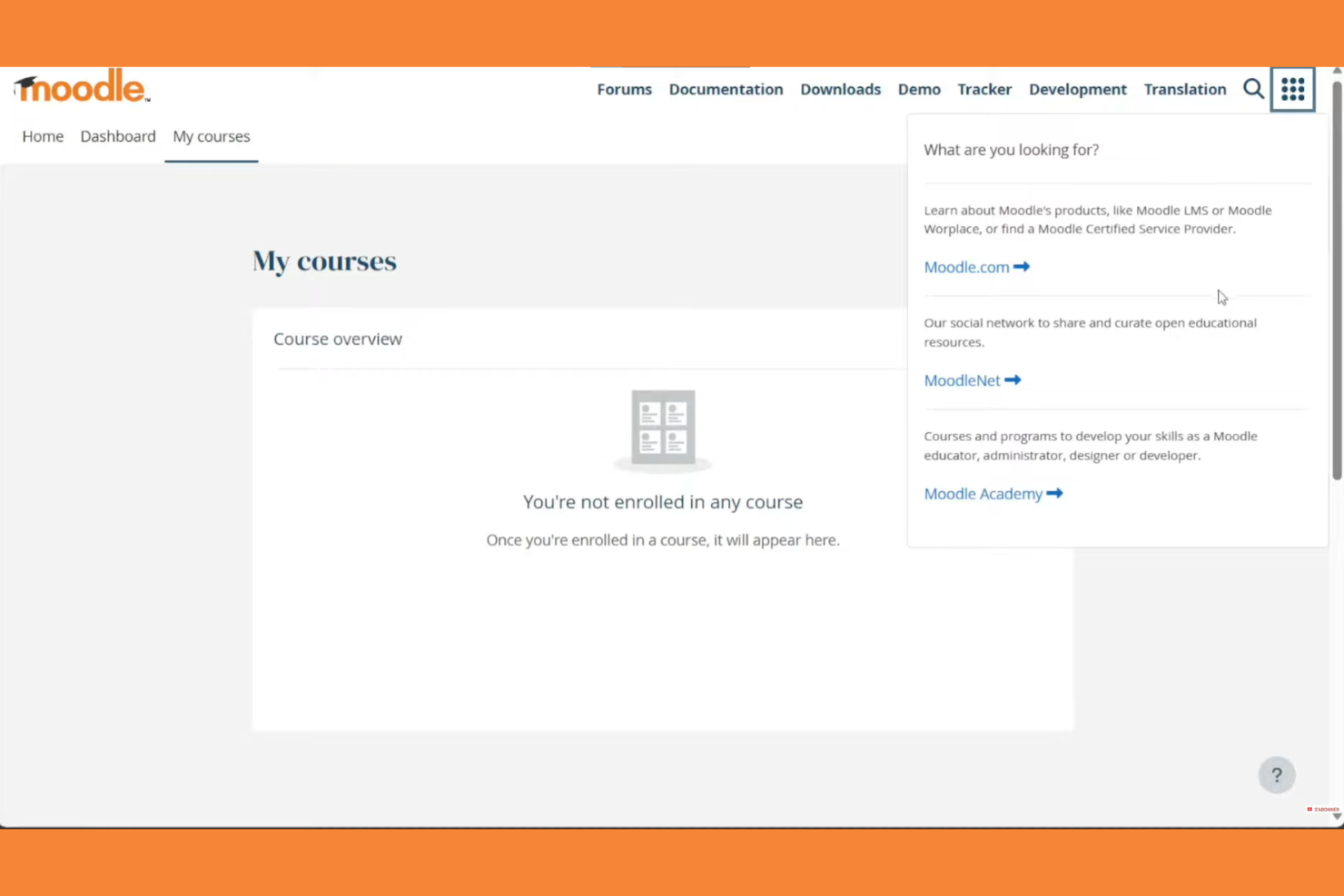
Moodle is an open-source learning management system widely used in educational institutions. It supports course creation, student engagement, and assessment management.
Why I picked Moodle: Moodle excels in academic settings with its flexible course management and wide array of plugins. Its open-source nature allows for extensive customization to fit specific educational needs. The platform supports various learning methodologies, making it versatile for different teaching styles. Moodle also offers strong community support and discussion forums, which can be invaluable for educators.
Standout Features and Integrations:
Features include a customizable dashboard that lets you organize courses and activities with ease. The platform supports multimedia integration, improving the learning experience with videos and interactive content. You can track student progress with detailed analytics, helping you identify areas for improvement.
Integrations include Microsoft Office 365, Google Workspace, Zoom, BigBlueButton, Mahara, Turnitin, Panopto, H5P, Jitsi, SCORM, and more.
Pros and Cons
Pros:
- Wide array of plugins
- Flexible course management
- Supports various teaching styles
Cons:
- Plugin dependency
- Outdated interface
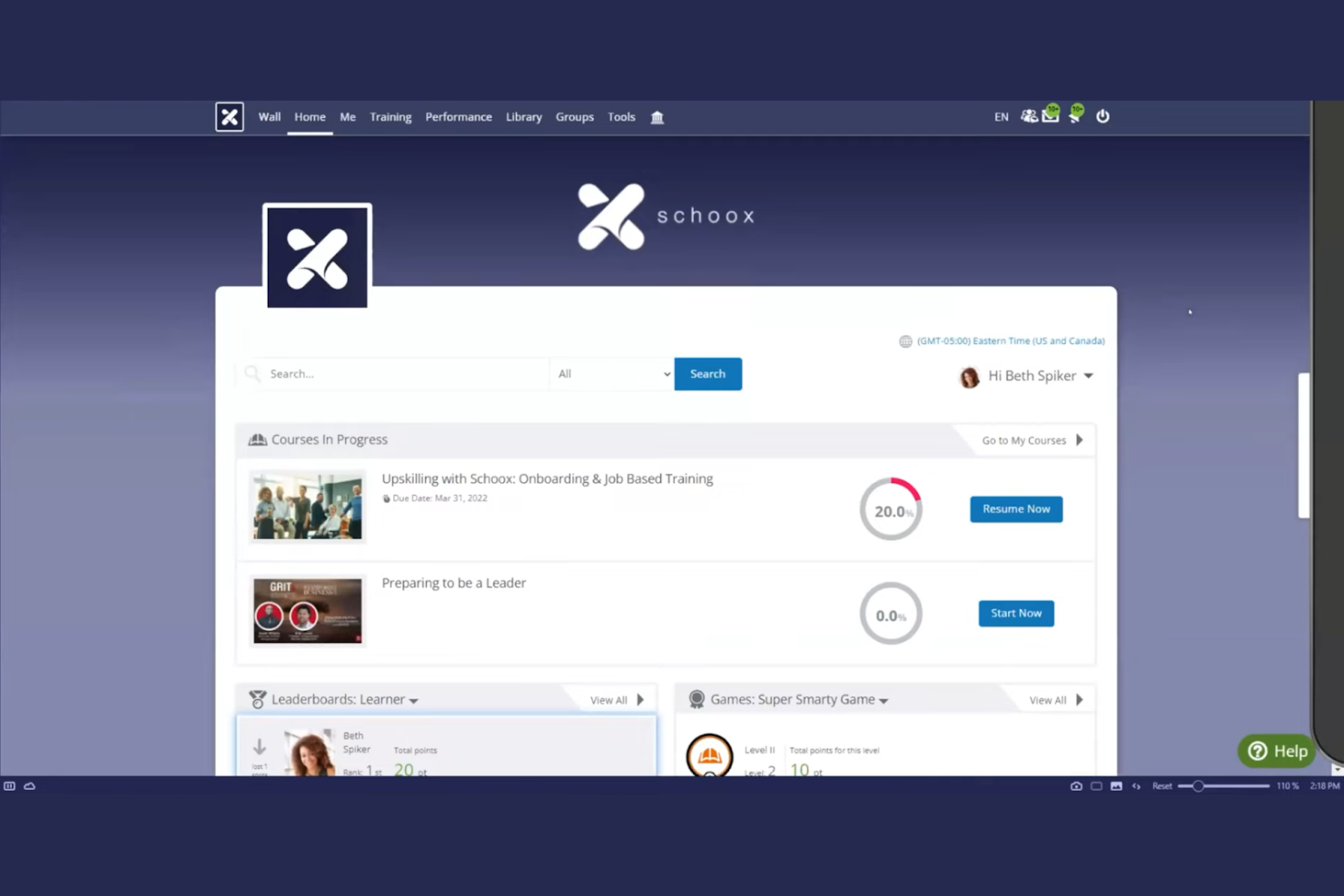
Schoox LMS software is tailored for businesses focused on compliance and skill development. It serves industries by providing tools for training, performance measurement, and certification management.
Why I picked Schoox: It offers specialized features for compliance training, helping your team meet industry standards. The platform provides customizable learning paths, allowing you to tailor training to individual needs. You can also track certifications and compliance status, keeping your organization on top of regulatory requirements. Schoox's reporting tools help you analyze training effectiveness and make data-driven improvements. The platform supports Tin Can (xAPI), enabling learning activity tracking beyond traditional course completion.
Standout Features and Integrations:
Features include a mobile app for on-the-go learning, which is ideal for remote teams. The platform supports gamification, adding an engaging element to training programs. You can also use the content library to access a variety of pre-built learning materials and resources.
Integrations include Salesforce, Microsoft Teams, Zoom, ADP, BambooHR, Google Workspace, SAP SuccessFactors, Workday, Oracle, and more.
Pros and Cons
Pros:
- Certification tracking
- Customizable learning paths
- Strong compliance training focus
Cons:
- Technical glitches
- The menu structure can feel overloaded

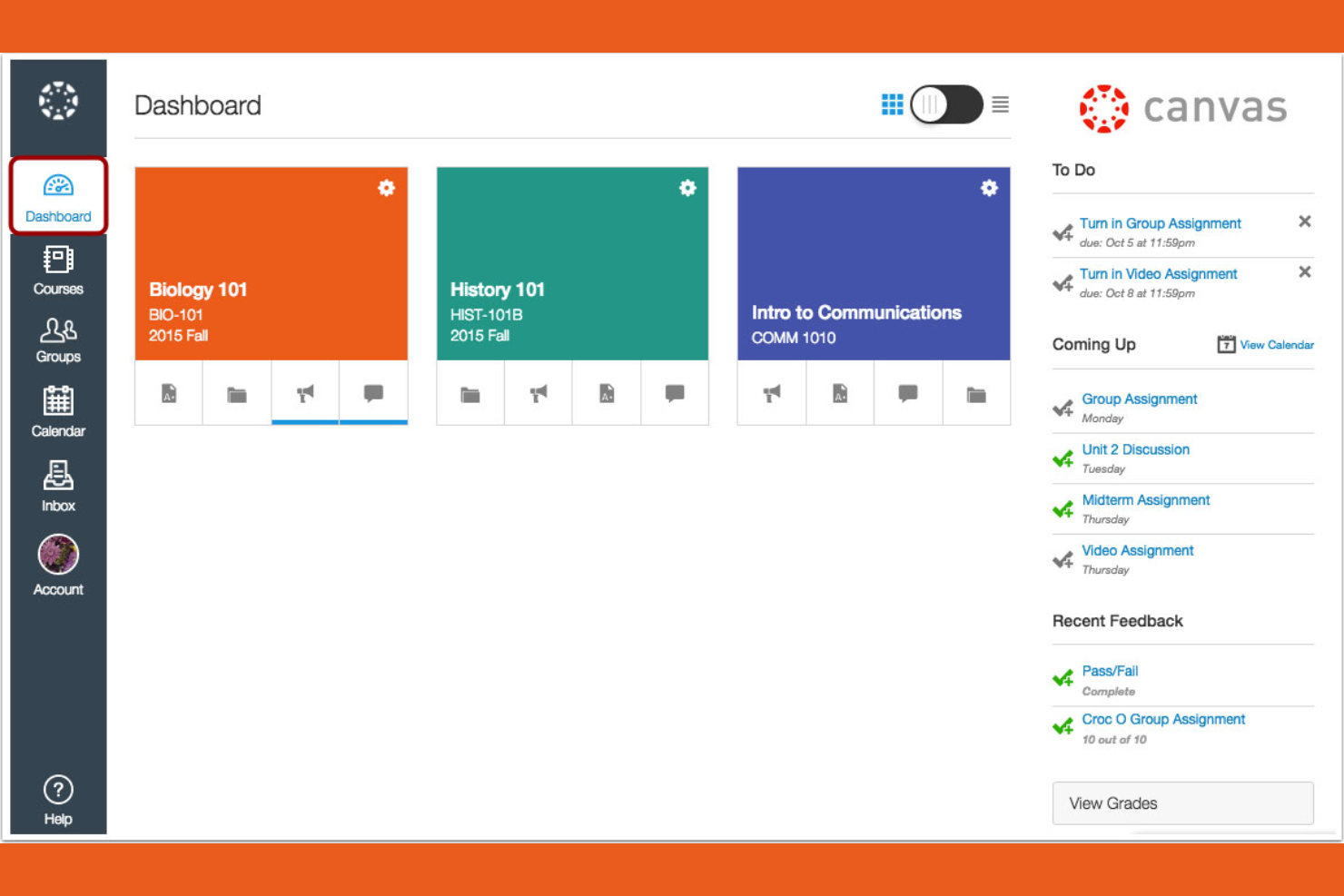
Canvas is a learning management system designed primarily for educational institutions, especially universities and colleges. It provides tools for course management, grading, and student engagement.
Why I picked Canvas: It's tailored for higher education, offering features that support both instructors and students. You can create and manage courses efficiently with its intuitive interface. The platform includes tools for online assessments, making it easier to evaluate student performance. Canvas also supports collaboration through discussion boards and group projects, improving the learning experience.
Standout Features and Integrations:
Features include a mobile app that lets students and instructors access courses from their smartphones, promoting flexibility. You can use analytics to track student performance and identify areas for improvement. The platform also supports multimedia content, enriching the learning experience with videos and other resources.
Integrations include Google Workspace, Microsoft Teams, Zoom, and more.
Pros and Cons
Pros:
- Strong online assessment tools
- Intuitive course management
- Tailored for higher education
Cons:
- Gradebook complexity
- Inconsistent course design

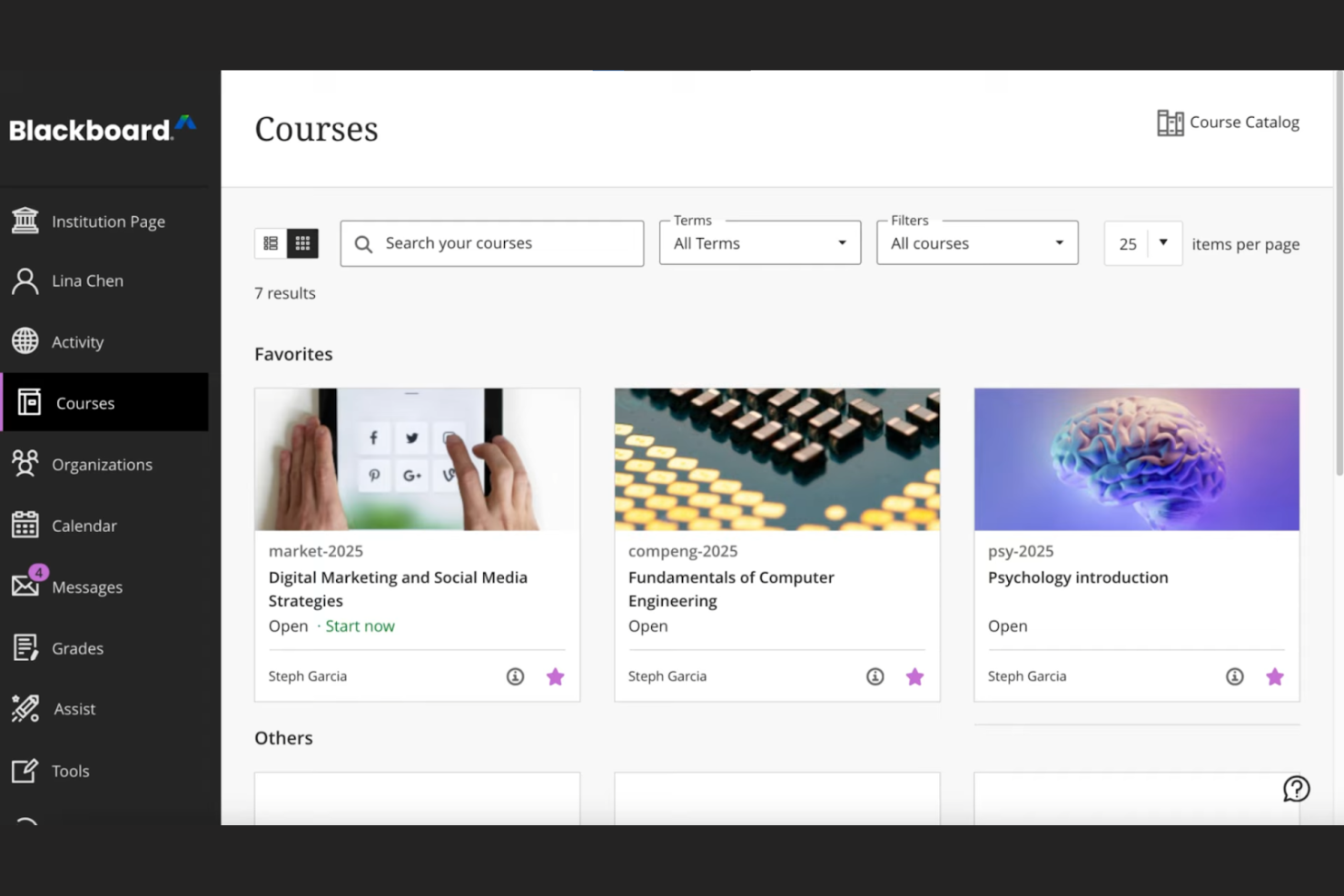
Blackboard by Anthology is a complete learning management system tailored for educational institutions, focusing on data-driven decision-making. It supports course management, student engagement, and performance analytics.
Why I picked Blackboard: Its strength lies in data analytics, offering institutions detailed insights into student performance and engagement. The platform allows you to create custom reports, helping you make informed decisions. You can track learning outcomes and identify trends, which is essential for improving educational strategies. Blackboard also provides tools for automating administrative tasks, freeing up your team for more critical work.
Standout Features and Integrations:
Features include an intuitive interface that simplifies course management, making it easy for instructors to navigate. The platform supports multimedia content, improving the learning experience with videos and interactive elements. You can also use built-in communication tools to foster collaboration between students and teachers.
Integrations include Google Workspace, Microsoft Teams, Zoom, Turnitin, Pearson, McGraw-Hill Education, and more.
Pros and Cons
Pros:
- Effective learning outcome tracking
- Custom report generation
- Strong data analytics capabilities
Cons:
- Dated interface
- Overkill for basic needs

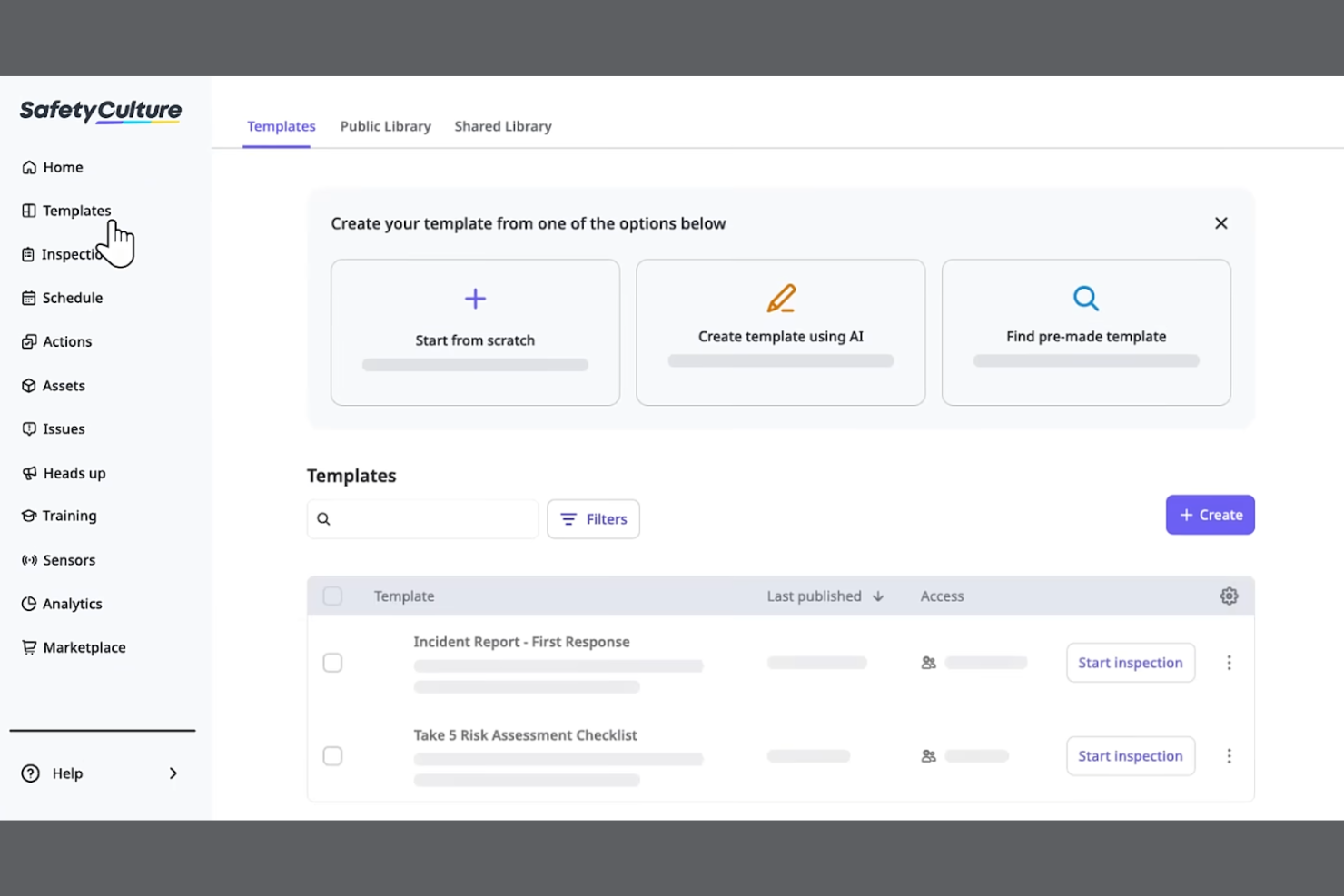
SC Training is a mobile-focused learning management system designed for businesses looking to deliver training in bite-sized modules for better retention. It serves industries by promoting effective learning through microlearning techniques and tools.
Why I picked SC Training: It specializes in microlearning, allowing you to create short, engaging lessons that fit into your team's schedule. The platform offers a built-in authoring tool for easy course materials creation, enabling you to develop content quickly. You can incorporate multimedia elements to make the learning experience more dynamic. SC Training also provides analytics to track learner progress, helping you measure the impact of your training.
Standout Features and Integrations:
Features include a mobile app that supports on-the-go enrollment and lets learners access courses anytime, anywhere. The platform supports gamification, adding a competitive edge to learning. You can also use the content library to access a variety of ready-made courses and templates.
Integrations include Microsoft Teams, Zoom, Slack, Salesforce, BambooHR, Shopify, Google Drive, Microsoft Azure, PayPal, Stripe, and more.
Pros and Cons
Pros:
- Wide content library
- Built-in authoring tool
- Effective microlearning techniques
Cons:
- Content "reset" risks
- Microlearning only
Altri LMS mobili
Ecco alcune altre opzioni di LMS mobili che non sono entrate nel mio elenco, ma che vale comunque la pena prendere in considerazione:


How I Evaluate Mobile LMS Solutions
I split my evaluation into two layers—the baseline every tool must clear, like offline access and native apps for shift workers, and the differentiators that set the best fit apart.
Core Functionality (Table Stakes For This List)
When I'm selecting tools for my list, I rank each one on a scale from 0 (does not offer the functionality) to 5 (excels in this area) for each core functionality listed below. Then, I calculate the tool's total score into a percentage. Each tool needs to achieve a minimum total score of 65% to be considered for inclusion.
- Native Mobile Apps: I check for dedicated iOS and Android apps where a warehouse worker or retail associate can log in and complete a full course, not just view a dashboard.
- Offline Learning Access: I look for the ability to download courses and sync progress later, which matters for field teams in areas with spotty connectivity.
- Responsive Course Content: Quizzes, videos, and interactive modules all need to render cleanly on a phone screen with tap-friendly navigation and no horizontal scrolling.
- Mobile Push Notifications: I evaluate whether the platform can push assignment reminders and deadline alerts directly to a learner's device to drive completion rates.
- Mobile-Friendly Authoring: I look at whether admins can build or adapt content for small screens, including microlearning formats like short quizzes or two-minute video lessons.
- Progress Tracking & Reporting: Completion data, quiz scores, and certification status should sync across devices and roll up into a centralized admin dashboard in real time.
Once I have a list of tools that meet this criteria, I consider what sets each platform apart.
Differentiating Factors (What Sets Vendors Apart)
Here's how I compare and contrast different vendors:
Standout Features
Gamification features like points, badges, and leaderboards keep frontline learners coming back between shifts. I also evaluate AI-powered personalization, where the platform adapts learning paths based on a worker's role or skill gaps rather than serving the same generic content to everyone. QR code course access is another differentiator I look for—a supervisor can post a code in a breakroom and new hires scan it to enroll instantly from their phones.
Beyond Features
HRIS integrations matter here—I check whether a platform connects with systems like Workday or BambooHR so new hires auto-populate into training workflows without manual data entry. Compliance and security are equally important, especially in BYOD environments where employee training data lives on personal devices. I look for MDM compatibility and audit-ready reporting that HR teams in regulated industries can pull during an inspection. Scalability also factors in, particularly multi-language support for organizations training across multiple regions.
Come scegliere un LMS mobile
È facile perdersi in lunghi elenchi di funzionalità e strutture tariffarie complesse. Per aiutarti a rimanere concentrato mentre affronti il tuo particolare processo di selezione del software, ecco una lista di controllo dei fattori da tenere a mente:
| Fattore | Cosa considerare |
|---|---|
| Scalabilità | L'LMS crescerà insieme al tuo team? Considera le esigenze future e se lo strumento è in grado di gestire un aumento degli utenti e dei contenuti. |
| Integrazioni | Funziona con gli strumenti che già utilizzi? Verifica la compatibilità con i sistemi attuali per garantire un flusso di lavoro fluido. |
| Personalizzazione | Puoi adattarlo alle tue esigenze? Cerca opzioni che consentano di modificare la piattaforma in base ai tuoi processi specifici. |
| Facilità d'uso | È semplice da usare per tutti? Verifica che l'interfaccia sia intuitiva sia per gli amministratori sia per gli studenti. |
| Implementazione e inserimento | Quanto velocemente puoi iniziare? Valuta il supporto e le risorse disponibili per una transizione fluida. |
| Costo | Rientra nel tuo budget? Confronta i piani tariffari, i costi nascosti e il valore offerto per il tuo investimento. |
| Misure di sicurezza | I tuoi dati e la tua privacy sono protetti? Verifica la conformità agli standard di settore e alle normative sulla protezione dei dati. |
| Disponibilità dell'assistenza | Puoi ricevere aiuto quando ne hai bisogno? Verifica l'accesso a un'assistenza tempestiva ed efficace attraverso vari canali. |
Che cos'è un LMS mobile?
Un LMS mobile è una piattaforma che distribuisce contenuti didattici e formazione tramite dispositivi mobili. I professionisti delle risorse umane, i formatori aziendali e gli educatori utilizzano generalmente questi strumenti per offrire soluzioni di apprendimento flessibili. Funzionalità come l'accesso mobile, il supporto multimediale e i percorsi di apprendimento personalizzabili aiutano a fornire una formazione coinvolgente e accessibile, mentre le notifiche push aumentano il tasso di completamento. Nel complesso, questi strumenti migliorano l'apprendimento rendendolo più adattabile e pratico per gli utenti.
Funzionalità
Quando selezioni un LMS mobile, presta attenzione alle seguenti funzionalità chiave:
- Accesso mobile: consente agli studenti di accedere ai corsi in qualsiasi momento e ovunque sia disponibile una connessione Internet, migliorando flessibilità e praticità.
- Supporto multimediale: integra video, audio ed elementi interattivi per creare esperienze di apprendimento coinvolgenti.
- Percorsi di apprendimento personalizzabili: consente di adattare i corsi alle esigenze dei singoli studenti e agli obiettivi dell'organizzazione.
- Ludicizzazione: aggiunge un elemento divertente e competitivo all'apprendimento, aumentando coinvolgimento e motivazione.
- Analisi e reportistica: monitora i progressi e le prestazioni degli studenti, fornendo indicazioni utili per il miglioramento.
- Funzionalità di integrazione: si collega agli strumenti esistenti per supportare flussi di lavoro fluidi e la condivisione dei dati.
- Misure di sicurezza: protegge dati e privacy mantenendo la conformità agli standard del settore.
- Libreria di contenuti: offre corsi e risorse predefiniti per migliorare la formazione senza dover partire da zero.
- Aula virtuale: facilita sessioni dal vivo e la collaborazione in tempo reale, arricchendo l'esperienza di apprendimento.
Vantaggi
L'implementazione di un LMS mobile offre diversi vantaggi al tuo team e alla tua azienda. Ecco alcuni dei benefici che puoi aspettarti:
- Flessibilità: l'accesso mobile consente agli studenti di utilizzare i contenuti quando preferiscono e al proprio ritmo, inserendo la formazione anche in programmi fitti di impegni.
- Coinvolgimento: funzionalità come la ludicizzazione e il supporto multimediale rendono l'apprendimento più interattivo e piacevole, aumentando la partecipazione.
- Personalizzazione: i percorsi di apprendimento personalizzabili adattano la formazione alle esigenze individuali, migliorandone rilevanza ed efficacia.
- Efficienza: analisi e reportistica forniscono informazioni sui progressi degli studenti, aiutando a individuare le aree di miglioramento e a ottimizzare i processi.
- Integrazione: le integrazioni con i sistemi esistenti semplificano i flussi di lavoro e mantengono la coerenza dei dati tra le piattaforme.
- Sicurezza: solide misure di protezione salvaguardano le informazioni sensibili, preservando la fiducia e la conformità alle normative.
- Collaborazione: le funzionalità dell'aula virtuale consentono l'interazione e il lavoro di squadra in tempo reale, arricchendo l'esperienza di apprendimento.
Costi e prezzi
La scelta di un LMS mobile richiede la comprensione dei vari modelli e piani tariffari disponibili. I costi variano in base alle funzionalità, alle dimensioni del team, agli elementi aggiuntivi e ad altri fattori. La tabella seguente riassume i piani più comuni, i relativi prezzi medi e le funzionalità tipicamente incluse nelle soluzioni LMS mobili:
Tabella di confronto dei piani per LMS mobili
| Tipo di piano | Prezzo medio | Funzionalità comuni |
|---|---|---|
| Piano gratuito | $0/user/month | Accesso di base ai corsi, spazio di archiviazione limitato e supporto della comunità. |
| Piano personale | $5-$25/user/month | Corsi personalizzabili, analisi di base e supporto via e-mail. |
| Piano aziendale | $25-$50/user/month | Reportistica avanzata, integrazioni e supporto prioritario. |
| Piano per grandi aziende | $50-$100+/user/month | Personalizzazione completa, responsabile dell'account dedicato e funzionalità di sicurezza avanzate. |
Domande frequenti sull'LMS mobile
Ecco alcune risposte alle domande comuni sugli LMS mobili:
Un LMS mobile può monitorare in tempo reale i progressi di apprendimento dei dipendenti?
Sì, un LMS mobile consente di monitorare in tempo reale i progressi dei dipendenti. Puoi visualizzare direttamente dalla dashboard i tassi di completamento dei corsi, i punteggi dei quiz e le metriche di coinvolgimento, aiutandoti a individuare rapidamente le lacune formative e a intervenire con la formazione più adeguata.
Un LMS mobile può integrarsi con altri software?
Sì, la maggior parte delle piattaforme LMS mobili offre funzionalità di integrazione con altri software. Puoi collegare il tuo LMS a strumenti come sistemi CRM, piattaforme HR e app di comunicazione. Questa integrazione aiuta a strutturare i flussi di lavoro e a mantenere la coerenza dei dati tra sistemi diversi. Verifica la compatibilità dell’LMS con gli strumenti che già utilizzi per favorire una configurazione senza intoppi.
Quanto è sicuro un LMS mobile?
Le piattaforme LMS mobili danno priorità alla sicurezza e offrono funzionalità come la crittografia dei dati, l’autenticazione degli utenti e la conformità agli standard del settore. Cerca un LMS che fornisca solide misure di sicurezza per proteggere i tuoi dati e la tua privacy. È essenziale verificare che la piattaforma sia conforme a normative come il GDPR se il tuo team opera a livello internazionale.
È difficile implementare un LMS mobile?
La complessità dell’implementazione di un LMS mobile può variare a seconda della piattaforma e delle esigenze della tua organizzazione. Alcuni fornitori di LMS offrono assistenza per l’onboarding, inclusi video di formazione, tour del prodotto e webinar, per facilitare la transizione. Valuta le risorse e il supporto disponibili per favorire un processo di implementazione senza intoppi per il tuo team.
Quali tipi di formazione funzionano meglio su un LMS mobile?
I corsi brevi e interattivi, i moduli di microlearning, le checklist per l’onboarding e la formazione sulla conformità sono particolarmente efficaci sulle piattaforme LMS mobili. I dipendenti possono completare queste lezioni brevi ovunque, persino tra una riunione e l’altra, rendendo l’apprendimento pratico e coinvolgente.
Come posso incoraggiare i dipendenti a utilizzare regolarmente un LMS mobile?
Puoi aumentare l’adozione rendendo la formazione pertinente, aggiungendo elementi di gamification (come distintivi o classifiche) e definendo aspettative chiare sugli obiettivi di apprendimento. Anche l’invio di promemoria o la condivisione degli aggiornamenti sui progressi contribuisce a mantenere i dipendenti motivati e coinvolti.