

10 beste gratis læringsplattformer vurdert i 2026

Kortliste over de beste gratis LMS-verktøyene


De beste gratis LMS-verktøyene hjelper deg med å levere, følge opp og administrere opplæring av ansatte uten å øke programvarebudsjettet. Hvis du manuelt oppdaterer regneark for å registrere fullføringer, sender e-postpåminnelser til ansatte som oversitter frister, eller må skynde deg å finne dokumentasjon på at kravene er oppfylt før en revisjon, blir opplæringen raskt en tidkrevende belastning. Et gratis LMS samler kurslevering, fremdriftsoppfølging og rapportering på ett sted, slik at teamet ditt holder seg innenfor kravene og samkjørt uten ekstra administrativt arbeid.
nnJeg har testet og vurdert LMS-plattformer for oppstartsbedrifter og team i vekst, og evaluert funksjonsbegrensninger, rapporteringsdybde, brukeropplevelse og langsiktig levedyktighet. Jeg ser forbi markedsføringspåstander for å finne ut hvordan hvert system fungerer under reelle opplæringsbehov, inkludert introduksjon av nyansatte, samsvarsprogrammer og initiativer for ferdighetsutvikling.
nnI denne veiledningen deler jeg de beste gratis LMS-verktøyene som er tilgjengelige, forklarer styrkene og begrensningene deres, og hjelper deg med å finne ut hvilket alternativ som passer organisasjonens størrelse, opplæringsbehov og vekstplaner.
nWhy Trust Our Software Recommendations
Our team has been testing and reviewing software since 2012. As HR experts ourselves, we know how difficult—and important—it is to choose the right software.
For this guide, we evaluated tools using hands-on testing and independent research, scoring tools using our selection criteria. We also draw on insights from industry thought leaders and practicing HR experts.
Our reviews reflect our human editorial judgment, not a sales pitch.
Expert reviewers:
Sammenligningstabell for gratis LMS
\u003cspan style=\u0022font-weight: 400\u0022\u003eHer er grunnkostnadene for hvert av verktøyene som kom med på kortlisten min:\u003c/span\u003e
| Tool | Best For | Trial Info | Price | ||
|---|---|---|---|---|---|
| 1 | Best for quick and intuitive setup | Free plan + free demo available | From $119/month (billed annually) | Website | |
| 2 | Best for customizable global language support | Free to use | Free and open source | Website | |
| 3 | Best for small teams testing structured employee training | Free plan available | From $23.88/user/month (billed annually) | Website | |
| 4 | Best for flexible, scalable learning | Free trial + free demo available | Pricing upon request | Website | |
| 5 | Best for engaging K-12 learning experiences | Free plan available for qualifying institutions | Google Workspace for Education plans start at $6 per user/month | Website | |
| 6 | Best for mobile learning and training | Free demo available | Pricing upon request | Website | |
| 7 | Best free mobile-first LMS for frontline teams | Free plan + free 30-day trial + free demo available | From $5/learner/month (billed annually) | Website | |
| 8 | Best for multilingual learning platform support | Free demo + free download available | Free, open-source | Website | |
| 9 | Best for AI-assisted course creation and SMB-friendly deployment | 7-day free trial + free demo available | Free | Website | |
| 10 | Best for self-paced upskilling needs | Free demo available | Free-forever plan | Website |

Anmeldelser av de beste gratis LMS-verktøyene
\u003cspan style=\u0022font-weight: 400\u0022\u003eNedenfor finner du mine detaljerte sammendrag av den beste gratis LMS-programvaren som kom med på kortlisten min. Anmeldelsene mine gir et detaljert innblikk i viktige tillegg, funksjoner, fordeler og ulemper, integrasjoner og ideelle bruksområder for hvert verktøy, slik at du kan finne det som passer best for deg. Noen av disse verktøyene tilbyr en fullstendig gratis alt-i-ett-versjon, mens andre tilbyr en gratis prøveperiode og færre funksjoner. Jeg har lagt til en merknad om hva som er gratis i hver anmeldelse.\u003c/span\u003e

Best for quick and intuitive setup
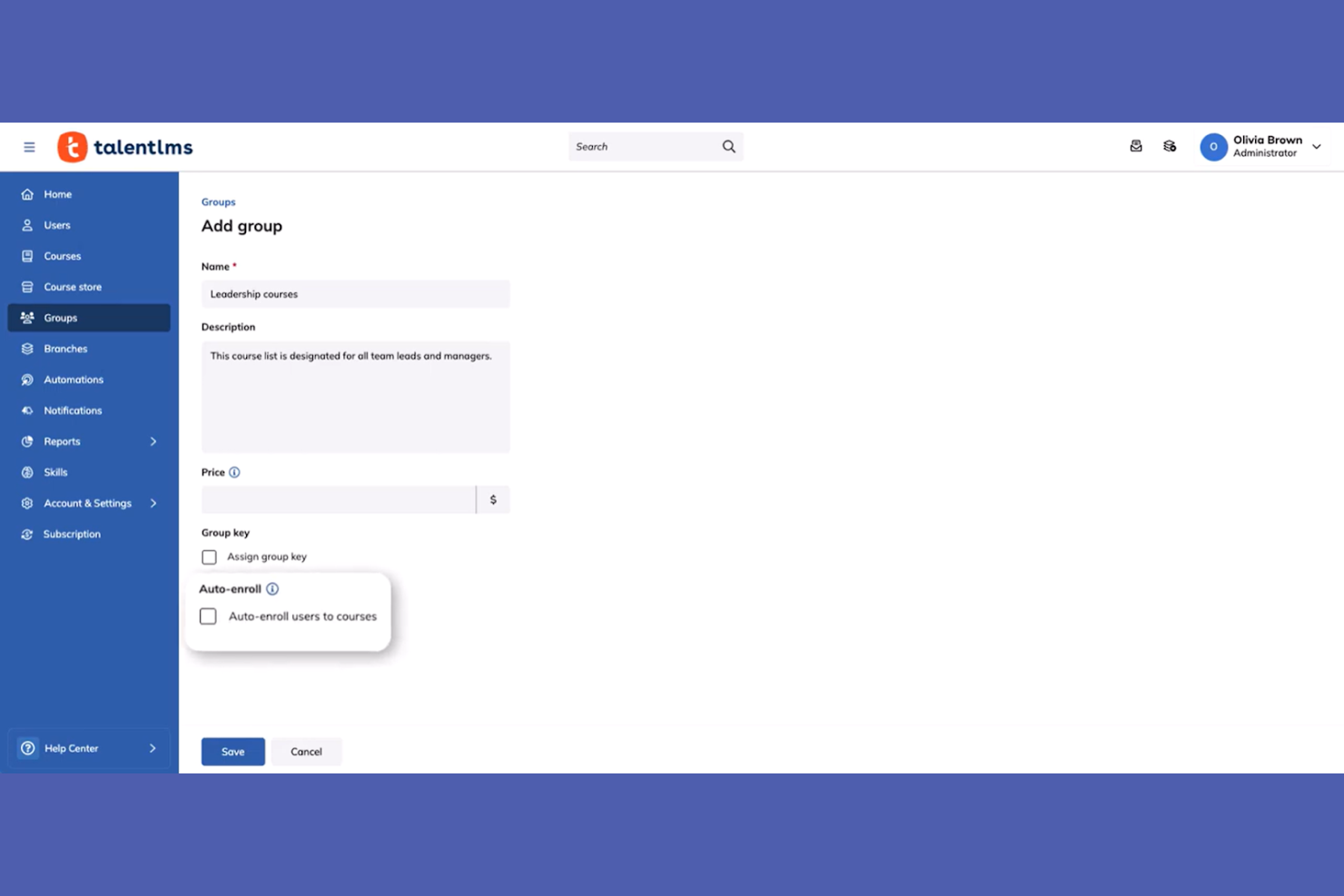
TalentLMS is an easy-to-use LMS designed for businesses of all sizes. It facilitates employee training and development by providing a platform that simplifies course creation and delivery.
Why I picked TalentLMS: TalentLMS provides a free-forever plan for up to 5 users and 10 courses, making it a great choice for small teams looking to upskill quickly. Its quick setup is a standout feature, allowing you to launch your training programs without a lengthy implementation process. The free version includes essential features like course creation, assessments, and certification. This makes it ideal for teams that need a straightforward skill development solution.
Standout features and integrations:
Features include customizable course templates, which help you tailor training to your needs. The platform offers gamification elements to boost engagement and motivation. You can also track progress through detailed reporting, providing insights into your team's learning journey.
Integrations include Zoom, Microsoft Teams, Google Drive, Dropbox, Salesforce, Shopify, WordPress, GoToMeeting, LinkedIn Learning, and Zapier.
What's free?
TalentLMS offers a free-forever plan for up to 5 users and 10 courses, with unlimited email support and access to testing generative AI, making it ideal for small teams or pilot programs.
Pros and Cons
Pros:
- Customizable course templates
- Detailed reporting features
- Gamification elements
Cons:
- Basic support for free users
- Limited courses on the free plan
New Product Updates from TalentLMS
TalentLMS Adds Learning Paths, AI Video, and Learner Experience Updates
TalentLMS introduced updates across learning management, content creation, and learner experience, including Learning Paths for Groups, AI video generation in TalentCraft, video bookmarking, and expanded administration tools. For more information, visit TalentLMS’s official site.

Moodle
Best for customizable global language support
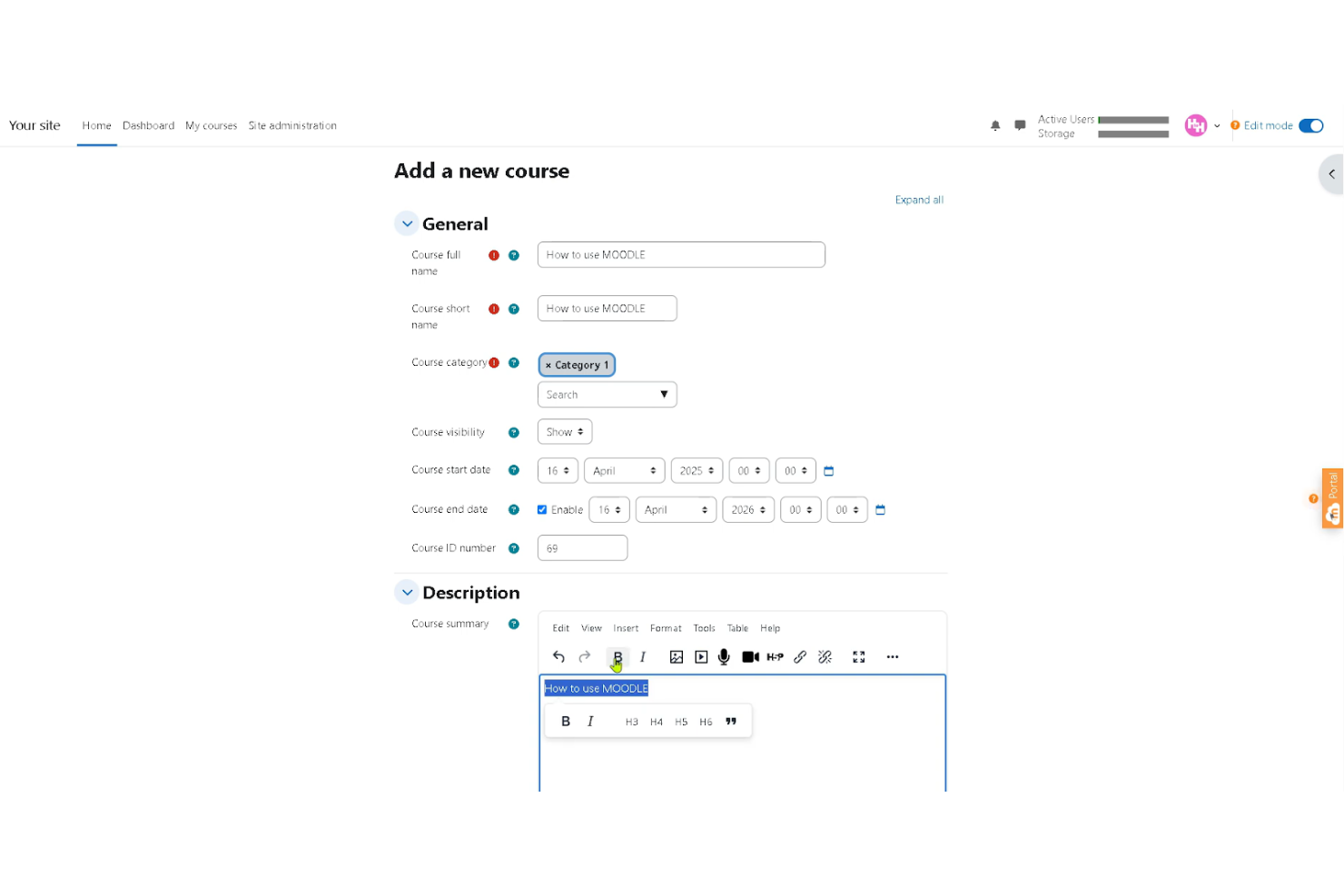
Moodle is a widely used open-source LMS that supports educational institutions and organizations of all sizes. It offers global language support and extensive customization options, making it suitable for multilingual and distributed teams.
Why I picked Moodle:
Moodle stands out as a truly free, open-source LMS that you can download and host on your own server without licensing fees. There are no limits on users or courses, and you have full control over customization, plugins, and system configuration. The platform includes core features like course management, assessments, forums, and mobile access, making it a flexible option for teams that want control over their learning environment.
While the software itself is free, you are responsible for hosting, maintenance, updates, and security unless you choose a paid hosting provider or MoodleCloud plan.
Standout features and integrations:
Features include customizable course modules, multilingual support, mobile compatibility, and a large plugin ecosystem that enables interactive quizzes, assignments, certifications, and discussion forums. Moodle also includes role-based permissions and reporting tools to help manage learners and protect data.
Integrations include BigBlueButton, IntelliBoard, ReadSpeaker, Advacheck, Turnitin, H5P, and more.
What’s free?
Moodle’s core open-source software is free to download and use with unlimited users. However, you’ll need to pay for hosting, infrastructure, and technical support unless you manage it in-house. For teams that prefer a managed option, MoodleCloud offers paid hosted plans and a limited free trial.
Pros and Cons
Pros:
- Extensive plugin options
- Mobile-friendly access
- Supports multiple languages
Cons:
- Limited built-in hosting
- Complex user interface
ProProfs
Best for small teams testing structured employee training
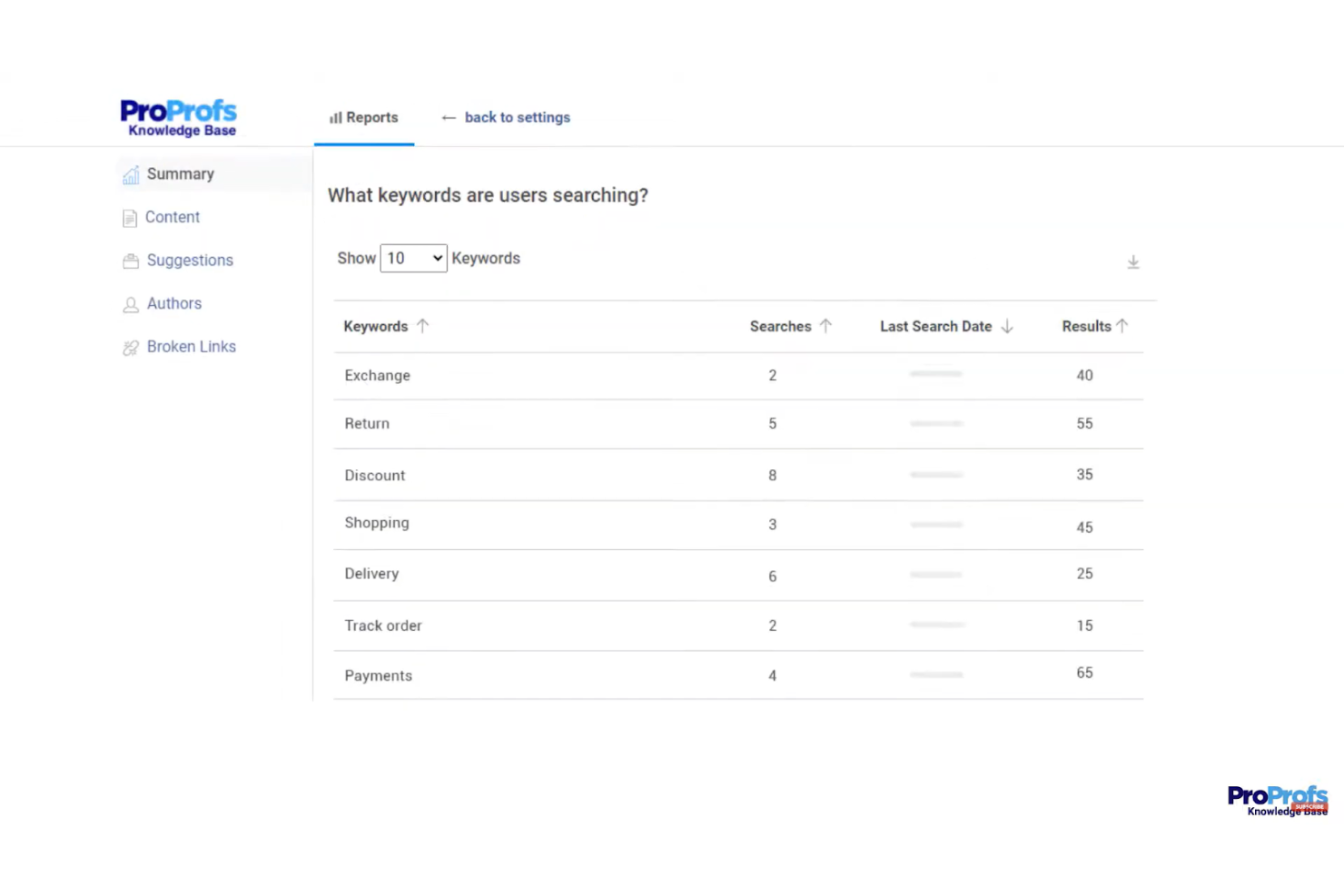
ProProfs is an online LMS designed for educators and trainers who need to create engaging quizzes and tests. It provides tools for building assessments and tracking learner performance, making it ideal for academic institutions and corporate training programs.
Why I picked ProProfs: ProProfs offers a free-forever plan that supports up to 10 learners with access to all core LMS features. This makes it a practical option for small teams that want to launch structured training without upfront costs. You can create courses, assess learners, and track performance while keeping the setup simple and manageable.
The free plan works well for startups or small departments testing formal training for the first time.
Standout features and integrations:
Features include an intuitive quiz maker that supports various question formats, including multiple choice, true or false, and fill-in-the-blank. You can add images and videos to make your quizzes more interactive. ProProfs also offers automatic grading, providing instant feedback to learners and potentially saving you time.
Integrations include Mailchimp, Salesforce, SugarCRM, xAPI, and more.
What's free?
The free plan includes access to all LMS features for up to 10 learners, making it suitable for small teams getting started with employee training.
Pros and Cons
Pros:
- Supports multimedia and SCORM content
- Built-in quizzes and automated grading
- AI-powered lesson creation
Cons:
- May lack deep customization compared to open-source LMS solutions
- Advanced reporting and analytics may not match enterprise LMS platforms

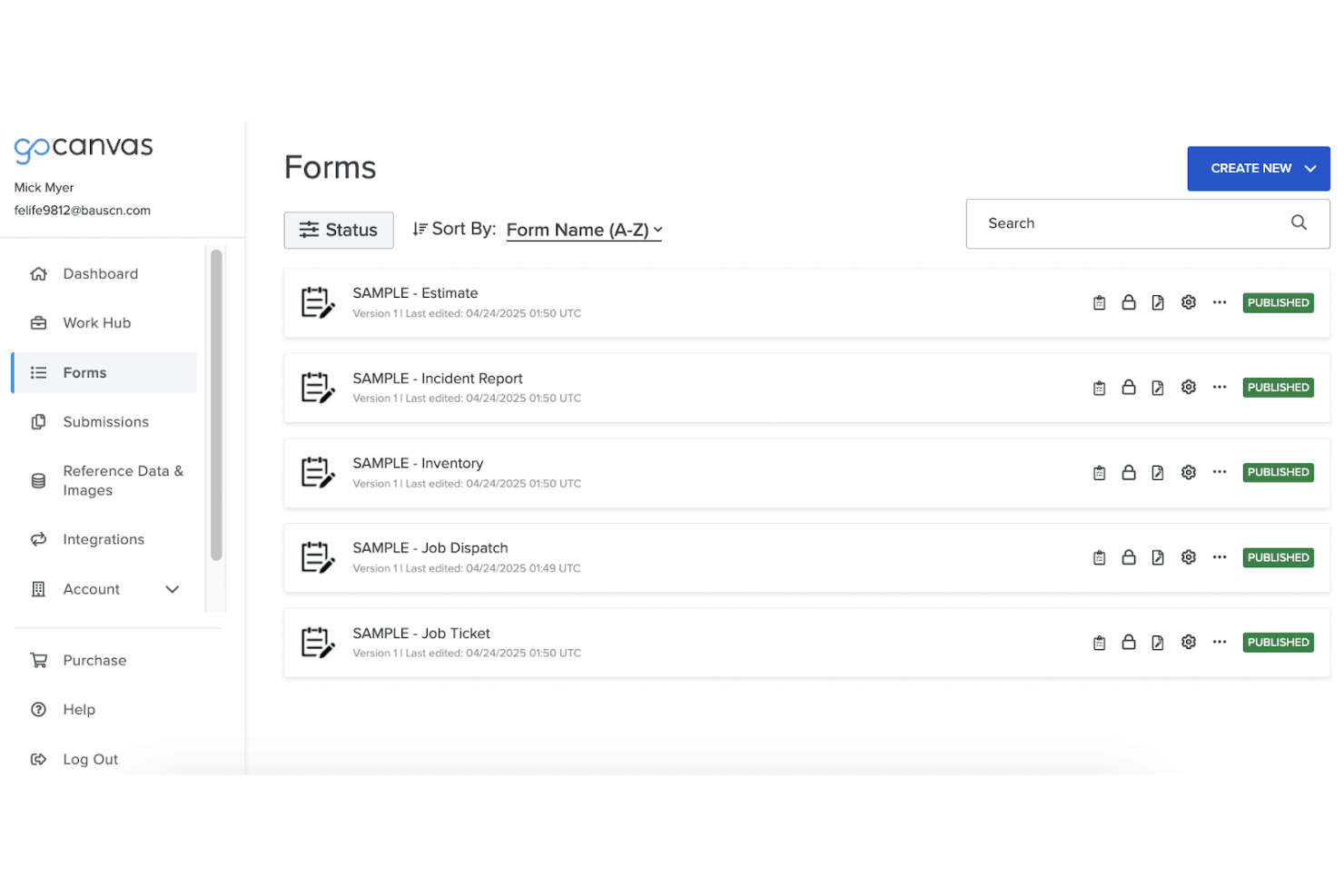
Canvas is an LMS tailored for higher education institutions, offering tools for online course creation, management, and assessment. It serves educators and students by providing a platform for interactive learning and detailed course analytics.
Why I picked Canvas: Canvas offers a free version with essential tools for course creation and management, ideal for higher education settings. Its mobile accessibility ensures that students and educators can access course materials anywhere. You can customize courses to fit your curriculum needs, and the analytics tools help track student progress effectively. Canvas's focus on higher education makes it a valuable resource for colleges and universities aiming to enhance their online learning offerings.
Standout features and integrations:
Features include customizable course creation, which allows you to tailor content to your specific needs. The platform offers mobile support, ensuring that learning can happen on the go. Canvas also provides comprehensive analytics tools, giving you insights into student performance and engagement.
Integrations include Google Drive, LTI, Turnitin, Dropbox, and more.
What's free?
Canvas offers a free version with limited features, suitable for individuals or small classes looking to explore online learning options.
Pros and Cons
Pros:
- Detailed analytics tools
- Strong mobile support
- User-friendly interface
Cons:
- Limited customization in the free version
- Initial setup complexity
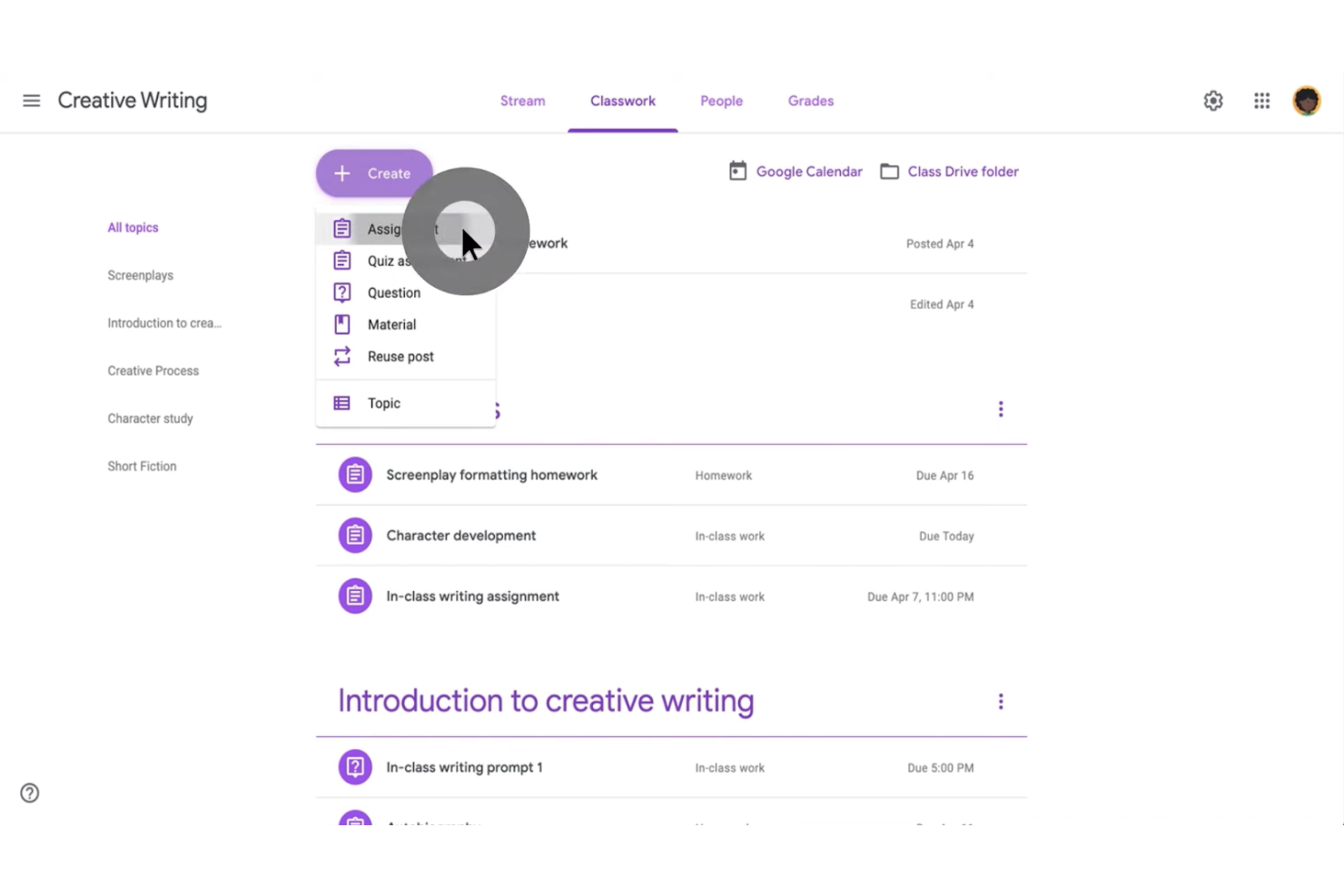
Google Classroom is a free LMS designed for K-12 schools and educational institutions. It facilitates classroom management and communication, offering tools for assignments, grading, and collaboration.
Why I picked Google Classroom: Google Classroom is free for schools and integrates directly with Google Workspace, making it easy for educators to manage classes online. Its focus on K-12 schools means it provides features such as assignment tracking, real-time feedback, and communication tools tailored for younger students. You can create and distribute assignments quickly, and students can submit their work easily. It simplifies the process of managing classroom activities and keeps students engaged.
Standout features and integrations:
Features include assignment creation and grading, which help teachers manage their workload efficiently. It offers real-time feedback, allowing students to improve their work instantly. The platform also supports collaborative projects, enhancing teamwork and communication skills.
Integrations include Google Drive, Google Docs, Google Sheets, Google Slides, Google Calendar, and more
What's free?
Google Classroom is included at no cost with Google Workspace for Education Fundamentals, which is free for qualifying educational institutions. Core Classroom features are available without user limits, while advanced tools, analytics, and enhanced security require paid Workspace editions.
Pros and Cons
Pros:
- Supports collaborative projects
- Real-time feedback
- Easy assignment distribution
Cons:
- Limited to the Google ecosystem
- Limited customization options

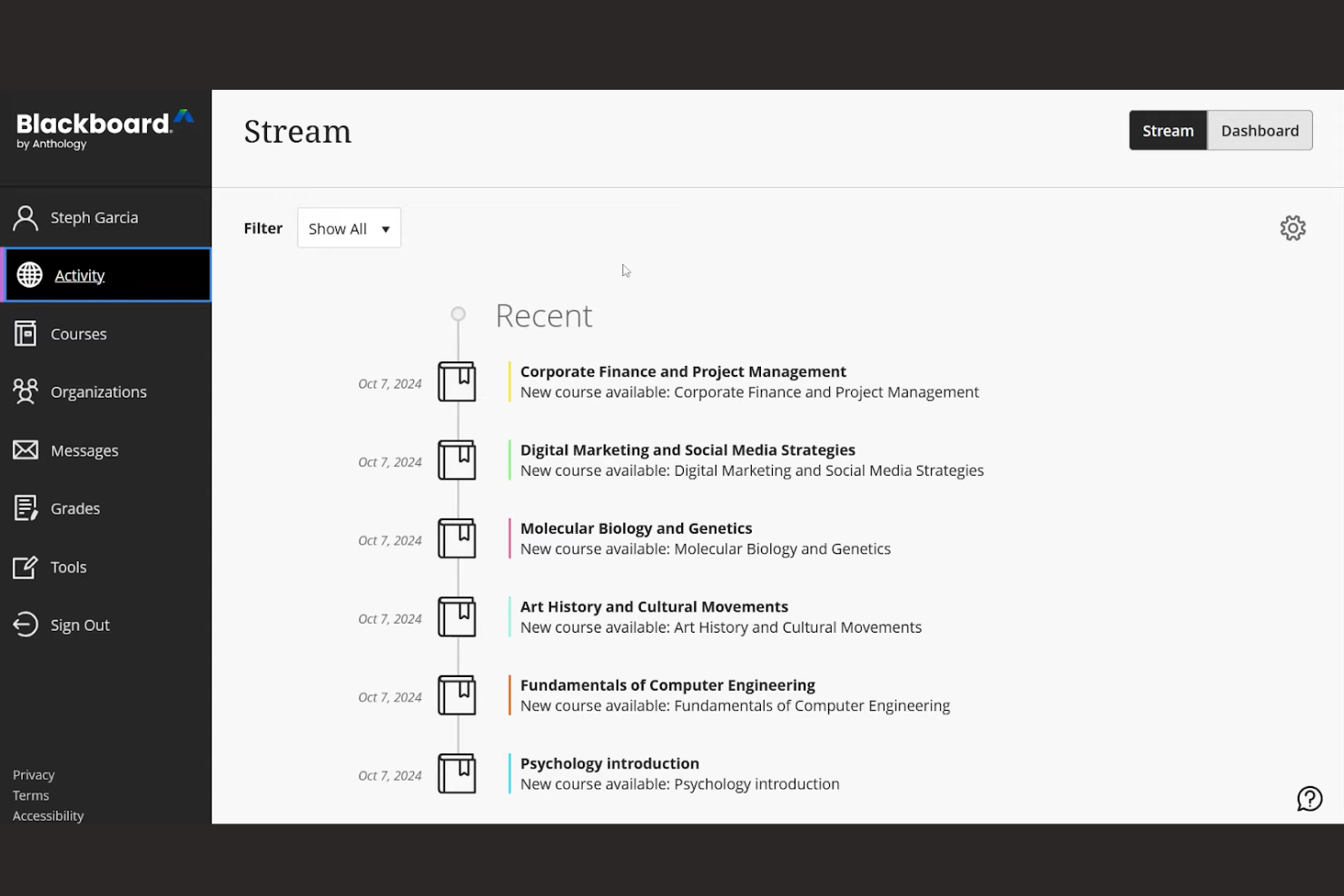
Blackboard by Anthology is an LMS designed for educational institutions and businesses that need to deliver online learning and training. It provides tools for course creation, management, and assessment, with a focus on enhancing the learning experience through mobile access.
Why I picked Blackboard: Blackboard offers a free, mobile-friendly trial that allows you to explore its capabilities on any device, making it a great choice for learners on the go. The platform's mobile access ensures that your team can stay connected and engaged with course materials anytime, anywhere. You can create interactive content and assessments that are accessible via the mobile app. This flexibility supports continuous learning, even outside traditional classroom settings.
Standout features and integrations:
Features include a customizable course builder that lets you design courses to fit your curriculum needs. It offers analytics tools that provide insights into student performance and engagement. Blackboard also supports multimedia content, enabling you to create rich, interactive learning experiences.
Integrations include Microsoft Office 365, Google Workspace, Zoom, Panopto, Kaltura, Pearson, McGraw-Hill, WileyPLUS, Cengage, and Turnitin.
What's free?
Blackboard offers a limited-time free trial, allowing you to explore its features without commitment.
Pros and Cons
Pros:
- Suitable for remote learning
- Multimedia content support
- Customizable course builder
Cons:
- Requires training for new users
- Complex initial setup

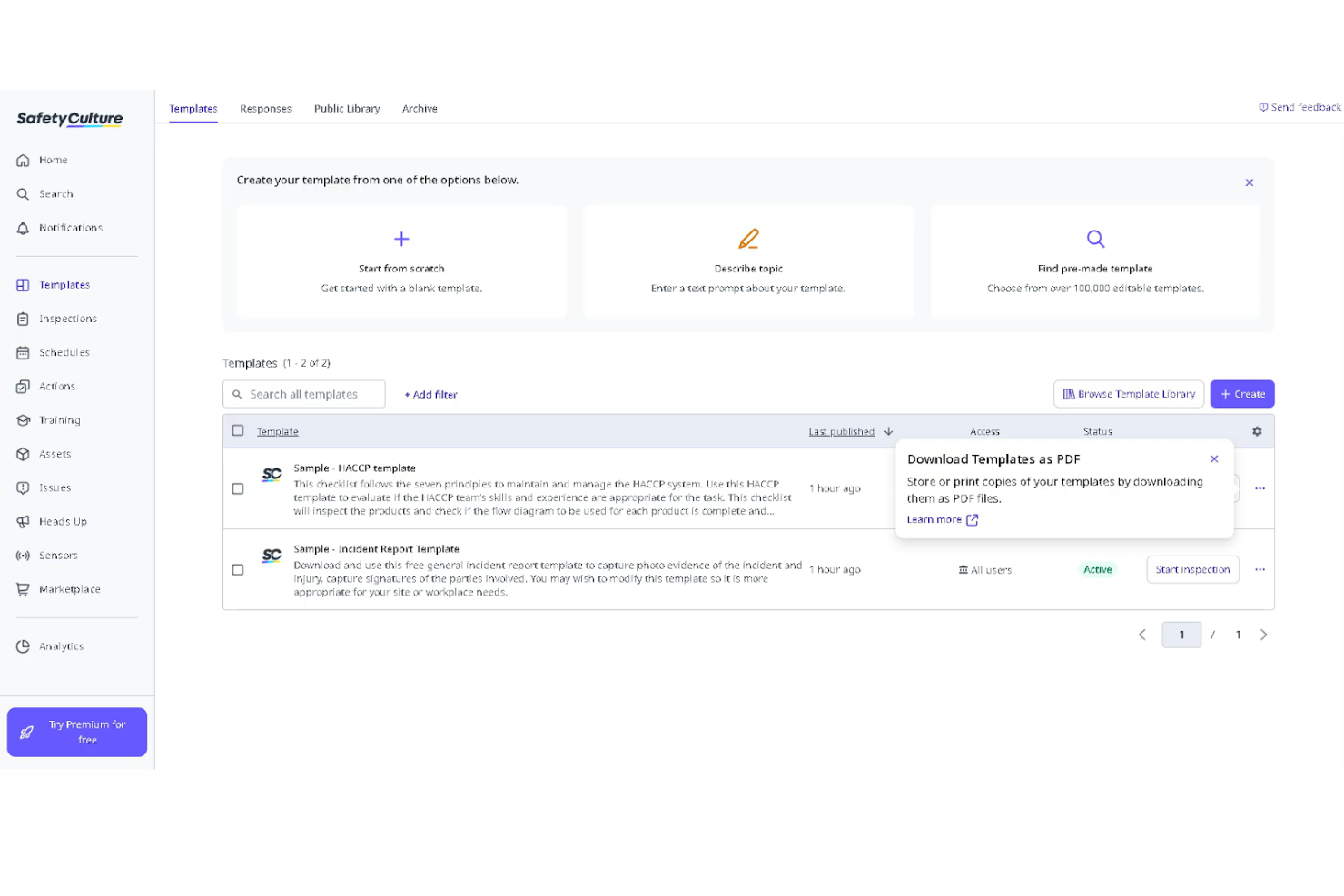
SC Training (formerly EdApp) is a mobile-first LMS designed for frontline teams and compliance training. It enables organizations to create AI-powered courses, deliver microlearning content, and track learner progress to maintain operational and regulatory standards.
Why I picked SC Training: SC Training stands out for its generous free plan, which supports up to 10 learners with access to unlimited shareable courses, AI-generated lessons, and a library of 1,000+ editable courses. Its mobile-first design and built-in gamification make it especially well-suited for frontline and deskless teams.
The platform makes it easy to create, customize, and deploy compliance and safety training while tracking completion and engagement.
Standout features and integrations:
Features include customizable course templates that let you tailor training content to your specific safety requirements. The platform offers assessments to test your team's understanding of safety protocols, and you can generate reports to monitor compliance or identify areas for improvement.
Integrations include Microsoft Teams, Google Workspace, Dropbox, Slack, Zoom, Microsoft Power BI, and more.
What's free?
The free plan supports up to 10 learners and includes unlimited course creation, AI-generated lessons, access to a 1,000+ course library, custom branding, and 24/7 online support.
Pros and Cons
Pros:
- Strong mobile-first design
- Extensive editable course library
- Generous free plan with AI lesson creation
Cons:
- Some tools are locked behind paid tiers
- May need setup assistance
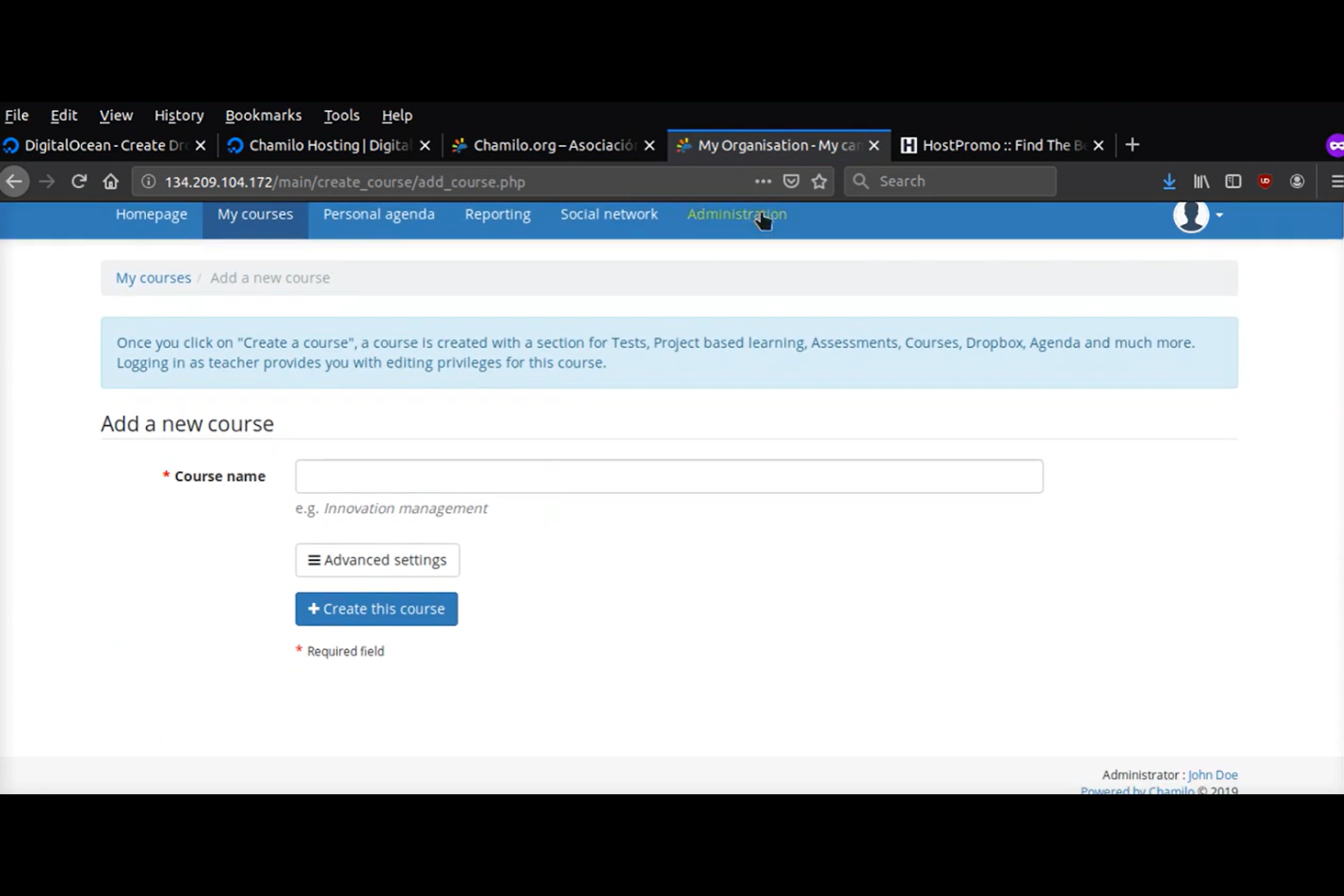
Chamilo is an open-source LMS designed for educational institutions and organizations that need a flexible platform for online courses. It offers tools for course management, assignments, and assessments, with strong multilingual support for diverse learning environments.
Why I picked Chamilo: Chamilo's open-source LMS gives you the flexibility to host it on your own server without user limits. Its multilingual support makes it ideal for diverse learning environments where language is a key factor. You can create courses in multiple languages and manage them easily. This helps to ensure that your team or students can access content in their preferred language, enhancing the learning experience.
Standout features and integrations:
Features include an easy-to-use course builder that lets you create and manage content efficiently. It offers a virtual classroom experience, enabling real-time interaction between learners and instructors. You can also track progress and performance with built-in analytics tools.
Integrations include OpenID Connect, LDAP, BigBlueButton, H5P, SCORM, xAPI, and more.
What's free?
Chamilo is free to use under its open-source license. You can download and self-host the platform with no licensing fees or user limits. Hosting, customization, and support services may incur additional costs.
Pros and Cons
Pros:
- Virtual classroom experience
- Easy course management
- Multilingual support
Cons:
- Basic analytics features
- Free version requires self-hosting
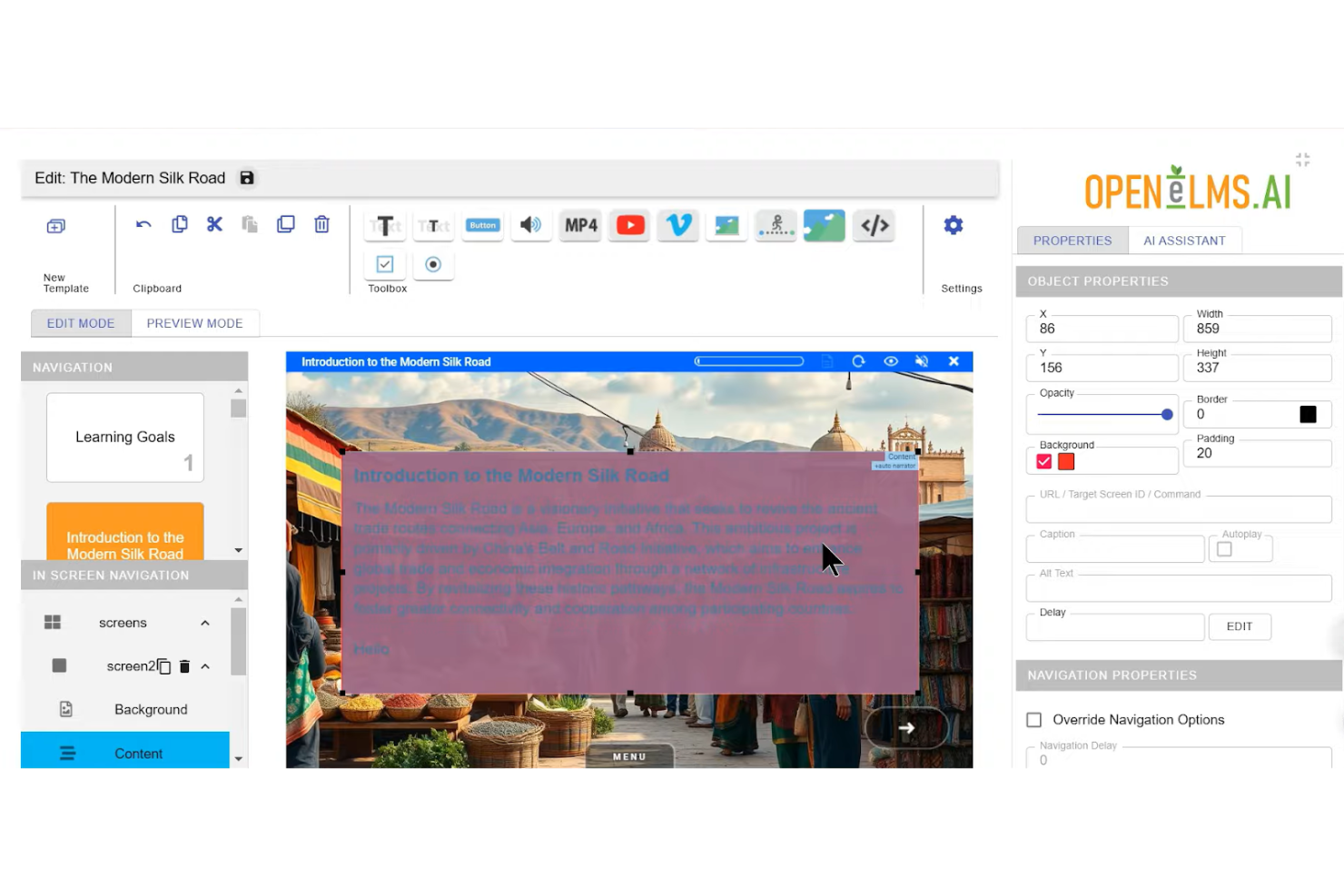
Open eLMS is an AI-powered LMS designed for small businesses and educational institutions. It combines traditional learning management tools with AI-driven course creation, making it easier to build and deploy eLearning content at scale.
Why I picked Open eLMS: The platform offers a free entry-level plan with AI eLearning credits and access to its course library, making it accessible for organizations just getting started. Its AI learning generator helps teams quickly produce training content, while built-in branding and hosting tools support internal delivery without additional software.
Standout features and integrations:
Features include AI-generated eLearning content, a learning generator for rapid course creation, access to a large course library, and AI chatbot support.
Integrations include Zoom, SCORM, xAPI, LTI, and more.
What's free?
Open eLMS offers a free entry-level plan that includes AI eLearning credits, core LMS features, branding options, and limited external courses and live events. Advanced functionality and expanded usage require a paid plan.
Pros and Cons
Pros:
- Personalized learning paths
- Extensive eLearning module library
- Unlimited users on the free plan
Cons:
- Advanced reporting not included
- Limited smart classroom events
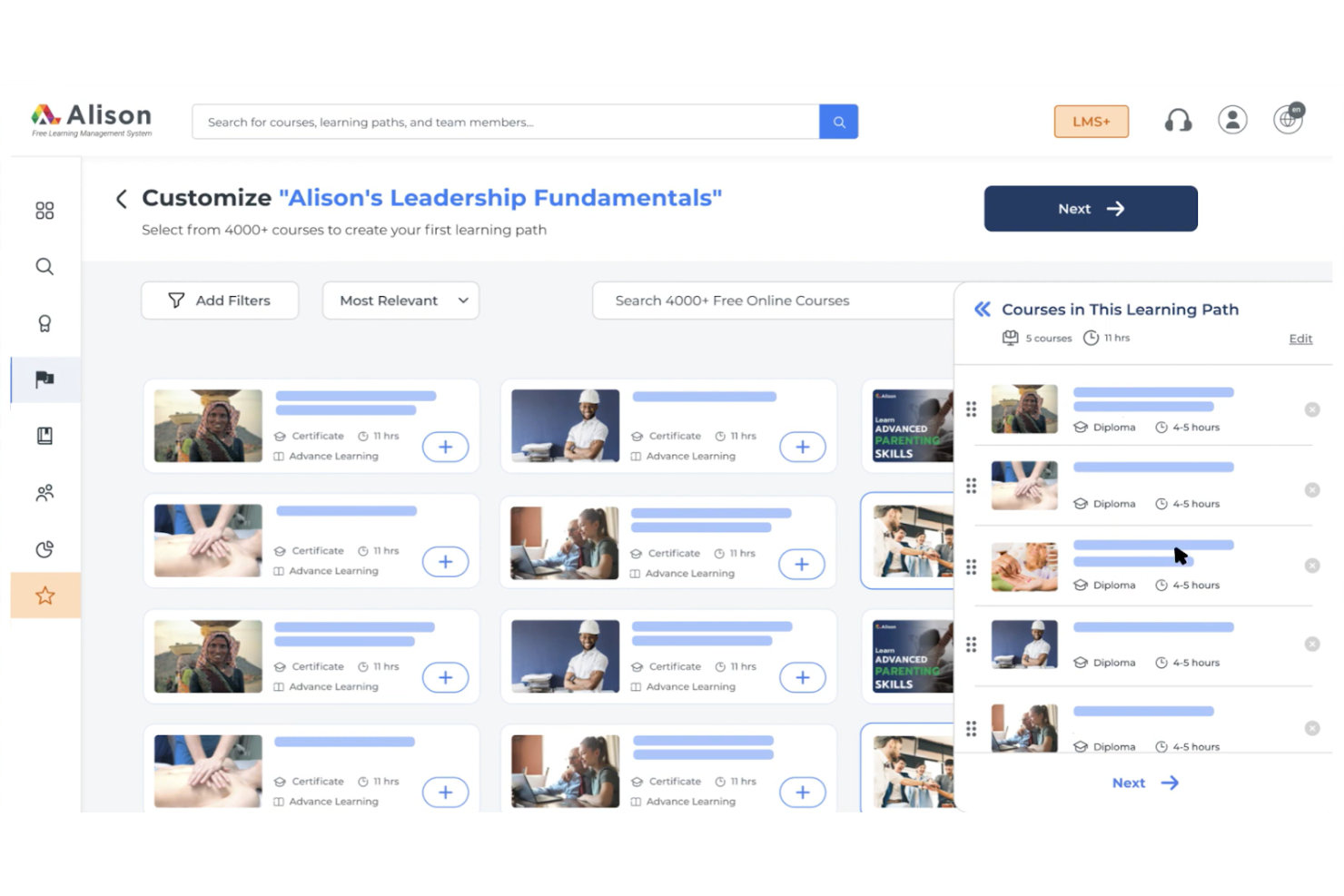
Alison is an online learning platform for individuals seeking to enhance their skills through self-paced courses. It offers a wide range of subjects, allowing learners to explore new areas and improve their knowledge at their own pace.
Why I picked Alison: Alison's free LMS offers access to a sizable library of courses for independent learning across various subjects and provides certifications upon course completion. You can study at your own pace, fitting learning into your schedule without the pressure of more formal educational programs. Alison's focus on self-paced learning makes it a great choice if you're looking to balance education with other commitments.
Standout features and integrations:
Features include a wide variety of courses, ranging from business to technology and personal development. It offers course assessments to test your knowledge and ensure comprehension. You can also track your progress, which can help you stay motivated and monitor your achievements over time.
Integrations are not publicly listed.
What's free?
Alison offers a free-forever plan with access to all courses, but charges for certificates and diplomas.
Pros and Cons
Pros:
- Course assessments included
- Self-paced learning flexibility
- Wide variety of courses
Cons:
- Limited instructor interaction
- Charges for certificates
Andre gratis LMS-verktøy
\u003cspan style=\u0022font-weight: 400\u0022\u003eHer er noen flere LMS-alternativer som også tilbyr gratis abonnementer eller prøveperioder. Selv om disse verktøyene ikke kom med på kortlisten min, er de likevel verdt å undersøke:\u003c/span\u003e


How I Evaluate Free LMS Solutions
I split my evaluation into two layers: the baseline a tool must clear—like a free plan that handles onboarding or compliance training—and the differentiators that set the best apart.
Core Functionality (Table Stakes For This List)
When I'm selecting tools for my list, I rank each one on a scale from 0 (does not offer the functionality) to 5 (excels in this area) for each core functionality listed below. Then, I calculate the tool's total score into a percentage. Each tool needs to achieve a minimum total score of 65% to be considered for inclusion.
- Genuinely Free Plan: I check whether the platform offers a permanent free tier or open-source option, not just a trial—so an HR team can actually run onboarding or recurring training without a deadline.
- Course Creation Tools: The ability to build courses with mixed media, quizzes, and SCORM packages matters because lean teams need to author content in-house rather than buy off the shelf.
- Learner Management: I evaluate how each tool handles enrollment, role assignment, and group organization—like sorting learners by department, office, or cohort for targeted compliance training.
- Progress & Completion Tracking: Reporting should give admins a clear view of who's finished a course and who hasn't, which is essential when you're chasing down stragglers before a compliance deadline.
- Assessments & Quizzing: Built-in quiz tools with auto-grading and multiple question types let you validate knowledge retention—think post-training assessments after a workplace safety or policy acknowledgment course.
- Certification & Compliance Support: I look for platforms that can issue completion certificates and support recurring training cycles, since many HR teams manage annual refreshers for topics like data privacy or anti-harassment.
Once I have a list of tools that meet this criteria, I consider what sets each platform apart.
Differentiating Factors (What Sets Vendors Apart)
Here's how I compare and contrast different vendors:
Standout Features
A built-in course library can save HR teams hours of content creation, especially for common topics like workplace safety or anti-harassment that most organizations need to cover. I also evaluate mobile access, since frontline or distributed employees often can't sit at a desktop to complete training. AI-assisted authoring is a growing differentiator too. Platforms that help generate quiz questions or draft course outlines let small teams produce polished content without an instructional designer on staff.
Beyond Features
Free plan limits matter a lot here. I look at caps on users, courses, and storage to understand whether a platform can realistically support a growing team or just a pilot. Integration with your existing HR stack is another key factor—auto-provisioning users from your HRIS saves manual data entry every time you onboard a new hire. I also consider data security posture, since training records often include sensitive employee information that needs role-based access controls and audit-ready logs for regulated industries.
Slik velger du et gratis LMS
nnKomplekse funksjonslister og prismodeller kan gjøre det vanskelig å finne ut hva du faktisk får med et gratis LMS. For å hjelpe deg med å holde fokus mens du går gjennom prosessen med å velge programvare, er dette noen faktorer du bør ha i bakhodet:
n| Faktor | Hva bør vurderes |
|---|---|
| Omfanget av gratistilbudet | Kontroller hva som er inkludert i gratisplanen. Sørg for at den dekker de grunnleggende behovene dine uten at det kreves en umiddelbar oppgradering. |
| Skalerbarhet | Vurder om læringsplattformen kan vokse med teamet ditt. Se etter alternativer som gjør det enkelt å oppgradere etter hvert som brukerbasen utvides. |
| Integrasjoner | Sørg for kompatibilitet med de eksisterende verktøyene dine. Se etter LMS-løsninger som kan integreres med programvaren du allerede bruker. |
| Brukervennlighet | Vurder brukergrensesnittet og navigasjonen. Sørg for at teamet ditt kan bruke den uten omfattende opplæring eller støtte. |
| Mobiltilgang | Kontroller om læringsplattformen støtter mobile enheter. Dette sikrer at teamet ditt kan få tilgang til læringsmateriell når som helst og hvor som helst. |
| Tilpasning | Se etter tilpasningsmuligheter. Sørg for at plattformen lar deg tilpasse den slik at den samsvarer med merkevaren din og de spesifikke læringsbehovene dine. |
| Støtte | Vurder tilgjengeligheten og kvaliteten på kundestøtten. Se etter alternativer som tilbyr pålitelig hjelp når problemer oppstår. |
| Sikkerhet | Vurder plattformens sikkerhetstiltak. Sørg for at den overholder personvernregler for å holde informasjonen din trygg. |
Hva er en gratis læringsplattform?
Et LMS er et læringsstyringssystem som tilbyr verktøy for å opprette, administrere og levere pedagogisk innhold. Gratistilbud inkluderer vanligvis begrenset tilgang til funksjoner eller en prøveperiode. Undervisere, kursholdere og HR-medarbeidere bruker ofte disse verktøyene for å legge til rette for opplæring og utvikling. Oppretting av kurs, fremdriftssporing og mobiltilgang bidrar til å levere effektive læringsopplevelser, administrere elevenes fremdrift og sikre tilgjengelighet.
Funksjoner
Funksjoner
La oss se nærmere på funksjonene som vanligvis finnes i et LMS, og hvilke som vanligvis er inkludert i gratis- og betalingsplaner.
Vanlige LMS-funksjoner som er gratis
- Oppretting av kurs: Gjør det mulig å utforme og organisere pedagogisk innhold for elever, slik at det blir enkelt å levere strukturerte leksjoner.
- Påmelding av elever: Legger til rette for registrering av elever på kurs, slik at bare autoriserte brukere får tilgang.
- Grunnleggende vurderinger: Tilbyr verktøy for å opprette quizer og prøver, noe som bidrar til å følge med på elevenes fremdrift og forståelse.
- Fremdriftssporing: Gjør det mulig å følge med på elevenes prestasjoner og fullføring av kurs, og gir innsikt i hvor effektiv læringen er.
- Deling av innhold: Gjør det mulig for brukere å distribuere pedagogisk materiell, noe som fremmer samarbeid og tilgjengelighet til ressurser.
- Mobiltilgang: Sikrer at elever kan få tilgang til kurs fra alle enheter, noe som gir økt fleksibilitet og brukervennlighet.
- Grunnleggende analyse: Gir innsikt i elevenes engasjement og prestasjoner, slik at undervisere kan justere undervisningsstrategiene sine.
Vanlige LMS-funksjoner som krever betaling
- Avansert rapportering: Gir detaljerte analyser og rapporter, slik at man får dypere innsikt i elevenes prestasjoner og hvor effektivt kurset er.
- Tilpasning: Gjør det mulig å profilere og tilpasse plattformen slik at den samsvarer med organisasjonens behov og visuelle uttrykk.
- Elementer for spillifisering: Integrerer spillignende funksjoner for å øke elevenes engasjement og motivasjon gjennom belønninger og utfordringer.
- Flerspråklig støtte: Tilbyr funksjoner for å opprette og administrere kurs på flere språk, slik at en mangfoldig målgruppe kan ivaretas.
- API-tilgang: Gjør det mulig å integrere med andre systemer og verktøy, noe som legger til rette for datautveksling og utvidet funksjonalitet.
- Avansert brukeradministrasjon: Tilbyr verktøy for å administrere brukerroller, tillatelser og grupper, og gir bedre administrativ kontroll.
- Funksjoner for netthandel: Støtter salg av kurs på nettet, slik at pedagogisk innhold kan kommersialiseres.
Fordeler
Implementering av et gratis LMS gir flere fordeler for teamet og virksomheten din. Her er noen av fordelene du kan se frem til:
- Kostnadsbesparelser: Gratisabonnementer eliminerer behovet for abonnementsavgifter, slik at du kan bruke ressursene andre steder.
- Tilgjengelighet: Med mobiltilgang og skybaserte plattformer kan elever få tilgang til kurs når som helst og hvor som helst, noe som gir større fleksibilitet.
- Enkel oppstart: Gratisversjoner tilbyr ofte grunnleggende funksjoner som hjelper deg med å komme raskt i gang uten en bratt læringskurve.
- Skalerbarhet: Mange kostnadsfrie LMS-løsninger tilbyr oppgraderingsmuligheter, slik at du kan utvide funksjonaliteten etter hvert som behovene dine øker.
- Tilpasning: Noen kostnadsfrie LMS-plattformer tilbyr grunnleggende tilpasningsmuligheter, slik at du kan tilpasse læringsopplevelsen til merkevaren din.
- Engasjement: Funksjoner som quizer og multimedieinnhold holder elevene engasjerte og motiverte gjennom hele læringsreisen.
- Fremdriftssporing: Innebygde sporingsverktøy hjelper med å overvåke elevenes prestasjoner og gir verdifull innsikt i hvor effektiv opplæringen er.
Kostnader og priser
Jeg innser at du kom til denne artikkelen på jakt etter de beste kostnadsfrie LMS-alternativene. Ettersom gratisabonnementer imidlertid bare tilbyr begrenset funksjonalitet, er det stor sannsynlighet for at du må oppgradere abonnementet ditt i fremtiden.
Tabellen nedenfor oppsummerer vanlige abonnementer, gjennomsnittsprisene deres og typiske funksjoner som er inkludert i LMS-løsninger:
Sammenligningstabell for LMS-abonnementer
| Abonnementstype | Gjennomsnittspris | Vanlige funksjoner |
|---|---|---|
| Gratisabonnement | $0 | Grunnleggende kursoppretting, elevregistrering, grunnleggende vurderinger, fremdriftssporing og mobiltilgang. |
| Personlig abonnement | $1-$50/bruker/måned | Avansert kursoppretting, tilpasset merkevarebygging, grunnleggende rapportering, integrasjoner og brukerstøtte. |
| Bedriftsabonnement | $50-$250/bruker/måned | Fullstendig rapportering, API-tilgang, avanserte tilpasningsmuligheter, elementer for spillifisering og prioritert brukerstøtte. |
| Virksomhetsabonnement | $250+/bruker/måned | Egen kundeansvarlig, flerspråklig brukerstøtte, avansert analyse, funksjonalitet for netthandel og sikkerhetssamsvar. |
Vanlige spørsmål om gratis LMS
Her er noen svar på vanlige spørsmål om gratis LMS:
Kan jeg bruke et gratis LMS til å lære opp eksterne kunder eller partnere?
Ja, de fleste gratis LMS-plattformer kan brukes både for interne ansatte og eksterne målgrupper som kunder, partnere eller frivillige, så lenge bruksvilkårene tillater det. Sjekk bare brukerbegrensninger, innstillinger for merkevarebygging og tilgangstillatelser, slik at eksterne elever bare ser innholdet som er relevant for dem, på en trygg måte.
Trenger jeg IT-støtte for å implementere et gratis LMS?
Du trenger ikke alltid betydelig teknisk kompetanse for å komme i gang med et gratis LMS. Skybaserte verktøy håndterer hosting og oppdateringer for deg. LMS-plattformer med åpen kildekode kan imidlertid kreve serveroppsett, sikkerhetskopiering og grunnleggende kunnskap om databaser. Avgjør tidlig om du foretrekker kontroll over alt selv eller en driftet løsning med opplæringsmateriell som det eksisterende teamet ditt enkelt kan administrere, for å gi en bedre brukeropplevelse.
Hvordan håndterer gratis LMS-plattformer personvern og krav til samsvar?
Gratis LMS-plattformer varierer i hvordan de håndterer personvern og samsvar. Mange tilbyr sikker hosting og grunnleggende kryptering, men du er fortsatt ansvarlig for å konfigurere tillatelser, passord og retningslinjer for lagring. Hvis du arbeider med sensitive data, bør du nøye bekrefte regionale samsvarsstandarder, alternativer for eksport og om betalte nivåer gir mer avanserte kontrollfunksjoner.
Hva skjer hvis jeg vokser ut av det gratis LMS-et og må bytte plattform?
Å gå fra et gratis LMS til et betalt abonnement eller en annen leverandør innebærer vanligvis at brukere, kursinnhold og historiske rapporter eksporteres og deretter importeres til det nye systemet, samtidig som du blir kjent med et nytt kontrollpanel. Før lanseringen bør du teste en liten pilotmigrering, rydde opp i gamle data og kommunisere tidsplanene tydelig, slik at elevene forstår hva som endres, og overgangen blir smidig.
Hvilke vanlige feil bør jeg unngå når jeg lanserer et gratis LMS?
Vanlige feil omfatter å behandle oppsett av et gratis LMS som bare et IT-prosjekt, å legge inn for mye innhold i den første lanseringen, å hoppe over opplæring av administratorer og å ignorere tilbakemeldinger. Start i det små med noen få prioriterte opplæringskurs, definer måleparametere for suksess, gi elevene grunnleggende veiledning og forbedre strukturen jevnlig basert på bruksanalyser.