

10 beste skatteprogrammer for bedrifter for enklere innlevering i 2026

Kortliste over den beste programvaren for bedriftsskatt


Det kan fort bli overveldende å håndtere skatter for virksomheten. Med så mange regler, frister og mulige fradrag er det lett å føle seg fortapt – særlig når manuelle beregninger medfører risiko for feil, gebyrer eller tapte muligheter til å spare penger. Du vet at du trenger programvare for bedriftsskatt for å automatisere beregninger, overholde regelverket og maksimere fradragene, men når det finnes så mange alternativer, hvordan finner du den rette?
Heldigvis har jeg undersøkt en rekke skatteverktøy for bedrifter for å hjelpe virksomheter med å effektivisere lønn, skatteoverholdelse og rapportering. I denne veiledningen forenkler jeg undersøkelsesprosessen for deg ved å fremheve den beste programvaren for bedriftsskatt, som vil spare deg for tid, redusere feil og sørge for at virksomheten din er klar for skatteinnrapportering hele året.
Hvorfor du kan stole på våre programvareanbefalinger
Teamet vårt har testet og anmeldt programvare siden 2012. Vi er selv HR-eksperter, så vi vet hvor vanskelig og hvor viktig det er å velge riktig programvare.
I denne guiden har vi vurdert verktøyene gjennom praktisk testing og uavhengig research og gitt dem poeng ut fra våre utvelgelseskriterier. Vi bygger også på innsikt fra ledende eksperter i bransjen og erfarne HR-eksperter.
Anmeldelsene våre bygger på vår egen redaksjonelle vurdering. De er ikke et salgsargument.
Ekspertanmeldere:
Hva er programvare for bedriftsskatt?
Programvare for bedriftsskatt er en digital løsning utviklet for å hjelpe virksomheter med å håndtere og levere skattemeldingene sine. Den automatiserer skatteberegninger, sikrer at skattereglene overholdes og bidrar til å identifisere fradrag og skattefordeler.
Formålet er å forenkle den komplekse prosessen med skatteforberedelser, redusere risikoen for feil og spare tid. Programvaren gir oppdatert informasjon om skatteregler, noe som gjør det enklere for virksomheter å overholde regelverket. Ved å bruke programvare for bedriftsskatt kan virksomheter håndtere skatteforpliktelsene sine effektivt, noe som fører til mer nøyaktig økonomisk rapportering og bedre økonomistyring.
Sammenligningstabell for programvare for bedriftsskatt
Denne sammenligningstabellen oppsummerer grunnleggende detaljer om hvert av mine beste utvalg av programvare for bedriftsskatt:
| Tool | Best For | Trial Info | Price | ||
|---|---|---|---|---|---|
| 1 | Best for contextual help | Free plan available | From $29.99/filing | Website | |
| 2 | Best for Canadian small business owners | Free plan available | From $29.99/return | Website | |
| 3 | Best for mid-sized busineses | Free demo available | Pricing upon request | Website | |
| 4 | Best for e-commerce businesses | Free demo available | Pricing upon request | Website | |
| 5 | Best for independent contractors | Free plan available | From $22.99/filing | Website | |
| 6 | Best for ecommerce sales tax compliance | 30-day free trial | From $19/month | Website | |
| 7 | Best for user experience | Free plan available | From $99/filing | Website | |
| 8 | Best for built-in reports | Free demo available | From $10/month | Website | |
| 9 | Best for automation | Free demo available | Pricing upon request | Website | |
| 10 | Best for time-saving features | Free trial available | From $449/year | Website |
Anmeldelser av den beste programvaren for bedriftsskatt
Her er en kort beskrivelse av hver programvare for bedriftsskatt som kom med på listen min over de 10 beste, inkludert et skjermbilde, bemerkelsesverdige funksjoner, fordeler og ulemper samt prisdetaljer. Les videre for å finne flere bonusvalg nederst på listen.
TaxAct
Best for contextual help
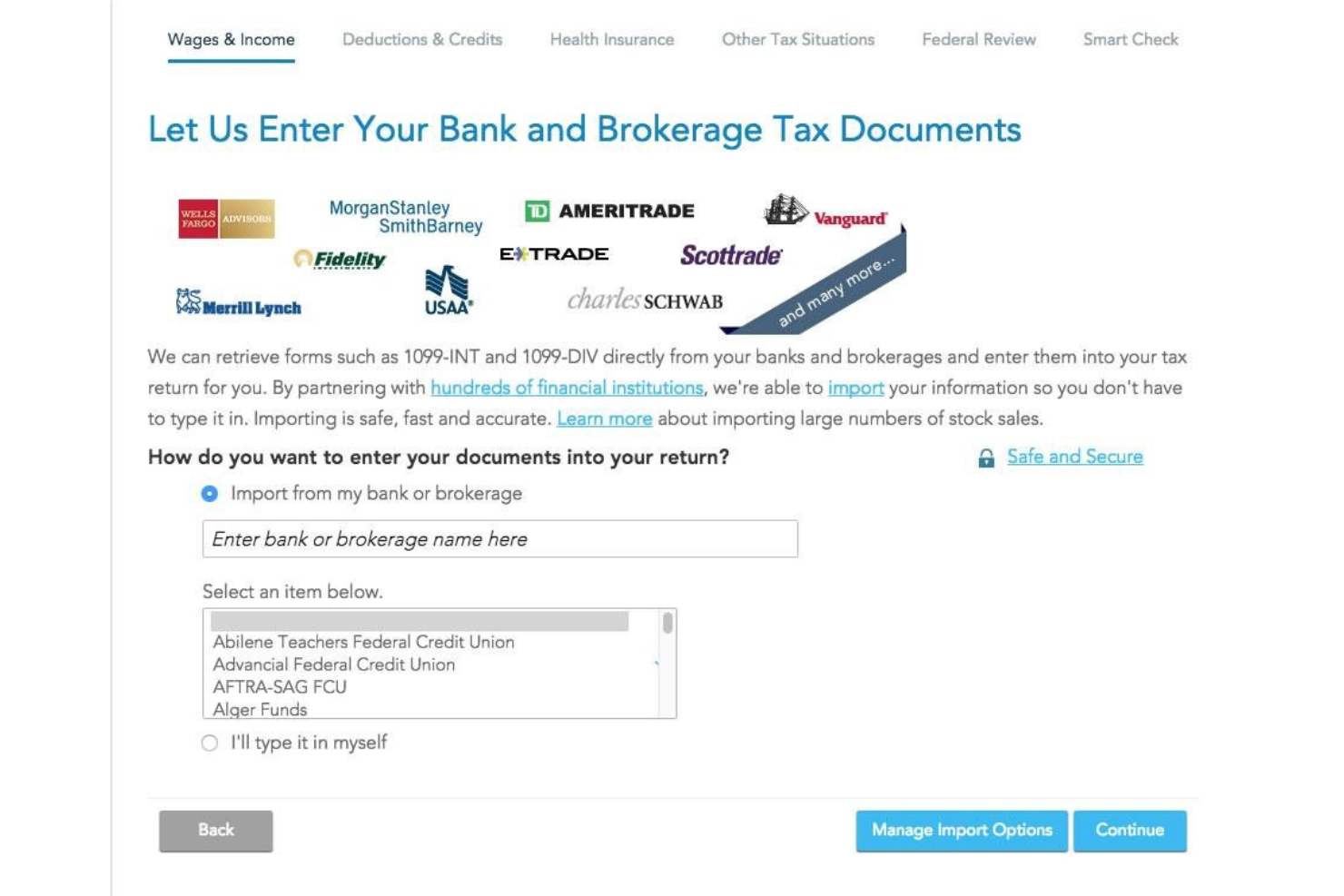
TaxAct is a business tax software that enables you to file your taxes on your own while providing contextual help for each step of the filing process.
Why I picked TaxAct: I selected TaxAct for my top 10 list because it gives you helpful tips on how to calculate and file your taxes correctly with the IRS. The software offers a great user experience and even comes with a mobile app, allowing you to file your taxes using only your mobile device.
TaxAct Standout Features and Integrations:
Standout features include e-filing, tax deductions and credits calculations, unlimited free tax expert support, document import, and a mobile app. I like TaxAct’s mobile app because it allows you to upload documents by taking pictures with your phone’s camera.
Integrations include several payroll solutions, such as QuickBooks, Sage Online, Xero, TaxDome, and Wave.
Pros and Cons
Pros:
- Unlimited support
- Easy document uploading process
- Allows you to import your tax documents from other providers to minimize filing errors
Cons:
- The knowledge base’s search function could be more accurate
- Filers can’t downgrade to a cheaper plan once they start filing their tax returns

Best for Canadian small business owners
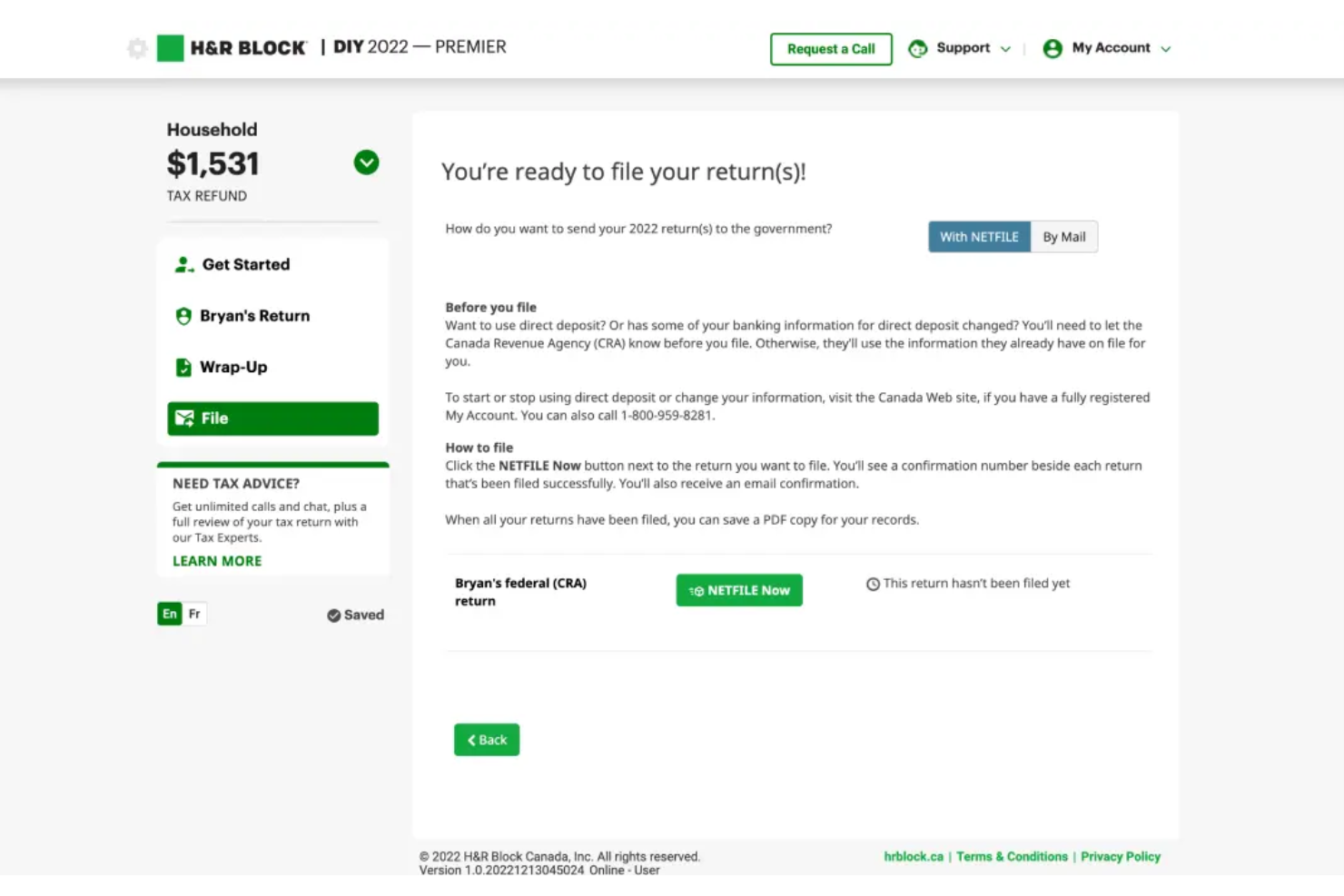
H&R Block is a business tax solution software provider that helps Canadian small business owners file their income taxes whether they’re running sole proprietorships or small corporations.
Why I picked H&R Block: I picked H&R Block because its filing process is smooth and makes it easy for small business owners to remember potential deductions or federal tax breaks. New users go through a series of prompts to determine their tax situation while returning users have their information auto-populated from the previous tax year’s returns.
H&R Block Standout Features and Integrations:
Standout features include crypto support, donation calculators, audit support, full service filing, document auto-import, and live support. I like H&R Block’s live support feature because it gives you unlimited chat or screen-sharing sessions with certified public accountants (CPAs), so you can get tax advice on how to maximize your deductions or tax credits relevant to your industry.
H&R Block integrates with CoinTracker, a crypto tax software provider.
Pros and Cons
Pros:
- Accuracy guarantee
- Robust free version for simple returns
- Offers a good selection of forms to choose from
Cons:
- Some verification errors don’t provide detailed explanations
- The error checker might highlight previously corrected errors as still being an issue

Best for mid-sized busineses
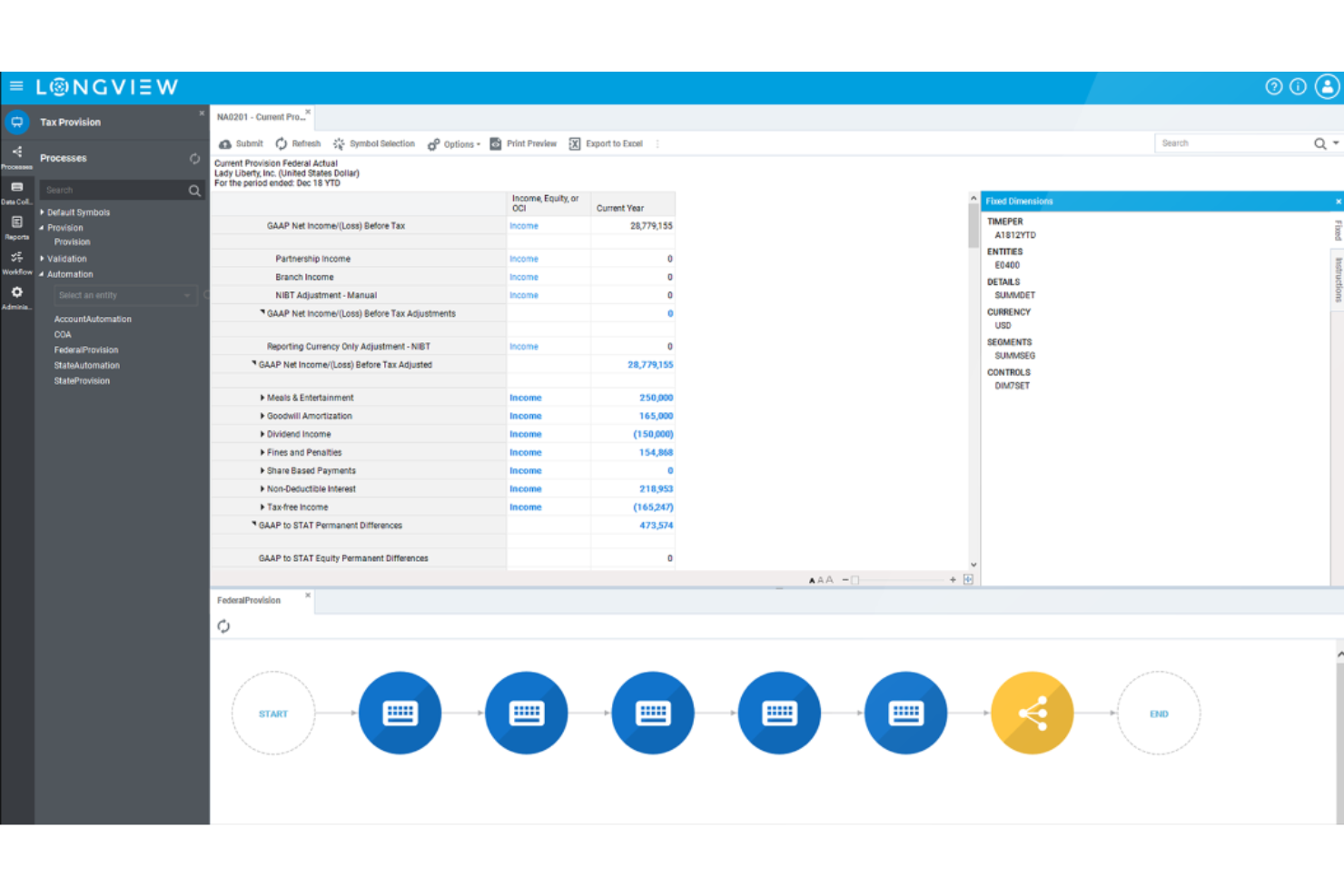
InsightSoftware is a business tax management solution that enables mid-sized businesses to navigate complex tax regulations and simplify their filing process with automation.
Why I picked InsightSoftware: I selected InsightSoftware because it helps mid-sized businesses who have complex tax needs automate their tax processes while reducing the risk of an audit. The platform collects data from third-party apps and aggregates it to help you uncover insights and make strategic decisions regarding your financial situation.
InsightSoftware Standout Features and Integrations:
Standout features include tax calculation, reporting, audit support, a tax repository, automated workflows, and a self-service portal. I like the platform’s tax calculation feature because it’s fast and allows you to get accurate current and deferred calculations on a state-by-state basis.
Integrations include dozens of business tools, including Oracle ERP Cloud, Oracle PeopleSoft, Microsoft 365 Business Central, SAP Business One, NetSuite, Deltek Vision Cloud, Epicor CMS, Infor CloudSuite Financials, Sage, and QuickBooks Online.
Pros and Cons
Pros:
- Enables you to build custom report templates
- Flexible, customizable solution
- Consolidates all your tax information, simplifying your financial reporting
Cons:
- The platform can lag at times when importing large sets of data
- Limited automations for income tax credit and net operating loss calculations

Avalara
Best for e-commerce businesses
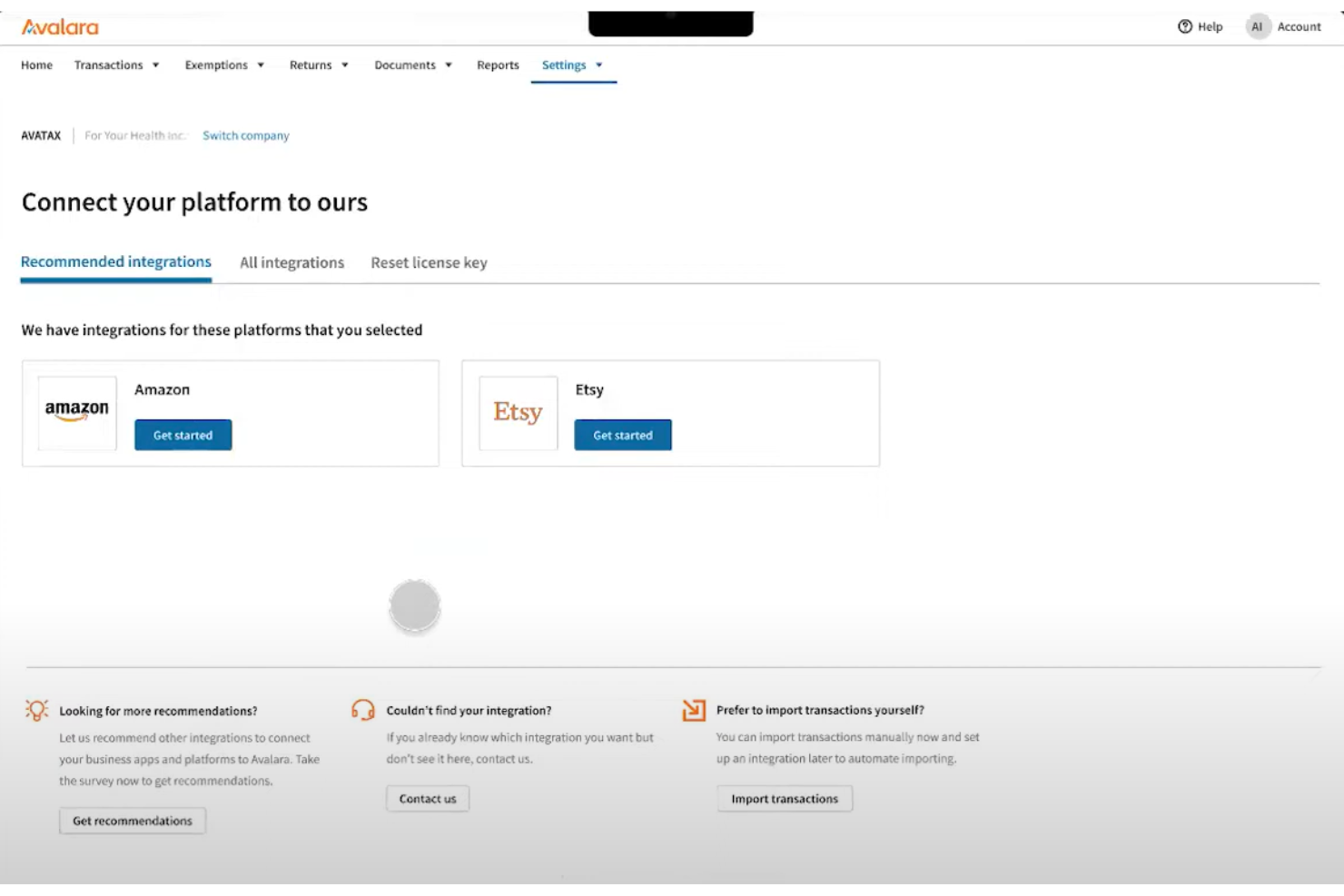
Avalara is a business tax platform that helps North American e-commerce businesses report their inventory and file their taxes.
Why I picked Avalara: Avalara made my list thanks to its native integrations with e-commerce platforms and marketplaces. The software pulls data directly from your e-commerce tool and uses it to populate your tax forms, making it easy to calculate your tax rates according to your local jurisdiction.
Avalara Standout Features and Integrations:
Standout features include e-invoicing, business profiles, consolidated reports, document management, tax return filing, a knowledge base, and custom alerts. I like Avalara’s custom alert feature because it notifies you when you have to take action in different tax jurisdictions, making it one of the best tax software options for businesses operating in multiple states or provinces.
Integrations include 1,200+ integration partnerships with e-commerce platforms, payroll solutions, payment tools, and CRMs, such as Sage, Magento, NetSuite, Microsoft Dynamics, Shopify Plus, Stripe Invoicing, Zuora, QuickBooks, WooCommerce, Amazon Seller, and Salesforce.
Pros and Cons
Pros:
- Great selection of tutorials and training materials for e-commerce businesses
- Helps you submit accurate state and federal returns
- Search feature enables you to find the right information in the platform’s FAQs
Cons:
- Can be more expensive than other tax software programs for small businesses
- Novice users can find the platform overwhelming

Best for independent contractors

TaxSlayer is a business tax software that enables self-employed individuals to find what deductions and credits they can qualify for, ensuring that you file your tax return correctly.
Why I picked TaxSlayer: TaxSlayer made my list thanks to its robust solution for freelancers. The platform guides you through the process of entering your business income and expenses so you can get more deductions. And if you can’t wrap your head around the process, the software provides unlimited email, chat, and phone support.
TaxSlayer Standout Features and Integrations:
Standout features include audit defense, e-filing, W-2s, 1099s, a knowledge base, the ability to import previous state returns, and self-employed tax consultation services. I like TaxSlayer’s automated reminders because they help you keep track of your tax payments so you can avoid penalty fees.
Integrations include various payroll and CRM solutions, such as QuickBooks Online, TaxDome, Xero, TaxJar, and Zendesk.
Pros and Cons
Pros:
- Maximum refund guarantee
- Tax refund tracking helps you determine when to expect your refund
- Mobile app allows you to file your taxes from anywhere
Cons:
- Using the client portal at its full potential can be challenging
- Lacks a donation calculator

TaxCloud
Best for ecommerce sales tax compliance

TaxCloud is a sales tax management service tailored for ecommerce businesses, providing real-time calculation of sales tax rates across over 13,000 jurisdictions in the United States. It automates the process of tax collection at the point of transaction, filing, and remittance with a promise of 100% accuracy, positioning itself as a leading solution for ecommerce sales tax compliance.
Why I Picked TaxCloud: I chose TaxCloud as the business tax software after evaluating its comprehensive compliance capabilities. What makes TaxCloud distinct is its combination of a self-serve platform backed by a team of experienced TaxGeeks, which provides both autonomy and expert support for businesses. I believe TaxCloud is best for ecommerce sales tax compliance due to its proven track record of accuracy and exceptional customer service.
TaxCloud Standout Features & Integrations
Standout features include sales tax filing and remittance services for businesses. This unique feature further reduces the compliance burden on businesses by automating the often complex and time-consuming process of filing sales tax returns and remitting tax payments to state authorities. TaxCloud takes care of the entire filing process, from preparing the returns to submitting them to the appropriate tax jurisdictions, which can save businesses significant time and resources.
Integrations include Ability Commerce, BigCommerce, QuickBooks, Square, Stripe, Shopify, WooCommerce, Odoo, Volusion, Cart.com, Oracle NetSuite, Acumatica, Sage, and Magento.
Pros and Cons
Pros:
- Collect sales tax automatically
- Integrations with a variety of ecommerce tools
- Database of up-to-date sales tax rates and rules
Cons:
- Transaction volume limitations on lower plans
- May be too basic for larger enterprises


Intuit TurboTax is a popular business tax prep provider that enables you to file your taxes on your own or with the help of an expert.
Why I picked Intuit TurboTax: Intuit TurboTax made my top 10 list thanks to the user experience it offers. Filing taxes with TurboTax is like having an in-depth interview with a tax specialist. The software creates a step-by-step journey that allows you to upload documents so you can report your business income, calculate your taxes, write off business expenses, and store your federal or state tax returns.
Intuit TurboTax Standout Features and Integrations:
Standout features include document importing, crypto support, a donation calculator, rental property tax calculations, on-demand screen sharing, and chat or phone support. I like the platform’s live assistant feature because it enables you to connect with an expert and determine what deductions and credits your business is eligible for.
Intuit TurboTax integrates with dozens of payroll and HR software solutions, including ADP, Ceridian Dayforce, Paycom, Gatekeeper, PayrollMaxx, Gusto, QuickBooks, Paycor, Paylocity, and UKG Pro.
Pros and Cons
Pros:
- Great customer support
- Clean and straightforward interface
- Very easy to use
Cons:
- Free version can’t handle itemized deductions
- Freemium version available only for simple tax returns

QuickBooks Self-Employed is a business tax prep software that helps freelancers and contractors estimate and file their taxes.
Why I picked QuickBooks Self-Employed: QuickBooks Self-Employed made my top 10 list thanks to its built-in reports. These reports helps people who rely on gig work to see how their business is doing during each financial quarter so they can take advantage of opportunities like tax rebates or credits. The platform also makes it easy to organize your receipts, so single-member LLCs can track their expenses and prepare their Schedule C forms.
QuickBooks Self-Employed Standout Features and Integrations:
Standout features include expense tracking, mileage tracking, tax estimations, state and federal filing, and built-in reports. I like the platform’s mileage tracking because it enables you to categorize your work-related trips using your phone’s GPS.
Integrations include 700+ solutions, including Etsy, PayPal, Square, Amazon Business, eBay, Amazon Seller, Shopify, Gusto, Float, and Expensify.
Pros and Cons
Pros:
- Makes it easy to organize and store your receipts
- Enables you to automate part of your tax reporting
- Simplifies your expense tracking
Cons:
- Finding a particular receipt in all your saved files can be time consuming
- Onboarding process could be improved
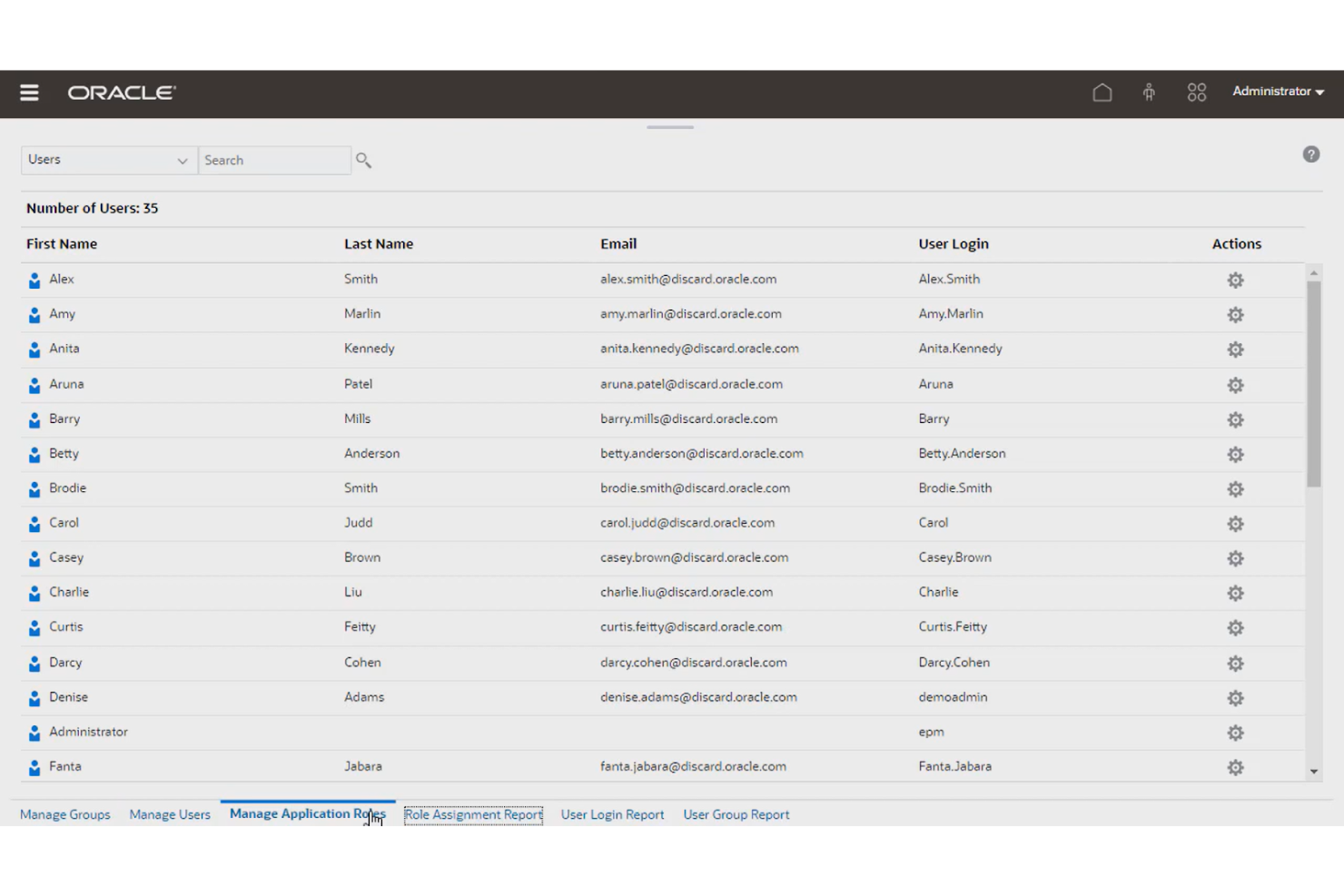
Oracle Cloud EPM Tax Reporting is a tax prep solution that enables you to automate and speed up your business reporting process.
Why I picked Oracle Cloud EPM Tax Reporting: I chose Oracle Cloud EPM Tax Reporting because it can help you automate several tasks involved in tax reporting, such as data extraction, tax calculation, and tax preparation. The solution reads your tax return data, auto-populates your forms, and calculates your taxes. The platform relies on a vast library of tax calculation rules to ensure accuracy for every tax jurisdiction so you can avoid fines or penalties.
Oracle Cloud EPM Tax Reporting Standout Features and Integrations:
Standout features include country-by-country reporting, tax provision calculations, automated imports, research and development (R&D) credit calculations, and task monitoring. I like Oracle Cloud EPM Tax Reporting’s task monitoring feature because it allows you to assign task owners, due dates, and statuses for every procedure, making it easy to coordinate your team.
Integrations include other Oracle business apps, such as Oracle Cloud Financials, Oracle Cloud Planning, Oracle Cloud Tax Engine, Oracle Cloud Data Integrator, and third-party apps like SAP BusinessObjects, Microsoft Power BI, Qlik Sense, and TIBCO Spotfire
Pros and Cons
Pros:
- Exports tax provisions and trial balances to your compliance software
- Automatically imports your tax return information for increased accuracy
- Easy to integrate with tax compliance software
Cons:
- No option to create custom rules for calculations
- Has a learning curve

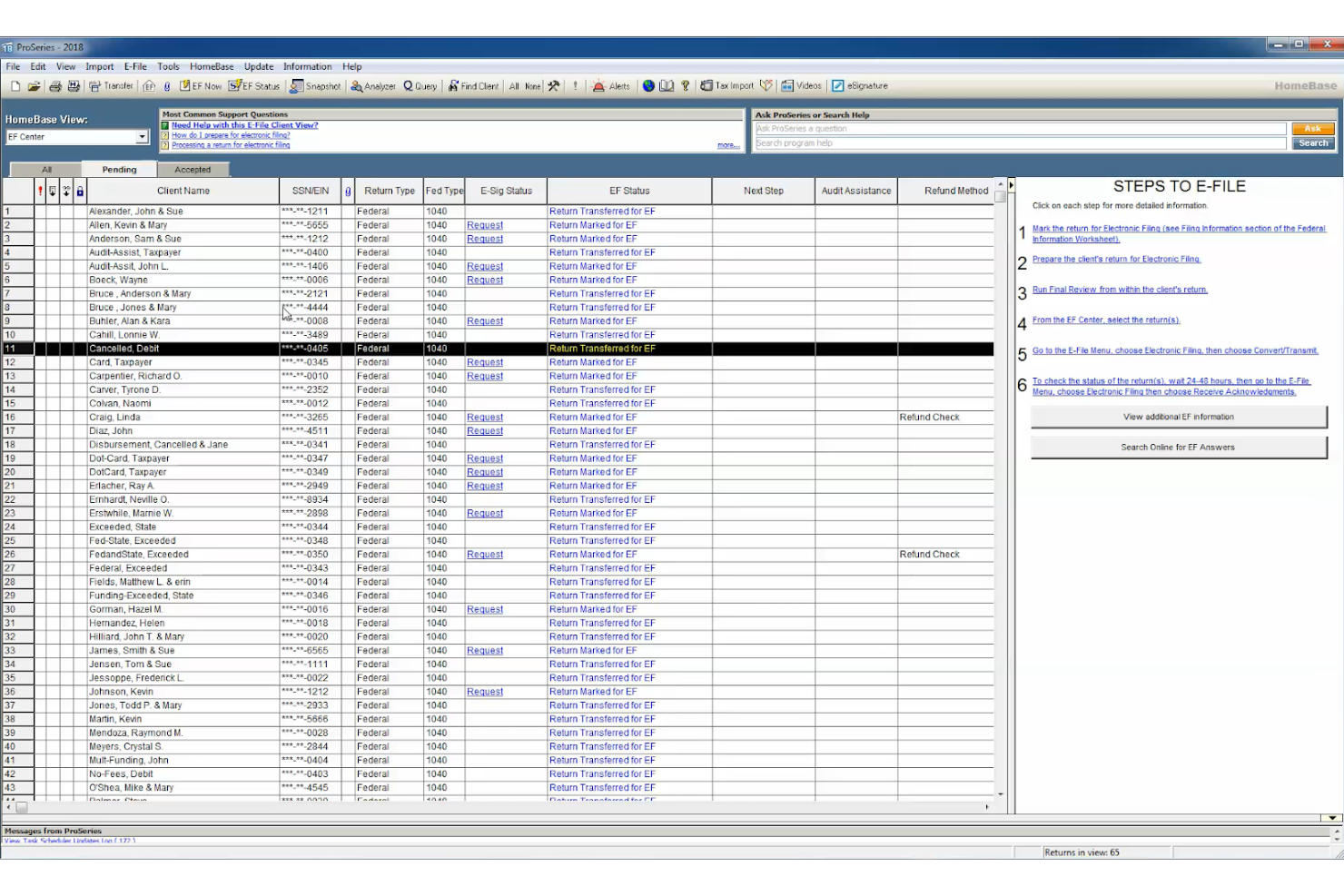
ProSeries Tax is a business tax software that helps North American business owners save time when filing their taxes with dedicated features.
Why I picked ProSeries Tax: ProSeries Tax made it into my top 10 list thanks to its time-saving features, such as quick entry sheets, a keyword-based search feature, automated data imports, and tax return input guidance. The solution is friendly toward first-time users and offers a guided workflow you can rely on to file your federal and state returns.
ProSeries Tax Standout Features and Integrations:
Standout features include a personalized training portal, e-filing, automated imports, software webinars, guided onboarding, a knowledge base, and community advice. I like the platform’s personalized training portal because it allows you to access tutorials and videos tailored to your needs and skill level.
Integrations include e-signing software and payroll solutions, such as DocuSign, QuickBooks Online Payroll, ADP Workforce Now, Gusto, SurePayroll, and Paychex Flex.
Pros and Cons
Pros:
- Helpful tool for tax professionals managing multiple clients
- Interface is easy to use and navigate
- Comprehensive diagnostics and error checking tools
Cons:
- The interface may lag at times
- Limited customization options for reports
Annen programvare for bedriftsskatt
Her er noen andre gode skatteløsninger for bedrifter som jeg kom over under undersøkelsen. Jeg hadde ikke plass til en full anmeldelse av hver av disse, men de er likevel verdt å vurdere:
- UltraTax CS
For complex tax scenarios
- Intuit ProFile Tax
For community support
- Vertex
For lease tax management
- Deel HR
For paying global teams
- FreeTaxUSA
Free tax software
- TurboTax
For partnerships, multi-member LLC’s, trusts and estates
- TaxCycle
For personalized support
- Drake Software
For ease of use


Andre anmeldelser av økonomiprogramvare
Er du interessert i å håndtere økonomien i organisasjonen din? Her er noen andre verdifulle ressurser fra People Managing People som kan være interessante for deg:
- Lønnssystemer
- Lønnsselskaper som kan håndtere lønnsprosessen din
- Lønnssystemer for små bedrifter
- Lønnstjenester for små bedrifter
- Gratis lønnssystemer for stramme budsjetter
How I Evaluate Business Tax Software
I split my evaluation of business tax software into two layers: the baseline—multi-jurisdiction filing, W-2/1099 generation—and the differentiators that separate one platform from another.
Core Functionality (Table Stakes For This List)
When I'm selecting tools for my list, I rank each one on a scale from 0 (does not offer the functionality) to 5 (excels in this area) for each core functionality listed below. Then, I calculate the tool's total score into a percentage. Each tool needs to achieve a minimum total score of 65% to be considered for inclusion.
- Payroll Tax Calculation: I check whether the tool automatically calculates employer and employee taxes across wage types, withholding elections, and pre-tax deductions.
- Tax Form Generation & E-Filing: Each tool should generate and e-file key forms like W-2s, 1099s, 940s, and 941s directly with federal and state agencies.
- Multi-Jurisdiction Tax Compliance: I evaluate how well a platform handles multi-state and local tax rules, especially for remote teams spread across different jurisdictions.
- HRIS & Payroll Integration: The tool should sync employee data, wage records, and deductions with platforms like Workday, BambooHR, ADP, or Gusto.
- Year-End Tax Reporting: I look for reconciliation workflows, W-2c correction handling, and employee self-service access to year-end documents.
- Deposit & Remittance Management: Automated scheduling and tracking of tax deposits to federal, state, and local agencies is a key area I evaluate.
Once I have a list of tools that meet this criteria, I consider what sets each platform apart.
Differentiating Factors (What Sets Vendors Apart)
Here's how I compare and contrast different vendors:
Standout Features
A tax penalty guarantee shifts financial risk off your team when filing errors happen, which matters a lot during high-volume year-end cycles. I also look for employee self-service portals where staff can pull their own W-2s and update W-4 elections without HR intervention. Real-time compliance alerts are another differentiator I evaluate—proactive notifications about rate changes or upcoming deadlines help HR teams stay ahead instead of scrambling to catch up.
Beyond Features
I evaluate how well a platform scales across workforce composition—supporting W-2 employees, 1099 contractors, and multi-entity setups under one roof matters when your org structure grows. Audit readiness is another factor I weigh heavily, especially whether the tool maintains immutable filing records and supports agency notice response workflows. I also consider implementation support, since migrating mid-year means reconciling prior-quarter data, and having a dedicated tax specialist during onboarding can prevent costly filing gaps.
Kostnader og priser for skattverktøy for bedrifter
Det er viktig å velge programvare for bedriftsskatt som passer til virksomhetens størrelse, hvor kompleks skatten er og budsjettet ditt. Nedenfor finner du en oversikt over vanlige prisalternativer for programvare for bedriftsskatt, inkludert et gratis alternativ for enkle skattebehov og abonnementer med avanserte funksjoner for virksomheter som trenger mer omfattende løsninger.
Sammenligningstabell for bedriftsprogramvare for skatt
| Plannavn | Prisintervall | Best egnet for | Vanlige funksjoner |
|---|---|---|---|
| Gratisabonnement | $0 | Enkeltpersonforetak med grunnleggende skattemeldinger | Grunnleggende føderal skatteinnlevering, sporing av inntekter og utgifter, begrensede fradrag, nettbasert brukerstøtte |
| Grunnleggende abonnement | $20 - $50 per år | Frilansere og små bedrifter | Føderal skatteinnlevering og delstatlig skatteinnlevering, optimalisering av fradrag, sporing av utgifter, kundestøtte |
| Standardabonnement | $100 - $200 per år | Voksende små bedrifter med flere fradrag | Avanserte fradrag, innlevering i flere delstater, støtte ved skatterevisjon, integrasjon med regnskapsprogramvare |
| Premiumabonnement | $250 - $400 per år | Mellomstore og store bedrifter som trenger ekspertråd | Fullstendig skatteforberedelse, bistand fra statsautorisert revisor, integrasjon av lønnsskatt, bistand ved revisjon, ubegrenset innlevering i delstater |
| Virksomhetsabonnement | $500+ per år | Selskaper og bedrifter med komplekse skattestrukturer | Tilpasset rapportering, støtte for flere enheter, dedikerte skatteeksperter, avanserte verktøy for overholdelse av regelverk |
Avhengig av behovene dine kan du kanskje begynne med et gratis eller grunnleggende abonnement. Hvis skattene dine derimot er komplekse eller krever eksperthjelp, anbefaler jeg at du velger et premium- eller virksomhetsalternativ.
Vanlige spørsmål
Vil du vite mer om skatteprogramvare for bedrifter? Her er noen svar på vanlige spørsmål leserne har om dette emnet.
Hva er fordelene ved å bruke skatteprogramvare for bedrifter?
Skatteprogramvare for bedrifter gir deg trygghet når du leverer skattemeldingen, ved å minimere feil i innleveringen. Disse løsningene sparer deg også tid når du beregner forretningsutgiftene dine , og kan hjelpe deg med å holde oversikt over lønnskostnadene dine og redusere skattene dine.
Hva er den beste skatteprogramvaren for en liten bedrift?
Å finne den beste skatteprogramvaren for små bedrifter avhenger av dine spesifikke behov og preferanser. Her er noen faktorer du bør ta hensyn til:
- Årskostnad: Sørg for at kostnaden for programvaren passer inn i budsjettet ditt. Husk også å legge til kostnadene for delstatsinnlevering i totalkostnaden.
- Funksjoner og funksjonalitet: Ikke all programvare for bedrifter er lik. Se etter løsninger som samsvarer med preferansene dine, for eksempel løsninger som støtter ulike selskapsstrukturer, skjemaer, oversikter, lønnshåndtering for små bedrifter og skattescenarier.
- Brukervennlighet: Brukergrensesnittet i programvaren, for eksempel navigasjon, design og hjelpealternativer, kan ha stor betydning for hvor enkelt det er å bruke den.
- Kundestøtte: Sørg for at leverandøren tilbyr god kundeservice og teknisk støtte, for eksempel via telefon, chat, e-post eller personlig hjelp.
- Programvareintegrasjoner: Verktøy som tilbyr innebygde integrasjoner med andre løsninger du bruker ofte, for eksempel verktøyet ditt for lønnshåndtering , programvare for virksomhetsressursplanlegging (ERP) og lignende, kan hjelpe deg med å spare tid når du beregner skattene dine.
Hvilke typer forretningsutgifter bør jeg holde oversikt over som enkeltpersonforetak?
Som innehaver av et enkeltpersonforetak kan du trekke fra mange vanlige og nødvendige utgifter du har i forbindelse med driften av virksomheten. Her er noen vanlige typer forretningsutgifter du bør holde oversikt over:
- Kontorutgifter: For eksempel husleie, strøm og andre tjenester, kontorrekvisita, porto, møbler, utstyr og vedlikehold
- Reiseutgifter: Kan omfatte flybilletter, overnatting, måltider, leiebil, kjøregodtgjørelse, bompenger og parkering
- Underholdningsutgifter: Kan omfatte måltider og billetter til arrangementer for kunder
- Utgifter til annonsering og markedsføring: For eksempel nettsteder, sosiale medier og nettannonsering eller annonsering utenfor nettet
- Utgifter til profesjonelle honorarer og tjenester: Når du betaler for regnskapsføring, juridiske tjenester, rådgivning og tjenester fra eksterne leverandører
- Forsikringsutgifter: Vanlige forsikringskostnader omfatter premier for ansvarsforsikring, eiendomsforsikring, helseforsikring og uføreforsikring
- Skatte- og lisensutgifter: Kan omfatte inntektsskatt, skatt på næringsvirksomhet, merverdiavgift, eiendomsskatt og næringslisenser
- Utdanningsutgifter: For eksempel studieavgifter, bøker, gebyrer, utstyr og kurs eller seminarer som forbedrer ferdighetene eller kunnskapen din innen fagområdet ditt