

10 programvareløsninger for håndtering av kredittkortutgifter i 2026

Kortliste over programvare for utgiftsstyring med kredittkort


Hvorfor du kan stole på våre programvareanbefalinger
Teamet vårt har testet og anmeldt programvare siden 2012. Vi er selv HR-eksperter, så vi vet hvor vanskelig og hvor viktig det er å velge riktig programvare.
I denne guiden har vi vurdert verktøyene gjennom praktisk testing og uavhengig research og gitt dem poeng ut fra våre utvelgelseskriterier. Vi bygger også på innsikt fra ledende eksperter i bransjen og erfarne HR-eksperter.
Anmeldelsene våre bygger på vår egen redaksjonelle vurdering. De er ikke et salgsargument.
Ekspertanmeldere:
Sammenligningstabell: Programvare for utgiftsstyring med kredittkort
Denne sammenligningstabellen oppsummerer prisdetaljene for mine beste utvalgte løsninger for utgiftsstyring med kredittkort.
| Tool | Best For | Trial Info | Price | ||
|---|---|---|---|---|---|
| 1 | Best for HRIS-driven card controls and payroll | Free demo available | Pricing upon request | Website | |
| 2 | Best for direct card feeds from any bank | Free demo available | From $11.99/user/month (billed annually) | Website | |
| 3 | Best as AI for business | Free demo available | From $8/user/month | Website | |
| 4 | Best with integrated accounts payable suite | Free plan available | From $49/user/month | Website | |
| 5 | Best with unified spend controls | Free demo available | Pricing upon request | Website | |
| 6 | Best with real-time spend insights | Free plan available; 30-day free trial | From $15/user/month | Website | |
| 7 | Best for finance team collaboration | Free demo available | Pricing upon request | Website | |
| 8 | Best for employee card issuance flexibility | Free trial available | From £9.5/month | Website | |
| 9 | Best for fast-growing tech companies | Free plan available | From $12/user/month | Website | |
| 10 | Best for corporate card reconciliation | Free demo available | From $8.50 to $12/active user | Website |

Anmeldelser av programvare for utgiftsstyring med kredittkort
Nedenfor finner du mine detaljerte oppsummeringer av programvare for utgiftsstyring med kredittkort som kom med på kortlisten min. Anmeldelsene mine gir en detaljert gjennomgang av funksjonene, integrasjonene og prisene for hver plattform, slik at du kan finne den beste løsningen for deg.

Best for HRIS-driven card controls and payroll
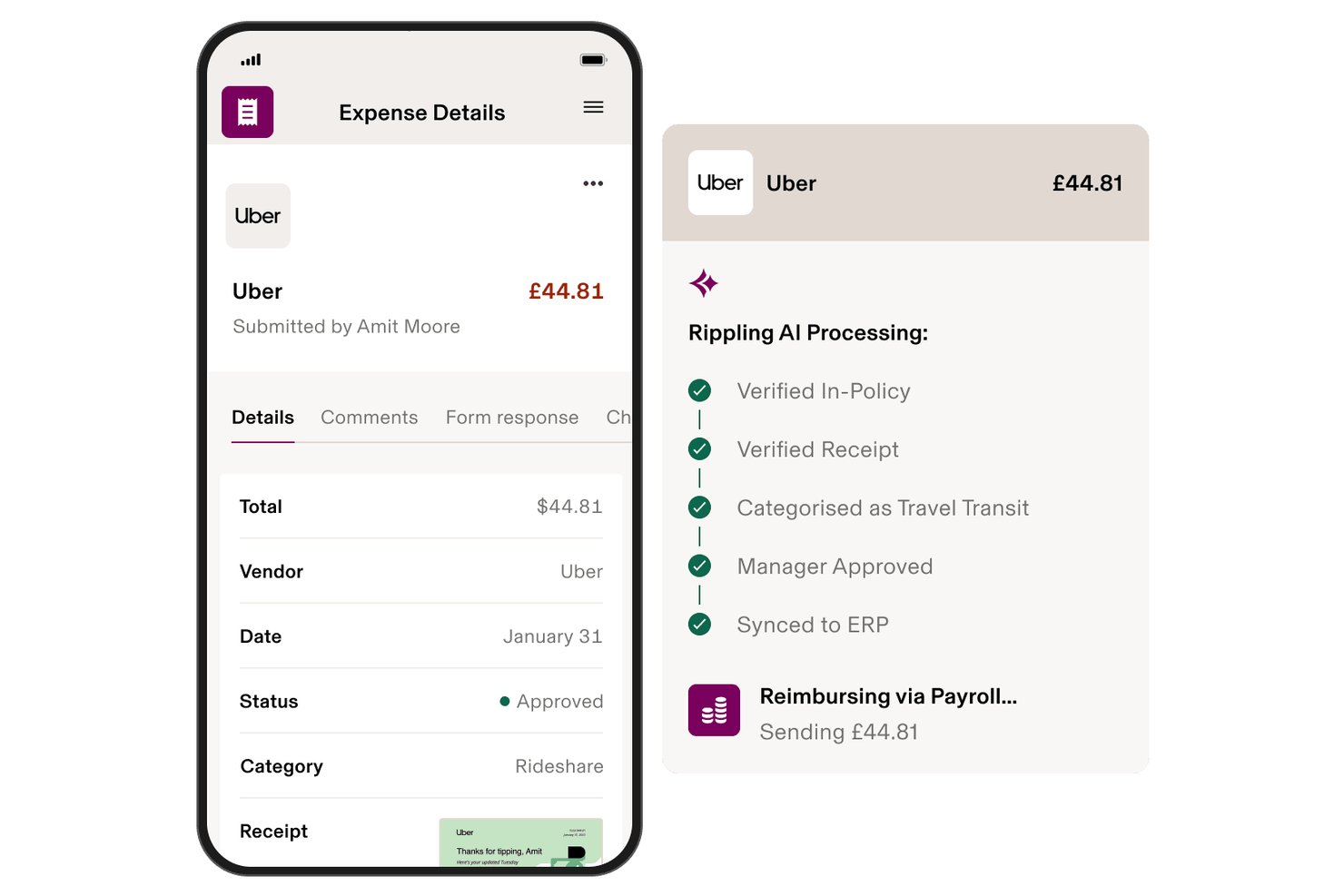
Rippling Spend is a corporate card and expense management platform that combines card issuance, real-time transaction controls, reimbursement workflows, and payroll integration within a single HRIS-connected system.
Who Is Rippling Spend Best For?
Rippling Spend is a strong fit for HR and finance teams that want employee data—like role, department, or location—to automatically drive card controls and reimbursement workflows.
Why I Picked Rippling Spend
I picked Rippling Spend because no other tool in this category ties corporate card controls directly to your HRIS data the way Rippling does. When an employee gets promoted or transfers to a new department, their spending limits and card policies update automatically, without any manual intervention. I also love that approved reimbursements feed directly into the next payroll run, so there's no separate reconciliation step eating up your team's time.
Rippling Spend Key Features
- Real-time transaction alerts: Administrators receive instant SMS and dashboard notifications when a card purchase is blocked or flagged as out-of-policy.
- AI-powered receipt capture: Employees submit receipts via mobile, email, or SMS, and OCR automatically extracts line-item data, translates any language, and converts currencies.
- Automated card lifecycle management: Cards are automatically issued to new hires, updated when employee attributes change, and revoked upon offboarding.
- Cashback rewards: Rippling Corporate Cards earn up to 1.75% cashback on eligible purchases with no annual fee.
Rippling Spend Integrations
Rippling Spend offers integrations with 70+ HRIS platforms, including Workday, BambooHR, ADP, and Gusto, plus native integrations with QuickBooks Online, NetSuite, Xero, and Sage Intacct. It also supports 650+ total app integrations and CSV imports.
Pros and Cons
Pros:
- Real-time policy enforcement blocks out-of-policy spend
- Reimbursements post automatically into payroll cycle
- Employee role changes update card controls instantly
Cons:
- Full platform value requires multiple Rippling modules
- Pricing is not publicly transparent online

Best for direct card feeds from any bank
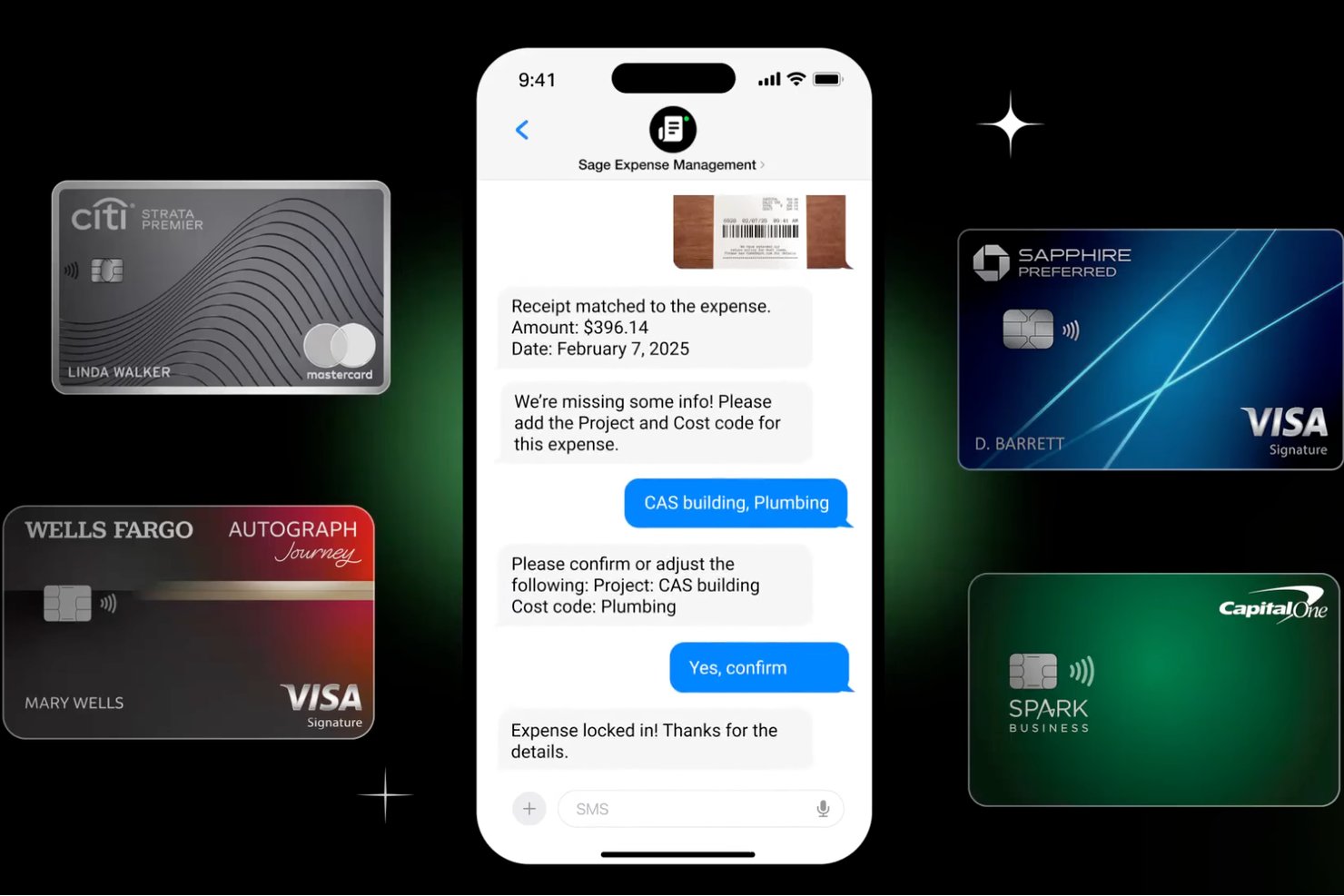
Sage Expense Management (formerly Fyle) is a credit card expense management platform that connects to corporate cards from any bank to automate transaction tracking, receipt matching, and reconciliation across your existing card programs.
Who Is Sage Expense Management (formerly Fyle) Best For?
Finance managers and controllers at small to mid-sized businesses who need real-time spend visibility across their existing corporate card programs will get the most out of this platform.
Why I Picked Sage Expense Management
I picked Sage Expense Management as one of the best because it connects to corporate cards from virtually any bank through real-time Visa and Mastercard network feeds, so transactions appear on the dashboard within seconds of a swipe. I like that this works without switching card programs: your team keeps existing cards and rewards while getting automatic receipt matching via text or email after every purchase. The AI then codes each transaction against your chart of accounts, cutting manual categorization significantly.
Sage Expense Management Key Features
- Budget tracking with alerts: Set spend limits by department, project, or cost center, with alerts when thresholds are reached.
- Two-way accounting sync: Native integrations with QuickBooks Online, Xero, Sage Intacct, and Sage 300 CRE keep your GL current.
- AmEx virtual card issuance: Admins create unlimited virtual cards with monthly spending limits for employees and contractors.
- Multi-stage approval workflows: Route reports through policy-driven, multi-level chains with sequential and automatic approvals.
Sage Expense Management Integrations
Sage Expense Management offers native integrations with QuickBooks Online, QuickBooks Desktop, Xero, Sage 50, Sage Intacct, and Sage 300 CRE. Its API supports custom integrations.
Pros and Cons
Pros:
- Text and email receipts cut receipt chasing
- Reviewers praise fast uploads and card syncing
- Real-time network feeds work across banks
Cons:
- Non-AmEx policy checks happen after purchase
- AmEx-only virtual cards exclude many teams
New Product Updates from Sage Expense Management (formerly Fyle)

Sage Expense Management Adds Reconciliation and Expense Review Updates
Sage Expense Management introduced a new Reconciliation module, faster expense review tools, expanded admin controls, and new AI and security features. These help finance teams reconcile transactions, review expenses, manage permissions, and access corporate card data more efficiently. For more information, visit Sage Expense Management’s official site.
 .
.
Best as AI for business
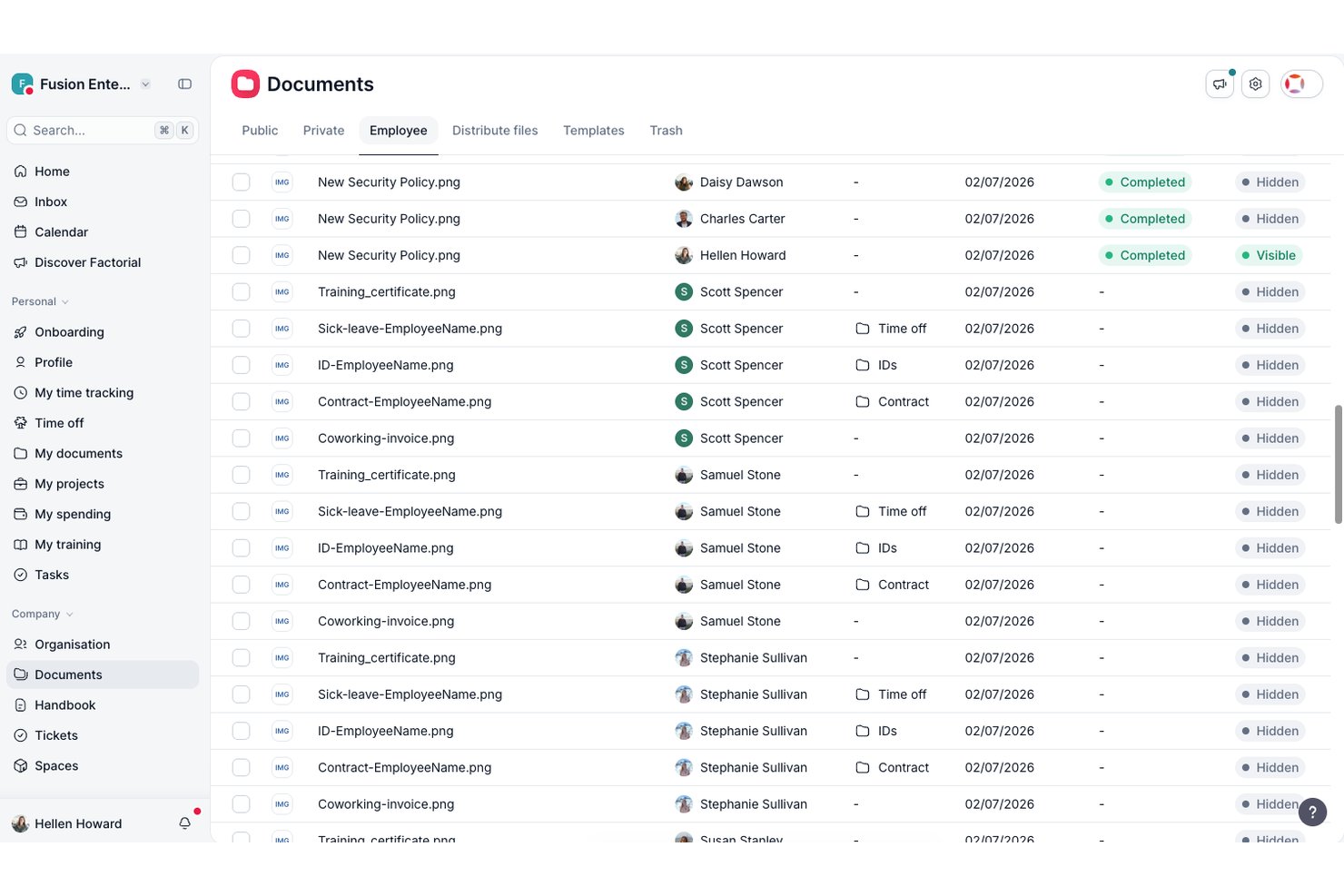
Factorial is an AI-driven business platform that combines expense management, corporate card issuance, spend policy enforcement, and HR-to-payroll workflows in one place.
Who Is Factorial Best For?
Factorial suits HR and finance teams at growing companies that want expense management, corporate cards, and people operations connected in one AI-driven platform.
Why I Picked Factorial
I picked Factorial as one of the best because its AI-for-business approach extends directly into expense management, where the built-in AI agent, One, can answer employee questions about spend policies and limits on the spot. I also like how physical and virtual cards connect automatically to expense records the moment a transaction happens, cutting out the manual logging step entirely. Expenses can also feed directly into payroll as supplements, which is a workflow I rarely see handled this natively in a single platform.
Factorial Key Features
- AI-powered OCR receipt capture: Factorial's AI agent extracts receipt details automatically, filling in expense information without manual data entry.
- MCC-based merchant restrictions: Administrators can allow or block specific merchant category code groups to control where corporate cards can be used.
- Multi-step sequential approval workflows: Expense approvals can be configured with multiple levels, each required to approve in order before an expense advances.
- Expense-to-payroll supplements: Approved expenses can be reflected directly as payroll supplements, connecting spend data to payroll within the same platform.
Factorial Integrations
Factorial lists marketplace integrations with Microsoft Business Central, SAP Business One, Sage 100, Sage 200 & Sage Despachos, and Microsoft Power BI. It also offers a public API, webhooks, SDKs, OAuth 2.0, and Zapier.
Pros and Cons
Pros:
- Approved expenses can feed payroll supplements
- Card purchases link directly to expense records
- AI answers clarify spend policies instantly
Cons:
- Factorial Cards are debit, not credit
- Receipt attachment still needs manual review

BILL
Best with integrated accounts payable suite
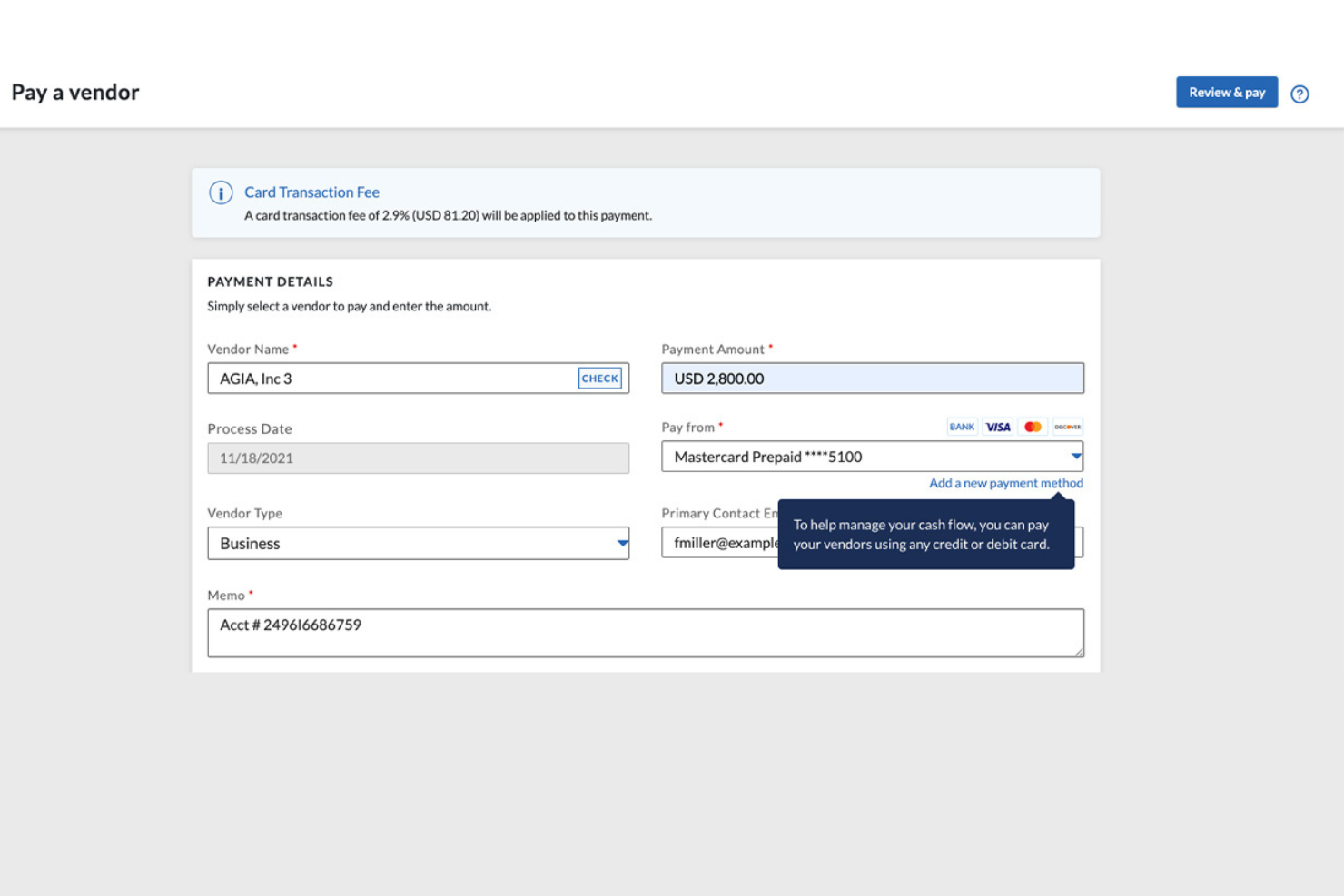
BILL is a financial operations platform that pairs AI-powered expense management with the BILL Divvy Card, letting you issue corporate cards, set budgets, auto-categorize transactions, and manage accounts payable and receivable in one place.
Who Is BILL Best For?
BILL is a strong fit for small to midsize businesses that need to manage corporate card spending, vendor payments, and expense reporting without separate tools.
Why I Picked BILL
I've included BILL in my top picks because it's one of the few credit card expense management tools that also runs a full accounts payable operation on the same platform. Most spend management tools stop at card transactions, but with BILL, you can capture vendor invoices via AI, route them through custom approval workflows, and process payments via ACH, virtual card, check, or international wire, all from the same dashboard where your card spend lives. I also like that BILL automatically performs 2- and 3-way matching, checking invoices against purchase orders and receipts to catch duplicates before they become a problem. That combination of card expense control and AP automation in a single system means your finance team isn't switching between tools to get a full picture of what the business owes.
BILL Key Features
- Corporate card issuance: Issue physical and virtual BILL Divvy Cards to employees with preset spending limits and category restrictions built in.
- Budget management: Create budgets by team, project, or individual and set hard limits that block out-of-policy spending before it happens.
- Employee reimbursements: Submit, review, and approve out-of-pocket expense claims directly within BILL alongside card transactions.
BILL Integrations
BILL offers native two-way syncs with QuickBooks Online, QuickBooks Desktop, QuickBooks Enterprise, Xero, Oracle NetSuite, Sage Intacct, and Microsoft Dynamics. It also integrates with Slack, Gmail, Lyft, and HR platforms like BambooHR, Workday, Gusto, and ADP Workforce Now. An API is available for custom integrations.
Pros and Cons
Pros:
- Built-in AP and AR alongside cards
- Enforceable budgets for projects or departments
- Budget-based cards prevent overspending proactively
Cons:
- Reporting customization options feel limited
- Balance must be paid in full every period
New Product Updates from BILL
BILL Adds Centralized Vendor Management for Multi-Entity Accounts
BILL adds a parent-level vendor list for multi-entity accounts with company filtering, centralized vendor profiles, and vendor credit management. This lets teams handle vendor work across linked entities without switching between company accounts. For more information, visit BILL’s official site.

Airbase
Best with unified spend controls
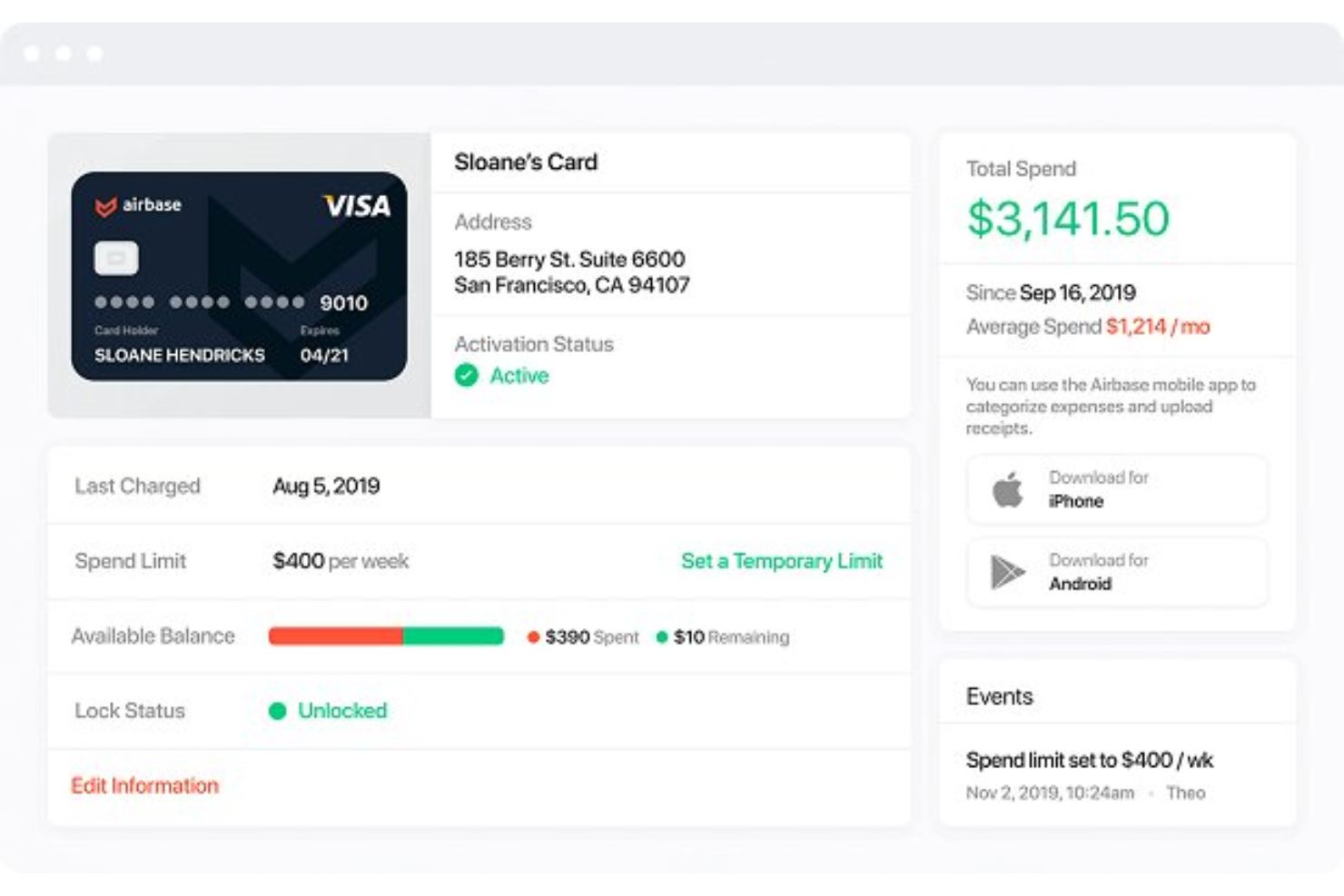
Airbase brings together expense management, bill payments, and corporate cards in a single platform. Finance leaders at mid-sized and scaling companies use it to centralize control over all company spending. If you need to manage card expenses, reimbursements, and approvals in one place, Airbase offers a unified approach.
Who Is Airbase Best For?
Airbase is a strong choice for finance teams at mid-sized and rapidly growing companies that want unified control over all business spending.
Why I Picked Airbase
What stands out to me about Airbase is how it brings all spend controls—across cards, reimbursements, and bill payments—into one platform. I picked Airbase because it lets you set granular approval workflows and spending limits for every transaction type, not just card purchases. This unified approach means finance teams can manage, track, and enforce policies for all company spending from a single dashboard. For organizations that want to reduce manual oversight and ensure compliance across every dollar spent, Airbase’s centralized controls are a strong fit.
Airbase Key Features
Some other features that make Airbase useful for credit card expense management include:
- Automated receipt capture: Employees can upload receipts by email or mobile app, which are then matched to transactions automatically.
- Real-time transaction feeds: All card activity is updated instantly, so finance teams always see the latest spend.
- Corporate card issuing: Issue both virtual and physical cards to employees with customizable controls for each card.
- ERP and accounting integrations: Sync expense data directly with platforms like NetSuite, QuickBooks, Sage Intacct, and Xero.
Airbase Integrations
Integrations include NetSuite, QuickBooks Online, QuickBooks Desktop, Xero, Sage Intacct, Google Workspace, Okta, and Rippling.
Pros and Cons
Pros:
- Real-time visibility for HR budgeting
- Custom rules for expense policy audits
- Slack and email approval workflows
Cons:
- Reporting tools lack deep customization
- Requires pre-funding of corporate cards

Ramp
Best with real-time spend insights
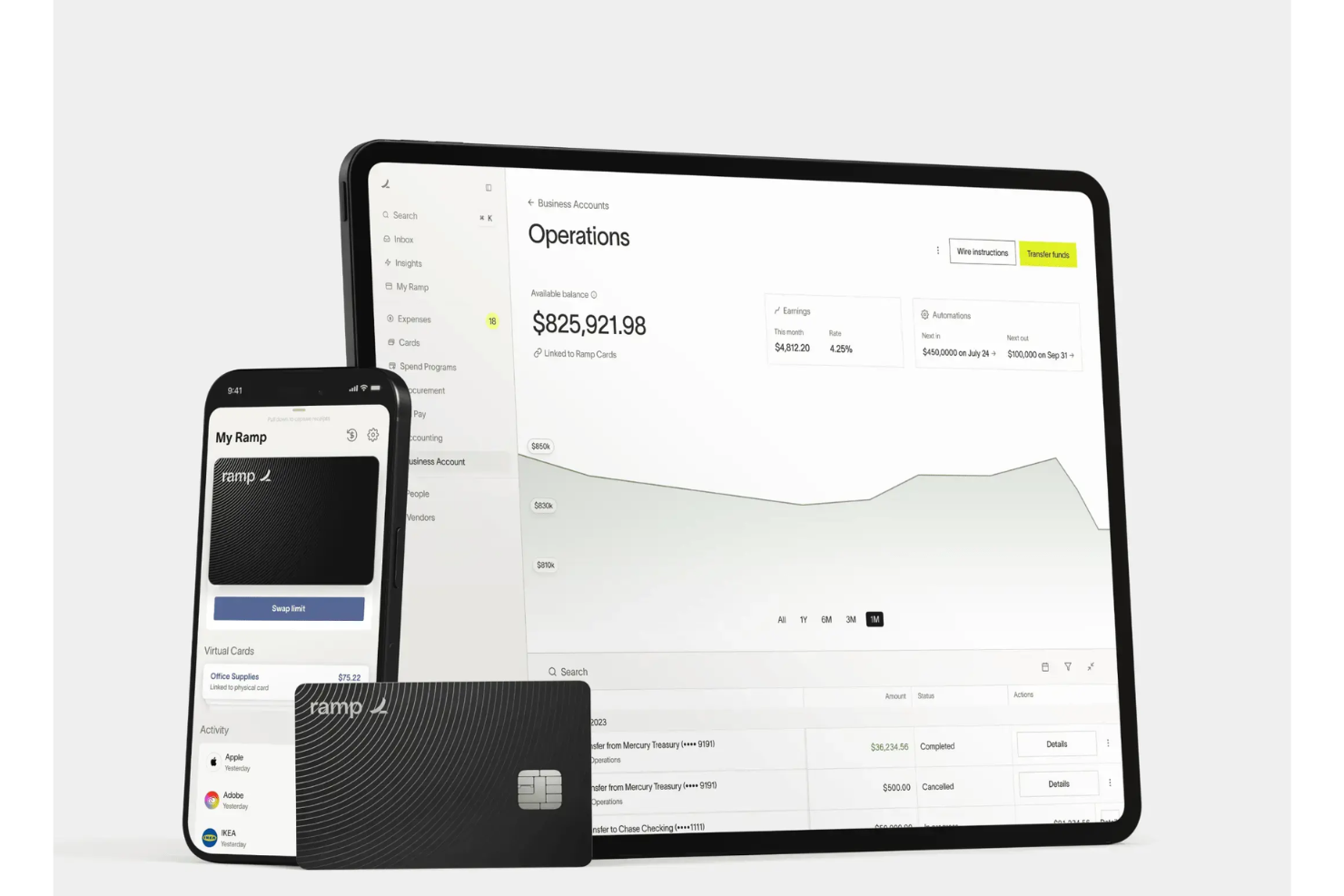
Ramp offers a credit card expense management solution designed for finance teams that want more control and visibility over company spending. It’s a strong choice for businesses looking to automate expense tracking and enforce spending policies across departments. Ramp helps organizations reduce manual work and gain clearer insights into where money is going.
Who Is Ramp Best For?
Ramp is a good fit for mid-sized and larger companies that need real-time visibility and control over employee credit card spending.
Why I Picked Ramp
What sets Ramp apart for me is its focus on delivering real-time spend insights that help finance teams make faster, more informed decisions. Ramp automatically categorizes transactions and updates dashboards instantly, so you always have an up-to-date view of company spending. I also like that Ramp offers proactive alerts and spend anomaly detection, which helps you catch unusual activity before it becomes a problem. These features make Ramp especially useful for organizations that want to monitor expenses closely and respond quickly to changes in spending patterns.
Ramp Key Features
In addition to real-time spend insights and proactive alerts, Ramp offers several other features that support credit card expense management:
- Automated receipt matching: Ramp automatically matches uploaded receipts to corresponding transactions for easier reconciliation.
- Custom card controls: Set spending limits, merchant restrictions, and category rules for each employee card.
- Multi-entity support: Manage expenses and cards across multiple subsidiaries or business units from a single dashboard.
- Direct accounting integrations: Sync transactions and expense data directly with accounting platforms like QuickBooks, Xero, and NetSuite.
Ramp Integrations
Integrations include NetSuite, Sage Intacct, QuickBooks, Microsoft Dynamics Business Central, Xero, Workday Financial Management, and Oracle Fusion Cloud.
Pros and Cons
Pros:
- Real-time visibility of company spend
- Direct sync with QuickBooks and Xero
- Unlimited virtual cards for vendors
Cons:
- Customer support is mostly ticket-based
- No mobile app for expense management
New Product Updates from Ramp

Ramp Adds VAT-Compliant Reimbursement Statements
Ramp added VAT and entity address details to reimbursement statements, helping teams in the EU, UK, and Canada reclaim VAT with less manual paperwork. For more information, visit Ramp’s official site.
 .
.
Spendesk
Best for finance team collaboration
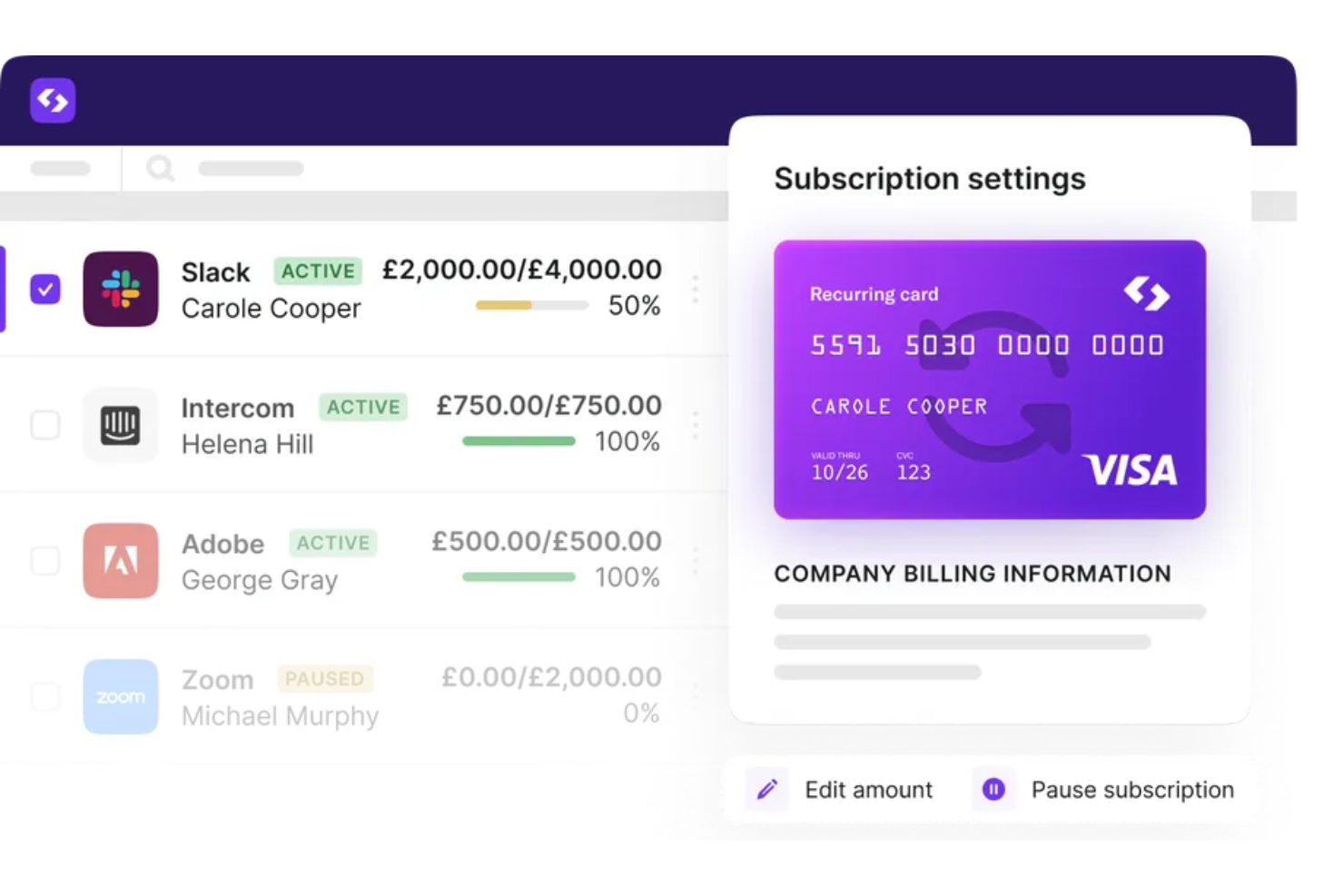
Spendesk offers an all-in-one spend management platform designed for finance teams that want more control and visibility over company card expenses. It appeals to businesses looking to centralize payments, approvals, and expense tracking in one place. If you need to manage multiple payment methods and streamline expense workflows, Spendesk addresses these needs with dedicated tools for finance collaboration.
Who Is Spendesk Best For?
Spendesk is a strong fit for finance teams at small to mid-sized businesses that need centralized control over company card spending and expense approvals.
Why I Picked Spendesk
What drew me to Spendesk is how it brings finance teams together around every aspect of company card spending. The platform lets you issue physical and virtual cards, set granular spending limits, and require pre-approvals for card purchases, all in one place. I also appreciate the real-time visibility it gives finance teams into who is spending, what’s being spent, and which expenses need review. These collaboration-focused controls make Spendesk especially useful for organizations that want to keep finance, managers, and employees aligned on card usage and expense policies.
Spendesk Key Features
Some other features that make Spendesk useful for managing credit card expenses include:
- Automated receipt matching: The platform automatically matches uploaded receipts to card transactions for faster reconciliation.
- Mobile expense submission: Employees can submit card expenses and receipts directly from their mobile devices.
- Custom approval workflows: You can design multi-step approval processes tailored to your company’s policies.
- Real-time spend analytics: Finance teams get up-to-date dashboards and reports on card usage and expense trends.
Spendesk Integrations
Integrations include Xero, QuickBooks, FreshBooks, Sage, NetSuite, Microsoft Dynamics, SAP, Cegid, and Silverfin.
Pros and Cons
Pros:
- High-speed OCR for instant receipt capture
- Real-time budget tracking for HR teams
- Automates expense reimbursement processes
Cons:
- Significant monthly cost for small teams
- Rigid workflows for unique team needs

Pleo
Best for employee card issuance flexibility
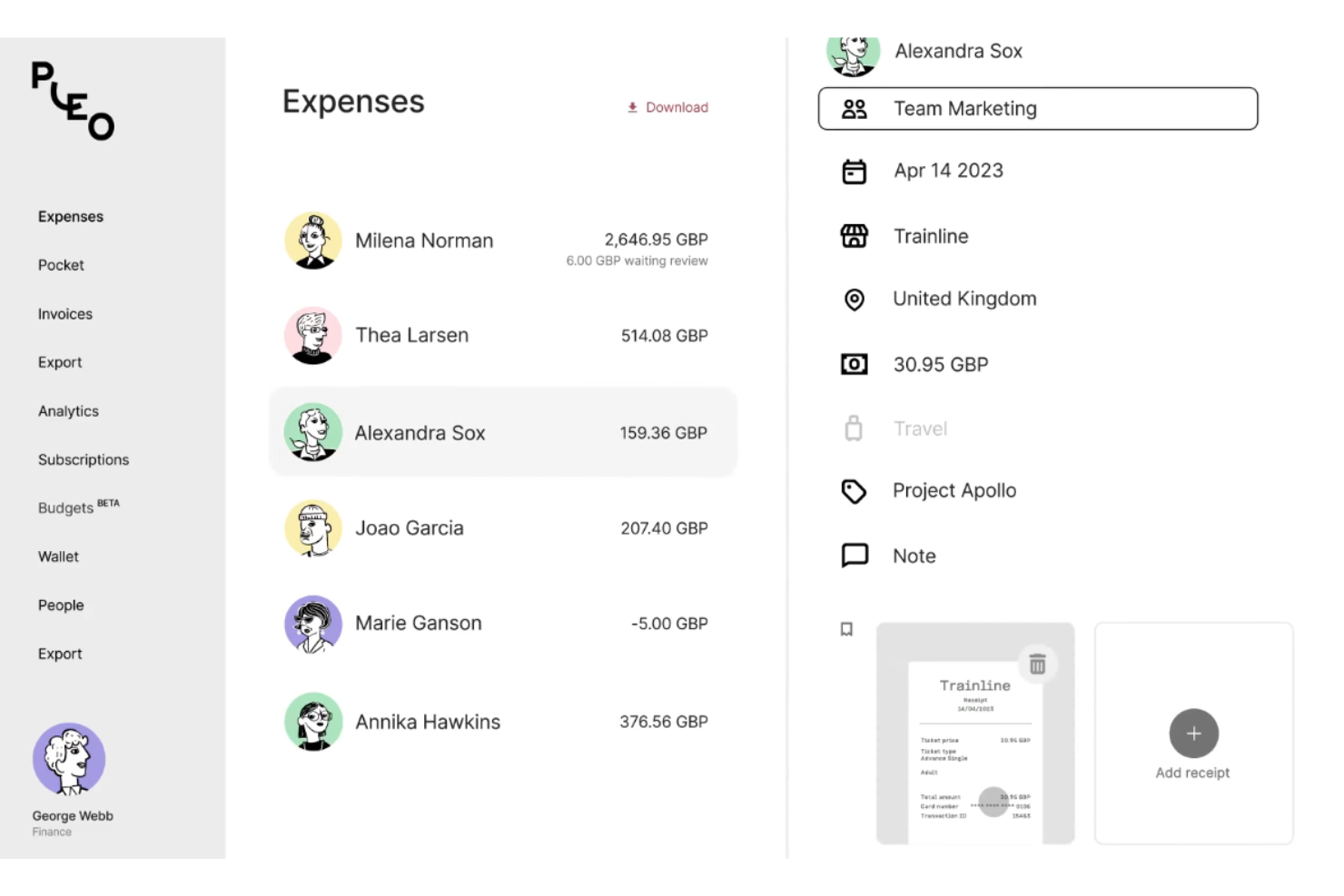
Pleo gives businesses a way to issue company cards and manage expenses in one platform. It’s designed for finance teams and managers who want more control and visibility over employee spending. If you need to automate expense tracking and reduce manual reconciliation, Pleo offers a modern approach tailored to growing companies.
Who Is Pleo Best For?
Pleo suits small to mid-sized businesses that want to empower employees with flexible card issuance and automated expense controls.
Why I Picked Pleo
What drew me to Pleo is how it lets you issue both physical and virtual cards to employees with just a few clicks. This flexibility means you can quickly equip new hires, contractors, or project teams with spending power while setting individual limits and rules for each card. I also appreciate that Pleo allows you to instantly freeze, cancel, or adjust cards as business needs change. For companies that want to empower employees but still maintain oversight, Pleo’s card issuance controls are a strong fit for modern expense management.
Pleo Key Features
Some other features that make Pleo useful for credit card expense management include:
- Automated receipt capture: Employees can snap photos of receipts in the mobile app, which are then matched to transactions automatically.
- Real-time spend tracking: All card activity is visible instantly in the admin dashboard, so finance teams always see up-to-date spending.
- Custom approval workflows: Set up multi-level approval processes for purchases above certain thresholds or for specific teams.
- Accounting software integrations: Sync expense data directly with platforms like QuickBooks, Xero, and Sage for faster reconciliation.
Pleo Integrations
Integrations include Xero, NetSuite, QuickBooks, SAP SuccessFactors, FreeAgent, XLedger, Twinfield, and BambooHR.
Pros and Cons
Pros:
- Fetch feature finds receipts in email
- Real-time spend visibility for HR leads
- Instantly freezes cards for leavers
Cons:
- High foreign transaction and conversion fees
- Limited tagging for complex accounting

Brex
Best for fast-growing tech companies
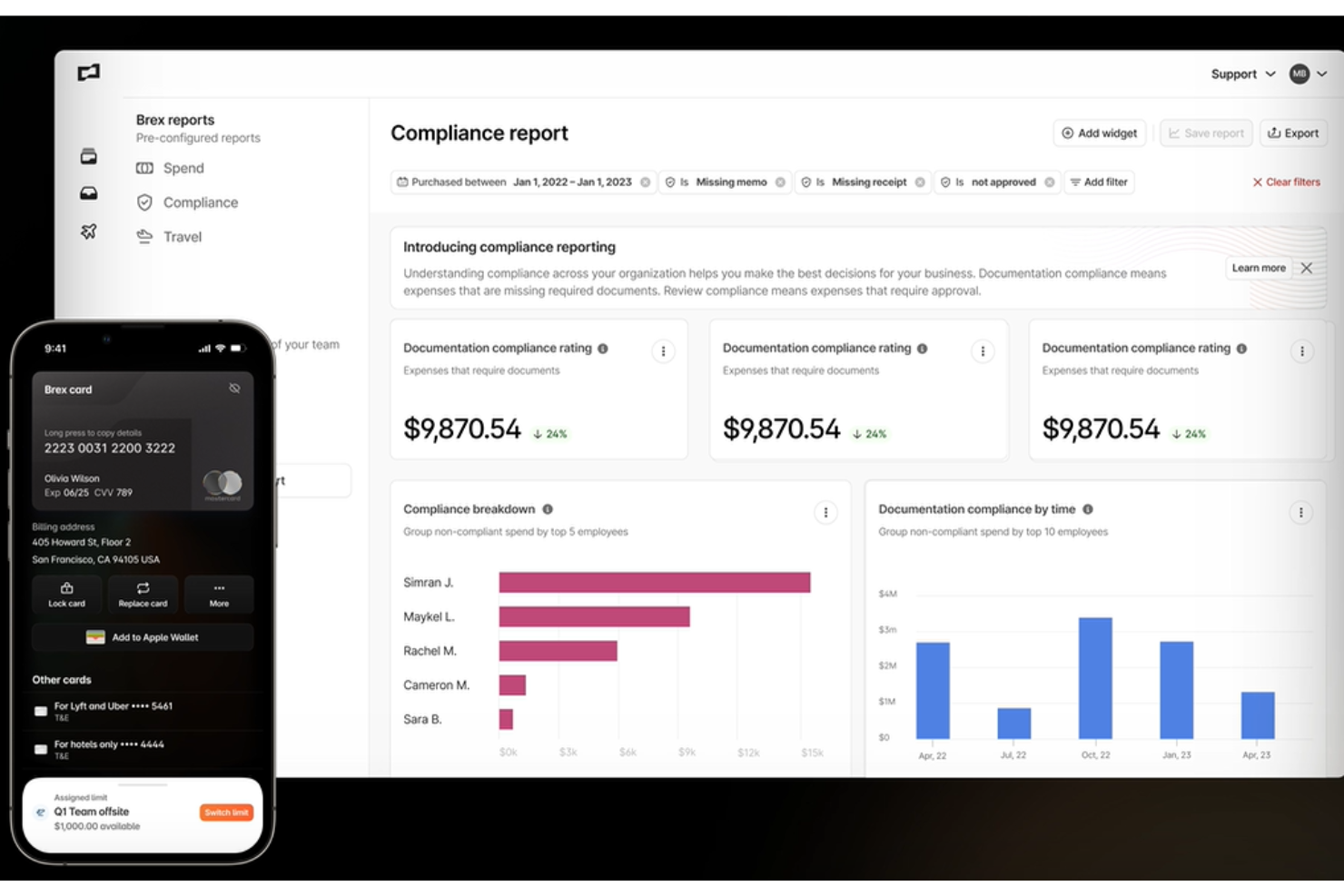
Brex offers an all-in-one expense management platform designed for startups and fast-scaling companies that need flexible controls and real-time visibility over spending. Finance teams and founders can issue cards, automate expense policies, and track transactions across teams and departments. If you’re looking for a solution that adapts to rapid growth and changing needs, Brex brings together card management and expense tracking in one place.
Who Is Brex Best For?
Brex is a strong fit for finance teams at fast-growing startups and tech companies that need scalable expense controls and card management.
Why I Picked Brex
What draws me to Brex for credit card expense management is how it’s built to keep up with the pace and complexity of fast-growing tech companies. The platform lets you instantly issue unlimited virtual and physical cards, each with customizable spend controls and real-time tracking. I also appreciate how Brex automates employee expense policy enforcement and provides granular visibility into spending across teams, projects, and departments. These features make it a strong choice for organizations that need to scale their expense management quickly without losing control or oversight.
Brex Key Features
Some other features that make Brex useful for credit card expense management include:
- Automated receipt capture: Employees can upload receipts via mobile or email, which are then automatically matched to transactions.
- Multi-entity management: Manage expenses and cards across multiple subsidiaries or business entities from a single dashboard.
- ERP and accounting integrations: Sync transactions and expense data directly with platforms like NetSuite, QuickBooks, and Xero.
- Travel booking and management: Book business travel and manage related expenses within the same platform.
Brex Integrations
Integrations include QuickBooks, NetSuite, Xero, Sage Intacct, Slack, and SAP Concur.
Pros and Cons
Pros:
- Easy multi-currency global reimbursements
- No personal guarantee for founders
- Automated travel and stipend policies
Cons:
- Complex setup for multi-entity teams
- Support is slower on the free version

Webexpenses
Best for corporate card reconciliation
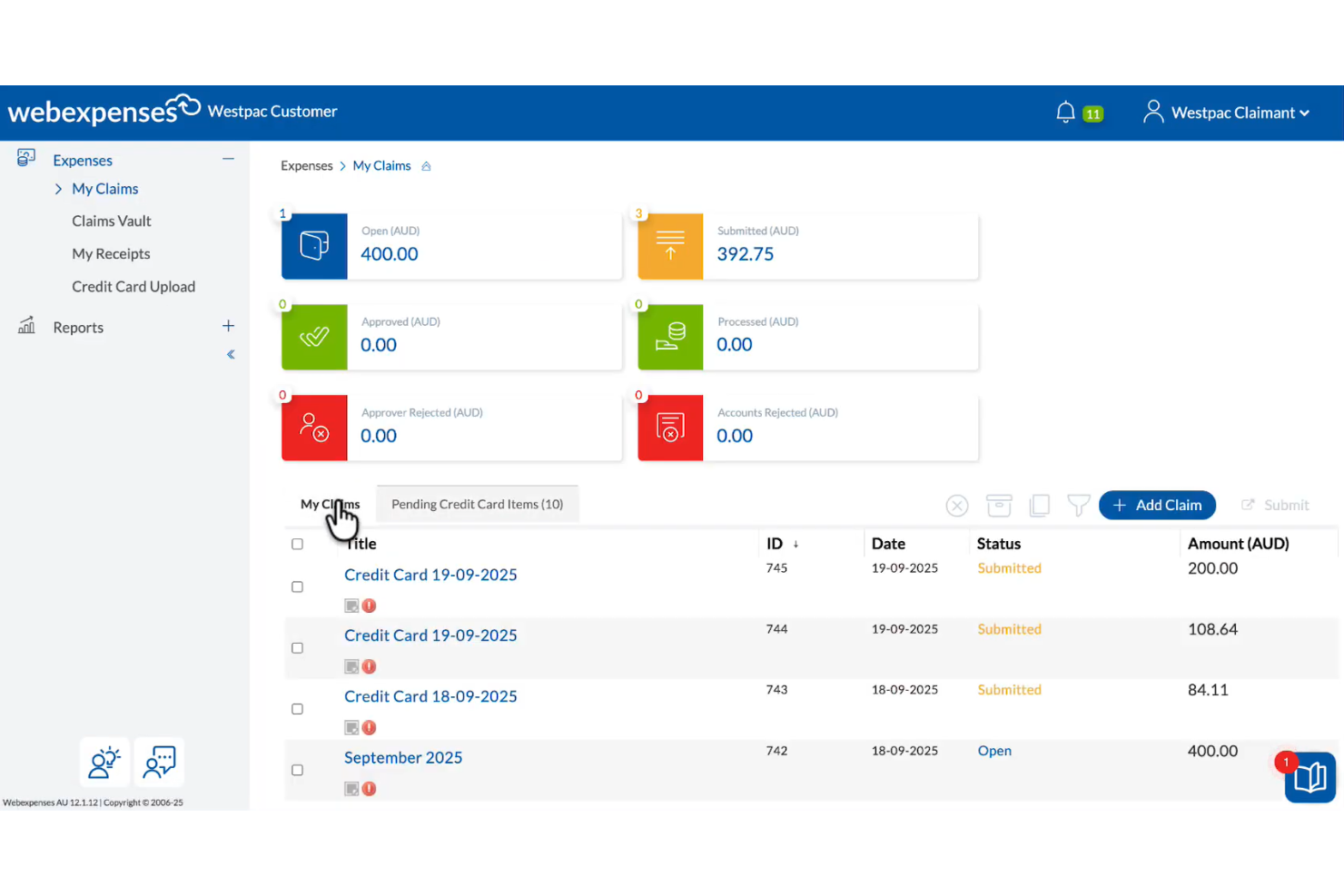
Finance teams looking for a dedicated solution to manage and reconcile corporate card expenses may find Webexpenses a strong fit. The platform is designed to help organizations automate expense capture, policy enforcement, and transaction matching. If you need to reduce manual reconciliation and improve oversight of company card spending, Webexpenses offers targeted features for these needs.
Who Is Webexpenses Best For?
Webexpenses suits finance teams at mid-sized to large organizations that need to automate and control corporate card reconciliation.
Why I Picked Webexpenses
What stands out to me about Webexpenses is how it optimizes the reconciliation process for corporate card transactions. The platform automatically matches card statements with submitted expenses, which helps reduce manual work and errors for finance teams. I also like that it flags unmatched or out-of-policy transactions, making it easier to spot issues before they become bigger problems. For organizations that need to keep tight control over company card spending, these reconciliation-focused features make Webexpenses a strong choice.
Webexpenses Key Features
In addition to its reconciliation tools, Webexpenses offers several other features for managing credit card expenses:
- Automated receipt capture: Users can upload receipts via mobile app or email, which are then matched to card transactions.
- Policy enforcement engine: The system applies company expense policies automatically to submitted expenses, flagging violations for review.
- Multi-currency support: Webexpenses handles expenses in multiple currencies, making it suitable for international teams.
- Customizable reporting dashboards: Finance teams can generate and customize reports to analyze spending patterns and compliance.
Webexpenses Integrations
Integrations include Xero, QuickBooks, NetSuite, Sage Intacct, MYOB, SAP, Visa, and Mastercard.
Pros and Cons
Pros:
- Provides detailed audit trails for card transactions
- Offers customizable approval workflows for card spend
- Supports multi-currency card expense processing
Cons:
- No direct card issuing or virtual cards
- Limited real-time card transaction notifications
Annen programvare for utgiftsstyring med kredittkort
Her er noen flere alternativer for programvare for utgiftsstyring med kredittkort som ikke kom med på kortlisten min, men som fortsatt er verdt å se nærmere på:
- Expensify
With receipt scanning automation
- Rho
For automated policy enforcement
- BILL Spend & Expense
For customizable approval workflows
- Slash
For high-yield business accounts
- Payhawk
For global multi-entity management
- Stampli
For real-time card transaction controls
- Coupa
With global policy compliance tools
- Rydoo
For automated card reconciliation workflows


How I Evaluate Credit Card Expense Management Software
I evaluate every tool against baseline requirements—like issuing virtual cards and syncing with your HRIS—then weigh the differentiators that matter most for HR-led expense programs.
Core Functionality (Table Stakes For This List)
When I'm selecting tools for my list, I rank each one on a scale from 0 (does not offer the functionality) to 5 (excels in this area) for each core functionality listed below. Then, I calculate the tool's total score into a percentage. Each tool needs to achieve a minimum total score of 65% to be considered for inclusion.
- Corporate Card Issuance: I check whether you can issue both physical and virtual cards with per-employee spending limits, like capping a new hire's onboarding card at a set amount.
- Real-Time Transaction Tracking: Every tool should show card transactions as they happen with auto-categorization, so HR sees a wellness purchase post instantly rather than waiting for a monthly statement.
- Policy & Approval Controls: I look for configurable spending rules and multi-level approval workflows, such as routing manager approval for purchases above a threshold or blocking non-approved merchant categories.
- Receipt Capture & Matching: The ability for employees to snap a photo or forward an email receipt and have it auto-matched to a transaction matters—manual matching buries HR teams at month-end.
- Expense Reporting & Reconciliation: I evaluate whether the tool generates reports coded to GL accounts and cost centers, which is especially useful when HR needs to reconcile stipend spending across departments.
- HRIS & Payroll Integrations: Native connections to platforms like BambooHR, Workday, or Gusto should sync employee data so cards are automatically issued at onboarding and deactivated at offboarding.
Once I have a list of tools that meet this criteria, I consider what sets each platform apart.
Differentiating Factors (What Sets Vendors Apart)
Here's how I compare and contrast different vendors:
Standout Features
Stipend management is a big differentiator. Tools that let you set up recurring wellness, learning, or remote work allowances directly on employee cards save HR from processing reimbursement requests manually. I also evaluate multi-currency and global card support, which matters when your workforce spans multiple countries and needs localized card programs. Automated compliance audits round things out—AI-driven flagging of out-of-policy spend or duplicate transactions keeps your team ahead of issues before month-end close.
Beyond Features
Compliance and security certifications like PCI-DSS and SOC 2 Type II are worth checking, especially when employee card data flows between your HRIS and expense platform. I also evaluate implementation support—a dedicated onboarding manager who helps configure spending policies and enroll employees can cut weeks off your rollout. Pricing transparency matters too. I look for clear per-user or flat-fee models without hidden charges for card issuance, and I check whether cashback or rebate programs help offset program costs for your HR budget.
Slik velger du programvare for utgiftsstyring med kredittkort
Det er lett å gå seg vill i lange funksjonslister og komplekse prisstrukturer. For å hjelpe deg med å holde fokus mens du går gjennom den unike prosessen med å velge programvare, har vi laget en sjekkliste over faktorer du bør ha i mente:
| Faktor | Hva du bør vurdere |
|---|---|
| Skalerbarhet | Vil programvaren håndtere dagens og fremtidens kortvolum, antall brukere og godkjenningsprosesser etter hvert som virksomheten vokser? |
| Integrasjoner | Kan verktøyet kobles direkte til regnskaps-, lønns-, HR- og banksystemene dine for å unngå manuelle dataoverføringer? |
| Tilpasningsmuligheter | Kan du tilpasse utgiftspolicyer, godkjenningsprosesser og rapportering slik at de samsvarer med organisasjonens unike krav? |
| Brukervennlighet | Vil ansatte og ledere ta i bruk verktøyet raskt, eller vil komplekse grensesnitt forsinke innsending og gjennomgang av utgifter? |
| Implementering og opplæring | Hvor lang tid vil det ta å komme i gang, og hvilke ressurser eller hvilken støtte tilbyr leverandøren under utrullingen? |
| Kostnad | Er prisnivåene tydelige, og samsvarer de med bruksmønstrene og budsjettet ditt? Vær oppmerksom på gebyrer per bruker eller kort. |
| Sikkerhetstiltak | Tilbyr programvaren kryptering, rollebasert tilgang og revisjonsspor for å beskytte sensitive økonomiske data? |
| Overholdelse av krav | Vil verktøyet hjelpe deg med å oppfylle bransje-, skatte- eller regionale krav til dokumentasjon og rapportering av utgifter? |
Hva er programvare for utgiftsstyring med kredittkort?
Programvare for utgiftsstyring med kredittkort er et digitalt verktøy som hjelper virksomheter med å spore, avstemme og kontrollere utgifter som gjøres med kredittkort tilhørende virksomheten. Den automatiserer innhentingen av transaksjonsdata, kobler kvitteringer til kjøp, håndhever virksomhetens utgiftspolicyer og effektiviserer godkjenningsprosesser. Denne programvaren hjelper økonomiteam med å opprettholde nøyaktige registre, redusere manuell registrering og sikre samsvar med interne og eksterne rapporteringskrav.
Funksjoner i programvare for utgiftsstyring med kredittkort
Når du velger programvare for utgiftsstyring med kredittkort, bør du se etter følgende viktige funksjoner:
- Import av transaksjoner: Henter automatisk kredittkorttransaksjoner fra banken eller kortleverandøren din inn i programvaren for sentralisert sporing og gjennomgang.
- Matching av kvitteringer: Knytter opplastede eller fotograferte kvitteringer til de riktige korttransaksjonene, noe som reduserer manuell avstemming og feil.
- Håndheving av retningslinjer: Bruker organisasjonens utgiftsregler på hver transaksjon og flagger eller blokkerer utgifter som ikke følger retningslinjene, før godkjenning.
- Godkjenningsarbeidsflyter: Sender utgifter gjennom tilpassbare kjeder av kontrollører og godkjennere, slik at det sikres oversikt og etterlevelse i hvert trinn.
- Sporing av utgifter i sanntid: Gir oppdaterte dashbord og varsler, slik at økonomiteam og ledere kan overvåke kortbruken etter hvert som den skjer.
- Støtte for flere valutaer: Håndterer transaksjoner i ulike valutaer og konverterer og rapporterer beløp automatisk for globale team.
- Kategorisering av utgifter: Tilordner transaksjoner til riktige hovedbok- eller budsjettkategorier, noe som forenkler regnskapsføring og rapportering.
- Integrasjon med regnskapssystemer: Synkroniserer utgiftsdata direkte med regnskaps- eller ERP-programvaren din for å unngå dobbeltregistrering og fremskynde månedsavslutningen.
- Revisjonsspor: Opprettholder en detaljert logg over alle handlinger som er utført for hver utgift, noe som støtter etterlevelse og forenkler revisjoner.
- Tilgang via mobilapp: Gjør det mulig for brukere å registrere kvitteringer, sende inn utgifter og gjennomgå godkjenninger fra smarttelefonen, slik at ansatte som jobber eksternt eller er på reise, får støtte.
Vanlige AI-funksjoner i programvare for kredittkortbasert utgiftsstyring
I tillegg til standardfunksjonene i programvare for kredittkortbasert utgiftsstyring som er nevnt ovenfor, tar mange av disse løsningene i bruk AI med funksjoner som:
- Automatisert uttrekking av kvitteringsdata: Bruker AI til å lese og trekke ut viktige detaljer fra skannede eller fotograferte kvitteringer, noe som reduserer manuell registrering og forbedrer nøyaktigheten.
- Avviksdeteksjon: Bruker maskinlæring til å identifisere uvanlige forbruksmønstre eller mulig svindel i sanntid, og varsler økonomiteamene slik at de kan undersøke saken.
- Smarte utgiftskategorier: Lærer av tidligere transaksjoner for automatisk å tilordne utgifter til riktige kategorier, og tilpasser seg virksomhetsspesifikke regler over tid.
- Prediktive varsler om brudd på retningslinjer: Analyserer historiske data for å forutsi og flagge utgifter som sannsynligvis vil bryte med virksomhetens retningslinjer, før innsending.
- Utgiftsspørringer på naturlig språk: Gjør det mulig for brukere å stille spørsmål om utgifter eller forbrukstrender ved hjelp av dagligspråk, mens AI tolker spørsmålene og returnerer relevante resultater.
Fordeler med programvare for kredittkortbasert utgiftsstyring
Implementering av programvare for kredittkortbasert utgiftsstyring gir flere fordeler for teamet og virksomheten din. Her er noen av fordelene du kan se frem til:
- Raskere avstemming: Automatisert import av transaksjoner og matching av kvitteringer reduserer manuelt arbeid og fremskynder månedsavslutningen.
- Bedre etterlevelse av retningslinjer: Innebygd håndheving av retningslinjer og godkjenningsarbeidsflyter bidrar til å sikre at utgiftene er i tråd med virksomhetens regler.
- Innsyn i sanntid: Dashbord og varsler gir oppdatert innsikt i kortbruk og forbrukstrender på tvers av organisasjonen.
- Redusert risiko for svindel: AI-drevet avviksdeteksjon og revisjonsspor bidrar til å identifisere mistenkelig aktivitet og støtter arbeidet med etterlevelse.
- Forenklet global drift: Støtte for flere valutaer og integrasjon med regnskapssystemer gjør det enklere å håndtere utgifter for internasjonale team.
- Bedre medarbeideropplevelse: Tilgang via mobilapp og automatisert dataregistrering gjør det raskere og mindre frustrerende å sende inn og godkjenne utgifter.
- Bedre økonomisk kontroll: Tilpassbare godkjenningskjeder og detaljert rapportering gir økonomiteamene bedre oversikt over og kontroll med virksomhetens utgifter.
Kostnader og priser for programvare for kredittkortbasert utgiftsstyring
Valg av programvare for kredittkortbasert utgiftsstyring krever en forståelse av de ulike prismodellene og abonnementene som er tilgjengelige. Kostnadene varierer basert på funksjoner, teamstørrelse, tillegg og mer. Tabellen nedenfor oppsummerer vanlige abonnementer, gjennomsnittsprisene deres og typiske funksjoner som er inkludert i løsninger for programvare for kredittkortbasert utgiftsstyring:
Sammenligningstabell for abonnementer på programvare for kredittkortbasert utgiftsstyring
| Plantype | Gjennomsnittspris | Vanlige funksjoner |
|---|---|---|
| Gratisabonnement | $0 | Grunnleggende import av transaksjoner, begrenset registrering av kvitteringer, manuell avstemming og grunnleggende rapportering. |
| Personlig abonnement | $5-$12/bruker/måned | Automatisk matching av kvitteringer, enkel håndheving av retningslinjer, tilgang til mobilapp og e-poststøtte. |
| Bedriftsabonnement | $15-$45/bruker/måned | Godkjenningsarbeidsflyter på flere nivåer, integrasjon med regnskapssystemer, sporing av forbruk i sanntid og revisjonsspor. |
| Foretaksabonnement | $35+/bruker/måned | Avansert analyse, tilpassede retningslinjer, støtte for flere valutaer, dedikert oppstart og prioritert brukerstøtte. |
Vanlige spørsmål om programvare for håndtering av kredittkortutgifter
Her er noen svar på vanlige spørsmål om programvare for håndtering av kredittkortutgifter:
Hvordan hjelper programvare for håndtering av kredittkortutgifter med regelverksetterlevelse?
Programvare for håndtering av kredittkortutgifter bidrar til regelverksetterlevelse ved å håndheve virksomhetens retningslinjer, opprettholde detaljerte revisjonsspor og støtte dokumentasjonskrav for skatte- og regelverksstandarder. Automatiserte arbeidsflyter og varsler i sanntid reduserer også risikoen for uautoriserte kjøp eller kjøp som bryter med retningslinjene.
Kan disse verktøyene integreres med eksisterende regnskaps- eller ERP-systemer?
Ja, de fleste løsninger for håndtering av kredittkortutgifter tilbyr integrasjoner med populære regnskaps- og ERP-systemer. Dette gjør det mulig å synkronisere utgiftsdata automatisk, reduserer behovet for manuell registrering og hjelper økonomiteam med å opprettholde nøyaktige oppføringer på tvers av plattformer.
Hva bør jeg tenke på når jeg tar denne programvaren i bruk i teamet mitt?
Vurder onboardingressursene som tilbys, for eksempel opplæringsvideoer, produktomvisninger og tilgjengelig brukerstøtte. Vurder også hvor intuitivt grensesnittet er for sluttbrukerne, og om programvaren kan tilpasses virksomhetens godkjenningsarbeidsflyter og retningslinjer for utgifter.
Er det sikkerhetsrisikoer forbundet med bruk av programvare for håndtering av kredittkortutgifter?
Nei, når disse verktøyene er riktig implementert, bruker de kryptering, rollebasert tilgang og revisjonslogger for å beskytte sensitive økonomiske data. Gå alltid gjennom leverandørens sikkerhetssertifiseringer og praksis for databeskyttelse før du tar et valg.
Hvordan håndterer disse løsningene internasjonale transaksjoner?
Mange løsninger for håndtering av kredittkortutgifter støtter transaksjoner i flere valutaer, automatisk valutaomregning og lokalisering av retningslinjer for utgifter. Dette hjelper globale team med å håndtere utgifter konsekvent og nøyaktig på tvers av ulike regioner.