

10 verktøy for intern kommunikasjon i 2026

Kortliste over de beste verktøyene for internkommunikasjon


Verktøy for internkommunikasjon er programvareplattformer som hjelper teamet ditt med å dele informasjon, koordinere arbeidet og holde kontakten på tvers av organisasjonen. Hvis du leter etter de beste verktøyene for internkommunikasjon, ønsker du sannsynligvis å forbedre samarbeidet, redusere misforståelser og sørge for at alle er samkjørte – enten arbeidsstyrken din jobber eksternt, i en hybridmodell eller på kontoret.
Med så mange tilgjengelige alternativer er det viktig å finne verktøy som passer teamets behov, støtter arbeidsflytene deres og kan skaleres etter hvert som organisasjonen vokser. I denne listen finner du pålitelige løsninger som løser reelle utfordringer på arbeidsplassen og hjelper deg med å bygge et mer samkjørt, informert og engasjert team.
Hvorfor du kan stole på våre programvareanbefalinger
Teamet vårt har testet og anmeldt programvare siden 2012. Vi er selv HR-eksperter, så vi vet hvor vanskelig og hvor viktig det er å velge riktig programvare.
I denne guiden har vi vurdert verktøyene gjennom praktisk testing og uavhengig research og gitt dem poeng ut fra våre utvelgelseskriterier. Vi bygger også på innsikt fra ledende eksperter i bransjen og erfarne HR-eksperter.
Anmeldelsene våre bygger på vår egen redaksjonelle vurdering. De er ikke et salgsargument.
Ekspertanmeldere:
Sammenligningstabell for verktøy for internkommunikasjon
Denne sammenligningstabellen oppsummerer prisdetaljer for mine utvalgte verktøy for internkommunikasjon:
| Tool | Best For | Trial Info | Price | ||
|---|---|---|---|---|---|
| 1 | Best for fostering company culture | Free demo available | Pricing upon request | Website | |
| 2 | Best self-destructing messaging for secure data | 30-day free trial + free demo available | From $2.50/user/month | Website | |
| 3 | Best AI-powered suggestions for task management | Free plan + free demo available | From $3/user/month (billed annually) | Website | |
| 4 | Best for Microsoft 365 collaboration | Free plan + 1-month free trial available | From $4/user/month (billed annually) | Website | |
| 5 | Best threaded messaging to reduce clutter | Free plan available | From $6/user/month (billed annually) | Website | |
| 6 | Best for mobile-first communication | 14-day free trial + free demo | From $3.75/user/month (billed annually) | Website | |
| 7 | Best for global workforce engagement | Free demo available | Pricing upon request | Website | |
| 8 | Best for Google Workspace users | 14-day free trial available | From $4.60/month (billed annually) | Website | |
| 9 | Best with video meeting integration | Free plan + free demo available | From $14.16/user/month (billed annually) | Website | |
| 10 | Best for integrating with enterprise workflows | Free plan available | From $7.25/user/month (billed annually) | Website |
Anmeldelser av verktøy for internkommunikasjon
Nedenfor finner du mine detaljerte oppsummeringer av verktøyene for internkommunikasjon som kom med på kortlisten min. Anmeldelsene mine gir en grundig gjennomgang av funksjonene, de beste bruksområdene og integrasjonene til hver plattform, slik at du kan finne den som passer best for deg.
Workvivo
Best for fostering company culture
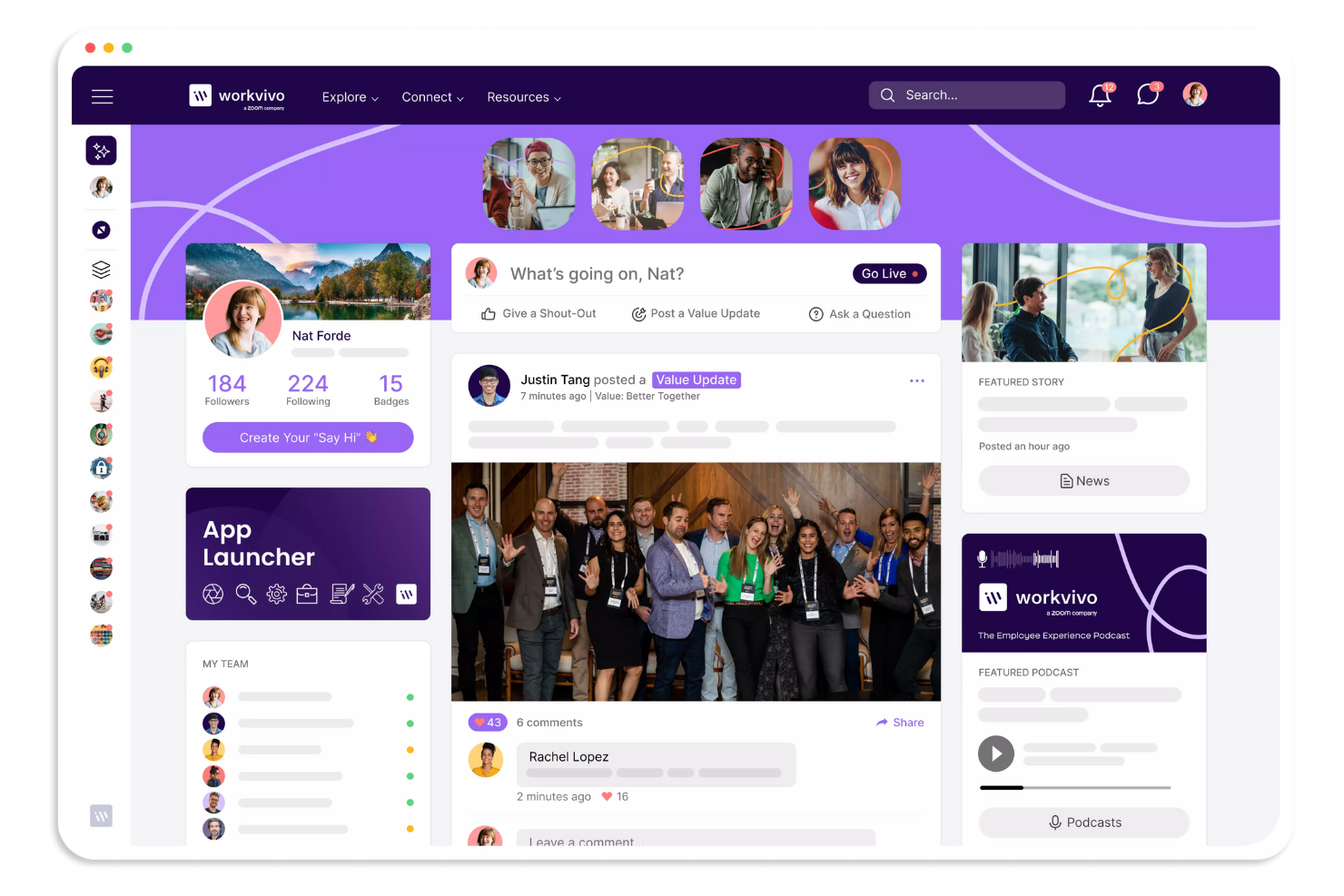
Workvivo takes a social approach to internal communication, making it easier for organizations to build a sense of belonging. It’s a strong fit for HR teams and leaders who want to boost engagement and connect employees to company values, especially in distributed or hybrid workplaces. The platform brings together news, recognition, and interactive features that help reinforce culture beyond just sharing updates.
Why I Picked Workvivo
What sets Workvivo apart is its focus on building a vibrant company culture through communication. The platform offers a social feed where employees can share updates, celebrate achievements, and recognize each other’s contributions.
I appreciate how Workvivo lets you tie posts and recognition directly to company values, making culture visible and actionable every day. These features make it a strong choice for organizations that want to go beyond basic messaging and foster real engagement.
Workvivo Key Features
Some other features in Workvivo help organizations connect and inform employees in meaningful ways:
- Event Management: Manage various types of internal communication by organizing and tracking attendance for company events.
- Podcast and Video Sharing: Upload and share multimedia content to support your culture initiatives and engage employees with different communication styles.
- Pulse Surveys: Gather quick feedback from employees with short, targeted surveys.
- Knowledge Base: Centralize important documents, policies, and resources for easy access.
Workvivo Integrations
Integrations include Zoom, Slack, Microsoft Teams, SharePoint, Google Drive, and more.
Pros and Cons
Pros:
- Offers event management tools
- Social media-style activity feed
- Peer-to-peer recognition badges
Cons:
- Basic text formatting tools
- No built-in editorial calendar
Best self-destructing messaging for secure data
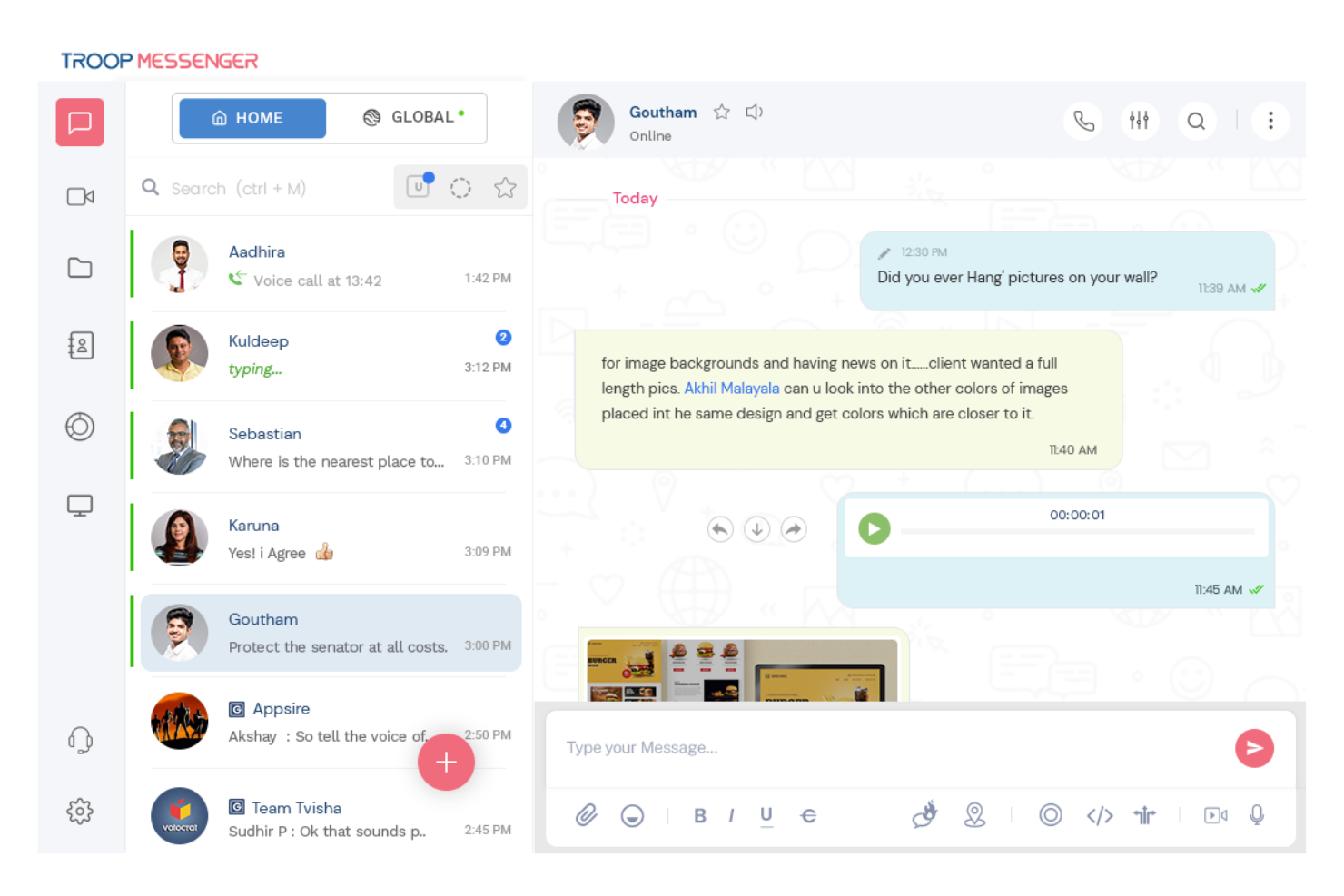
Troop Messenger is built for organizations that need secure, private team messaging without sacrificing usability. It’s a strong fit for industries like government, defense, or healthcare, where data protection and compliance are top priorities. With features like end-to-end encryption and on-premise deployment, Troop Messenger helps teams keep sensitive conversations and files protected.
Why I Picked Troop Messenger
Security is a top concern for many organizations, and that’s why I picked Troop Messenger for this list. The platform offers end-to-end encryption for messages and files, which helps protect sensitive information from unauthorized access.
I also like that Troop Messenger supports on-premise deployment, giving businesses full control over their data and compliance needs. For teams that handle confidential communications or operate in regulated industries, these security-focused features make Troop Messenger a strong choice.
Troop Messenger Key Features
Some other features in Troop Messenger help teams collaborate and manage communication more effectively:
- Burnout Chat: Send self-destructing messages that disappear after a set time.
- Forkout: Broadcast a message to multiple users or groups at once.
- Remote Screen Sharing: Share your screen with team members for real-time collaboration.
- Respond Later: Mark messages to reply to at a more convenient time.
Troop Messenger Integrations
Integrations include Google Drive, Dropbox, and Zapier.
Pros and Cons
Pros:
- Unique burnout self-destructing messages
- Advanced file search filters
- Self-hosted on-premise deployment option
Cons:
- Outdated user interface design
- Small video call participant limit

Chanty
Best AI-powered suggestions for task management
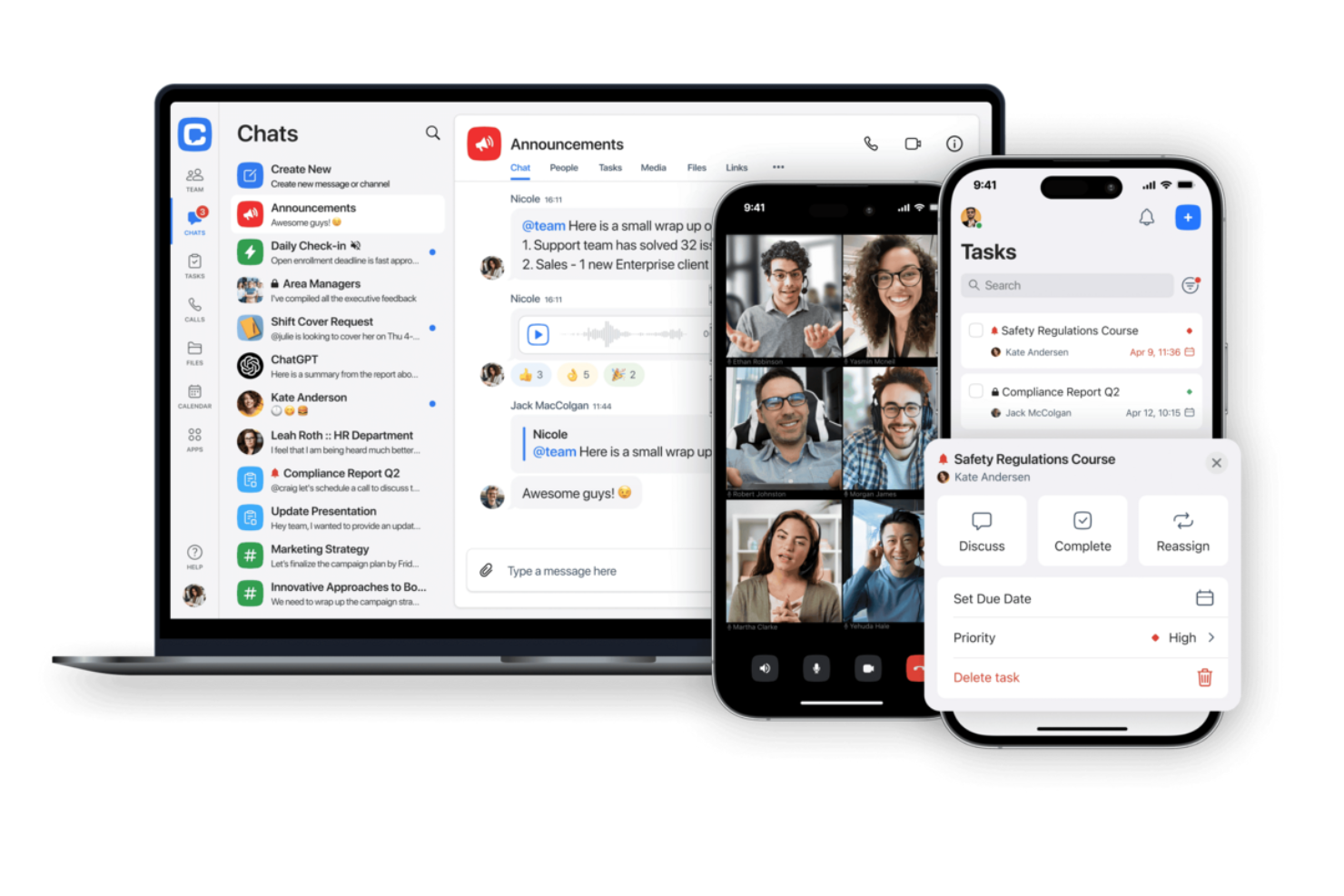
Chanty is designed for teams that want a straightforward chat solution without unnecessary complexity. It’s especially useful for small businesses or groups looking to get started with team messaging quickly and with minimal setup. With its simple interface and built-in task management, Chanty helps teams keep conversations and action items in one place.
Why I Picked Chanty
For teams that want to get up and running with minimal hassle, Chanty stands out for its simple team chat setup. You can create channels, start direct messages, and organize conversations without a complicated onboarding process.
I appreciate that Chanty includes built-in task management, so you can turn messages into actionable items right from the chat. This makes it a practical choice for small teams or businesses that want to keep communication and collaboration straightforward.
Chanty Key Features
Some other features in Chanty help teams communicate and collaborate more efficiently:
- Voice Messaging: Record and send voice messages directly within any chat or channel.
- Pinned Messages: Pin important messages in channels or conversations for quick reference.
- Teambook: Access a centralized hub for all your messages, tasks, and shared files.
- Built-in Audio and Video Calls: Start audio or video calls with team members from within the app.
Chanty Integrations
Integrations include Trello, GitHub, Google Drive, Dropbox, and more.
Pros and Cons
Pros:
- Voice message snippet recording
- Unlimited searchable message history
- Built-in Kanban task board
Cons:
- No native built-in calendar
- Glitchy large group video calls

Best for Microsoft 365 collaboration
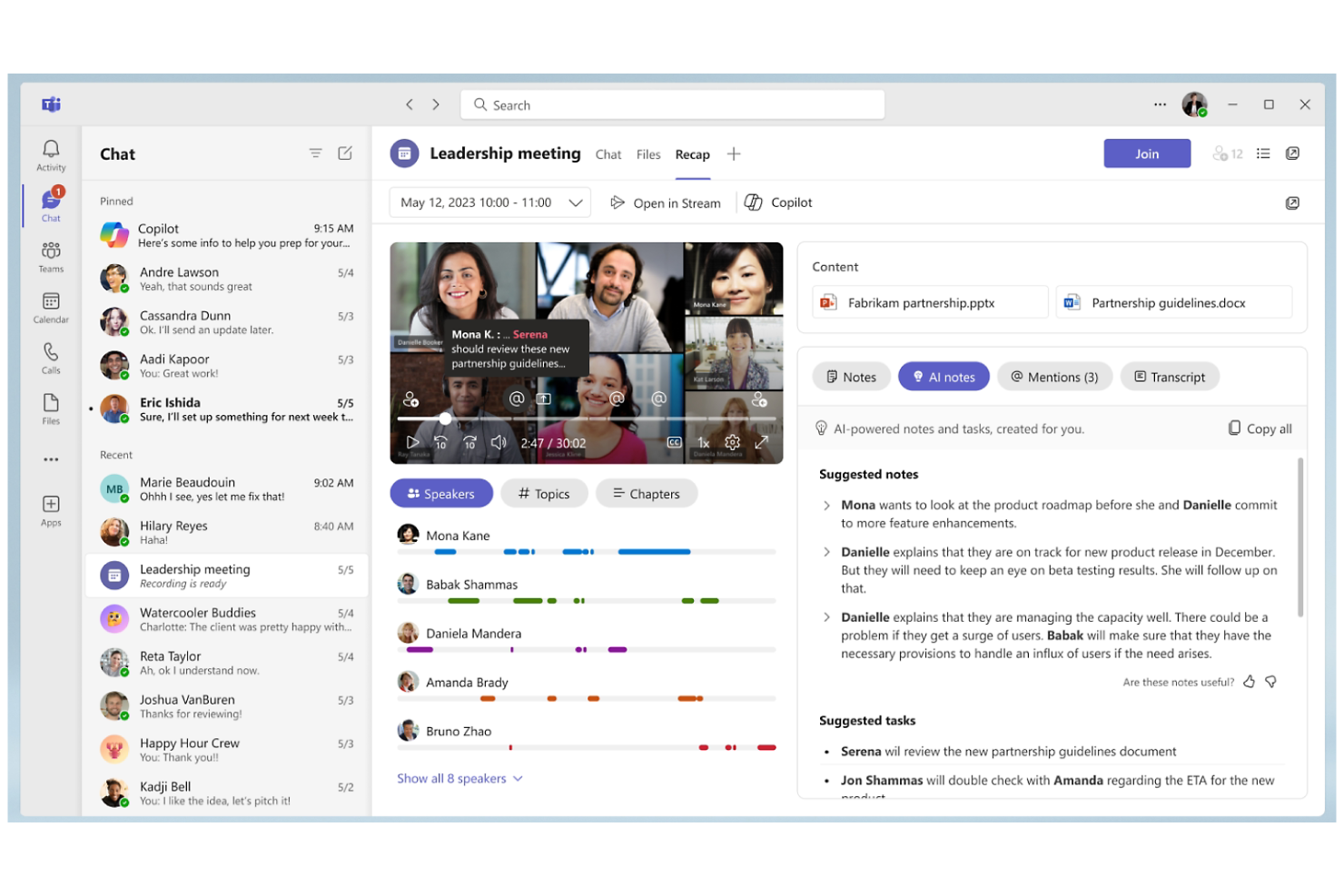
Microsoft Teams brings chat, meetings, and document collaboration into a single workspace for organizations already using Microsoft 365. It’s a strong fit for groups that want to connect communication with tools like Outlook, SharePoint, and OneDrive. The platform helps teams coordinate projects, share files, and keep conversations tied to the documents and calendars they use every day.
Why I Picked Microsoft Teams
What sets Microsoft Teams apart is how deeply it connects with the Microsoft 365 suite, making it a natural choice for organizations already invested in those tools. Teams lets you co-author documents in Word, Excel, or PowerPoint right inside a chat or meeting, so collaboration happens in real time without switching apps.
I appreciate how calendar events, emails, and files from Outlook and SharePoint are accessible directly within Teams, keeping everything in context. This tight integration helps teams keep communication, scheduling, and document management all in one place.
Microsoft Teams Key Features
Some other features in Microsoft Teams help round out its capabilities for internal communication:
- Private and Group Chats: Use the internal communication software to start one-on-one or group conversations for quick discussions.
- Meeting Recording and Transcription: Record meetings and automatically generate searchable transcripts for later reference.
- Customizable Tabs: Align your internal communication strategy by adding apps, files, or websites as tabs within channels.
- Breakout Rooms: Split larger meetings into smaller groups for focused discussions or activities.
Microsoft Teams Integrations
Integrations include Microsoft Word, Excel, PowerPoint, OneNote, SharePoint, Planner, Trello, GitHub, Zoom, and more.
Pros and Cons
Pros:
- Lets teams add apps and resources to channels
- Features meeting recording and transcription
- Built-in video meetings
Cons:
- Confusing guest access setup
- Search function may miss older messages
Twist
Best threaded messaging to reduce clutter
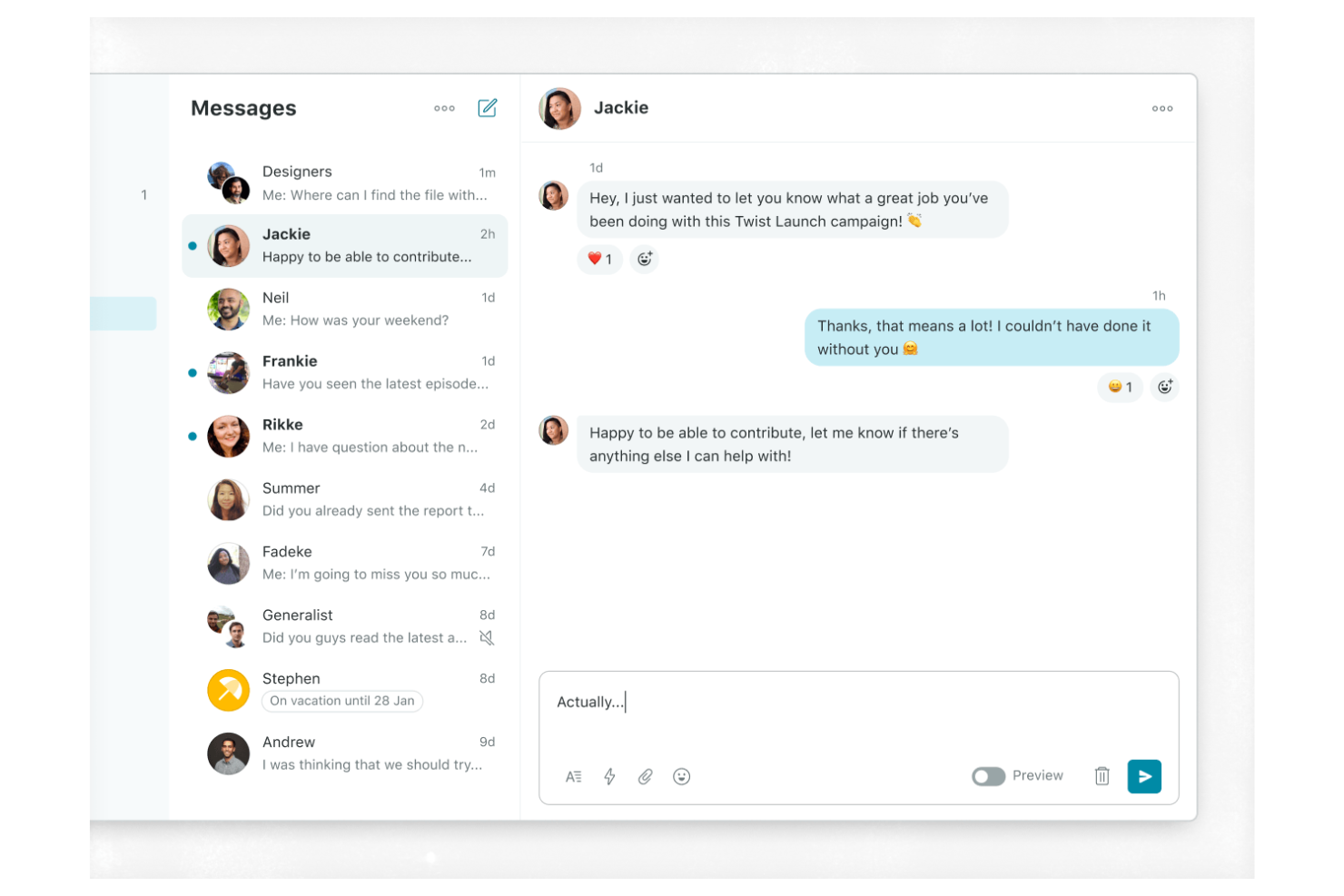
Twist takes a different approach to team messaging by focusing on asynchronous communication and organized threads. It’s a strong fit for distributed teams, remote-first companies, or any group that wants to reduce notification overload and keep conversations easy to follow. With its thread-based structure, Twist helps you avoid the chaos of real-time chat and makes it easier to find important discussions later.
Why I Picked Twist
What sets Twist apart is its commitment to asynchronous team messaging, which is especially valuable for teams working across different time zones or with flexible schedules. Instead of relying on real-time chat, Twist organizes conversations into threads, making it easier to keep discussions focused and searchable.
I like that you can catch up on important topics without sifting through endless chat history or missing key updates. This approach helps teams reduce distractions and maintain clarity in their internal communications.
Twist Key Features
Some other features in Twist help teams manage communication and collaboration more intentionally:
- Inbox View: See all your new messages and thread updates in one organized place.
- Integrations with Tools: Connect Twist with apps like GitHub, Zapier, and Todoist for workflow automation.
- Advanced Search: Find past conversations, files, and threads quickly using keyword and filter options.
- Guest Access: Invite external collaborators to specific channels without giving them full workspace access.
Twist Integrations
Integrations include Asana, Google Calendar, Box, Calendly, Jira, and more.
Pros and Cons
Pros:
- Thread-based email archive feel
- Reduced notification fatigue alerts
- Structured asynchronous thread design
Cons:
- Minimal third-party integration catalog
- No real-time presence indicators

Blink
Best for mobile-first communication
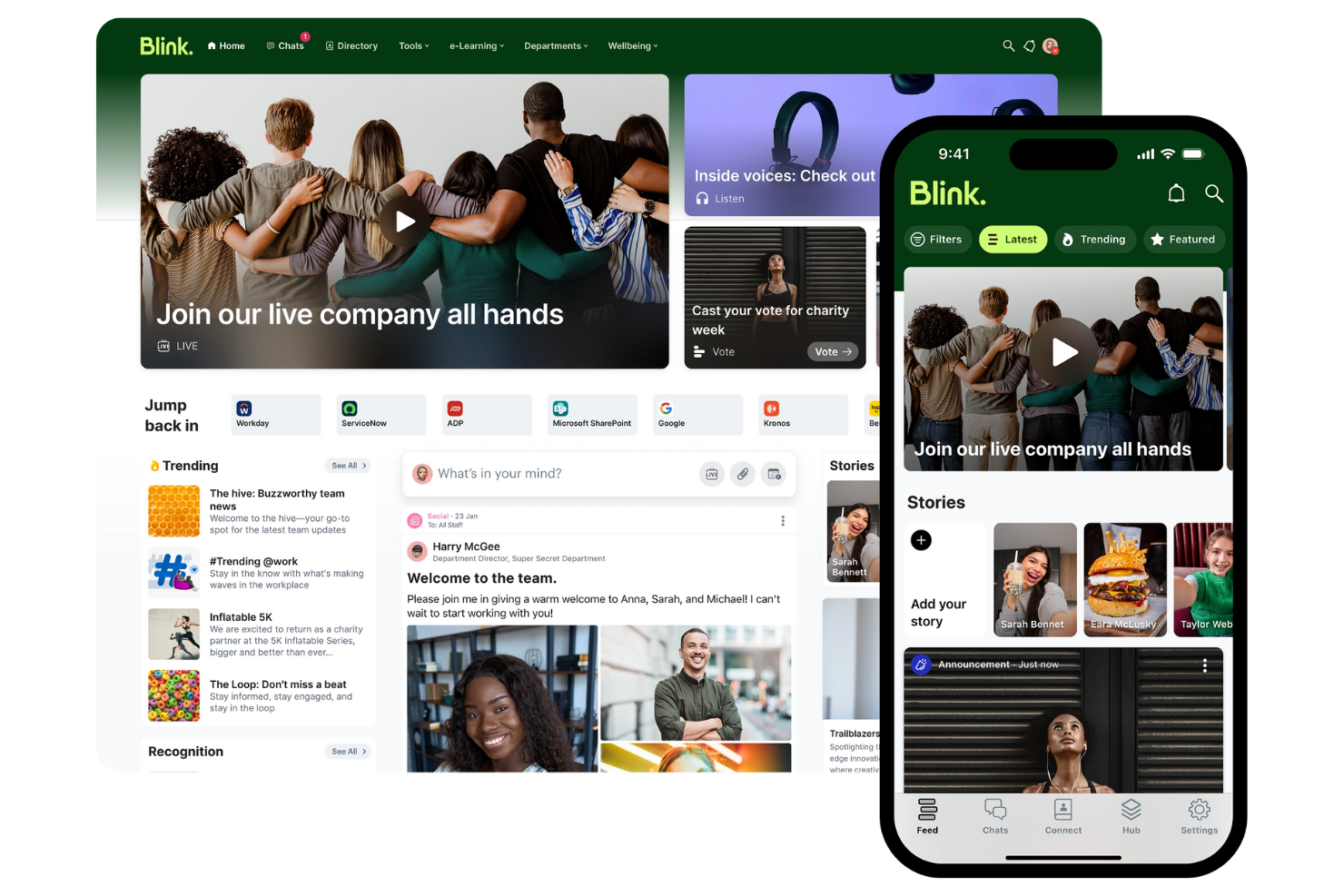
Blink puts mobile communication at the center, making it a strong choice for organizations with frontline or deskless workers. It’s designed for teams in industries like retail, healthcare, and transportation that need to reach employees who aren’t always at a desk.
With features built for quick updates, resource sharing, and secure messaging, Blink helps keep everyone connected no matter where they work.
Why I Picked Blink
Blink stands out for its mobile-first approach, which is especially important for organizations with a large frontline or remote workforce. The app offers a unified feed for company news, policy updates, and urgent alerts, all optimized for mobile devices.
I like that Blink includes secure direct messaging and group chats, making it easy for employees to connect and collaborate on the go. These features make Blink a strong fit for teams that need to reach people who aren’t tied to a desk or computer.
Blink Key Features
Some other features in Blink help teams manage communication and resources more efficiently:
- Document Hub: Store and share important documents so employees can access them from their mobile devices.
- Micro-apps: Add custom tools and workflows directly into the Blink platform to support unique business needs.
- Surveys and Polls: Collect feedback from employees quickly with built-in survey and polling tools.
- Single Sign-On (SSO): Allow users to access Blink securely using their existing company credentials.
Blink Integrations
Integrations include Microsoft 365, Google Workspace, Jira, ServiceNow, and more.
Pros and Cons
Pros:
- Digital forms for mobile workers
- Secure single sign-on access
- Frontline-first employee news feed
Cons:
- Limited structured engagement modules
- Tricky large-scale group management
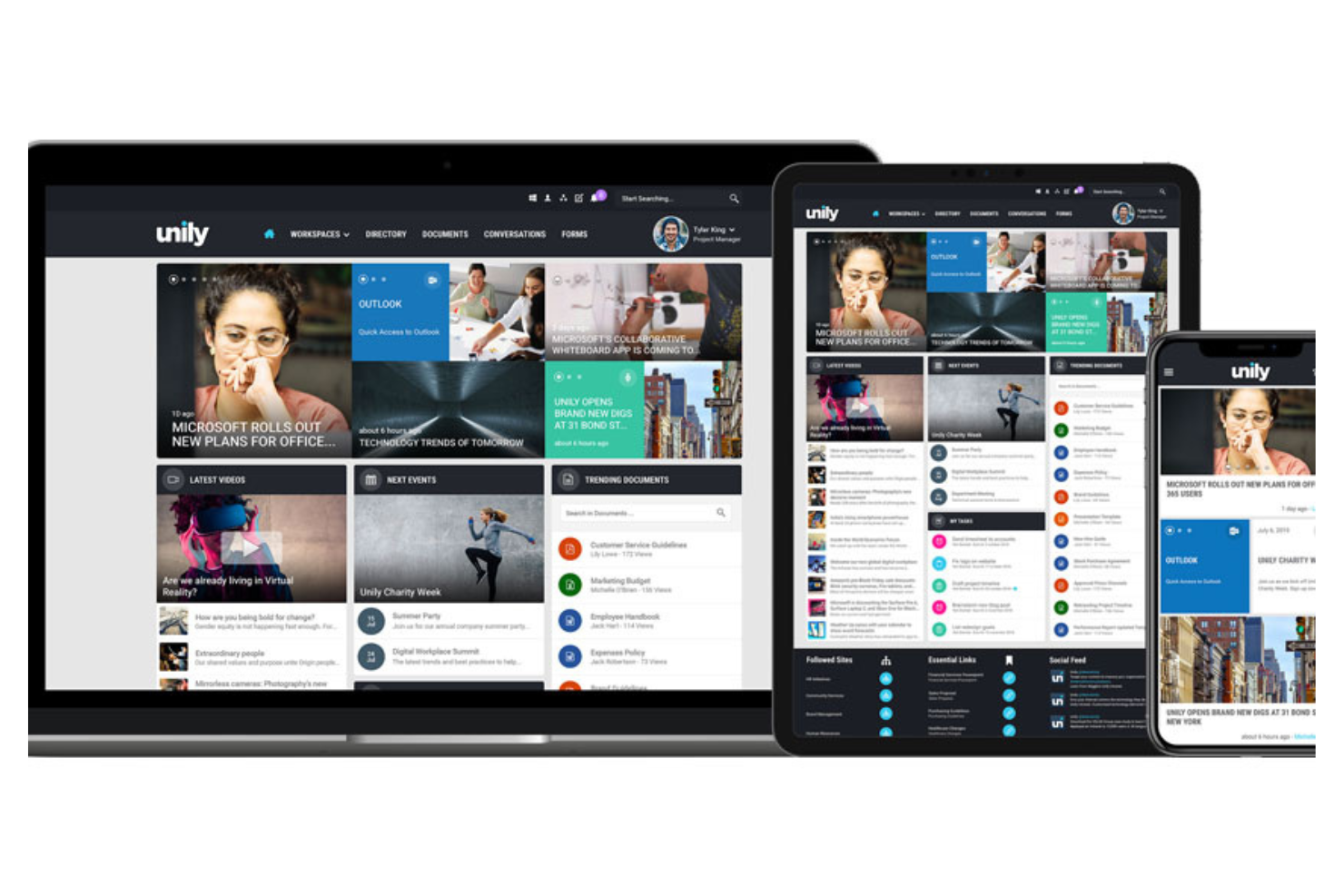
Unily is designed for organizations with a global workforce that need to connect employees across locations, languages, and devices. It’s especially useful for large enterprises and multinational teams that want to deliver targeted communications and foster engagement at scale. With features for multilingual content, personalized news feeds, and mobile access, Unily helps you reach every employee, wherever they work.
Why I Picked Unily
Unily stands out for organizations that need to engage a dispersed, global workforce. Its multilingual content management lets you deliver communications in multiple languages, so every employee can access information in their preferred language.
I appreciate how Unily’s personalized news feeds ensure that relevant updates reach the right people, no matter where they’re located. These features make Unily a strong choice for companies focused on building a global employee experience across borders.
Unily Key Features
Some other features in Unily help teams communicate and collaborate more effectively:
- Drag-and-Drop Page Builder: Create and customize intranet pages without coding or IT support with the user-friendly interface.
- Video Center: Share, organize, and stream video content for company-wide communications.
- Mobile App: Give employees access to internal communications and resources from any device.
- Social Networking Tools: Enable commenting, liking, and sharing to encourage engagement and feedback.
Unily Integrations
Integrations include Microsoft 365, ServiceNow, Zoom, Salesforce, Google Workspace, and more.
Pros and Cons
Pros:
- Multi-layered analytics and engagement metrics
- Enterprise-grade security protocols
- AI-powered content translation
Cons:
- Complex multi-step approval workflows
- High total cost of ownership

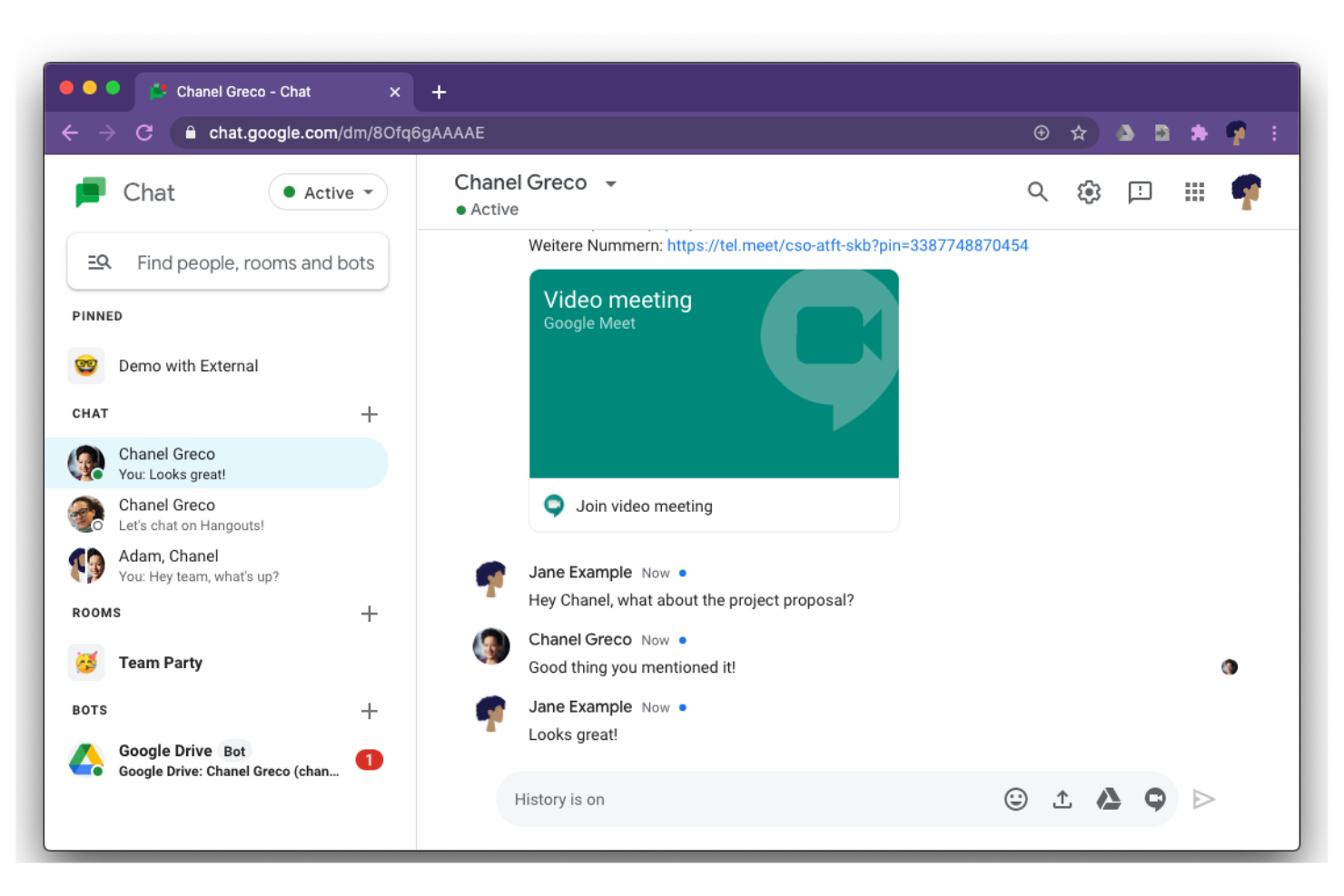
Google Chat offers messaging tools to connect conversations with Docs, Drive, and Calendar for teams that rely on Google Workspace. It’s especially useful for organizations that want to keep messaging, file sharing, and project updates within the same ecosystem as their email and documents. The platform helps groups coordinate work, manage tasks, and keep discussions organized alongside the tools they already use.
Why I Picked Google Chat
For teams already using Google Workspace, Google Chat stands out because it keeps all communication and collaboration within the same environment. You can share Google Docs, Sheets, and Slides directly in chats or rooms, making it easy to discuss and edit files without leaving the conversation.
I like that calendar invites and meeting links from Google Calendar are accessible right in the chat, so scheduling and follow-ups stay connected. This tight integration helps teams keep their work and conversations organized in one familiar place.
Google Chat Key Features
Some other features in Google Chat help teams manage communication and projects more efficiently:
- Threaded Conversations: Keep discussions organized by topic within rooms or group chats.
- Bots and Automation: Use built-in bots to automate tasks like scheduling or reminders.
- Direct Messaging: Start private one-on-one or group chats outside of rooms for quick conversations.
- Mobile and Desktop Apps: Access Google Chat from dedicated apps on both mobile devices and desktops.
Google Chat Integrations
Integrations include Google Drive, Google Calendar, Google Meet, Gmail, Google Docs, Google Sheets, Google Slides, Trello, Asana, and more.
Pros and Cons
Pros:
- Has a mobile app
- Automates reminders and scheduling
- Direct integration with Google Drive
Cons:
- Fewer third-party app integrations
- Basic notification controls

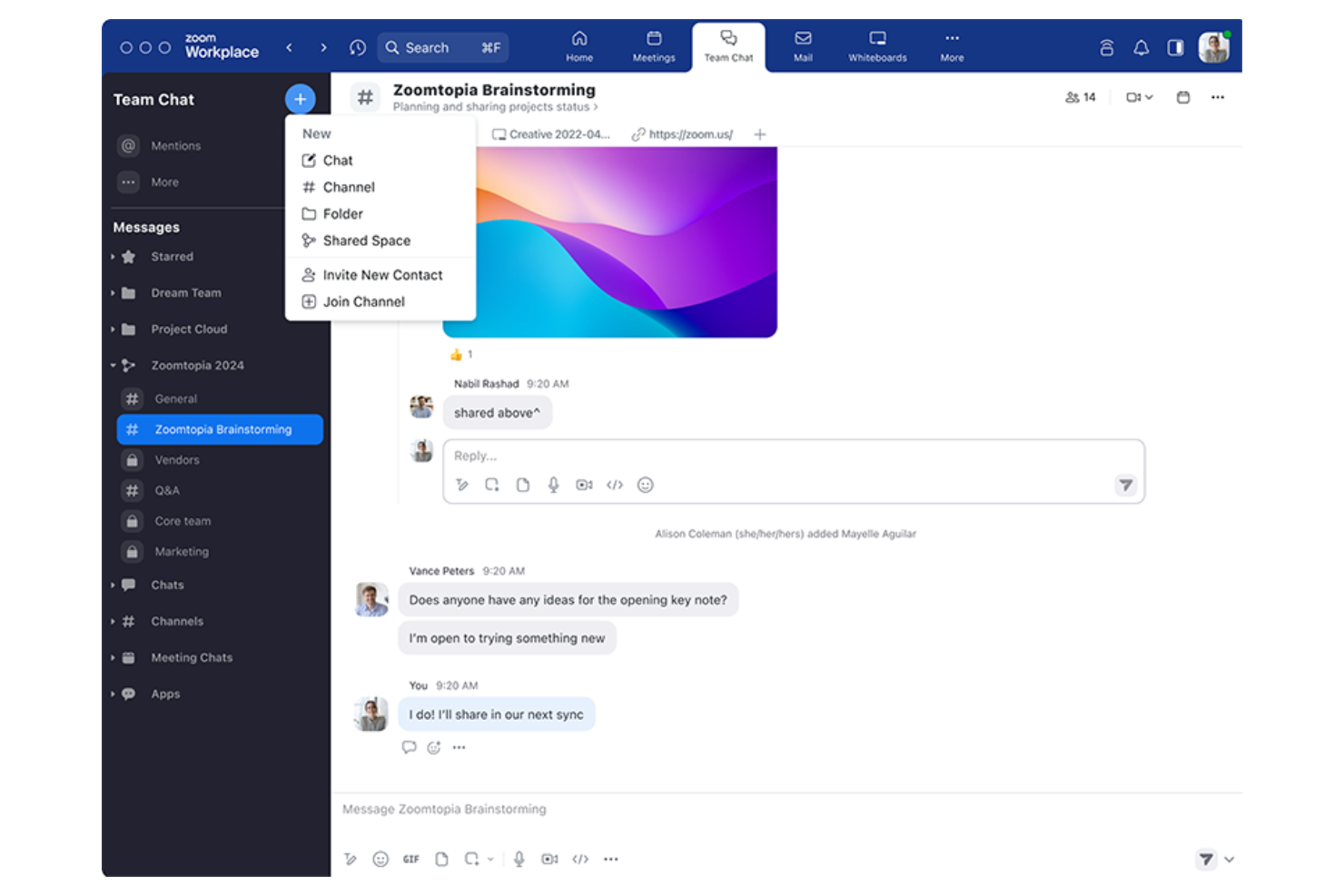
Zoom Team Chat is especially useful for teams that rely on video meetings for daily collaboration. The tool connects chat, file sharing, and meeting scheduling in one place, making it easy to move from messaging to live video with a single click. It’s a strong fit for organizations that want to keep conversations and meetings tightly linked without switching between platforms.
Why I Picked Zoom Team Chat
What sets Zoom Team Chat apart is how it brings chat and video meetings together in a single workflow. You can launch a Zoom meeting directly from any of your communication channels, which helps teams quickly shift from written discussions to face-to-face conversations when needed.
I appreciate that shared files and meeting summaries stay accessible within the chat, so important context isn’t lost between meetings and messages. This approach keeps communication fluid for teams that depend on both chat and video to get work done.
Zoom Team Chat Key Features
Some other features in Zoom Team Chat help teams manage daily communication and collaboration:
- Channels and Group Chats: Organize conversations by project, department, or topic for focused discussions.
- Message Reactions and Mentions: Use emoji reactions and to quickly respond and get someone’s attention.
- Threaded Replies: Keep related messages grouped together for better context in busy channels.
- File Sharing and Storage: Share documents and images directly within chat to ensure effective internal communication.
Zoom Team Chat Integrations
Integrations include Zoom Meetings, Google Drive, Microsoft 365, Slack, Salesforce, Dropbox, Trello, Asana, GitHub, and more.
Pros and Cons
Pros:
- Message reactions and threaded replies
- Supports both public and private team discussions
- Can launch video meetings from any chat
Cons:
- Slow search function
- No built-in project tracking features

Slack
Best for integrating with enterprise workflows
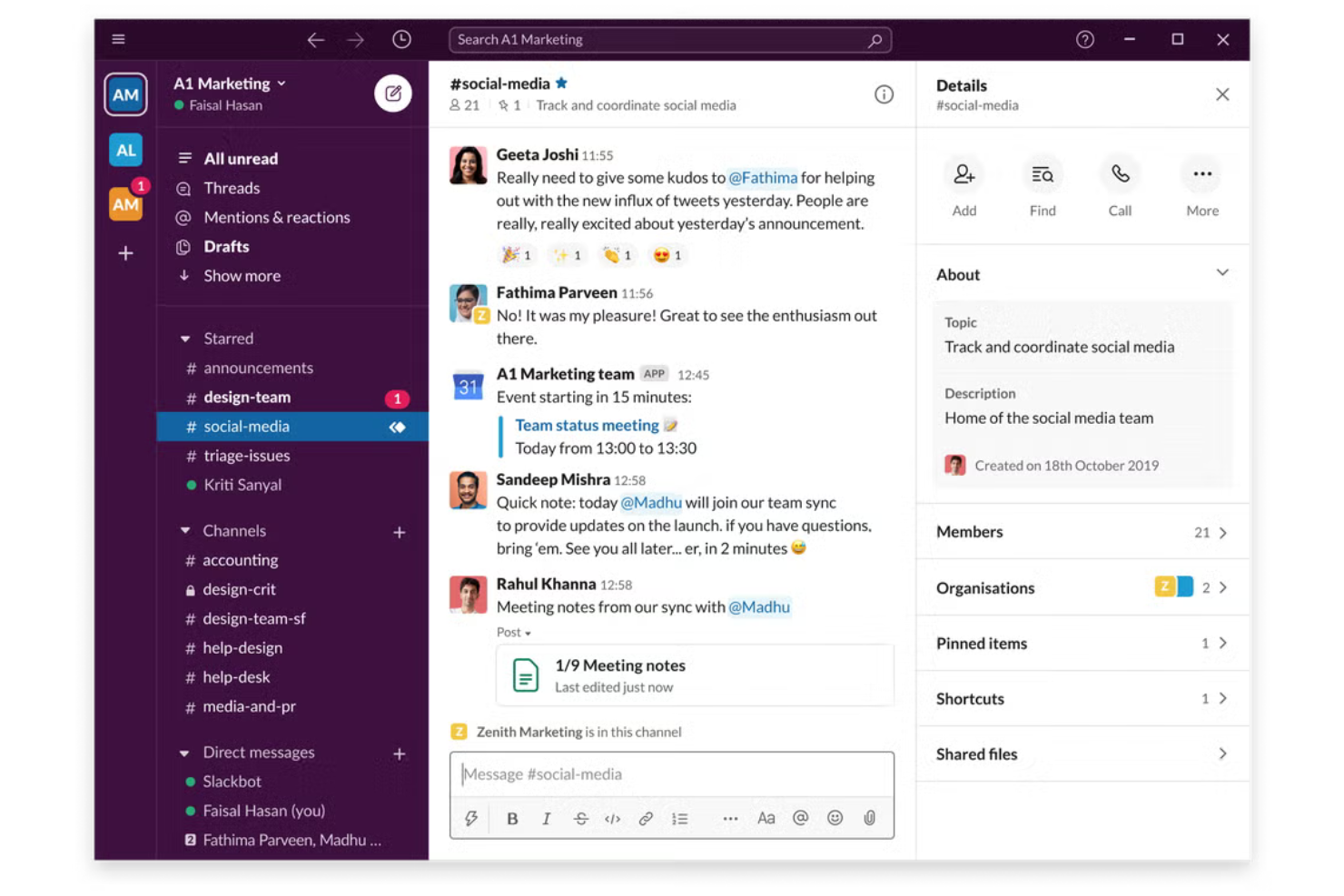
Slack is worth a look if your team needs a flexible way to connect conversations, files, and apps in one place. It’s especially useful for organizations that rely on integrating multiple tools and automating workflows. The platform helps teams manage employee communications, keep discussions organized, and connect with both internal and external collaborators.
Why I Picked Slack
I chose Slack for this list because it stands out when you need to connect your internal communications with the rest of your business tools. Its workflow builder lets you automate routine updates and notifications, so information flows where it’s needed without manual effort.
I also like how Slack’s channels can pull in data from apps like Salesforce, Google Drive, and Jira, keeping conversations and context together. This makes it a strong choice for teams that want to centralize communication and centralize processes across multiple platforms.
Slack Key Features
Some other features in Slack make it a versatile choice as an internal communication platform:
- Threaded Conversations: Keep discussions organized by replying directly to specific messages within a channel.
- Huddles: Start quick, audio-based conversations with team members for spontaneous discussions.
- Message Search: Find past conversations, files, and links quickly with advanced search filters.
- Guest Access: Invite external partners or clients into specific channels without giving them full workspace access.
Slack Integrations
Integrations include Google Drive, Dropbox, Zoom, Trello, Asana, GitHub, Zendesk, HubSpot, and more.
Pros and Cons
Pros:
- Offers file-sharing capabilities
- Supports guest access
- Integrates with a wide range of apps
Cons:
- Lacks built-in task management
- Limited text formatting options
Andre verktøy for internkommunikasjon
Her er noen flere alternativer for verktøy for internkommunikasjon som ikke kom med på kortlisten min, men som likevel er verdt å undersøke:
- Staffbase
For reaching frontline employees
- Axero
For customizable intranet solutions
- Bonusly
For peer recognition messaging
- Flock
Built-in shared to-do lists and reminders
- Connecteam
For managing deskless teams
- Teams.cc
For private team channels
- Loom
For video message sharing
- Workshop
For employee email campaigns
- Jive
For enterprise social networking
- ContactMonkey
For Outlook email tracking
- Thrive
For employee feedback collection
- Discord
For real-time voice chat


How I Evaluate Internal Communication Tools
When HR teams need to reach a warehouse worker without a company email, the tool either handles it or it doesn't—I split my evaluation into baseline must-haves and what makes one stand out.
Core Functionality (Table Stakes For This List)
When I'm selecting tools for my list, I rank each one on a scale from 0 (does not offer the functionality) to 5 (excels in this area) for each core functionality listed below. Then, I calculate the tool's total score into a percentage. Each tool needs to achieve a minimum total score of 65% to be considered for inclusion.
- Multi-Channel Messaging: I check whether the platform supports DMs, group chats, and broadcast channels so HR can post a benefits update and a team chat in one place.
- Mobile Accessibility: A native mobile app matters because frontline workers in retail or healthcare often rely on personal phones to stay connected with HR.
- Targeted Audience Segmentation: I look for the ability to send messages by department, location, or role—like targeting a safety update only to warehouse staff.
- Engagement Analytics: Read rates and reach metrics tell you if anyone actually saw that open enrollment reminder, so I evaluate what reporting each tool offers.
- Content & File Sharing: Teams need to share policy PDFs, training videos, and event photos inside the platform rather than linking out to separate storage tools.
- Employee Directory & Profiles: A searchable directory with roles and departments helps new hires find the right contact fast, especially across multiple office locations.
Once I have a list of tools that meet this criteria, I consider what sets each platform apart.
Differentiating Factors (What Sets Vendors Apart)
Here's how I compare and contrast different vendors:
Standout Features
Pulse surveys and feedback tools let HR teams gauge morale inside the same platform where daily conversations happen, which drives higher response rates than routing people to a separate survey tool. Crisis and emergency alerts matter for organizations with frontline staff—I evaluate whether the platform supports mandatory read confirmations for safety or compliance incidents. AI content assistance is also worth considering, especially for global teams where HR needs to draft and translate announcements across multiple languages.
Beyond Features
HRIS integrations are a big one—I check whether employee records from platforms like Workday or BambooHR sync automatically so HR doesn't manually add and remove users as people join or leave. Deskless workforce fit also matters, particularly whether the tool supports shared device login or phone-number-based accounts for workers without corporate email. For organizations in regulated industries like healthcare or finance, I evaluate compliance certifications such as SOC 2 Type II and HIPAA alongside role-based access controls and audit logs.
Slik velger du verktøy for internkommunikasjon
Det er lett å gå seg vill i lange funksjonslister for ulike meldingsapper og kompliserte prisstrukturer. For å hjelpe deg med å holde fokus mens du arbeider deg gjennom den unike prosessen din for valg av programvare, har vi laget en sjekkliste over faktorer du bør ha i mente:
| Faktor | Hva du bør vurdere |
|---|---|
| Skalerbarhet | Vil verktøyet støtte teamets størrelse etter hvert som dere vokser? Kontroller brukergrenser, prisnivåer og ytelse med store grupper. |
| Integrasjoner | Kan verktøyet kobles til HRIS-, prosjektstyrings- eller fillagringssystemene dine? Bekreft innebygde integrasjoner og API-alternativer. |
| Tilpasningsmuligheter | Kan du tilpasse kanaler, tillatelser og varsler til organisasjonens struktur og arbeidsflyter? Unngå verktøy med rigide oppsett. |
| Brukervennlighet | Vil de ansatte ta verktøyet raskt i bruk? Se etter tydelig navigasjon, minimalt opplæringsbehov og positive tilbakemeldinger fra lignende organisasjoner. |
| Implementering og innføring | Hvor lang tid vil det ta å rulle ut verktøyet? Vurder støtte for migrering, opplæringsressurser og om du trenger hjelp fra IT-avdelingen til oppsettet. |
| Kostnad | Er prisplanene transparente og forutsigbare? Ta hensyn til brukerbasert prising, kostnader for tillegg og kontraktsforpliktelser. |
| Sikkerhetstiltak | Oppfyller verktøyet standardene dine for databeskyttelse? Se etter kryptering, tilgangskontroller og revisjonslogger, særlig hvis du håndterer sensitiv informasjon. |
| Overholdelse av krav | Støtter verktøyet bransjens juridiske eller regulatoriske behov (som GDPR eller HIPAA)? Bekreft sertifiseringer og alternativer for datalagring innenfor bestemte geografiske områder. |
Hva er verktøy for internkommunikasjon?
Verktøy for intern kommunikasjon er programvareplattformer som hjelper team og organisasjoner med å dele meldinger, filer og oppdateringer på arbeidsplassen. Disse verktøyene støtter kommunikasjon i sanntid og asynkron kommunikasjon, noe som gjør det enklere for ansatte å samarbeide, koordinere prosjekter og holde seg informert.
De omfatter ofte funksjoner som gruppechatter, direktemeldinger, fildeling og søkbare samtalehistorikker, alt utformet for å holde intern informasjon organisert og tilgjengelig.
Funksjoner
Når du velger verktøy for intern kommunikasjon, bør du se etter følgende viktige funksjoner:
- Direktemeldinger: Gjør det mulig for ansatte å ha private samtaler én til én for raske spørsmål eller konfidensielle diskusjoner.
- Gruppechatkanaler: Lar team eller avdelinger kommunisere i dedikerte områder organisert etter emne, prosjekt eller funksjon.
- Fildeling: Gjør det mulig for brukere å laste opp, sende og få tilgang til dokumenter, bilder og andre filer direkte i samtaler.
- Søkbar meldingshistorikk: Gir mulighet til å søke i tidligere meldinger og filer, slik at det er enkelt å hente frem viktig informasjon ved behov.
- Administrasjon av brukertillatelser: Styrer hvem som kan få tilgang til, publisere i eller moderere kanaler, og bidrar til å opprettholde sikkerhet og orden.
- Meldingsvarsler: Varsler brukere om nye meldinger eller omtaler, slik at viktige oppdateringer blir sett raskt.
- Skjermdeling: Lar brukere dele skjermene sine under møter eller chatter for demonstrasjoner, feilsøking eller samarbeid.
- Video- og taleanrop: Støtter lydkommunikasjon i sanntid og virtuelle møter for statusoppdateringer eller hastesamtaler.
- Festing av meldinger: Lar brukere fremheve og lagre viktige meldinger øverst i en kanal eller chat for enkel referanse.
- Mobil- og skrivebordsapper: Gir tilgang til kommunikasjonsverktøy på tvers av enheter og støtter fjernarbeid og arbeid på farten.
Fordeler
Implementering av verktøy for intern kommunikasjon gir flere fordeler for teamet og virksomheten din. Her er noen av fordelene du kan se frem til:
- Raskere informasjonsdeling: Meldinger og varsler i sanntid hjelper team med å distribuere oppdateringer og beslutninger raskt.
- Bedre samarbeid: Gruppechatkanaler, fildeling og skjermdeling gjør det enklere for ansatte å jobbe sammen på prosjekter.
- Bedre bevaring av kunnskap: Søkbare meldingshistorikker og festede meldinger sørger for at viktig informasjon alltid er tilgjengelig.
- Forbedret sikkerhet: Administrasjon av brukertillatelser og sikkerhetstiltak beskytter sensitive samtaler og virksomhetens data.
- Større fleksibilitet: Mobil- og skrivebordsapper støtter kommunikasjon for ansatte som jobber eksternt, hybrid eller på farten.
- Tydeligere ansvarlighet: Direktemeldinger og meldingshistorikk gir en oversikt over samtaler og beslutninger for fremtidig referanse.
- Mindre overbelastning av intern e-post: Sentralisert chat og fildeling reduserer behovet for lange e-posttråder og spredt kommunikasjon.
Kostnader og priser
Valg av verktøy for intern kommunikasjon krever en forståelse av de ulike prismodellene og abonnementene som er tilgjengelige. Kostnadene varierer basert på funksjoner, teamstørrelse, tillegg og mer. Tabellen nedenfor oppsummerer vanlige abonnementer, gjennomsnittsprisene deres og typiske funksjoner som er inkludert i løsninger for intern kommunikasjon:
Sammenligningstabell for abonnementer for verktøy for intern kommunikasjon
| Abonnementstype | Gjennomsnittspris | Vanlige funksjoner |
|---|---|---|
| Gratisabonnement | $0 | Grunnleggende meldinger, begrensede gruppekanaler, fildeling, grunnleggende søk og begrenset lagringsplass. |
| Personlig abonnement | $4–$8 per bruker/måned | Direktemeldinger, gruppechatter, fildeling, søkbar historikk og grunnleggende brukerstøtte. |
| Bedriftsabonnement | $8–$15 per bruker/måned | Avanserte tillatelser, video- og taleanrop, integrasjoner, større lagringsplass og prioritert brukerstøtte. |
| Virksomhetsabonnement | $15–$25 per bruker/måned | Tilpasset sikkerhet, samsvarsverktøy, alternativer for lokal installasjon, dedikert kontoadministrasjon og avansert analyse. |
Vanlige spørsmål om verktøy for internkommunikasjon
Her er noen svar på vanlige spørsmål om verktøy for internkommunikasjon:
Hvordan støtter verktøy for internkommunikasjon eksterne og hybride team?
Verktøy for internkommunikasjon støtter eksterne og hybride team ved å tilby direktemeldinger, videosamtaler og fildeling på tvers av enheter. Dette hjelper ansatte med å holde kontakten, samarbeide om prosjekter og få tilgang til viktige oppdateringer uansett hvor de jobber.
Kan verktøy for internkommunikasjon integreres med annen programvare på arbeidsplassen?
Ja, de fleste verktøy for internkommunikasjon tilbyr integrasjoner med HRIS-, prosjektstyrings- og fillagringssystemer. Integrasjoner bidrar til å sentralisere arbeidsflyter, redusere kontekstbytte og sikre at informasjon flyter sømløst mellom plattformene teamet allerede bruker.
Hvilke sikkerhetsfunksjoner bør jeg se etter i verktøy for internkommunikasjon?
Se etter funksjoner som ende-til-ende-kryptering, tilgangskontroller for brukere, revisjonslogger og samsvarssertifiseringer. Disse sikkerhetstiltakene bidrar til å beskytte sensitive bedriftsdata og sikre at kommunikasjonen oppfyller bransje- eller lovkrav.
Hvordan kan jeg oppmuntre til bruk av et nytt verktøy for internkommunikasjon?
Start med tydelige opplæringsressurser, produktomvisninger og støtte under innføringen. Involver teamledere som pådrivere, fastsett forventninger til bruken og samle inn tilbakemeldinger for å håndtere bekymringer tidlig. Regelmessig kommunikasjon om verdien av verktøyet bidrar også til økt bruk.
Finnes det verktøy for internkommunikasjon som passer for små bedrifter?
Ja, mange verktøy for internkommunikasjon tilbyr gratis abonnementer eller rimelige abonnementer som er utviklet for små team. Disse abonnementene omfatter vanligvis kjernefunksjoner som meldinger, gruppechatter og fildeling, noe som gjør dem tilgjengelige for organisasjoner med begrensede budsjetter.