


Intuit Enterprise Suite vs. Microsoft Dynamics 365 Business Central: Comparison and Reviews for 2026


HR and operations teams often feel the impact when finance, payroll, inventory, reporting, and approvals don’t work well together. As the organization grows, disconnected workflows can make it harder to manage day-to-day admin work, track performance, and keep teams aligned.
Intuit Enterprise Suite and Microsoft Dynamics 365 Business Central are both business management software options for growing organizations. Intuit Enterprise Suite focuses on connected finance, payroll, payments, reporting, and administrative operations through the Intuit ecosystem, while Business Central supports broader business processes across finance, sales, service, projects, inventory, and operations.
In this comparison, I’ll break down their features, pricing, pros and cons, security, ease of use, and ideal use cases to help you decide which platform fits your organization best.
Intuit Enterprise Suite vs. Microsoft Dynamics 365 Business Central: An Overview
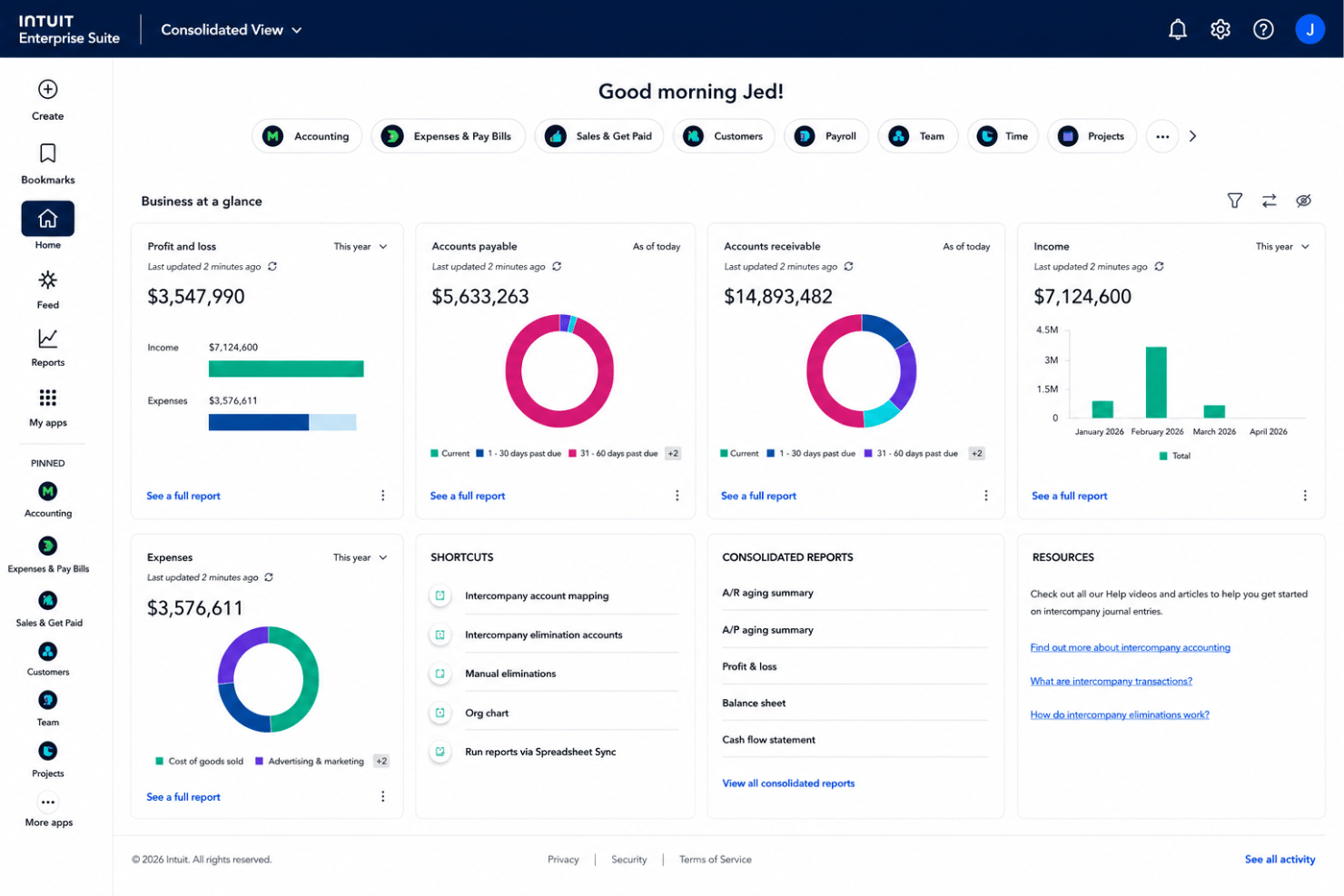
Intuit Enterprise Suite
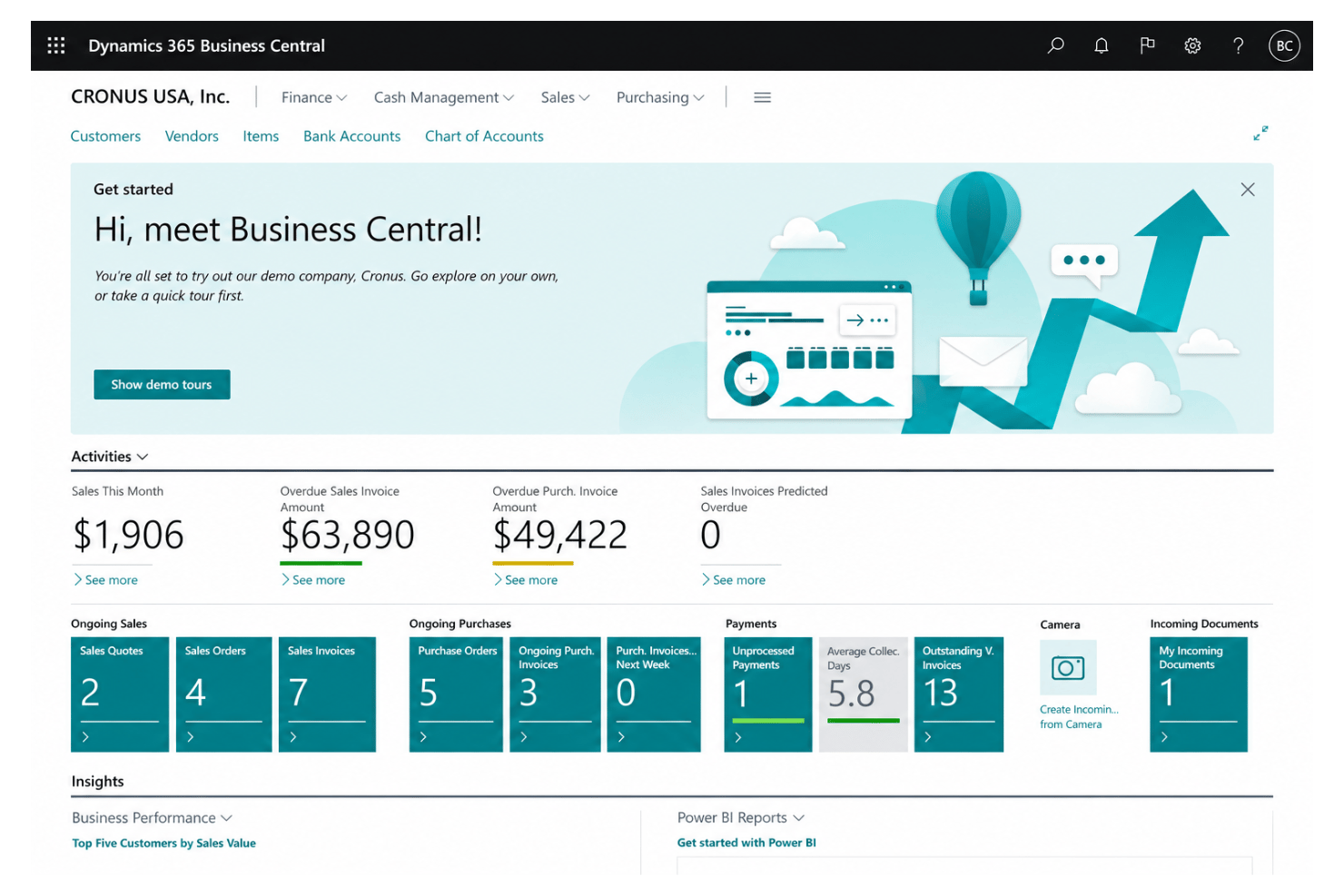
Microsoft Dynamics 365 Business Central

Why Trust Our Software Recommendations
Our team has been testing and reviewing software since 2012. As HR experts ourselves, we know how difficult—and important—it is to choose the right software.
For this guide, we evaluated tools using hands-on testing and independent research, scoring tools using our selection criteria. We also draw on insights from industry thought leaders and practicing HR experts.
Our reviews reflect our human editorial judgment, not a sales pitch.
Expert reviewers:
Intuit Enterprise Suite vs. Microsoft Dynamics 365 Business Central Pricing Comparison
| Intuit Enterprise Suite | Microsoft Dynamics 365 Business Central | |
|---|---|---|
| Free Trial | Free demo available | Free plan available |
| Pricing | Pricing upon request | From $80/user/month (billed annually) |
Intuit Enterprise Suite vs. Microsoft Dynamics 365 Business Central Pricing & Hidden Costs
Intuit Enterprise Suite uses custom, quote-based pricing, so costs depend on the organization’s size, selected capabilities, number of users, entities, implementation needs, integrations, and support requirements. Microsoft Dynamics 365 Business Central uses a more structured subscription model, with separate plans based on user access and the level of functionality needed, including broader business management features and limited-access user options.
For hidden costs, both platforms may require added budget for implementation, data migration, training, custom workflows, third-party integrations, premium support, and ongoing system configuration. Business Central may be easier to estimate upfront because its plan structure is public, while Intuit Enterprise Suite requires a tailored quote. To compare both accurately, teams should ask for a full cost breakdown that includes setup, support, integrations, add-ons, and long-term admin needs.
Intuit Enterprise Suite vs. Microsoft Dynamics 365 Business Central Feature Comparison
| Intuit Enterprise Suite | Microsoft Dynamics 365 Business Central | |
|---|---|---|
| API | ||
| Accounts Payable | ||
| Accounts Receivable | ||
| Budgeting | ||
| Calendar Management | ||
| Customer Management | ||
| Dashboard | ||
| Data Export | ||
| Data Import | ||
| Data Visualization | ||
| Expense Tracking | ||
| External Integrations | ||
| Forecasting | ||
| Inventory Tracking | ||
| Multi-User | ||
| Notifications | ||
| Payroll | ||
| Project Management | ||
| Scheduling | ||
| Supplier Management | ||
| Third-Party Plugins/Add-Ons |
Intuit Enterprise Suite vs. Microsoft Dynamics 365 Business Central Integrations
| Integration | Intuit Enterprise Suite | Microsoft Dynamics 365 Business Central |
|---|---|---|
| Shopify | ✅ | ✅ |
| BILL/Bill Pay | ✅ | ✅* |
| PayPal | ✅ | ✅ |
| Stripe | ✅ | ✅* |
| Salesforce | ✅ | ✅* |
| Square | ✅ | ✅* |
| Amazon Marketplace | ✅ | ✅* |
| HubSpot | ✅ | ✅* |
| Knowify | ✅ | ❌ |
| Wix | ✅ | ✅* |
| API | ✅ | ✅ |
| Zapier | ❌ | ✅ |
*Available through a third-party connector, Microsoft AppSource app, API/iPaaS connector, or Zapier rather than a clearly native Microsoft-built integration.
Both Intuit Enterprise Suite and Microsoft Dynamics 365 Business Central offer broad integration support. Intuit Enterprise Suite leverages the Intuit ecosystem, connecting finance, payroll, payments, and admin workflows to related business tools. Business Central, by contrast, offers wider extensibility through Microsoft AppSource, APIs, partner connectors, and Microsoft 365 tools. Overall, Intuit Enterprise Suite fits teams with Intuit-led workflows, while Business Central gives Microsoft-based teams more flexibility to connect specialized systems.
Intuit Enterprise Suite vs. Microsoft Dynamics 365 Business Central Security, Compliance & Reliability
| Factor | Intuit Enterprise Suite | Microsoft Dynamics 365 Business Central |
|---|---|---|
| Data Encryption | Encrypts data in transit and at rest to protect financial, payroll, and operational data. | Encrypts customer data at rest and in transit across Microsoft cloud environments. |
| Regulatory Compliance | Supports SOC reports, ISO 27001-certified practices, PCI DSS for applicable payment services, and VPAT documentation. | Supports Microsoft cloud compliance programs, including ISO 27001, SOC reports, and global privacy standards. |
| Access Controls | Includes role-based access controls for sensitive financial, payroll, and admin data. | Uses Microsoft Entra ID, role-based access, Conditional Access, and MFA options. |
| Uptime & Availability | Offers enterprise security resources, though a specific IES uptime SLA is not publicly listed. | Provides financially backed uptime for paid production environments, with redundancy and high availability. |
| Audit & Activity Tracking | Supports audit needs through permissions, financial controls, and transaction visibility. | Provides audit logging, activity tracking, and Microsoft-managed security monitoring. |
Both platforms provide strong security for financial, payroll, and operational data. Intuit Enterprise Suite covers core controls like encryption, role-based access, SOC reports, ISO 27001-certified practices, and PCI DSS for applicable payment services. Business Central offers more detailed public documentation around Microsoft Entra ID, MFA, audit logging, redundancy, and uptime, making it a stronger fit for teams that need Microsoft-backed security and compliance depth.
Intuit Enterprise Suite vs. Microsoft Dynamics 365 Business Central Ease of Use
| Factor | Intuit Enterprise Suite | Microsoft Dynamics 365 Business Central |
|---|---|---|
| User Interface | Uses a familiar Intuit-style interface and workflows, especially for teams coming from QuickBooks. | Uses a role-based workspace that can be personalized by user, role, and task. |
| Onboarding | Provides guided setup, migration support, a dedicated customer success manager, and tailored training plans. | Offers Microsoft documentation, training paths, assisted setup, and partner-led implementation support. |
| Learning Curve | Easier to adopt for teams already familiar with Intuit products, though onboarding is still needed. | May require more training because it covers finance, sales, service, inventory, projects, and operations. |
| Support Resources | Offers customer success guidance, training plans, product support, and optional premium support tiers. | Provides Microsoft Learn resources, documentation, help pages, technical support paths, and partner support. |
| Customization | Supports configurable workflows, reports, integrations, permissions, and business processes. | Offers deeper personalization through role centers, page layouts, dashboards, reports, and Microsoft 365 integrations. |
From an ease-of-use perspective, Intuit Enterprise Suite will likely feel more familiar to teams already using Intuit or QuickBooks-style workflows, especially with guided onboarding and customer success support. Business Central, on the other hand, gives teams more room to customize roles, layouts, reporting, and Microsoft 365-connected workflows, but it can take more time to set up and learn. Overall, Intuit Enterprise Suite is easier to adopt for teams focused on finance, payroll, payments, and admin work, while Business Central is better for teams that need broader operational coverage across finance, sales, service, inventory, and projects.
Intuit Enterprise Suite vs Microsoft Dynamics 365 Business Central: Pros & Cons
Intuit Enterprise Suite
- Multi-entity management simplifies financial operations across growing organizations.
- AI-powered automation helps reduce manual financial, administrative, and operational tasks.
- Advanced reporting and real-time business insights improve decision-making.
- May offer more functionality than smaller businesses with basic accounting needs.
- Organizations migrating from simpler accounting software may face a learning curve.
- Advanced customization and complex implementations require additional planning and configuration.
Microsoft Dynamics 365 Business Central
- Unified financial, sales, and project data in one dashboard
- Strong workflow automation for repetitive business processes
- Built-in reporting with live data, not static snapshots
- Limited out-of-the-box HR and payroll functionality
- Advanced analytics require costly Power BI licenses
- Customization and setup can be costly for smaller teams
Best Use Cases for Intuit Enterprise Suite and Microsoft Dynamics 365 Business Central
Intuit Enterprise Suite
- Multi-Entity Organizations Manage multiple legal entities, automate intercompany transactions, and consolidate financial reporting from a single system.
- Professional Services Firms Track projects, manage financial performance, and automate accounting workflows while improving visibility across teams.
- Technology & SaaS Companies Support growing operations with AI-powered reporting, forecasting, and financial controls as the business scales.
- Construction & Project-Based Businesses Manage project accounting, budgeting, and financial reporting with workflows designed for project-driven organizations.
- Manufacturing, Wholesale & Distribution Monitor financial performance across products, locations, and business units while improving operational visibility.
- Growing Mid-Market Businesses Organizations expanding across multiple entities or locations can benefit from enterprise-level financial management without the complexity of a traditional ERP.
Microsoft Dynamics 365 Business Central
- Manufacturing Firms It handles production orders, planning, and inventory tracking with native manufacturing features.
- Distributors Robust inventory, order management, and supply chain tools help multi-site distributors control and analyze stock movements in real time.
- Project-Based Teams Built-in project tracking, budgeting, and time entry give project managers a unified dashboard for financial and resource control.
- Finance Departments Detailed financial reporting, audit trails, and automated reconciliation support busy finance teams aiming for speed and accuracy.
- Multi-Entity Companies Centralized dashboards and role-based access make it easy to manage the finances and operations of multiple legal entities in one platform.
- Businesses on Microsoft 365 Native connections with Teams, Excel, and Outlook mean your staff can work in the apps they already know to move data and requests seamlessly.
Who Should Use Intuit Enterprise Suite, and Who Should Use Microsoft Dynamics 365 Business Central?
Intuit Enterprise Suite is a strong fit for growing businesses that want connected finance, payroll, payments, reporting, and administrative workflows within the Intuit ecosystem. It works especially well for teams already familiar with QuickBooks-style workflows who need more visibility, automation, and multi-entity support without adopting a heavier ERP setup.
Microsoft Dynamics 365 Business Central, on the other hand, is better for midsized companies that need broader control across finance, sales, inventory, projects, purchasing, and operations. It’s a strong option for manufacturers, distributors, project-based teams, finance departments, multi-entity companies, and businesses already using Microsoft 365 that want more customization, automation, and reporting depth.
Differences Between Intuit Enterprise Suite and Microsoft Dynamics 365 Business Central
| Intuit Enterprise Suite | Microsoft Dynamics 365 Business Central | |
|---|---|---|
| AI & Automation Focus | Uses Intuit AI Agents for finance, payments, project management, data cleanup, and administrative automation. | Uses Copilot, AI agents, and workflow automation across finance, sales, payables, orders, inventory, and operations. |
| Customization Depth | Offers configurable workflows, reports, permissions, integrations, and business processes. | Offers deeper customization through role centers, apps, extensions, Power Automate, Power BI, and Microsoft Marketplace. |
| Ecosystem Focus | Built around the Intuit ecosystem, including finance, payroll, payments, bill pay, reporting, and administrative workflows. | Built around the Microsoft ecosystem, with strong ties to Microsoft 365, Teams, Excel, Power BI, and Power Automate. |
| Global Readiness | Supports growing and multi-entity businesses, but public global localization details are less extensive. | Supports global operations with multi-currency, multiple languages, consolidations, intercompany transactions, and localization support. |
| Operational Scope | Focuses more on financial management, payroll, payments, reporting, and admin operations for growing businesses. | Covers a broader range of business functions, including finance, sales, service, inventory, supply chain, projects, purchasing, and operations. |
| Visit Intuit Enterprise SuiteOpens new window | Read Microsoft Dynamics 365 Business Central ReviewOpens new window |
Similarities Between Intuit Enterprise Suite and Microsoft Dynamics 365 Business Central
| Audit & Compliance Support | Both support audit and compliance needs through permissions, transaction visibility, and security controls. |
|---|---|
| Cloud Access | Both are cloud-based business management software options that help teams access business data online. |
| Financial Management | Both support core finance work, including accounting, reporting, payables, receivables, and business performance visibility. |
| Reporting & Insights | Both help teams track business performance through dashboards, reports, and data-driven insights. |
| Role-Based Access | Both include roles and permissions to help control access to sensitive financial, administrative, and operational data. |
| Visit Intuit Enterprise SuiteOpens new window Read Microsoft Dynamics 365 Business Central ReviewOpens new window | |