


Microsoft Dynamics 365 Business Central Review: Pros, Cons, Features and Pricing


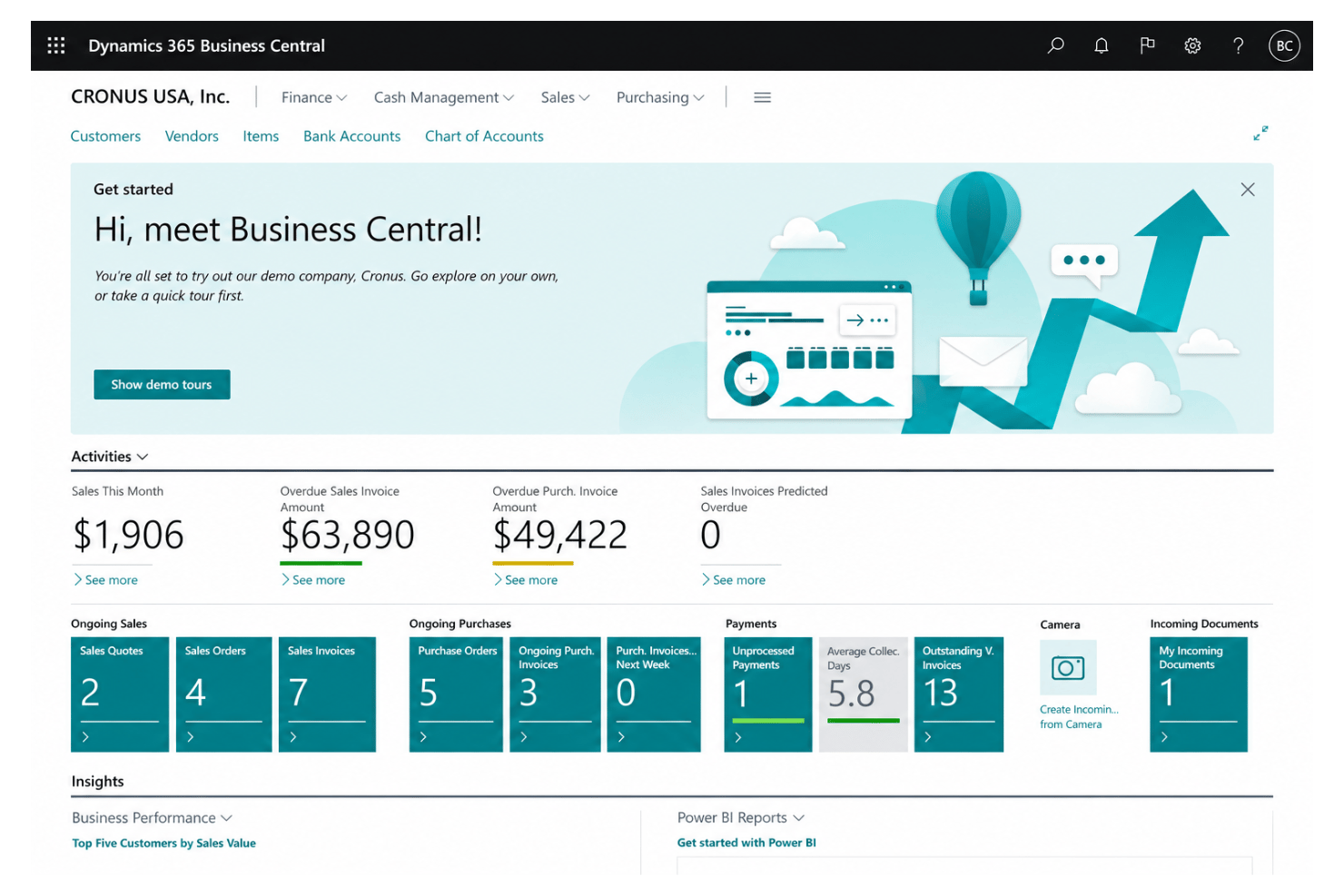
Microsoft Dynamics 365 Business Central is an ERP system and business management software that connects finance, sales, service, and operations in a single interface. If you’re an HR executive juggling complex workflows, siloed data, and tight budgets, finding a solution that truly fits is non-negotiable. Business Central stands out for its deep integration with Microsoft 365 tools, flexible cloud deployment, and a modular approach that lets you add or subtract features as your organization changes.
In this review, I’ll break down its features, share where it shines—and where it doesn’t—and help you see how Business Central measures up on use cases, pricing, and the real pros and cons.
Microsoft Dynamics 365 Business Central Evaluation Summary
- From $80/user/month (billed annually)
- Free plan available
Why Trust Our Software Reviews
We’ve been testing and reviewing HR software systems since 2019. As HR experts ourselves, we know how critical and difficult it is to make the right decision when selecting software.
We invest in deep research to help our audience make better software purchasing decisions. We’ve tested more than 2,000 tools for different HR management use cases and written over 1,000 comprehensive software reviews. Learn how we stay transparent & our software review methodology.
Microsoft Dynamics 365 Business Central Overview
In my view, Microsoft Dynamics 365 Business Central is a top contender if you’re judging cloud-based platforms that blend HR, finance, and operations. Its Excel-like interface, customizable workflows, and native Microsoft integrations set it apart, especially if your organization already depends on Microsoft tools. Pricing feels fair for midsize and growing businesses, though onboarding can get technical. Compared to alternatives, I think support resources are more extensive, but niche HR features sometimes require add-ons. If you’re selecting software for a distributed team or want scalable automation, Business Central deserves strong consideration.
pros
-
Unified financial, sales, and project data in one dashboard
-
Strong workflow automation for repetitive business processes
-
Built-in reporting with live data, not static snapshots
cons
-
Limited out-of-the-box HR and payroll functionality
-
Advanced analytics require costly Power BI licenses
-
Customization and setup can be costly for smaller teams
-

Justworks
Visit WebsiteThis is an aggregated rating for this tool including ratings from Crozdesk users and ratings from other sites.4.6 -
Paycom
Visit WebsiteThis is an aggregated rating for this tool including ratings from Crozdesk users and ratings from other sites.4.3 -
Native Teams
Visit WebsiteThis is an aggregated rating for this tool including ratings from Crozdesk users and ratings from other sites.4.6





How We Test & Score Our Tools
We’ve spent years building, refining, and improving our software testing and scoring system. The rubric is designed to capture the nuances of software selection and what makes a tool effective, focusing on critical aspects of the decision-making process.
Below, you can see exactly how our testing and scoring works across seven criteria. It allows us to provide an unbiased evaluation of the software based on core functionality, standout features, ease of use, onboarding, customer support, integrations, customer reviews, and value for money.
Core Functionality (25% of final score)
The starting point of our evaluation is always the core functionality of the tool. Does it have the basic features and functions that a user would expect to see? Are any of those core features locked to higher-tiered pricing plans? At its core, we expect a tool to stand up against the baseline capabilities of its competitors.
Standout Features (25% of final score)
Next, we evaluate uncommon standout features that go above and beyond the core functionality typically found in tools of its kind. A high score reflects specialized or unique features that make the product faster, more efficient, or offer additional value to the user.
We also evaluate how easy it is to integrate with other tools typically found in the tech stack to expand the functionality and utility of the software. Tools offering plentiful native integrations, 3rd party connections, and API access to build custom integrations score best.
Ease of Use (10% of final score)
We consider how quick and easy it is to execute the tasks defined in the core functionality using the tool. High scoring software is well designed, intuitive to use, offers mobile apps, provides templates, and makes relatively complex tasks seem simple.
Onboarding (10% of final score)
We know how important rapid team adoption is for a new platform, so we evaluate how easy it is to learn and use a tool with minimal training. We evaluate how quickly a team member can get set up and start using the tool with no experience. High scoring solutions indicate little or no support is required.
Customer Support (10% of final score)
We review how quick and easy it is to get unstuck and find help by phone, live chat, or knowledge base. Tools and companies that provide real-time support score best, while chatbots score worst.
Customer Reviews (10% of final score)
Beyond our own testing and evaluation, we consider the net promoter score from current and past customers. We review their likelihood, given the option, to choose the tool again for the core functionality. A high scoring software reflects a high net promoter score from current or past customers.
Value for Money (10% of final score)
Lastly, in consideration of all the other criteria, we review the average price of entry level plans against the core features and consider the value of the other evaluation criteria. Software that delivers more, for less, will score higher.
Core Features
Financial Management
Track payables, receivables, and general ledger in real time. Automated bank reconciliation helps you stay audit-ready without extra tools.
Sales and Service Management
Manage quotes, orders, and invoices with customer history at your fingertips. Accelerate deal cycles with synced sales and service records.
Inventory and Supply Chain Management
Monitor inventory, supplier orders, and fulfillment in one view. Real-time stock tracking means fewer shortages and over-ordering headaches.
Project Management
Plan, run, and report on projects with budgeting and resource tracking. Gantt chart views show you progress and priorities in seconds.
Purchasing and Vendor Management
Automate purchase orders, vendor billing, and approvals end-to-end. Track supplier performance metrics right from your dashboard.
Reporting and Analytics
Generate dashboards and detailed reports using live business data. Built-in templates let you visualize performance trends without extra spreadsheet work.
Ease of Use
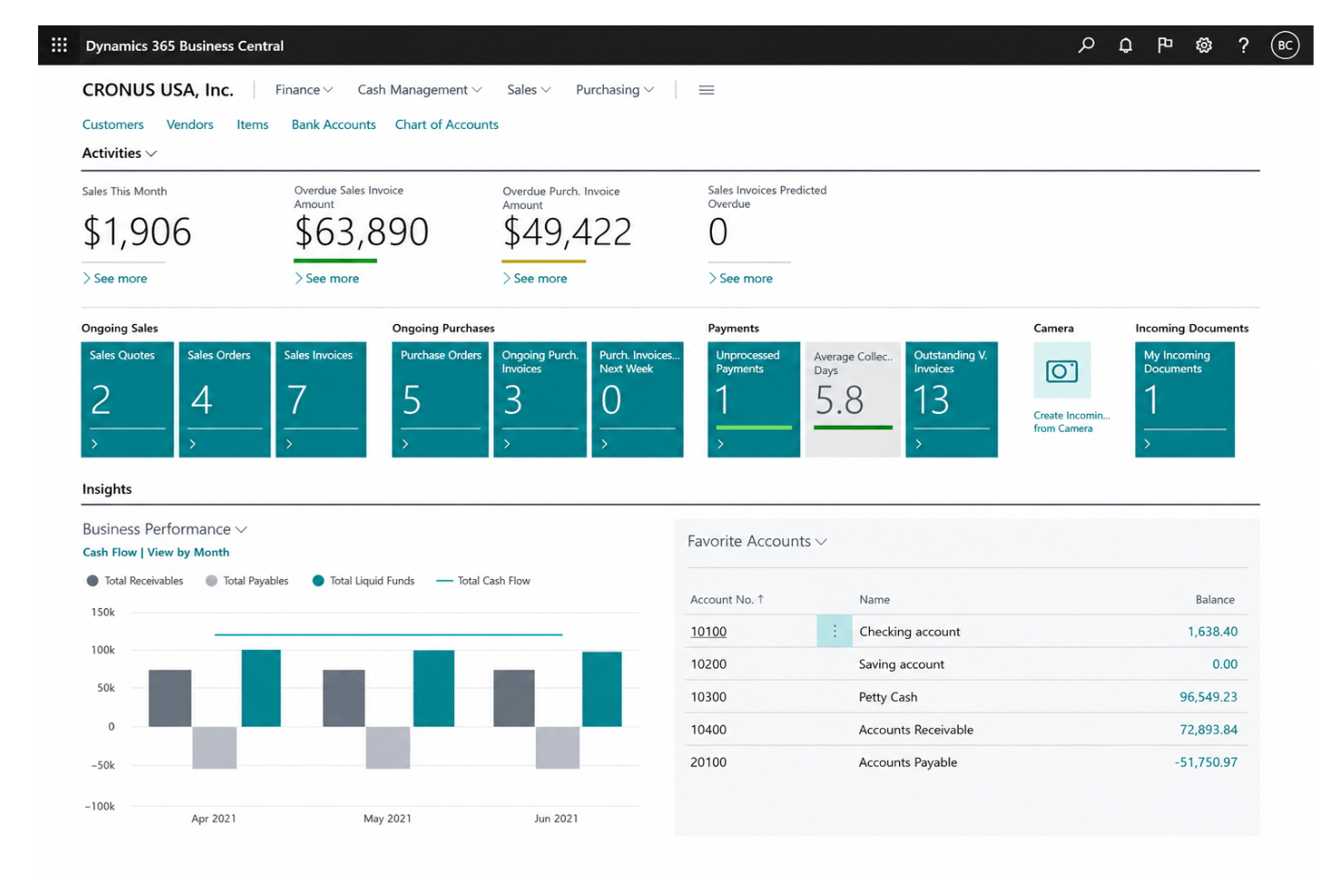
Business Central’s interface feels intuitive for anyone familiar with Microsoft Office 365, with Excel-style data views and click-to-navigate dashboards. Users say initial setup and customizing roles can take time, but once configured, daily navigation and reporting are clear and fast. You get consistent workflows across modules, minimizing confusion when switching between tasks.
Integrations
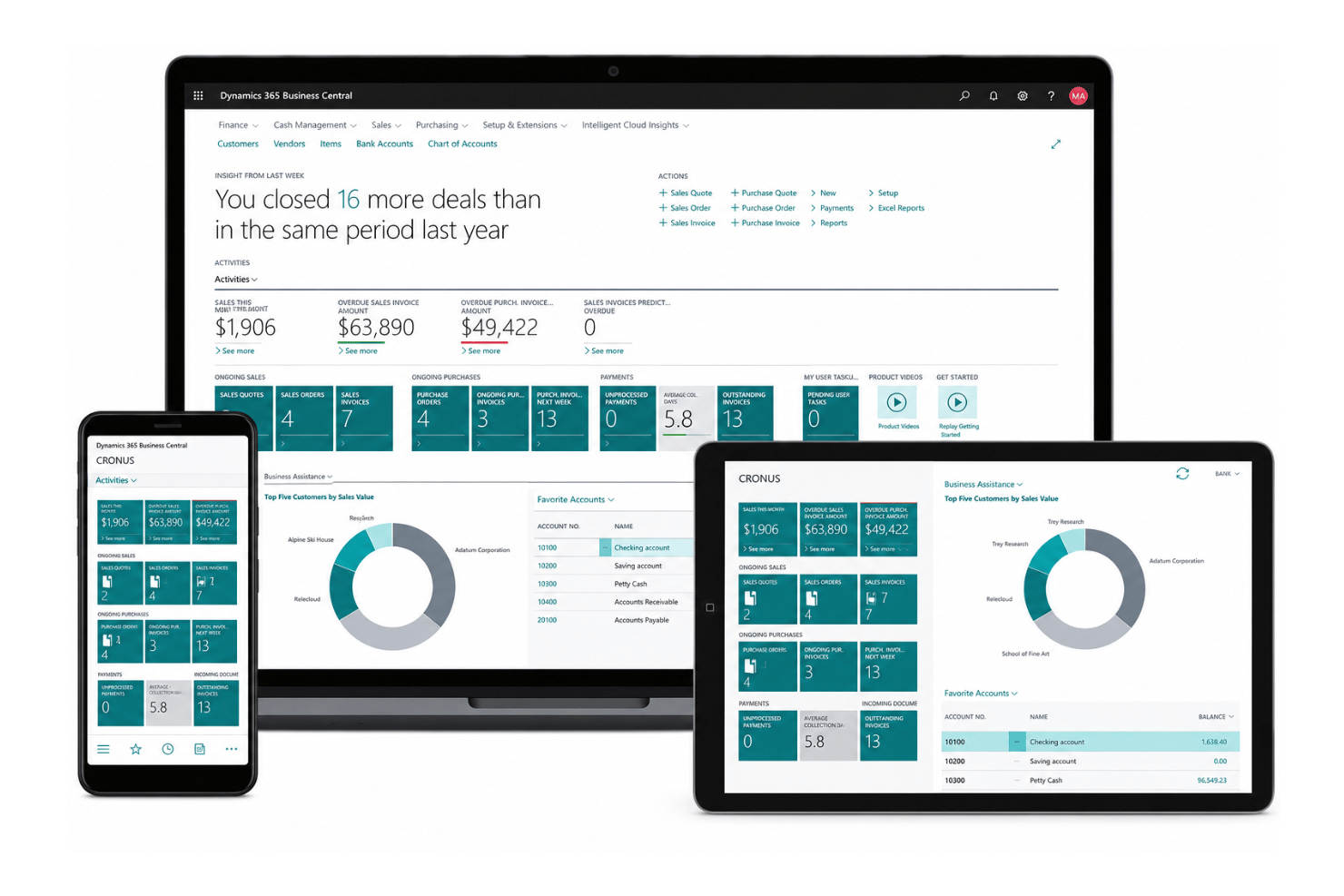
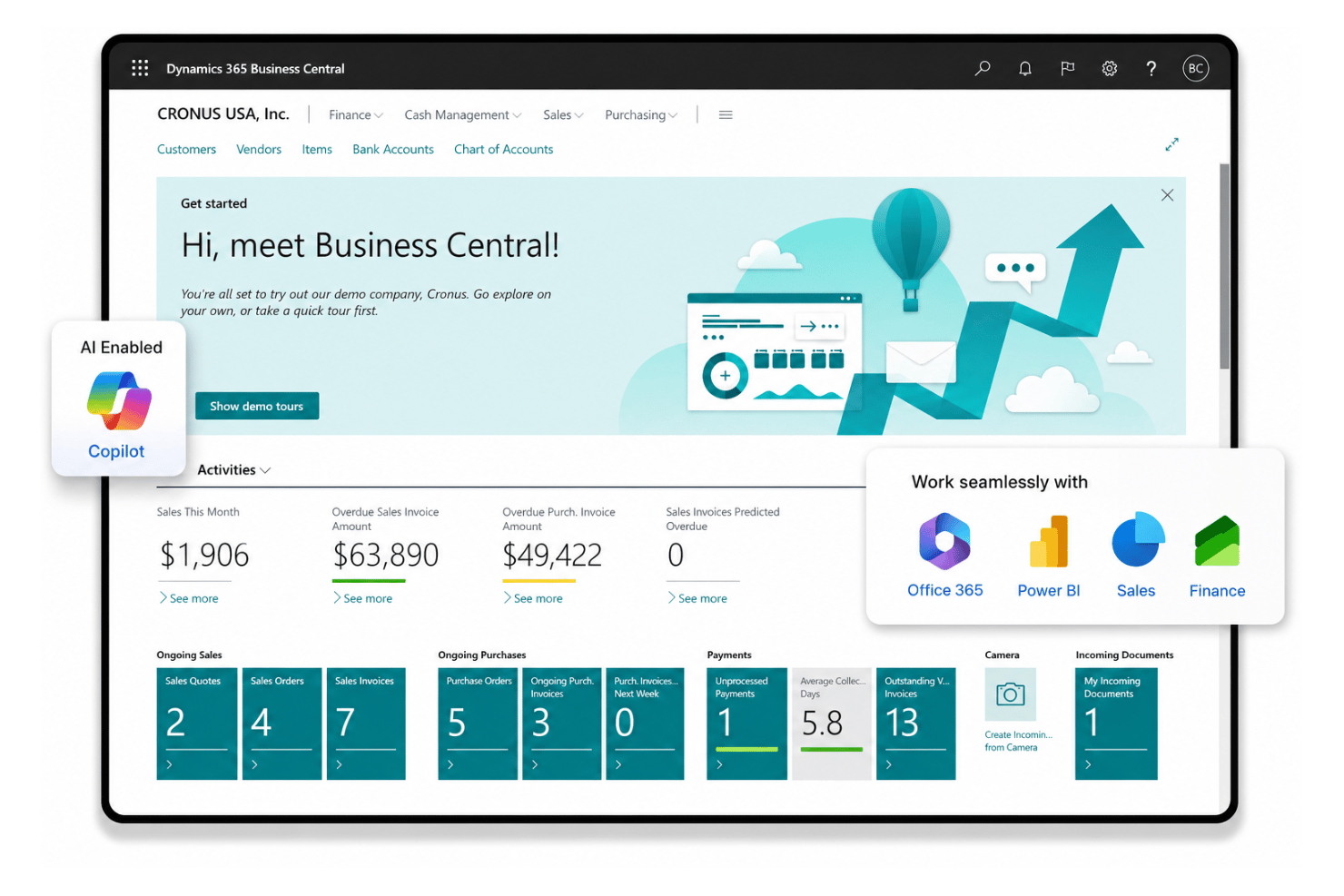
Microsoft Dynamics 365 Business Central integrates with the Microsoft ecosystem including: Microsoft Teams, Power BI, Outlook, Excel, Dynamics 365 Sales, Azure Active Directory, and Dataverse, among others.
Business Central also offers an open API and supports third-party integration tools.
Microsoft Dynamics 365 Business Central Specs
- Accounts Payable
- Accounts Receivable
- API
- Budgeting
- Calendar Management
- Compliance Tracking
- Customer Management
- Dashboard
- Data Export
- Data Import
- Data Visualization
- Expense Tracking
- External Integrations
- Financial Analysis
- Forecasting
- Inventory Tracking
- Multi-Currency
- Multi-User
- Notifications
- Order Management
- Payroll
- Project Management
- Purchase Orders
- Resource Management
- Scheduling
- Supplier Management
- Task Scheduling/Tracking
- Third-Party Plugins/Add-Ons
- Warehouse Management
- Workflow Management


