

Embora o Paycom seja um software de gestão de salários altamente conceituado e poderoso, poderá não ser a melhor solução para as suas necessidades.
Há anos que analiso software de RH e de processamento salarial para diferentes setores e tamanhos de equipas.
Neste artigo, apresentarei as melhores alternativas ao Paycom, destacando as suas funcionalidades diferenciadoras, pontos fortes e casos de utilização ideais, para que possa escolher com confiança a melhor ferramenta para a sua organização.
O que é o Paycom?
O Paycom é um software de processamento salarial concebido para gerir de forma eficiente as tarefas relacionadas com salários e RH. É geralmente utilizado por profissionais de RH e responsáveis pelo processamento salarial que precisam de um sistema fiável para gerir os dados dos colaboradores.
Funcionalidades como o processamento salarial, o controlo do tempo e o autosserviço dos colaboradores ajudam a reduzir os erros e a poupar tempo. No geral, o Paycom oferece valor ao simplificar processos complexos de RH para a sua equipa.
Tabela de comparação dos concorrentes do Paycom
Esta tabela de comparação destaca os preços e as opções de períodos de teste gratuitos dos meus principais concorrentes do Paycom, para o ajudar a encontrar uma solução adequada ao seu orçamento e às necessidades da sua empresa.
Score legend (out of 5)
- Excellent4.5–5
- Good4–4.4
- Average3–3.9
- Below average2–2.9
- Poor1–1.9
Sorted by: Default
| Tool | Starting Price | Website | |||||||
|---|---|---|---|---|---|---|---|---|---|
Best for advanced analytics | 3.7 out of 5 | 4 | 4 | 3 | 3 | 4 | 4 | Pricing upon request Free demo available | Website |
Best for payroll with employee career paths | 3.7 out of 5 | 4 | 3 | 3 | 5 | 3 | 4 | Pricing upon request Free demo available | Website |
Best for managed Paycom migrations | 3.8 out of 5 | 4 | 4 | 3 | 4 | 4 | 4 | Pricing upon request Free demo available | Website |
Best for planning phased HCM rollouts | 3.8 out of 5 | 4 | 4 | 4 | 4 | 4 | 3 | $20/user/month Free demo available | Website |
Best for carrying hires into payroll | 3.8 out of 5 | 4 | 4 | 3 | 4 | 4 | 4 | Pricing upon request Free demo available | Website |
Best for customizable solutions | 3.7 out of 5 | 4 | 4 | 3 | 4 | 3 | 4 | Pricing upon request Not available | Website |
Best for integrated HR management | 4.3 out of 5 | 5 | 4 | 4 | 5 | 4 | 4 | $8/user/month Free plan + 14-day trial + demo available | Website |
Best for pay calculated as time is captured | 3.5 out of 5 | 3 | 4 | 3 | 3 | 4 | 4 | Pricing upon request Free demo available | Website |
Best for personalized support | 3.7 out of 5 | 4 | 4 | 3 | 3 | 4 | 4 | Pricing upon request Free demo available | Website |
Best for unlimited payroll without run fees | 3.3 out of 5 | 3 | 4 | 3 | 3 | 4 | 3 | $49 USD/month + $6/payroll recipient/month Free trial + free demo available | Book Demo |


Porque pode confiar nas nossas recomendações de software
6,700+
Reviews
20
Industry experts
16+
Evaluation factors
14
Years reviewing software
A nossa equipa testa e analisa software desde 2012. Como especialistas em RH, sabemos o quão difícil — e importante — é escolher o software certo.
Para este guia, avaliámos as ferramentas através de testes práticos e pesquisa independente, pontuando-as de acordo com os nossos critérios de seleção. Recorremos também a contributos de líderes de opinião do setor e de especialistas em RH no ativo.
As nossas análises refletem o juízo da nossa equipa editorial, e não um discurso de vendas.
Revisores especialistas:
- Phil GrayCOO
 Kim BehnkeHR Tech Editor & Analyst
 Josh BarkerPeople Ops Manager

Análises dos melhores concorrentes do Paycom
Apresentamos abaixo os meus resumos detalhados dos melhores concorrentes do Paycom que entraram na minha lista restrita. As minhas análises oferecem uma visão detalhada das principais funcionalidades, vantagens & desvantagens, integrações e casos de utilização ideais de cada ferramenta, para o ajudar a encontrar a melhor opção para si.
 Best for advanced analytics
- Free demo available
- Pricing upon request
Visit WebsiteCustomer Rating:4.3/5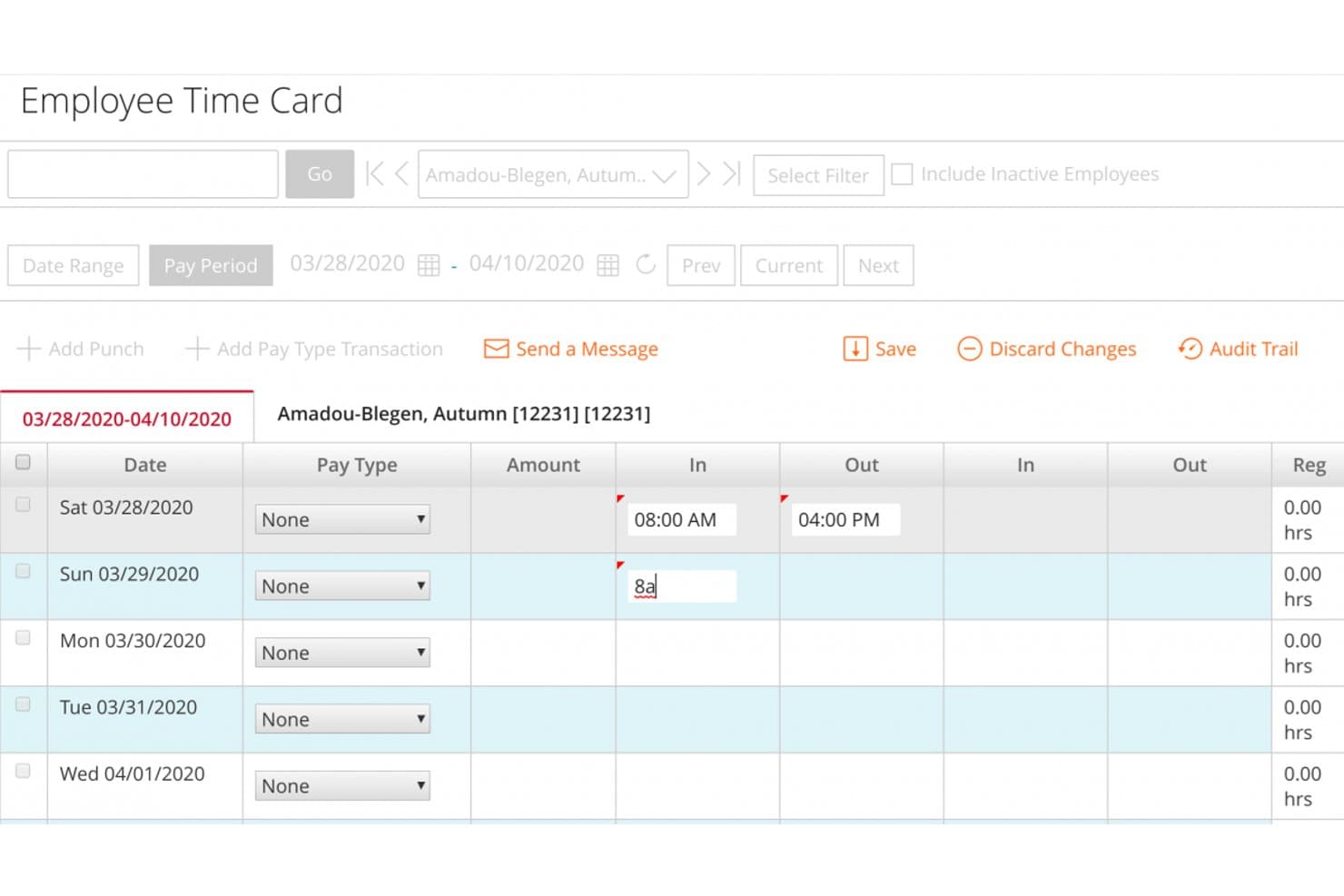
Paylocity's Employee Time Card screen, where punch-in and punch-out times are entered and reviewed by pay period. Paylocity is an all-in-one HR and payroll platform built for businesses that want to manage payroll, benefits, time tracking, and employee experience in one connected system—without stitching together separate tools.
Who Is Paylocity Best For?
Paylocity is a strong fit for mid-sized businesses that want deep workforce analytics and an all-in-one HR and payroll system without managing separate tools.
Why I Picked Paylocity
I picked Paylocity as one of the best because its analytics go far deeper than a typical HR platform's reporting tab. I particularly like the Payroll Readiness Dashboard, which runs 40+ built-in audits to surface anomalies like unexpected pay spikes and missing deductions before payroll is submitted. On top of that, the AI-powered workforce insights pull from real employee interaction data and benchmark it against industry peers, so you're not just tracking headcount and turnover—you're actually forecasting attrition and identifying skill gaps.
Paylocity Key Features
- Benefits enrollment analytics: Administrators can view real-time open-enrollment status dashboards and send employees automated notifications about upcoming enrollment deadlines.
- On-Demand Pay: Employees can access earned wages before payday, with administrator controls and automatic payroll deductions handling the reconciliation.
- Company Sets: Multi-entity organizations can group separate payroll companies—each with its own EIN or location—under one login for centralized management.
- 360-degree feedback and assessments: Managers can collect multi-source feedback and use pre-made talent assessment templates to evaluate employee performance.
Paylocity Integrations
Paylocity lists 400+ prebuilt integrations, including marketplace connections with Okta, Greenhouse, Checkr, Slack, Salesforce, QuickBooks, and Zoom. It also supports APIs, EDI, and SFTP for custom integrations.
Pros and Cons
Pros:
- Workforce dashboards track turnover and labor costs
- Multi-state tax filing spans jurisdictions
- 40+ payroll audits flag anomalies
Cons:
- Support response times vary among reviewers
- Report customization can frustrate HR teams
 Best for payroll with employee career paths
- Free demo available
- Pricing upon request
Visit WebsiteCustomer Rating:4.3/5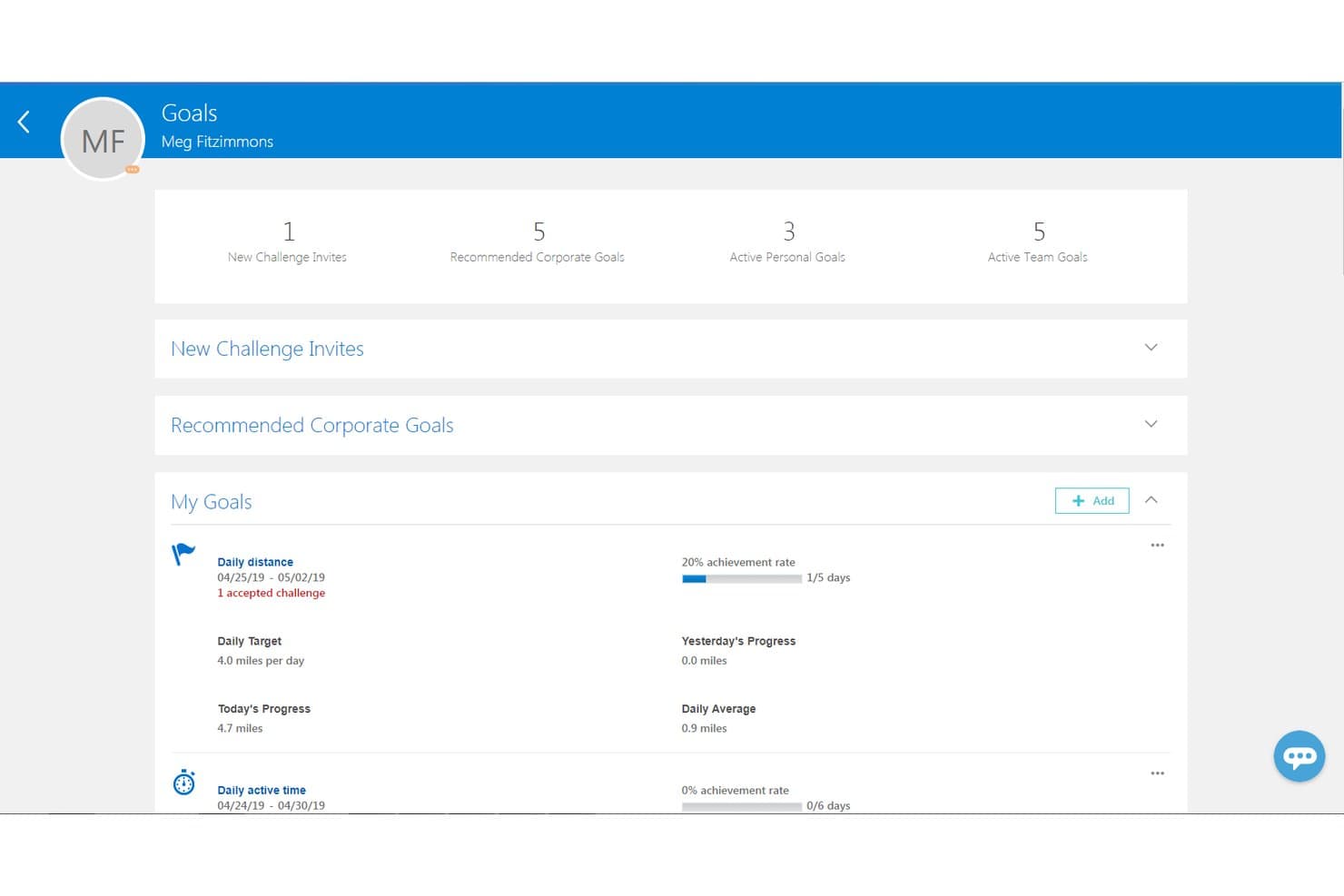
Oracle HCM Cloud lets users track personal fitness goals and daily progress. Oracle HCM Cloud is an enterprise-grade human capital management platform built for large, global organizations that need payroll, core HR, talent management, and workforce operations running on a single unified system.
Who Is Oracle HCM Cloud Best For?
Oracle HCM Cloud is a strong fit for large, global enterprises that need payroll, talent management, and core HR running on a single platform across multiple countries.
Why I Picked Oracle HCM Cloud
I picked Oracle HCM Cloud as one of the best because it's the only platform on this list that connects payroll directly to a full career development engine. When I run payroll, the same skills and performance data driving compensation decisions also feeds into succession planning and internal mobility recommendations. I especially like how Oracle's AI surfaces career path suggestions based on each employee's skills profile, so payroll and growth aren't siloed processes.
Oracle HCM Cloud Key Features
- Global payroll engine: Processes payroll natively across 60+ countries, with partner integrations extending coverage to 160+ countries.
- Workforce scheduling: Forecasts labor demand and builds schedules based on staffing needs, worker preferences, and labor rules.
- Advanced HCM Controls: Monitors user access and HCM activity in real time to flag unauthorized actions or suspicious payroll transactions.
- HR Help Desk: Routes employee service requests and cases to the right team, with built-in knowledge management and controlled access to sensitive information.
Oracle HCM Cloud Integrations
Oracle HCM Cloud supports marketplace integrations with ADP Global Payroll, ADP Workforce Now, Dayforce aPay, Neeyamo, and Ramco, plus Indeed and LinkedIn recruiting connections. It also documents REST APIs for custom integrations.
Pros and Cons
Pros:
- Career paths connect skills with internal mobility
- Portal supports pay stubs, clock-ins, and time-off
- Payroll, recruiting, and performance share one platform
Cons:
- Reported time-entry miscounts undermine payroll confidence
- Routine tasks can take multiple navigation steps
Learn more about Oracle HCM Cloud: Best for managed Paycom migrations
- Free demo available
- Pricing upon request
Visit WebsiteCustomer Rating:4.5/5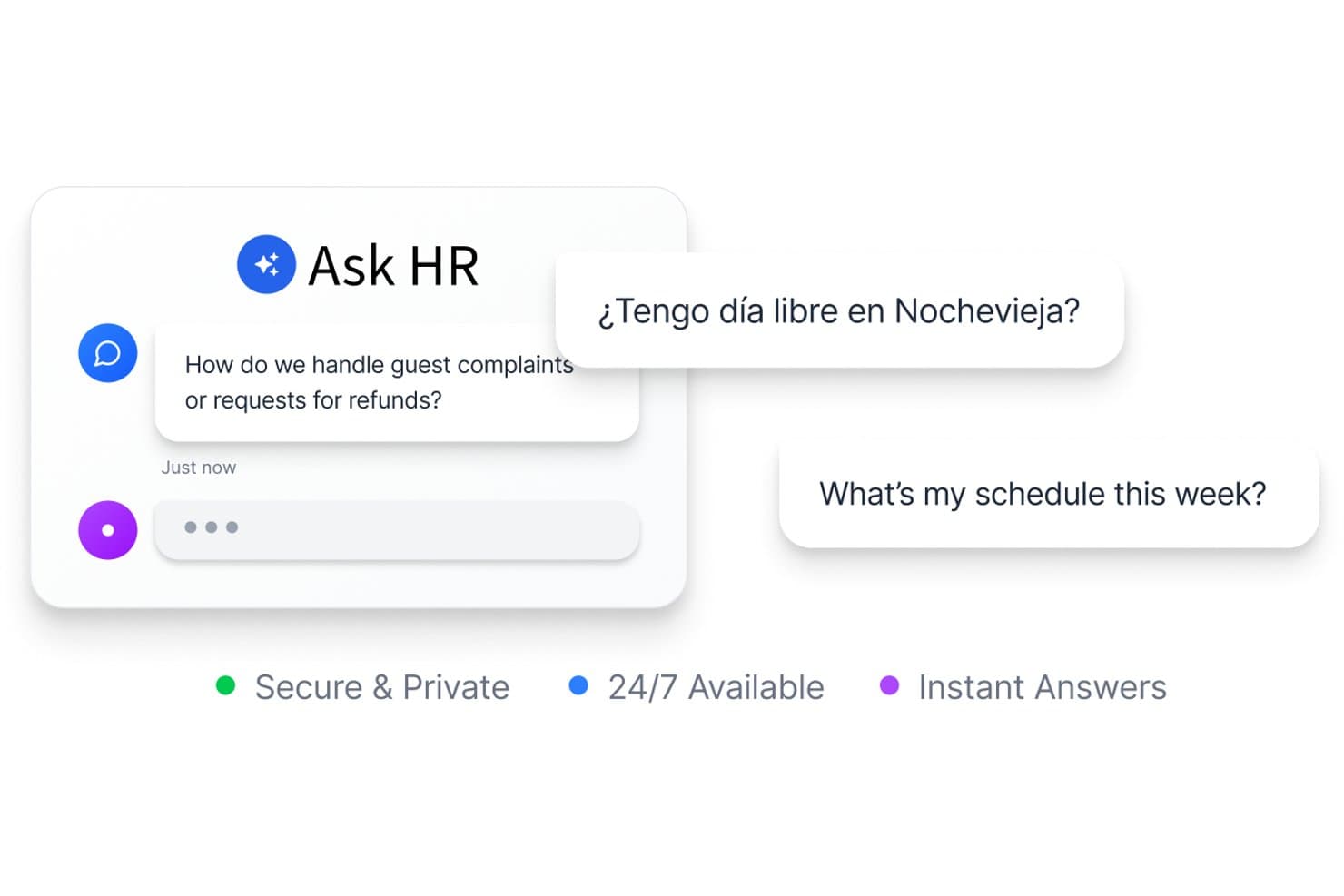
Netchex's Ask HR chatbot answers employee questions instantly, 24/7. Netchex is an HR and payroll platform built on a single database that brings payroll, time, benefits, and HR together for mid-market businesses looking to replace fragmented systems with one unified solution.
Who Is Netchex Best For?
Netchex suits mid-market companies with 50–5,000 employees that want to replace a fragmented HR stack with a single-database platform covering payroll, time, benefits, and HR.
Why I Picked Netchex
Netchex earns its spot on my shortlist because of how seriously it treats the actual migration process from Paycom. I've seen too many switches go sideways over data issues, so I appreciate that Netchex assigns a dedicated Implementation Manager who owns the data load and validation, imports historical payroll and HR records, and follows a structured six-week rollout with a mock payroll run before go-live. The AskHR AI chatbot also impressed me: it pulls answers directly from your company's own HR documents, which means employees get real, policy-specific responses on day one, not generic placeholders.
Netchex Key Features
- Multi-state payroll tax filing: Netchex calculates, files, and pays payroll taxes across all 50 states, including W-2 and 1099 year-end forms.
- AskHR AI chatbot: Employees get instant answers to HR questions in English, Spanish, French, or Portuguese, pulled directly from your company's own HR documents.
- Biometric and geofenced time tracking: Employees clock in via fingerprint, face recognition, badge card, or mobile punch with GPS geofencing tied directly to payroll.
- Configurable onboarding workflows: New hires complete forms, e-signatures, tax withholding, and benefits elections digitally before day one, with milestone-triggered task checklists for managers.
Netchex Integrations
Netchex lists 156+ integration partners across nine categories and 109 API integrations, including QuickBooks, Employee Navigator, Toast, LinkedIn, and Empower. It also provides API endpoints and webhooks for custom connections.
Pros and Cons
Pros:
- AskHR answers policy questions from company documents
- Single database unifies payroll, HR, time, benefits
- Dedicated migration manager validates historical payroll data
Cons:
- Some users describe unresolved payroll tax corrections
- Reviewers report punch and PTO accrual issues
Learn more about Netchex: Best for planning phased HCM rollouts
- Free demo available
- From $20/user/month
Visit WebsiteCustomer Rating:4.3/5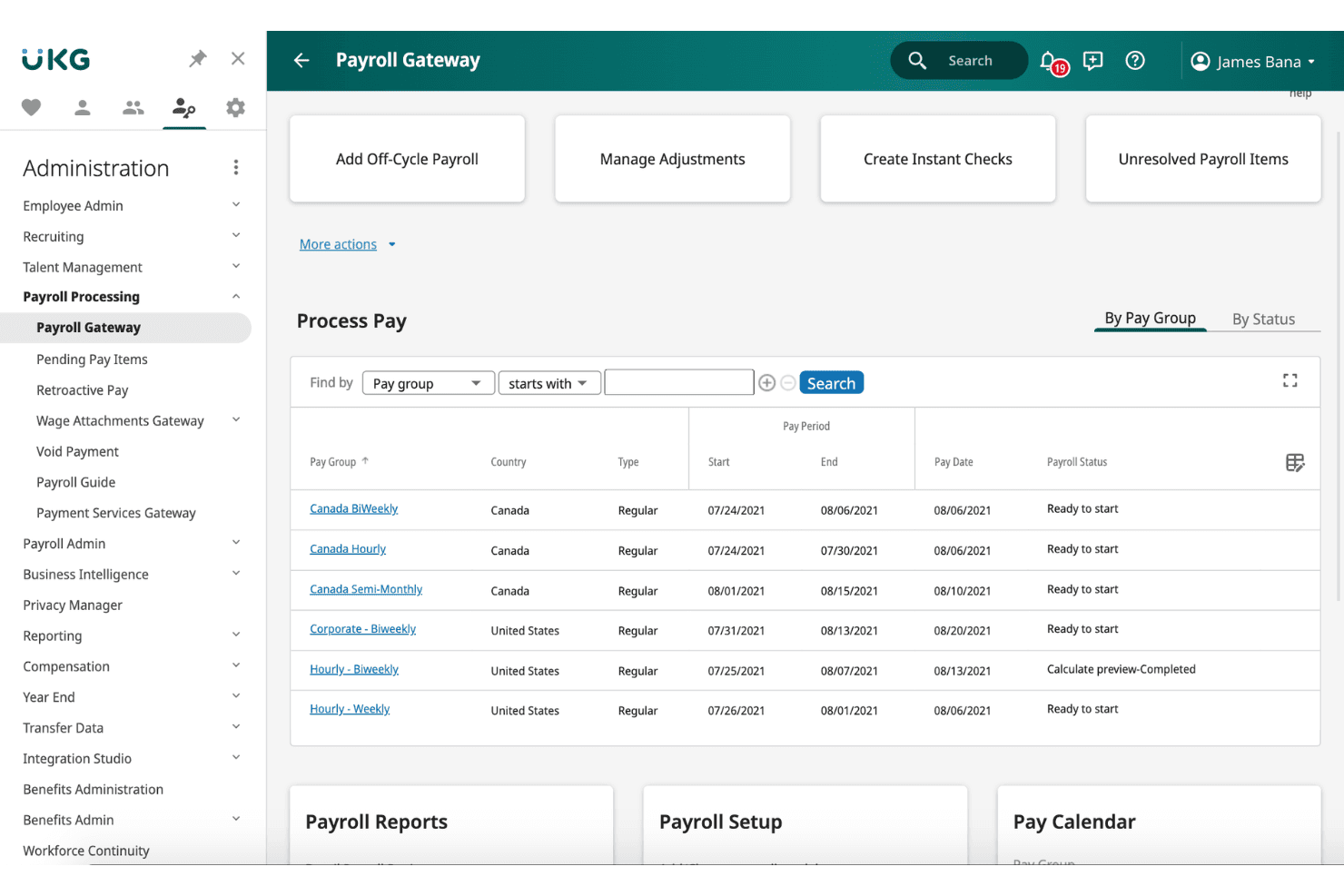
UKG Pro centralizes payroll processing across multiple pay groups and countries. UKG Pro is an enterprise HCM platform that brings payroll, HR, benefits, time tracking, and talent management together for mid-to-large organizations managing complex workforces across multiple states or countries.
Who Is UKG Pro Best For?
UKG Pro fits mid-to-large organizations that need to roll out payroll, HR, benefits, and workforce management in structured phases across a complex, multi-entity workforce.
Why I Picked UKG Pro
I picked UKG Pro because its structured, phased implementation model is something I genuinely appreciate when managing a complex HCM rollout. Phase 1 bundles payroll, People Center, Benefits Hub, and time tracking into a single go-live, while Phase 2 layers in recruiting, performance, and people analytics once the foundation is stable. That sequencing removes the chaos of trying to launch everything at once, which is exactly what mid-to-large organizations need when moving off Paycom.
UKG Pro Key Features
- Multi-country payroll processing: UKG Pro handles payroll across more than 160 countries, with automated tax filing and deposits for over 8,000 U.S. tax codes plus Canadian source deductions.
- Nine-box succession planning grid: Drag-and-drop nine-box grids let HR teams visualize talent pools and map successor readiness alongside AI-backed flight-risk insights.
- No-code HR workflow automation: Configurable, no-code tools let you build HR workflows triggered by employee events, requests, or role changes across regions and departments.
- Bryte AI conversational reporting: Bryte AI lets HR teams generate workforce reports—including headcount, job history, and salary data—through natural-language conversation rather than manual query building.
UKG Pro Integrations
UKG Pro offers marketplace integrations with Active Directory, Microsoft Entra ID, and Asurint. It supports REST, SOAP, and webhook APIs for custom integrations.
Pros and Cons
Pros:
- Workforce reporting helps consolidate employee data
- Payroll tax filing supports 8,000-plus U.S. codes
- Phased rollout defers talent modules until later
Cons:
- Mobile access draws reliability complaints
- Custom reports can require technical effort
Learn more about UKG Pro: Best for carrying hires into payroll
- Free demo available
- Pricing upon request
Visit WebsiteCustomer Rating:4.1/5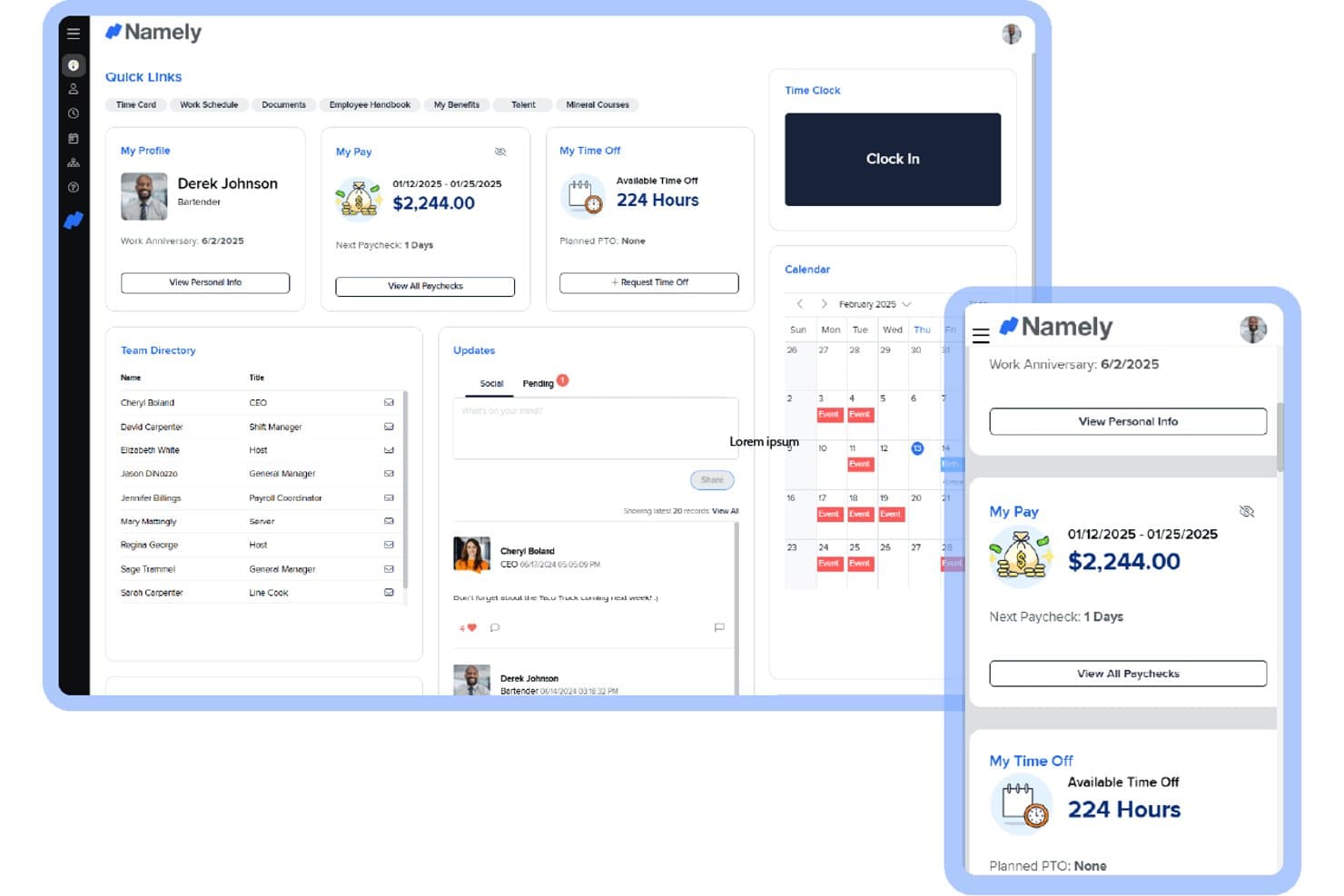
Namely centralizes payroll, time off, and team info in one dashboard. Namely is an all-in-one HCM platform built for midsize businesses that brings HR, payroll, benefits, and time tracking into a single system—making it a solid fit for HR teams tired of juggling disconnected tools.
Who Is Namely Best For?
Namely is a strong fit for midsize HR teams managing up to 1,000 employees who want HR, payroll, benefits, and time tracking in one place without stitching together separate tools.
Why I Picked Namely
I picked Namely as one of the best because of how cleanly it carries a new hire from offer acceptance straight into payroll. When a candidate accepts, their job details, compensation, tax forms, direct-deposit setup, and benefits elections all flow into the system without anyone re-entering data. I also like that the onboarding module supports automated I-9 workflows and hire-date task triggers, so payroll is set up with verified, complete information before a first check ever runs.
Namely Key Features
- Compliance library and alerts: Access a library of HR forms, policies, and toolkits with multi-state compliance alerts and tracking built in.
- Ad hoc report builder: Create custom HR reports without technical support using a drag-and-drop report builder with point-in-time filtering.
- Performance review cycles: Run customizable review forms with goal tracking, continuous feedback tools, and manager dashboards across your workforce.
- Geofenced time tracking: Employees clock in and out via mobile with geotagged, geofenced entries that feed directly into payroll-ready timesheets.
Namely Integrations
Namely lists 50+ integrations, including Greenhouse, Lever, Okta, OneLogin, Ameriflex, and Slack. It also offers a REST API for custom integrations.
Pros and Cons
Pros:
- Onboarding paperwork and e-signatures reduce admin
- Employees manage PTO and pay information
- Hire details flow directly into payroll
Cons:
- Reports may require manual exports and compilation
- Support responses can be slow or inconsistent
Learn more about Namely:
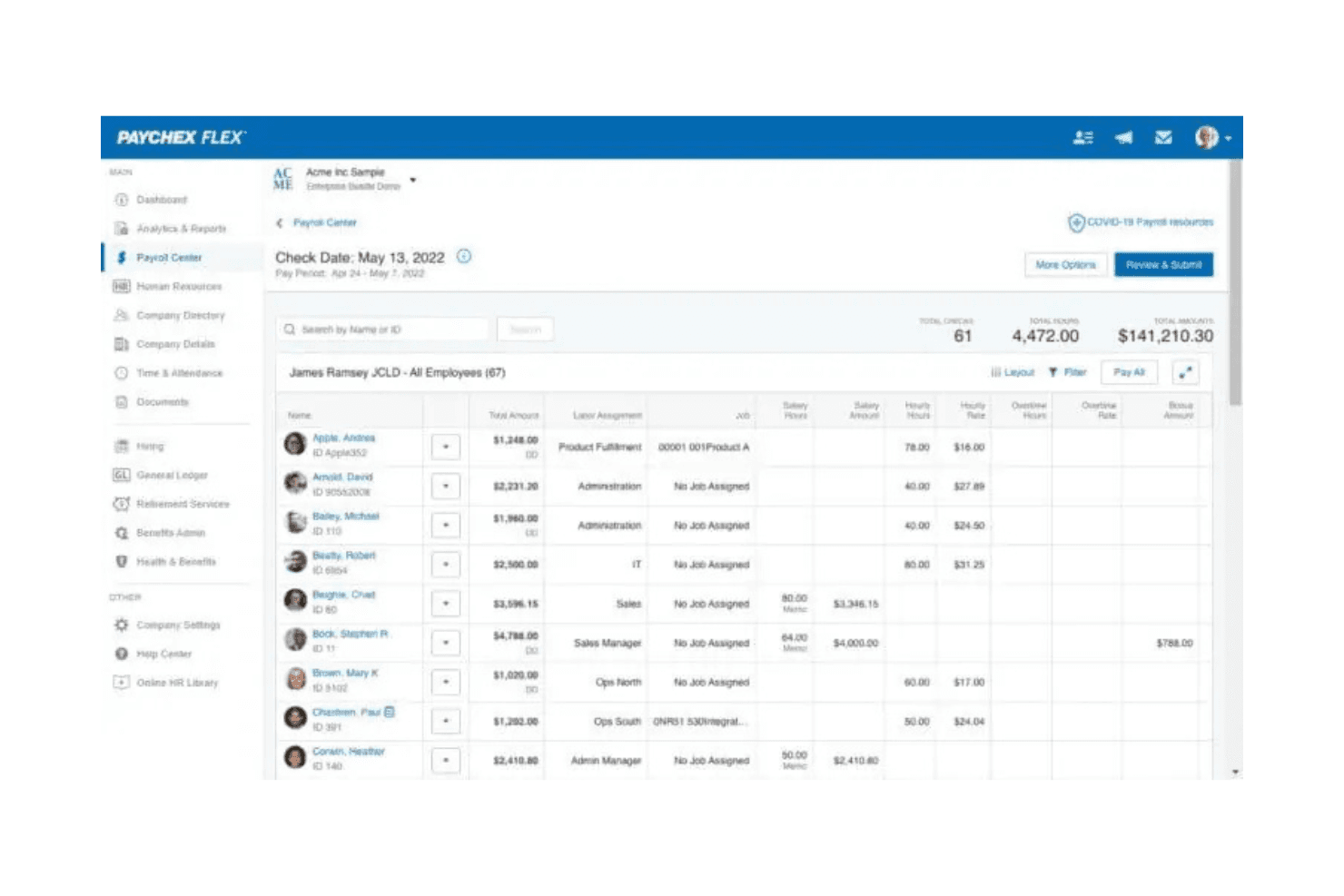
Paychex Flex Payroll Center lists employee pay, hours, and totals before review and submission. Paychex Flex is a payroll and HR platform built for businesses that want flexibility in how they manage payroll, compliance, benefits, and workforce tools—without being locked into a one-size-fits-all setup.
Who Is Paychex Best For?
Paychex Flex is a strong fit for growing businesses that need a payroll and HR platform they can configure and expand without migrating to a new system as their needs change.
Why I Picked Paychex
I picked Paychex as one of the best Paycom competitors because it gives you something Paycom doesn't: genuine flexibility in how you build your payroll and HR setup. Instead of one fixed package, Paychex Flex lets you start with core payroll and layer in time tracking, advanced analytics, or talent management as your needs grow. I particularly like that Taxpay® handles multi-state tax filing automatically, so if your team spans several states, you're not manually managing different jurisdictions.
Paychex Key Features
- WISE payroll assistant: An AI tool that prepares or runs payroll, surfaces alerts, suggests fixes, and answers payroll questions directly within Paychex Flex.
- Paychex Pre-check℠: Lets employees review and approve their own paychecks before payday to reduce discrepancies and after-the-fact corrections.
- HR Business Partner access: Connects your team with HR professionals who provide proactive guidance on compliance, employee relations, and HR strategy.
- 160+ standard reports: A library of real-time payroll and workforce reports with customizable dashboards and advanced analytics for turnover, retention, and workforce costs.
Paychex Integrations
Paychex documents dozens of marketplace integrations, including Intuit QuickBooks, Sage Intacct, Xero, Oracle NetSuite, When I Work, BambooHR, and Indeed. It also offers APIs and webhooks for custom integrations.
Pros and Cons
Pros:
- Expandable packages pair payroll with HR guidance
- Employees access pay records without HR assistance
- Reviewers value automated multi-state payroll tax handling
Cons:
- Support follow-through and report navigation can frustrate administrators
- Reviewers report clunky, error-prone time entry
 Best for integrated HR management
- Free plan + 14-day trial + demo available
- From $8/user/month
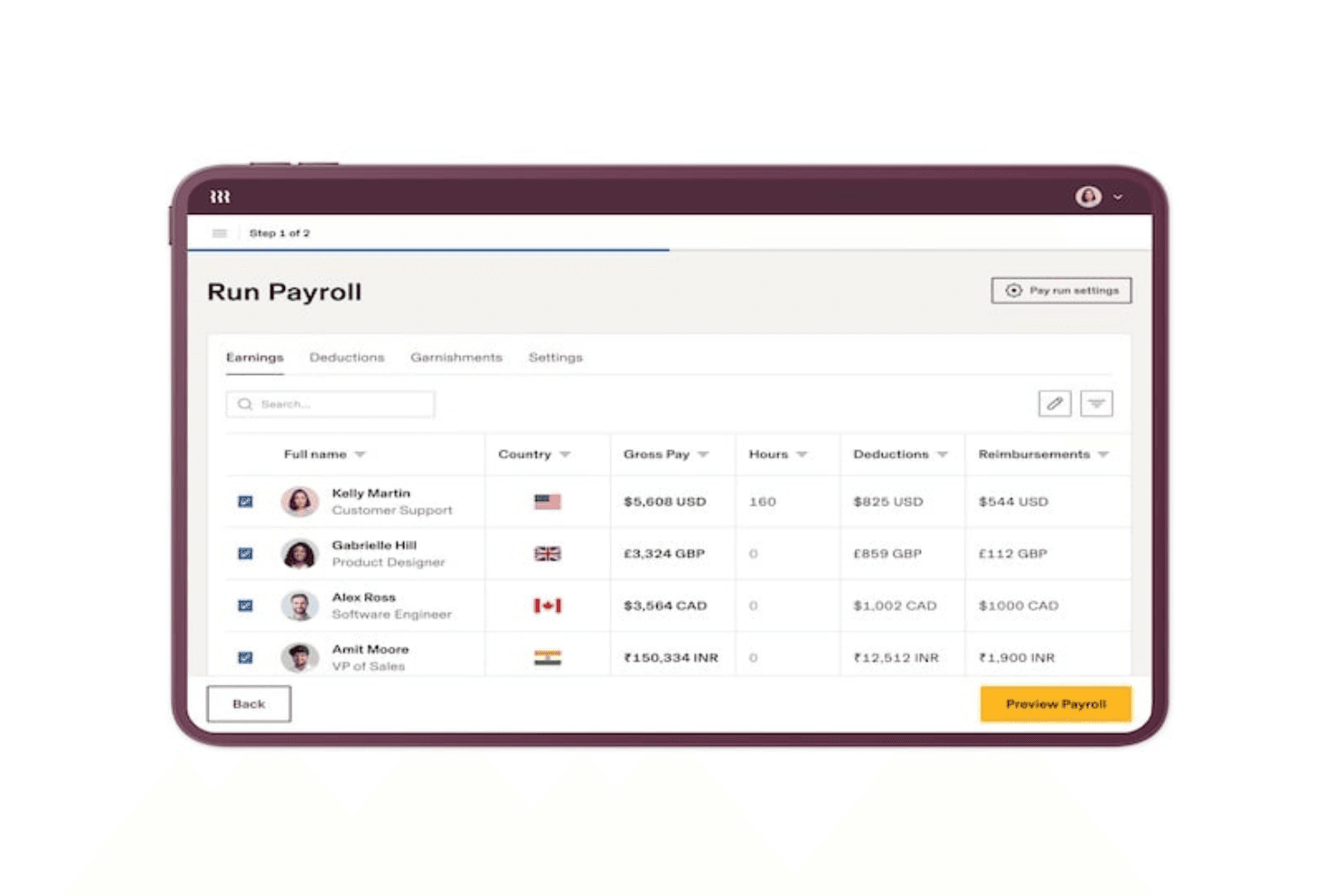
Rippling's Run Payroll screen reviewing employee earnings, deductions and reimbursements across multiple countries and currencies. Rippling is an AI-native HCM platform that connects HR, payroll, benefits, and workforce management on a shared employee record—making it a strong fit for HR teams that want employee changes to automatically ripple across every connected system.
Who Is Rippling Best For?
Rippling suits HR teams and growing companies that want payroll, benefits, and workforce management to update automatically when any employee record changes.
Why I Picked Rippling
I've included Rippling in my top picks because it's the only platform here where a single employee record change automatically ripples through payroll, benefits, and app access at once. When someone gets promoted, their compensation, benefits enrollment, and software permissions update without anyone touching three separate systems. I also love that Rippling AI can build custom reports by pulling data across HR, payroll, and even CRM or ERP sources, giving HR leaders a cross-functional view that Paycom simply doesn't match.
Rippling Key Features
- Multi-state payroll processing: Run payroll across multiple states with automated tax withholding, remittance, and tax filing built into each pay run.
- AI-generated workforce schedules: Build and edit employee schedules using sales forecasts, labor budgets, certifications, and time-off data.
- Dependent eligibility document review: Rippling AI reviews proof-of-relationship documents and flags any that need administrator attention.
- Dynamic role-based permissions: Permission profiles update automatically when employee attributes like department or level change.
Rippling Integrations
Rippling offers 600+ out-of-the-box integrations through its App Shop, including Google Workspace, Microsoft 365, Slack, Zendesk, Checkr, and Human Interest. It also provides an open REST API for custom integrations.
Pros and Cons
Pros:
- Time entries flow directly into payroll
- Automated lifecycle workflows reduce repeat administration
- Shared employee records sync HR and payroll
Cons:
- Some workforce reports take effort to interpret
- Payroll support can lag during urgent issues
Learn more about Rippling: Best for pay calculated as time is captured
- Free demo available
- Pricing upon request
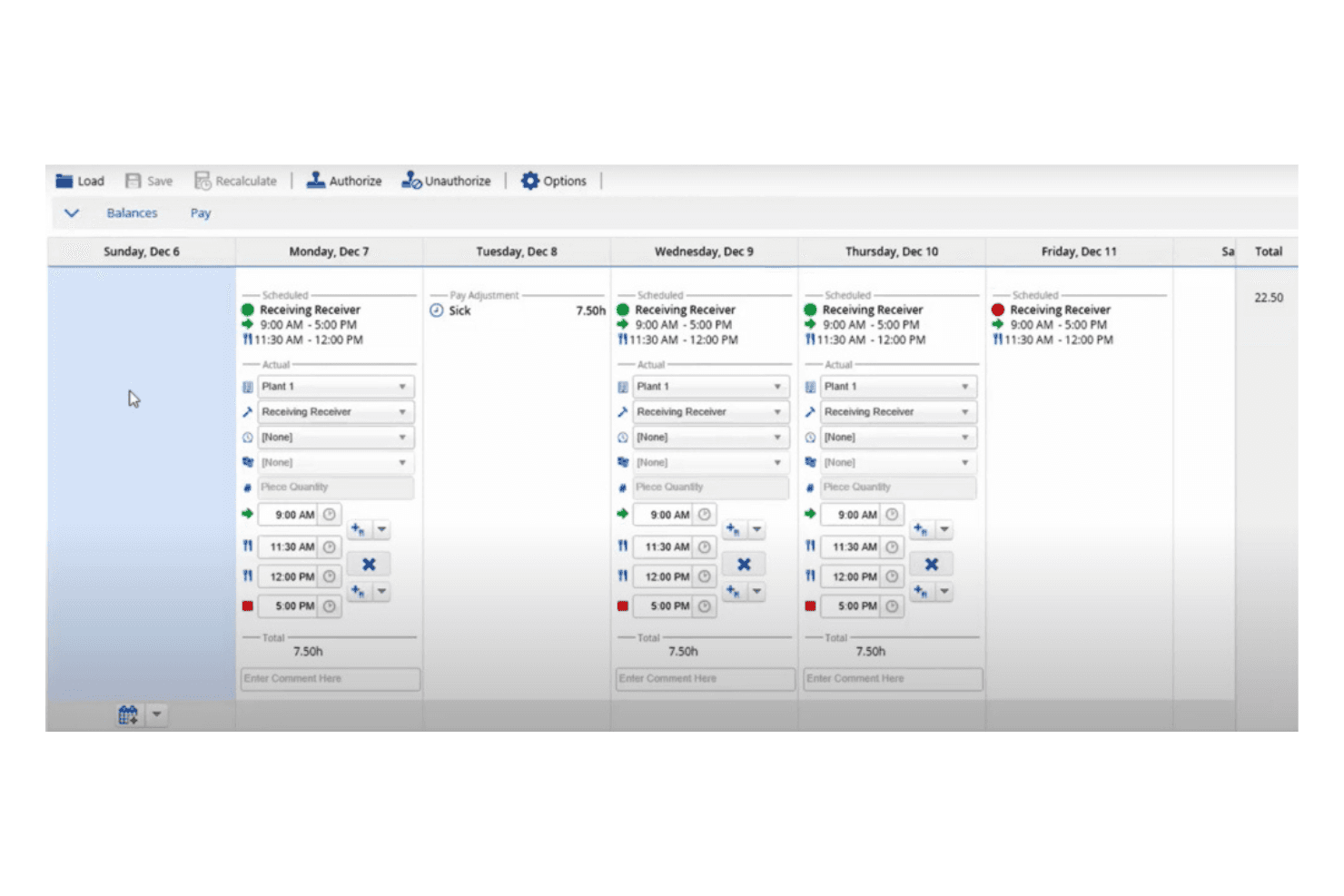
Weekly timesheet view showing scheduled shifts, actual punches and pay adjustments. Dayforce HCM is an enterprise payroll and HR platform that unifies time tracking, benefits, and compliance tools in one system—making it a strong fit for payroll administrators and HR teams managing complex, multi-jurisdiction workforces.
Who Is Dayforce HCM Best For?
Dayforce HCM is a strong fit for HR and payroll teams in mid-to-large enterprises managing complex, multi-jurisdiction workforces who need time and pay unified in a single platform.
Why I Picked Dayforce HCM
I picked Dayforce HCM because it calculates pay continuously as time is captured, rather than waiting for a batch run at the end of a pay period. That means if an employee works overtime on a Tuesday, the payroll impact is reflected immediately, not discovered days later during processing. I also appreciate that the built-in rules engine handles pay and tax calculations in real time, and that compliance monitoring is baked directly into the same platform managing time and attendance.
Dayforce HCM Key Features
- Dayforce Wallet: Employees can request on-demand access to earned wages mid-cycle, with funds available via direct deposit or a prepaid Mastercard.
- People Analytics dashboards: Pre-built and configurable dashboards give HR leaders real-time visibility into workforce data, including over 300 pre-built reports.
- Ask Dayforce AI assistant: An AI tool that answers questions grounded in your organization's data and helps employees, managers, and HR teams navigate supported actions.
- Benefits administration configuration: Carriers, plans, eligibility rules, enrollment types, and ACA settings can be configured within the same platform managing payroll and time.
Dayforce HCM Integrations
Dayforce documents payroll connectors for Oracle HCM, SAP SuccessFactors, Workday, and NetSuite, plus Microsoft Dynamics 365 Finance and Operations integration, subject to purchase and scope. Its REST API supports custom integrations.
Pros and Cons
Pros:
- Employees can check pay, schedules, and time off
- Unified HR, time, and payroll reduce system juggling
- Real-time payroll visibility helps catch errors sooner
Cons:
- App login and navigation frustrate some employees
- Complex setup and reporting require dedicated effort
Learn more about Dayforce HCM:
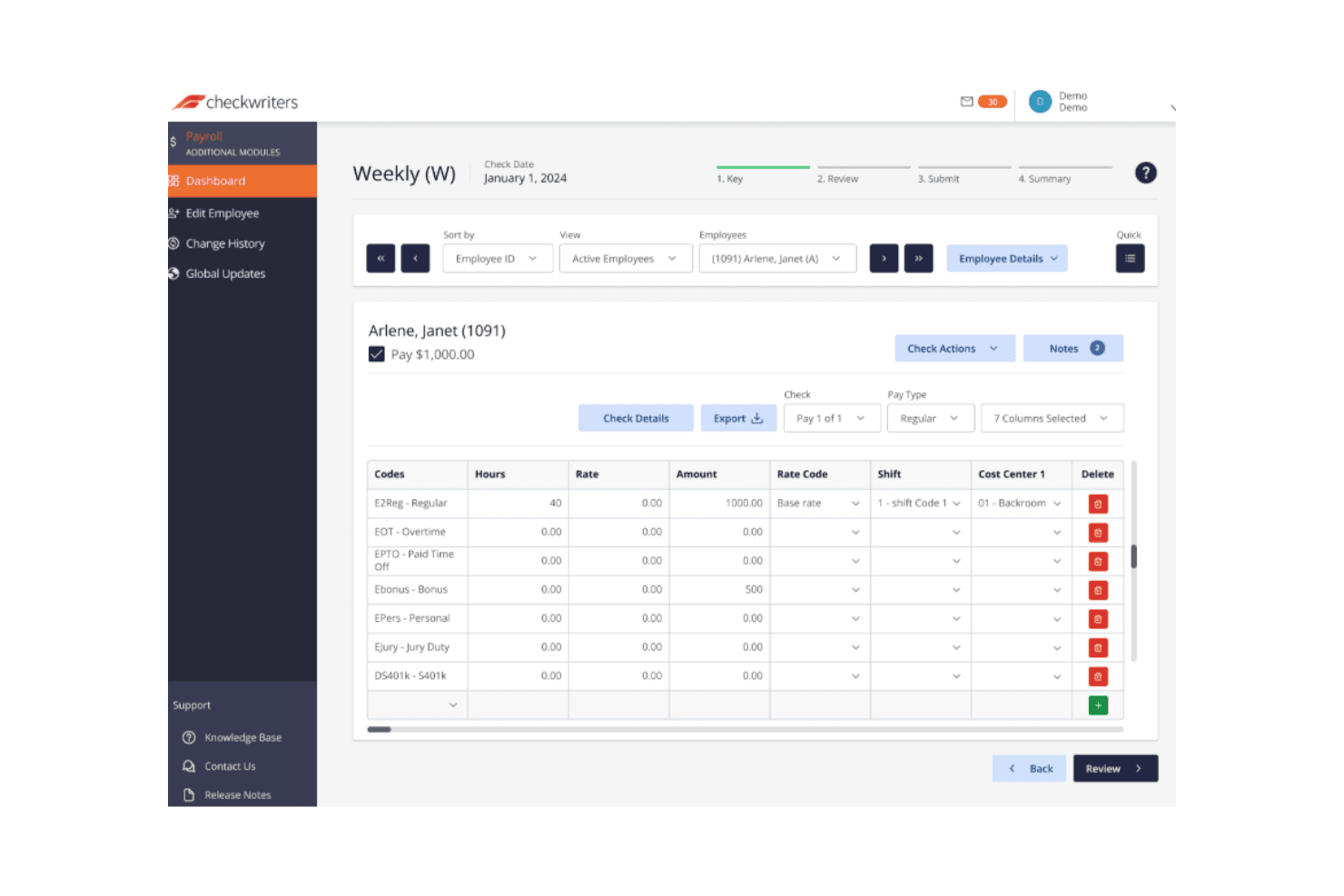
Checkwriters payroll screen for entering employee pay codes, hours, rates and cost centers per check. Checkwriters is a payroll and HR platform built for small to midsize businesses that want full-service tax filing across all 50 states, connected time tracking, and employee self-service without the complexity of enterprise software.
Who Is Checkwriters Best For?
Checkwriters is a strong fit for small to midsize businesses that want hands-on support from a dedicated team throughout payroll, HR, and onboarding.
Why I Picked Checkwriters
I've included Checkwriters in my top picks because personalized support is genuinely baked into how the platform works, not bolted on as an afterthought. Every client gets a dedicated onboarding specialist, a customized setup timeline, and a real person reachable by phone or email, with no offshore call centers or ticket queues to navigate. I especially appreciate that the Tax Department handles filings across all 50 states and U.S. territories, so when a payroll question crosses state lines, there's an actual team monitoring compliance and sending proactive updates.
Checkwriters Key Features
- Employee self-service app: Employees can view pay statements, request time off, and update personal information through a Progressive Web App on Apple and Android devices.
- Work Opportunity Tax Credit screening: New hires are automatically screened for WOTC eligibility during onboarding, with documentation and agency submissions handled by Checkwriters.
- Biometric time tracking: Employees can clock in and out using biometric data or personal computers, with attendance data flowing directly into payroll.
- SOC 1 and SOC 2 Type II certification: Checkwriters maintains annually audited SOC 1 and SOC 2 Type II certifications, with reports available to clients under NDA.
Checkwriters Integrations
Checkwriters lists 57 integrations, including Employee Navigator, BAS, Insurelinx, TAG, HiringThing, Performance Pro, Swipeclock, and ZKTeco. The vendor doesn’t document public API access or explain the data exchanged through these connections.
Pros and Cons
Pros:
- Onboarding moves paperwork into digital workflows
- Time and PTO flow into payroll
- Dedicated specialists earn frequent reviewer praise
Cons:
- Payroll still requires administrator submission
- Custom reports take effort to configure
Learn more about Checkwriters: 10Best for unlimited payroll without run fees
Gusto
- Free trial + free demo available
- From $49 USD/month + $6/payroll recipient/month
Customer Rating:4.6/5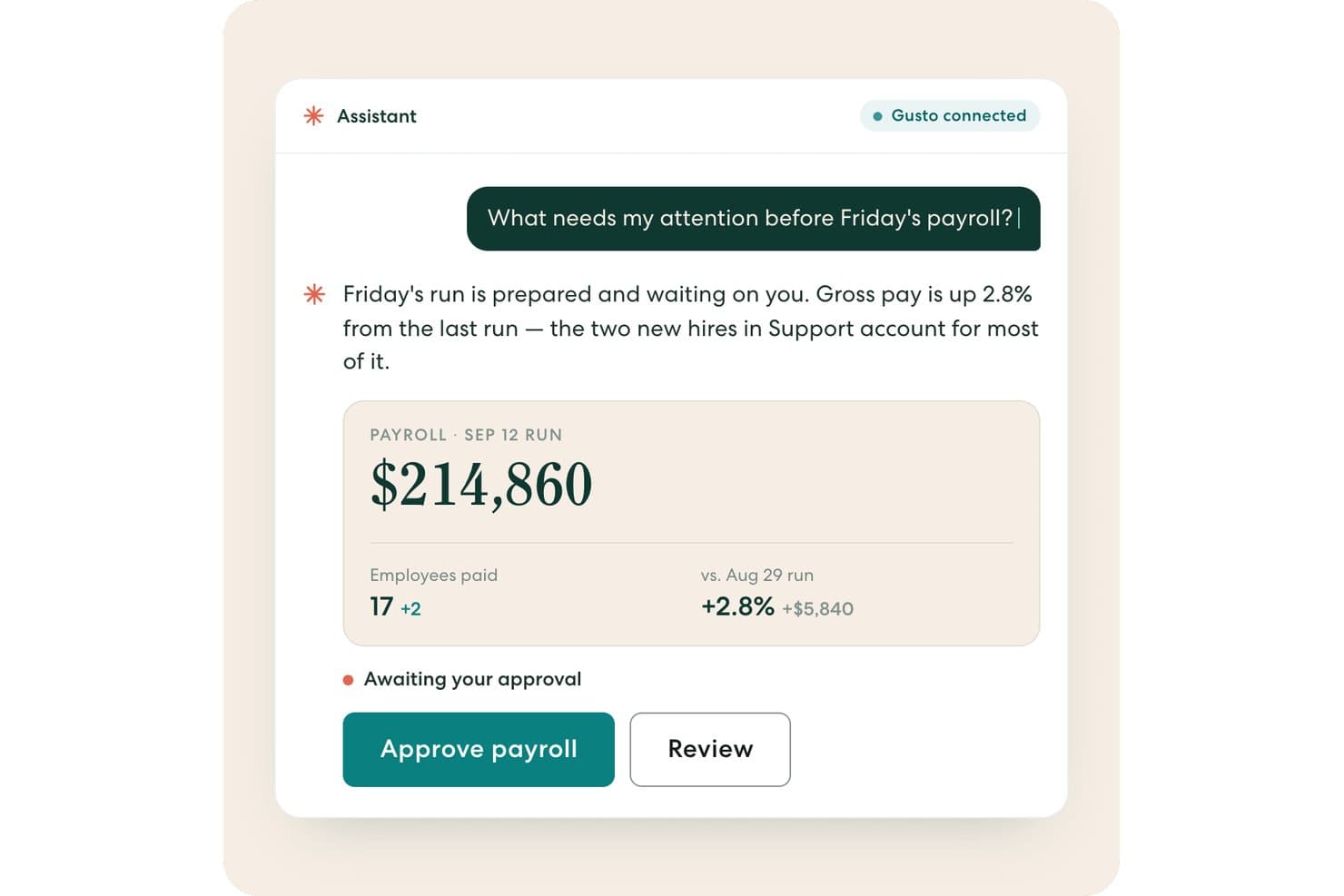
Gusto's AI assistant flags payroll changes and awaits approval before payday. Gusto is a payroll, HR, and benefits platform built for small to mid-sized businesses that want to automate tax filing, manage employee onboarding, and run payroll across multiple states without the complexity of enterprise-grade software.
Who Is Gusto Best For?
Gusto is a strong fit for small to mid-sized businesses that run payroll frequently and want predictable monthly costs without per-run fees adding up.
Why I Picked Gusto
Gusto earns its spot on my shortlist because it eliminates per-run fees entirely, so running an off-cycle payroll mid-month costs the same as your regular run. I appreciate that all three plans include unlimited payroll runs, and AutoPilot lets you set payroll to process automatically on a schedule. Gusto also handles multi-state tax filing and auto-calculates deductions, so expanding into a new state doesn't trigger a manual compliance scramble.
Gusto Key Features
- Multi-state payroll tax filing: Gusto calculates, deposits, and files federal, state, and local payroll taxes across all states where you pay employees.
- Employee self-service portal: Employees can view paystubs, download tax documents, update personal details, and request time off through the web or mobile app.
- Applicant tracking and onboarding: Gusto Recruiting lets you post jobs, track candidates through interview stages, and flow new hires directly into onboarding workflows.
- Payroll activity log: Every payroll action—changes, approvals, and settings updates—is recorded with a timestamp and the name of who made the change.
Gusto Integrations
Gusto lists 154 marketplace integrations, including QuickBooks Online, Xero, FreshBooks, Homebase, Deputy, and Checkr. It also offers APIs, webhooks, an SDK, and pre-built Flows, though production API access requires partner approval and security review.
Pros and Cons
Pros:
- Unlimited off-cycle runs suit variable payrolls
- Employee portal centralizes pay and tax records
- Automated tax filing earns consistent praise
Cons:
- Reporting limits push labor analysis into spreadsheets
- Support delays complicate urgent payroll fixes
Outros concorrentes do Paycom
Eis alguns concorrentes adicionais do Paycom que não entraram na minha lista restrita, mas que vale a pena conhecer
- 11ADP Workforce NowBest for broad benefits carrier connections
- 12isolvedBest for payroll marketplace integrations
- 13BambooHRBest for payroll that matches your ledger
- 14TriNetBest for PEO-based HR outsourcing
- 15WorkdayBest for payroll analytics
- 16JustworksBest for transparent payroll pricing
- 17SAP SuccessFactorsBest for real-time insights
How I Evaluate Paycom Competitors
I split my evaluation into three parts, starting with what carries the most weight: whether a platform can run full-cycle payroll with automated tax filing and maintain a centralized employee system of record. From there, I look for standout capabilities like advanced people analytics. Beyond features, I consider implementation support and total cost of ownership.
Core Functionality (Table Stakes For This List)
When I'm selecting tools for my list, I score each one on a scale from 0 (does not offer the functionality) to 5 (excels in this area) for each core functionality listed below. I then convert the total into a percentage to help assess each tool's overall fit, with extra weight on any functionalities I’ve deemed essential.
- Payroll Processing (Essential): I look for full-cycle payroll with accurate calculations, direct deposit, and automated tax filing and remittance across the organization’s locations.
- Core HR Management (Essential): I assess whether employee records, onboarding tasks, and compliance documents sit in one system and stay current as people change roles.
- Time & Attendance: I check whether hours, schedules, overtime rules, and PTO flow into payroll without repeated manual reconciliation.
- Benefits Administration: I look for enrollment, eligibility, deductions, and carrier connections that support employees through open enrollment and plan changes.
- Employee Self-Service: I assess whether employees can access pay statements, request time off, and update personal details through a portal or app.
- Talent Management: I compare recruiting, onboarding, and performance workflows, including how well they connect with employee records through the hire-to-development lifecycle.
Once I have a list of tools that meet the criteria, I consider what sets each platform apart.
Differentiating Factors (What Sets Vendors Apart)
Here's how I compare and contrast different vendors:
Standout Features
I look for platforms built on a single codebase rather than stitched-together acquisitions, because real-time data consistency across payroll, HR, and talent modules eliminates sync delays that cause payroll errors. I also evaluate built-in people analytics—specifically, whether dashboards offer predictive reporting on turnover and labor cost trends, not just static headcount snapshots. Transparent per-employee pricing matters too; I check whether modules like an ATS or benefits carry hidden add-on fees that inflate total cost over time.
Beyond Features
I evaluate total cost of ownership beyond the sticker price, including implementation fees, support tier charges, and annual escalations buried in contract terms. Scalability matters just as much—I check whether a platform handles multi-entity and multi-location growth without forcing a migration to a higher-tier product. A company adding its third regional office shouldn't need to re-implement its entire HR system.
Porque procurar uma alternativa ao Paycom?
Embora o Paycom seja uma boa escolha de software de processamento salarial, existem várias razões pelas quais alguns utilizadores procuram soluções alternativas. Poderá estar à procura de uma alternativa ao Paycom porque…
- Não é ideal para pequenas empresas
- Precisa de um melhor suporte internacional
- Não dispõe de opções avançadas de personalização
- Procura interfaces de utilizador mais intuitivas
- Precisa de planos de preços mais flexíveis
- Não é adequado às necessidades específicas do seu setor
Se alguma destas situações lhe parece familiar, veio ao lugar certo. A minha lista inclui várias opções de software de processamento salarial mais adequadas a equipas que enfrentam estes desafios com o Paycom e procuram soluções alternativas.
Principais funcionalidades do Paycom
Eis algumas das principais funcionalidades do Paycom, para o ajudar a comparar as ofertas das soluções alternativas:
- Soluções de Processamento Salarial: Processamento salarial abrangente, gestão fiscal e gestão de despesas para garantir precisão e eficiência.
- Aquisição de Talento: Ferramentas para acompanhamento de candidaturas, integração e verificações de antecedentes, para simplificar o processo de recrutamento.
- Gestão de Talento: Gestão do desempenho, orçamentação da remuneração e autosserviço dos funcionários para apoiar o desenvolvimento dos funcionários.
- Gestão de Recursos Humanos: Administração de benefícios, gestão da conformidade e gestão de documentos para simplificar as tarefas de RH.
- Gestão de Tempos e Trabalho: Registo de tempos, elaboração de horários e distribuição da mão de obra para otimizar a gestão da força de trabalho.
- Processos de RH Automatizados: Simplifica a inscrição em benefícios, as atualizações dos dados pessoais e as notificações aos funcionários para uma maior eficiência.
- Mobilidade dos Gestores: Oferece capacidades de gestão remota através do Manager on-the-Go® para maior flexibilidade.
- Relatórios Personalizáveis: Fornece informações sobre a utilização do software pelos funcionários e o retorno do investimento, para uma tomada de decisões fundamentada.
- Suporte à Conformidade: Mantém os utilizadores informados sobre as alterações à legislação laboral para garantir a conformidade.
- Feedback dos Funcionários: Facilita respostas imediatas às questões dos funcionários para melhorar a comunicação.