

16 Best Career Coaching Software in 2026

Best Career Coaching Software Shortlist


Career coaching software is a digital solution that helps employees map out growth opportunities, set professional goals, and connect with tailored development resources. If you’re searching for the best career coaching software to guide your team’s growth and support your company’s talent strategy, knowing where to start can be daunting.
The right tools give you structure for coaching conversations, actionable insights for workforce planning, and a way to scale development across your organization. This list will help you compare options, identify features that matter, and choose a platform that supports both your people and business outcomes.
Why Trust Our Software Recommendations
Our team has been testing and reviewing software since 2012. As HR experts ourselves, we know how difficult—and important—it is to choose the right software.
For this guide, we evaluated tools using hands-on testing and independent research, scoring tools using our selection criteria. We also draw on insights from industry thought leaders and practicing HR experts.
Our reviews reflect our human editorial judgment, not a sales pitch.
Expert reviewers:
Career Coaching Software Comparison Table
This comparison table summarizes pricing details for my career coaching software selections:
| Tool | Best For | Trial Info | Price | ||
|---|---|---|---|---|---|
| 1 | Best for precision skill development using expert matching | Free demo available | Pricing upon request | Website | |
| 2 | Best for automated mentorship program matching | Free demo available | Pricing upon request | Website | |
| 3 | Best for managing 1-on-1 coaching engagements | 14-day free trial + free demo available | From $9/month (billed annually) | Website | |
| 4 | Best for dynamic employee career pathing tools | Free demo available | Pricing upon request | Website | |
| 5 | Best for enterprise-wide employee mentoring integration | Free demo available | Pricing upon request | Website | |
| 6 | Best for global labor market and skills analytics | Free demo available | Pricing upon request | Website | |
| 7 | Best for enterprise-wide integrated coaching and AI support | Free demo available | Pricing upon request | Website | |
| 8 | Best for on-demand multilingual digital coaching | Free demo available | Pricing upon request | Website | |
| 9 | Best for combining AI and human coaching for change | Free demo available | Pricing upon request | Website | |
| 10 | Best for rapidly scaling mentoring programs | Free for individual use | Pricing upon request | Website |
Best Career Coaching Software Reviews
Below are my detailed summaries of the best career coaching software that made it onto my shortlist. My reviews offer a detailed look at the features, best use cases, and integrations of each platform to help you find the best one for you.
Best for precision skill development using expert matching
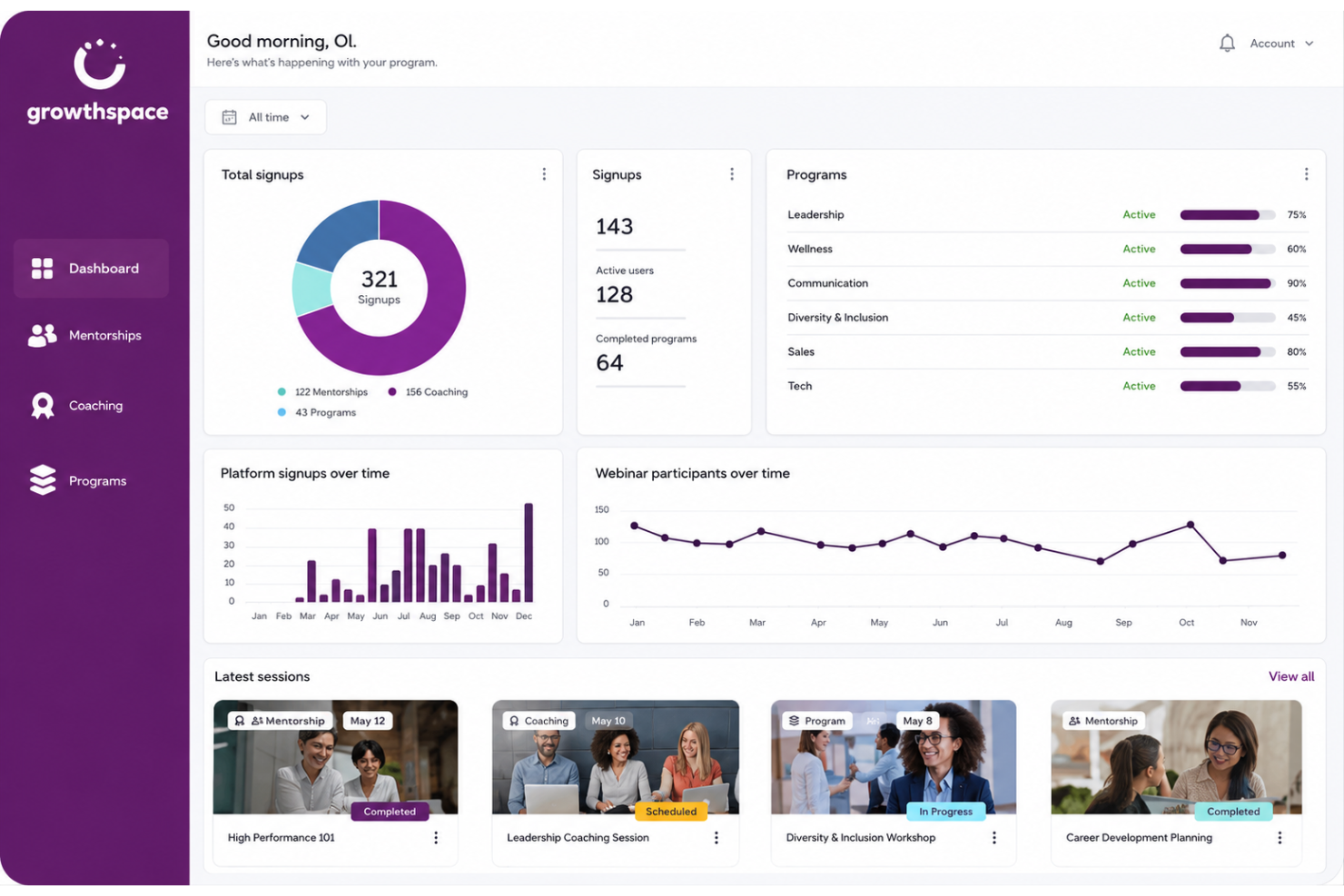
GrowthSpace is a career coaching software platform that provides personalized skill development programs, expert matching, curated learning experiences, and analytics for employee growth and talent development initiatives.
Who Is GrowthSpace Best For?
GrowthSpace is a good fit for HR teams at mid-sized to large organizations seeking scalable, expert-led skill development for employees.
Why I Picked GrowthSpace
I picked GrowthSpace because I use its expert matching engine to connect employees with coaches based on targeted skill needs. The sessions my team books are tailored for specific roles and goals, making it ideal for precision talent development.
GrowthSpace Key Features
- Multi-session development programs: Build custom programs with multiple coaching or mentoring sessions per participant.
- Outcome tracking dashboard: Monitor progress and measure skills-based outcomes across your organization.
- Manager feedback workflows: Collect structured feedback from managers on coachee progress.
- Curated expert network: Access a vetted pool of coaches and mentors across various industries.
GrowthSpace Integrations
Native integrations are not clearly documented.
Pros and Cons
Pros:
- Supports managing programs at global scale
- Detailed progress analytics for each participant
- Coaches matched to skill needs automatically
Cons:
- Limited manual coach selection by admins
- No built-in content library for self-serve learning
Best for automated mentorship program matching
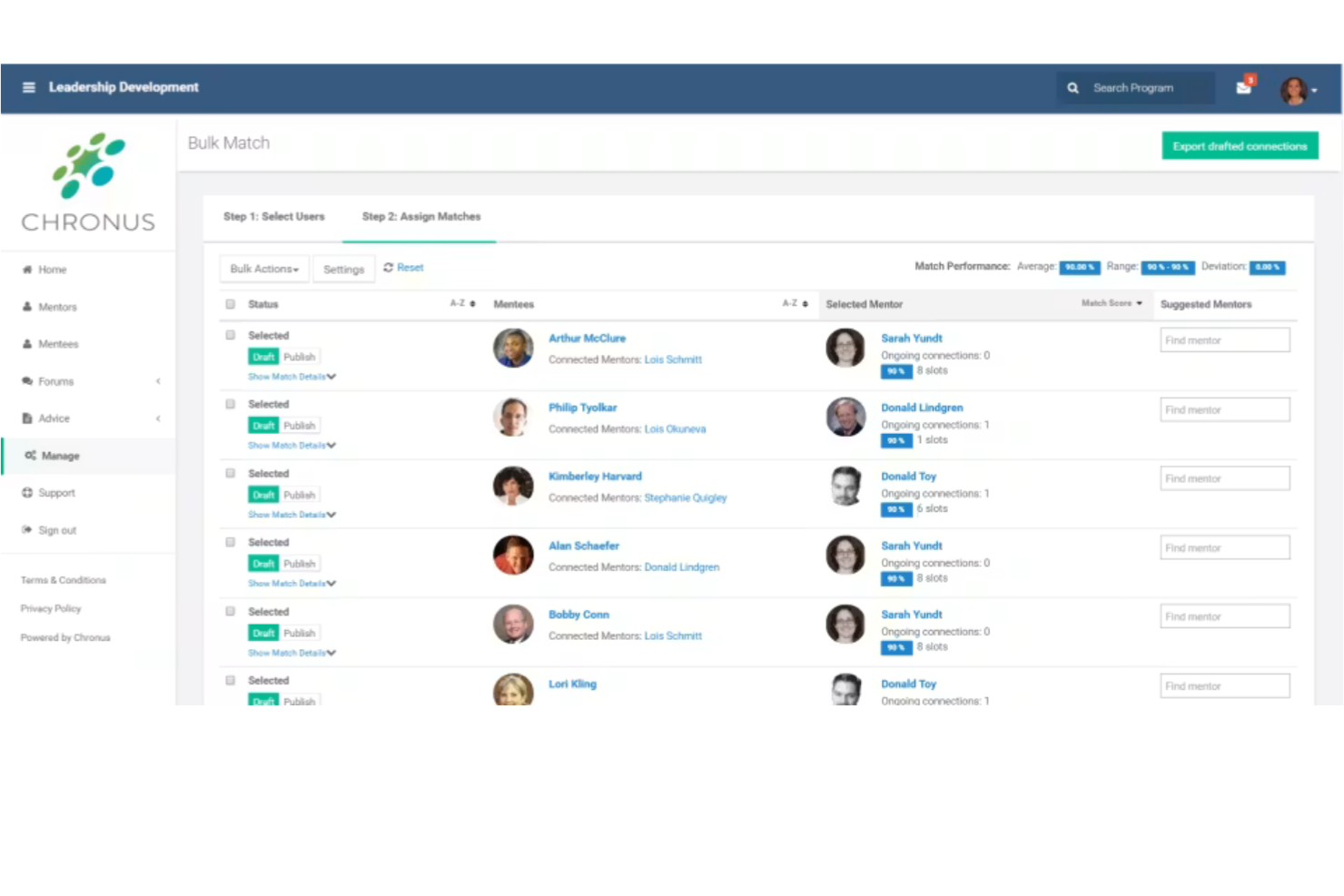
Chronus is a mentoring management platform for career coaching programs offering participant enrollment, program administration, engagement tracking, and communication tools tailored for mentorship initiatives.
Who Is Chronus Best For?
Enterprise HR and talent development teams looking to automate large-scale mentorship or career coaching programs will get the most value from Chronus.
Why I Picked Chronus
I picked Chronus as one of the best because I can automate participant matching based on custom rules, set workflows for mentoring relationships, and monitor engagement through built-in reporting dashboards.
Chronus Key Features
- Goal tracking: Set and monitor objectives for mentoring relationships.
- Resource library: Share learning materials and guides within the platform.
- Mobile app: Access mentoring activities and notifications on the go.
- Feedback collection: Gather participant input through surveys and forms.
Chronus Integrations
Chronus Mentoring Software offers native integrations with Microsoft Outlook, Microsoft Teams, Slack, and Zoom. An API is available for custom integrations.
Pros and Cons
Pros:
- Program analytics for engagement metrics
- Offers self- and admin-assisted matching
- Role-based access for program administrators
Cons:
- Reporting dashboards can feel rigid
- Limited mentor-mentee workflows

Best for managing 1-on-1 coaching engagements
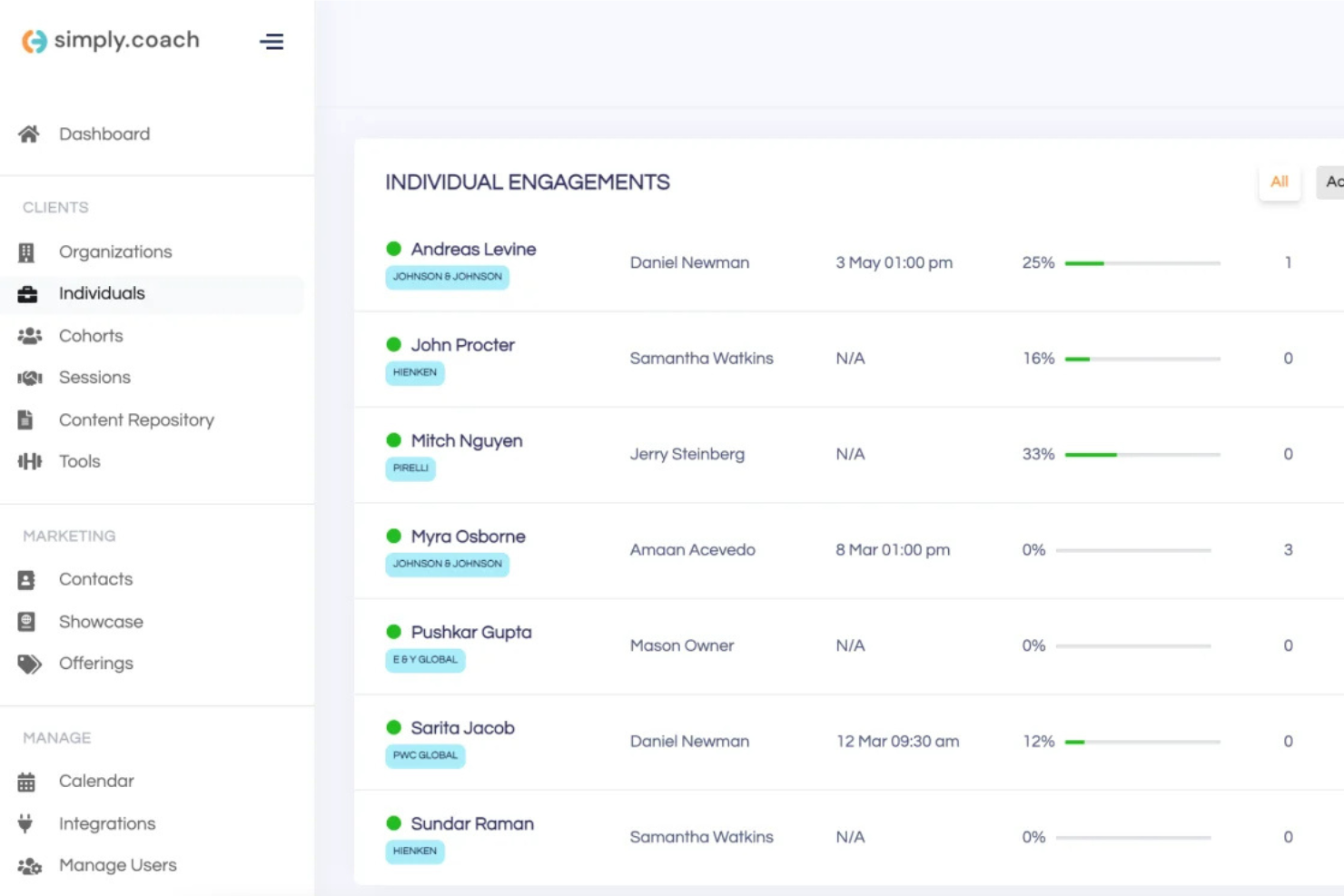
Simply.Coach is a dedicated career coaching software platform that helps solo coaches and coaching businesses manage engagements, automate session scheduling, track goals, and centralize resource sharing for client interactions.
Who Is Simply.Coach Best For?
Solo coaches and boutique coaching practices who primarily manage 1-on-1 client engagements are going to find Simply.Coach an ideal solution.
Why I Picked Simply.Coach
I picked Simply.Coach as one of the best because I can automate session scheduling, manage individual action plans, and organize feedback for each client engagement, making it easy to stay on top of multiple 1-on-1 coaching relationships at once.
Simply.Coach Key Features
- Resource sharing: Upload and manage resources for clients in each engagement.
- White-labeling: Apply your own branding across client portals and communications.
- Digital contracts: Create and manage contract documents directly within the platform.
- Progress tracking: Visualize milestones and session progress for all client journeys.
Simply.Coach Integrations
Simply.Coach offers an API for custom integrations.
Pros and Cons
Pros:
- Easy resource sharing and client document library
- Built-in digital contract management
- Customizable coaching workflows for each client
Cons:
- Limited group coaching support
- No built-in journaling feature for clients

Fuel50
Best for dynamic employee career pathing tools
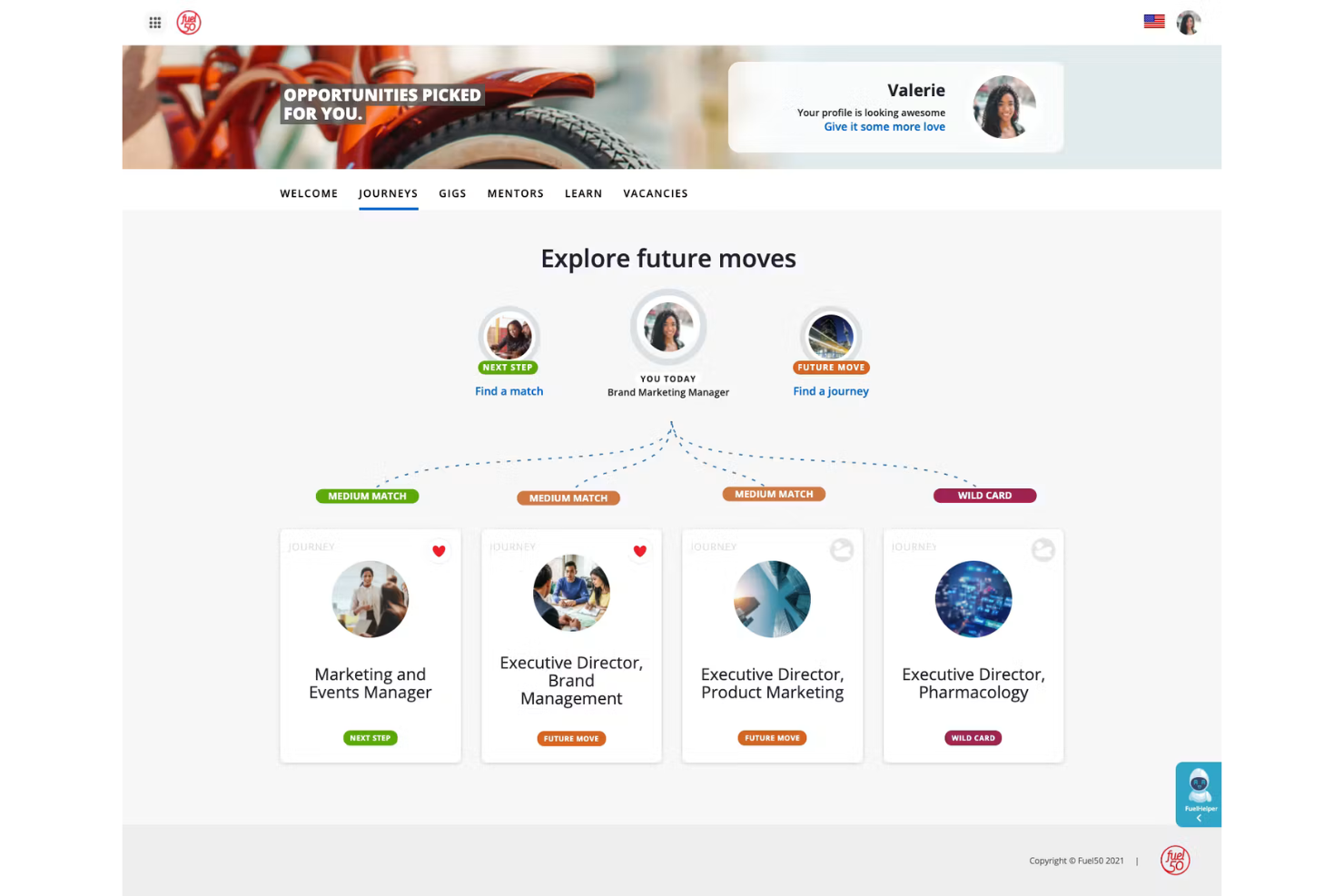
Fuel50 is a career pathing and talent marketplace platform designed to help HR teams and employees map career journeys, assess skills, and connect to learning and mentoring opportunities.
Who Is Fuel50 Best For?
Large HR and talent development teams seeking to build scalable, personalized career paths across global organizations will get the most out of Fuel50.
Why I Picked Fuel50
I picked Fuel50 as one of the best because I can guide employees through dynamic career maps, catalog individualized skills, and offer targeted coaching using its built-in marketplace for gigs, learning, and mentoring opportunities.
Fuel50 Key Features
- AI-driven opportunity recommendations: Surfaces project, learning, or mentorship suggestions tailored to employee profiles.
- Personalized development action plans: Lets users build and track structured career growth steps.
- Employee values and interests assessment: Captures talent preferences to refine career advice.
- Advanced analytics dashboard: Gives HR insights into employee engagement, usage, and talent mobility trends.
Fuel50 Integrations
Native integrations are not clearly documented.
Pros and Cons
Pros:
- Marketplace for peer gigs and projects
- AI-powered skills and competency assessments
- Shows non-linear wild card trajectories
Cons:
- Demands initial skill-rating questionnaires
- Reporting features can require manual exports

Best for enterprise-wide employee mentoring integration
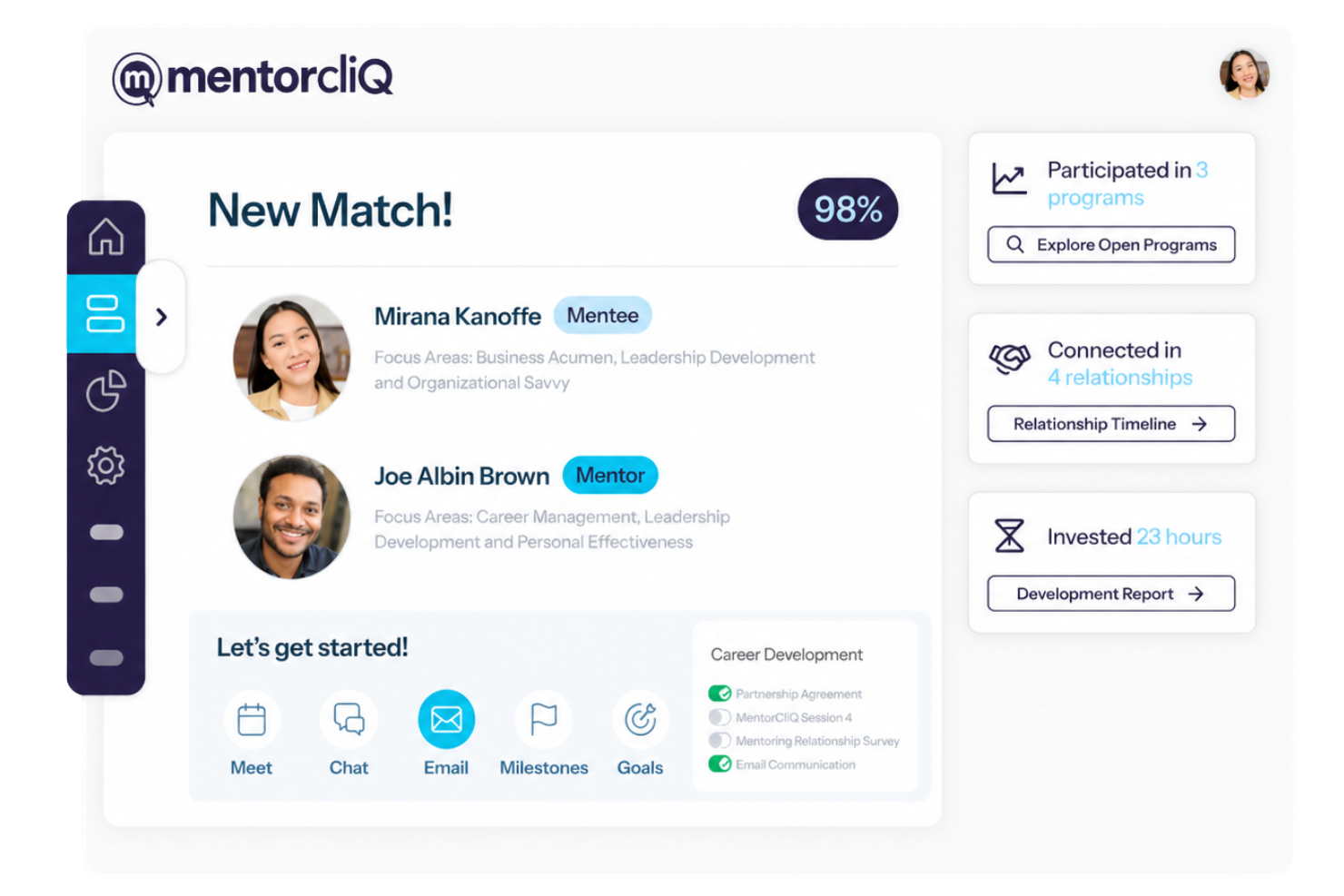
MentorcliQ is an employee mentoring software platform focused on enterprise mentoring program management, offering tools for mentor matching, program automation, and participant tracking.
Who Is MentorcliQ Best For?
MentorcliQ is well-suited for HR and L&D teams running large-scale corporate mentoring initiatives across global enterprises.
Why I Picked MentorcliQ
I picked MentorcliQ as one of the best because I can configure large, company-wide mentoring programs using its advanced matching engine, custom program templates, and reporting tools that track mentoring engagement at every level.
MentorcliQ Key Features
- Gamified learning modules: Engage participants with interactive, game-style progression throughout mentorship programs.
- Calendar sync: Schedule sessions directly with Outlook or Google Calendar.
- Resource library: Give mentors and mentees access to a curated set of guides and materials.
- Feedback and pulse surveys: Collect regular feedback from participants to measure mentoring experiences.
MentorcliQ Integrations
Native integrations are not clearly documented.
Pros and Cons
Pros:
- Supports unique reverse mentoring structures
- Includes custom strategic human coaching
- Features proprietary AI MatchIQ technology
Cons:
- Only displays proprietary pricing quotes
- Restricts employee cross-program dashboard views

Best for global labor market and skills analytics
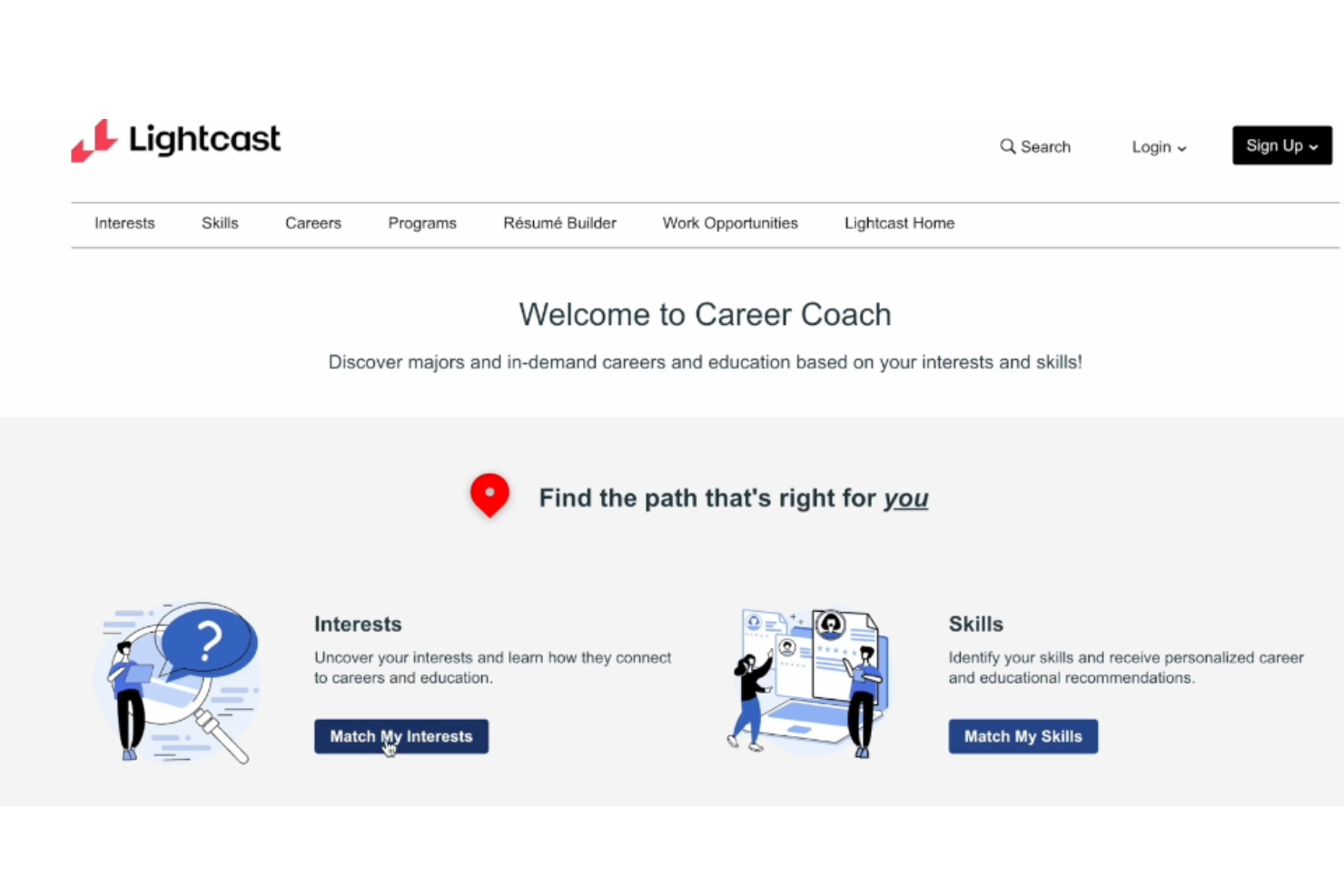
Lightcast is a labor market analytics platform for career coaching teams that delivers real-time data on job trends, in-demand skills, compensation, and global employer needs.
Who Is Lightcast Best For?
Lightcast is a strong fit for workforce development professionals and career service teams in large enterprises or academic institutions with a global focus.
Why I Picked Lightcast
I picked Lightcast as one of the best because I use its market analytics to identify global skill trends, dig into demand by region or sector, and pull real-time data for workforce planning and program design.
Lightcast Key Features
- Automated skills extraction: Pulls skills directly from job postings using advanced data processing.
- Occupation taxonomies: Maps job titles to international occupational codes and categories.
- Custom report builder: Lets you generate tailored reports on job markets and skills gaps.
- Historic trend analysis: Provides access to historical labor market data for research and planning.
Lightcast Integrations
Native integrations are not clearly documented. An API is available for custom integrations.
Pros and Cons
Pros:
- Customizable reports for workforce analysis
- Extensive labor market data coverage
- Granular international skills and job insights
Cons:
- Limited built-in tools for individual coaching
- Visualization tools can be difficult to personalize

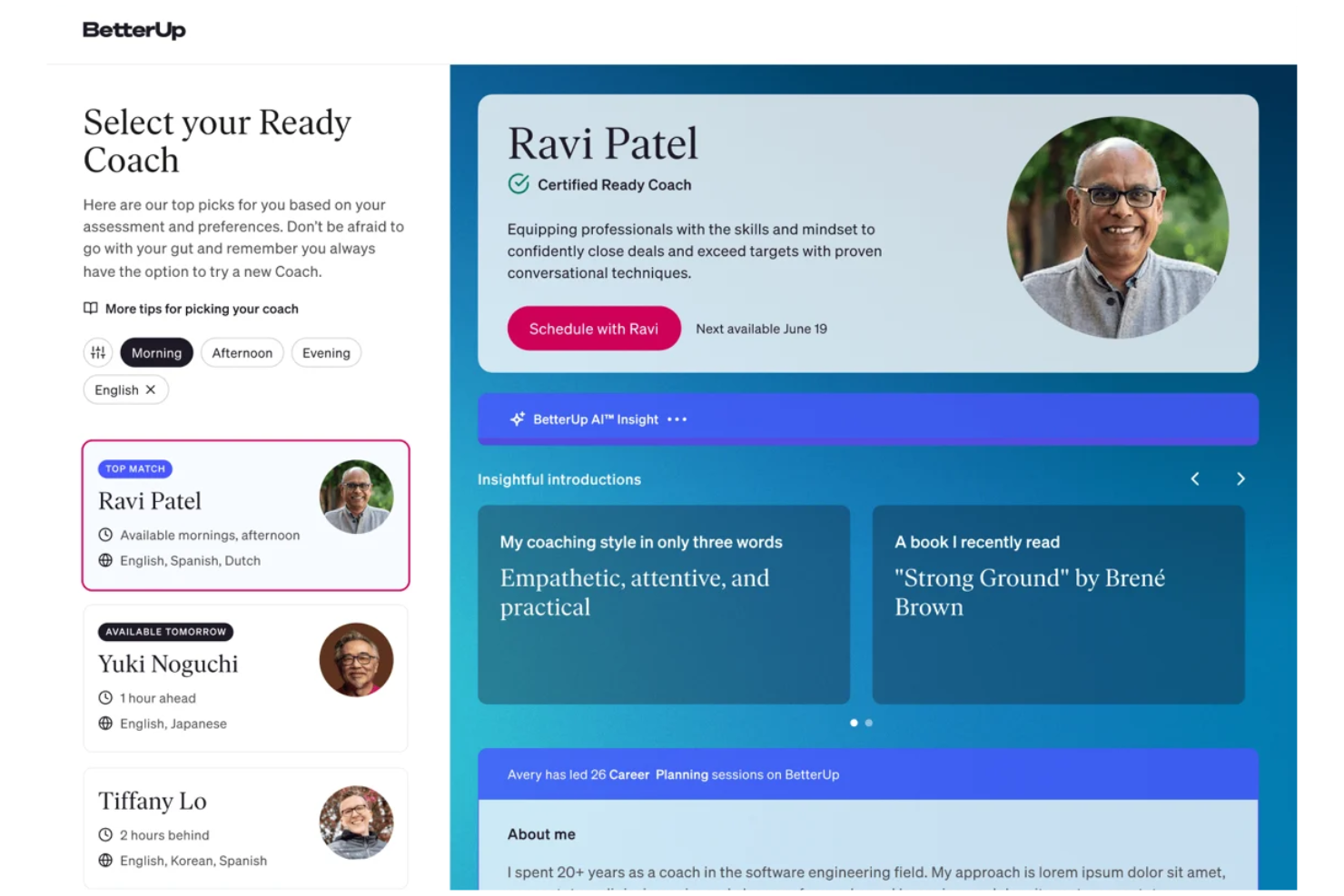
BetterUp is an enterprise-grade career coaching software platform that delivers 1:1 coaching, group sessions, career assessments, and digital support tools for employees at all levels.
Who Is BetterUp Best For?
Large enterprises and global organizations seeking a scalable platform to deliver coaching and development programs across diverse teams and regions.
Why I Picked BetterUp
I picked BetterUp as one of the best because I use its AI-driven personalized coaching pathways to deliver development at scale and track measurable progress across the enterprise. I rely on its integrated support for group coaching, assessments, and on-demand learning to meet diverse employee needs.
BetterUp Key Features
- Resource library: Offers curated content, exercises, and guides for coaches and coachees.
- Video coaching sessions: Allows users to schedule and conduct live sessions within the platform.
- Progress analytics dashboard: Displays real-time engagement and session metrics for program managers.
- Goal tracking tools: Lets users and coaches set, update, and monitor development goals over time.
BetterUp Integrations
Native integrations include Workday, Microsoft Teams, Slack, and more.
Pros and Cons
Pros:
- Features diverse specialist coaching tracks
- Wide variety of certified global coaches
- AI-driven coaching personalization
Cons:
- Unused monthly coaching sessions expire
- Missing manager-facing progress dashboards

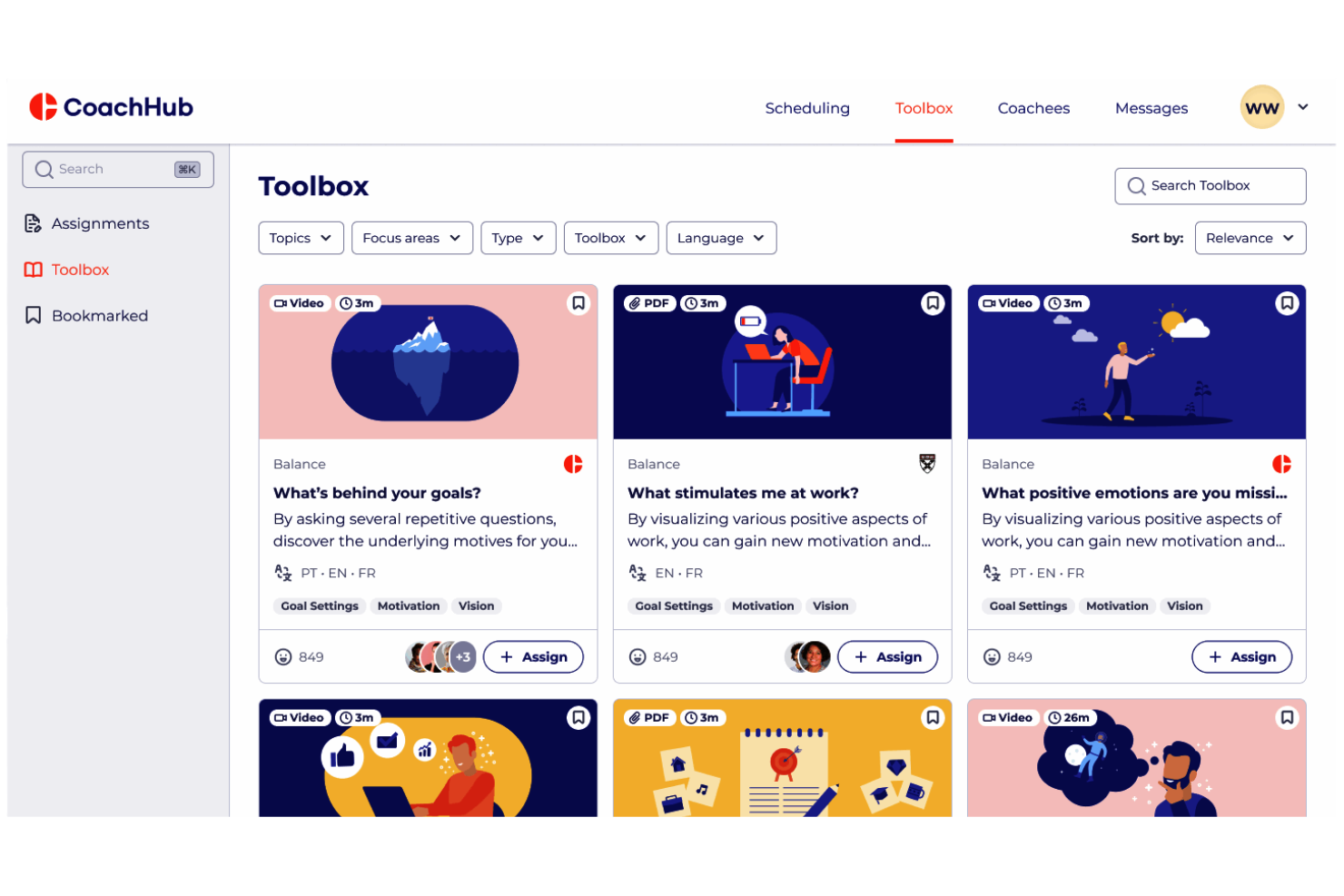
CoachHub is a global career coaching software platform that provides virtual 1:1 coaching, a network of professional coaches, learning resources, and data-driven progress tracking for employees at all levels.
Who Is CoachHub Best For?
CoachHub is a good fit for HR teams and L&D leaders at multinational companies that need multilingual digital coaching for a diverse workforce.
Why I Picked CoachHub
I picked CoachHub as one of the best because it lets me offer digital coaching in multiple languages with a global pool of vetted coaches, real-time program tracking, and instant access for users across regions.
CoachHub Key Features
- Mobile app: Users access coaching sessions and resources on mobile devices.
- Digital learning library: Extensive library of articles, videos, and exercises for ongoing development.
- Progress dashboards: Managers track employee coaching engagement and outcomes in real time.
- Automated session reminders: The platform sends scheduled reminders to ensure session attendance.
CoachHub Integrations
Integrations include Workday, Microsoft Teams, SAP SuccessFactors, and more.
Pros and Cons
Pros:
- Includes 360-degree digital feedback tools
- Certified coaches from diverse backgrounds
- Multilingual coaching selection is extensive
Cons:
- Lacks individual worker win-tracking tools
- Only available as enterprise contracts

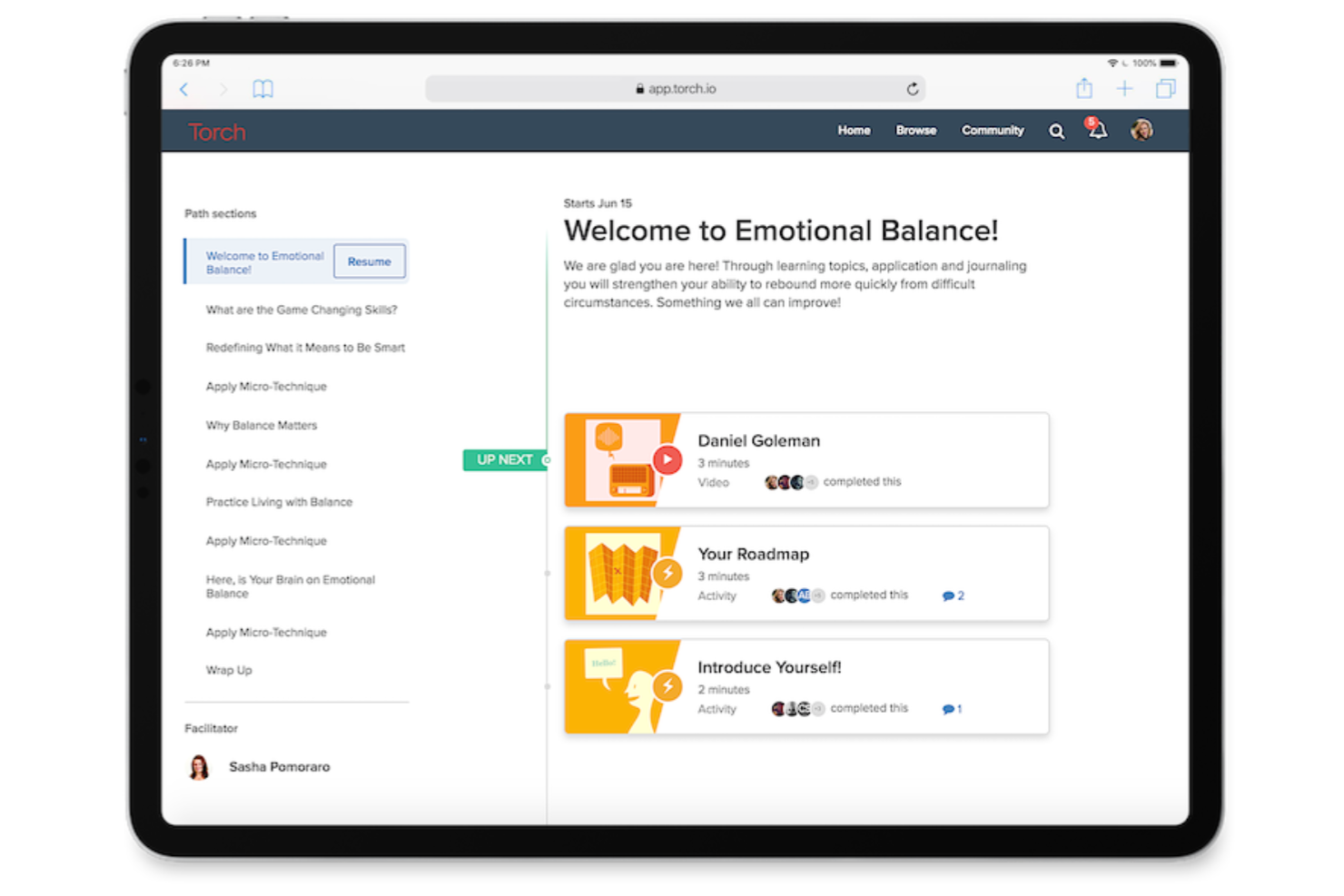
Torch.io is a career coaching software platform that combines AI-powered guidance, human coaching, personalized assessments, actionable learning resources, and analytics to support leadership and organizational development initiatives.
Who Is Torch.io Best For?
Torch.io suits HR leaders, talent development teams, and enterprises seeking scalable AI-enhanced coaching alongside expert human guidance.
Why I Picked Torch.io
I picked Torch.io as one of my top choices because I use its combination of AI-driven platform guidance and access to a network of vetted human coaches for leadership, onboarding, and change management programs. I also like the customizable assessments and reporting dashboards.
Torch.io Key Features
- Learning content library: Access a curated library of exercises, articles, and videos for development.
- 360 feedback tools: Collect structured feedback from peers, direct reports, and managers.
- Goal tracking: Set, update, and monitor personalized progress goals for each participant.
- Integration with HRIS systems: Sync coaching data and outcomes with leading HRIS platforms.
Torch.io Integrations
Native integrations are not clearly documented.
Pros and Cons
Pros:
- Progress dashboards for participant tracking
- Allows flexible program design
- Offers coach matching for personalized experiences
Cons:
- Fewer built-in industry frameworks
- Limited visibility into coach profiles before matching
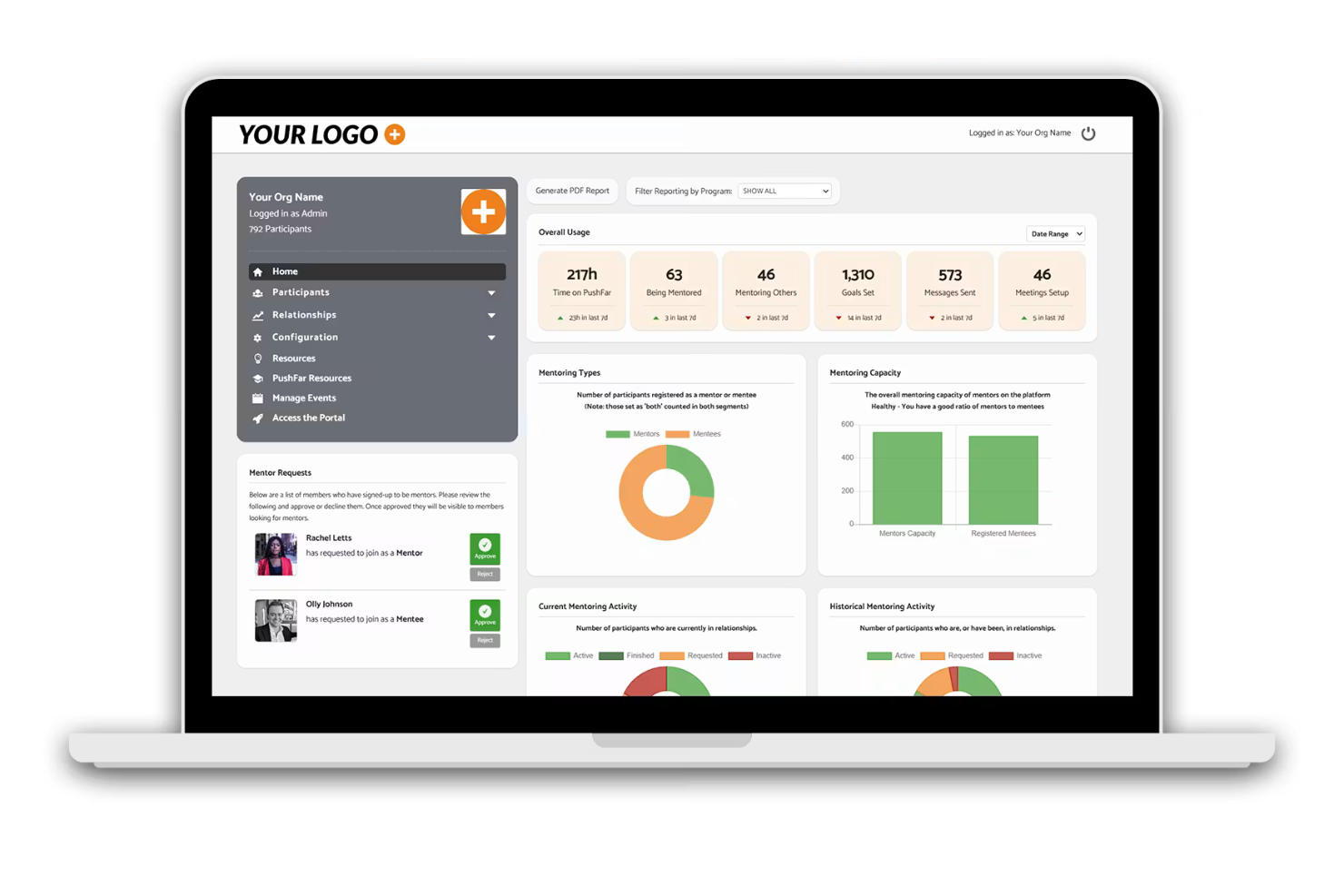
PushFar is a mentoring software platform for career coaching that includes mentor-matching, session scheduling, goal setting, activity tracking, and advanced program administration features.
Who Is PushFar Best For?
PushFar is ideal for HR teams and learning and development leaders in growing businesses or organizations scaling formal mentoring and coaching programs.
Why I Picked PushFar
I’ve included PushFar in my top picks because I use its automated mentor-matching, onboarding workflows, and bulk participant management to launch, grow, and monitor high-volume mentoring programs across multiple departments or locations.
PushFar Key Features
- Goal tracking dashboard: Lets users set, track, and monitor progress on development goals.
- Event scheduling tools: Schedules one-on-one or group mentoring sessions within the platform.
- In-app chat and messaging: Supports secure communication between mentors and mentees.
- Resource library: Allows program managers to share templates, guides, and reference materials with participants.
PushFar Integrations
PushFar offers native integrations with Microsoft Teams and Zoom. An API is available for custom integrations.
Pros and Cons
Pros:
- Built-in tools for goal tracking and milestones
- Tracks program engagement metrics
- Automated matching supports large cohorts
Cons:
- Mobile app has fewer features than desktop
- Limited options for deep skills assessments
Other Career Coaching Software
Here are some additional career coaching software options that didn’t make it onto my shortlist but are still worth checking out:
- Together Software
For customizable mentorship program templates
- Kickresume for Business
For customizable resume-building at scale
- Lattice
For holistic performance and growth tracking
- Gloat
For internal talent marketplace solutions
- TalentGuard
For integrated 360-degree feedback journeys
- Deel Engage
For connecting and engaging global teams


How I Evaluate Career Coaching Software
I evaluate these platforms in two layers: core must-haves (appointment booking, student CRM, NACE outcomes reporting) and the differentiators that make one tool better than another for career centers.
Core Functionality (Table Stakes For This List)
When I'm selecting tools for my list, I rank each one on a scale from 0 (does not offer the functionality) to 5 (excels in this area) for each core functionality listed below. Then, I calculate the tool's total score into a percentage. Each tool needs to achieve a minimum total score of 65% to be considered for inclusion.
- Coaching Session Management: I look for scheduling, note-taking, and appointment tracking that supports drop-in hours, group sessions, and individual meetings across a full advising caseload.
- Career Assessments & Tools: Validated assessments covering interests, skills, personality, and values should connect results to career pathways or major recommendations for students.
- Resume & Document Review: Whether it's AI-assisted scoring or coach annotation, I evaluate how the platform handles resume, cover letter, and LinkedIn profile feedback workflows.
- Job & Internship Connectivity: Strong platforms either host their own job boards or integrate with sources like Handshake and Symplicity so students can search and apply without leaving the system.
- Mock Interview Practice: I check whether students can record practice interviews, receive AI-driven feedback, or access industry-specific question banks to prepare independently.
- Student CRM & Engagement Tracking: The platform should centralize each student's coaching history, career goals, and engagement touchpoints so advisors can manage caseloads and follow up proactively.
- Outcomes Reporting & Analytics: First-destination surveys, placement rates, and NACE-aligned reporting matter here, especially for career centers preparing accreditation or institutional effectiveness reviews.
- Higher Ed System Integrations: I evaluate whether the tool connects with SIS, LMS, and SSO so student records stay in sync and the platform fits into existing campus infrastructure.
Once I have a list of tools that meet this criteria, I consider what sets each platform apart.
Differentiating Factors (What Sets Vendors Apart)
Here's how I compare and contrast different vendors:
Standout Features
An AI coaching companion is a major differentiator for large institutions. It gives students on-demand career guidance when advisors aren't available, which matters during peak seasons like graduation. I also evaluate content libraries with self-paced modules on topics like networking strategies or industry research, since they help students prepare between coaching sessions. For institutions serving diverse student populations, multilingual coach coverage and culturally aware resources make a real difference in engagement.
Beyond Features
Pricing structure matters when you're scaling from a small liberal arts college to a large research university. I look at whether vendors offer per-student pricing, flat institutional rates, or tiered models that flex with enrollment. Data security is another area I evaluate closely, since student records fall under FERPA and platforms need to demonstrate proper safeguards. Implementation support also factors in—career centers with lean teams benefit from vendors that provide onboarding assistance and pre-built program templates to get up and running quickly.
How to Choose Career Coaching Software
It’s easy to get bogged down in long feature lists and complex pricing structures. To help you stay focused as you work through your unique software selection process, here’s a checklist of factors to keep in mind:
| Factor | What to Consider |
|---|---|
| Scalability | Will the platform support your employee count and anticipated growth without major reconfiguration or rising costs? |
| Integrations | Does the software connect natively to your HRIS, learning systems, and communication tools? Check for proven integrations at your scale. |
| Customizability | Can you tailor workflows, assessments, and branding to reflect your company’s coaching philosophies and processes? |
| Ease of use | Are user roles, navigation, and core workflows intuitive for both employees and HR admins? Request demos focused on daily tasks. |
| Implementation and onboarding | How long does it take to launch? Are there guided setup options, expert help, or templates to get you up and running quickly? |
| Security safeguards | Does the vendor support compliance (SOC 2, GDPR), encryption, and RBAC to protect sensitive employee data and meet company policies? |
| Cost | Are ongoing costs predictable with your anticipated usage patterns? Review contract minimums, renewal terms, and any add-on fees. |
| Support availability | Does the vendor offer live support during your business hours, multiple support channels, and SLAs for urgent requests? |
What Is Career Coaching Software?
Career coaching software is a digital platform that helps employees plan, track, and achieve professional growth within an organization. These tools guide career conversations, support skills assessments, enable goal-setting, and connect employees with development opportunities.
HR teams use them to drive engagement, enable talent mobility, and deliver personalized coaching experiences at scale.
Features
Here are the core features any great career coaching software should have:
- Personalized career pathing: Lets employees visualize potential growth opportunities and planned steps within the organization, tailored to their interests and skills.
- Skills and competency assessments: Provide structured assessments to help identify employee strengths, gaps, and future development areas.
- Goal and milestone tracking: Enables creation, monitoring, and updating of individual career goals and key milestones to measure progress.
- Automated coaching workflows: Offers guided coaching conversations, reminders, and resource sharing to support ongoing employee development.
- Feedback and mentoring tools: Facilitates connections between employees and mentors, and enables structured feedback exchanges.
- Learning resource integration: Connects to learning platforms or includes embedded content to recommend courses and development activities relevant to career paths.
- Reporting and analytics: Delivers dashboards and reports for HR and managers to track coaching effectiveness, engagement, and employee progress.
- Internal opportunity marketplace: Surfaces short-term projects, gigs, or role openings to support skills expansion and mobility.
- Customizable templates: Offers flexible templates for career maps, action plans, feedback forms, and coaching sessions tailored to your process.
- Privacy and access controls: Ensures sensitive assessments and coaching data are restricted and secure, with role-based permissions for users and coaches.
Benefits
Implementing career coaching software provides several benefits for your team and your business. Here are a few you can look forward to:
- Personalized growth plans: Employees receive tailored career paths and actionable development steps based on their strengths and goals.
- Increased engagement and retention: Employees are more invested in their careers when they have clear direction and support from automated coaching tools.
- Data-driven development decisions: HR and leaders gain valuable insights from analytics dashboards on skills gaps, mobility, and engagement trends.
- Scalable coaching programs: Deliver consistent coaching and mentoring experiences to more employees without overloading HR or managers.
- Proactive internal mobility: Employees discover gigs, projects, and new opportunities within the organization, supporting talent movement and career satisfaction.
- Targeted learning recommendations: Integrated learning resources help employees build new skills closely aligned with business needs and their career objectives.
- Secure, compliant talent management: Privacy controls protect sensitive coaching data and ensure process compliance for different roles and locations.
Costs and Pricing
Selecting career coaching software requires an understanding of the various pricing models and plans available. Costs vary based on features, team size, add-ons, and more. The table below summarizes common plans, their average prices, and typical features included in career coaching software solutions:
Plan Comparison Table for Career Coaching Software
| Plan Type | Average Price | Common Features |
|---|---|---|
| Free Plan | $0 | Basic career pathing, limited assessments, basic goal tracking, and standard reporting. |
| Personal Plan | $5-$15/user/month | All free features, personalized development plans, skill assessments, advanced goal tracking, and email support. |
| Business Plan | $15-$35/user/month | All personal features, manager dashboards, mentoring tools, integration support, analytics, and group training resources. |
| Enterprise Plan | $35-$60/user/month | All business features, custom workflows, dedicated support, data security controls, onboarding assistance, and API access. |
FAQs
Here are some answers to common questions about career coaching software:
How does career coaching software support employee development?
Career coaching software supports employee development by providing structured tools for skills assessments, goal tracking, and personalized growth plans. Employees receive ongoing feedback and access to relevant learning resources, which makes it easier to track progress and stay on course with their career guidance goals. Key features often include:
- Access to diverse coaching models and specialized executive coaching.
- Structured support to help employees navigate career transitions.
- An all-in-one career coaching platform that acts as a central coaching platform to map out a clear professional roadmap.
Can career coaching software integrate with our existing HR systems?
Yes, many career coaching software solutions offer integrations with HRIS, LMS, and communication platforms. This allows you to share data between systems, centralize reporting, and automate certain processes—like a follow-up task—without duplicating work. These system partnerships help HR departments, enterprise teams, and startups scale their developmental programs smoothly.
Can career coaching software integrate with our existing HR systems?
Yes, many career coaching software solutions offer integrations with HRIS, LMS, and communication platforms. This allows you to share data between systems, centralize reporting, and automate certain processes—like a follow-up task—without duplicating work. These system partnerships help HR departments, enterprise teams, and startups scale their developmental programs smoothly.
How secure is employee data in career coaching software?
Most vendors use encryption, role-based access, and compliance measures like SOC 2 or GDPR to secure personal, performance, and broader employee well-being data. If your program utilizes online coaching or coaches certified by organizations like the icf (International Coaching Federation), always review each vendor’s security documentation to confirm controls meet your organization’s standards and regulatory requirements.
Do employees and managers need training to use career coaching software?
Most platforms are designed to be user-friendly, but onboarding resources like video tutorials, in-app guides, and help centers are often available. Some vendors also offer support for coaching services, including:
Practical workshops on professional branding tools (optimizing a LinkedIn profile, writing a cover letter, or mastering a job search).
Additional support for professional or life coaching needs.
Live training or webinars to help HR and managers quickly learn and adopt the system.
What should I look for when comparing career coaching software vendors?
Focus on the platform’s scalability, integration capabilities, customization options, ease of setup, support quality, overall pricing structure, and data security practices. It’s also helpful to review customer feedback and case studies to understand real-world experiences with onboarding and how the tool helps employees transition into a new career path.