

10 Best Unified Communication Software Reviewed in 2026

Best Unified Communication Software Shortlist


Staying connected with your team has become a real challenge, especially with everyone working in different places and juggling different schedules. As someone who works in HR, you’re always dealing with things like scattered communication, missed updates, and the constant pressure to keep everyone aligned. Unified communication software brings everything into one space so you’re not switching between tools all day.
I've spent time testing and reviewing these solutions to bring you the best options available. In this article, I'll share my top picks, giving you insights into each tool's unique benefits.
You’ll find straightforward, unbiased reviews to help you choose the right software for your team’s needs.
Why Trust Our Software Reviews
Our team has been testing and reviewing software since 2012. As HR experts ourselves, we know how difficult—and important—it is to choose the right software.
For this guide, we evaluated tools using hands-on testing and independent research, scoring tools using our selection criteria. We also draw on insights from industry thought leaders and practicing HR experts.
Our reviews reflect our human editorial judgment, not a sales pitch.
Expert reviewers:
Best Unified Communication Software Summary
This comparison chart summarizes pricing details for my top unified communication software selections to help you find the best one for your budget and business needs.
| Tool | Best For | Trial Info | Price | ||
|---|---|---|---|---|---|
| 1 | Best for business communication | Free demo available | From $15/user/month (billed annually) | Website | |
| 2 | Best for video conferencing | Free plan available | From $14.16/user/month (billed annually) | Website | |
| 3 | Best for Office 365 users | Free trial available | From $4.00/user/month (billed annually) | Website | |
| 4 | Best for AI-powered calls | 14-day free trial + free demo available | Pricing upon request | Website | |
| 5 | Best for all-in-one communication | 14-day free trial | From £18/user/month | Website | |
| 6 | Best for enterprise scalability | 30-day free trial + free demo available | Pricing upon request | Website | |
| 7 | Best for customer experience | Free demo available | From $75/user/month (billed annually) | Website | |
| 8 | Best for remote teams | Free demo available | Pricing upon request | Website | |
| 9 | Best for contact centers | Free demo available | Pricing upon request | Website | |
| 10 | Best for Microsoft integration | Free consultation available | $199.95 per 100 users/per month | Website |
Best Unified Communication Software Review
Below are my detailed summaries of the best unified communication software that made it onto my shortlist. My reviews offer a detailed look at the key features, pros & cons, integrations, and ideal use cases of each tool to help you find the best one for you.
Nextiva
Best for business communication
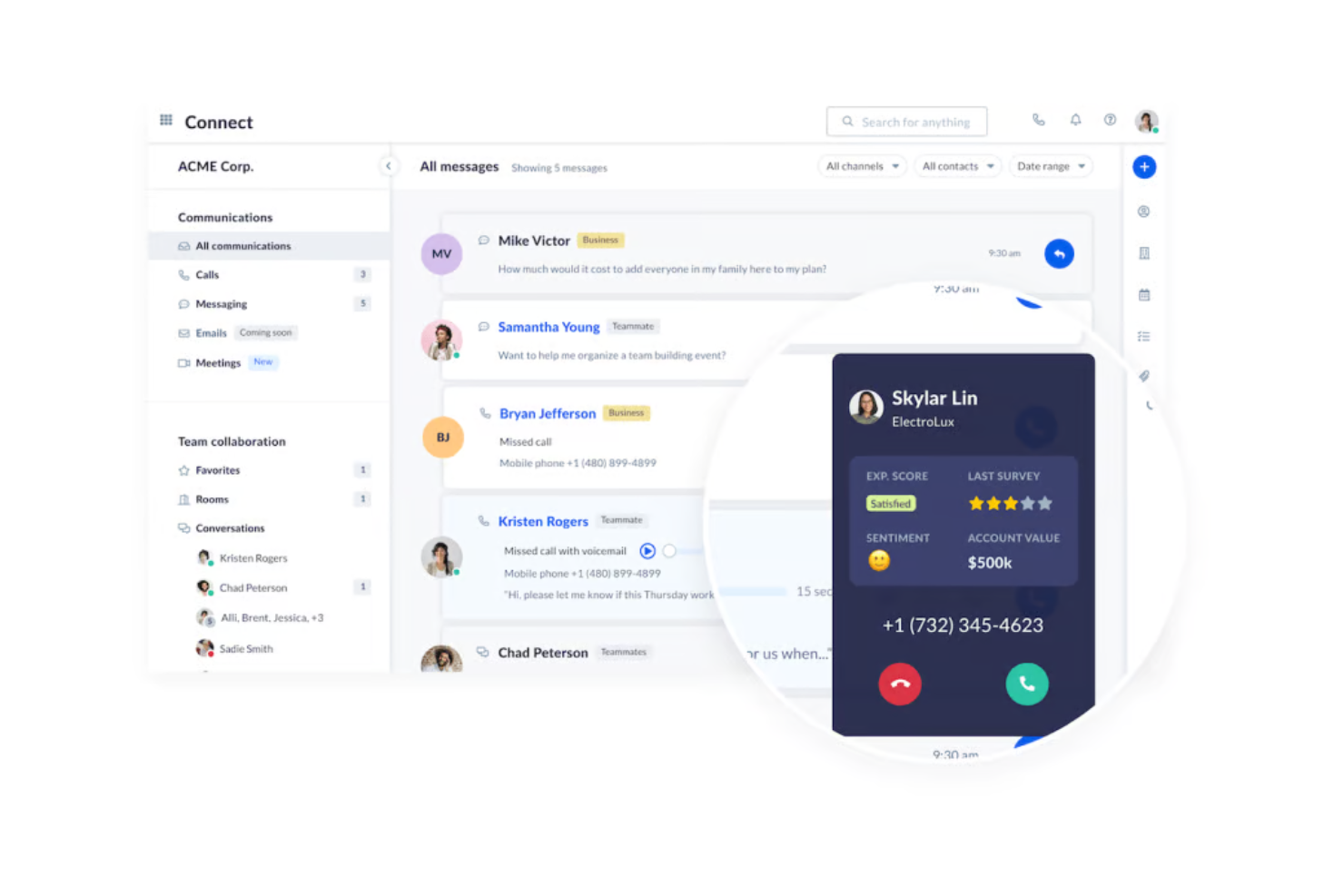
Nextiva offers a unified communication platform designed for businesses seeking efficient communication solutions. It caters to organizations that need reliable voice, video, and messaging services to support team collaboration and customer interactions. Nextiva’s platform also includes customer experience features and AI-driven insights that strengthen both internal and external communication workflows.
Why I picked Nextiva: Nextiva provides features that centralize business communication, making it suitable for companies of all sizes. Its VoIP services offer clear and reliable phone communication. The platform's ability to integrate voice, video, and messaging into one system improves productivity, while NextivaONE centralizes conversations and uses AI to surface insights, automate follow-ups, and analyze communication trends. Additionally, Nextiva's analytics tools provide insights into communication patterns, helping you optimize your strategies.
Standout Features & Integrations:
Features include call management tools that allow you to route, forward, and block calls as needed. The video conferencing feature supports high-definition video and audio, ensuring clear communication. Nextiva also offers team messaging capabilities, which facilitate quick and effective collaboration. Nextiva’s AI capabilities deliver sentiment analysis, automated alerts, and interaction insights to help teams improve service and productivity.
Integrations include Salesforce, Microsoft Teams, Google Workspace, Slack, HubSpot, Zendesk, Zoho CRM, ServiceNow, Dropbox, and Trello.
Pros and Cons
Pros:
- Detailed communication analytics
- Real-time dashboards and reporting
- Smart call routing
Cons:
- Adaptive scripts driven by real-time CRM data
- Most integrations have account limits

Zoom
Best for video conferencing
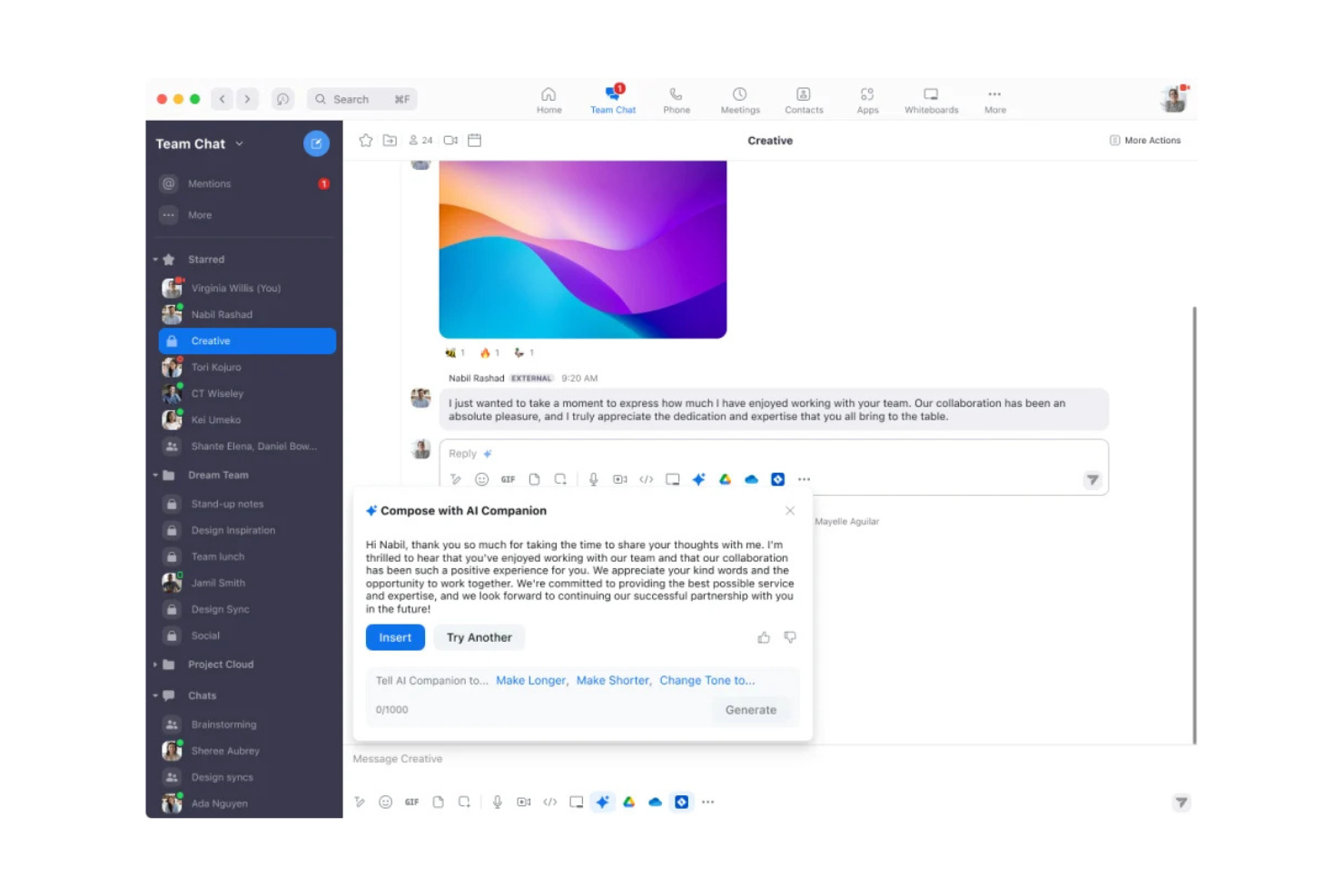
Zoom is a video communication platform widely used by businesses and individuals for virtual meetings and webinars. It caters to users who need reliable video conferencing with features that enhance remote collaboration. Zoom Workplace combines meetings, chat, phone, and documents in one platform, with AI built in to speed up tasks such as summarizing discussions and drafting follow-ups.
Why I picked Zoom: Its strong video conferencing capabilities paired with AI features that assist with meeting summaries, follow-up drafting, and next-step suggestions. Zoom supports remote and hybrid teams through video meetings, persistent chat, and document collaboration. Its unified environment allows teams to work across meetings, calls, and shared docs without switching tools, making it effective for companies that rely heavily on video communication.
Standout Features & Integrations:
Features include breakout rooms, virtual backgrounds, and built-in chat for group messaging. Zoom Workplace adds Meetings, Phone, Chat, and Docs in one platform, supporting collaboration, customer support, marketing, sales, and employee engagement workflows. Teams can keep projects moving with shared docs, quick check-ins, and persistent chat spaces. Zoom’s AI Companion summarizes meetings, drafts follow-ups, and provides next steps to help reduce manual work.
Integrations include Microsoft Teams, Slack, Google Workspace, Salesforce, Dropbox, HubSpot, Zendesk, ServiceNow, Trello, and Asana.
Pros and Cons
Pros:
- AI Companion brainstorms
- Screen sharing and recording
- AI-powered summaries and follow-ups
Cons:
- High bandwidth usage may slow networks
- User data collection raises privacy concerns

Best for Office 365 users
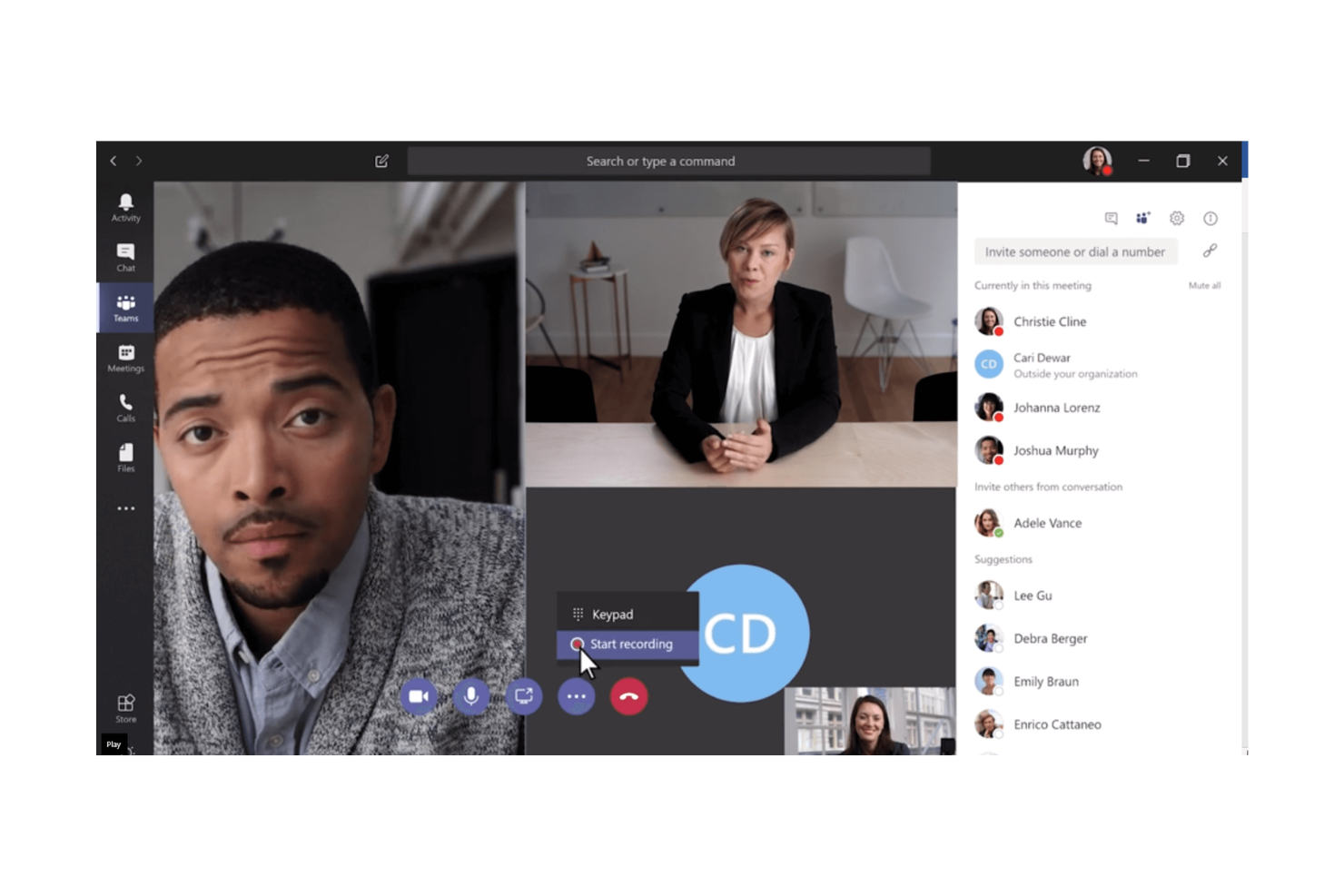
Microsoft Teams is a collaboration platform designed for businesses that already use Microsoft Office 365, providing chat, video, and file-sharing capabilities. It's tailored for organizations seeking to integrate communication tools with their existing Microsoft ecosystem.
Why I picked Microsoft Teams: The platform's tight integration with Office 365 offers a dynamic experience for document collaboration and sharing. Teams allows you to chat, meet, and call directly within the Office suite, enhancing productivity. Its ability to host large meetings and webinars makes it suitable for diverse business needs. Additionally, the platform's security features ensure that your data remains protected.
Standout Features & Integrations:
Features include meeting scheduling that syncs with your Outlook calendar, ensuring no missed appointments. The file-sharing feature allows you to collaborate on documents in real-time. Teams also offers customizable channels for organizing team discussions and projects effectively.
Integrations include SharePoint, OneDrive, Power BI, Trello, Salesforce, GitHub, Adobe Creative Cloud, Asana, ServiceNow, and Zoom.
Pros and Cons
Pros:
- Scales easily from SMBs to enterprises
- Real-time document collaboration
- Strong security features and cloud storage
Cons:
- Minimal customization available
- Requires an Office 365 subscription
Dialpad
Best for AI-powered calls
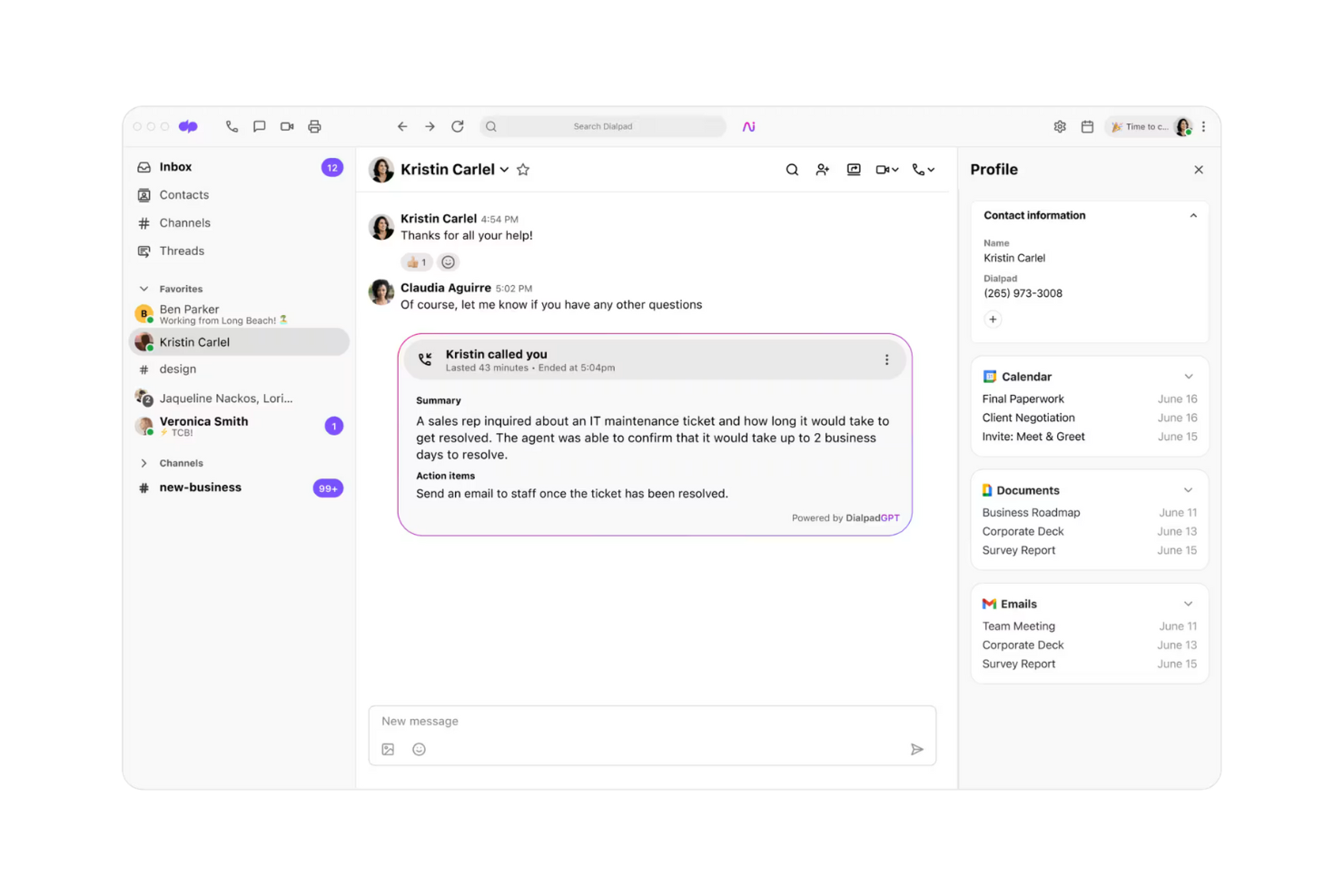
Dialpad is a unified communication platform designed for businesses seeking advanced call capabilities. Dialpad’s AI provides real-time transcription, sentiment analysis, and live coaching features across calls.
Why I picked Dialpad: Dialpad's AI-powered call features make it stand out for teams needing efficient communication solutions. Its real-time transcription and voice intelligence features enhance call productivity. Dialpad provides smooth call routing and management, which supports business operations. The platform's flexibility in adapting to various communication needs is an added advantage.
Standout Features & Integrations:
Features include call transcription that captures conversations in real time, which is great for keeping accurate records. Voice intelligence provides insights and analytics to improve communication strategies. Dialpad also includes AI coaching cards, voicemail transcriptions, and built-in analytics dashboards.
Integrations include Google Workspace, Salesforce, Microsoft 365, Slack, Zendesk, HubSpot, Zoho CRM, Okta, ServiceNow, and Zapier.
Pros and Cons
Pros:
- Insightful voice analytics
- Real-time transcription
- AI-driven call features
Cons:
- Premium support is limited to North America
- Service Level Agreement (SLA) is restricted to the top-tier plan
Best for all-in-one communication
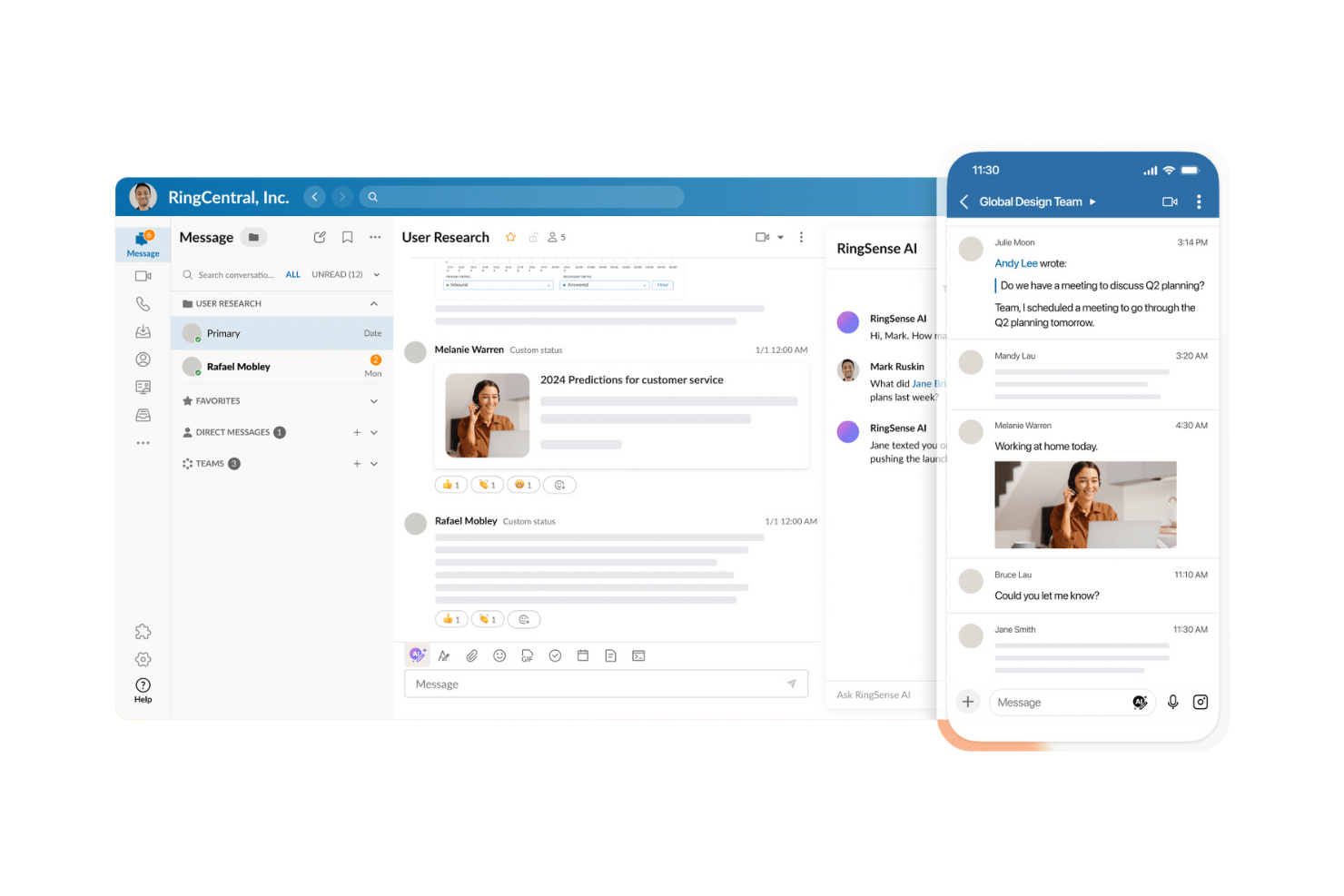
RingCentral is a full-scope communication platform serving businesses of all sizes. RingCentral’s MVPTM platform delivers integrated phone, messaging, and video capabilities designed to simplify internal and external communication workflows.
Why I picked RingCentral: RingCentral offers an integrated suite that covers all communication needs, making it ideal for businesses seeking a unified platform. It combines messaging, video, and phone services in one place, reducing the need for multiple tools. The platform's scalability allows it to grow with your business, accommodating increased communication demands. RingCentral also offers analytics dashboards, voicemail-to-text, and multi-device support for employees who switch between desktop and mobile.
Standout Features & Integrations:
Features include advanced call management options that enhance your phone operations. Video conferencing supports high-definition video and audio for clear communication. Messaging features allow for team collaboration through group chats and file sharing.
Integrations include Microsoft 365, Google Workspace, Salesforce, Slack, Zendesk, Box, Dropbox, Okta, ServiceNow, and Trello.
Pros and Cons
Pros:
- Unlimited domestic calls
- AI-powered features include 24/7 virtual assistant
- Modular, scalable communication channels
Cons:
- Key tools require additional module purchases
- Toll usage is restricted across all service levels
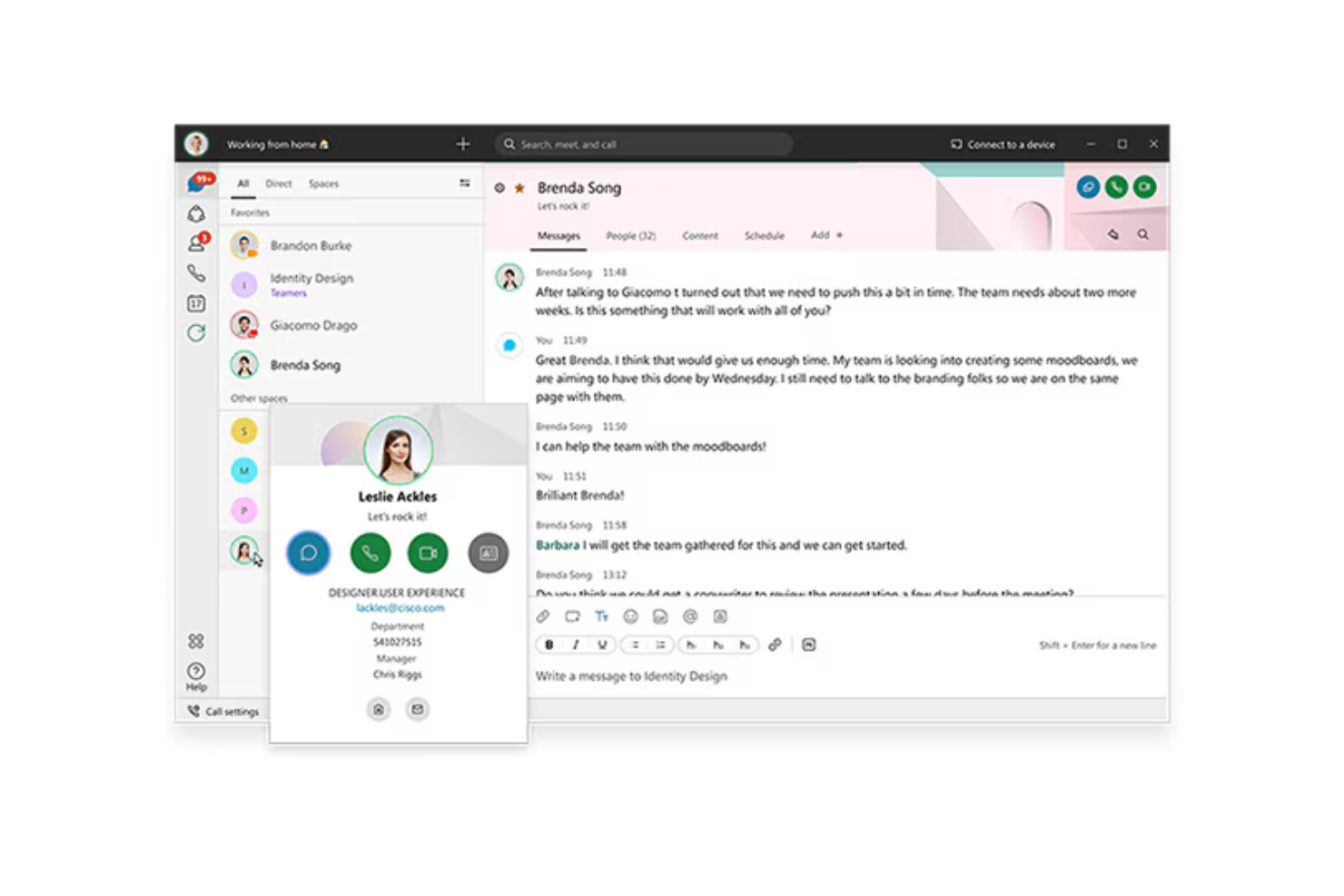
Cisco offers a unified communication platform designed for large enterprises, providing tools for calling, messaging, and meetings. Cisco’s portfolio centers on Webex and Cisco Unified Communications Manager (CUCM), which enable voice, video, and collaboration across distributed teams.
Why I picked Cisco: Cisco's platform excels in enterprise scalability, making it ideal for large organizations with complex communication needs. Cisco offers cloud, on-premises, and hybrid deployment through Webex Calling and Unified Communications Manager, allowing organizations to adopt a model that fits their operational requirements. The integration of IP telephony, video conferencing, and instant messaging allows for a unified communication experience. Additionally, Cisco emphasizes security and compliance, which is crucial for enterprises handling sensitive information.
Standout Features & Integrations:
Features include options for both cloud and on-premises deployment, which provide flexibility for your team's needs. The Cisco Nexus Dashboard provides a single console unifying a wide range of devices under one platform, ensuring connectivity wherever you are. Cisco provides advanced security controls, compliance features, and encryption across calling and collaboration workloads.
Integrations include Microsoft Teams, Salesforce, Google Workspace, Slack, ServiceNow, Box, Dropbox, Zendesk, Jira, and Trello.
Pros and Cons
Pros:
- Nexus Dashboard unifies operations tasks
- Enterprise-level security features
- Extensive deployment options
Cons:
- Risk of vendor lock-in with enterprise agreements
- Licensing structure is complex and costly
Genesys
Best for customer experience
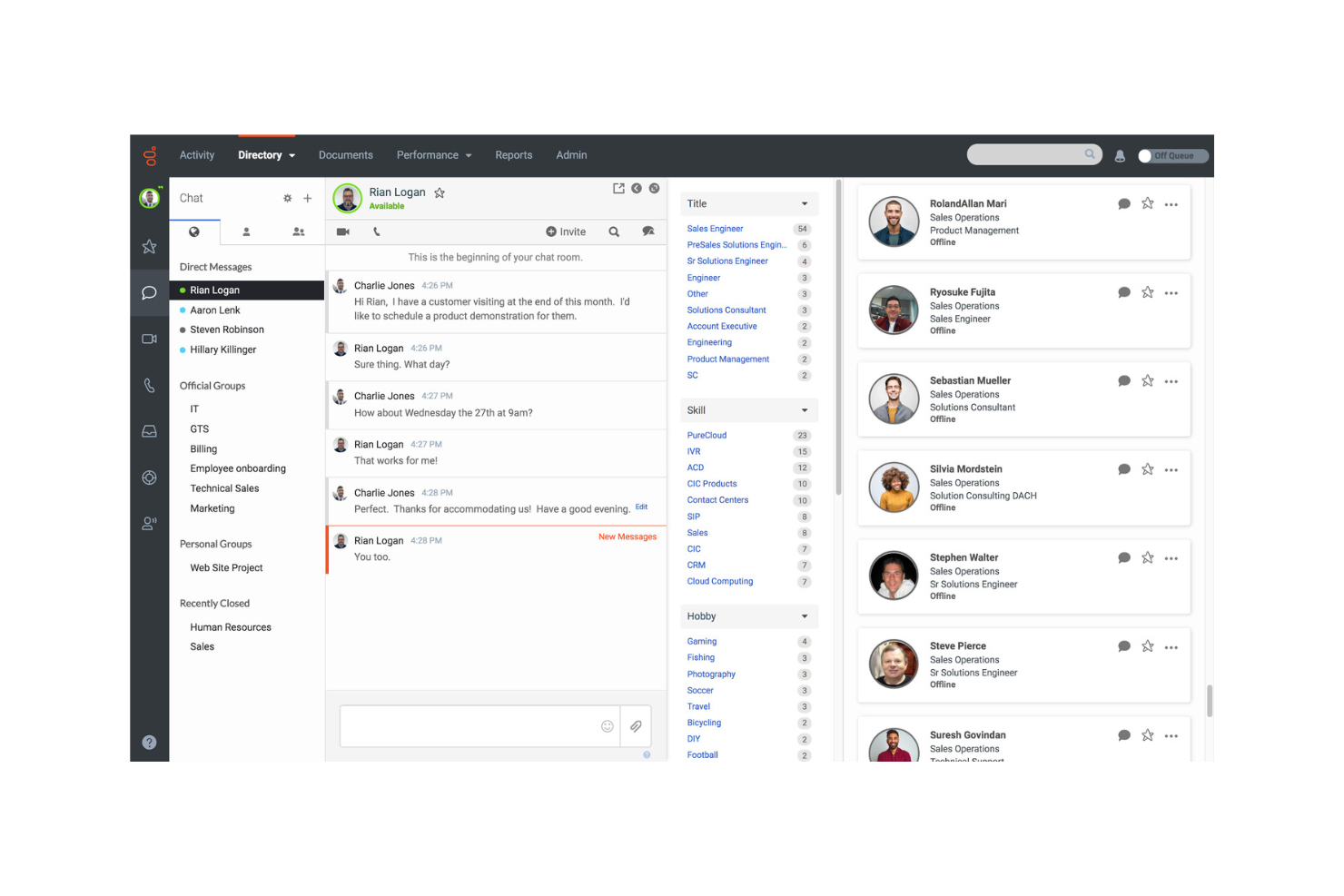
Genesys provides unified communication and collaboration tools designed for businesses focused on enhancing customer and employee interactions. Genesys Cloud CX also includes internal collaboration features, enabling teams to coordinate during service interactions.
Why I picked Genesys: Genesys excels in customer experience by integrating communication tools with contact center capabilities. It focuses on customer experience supported by AI and omnichannel engagement tools. Genesys integrates voice, messaging, and digital channels with AI-driven routing, analytics, and automation, helping teams address customer needs efficiently. Its collaboration features support real-time communication during service workflows, which strengthens both agent productivity and customer outcomes.
Standout Features & Integrations:
Features include a unified directory for team communication, chat groups for internal coordination, and the ability to shift from chat to video when needed. Genesys also offers AI-powered routing, customer sentiment insights, and workforce engagement tools used by service teams across high-volume environments.
Integrations include Microsoft Teams, Salesforce, Zendesk, Google Workspace, Zoom, Slack, ServiceNow, Box, HubSpot, and Pipedrive.
Pros and Cons
Pros:
- Extensive training resources
- Real-time collaboration features
- AI-powered engagement tools
Cons:
- Unstable integrations reduce system reliability
- Reports lack data granularity and performance metrics
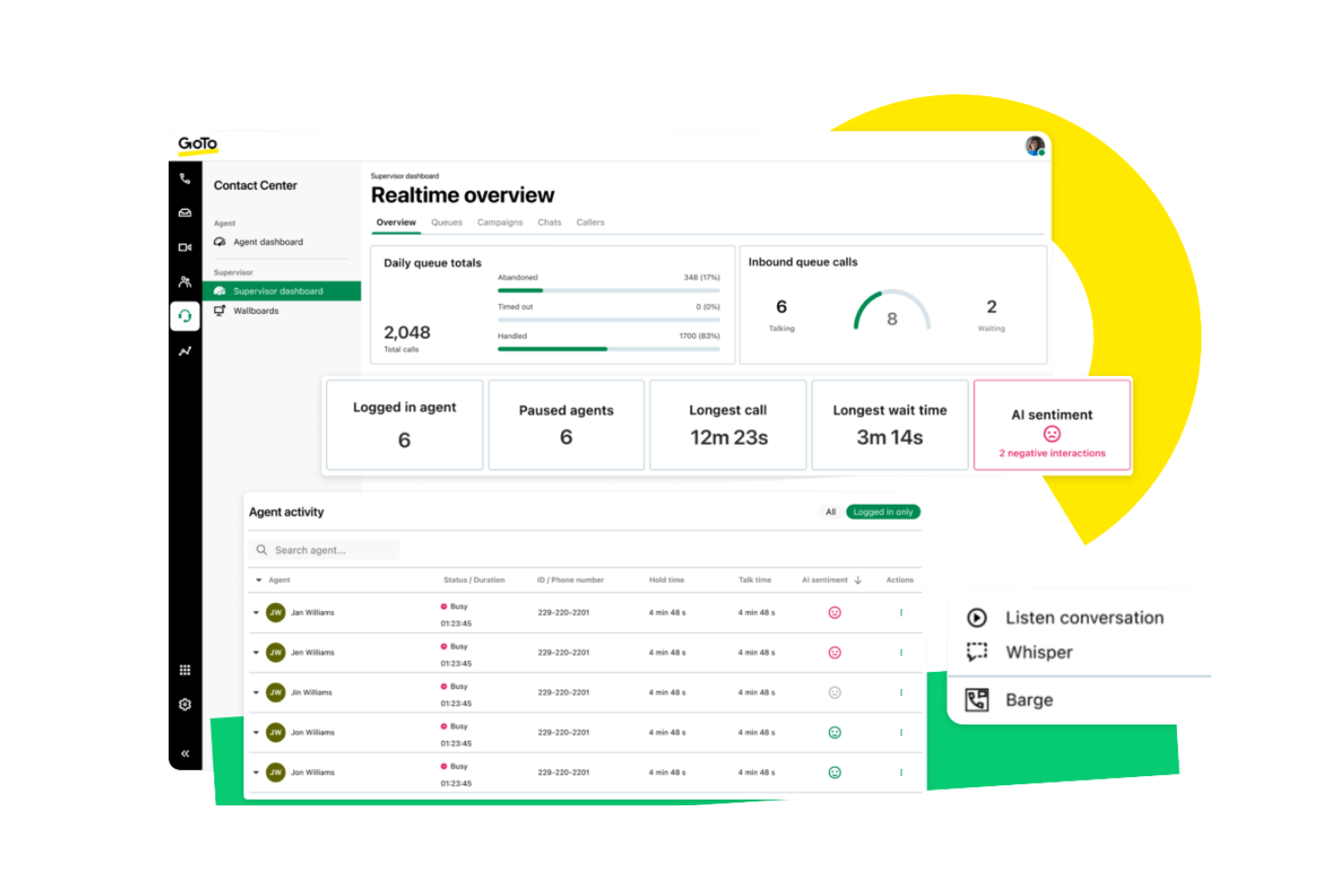
GoTo Connect is a unified communication platform that supports remote teams through voice, video, and messaging tools. It provides reliable communication options for distributed workforces needing flexibility and consistent connectivity. Its cloud-based architecture enables users to access calling, meetings, and team messaging from any location.
Why I picked GoTo Connect: It provides strong features that support remote team communication. It offers a cloud-based VoIP system, HD video meetings, and team messaging, allowing distributed teams to collaborate without location constraints. Its scalability helps organizations adapt as teams expand or shift to hybrid environments.
Standout Features & Integrations:
Features include virtual voicemail for managing messages across devices, call routing tools that direct calls to the right team member, and conference calling for group discussions. GoTo Connect also includes call queues, auto attendants, team messaging spaces, and meeting tools suitable for remote and hybrid workflows.
Integrations include Salesforce, Microsoft Teams, Google Workspace, Slack, Zendesk, HubSpot, Zoho CRM, ServiceNow, Dropbox, and Trello.
Pros and Cons
Pros:
- Unified administrator hub
- AI-driven routing and analytics
- Strong CX and engagement focus
Cons:
- 1,000 toll-free minutes
- Integration issues limit connectivity

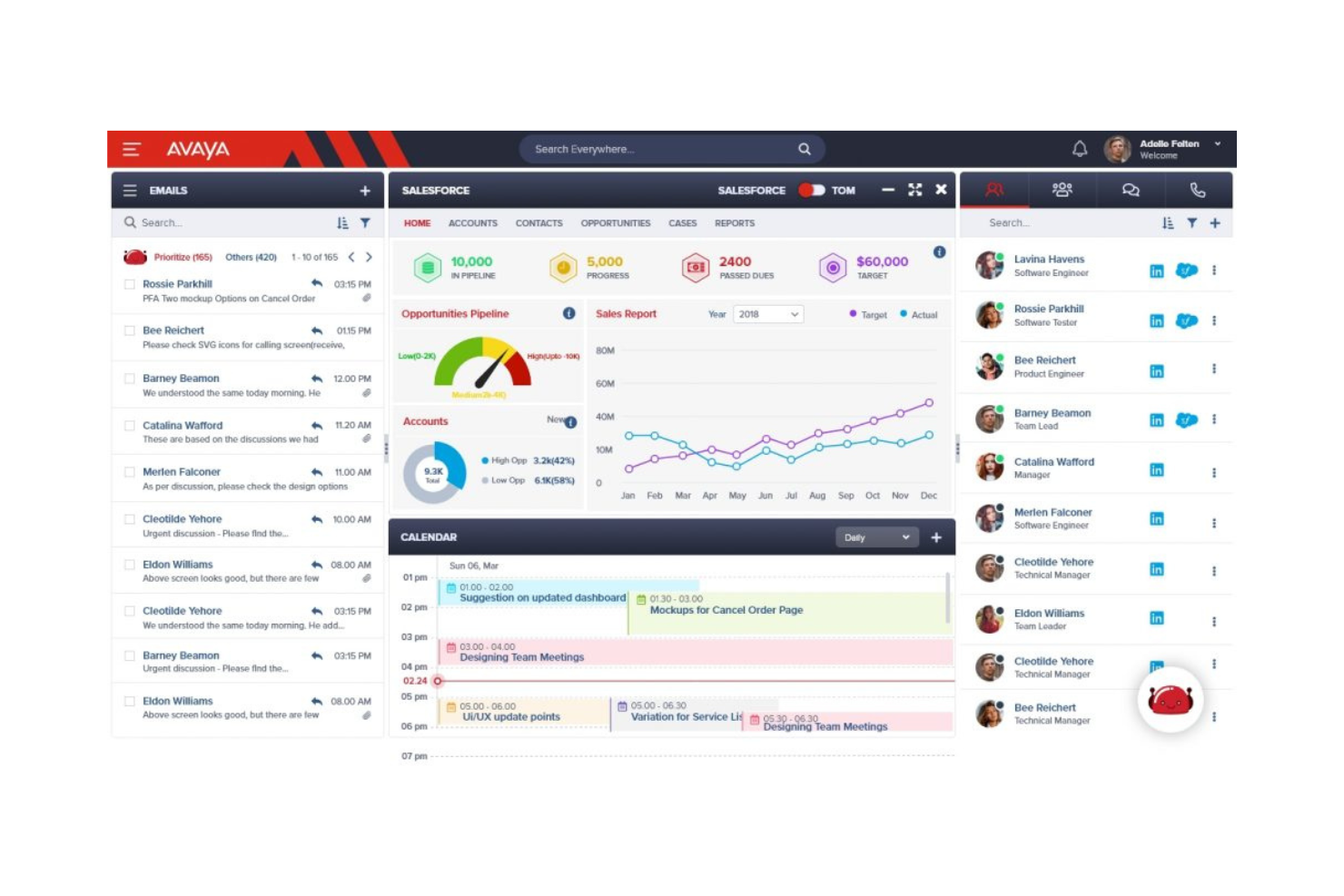
Avaya provides a unified communication solution tailored for contact centers, offering voice, video, and collaboration tools. Avaya Experience Platform delivers omnichannel routing, AI-assisted engagement, and tools for agents and supervisors working in high-volume environments.
Why I picked Avaya: Avaya excels in serving contact centers with features that enhance customer service efficiency. It offers skills-based routing, omnichannel engagement, and AI-driven interaction insights, helping agents handle customer requests more effectively. The platform supports video conferencing, which can be used for training and team collaboration. Additionally, Avaya's analytics tools provide insights into communication patterns, helping improve service delivery.
Standout Features & Integrations:
Features include advanced call routing to ensure customers reach the right department quickly. The video conferencing capability supports remote training and meetings, enhancing team collaboration. Avaya also provides AI features such as automated conversation summaries, intent detection, and virtual agents that support customer interactions.
Integrations include Salesforce, Microsoft Teams, Google Workspace, Slack, Zoom, ServiceNow, Zendesk, HubSpot, Trello, and Dropbox.
Pros and Cons
Pros:
- Detailed call analytics
- Supports remote training sessions
- Advanced call routing features
Cons:
- Authentication errors and static line issues
- Complex deployment and slow configuration
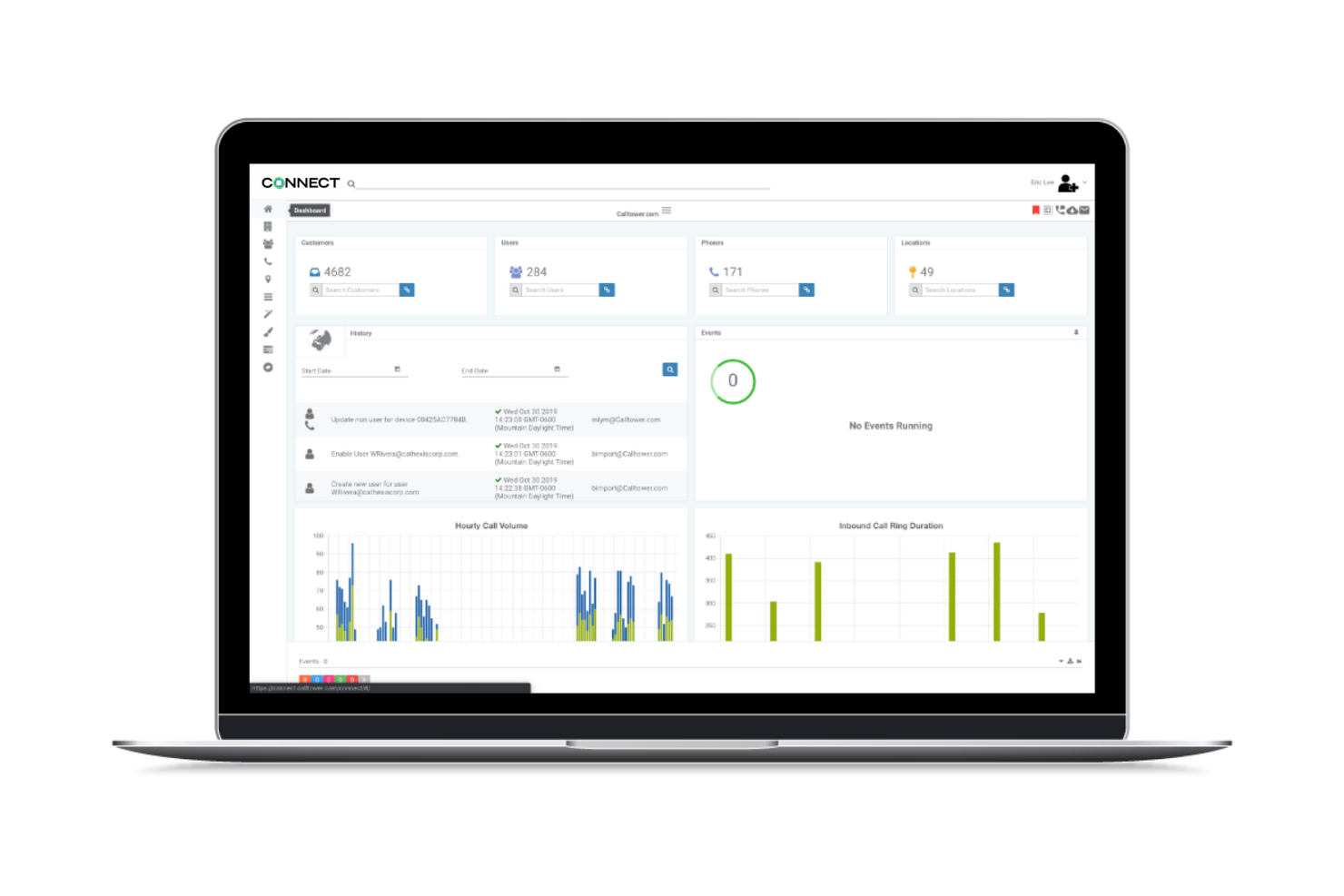
Calltower provides a unified communication solution tailored for businesses that rely heavily on Microsoft products. It serves companies looking to integrate voice services, contact center solutions, and productivity tools into their existing Microsoft ecosystem.
Why I picked Calltower: Calltower excels in Microsoft integration, making it perfect for businesses that use Microsoft Teams. It supports Teams calling through Operator Connect, Direct Routing, and hosted voice services, making it suitable for businesses standardizing on the Microsoft 365 environment. The CallTower Connect portal allows easy management of services, which simplifies the user experience. Additionally, its strong customer support ensures any issues are quickly addressed.
Standout Features & Integrations:
Features include voice services that augment your communication capabilities. The contact center solutions offer tools to improve customer interaction and support. CallTower also offers Cisco Webex and Zoom voice solutions, giving organizations flexibility if they operate mixed collaboration environments.
Integrations include Microsoft Teams, Cisco Webex, Zoom, Salesforce, Google Workspace, ServiceNow, Box, Dropbox, and Zendesk.
Pros and Cons
Pros:
- Strong partner programs
- Multiple UC platform options
- Centralized management via CallTower Connect
Cons:
- Limited flexibility beyond the Microsoft ecosystem
- Interface navigation lacks intuitiveness
Other Unified Communication Software
Here are some additional unified communication software options that didn’t make it onto my shortlist, but are still worth checking out:
- 8x8
For global communication
- Vonage
For CRM integration
- Gamma
For UK-based businesses
- Broadvoice
For small businesses
- Clariti
For small teams
- Intermedia
For secure communication
- Mitel
For hybrid workforces
- Sangoma
For open-source options
- SkySwitch
For white-label solutions
- Dstiny
For European markets
- CenturyLink Connected Voice
For reliable service


How I Evaluate Unified Communication Software
I split my evaluation into two layers: the table-stakes capabilities every UC platform needs—unified calling, video, and chat—and the differentiators that separate tools for HR teams.
Core Functionality (Table Stakes For This List)
When I'm selecting tools for my list, I rank each one on a scale from 0 (does not offer the functionality) to 5 (excels in this area) for each core functionality listed below. Then, I calculate the tool's total score into a percentage. Each tool needs to achieve a minimum total score of 65% to be considered for inclusion.
- Multi-Channel Messaging: I look for platforms that unify voice, video, chat, and SMS in one interface so HR teams aren't toggling between apps to reach candidates and employees.
- Video Conferencing: Screen sharing, recording, and breakout rooms matter here—I check whether a platform can handle panel interviews and all-hands meetings equally well.
- VoIP Calling: I evaluate call routing, extensions, voicemail, and international dialing since HR teams often coordinate across offices and need reliable business phone features.
- Persistent Team Chat: Organized channels, threaded conversations, and searchable history are what I look for so HR departments can maintain running discussions around topics like open roles or benefits.
- Mobile Accessibility: Full-featured iOS and Android apps are essential—I check that recruiters and HR generalists can join calls, reply to messages, and share files from any location.
- Third-Party Integrations: I evaluate native connections to HRIS, ATS, and calendar tools because a UC platform that sits outside your existing HR tech stack creates more friction than it solves.
Once I have a list of tools that meet this criteria, I consider what sets each platform apart.
Differentiating Factors (What Sets Vendors Apart)
Here's how I compare and contrast different vendors:
Standout Features
AI-powered meeting assistants are a major differentiator—I look for platforms that auto-transcribe and summarize interviews or sensitive employee relations calls so HR has searchable records without manual note-taking. Workflow automation matters too, especially triggers tied to lifecycle events like onboarding sequences or offboarding task notifications. For larger HR teams fielding high volumes of benefits and payroll inquiries, built-in contact center features with queue management and IVR routing make a real difference.
Beyond Features
Compliance and security top my list—HR handles sensitive employee data, so I check for SOC 2, GDPR readiness, and end-to-end encryption on calls and messages. Scalability also matters because HR teams fluctuate with seasonal hiring; I evaluate whether licensing models flex with headcount changes. Uptime SLAs and global infrastructure are worth reviewing too, since dropped calls during a remote termination meeting or a candidate interview aren't something you can recover from gracefully.
How to Choose Unified Communication Software
It’s easy to get bogged down in long feature lists and complex pricing structures. To help you stay focused as you work through your unique software selection process, here’s a checklist of factors to keep in mind:
| Factor | What to Consider |
|---|---|
| Scalability | Does the software grow with your team? Consider if it handles increased users or communication volume without extra costs. |
| Integrations | Check if it works with your current tools. Make sure it connects with your CRM, email, and other essential software. |
| Customizability | Can you tailor it to fit your processes? Look for options to adjust workflows and user settings to match your needs. |
| Ease of Use | How intuitive is the interface? Ensure your team can adopt it quickly without extensive training. |
| Implementation and onboarding | Evaluate the setup time and resources needed. Look for clear guides, support, and training materials to ease the transition. |
| Security Safeguards | Verify data protection measures. Ensure it complies with industry standards and offers encryption and secure access controls. |
| Support Availability | Check the level of support offered. Consider if you need 24/7 support or dedicated account managers for complex issues. |
What Is Unified Communication Software?
Unified communication software is a tool that combines various communication methods like voice, video, and messaging into one platform. Professionals such as remote workers, sales teams, and customer support staff use these tools to improve collaboration and communication efficiency.
Video conferencing, instant messaging, and file sharing features help with team interactions, quick decision-making, and efficient project management. Overall, these tools enhance productivity by providing a centralized communication hub.
Features
When selecting unified communication software, keep an eye out for the following key features:
- Video conferencing: Enables face-to-face meetings online, helping teams connect visually regardless of location.
- Instant messaging: Provides real-time text communication, allowing quick exchanges and reducing email clutter.
- File sharing: Facilitates the easy exchange of documents and files, enhancing collaboration and productivity.
- Call management: Manages incoming and outgoing calls effectively, ensuring smooth communication flow within teams.
- Screen sharing: Allows users to share their screens during meetings, aiding in presentations and collaborative work.
- VoIP services: Offers internet-based phone services, providing cost-effective and clear voice communication.
- Customizable channels: Let users organize discussions and projects, improving team workflow and communication structure.
- Security safeguards: Ensures data protection and privacy, complying with industry standards and regulations.
- Integration capabilities: Connects with existing tools and software, enhancing functionality and workflow efficiency.
- Analytics tools: Provide insights into communication patterns, helping teams optimize their strategies and performance.
Benefits
Implementing unified communication software provides several benefits for your team and your business. Here are a few you can look forward to:
- Improved collaboration: Teams can easily connect through video calls and instant messaging, fostering better teamwork and communication.
- Increased productivity: With features like file sharing and screen sharing, teams can work more efficiently without switching between multiple tools.
- Cost savings: VoIP services reduce phone bills by using internet-based communication, making it a budget-friendly option.
- Enhanced flexibility: Remote work becomes more effective with customizable channels and integration capabilities, allowing teams to adapt quickly.
- Better decision-making: Real-time communication tools support quicker exchanges of ideas and information, aiding in faster decision-making processes.
- Data security: Security safeguards ensure that all communications and data are protected, giving peace of mind to businesses.
- Scalability: The software can grow with your business, accommodating more users and communication needs as your team expands.
Costs & Pricing
Selecting unified communication software requires an understanding of the various pricing models and plans available. Costs vary based on features, team size, add-ons, and more. The table below summarizes common plans, their average prices, and typical features included in unified communication software solutions:
Plan Comparison Table for Unified Communication Software
| Plan Type | Average Price | Common Features |
|---|---|---|
| Free Plan | $0 | Basic messaging, voice calls, and limited video conferencing. |
| Personal Plan | $4-$75/user/month | Enhanced video calls, file sharing, and basic integrations. |
| Business Plan | $6-$115/user/month | Advanced video conferencing, call management, and team collaboration tools. |
| Enterprise Plan | $13-$155/user/month | Customizable features, advanced security, dedicated support, and detailed analytics. |
Unified Communication Software FAQs
Here are some answers to common questions about unified communication software:
How does it handle communication during urgent or time-sensitive situations?
Instant messaging and notifications allow teams to react quickly without waiting for scheduled meetings. Priority alerts can help highlight critical updates so they don’t get lost. This ensures quick decision-making when timing matters.
Can unified communication software be used on mobile devices?
Yes, most unified communication software supports mobile devices, allowing you and your team to stay connected on the go. Many platforms offer mobile apps for both iOS and Android, providing features like messaging, video calls, and file sharing. This flexibility ensures that remote and traveling team members can participate in meetings and discussions, enhancing overall productivity.
How does unified communication software enhance remote work?
Unified communication software improves remote work by providing a centralized platform for communication and collaboration. It allows team members to connect through video calls, instant messaging, and file sharing, ensuring that everyone stays on the same page. This software reduces the need for multiple tools and helps maintain efficient communication, which is essential for remote teams.
Is unified communication software secure?
Yes, most unified communication software includes security measures to protect your data and communications. Look for features like encryption, secure access controls, and compliance with industry standards. It’s important to choose a software provider that prioritizes security to ensure your team’s communications remain private and protected from unauthorized access.
What’s Next:
If you're in the process of researching unified communication software, connect with a SoftwareSelect advisor for free recommendations.
You fill out a form and have a quick chat where they get into the specifics of your needs. Then you'll get a shortlist of software to review. They'll even support you through the entire buying process, including price negotiations.