



Gusto vs. UKG: Comparison & Expert Reviews For 2026


Gusto offers a straightforward solution for managing your team's HR needs, while UKG provides a robust platform for comprehensive workforce management. The main difference lies in their scalability and depth of features, making Gusto ideal for small businesses and UKG better suited for larger enterprises.
In this article, you'll find a detailed comparison of the two, covering features, pros and cons, pricing, and more about HCM software.
Gusto vs. UKG: An Overview
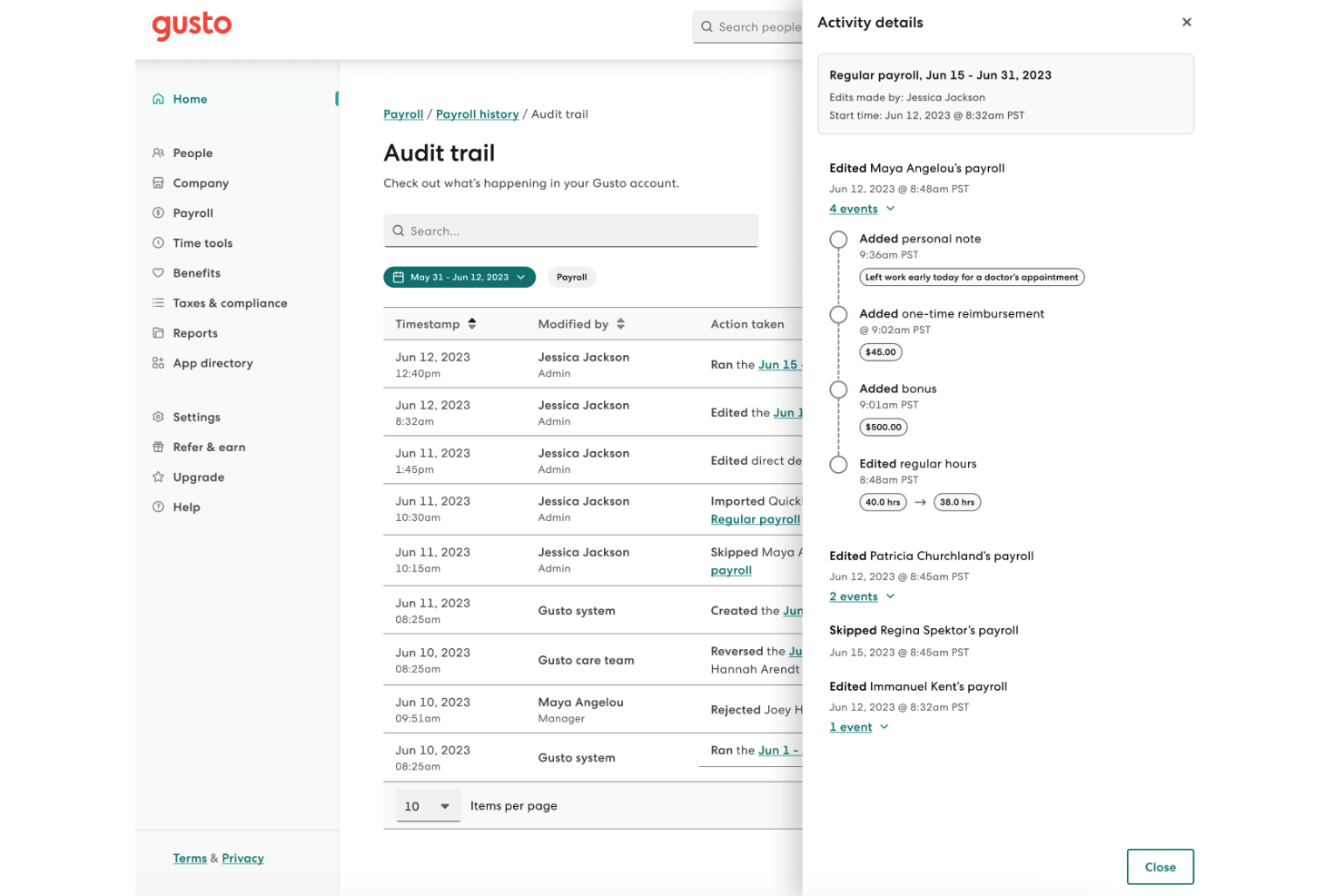
Gusto
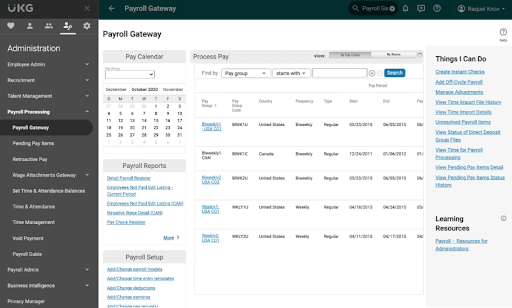
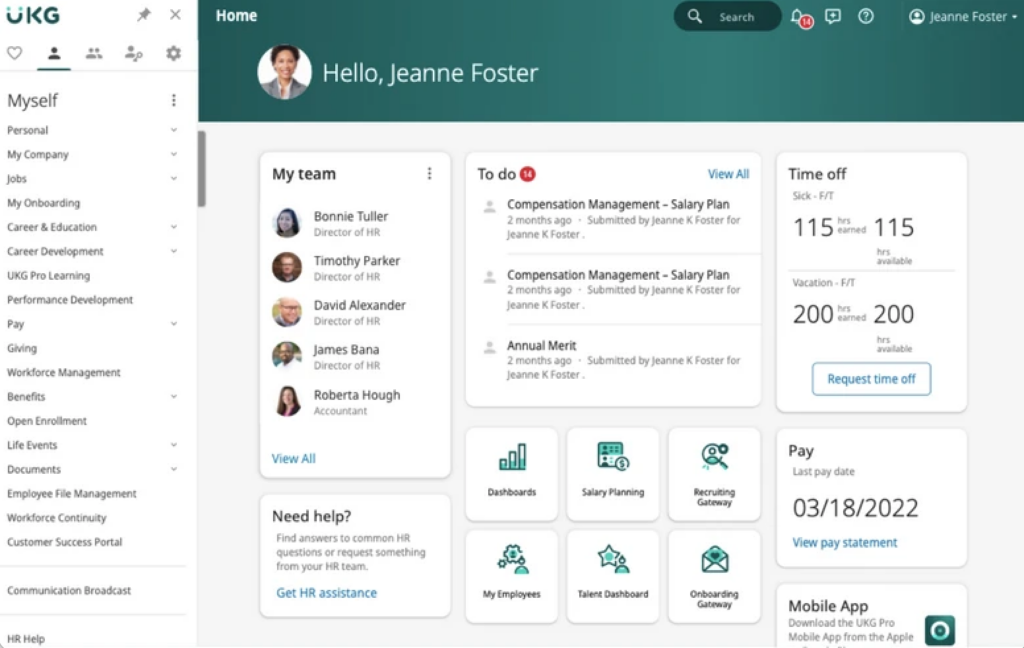
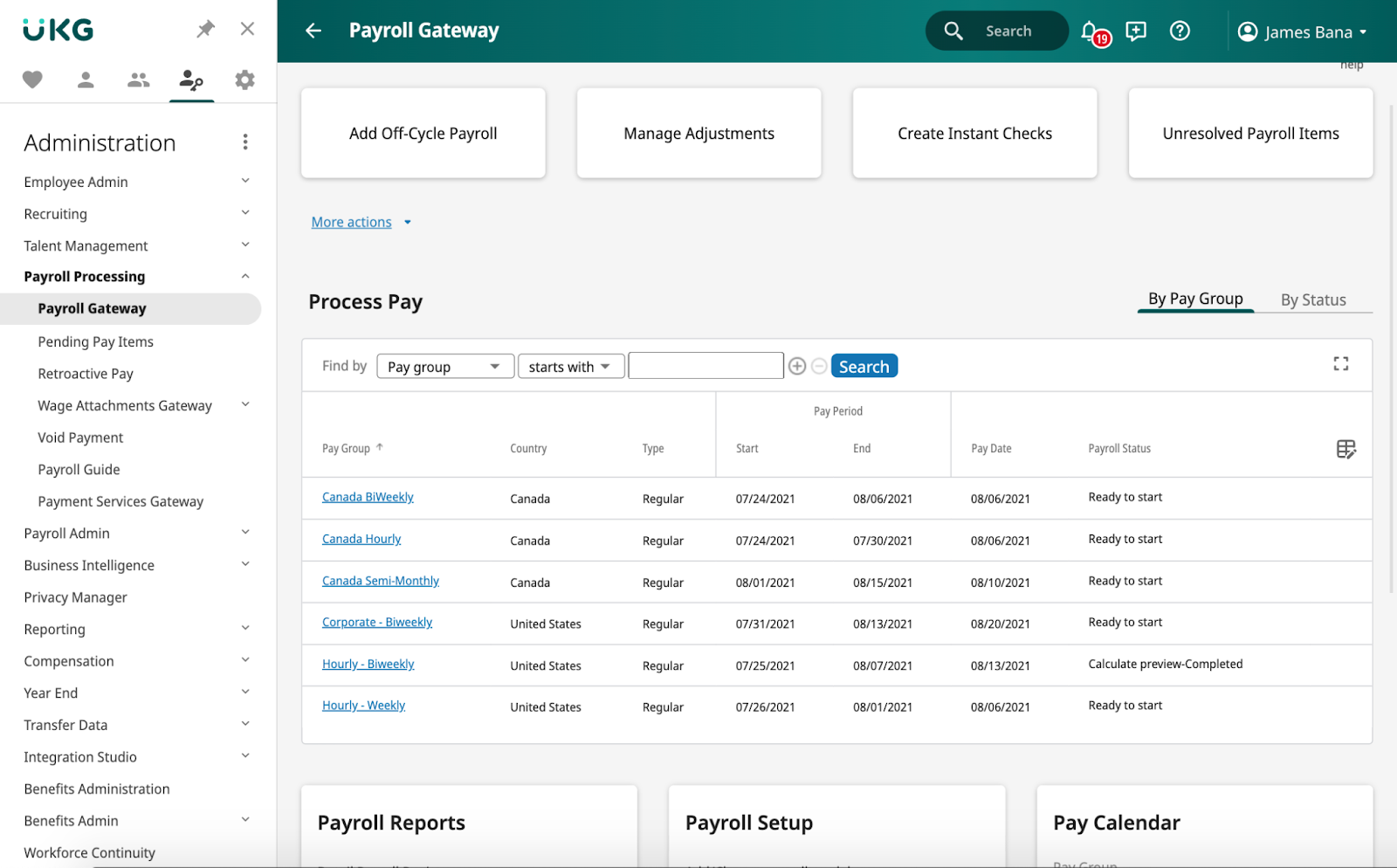
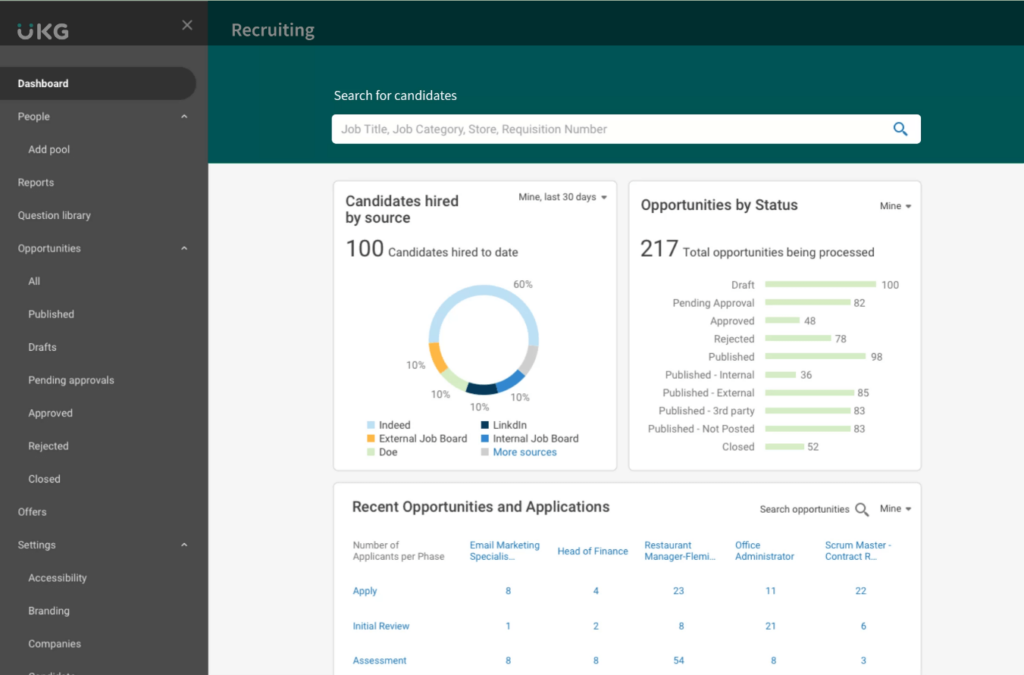
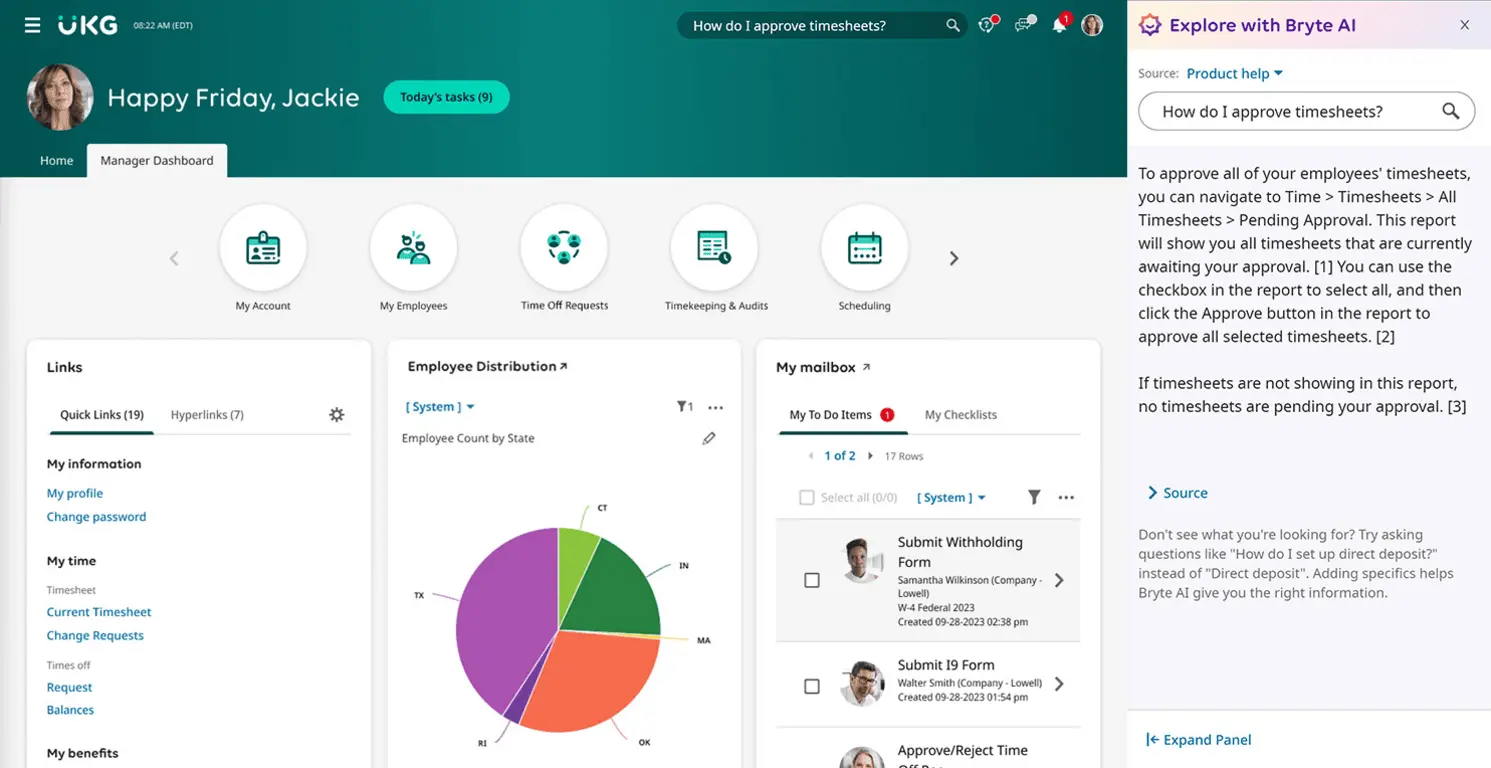
UKG

Why Trust Our Software Recommendations
Our team has been testing and reviewing software since 2012. As HR experts ourselves, we know how difficult—and important—it is to choose the right software.
For this guide, we evaluated tools using hands-on testing and independent research, scoring tools using our selection criteria. We also draw on insights from industry thought leaders and practicing HR experts.
Our reviews reflect our human editorial judgment, not a sales pitch.
Expert reviewers:
Gusto vs. UKG Pricing Comparison
| Gusto | UKG | |
|---|---|---|
| Free Trial | Free demo available | Free demo available |
| Pricing | From $49/month + $6/month/user | Pricing upon request |
Gusto vs. UKG Pricing & Hidden Costs
Gusto pricing follows a subscription model with a base fee plus a per-employee charge, and users might encounter additional costs for premium features or add-ons. In contrast, UKG pricing is typically customized based on the size and specific needs of your organization, which might include extra fees for implementation or support services.
To choose the right vendor, assess your team's size, the specific features you need, and any potential for growth, ensuring the pricing structure aligns with your long-term HR strategy.
Gusto vs. UKG Feature Comparison
With Gusto’s payroll automation, you can easily manage payroll for your team without the hassle of manual calculations, making it perfect for small businesses needing efficiency. UKG’s advanced analytics is great for larger organizations looking to gain insights into workforce trends and improve decision-making.
Both tools offer unique advantages, whether you’re seeking simplicity with Gusto or comprehensive data analysis with UKG.
| Gusto | UKG | |
|---|---|---|
| API | ||
| Application Tracking | ||
| Attendance Tracking | ||
| Compliance Tracking | ||
| Dashboard | ||
| Data Export | ||
| Data Import | ||
| Data Visualization | ||
| Employee Database | ||
| Employee Incentive Management | ||
| Employee Onboarding | ||
| Expense Tracking | ||
| External Integrations | ||
| Feedback Management | ||
| Multi-User | ||
| Notifications | ||
| Payroll | ||
| Scheduling | ||
| Time Management | ||
| Timesheets | ||
| Travel Management | ||
| Vacation & Absence Calendar |
Gusto vs. UKG Integrations
| Integration | Gusto | UKG |
| QuickBooks | ✅ | ❌ |
| Slack | ✅ | ✅ |
| Microsoft Teams | ❌ | ✅ |
| Google Workspace | ✅ | ❌ |
| DocuSign | ✅ | ❌ |
| Dropbox | ❌ | ✅ |
| Trello | ✅ | ❌ |
| Salesforce | ❌ | ✅ |
| API | ✅ | ✅ |
| Zapier | ✅ | ✅ |
Gusto's integration with QuickBooks lets you streamline payroll processing, making it ideal for small businesses needing efficient financial management. UKG's integration with Microsoft Teams is great for large enterprises looking to enhance internal communication and collaboration across departments.
Both offer valuable integrations depending on whether you prioritize financial operations with Gusto or communication tools with UKG.
Gusto vs. UKG Security, Compliance & Reliability
| Factor | Gusto | UKG |
| Data Privacy | Gusto uses encryption to protect sensitive employee data and complies with GDPR. | UKG ensures data privacy with advanced encryption and is GDPR and CCPA compliant. |
| Regulatory Compliance | Gusto automates compliance with payroll tax laws across all 50 states in the US. | UKG supports global regulatory compliance with customizable reporting tools. |
| System Reliability | Gusto offers 99.9% uptime, ensuring consistent access to its platform. | UKG maintains high system availability with robust disaster recovery protocols. |
Gusto provides straightforward compliance and reliable access, while UKG offers more comprehensive global compliance features.
Evaluate your organization's specific compliance needs and data security requirements, and prioritize vendors that align with your regulatory landscape and data protection standards.
Gusto vs. UKG Ease of Use
| Factor | Gusto | UKG |
| User Interface | Gusto features a clean, intuitive interface that simplifies navigation for new users. | UKG offers a robust interface with customizable dashboards, which can be overwhelming initially. |
| Onboarding Experience | Gusto provides a streamlined onboarding process with step-by-step guidance. | UKG's onboarding is comprehensive but may require more time due to its detailed setup options. |
| Customer Support | Gusto offers responsive support via chat and email, helping resolve issues quickly. | UKG provides 24/7 support with dedicated account managers for personalized assistance. |
Gusto is easier to navigate with its straightforward interface and fast setup, making it ideal for small teams needing quick adaptation. UKG, while feature-rich, can be challenging to learn due to its complexity, but it's better suited for larger organizations that require detailed customization and extensive support.
Gusto vs UKG: Pros & Cons
Gusto
- You can run payroll using guided steps, even without prior payroll experience.
- Employees can access pay stubs, tax forms, and update personal details without HR help.
- Health insurance premiums and 401(k) contributions are automatically deducted and synced with payroll.
- Support response times can be slower outside standard business hours.
- Costs can rise quickly as you add employees and features.
- May feel limiting if you need enterprise-level scalability and controls.
UKG
Best Use Cases for Gusto and UKG
Gusto
- Small Businesses Good fit if you want an easy way to run payroll, file taxes, and manage employee records without needing payroll expertise.
- Mid-Sized Business Works well for growing teams that need automated payroll, benefits management, and support for multiple pay schedules.
- Contractor Business Useful if you pay freelancers or contractors regularly and need simple 1099 generation and payment tracking.
- Accountants Helps accountants manage payroll for multiple clients from one system with automated tax filing and reporting.
- New Businesses Ideal if you want to set up payroll quickly, stay compliant from the start, and avoid manual payroll processing.
- One Employee Teams Suitable for solo employers who need to run compliant payroll and handle taxes without complex HR tools.
UKG
Who Should Use Gusto, and Who Should Use UKG?
In my opinion, Gusto is best for small to medium-sized businesses that need a simple, user-friendly platform to manage payroll and basic HR tasks. If you're part of a larger enterprise with complex workforce management needs, I believe UKG is the right fit due to its extensive customization options and robust analytics.
From my perspective, if your team values straightforward implementation and ease of use, Gusto is ideal, but for those requiring comprehensive solutions and dedicated support, UKG stands out.
Differences Between Gusto and UKG
| Gusto | UKG | |
|---|---|---|
| Automation | Gusto automates payroll and tax compliance across all US states. | UKG offers advanced automation for global workforce management. |
| Integrations | Gusto integrates with popular tools like QuickBooks and Slack. | UKG supports integrations with enterprise solutions like Salesforce. |
| Pricing | Gusto uses a subscription model with a base fee and per-employee charge. | UKG offers customized pricing based on company size and needs. |
| Setup and Onboarding | Gusto provides quick onboarding and responsive chat support. | UKG offers comprehensive onboarding with dedicated account managers. |
| User Interface | Gusto has a simple, intuitive interface that's easy to navigate. | UKG provides a complex interface with customizable dashboards. |
| Visit GustoOpens new window |
Similarities Between Gusto and UKG
| Cloud-Based Access | Gusto and UKG are cloud-based, allowing your team to access the platform from anywhere, anytime. |
|---|---|
| Compliance | Each provides compliance tools, with Gusto automating US tax compliance and UKG supporting global regulations. |
| Custom Templates | You can generate custom reports with both, though Gusto's reports are straightforward, and UKG's offer more detailed insights. |
| Employee Self-Service | Both offer self-service portals, letting employees manage their info and benefits directly, with Gusto being more user-friendly. |
| Payroll | Both Gusto and UKG offer reliable payroll processing, with Gusto focusing on simplicity and UKG offering complex configurations. |
| Visit GustoOpens new window | |