

Serbest meslek sahipleri için bordro yazılımı, işletme sahiplerinin kendilerine ve çalışanlarına ödeme yapmasına, bordro vergilerini yönetmesine ve ödeme kayıtlarını düzenli tutmasına yardımcı olur. Doğru seçim; işletme sahibi W-2 maaşına, yüklenici ödemelerine, çalışan bordrosuna veya vergi desteğine ihtiyaç duyup duymadığınıza bağlıdır. Mevcut ödeme düzeninize ve büyüme planlarınıza uygun yazılımı bulmak için 20 seçeneği karşılaştırın.
Yazılım Önerilerimize Neden Güvenebilirsiniz?
6,700+
Reviews
20
Industry experts
16+
Evaluation factors
14
Years reviewing software
Ekibimiz 2012’den beri yazılımları test ediyor ve inceliyor. Biz de İK uzmanı olduğumuz için doğru yazılımı seçmenin ne kadar zor ve önemli olduğunu biliyoruz.
Bu rehber için araçları uygulamalı testler ve bağımsız araştırmalarla değerlendirdik ve seçim kriterlerimize göre puanladık. Ayrıca sektörün fikir önderlerinin ve alanında çalışan İK uzmanlarının görüşlerinden de yararlanıyoruz.
İncelemelerimiz bir satış konuşması değil, editör ekibimizin kendi değerlendirmesidir.
Uzman inceleyenler:
- Phil GrayCOO
 Kim BehnkeHR Tech Editor & Analyst
 Josh BarkerPeople Ops Manager

Karşılaştırma Tablosu: Serbest Meslek Sahipleri için Bordro Yazılımları
Kısa listeme giren serbest meslek sahipleri için bordro yazılımlarının fiyatlarını ve teknik özelliklerini yan yana karşılaştırın.
Score legend (out of 5)
- Excellent4.5–5
- Good4–4.4
- Average3–3.9
- Below average2–2.9
- Poor1–1.9
Sorted by: Default
| Tool | Starting Price | Website | |||||||
|---|---|---|---|---|---|---|---|---|---|
Best for owner-led businesses adding staff | 2.8 out of 5 | 3 | 2 | 3 | 1 | 4 | 4 | Pricing upon request Free demo available | Website |
Best for S-corp owners paying a W-2 salary | 2.8 out of 5 | 3 | 3 | 3 | 2 | 3 | 3 | $29 USD/month + $7/employee/month Not available | Website |
Best for S Corp payroll and tax coordination | 3.5 out of 5 | 4 | 4 | 4 | 3 | 3 | 3 | $349 USD/month for the S Corp plan Not available | Website |
Best for therapists' payroll and tax support | 3.0 out of 5 | 4 | 3 | 3 | 2 | 3 | 3 | $169/month No free trial available | Website |
Best for owner payroll across S-corp election | 4.0 out of 5 | 4 | 4 | 4 | 3 | 4 | 5 | $49 USD/month + $6/payroll recipient/month Free trial + free demo available | Book Demo |
Best for teams with employees and contractors | 2.8 out of 5 | 3 | 2 | 4 | 1 | 4 | 3 | $50 USD/month + $8/employee/month Free demo available | Website |
Best for owner payroll with a solo 401(k) | 3.0 out of 5 | 2 | 4 | 2 | 2 | 4 | 4 | Pricing upon request Free demo available | Website |
Best for QuickBooks users paying contractors | 2.7 out of 5 | 3 | 1 | 4 | 1 | 3 | 4 | $50 USD/month + $7/employee/month 30-day free trial + Free demo available | Website |
Best for paying yourself and contractors | 3.3 out of 5 | 3 | 4 | 4 | 2 | 4 | 3 | $49 USD/month + $6/worker/month Free trial + free demo available | Website |
Best for multi-state staff and contractor pay | 3.2 out of 5 | 3 | 3 | 4 | 1 | 4 | 4 | $37 USD/month + $5/worker/month 30-day free trial + Free demo available | Website |


Serbest Meslek Sahipleri için Bordro Yazılımı İncelemeleri
Aşağıda, kısa listemde yer alan serbest meslek sahipleri için en iyi bordro yazılımlarına ilişkin ayrıntılı özetlerimi bulabilirsiniz. İncelemelerimde, doğru seçeneği bulmanıza yardımcı olmak için her seçeneğin bordro özelliklerini, işletme sahibi ödemesi olanaklarını ve vergi desteğini değerlendiriyorum.
 Best for owner-led businesses adding staff
- Free demo available
- Pricing upon request
Visit WebsiteCustomer Rating:4.7/5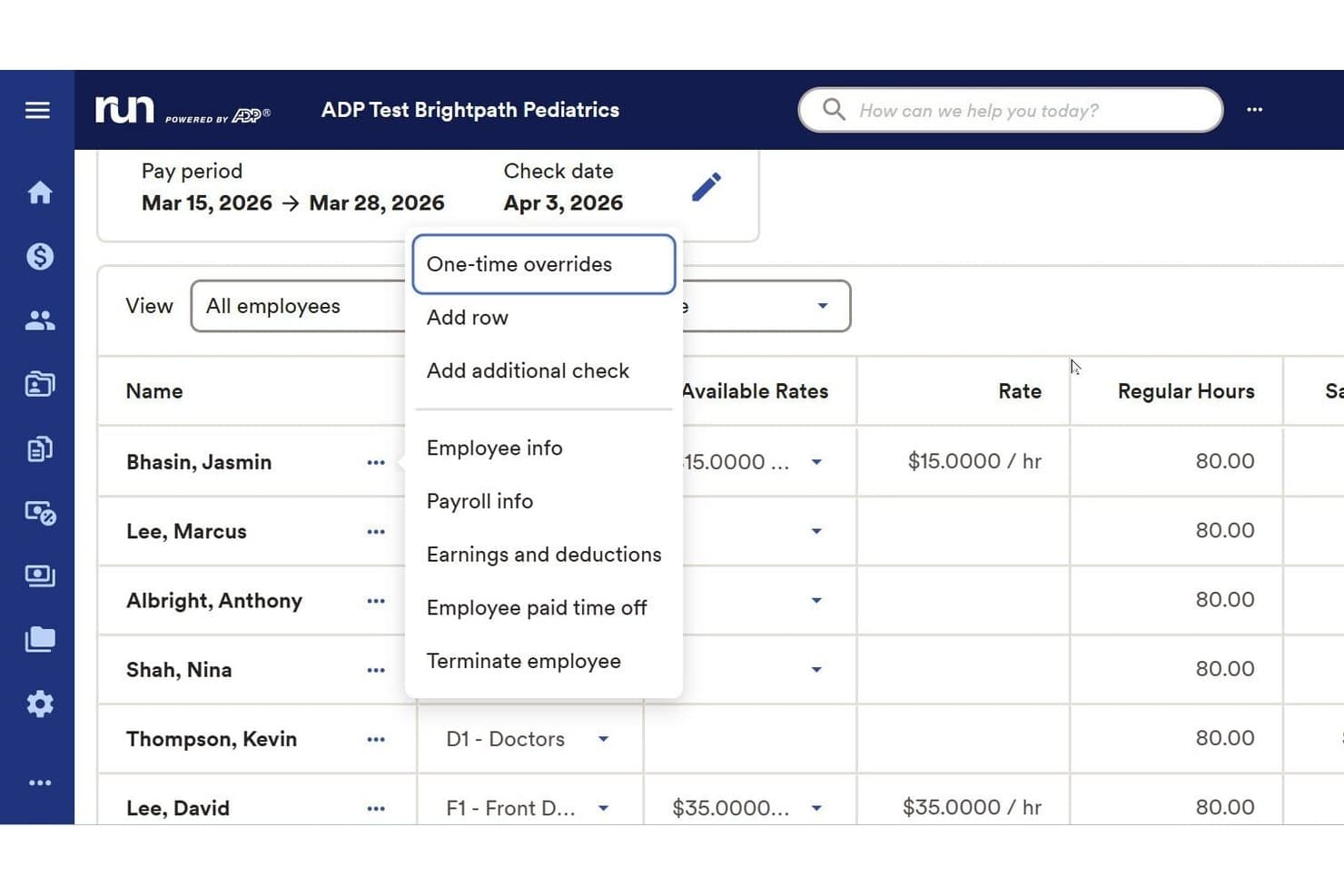
ADP Run payroll screen with one-time overrides and employee actions menu for a pay period. RUN Powered by ADP is a payroll and HR platform built for small businesses with employees, covering payroll processing, tax filing, new-hire onboarding, and contractor payments.
Who Is RUN Powered by ADP Best For?
RUN Powered by ADP is a strong fit for small business owners who are actively hiring and need payroll, tax filing, and HR tools to grow beyond a solo operation.
Why I Picked RUN Powered by ADP
I've included RUN Powered by ADP in my top picks because it's built for the moment a solo operator becomes an employer. When you're bringing on your first hire, RUN handles new-hire reporting, W-2 and 1099 filing, and multi-state payroll tax calculations automatically. I particularly like the new-hire onboarding flow, which lets employees complete their W-4, direct deposit details, and Form I-9 electronically before day one.
RUN Powered by ADP Key Features
- Multi-state payroll tax filing: RUN calculates, files, and deposits payroll taxes across multiple states and local jurisdictions automatically.
- Contractor payment bundle: Pay contractors and generate year-end 1099 forms through a dedicated contractor payment add-on.
- General Ledger Interface: Export payroll journal entries directly to QuickBooks, Xero, Wave, or Creative Solutions.
- ADP Assist™ payroll inspector: An AI-enabled tool that flags potential payroll errors before you submit each pay run.
ADP Run Integrations
RUN connects with QuickBooks, Xero, and Clover. Its General Ledger Interface also supports exports for Wave and Creative Solutions.
Pros and Cons
Pros:
- Supports contractor payments and 1099s
- Users value straightforward payroll setup
- Reviewers praise multi-state payroll handling
Cons:
- Sole proprietors must track draws separately
- Doesn’t calculate owners’ self-employment taxes
Learn more about ADP Run: Best for S-corp owners paying a W-2 salary
- Not available
- From $29 USD/month + $7/employee/month
Visit WebsiteCustomer Rating:4.3/5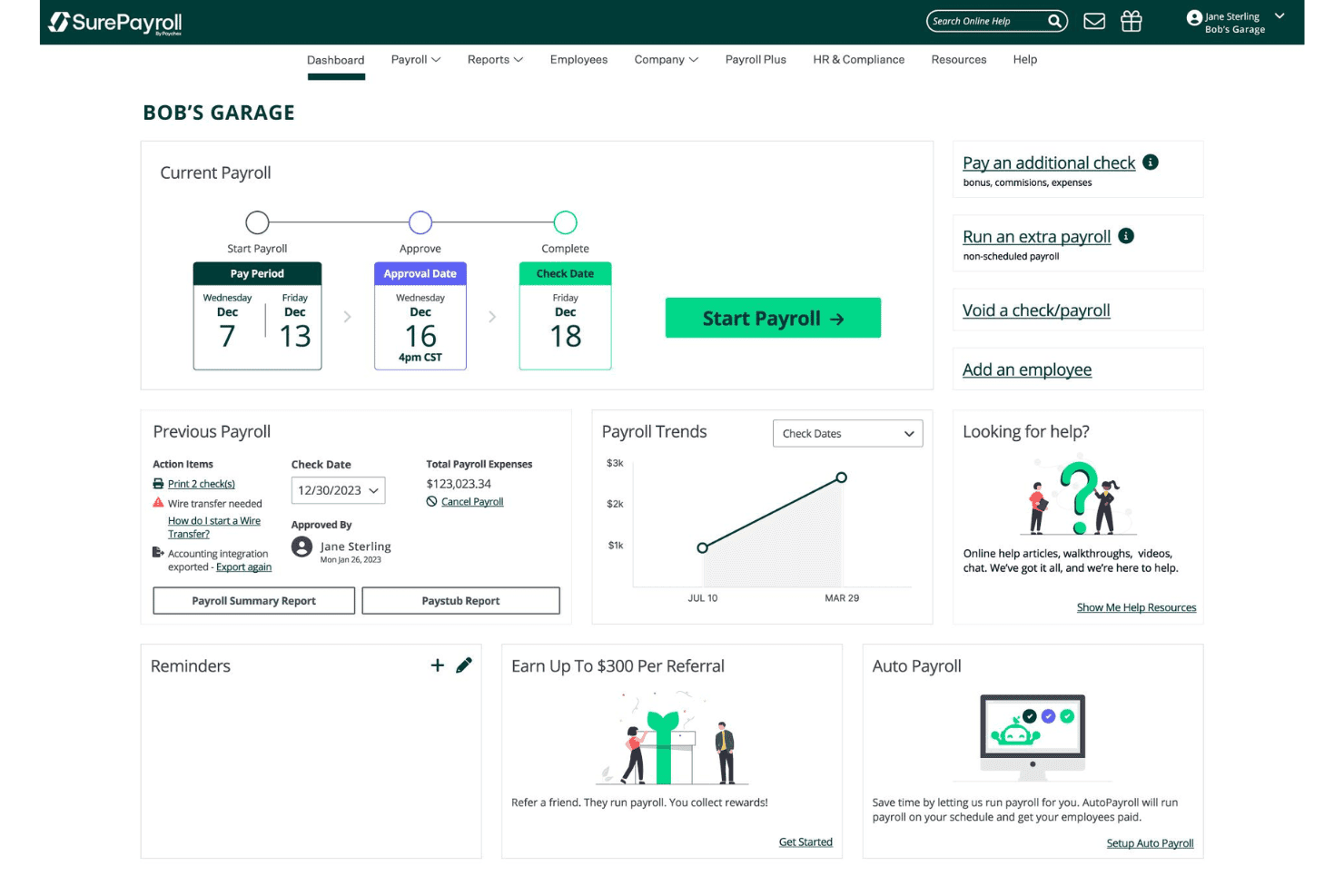
The SurePayroll dashboard shows current payroll steps, previous payroll status, and payroll trends at a glance. SurePayroll is a small business payroll platform that handles W-2 employee and 1099 contractor pay runs, automated payroll tax calculations, and federal and state tax filing—with a dedicated one-employee payroll option built around S-corp owner-employee scenarios.
Who Is SurePayroll Best For?
SurePayroll is a strong fit for S-corp owner-employees who need to pay themselves a consistent W-2 salary and have federal and state payroll taxes filed automatically.
Why I Picked SurePayroll
I picked SurePayroll as one of the best because it's one of the few payroll platforms with a dedicated one-employee setup built specifically around the S-corp owner-employee scenario. When you elect S-corp status and pay yourself a W-2 salary, SurePayroll calculates, withholds, and files your federal and state payroll taxes automatically, including quarterly Form 941 filings. It also handles direct deposit and year-end W-2s, so the paper trail required for S-corp compliance is covered in one place.
SurePayroll Key Features
- Automatic payroll scheduling: Set payroll to run on a recurring schedule so your W-2 salary goes out consistently without manual runs each pay period.
- 1099 contractor payments: Pay independent contractors alongside W-2 employees in the same account, with integrated 1099-NEC form preparation.
- Unlimited off-cycle payroll runs: Run bonus or correction payrolls at any time without extra charges beyond your standard monthly fee.
- Online payroll records access: View and download pay stubs, payroll reports, and tax filings from your account 24/7.
SurePayroll Integrations
SurePayroll integrates with stratustime for time tracking. Accounting and timeclock integration services are available as paid options.
Pros and Cons
Pros:
- Pays W-2 employees and 1099 contractors
- Payroll tax filings cover owner-employees
- Scheduled payroll supports S-corp owner salaries
Cons:
- Contractor deposits can snag with Tax IDs
- Self-employment tax isn’t calculated within payroll
Learn more about SurePayroll: Best for S Corp payroll and tax coordination
- Not available
- From $349 USD/month for the S Corp plan
Visit WebsiteCustomer Rating:5/5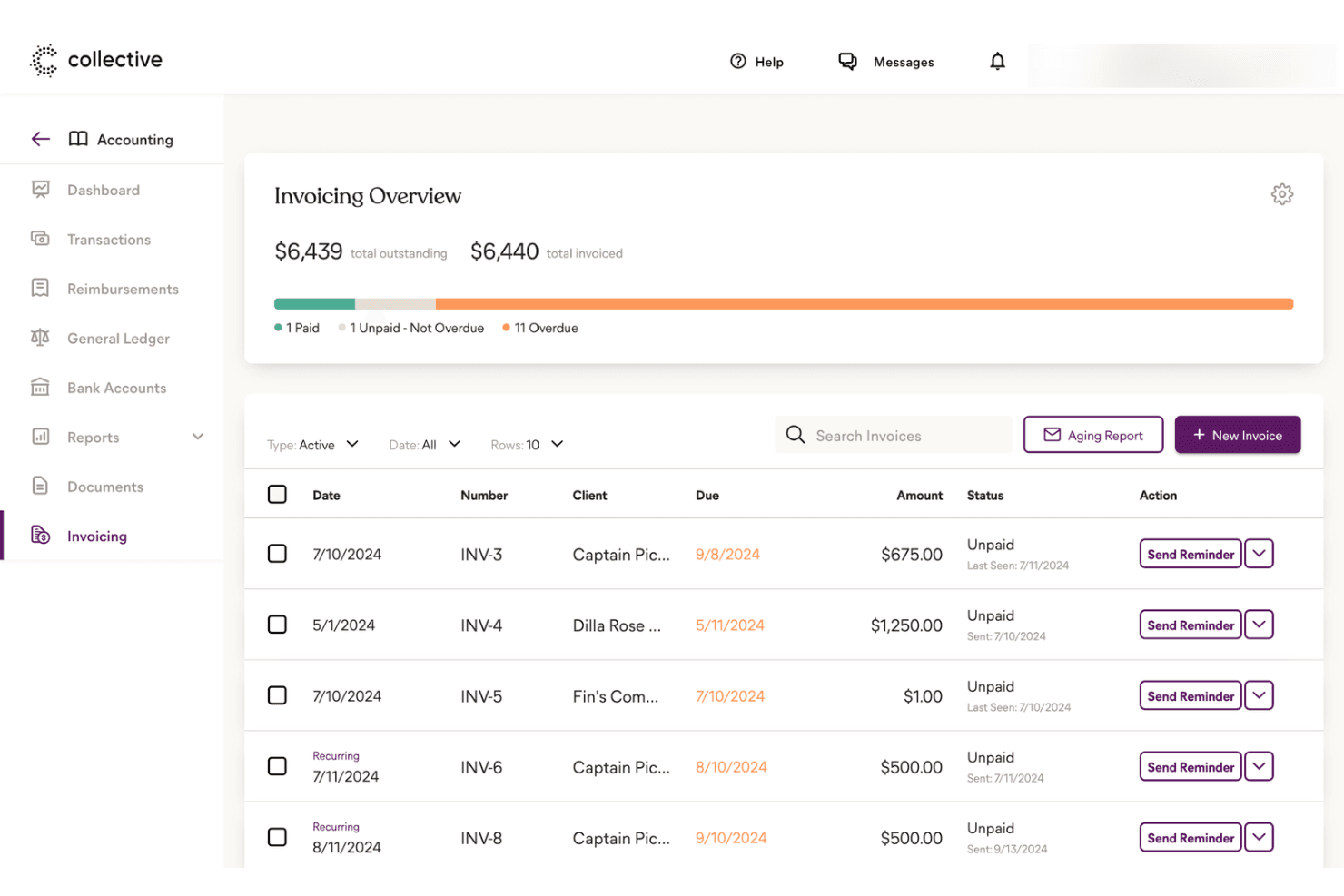
Collective's invoicing dashboard tracks outstanding and overdue invoices, with reminders and aging reports. Collective is a back-office membership platform for self-employed business owners that bundles S Corp formation, bookkeeping, payroll, tax filing, and contractor payments into a single subscription.
Who Is Collective Best For?
Collective is built for self-employed business owners running as an S Corp who want bookkeeping, payroll, and taxes handled under one membership.
Why I Picked Collective
Collective earns its spot on my shortlist because it's the only platform I've found that bundles S Corp payroll directly with bookkeeping and business tax filing under one membership. I particularly like the reasonable-compensation guidance, which helps S Corp owners set a compliant salary rather than guessing, and the payroll-to-books sync that automatically reconciles each payroll run with monthly financials. Contractor payments with 1099 generation are built into the same workflow, so there's no juggling separate tools at year-end.
Collective Key Features
- Automated monthly payroll: Set up recurring monthly payroll runs so your S Corp salary processes without manual intervention each pay period.
- State payroll registration: Collective registers your required state withholding and unemployment tax accounts so your payroll is compliant from the start.
- Employee W-2 payroll: Beyond paying yourself, the S Corp plan supports payroll for W-2 employees, with tax filings handled through Gusto.
- Invoice-to-books sync: Invoices created in Collective sync directly to your books, keeping your financial records current without manual data entry.
Collective Integrations
Collective uses Gusto to power payroll processing and connect payroll with its bookkeeping workflow.
Pros and Cons
Pros:
- Reviewers praise patient S Corp setup guidance
- Reasonable-salary guidance supports S Corp payroll
- Payroll runs reconcile into monthly books
Cons:
- Some reviewers report delayed human support
- Transaction misclassification can distort reported income
Learn more about Collective: Best for therapists' payroll and tax support
- No free trial available
- From $169/month (billed annually)
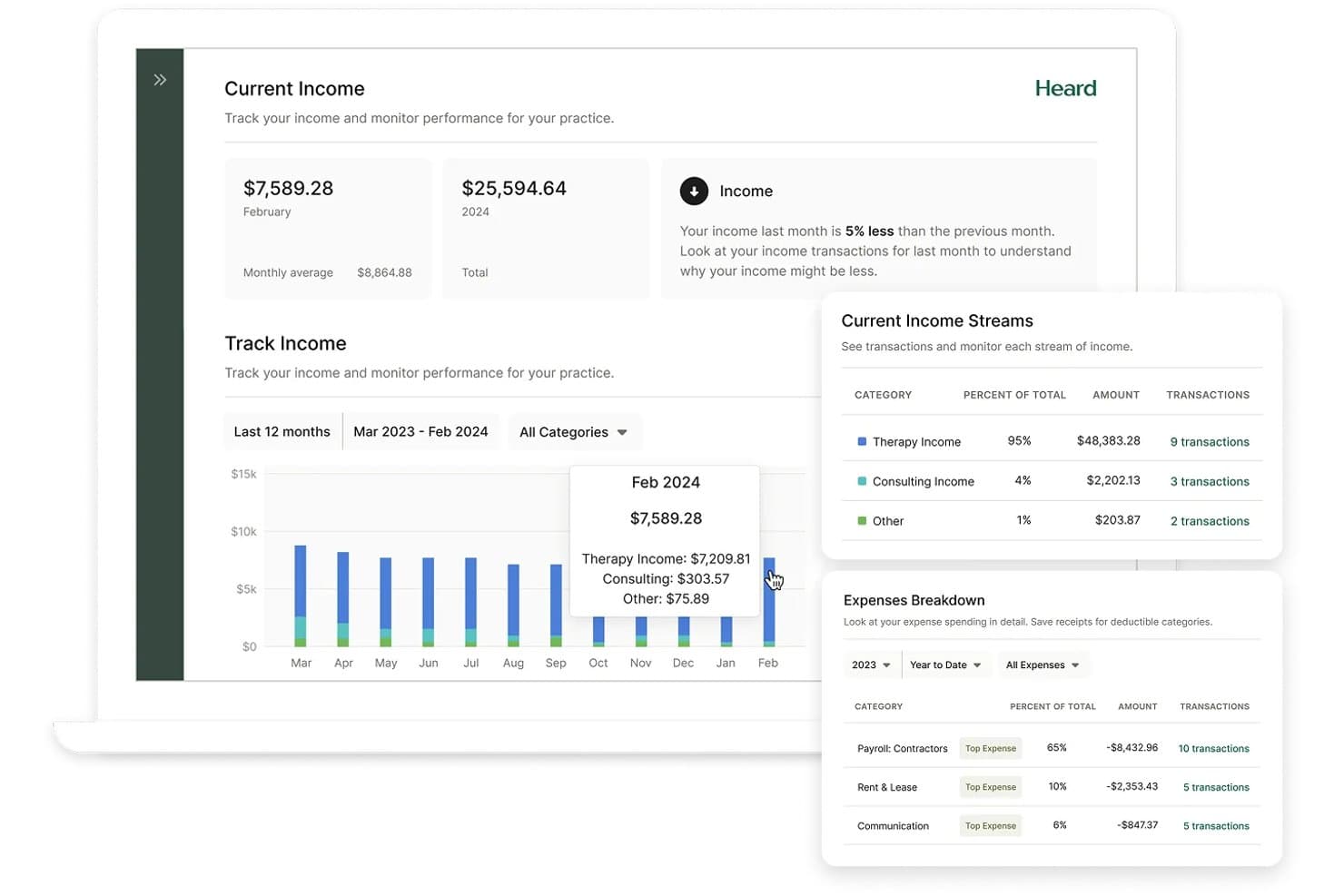
Heard's dashboard tracks monthly income, income streams, and top expense categories in one view. Heard is a done-for-you financial platform for therapists and wellness practitioners that combines bookkeeping, tax preparation and filing, and business banking, with payroll processing available as an optional paid add-on.
Who Is Heard Best For?
Heard is built specifically for therapists and wellness practitioners running solo or small private practices who want bookkeeping, taxes, and payroll handled in one place.
Why I Picked Heard
I picked Heard as one of the best because it's the only self-employed payroll software built specifically for therapists and wellness practitioners, bundling bookkeeping, tax filing, and Gusto-powered payroll under one roof. I love that S corp owners get quarterly salary and distribution guidance alongside payroll, so reasonable compensation stays compliant without hiring a separate CPA. The platform also files payroll taxes automatically each time payroll runs and generates W-2s and 1099s directly within the app.
Heard Key Features
- Profit allocation guide: View a built-in guide that recommends how to split practice income across taxes, savings, and owner pay each month.
- S corp reasonable salary guidance: Get quarterly reviews of your owner salary and distribution split to stay compliant with IRS reasonable compensation rules.
- Business banking with auto-categorization: Open separate checking and savings accounts where transactions are automatically sorted into therapist-specific tax categories.
- Tax document management: Store, organize, and receive automated reminders for tax filing deadlines and required documents directly within the platform.
Heard Integrations
Heard Payroll is powered by Gusto for payroll processing and payroll tax filing.
Pros and Cons
Pros:
- Contractor payments include 1099 generation
- Payroll taxes filed with each run
- Therapist-focused tax and bookkeeping support
Cons:
- Some users report delayed support responses
- Sole proprietors cannot run owner payroll
Learn more about Heard: Best for owner payroll across S-corp election
- Free trial + free demo available
- From $49 USD/month + $6/payroll recipient/month
Customer Rating:4.6/5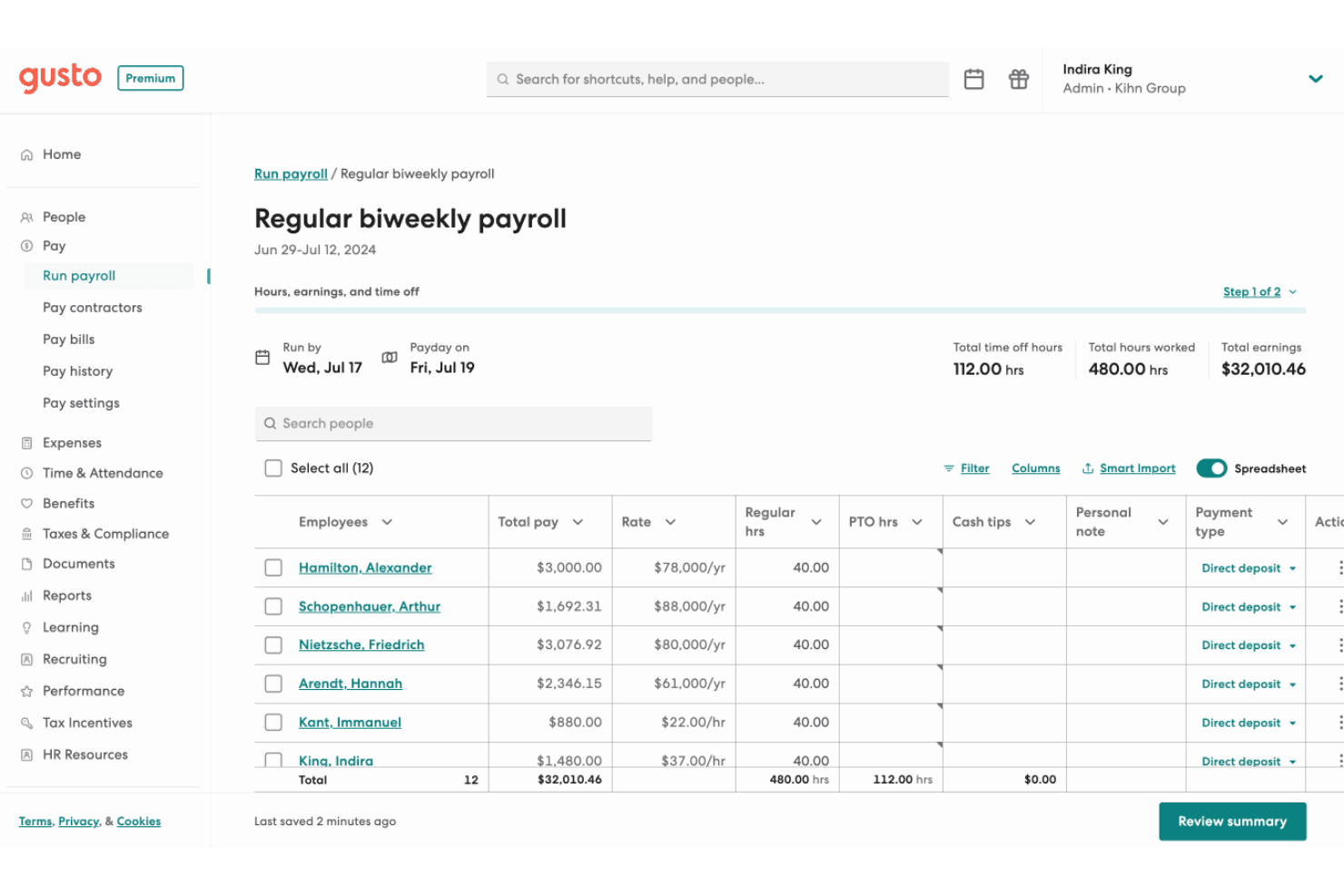
Gusto's payroll run screen lets admins review hours, earnings and time off before submitting biweekly payroll. Gusto is a payroll platform built for solopreneurs and small business owners that handles owner payroll, S-corp election setup, contractor payments, and automated federal and state tax filings.
Who Is Gusto Best For?
Sole proprietors generally take owner’s draws rather than pay themselves a W-2 salary. Owner payroll applies to qualifying corporate tax structures, such as S-corps, where owners can receive wages as employees of their business.
Why I Picked Gusto
I picked Gusto as one of the best because it's the only tool on my list with a dedicated owner-only payroll plan built specifically around S-corp election. The Solo plan includes a reasonable salary calculator that factors in your role, location, and business revenue, plus guided Form 2553 preparation with postage included. Automated quarterly payroll tax filings and W-2 generation mean the S-corp compliance side of owner payroll runs without manual intervention.
Gusto Key Features
- Payroll on AutoPilot: Automates recurring payroll runs so your owner salary processes on schedule without manual intervention each pay period.
- Domestic and global contractor payments: Pays contractors in the US and across 120+ countries directly through the platform, with integrated 1099 generation.
- Multi-state tax filing: Automatically calculates and files federal, state, and local payroll taxes, with state tax registration support across all 50 states.
- W-2 and 1099 generation: Produces and files both W-2s and 1099s automatically, with electronic copies delivered to recipients at year-end.
Gusto Integrations
Gusto integrates with Aplos, Bench, Bookkeeper360, and Betterment. Its App Integrations API supports approved app connections.
Pros and Cons
Pros:
- Reviewers praise straightforward recurring payroll runs
- Automated payroll taxes and W-2 filings
- Purpose-built S-corp owner payroll
Cons:
- Broader HR tools can clutter solo workflows
- No Schedule SE or personal estimated taxes
 Best for teams with employees and contractors
- Free demo available
- From $50 USD/month + $8/employee/month
Customer Rating:4.6/5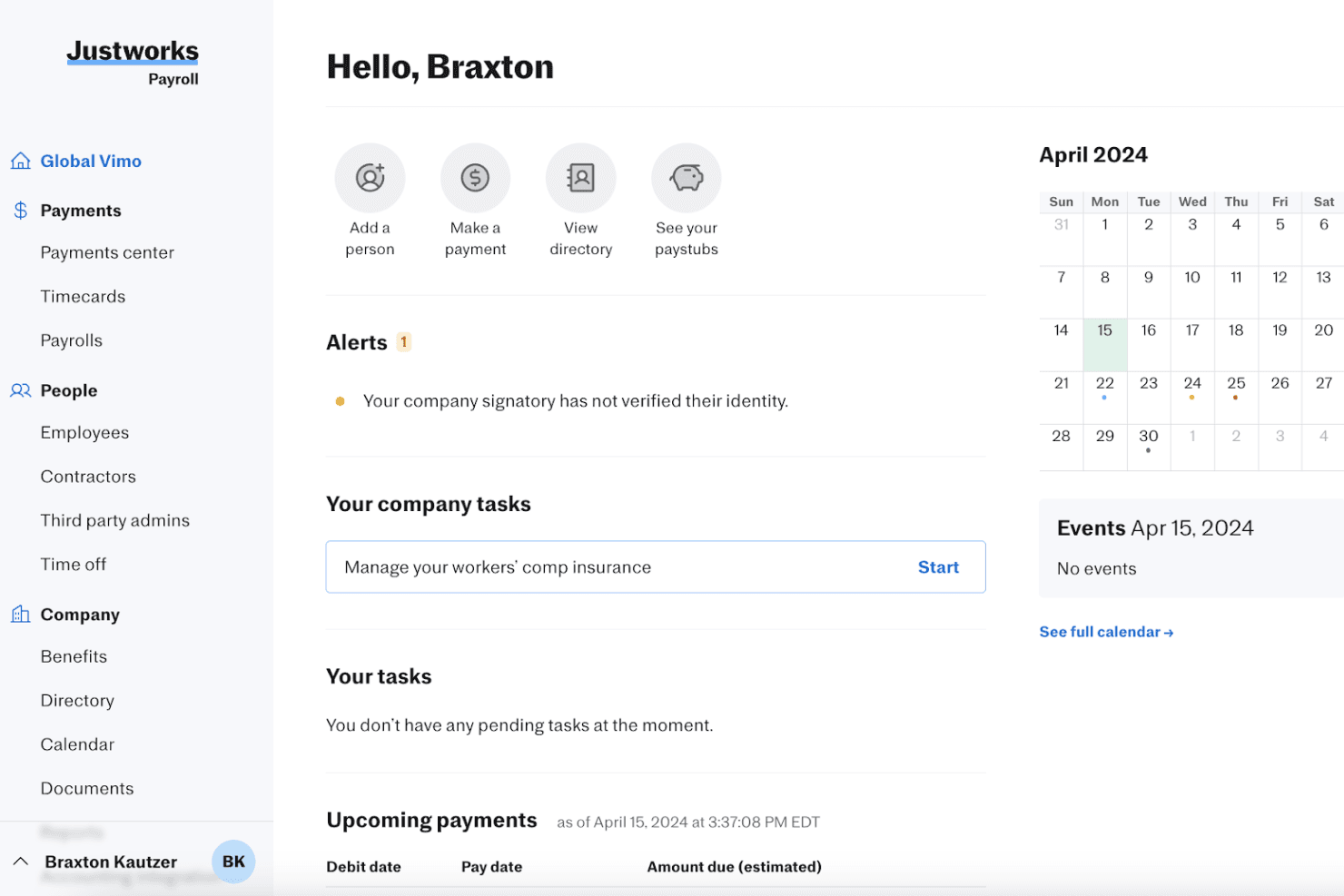
The Justworks Payroll dashboard, with quick actions, alerts, tasks, and upcoming payments in one view. Justworks Payroll is a small business payroll platform that handles employee and contractor payments, payroll tax filings, multi-state compliance, and HR tools like onboarding and document management. Time tracking is available as a paid add-on.
Who Is Justworks Best For?
Justworks Payroll works well for small businesses that pay a mix of W-2 employees and contractors and need multi-state tax compliance handled alongside HR tools like onboarding and document management.
Why I Picked Justworks
I've included Justworks in my top picks because it handles W-2 employee and contractor payments from the same platform, which is a real advantage when your team is a mix of both. I like that contractor payments extend to 60-plus countries alongside US-based payroll, and that multi-state tax filings and compliance alerts are built in rather than bolted on. It's the right fit when you need employee payroll and contractor management under one roof without juggling separate tools.
Justworks Key Features
- Payroll tax filing: Justworks files your federal and state payroll taxes, including W-2 and 1099 forms, on your behalf.
- Off-cycle payments: Run bonus, reimbursement, or owner draw payments outside of your regular payroll schedule at any time.
- Document Center: Store, organize, and access employee and company documents directly within the platform.
- Compliance alerts: Receive federal and state compliance notifications so you can stay ahead of regulatory changes.
Justworks Integrations
Justworks Payroll integrates with QuickBooks, Xero, and Brex.
Pros and Cons
Pros:
- Reviews praise straightforward payroll and onboarding
- Handles multi-state employer payroll filings
- Pays contractors alongside W-2 employees
Cons:
- Owner draws require manual off-cycle payments
- Doesn’t calculate self-employment taxes
Learn more about Justworks: Best for owner payroll with a solo 401(k)
- Free demo available
- Pricing upon request
Visit WebsiteCustomer Rating:4.2/5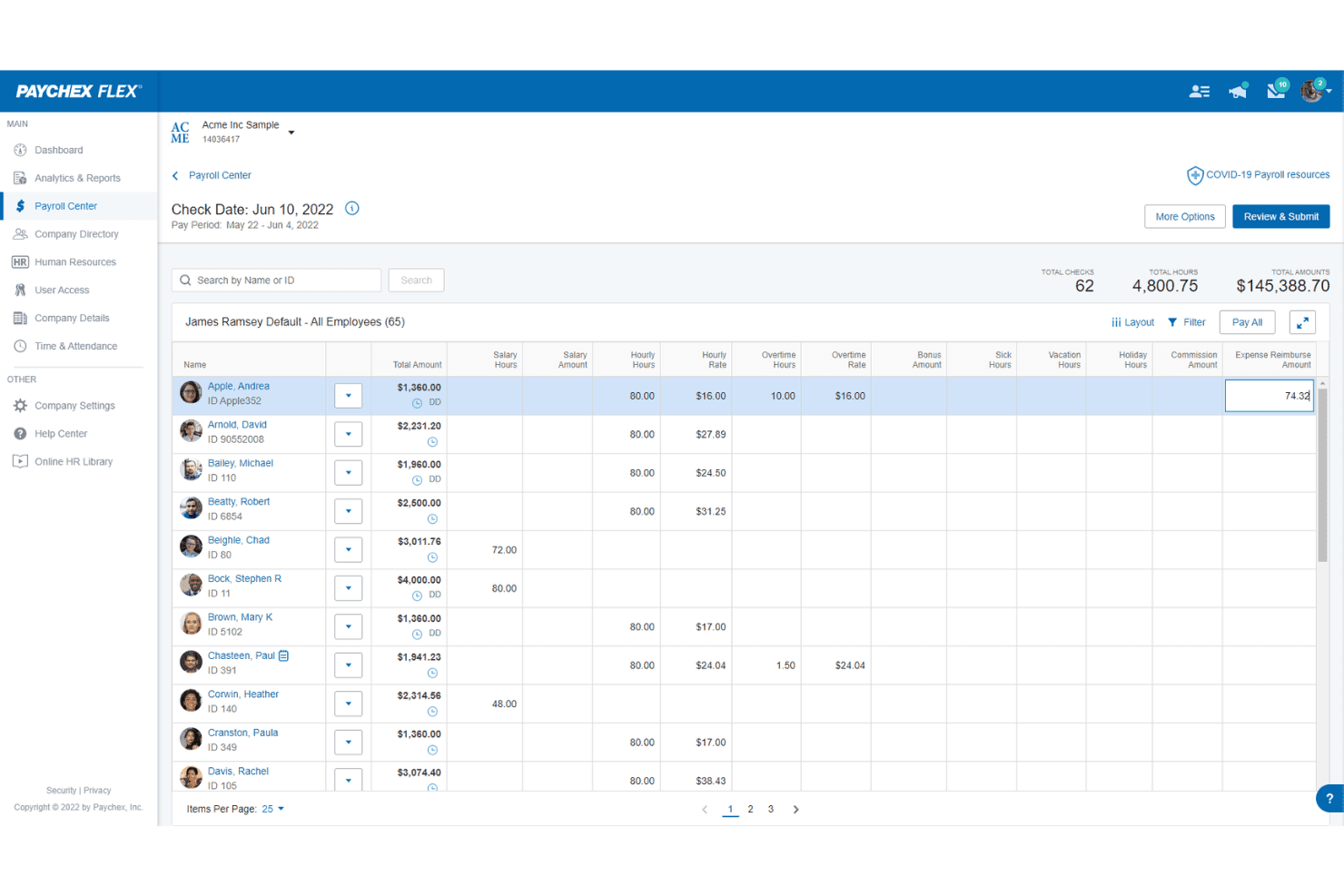
The Paychex Flex Payroll Center lists each employee's pay, hours and totals before payroll is reviewed and submitted. Paychex Flex is a payroll and HR platform built for businesses of all sizes, including owner-only businesses, that handles payroll processing, payroll tax administration, and retirement plan integration for self-employed owners.
Who Is Paychex Flex Best For?
Paychex Flex is a strong fit for incorporated sole proprietors and S-corp owners who want to run owner payroll and pair it with a solo 401(k) on a single platform.
Why I Picked Paychex Flex
I picked Paychex Flex as one of the best because it's one of the few payroll platforms that directly pairs owner payroll with a solo 401(k) in a single setup. If you're running an incorporated sole proprietorship or S-corp, Paychex lets you run payroll for yourself as an employee of your own business, handle federal and state payroll tax withholding automatically, and funnel pre-tax contributions straight into a solo 401(k) without juggling separate systems.
Paychex Flex Key Features
- Multi-state payroll tax administration: Automatically calculates, withholds, files, and remits federal, state, and local payroll taxes across every state where you work.
- Direct deposit and pay card support: Pay yourself via direct deposit, paper check, or pay card, depending on what works best for your setup.
- Year-end tax form access: Generates and provides digital W-2 and 1099 forms through the platform so your records are ready at tax time.
- Employee self-service mobile app: Access pay stubs, tax forms, and direct deposit details from iOS or Android without contacting support.
Paychex Flex Integrations
Paychex Flex integrates with QuickBooks Online, Xero, and Sage Intacct. Paychex also supports API-based connections.
Pros and Cons
Pros:
- Reviewers praise straightforward payroll processing
- Automatic multi-state payroll tax filing
- Solo 401(k) contributions pair with owner payroll
Cons:
- Reviewers report delays resolving support issues
- Self-employment tax calculations aren’t clearly documented
Learn more about Paychex Flex: Best for QuickBooks users paying contractors
- 30-day free trial + Free demo available
- From $50 USD/month + $7/employee/month
Visit WebsiteCustomer Rating:4.4/5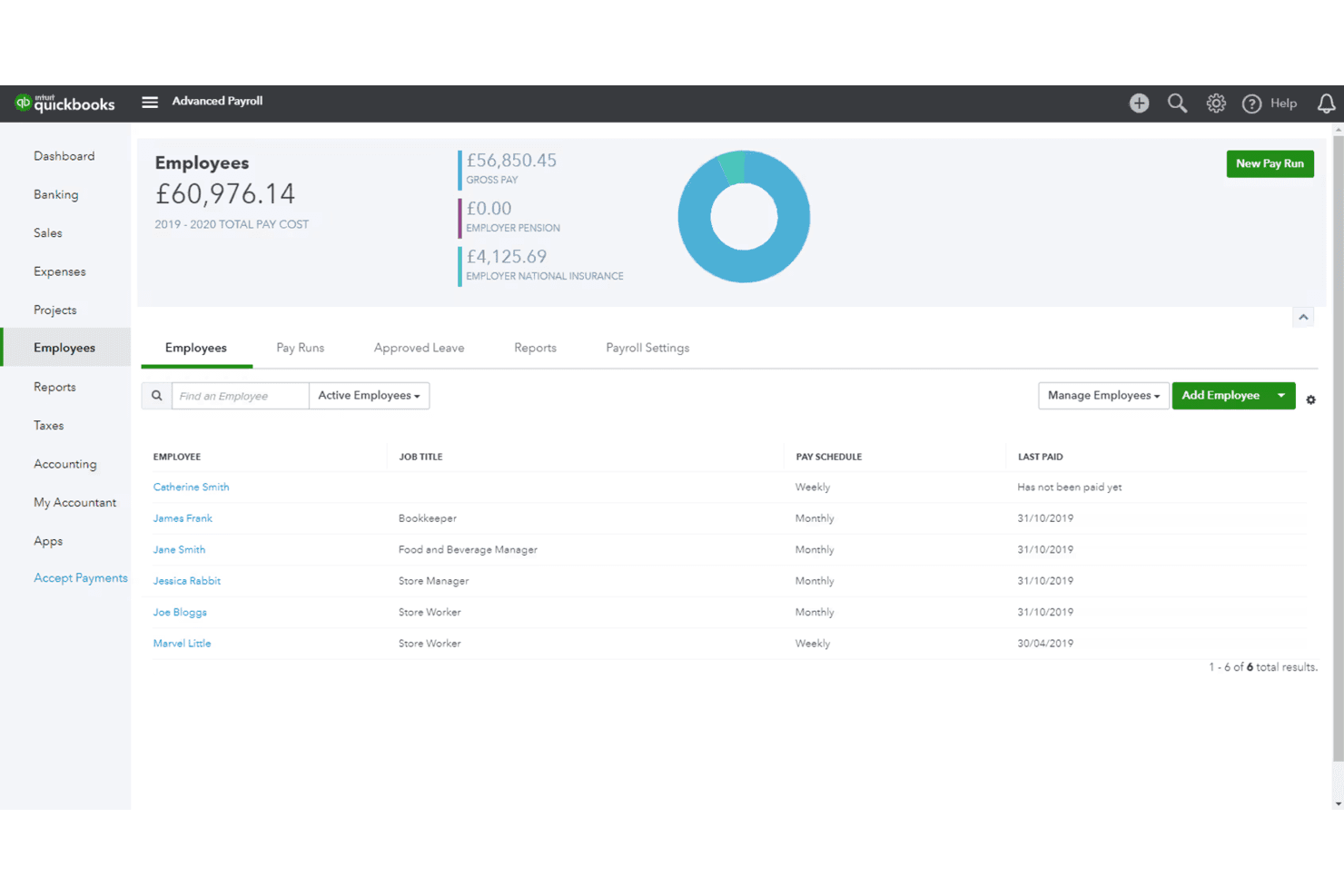
The Employees screen in QuickBooks Payroll lists staff with their job titles, pay schedules and last paid dates. QuickBooks Payroll is a full-service payroll platform that handles payroll tax calculation, filing, and payment, plus contractor 1099 e-filing, direct deposit, and employee HR tools.
Who Is QuickBooks Payroll Best For?
QuickBooks Payroll is a natural fit for small business owners who already use QuickBooks Online and need to pay both W-2 employees and 1099 contractors from one place.
Why I Picked QuickBooks Payroll
I picked QuickBooks Payroll for this list because, if you're already running your books in QuickBooks Online, the payroll and accounting data sync natively, so contractor payments post directly to your general ledger without manual reconciliation. What I really like is the unlimited 1099-MISC and 1099-NEC e-filing built into every plan, which means you can pay as many contractors as your business needs and file their forms directly with the IRS from the same dashboard.
QuickBooks Payroll Key Features
- Full-service payroll tax filing: Calculates, files, and pays federal and state payroll taxes automatically, covering garnishments and deductions in every plan.
- Auto payroll: Runs payroll automatically for eligible salaried employees on direct deposit, flagging the run for your review before paychecks go out.
- Next-day direct deposit: Sends contractor and employee payments via direct deposit as quickly as the next business day on the base plan, with same-day deposit on higher tiers.
- Payroll Agent: Collects employee time and attendance data, scans for inconsistencies, and prepares a draft payroll for your approval via SMS or the Workforce app.
QuickBooks Payroll Integrations
QuickBooks Payroll connects with QuickBooks Online and offers integrations with Allstate, Vestwell, NEXT, and Checkr.
Pros and Cons
Pros:
- Users praise straightforward payroll runs
- Payroll taxes calculate, file, and pay automatically
- Unlimited 1099 e-filing accompanies contractor payments
Cons:
- No clear owner self-pay workflow
- No documented self-employment tax calculations
Learn more about QuickBooks Payroll: Best for paying yourself and contractors
- Free trial + free demo available
- From $49 USD/month + $6/worker/month
Visit WebsiteCustomer Rating:5/5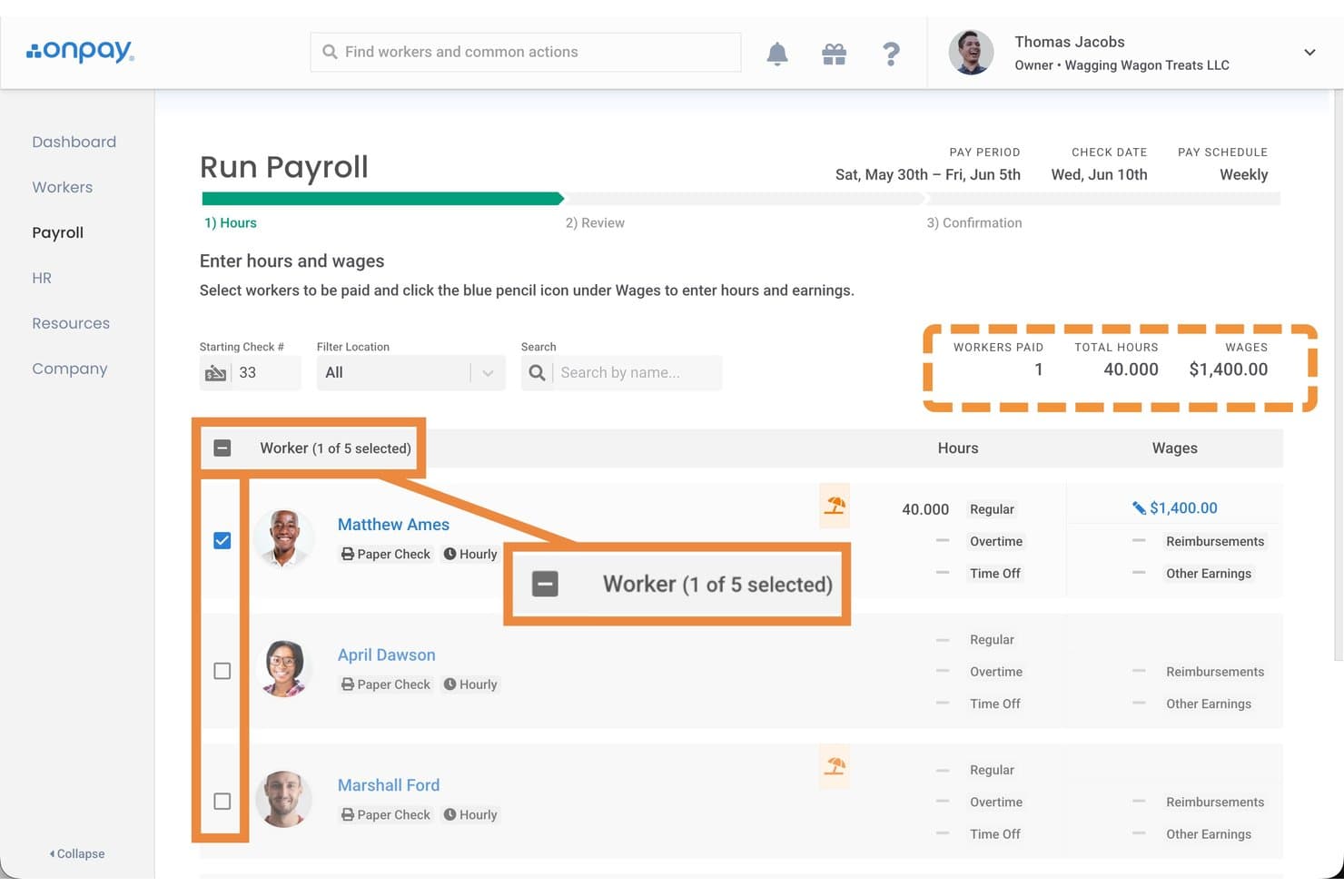
OnPay's Run Payroll screen, where users select workers and enter hours and wages for each pay period. OnPay is a full-service payroll platform that handles owner payroll, W-2 and 1099 contractor payments, automated tax filings, and multi-state compliance for small and solo businesses.
Who Is OnPay Best For?
OnPay is a strong fit for S-corp owners who need to pay themselves a regular W-2 salary, as well as sole proprietors who need to manage employee and contractor payments.
Why I Picked OnPay
I picked OnPay as one of the best because it has a dedicated owner-payroll workflow that lets you set your own federal and state income-tax withholding and lock in a reasonable compensation amount in just a few clicks. I also like that W-2 and 1099 contractor payments run in the same payroll, so you can pay a freelance designer alongside your own salary without juggling separate tools. Automated quarterly and year-end filings, including blank filings for low-activity periods, round out the solo-business use case well.
OnPay Key Features
- Multi-state payroll compliance: OnPay calculates and files federal, state, and local taxes across all 50 states, including automatic state tax registrations.
- Custom payroll report designer: Build and save custom payroll reports using more than 50 data fields, with real-time filtering and PDF or spreadsheet export.
- Employee self-service portal: Employees can log in to view and download their own pay stubs and tax documents at any time.
- PTO accrual policy management: Set custom PTO accrual rules and let OnPay calculate balances automatically with each payroll run.
OnPay Integrations
OnPay integrates with QuickBooks Online, Xero, QuickBooks Time, Deputy, and When I Work. It also lists Middesk for state tax registration.
Pros and Cons
Pros:
- Reviewers praise responsive onboarding support
- Contractors share owner payroll runs
- Owner payroll supports adjustable tax withholding
Cons:
- Inactive months cannot pause accounts
- No dedicated self-employment tax calculations
 Best for multi-state staff and contractor pay
- 30-day free trial + Free demo available
- From $37 USD/month + $5/worker/month
Visit WebsiteCustomer Rating:5/5
Patriot Payroll's Employee Info page, showing personal, contact, work and demographic details for an employee. Patriot Payroll is a small business payroll platform that handles W-2 employee and contractor payments, payroll tax calculations, 1099 generation, and direct deposit. Its Basic Payroll plan calculates payroll taxes, while the Full Service Payroll plan also handles tax filings and payments.
Who Is Patriot Payroll Best For?
Patriot Payroll is a strong fit for small business owners who need to pay a mix of W-2 employees and contractors across multiple states without paying enterprise-level prices.
Why I Picked Patriot Payroll
I've included Patriot Payroll in my top picks because it handles multi-state W-2 and contractor payroll in a single run, which is exactly what small business owners with staff spread across states need. Full Service Payroll automatically files and deposits federal, state, and local taxes across all 50 states, and 1099 generation with e-filing is built right into the contractor workflow.
Patriot Payroll Key Features
- Auto payroll: Set up recurring payroll runs for salaried or hourly workers, with advance notifications before each scheduled run processes.
- S-corp health insurance handling: Add company-paid health premiums for shareholders owning more than 2% directly to their W-2s.
- Employee and contractor self-service portal: Let workers view pay stubs, manage direct deposit details, and access tax forms without contacting you.
- Net-to-gross payroll calculation: Enter a target take-home amount and Patriot calculates the gross pay needed to cover taxes and deductions.
Patriot Payroll Integrations
Patriot Payroll connects with Patriot Accounting and QuickBooks Online, with export support for QuickBooks Desktop. It also integrates with SimplyInsured, Vestwell, and ERGO NEXT.
Pros and Cons
Pros:
- Multi-state payroll tax filings cover all states
- Contractor payments and 1099 filing together
- S-corp owners report straightforward monthly payroll
Cons:
- Standard direct deposit needs four-day lead time
- No self-employment tax or Schedule SE calculation
Learn more about Patriot Payroll:
Diğer Serbest Meslek Sahipleri için Bordro Yazılımları
Kısa listeme girmeyen ancak yine de göz atmaya değer birkaç seçenek daha şunlar:
- 11FreshBooksBest for freelancers linking books and payroll
- 12MelioBest for contractor payouts and 1099 filing
- 13Square PayrollBest for Square sellers with tipped staff
- 14Wave PayrollBest for Wave users keeping payroll in books
- 15XeroBest for solo businesses adding staff payroll
- 16WagepointBest for Canadian employee and contractor pay
- 17Roll by ADPBest for paying staff and contractors together
- 18Payroll MateBest for payroll across multiple companies
- 19Payroll4FreeBest for free monthly pay for up to nine people
- 20FoundBest for freelancer banking and tax tracking
How I Evaluate Self-Employed Payroll Software
I split my evaluation into three parts. First, core functionality: the tool must calculate self-employment taxes automatically and support owner payroll runs—this carries the most weight. Second, I look for standout features like owner's draw versus salary guidance. Third, I consider support access, onboarding clarity, and pricing transparency.
Core Functionality (Table Stakes for This List)
When I'm selecting tools for my list, I score each one on a scale from 0 (does not offer the functionality) to 5 (excels in this area) for each core functionality listed below. I then convert the total into a percentage to help assess each tool's overall fit, with extra weight on any functionalities I've deemed essential.
- Self-Employment Tax Calculation (Essential): I check whether the tool calculates Social Security and Medicare obligations for owners and adjusts as income changes throughout the year.
- Owner Payroll Processing (Essential): I evaluate how well each tool handles owner pay runs, including whether it adapts to different structures like S-corp salary or owner's draw.
- Tax Form Filing Support: Tools that generate and e-file forms like 1099s and quarterly estimates score higher than those that only pre-fill templates for manual submission.
- Direct Deposit or Disbursement: I look at deposit speed, scheduling flexibility, and whether the tool supports electronic payments for both owner and contractor payouts.
- Multi-State and Federal Compliance: Each tool's ability to apply and update the correct federal and state tax rates matters, especially for owners who work or hire across state lines.
- Contractor Payment Management: I evaluate whether contractor payments and 1099 tracking live in the same workflow as owner payroll or require a separate process.
Once I have a list of tools that meet the criteria, I consider what sets each platform apart.
Differentiating Factors (What Sets Vendors Apart)
Here's how I compare and contrast different vendors:
Standout Features
I look for integrated bookkeeping sync because it eliminates double entry between payroll and your books. Tools like Gusto and QuickBooks Payroll handle this differently, so I check whether the sync is native or requires a connector. Quarterly tax savings automation matters too—especially for owners who owe estimated taxes and want funds set aside automatically. I also evaluate whether a tool offers owner's draw versus salary guidance, since S-corp owners need clarity on how to split compensation for tax purposes.
Beyond Features
I check whether pricing stays predictable as you move from solo owner payroll to adding a contractor or W-2 employee—tools like Gusto and OnPay handle that scaling differently. Onboarding clarity matters just as much, since most self-employed owners aren't payroll specialists and need plain-language setup wizards to avoid costly misclassifications. I also evaluate how well each tool connects to accounting platforms and business bank accounts, because a direct sync between payroll and your books cuts reconciliation work during tax season.
Serbest Meslek Sahipleri için Bordro Yazılımı Nasıl Seçilir?
Yazılımı, ödeme yapınızı ve vergi sorumluluklarınızı sağlayıcının işleyip bildireceği ve belgelendireceği unsurlarla eşleştirerek seçin.
| Önceliğiniz Şuysa | Şunları Arayın |
|---|---|
| Önceliğiniz ŞuysaKendinize maaş ödemek | Şunları Arayınİşletme yapınızı destekleyen ve her ödeme dönemini kaydeden işletme sahibi bordrosu |
| Önceliğiniz ŞuysaYüklenicilere ödeme yapmak | Şunları ArayınYüklenici ödemelerini, yıl sonu vergi formlarını ve bildirim sorumluluklarını tek bir iş akışında sunan çözümler |
| Önceliğiniz ŞuysaVergi yükümlülüklerini yönetmek | Şunları ArayınBordro vergilerinin, tahmini vergilerin ve gerekli bildirimlerin nasıl ele alındığını açıkça gösteren çözümler |
| Önceliğiniz ŞuysaFarklı konumlarda çalışan eklemek | Şunları ArayınHer çalışma konumu için belgelenmiş eyalet vergisi kurulumu ve uyumluluk sorumlulukları |
Kısa Listenizi Nasıl Değerlendirebilirsiniz?
- İşletme sahibi ödeme dönemini test edin: Bir deneme sürümü veya tanıtım kullanarak bir işletme sahibi bordrosu girin, ardından ortaya çıkan maaş bordrosunu ve vergi hesaplamalarını sağlayıcıya açıklatın.
- Örnek bir vergi paketi isteyin: Sağlayıcının hangi formları hazırladığını, bildirdiğini veya size bıraktığını gösteren, kişisel bilgileri çıkarılmış bir yıl sonu paketi talep edin.
- Bir senaryo talebi oluşturun: Sağlayıcının işletme sahibinin işletmeden çektiği tutarlardan maaşa geçişi nasıl ele aldığını sorun ve yazılı yanıtını ve talep numarasını saklayın.
- Büyüme teklifi alın: Bir işletme sahibi, bir yüklenici ve bir ek çalışan için her yinelenen ücret ile bildirim ücretinin ayrı ayrı gösterildiği yazılı bir tahmin isteyin.
- Önceliğinizi belirleyin: Yalnızca bordro hizmeti sunan bir hizmet ile bordro ve vergi işlerini birlikte koordine eden bir sağlayıcıyı karşılaştırın; daha sınırlı hizmet kapsamının mı yoksa bütünleşik desteğin mi ihtiyaçlarınıza uygun olduğuna karar vermek için yazılı sorumluluk listesini kullanın.
Serbest Meslek Sahipleri için Bordro Yazılımı Nedir?
Serbest meslek sahipleri için bordro yazılımı, işletme sahiplerinin kendilerine ve çalışanlarına ödeme yapmasına, bordro vergilerini hesaplamasına ve ödeme kayıtlarını tutmasına yardımcı olur. İhtiyacınız olan özellikler işletme yapınıza bağlıdır: S şirketi sahibi W-2 bordrosu çalıştırmak zorunda olabilirken, şahıs işletmesi sahibi genellikle maaş yerine işletmeden çekim yapar. Bazı araçlar ayrıca yüklenici ödemelerini, vergi formlarını ve bordro vergisi bildirimlerini de destekler.
Özellikler
Serbest meslek sahipleri için bordro yazılımında aradığım başlıca özellikler şunlardır:
- Sahip bordrosu işleme: İşletme yapınıza göre kendinize ödeme yapmanızı sağlar. Örneğin, maaşa ihtiyaç duyan bir işletme sahibi ödeme işlemlerini kaydedebilirken, işletmesinden çekiş yapan bir sahibin bu işlemleri çalışan ücretlerinden ayrı tutan bir araca ihtiyacı vardır.
- Bordro vergisi hesaplama: Ödeme tutarlarını ve çalışan bilgilerini kullanarak geçerli bordro vergilerini hesaplar. Vergi uygulamaları farklı olabileceğinden, sahipler ve çalışanlar için vergilerin ayrı ayrı ele alınıp alınmadığını kontrol edin.
- Vergi beyannamesi ve ödeme desteği: Gerekli bordro vergisi beyannamelerini ve ödemelerini hazırlar, gönderir veya bunları takip etmenize yardımcı olur. Sağlayıcının hangi adımları üstlendiğini ve hangilerinin sizin sorumluluğunuzda kaldığını doğrulayın.
- Yüklenici ödemeleri ve vergi formları: Yüklenici ödemelerini kaydeder ve gerekli yıl sonu vergi bildirimlerini destekler. Bu, yüklenici ödemelerini çalışan bordrosundan ayrı tutar ve yazılımın formları hazırlayıp hazırlamadığını veya gönderip göndermediğini netleştirir.
- Doğrudan para yatırma ve ödeme planlama: Ücretleri elektronik olarak gönderir ve ödeme tarihlerini planlamanıza olanak tanır. İşlem sürelerini ve yüklenici ile sahip ödemelerinde aynı ödeme seçeneklerinin kullanılıp kullanılmadığını kontrol edin.
- Ödeme kayıtları ve raporlama: Ödeme işlemlerinin ayrıntılarını saklar ve daha sonra inceleyebileceğiniz raporlar veya ödeme dökümleri sunar. Bu kayıtlar bordroyu mutabakatla karşılaştırmanıza, çalışanların sorularını yanıtlamanıza ve vergi bildirimlerine hazırlanmanıza yardımcı olur.
- Konuma dayalı vergi kurulumu: İşletmenizin ve çalışanlarınızın faaliyet gösterdiği yerlere göre ilgili vergi kurallarını uygular. Desteklenen konumları inceleyin ve siz veya bir çalışan taşındığında yazılımın değişiklikleri nasıl ele aldığını doğrulayın.
- Muhasebe bağlantıları: Bordro verilerini doğrudan veya bir bağlayıcı aracılığıyla bağlı bir muhasebe sistemine aktarır. Hangi ödeme, vergi ve gider ayrıntılarının senkronize edildiğini kontrol ederek hangi bilgilerin hâlâ manuel olarak girilmesi gerektiğini öğrenin.
Avantajlar
Serbest meslek sahiplerine yönelik bordro yazılımı, aşağıdaki avantajlarla sahip ödemelerini ve vergi işlemlerini yönetmenize yardımcı olabilir:
- Vergi hesaplamaları: Vergi hesaplama özellikleri, gelir ve ödeme ayrıntılarından geçerli serbest meslek veya bordro vergilerini tahmin edebilir.
- Sahip ödeme kayıtları: Sahip bordrosu araçları, maaş ödemelerini işletmeden yapılan çekişlerden ayrı olarak kaydederek işletme yapınıza uygun kayıtları korumanıza yardımcı olur.
- Vergi beyannamesi desteği: Beyanname özellikleri bordro formlarını ve ödemelerini hazırlayabilir veya gönderebilir; ayrıca hangi vergi işlemlerinin sizin sorumluluğunuzda kaldığını netleştirir.
- Yüklenici yönetimi: Yüklenici ödeme takibi ve yıl sonu vergi formları, çalışan ödemelerini ve bildirim ayrıntılarını tek bir iş akışında tutar.
- Elektronik ödemeler: Doğrudan para yatırma ve ödeme planlama, desteklendiğinde sahip veya çalışan ödemelerini elektronik olarak göndermenizi sağlar.
- Konuma dayalı vergi kurulumu: Eyalet ve federal vergi ayarları, işletmeniz ve çalışanlarınızın konumları için ilgili kuralların uygulanmasına yardımcı olur.
- Muhasebe kayıtları: Muhasebe bağlantıları, bordro ayrıntılarını hesaplarınıza aktararak mutabakat sırasında manuel veri girişini azaltabilir.
Fiyatlandırma
Serbest meslek sahiplerine yönelik bordro yazılımının maliyeti işletme yapınıza, çalışan sayınıza ve ihtiyaç duyduğunuz vergi beyannamesi desteği düzeyine bağlıdır. Aşağıdaki tablo, sağlayıcıların yayımlanmış ücretlerine dayalı olarak USD cinsinden gösterge niteliğinde fiyatlandırma sunar.
Serbest Meslek Sahiplerine Yönelik Bordro Yazılımı Plan Karşılaştırma Tablosu
| Ücretsiz Deneme veya Demo | $0 | Sağlayıcıya bağlı olarak geçici erişim veya ürün tanıtımları. |
| Temel Bordro | Ayda $17’den başlayan fiyatlar + çalışan başına ayda $4 | Bordro işlemleri, doğrudan para yatırma ve vergi hesaplamaları. |
| Tam Hizmet Bordro | Ayda $37’den başlayan fiyatlar + çalışan başına ayda $5 | Otomatik bordro vergisi beyannameleri, ödemeler ve yıl sonu vergi formları. |
| S-Corp Sahip Bordrosu | Ayda $49’dan başlayan fiyatlar + ödeme alıcısı başına $6 | Sahip maaşı işlemleri, bordro vergisi beyannameleri ve W-2 oluşturma. |
| Hepsi Bir Arada Finansal Hizmetler | Ayda $349’dan başlayan fiyatlar | Defter tutma, işletme vergisi beyannamesi ve S-Corp bordro desteği. |
Çok eyaletli beyannameler, isteğe bağlı hizmetler ve diğer ek özellikler için ilave ücretler uygulanabilir.
SSS
Serbest çalışanlara yönelik bordro yazılımı hakkında sık sorulan soruların yanıtları burada:
Serbest çalışıyorsam bordro yazılımına ihtiyacım var mı?
Her zaman değil. Şahıs işletmesi sahibiyseniz veya şahıs işletmesi olarak vergilendirilen tek üyeli bir LLC’niz varsa, genellikle kendinize W-2 bordrosu üzerinden ödeme yapmak yerine işletme sahibinin çekişlerini alırsınız. Çalışanlara veya yüklenicilere ödeme yapıyorsanız bordro yazılımı yine de yardımcı olabilir. İşletmeniz S şirketi olarak vergilendiriliyorsa, genellikle bir çalışan olarak kendiniz için bordro işlemi yürütmeniz gerekir. Yazılımı vergi yapınıza uygun seçin ve işletme sahibine ödeme düzenini oluşturmadan önce yükümlülüklerinizi bir vergi uzmanıyla doğrulayın.
Şahıs işletmesi sahibi olarak kendime maaş ödeyebilir miyim?
Hayır, şahıs işletmesi sahibi genellikle kendi işletmesinden kendisine W-2 maaşı ödeyemez. Çalışan maaşında olduğu gibi ücret sayılmayan ve bordro vergisi kesintisi yapılmayan çekişler alır. İşletmenin kârı yine de gelir vergisine ve serbest çalışma vergisine tabi olabilir. S şirketi vergilendirmesini seçtiyseniz kurallar farklıdır: işletmede çalışan bir işletme sahibinin genellikle bordro üzerinden makul bir ücret alması gerekir. Bordro iş akışını seçmeden önce işletme türünüzü ve vergi durumunuzu kontrol edin.
Bordro yazılımı üç aylık tahmini vergileri yönetir mi?
Bazı bordro araçları tahmini vergilerin hesaplanmasına veya bir kenara ayrılmasına yardımcı olur, ancak bordro vergisi beyannamesi verme ve tahmini gelir vergisi ödemeleri farklı işlemlerdir. Bordro yazılımı çalışan ücretleriyle ilgili vergileri kesip gönderebilir; ancak işletme geliriniz üzerinden tahmini ödemeler yapmanız yine de gerekebilir. Sağlayıcıya hangi vergileri hesapladığını, ödediğini veya beyan ettiğini ve hangi işlemlerin sizin sorumluluğunuzda kaldığını sorun. Bir tahmine güvenmeden önce bunu toplam geliriniz ve vergi durumunuzla karşılaştırarak bir vergi uzmanına kontrol ettirin.
Serbest çalışma vergisi ile bordro vergileri arasındaki fark nedir?
Serbest çalışma vergisi genellikle serbest çalışmadan elde edilen net kazançlar üzerinden Sosyal Güvenlik ve Medicare vergilerini kapsar. Bordro vergileri, bir çalışanın ücretleriyle ilgili vergilerdir; bunlara çalışandan kesilen tutarlar ve işverenin ödediği tutarlar dahildir. İşletme yapınız hangi kuralların uygulanacağını etkiler: şahıs işletmesi sahibinin çekişleri ücret sayılmazken, işletmede çalışan bir S şirketi sahibi genellikle bordro üzerinden ücret alır. Bir aracın her ödemeyi aynı şekilde değerlendirmek yerine işletme sahibinin çekişlerini, ücretleri ve yüklenici ödemelerini birbirinden ayırdığından emin olun.